Presidents’ Day SaleEnds February 16. Limited quantities. No rainchecks.Shop now

Skip to contentGo to Product SearchGo to Footer
Gift Ideas
Main Content

Customer Ratings & Reviews
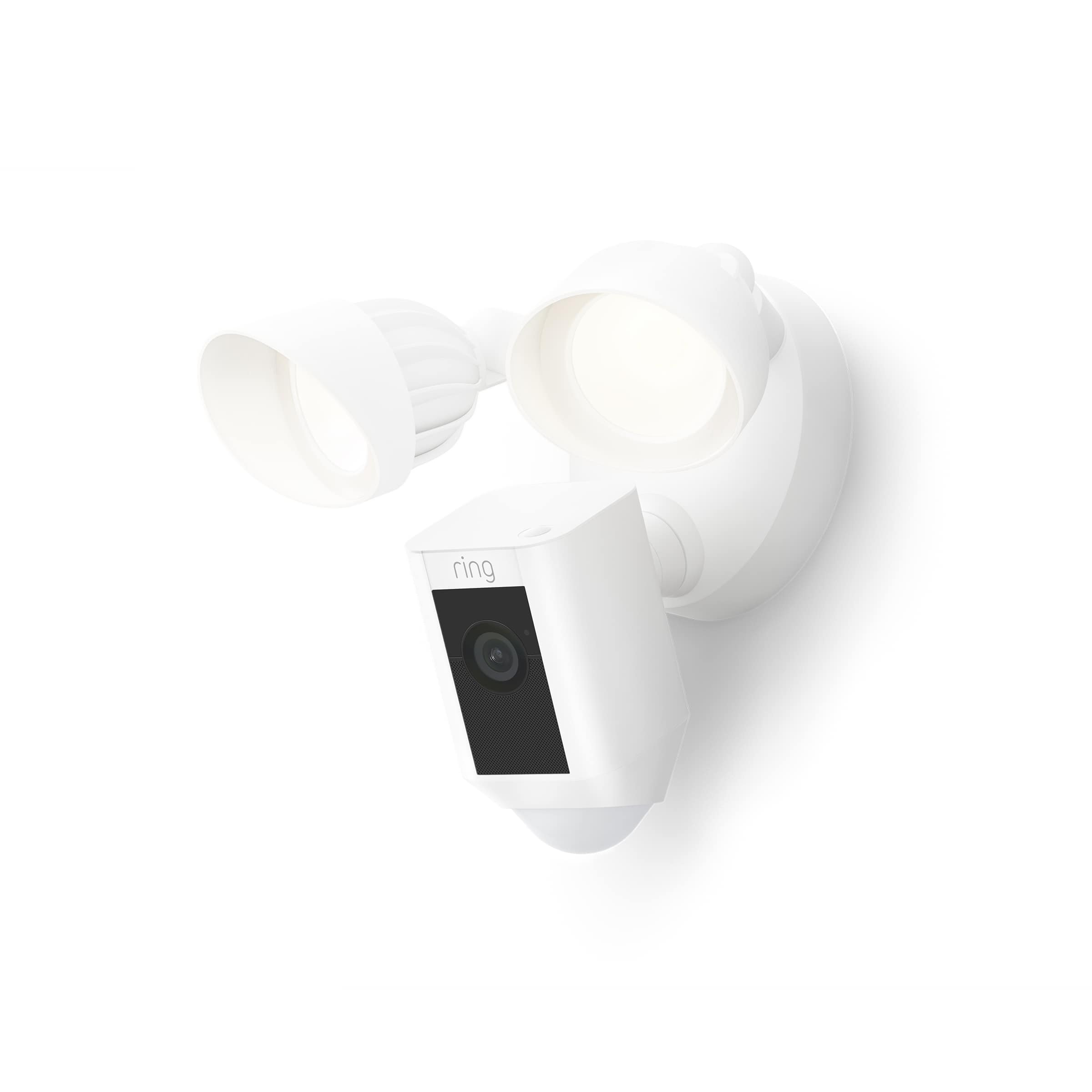
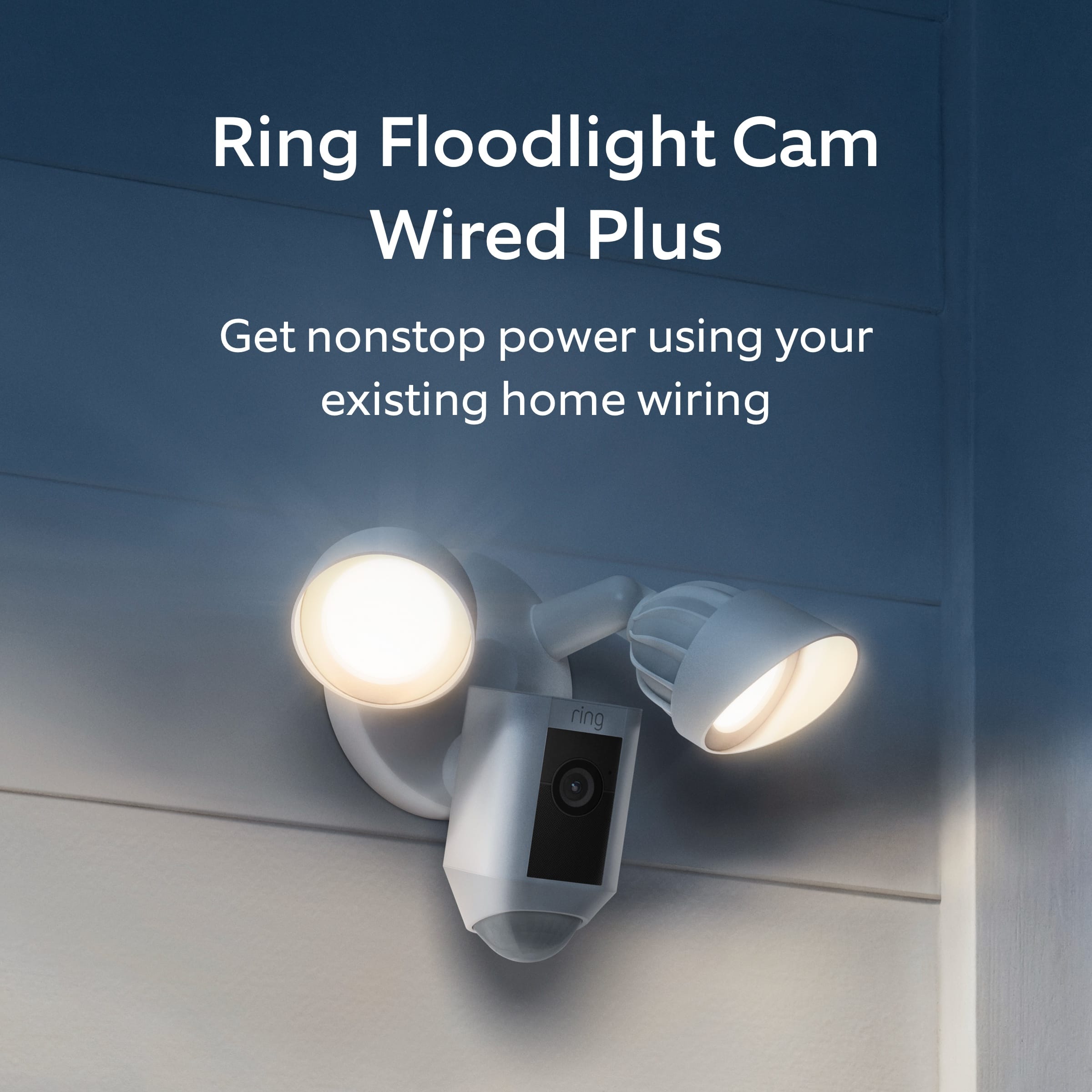
Your price for this item is $159.99
The comparable value price is $179.99

Customer reviews

Rating 4.8 out of 5 stars with 3566 reviews

Rating Filter

Rating by feature

  • Value

    Rating 4.7 out of 5 stars

  • Quality

    Rating 4.8 out of 5 stars

  • Ease of Use

    Rating 4.8 out of 5 stars

96%
would recommend
to a friend
The vast majority of our reviews come from verified purchases. Reviews from customers may include My Best Buy members, employees, and Tech Insider Network members (as tagged). Select reviewers may receive discounted products, promotional considerations or entries into drawings for honest, helpful reviews.
Page 164 Showing 3,261-3,280 of 3,566 reviews
  • Rated 5 out of 5 stars

    Driveway Camera

    |
    |
    Posted . Owned for 2 weeks when reviewed.
    This reviewer received promo considerations or sweepstakes entry for writing a review.

    Great Camera for my driveway, catches cars & people going down the street from 2 houses down.

    I would recommend this to a friend
  • Rated 4 out of 5 stars

    Great device

    |
    |
    Posted . Owned for 3 weeks when reviewed.
    This reviewer received promo considerations or sweepstakes entry for writing a review.

    Very happy with the product. It does exactly what I wanted a camera and security light.

    I would recommend this to a friend
  • Rated 4 out of 5 stars

    Beauty

    |
    |
    Posted .
    This reviewer received promo considerations or sweepstakes entry for writing a review.

    Greatness .

    I would recommend this to a friend
  • Rated 4 out of 5 stars

    Quality could be better

    |
    |
    Posted . Owned for 2 weeks when reviewed.
    This reviewer received promo considerations or sweepstakes entry for writing a review.

    One out of the four cameras did not work, video quality is weak.

    No, I would not recommend this to a friend
  • Rated 4 out of 5 stars

    Great powered camera, good WiFi range.

    |
    |
    Posted . Owned for 5 months when reviewed.
    This reviewer received promo considerations or sweepstakes entry for writing a review.

    Works great, sensitive for turning on lights, but not as sensitive for camera.

    I would recommend this to a friend
  • Rated 5 out of 5 stars

    Ring flood lights

    |
    |
    Posted . Owned for 3 weeks when reviewed.
    This reviewer received promo considerations or sweepstakes entry for writing a review.

    Great item,easy to set up. Works perfectly on my front and back yard. On sale at good price.

    I would recommend this to a friend
  • Rated 5 out of 5 stars

    Ring

    |
    |
    Posted .
    This reviewer received promo considerations or sweepstakes entry for writing a review.

    Great security camera, i see more things that i didn't know happen in my neighborhood

    I would recommend this to a friend
  • Rated 3 out of 5 stars

    Lights yes installation no

    |
    |
    Posted . Owned for 1 month when reviewed.
    This reviewer received promo considerations or sweepstakes entry for writing a review.

    the lights are fine it's the installation I'm not happy with

    I would recommend this to a friend
    • Brand response from Ring
      Posted .

      Hi AthensUser.

      Thank you for taking the time to share your experience with us. We understand the importance of a seamless setup process so that you can begin using your Ring Floodlight Wired Plus right away. The features and technology provided by the Ring Floodlight Wired Plus are incredibly valuable and help provide you with peace of mind about your home security. We are here to provide you with some information to resolve the installation issue you mentioned in your review.

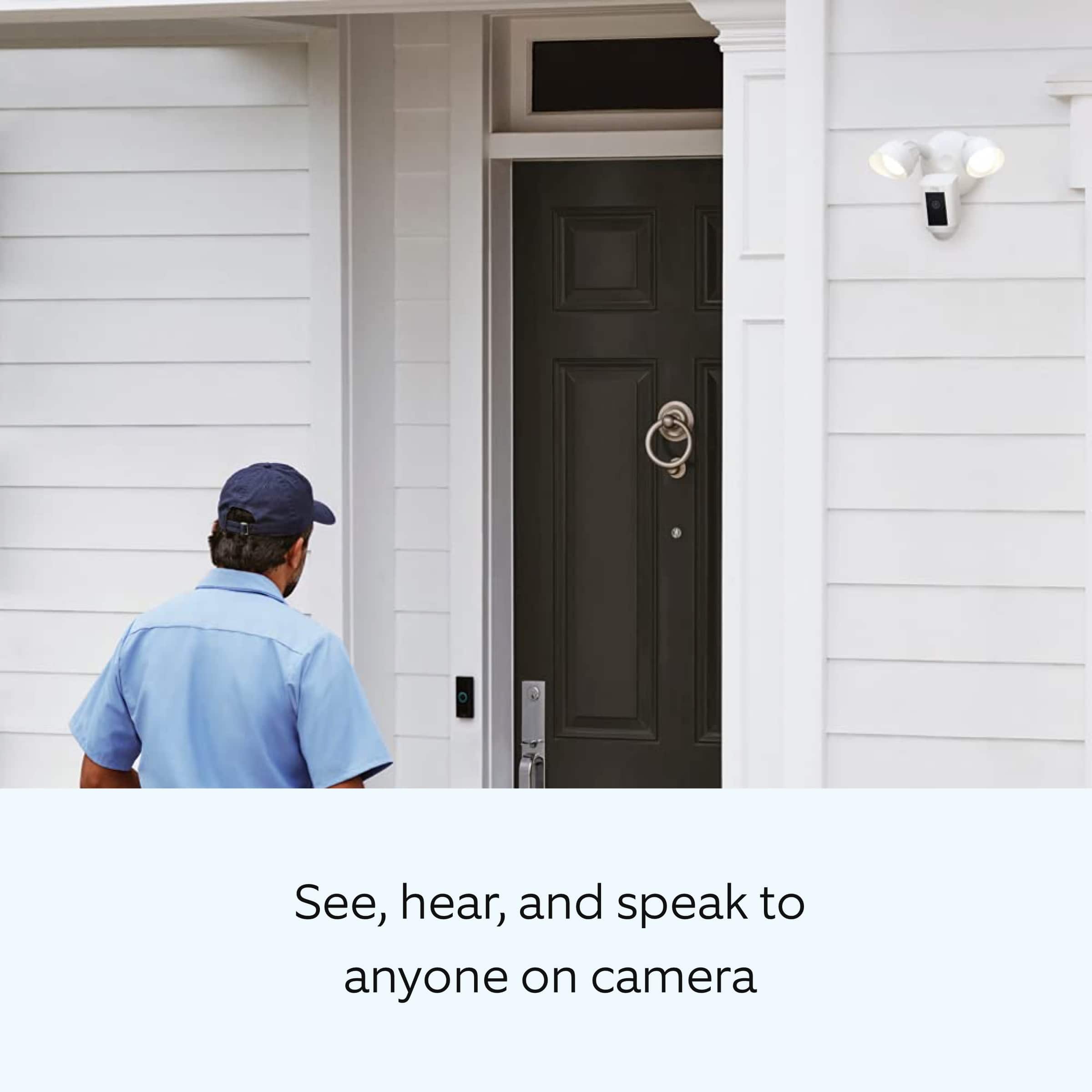
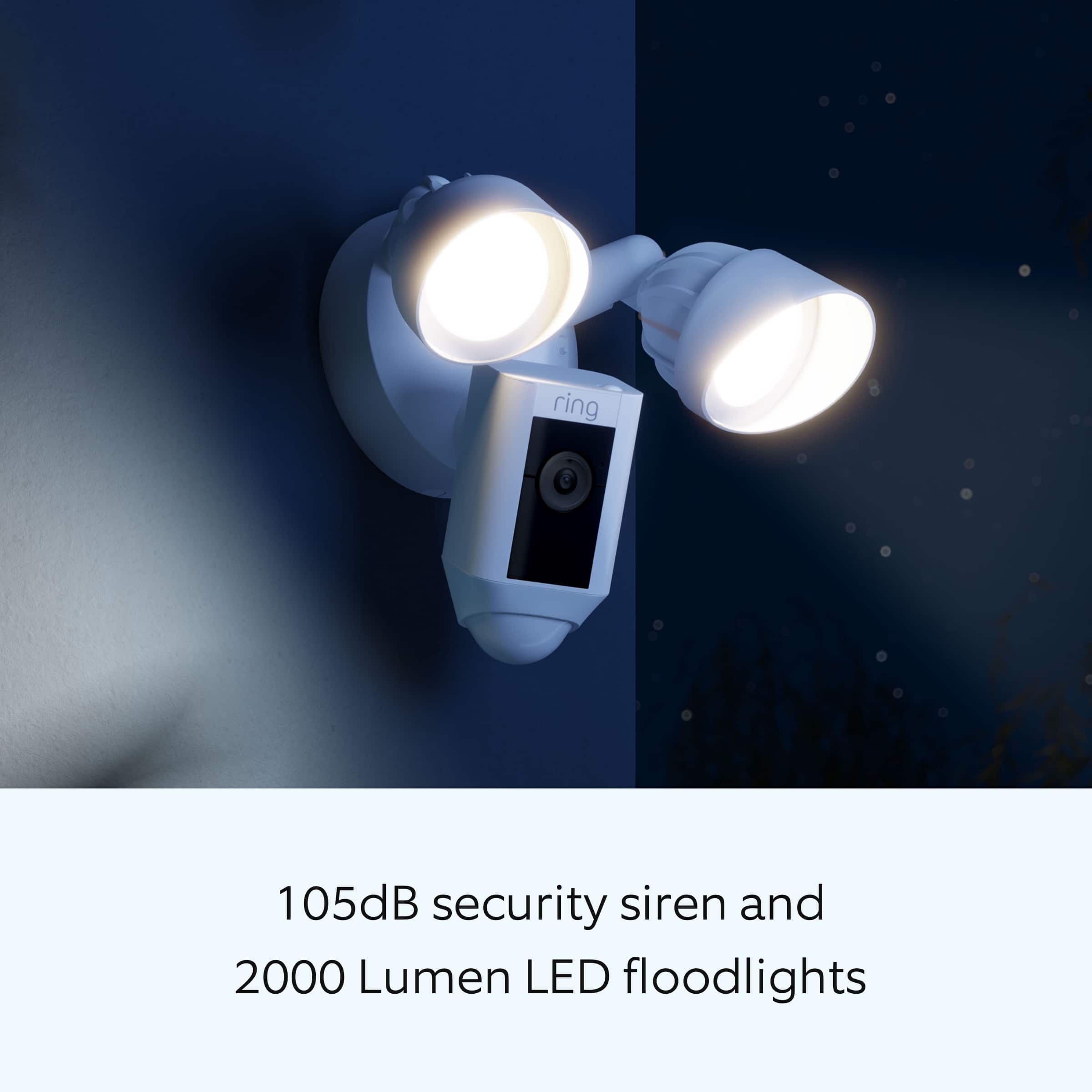
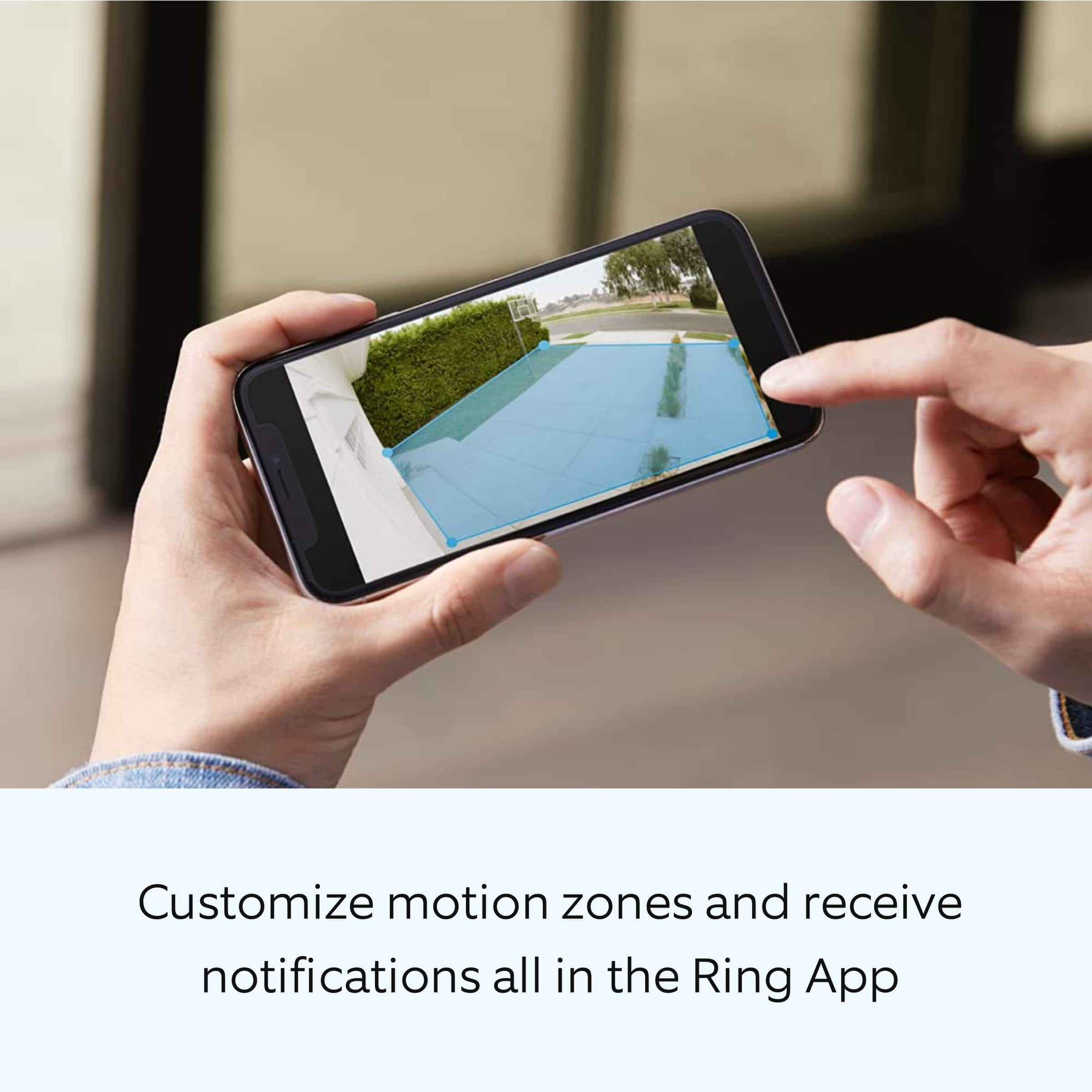
      Ring Floodlight Cam Wired Plus is an outdoor floodlight security camera with 1080p HD video. Ring Floodlight Cam Wired Plus has ultra-bright, motion-activated LED floodlights, "Customizable Motion Zones," "Live View," "Color Night Vision," a 105db siren, and two-way talk.

      We have included a list here of the items that come in the box with the device:
      Floodlight Cam Wired Plus
      Terminal block
      Mounting bracket
      Installation tools and screws
      User manual
      Security sticker

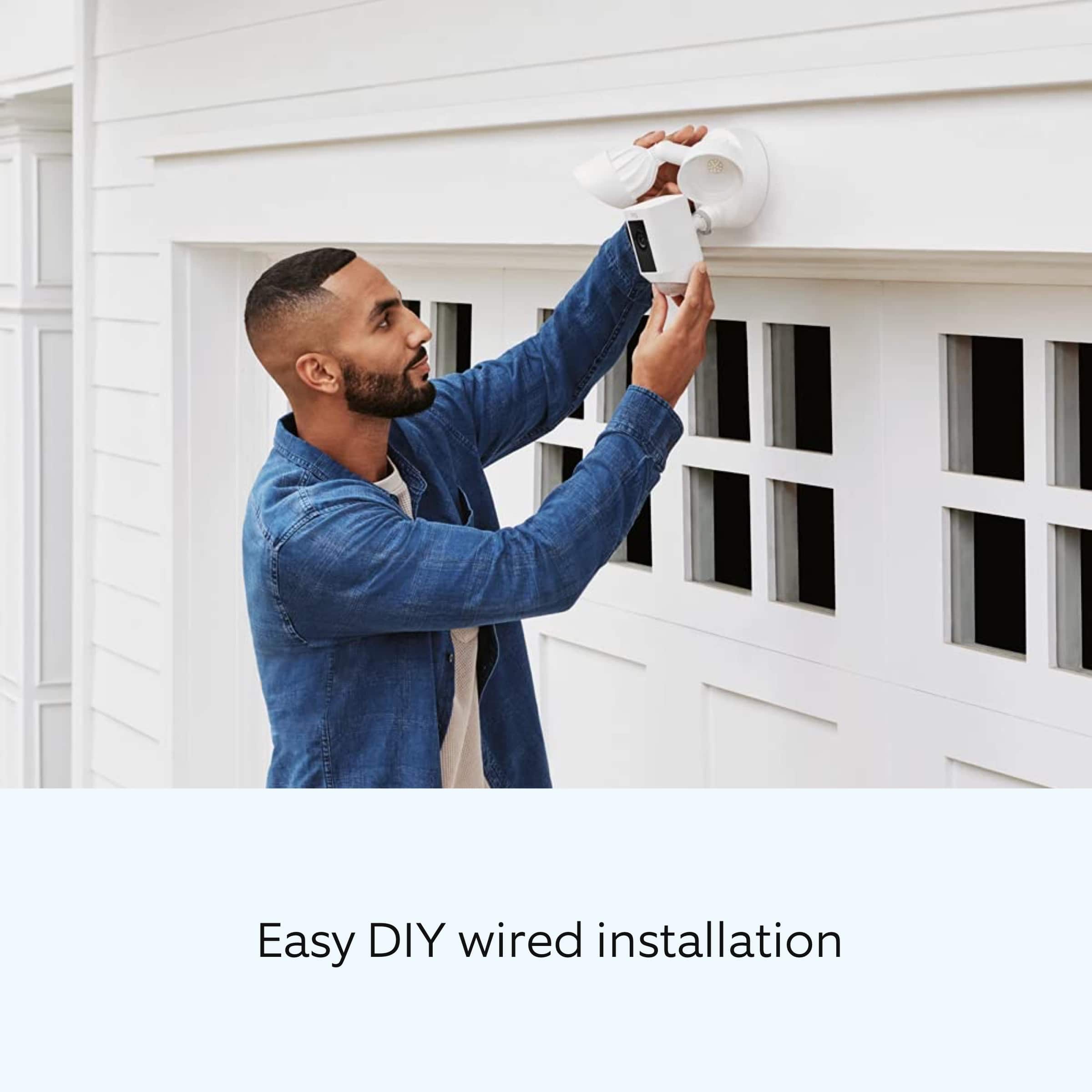
      Install your Floodlight Cam Wired Plus with this step-by-step guide.

      Before you begin installing your Ring Floodlight Cam Wired Plus, make sure you’re following safety code standards. Warning: Electrical shock is a is a hazard. Disconnect power to the installation area at your circuit breaker or fuse box before beginning installation. Always use caution when handling electrical wiring. Installation by a qualified electrician may be required in your area. Refer to your local laws and building codes before performing electrical work. Permits and professional installation may be required by law.

      Your Floodlight Cam Wired Plus security cam must be installed on a 4“ round UL-listed weatherproof electrical box. Make sure the power is turned off at the circuit breaker.
      1. Start in the Ring app.
      Tap the menu (≡) on the left side of your dashboard in the Ring app.
      Tap "Set up a Device."
      Follow the instructions in the Ring app.
      Scan the QR code on the back of the device.
      2. Prepare your Floodlight Cam Wired Plus for installation.
      If you’re mounting the Ring Floodlight Cam Wired Plus on an eave or overhang, rotate the lights away from the camera.
      If you’re mounting it to a wall, rotate the camera downward into the installation position.
      3. Remove your existing floodlight.
      With the power off at the circuit breaker, remove your existing floodlight at the junction box and disconnect the wires.
      If there is a metal bracket attached to the junction box, remove that as well.
      4. Choose your screws.
      Select a set of screws that fit your junction box from the bags marked A through F. One size does not fit all, so there are several sizes in the bags.
      Save a screw from either bag B or C for one of the following steps:
      Bag A: standard screws that fit most junction boxes.
      Bags B and C have longer screws for recessed junction boxes.
      Bags D, E, and F are best for older boxes with smaller screw holes.
      5. Attach the metal mounting bracket.
      Secure the metal mounting bracket with the screws you selected to the junction box, using either pair of screw holes. Be sure to align the bracket so the front text faces outward.
      6. Install the plastic mounting plate.
      Pull gently from the opening of the plastic plate to free it from the fixture, then feed your power wires through the opening. After your power wires are fed through the mounting plate, center it over the metal mounting bracket. If you’re installing on a wall, the UP arrow should point up when your wires have been fed through the mounting plate. If you’re installing under an eave, the arrow should point toward the wall. Then, insert one of the screws from Bag B or C into the center hole, and tighten to secure.
      7. Hang up the Floodlight Cam Wired Plus.
      Locate the nylon strap on the back of your Floodlight Cam Wired Plus light fixture and loop the buckle at the end over the hook on the mounting plate. Make sure that the buckle and hook are secure before releasing the light fixture.The green wire on the Floodlight Cam Wired Plus is the ground wire.
      With the power still turned off at the breaker, use a wire nut from the bag marked G to connect the green wire coming from the junction box.
      The white wire on the Floodlight Cam Wired Plus is a neutral wire. Use another wire nut from the bag marked G to connect the white (or neutral) wire coming from the junction box.
      The black wire on the Floodlight Cam Wired Plus is a hot wire. Use another wire nut from the bag marked G to connect the black wire from your Floodlight Cam Wired Plus to the black (or hot) wire from your junction box.
      Give all three wire connections and wire nuts a gentle tug to make sure they’re secure.
      Warning: If you can’t easily identify the wires coming out of your junction box, have difficulty identifying them, or are uncomfortable in any way connecting them, consult a qualified electrician.
      8. Mount the fixture.
      Tuck the power wires into the junction box, then align the two holes on the light fixture with the threaded posts on the plastic mounting plate. Slide the light fixture onto the posts and push it firmly into place.
      Secure the fixture using two of the hex cap nuts from Bag G over the ends of the threaded posts.
      Remove the reversible bit from the included screwdriver and use the handle to tighten the hex cap nuts.
      Once your Floodlight Cam Wired Plus is secured, apply a weatherproof silicone caulk or sealant (not included in the box) around the outside where the Floodlight Cam Wired Plus and the junction box meet.
      9. Restore the power at the breaker.
      Now that your Floodlight Cam Wired Plus is installed, you can turn the power back on at the breaker. The lamps on your Floodlight Cam Wired Plus will flash once it’s powered on.
      10. Once your Floodlight Cam Wired Plus is installed, follow the set-up instructions in the Ring app.

      We invite you to reach out to our community if any additional information is needed regarding your Ring Floodlight Cam Wired Plus. The Ring Community is our first peer-to-peer community forum, giving our customers the ability to help one another by sharing their feedback and experiences with each other.

      Thank you,
      Miyuki from Ring. Ring

  • Rated 2 out of 5 stars

    Not supported on PC app

    |
    |
    Posted . Owned for 1 month when reviewed.
    This reviewer received promo considerations or sweepstakes entry for writing a review.

    Purchased this updated model to add to the 6 Ring cameras I already have. The Ring Windows app I use frequently for my cameras does not support this new camera. After an hour with multiple clueless Ring tech support agents, I was told that not only is the new camera not supported on the Windows PC app, the Windows PC app will not be updated or supported in the future. You can go to the Ring website to access cameras, but they do not support live live, only recorded event videos. Totally moronic and defeats the purpose of having a surveillance system capable of live viewing. The only way to view live videos is on the cell phone app with it's tiny screen. This is a toy and not suitable for home monitoring. Look at Eufy or Amcrest for superior products, although they have their own warts. I've got thousands invested in this system and have nothing but regrets now.

    No, I would not recommend this to a friend
    • Brand response from Ring
      Posted .

      Hello Blueskyca,

      Our top priority at Ring is to ensure that our customers have the best possible experience with our products and services. We truly value your feedback, because it helps us improve not only the product from a consumer standpoint but also our standards of service.

      As of February 17, 2021, Ring's Windows and Mac and desktop apps are no longer receiving updates for new devices and features. Unsupported devices and features for Windows and Mac include - but are not limited to - the following: *

      Video Doorbell Wired
      Ring Video Doorbell Pro 2
      Ring Video Doorbell 4
      Video end-to-end encryption
      Amazon account linking
      Geofence

      Please note that while certain features and products are no longer supported by the desktop apps, the apps will continue to receive critical security and bug updates.

      Ring Community launched in March 2019 to help deliver the most current news and educational information to our customers. You can find tips and tricks from other Ring users at https://community.ring.com/. This peer-to-peer forum allows our neighbors to share their feedback and experiences to assist each other in resolving their concerns.

      Thank you,
      Antonio from Ring Ring

  • Rated 5 out of 5 stars

    Great product

    |
    |
    Posted . Owned for 1 week when reviewed.
    This reviewer received promo considerations or sweepstakes entry for writing a review.

    It has great quality video and very responsive. Can also change sensitivity settings.

    I would recommend this to a friend
  • Rated 4 out of 5 stars

    great buy

    |
    |
    Posted . Owned for 1 month when reviewed.
    This reviewer received promo considerations or sweepstakes entry for writing a review.

    totally works for my dad's needs. Illuminates the dark areas.

    I would recommend this to a friend
    • Brand response from Ring
      Posted .

      Hi Derek.

      At Ring, we appreciate you taking the time to share your feedback with us. We are glad to read that you are enjoying your new Ring Floodlight Cam Wired Plus! Furthermore, we believe in keeping people close to what’s important. That is why we are driven to create products that help you protect what matters most at home and empower you to connect with your visitors from wherever you are. Together, we’ll make neighborhoods safer!

      Ring Community was launched to help deliver the most current news and educational information to our neighbors. This online forum is divided into four categories: Product Boards, Ring Updates, Tips and Tricks, and a Moderators’ Corner. The Product Boards are where you can begin new topics with your questions or feedback; there is also a search option that helps you find topics that have already been posted by other neighbors. We invite you to visit our Ring Community today.

      Thank you,
      Miyuki from Ring. Ring

  • Rated 4 out of 5 stars

    Not very happy with the ring flood cam

    |
    |
    Posted . Owned for 1 month when reviewed.
    This reviewer received promo considerations or sweepstakes entry for writing a review.

    Very good camera during the day ,but at night my grass lookes like i have snow on ir ,and had to disable motion lights ,they came on way too much even after i put all settings down low.

    No, I would not recommend this to a friend
  • Rated 4 out of 5 stars

    Ring

    |
    |
    Posted . Owned for 1 month when reviewed.
    This reviewer received promo considerations or sweepstakes entry for writing a review.

    Is awesome love it feel safe with love it everyone should give it a try.

    I would recommend this to a friend
  • Rated 4 out of 5 stars

    Out side camera

    |
    |
    Posted . Owned for 1 month when reviewed.
    This reviewer received promo considerations or sweepstakes entry for writing a review.

    View is good, setting up some ware to work on phone not so easy

    I would recommend this to a friend
    • Brand response from Ring
      Posted .

      Hi Honest.

      Thank you for taking the time to share your experience with us. We understand the importance of a seamless setup process so that you can begin using your Ring Floodlight Cam Wired Plus right away. The features and technology provided by the Ring Floodlight Cam Wired Plus are incredibly valuable and help provide you with peace of mind about your home security. We can definitely provide you with more information regarding the concern mentioned in your review.

      It sounds like you are experiencing an issue with the setup of the device.

      To set up your Ring Floodlight Cam Wired Plus, you can scan the QR code on your Ring device or product packaging via the Ring app. Follow these instructions in the Ring app:

      Tap the three lines (≡) on the left side of your dashboard in the Ring app.
      Tap "Set up a Device" and select "Doorbells."
      Tap "I’m Ready to Scan."
      Point your smartphone’s camera at the QR code on your Ring device or product packaging.
      Center the code in the phone camera’s view at the bottom half of the screen.
      When the code is recognized, a green square will appear and a pop-up with your device image detected.
      If you experience issues scanning the QR code, please follow these steps:

      Move your camera closer or further from the QR code to help it focus.
      Once your camera finds focus, hold it steady for a few seconds.
      If your camera won’t focus, clean your camera lens, move to a well-lit area, and try again.
      If you continue to experience issues, please follow these additional steps:

      Tap "Other Options" below the scanner.
      Select Can’t Scan the QR code.
      Confirm by selecting "Enter code manually" (this corresponds to PIN code digits underneath the QR code).
      Find your device in the list.
      Enter your five digit PIN which can be found below the QR code.

      For additional support, we recommend reaching out to our Ring Customer Support team. They are available 24/7 at: 1-800-656-1918. We also invite you to reach out to our community. The Ring Community is our first peer-to-peer community forum, giving our customers the ability to help one another by sharing their feedback and experiences with each other.

      All the best,
      Miyuki from Ring. Ring

  • Rated 4 out of 5 stars

    Good value for the money

    |
    |
    Posted . Owned for 8 months when reviewed.
    This reviewer received promo considerations or sweepstakes entry for writing a review.

    Does the job. Wish this had higher image resolution though.

    I would recommend this to a friend
    • Brand response from Ring
      Posted .

      Hi BeeGee.

      Thank you for taking the time to share your experience with us. We understand how important it is for your Ring Floodlight Cam Wired Plus to record clear and concise videos so that you can effectively monitor your home. The features and technology provided by the Ring Floodlight Cam Wired Plus are incredibly valuable and help provide you with peace of mind about your home security. We want to ensure your device is working as intended by providing you with solutions to resolve the video quality concern you mentioned in your review.

      It sounds like the device is not performing as expected. Ring devices require high-speed internet to bring you crisp, clear video and audio. Poor network connectivity can affect the performance of your Ring device. We are happy to share some troubleshooting steps to help you diagnose and fix common video issues that you may experience with Ring doorbells and cameras.

      Ring devices with 1080p video require at least 1 Mbps upload and download speeds, though 2 Mbps is recommended for optimal performance. In addition to ensuring that you have sufficient wifi speeds, you will also want to check the signal strength of your device. A poor wifi signal can cause connectivity with your Ring device to be unreliable.

      Check the Device Health section of your Ring application to ensure the device’s RSSI is within an acceptable range. The recommended range for optimal performance is 0 to -60 for the RSSI. Turn off your mobile device's cellular data and connect to the same wifi network as your Ring device. Open the Ring app. Tap the menu (☰). Tap “Devices.” Select your device. Trigger an event on your Ring device. This could mean pressing the button on a doorbell or activating the motion sensors on a camera. Answer the event and examine the resulting video.

      We have listed some possible outcomes from this test here:

      1. The footage is crisp and clear.

      If your video appears good when next to the router, the issue may be caused by a disruption in between your router and your Ring device’s normal location. To fix this, try moving your device closer to the router or extending your wifi signal with a wifi extender like the Ring Chime Pro.

      2. The footage is heavily pixelated.

      If you’re seeing heavy pixilation, even next to the router, this may be due to slow wifi speeds.

      3. There are severe pauses in live video.

      If your video pauses, stutters, or gets frozen and your wifi speed meets the minimum standards, try rebooting your router. Unplug your router, wait 30 seconds, and then plug it back in. It should take three to four minutes to reboot. Then, test your Ring device again and see if there's any difference.

      4. There is a long delay before your video starts.

      This is also caused by slow wifi speeds. Assuming you have high-speed internet, reboot your router and the mobile phone, tablet, or PC you're accessing the video feed on. Test an event when it's back online to see if there's any difference.

      For more information on your Ring Floodlight Cam Wired Plus, we invite you to reach out to our community. Ring Community is our first peer-to-peer community forum, giving our customers the ability to help one another and share their personal feedback and experiences with Ring. We look forward to hearing from you if we can be of any further assistance!

      Thank you,
      Miyuki from Ring. Ring

  • Rated 4 out of 5 stars

    Ring it or not.

    |
    |
    Posted . Owned for 2 months when reviewed.
    This reviewer received promo considerations or sweepstakes entry for writing a review.

    It worked out fine for our needs. It worked out fine for our needs.

    I would recommend this to a friend
  • Rated 4 out of 5 stars

    Floodlight cam

    |
    |
    Posted .
    This reviewer received promo considerations or sweepstakes entry for writing a review.

    Works great so far does everything it said it was goi g to be

    I would recommend this to a friend
  • Rated 3 out of 5 stars

    Go PRO light cam instead

    |
    |
    Posted . Owned for 2 months when reviewed.
    This reviewer received promo considerations or sweepstakes entry for writing a review.

    much more finicky than the PRO and lighting feels very meh. I would go with the PRO for the value everytime.

    No, I would not recommend this to a friend
    • Brand response from Ring
      Posted .

      Hi HonestDan.

      Thank you for taking the time to share your experience with us. We understand how important it is for your Ring Floodlight Cam Wired Plus to function consistently and reliably, so you are alerted to any wanted or unwanted activity in or around your home. The features and technology provided by the Ring Floodlight Cam Wired Plus are incredibly valuable and help provide you with peace of mind about your home security. We can definitely assist you with this today to ensure your Ring device is performing optimally, and the proper settings are chosen within the Ring app.

      It sounds like the device is not performing as expected in regards to brightness. The Ring Floodight Cam Wired Plus was designed with two 3000° Kelvin lights with 2000 lumens and in-app brightness adjustment. To adjust the brightness of the lights, please follow these steps in the Ring app:
      Open the Ring app.
      Tap the menu (☰).
      Tap Devices.
      Select the Floodlight Cam that you want to adjust. Select Device Settings. Select Light Settings. Select Light Brightness and adjust the slider to make the lights brighter or dimmer.

      We invite you to reach out to our community if any additional information is needed regarding your Ring Floodlight Cam Wired Plus. The Ring Community is our first peer-to-peer community forum, giving our customers the ability to help one another by sharing their feedback and experiences with each other.

      Thank you,
      Melissa from Ring. Ring

  • Rated 4 out of 5 stars

    Great value

    |
    |
    Posted . Owned for 1 week when reviewed.
    This reviewer received promo considerations or sweepstakes entry for writing a review.

    Great functionality and easy to setup and configure

    I would recommend this to a friend
    • Brand response from Ring
      Posted .

      Hi huxtable.

      Thank you for taking the time to share your Ring experience with us. We appreciate the value and trust you have placed in Ring for your home security needs. It is great knowing that the setup and installation of the Ring Floodlight Cam Plus was easy and straight-forward.

      Ring Community was launched to help deliver the most current news and educational information to our neighbors. This online forum is divided into four categories: Product Boards, Ring Updates, Tips and Tricks, and a Moderators’ Corner. The Product Boards are where you can begin new topics with your questions or feedback; there is also a search option that helps you find topics that have already been posted by other neighbors. We invite you to visit our Ring Community today.

      Thank you,
      Miyuki from Ring. Ring

  • Rated 4 out of 5 stars

    Safety is key

    |
    |
    Posted . Owned for 6 months when reviewed.
    This reviewer received promo considerations or sweepstakes entry for writing a review.

    It works ok, but when changing internet, it goes down.

    I would recommend this to a friend