Customer Ratings & Reviews


- Model:
- B08F6GPQQ7
- SKU:
- 10101958
Rating by feature
- Value
Rating 4.7 out of 5 stars
- Quality
Rating 4.8 out of 5 stars
- Ease of Use
Rating 4.8 out of 5 stars
Customers are saying
Customers value the product's exceptional camera quality, including clear night vision, and its overall ease of use and installation. They also appreciate features like adjustable light brightness, reliable motion detection, and the enhanced security it offers, noting that the product performs as advertised. However, some minor concerns have been raised regarding occasional connectivity issues, the price, and battery life.
This summary was generated by AI based on customer reviews.
Disappointed
||Posted . Owned for 1 year when reviewed.This reviewer received promo considerations or sweepstakes entry for writing a review.It would never connect to my wifi, so i wasted my money and the customer service was not helpful they told me to go buy a wifi extender. I already have 2 ring products that work but can not view my back yard.
No, I would not recommend this to a friendBrand response from Ring
Posted .Hi Disappointed. Being able to see what's going on around your home is a key feature of the Floodlight Cam Plus, and I'm happy to offer some help. You can find a lot of useful tips and tricks regarding the setup process in our Help Center article here: https://support.ring.com/hc/en-gb/articles/217240386-In-app-setup-failing-repeatedly. Additionally, we have some information on improving the wifi connection to your Ring device here: https://support.ring.com/hc/en-gb/articles/360020044511-How-to-improve-your-wifi-connection-and-speed. If you need further help with getting your Floodlight Cam up and running, check out the Ring Community at https://community.ring.com/. The Ring Community is our peer-to-peer forum where you can ask questions and interact with other neighbors. All the best, Ashley from Ring.

Camera install
||Posted .This reviewer received promo considerations or sweepstakes entry for writing a review.I bought a ring wired camera was told it could be installed. The day before my appointment I was canceled and told no they could not install that I had to hire an electrician. I told them I no longer need the camera then. Appt was to be canceled but someone forgot. Please train your sales staff
No, I would not recommend this to a friendBrand response from Ring
Posted .Hello Maryb,
Thank you for taking the time to share your experience with us. We understand the importance of a seamless installation process, as this allows you to start using your Ring Floodlight Camera right away. What you describe is not the experience we want you to have, rest assured we hear you and are here to offer you some assistance.
In this particular case, we’d suggest you reach out to Best Buy’s customer service: 1-888-237-8289 or https://www.bestbuy.com/services/triage/home. We are confident that they will be able to provide you resolution to the installation concerns you have described.
If you need assistance from Ring, Ring Community is our first peer-to-peer community online forum, giving our customers the ability to help one another and share their feedback directly with Ring.
We invite you to reach out at https://community.ring.com/ if any additional installation information is needed regarding the Ring XXX. We are eager to turn around your experience!
Thank you, Jamila with Ring.
Didn’t like
||Posted . Owned for 8 months when reviewed.This reviewer received promo considerations or sweepstakes entry for writing a review.Doesn’t catch everything, waiving my hands in front
No, I would not recommend this to a friendBrand response from Ring
Posted .Hello Great,
Thanks for taking the time to share your experience with us directly. Rest assured, we are here to provide you with information, so you are able to receive each and every motion notification that occurs in your defined motion zone.
If you are not receiving notifications for your motion alerts, try the steps below:
Review the Event History on the dashboard to ensure that there is a record for motions that took place during that time.
If there is no record, your Ring device didn’t capture an event during that time.
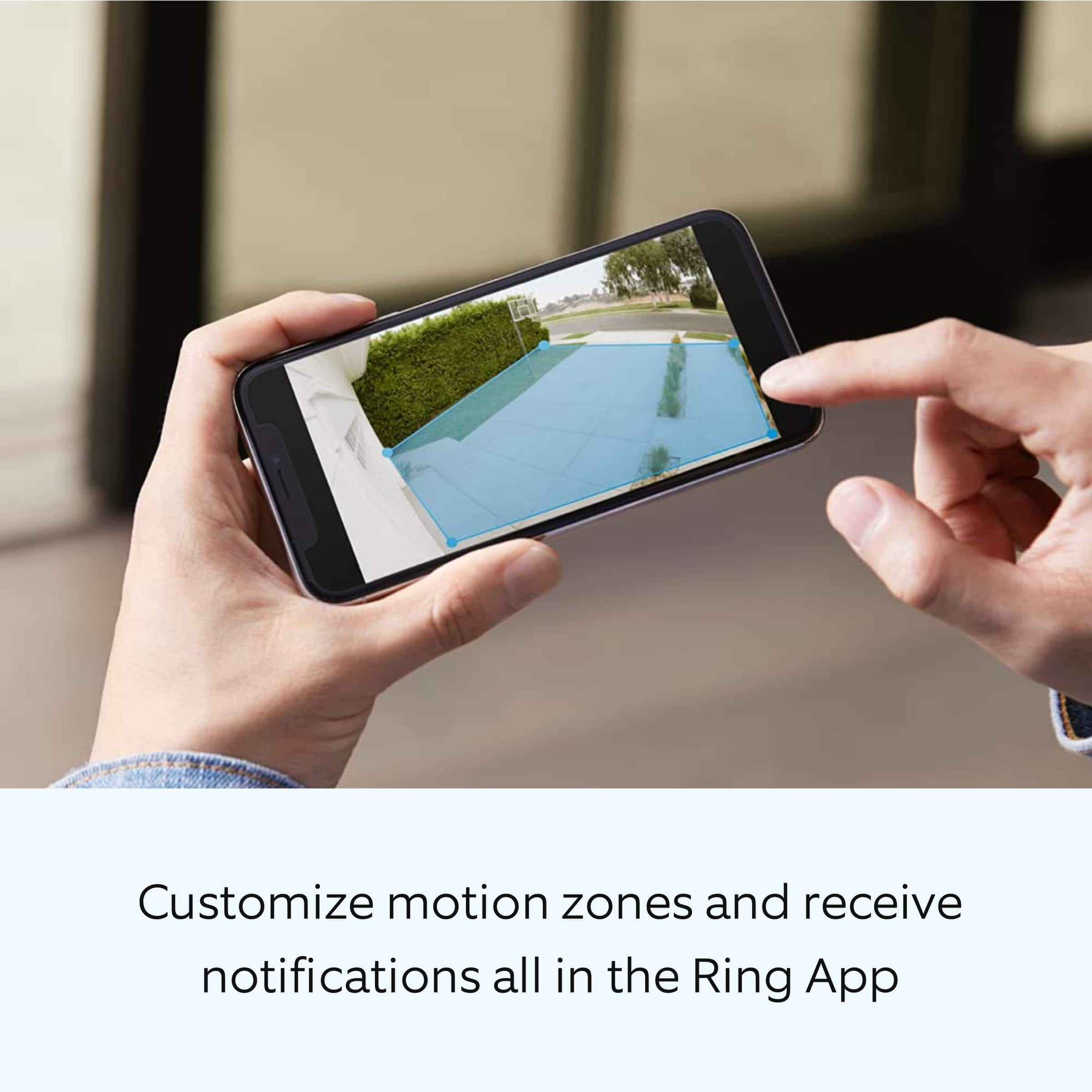
Double-check Motion Settings to ensure you have at least one motion zone set and optimized.
Make sure your camera is connected to wifi via the Device Health option in the Ring app.
Verify there is no Motion Schedule enabled during the time of the event.
If the above-mentioned solutions don't fix the problem, check the notification settings on your mobile device and follow the troubleshooting steps in this article: https://support.ring.com/hc/en-us/articles/360042728431-Advanced-Motion-Detection-in-Ring-Devices.
Ring Community is our first peer-to-peer community forum, giving our customers the ability to help one another and share their feedback/experiences with Ring. We invite you to reach out at https://community.ring.com/ if any additional information is needed regarding your Floodlight Cam Plus motion detection concern.
Thank you,
Alexis with Ring
Cannot be inverted
||Posted . Owned for 2 weeks when reviewed.This reviewer received promo considerations or sweepstakes entry for writing a review.I purchased this product after reading that it could be mounted on the soffit. Wrong there is not enough movement to position the lights mounted that way
No, I would not recommend this to a friendBrand response from Ring
Posted .Hi rhbaker.
Thank you for taking the time to share your experience with us.
We understand the importance of a seamless installation and setup process so that you can begin using your Ring Floodlight Cam Plus right away. The features and technology provided by the Ring Floodlight Cam Plus are incredibly valuable and help provide you with peace of mind about your home security. We are eager to provide you with a solution for the concern mentioned in your review.
It sounds like you have some concerns with the installation of your device. The Ring Floodlight Cam Plus Wired can be installed on a wall or under an eave. It will be important to properly install the mounting bracket and adjust the device depending on where you are installing it. If you’re installing under an eave, the arrow should point toward the wall. If you’re mounting the Ring Floodlight Cam Wired Plus on an eave or overhang, you will also have to rotate the lights away from the camera. Visit our support center for a step-by-step installation guide.
Ring Community was established to assist in providing our neighbors with the most recent news and instructional material. Four sections make up this online forum: Ring Updates, Product Boards, Tips & Tricks, and a Moderators' Corner. You can start new topics on the Product Boards with your questions or suggestions; a search function will assist you in locating subjects that other neighbors have previously posted.
All the best,
Nicole from Ring.
Security system
||Posted .This reviewer received promo considerations or sweepstakes entry for writing a review.Not the best, so many upgrades to Connect to your Wi-Fi.
No, I would not recommend this to a friendBrand response from Ring
Posted .Hello Serg,
We appreciate you sharing your user experience with us regarding the Ring Floodlight Camera. We understand how important it is for your device working as intend. The Ring Floodlight Camera was intended to provide you with peace of mind in your home security, so you can rely on consistent alerts 24/7. Rest assured, we are here to provide you with a solution to your concern.
After reading your review, it seems that you are having trouble with your Ring Floodlight Camera connecting to your wifi. If this is the case, we recommend power cycling the device. To power cycle, turn off power to the device for 30 seconds and then turn the power back in. Once this is done, your device should reboot and work as intended. If the issue persists, we’d suggest reviewing this helpful article for network changes you can make to ensure your device has a solid connection consistently: https://support.ring.com/hc/en-us/articles/360023559372-Fixing-Your-Devices-Falling-Offline-Repeatedly-by-Adjusting-Your-Router.
Additionally, if you have not already, please check out our Ring Community forum where other Ring users, like yourself, have an open discussion platform to share their experiences, as well as solutions to issues experienced: https://community.ring.com/.
Thank you, Jamila with Ring
I
||Posted . Owned for 1 month when reviewed.This reviewer received promo considerations or sweepstakes entry for writing a review.Issue with the product, the light is always on. This is increasing my electricity bill since the lights are not turning off
No, I would not recommend this to a friendBrand response from Ring
Posted .Hi NavinK.
Thank you for taking the time to share your experience with us. We understand how critical it is for your Ring Floodlight Cam Wired Plus lights to activate as needed so that you can keep an eye out for any activity around your property. The Ring Floodlight Cam Wired Plus was designed with customizable light settings so that you can adjust them according to your needs and your environment. We can definitely assist you with this today to ensure your Ring device is performing optimally, and the proper settings are chosen within the Ring app.
It sounds like you are experiencing an issue with the light settings on your Ring Floodlight Cam Wired Plus. We recommend that you customize your Floodlight Cam's zone coverage, motion settings and light settings in the Ring app.
To access controls for your Floodlight Cam:
Open the Ring app
Tap the menu (☰).
Tap Devices.
Select the Floodlight Cam that you want to adjust.
Tap the Device Schedule tile.
Tap Light Schedules.
Follow the prompts in the Ring app to customize your light schedules.
You can find the Lights toggle on your device dashboard in the Ring app, above the Motion Alerts toggle. Toggle this control to manually turn the floodlights on (blue) and off (white).
This overrides any other setting or controls that are set in the Ring app. Regardless of whether you've scheduled the lights to be on or off or whether it's day or night, this toggle will always turn your lights on or off.
We invite you to reach out to our community if any additional information is needed regarding your Ring Floodlight Cam Wired Plus. The Ring Community is our first peer-to-peer community forum, giving our customers the ability to help one another by sharing their feedback and experiences with each other.
Thank you,
Melissa from Ring.
Defect camera
||Posted . Owned for 2 months when reviewed.This reviewer received promo considerations or sweepstakes entry for writing a review.Camera stopped working after 5 days. Very disappointing. Getting the run around to try to get geek squad total tech to come back to correct the problem.
No, I would not recommend this to a friendBrand response from Ring
Posted .Hi Ring. Being able to rely on your Floodlight Cam is key to your peace of mind and sense of security. If your Floodlight Cam is disconnected from the wifi, you can reconnect it in the Ring app by following the steps outlined here: https://support.ring.com/hc/en-us/articles/360034825092-How-to-Reconnect-Your-Ring-Video-Doorbell-or-Security-Camera-to-Wifi-or-Change-Your-Wifi-Network. You can also browse the Ring Community at https://community.ring.com/ to find answers presented by other neighbors. All the best, Ashley from Ring.
Monthly fees
||Posted . Owned for 1 month when reviewed.This reviewer received promo considerations or sweepstakes entry for writing a review.I should’ve checked I didn’t know you had to subscribe to a monthly fee for it to even keep the videos. They should’ve made it so you can keep your own videos on your hard drive.
No, I would not recommend this to a friendBrand response from Ring
Posted .Hi JosephK, I understand the importance of knowing what features are available for your Floodlight Cam Plus. The Ring Protect plan is an optional subscription that unlocks additional features for your Ring device, including access to video recording. You can learn more here https://ring.com/protect-plans. If you have any other questions, feel free to check out the Ring Community at https://community.ring.com/ to find answers from other neighbors. Best, Ashley from Ring.
Poor customer service
||Posted . Owned for 1 month when reviewed.This reviewer received promo considerations or sweepstakes entry for writing a review.The installers did not perform the service as promised by two Best Buy sales associates
I would recommend this to a friendBrand response from Ring
Posted .Hi GeneB.
Thank you for taking the time to share your experience with us. At Ring, we strive for each of our customers to encounter a smooth setup and installation experience. You should be able to enjoy the peace of mind that the Ring Floodlight Cam Wired Plus is designed to add to your home security.
In this particular case, we'd suggest you reach out to Best Buy's customer service: 1-888-237-8289 or or https://www.bestbuy.com/services/triage/home. We are confident that they will be able to provide you with a resolution to this concern.
Ring Community was launched to help deliver the most current news and educational information to our neighbors. This online forum is divided into four categories: Product Boards, Ring Updates, Tips + Tricks, and a Moderators’ Corner. The Product Boards are where you can begin new topics with your questions or feedback; there is also a search option that helps you find topics that have already been posted by other neighbors. We invite you to visit our community today.
Thank you,
Melissa from Ring.
Nothing but problems with total tech!!
||Posted . Owned for 3 weeks when reviewed.This reviewer received promo considerations or sweepstakes entry for writing a review.I can’t review this specific product yet, as Best Buy hasn’t replied to my phone calls to set an appointment to get this installed. I have the total tech program and have been contacting Best Buy since before Christmas. Not happy at all
No, I would not recommend this to a friendBrand response from Ring
Posted .Hello AJjd,
Thank you for taking the time to share your experience with us. We understand the importance of a seamless installation process, as this allows you to start using your Ring Floodlight Camera right away. What you describe is not the experience we want you to have, rest assured we hear you and are here to offer you some assistance.
In this particular case, we’d suggest you reach out to Best Buy’s customer service: 1-888-237-8289 or https://www.bestbuy.com/services/triage/home. We are confident that they will be able to provide you resolution to the installation concerns you have described.
If you need assistance from Ring, Ring Community is our first peer-to-peer community online forum, giving our customers the ability to help one another and share their feedback directly with Ring.
We invite you to reach out at https://community.ring.com/ if any additional installation information is needed regarding the Ring Floodlight Camera. We are eager to turn around your experience!
Thank you, Jamila with Ring.
Only but if your prepared
||Posted . Owned for 3 weeks when reviewed.This reviewer received promo considerations or sweepstakes entry for writing a review.Way to many hoops to go through to get it installed by the geek squad if you buy one have somebody who know EXACTLY what they need cut off and how much room to do work
I would recommend this to a friendBrand response from Ring
Posted .Hi JordanD.
Thank you for taking the time to share your experience with us.
We understand the importance of a seamless installation process, as this allows you to start using your Ring Floodlight Cam Plus right away. What you describe is not the experience we want you to have. Rest assured, we hear you and are here to offer you some help.
All of our doorbells and cameras are designed to be a fairly simple, DIY (do-it-yourself) type of installation. We strive to include all needed parts, tools, and instructions to make the process seamless for our customers. However, in some installation instances and unique home environments, assistance from a qualified professional or someone familiar with installing Ring products may be best.
Your Floodlight Cam Wired Plus security cam must be installed on a 4“ round UL-listed weatherproof electrical box. Before you begin installing your Ring Floodlight Cam Wired Plus, make sure you’re following safety code standards. Visit our support center for a step-by-step guide on how to install your Floodlight Cam Wired Plus.
Ring Community was established to assist in providing our neighbors with the most recent news and instructional material. Four sections make up this online forum: Ring Updates, Product Boards, Tips & Tricks, and a Moderators' Corner. You can start new topics on the Product Boards with your questions or suggestions; a search function will assist you in locating subjects that other neighbors have previously posted.
All the best,
Nicole from Ring.
Houston we have a problem
||Posted .This reviewer received promo considerations or sweepstakes entry for writing a review.East to install but wifi connection sucks, I had to purchase an additional gadget for the Wifi signal to reach and my house is not big at all.
No, I would not recommend this to a friendBrand response from Ring
Posted .Hello Betogl,
We understand the importance of being connected to live events in the moment. If you have recently received a notification on your mobile device or if you have gotten a blurry screen along with a message that the Ring App is having trouble connecting to the Ring device, this can be attributed to wifi connection. The three most common causes of this problem are the following:
-A poor connection between your mobile device and the internet.
-Slow internet upload and download speeds.
-A poor connection between your Ring device and your router.
If your signal is poor or very poor, this can be caused by the distance between the router and your Ring product, the layout of your home, or the materials in your walls. A Chime Pro is a great solution if you want to extend wifi to your Ring devices. Generally, a single Chime Pro can effectively improve connectivity to your Ring devices in a two to three bedroom home, or if your devices are located close together.
For larger homes, with devices located farther apart, you may need to consider purchasing a mesh network system like the eero network. A regular wifi network distributes the wifi signal from a single point, your router. The further the signal has to stretch away from the router, the weaker it becomes. A mesh network has multiple wifi distribution points that keep the wifi signal strong from different distribution points: https://support.ring.com/hc/en-us/articles/360050893351-How-Do-Wifi-Extenders-Work-.
Also Ring Community was launched to help deliver the most current news and educational information to our neighbors. This online forum is divided into four categories: Product Boards, Ring Updates, Tips + Tricks, and a Moderators’ Corner. The Product Boards are where you can begin new topics with your questions or feedback; there is also a search option which helps you find topics that were already posted by other neighbors. We invite you to visit our site at https://community.ring.com/ today!
All the best,
Antonio from Ring
Not suited for eaves
||Posted . Owned for less than 1 week when reviewed.This reviewer received promo considerations or sweepstakes entry for writing a review.cannot be mounted under the eaves despite what Ring claims. The lights and camera ( when mounted horizontally) will not point in the same direction
No, I would not recommend this to a friendBrand response from Ring
Posted .Hello TrevorE,
Thank you for taking the time to share your experience with us, we appreciate it. The Ring Floodlight Cam Plus was indeed intended to be able to mount horizontally on an eve or overhang on your property. Having installation flexibility is imperative with a home security device, so you can install it in the places you need it most. Rest assured, we are here to provide some clarification on the installation process and how to achieve this for your home.
If you’re mounting the Ring Floodlight Cam Wired Plus on an eave or overhang, rotate the lights away from the camera during the physical installation process. You will be able to angle them properly once the hard-wiring installation is complete. Here is a helpful step-by-step guide to achieve this: https://support.ring.com/hc/en-us/articles/360060800632-Installing-Floodlight-Cam-Wired-Plus-Security-Camera-.
We invite you to reach out at https://community.ring.com/ if any additional information is needed regarding your Floodlight Cam Plus installation. Ring Community is our first peer-to-peer community forum, giving our customers the ability to help one another and share their feedback/experiences with Ring.
Thank you,
Alexis with Ring
Do not buy it, waste your money
||Posted . Owned for less than 1 week when reviewed.This reviewer received promo considerations or sweepstakes entry for writing a review.It was terrible, after one year it is not working, do not buy it
No, I would not recommend this to a friendBrand response from Ring
Posted .Hi Maryamk. Thank you for taking the time to share your experience with us. At Ring, we understand it is essential to have your Ring Floodlight Cam Plus online and working properly so you can keep your home secure. The features and technology provided by the Ring Floodlight Cam Plus are incredibly valuable and help provide you with peace of mind about your home security. Rest assured, we are here to provide you with solutions today.
It sounds like your device is not performing as intended. Ring Floodlight Cam Wired Plus was designed to provide you with 1080p HD video recordings. If your device is disconnected, try reconnecting to wifi in the Ring app. It's best to use the same mobile device you used to set up your security camera.Have your wifi password handy. Remember that wifi passwords have no spaces and are case sensitive. They are often printed on your router.
To reconnect:
Open the Ring app.
Tap the menu (≡) on the top left of your Dashboard.
Tap Devices.
Select your security camera by tapping on the image.
On the Device Screen, a GREEN wifi icon means strong signal strength. A RED wifi icon with a slash means your device is disconnected from wifi.
Tap the Device Health tile below the picture of the camera.
Tap Reconnect to Wifi and follow the prompts.
If you still have trouble connecting, we recommend that you power cycle your router and try again.
We invite you to reach out to our Community if any additional information is needed regarding your question. The Ring Community is our first peer-to-peer community forum, giving our customers the ability to help one another by sharing their feedback and experiences with each other.
Thank you,
Melissa from Ring.
Dissatisfied
||Posted . Owned for 1 month when reviewed.This reviewer received promo considerations or sweepstakes entry for writing a review.I was unable to use the item after all as it was wired and the installer said I required a wireless item for my location needed.
No, I would not recommend this to a friendBrand response from Ring
Posted .Hello LashawnB
Thank you for the feedback. As described in the product features, this Camera is hardwired and not wireless. We do offer different cameras that do not need to be hardwired. This page will show you some of our battery-operated cameras: https://ring.com/collections/home-security-cameras?filters=type:battery.
Best wishes
Ivan from Ring
Ring floodlight
||Posted . Owned for 1 month when reviewed.This reviewer received promo considerations or sweepstakes entry for writing a review.Not based on product. Purchased installation and the wait time was two (2) weeks away. Installer was a no call no show. Reschedule date is now another two (2) weeks away. Sad
No, I would not recommend this to a friendBrand response from Ring
Posted .Hello Nonickname12345,
Thank you for taking the time to share your experience with us. We understand the importance of a seamless installation process, as this allows you to start using your Ring Floodlight Camera Plus right away. What you describe is not the experience we want you to have, rest assured we hear you and are here to offer you some assistance.
In this particular case, we’d suggest you reach out to Best Buy’s customer service: 1-888-237-8289 or https://www.bestbuy.com/services/triage/home. We are confident that they will be able to provide you resolution to the installation concerns you have described.
If you need assistance from Ring, Ring Community is our first peer-to-peer community online forum, giving our customers the ability to help one another and share their feedback directly with Ring.
We invite you to reach out at https://community.ring.com/ if any additional installation information is needed regarding your Ring device. We are eager to turn around your experience!
Thank you, Jamila with Ring.
Lights stop working
||Posted . Owned for 5 months when reviewed.This reviewer received promo considerations or sweepstakes entry for writing a review.Had this installed and it worked great then the lights stopped working so when people walk up no lights come on
No, I would not recommend this to a friendBrand response from Ring
Posted .Hello NatashaR
Thank you for sharing your concern. I would recommend a couple of steps for this type of concern. First, try rebooting your Camera using the Ring app to see if it helps. bit.ly/42j8N51. Secondly, power cycle your Camera by shutting it off for a few minutes and powering it back on. Lastly, make sure you have enabled Motion Activated Lights toggled on in your Camera Light Settings. This setting can be found in your Cameras Device Settings.
Best wishes
Ivan from Ring
BE ALARMED!!!
||Posted .This reviewer received promo considerations or sweepstakes entry for writing a review.I CAN'T REALLY GIVE A TRUE REVIEW OF THIS PRODUCT BECAUSE THE PEOPLE YOU SENT SAID THEY COULD NOT INSTALL IT. I MAY BE RETURNING IT UNLESS YOU CAN FIND A WAY.
No, I would not recommend this to a friendBrand response from Ring
Posted .Hello BESTBUYNOTATITSBEST, Thank you for taking the time to share your experience with us. We understand the importance of a seamless installation process, as this allows you to start using your Ring Alarm right away. What you describe is not the experience we want you to have, rest assured we hear you and are here to offer you some assistance. In this particular case, we’d suggest you reach out to Best Buy’s customer service: 1-888-237-8289 or https://www.bestbuy.com/services/triage/home. We are confident that they will be able to provide you resolution to the installation concerns you have described. If you need assistance from Ring, Ring Community is our first peer-to-peer community online forum, giving our customers the ability to help one another and share their feedback directly with Ring. We invite you to reach out at https://community.ring.com/ if any additional installation information is needed regarding the Ring Alarm. We are eager to turn around your experience! Thank you, Jamila with Ring.
Do not buy
||Posted . Owned for less than 1 week when reviewed.This reviewer received promo considerations or sweepstakes entry for writing a review.This is the worse piece of s^^# ever. I would not purchase this device by Ring. Does not work. More aggravation than anything else. One star is one star too much.
No, I would not recommend this to a friendBrand response from Ring
Posted .Hello ArnieMax,
We understand the importance of having a seamless setup experience and how it can be concerning to see that the Floodlight Cam Wired Plus will not set up accordingly. Rest assured, that it is a top priority for us to get this working for you.
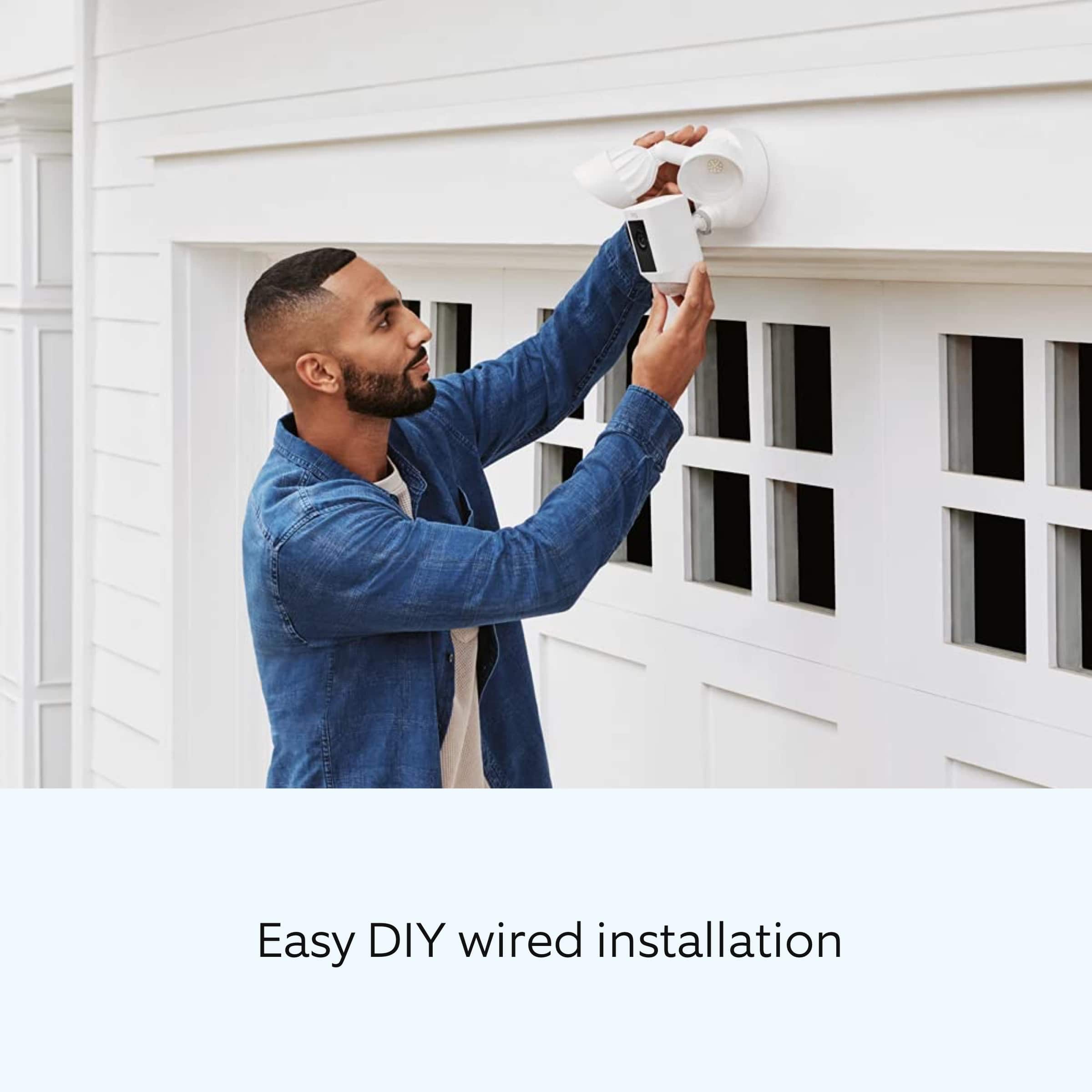
DIY installation of your Ring Floodlight Camera is intended to be a relatively easy process. However, as the Floodlight Camera requires a junction box as well as wiring up live wires, it's recommended you hire a licensed electrician to install the Floodlight Cam Wired Plus. The Ring Floodlight Cam Wired Plus should be connected to a 100 VAC~240 VAC 50/60 Hz power source. This article outlines the step-by-step process to install your Floodlight Cam: https://support.ring.com/hc/en-us/articles/115001262186.
Also, Ring Community is our first peer-to-peer community forum, giving our customers the ability to help one another and share their feedback/experiences with Ring. We invite you to reach out at https://community.ring.com/ if any additional information is needed regarding the Ring Floodlight Cam Wired Plus or any other Ring product.
All the best,
Antonio from Ring
Driveway can now be seen
||Posted . Owned for 5 months when reviewed.This reviewer received promo considerations or sweepstakes entry for writing a review.Provides excellent security and camera view from over the garage down the driveway. garage driveway is a blind spot from inside my house
I would recommend this to a friendBrand response from Ring
Posted .Hello Happycustomer12,
Thank you for taking a moment to leave your review on the Ring Floodlight Camera. At Ring, we believe that stronger communities are the key to safer neighborhoods. That is why we are driven to create products that help you protect what matters most at home, and empower you to connect with your visitors from wherever you are.
Your experience with Ring is impactful on our future as a company, and we would love to hear from you directly on our Ring Community forum. If you have any experiences to share, questions regarding Ring and our services, or any feedback and product suggestions, we encourage you to have your voice be heard: https://community.ring.com/!
Thank you, Jamila with Ring