Customer Ratings & Reviews



- Model:
- B08F6GPQQ7
- SKU:
- 6460923
Rating by feature
- Value
Rating 4.7 out of 5 stars
- Quality
Rating 4.8 out of 5 stars
- Ease of Use
Rating 4.8 out of 5 stars
Customers are saying
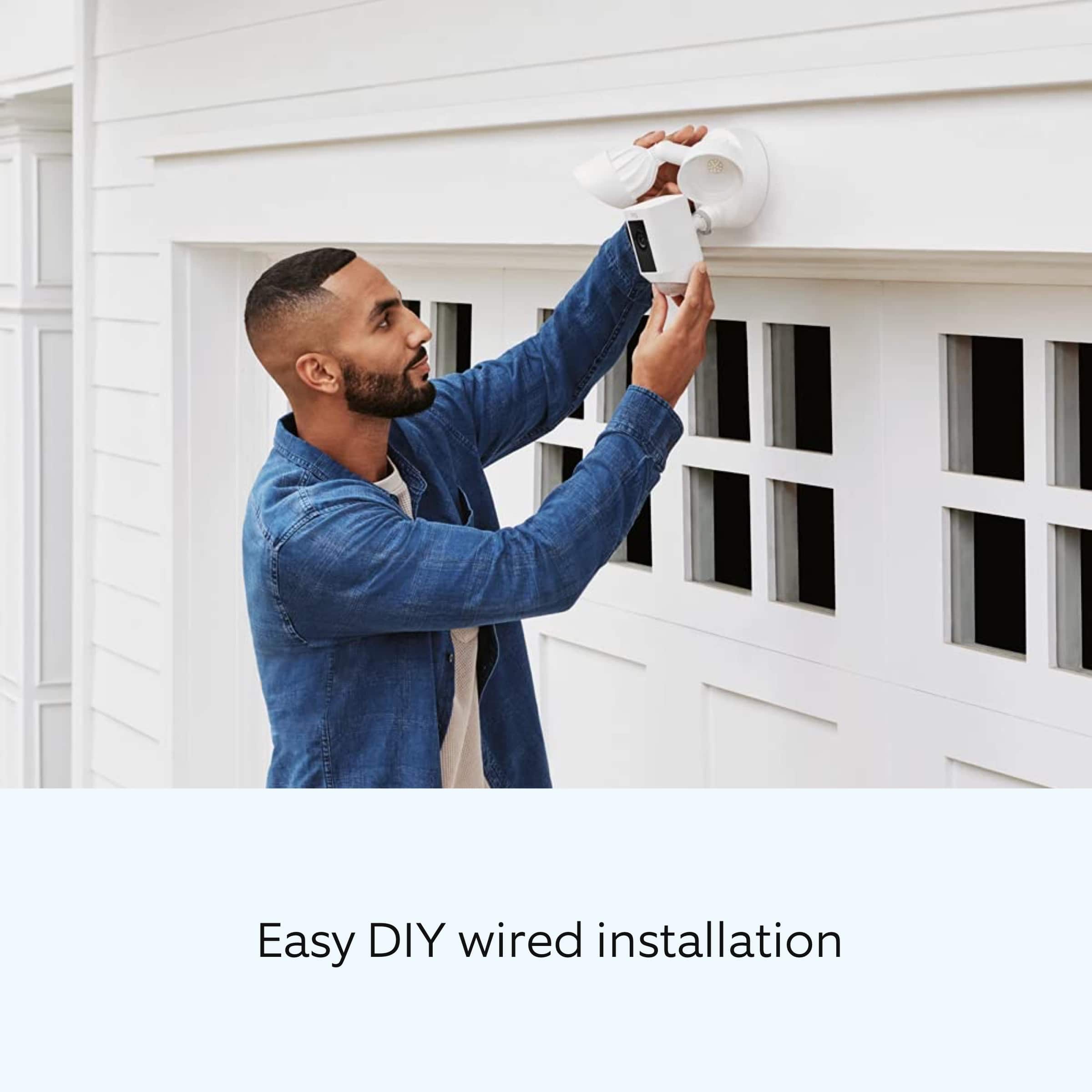
Customers love the Floodlight Cam Plus Outdoor Wired 1080p Surveillance Camera, especially the crisp camera quality and ease of use. Many appreciate the adjustable light brightness, overall performance, and motion detection capabilities. While installation is quick, some customers feel the price could be better, and a few have experienced connectivity issues.
This summary was generated by AI based on customer reviews.
Ring
||Posted . Owned for 3 weeks when reviewed.This reviewer received promo considerations or sweepstakes entry for writing a review.Thanks for the camera and friendly installation. Very friendly service at the register.
I would recommend this to a friendBrand response from Ring
Posted .Hello MariaL.
Thank you for taking a moment to leave your Ring Floodlight Cam Wired Plus rating. Here at Ring, we believe that stronger communities are the key to safer neighborhoods. That is why we are driven to create products that help you protect what matters most at home and empower you to connect with your neighbors from wherever you are. Together, we’ll make neighborhoods safer!
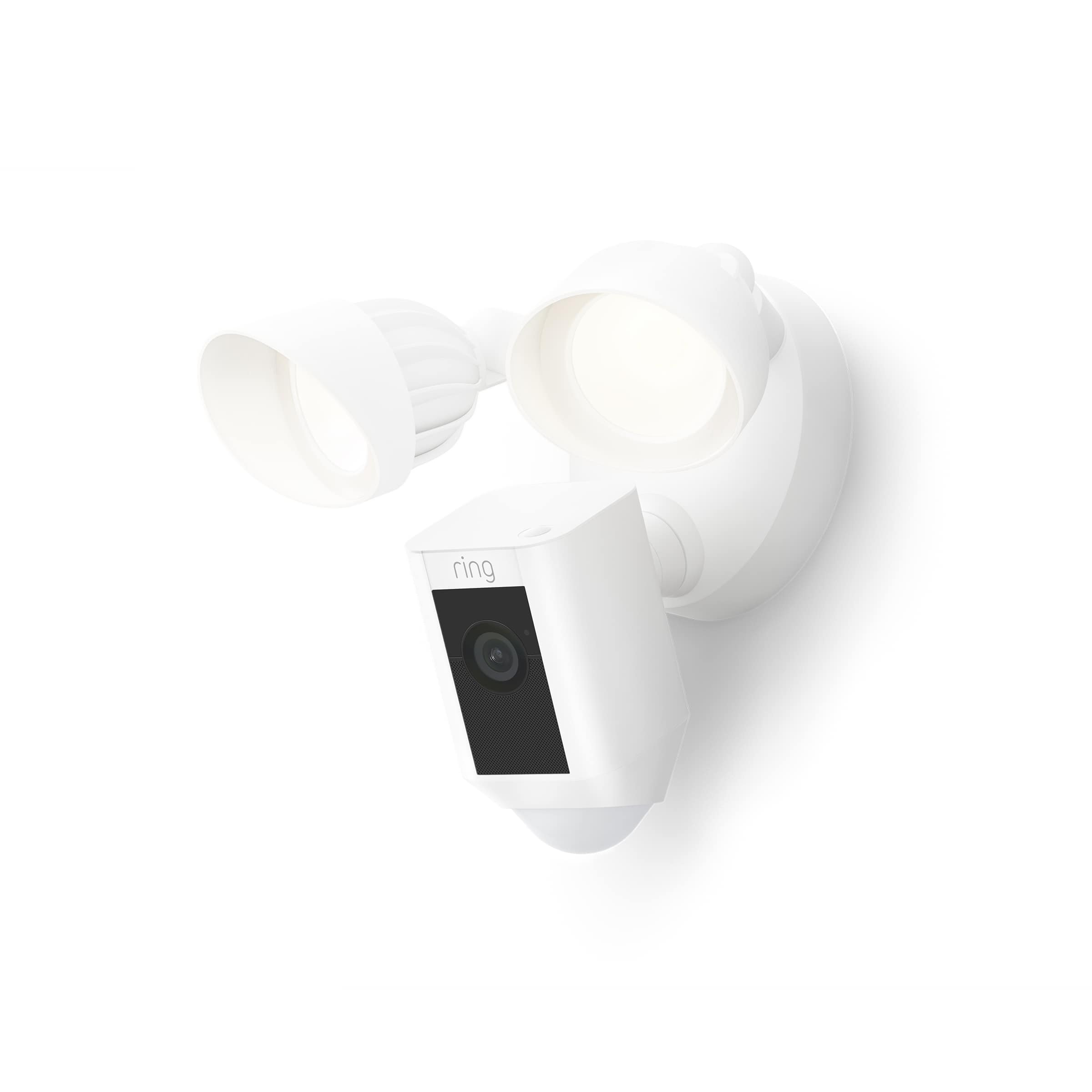
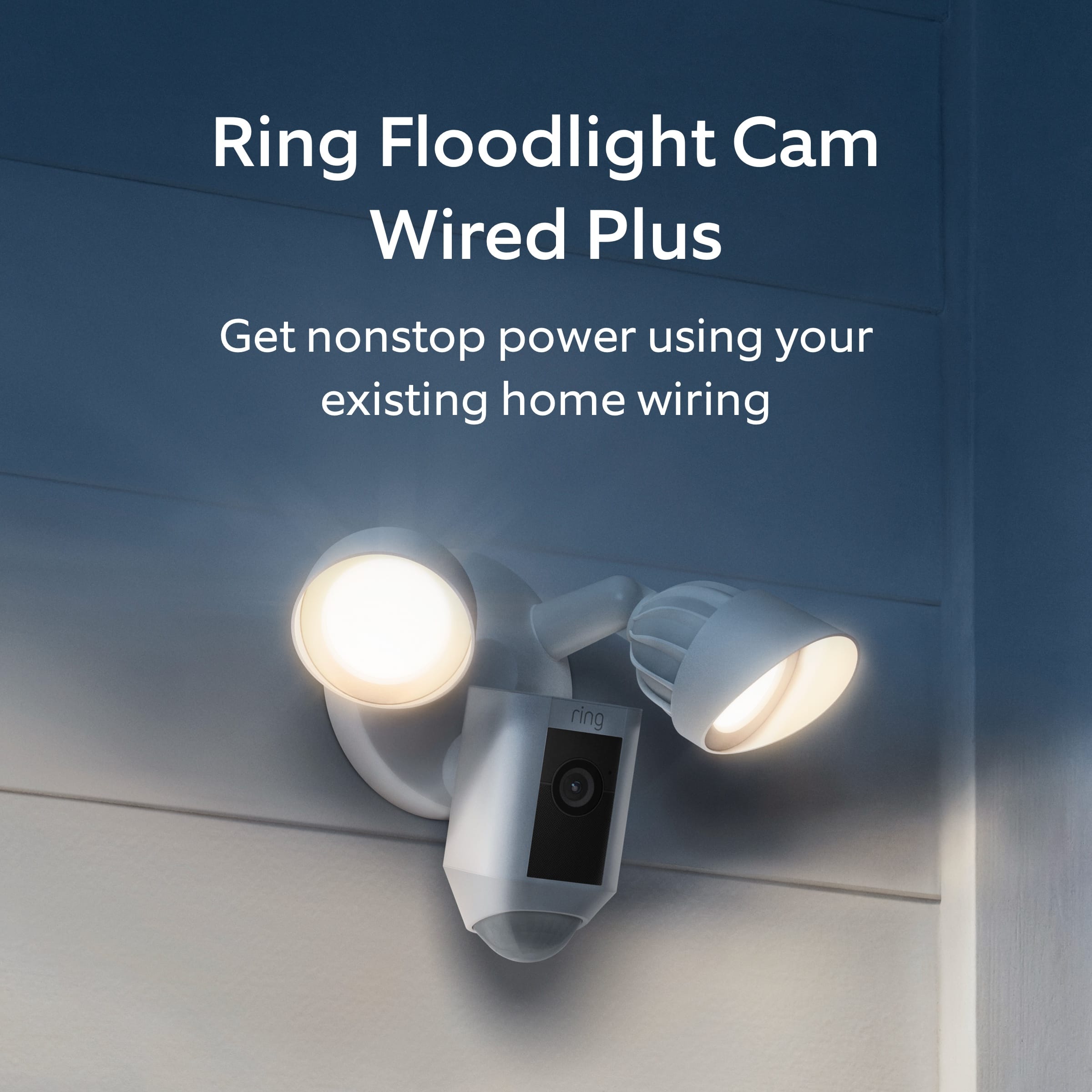
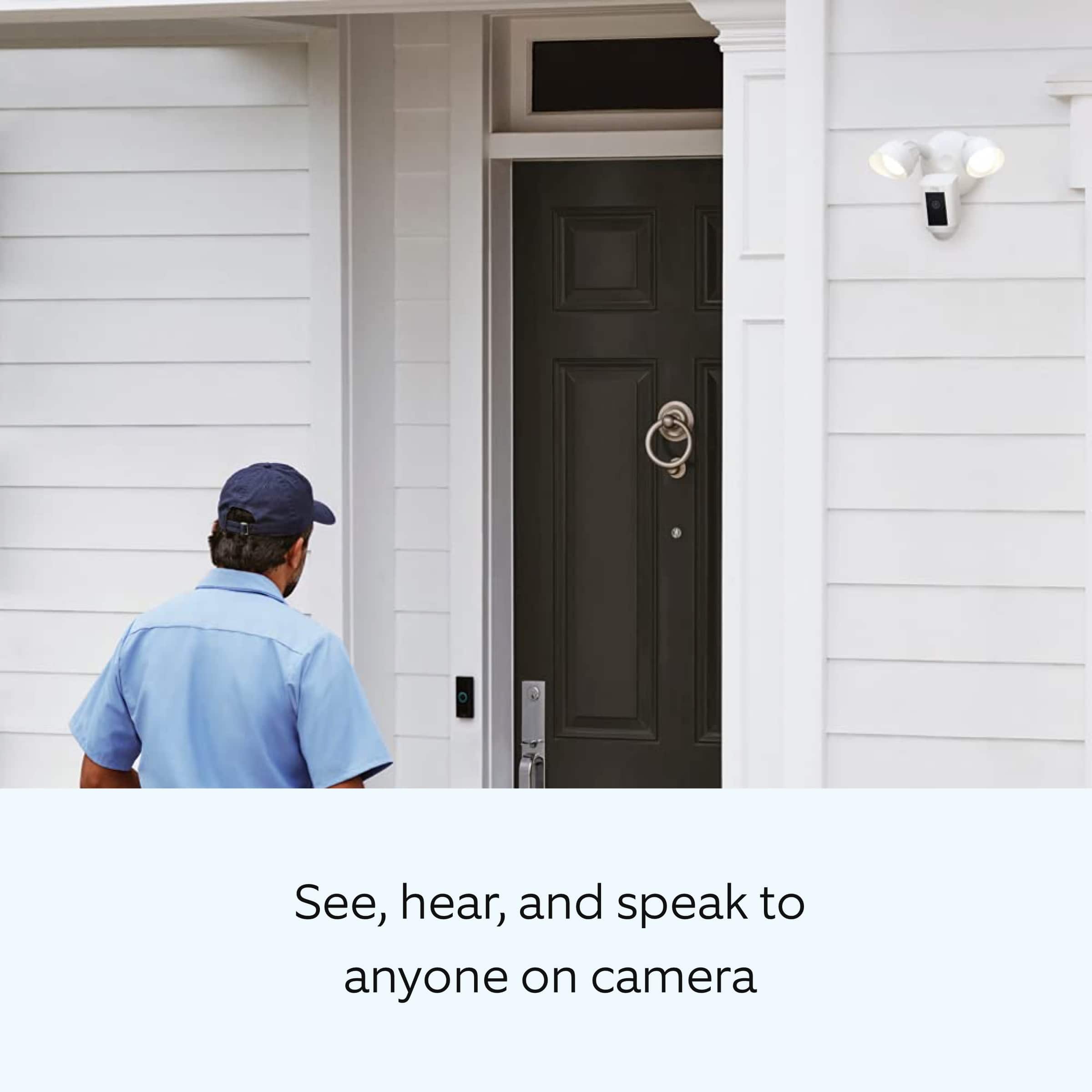
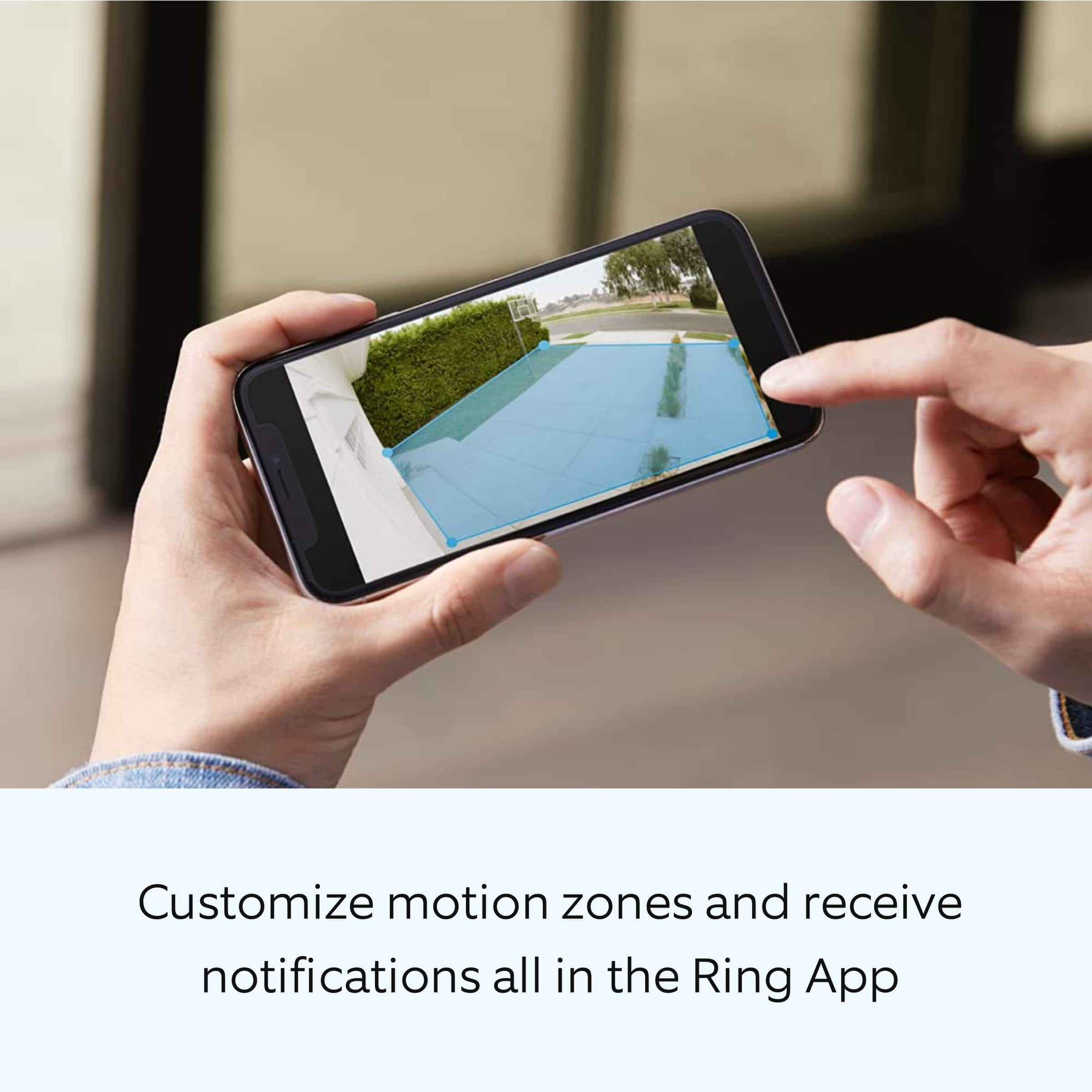
We are pleased to read that you are enjoying the benefits of having a Ring security device installed! Ring Floodlight Cam Wired Plus is an outdoor floodlight security camera with 1080p HD video. Ring Floodlight Cam Wired Plus has ultra-bright, motion-activated LED floodlights, customizable motion zones, "Live View," "Color Night Vision," a 105db siren and two-way talk.
Ring Community is our first peer-to-peer community forum, giving our customers the ability to help one another and share their feedback/experiences with Ring. We invite you to reach out at https://community.ring.com/ if you have any additional questions or feedback regarding your Ring Floodlight Cam Wired Plus.
Thank you,
Melissa from Ring.
So so.
||Posted . Owned for 3 weeks when reviewed.This reviewer received promo considerations or sweepstakes entry for writing a review.I give it 3 stars because it’s delayed and kinda blurry. And electricity went up some
I would recommend this to a friendBrand response from Ring
Posted .Hi LouRod.
Thank you for taking the time to share your experience with us. We understand how important it is for your Ring Floodlight Cam Wired Plus to record clear and concise videos so that you can effectively monitor your home. The features and technology provided by the Ring Floodlight Cam Wired Plus are incredibly valuable and help provide you with peace of mind about your home security. We want to ensure your device is working as intended by providing you with solutions to resolve the concern you mentioned in your review.
It sounds like the device is not performing as expected. Ring devices require high-speed internet to bring you crisp, clear video and audio. Poor network connectivity can affect the performance of your Ring device. We are happy to share some troubleshooting steps to help you diagnose and fix common video issues and delays that you may experience with Ring doorbells and cameras.
Here are some examples of video quality issues:
Overexposed, washed-out videos: Washed-out videos may be due to overexposure to sunlight.
Poor wifi signal strength: A decline in wifi signal strength may be caused by a weak connection between the router and your Ring device.
Traveling signal strength: This may be due to a wifi dead zone in your home where you lose signal strength between the router and your Ring device.
Ring devices with 1080p video require at least 1 Mbps upload and download speeds, though 2 Mbps is recommended for optimal performance. In addition to ensuring that you have sufficient wifi speeds, you will also want to check the signal strength of your device. A poor wifi signal can cause connectivity with your Ring device to be unreliable.
Check the Device Health section of your Ring application to ensure the device’s RSSI is within an acceptable range. The recommended range for optimal performance is 0 to -60 for the RSSI. Turn off your mobile device's cellular data and connect to the same wifi network as your Ring device. Open the Ring app. Tap the menu (☰). Tap “Devices.” Select your device. Trigger an event on your Ring device. This could mean pressing the button on a doorbell or activating the motion sensors on a camera. Answer the event and examine the resulting video.
We have listed some possible outcomes from this test here:
Footage is crisp and clear: If your video appears good when next to the router, the issue may be caused by a disruption in between your router and your Ring device’s normal location. To fix this, try moving your device closer to the router or extending your wifi signal with a wifi extender like the Ring Chime Pro.
Footage is heavily pixelated: If you’re seeing heavy pixilation, even next to the router, this may be due to slow wifi speeds.
Severe pauses in live video: If your video pauses, stutters, or gets frozen and your wifi speed meets the minimum standards, try rebooting your router. Unplug your router, wait 30 seconds, and then plug it back in. It should take three to four minutes to reboot. Then, test your Ring device again and see if there's any difference.
Long delay before your video starts: This is also caused by slow wifi speeds. Assuming you have high-speed internet, reboot your router and the mobile phone, tablet, or PC you're accessing the video feed on. Then, see if there's any difference when it's back on line.
For more information on your Ring Floodlight Cam Wired Plus, we invite you to reach out to our community. Ring Community is our first peer-to-peer community forum, giving our customers the ability to help one another and share their personal feedback and experiences with Ring. We look forward to hearing from you. Please let us know if we can be of any further assistance!
Thank you,
Melissa from Ring.
Ring camera
||Posted . Owned for 1 month when reviewed.This reviewer received promo considerations or sweepstakes entry for writing a review.I am giving one star because I haven’t installed and I done know if it works or not.
I would recommend this to a friendBrand response from Ring
Posted .Hi LillianP.
Thank you for taking the time to share your Ring experience with us and other consumers. We believe in keeping people close to what’s important. That is why we are driven to create products that help you protect what matters most at home and empower you to connect with your visitors from wherever you are. Together, we’ll make neighborhoods safer!
For more information on your Ring Floodlight Cam Wired Plus, we invite you to reach out to our community. Ring Community is our first peer-to-peer community forum, giving our customers the ability to help one another and share their personal feedback and experiences with Ring. We look forward to hearing from you if we can be of any further assistance!
Thank you,
Miyuki from Ring.
Didn't last 20 days
||Posted . Owned for 3 weeks when reviewed.This reviewer received promo considerations or sweepstakes entry for writing a review.Got it hung up, started working. After 2 weeks the one light looked burnt out. Got up there and found that both lights were filled with water. Took it down and back to Best Buy and told we had to go through Ring because we were 2 days past their 15 day warranty. Should have just gone through Ring to start I guess. Ring is replacing, but a hassle to call, send proof, then have to wait for them to ship and send back the defective one.
No, I would not recommend this to a friendBrand response from Ring
Posted .Hello anniegirl1,
Thank you for taking a moment to leave your review on the Ring Floodlight Camera. At Ring, we believe that stronger communities are the key to safer neighborhoods. That is why we are driven to create products that help you protect what matters most at home, and empower you to connect with your visitors from wherever you are. We are saddened to read that this device did not meet your expectations, but we are pleased to read that your concerns were resolved with a product replacement.
Your experience with Ring is impactful on our future as a company, and we would love to hear from you directly on our Ring Community forum. If you have any experiences to share, questions regarding Ring and our services, or any feedback and product suggestions, we encourage you to have your voice be heard: https://community.ring.com/!
Thank you, Jamila with Ring
Review for gift card
||Posted . Owned for 6 months when reviewed.This reviewer received promo considerations or sweepstakes entry for writing a review.I’m Not sure why they want me to review this product, I have not purchased this.
No, I would not recommend this to a friendBrand response from Ring
Posted .Hi Jeffrey.
Thank you for taking the time to leave your rating. We apologize for any confusion regarding the product purchased. We want you to know that we pride ourselves on creating products that help you protect what matters most at home and empower you to connect with your neighbors from wherever you are. We invite you to reach out to our community if you do have any additional questions or concerns that we can help with. Ring Community is our first peer-to-peer community forum, giving our customers the ability to help one another and share their feedback and experiences directly with Ring.
All the best,
Melissa from Ring.
Ring camera
||Posted . Owned for 1 month when reviewed.This reviewer received promo considerations or sweepstakes entry for writing a review.The camera is ok. Having trouble with settings..also had to hire someone to put in because tech that came could not
I would recommend this to a friendBrand response from Ring
Posted .Hello Sweatshirt60,
Thank you for taking the time to share your experience with us. We understand the importance of a seamless installation process, as this allows you to start using your Ring Floodlight Cam right away. Rest assured that what you describe is not the experience we want you to have. We hear you and are here to offer you some help.
The floodlights are divided up into three 90-degree zones that can be independently turned on or off and the distance adjusted to customize the area that will trigger the lights to turn on. The camera can also have its motion-sensing area customized through the Ring App, and can cover up to three different zones. The combination of these different customizable zones gives you complete control over the area you wish to cover with your Floodlight Cam. Here is a helpful support article that elaborates on the motion settings for your device: https://support.ring.com/hc/en-us/articles/115001628983-How-Motion-Detection-Works-on-your-Floodlight-Cam.
Also, Ring Community is our first peer-to-peer community forum, giving our customers the ability to help one another and share their feedback and experiences with Ring. We invite you to reach out at https://community.ring.com/ if any additional information is needed regarding your Ring Pro 2 device.
Thank you,
Alexis with Ring
Ring - Floodlight Cam Plus - Wired Outdoor
||Posted . Owned for 3 weeks when reviewed.This reviewer received promo considerations or sweepstakes entry for writing a review.I bought this and it was too sensitive going off all the time and then I could not stop it from capturing animals. Took it back.
No, I would not recommend this to a friendBrand response from Ring
Posted .Hello BestBuyCustomer,
Thank you for taking a moment to leave your review of the Ring Floodlight Cam Wired Plus. At Ring, we believe that stronger communities are the key to safer neighborhoods. That is why we are driven to create products that help you protect what matters most at home, and empower you to connect with your visitors from wherever you are. We are saddened to read that this device did not meet your expectations, but are still here to assist you, if needed.
Ring Community was launched to help deliver the most current news and educational information to our neighbors. This online forum is divided into four categories: Product Boards, Ring Updates, Tips + Tricks, and a Moderators’ Corner. The Product Boards are where you can begin new topics with your questions or feedback; there is also a search option which helps you find topics that were already posted by other neighbors. We invite you to visit our site at https://community.ring.com/ today!
All the best,
Antonio from Ring
Ring flood lite
||Posted . Owned for 3 weeks when reviewed.This reviewer received promo considerations or sweepstakes entry for writing a review.Camera, after two years started to loose its color, now 1/2 B&W. Must purchase video storage.
No, I would not recommend this to a friendBrand response from Ring
Posted .Hello AlGal
We appreciate you sharing your concern with your Floodlight Cam Plus. I would recommend trying to reboot your Camera using the Ring app to see if it helps. https://support.ring.com/hc/en-us/articles/7438395032980-Rebooting-your-Ring-Doorbell-or-Security-Camera-. If that doesn't help, give our support team a call for further assistance. https://support.ring.com/hc/en-gb/articles/213608406.
Best wishes
Ivan from Ring
Ring Floodlight Cam Plus
||Posted . Owned for 2 weeks when reviewed.This reviewer received promo considerations or sweepstakes entry for writing a review.I finally added the Floodlight Cam Plus to my backyard. The only difference is if you turn the light switch off and then on again the light doesnt immediately come on for like 39 seconds anymore
I would recommend this to a friend- Pros mentioned:Camera quality
Ring
||Posted . Owned for 3 weeks when reviewed.This reviewer received promo considerations or sweepstakes entry for writing a review.I like the quality and image. I can acces it from anywhere
I would recommend this to a friend not that bright
||Posted . Owned for 3 weeks when reviewed.This reviewer received promo considerations or sweepstakes entry for writing a review.floodlights are not that bright. doesnt light up the front yard only half of it . you have to be close before it turns on
No, I would not recommend this to a friendBrand response from Ring
Posted .Hello Susan
Our top priority at Ring is to ensure that our customers have the best possible experience with our products. We really appreciate your feedback. Our team is always striving to improve our products and their performance.
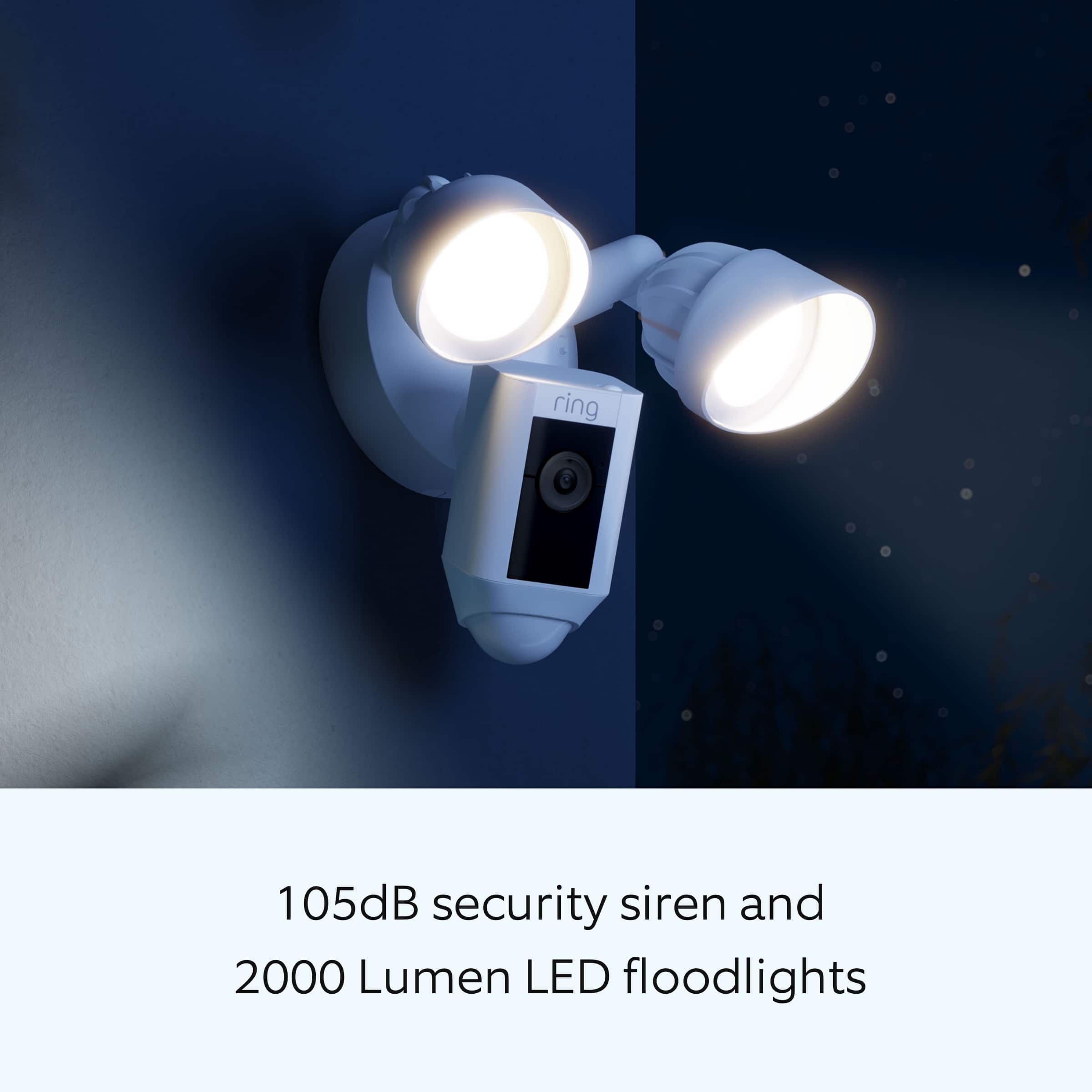
The Floodlight Cam Wired Plus has Customizable Motion Zones, Live View and Color Night Vision that are controlled from the Ring app. In addition, the Floodlight Cam Wired Plus has a 105db siren at 10cm (4in). The lights have a brightness of 3500K and 2000 lumens. More details on Floodlight Cam Wired Plus: https://support.ring.com/hc/en-us/articles/360061193351-Floodlight-Cam-Wired-Plus-Security-Camera-Information-.
Also Ring Community was launched to help deliver the most current news and educational information to our neighbors. This online forum is divided into four categories: Product Boards, Ring Updates, Tips + Tricks, and a Moderators’ Corner. The Product Boards are where you can begin new topics with your questions or feedback; there is also a search option which helps you find topics that were already posted by other neighbors. We invite you to visit our site at https://community.ring.com/ today!
Thank you,
Antonio form Ring
ringcamara
||Posted . Owned for 3 months when reviewed.This reviewer received promo considerations or sweepstakes entry for writing a review.I do not like ring because if you buy you must to pay to ring to record in your camara p0lus it is very expensive
No, I would not recommend this to a friendBrand response from Ring
Posted .Hi GiovannaR.
Thank you for taking the time to share your experience with us. We understand the importance of having all relevant product information prior to purchasing. The features and technology provided by the Ring Floodlight Cam Plus are incredibly valuable and help provide you with peace of mind about your home security. We can definitely provide you with more information regarding the concern mentioned in your review.
It sounds like you are concerned with the need for the Ring Home Plan subscription. At Ring, we work hard to be completely transparent in both our products, and the optional services in which we provide. The Ring Home Plan is mentioned on our Ring packaging, on our website, and in the welcome email you received upon setting up your device. Your Ring products provide their standard features (real-time notifications, live view, and two-way talk) without any subscription. Ring Home Plans offer downloading and sharing video capabilities and additional features for those who want them.
We invite you to reach out to our community if any additional information is needed regarding your concern. The Ring Community is our first peer-to-peer community forum, giving our customers the ability to help one another by sharing their feedback and experiences with each other. Join the Ring Community today!
Thank you,
Amilia from Ring.
Could not use
||Posted . Owned for 2 weeks when reviewed.This reviewer received promo considerations or sweepstakes entry for writing a review.I am sure the floodlight works well but it was not compatible with my (Cat 6) pre-wired location so had to return (2) cameras.
I would recommend this to a friendBrand response from Ring
Posted .Hello MaryB,
Thank you for taking a moment to leave your review on the Ring Floodlight Cam Plus. We believe that stronger communities are the key to safer neighborhoods. That is why we are driven to create products that help you protect what matters most at home, and empower you to connect with your visitors from wherever you are. Together, we’ll make neighborhoods safer!
At Ring, we are constantly innovating on behalf of our customers to develop products that best meet their home and security needs, and provide them with as much choice as possible. You are correct, this product is not compatible with Ethernet wired wifi networks and does not accept a Cat 6 connection. This device is compatible with wireless wifi networks broadcasting a 2.4 GHz b/g/n signal.
Ring Community is our first peer-to-peer community forum, giving our customers the ability to help one another and share their feedback directly with Ring. We invite you to reach out at https://community.ring.com/ if you have any additional questions regarding our Floodlight Camera Plus product.
Thank you,
Alexis with Ring
spotlight
||Posted .This reviewer received promo considerations or sweepstakes entry for writing a review.Its a ring camera me pulling into my driveway and getting out of my car doesn't set it off but a squirrel running across does.
I would recommend this to a friendBrand response from Ring
Posted .Hello Notninja,
We understand the importance of motion being detected consistently on your Floodlight Cam Wired Plus. A device installed at the recommended height of 9-12 feet off the ground with customized zones can ensure proper motion detection.
It sounds like the Motion Frequency feature may not have been set up properly for your environment within the Ring App. Ring's Motion Frequency algorithm is an internal program that runs inside of your Ring device. It analyzes the traffic patterns of detected motions, looking for repetitive patterns. When it detects such a pattern, it essentially "sleeps" your device for a certain period of time, cutting down the number of motion alerts you'll get from the same set of stimuli. The more time a repetitive pattern of motion continues, the longer the time between issuing motion alerts.
For any additional questions or concerns, please feel free to reach out on our community forum at https://community.ring.com/. You can also visit our help site, https://support.ring.com/hc/en-us, for tips & tricks, videos and help articles for all our Ring products.
Thank you,
Antonio from Ring
Smart Safe
||Posted .This reviewer received promo considerations or sweepstakes entry for writing a review.Added this to our Ring doorbell to also view driveway and side yard. Adds to our viewing. Especially helpful during the holiday deliveries. Bought a second one too for the back yard.
I would recommend this to a friendReturned for Nest Instead
||Posted . Owned for less than 1 week when reviewed.This reviewer received promo considerations or sweepstakes entry for writing a review.Returning it. Ring camera indoor low quality isn't as much of an issue however outdoor it's highly noticeable. Bought these so that we would have recorded outdoor video. However unlike Nest, which is extremely HQ and is always recording, Ring only records upon motion so it misses the first few moments which mean someone may notice the camera and hide their face or leave and we miss what was needed on cam. Even if it does record, the quality is so low that if they are more than 15 feet or so from the camera you won't see their face clearly. Buying more Nest cameras for outdoor.
No, I would not recommend this to a friendBrand response from Ring
Posted .Hello USAResident
Thank you for taking the time to share your experience with us. We agree it's vital that your Ring Floodlight Cam Wired Plus detect accurate motion within your monitored zones, so you can be alerted when someone is at your home anytime day or night. The camera's motion features include Advanced Motion Detection,140 degree field of view, and 30-foot Custom Motion Zones.
We understand you've maximized the motion detection settings within the Ring app. One tip we'd like to share with you is to create three individual motion zones, each covering the area you'd like the camera to monitor. Also, on the Motion Sensitivity Slider setting, please make sure you've moved the slider all the way to All Activity. This is a great solution for anyone looking to capture as much activity as possible. The link below will provide the steps to locate these settings as well as provide some additional tips: https://support.ring.com/hc/en-us/articles/115002734606-Using-the-Motion-Sensitivity-Slider-on-Your-Floodlight-Cam
We understand the seriousness of ensuring that your Ring Floodlight Cam Wired Plus and Ring app work to meet your needs and expectations. We would love to investigate these concerns further with you, please feel free to check out our community forum at https://community.ring.com/ for additional support.
Thank you,
Antonio from Ring
Works like a charm!!!
||Posted . Owned for 1 week when reviewed.This reviewer received promo considerations or sweepstakes entry for writing a review.VERY HAPPY WITH THIS PURCHASE. It works exactly as indicated and the application provides great security features like a siren, lights, two way communication. LOVE LOVE LOVE it
I would recommend this to a friendGood picture when it records but doesn’t always. N
||Posted . Owned for 3 months when reviewed.This reviewer received promo considerations or sweepstakes entry for writing a review.Having hard time keeping connected to internet with no way to resolved it
No, I would not recommend this to a friendBrand response from Ring
Posted .Hello Michael777,
We understand you've selected Ring to keep you updated on activity around your home, and receiving notifications when activity is detected is essential. Rest assured, we are here to provide you with solutions to the network connectivity issues you describe.
Usually, devices falling offline repeatedly is related to poor wifi connectivity caused by signal fluctuations, channel congestion, or data loss. In rare cases, this can be caused by settings in your router. Please note that some of the solutions offered in this article require using your wifi router's advanced features. Be sure you are comfortable using these features before trying these solutions: https://ring.com/support/articles/8i61o/Fixing-Devices-Falling-Offline-Repeatedly-by-Adjusting-Your-Router.
Ring Community was launched in March 2019 to help deliver the most current news and educational information to our customers. You can find tips and tricks from other Ring users at https://community.ring.com/. This peer-to-peer forum allows our neighbors to share their feedback and experiences to assist each other in resolving their concerns.
Thank you,
Alexis with Ring
it is ok
||Posted . Owned for 1 month when reviewed.This reviewer received promo considerations or sweepstakes entry for writing a review.Not good, I buy to 02 camera, but 01 camera is broken after 02 months. I will replace it.
No, I would not recommend this to a friendBrand response from Ring
Posted .Hello VuThao,
Thank you for taking a moment to leave your review rating on the Ring Floodlight Cam Plus. We believe that stronger communities are the key to safer neighborhoods. That is why we are driven to create products that help you protect what matters most at home, and empower you to connect with your visitors from wherever you are. Together, we’ll make neighborhoods safer!
All Ring products do include a 1-year part and labor warranty and lifetime theft protection. Click here for more information on Ring's Limited Warranty and Theft Protection Plan: https://ring.com/warranty.
At Ring, we are constantly innovating on behalf of our customers to develop products that best meet their home and security needs, and provide them with as much choice as possible. Ring Community is our first peer-to-peer community forum, giving our customers the ability to help one another and share their feedback/experiences with Ring. We invite you to reach out at https://community.ring.com/ if you have any additional questions or feedback regarding your Ring Floodlight Cam Plus product. We look forward to hearing from you!
Thank you,
Alexis with Ring
misleading sell
||Posted . Owned for 1 month when reviewed.This reviewer received promo considerations or sweepstakes entry for writing a review.i bought this product in white, but i mention to the seller i wasnt sure if the product color will match the property where it was supposed to be installed in Dec and he said no worries you can always come back and change for a different (same price). days after I went back to the store to have it change for black since it did not match and they refuse to change it for the same model in black. they wanted to charge me 29.90 if i get it change even though i was told that there wont be any problem. Now i am stuck with this product in white that wont match the property i just got. Misleading from seller, totally bad experience.
No, I would not recommend this to a friendBrand response from Ring
Posted .Hi FiorelaP.
Thank you for taking the time to share your experience with us. We understand the importance of having all relevant product information prior to purchasing. The features and technology provided by the Ring Floodlight Cam Wired Plus are incredibly valuable and help provide you with peace of mind about your home security. Rest assured, we are here to provide you with a concrete resolution as quickly as possible.
In this particular case, we recommend contacting Best Buy Customer Service: 1-888-237-8289 or https://www.bestbuy.com/services/triage/home. We are confident that they will be able to provide you resolution to this installation concern.
At Ring, we understand you have many choices when it comes to your home security. If the retailer has not resolved this concern for you, please reach out to our community forum today. The Ring Community is our first peer-to-peer community forum, giving our customers the ability to help one another by sharing their feedback and experiences with each other. We appreciate that you have chosen Ring to secure your home and look forward to providing you a solution so that you have a device you can rely on.
Thank you,
Melissa from Ring.