Customer Ratings & Reviews
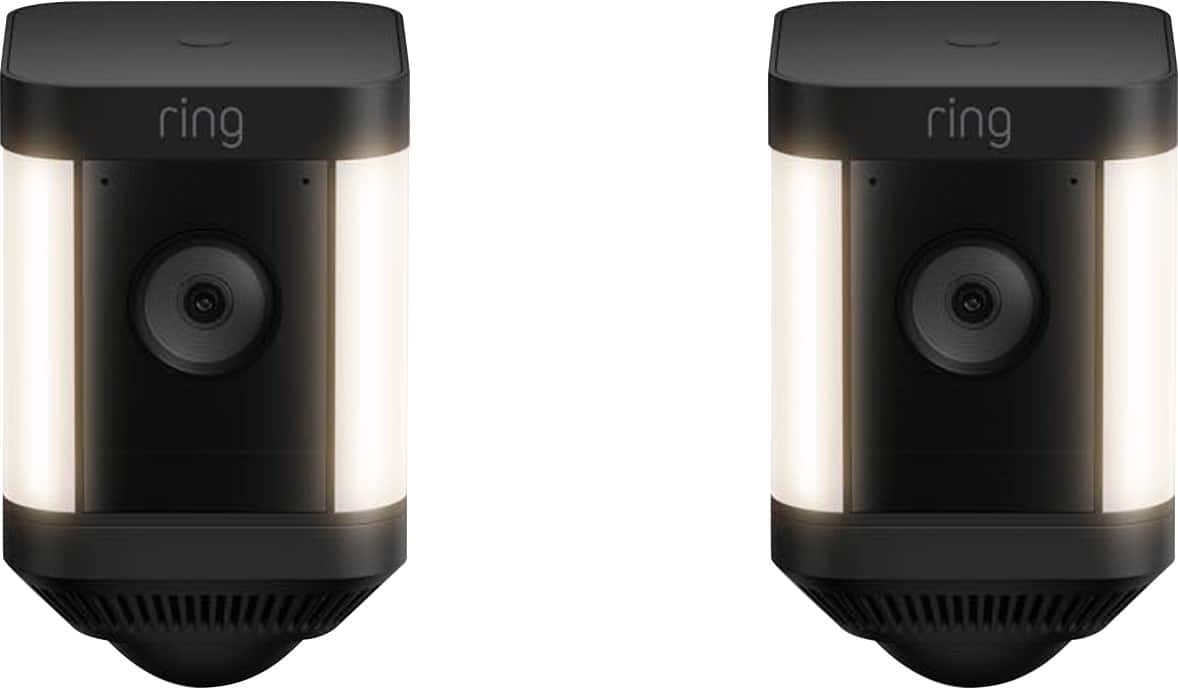
- Model:
- B0B7Q62HMM
- |
- SKU:
- 6532393
Customer reviews
Rating 4.7 out of 5 stars with 700 reviews
(700 customer reviews)Rating by feature
- Value4.7
Rating 4.7 out of 5 stars
- Quality4.7
Rating 4.7 out of 5 stars
- Ease of Use4.7
Rating 4.7 out of 5 stars
Customers are saying
Customers value the Spotlight Cam Plus for its impressive camera quality and ease of use. Many appreciate its overall performance and long battery life. While some users experienced issues with network connectivity, light brightness, and range, the majority are satisfied with the product's features like installation, security, motion detection, night vision, field of view, and price.
This summary was generated by AI based on customer reviews.
Rated 4 out of 5 stars
Teresa
||Posted . Owned for 3 weeks when reviewed.This reviewer received promo considerations or sweepstakes entry for writing a review.Love that it catches everything and notifies you immediately.
This review is from Ring - Spotlight Cam Plus 2-pack Camera Indoor/Outdoor Wireless 1080p Security Cameras - White
I would recommend this to a friendRated 4 out of 5 stars
good cam
||Posted . Owned for 1 month when reviewed.This reviewer received promo considerations or sweepstakes entry for writing a review.good cameras for security. But the pricing is bit higher.
This review is from Ring - Spotlight Cam Plus 2-pack Camera Indoor/Outdoor Wireless 1080p Security Cameras - White
I would recommend this to a friendRated 4 out of 5 stars
Good cameras
||Posted . Owned for 1 week when reviewed.This reviewer received promo considerations or sweepstakes entry for writing a review.Cameras are good, but the battery runs out too fast.
This review is from Ring - Spotlight Cam Plus 2-pack Camera Indoor/Outdoor Wireless 1080p Security Cameras - White
I would recommend this to a friendRated 1 out of 5 stars
Very disappointed
||Posted . Owned for 1 week when reviewed.This reviewer received promo considerations or sweepstakes entry for writing a review.Well I can’t actually give a review, the geeks were supposed to install my cameras last Saturday…. First they text saying they were running late… then I got a text giving the new time which was 5 hours past my original timeline… well that time came and went with no updates from the installers…. It’s now Friday 6 days later and still have not heard from them… poor communication.
This review is from Ring - Spotlight Cam Plus 2-pack Camera Indoor/Outdoor Wireless 1080p Security Cameras - White
No, I would not recommend this to a friendBrand response from Ring
Posted .Hi AnitaG.
Thank you for taking the time to share your experience with us. Your experience with Ring is our top priority, and it is important to us that when investing in our products, they meet your needs and expectations. What you describe is not the experience we want you to have, rest assured we are here to offer you some help.
In this particular case, we'd suggest you reach out to Best Buy's customer service: 1-888-237-8289 or https://www.bestbuy.com/services/triage/home. We are confident that they will be able to provide you with a resolution to this concern.
Ring Community was launched to help deliver the most current news and educational information to our neighbors. This online forum is divided into four categories: Product Boards, Ring Updates, Tips + Tricks, and a Moderators’ Corner. The Product Boards are where you can begin new topics with your questions or feedback; there is also a search option which helps you find topics that were already posted by other neighbors. We invite you to join our community today!
Thank you,
Amilia from Ring.
- Cons mentioned:Network connectivity
Rated 1 out of 5 stars
mala inversion
||Posted . Owned for 2 weeks when reviewed.This reviewer received promo considerations or sweepstakes entry for writing a review.las camaras se desconectan del internet cada 15 dias
This review is from Ring - Spotlight Cam Plus 2-pack Camera Indoor/Outdoor Wireless 1080p Security Cameras - White
No, I would not recommend this to a friend Rated 2 out of 5 stars
Not worth it
||Posted . Owned for 1 month when reviewed.This reviewer received promo considerations or sweepstakes entry for writing a review.I only bought this brand since I already had the ring doorbell (that I hate). These are just as bad. Notify you when no one is there but doesn’t notify you when someone IS there.. even adjusting the zones doesn’t help. Snooze motion doesn’t work it still notifies you. Just an overall headache
This review is from Ring - Spotlight Cam Plus 2-pack Camera Indoor/Outdoor Wireless 1080p Security Cameras - White
No, I would not recommend this to a friendBrand response from Ring
Posted .Hi Deee.
Thank you for taking the time to share your experience with us. We understand how critical it is for your Ring Spotlight Cam Plus to notify you of meaningful motion events. The features and technology provided by the Ring Spotlight Cam Plus are incredibly valuable and help provide you with peace of mind about your home security. We can definitely provide you with more information regarding the concern mentioned in your review.
It sounds like the device is not performing as intended in regards to alerts.
To enable and customize your camera "Motion Alerts" when your camera detects motion, follow these steps in the Ring app:
Open the Ring app and tap the menu (☰) in the top left corner.
Tap "Devices," then select the relevant device.
At the top of the screen, you can toggle the following on or off:
Motion Detection
Motion Alerts
Motion Warning (if your device has the feature)
Tap the "Motion Settings" tile to customize settings such as:
"Motion Sensitivity."
"Smart Alerts" (available to Ring Protect subscribers) allows you to distinguish motion so you can know whether it's a person or something else like a car.
"Advanced Settings" (example: "Advanced Motion Detection," "Motion Schedules," and "Motion Frequency.")
If any additional information is needed regarding your Ring Spotlight Cam Plus, please reach out to our community. Ring Community is our first peer-to-peer community forum, giving our customers the ability to help one another and share their feedback and experiences directly with Ring.
Sincerely,
Matthew from Ring.
- Pros mentioned:Camera quality
Rated 2 out of 5 stars
Best Buy or Bust
||Posted . Owned for 8 months when reviewed.This reviewer received promo considerations or sweepstakes entry for writing a review.I feel a lot safer knowing I can look all around my house. You must set up record or don’t buy it’s a game changer for safety
I would recommend this to a friendBrand response from Ring
Posted .Hello DeiM.
Thank you for taking a moment to leave your review and feedback for the Ring Spotlight Cam Plus. Here at Ring, we believe that stronger communities are the key to safer neighborhoods. That is why we are driven to create products that help you protect what matters most at home and empower you to connect with your neighbors from wherever you are. Together, we’ll make neighborhoods safer!
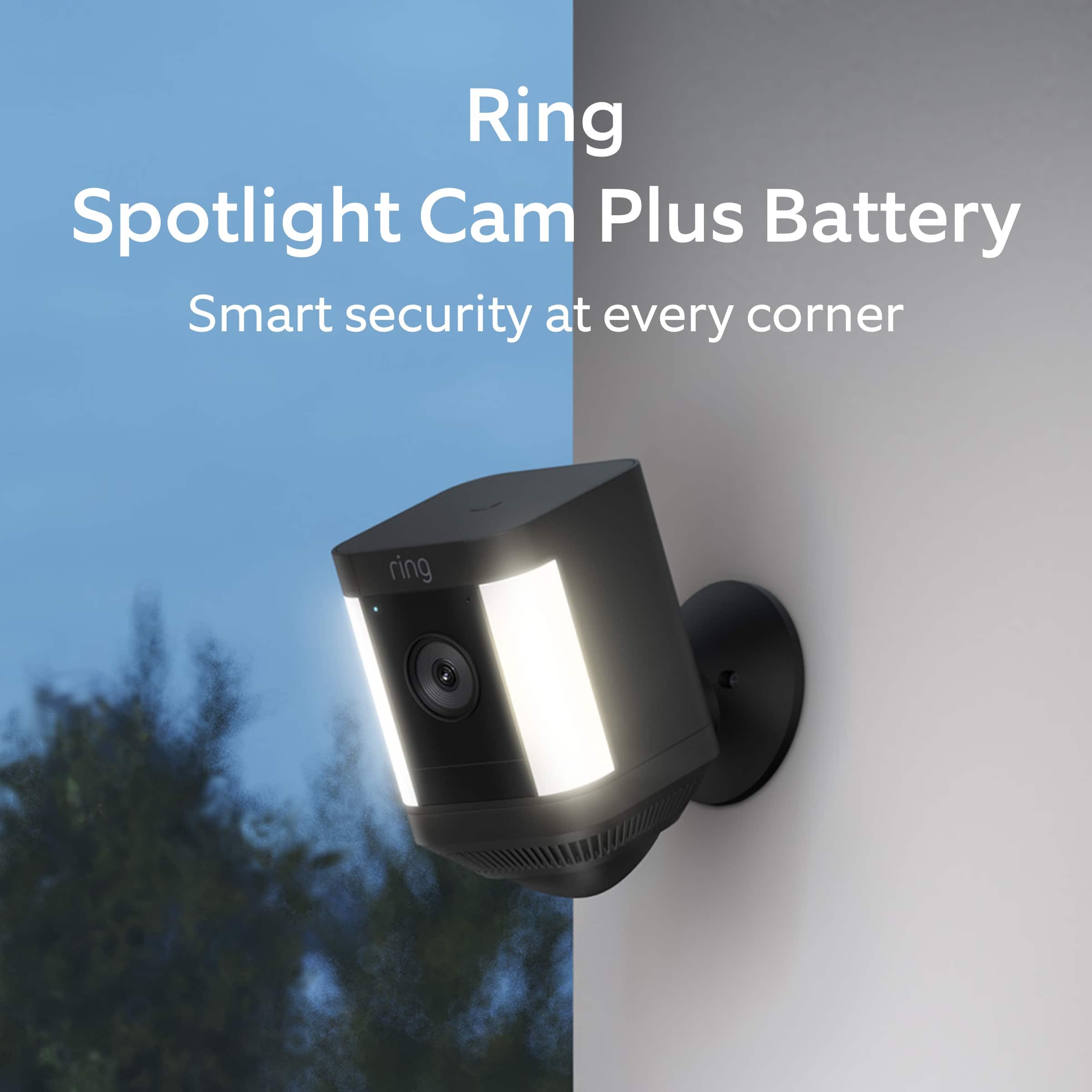
We are pleased to read that you are enjoying the benefits of having a Ring security device installed! Spotlight Cam Plus, Battery, Wired, Solar, or Plug-In, is an outdoor security camera that can be used to capture out-of-sight areas and blind spots. It’s equipped with Color Night Vision, customizable Motion Detection, and Motion-Activated Lights. Just mount the wireless camera and adjust the viewing angle for wide coverage throughout the day or night.
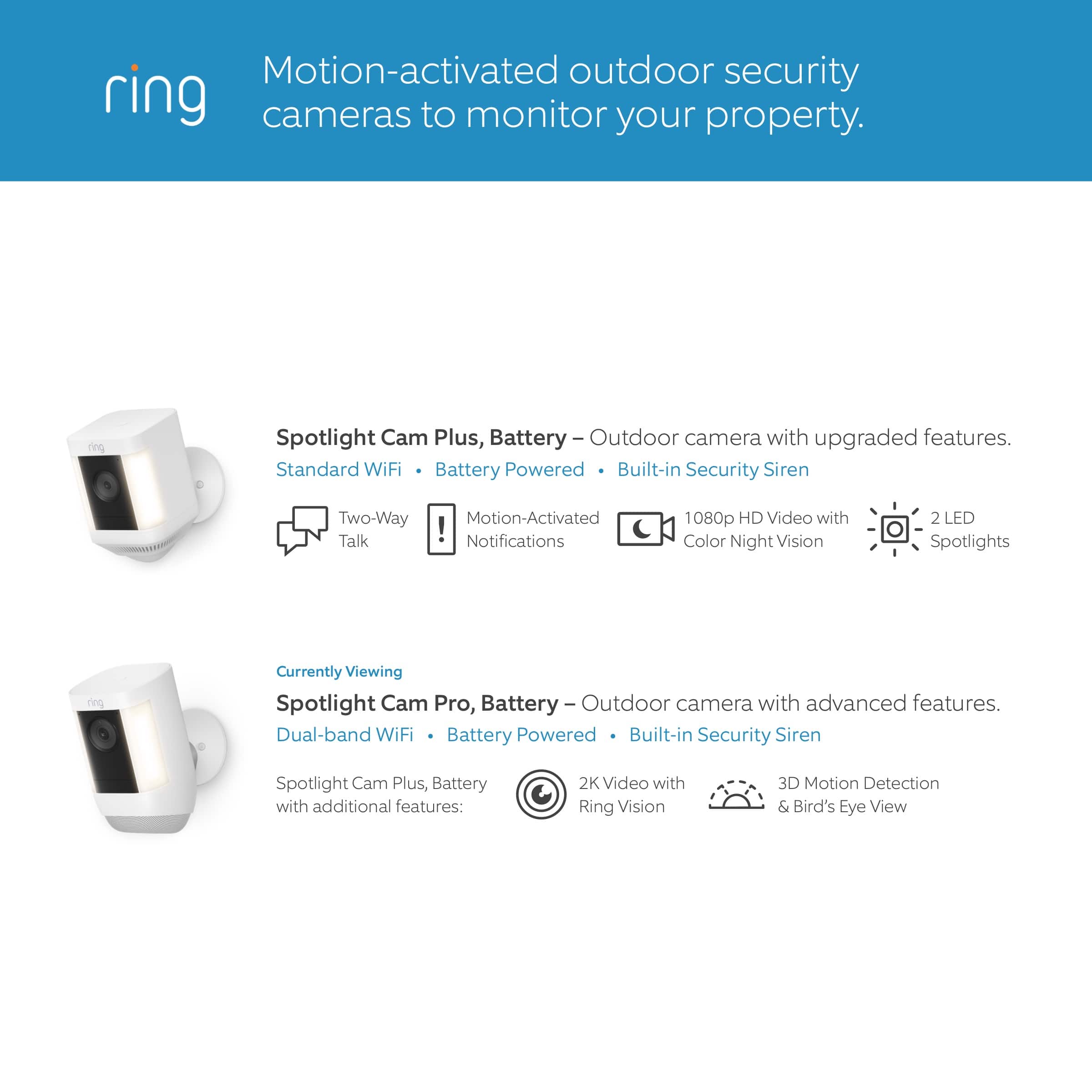
Spotlight Cam Plus has Customizable Motion Zones that are controlled in the Ring app. In addition, Spotlight Cam Plus has Two-Way Talk with noise cancellation, and other advanced features like Motion-Activated Notifications, 1080p HD Video, Color Night Vision, and a Built-in Security Siren.
Ring Community is our first peer-to-peer community forum, giving our customers the ability to help one another and share their feedback/experiences with Ring. We invite you to reach out at https://community.ring.com/ if you have any additional questions or feedback regarding your Ring Spotlight Cam Plus.
Thank you,
Melissa from Ring.
Rated 3 out of 5 stars
Until Better option available
||Posted . Owned for 1 month when reviewed.This reviewer received promo considerations or sweepstakes entry for writing a review.Spotty coverage and marginal customer service offered by Ring. But good option for the price.
This review is from Ring - Spotlight Cam Plus 2-pack Camera Indoor/Outdoor Wireless 1080p Security Cameras - White
No, I would not recommend this to a friendBrand response from Ring
Posted .Hi Katecamera.
Thank you for taking the time to share your feedback with us.
At Ring, we believe in keeping people close to what’s important. That is why we are driven to create products that help you protect what matters most at home and empower you to connect with your visitors from wherever you are. The features and technology provided by the Ring Spotlight Cam Plus are incredibly valuable and help provide you with peace of mind about your home security. We are eager to address the concerns you raised in your review.
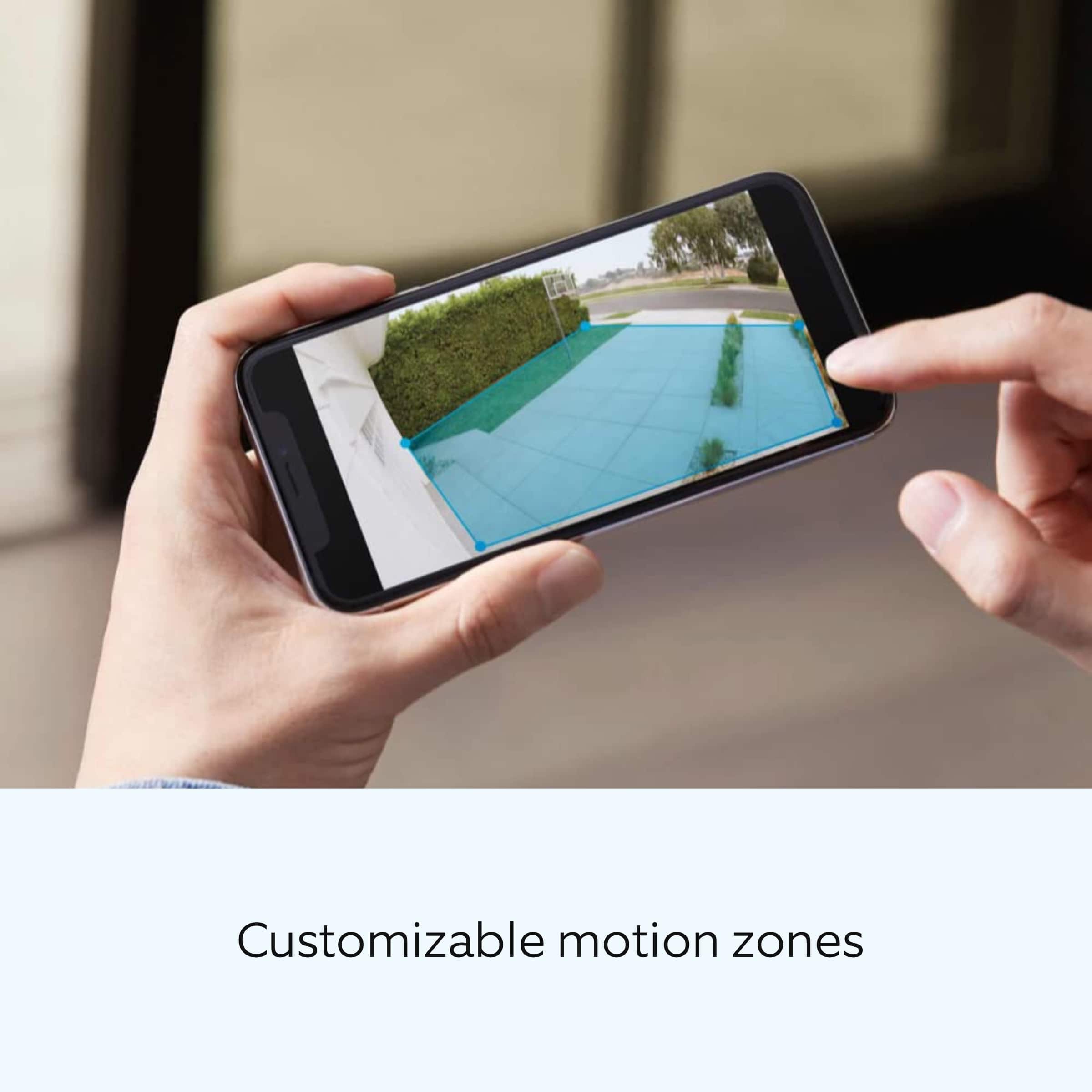
It sounds like you have some concerns regarding the coverage your device provides. The Spotlight Cam Plus provides a 140° horizontal field of view. It has customizable motion zones that are controlled in the Ring app so that you are able to monitor the area you want to while ignoring the areas you do not. By drawing your camera motion zones to exclude high-traffic areas like public paths and roads, you can increase your Ring device's effectiveness.
To optimize your camera motion zones, make your Ring device's view as clear as possible. Motion detection can sometimes trigger "false" alerts because of moving trees, lightning, the rising or setting sun, reflections off a shiny object, headlights, shadows, and more. To reduce false alerts, adjust your motion zones, remove shiny objects, cut back tree branches that create moving shadows, or angle your device to avoid the sun.
Visit our support center for more information.
Ring Community was launched to help deliver the most current news and educational information to our neighbors. This online forum is divided into four categories: Product Boards, Ring Updates, Tips + Tricks, and a Moderators’ Corner. The Product Boards are where you can begin new topics with your questions or feedback; there is also a search option that helps you find topics that have already been posted by other neighbors.
All the best,
Nicole from Ring.
Rated 1 out of 5 stars
Trash
||Posted . Owned for 7 months when reviewed.This reviewer received promo considerations or sweepstakes entry for writing a review.JUNK ..JUST JUNK AVOID 2nd cam in 1 year.Never again
No, I would not recommend this to a friendBrand response from Ring
Posted .Hi Onlyatbestbuy.
Thank you for taking the time to share your experience with us. At Ring, we want to ensure that you have the best possible experience with our products. Your peace of mind and security are extremely important to us. The features and technology provided by the Ring Spotlight Cam Plus are incredibly valuable and help provide you with peace of mind about your home security. Rest assured, we're here to help!
At Ring, we believe that stronger communities are the key to safer neighborhoods. That is why we are driven to create products that help you protect what matters most at home, and empower you to connect with your visitors from wherever you are. We are saddened to read that this device did not meet your expectations but are still here to assist you. Our support team is available 24/7.
If you still have the Ring device in your possession, we invite you to reach out to us at our community. Ring Community is our first peer-to-peer community forum, giving our customers the ability to help one another and share their personal feedback/experiences with Ring. We look forward to hearing from you, if we can be of any further assistance!
Thank you,
Miyuki from Ring.
- Cons mentioned:Light brightness
Rated 2 out of 5 stars
Ring cam
||Posted . Owned for 3 weeks when reviewed.This reviewer received promo considerations or sweepstakes entry for writing a review.Cam View during the day is ok but at night not that great, spot light not bright enough, camera did not exceed my expectations.
No, I would not recommend this to a friendBrand response from Ring
Posted .Hi Miguel.
Thank you for taking the time to share your experience with us. We understand how important it is for your Ring Spotlight Cam Plus to function consistently and reliably, so you are alerted to any wanted or unwanted activity in or around your home. The features and technology provided by the Ring Spotlight Cam Plus are incredibly valuable and help provide you with peace of mind about your home security. We are here to provide you with some information to resolve the issue you mentioned in your review.
It sounds like the device is not performing as expected. The Ring Spotlight Cam Plus is an outdoor security camera that can be used to capture out-of-sight areas and blind spots. It’s equipped with "Color Night Vision," customizable motion detection, and motion-activated lights. Just mount the wireless camera and adjust the viewing angle for wide coverage throughout the day or night.
The Spotlight Cam Pro is designed with customizable light settings to provide you with the ability to adjust the lights according to your needs. To adjust the brightness of your Ring Spotlight Cam Plus, please follow these steps:
Open the Ring app.
Tap the menu (☰).
Tap Devices.
Select the Spotlight Cam Plus that you want to adjust.
Select "Device Settings."
Select "Light Settings."
Select "Light Brightness" and adjust the slider to make the lights brighter or dimmer.
Enable "Color Night Vision" in the Ring app to help improve clarity at night.
To turn the "Color Night Vision" on or off, follow these instructions:
Open the Ring app.
Tap the "Menu" (☰).
Tap "Devices."
Select the device you want to adjust.
Tap "Device Settings."
Tap "Video Settings."
Toggle "Color Night Vision" on or off.
We invite you to reach out to our community if any additional information is needed regarding your Ring Spotlight Cam Plus. The Ring Community is our first peer-to-peer community forum, giving our customers the ability to help one another by sharing their feedback and experiences with each other.
Thank you,
Melissa from Ring.
- Pros mentioned:Camera quality
Rated 2 out of 5 stars
mandatory subscription
||Posted . Owned for 1 month when reviewed.This reviewer received promo considerations or sweepstakes entry for writing a review.It has good image quality, good in the application, the bad thing is that you can't record without having a mandatory subscription
No, I would not recommend this to a friendBrand response from Ring
Posted .Hi Qu1nt4n4.
Thank you for sharing your experience with us.
We understand the importance of having all relevant product information prior to purchasing. Being able to save, download, and review footage captured by your Ring Spotlight Cam Plus is a valuable feature of the Ring Protect Plan. We can definitely provide you with more information regarding the concern mentioned in your review.
It sounds like there was some confusion surrounding the optional Ring Protect Plans. The Ring Protect Plan is a subscription that gives you access to paid features for Ring devices such as video doorbells, cameras, alarm, and Car Cam. With a Ring Protect Plan, you can save, review, and share video recordings from your Ring devices to your Ring account.
Without a Ring Protect Plan, you can still view real-time video for Ring doorbells and cameras and answer doorbell notifications when they happen, but you don’t get video recordings of those events.
There are three Ring Protect Plans available for home devices, and one Ring Protect Plan available for Car Cam. Plans start at $3.99 per month. Visit our support center for more details.
Ring Community was launched to help deliver the most current news and educational information to our neighbors. This online forum is divided into four categories: Product Boards, Ring Updates, Tips + Tricks, and a Moderators’ Corner. The Product Boards are where you can begin new topics with your questions or feedback; there is also a search option that helps you find topics that have already been posted by other neighbors.
All the best,
Nicole from Ring.
Rated 1 out of 5 stars
don't buy these cameras
||Posted .This reviewer received promo considerations or sweepstakes entry for writing a review.I bought 2 of theses cameras, worked for about 5 month and 1 of the cameras died , don't buy this camera
No, I would not recommend this to a friendBrand response from Ring
Posted .Hi Ricky.
Thank you for taking the time to share your experience with us. We understand how important it is for your Ring Spotlight Cam Plus to function consistently and reliably, so you are alerted to any wanted or unwanted activity in or around your home. The features and technology provided by the Ring Spotlight Cam Plus are incredibly valuable and help provide you with peace of mind about your home security. We are eager to address the issue you raised in your review and provide you with a resolution today.
It sounds like your Ring Spotlight Cam Plus is not performing as expected. We would love the opportunity to share with you some troubleshooting steps that you can try to get your Ring Spotlight Cam Plus functioning as intended. If your device is unresponsive, try pressing and holding the reset button for 20 seconds. Follow the steps in the Ring app to reconnect the doorbell or camera to your network. To reconnect a Ring Spotlight Cam Plus to your wifi network: Open the Ring app. Tap the menu (≡). Tap "Devices" and select the doorbell or camera you'd like to reconnect to wifi. Tap the "Device Health" tile. Under "Network," tap "Change Network" and follow the prompts in the app. Allow some time for your device to fully reconnect to the network, then check your wifi signal strength in "Device Health" to confirm it has successfully reconnected.
If you still have the Ring device in your possession, we invite you to reach out to our community. Ring Community is our first peer-to-peer community forum, giving our customers the ability to help one another and share their personal feedback and experiences with Ring. We look forward to hearing from you. Please let us know if we can be of any further assistance!
Thank you,
Miyuki from Ring.
Rated 3 out of 5 stars
Ok
||Posted . Owned for 5 months when reviewed.This reviewer received promo considerations or sweepstakes entry for writing a review.They are ok but get the wired one, they battery drains fast
This review is from Ring - Spotlight Cam Plus 2-pack Camera Indoor/Outdoor Wireless 1080p Security Cameras - White
I would recommend this to a friendBrand response from Ring
Posted .Hi BrooklynABC.
Thank you for taking the time to share your feedback with us.
We understand the importance of having a solid charge on your Ring Spotlight Cam Plus. Having longevity in a battery-powered security device, such as the Ring Spotlight Cam Plus, is crucial when it comes to monitoring your home, especially if you are away for long periods of time. Rest assured, we are here to provide you with information to ensure you are getting the most from your device.
It sounds like you have some concerns with the battery life of your device. The rechargeable battery can go months between recharges with normal use. This is dependent on a number of factors in your home’s environment, such as the local weather and the number of activities captured. You can go to Power Settings in the Ring app to see what features may be draining your battery.
To access Power Settings, follow these steps in the Ring app:
Tap menu (≡) on the top left of the Dashboard.
Tap Devices
Tap the individual device (video doorbell or security camera) you want to check
Tap Power Settings to check your Battery Level percentage and Feature Power Usage
Tap a feature to adjust Snapshot Capture, Motion Frequency and Video Recording Length
Visit our support center for additional information.
Ring Community was launched to help deliver the most current news and educational information to our neighbors. This online forum is divided into four categories: Product Boards, Ring Updates, Tips + Tricks, and a Moderators’ Corner. The Product Boards are where you can begin new topics with your questions or feedback; there is also a search option that helps you find topics that have already been posted by other neighbors.
All the best,
Nicole from Ring.
Rated 2 out of 5 stars
Ring camera
||Posted . Owned for 3 weeks when reviewed.This reviewer received promo considerations or sweepstakes entry for writing a review.Not good images and I have the setting on frequent and they are not recording all the time keep missing people and cars
This review is from Ring - Spotlight Cam Plus 2-pack Camera Indoor/Outdoor Wireless 1080p Security Cameras - White
No, I would not recommend this to a friendBrand response from Ring
Posted .Hello Sequana5059.
Thank you for taking the time to share your experience with us. We understand how important it is to have your Ring Spotlight Cam Plus capture all the correct motion events. The Ring Spotlight Cam Plus was designed to capture motions based on your specifications to help keep your home secure. We are here to provide you with some information to resolve the issue you mentioned in your review.
It sounds like the device is not performing as expected in regards to motion detection. It is important to ensure that you have the proper motion settings in place for your environment. This camera uses adjustable motion detection and runs on passive infrared sensors. The system identifies visitors via a moving heat signature and sends a notification to your smart device when one is detected. You can choose how often the camera checks for movement in those predefined zones via the "Motion Frequency" setting. If you find that your camera is missing some motions, please set the motion frequency to "Frequently."
Accuracy in motion detection can also be improved by enabling the "Smart Alerts" feature for people only in your Ring app. To enable "Smart Alerts," please follow these steps:
Tap the menu (≡) on the top left.
Tap "Devices."
Tap the device that you want to adjust.
Tap "Motion Settings."
Tap "Smart Alerts."
Tap "Enable Feature."
Tap "Continue."
Select the notification options that you want for "Person" and "Other Motion."
You'll see a video camera where you can select or de-select recording and a bell icon to represent alert notifications.
After you've adjusted your settings, tap "Done."
If any additional information is needed regarding your Ring Spotlight Cam Plus, please reach out to our community. Ring Community is our first peer-to-peer community forum, giving our customers the ability to help one another and share their feedback and experiences directly with Ring.
Thank you,
Amilia from Ring.
Rated 3 out of 5 stars
Battery
||Posted . Owned for 1 month when reviewed.This reviewer received promo considerations or sweepstakes entry for writing a review.Battery does not last long even after changing settings on camera
This review is from Ring - Spotlight Cam Plus 2-pack Camera Indoor/Outdoor Wireless 1080p Security Cameras - White
No, I would not recommend this to a friendBrand response from Ring
Posted .Hi RomeoG.
Thank you for taking the time to share your experience. We understand the importance of having a solid charge on your Ring Spotlight Cam Plus so that you are able to have a longer time between charge cycles. Having longevity in a battery-powered security device is crucial when it comes to monitoring your home, especially if you are away for long periods of time. We are here to provide you with some education to resolve the battery life issue you mentioned in your review.
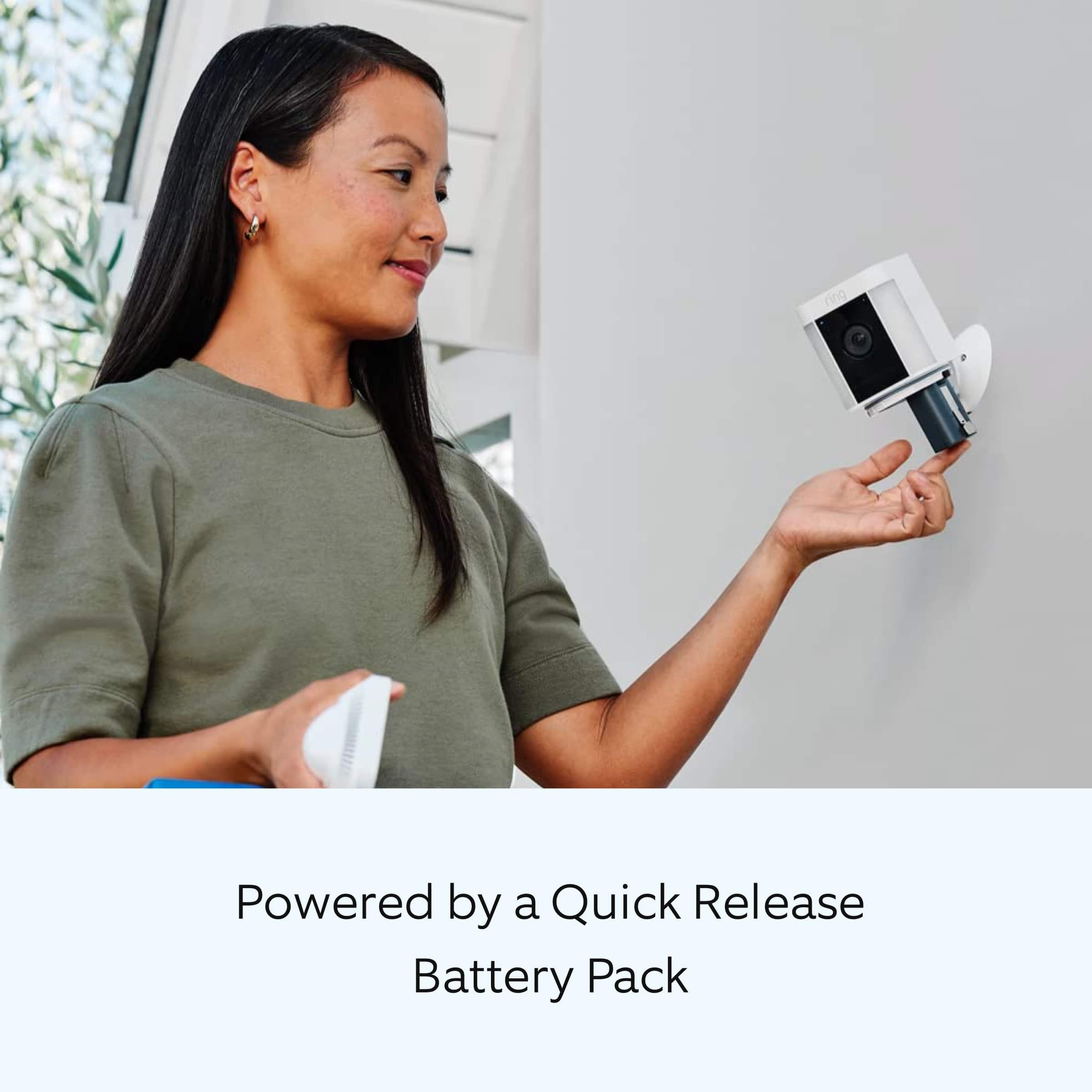
It sounds like the device is not performing as expected. Spotlight Cam Plus, Battery, Wired, Solar, or Plug-In, is an outdoor security camera that can be used to capture out-of-sight areas and blind spots. It’s equipped with "Color Night Vision," customizable motion detection, and motion-activated lights. Just mount the wireless camera and adjust the viewing angle for wide coverage throughout the day or night.
There are some troubleshooting steps that you can take to ensure that you have your device set up for optimal battery-life performance. The more events captured by your Ring devices, the more your battery is used. Using "Live View" can also drain your battery faster. If your device is capturing an excessive number of events each day, you may need to recharge your battery sooner.
To prevent excessive activity, under "Motion Settings" for your device in the Ring app, you can:
Adjust your "Motion Sensitivity" slider to a lower sensitivity.
Redraw your "Customizable Motion Zones."
Change "Motion Frequency" to regularly or periodically.
You could also adjust the direction of your Ring device so it doesn't detect as much motion.
You can go to "Power Settings" in the Ring app to see what features may be draining your battery.
To access "Power Settings," open the Ring app:
Tap the menu (≡) on the top left of the dashboard.
Tap "Devices."
Tap the individual device (video doorbell or security camera) you want to check.
Tap "Power Settings" to check your "Battery Level" percentage and "Feature Power Usage."
Tap a feature to adjust "Snapshot Capture," "Motion Frequency," and "Video Recording Length.".
As cold weather sets in, lithium-ion batteries like those used in Ring Doorbells and Security Cameras may experience several issues, including trouble holding a charge, running out of power faster than normal, or losing functionality. Knowing at what temperature batteries will start to be impacted can help you take the necessary steps to keep your device working. When the temperature drops to:
36°F (3°C): The battery may not hold a charge as effectively, resulting in having to charge the unit more frequently.
32°F (0°C): The battery may not charge at all. Even hardwired configurations may not charge the battery.
-5°F (-20.5°C): The battery may stop working completely until temperatures warm up.
When it gets cold and your device's battery runs out, bring your entire device inside and charge the battery with a USB cord. This will allow your device to warm up while the battery charges.
We recommend using the Ring Solar Panel to assist with extending the life of the battery in your Ring Spotlight Cam Plus.
If any additional information is needed regarding your Ring Spotlight Cam Plus, please reach out to our community. Ring Community is our first peer-to-peer community forum, giving our customers the ability to help one another and share their feedback and experiences directly with Ring.
Thank you for being the best part of Ring! Have a wonderful day!
Sincerely,
Melissa from Ring.
- Pros mentioned:Camera quality
Rated 2 out of 5 stars
Green
||Posted . Owned for 1 month when reviewed.This reviewer received promo considerations or sweepstakes entry for writing a review.Cameras has clear pictures , range, great lighting.
This review is from Ring - Spotlight Cam Plus 2-pack Camera Indoor/Outdoor Wireless 1080p Security Cameras - White
I would recommend this to a friendBrand response from Ring
Posted .Hello GreenR.
Thank you for taking a moment to leave your Ring Spotlight Cam Plus rating. Here at Ring, we believe that stronger communities are the key to safer neighborhoods. That is why we are driven to create products that help you protect what matters most at home and empower you to connect with your neighbors from wherever you are. Together, we’ll make neighborhoods safer!
We are pleased to read that you are enjoying the benefits of having a Ring security device installed! Spotlight Cam Plus, Battery, Wired, Solar, or Plug-In, is an outdoor security camera that can be used to capture out-of-sight areas and blind spots. It’s equipped with "Color Night Vision," customizable "Motion Detection," and "Motion-Activated Lights." Just mount the wireless camera and adjust the viewing angle for wide coverage throughout the day or night. Spotlight Cam Plus has "Customizable Motion Zones" that are controlled in the Ring app. In addition, Spotlight Cam Plus has "Two-Way Talk" with noise cancellation, and other advanced features like "Motion-Activated Notifications," 1080p HD video, "Color Night Vision," and a built-in security siren.
Ring Community is our first peer-to-peer community forum, giving our customers the ability to help one another and share their feedback/experiences with Ring. We invite you to reach out to our community if more information is needed regarding your Ring Spotlight Cam Plus.
Thank you,
Melissa from Ring.
Rated 2 out of 5 stars
Very upset spent 1000+ cant return them
||Posted . Owned for 1 month when reviewed.This reviewer received promo considerations or sweepstakes entry for writing a review.A piece of everyday my cameras are hacked if i would of been told but this looks like organized crime starts at the store and delivery no professionals working for the good¡
No, I would not recommend this to a friendBrand response from Ring
Posted .Hi MildredM.
Thank you for taking the time to share your experience with us. At Ring, we want to ensure that you have the best possible experience with our products. Your peace of mind and security are extremely important to us. The features and technology provided by the Ring Spotlight Cam Plus are incredibly valuable and help provide you with peace of mind about your home security. Rest assured, we are here to provide you with a concrete resolution as quickly as possible.
We are happy to provide you with more information regarding the security concern that you mentioned in your review. Customer trust is important to us and we take the security of our devices and services extremely seriously. We highly encourage all Ring users to follow these security best practices to ensure your Ring account stays secure. Confirm how want to receive your sign-in code. Under Account Verification in Control Center, you can choose how you want to receive your 6-digit verification code whenever you sign in to the Ring app or your account at Ring.com. We require you to enter this code to help protect your Ring account. Don't share your password. Add Shared Users instead.
Never provide your Ring login information to others. If you want to share access to your Ring devices with other people, you can add them as a Shared User. This allows you to maintain control of your account. When adding Shared Users, tell them to create a secure password.
Use different passwords for every account.
By using different usernames and passwords for your various accounts, you reduce the risk that a malicious actor could reuse credentials compromised from one account to access your other accounts.
Learn more about password safety
As a Ring neighbor, your safety is our highest priority. We’re committed to helping you keep your home safe and protected – and that means keeping you informed with best practices for your online security, too.
If you did not authorize changes made to your account like an updated email, phone number, or any other setting, we recommend to change your password immediately.
In addition, Ring Community is our first peer-to-peer community forum, giving our customers the ability to help one another and share their feedback and experiences with Ring. We invite you to reach out to our community if any additional information is needed regarding your Ring Spotlight Cam Plus.
Thank you,
Melissa from Ring.
Rated 1 out of 5 stars
Did not like them.
||Posted . Owned for 1 month when reviewed.This reviewer received promo considerations or sweepstakes entry for writing a review.Did not like. Spotlight never came on and rarely detected motion. Plus each one takes 2 batterie
No, I would not recommend this to a friendBrand response from Ring
Posted .Hi AnnC.
Thank you for taking the time to share your experience with us. We understand how important it is to have your Ring Spotlight Cam Plus capture all the correct motion events. The Ring Spotlight Cam Plus was designed to capture motions based on your specifications to help keep your home secure. We are here to provide you with some information to resolve the issue you mentioned in your review.
It sounds like the device is not performing as expected in regards to motion detection. It is important to ensure that you have the proper motion settings in place for your environment. Here are a few tips to optimize the motion settings on your security camera:
1. Adjust Motion Sensitivity: Ring devices can detect motion up to 30 feet with the Motion Sensitivity slider at the maximum level. If you turn Motion Sensitivity down, this range will be lower, decreasing false motion. If your device is missing motion, increase the Motion Sensitivity using the slider.
2. Change the position of your Ring device: Adjust the position of your camera to improve the accuracy of motion detection.
3. Turn on Smart Alerts: You can enable Smart Alerts on your doorbell or camera to improve motion accuracy in detecting people and other objects, including packages. To turn on Smart Alerts, tap the Motion Settings tile on the device’s page in the Ring app. A Ring Home Plan is required to use Smart Alerts.
4. Change the Motion Frequency: Under Advanced Settings, tap Motion Frequency. You can adjust how often battery-powered devices check for motion. If your device is missing motion events, increase the Motion Frequency to Frequently (Shortest battery life—Motion detection always stays active) in the Ring app. If too much motion is being detected, change the frequency to Regularly (Medium battery life—Motion detection takes a short break after each motion alert) or Periodically (Maximum battery life—Motion detection takes a longer break after each alert).
We invite you to reach out to our community if any additional information is needed regarding your Ring Spotlight Cam Plus. The Ring Community is our first peer-to-peer community forum, giving our customers the ability to help one another by sharing their feedback and experiences with each other.
Thank you,
Amilia from Ring.
Rated 1 out of 5 stars
Mr Anthony
||Posted . Owned for less than 1 week when reviewed.This reviewer received promo considerations or sweepstakes entry for writing a review.Not please with the camera. Sometimes it’s doesn’t recognize people passing by. The lifespan of the battery is very poor, when I 1st gif it installed was supposed to be 30 days before recharging but lady only 2 weeks; and it took 5 hours to recharge. Costume service for Best Buy is very poor and unprofessional. I had an appointment and no one showed. When I called Best Buy I couldn’t get a straight answer; just run around.
This review is from Ring - Spotlight Cam Plus 2-pack Camera Indoor/Outdoor Wireless 1080p Security Cameras - White
No, I would not recommend this to a friendBrand response from Ring
Posted .Hi AnthonyM. We understand how critical it is for your Ring Spotlight Cam Plus to detect motion accurately so that you can be alerted within the Ring app to any motion activity around your home. Rest assured, we are here today to provide you with some information in order to ensure you get the most out of your motion detection! We are confident we can find a solution that works well for you and your home’s environment.
It sounds like you are experiencing issues with the motion detection and battery life of the device. The Ring Spotlight Cam Plus is designed to allow you to customize the Motion Settings for optimal performance based on your needs. It is important to ensure that you have the proper motion settings in place for your environment. There are some troubleshooting steps that you can take to ensure that you have your device set up for optimal battery performance.The more events captured by your Ring devices, the more your battery is used. Using Live View often can also drain your battery faster. If your device is capturing an excessive number of events each day, you may need to recharge your battery sooner. To prevent excessive activity, under Motion Settings for your device in the Ring app you can:
Adjust your Motion Sensitivity slider to a lower sensitivity.
Redraw your Customizable Motion Zones.
Change Motion Frequency to regularly or periodically.
You could also adjust the direction of your Ring device so it doesn't detect as much motion.
You can go to Power Settings in the Ring app to see what features may be draining your battery.
To access Power Settings, open the Ring app:
Tap menu (≡) on the top left of the Dashboard.
Tap Devices.
Tap the individual device (video doorbell or security camera) you want to check.
Tap Power Settings to check your Battery Level percentage and Feature Power Usage .
Tap a feature to adjust Snapshot Capture, Motion Frequency and Video Recording Length.
Accuracy in motion detection can also be improved by enabling Smart Alerts for people only in your Ring app.
To enable Smart Alerts:
Tap the menu (≡) on the top left.
Tap Devices.
Tap the device that you want to adjust.
Tap Motion Settings.
Tap Smart Alerts.
Tap Enable Feature.
Tap Continue.
Select the notification options that you want for Person and Other Motion.
You'll see a video camera where you can select or de-select recording and a bell icon to represent alert notifications.
After you've adjusted your settings tap Done.
If any additional information is needed regarding your Ring Spotlight Cam Plus, please reach out to our community team. The Ring Community is our first peer-to-peer community forum, giving our customers the ability to help one another by sharing their feedback and experiences with each other.
Sincerely,
Melissa from Ring.
Rated 1 out of 5 stars
Best Buy continues to disappoint
||Posted . Owned for 3 weeks when reviewed.This reviewer received promo considerations or sweepstakes entry for writing a review.Not the product I am rating, but Best Buy. I purchased this item and at the same time signed up and was approved for a Best Buy credit card. This was to result in a 10% discount. The discount never appeared and several attempts to get help have proved unsuccessful. Will be returning the Ring Spotlights and cancelling my BB credit card.
This review is from Ring - Spotlight Cam Plus 2-pack Camera Indoor/Outdoor Wireless 1080p Security Cameras - White
No, I would not recommend this to a friendBrand response from Ring
Posted .Hi Keri.
Thank you for taking the time to share your experience with us.
At Ring, we believe in keeping people close to what’s important. That is why we are driven to create products that help you protect what matters most at home and empower you to connect with your visitors from wherever you are. Together, we’ll make neighborhoods safer!
The features and technology provided by the Ring Spotlight Cam Plus are incredibly valuable and help provide you with peace of mind about your home security. The Ring Spotlight Cam Plus is an outdoor security camera that can be used to capture out-of-sight areas and blind spots. It’s equipped with color night vision, customizable motion detection, and motion-activated lights.
In this particular case, we'd suggest you reach out to Best Buy's customer service: 1-888-237-8289 or https://www.bestbuy.com/services/triage/home. We are confident that they will be able to provide you with a resolution to this concern.
Ring Community was launched to help deliver the most current news and educational information to our neighbors. This online forum is divided into four categories: Product Boards, Ring Updates, Tips + Tricks, and a Moderators’ Corner. The Product Boards are where you can begin new topics with your questions or feedback; there is also a search option that helps you find topics that have already been posted by other neighbors.
All the best,
Nicole from Ring.