Customer Ratings & Reviews

- Model:
- B0B7QMF9T5
- SKU:
- 6532392
Rating by feature
- Value
Rating 4.6 out of 5 stars
- Quality
Rating 4.7 out of 5 stars
- Ease of Use
Rating 4.7 out of 5 stars
Customers are saying
Customers value the Spotlight Cam Plus for its impressive camera quality and ease of use. Many appreciate its overall performance and long battery life. While some users experienced issues with network connectivity, light brightness, and range, the majority are satisfied with the product's features like installation, security, motion detection, night vision, field of view, and price.
This summary was generated by AI based on customer reviews.
Ok
||Posted . Owned for 5 months when reviewed.This reviewer received promo considerations or sweepstakes entry for writing a review.They are ok but get the wired one, they battery drains fast
I would recommend this to a friendBrand response from Ring
Posted .Hi BrooklynABC.
Thank you for taking the time to share your feedback with us.
We understand the importance of having a solid charge on your Ring Spotlight Cam Plus. Having longevity in a battery-powered security device, such as the Ring Spotlight Cam Plus, is crucial when it comes to monitoring your home, especially if you are away for long periods of time. Rest assured, we are here to provide you with information to ensure you are getting the most from your device.
It sounds like you have some concerns with the battery life of your device. The rechargeable battery can go months between recharges with normal use. This is dependent on a number of factors in your home’s environment, such as the local weather and the number of activities captured. You can go to Power Settings in the Ring app to see what features may be draining your battery.
To access Power Settings, follow these steps in the Ring app:
Tap menu (≡) on the top left of the Dashboard.
Tap Devices
Tap the individual device (video doorbell or security camera) you want to check
Tap Power Settings to check your Battery Level percentage and Feature Power Usage
Tap a feature to adjust Snapshot Capture, Motion Frequency and Video Recording Length
Visit our support center for additional information.
Ring Community was launched to help deliver the most current news and educational information to our neighbors. This online forum is divided into four categories: Product Boards, Ring Updates, Tips + Tricks, and a Moderators’ Corner. The Product Boards are where you can begin new topics with your questions or feedback; there is also a search option that helps you find topics that have already been posted by other neighbors.
All the best,
Nicole from Ring.
- Cons mentioned:Network connectivity
mala inversion
||Posted . Owned for 2 weeks when reviewed.This reviewer received promo considerations or sweepstakes entry for writing a review.las camaras se desconectan del internet cada 15 dias
No, I would not recommend this to a friend Battery
||Posted . Owned for 1 month when reviewed.This reviewer received promo considerations or sweepstakes entry for writing a review.Battery does not last long even after changing settings on camera
No, I would not recommend this to a friendBrand response from Ring
Posted .Hi RomeoG.
Thank you for taking the time to share your experience. We understand the importance of having a solid charge on your Ring Spotlight Cam Plus so that you are able to have a longer time between charge cycles. Having longevity in a battery-powered security device is crucial when it comes to monitoring your home, especially if you are away for long periods of time. We are here to provide you with some education to resolve the battery life issue you mentioned in your review.
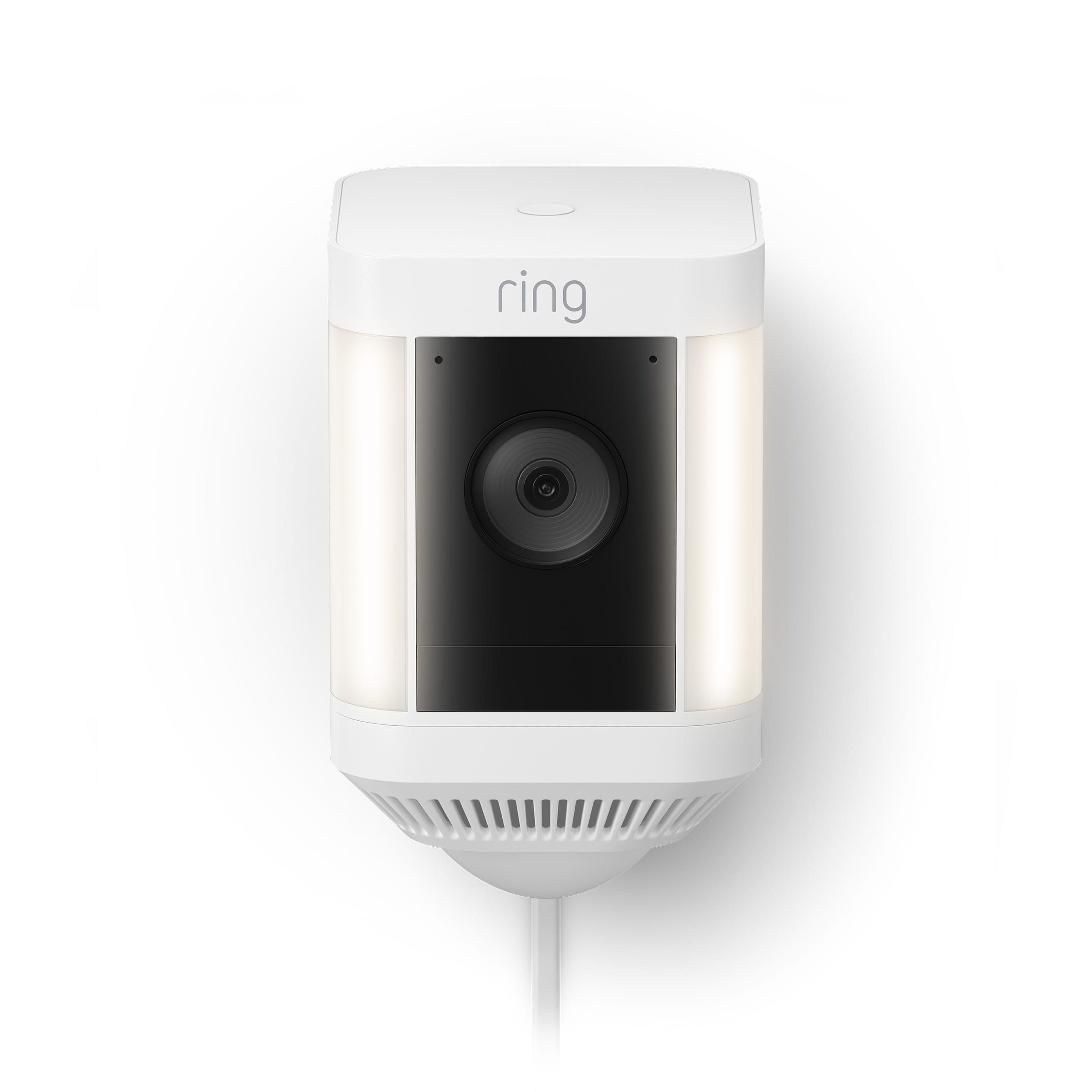
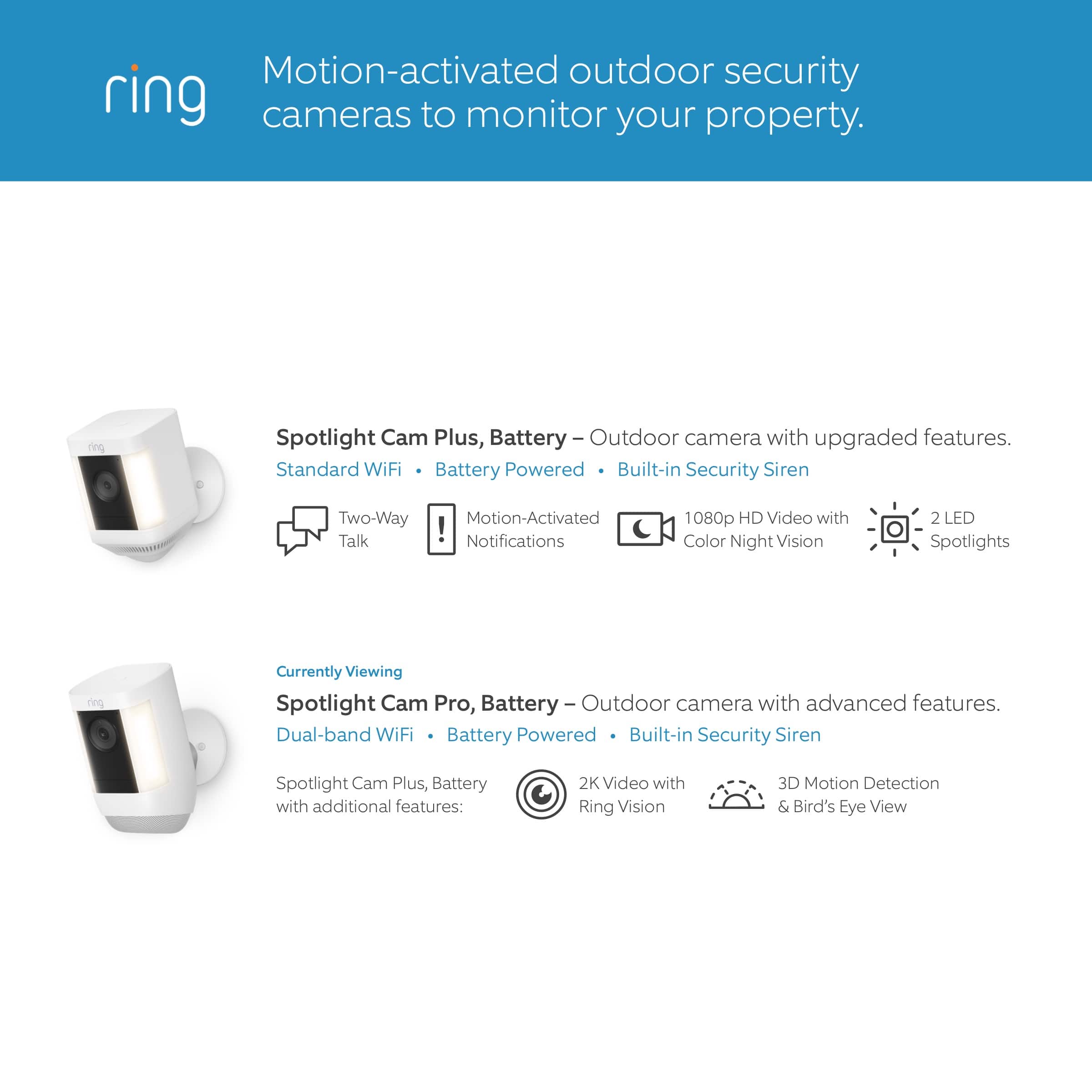
It sounds like the device is not performing as expected. Spotlight Cam Plus, Battery, Wired, Solar, or Plug-In, is an outdoor security camera that can be used to capture out-of-sight areas and blind spots. It’s equipped with "Color Night Vision," customizable motion detection, and motion-activated lights. Just mount the wireless camera and adjust the viewing angle for wide coverage throughout the day or night.
There are some troubleshooting steps that you can take to ensure that you have your device set up for optimal battery-life performance. The more events captured by your Ring devices, the more your battery is used. Using "Live View" can also drain your battery faster. If your device is capturing an excessive number of events each day, you may need to recharge your battery sooner.
To prevent excessive activity, under "Motion Settings" for your device in the Ring app, you can:
Adjust your "Motion Sensitivity" slider to a lower sensitivity.
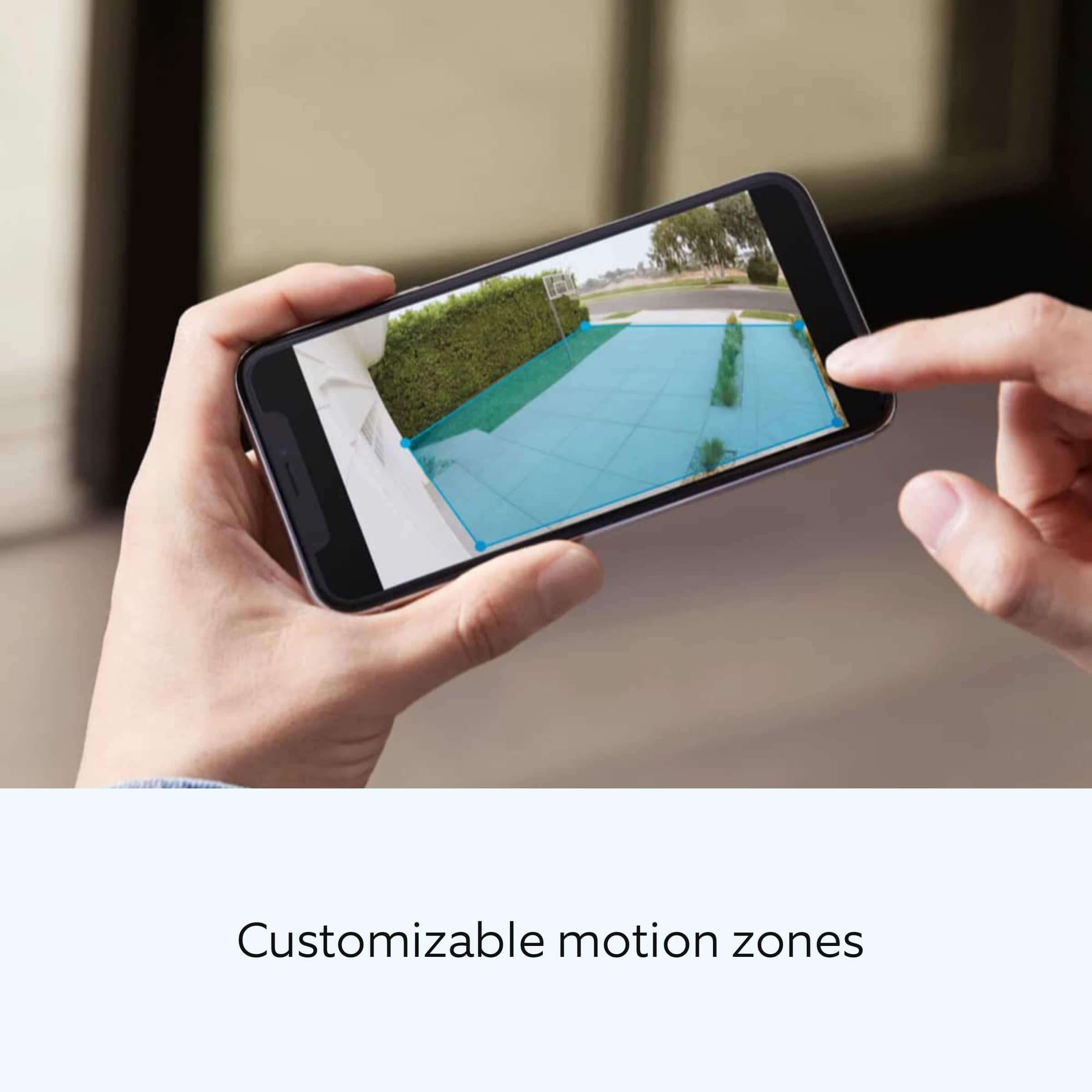
Redraw your "Customizable Motion Zones."
Change "Motion Frequency" to regularly or periodically.
You could also adjust the direction of your Ring device so it doesn't detect as much motion.
You can go to "Power Settings" in the Ring app to see what features may be draining your battery.
To access "Power Settings," open the Ring app:
Tap the menu (≡) on the top left of the dashboard.
Tap "Devices."
Tap the individual device (video doorbell or security camera) you want to check.
Tap "Power Settings" to check your "Battery Level" percentage and "Feature Power Usage."
Tap a feature to adjust "Snapshot Capture," "Motion Frequency," and "Video Recording Length.".
As cold weather sets in, lithium-ion batteries like those used in Ring Doorbells and Security Cameras may experience several issues, including trouble holding a charge, running out of power faster than normal, or losing functionality. Knowing at what temperature batteries will start to be impacted can help you take the necessary steps to keep your device working. When the temperature drops to:
36°F (3°C): The battery may not hold a charge as effectively, resulting in having to charge the unit more frequently.
32°F (0°C): The battery may not charge at all. Even hardwired configurations may not charge the battery.
-5°F (-20.5°C): The battery may stop working completely until temperatures warm up.
When it gets cold and your device's battery runs out, bring your entire device inside and charge the battery with a USB cord. This will allow your device to warm up while the battery charges.
We recommend using the Ring Solar Panel to assist with extending the life of the battery in your Ring Spotlight Cam Plus.
If any additional information is needed regarding your Ring Spotlight Cam Plus, please reach out to our community. Ring Community is our first peer-to-peer community forum, giving our customers the ability to help one another and share their feedback and experiences directly with Ring.
Thank you for being the best part of Ring! Have a wonderful day!
Sincerely,
Melissa from Ring.
- Pros mentioned:Camera quality
Green
||Posted . Owned for 1 month when reviewed.This reviewer received promo considerations or sweepstakes entry for writing a review.Cameras has clear pictures , range, great lighting.
I would recommend this to a friendBrand response from Ring
Posted .Hello GreenR.
Thank you for taking a moment to leave your Ring Spotlight Cam Plus rating. Here at Ring, we believe that stronger communities are the key to safer neighborhoods. That is why we are driven to create products that help you protect what matters most at home and empower you to connect with your neighbors from wherever you are. Together, we’ll make neighborhoods safer!
We are pleased to read that you are enjoying the benefits of having a Ring security device installed! Spotlight Cam Plus, Battery, Wired, Solar, or Plug-In, is an outdoor security camera that can be used to capture out-of-sight areas and blind spots. It’s equipped with "Color Night Vision," customizable "Motion Detection," and "Motion-Activated Lights." Just mount the wireless camera and adjust the viewing angle for wide coverage throughout the day or night. Spotlight Cam Plus has "Customizable Motion Zones" that are controlled in the Ring app. In addition, Spotlight Cam Plus has "Two-Way Talk" with noise cancellation, and other advanced features like "Motion-Activated Notifications," 1080p HD video, "Color Night Vision," and a built-in security siren.
Ring Community is our first peer-to-peer community forum, giving our customers the ability to help one another and share their feedback/experiences with Ring. We invite you to reach out to our community if more information is needed regarding your Ring Spotlight Cam Plus.
Thank you,
Melissa from Ring.
Ring camera
||Posted . Owned for 3 weeks when reviewed.This reviewer received promo considerations or sweepstakes entry for writing a review.Not good images and I have the setting on frequent and they are not recording all the time keep missing people and cars
No, I would not recommend this to a friendBrand response from Ring
Posted .Hello Sequana5059.
Thank you for taking the time to share your experience with us. We understand how important it is to have your Ring Spotlight Cam Plus capture all the correct motion events. The Ring Spotlight Cam Plus was designed to capture motions based on your specifications to help keep your home secure. We are here to provide you with some information to resolve the issue you mentioned in your review.
It sounds like the device is not performing as expected in regards to motion detection. It is important to ensure that you have the proper motion settings in place for your environment. This camera uses adjustable motion detection and runs on passive infrared sensors. The system identifies visitors via a moving heat signature and sends a notification to your smart device when one is detected. You can choose how often the camera checks for movement in those predefined zones via the "Motion Frequency" setting. If you find that your camera is missing some motions, please set the motion frequency to "Frequently."
Accuracy in motion detection can also be improved by enabling the "Smart Alerts" feature for people only in your Ring app. To enable "Smart Alerts," please follow these steps:
Tap the menu (≡) on the top left.
Tap "Devices."
Tap the device that you want to adjust.
Tap "Motion Settings."
Tap "Smart Alerts."
Tap "Enable Feature."
Tap "Continue."
Select the notification options that you want for "Person" and "Other Motion."
You'll see a video camera where you can select or de-select recording and a bell icon to represent alert notifications.
After you've adjusted your settings, tap "Done."
If any additional information is needed regarding your Ring Spotlight Cam Plus, please reach out to our community. Ring Community is our first peer-to-peer community forum, giving our customers the ability to help one another and share their feedback and experiences directly with Ring.
Thank you,
Amilia from Ring.
Very upset spent 1000+ cant return them
||Posted . Owned for 1 month when reviewed.This reviewer received promo considerations or sweepstakes entry for writing a review.A piece of everyday my cameras are hacked if i would of been told but this looks like organized crime starts at the store and delivery no professionals working for the good¡
No, I would not recommend this to a friendBrand response from Ring
Posted .Hi MildredM.
Thank you for taking the time to share your experience with us. At Ring, we want to ensure that you have the best possible experience with our products. Your peace of mind and security are extremely important to us. The features and technology provided by the Ring Spotlight Cam Plus are incredibly valuable and help provide you with peace of mind about your home security. Rest assured, we are here to provide you with a concrete resolution as quickly as possible.
We are happy to provide you with more information regarding the security concern that you mentioned in your review. Customer trust is important to us and we take the security of our devices and services extremely seriously. We highly encourage all Ring users to follow these security best practices to ensure your Ring account stays secure. Confirm how want to receive your sign-in code. Under Account Verification in Control Center, you can choose how you want to receive your 6-digit verification code whenever you sign in to the Ring app or your account at Ring.com. We require you to enter this code to help protect your Ring account. Don't share your password. Add Shared Users instead.
Never provide your Ring login information to others. If you want to share access to your Ring devices with other people, you can add them as a Shared User. This allows you to maintain control of your account. When adding Shared Users, tell them to create a secure password.
Use different passwords for every account.
By using different usernames and passwords for your various accounts, you reduce the risk that a malicious actor could reuse credentials compromised from one account to access your other accounts.
Learn more about password safety
As a Ring neighbor, your safety is our highest priority. We’re committed to helping you keep your home safe and protected – and that means keeping you informed with best practices for your online security, too.
If you did not authorize changes made to your account like an updated email, phone number, or any other setting, we recommend to change your password immediately.
In addition, Ring Community is our first peer-to-peer community forum, giving our customers the ability to help one another and share their feedback and experiences with Ring. We invite you to reach out to our community if any additional information is needed regarding your Ring Spotlight Cam Plus.
Thank you,
Melissa from Ring.
don't buy these cameras
||Posted .This reviewer received promo considerations or sweepstakes entry for writing a review.I bought 2 of theses cameras, worked for about 5 month and 1 of the cameras died , don't buy this camera
No, I would not recommend this to a friendBrand response from Ring
Posted .Hi Ricky.
Thank you for taking the time to share your experience with us. We understand how important it is for your Ring Spotlight Cam Plus to function consistently and reliably, so you are alerted to any wanted or unwanted activity in or around your home. The features and technology provided by the Ring Spotlight Cam Plus are incredibly valuable and help provide you with peace of mind about your home security. We are eager to address the issue you raised in your review and provide you with a resolution today.
It sounds like your Ring Spotlight Cam Plus is not performing as expected. We would love the opportunity to share with you some troubleshooting steps that you can try to get your Ring Spotlight Cam Plus functioning as intended. If your device is unresponsive, try pressing and holding the reset button for 20 seconds. Follow the steps in the Ring app to reconnect the doorbell or camera to your network. To reconnect a Ring Spotlight Cam Plus to your wifi network: Open the Ring app. Tap the menu (≡). Tap "Devices" and select the doorbell or camera you'd like to reconnect to wifi. Tap the "Device Health" tile. Under "Network," tap "Change Network" and follow the prompts in the app. Allow some time for your device to fully reconnect to the network, then check your wifi signal strength in "Device Health" to confirm it has successfully reconnected.
If you still have the Ring device in your possession, we invite you to reach out to our community. Ring Community is our first peer-to-peer community forum, giving our customers the ability to help one another and share their personal feedback and experiences with Ring. We look forward to hearing from you. Please let us know if we can be of any further assistance!
Thank you,
Miyuki from Ring.
Trash
||Posted . Owned for 7 months when reviewed.This reviewer received promo considerations or sweepstakes entry for writing a review.JUNK ..JUST JUNK AVOID 2nd cam in 1 year.Never again
No, I would not recommend this to a friendBrand response from Ring
Posted .Hi Onlyatbestbuy.
Thank you for taking the time to share your experience with us. At Ring, we want to ensure that you have the best possible experience with our products. Your peace of mind and security are extremely important to us. The features and technology provided by the Ring Spotlight Cam Plus are incredibly valuable and help provide you with peace of mind about your home security. Rest assured, we're here to help!
At Ring, we believe that stronger communities are the key to safer neighborhoods. That is why we are driven to create products that help you protect what matters most at home, and empower you to connect with your visitors from wherever you are. We are saddened to read that this device did not meet your expectations but are still here to assist you. Our support team is available 24/7.
If you still have the Ring device in your possession, we invite you to reach out to us at our community. Ring Community is our first peer-to-peer community forum, giving our customers the ability to help one another and share their personal feedback/experiences with Ring. We look forward to hearing from you, if we can be of any further assistance!
Thank you,
Miyuki from Ring.
Mr Anthony
||Posted . Owned for less than 1 week when reviewed.This reviewer received promo considerations or sweepstakes entry for writing a review.Not please with the camera. Sometimes it’s doesn’t recognize people passing by. The lifespan of the battery is very poor, when I 1st gif it installed was supposed to be 30 days before recharging but lady only 2 weeks; and it took 5 hours to recharge. Costume service for Best Buy is very poor and unprofessional. I had an appointment and no one showed. When I called Best Buy I couldn’t get a straight answer; just run around.
No, I would not recommend this to a friendBrand response from Ring
Posted .Hi AnthonyM. We understand how critical it is for your Ring Spotlight Cam Plus to detect motion accurately so that you can be alerted within the Ring app to any motion activity around your home. Rest assured, we are here today to provide you with some information in order to ensure you get the most out of your motion detection! We are confident we can find a solution that works well for you and your home’s environment.
It sounds like you are experiencing issues with the motion detection and battery life of the device. The Ring Spotlight Cam Plus is designed to allow you to customize the Motion Settings for optimal performance based on your needs. It is important to ensure that you have the proper motion settings in place for your environment. There are some troubleshooting steps that you can take to ensure that you have your device set up for optimal battery performance.The more events captured by your Ring devices, the more your battery is used. Using Live View often can also drain your battery faster. If your device is capturing an excessive number of events each day, you may need to recharge your battery sooner. To prevent excessive activity, under Motion Settings for your device in the Ring app you can:
Adjust your Motion Sensitivity slider to a lower sensitivity.
Redraw your Customizable Motion Zones.
Change Motion Frequency to regularly or periodically.
You could also adjust the direction of your Ring device so it doesn't detect as much motion.
You can go to Power Settings in the Ring app to see what features may be draining your battery.
To access Power Settings, open the Ring app:
Tap menu (≡) on the top left of the Dashboard.
Tap Devices.
Tap the individual device (video doorbell or security camera) you want to check.
Tap Power Settings to check your Battery Level percentage and Feature Power Usage .
Tap a feature to adjust Snapshot Capture, Motion Frequency and Video Recording Length.
Accuracy in motion detection can also be improved by enabling Smart Alerts for people only in your Ring app.
To enable Smart Alerts:
Tap the menu (≡) on the top left.
Tap Devices.
Tap the device that you want to adjust.
Tap Motion Settings.
Tap Smart Alerts.
Tap Enable Feature.
Tap Continue.
Select the notification options that you want for Person and Other Motion.
You'll see a video camera where you can select or de-select recording and a bell icon to represent alert notifications.
After you've adjusted your settings tap Done.
If any additional information is needed regarding your Ring Spotlight Cam Plus, please reach out to our community team. The Ring Community is our first peer-to-peer community forum, giving our customers the ability to help one another by sharing their feedback and experiences with each other.
Sincerely,
Melissa from Ring.
Did not like them.
||Posted . Owned for 1 month when reviewed.This reviewer received promo considerations or sweepstakes entry for writing a review.Did not like. Spotlight never came on and rarely detected motion. Plus each one takes 2 batterie
No, I would not recommend this to a friendBrand response from Ring
Posted .Hi AnnC.
Thank you for taking the time to share your experience with us. We understand how important it is to have your Ring Spotlight Cam Plus capture all the correct motion events. The Ring Spotlight Cam Plus was designed to capture motions based on your specifications to help keep your home secure. We are here to provide you with some information to resolve the issue you mentioned in your review.
It sounds like the device is not performing as expected in regards to motion detection. It is important to ensure that you have the proper motion settings in place for your environment. Here are a few tips to optimize the motion settings on your security camera:
1. Adjust Motion Sensitivity: Ring devices can detect motion up to 30 feet with the Motion Sensitivity slider at the maximum level. If you turn Motion Sensitivity down, this range will be lower, decreasing false motion. If your device is missing motion, increase the Motion Sensitivity using the slider.
2. Change the position of your Ring device: Adjust the position of your camera to improve the accuracy of motion detection.
3. Turn on Smart Alerts: You can enable Smart Alerts on your doorbell or camera to improve motion accuracy in detecting people and other objects, including packages. To turn on Smart Alerts, tap the Motion Settings tile on the device’s page in the Ring app. A Ring Home Plan is required to use Smart Alerts.
4. Change the Motion Frequency: Under Advanced Settings, tap Motion Frequency. You can adjust how often battery-powered devices check for motion. If your device is missing motion events, increase the Motion Frequency to Frequently (Shortest battery life—Motion detection always stays active) in the Ring app. If too much motion is being detected, change the frequency to Regularly (Medium battery life—Motion detection takes a short break after each motion alert) or Periodically (Maximum battery life—Motion detection takes a longer break after each alert).
We invite you to reach out to our community if any additional information is needed regarding your Ring Spotlight Cam Plus. The Ring Community is our first peer-to-peer community forum, giving our customers the ability to help one another by sharing their feedback and experiences with each other.
Thank you,
Amilia from Ring.
Best Buy continues to disappoint
||Posted . Owned for 3 weeks when reviewed.This reviewer received promo considerations or sweepstakes entry for writing a review.Not the product I am rating, but Best Buy. I purchased this item and at the same time signed up and was approved for a Best Buy credit card. This was to result in a 10% discount. The discount never appeared and several attempts to get help have proved unsuccessful. Will be returning the Ring Spotlights and cancelling my BB credit card.
No, I would not recommend this to a friendBrand response from Ring
Posted .Hi Keri.
Thank you for taking the time to share your experience with us.
At Ring, we believe in keeping people close to what’s important. That is why we are driven to create products that help you protect what matters most at home and empower you to connect with your visitors from wherever you are. Together, we’ll make neighborhoods safer!
The features and technology provided by the Ring Spotlight Cam Plus are incredibly valuable and help provide you with peace of mind about your home security. The Ring Spotlight Cam Plus is an outdoor security camera that can be used to capture out-of-sight areas and blind spots. It’s equipped with color night vision, customizable motion detection, and motion-activated lights.
In this particular case, we'd suggest you reach out to Best Buy's customer service: 1-888-237-8289 or https://www.bestbuy.com/services/triage/home. We are confident that they will be able to provide you with a resolution to this concern.
Ring Community was launched to help deliver the most current news and educational information to our neighbors. This online forum is divided into four categories: Product Boards, Ring Updates, Tips + Tricks, and a Moderators’ Corner. The Product Boards are where you can begin new topics with your questions or feedback; there is also a search option that helps you find topics that have already been posted by other neighbors.
All the best,
Nicole from Ring.
- Pros mentioned:Camera quality
Garbage
||Posted . Owned for 1 month when reviewed.This reviewer received promo considerations or sweepstakes entry for writing a review.They suck Older model is much better Aaaassaaaaaa
No, I would not recommend this to a friendBrand response from Ring
Posted .Hi LediS, thank you for taking the time to share your feedback. Our teams are always working to improve the Ring app and Ring devices, so we appreciate your input. If you're experiencing any issues with your Spotlight Cams, please feel free to reach out on the Ring Community https://community.ring.com/, where other neighbors can help. Best, Ashley from Ring.
Manufacturer defect
||Posted . Owned for 1 month when reviewed.This reviewer received promo considerations or sweepstakes entry for writing a review.One of the cameras is outside of the bracket. It was that way out of the box.
I would recommend this to a friendBrand response from Ring
Posted .Hi CoryG.
Thank you for taking the time to share your experience with us. We understand the importance of receiving a product that is in working order when it arrives. A seamless setup and installation process allows you to begin enjoying the technology and security features of your Ring Spotlight Cam Plus right away. We can definitely provide you with more information on the hardware concern that you mentioned in your review.
The Ring Spotlight Cam Plus is a wireless camera with an adjustable viewing angle for wide coverage throughout the day or night. We have included a list here of what comes in the box with the device:
Spotlight Cam Plus
USB-C Power Adapter
Installation Hardware
Camera Mount
User Manual/Quick Start Guide (not on packaging)
Security Sticker (not on packaging)
We have included the installation instructions for the Ring Spotlight Cam Plus here for your convenience:
Remove protective film from device. This ensures your device works properly.
Remove the battery.
Twist the Speaker hatch counterclockwise to unlock and remove the cover.
Then, remove the battery and discard the orange battery insulator.
Charge the battery.
Plug it into a power source using the provided USB cable. Once the battery’s fully charged, only one light on top will glow green.
Re-insert the battery.
Slide the battery back into the camera until it clicks into place.
Twist the battery compartment cover clockwise to lock it and tighten the security screw.
Choose a location with the view you want.
Your camera can be mounted on an outdoor wall, eave, or overhang. As a reminder when installing, please do not remove the rubber seal from the base as this could cause potential water damage.
For optimal motion detection:
Mount the camera about 3 feet (1 meter) from the middle of the entry point, and about 10 feet (3 meters) above the ground.
If you are installing it on a wall, your camera comes ready to mount, with the ball joint pointing down. No adjustments are needed before installation.
If you are installing on an eave or overhang, remove the battery compartment cover by twisting it counterclockwise and insert the ball joint plate with the ball joint pointing up.
Remove the mounting plate.
Slide it down to remove it from the camera mount.
Install the mounting plate.
For wall installation, the UP arrow should point up. For an eave or overhang, the arrow should point toward the area you want to monitor for motion. If installing on a wood surface, screw the plate directly into the wall.
If installing on a masonry surface, mark four screw holes using the plate as a guide. Drill pilot holes using a 1/4” drill bit. Insert the included wall anchors, then drive the four mounting screws through the mounting plate into the wall anchors.
WARNING! Only use the included mounting screws when securing the mounting plate.
CAUTION! DO NOT drill into your home’s electrical wiring.
Attach the camera mount.
Slide it onto the mounting plate.
Then, tighten the security screw.
Attach your camera to the camera mount.
Loosen the metal collar on the bracket using a Phillips-head screwdriver (not included). Push the ball joint into the socket until it snaps into place.
Adjust the camera angle.
Rotate the camera to focus on the area of your choice. Look at "Live View" in the Ring app to make sure it’s positioned at your desired angle.
Tighten the security screw.
Then, tighten the screw on the metal collar to secure the camera position.
Ring Community is our first peer-to-peer community forum, giving our customers the ability to help one another and share their feedback and experiences with Ring. We invite you to reach out to our community if any additional information is needed regarding your Ring Spotlight Cam Plus.
Thank you,
Melissa from Ring.
Ring Camera pack
||Posted . Owned for 1 month when reviewed.This reviewer received promo considerations or sweepstakes entry for writing a review.I purchased these online to be picked up “same day” in store. It clearly said online that they were available for store pick up. I called and they said that they were not available in store.
I would recommend this to a friendBrand response from Ring
Posted .Hello StevenM.
Thank you for taking the time to share your experience with us. We understand the importance of a seamless ordering, setup, and installation process, as this allows you to start using your Ring Spotlight Cam Plus right away. What you describe is not the experience we want you to have. Rest assured, we are here to offer you some help.
In this particular case, we'd suggest you reach out to Best Buy's customer service: 1-888-237-8289 or https://www.bestbuy.com/services/triage/home. We are confident that they will be able to provide you with an accurate inventory of what's available at a store near you.
Spotlight Cam Plus is an outdoor security camera that can be used to capture out-of-sight areas and blind spots. It’s equipped with color night vision, customizable motion detection, and motion-activated lights. Visit our support center for more information.
Ring Community was established to assist in providing our neighbors with the most recent news and instructional material. Four sections make up this online forum: Ring Updates, Product Boards, Tips & Tricks, and a Moderators' Corner. You can start new topics on the Product Boards with your questions or suggestions; a search function will assist you in locating subjects that other neighbors have previously posted.
All the best,
Nicole from Ring.
Ring Spotlight Cam Plus
||Posted . Owned for 3 weeks when reviewed.This reviewer received promo considerations or sweepstakes entry for writing a review.doesn't give a notice when a person is at the door. But gives a notice when no one is there. or it will let you know a person is there 2 min. after they left. Very disapointed in this product.
No, I would not recommend this to a friendBrand response from Ring
Posted .Hi GrandmaDar.
Thank you for taking the time to share your experience with us. We understand how important it is to have your Ring Spotlight Cam Plus capture all the correct motion events. The Ring Spotlight Cam Plus was designed to capture motions based on your specifications to help keep your home secure. We are here to provide you with some information to resolve the issue you mentioned in your review.
It sounds like the device is not performing as expected in regards to person detection. It is important to ensure that you have the proper motion settings in place for your environment. This camera uses adjustable motion detection and runs on passive infrared sensors. The system identifies visitors via a moving heat signature and sends a notification to your smart device when one is detected. You can adjust three preset motion zones and their distances under the "Motion Settings" tab on the device's page in the Ring app. Additionally, you can choose how often the camera checks for movement in those predefined zones via the "Motion Frequency" setting. If you find that your camera is missing some motions, please set the motion frequency to "Frequently."
Accuracy in motion detection can also be improved by enabling the "Smart Alerts" feature for people only in your Ring app. To enable "Smart Alerts," please follow these steps:
Tap the menu (≡) on the top left.
Tap "Devices."
Tap the device that you want to adjust.
Tap "Motion Settings."
Tap "Smart Alerts."
Tap "Enable Feature."
Tap "Continue."
Select the notification options that you want for "Person" and "Other Motion."
You'll see a video camera where you can select or de-select recording and a bell icon to represent alert notifications.
After you've adjusted your settings, tap "Done."
Notification delays are often related to wifi connection or mobile device variables. A delay of under six seconds is expected due to signal fluctuation. We recommend placing the device within a good range of the router and without obstacles in between will ensure optimal performance. You can also add a Ring Chime Pro to your network to boost the signal to your Ring Spotlight Cam Plus, if needed.
If any additional information is needed regarding your Ring Spotlight Cam Plus, please reach out to our community. Ring Community is our first peer-to-peer community forum, giving our customers the ability to help one another and share their feedback and experiences directly with Ring.
Thank you,
Melissa from Ring.
My mistake to purchase
||Posted . Owned for 1 month when reviewed.This reviewer received promo considerations or sweepstakes entry for writing a review.Products arrived with dead or nearly dead batteries. No battery charger provided. Chime notification only seem to work when techs are Here. I could use the 400.00 for pain and Suffering. Remove system.
No, I would not recommend this to a friendBrand response from Ring
Posted .Hi ArphiaF.
Thank you for taking the time to share your experience with us. We understand the importance of a seamless setup process so that you can begin using your Ring Spotlight Cam Plus right away. The features and technology provided by the Ring Spotlight Cam Plus are incredibly valuable and help provide you with peace of mind about your home security. Rest assured, we are here to provide you with solutions today.
It sounds like the device is not performing as expected. We have included a list here of items that are included in the box with the Ring Spotlight Cam Plus:
Spotlight Cam Plus
Quick Release Battery Pack
Micro USB charging cable
Installation Hardware
Camera Mount
User Manual/Quick Start Guide (not on packaging)
Security Sticker (not on packaging)
If you are missing pieces from the box, we advise you to contact our customer support team at 1-800-656-1918. Agents are available 24/7 and ready to assist you.
For safety reasons, the Ring Quick Release Battery Packs are not shipped fully charged and require charging prior to installing them in the camera. To charge the battery or batteries for your Ring Spotlight Cam, please follow these steps:
Open the battery compartment, press the white button, and lift open.
Remove the battery by pressing the Release tab.
Connect any micro-USB charger to the charging port in the battery. During charging, both the red and green lights will light up. Your battery is fully charged when the light on the battery shines a solid green.
Slide the fully charged battery back into Spotlight Cam until it clicks in place.
Firmly close the battery compartment door. It might take a little pressure, but you'll know it's secure when you hear a click.
Your device will power up after a minute and be ready for use.
The Ring Chime can play audio alerts when motion is detected on your Ring camera. Ring Chime was designed with the ability to customize the type of sound you hear when an event takes place.
Your Chime can play different sounds for motion and ring events. We recommend following these steps to choose the best sound for Chime alerts for your environment:
Open the Ring app.
Tap the top menu (☰) and then Devices.
Select your Chime or Chime Pro device.
Tap Audio Settings, then Chime Tones.
You'll see two tabs at the top of the screen: rings and motions.
Tap Rings and select your favorite sound. Chime will play when someone presses your doorbell. You'll hear an audio sample when chosen. You can also adjust the volume with the slider.
Tap Motions and select your favorite sound. Chime will play when motion is detected on your Ring doorbells and cameras. You can also adjust the volume with the slider.
We invite you to reach out to our community if any additional information is needed regarding your question. The Ring Community is our first peer-to-peer community forum, giving our customers the ability to help one another by sharing their feedback and experiences with each other.
Thank you,
Melissa from Ring.
Security camera
||Posted . Owned for 3 months when reviewed.This reviewer received promo considerations or sweepstakes entry for writing a review.Not what I thought it would be. The and the batteries came completely dead. And the product was used and rebuilt
No, I would not recommend this to a friendBrand response from Ring
Posted .Hi EvelynH. Thank you for taking the time to share your experience with us. We understand how important it is for you to receive a product that is in working order when it arrives. The features and technology provided by the Ring Spotlight Cam Plus are incredibly valuable and help provide you with peace of mind about your home security. We are eager to provide you with a solution for the concern mentioned in your review.
It sounds like your device is not operating as expected. The Quick Release Battery that comes with the Ring Spotlight Cam Plus will require charging prior to the initial setup of the device. Use a common micro-USB cable, such as the orange one included in your Ring box. Simply plug it into any USB power source. The Quick Release Battery for your Ring Spotlight Cam Plus can take around 5-10 hours to fully charge depending on whether the USB cable is plugged into a USB port or a wall outlet.
We invite you to reach out to our Community if any additional information is needed regarding your Ring Spotlight Cam Plus. The Ring Community is our first peer-to-peer community forum, giving our customers the ability to help one another by sharing their feedback and experiences with each other.
Thank you,
Melissa from Ring.
Stupid
||Posted . Owned for 3 weeks when reviewed.This reviewer received promo considerations or sweepstakes entry for writing a review.Stupid to be outdoor yet have to be recharged. Why would anyone want these
No, I would not recommend this to a friendBrand response from Ring
Posted .Hi Yomama.
Thank you for taking the time to share this feedback with us.
We understand the importance of having all relevant product information prior to purchasing. The features and technology provided by the Ring Spotlight Cam Plus are incredibly valuable and help provide you with peace of mind about your home security. We can definitely provide you with more information regarding the concern mentioned in your review.
It sounds like there is some confusion regarding the power options for the Ring Spotlight Cam Plus. Ring offers a variety of security cameras to meet the needs of various home environments. The Ring Spotlight Cam Plus comes in four different power options. If the battery option is not the best solution to meet your needs, we invite you to review information on the Ring Spotlight Cam Plus Solar, Plug-In, or Wired options. Visit our support center to compare each of the devices and find the one that would be the best for your home's security.
Ring Community was launched to help deliver the most current news and educational information to our neighbors. This online forum is divided into four categories: Product Boards, Ring Updates, Tips + Tricks, and a Moderators’ Corner. The Product Boards are where you can begin new topics with your questions or feedback; there is also a search option that helps you find topics that have already been posted by other neighbors.
All the best,
Nicole from Ring.
Nope.
||Posted . Owned for 1 month when reviewed.This reviewer received promo considerations or sweepstakes entry for writing a review.Didn't buy them, returned them since Best Buy can't help set them up (see other reviews)
No, I would not recommend this to a friendBrand response from Ring
Posted .Hi Dryerman.
Thank you for sharing your experience with us.
We understand the importance of a seamless installation and setup process so that you can begin using your Ring Spotlight Cam Plus right away. The features and technology provided by the Ring Spotlight Cam Plus are incredibly valuable and help provide you with peace of mind about your home security. We can definitely provide you with more information regarding the concern mentioned in your review.
It sounds like you need some more information on installing your Ring Spotlight Cam Plus. We recommend setting up your device in the Ring app prior to physically installing the device. Then you will want to choose a location with the view you want. Your camera can be mounted on an outdoor wall, eave, or overhang. For optimal motion detection, mount the camera about 3 feet (1 meter) from the middle of the entry point and about 10 feet (3 meters) above the ground. Once you've chosen the location where you want your device, visit our support center for a step-by-step guide on how to physically install your Ring Spotlight Cam Plus.
Ring Community was launched to help deliver the most current news and educational information to our neighbors. This online forum is divided into four categories: Product Boards, Ring Updates, Tips + Tricks, and a Moderators’ Corner. The Product Boards are where you can begin new topics with your questions or feedback; there is also a search option that helps you find topics that have already been posted by other neighbors.
All the best,
Nicole from Ring.
- Pros mentioned:Camera quality
Pleased with purchase
Posted .This reviewer received promo considerations or sweepstakes entry for writing a review.Overall I am pleased with the cameras. Very wide angle. Great picture and video quality. There have been a few times I needed to speak to delivery person, microphone works great. You can add a power cord for constant power. I don’t like the mounting brackets they came with. They are cheap and don’t have a wide range for movement. They are also a bit more expensive than some of the other cameras.
I would recommend this to a friendBrand response from Ring
Posted .Hi AlexS.
Thank you for taking the time to share your experience with us. We are pleased to read that you are enjoying your new Ring Spotlight Cam Plus and that the features included are meeting your expectations. At Ring, we believe in keeping people close to what’s important. That is why we are driven to create products that help you protect what matters most at home and empower you to connect with your visitors from wherever you are. Together, we’ll make neighborhoods safer!
Ring Community was launched to help deliver the most current news and educational information to our neighbors. This online forum is divided into four categories: Product Boards, Ring Updates, Tips and Tricks, and a Moderators’ Corner. The Product Boards are where you can begin new topics with your questions or feedback; there is also a search option that helps you find topics that have already been posted by other neighbors. We invite you to visit our community today.
Thank you,
Melissa from Ring.