Customer Ratings & Reviews

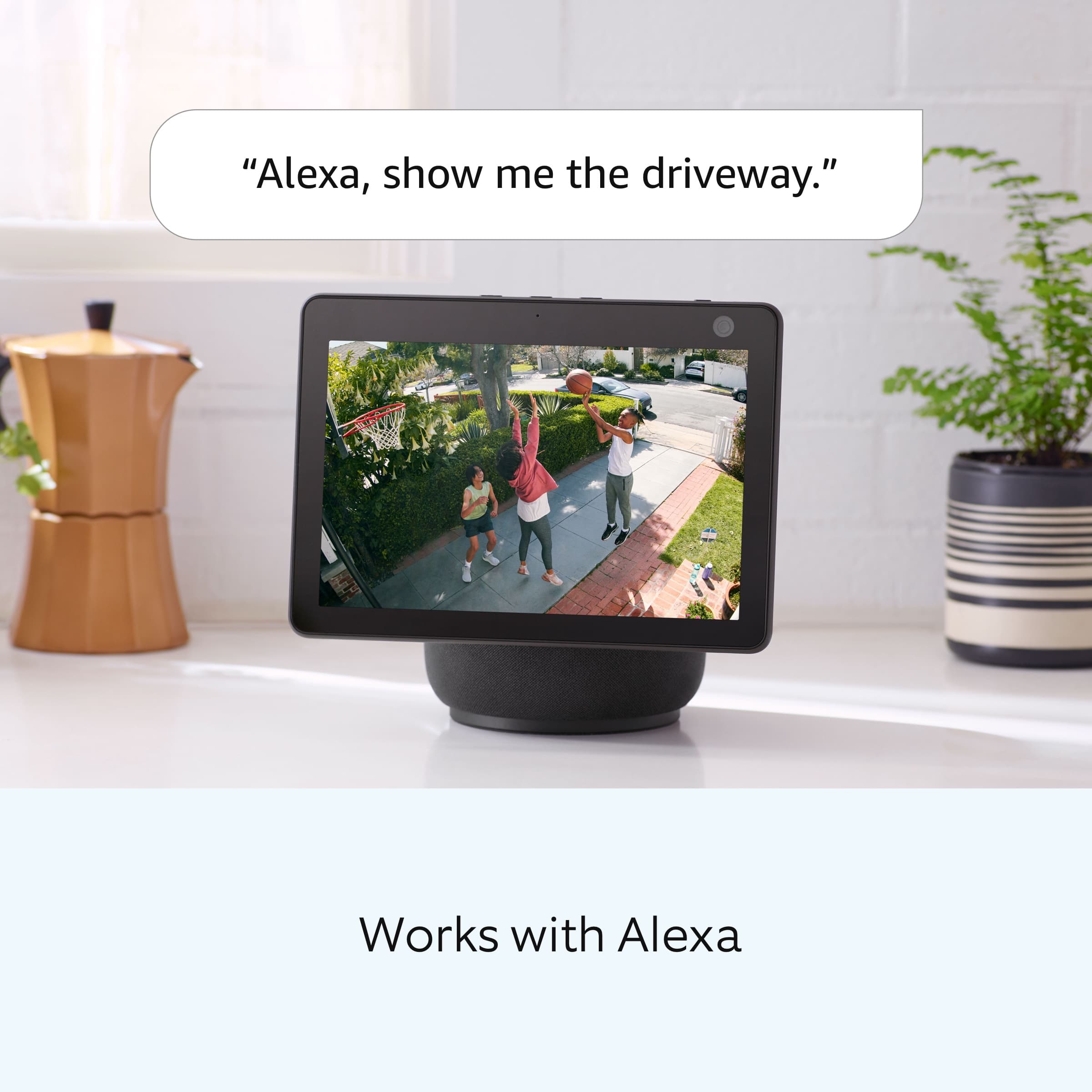
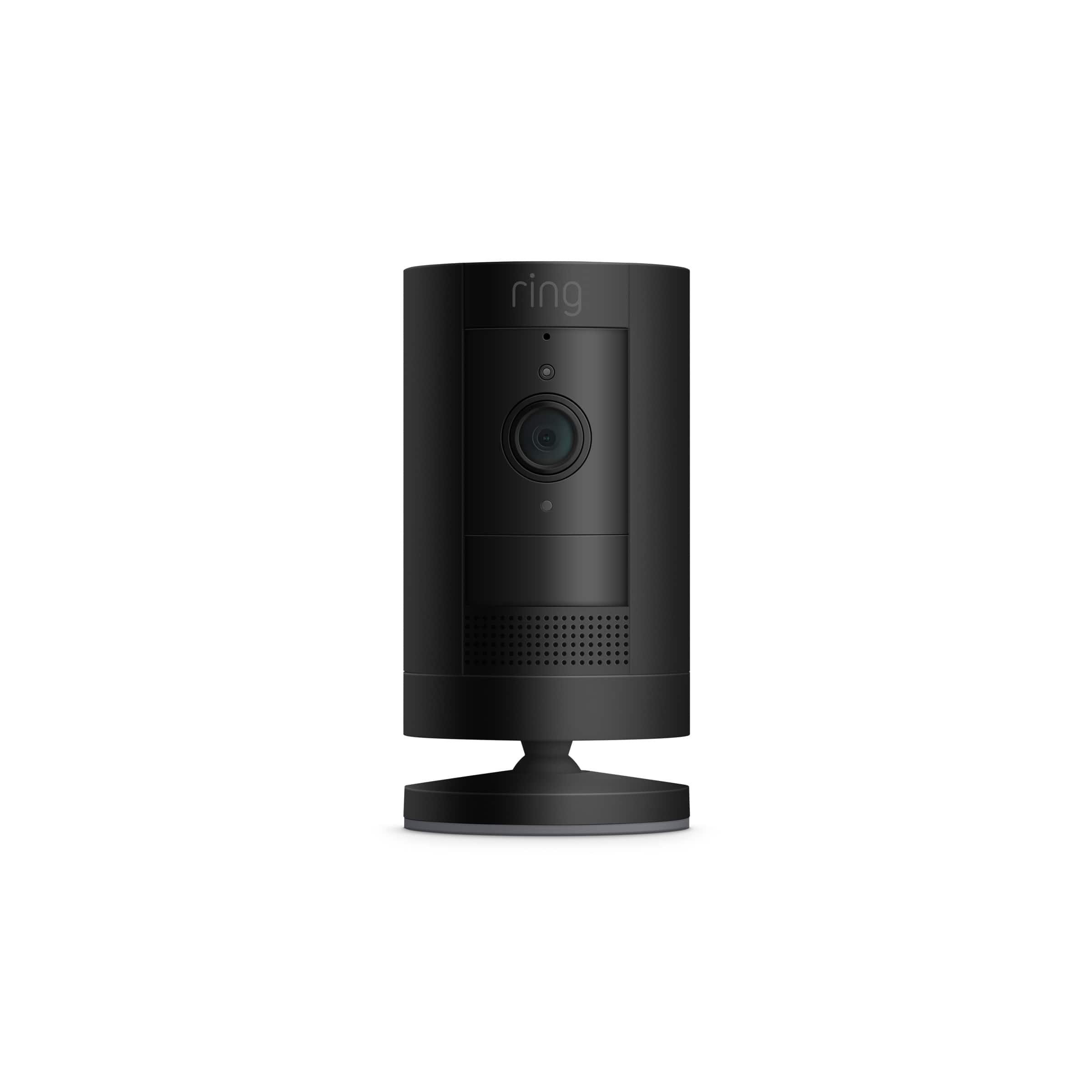

- Model:
- 8SC1S9-BEN0/B0C5QSN9YB
- SKU:
- 11332262
Rating by feature
- Value
Rating 4.6 out of 5 stars
- Quality
Rating 4.7 out of 5 stars
- Ease of Use
Rating 4.7 out of 5 stars
Customers are saying
Customers enjoy the product's excellent camera quality, ease of use, and long battery life, which contribute to its overall strong performance. They also appreciate its easy installation, good night vision, enhanced security, affordable price, and wide field of view. However, some customers have experienced issues with motion detection and connectivity. A few also found the mounting tricky and wished for a more discrete size.
This summary was generated by AI based on customer reviews.
Extra eye
||Posted . Owned for 4 months when reviewed.This reviewer received promo considerations or sweepstakes entry for writing a review.Needed a way to watch my kids while their doing on line schooling
I would recommend this to a friendEasy to use
||Posted . Owned for 3 weeks when reviewed.This reviewer received promo considerations or sweepstakes entry for writing a review.Very useful for alerts when motion is detected in field of view.
I would recommend this to a friendEasy to set up
||Posted . Owned for 1 month when reviewed.This reviewer received promo considerations or sweepstakes entry for writing a review.The only thing is you need to charge the battery every week otherwise it’s great!
I would recommend this to a friendIt needed to run by the plug
||Posted . Owned for 1 month when reviewed.This reviewer received promo considerations or sweepstakes entry for writing a review.Battery kept going down. It was expensive. I bought two at home Depot that plug in for $29.99!a peice
No, I would not recommend this to a friendBrand response from Ring
Posted .Hi PEEDYA.
Thank you for taking the time to share your experience. We understand the importance of having a solid charge on your Ring Outdoor Cam (Formerly known as the Ring Stick Up Cam) so that you are able to have a longer time between charge cycles. Having longevity in a battery-powered security device is crucial when it comes to monitoring your home, especially if you are away for long periods of time. We are here to provide you with some education to resolve the battery life issue you mentioned in your review.
It sounds like the device is not performing as expected. There are some troubleshooting steps that you can take to ensure that you have your device set up for optimal battery-life performance. The more events captured by your Ring devices, the more your battery is used. Using "Live View" can also drain your battery faster. If your device is capturing an excessive number of events each day, you may need to recharge your battery sooner.
To prevent excessive activity, under "Motion Settings" for your device in the Ring app, you can:
Adjust your "Motion Sensitivity" slider to a lower sensitivity.
Redraw your "Customizable Motion Zones."
Change "Motion Frequency" to regularly or periodically.
You could also adjust the direction of your Ring device so it doesn't detect as much motion.
You can go to "Power Settings" in the Ring app to see what features may be draining your battery.
To access "Power Settings," open the Ring app:
Open the Ring app to the main dashboard.
Tap more (•••) on the camera you want to access.
Tap your device's Settings.
Select Power Settings.
Check your Battery Status: Battery Level percentage and Feature Power Usage. You will get a message under any features using extra power. Tap the feature to adjust the settings.
Additionally, cold weather below 36°F (3°C) can temporarily impact battery longevity. When it gets cold and your device's battery runs out, bring your entire device inside and charge the battery with a USB cord. This will allow your device to warm up while the battery charges.
If any additional information is needed regarding your Ring Outdoor Cam, please reach out to our community. Ring Community is our first peer-to-peer community forum, giving our customers the ability to help one another and share their feedback and experiences directly with Ring.
Thank you for being the best part of Ring! Have a wonderful day!
Sincerely,
Miyuki from Ring.
- Pros mentioned:Camera quality
Camara
||Posted . Owned for 1 month when reviewed.This reviewer received promo considerations or sweepstakes entry for writing a review.this its perfect video camara nice and biutiful and excellent item
I would recommend this to a friendBrand response from Ring
Posted .Hello Pokemon,
Thank you for taking a moment to leave your review on the Ring Stickup Camera. At Ring, we believe that stronger communities are the key to safer neighborhoods. That is why we are driven to create products that help you protect what matters most at home, and empower you to connect with your visitors from wherever you are.
Your experience with Ring is impactful on our future as a company, and we would love to hear from you directly on our Ring Community forum. If you have any experiences to share, questions regarding Ring and our services, or any feedback and product suggestions, we encourage you to have your voice be heard: https://community.ring.com/!
Thank you, Jamila with Ring
- Cons mentioned:Motion detection
Doesn’t pick up movement
||Posted . Owned for 3 weeks when reviewed.This reviewer received promo considerations or sweepstakes entry for writing a review.I got this camera because I have the indoor ring cameras and wanted to see if I could get a better view from inside through a window to outside. It had about the same view as the indoor cameras but it didn’t pick up ant movement unless I went and wiggled my fingers in front of it. I returned this item and stuck with indoor cameras
No, I would not recommend this to a friendBrand response from Ring
Posted .Hello Megan,
Thank you for leaving a review. We definitely understand the seriousness of your safety and security and assure you that it is of the utmost importance to us to fully resolve your concerns. Please know that we take your peace of mind and sense of security very seriously and we are here to get this taken care of for you.
Based on your review, it seems like you are unable to use your Ring Stickup Camera behind a window. Windows generally block heat sources, which means when the Ring device uses PIR (Passive Infrared) to detect motion, the Ring device will not be able to detect the motion through a window. There are a couple of scenarios when this can happen:
During the day, your powered Ring device uses Advanced Motion Detection, which is when the camera looks for changes physically in the environment. The Ring device should be able to see through a window during the day.
At night, your powered Ring device still uses Advanced Motion Detection but also uses Passive Infrared (PIR) to verify the motion. Since windows block heat sources, your Ring device will not be able to accurately view or record through a window at night. Please see our help center article for more information: https://support.ring.com/hc/en-us/articles/360022650691-Motion-Detection-in-Ring-Battery-Devices.
If you still have concerns regarding this, we would love to hear from you directly on our Ring Community forum. This is a platform intended for Ring users, just like yourself, to create open discussions regarding their Ring experiences, provide suggestions or feedback, and more: https://community.ring.com/.
Thank you, Jamila with Ring.
Easy set up n great view
||Posted . Owned for 1 month when reviewed.This reviewer received promo considerations or sweepstakes entry for writing a review.I love my camera.it gives off a great view of area in front of my house.
I would recommend this to a friendGreat camera
||Posted . Owned for 1 month when reviewed.This reviewer received promo considerations or sweepstakes entry for writing a review.Great addition to our other ring security devices we love it great value
I would recommend this to a friendLet’s see
||Posted . Owned for 2 months when reviewed.This reviewer received promo considerations or sweepstakes entry for writing a review.You can never have to many of these in your business
I would recommend this to a friend!
||Posted .This reviewer received promo considerations or sweepstakes entry for writing a review.a gift for our little son!!!!!!!!!!!!!!!!!!!!!!!!!!
I would recommend this to a frienda gift for our little son!
||Posted .This reviewer received promo considerations or sweepstakes entry for writing a review.a gift for our little son!!!!!!!!!!!!!!!!!!!!!!!!!!
I would recommend this to a friendGood pair of wireless devices
||Posted . Owned for 9 months when reviewed.This reviewer received promo considerations or sweepstakes entry for writing a review.Good pair of wireless devices helps in hassle free connection.
I would recommend this to a friendVery good security camera!
||Posted . Owned for 3 weeks when reviewed.This reviewer received promo considerations or sweepstakes entry for writing a review.I bought this security camera to go with my ring doorbell. They work very well together. The kids don’t like them as much as I do. Lol
I would recommend this to a friend- Pros mentioned:Battery life
A really good security camera at a reasonable pri.
||Posted . Owned for 1 month when reviewed.This reviewer received promo considerations or sweepstakes entry for writing a review.What can I say? It’s a battery powered security camera. A really good one. It’s a very good value with a really good lens. Easy to set up. Battery lasts a long time.
I would recommend this to a friend Durable and functional
||Posted . Owned for 1 year when reviewed.This reviewer received promo considerations or sweepstakes entry for writing a review.Wind, snow and rain resistance greatly evidenced!!
I would recommend this to a friendGreat
||Posted . Owned for less than 1 week when reviewed.This reviewer received promo considerations or sweepstakes entry for writing a review.Wish the battery would last longer. Gonna have to get a solar panel for it.
I would recommend this to a friendBrand response from Ring
Posted .Hi Bjn2.
Thank you for taking the time to share your experience. We understand the importance of having a solid charge on your Ring Stick Up Cam so that you are able to have a longer time between charge cycles. Having longevity in a battery-powered security device is crucial when it comes to monitoring your home, especially if you are away for long periods of time. We are here to provide you with some education to resolve the battery life issue you mentioned in your review.
It sounds like the device is not performing as expected. There are some troubleshooting steps that you can take to ensure that you have your device set up for optimal battery-life performance. The more events captured by your Ring devices, the more your battery is used. Using "Live View" can also drain your battery faster. If your device is capturing an excessive number of events each day, you may need to recharge your battery sooner.
To prevent excessive activity, under "Motion Settings" for your device in the Ring app, you can:
Adjust your "Motion Sensitivity" slider to a lower sensitivity.
Redraw your "Customizable Motion Zones."
Change "Motion Frequency" to regularly or periodically.
You could also adjust the direction of your Ring device so it doesn't detect as much motion.
You can go to "Power Settings" in the Ring app to see what features may be draining your battery.
To access "Power Settings," open the Ring app:
Tap the menu (≡) on the top left of the dashboard.
Tap "Devices."
Tap the individual device (video doorbell or security camera) you want to check.
Tap "Power Settings" to check your "Battery Level" percentage and "Feature Power Usage."
Tap a feature to adjust "Snapshot Capture," "Motion Frequency," and "Video Recording Length.".
Ring Community was launched to help deliver the most current news and educational information to our neighbors. This online forum is divided into four categories: Product Boards, Ring Updates, Tips and Tricks, and a Moderators’ Corner. The Product Boards are where you can begin new topics with your questions or feedback; there is also a search option that helps you find topics that have already been posted by other neighbors. We invite you to visit our Ring Community today.
Thank you,
Miyuki from Ring.
Review
||Posted . Owned for 1 month when reviewed.This reviewer received promo considerations or sweepstakes entry for writing a review.Clear view ave sound, just doesn’t zoom in the best
I would recommend this to a friendBrand response from Ring
Posted .Hi KETTAW.
Thank you for taking the time to share your experience with us. We understand how important it is for your Ring Outdoor Cam (Formerly known as the Ring Stick Up Cam) to record clear and concise videos so that you can effectively monitor your home. The features and technology provided by the Ring Outdoor Cam are incredibly valuable and help provide you with peace of mind about your home security. We want to ensure your device is working as intended by providing you with solutions to resolve the video quality concern you mentioned in your review.
It sounds like the device is not performing as expected. We are happy to provide you with more information regarding your concern with the video quality from the device. Ring devices require high-speed internet to bring you crisp, clear video and audio. Poor network connectivity can affect the performance of your Ring device. We recommend following these steps in the Ring app: Tap the top menu (☰), then "Devices." Choose your device. Tap the "Device Settings" tile. Tap "Device Health." Under the "Network" section, you'll see your device's "Signal Strength." If your "Signal Strength" (RSSI) is amber or red, your Ring device likely has a poor connection to your location's wifi. Reboot your Ring doorbell or camera by following these steps: Open the Ring app. Tap the top menu (☰), then "Devices." Choose your device. Tap the "Device Settings" tile. Tap "Device Health." Scroll down and tap "Reboot This Device." Wait a few minutes for your device to reboot. We also recommend downloading video clips prior to zooming in for optimal resolution.
Ring Community launched in March 2019 to help deliver the most current news and educational information to our neighbors. It is our first peer-to-peer community forum, giving our customers the ability to help one another and share their feedback and experiences with Ring. Please reach out to our community if any additional information is needed regarding your Ring Outdoor Cam.
Thank you,
Miyuki from Ring.
- Cons mentioned:Motion detection
Ring Stick up Camera
||Posted .This reviewer received promo considerations or sweepstakes entry for writing a review.Easy to install however the motion zones don’t go as far as other Ring Cameras
I would recommend this to a friendBrand response from Ring
Posted .Hello Ringstickupcamera,
Thank you for taking the time to share your feedback with us. We'd like to provide you some simple solutions to resolve the motion zone concern you expressed in your review. Ring products “see” the world through a network of three linked passive infrared (PIR) sensors. These are heat sensors that detect motion by monitoring heat within the detection area. When a person or object that is warmer enters the detection area, the heat measurements change. The motion sensors register this change as movement and send out an alert.
Ring is always working toward improving your home security experience. We’ve released a new feature for battery-powered devices called Customizable Motion Zones. Customizable Motion Zones have been a standard feature on wired Ring devices for some time, but now they're an option for Ring neighbors with battery-powered devices. Until now, Ring battery-powered devices have used Adjustable Motion Zones. That meant that when setting up your device, you would see a semicircle divided into several parts indicating where motion would be detected. You could adjust the field of view with the motion sensitivity slider. Here is a helpful article that walks you through enabling this feature: https://support.ring.com/hc/en-us/articles/360050360052-Customizable-Motion-Zones-for-Battery-Powered-Devices-.
It's so important to us to know that your concerns are being addressed, and that we have helped improve your Ring experience. We offer a Ring Community platform from our website which allows you to help one another and share your feedback/experiences with Ring. We invite you to reach out at https://community.ring.com/ if any additional information is needed regarding your concern.
Thank you,
Alexis with Ring
Ring stick up cam
||Posted . Owned for 1 month when reviewed.This reviewer received promo considerations or sweepstakes entry for writing a review.Ring stick up works great with the ring solar panel.
I would recommend this to a friendRing is great
||Posted . Owned for 7 months when reviewed.This reviewer received promo considerations or sweepstakes entry for writing a review.Love this camera it works perfectly! Great notifications!
I would recommend this to a friend