Customer Ratings & Reviews


- Model:
- 8SC1S9-BEN0/B0C5QSN9YB
- SKU:
- 11332262
Rating by feature
- Value
Rating 4.6 out of 5 stars
- Quality
Rating 4.7 out of 5 stars
- Ease of Use
Rating 4.7 out of 5 stars
Customers are saying
Customers highly value the product's excellent camera quality, ease of use, and impressive battery life. They also appreciate its strong overall performance, easy installation, good night vision, and the enhanced security it provides, all at a reasonable price with a decent field of view. However, customers frequently mention concerns regarding spotty motion detection and connectivity issues. Some also find the mounting tricky and desire a more discrete size.
This summary was generated by AI based on customer reviews.
- Cons mentioned:Motion detection
Not so nice
||Posted . Owned for 1 week when reviewed.This reviewer received promo considerations or sweepstakes entry for writing a review.It captures motions of moving trees, insects and other small stuffs but not cars and humans.... defeats the purpose
No, I would not recommend this to a friendBrand response from Ring
Posted .Hello Edgar2020,
We are thankful for your feedback regarding your experience with the Ring Stickup Camera. We are constantly pushing ourselves to develop products to empower users with an affordable, effective way to monitor and secure their home. In pursuit of our mission to make neighborhoods safer, when applying technologies to our business, we always consider our three pillars of customer security, privacy, and user control. We understand how important it is to have your devices working as intended, as it offers a level of security in your home.
Based on your review, it seems that you are having trouble with your Ring Stickup Camera picking up the correct motion. The Stick Up Cam uses infrared motion capturing to detect motion, within its field of view. You can use the Ring app to determine the Stick Up Cam’s motion detection range and the specific zones where motion will trigger a smart alert. These settings help ensure that the Stick Up Cam will capture the events you want to see and ignore the ones you don’t. Here is a helpful article with more information on how to resolve motion concerns with your device: https://support.ring.com/hc/en-us/articles/213106363-How-to-Set-Up-Motion-Detection-for-Your-Stick-Up-Cam.
Also, Ring Community is our first peer-to-peer community forum, giving our customers the ability to help one another and share their experiences with Ring directly. We invite you to reach out at https://community.ring.com/ if any additional information is needed regarding your Ring Stickup Camera device and its performance.
Thank you,
Jamila with Ring
Security
||Posted .This reviewer received promo considerations or sweepstakes entry for writing a review.Great way to keep an eye on your home. Needed one more camera.
I would recommend this to a friend- Pros mentioned:Camera quality
Security Camera
||Posted . Owned for 1 month when reviewed.This reviewer received promo considerations or sweepstakes entry for writing a review.Works as advertised It works better than the indoor camera.
I would recommend this to a friendBrand response from Ring
Posted .Hi JeffR, I'm glad to hear your Stick Up Cam is working well for you. If you have any questions about your new Camera, you can find answers in our Help Center https://support.ring.com/hc/en-us/sections/360006458791-Stick-Up-Cam-Battery-Solar-3rd-Generation-. You can also browse the Ring Community https://community.ring.com/ to find solutions from other neighbors. Best, Ashley from Ring.
- Pros mentioned:Camera quality
I see you
||Posted . Owned for 1 week when reviewed.This reviewer received promo considerations or sweepstakes entry for writing a review.I wasn't happy with the bowlfish view or the quality of the grainy video. It's not a good choice for outdoor use. Set I set it up as a second camera indoors and it's excellent indoors. So 9f you're looking for a outdoor security camera, this isn't a good choice. I'm basing my rating off outdoor use.
No, I would not recommend this to a friendBrand response from Ring
Posted .Hi Lucky. I understand the importance of having excellent video quality for your outdoor cameras. One thing to consider is the RSSI of your device, as this can affect the video quality. This article here has some great tips for improving your RSSI: https://community.ring.com/t/how-it-works-your-ring-device-rssi-good-vs-poor/229?utm_source=google&utm_medium=cpc&utm_campaign=17566932718&utm_term=&utm_content=140627237000&gclid=Cj0KCQjw9ZGYBhCEARIsAEUXITVw9h5FUtHM99GO_AZ8sBN0PTrjhQJ3nRrKVpEvvPLrLcSPUzxGmJUaAvT_EALw_wcB. If you have any further questions or concerns, try browsing the Ring Community at https://community.ring.com/. As our first peer-to-peer forum, the Ring Community allows you to ask questions and interact with other neighbors to discuss your Ring devices. Best wishes, David with Ring.
Need the subscription
||Posted . Owned for 1 year when reviewed.This reviewer received promo considerations or sweepstakes entry for writing a review.Set these all up around the house but couldn’t figure out how to getting working how I wanted
No, I would not recommend this to a friendBrand response from Ring
Posted .Hi Chris, it can definitely take some time to get used to a new device in your home. Your Stick Up Camera is battery powered, and you'll receive a push notification from the app when motion is detected within your set Motion Zones. You can also access Live View through the Ring app to view what's happening in real-time. For access to video recording and other features, you can subscribe to a Ring Protect plan https://ring.com/protect-plans. I hope this information helps! If you have any additional questions, feel free to check out the Ring Community https://community.ring.com/ for answers from other neighbors. Best wishes, Ashley from Ring.
Ring review
||Posted . Owned for 1 year when reviewed.This reviewer received promo considerations or sweepstakes entry for writing a review.The battery runs out quickly but overall a great product
I would recommend this to a friendBrand response from Ring
Posted .Hi BrentG. Thank you for taking the time to share your experience with us. We understand the importance of having a solid charge on your Ring Stick Up Cam so that you are able to have a longer time between charge cycles. Having longevity in a battery-powered security device is crucial when it comes to monitoring your home, especially if you are away for long periods of time. We are here to provide you with some education to resolve the battery life issue you mentioned in your review.
It sounds like you are concerned about the battery life of your Ring device. Ring Stick Up Cam is a next-generation security camera that can be used both indoors and outdoors to bolster the security around your home. The Ring Stick Up Cam Plug-in features 1080p full HD resolution, night vision, two-way audio, HD video recording, and a wide viewing angle with multiple power options.There are some troubleshooting steps that you can take to ensure that you have your device set up for optimal performance.
As cold weather sets in, lithium-ion batteries like those used in Ring Doorbells and Security Cameras may experience several issues including trouble holding a charge, running out of power faster than normal, or losing functionality. Knowing at what temperature batteries will start to be impacted can help you take the necessary steps to keep your device working. When the temperature drops to:
36°F (3°C): The battery may not hold a charge as effectively, resulting in having to charge the unit more frequently.
32°F (0°C): The battery may not charge at all. Even hardwired configurations may not charge the battery.
-5°F (-20.5°C): The battery may stop working completely until temperatures warm up.
When it gets cold and your device's battery runs out, bring your entire device inside and charge the battery with a USB cord. This will allow your device to warm up while the battery charges.
The more events captured by your Ring devices, the more your battery is used. Using Live View often can also drain your battery faster. If your device is capturing an excessive number of events each day, you may need to recharge your battery sooner. To prevent excessive activity, under Motion Settings for your device in the Ring app you can:
Adjust your Motion Sensitivity slider to a lower sensitivity.
Redraw your Customizable Motion Zones.
Change Motion Frequency to regularly or periodically.
You could also adjust the direction of your Ring device so it doesn't detect as much motion.
You can go to Power Settings in the Ring app to see what features may be draining your battery.
To access Power Settings, open the Ring app:
Tap menu (≡) on the top left of the Dashboard.
Tap Devices.
Tap the individual device (video doorbell or security camera) you want to check.
Tap Power Settings to check your Battery Level percentage and Feature Power Usage .
Tap a feature to adjust Snapshot Capture, Motion Frequency and Video Recording Length.
If any additional information is needed regarding the battery life of your device, please reach out to our Community. Ring Community is our first peer-to-peer community forum, giving our customers the ability to help one another and share their feedback and experiences directly with Ring.
Thank you for being the best part of Ring! Have a wonderful day!
Sincerely,
Melissa from Ring.
I have five other Ring cameras but this one missed
||Posted . Owned for 1 month when reviewed.This reviewer received promo considerations or sweepstakes entry for writing a review.I have ring doorbells, ring floodlights, and ring indoor cams. I like all of them. This battery stick up camera not so much. You cannot customize the motion zones with this camera. A very important feature if you don’t want a lot of unnecessary alarms. Also, this camera went offline all by itself. Only way to reconnect it was to be physically present. Not good. I was told by tech support that the wire powered cams do allow custom motion zones.
No, I would not recommend this to a friendBrand response from Ring
Posted .Hello SrMasterLaborer,
We are thankful for your feedback regarding your experience with the Ring Stickup Camera. We are constantly pushing ourselves to develop products to empower users with an affordable, effective way to monitor and secure their home. In pursuit of our mission to make neighborhoods safer, when applying technologies to our business, we always consider our three pillars of customer security, privacy, and user control. We understand how important it is to have your devices working as intended, as it offers a level of security in your home.
Based on your review, it seems that you are not fully satisfied with your Ring Stickup Camera. The Stick Up Cam uses infrared motion capturing to detect motion, within its field of view. You can use the Ring app to determine the Stick Up Cam’s motion detection range and the specific zones where motion will trigger a smart alert. These settings help ensure that the Stick Up Cam will capture the events you want to see and ignore the ones you don’t. Here is a helpful article with more information on how to resolve motion concerns with your device: https://support.ring.com/hc/en-us/articles/213106363-How-to-Set-Up-Motion-Detection-for-Your-Stick-Up-Cam.
Also, Ring Community is our first peer-to-peer community forum, giving our customers the ability to help one another and share their experiences with Ring directly. We invite you to reach out at https://community.ring.com/ if any additional information is needed regarding your Ring Stickup Camera device and its performance.
Thank you,
Jamila with Ring
- Cons mentioned:Mounting
Ring ... yeah ... figure it out yourself
||Posted . Owned for 1 year when reviewed.This reviewer received promo considerations or sweepstakes entry for writing a review.i have had this thing for over a year. i charged it up and everything. however, there is no clear way to chnage the location of the base to the back or any information if you hung it upside down. and, no, i didn;t want to deal with another company with poor directions and foreseeably poor customer service.
No, I would not recommend this to a friendBrand response from Ring
Posted .Hello Redloh1,
We are always looking for ways to improve our neighbors' experiences, and your feedback is an invaluable part of this process. Thank you for taking the time to share your experience with us. At Ring, we are driven to create products that help you protect what matters most at home and empower you to connect with your neighbors from wherever you are. Having the peace of mind that you purchased the Ring Stickup Camera for is critical.
Based on your review, you are having trouble adjusting your Stickup Camera. If this is the case, we offer an accessory that is available for purchase for this issue:
https://support.ring.com/hc/en-us/articles/360059658211-Installing-your-Stick-up-Cam-Battery-with-the-ceiling-mount
Find your ideal viewing angle with this adjustable mount for the Stick Up Cam (2nd and 3rd Generation). Mount your Stick Up Cam on the ceiling or a wall and adjust the angle to optimize your motion detection and field of view. It also comes with a spare parts kit, so you can set everything up in just a few minutes: https://ring.com/products/stick-up-security-camera-mount?_pos=2&_sid=43419204f&_ss=r.
We invite you to visit our Help Center for some additional tips and tricks: https://support.ring.com/hc/en-us. If you have any further questions or concerns, please visit our community forum at https://community.ring.com/ for assistance.
Thank you, Jamila with Ring.
- Cons mentioned:Motion detection
slow mode
||Posted . Owned for 4 months when reviewed.This reviewer received promo considerations or sweepstakes entry for writing a review.good camara, slow to react when loading and if you go by quick enough it doesnt pick you up.
I would recommend this to a friendBrand response from Ring
Posted .Hello mike,
Thank you for sharing your user experience with us. Here at Ring, we fully understand the importance of having the motion detection work as intended. It is a valuable feature that is designed to notify you as to who may be near your home. Please know that it is a priority for us to be of assistance and find a resolution to your concern.
After reading your review it seems that your Ring Stickup Camera is not picking up the correct motion. When this occurs, we recommend adjusting your motion settings. For more information on adjusting your motion settings to better fit your needs please see our help center article titled: https://support.ring.com/hc/en-us/articles/213106363-How-to-Set-Up-Motion-Detection-for-Your-Stick-Up-Cam. Please pay close attention to the Motion Frequency setting and consider adjusting this to frequent within the Ring App. Frequent gives you the most motion alerts and ensures you don’t miss any activity.
If you still have concerns regarding your Ring Stickup Camera motion detection, we would love to hear from you directly on our Ring Community forum. This is a platform intended for Ring users, just like yourself, to create open discussions regarding their Ring experiences, provide suggestions or feedback, and more: https://community.ring.com/.Thank you, Jamila with Ring
Versatile but not too discreet
||Posted . Owned for 3 weeks when reviewed.This reviewer received promo considerations or sweepstakes entry for writing a review.Sound is not very clear on my end (user) the quality of image is not as crisp as I expected. It is a good option for an affordable security system.
I would recommend this to a friendBrand response from Ring
Posted .Hello Nikaman,
Thank you for leaving a review. We love reading how your Ring Stickup Camera has added an extra layer of security in your home and how it is working as intended. Our top priority at Ring is to ensure that our customers have the best possible experience with our products. We really appreciate your feedback. Our team is always striving to improve our products and their performance. We would love to hear more about your experience with Ring. We invite you to share your experience with other Ring users, like yourself, on our Ring Community page: https://community.ring.com/. Thank you, Jamila, with Ring.
Bad battery
||Posted . Owned for 1 month when reviewed.This reviewer received promo considerations or sweepstakes entry for writing a review.Not satisfied the battery is supposed to last 2 months.It barely lasted 10 hours!It took a long time to charge.after 3 time trying to charger it I decided to take it back but I lost the receipt.
I would recommend this to a friendBrand response from Ring
Posted .Hi TerryH.
Thank you for taking the time to share your experience with us. We understand the importance of having a solid charge on your Ring Outdoor Cam so that you are able to have a longer time between charge cycles. Having a solid charge on your battery-powered device ensures that you do not miss any activity around your home. We can definitely provide you with some information regarding your battery-life concern.
It sounds like the device is not performing as expected. The Ring Outdoor Cam was designed with customizable motion settings that are adjustable according to your needs. There are some troubleshooting steps that you can take to ensure that you have your device set up for optimal performance. Batteries in Ring devices are designed to go months between charges under normal conditions. However, real battery life is dependent on a number of factors, such as local weather, the number of events captured, and the frequency of activation. For more information on how to optimize the performance of your device in regards to battery life, please visit this link: https://ring.com/support/articles/9iatk/battery-performance.
Using the incorrect power mode for your Ring device can result in the battery draining too fast. To optimize the performance of your Ring device, please follow the steps below to ensure that your Ring device is in battery mode.
1. Open the Ring app.
2. Tap the menu (☰).
3. Tap Devices.
4. Select the device you want to update.
5. Tap Device Settings.
6. Tap Power Management.
7. Tap Power Mode.
8. Select Battery Mode and follow the prompts in the app.
If any additional information is needed regarding your Ring Outdoor Cam, please reach out to our community. Ring Community is our first peer-to-peer community forum, giving our customers the ability to help one another and share their feedback and experiences directly with Ring.
Thank you,
Amilia from Ring.
- Pros mentioned:Camera quality
Battery Life
||Posted . Owned for 1 month when reviewed.This reviewer received promo considerations or sweepstakes entry for writing a review.The battery life does not last longer than 4 days. It takes at least 5 hrs to charge it. Video and sound is good.
No, I would not recommend this to a friendBrand response from Ring
Posted .Hi Alys.
Thank you for taking the time to share your experience. We understand the importance of having a solid charge on your Ring Stick Up Cam so that you are able to have a longer time between charge cycles. Having longevity in a battery-powered security device is crucial when it comes to monitoring your home, especially if you are away for long periods of time. We are here to provide you with some education to resolve the battery life and video quality issues you mentioned in your review.
It sounds like the device is not performing as expected. There are some troubleshooting steps that you can take to ensure that you have your device set up for optimal battery-life performance. The more events captured by your Ring devices, the more your battery is used. Using "Live View" can also drain your battery faster. If your device is capturing an excessive number of events each day, you may need to recharge your battery sooner.
To prevent excessive activity, under "Motion Settings" for your device in the Ring app, you can:
Adjust your "Motion Sensitivity" slider to a lower sensitivity.
Redraw your "Customizable Motion Zones."
Change "Motion Frequency" to regularly or periodically.
You could also adjust the direction of your Ring device so it doesn't detect as much motion.
You can go to "Power Settings" in the Ring app to see what features may be draining your battery.
To access "Power Settings," open the Ring app:
Tap the menu (≡) on the top left of the dashboard.
Tap "Devices."
Tap the individual device (video doorbell or security camera) you want to check.
Tap "Power Settings" to check your "Battery Level" percentage and "Feature Power Usage."
Tap a feature to adjust "Snapshot Capture," "Motion Frequency," and "Video Recording Length.".
Ring devices require high-speed internet to bring you crisp, clear video and audio. Poor network connectivity can affect the performance of your Ring device. We are happy to share some troubleshooting steps to help you diagnose and fix common video issues that you may experience with Ring doorbells and cameras.
Ring devices with 1080p video require at least 1 Mbps upload and download speeds, though 2 Mbps is recommended for optimal performance. In addition to ensuring that you have sufficient wifi speeds, you will also want to check the signal strength of your device. A poor wifi signal can cause connectivity with your Ring device to be unreliable.
Check the Device Health section of your Ring application to ensure the device’s RSSI is within an acceptable range. The recommended range for optimal performance is 0 to -60 for the RSSI. Turn off your mobile device's cellular data and connect to the same wifi network as your Ring device. Open the Ring app. Tap the menu (☰). Tap “Devices.” Select your device. Trigger an event on your Ring device. This could mean pressing the button on a doorbell or activating the motion sensors on a camera. Answer the event and examine the resulting video.
We have listed some possible outcomes from this test here:
1. The footage is crisp and clear.
If your video appears good when next to the router, the issue may be caused by a disruption in between your router and your Ring device’s normal location. To fix this, try moving your device closer to the router or extending your wifi signal with a wifi extender like the Ring Chime Pro.
2. The footage is heavily pixelated.
If you’re seeing heavy pixilation, even next to the router, this may be due to slow wifi speeds.
1. There are severe pauses in live video.
If your video pauses, stutters, or gets frozen and your wifi speed meets the minimum standards, try rebooting your router. Unplug your router, wait 30 seconds, and then plug it back in. It should take three to four minutes to reboot. Then, test your Ring device again and see if there's any difference.
4. There is a long delay before your video starts.
This is also caused by slow wifi speeds. Assuming you have high-speed internet, reboot your router and the mobile phone, tablet, or PC you're accessing the video feed on. Test an event when it's back online to see if there's any difference.
If any additional information is needed regarding your Ring Stick Up Cam, please reach out to our community. Ring Community is our first peer-to-peer community forum, giving our customers the ability to help one another and share their feedback and experiences directly with Ring.
Thank you for being the best part of Ring! Have a wonderful day!
Sincerely,
Melissa from Ring.
Has no SOUND NOTIFICATIONS
||Posted . Owned for 1 month when reviewed.This reviewer received promo considerations or sweepstakes entry for writing a review.Cons: Beware that this has no SOUND NOTIFICATIONS. It won’t work with pets. Pros: No hub needed. Direct wifi connection.
No, I would not recommend this to a friendBrand response from Ring
Posted .Hello sunset007,
Thank you for taking the time to share your Ring Stick Up Camera experience with us. We appreciate the value and trust you have placed in Ring for your home security needs. The Ring Stick Up Cam Battery is designed to bring you peace of mind with reliable performance.
What type of sound notifications are you referring to? If you are looking for a deterrent for unwanted visitors, this device is equipped with a siren feature. You can activate the siren by following these steps from the Ring Dashboard:
Click the three blue lines in the top left corner
Click on Devices
Click on the camera you wish to access
Click on the "siren" button
Further, your device should be sending alerts for pets. The Stick Up Cam uses infrared motion capturing to detect motion within its field of view. You can use the Ring app to determine the Stick Up Cam's motion detection range and the specific zones where motion will trigger a smart alert. These settings help ensure that the Stick Up Cam will capture the events you want to see and ignore the ones you don't. Here is a helpful article that will help you optimize your motion settings: https://support.ring.com/hc/en-us/articles/213106363-How-to-Set-Up-Motion-Detection-for-Your-Stick-Up-Cam.
We would love to investigate this issue further with you, please feel free to check out our community forum at https://community.ring.com/ for additional tips and support.
Thank you,
Alexis with Ring
ring
||Posted . Owned for 3 weeks when reviewed.This reviewer received promo considerations or sweepstakes entry for writing a review.not the greatest but will do for now, not as clear as i hoped it would be
I would recommend this to a friendBrand response from Ring
Posted .Hi DaleyDog.
Thank you for taking the time to share your experience with us. We understand how important it is for your Ring Stick Up Cam to record clear and concise videos so that you can effectively monitor your home. The features and technology provided by the Ring Stick Up Cam are incredibly valuable and help provide you with peace of mind about your home security. We want to ensure your device is working as intended by providing you with solutions to resolve the concern you mentioned in your review.
It sounds like the device is not performing as expected. Ring devices require high-speed internet to bring you crisp, clear video and audio. Poor network connectivity can affect the performance of your Ring device. We are happy to share some troubleshooting steps to help you diagnose and fix common video issues that you may experience with Ring doorbells and cameras.
Ring devices with 1080p video require at least 1 Mbps upload and download speeds, though 2 Mbps is recommended for optimal performance. In addition to ensuring that you have sufficient wifi speeds, you will also want to check the signal strength of your device. A poor wifi signal can cause connectivity with your Ring device to be unreliable.
Check the Device Health section of your Ring application to ensure the device’s RSSI is within an acceptable range. The recommended range for optimal performance is 0 to -60 for the RSSI. Turn off your mobile device's cellular data and connect to the same wifi network as your Ring device. Open the Ring app. Tap the menu (☰). Tap “Devices.” Select your device. Trigger an event on your Ring device. Answer the event and examine the resulting video.
We have listed some possible outcomes from this test here:
1. The footage is crisp and clear.
If your video appears good when next to the router, the issue may be caused by a disruption in between your router and your Ring device’s normal location. To fix this, try moving your device closer to the router or extending your wifi signal with a wifi extender like the Ring Chime Pro.
2. The footage is heavily pixelated.
If you’re seeing heavy pixilation, even next to the router, this may be due to slow wifi speeds.
3. There are severe pauses in live video.
If your video pauses, stutters, or gets frozen and your wifi speed meets the minimum standards, try rebooting your router. Unplug your router, wait 30 seconds, and then plug it back in. It should take three to four minutes to reboot. Then, test your Ring device again and see if there's any difference.
For more information on your Ring Stick Up Cam, we invite you to reach out to our community. Ring Community is our first peer-to-peer community forum, giving our customers the ability to help one another and share their personal feedback and experiences with Ring. We look forward to hearing from you if we can be of any further assistance!
Thank you,
Melissa from Ring.
Bad audio
||Posted . Owned for 1 month when reviewed.This reviewer received promo considerations or sweepstakes entry for writing a review.Good camera - horrible 2 way audio. Person outside can’t hear you talking unless they are 2 inches from camera which reverts it pretty useless.
No, I would not recommend this to a friendBrand response from Ring
Posted .Hi LeahC.
Thank you for taking the time to share your experience with us. We understand how important it is for your Ring Stick Up Cam to record clear and concise videos so that you can effectively monitor your home. The features and technology provided by the Ring Stick Up Cam are incredibly valuable and help provide you with peace of mind about your home security. Rest assured, we hear you and are here to offer you some help.
It sounds like the device is not performing as expected in regards to audio. We are happy to share some tips with you to help you troubleshoot why your Ring device may be experiencing poor audio. Make sure the external volume is up on your mobile device (on the device where you're viewing your Ring videos or "Live View"). If your phone or tablet has poor service or internet, it could be affecting "Live View" or your video downloads. Try turning Bluetooth off, then open "Live View" or view a recorded Ring video.
Poor wifi can often cause Ring device issues, including capturing audio. We recommend following these steps in the Ring app: Tap the top menu (☰), then Devices. Choose your Ring Video Doorbell Wired. Tap "Device Health." Under the "Network" section, you'll see your device's "Signal Strength." If your "Signal Strength" (RSSI) is amber or red, your Ring device likely has a poor connection to your location's wifi. Try moving your wifi router closer to your Ring device.
If any additional information is needed regarding your Ring Stick Up Cam, please reach out to our community. Ring Community is our first peer-to-peer community forum, giving our customers the ability to help one another and share their feedback and experiences directly with Ring. Join the Ring Community today!
Thank you,
Amilia from Ring.
Do Not Buy
||Posted . Owned for less than 1 week when reviewed.This reviewer received promo considerations or sweepstakes entry for writing a review.Camera only worked for an hour or 2 before going offline. There was never an issue with the WiFi network or battery. Called Ring customer support and was told the camera was “dead” and to return it. Was able to return the camera hassle free. I should’ve paid more attention the the reviews prior to purchasing. Purchased the ring doorbell camera and so far so good.
No, I would not recommend this to a friendBrand response from Ring
Posted .Hi Tash.
Thank you for taking the time to share your experience with us. At Ring, we want to ensure that you have the best possible experience with our products. Your peace of mind and security are extremely important to us. The features and technology provided by the Ring Outdoor Cam are incredibly valuable and help provide you with peace of mind about your home security. Rest assured, we're here to help!
At Ring, we believe that stronger communities are the key to safer neighborhoods. That is why we are driven to create products that help you protect what matters most at home, and empower you to connect with your visitors from wherever you are. We are saddened to read that this device did not meet your expectations but are still here to assist you. Our support team is available 24/7.
We are pleased to read that you are enjoying your new Ring doorbell and that the features included are meeting your expectations.
If any additional information is needed regarding your question, please reach out to our community. Ring Community is our first peer-to-peer community forum, giving our customers the ability to help one another and share their feedback and experiences directly with Ring. Join the Ring Community today!
Thank you,
Amilia from Ring.
- Cons mentioned:Motion detection
Horrible
||Posted . Owned for 1 month when reviewed.This reviewer received promo considerations or sweepstakes entry for writing a review.This Camera was the worst ever it didn’t notify me for any movement at all
No, I would not recommend this to a friendBrand response from Ring
Posted .Hi ArnieJ.
Thank you for taking the time to share your experience with us. We understand how critical it is for your Ring Stick Up Cam to notify you of meaningful motion events. The features and technology provided by the Ring Stick Up Cam are incredibly valuable and help provide you with peace of mind about your home security. We can definitely provide you with more information regarding the concern mentioned in your review.
It sounds like the device is not performing as intended in regards to alerts. To enable and customize your "Motion Alerts" when your camera detects motion, follow these steps in the Ring app:
Open the Ring app and tap the menu (☰) in the top left corner.
Tap "Devices," then select the relevant device.
At the top of the screen, you can toggle the following on or off:
Motion Detection
Motion Alerts
Motion Warning (if your device has the feature)
If you're having issues getting notifications, make sure you're connected to wifi and that your mobile device settings are set to allow notifications from Ring. Reboot your Ring device. Turn your mobile device completely off and back on again. Make sure Do Not Disturb is off in your mobile device's settings.
We invite you to reach out to our community if any additional information is needed regarding your Ring Stick Up Cam. The Ring Community is our first peer-to-peer community forum, giving our customers the ability to help one another by sharing their feedback and experiences with each other.
Thank you,
Amilia from Ring.
- Cons mentioned:Motion detection
Useless disappointment!
||Posted . Owned for 1 month when reviewed.This reviewer received promo considerations or sweepstakes entry for writing a review.This thing sucks! It worked ok I thought, but then it finally captured the thief.. or the back of her head rather while she walked off with my stuff! I barely peek around the corner of my yard and I get a million alerts, but when its actually needed to catch a thief it doesn't go off!! The app is very buggy, laggy, and live view (the only free feature) doesn't work.
No, I would not recommend this to a friendBrand response from Ring
Posted .Hi cowboyfarmer.
Thank you for taking the time to share your experience with us. We understand how important it is to have your Ring Stick Up Cam capture all the correct motion events. The Ring Stick Up Cam was designed to capture motions based on your specifications to help keep your home secure. We are here to provide you with some information to resolve the issue you mentioned in your review.
It sounds like the device is not performing as expected in regards to person detection. It is important to ensure that you have the proper motion settings in place for your environment. This camera uses adjustable motion detection and runs on passive infrared sensors. The system identifies visitors via a moving heat signature and sends a notification to your smart device when one is detected. You can adjust three preset motion zones and their distances under the "Motion Settings" tab on the device's page in the Ring app. Additionally, you can choose how often the camera checks for movement in those predefined zones via the "Motion Frequency" setting. If you find that your camera is missing some motions, please set the motion frequency to "Frequently."
Accuracy in motion detection can also be improved by enabling the "Smart Alerts" feature for people only in your Ring app. To enable "Smart Alerts," please follow these steps:
Tap the menu (≡) on the top left.
Tap "Devices."
Tap the device that you want to adjust.
Tap "Motion Settings."
Tap "Smart Alerts."
Tap "Enable Feature."
Tap "Continue."
Select the notification options that you want for "Person" and "Other Motion."
You'll see a video camera where you can select or de-select recording and a bell icon to represent alert notifications.
After you've adjusted your settings, tap "Done."
A weak wifi signal can cause delays and issues with "Live View" loading.
To learn more about your device's signal strength, follow these steps:
Open the Ring app.
Tap the menu (☰).
Tap Devices.
Select the Ring device you would like to test.
Tap on the Device Health tile.
Scroll to Signal Strength under the Network section.
The green, amber, and red colors are indicators of your device connection. Green is good; red is poor.
If any additional information is needed regarding your Ring Stick Up Cam, please reach out to our community. Ring Community is our first peer-to-peer community forum, giving our customers the ability to help one another and share their feedback and experiences directly with Ring.
Thank you,
Melissa from Ring.
Ring offers better cameras
||Posted . Owned for 2 weeks when reviewed.This reviewer received promo considerations or sweepstakes entry for writing a review.Though this camera gets the job done — you do get what you pay for — the other cameras with the light option is far superior even with voice quality.
I would recommend this to a friendBrand response from Ring
Posted .Hi SaraLolo.
Thank you for taking a moment to leave your Ring Stick Up Cam rating. Here at Ring, we believe that stronger communities are the key to safer neighborhoods. That is why we are driven to create products that help you protect what matters most at home and empower you to connect with your neighbors from wherever you are. Together, we’ll make neighborhoods safer!
We are pleased to read that you are enjoying the benefits of having a Ring security device installed!
Ring Community is our first peer-to-peer community forum, giving our customers the ability to help one another and share their feedback/experiences with Ring. We invite you to reach out to our community if you have any additional questions or feedback regarding your Stick Up Cam.
Thank you,
Melissa from Ring.
- Cons mentioned:Connectivity
Outlet
||Posted . Owned for 1 month when reviewed.This reviewer received promo considerations or sweepstakes entry for writing a review.I came into the store and asked for wireless devices to hook up security and the person that helped me referred showed me this product, he thought that this would be a good fit for me. Well as it turns out it's not wireless. All items are requiring an outlet
No, I would not recommend this to a friendBrand response from Ring
Posted .Hi Dawna.
Thank you for sharing your experience with us.
We understand the importance of having all relevant information prior to purchasing so that you can ensure you have the best product to meet your needs. The features and technology provided by the Ring Stick Up Camera Battery are incredibly valuable and help provide you with peace of mind about your home security. We are here to provide you with some information to resolve the concern you mentioned in your review.
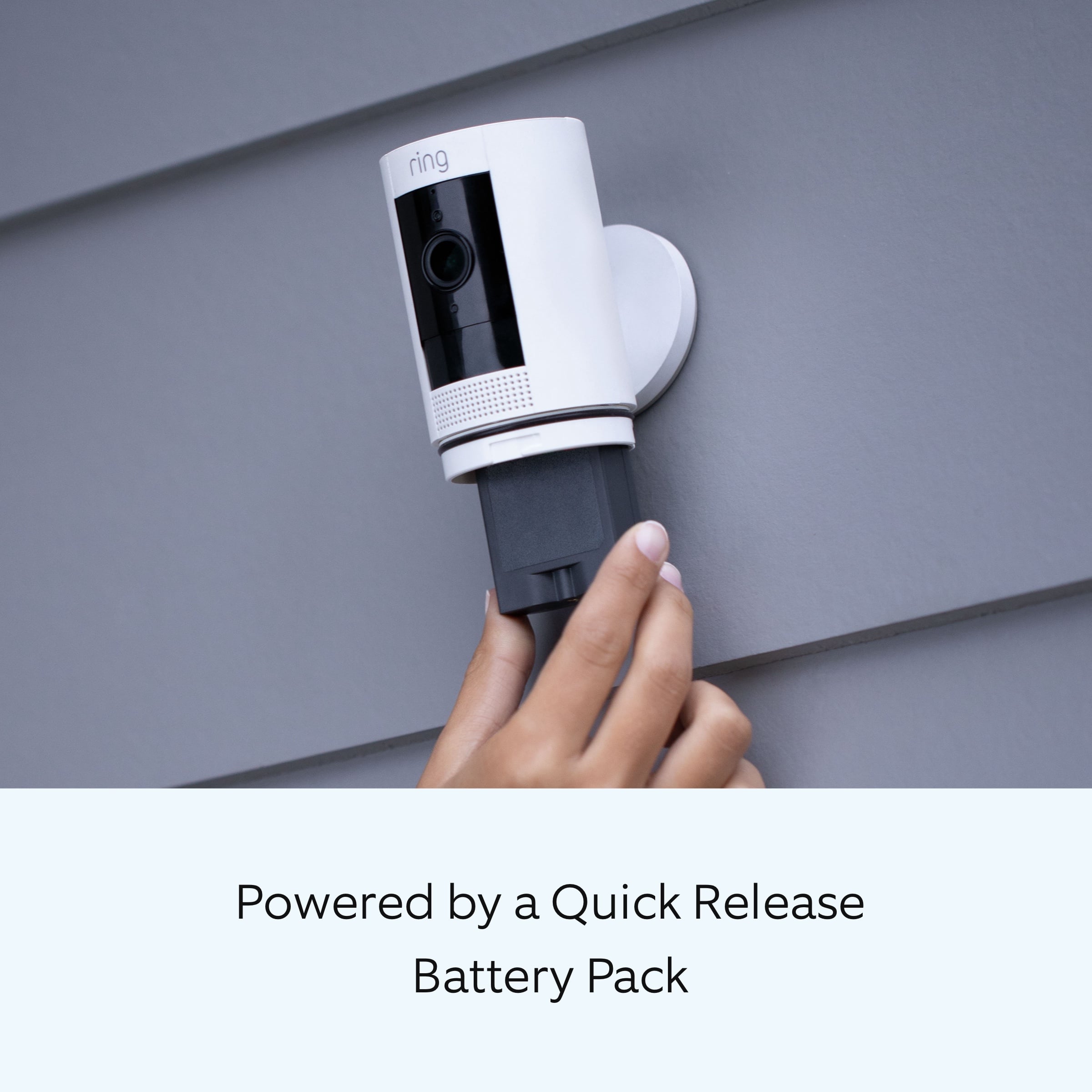
It sounds like you are looking for a battery-powered Ring security camera. The Stick Up Cam Battery is powered by the Quick Release Battery Pack. If you want to hardwire the device, you can purchase an indoor/outdoor power adapter (sold separately) to connect the Stick Up Cam Battery to standard outlets for nonstop power. To learn more about the different power options available for the Stick Up Camera, visit our support center.
Ring Community was launched to help deliver the most current news and educational information to our neighbors. This online forum is divided into four categories: Product Boards, Ring Updates, Tips + Tricks, and a Moderators’ Corner. The Product Boards are where you can begin new topics with your questions or feedback; there is also a search option that helps you find topics that have already been posted by other neighbors.
All the best,
Nicole from Ring.