Customer Ratings & Reviews
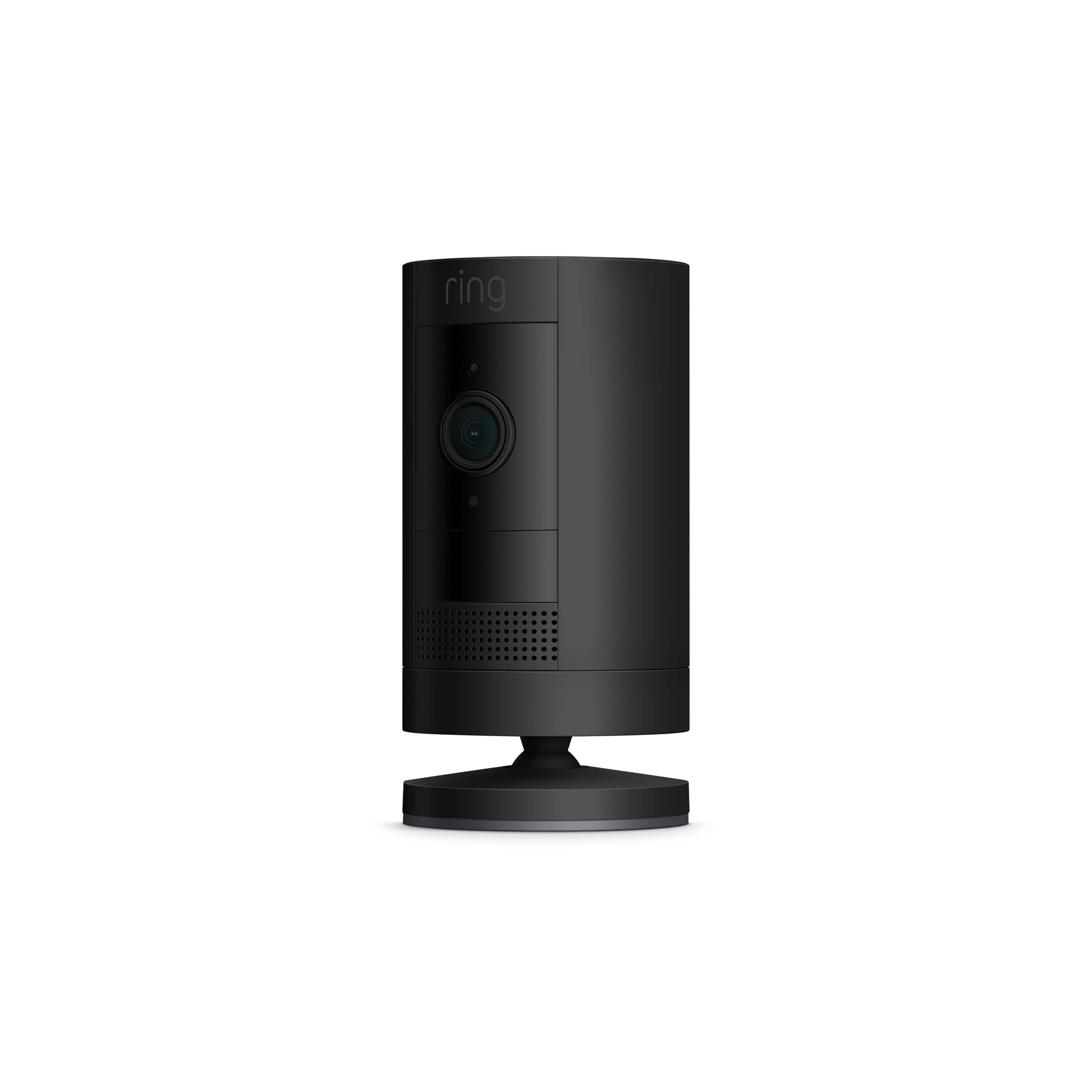
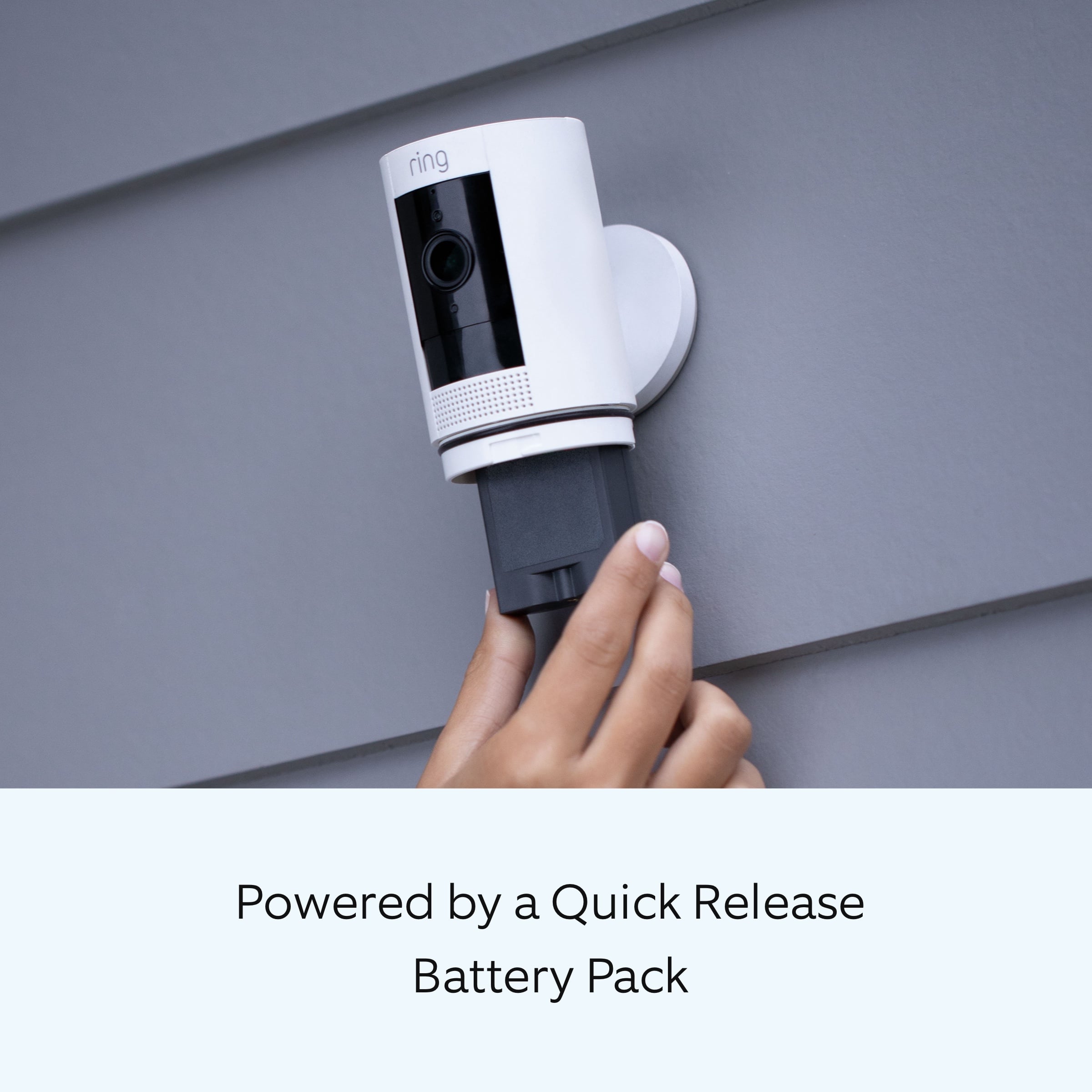
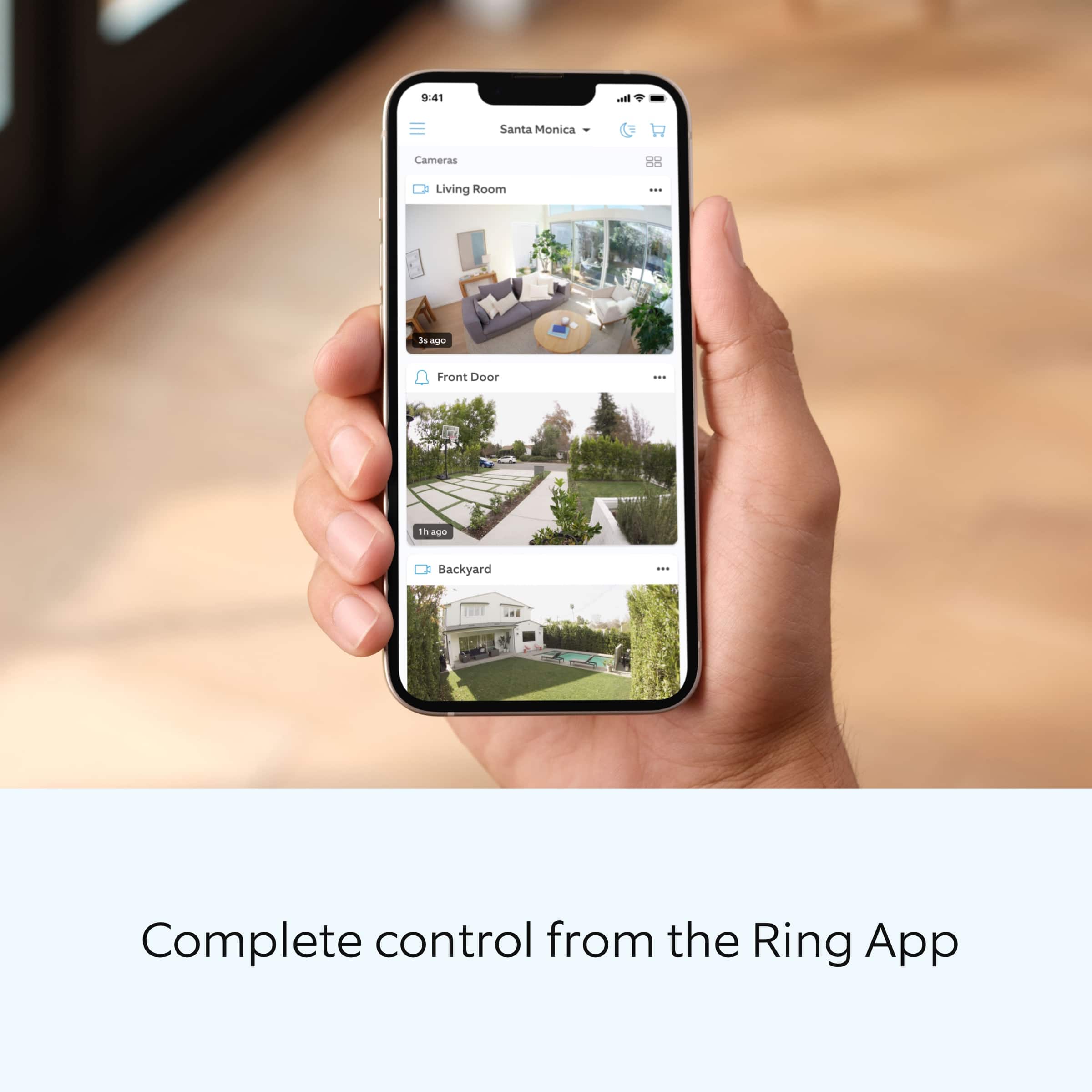


- Model:
- 8SC1S9-BEN0/B0C5QSN9YB
- SKU:
- 11332262
Rating by feature
- Value
Rating 4.6 out of 5 stars
- Quality
Rating 4.7 out of 5 stars
- Ease of Use
Rating 4.7 out of 5 stars
Customers are saying
Customers highly value the product's excellent camera quality, ease of use, and impressive battery life. They also appreciate its strong overall performance, easy installation, good night vision, and the enhanced security it provides, all at a reasonable price with a decent field of view. However, customers frequently mention concerns regarding spotty motion detection and connectivity issues. Some also find the mounting tricky and desire a more discrete size.
This summary was generated by AI based on customer reviews.
Bad Camera
||Posted . Owned for 3 weeks when reviewed.This reviewer received promo considerations or sweepstakes entry for writing a review.Hard to manage. Batteries have seriously short life.
No, I would not recommend this to a friendBrand response from Ring
Posted .Hello Badcamera,
Thank you for leaving a review. Our top priority at Ring is to ensure that our customers have the best possible experience with our products and services. We truly value our consumer's feedback, simply because it helps us improve not only the product from a consumer standpoint but also our standards of service. If you are noticing that the battery in your Ring Stickup Camera is dying we recommend adjusting your motion settings as frequent motion alerts can drain your battery faster.
While batteries in Ring devices can go months between recharges with normal use, this is dependent on a number of factors in your home’s environment such as the local weather and the number of activities captured. This article will detail some of the factors that may cause your battery to require more frequent recharges: https://support.ring.com/hc/en-us/articles/208190773.Ring Community was launched to help deliver the most current news and educational information to our neighbors. This online forum is divided into four categories: Product Boards, Ring Updates, Tips + Tricks, and a Moderators’ Corner.
The Product Boards are where you can begin new topics with your questions or feedback; there is also a search option which helps you find topics that
were already posted by other neighbors. We invite you to visit our site at https://community.ring.com/ today.
Thank you,Jamila with Ring
It works...
||Posted . Owned for 3 weeks when reviewed.This reviewer received promo considerations or sweepstakes entry for writing a review.Works well. Cannot set motion zones. Good choice to monitor smaller areas, short distance.
I would recommend this to a friendBrand response from Ring
Posted .Hello Wang.
Thank you for sharing your experience with us. We understand how critical it is for your Ring Stick Up Cam to detect motion accurately so that you can be alerted within the Ring app to any motion activity around your home. Rest assured, we are here today to provide you with some information in order to ensure you get the most out of your motion detection! We are confident we can find a solution that works well for you and your home’s environment.
It sounds like you are concerned with adjusting the motion zones for the device. It is important to ensure that you have the proper motion settings in place for your environment. This includes increasing the "Motion Sensitivity" and setting "Motion Frequency" to "Frequently" in the Ring app. To optimize your motion zones and ensure that the device will detect accurately, please follow these steps:
Open the Ring app.
Tap the menu (≡) on the top left.
Tap Devices.
Tap the relevant device.
Tap Motion Settings.
At the top, tap Edit Zones or scroll down to tap Camera Motion Zones.
Note: If you are using a battery-powered device, you may need to toggle on Advanced Motion Detection under Advanced Settings before you can add customizable Motion Zones.
To adjust an existing Motion Zone: tap the Zone you want to adjust, then drag the points of the Zone to do so. Tap Save.
To add a new Motion Zone: tap Add Zone and drag the points of the Zone. Tap Save.
Accuracy in motion detection can also be improved by enabling Smart Alerts for people only in your Ring app.
To enable Smart Alerts:
Tap the menu (≡) on the top left.
Tap Devices.
Tap the device that you want to adjust.
Tap Motion Settings.
Tap Smart Alerts.
Tap Enable Feature.
Tap Continue.
Select the notification options that you want for Person and Other Motion.
You'll see a video camera where you can select or de-select recording and a bell icon to represent alert notifications.
After you've adjusted your settings tap Done.
If any additional information is needed regarding your Ring Stick Up Cam question, please reach out to our community team. The Ring Community is our first peer-to-peer community forum, giving our customers the ability to help one another by sharing their feedback and experiences with each other.
Sincerely,
Melissa from Ring.
Ring doorbell camera
||Posted . Owned for 3 weeks when reviewed.This reviewer received promo considerations or sweepstakes entry for writing a review.Didn't meet my expectations. Didn't do what I thought it would do.
No, I would not recommend this to a friendBrand response from Ring
Posted .Hi user428189.
Thank you for taking the time to share your experience with us. At Ring, we want to ensure that you have the best possible experience with our products. Your peace of mind and security are extremely important to us. The features and technology provided by the Ring Outdoor Cam are incredibly valuable and help provide you with peace of mind about your home security. Rest assured, we hear you and are here to offer you some help.
It sounds like the device is not performing as expected. The Ring Outdoor Cam is designed with features you need to stay safe, including motion-activated notifications, 1080p HD Video, Two-Way Talk and multiple placement options.
At Ring, we believe that stronger communities are the key to safer neighborhoods. That is why we are driven to create products that help you protect what matters most at home, and empower you to connect with your visitors from wherever you are. We are saddened to read that this device did not meet your expectations but are still here to assist you. Our support team is available 24/7.
If you still have the Ring device in your possession, please reach out to our community. Ring Community is our first peer-to-peer community forum, giving our customers the ability to help one another and share their feedback and experiences directly with Ring. Join the Ring Community today!
Thank you,
Amilia from Ring.
- Cons mentioned:Motion detection
The camera was a bust
||Posted . Owned for 1 week when reviewed.This reviewer received promo considerations or sweepstakes entry for writing a review.The camera wouldn’t motion detect for a week sadly i have other ring products but this mever happened maybe a motion defect or something i did a return and that went great it was no problem!!
No, I would not recommend this to a friendBrand response from Ring
Posted .Hi Jeffrey. Motion detection is a key feature on your Stick Up Cam, and I'm glad to hear you were able to process a return with the original retailer. There are some troubleshooting steps available if you find that the motion detection doesn't appear to be working on one of your Ring devices. For more information, review this Help Center article: https://support.ring.com/hc/en-us/articles/360042728431-Advanced-Motion-Detection-in-Ring-Devices. We also have the Ring Community, our peer-to-peer forum, where you can ask other neighbors and see what solutions worked for them. You can access the Ring Community at https://community.ring.com/. Best, Ashley from Ring.
Changing modes is frustrating
||Posted . Owned for 5 months when reviewed.This reviewer received promo considerations or sweepstakes entry for writing a review.I didn't realize that you can't automatically set it to "away" by setting up the geofence. It only lets you do that with the alarm system. So you have to manually change it on the app every time you leave/arrive.
No, I would not recommend this to a friendBrand response from Ring
Posted .Hi AlyPon.
Thank you for taking the time to share your experience with us. We understand the importance of receiving alerts from your Ring Stick Up Cam as needed so that you can effectively monitor your home. The Ring Stick Up Cam was designed with customizable settings to allow for adjustability to suit your needs. We can definitely provide you with more information to ensure that you have your device set up for optimal performance to receive the alerts that you want.
It sounds like the device is not performing as expected. If you don't have a Ring Alarm, we recommend using Motion Schedules. With Motion Schedules, you can schedule periods of time when you don't want to receive Motion Alerts from your Ring camera.
For example, if you know the trash is picked up every Tuesday between 7:30 and 7:45 a.m., you may want to turn off your Motion Alerts during that time frame.
How to create a Motion Schedule
Open the Ring app.
Tap the top Menu (≡).
Tap Devices.
Select the device you'd like to apply the Motion Schedule to.
Tap Motion Settings.
Tap Motion Schedules.
Tap Add Schedule.
Name your schedule (Night Time, Morning, Evening, Custom).
Tap Continue.
Select the time frame you'd like to Turn Alerts Off or Turn Alerts On. (e.g. 1:00 a.m.- 6:00 a.m).
Tap Continue.
Select the days of the week you'd like to apply the schedule to.
Tap on the circles to enable the day you'd like to apply to the schedule.
Save your Settings.
Toggle a Motion Schedule on or off
Once you have created a Motion Schedule, it will appear in a list on the Motion Schedule page. You can toggle the item(s) on or off from the list by tapping on the toggle control button on the right.
If the toggle is blue, the rule is enabled (turned on).
If the toggle is white, the rule is disabled (turned off).
You can edit each Motion Schedule to avoid getting Motion Alerts during certain times and days.
Open the Ring app.
Tap the top Menu (≡).
Tap Devices.
Select the device you'd like to apply the Motion Schedule to.
Tap Motion Settings.
Tap Motion Schedules.
Under Motion Schedules, select the Motion Schedule you'd like to edit (e.g. Schedule 1).
Tap on the schedule you've created and edit the Name, Timeframe, and Days of the Week.
Delete a Motion Schedule
Tap on the Motion Schedule you've created under Motion Schedules.
A red trash can icon with Remove this Schedule will appear. Tap on it and confirm that you'd like to remove the Motion Schedule during the time frame you selected.
We invite you to reach out to our community if any additional information is needed regarding your question. The Ring Community is our first peer-to-peer community forum, giving our customers the ability to help one another by sharing their feedback and experiences with each other.
Thank you,
Melissa from Ring.
Battery dies very quickly
||Posted . Owned for 1 month when reviewed.This reviewer received promo considerations or sweepstakes entry for writing a review.Great picture thee only problem is the battery go dead very quickly
No, I would not recommend this to a friendBrand response from Ring
Posted .Hello Camera,
Our top priority at Ring is to ensure that our customers have the best possible experience with our products and services. We truly value your feedback, because it helps us improve not only the product from a consumer standpoint but also our standards of service.
The more events captured by your Ring Stick Up Cam, the more your battery is used to power the live HD Video stream to your device. Even if you do not answer the call, video is still sent from your Ring product to the Ring servers. If your device is capturing an excessive number of events each day, you may need to recharge your battery sooner. In addition, the battery is also drained each time you use the Live View to look or speak through your camera. To prevent excessive activity, you can adjust your motion settings to a lower sensitivity, disable certain zones, adjust the motion frequency to best fit your needs, or adjust the direction of your Ring device.
Please reach out to us directly via our community forum at https://community.ring.com/ so we can find a solution to best resolve this and ensure the device is functioning as it was intended.
Thank you,
Antonio from Ring
Ok...WiFi is spotty
||Posted . Owned for 3 weeks when reviewed.This reviewer received promo considerations or sweepstakes entry for writing a review.See above...does the job, not blown away. Spend a little more and hardwire if possible.
I would recommend this to a friendBrand response from Ring
Posted .Hi Tommy.
Thank you for taking the time to leave your rating of the Ring Stick Up Cam. We believe that stronger communities are the key to safer neighborhoods. That is why we are driven to create products that help you protect what matters most at home, and empower you to connect with your visitors from wherever you are. Together, we’ll make neighborhoods safer!
At Ring, we are constantly innovating on behalf of our customers to develop products that best meet their home and security needs, and provide them with as much choice as possible. Ring Community is our first peer-to-peer community forum, giving our customers the ability to help one another and share their feedback and experiences with Ring. We invite you to reach out at if you have any additional questions or feedback regarding your Ring Stick Up Cam. We look forward to hearing from you!
Thank you,
Melissa from Ring.
Chargeable Ring
||Posted . Owned for 3 weeks when reviewed.This reviewer received promo considerations or sweepstakes entry for writing a review.So sorry to give a bad review, but this ring is the “pits”. I charge it and within one day there is no connection and doesn’t keep WiFi and it is right in front of my router. I bought two at the time and now have to try the other one. Very disappointed. All my other ring products are great but this??????
No, I would not recommend this to a friendBrand response from Ring
Posted .Hi Lights.
Thank you for taking the time to share your experience with us. We understand the importance of having a consistent wifi signal on the Ring Stick Up Cam. Having a solid connection ensures you do not miss any activity around your home. We are here today to provide you with education to assist you in finding the best solution for your home’s environment.
It sounds like you experienced some connection issues with the device. Usually, devices falling offline repeatedly is related to poor wifi connectivity caused by signal fluctuations, channel congestion, or data loss.
To determine whether or not the problem is caused by poor upload speed, run a speed test to determine if your network can support Ring devices. In edition to ensuring that you have sufficient wifi speeds, you will also want to check the signal strength of your device. Ring devices with 1080p video require at least 1 Mbps upload and download speeds, though 2 Mbps is recommended for optimal performance.
A poor wifi signal can cause connectivity with your Ring device to be unreliable. Check the Device Health section of your Ring application to ensure the device’s RSSI is within an acceptable range. The recommended range for optimal performance is 0 to -60 for the RSSI.
If your networking equipment hasn’t been power cycled in a while, try unplugging it for 30 seconds and plugging it back in. Wireless networks utilize different channels for communication. In the United States, the 2.4 GHz band uses channels 1-11 and the 5 GHz band uses channels 36-165. In some cases, setting up your Ring device(s) can fail due to wireless interference or congestion.
We also recommend adding a Ring Chime Pro to your network. The Ring Chime Pro simply plugs into a wall outlet between your router and the Ring Stick Up Cam to assist with the wifi signal strength to the device.
If any additional information is needed regarding your Ring Stick Up Cam, please reach out to our community. Ring Community is our first peer-to-peer community forum, giving our customers the ability to help one another and share their feedback and experiences directly with Ring.
Thank you,
Amilia from Ring.
Horrible battery life for wireless
||Posted . Owned for less than 1 week when reviewed.This reviewer received promo considerations or sweepstakes entry for writing a review.Horrible Camera battery life. I wasted $60 on this it’s wireless which was a plus. But you have to charge the battery everyday if not every two days.
No, I would not recommend this to a friendBrand response from Ring
Posted .Hi GeorgeD.
Thank you for taking the time to share your experience with us. We understand the importance of having a solid charge on your Ring Stick Up Cam so that you are able to have a longer time between charge cycles. Having longevity in a battery-powered security device is crucial when it comes to monitoring your home, especially if you are away for long periods of time. We are here to provide you with some education to resolve the battery life issue you mentioned in your review.
It sounds like the device is not performing as expected. The Ring Stick Up Cam is our leading indoor and outdoor-ready security camera with flexible mounting options. There are some troubleshooting steps that you can take to ensure that you have your device set up for optimal battery-life performance. The more events captured by your Ring devices, the more your battery is used. Using "Live View" can also drain your battery faster. If your device is capturing an excessive number of events each day, you may need to recharge your battery sooner.
To prevent excessive activity, under "Motion Settings" for your device in the Ring app, you can:
Adjust your "Motion Sensitivity" slider to a lower sensitivity.
Redraw your "Customizable Motion Zones."
Change "Motion Frequency" to regularly or periodically.
You could also adjust the direction of your Ring device so it doesn't detect as much motion.
You can go to "Power Settings" in the Ring app to see what features may be draining your battery.
To access "Power Settings," open the Ring app:
Tap the menu (≡) on the top left of the dashboard.
Tap "Devices."
Tap the individual device (video doorbell or security camera) you want to check.
Tap "Power Settings" to check your "Battery Level" percentage and "Feature Power Usage."
Tap a feature to adjust "Snapshot Capture," "Motion Frequency," and "Video Recording Length.".
As cold weather sets in, lithium-ion batteries like those used in Ring Doorbells and Security Cameras may experience several issues, including trouble holding a charge, running out of power faster than normal, or losing functionality. Knowing at what temperature batteries will start to be impacted can help you take the necessary steps to keep your device working. When the temperature drops to:
36°F (3°C): The battery may not hold a charge as effectively, resulting in having to charge the unit more frequently.
32°F (0°C): The battery may not charge at all. Even hardwired configurations may not charge the battery.
-5°F (-20.5°C): The battery may stop working completely until temperatures warm up.
When it gets cold and your device's battery runs out, bring your entire device inside and charge the battery with a USB cord. This will allow your device to warm up while the battery charges.
We recommend using the Ring Solar Panel or the Ring Plug-In Adapter to assist with extending the life of the battery in your camera. The Ring Plug-in Adapter (2nd Generation) is designed to convert battery-powered cameras so that they can run using line current.
If any additional information is needed regarding your Ring Stick Up Cam, please reach out to our community. Ring Community is our first peer-to-peer community forum, giving our customers the ability to help one another and share their feedback and experiences directly with Ring.
Sincerely,
Melissa from Ring.
Took Care of Problem with Neighbors
||Posted . Owned for 4 months when reviewed.This reviewer received promo considerations or sweepstakes entry for writing a review.Works great but I needed a nerd friend to get it to work with our chromebook
I would recommend this to a friendBrand response from Ring
Posted .Hello Router,
Thank you for taking the time to share your Ring experience with us. We appreciate the value and trust you have placed in Ring for your home security needs. The Ring Stick Up Cam is designed to bring you peace of mind with reliable performance. We are pleased to read you were able to install the Ring app on your Chromebook and access your devices.
Please feel free to check out our community forum at https://community.ring.com/ for additional tips and support, if needed.
Thanks,
Alexis with Ring
Sold me used item and said it was New
||Posted . Owned for less than 1 week when reviewed.This reviewer received promo considerations or sweepstakes entry for writing a review.I am extremely disappointed with ordering this product online! Ofcourse with this pandemic going on i limit myself on how much I want to go out and not to mention I live 25minutes away from the nearest Best Buy. I ordered this product online brand new and when it arrived the boxed look more dinged up than usual as if someone already opened it. But it was delivered so I thought nothing of it. When I opened it the battery was missing from the camera and some of the tape that they put on cameras to protect the lens or camera itself. So I had to return this product waaaaay across town in store, which I try to avoid in the first place, and when I was returning it the guy didn't even care or say sorry. Best Buy you need to find different tape that doesn't say "inspected by best buy" because it makes you guys look incompetent. I will never buy anymore electronics from this store.
No, I would not recommend this to a friendBrand response from Ring
Posted .Hello STEVE,
Thank you for taking the time to share your Bestbuy experience with us. We understand the importance of a seamless delivery, as this allows you to use your Ring device right away! Rest assured, we hear you and are here to offer you some help.
In this particular case, it may be best for you to reach out to Bestbuy's customer service team and see what solutions they have for you:1 (888) 237-8289 or https://corporate.bestbuy.com/contact-corporate-responsibility/. We are confident that they will be able to provide you a resolution to the delivery concern you’ve expressed.
Also, Ring Community is our first peer-to-peer community forum, giving our customers the ability to help one another and share their feedback/experiences with Ring. We invite you to reach out at https://community.ring.com/ if any additional information or assistance is needed regarding your Ring device.
Thank you, Jamila with Ring
Security
||Posted .This reviewer received promo considerations or sweepstakes entry for writing a review.This was not purchased for our home, however I am sure they will enjoy it
I would recommend this to a friendBrand response from Ring
Posted .Hello Hometv,
Thank you for taking the time to share your Ring experience with us. We appreciate the value and trust you have placed in Ring for your home security needs. The Ring Stick Up Cam is designed to bring you peace of mind with reliable performance.
Please feel free to check out our community forum at https://community.ring.com/ for additional tips and support, if needed.
Thanks,
Alexis with Ring
- Pros mentioned:Ease of use
Hit and Miss
||Posted . Owned for 1 month when reviewed.This reviewer received promo considerations or sweepstakes entry for writing a review.We have this set up for the highest sensitivity, yet it still does not capture all movements...have tested it by walking across the room and it only worked 12 out of 20 tests. Definitely easy to install.
No, I would not recommend this to a friendBrand response from Ring
Posted .Hello Ring,
We are thankful for your feedback regarding your experience with the Ring Stickup Camera. We are constantly pushing ourselves to develop products to empower users with an affordable, effective way to monitor and secure their home. In pursuit of our mission to make neighborhoods safer, when applying technologies to our business, we always consider our three pillars of customer security, privacy, and user control. We understand how important it is to have your devices working as intended, as it offers a level of security in your home.
Based on your review, it seems that you are having trouble with your Ring Stickup Camera picking up the correct motion. The Stick Up Cam uses infrared motion capturing to detect motion, within its field of view. You can use the Ring app to determine the Stick Up Cam’s motion detection range and the specific zones where motion will trigger a smart alert. These settings help ensure that the Stick Up Cam will capture the events you want to see and ignore the ones you don’t. Here is a helpful article with more information on how to resolve motion concerns with your device: https://support.ring.com/hc/en-us/articles/213106363-How-to-Set-Up-Motion-Detection-for-Your-Stick-Up-Cam.
Also, Ring Community is our first peer-to-peer community forum, giving our customers the ability to help one another and share their experiences with Ring directly. We invite you to reach out at https://community.ring.com/ if any additional information is needed regarding your Ring Stickup Camera device and its performance.
Thank you,
Jamila with Ring
Decent camera
||Posted . Owned for 1 month when reviewed.This reviewer received promo considerations or sweepstakes entry for writing a review.the camera is nothing special the battery dies fast and volume is really low
No, I would not recommend this to a friendBrand response from Ring
Posted .Hello Caspers,
Thank you for leaving a review of the rechargeable lithium-ion battery and sharing your user experience with us. We understand how important it is to ensure that the battery is holding its proper charge and how cumbersome recharging the batteries can be. While batteries in Ring devices can go months between recharges with normal use, this is dependent on a number of factors in your home’s environment, such as the local weather and the number of activities captured. Please know that we are here to resolve these concerns with you today.
This article will detail some of the factors that may cause your battery to require more frequent recharges: support.ring.com/hc/en-us/articles/208190773. The more events are captured by your Ring device, the more your battery is used. Also, using Live View often can drain your battery faster. If your device is capturing an excessive number of events each day, you may need to recharge your battery sooner. In order to prevent excessive activity, you can adjust your motion settings to a lower sensitivity, disable certain zones, change the motion frequency to "regularly or periodically," or adjust the direction of your Ring device, so it doesn’t detect as much motion.
If after trying these steps, you are still experiencing issues, we would love to investigate this further with you. Please feel free to check out our community forum at https://community.ring.com/for additional tips and support!
Thank you,
Jamila and the Ring
Poor battery life
||Posted . Owned for 5 months when reviewed.This reviewer received promo considerations or sweepstakes entry for writing a review.Poor battery life in high motion areas even when you adjust to lowest sensitivity
I would recommend this to a friendBrand response from Ring
Posted .Hi Matt.
Thank you for taking the time to share your experience with us. We understand the importance of having a solid charge on your Ring Stick Up Cam so that you are able to have a longer time between charge cycles. Having longevity in a battery-powered security device is crucial when it comes to monitoring your home, especially if you are away for long periods of time. We are here to provide you with some education to resolve the battery life issue you mentioned in your review.
It sounds like the device is not performing as expected. There are some troubleshooting steps that you can take to ensure that you have your device set up for optimal battery-life performance. The more events captured by your Ring Stick Up Cam, the more your battery is used. Using "Live View" can also drain your battery faster. If your device is capturing an excessive number of events each day, you may need to recharge your battery sooner.
To prevent excessive activity, under "Motion Settings" for your device in the Ring app, you can:
Adjust your "Motion Sensitivity" slider to a lower sensitivity.
Redraw your "Customizable Motion Zones."
Change "Motion Frequency" to regularly or periodically.
You could also adjust the direction of your Ring device so it doesn't detect as much motion.
You can go to "Power Settings" in the Ring app to see what features may be draining your battery.
To access "Power Settings," open the Ring app:
Tap the menu (≡) on the top left of the dashboard.
Tap "Devices."
Tap the individual device (video doorbell or security camera) you want to check.
Tap "Power Settings" to check your "Battery Level" percentage and "Feature Power Usage."
Tap a feature to adjust "Snapshot Capture," "Motion Frequency," and "Video Recording Length.".
Accuracy in motion detection can also be improved by enabling the "Smart Alerts" feature for people only in your Ring app. To enable "Smart Alerts", please follow these steps:
Tap the menu (≡) on the top left.
Tap "Devices."
Tap the device that you want to adjust.
Tap "Motion Settings."
Tap "Smart Alerts."
Tap "Enable Feature."
Tap "Continue."
Select the notification options that you want for "Person" and "Other Motion."
You'll see a video camera where you can select or de-select recording and a bell icon to represent alert notifications.
After you've adjusted your settings, tap "Done."
If any additional information is needed regarding your Ring Stick Up Cam, please reach out to our community. Ring Community is our first peer-to-peer community forum, giving our customers the ability to help one another and share their feedback and experiences directly with Ring.
Thank you for being the best part of Ring! Have a wonderful day!
Sincerely,
Melissa from Ring.
Let down
||Posted . Owned for 1 month when reviewed.This reviewer received promo considerations or sweepstakes entry for writing a review.Lag a lot time picture quality goes in and out I’ll be returning them
No, I would not recommend this to a friendBrand response from Ring
Posted .Hello Robt,
The Ring Stick Up Cam is designed to connect you to 1080p HD video consistently and reliably. We understand how important the video feature is, as this allows you to see your visitors. Poor video quality or connectivity can sometimes be caused by a wifi issue. We recommend running a distance test in order to discover what video resolution you are receiving at your router, compared to how it performs when mounted. For the best results, please do the following:
1. Remove your Ring Camera from its mounting and bring it into the same room as your wifi router.
2. Be sure you've turned off your cellular data and connected to the same 2.4GHz wifi network as your Ring device.
3. Open your Ring app on your smart-phone or tablet.
4. Trigger a motion event on your Ring Camera.
5. Examine the resulting video.
There are two possibilities that will occur during the distance test: the device will have crisp and clear video as it is intended to have, or the video will still be of poor quality.
If you find that the video is clear and you are connected fast, then we recommend improving the wifi signal to your Ring camera by connecting it to a wifi extender, such as the Ring Chime Pro. However, if you find that the video is still of poor quality or takes too long to load, then you will want to address issues with your wifi speeds.
Please reach out to us today at https://community.ring.com/ for additional tips and support, if needed.
Thanks,
Alexis with Ring
Solo
||Posted . Owned for 4 months when reviewed.This reviewer received promo considerations or sweepstakes entry for writing a review.Great product. Wish there was a way to add a SD card for local storage
I would recommend this to a friendBrand response from Ring
Posted .Hello Solo,
Our top priority at Ring is to ensure that our customers have the best possible experience with our products and services. We truly value your feedback, because it helps us improve not only the product from a consumer standpoint but also our standards of service.
Out of the box, your Ring Stick Up Cam is designed to keep you connected to your home in real time, no matter where you are. When you add an optional Ring Protect Plan, for as little as $3/month per device, videos of each ring, motion, and live view event are stored in the cloud, allowing you to review, share, and save them at your leisure.
For any additional installation questions or set up concerns, please feel free to reach out on our community forum at https://community.ring.com/. You can also visit our help site, https://support.ring.com/hc/en-us, for tips & tricks, videos and help articles for all our Ring products.
Thank you,
Antonio from Ring
returned
||Posted . Owned for 5 months when reviewed.This reviewer received promo considerations or sweepstakes entry for writing a review.had to return this product because it was limited in what it could do
I would recommend this to a friendBrand response from Ring
Posted .Hello EEG3,
Thank you for taking a moment to leave your review on the Ring Stick Up Camera Battery. We sincerely appreciate it! At Ring, we believe that stronger communities are the key to safer neighborhoods. That is why we are driven to create products that help you protect what matters most at home, and empower you to connect with your visitors from wherever you are. We are saddened to read that this device did not meet your expectations.
If you still have the Ring device in your possession, we invite you to reach out to us at https://community.ring.com/. Ring Community is our first peer-to-peer community forum, giving our customers the ability to help one another and share their personal feedback/experiences with Ring. We look forward to hearing from you, if we can be of any further assistance!
Thank you,
Alexis with Ring
not good for out door use
||Posted . Owned for 1 week when reviewed.This reviewer received promo considerations or sweepstakes entry for writing a review.keep disconnecting wouldn't recommend for outdoor use
No, I would not recommend this to a friendBrand response from Ring
Posted .Hello Greek,
We are thankful for your feedback regarding your experience with the Ring Stickup Camera. We are constantly pushing ourselves to develop products to empower users with an affordable, effective way to monitor and secure their home. In pursuit of our mission to make neighborhoods safer, when applying technologies to our business, we always consider our three pillars of customer security, privacy, and user control. We understand how important it is to have your devices working as intended, as it offers a level of security in your home.
After reading your review, it seems that your Ring Stickup Camera is having trouble staying connected to your home wifi. When this occurs, we recommend rebooting your wifi modem and router. Since your router and modem are usually the hardest-working devices in your house, for optimal performance, you should reboot them about once a month. To reboot routers or modems, follow the instructions below:
Unplug your router or modem from its power supply (don’t just turn it off).
If your router and modem are separate, unplug both of them.
Wait at least 30 seconds, then plug them back in.
Wait for your internet to be restored.
Here is a helpful article which walks you through additional steps to take if the issue still persists for you after your modem/router reboot: https://support.ring.com/hc/en-us/articles/217240386-In-app-Setup-Failing-Repeatedly.
Additionally, if you have not already, please check out our Ring Community forum where other Ring users, like yourself, have an open discussion platform to share their experiences, as well as solutions to issues experienced: https://community.ring.com/.
Thank you, Jamila with Ring.
Ring stick cam
||Posted . Owned for 3 weeks when reviewed.This reviewer received promo considerations or sweepstakes entry for writing a review.So far it’s good, buy an extra battery just in case you use it alot, I normally have it off and only turn it on to watch my corgi while im at worm
I would recommend this to a friend