Customer Ratings & Reviews


- Model:
- 8SC1S9-BEN0/B0C5QSN9YB
- SKU:
- 11332262
Rating by feature
- Value
Rating 4.6 out of 5 stars
- Quality
Rating 4.7 out of 5 stars
- Ease of Use
Rating 4.7 out of 5 stars
Customers are saying
Customers highly value the product's excellent camera quality, ease of use, and impressive battery life. They also appreciate its strong overall performance, easy installation, good night vision, and the enhanced security it provides, all at a reasonable price with a decent field of view. However, customers frequently mention concerns regarding spotty motion detection and connectivity issues. Some also find the mounting tricky and desire a more discrete size.
This summary was generated by AI based on customer reviews.
Goes offline all the time worthless dont buy
Posted .This reviewer received promo considerations or sweepstakes entry for writing a review.I have super high wifi. And extenders throughout my home. In fact the one that keeps going off line isnt 8 feet from a booster. It goes offline and doesn’t correct itself for days, then itll randomly come on. And, reconnecting to the internet never works using the prompts by Ring. It also will fire off notifications every 30 seconds to 1 minute for hours and hours. And nothing has even walked near the camera. For $99 you’d be better off just buying some cheaper cameras, and getting 2-3 for the price of this useless camera. The ring doorbell works wonderful. The stick up ones are junk.
No, I would not recommend this to a friendBrand response from Ring
Posted .Hey Lakemom
We appreciate you sharing your feedback. We have this Help Center page with a few more steps to try for a Ring device that keeps falling offline: bit.ly/3H7dBAr.
Best wishes
Ivan from Ring
Camera
Posted .This reviewer received promo considerations or sweepstakes entry for writing a review.Had some issues with errors and capturing activity.
I would recommend this to a friendBrand response from Ring
Posted .Hello videos,
We are thankful for your feedback regarding your experience with the Ring Stickup Camera. We are constantly pushing ourselves to develop products to empower users with an affordable, effective way to monitor and secure their home. In pursuit of our mission to make neighborhoods safer, when applying technologies to our business, we always consider our three pillars of customer security, privacy, and user control. We understand how important it is to have your devices working as intended, as it offers a level of security in your home.
Based on your review, it seems that you are having trouble with your Ring Stickup Camera picking up the correct motion. The Stick Up Cam uses infrared motion capturing to detect motion, within its field of view. You can use the Ring app to determine the Stick Up Cam’s motion detection range and the specific zones where motion will trigger a smart alert. These settings help ensure that the Stick Up Cam will capture the events you want to see and ignore the ones you don’t. Here is a helpful article with more information on how to resolve motion concerns with your device: https://support.ring.com/hc/en-us/articles/213106363-How-to-Set-Up-Motion-Detection-for-Your-Stick-Up-Cam.
Also, Ring Community is our first peer-to-peer community forum, giving our customers the ability to help one another and share their experiences with Ring directly. We invite you to reach out at https://community.ring.com/ if any additional information is needed regarding your Ring Stickup Camera device and its performance.
Thank you,
Jamila with Ring
Video Cam
Posted .This reviewer received promo considerations or sweepstakes entry for writing a review.I returned the item and bought a different set up (Blink Cams).
No, I would not recommend this to a friendBrand response from Ring
Posted .Hello GardenCam,
Thank you for taking a moment to leave your review on the Ring Stick Up Camera. We sincerely appreciate it! At Ring, we believe that stronger communities are the key to safer neighborhoods. That is why we are driven to create products that help you protect what matters most at home, and empower you to connect with your visitors from wherever you are. We are saddened to read that this device did not meet your expectations.
If you still have the Ring device in your possession, we invite you to reach out to us at https://community.ring.com/. Ring Community is our first peer-to-peer community forum, giving our customers the ability to help one another and share their personal feedback/experiences with Ring. We look forward to hearing from you, if we can be of any further assistance.
Thank you,
Alexis with Ring
Not reliable on Solar
Posted .This reviewer received promo considerations or sweepstakes entry for writing a review.I use a solar panell but it does not stay charged so it is off most of the time. Picture is good but battery life sucks
No, I would not recommend this to a friendBrand response from Ring
Posted .Hi RichardS.
Thank you for taking the time to share your experience with us.
We understand the importance of having a solid charge on your Ring Stickup Cam so that you are able to have a longer time between charge cycles. Having longevity in a battery-powered security device, such as the Ring Stickup Cam, is crucial when it comes to monitoring your home, especially if you are away for long periods of time. We are here to provide you with some information to resolve the concern you mentioned in your review.
It sounds like you are enjoying the features of your Ring Stickup Cam, but you have some concerns with the battery life. The rechargeable battery can go months between recharges with normal use. This is dependent on a number of factors in your home’s environment, such as the local weather and the number of activities captured.
Ring solar devices require 3 to 4 hours of direct sunlight a day. If the weather is cloudy or you get a lot of snow, this would limit the hours of direct sunlight your device is receiving, which would lessen the charge. Colder temperatures can also cause excessive drain to your lithium-ion battery.
If your battery life is still relatively short even with plenty of direct sunlight, motion events are probably draining the power, and you will likely need to recharge your battery sooner. Using Live View often can also drain your battery faster.
To prevent excessive activity notifications, adjust your Motion Settings to a lower sensitivity, disable certain zones, change Motion Frequency to Regularly or Periodically, or adjust the direction of your Ring device so it doesn't detect as much motion.
Visit our support center for more information.
Ring Community was launched to help deliver the most current news and educational information to our neighbors. This online forum is divided into four categories: Product Boards, Ring Updates, Tips + Tricks, and a Moderators’ Corner. The Product Boards are where you can begin new topics with your questions or feedback; there is also a search option that helps you find topics that have already been posted by other neighbors.
All the best,
Nicole from Ring.
Do not buy if going away
Posted .This reviewer received promo considerations or sweepstakes entry for writing a review.We purchased before leaving for 3 months, the day after power outage, camera down and it can only be reset if someone is there to reset the modem or camera . No one advised us of this, luckily we have the security system as backup. But the wired version.
No, I would not recommend this to a friendBrand response from Ring
Posted .Hi Barbie1.
Thank you for taking the time to share your experience with us. We understand the importance of having all relevant product information prior to purchasing. The features and technology provided by the Ring Outdoor Cam (Formerly known as the Ring Stick Up Cam) are incredibly valuable and help provide you with peace of mind about your home security. We can definitely provide you with more information regarding the concern mentioned in your review.
It sounds like the device is not performing as expected. Your Ring Camera or Doorbell should automatically reconnect to wifi after a temporary wifi or power outage. If your Ring device doesn't automatically reconnect, the issue may be that the signal is not strong enough. If the signal is weak or unstable, your Ring device will have a harder time being able to reconnect after an outage. You can check the signal strength of your device by accesssing the Device Health section of your Ring application.
For more information on your Ring Outdoor Cam, we invite you to reach out to our community. Ring Community is our first peer-to-peer community forum, giving our customers the ability to help one another and share their personal feedback and experiences with Ring. We look forward to hearing from you if we can be of any further assistance!
Thank you,
Miyuki from Ring.
Garbage
Posted .This reviewer received promo considerations or sweepstakes entry for writing a review.My car was broken into and the camera didn’t record it. From the battery dying fast, to delays in the recordings, missed records I’ve had enough of this worthless garbage. Try calling customer service and tell them your car was broken into, let’s see what they tell you, because they basically told me that’s too bad, they’re nothing we can do.
No, I would not recommend this to a friendBrand response from Ring
Posted .Hi Chaseone.
Thank you for taking the time to share your experience with us.
We understand how critical it is for your Ring Stick Up Cam Battery perform consistently and reliably. The features and technology provided by the Ring Stick Up Cam Battery are incredibly valuable and help provide you with peace of mind about your home security. We are here today to provide you with solutions that will assist you in finding the best device settings for your home’s environment.
It sounds like you have some concerns regarding the battery life and motion detection of your device. The rechargeable battery can go months between recharges with normal use. However, this is dependent on a number of factors in your home’s environment, such as the local weather and the number of activities captured. You can go to Power Settings in the Ring app to see what features may be draining your battery.
To access Power Settings, open the Ring app:
Tap menu (≡) on the top left of the Dashboard.
Tap Devices
Tap the individual device (video doorbell or security camera) you want to check
Tap Power Settings to check your Battery Level percentage and Feature Power Usage
Tap a feature to adjust Snapshot Capture, Motion Frequency and Video Recording Length
Adjusting these settings can impact both the battery life and the motion events you see. Specifically, the motion frequency control allows you to reduce alerts from repetitive patterns of motion or increase alerts so you get notified about the motion events that matter to you.
How to adjust Motion Frequency
Tap the menu (≡) on the top left of the Dashboard.
Tap Devices.
Select the device you'd like to adjust.
Tap Motion Settings.
Tap Advanced Settings.
Tap Motion Frequency.
Select Frequently, Regularly or Periodically.
Frequently: Motion detection always stays active. Shortest battery life.
Regularly: Motion detection takes a short break after each motion alert. Medium battery life.
Periodically: Motion detection takes a longer break after each alert. Maximum battery life.
Tap Save in the upper-right corner.
Visit our support center for more tips and tricks to optimize the performance of your Ring Stick Up Cam Battery.
Ring Community was launched to help deliver the most current news and educational information to our neighbors. This online forum is divided into four categories: Product Boards, Ring Updates, Tips + Tricks, and a Moderators’ Corner. The Product Boards are where you can begin new topics with your questions or feedback; there is also a search option that helps you find topics that have already been posted by other neighbors.
All the best,
Nicole from Ring.
- Cons mentioned:Connectivity
Simply horrible
Posted .This reviewer received promo considerations or sweepstakes entry for writing a review.When they work they’re ok but don’t connect 9/10 tries. Useless garbage.
No, I would not recommend this to a friendBrand response from Ring
Posted .Hello Scootir,
We are thankful for your feedback. We are constantly pushing ourselves to develop products to empower users with an affordable, effective way to monitor and secure their home. In pursuit of our mission to make neighborhoods safer, when applying technologies to our business, we always consider our three pillars of customer security, privacy, and user control. We understand how important it is to have your devices working as intended as it offers a level of security in your home.
Based on your review, it seems that you are not fully satisfied with your Ring Stickup Camera. If your device is not working as intended we recommend resetting your device. To reset your Stickup Camera.press and hold the setup button for 10-15 seconds and release. Once the white light on the the device stops blinking proceed with the setup process. Please see our help center article for further help:https://support.ring.com/hc/en-us/articles/115001989986-Setting-Up-Your-Ring-Stick-Up-Cam-in-the-Ring-App.
If you still have the Ring device in your possession, we invite you to reach out to us at https://community.ring.com/. We look forward to hearing from you, if you have any further feedback regarding your overall experience.
Thank you,
Jamila with Ring
You pay $3.99 a month To download videos.
Posted .This reviewer received promo considerations or sweepstakes entry for writing a review.I was kinda weird that I had to pay 3.99 A month in order to download. the videos. I'm so disappointed. I like to well, that wouldn't be nice. I'm just not happy with them. Why would I want them if I couldn't download the videos? Useless.
No, I would not recommend this to a friendBrand response from Ring
Posted .Hi sick.
Thank you for taking the time to share this feedback with us.
We understand the importance of having all relevant product information prior to purchasing. Being able to save, download, and review footage captured by your Ring Stick Up Cam is a valuable feature of the Ring Protect Plan. We can definitely provide you with more information regarding the concern mentioned in your review.
It sounds like there was some confusion regarding the optional Ring Protect Plan. The Ring Protect Plan is a subscription that gives you access to paid features for Ring devices. With a Ring Protect Plan, you can save, review, and share video recordings from your Ring devices to your Ring account.
Without a Ring Protect Plan, you can still view real-time video for Ring doorbells and cameras and answer doorbell notifications when they happen, but you don’t get video recordings of those events. Visit our support center for more information.
Ring Community was launched to help deliver the most current news and educational information to our neighbors. This online forum is divided into four categories: Product Boards, Ring Updates, Tips + Tricks, and a Moderators’ Corner. The Product Boards are where you can begin new topics with your questions or feedback; there is also a search option that helps you find topics that have already been posted by other neighbors.
All the best,
Nicole from Ring.
Do not buy buyer beware
Posted .This reviewer received promo considerations or sweepstakes entry for writing a review.This camera does not record 27/7 it skips so much footage I do not recommend I bought it to record my cars and it’s useless
No, I would not recommend this to a friendBrand response from Ring
Posted .Hi PriscillaM.
Thank you for taking the time to share your experience with us. We understand how important it is to have your Ring Stick Up Cam capture all the correct motion events. The Ring Stick Up Cam was designed to capture motions based on your specifications to help keep your home secure. We are here to provide you with some information to resolve the issue you mentioned in your review.
It sounds like the device is not performing as expected in regards to person detection. It is important to ensure that you have the proper motion settings in place for your environment. This camera uses adjustable motion detection and runs on passive infrared sensors. The system identifies visitors via a moving heat signature and sends a notification to your smart device when one is detected. You can adjust three preset motion zones and their distances under the "Motion Settings" tab on the device's page in the Ring app. Additionally, you can choose how often the camera checks for movement in those predefined zones via the "Motion Frequency" setting. If you find that your camera is missing some motions, please set the motion frequency to "Frequently."
Accuracy in motion detection can also be improved by enabling the "Smart Alerts" feature for people and other motion in your Ring app. To enable "Smart Alerts," please follow these steps:
Tap the menu (≡) on the top left.
Tap "Devices."
Tap the device that you want to adjust.
Tap "Motion Settings."
Tap "Smart Alerts."
Tap "Enable Feature."
Tap "Continue."
Select the notification options that you want for "Person" and "Other Motion."
You'll see a video camera where you can select or de-select recording and a bell icon to represent alert notifications.
After you've adjusted your settings, tap "Done."
If any additional information is needed regarding your Ring Stick Up Cam, please reach out to our community. Ring Community is our first peer-to-peer community forum, giving our customers the ability to help one another and share their feedback and experiences directly with Ring.
Thank you,
Melissa from Ring.
Not as described, confusing.
Posted .This reviewer received promo considerations or sweepstakes entry for writing a review.The package came open and stuff was missing from inside. I was not able to install because the special tool that is used to open the thing was not included. BestBuy won't even pay to have the thing returned. I will never buy from BestBuy again or Ring again. Thanks for wasting my time and money you criminals!
No, I would not recommend this to a friendBrand response from Ring
Posted .Hello AngryCustomer,
Thank you for taking the time to share your experience with us. We understand the importance of a seamless installation process, as this allows you to start using your Ring Stickup Camera right away. What you describe is not the experience we want you to have, rest assured we hear you and are here to offer you some assistance.
In this particular case, we’d suggest you reach out to Best Buy’s customer service: 1-888-237-8289 or https://www.bestbuy.com/services/triage/home. We are confident that they will be able to provide you resolution to the installation concerns you have described.
If you need assistance from Ring, Ring Community is our first peer-to-peer community online forum, giving our customers the ability to help one another and share their feedback directly with Ring.
We invite you to reach out at https://community.ring.com/ if any additional installation information is needed regarding your Ring device. We are eager to turn around your experience!
Thank you, Jamila with Ring.
Dead Camera
Posted .This reviewer received promo considerations or sweepstakes entry for writing a review.Stopped working after 5 days. I’m very unimpressed.
No, I would not recommend this to a friendBrand response from Ring
Posted .Hello WTak.
Thank you for taking the time to share your feedback with us. We understand how important it is for your Ring Stick Up Cam to function consistently and reliably, so you are alerted to any wanted or unwanted activity in or around your home. The features and technology provided by the Ring Stick Up Cam are incredibly valuable and help provide you with peace of mind about your home security. Rest assured, we hear you and are here to offer you some help.
It sounds like your Ring Stick Up Cam is not performing as expected. We would love the opportunity to share with you some troubleshooting steps that you can try to get your Ring Stick Up Cam functioning as intended. If your device is unresponsive, try pressing and holding the reset button for 20 seconds.
Follow these steps in the Ring app to reconnect the Ring Stick Up Cam to your wifi network:
1. Open the Ring app.
2. Tap the menu (≡).
3. Tap "Devices" and select the camera you'd like to reconnect to wifi.
4. Tap the "Device Health" tile.
5. Under "Network," tap "Change Network" and follow the prompts in the app.
Allow some time for your device to fully reconnect to the network, then check your wifi signal strength in "Device Health" to confirm it has successfully reconnected.
If you still have the Ring device in your possession, we invite you to reach out to our community. Ring Community is our first peer-to-peer community forum, giving our customers the ability to help one another and share their personal feedback and experiences with Ring. We look forward to hearing from you. Please let us know if we can be of any further assistance!
Thank you,
Amilia from Ring.
Not for the outdoors
Posted .This reviewer received promo considerations or sweepstakes entry for writing a review.Not happy with this Stick up Cam try to keep it but it wasn’t working properly. Never stayed connected to Wi-Fi always had to reset it. Not a reliable camera for outdoors.
No, I would not recommend this to a friendBrand response from Ring
Posted .Hi user262151.
Thank you for sharing your experience with us!
We understand how critical it is to be able to monitor the comings and goings of your home while the Ring Stick Up Cam Battery stays connected to your home’s wifi network properly. The Ring Stick Up Cam Battery was designed to work both indoors and outdoors with the proper connection. We would love to help get everything working for you quickly! Ensuring there is a solid network connection so you do not miss a notification is our top priority.
It sounds like your device is continuously falling offline. If a device frequently goes offline, it usually lacks a strong wifi signal.The Ring app can be used to check your RSSI (received signal strength indicator) and optimize your wifi signal strength.
To check your RSSI in the Ring app:
1. Tap the three lines (☰) on the top left corner of the dashboard.
2. Tap Devices and select any of your Ring devices.
3. Tap Device Health.
4. Under "Network," look for "Signal Strength."
Your RSSI in the Ring app will be green, amber, or red to indicate connection strength. If it shows amber or red, you may need to improve the signal to the device. Visit our support center for some quick tips on how to get a stronger wifi signal for your Ring device: https://support.ring.com/hc/en-us/articles/217271526-Understanding-RSSI-and-Wifi-Signal-Strength.
Ring Community is our first peer-to-peer community forum, giving our customers the ability to help one another and share their feedback and experiences with Ring. We invite you to reach out at https://community.ring.com/ if any additional information is needed regarding your concern.
All the best,
Nicole from Ring.
Buyer Beware
Posted .This reviewer received promo considerations or sweepstakes entry for writing a review.Amazon jams the wifi signal when they deliver a package. I guess to avoid thier actions being recorded. FYI Amazon owns Ring.
No, I would not recommend this to a friendBrand response from Ring
Posted .Hi there, I understand wanting to ensure your packages are safely delivered. Like many other smart devices, Ring devices may be affected by illegal targeted
attempts to interfere with their Wi-Fi connection. For concerns with your network security, we always recommend getting in touch with your internet service provider. They can help review your network security settings and make any adjustments needed. If you're experiencing connectivity concerns with your Ring devices, feel free to reach out on the Ring Community https://community.ring.com/ for assistance from other neighbors. All the best, Ashley from Ring.
Battery
Posted .This reviewer received promo considerations or sweepstakes entry for writing a review.Battery went bad after 2 weeks. Charge it up then as soon as the camera turns on it dies.
No, I would not recommend this to a friendBrand response from Ring
Posted .Hi JosephJ.
Thank you for sharing this feedback with us.
We understand the importance of having a solid charge on your Ring Stick Up Cam Battery so that you can have a longer time between charge cycles. The features and technology provided by the Ring Stick Up Cam Battery are incredibly valuable and help provide you with peace of mind about your home security. Rest assured, we are here to provide you with a concrete resolution as quickly as possible.
It sounds like the battery in your device is not showing a full charge after charging it. To charge your battery, use a common Micro-USB cable, such as the orange one included in your Ring box. Plug it into any USB power source. The battery can take around 5–10 hours to fully charge, depending on whether the USB cable is plugged into a USB port or a wall outlet.
The battery charge percentage will not change in the Ring app until the fully charged battery is reinserted into the device and the device is online. Visit our support center for additional information.
Ring Community was launched to help deliver the most current news and educational information to our neighbors. This online forum is divided into four categories: Product Boards, Ring Updates, Tips + Tricks, and a Moderators’ Corner. The Product Boards are where you can begin new topics with your questions or feedback; there is also a search option that helps you find topics that have already been posted by other neighbors.
All the best,
Nicole from Ring.
Ring Camera
Posted .This reviewer received promo considerations or sweepstakes entry for writing a review.Battery doesn’t hold charge, hasn’t even be 30 days yet.
No, I would not recommend this to a friendBrand response from Ring
Posted .Hi AlondraM.
Thank you for taking the time to share your experience with us.
We understand how important it is for your Ring Stick Up Cam battery to last for extended periods of time. Having longevity in a battery-powered security device, such as the Ring Stick Up Cam, is crucial when it comes to monitoring your home, especially if you are away for long periods of time. We are here to provide you with some information to resolve the concern you mentioned in your review.
It sounds like your battery is draining more quickly than expected. The rechargeable battery in the Ring Stick Up Cam can go months between recharges with normal use. This is dependent on a number of factors in your home’s environment, such as the local weather and the number of activities captured. The more events captured by your Ring devices, the more your battery is used. Using Live View often can also drain your battery faster. If your device is capturing an excessive number of events each day, you may need to recharge your battery sooner. To prevent excessive activity, under Motion Settings for your device in the Ring app, you can:
Adjust your motion sensitivity slider to a lower sensitivity.
Redraw your customizable motion zones.
Change the motion frequency to regularly or periodically.
You could also adjust the direction of your Ring device so it doesn't detect as much motion.
Visit our support center for more information.
Ring Community was launched to help deliver the most current news and educational information to our neighbors. This online forum is divided into four categories: Product Boards, Ring Updates, Tips + Tricks, and a Moderators’ Corner. The Product Boards are where you can begin new topics with your questions or feedback; there is also a search option that helps you find topics that have already been posted by other neighbors.
All the best,
Nicole from Ring.
Junk
Posted .This reviewer received promo considerations or sweepstakes entry for writing a review.The camera works when it wants. Not good for security. It is complete garbage.
No, I would not recommend this to a friendBrand response from Ring
Posted .Hi DaveL.
Thank you for taking the time to share your experience with us. We understand how important it is for your Ring Stick Up Cam to function consistently and reliably, so you are alerted to any wanted or unwanted activity in or around your home. The features and technology provided by the Ring Stick Up Cam are incredibly valuable and help provide you with peace of mind about your home security.
It sounds like the device is not performing as expected. It is important to ensure that you have the proper motion settings in place for your environment. This camera uses adjustable motion detection and runs on passive infrared sensors. The system identifies visitors via a moving heat signature and sends a notification to your smart device when one is detected. You can adjust three preset motion zones and their distances under the "Motion Settings" tab on the device's page in the Ring app. Additionally, you can choose how often the camera checks for movement in those predefined zones via the "Motion Frequency" setting. If you find that your camera is missing some motions, please set the motion frequency to "Frequently."
We invite you to reach out to our community if any additional information is needed regarding your Ring Stick Up Cam. The Ring Community is our first peer-to-peer community forum, giving our customers the ability to help one another by sharing their feedback and experiences with each other.
Thank you,
Melissa from Ring.
Camera
Posted .This reviewer received promo considerations or sweepstakes entry for writing a review.the batteries do not charge I think don’t recommend
No, I would not recommend this to a friendBrand response from Ring
Posted .Hi JoseR.
Thank you for taking the time to share your experience with us.
We understand the importance of having a solid charge on your Ring Stick Up Cam battery device. It is critical for a home security device to have enough power to keep your device online and ready to protect you. We can definitely assist you with this today to ensure your Ring device is working as intended.
It sounds like the battery is not charging as expected. To charge the battery for your Ring Stick Up Cam, follow these steps:
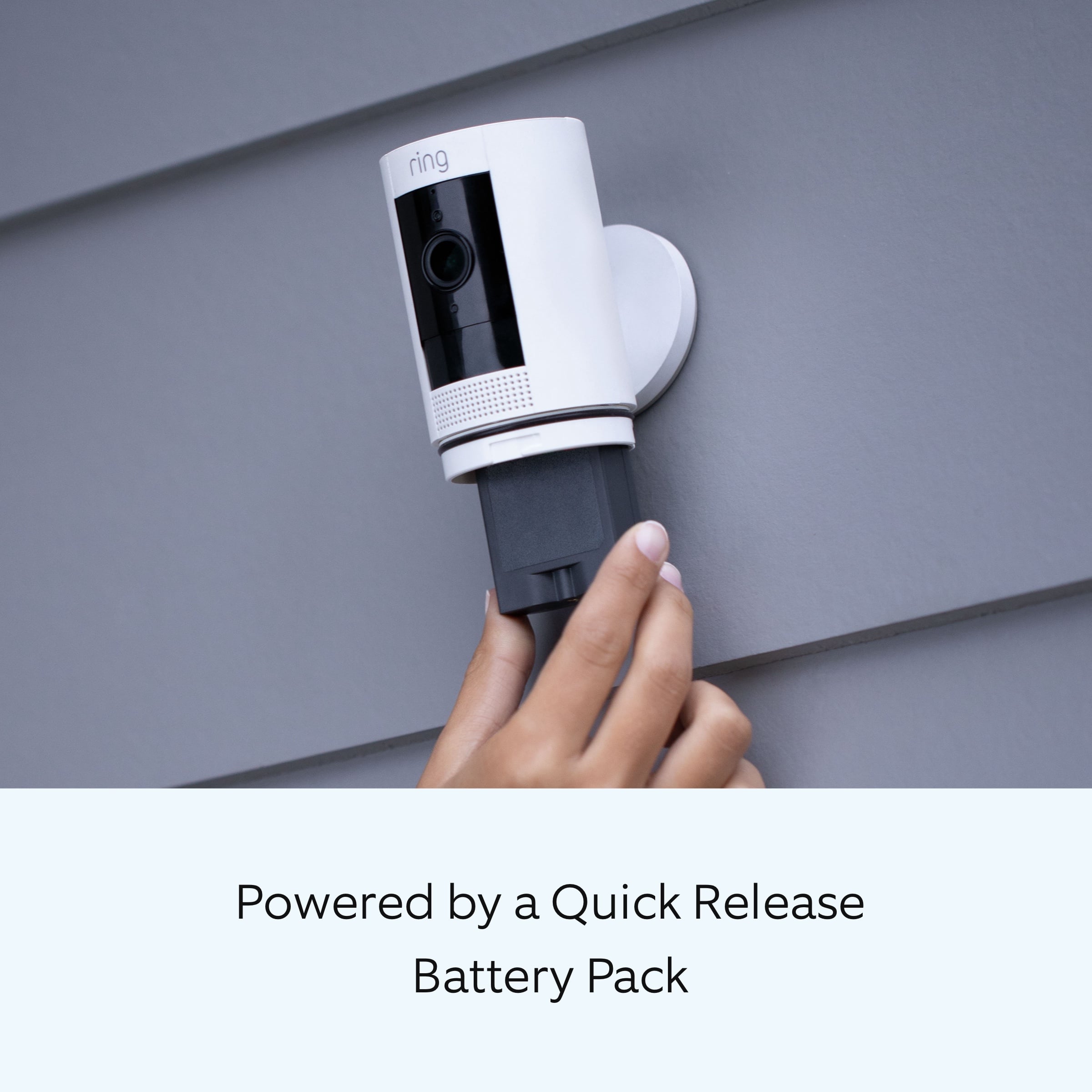
Open the battery compartment by twisting the battery cover counter-clockwise to unlock it, then removing it from your Stick Up Cam.
Remove the battery by pressing the release tab.
Plug your Micro-USB cable into the battery's charging port. Your battery is fully charged when only the solid green light is on.
Slide the fully charged battery back into the Stick Up Cam until it clicks in place.
Place the battery cover back onto your Stick Up Cam.
Please note that the battery charge percentage will not change in the Ring app until the fully charged battery is reinserted into the device.
Ring Community was launched to help deliver the most current news and educational information to our neighbors. This online forum is divided into four categories: Product Boards, Ring Updates, Tips + Tricks, and a Moderators’ Corner. The Product Boards are where you can begin new topics with your questions or feedback; there is also a search option that helps you find topics that have already been posted by other neighbors.
All the best,
Nicole from Ring.
Ring Camera not what I expected
Posted .This reviewer received promo considerations or sweepstakes entry for writing a review.Did not perform the way I expected even after making changes. Very unsatisfied and returned the item today
No, I would not recommend this to a friendBrand response from Ring
Posted .Hello kidd,
Thank you for taking a moment to leave your review of the Ring Stickup Camera. At Ring, we believe that stronger communities are the key to safer neighborhoods. That is why we are driven to create products that help you protect what matters most at home, and empower you to connect with your visitors from wherever you are. We are saddened to read that this device did not meet your expectations, but are still here to assist you, if needed.
If you still have the Ring device in your possession, we invite you to reach out to us at https://community.ring.com/. Ring Community is our first peer-to-peer community forum, giving our customers the ability to help one another and share their personal feedback/experiences with Ring. We look forward to hearing from you, if we can be of any further assistance!
Thank you, Jamila with Ring.
me
Posted .This reviewer received promo considerations or sweepstakes entry for writing a review.I am being told a 45 minuet wait for customer service. 4 of my cameras will not turn on
No, I would not recommend this to a friendBrand response from Ring
Posted .Hello Tomjh,
We know how important it is to have peace of mind when it comes to your home security. Your Ring Stick Up Cam's are intended to provide this for you. Please know that we are here to assist and are confident that we can find you a resolution in a timely manner.
The Ring Stick Up Cam is designed to work in many environments to provide you with peace of mind and security. Please be sure to push the included power cord in firmly, until you hear a click. Next, if you're not able to successfully complete a setup, try rebooting your modem and/or router. Since your router and modem are usually the hardest working devices in your house, these devices like to be rebooted about once a month for optimal performance.
Your Stick Up Cam has an LED light located on the front to show you the status of your unit. A blinking blue light can indicate several different statuses, including setup mode, or in most cases the device is doing a firmware update after setup is complete.
Please reach out to us directly via our community forum at https://community.ring.com/ so we can find a solution to best resolve this and ensure the device is functioning as it was intended.
Thank you,
Antonio from Ring
Easy to set up/ quality questionable
Posted .This reviewer received promo considerations or sweepstakes entry for writing a review.Bought it and setup with ease. The battery however would not stay charged more than a couple days and then when I recharged it the same thing happened. When it stays charged just a great item but there’s obviously something defective with this one.
No, I would not recommend this to a friendBrand response from Ring
Posted .Hi MarkcG. I'm glad to hear your Stick Up Cam was easy to set up, and I'd be happy to help point you in the right direction here. The battery should not drain that quickly, so I'd recommend reviewing the troubleshooting steps here https://support.ring.com/hc/en-us/articles/4405531384468-How-to-Fix-Unexpected-Battery-Drain-in-Your-Ring-Video-Doorbell-or-Security-Camera. Adjusting the motion settings and ensuring the Stick Up Cam has a strong wifi connection should help improve the battery life. If you have any other questions or concerns, try searching the Ring Community at https://community.ring.com/ to find answers from other neighbors. All the best, Ashley from Ring.