Customer Ratings & Reviews
- Model:
- 8VR1S9-0EN0
- SKU:
- 6402551
Rating by feature
- Video Quality
Rating 4.5 out of 5 stars
- Mobile App
Rating 4.6 out of 5 stars
- Sound Quality
Rating 4.5 out of 5 stars
Customers are saying
Customers are positive about the Video Doorbell 3 Plus's video quality, ease of use, and installation process, with many praising its clear picture and user-friendly setup. They also appreciate the added security features. However, customers are negative about the battery life, noting that it is sometimes short, especially in cold weather, and that motion detection can be unreliable. Some also experienced connectivity issues.
This summary was generated by AI based on customer reviews.
Thought item would work better
||Posted . Owned for 1 month when reviewed.This reviewer received promo considerations or sweepstakes entry for writing a review.Item doesn't work right and I went to the store and they didn't help and told me to call Ring, associate was no help at all.
No, I would not recommend this to a friendVideo Doorbell 3 Plus Failure
||Posted . Owned for 7 months when reviewed.This reviewer received promo considerations or sweepstakes entry for writing a review.Not happy at all, kept getting black outs, not recording, or get notice of movement without a video or picture. Tried the Ring Support Line, they say it is my internet. I switched it with the New 2020 Ring Video Doorbell and it functioned just fine. My internet is the 1 Gig. I think it is the Doorbell that is fouled. I should be able to get my credit on this, but unable to do so.
No, I would not recommend this to a friendBrand response from Ring
Posted .Hi Tugboat,
We completely understand the relevance of having your home security up and running. Having peace of mind that your Ring Video Doorbell 3 Plus has a solid connection to the wifi network is very important. As a consumer, you are looking for a seamless experience. Ring strives to provide this to you with our DIY home security solutions. Please know that we are here to take a deep look into this and ensure that it gets resolved quickly.
When you’re having trouble receiving notifications, seeing a Live View, or a recorded video, this may mean there’s a problem in the data transfer. As a result, communication between your mobile device and your Ring Doorbell 3 Plus can be impacted. This could mean your Ring app is unable to show you a Live View or display a video recording from your Ring doorbell. You might see a message that says activating device, but the camera eventually times out.
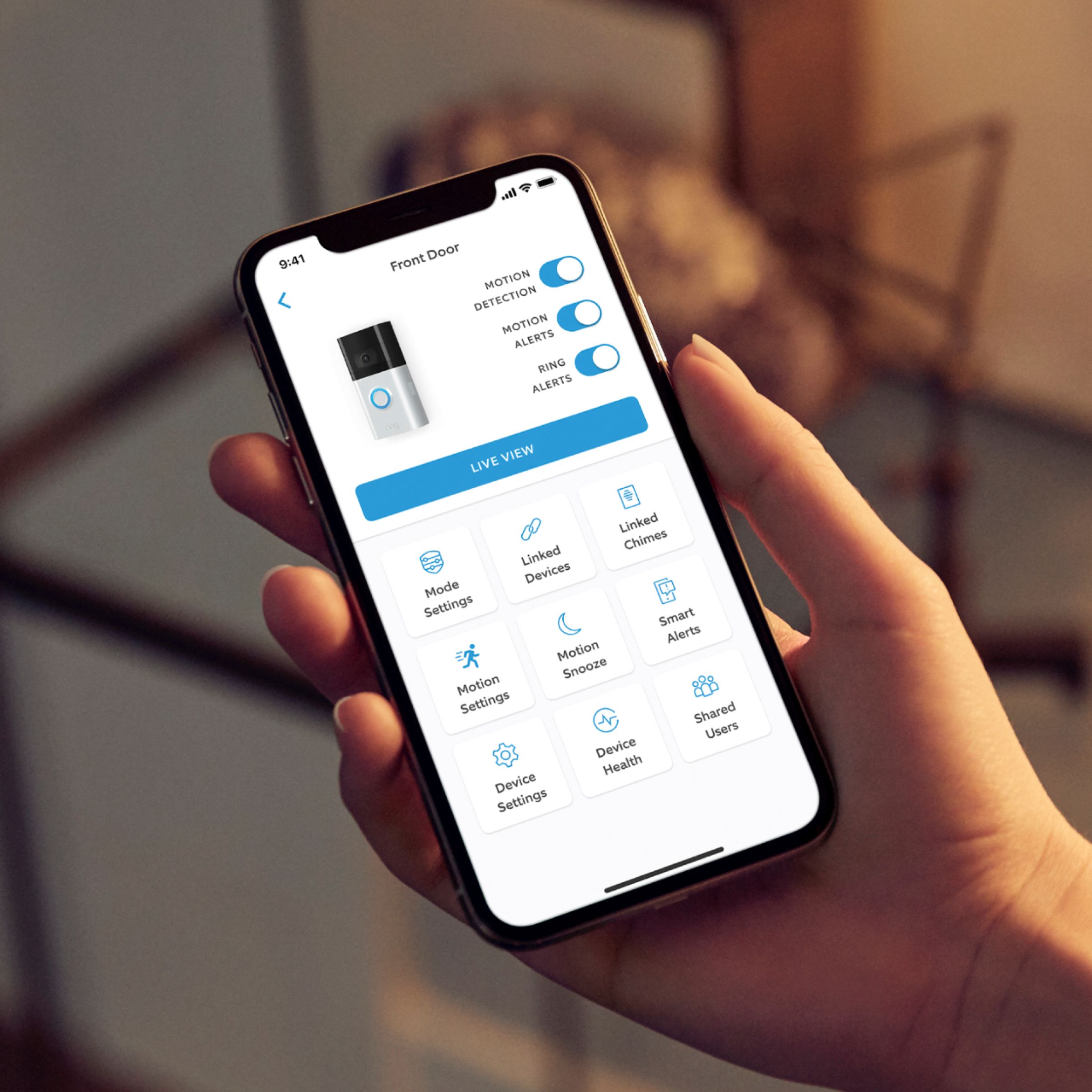
Please check the Device Health section of your Ring app for the signal strength (RSSI) of your Ring Doorbell 3 Plus. If your signal is poor or very poor, you may experience delays and poor connectivity. A poor signal can be caused by the following:
Distance between the router and your Ring device.
The layout of your home.
Interference caused by other devices (TV's, game systems, etc.).
Building materials of your home such as: stucco, brick, metal, large mirrors or glass doors.
The following link has some great tips for improving the signal strength. https://support.ring.com/hc/en-us/articles/217271526-Understanding-RSSI-Values-and-Wireless-Signal-Strength
We're confident that we can help turn your experience around. For any additional questions or concerns, please feel free to reach out on our community forum at https://community.ring.com/.
Sincerely,
Danielle with Ring
Night vision poor
||Posted . Owned for 3 weeks when reviewed.This reviewer received promo considerations or sweepstakes entry for writing a review.The prior camera was better and cheaper Night view was great
No, I would not recommend this to a friend- Cons mentioned:Battery life
Nooooooo
||Posted .This reviewer received promo considerations or sweepstakes entry for writing a review.The battery is no good and has be to charge too often
No, I would not recommend this to a friendBrand response from Ring
Posted .Hello Noooooo,
Thank you for taking the time to share your experience with us. While batteries in Ring devices can go months between recharges with normal use, this is dependent on a number of factors in your home's environment such as the local weather and the number of activities captured. This article will detail some of the factors that may cause your battery to require more frequent recharges: https://support.ring.com/hc/en-us/articles/208190773
Ring's Motion Frequency algorithm is an internal program that runs inside your Ring device. It analyzes the traffic patterns of detected motions, looking for repetitive patterns. When it detects such a pattern, it essentially "sleeps" your device for a certain period of time, cutting down the number of motion alerts you'll get from the same set of stimuli. The more times a repetitive pattern of motion continues, the longer the time between issuing motion alerts. There are three settings to choose from:
Periodically: Setting the Motion Frequency algorithm to "Light" will maximize the system's sensitivity to repetitive motion and the amount of time the system will "sleep" after detecting such motions. The result of this is that the system will more readily identify a motion source as something that shouldn't be reported and extend the amount of time between reports. This will substantially cut down on the number of motion alerts you'll receive and can help preserve battery life. The light setting is best used in heavily trafficked areas (such as yards where kids play) where the possibility of unwanted motion alerts is high.
Regularly: This is the default setting for the system and will cut down the sensitivity to repetitive motion and shorten the system's "sleep timer." This setting is ideal for areas where you don't expect much in the way of human traffic but may be dealing with repetitive alerts due to animals.
Frequently: This setting minimizes the system's sensitivity to repetitive motion and by default will tend to react to each motion it detects as a discrete event. If it does detect repetitive motion, it also eliminates the system's sleep time before the next round of scanning. This setting is useful for areas that get minimal traffic such as back and side yards or for areas that require heightened security. While it will drain the batteries faster than other settings, it also provides the most coverage for an area.
Please reach out to our specialized support team, so we can look into this further. It is our top priority to get your device up and running as intended.
Thank you,
Alexis from Ring
low range
||Posted . Owned for 3 months when reviewed.This reviewer received promo considerations or sweepstakes entry for writing a review.do not like much of the video quality and the range towards the wifi conectability
No, I would not recommend this to a friendUnsatisfactory perrformance
||Posted .This reviewer received promo considerations or sweepstakes entry for writing a review.Incomplete and poorly installed - no easy instructions
No, I would not recommend this to a friendStay away
||Posted . Owned for less than 1 week when reviewed.This reviewer received promo considerations or sweepstakes entry for writing a review.Ring is just not good. Delayed notifications when signal is 100% and wired. You cannot see packages on your doorstep like other cameras field of view should be 160 but it is not.
No, I would not recommend this to a friendBrand response from Ring
Posted .Hello NapervilleIT,
Our top priority at Ring is to ensure that our customers have the best possible experience with our products. We really appreciate your feedback. Our team is always striving to improve our products and their performance.
We understand how important it is to receive motion notifications in a timely manner. Notification delays are normally attributed to poor wifi or cellular data connections. Do you happen to know what your upload speed is? We recommend running a speed test next to your router and at the mounting location of your Ring device:
Open Ring app
Click on the hamburger menu or 3 lines in the upper left corner
Select devices
Select a Ring device
Select device health
Select "Test your Wifi" under the tools section
Tap "start test"
Tap start to begin the speed test
Once the test is done, tap your phones back button, this will take you back to the Ring App
Enter your results from the speed test
Sometimes, even with high internet speeds, the connection is not as strong at the location of the Ring device. Please reach out to us directly via our community forum at https://community.ring.com/ so we can find a solution to best resolve this and ensure the device is functioning as it was intended.
Thank you,
Antonio from Ring
Sucks
||Posted . Owned for 3 weeks when reviewed.This reviewer received promo considerations or sweepstakes entry for writing a review.My notifications come late. Takes forever to connect thru the app. Its not my wifi becuase my older door bell connected just fine. It tells me when the garbage truck goes by but wont let me know when someone walks up my driveway
No, I would not recommend this to a friendBrand response from Ring
Posted .Hello Me1athome,
We understand the importance of receiving timely Ring alerts. Like your previous doorbell, the Ring Video Doorbell 3 Plus should provide alerts in a genuinely useful manner. You should also expect accurate motion detection as people walk down your driveway. Rest assured, we hear your concern and are here to help.
If you haven't already, we recommend rebooting your router. This helps restore performance you are usually able to obtain from your wifi devices.
For accurate motion detection, please ensure your Motion Settings such as Motion Sensitivity, and Zones are adjusted to match your needs.
Bear in mind that motion detection is dependent on the device's placement. If your new doorbell is mounted at a different location than the original, you'll need to adjust your motion settings.
Please reach out to us when you get a moment. We can pair you with a product specialist who can gather further detail and help find a solution.
All the best,
Marlom at Ring.
very dissapointed
||Posted .This reviewer received promo considerations or sweepstakes entry for writing a review.only works sometimes not often i have rebooted it rebooted my wifi added wifi extenders at my wits end real piece of crap can you( best buy )send me instructions on how to return
No, I would not recommend this to a friendSubscription required
||Posted . Owned for 1 month when reviewed.This reviewer received promo considerations or sweepstakes entry for writing a review.After 30 days Ring forces a subscription on you. In case you think you can use ring without paying for monitoring services, your dead wrong. Plain and simple conartists.
No, I would not recommend this to a friendBrand response from Ring
Posted .Hello Mythbuster,
Thank you for taking the time to leave a review and share your feedback with us. Our top priority at Ring is to ensure that our customers have the best possible experience with our products. I really appreciate your feedback. I can understand your disappointment. We are always striving to improve our products and their performance.We here at Ring understand your concerns about being able to save your video recordings which is why we offer our basic Ring Protect Plan starting at $3/month or $30/year. If there is any further feedback that you would like to share, please reach out to us directly at 18006561918. We look forward to hearing from you. -Jamila at Ring
Disappointed
||Posted . Owned for 1 month when reviewed.This reviewer received promo considerations or sweepstakes entry for writing a review.It is a waste of money to pay for the pre roll. It is only during the day and the picture is grey scale and you can hardly see who it is or what car make. ETREMELY disappointed in this purchase
No, I would not recommend this to a friendBrand response from Ring
Posted .Hello Racjp2002,
We understand how important it is to understand a products features prior to making the purchase. The Ring Video Doorbell 3 Plus is intended to help bring you peace of mind with excellent video quality. Rest assured, we hear your concern and are here to help.
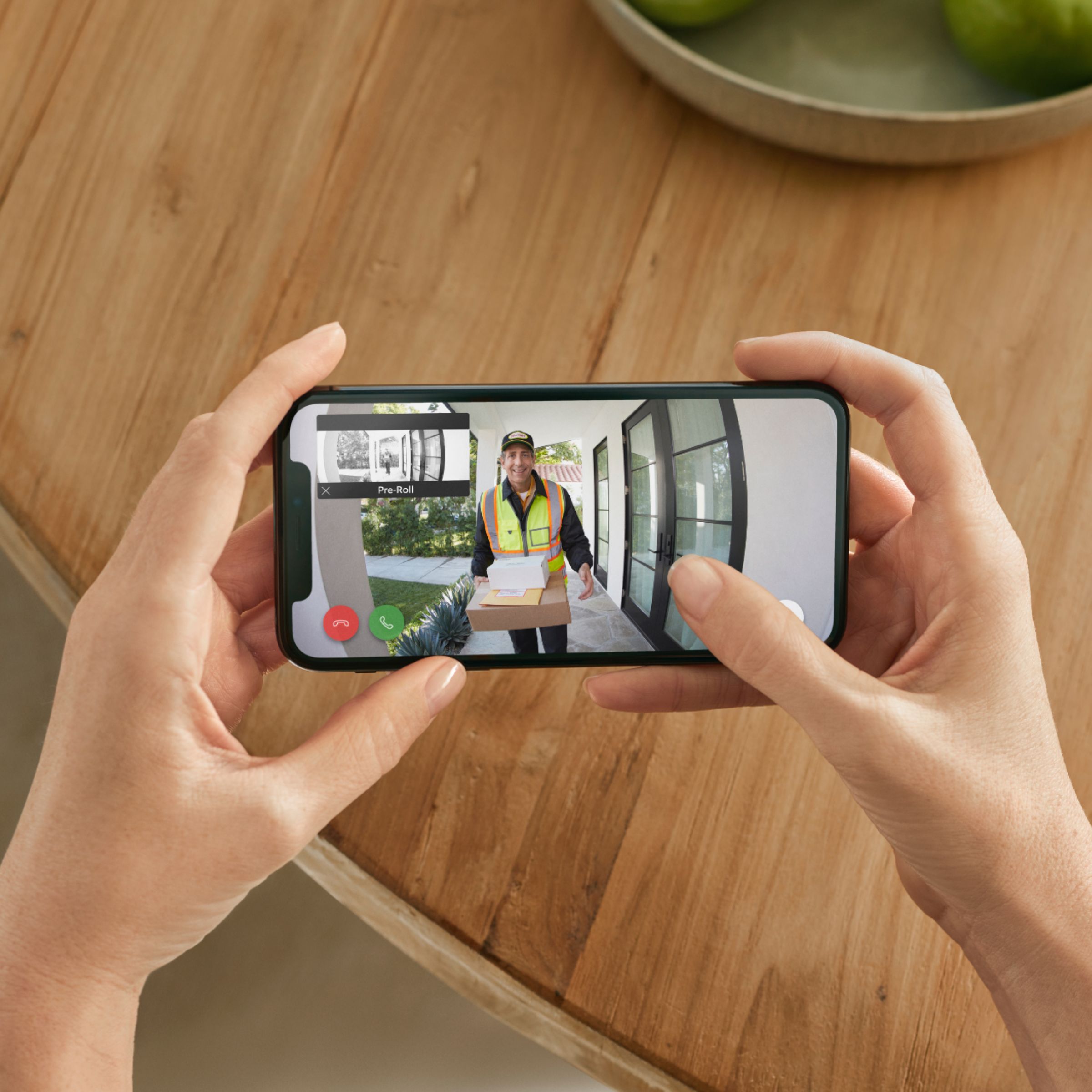
Our Pre-Roll feature provides a few additional seconds of video footage to help capture crucial video prior to the main motion event.
Pre-Roll footage is recorded in grayscale to preserve battery life. However, one can still count on sufficient quality to paint a broader event picture.
We're always looking to improve the features we offer. Can you please reach us when you get a moment? This way, we can pair you with one of our product specialists who can help you get the most out of your device.
Regards,
Marlom at Ring.
Solar Ring Doorbell - Doesn't work as intended
||Posted . Owned for 1 month when reviewed.This reviewer received promo considerations or sweepstakes entry for writing a review.This is our 2nd Ring Doorbell. We purchased this one because of the solar charging feature. However, we get direct sunlight all day long and the doorbell is never fully charged.
No, I would not recommend this to a friendHome owner
||Posted .This reviewer received promo considerations or sweepstakes entry for writing a review.It's hard to get started because we do have an address on Navajo Nation and to sync to chime with app. Also hard to sync to phone!! I just installed both and give up on it of using it.
No, I would not recommend this to a friendBrand response from Ring
Posted .Hello Sammy,
Thanks for taking a moment to share your experience with us. We understand the importance of a quick and seamless setup process, as this ensures you can start using your Ring devices right away. What you describe is not the experience we want you to have, rest assured we hear you and are here to offer our help.
During the in-app setup, you will need to provide an address. This is especially important, if you are using a Ring Alarm. The address you define in your Location is where police or emergency responders will be dispatched. During the setup, please have your smartphone's location services on, as this should help with the most accurate address.
We would love to offer our assistance to ensure you are able to complete the setup process. Please visit our community forum at https://community.ring.com/, as we have some additional solutions we would love to share with you.
All the Best,
Danielle from Ring
Check first
||Posted . Owned for 3 weeks when reviewed.This reviewer received promo considerations or sweepstakes entry for writing a review.Check for all components. Mine was missing vital parts. I was looking forward to using but now I will be exchanging and hopefully reviewing one that is fully intact.
No, I would not recommend this to a friendDidn't last two years
||Posted . Owned for 1.5 years when reviewed.This reviewer received promo considerations or sweepstakes entry for writing a review.I have a very large porch, so the device never saw a drop of rain or snow. It didn't even last two years.
No, I would not recommend this to a friendBad wifi
||Posted .This reviewer received promo considerations or sweepstakes entry for writing a review.Refused to connect to 5.0ghz wifi Per manufacturers trouble shooting over phone device was defective brand new straight out of the box
No, I would not recommend this to a friendBrand response from Ring
Posted .Hello Naeces,
Having a seamless setup experience is what we strive for with each and every setup of our devices! Having the freedom to choose between 2.4 GHz and 5.0 Ghz networks is a great feature for this device. We are confident we can resolve this quickly together. It sounds like the mobile device wasn't able to see the broadcasted 5.0 GHz network, at the time of setup.
The Ring wifi network is a temporary access point that you join briefly during the setup of a Ring device. After you connect to the temporary Ring wifi network, you will connect to your own home wifi network. Then, you are no longer connected to the Ring network. Your smartphone may generate a message that says "no internet connection" or similar verbiage in the settings. This is not a cause for concern. You can safely join the temporary Ring wifi network access point and complete your setup.
iOS: Tap Join when the Ring app asks to join the Ring wifi network.
Android: Your device should automatically connect to the Ring wifi network.
If your device does not automatically connect to the Ring wifi network, or if you chose to continue without scanning in step six, please follow the steps below:
Press the home button on your phone to leave the Ring app.
Navigate to the Settings app, then tap Wifi.
On Android, you may need to navigate to Connection then Wifi.
Select the Ring wifi network from the list of available networks. The network will appear as either:
“Ring-” followed by the last six digits of the MAC ID.
“Ring Setup” followed by the last two digits of the MAC ID.
Once connected, close your “Settings” app and return to the Ring app
Please reach out to Ring's dedicated support team to resolve this 5.0 GHz network compatibility issue as soon as possible.
Thank you,
Alexis with Ring
Ring isnt that good
||Posted . Owned for 1.5 years when reviewed.This reviewer received promo considerations or sweepstakes entry for writing a review.Terrible, always loses wifi. Never records all videos, lot of corrupted saves. Bad quality.
No, I would not recommend this to a friendHorrible
||Posted . Owned for 1 month when reviewed.This reviewer received promo considerations or sweepstakes entry for writing a review.Horrible audio and video. Did not work for me so returned.
No, I would not recommend this to a friendDo not buy.
||Posted . Owned for 1 month when reviewed.This reviewer received promo considerations or sweepstakes entry for writing a review.There is a fee to access your videos after 30 days. No where on the box does it say this. The product is useless.
No, I would not recommend this to a friendBrand response from Ring
Posted .Hi NotABestBuy,
We are happy to have you as a part of the Ring community, and thank you for sharing your experience with us. It is important to have the necessary information in order to make the best purchasing decisions for your home security. We do provide information to our customers about the optional Ring Protect Plan within your welcome email post set up and on our website.
While subscribed to one of our optional Ring Protect Plans, you will be able to access videos from every ding, motion, and live view event for up to 60 days (US). You can also access, download, and share past Ring videos. Without this service, you will still receive real-time video alerts on your smartphone as well as have access to the Live View feature. Please visit the link below to learn about all the benefits you will receive when enrolled in one of these plans.
https://ring.com/protect-plans
For any additional questions or concerns, please feel free to reach out on our community forum at https://community.ring.com/.
Sincerely,
Danielle from Ring
Registered to someone else
||Posted . Owned for 1.5 years when reviewed.This reviewer received promo considerations or sweepstakes entry for writing a review.My ring is Registered to someone else and they won’t give me another one
No, I would not recommend this to a friend