Customer Ratings & Reviews
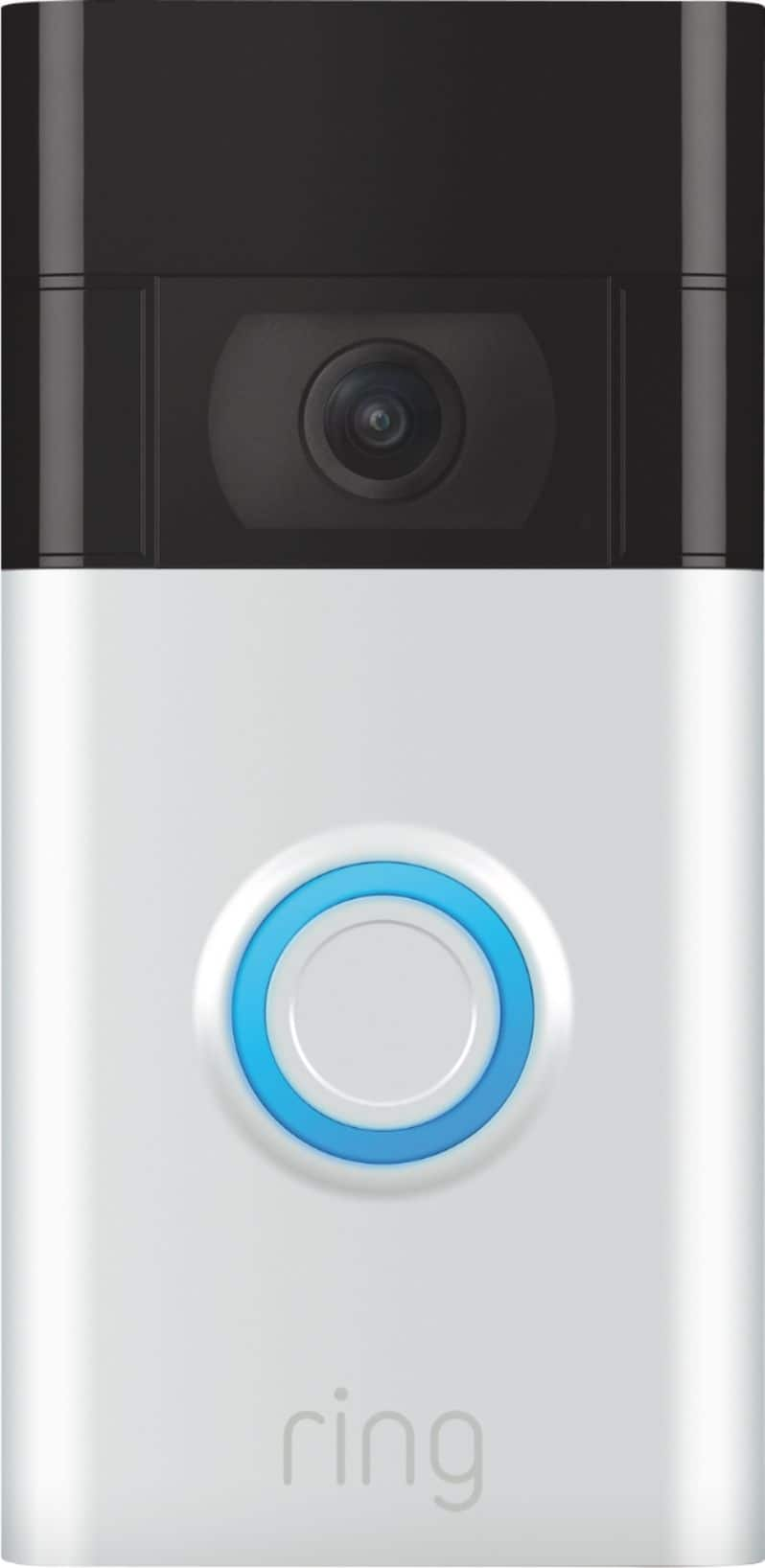
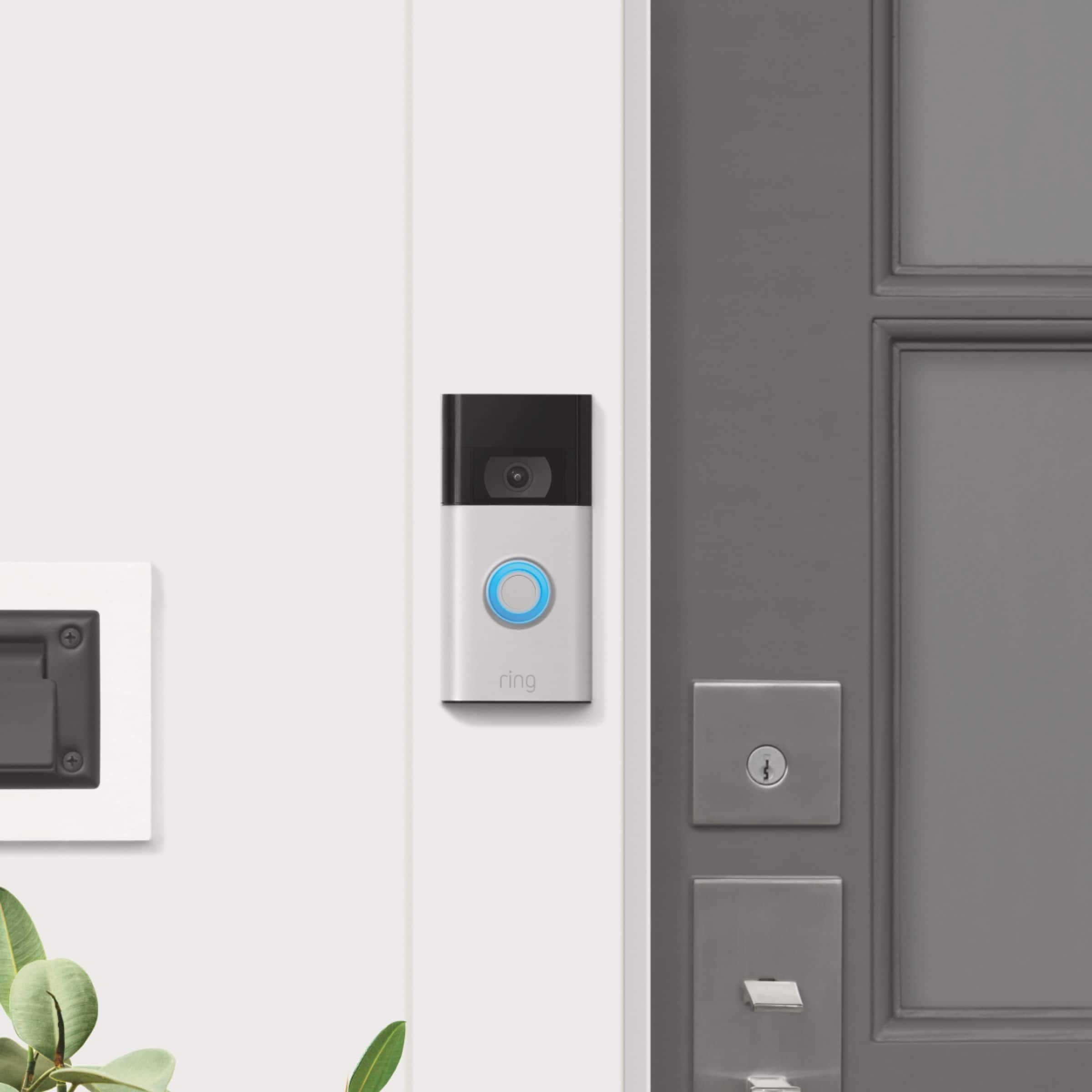
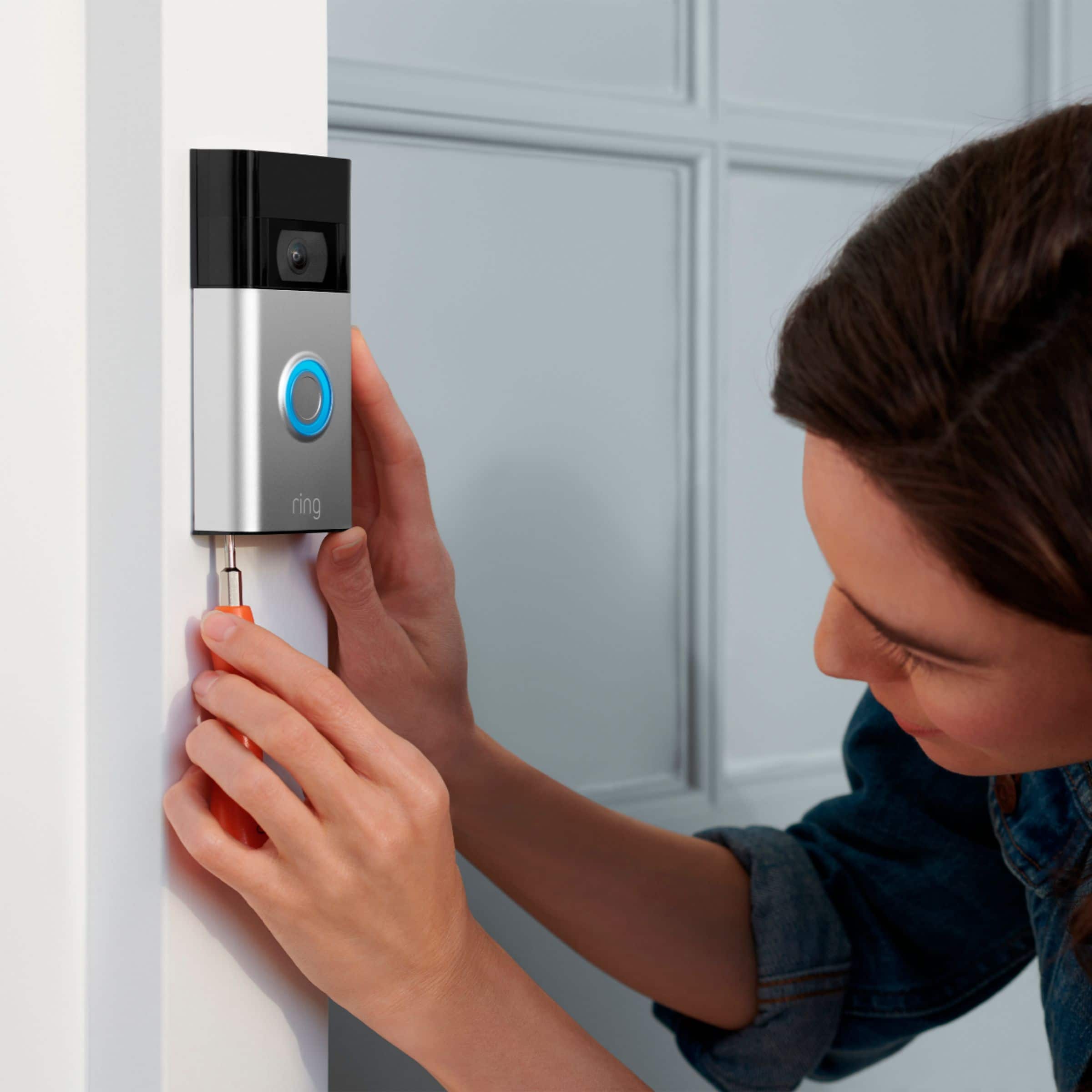


- Model:
- 8VRASZ-SEN0
- SKU:
- 10496835
Rating by feature
- Video Quality
Rating 4.7 out of 5 stars
- Mobile App
Rating 4.7 out of 5 stars
- Sound Quality
Rating 4.7 out of 5 stars
to a friend
Customers are saying
Customers find value in the Video Doorbell's overall performance, noting that it has been working properly. Users also appreciate the camera quality, mentioning that the size of the camera is just right.
This summary was generated by AI based on customer reviews.
Better if Ring allowed you to record videos
||Posted . Owned for 4 months when reviewed.This reviewer received promo considerations or sweepstakes entry for writing a review.Awesome ring system. The only disadvantage is you pay for recorded videos so if someone robs you make sure you have the paid service because ring will not give you the video data nor is it stored.
No, I would not recommend this to a friendBrand response from Ring
Posted .Hello Blueboy,
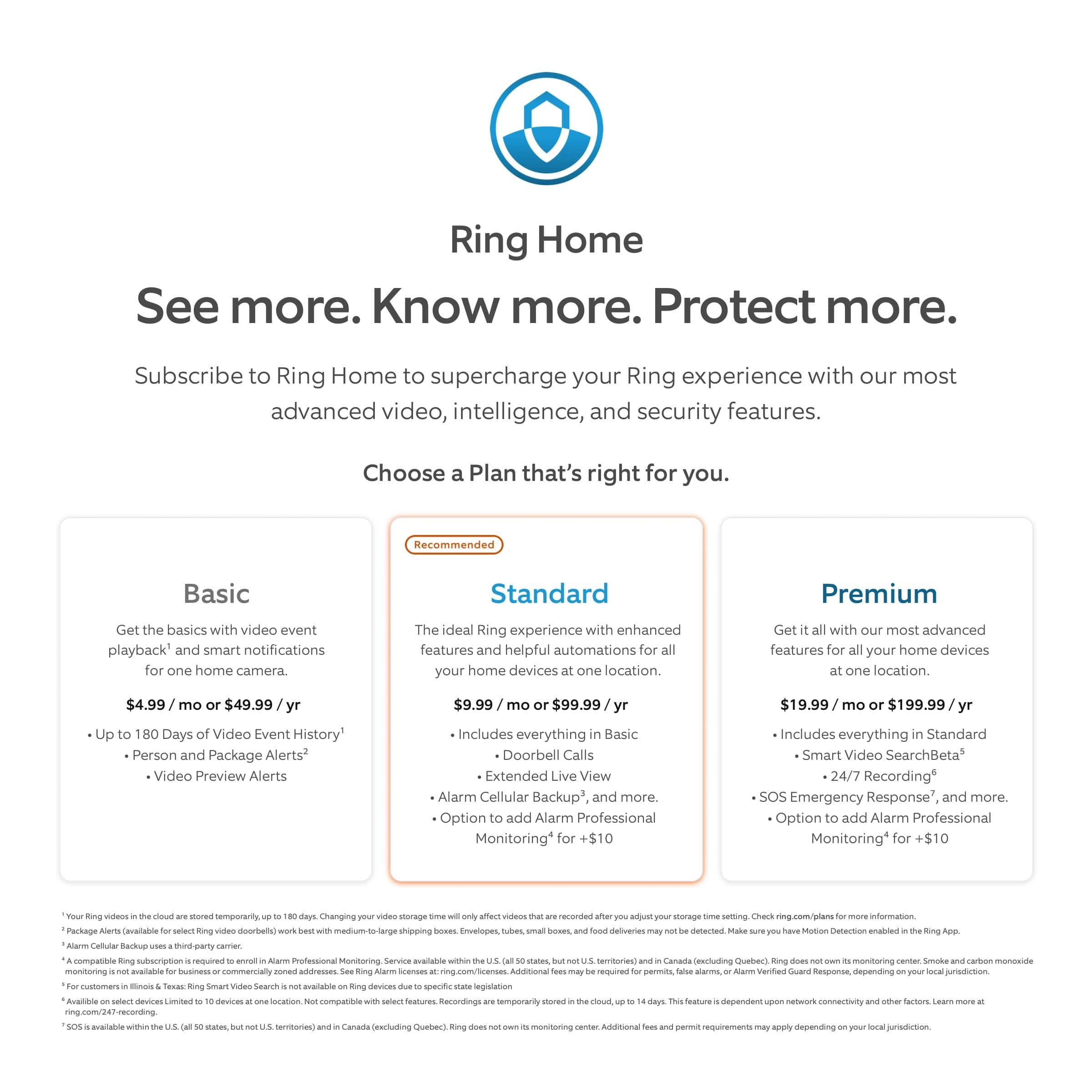
Out of the box, your Ring Video Doorbell 2020 is designed to keep you connected to your home in real time, no matter where you are. When you add an optional Ring Protect Plan, for as little as $3/month per device, videos of each ring, motion, and live view event are stored in the cloud, allowing you to review, share, and save them at your leisure. Here are step by step directions for doing so:
On iOS devices:
If you are using the timeline feature:
Open up your Ring app on your mobile device.
Select the Ring device you wish to download a video from.
Scroll to the video you wish to share.
Tap the Share icon just below the video on the left side.
Select the video you wish to download
Use the download arrow to download the video.
If you are not using the timeline feature:
Open up your Ring app on your mobile device.
Select the Ring device you wish to download a video from.
Tap the Event History button underneath the Live View bar.
Select the video you wish to download. - The video will begin to play.
Tap the Download option on the bottom right, next to the trash can icon.
On Android Devices:
If you are using the timeline feature:
Open up your Ring app on your mobile device.
Select the Ring device you wish to download a video from.
Scroll to the video you wish to download.
Tap the Share icon just below the video on the left side.
Select the video you wish to download
Use the download arrow to download the video.
If you are not using the timeline feature:
Open up your Ring app on your mobile device.
Select the Ring device you wish to download a video from.
Tap the Event History button underneath the Live View bar.
Select the video you wish to share. - The video will begin to play
Tap the download option on the bottom right, next to the trash can icon.
Downloading and saving a file on a computer:
Log into your web account at https://ring.com/account.
Select the video you wish to download.
Select Share.
Select Get Link.
Copy link to clipboard.
Paste the link in the address bar of the browser.
A new screen will come up. Select the three dots on the bottom right corner of the video.
Tap Download to save it to your computer.
Ring Community was launched to help deliver the most current news and educational information to our neighbors. This online forum is divided into four categories: Product Boards, Ring Updates, Tips + Tricks, and a Moderators’ Corner. The Product Boards are where you can begin new topics with your questions or feedback; there is also a search option which helps you find topics that were already posted by other neighbors. We invite you to visit our site at https://community.ring.com/ today!
All the best,
Antonio from Ring
Works but spend more for the pro.
||Posted . Owned for 1 month when reviewed.This reviewer received promo considerations or sweepstakes entry for writing a review.Works to talk with people when they ring your doorbell. The issue I have is the slow response to start recording. There is no pre roll like the pro or 3. It works but spend the extra money with the upgraded version.
I would recommend this to a friendBrand response from Ring
Posted .Hello Jroz,
Thank you for taking the time to share your Ring experience with us. We appreciate that you have placed value in owning a Ring device to secure your home. Ring understands the importance of having the motion detection and battery work as intended. It is a valuable feature that is designed to notify you as to who may be near your home. Please know that it is a priority for us to be of assistance and find a resolution to your concern.
After reading your review, it seems that your Ring Video Doorbell is not picking up the correct motion. The Ring Video Doorbell (2020 release) is the next generation of the original Ring Video Doorbell. In addition to new video features such as Near Zone functionality, the 2020 release Video Doorbell boasts 1080p video, improved night vision, improved audio quality and near motion zone detection. If you are having trouble with your device picking up the correct motion. We recommend adjusting your motion settings and zones. Motion Zones allow you to define a specific area that you want your Ring device to cover while ignoring everything outside that area. By selecting Motion Zones to cover only areas you want the Ring device to monitor, you can effectively monitor the area you want as well as reduce the number of “false positive” motion alert. For more information on adjusting your motion settings to better fit your needs, please see our help center article titled: https://support.ring.com/hc/en-us/articles/360041248971-Using-Motion-Zones-with-your-Ring-Video-Doorbell-2020-release-.
If you still have concerns regarding this, we would love to hear from you directly on our Ring Community forum. This is a platform intended for Ring users, just like yourself, to create open discussions regarding their Ring experiences, provide suggestions or feedback, and more: https://community.ring.com/.
Thank you, Jamila with Ring.
Kind of faulty sometimes
||Posted . Owned for 1 month when reviewed.This reviewer received promo considerations or sweepstakes entry for writing a review.Sometimes it spends the light and it does its own commands
No, I would not recommend this to a friendBrand response from Ring
Posted .Hi PhilipS.
Thank you for taking the time to share your experience with us. We understand how important it is for your Ring Video Doorbell (2nd Gen.) to function consistently and reliably, so you are alerted to any wanted or unwanted activity in or around your home. The Ring Video Doorbell (2nd Gen.) is designed to work in many environments to provide you with peace of mind and security. Rest assured, we hear you and are here to offer you some help.
It sounds like the device is not performing as expected. We are happy to provide you with some information on the different light patterns that the Ring Video Doorbell (2nd Gen.) may display.
The blue light incrementally cycling around on doorbell is an indication of the percentage of a charge that the battery currently has. A white light flashing on and off indicates that the device is performing a firmware update.
Ring Community is our first peer-to-peer community forum, giving our customers the ability to help one another and share their feedback and experiences with Ring. We invite you to reach out to our community if any additional information is needed regarding your Ring Video Doorbell (2nd Gen.).
Thank you,
Melissa from Ring.
Door bell an Alexa
||Posted . Owned for 4 months when reviewed.This reviewer received promo considerations or sweepstakes entry for writing a review.I still have yet to use this item not because I didn’t want to but because it would not connect to my internet
I would recommend this to a friendBrand response from Ring
Posted .Hi Tabultra8. I'd be happy to offer some help with getting your Video Doorbell connected to the internet so you can have some peace of mind. The first thing I'd suggest trying is verifying the network name and password for your wifi network. Typically this information is on the bottom of the wifi modem or router your internet service provider gives you upon installation. We also have additional troubleshooting steps for the in-app setup process here: https://support.ring.com/hc/en-us/articles/217240386-In-App-Setup-Failing-Repeatedly. If those steps don't help, check out the Ring Community at https://community.ring.com/ to search for solutions that have worked for other neighbors. Best, Ashley from Ring.
Doorbell Cam
||Posted . Owned for 2 months when reviewed.This reviewer received promo considerations or sweepstakes entry for writing a review.Older model so good for price. Inconvenient having to dismount and charge entire doorbell cam every few weeks.
No, I would not recommend this to a friendBrand response from Ring
Posted .Hi Rac80.
Thank you for taking the time to share your experience with us. We understand the importance of having a solid charge on your Ring Video Doorbell (2nd Gen.) so that you are able to have a longer time between charge cycles. The features and technology provided by the Ring are incredibly valuable and help provide you with peace of mind about your home security. We can definitely provide you with more information regarding the concern mentioned in your review.
It sounds like the device is not performing as expected. With Ring Video Doorbell (2nd Generation), stay connected to your home from anywhere by seeing who’s at your door and answering it right from the Ring app. Enjoy enhanced features like upgraded video quality from 720p HD to 1080p HD, "Near Zone" motion detection in areas as close as 5 to 15 feet in front of your home, and a reimagined mounting setup that simplifies installation. We are happy to hear that you are enjoying the features of the device.
There are some troubleshooting steps that you can take to ensure that you have your device set up for optimal battery-life performance. The more events captured by your Ring devices, the more your battery is used. Using "Live View" can also drain your battery faster. If your device is capturing an excessive number of events each day, you may need to recharge your battery sooner. To prevent excessive activity, under "Motion Settings" for your device in the Ring app, you can:
Adjust your "Motion Sensitivity" slider to a lower sensitivity.
Redraw your "Customizable Motion Zones."
Change "Motion Frequency" to regularly or periodically.
You could also adjust the direction of your Ring device so it doesn't detect as much motion.
You can go to "Power Settings" in the Ring app to see what features may be draining your battery.
To access "Power Settings," open the Ring app:
Tap the menu (≡) on the top left of the dashboard.
Tap "Devices."
Tap the individual device (video doorbell or security camera) you want to check.
Tap "Power Settings" to check your "Battery Level" percentage and "Feature Power Usage."
Tap a feature to adjust "Snapshot Capture," "Motion Frequency," and "Video Recording Length."
We recommend using the Ring Solar Charger or the Ring Plug-In Adapter to assist with extending the life of the battery in your Ring Video Doorbell (2nd Gen.). The Ring Solar Charger for Ring Video Doorbell (2nd Generation) is a solar power source that can be mounted behind your Ring Video Doorbell (2nd Generation). Ring Solar Charger is a convenient power source to help charge and extend the battery life of your Video Doorbell (2nd Generation). The Ring Plug-in Adapter (2nd Generation) is designed to convert battery-powered video doorbells so they can run off-line current.
If any additional information is needed regarding the battery life of your device, please reach out to our community. Ring Community is our first peer-to-peer community forum, giving our customers the ability to help one another and share their feedback and experiences directly with Ring.
Thank you for being the best part of Ring! Have a wonderful day!
Sincerely,
Melissa from Ring.
Missing time footage
||Posted . Owned for 3 weeks when reviewed.This reviewer received promo considerations or sweepstakes entry for writing a review.It’s a great product don’t know if it’s my internet or what but seems like it skips when viewing you can see someone walking the. They just disappear or the car it’s weird.
I would recommend this to a friendBrand response from Ring
Posted .Hello Noneya,
We are thankful for your feedback. We are constantly pushing ourselves to develop products to empower users with an affordable, effective way to monitor and secure their home. In pursuit of our mission to make neighborhoods safer, when applying technologies to our business, we always consider our three pillars of customer security, privacy, and user control. We understand how important it is to have your devices working as intended as it offers a level of security in your home.
Based on your review, it seems that you are not fully satisfied with your Ring Video Doorbell. If your device is not working as intended we recommend resetting your device. To reset your Ring Video Doorbell press and hold the setup button for 10-15 seconds and release. Once the white light on the front of the device stops spinning proceed with the setup process. Please see our help center article for further help: https://support.ring.com/hc/en-us/articles/360041353291-Setting-Up-Your-Ring-Video-Doorbell-2020-release-in-the-Ring-App.
If you still have the Ring device in your possession, we invite you to reach out to us at https://community.ring.com/. We look forward to hearing from you, if you have any further feedback regarding your overall experience.
Thank you,
Jamila with Ring
just okay
||Posted . Owned for 1 week when reviewed.This reviewer received promo considerations or sweepstakes entry for writing a review.It was working well the first week, then it stopped picking up motions. Troubleshooting did not help.
No, I would not recommend this to a friendBrand response from Ring
Posted .Hi chuck. Thank you for taking the time to share your experience with us. Consistent and dependable motion alerts are an essential feature for the Ring Video Doorbell (2nd Gen.) to function properly. This is likely the reason you purchased this security device in the first place: to be alerted to people on your property. Please know that we are here to assist and are confident that together we can find a solution.
It sounds like the device is not detecting motion as you expected. Thank you for your diligence and commitment in working with our community support towards resolving this matter. This camera uses Adjustable Motion Detection and runs using passive infrared sensors. The system identifies visitors via a moving heat signature and sends a notification to your smart device when one is detected. You can adjust three preset motion zones and their distance. Additionally, you can choose how often the camera checks for movement in those predefined zones via the Motion Frequency setting. If you find that your camera is missing some motions, please set the Motion Frequency to 'Frequently'.It is important to ensure that you have the proper motion settings in place for your environment. This includes increasing the "Motion Sensitivity" and setting "Motion Frequency" to "Frequently" in the Ring app.
Accuracy in motion detection can also be improved by enabling Smart Alerts for people only in your Ring app.
To enable Smart Alerts:
Tap the menu (≡) on the top left.
Tap Devices.
Tap the device that you want to adjust.
Tap Motion Settings.
Tap Smart Alerts.
Tap Enable Feature.
Tap Continue.
Select the notification options that you want for Person and Other Motion.
You'll see a video camera where you can select or de-select recording and a bell icon to represent alert notifications.
After you've adjusted your settings tap Done.
We agree that your Ring Video Doorbell (2nd Gen.) should notify you when someone is at your home consistently and reliably. Please reach out to us at https://community.ring.com/ for additional tips and support! Our top priority is ensuring the motion detection is meeting your needs.
Thank you,
Melissa from Ring.
may or may not work well
||Posted . Owned for 1 month when reviewed.This reviewer received promo considerations or sweepstakes entry for writing a review.way to long to download and hook up . so far stayin in the box
No, I would not recommend this to a friendBrand response from Ring
Posted .Hi newyorkjeff.
Thank you for taking the time to share your feedback with us. We are always looking for ways to improve our neighbor's experience, and your feedback is an invaluable part of this process. That is why we are dedicated to offering devices that help you safeguard what is most important at home, while also allowing you to connect with your neighbors from anywhere. We’re glad to read that you are finding the provided features useful.
We are ahppy to provide you with the installation instructions to install your Ring Video Doorbell (2nd Generation) without an existing doorbell system.
You should set up your Ring Video Doorbell in the Ring app before mounting it to your home.
1. Charge the built-in battery. Fully charge the built-in battery by plugging it into a USB power source using the provided orange cable. When only one of the two LEDs on the battery is lit, the battery is fully charged.
2. Set up your Ring Doorbell near your wifi router.
In the Ring app, select Set Up a Device and follow the in-app instructions.
3. Install your Ring Doorbell.
For the best results, mount it around 1.2 metres above the ground.
Recommended installation height for Ring Video Doorbell (2nd Generation).
4. Mark the screw holes. Use the bracket as a template to mark the four corner holes.
Using mounting bracket a template for Ring Video Doorbell (2nd Generation) screw placement.
5. You'll need to install wall anchors when installing on stucco, brick or concrete.
Grab 4 of the wall anchors from Bag A. Using your Ring Doorbell as a template, mark 4 drill holes on the wall. Use a 1/4" masonry drill bit (not included) to drill the holes, then insert the 4 wall anchors.
6. Install the mounting bracket.
Feed the wires through the hole in the mounting bracket.
Using a Philips head screwdriver, drive the mounting screws from Bag A into your wall (or into the anchors, if installed) until they are flush with the mounting bracket.
7. Attach your Ring Doorbell to the mounting bracket.
Hook the slot on the rear of your Ring Doorbell onto the tab near the top of the mounting bracket.
Then, let the Doorbell pivot down to sit flush on its bracket.
8. Secure the doorbell.
CAUTION! If you use the wrong screws to secure the doorbell, you could damage the battery during installation, create a fire hazard, and be seriously injured.
DO NOT USE any screw other than the included short security screws when securing your Ring Doorbell to the bracket.
Use the star-shaped end of the included screwdriver to insert and tighten two of the security screws from Bag B into the bottom of your Ring Doorbell.
We have included the steps here for setting up your device in the Ring app:
Open the Ring app.
Select Create Account.
Follow the in-app instructions to create a new account.
If you already have another Ring device installed, simply open the Ring app.
Tap Set Up a Device then select Doorbells.
Open the Ring app.
Tap the menu (≡) on the left side of your Dashboard.
Tap Set up a Device and select Doorbells.
Tap I’m Ready to Scan.
Point your smartphone’s camera at the QR code on your Ring device or product packaging. If you don’t see the QR code, please remove your video doorbell’s faceplate.
Center the code in the phone camera’s view at the bottom half of the screen.
When the code is recognized, a green square will appear and a pop-up with your device image detected.
iOS: Tap Join when the Ring app asks to join the Ring wifi network.
Android: Your device should automatically connect to the Ring wifi network.
Ring Community launched in March 2019 to help deliver the most current news and educational information to our customers. You can find tips and tricks from other Ring users in our community. This peer-to-peer forum allows our neighbors to share their feedback and experiences.
Thank you,
Melissa from Ring.
Poor sound
||Posted . Owned for 3 months when reviewed.This reviewer received promo considerations or sweepstakes entry for writing a review.I am using this outside and you already cannot understand what is being said. Very unhappy with product.
No, I would not recommend this to a friendBrand response from Ring
Posted .Hi Momof4boys. Thank you for taking the time to share your experience with us. We understand how important it is for your Ring Video Doorbell (2nd Gen.) to record clear and concise videos so that you can effectively monitor your home. The features and technology provided by the Ring Video Doorbell (2nd Gen.) are incredibly valuable and help provide you with peace of mind about your home security. We want to ensure your device is working as intended by providing you with solutions to resolve the concern you mentioned in your review.
It sounds like the device is not performing as expected. Ring Video Doorbell (2nd Generation) was designed to keep you connected to your home from anywhere, by seeing who’s at your door and answering it right from the Ring app. Enjoy enhanced features like upgraded video quality from 720p HD to 1080p HD, Near Zone motion detection in areas as close as 5 to 15-feet in front of your home, improved audio quality, and a reimagined mounting setup that simplifies installation. We are happy to share some tips with you to help you troubleshoot why your Ring device may be experiencing warped sound or no audio. Make sure the external volume is up on your mobile device (on the device where you're viewing your Ring videos or Live View). If your phone or tablet has poor service or internet, it could be affecting Live View or your video downloads. Try turning Bluetooth off, then open Live View or view a recorded Ring video. Poor wifi can often cause Ring device issues, including capturing audio. We recommend following these steps in the Ring app:
Tap the top menu (☰), then Devices.
Choose your Doorbell or Camera device.
Tap the Device Settings tile.
Tap Device Health.
Under the Network section, you'll see your device's Signal Strength.
If your Signal Strength (RSSI) is amber or red, your Ring device likely has a poor connection to your location's wifi. Try moving your wifi router closer to your Ring device.
Open Live View in the Ring app and see if your Ring device's microphone is enabled.
Open the Ring app.
Tap the top menu (☰), then Devices.
Choose your Doorbell or Camera device.
Tap the Live View button.
Check to make sure the microphone icon is enabled. You can also press the green phone icon.
If you have a Ring Protect subscription, you can view the recording to see what the audio sounds like.
Check your audio privacy settings
You may have your audio settings turned off for privacy reasons.
Open the Ring app.
Tap the top menu (☰), then Devices.
Choose your Doorbell or Camera device.
Tap the Device Settings tile.
Tap Privacy Settings.
Make sure Audio Streaming and Recording is enabled.
Reboot your Ring doorbell or camera by following these steps:
Open the Ring app.
Tap the top menu (☰), then Devices.
Choose your Doorbell or Camera device.
Tap the Device Settings tile.
Tap Device Health.
Scroll down and tap Reboot This Device.
Wait a few minutes for your device to reboot.
We invite you to reach out to our Community if any additional information is needed regarding your Ring Video Doorbell (2nd Gen.). The Ring Community is our first peer-to-peer community forum, giving our customers the ability to help one another by sharing their feedback and experiences with each other.
Thank you,
Melissa from Ring.
Incomplete recording
||Posted . Owned for 3 weeks when reviewed.This reviewer received promo considerations or sweepstakes entry for writing a review.It doesn’t pick up motion only until vehicles are dead center in the camera. Wish it would pick it up from when vehicles are first noticed or to the far right and all the way to the far left
No, I would not recommend this to a friendBrand response from Ring
Posted .Hello Incompleterecordings,
Thank you for sharing your user experience with us. Here at Ring, we fully understand the importance of having the motion detection work as intended. It is a valuable feature that is designed to notify you as to who may be near your home. Please know that it is a priority for us to be of assistance and find a resolution to your concern.
After reading your review it seems that your Ring Video Doorbell’s field of view may not be facing the way you would like it to, in order to pick up vehicles properly. This doorbell device uses “PIR” or passive infrared sensors in order to capture motions. It sounds like you may benefit from installing a Ring Corner Kit to your device. The corner mount is an optional accessory used to angle your Ring Video Doorbell 15 degrees left or right. If you installed your Ring Video Doorbell (2020 Release) on a corner or adjacent wall, the corner mount can significantly improve motion detection and the device’s field of view.
We would also recommend adjusting your motion settings. For more information on adjusting your motion settings to better fit your environments needs please see our help center article: https://support.ring.com/hc/en-us/articles/360041248971-Using-Motion-Zones-with-your-Ring-Video-Doorbell-2020-release-.
If you still have concerns regarding your Ring Video Doorbells motion detection, we would love to hear from you directly on our Ring Community forum. This is a platform intended for Ring users, just like yourself, to create open discussions regarding their Ring experiences, provide suggestions or feedback, and more: https://community.ring.com/.
Thank you, Jamila with Ring
Ring system.
||Posted . Owned for 1 month when reviewed.This reviewer received promo considerations or sweepstakes entry for writing a review.Good door camera. Good video, just wish they would let you save your videos without having to pay for service.
I would recommend this to a friendBrand response from Ring
Posted .Hi Newnan1. I'm glad to hear you're enjoying your Video Doorbell so far. The Ring Protect Plan is required in order to have access to video storage, but it also unlocks other useful features for your Video Doorbell. To learn more about the features available with a Ring Protect Plan, check out this Help Center article: https://support.ring.com/hc/en-us/articles/115001671383-General-Information-on-Ring-Protect-Subscription-Plans. If you have any other questions, try browsing the Ring Community at https://community.ring.com/ to find answers from other neighbors. All the best, Ashley from Ring.
Ring
||Posted . Owned for 11 months when reviewed.This reviewer received promo considerations or sweepstakes entry for writing a review.I like the ring. I think its worth it for safety. You have to pay for the app to use it
I would recommend this to a friendBrand response from Ring
Posted .Hi JulieG.
Thank you for taking the time to share your feedback with us.
We understand the importance of having all relevant product information prior to purchasing. The features and technology provided by the Ring Video Doorbell (2nd Generation) are incredibly valuable and help provide you with peace of mind about your home security. We can definitely provide you with more information regarding the concern mentioned in your review.
It sounds like you are enjoying the features of your Ring Video Doorbell (2nd Generation), but there might be some confusion regarding the optional Ring Protect Plans. The Ring Protect Plan is a subscription that gives you access to paid features for Ring devices. With a Ring Protect Plan, you can save, review, and share video recordings from your Ring devices to your Ring account.
Without a Ring Protect Plan, you can still view real-time video for Ring doorbells and cameras and answer general motion and doorbell notifications when they happen, but you don't get video recordings of those events. Visit our support center for more information.
Ring Community was launched to help deliver the most current news and educational information to our neighbors. This online forum is divided into four categories: Product Boards, Ring Updates, Tips + Tricks, and a Moderators’ Corner. The Product Boards are where you can begin new topics with your questions or feedback; there is also a search option that helps you find topics that have already been posted by other neighbors.
All the best,
Nicole from Ring.
Maybe
||Posted . Owned for 1 month when reviewed.This reviewer received promo considerations or sweepstakes entry for writing a review.Its great when it works. the alerts are sporadic. Sometimes they work and sometimes they do not. This occurs mostly on my phone and Ipad.
I would recommend this to a friendBrand response from Ring
Posted .Hi Judith, I know it's important to be notified of visitors at your door. We have some troubleshooting steps for notifications on iOS devices here https://support.ring.com/hc/en-us/articles/210266406-Troubleshooting-Ring-Notifications-for-Apple-iOS-Devices. I'd recommend giving those steps a try to resolve the notification issues you're experiencing on your phone and iPad. For any other questions, feel free to check out the Ring Community https://community.ring.com/ to find solutions from other neighbors. All the best, Ashley from Ring.
Didn't work for me
||Posted . Owned for 3 weeks when reviewed.This reviewer received promo considerations or sweepstakes entry for writing a review.This was not for me, it was a gift to my cousin. He wanted something that has doorbell chime and unfortunately this did not have one so I had to return it and get him another one.
No, I would not recommend this to a friendBrand response from Ring
Posted .Hello Abby, Thank you for taking a moment to leave your review of the Ring Video Doorbell. At Ring, we believe that stronger communities are the key to safer neighborhoods. That is why we are driven to create products that help you protect what matters most at home, and empower you to connect with your visitors from wherever you are. We are saddened to read that this device did not meet your expectations, but are still here to assist you, if needed. If you still have the Ring device in your possession, we invite you to reach out to us at https://community.ring.com/. Ring Community is our first peer-to-peer community forum, giving our customers the ability to help one another and share their personal feedback/experiences with Ring. We look forward to hearing from you, if we can be of any further assistance! Thank you, Jamila with Ring.
Ring
||Posted .This reviewer received promo considerations or sweepstakes entry for writing a review.I absolutely love this thing it comes in really handy when I’m not home and need to answer the door
I would recommend this to a friendNot as great a product as I expected
||Posted . Owned for 1 month when reviewed.This reviewer received promo considerations or sweepstakes entry for writing a review.Worked fairly well in the first week or so. Bought a ring chime pro to boost WiFi. Worked well for a few days, but now the ring app is not working and I’m not getting much help from ring customer support.
No, I would not recommend this to a friendBrand response from Ring
Posted .Hello Tickedoff,
We are thankful for your feedback. We are constantly pushing ourselves to develop products to empower users with an affordable, effective way to monitor and secure their home. In pursuit of our mission to make neighborhoods safer, when applying technologies to our business, we always consider our three pillars of customer security, privacy, and user control. We understand how important it is to have your devices working as intended as it offers a level of security in your home.
Based on your review, it seems that you are not fully satisfied with your Ring Video Doorbell. If your device is not working as intended we recommend resetting your device. To reset your Ring Video Doorbell press and hold the setup button for 10-15 seconds and release. Once the white light on the front of the device stops spinning proceed with the setup process. Please see our help center article for further help: https://support.ring.com/hc/en-us/articles/360041353291-Setting-Up-Your-Ring-Video-Doorbell-2020-release-in-the-Ring-App.
If you still have the Ring device in your possession, we invite you to reach out to us at https://community.ring.com/. We look forward to hearing from you, if you have any further feedback regarding your overall experience.
Thank you,
Jamila with Ring
Good for rhe price
||Posted . Owned for 2 weeks when reviewed.This reviewer received promo considerations or sweepstakes entry for writing a review.Wifi connetion its not very strong.When the device needs an update it disconnects from wifi for a long time and its hard tl reconnet to app.
I would recommend this to a friendBrand response from Ring
Posted .Hi Carolina. Making sure your Video Doorbell has a strong and stable wifi connection is a key concern. If your Video Doorbell disconnects from the wifi and it's difficult to reconnect it, you may need to make some adjustments so it has a stronger connection. For more information on wifi and signal strength, review our Help Center article here: https://support.ring.com/hc/en-us/articles/217271526-Understanding-RSSI-and-Wifi-Signal-Strength. If you have any additional questions or concerns, you can browse the Ring Community at https://community.ring.com/ for help from other neighbors. Best, Ashley from Ring.
Missing pieces
||Posted . Owned for 3 weeks when reviewed.This reviewer received promo considerations or sweepstakes entry for writing a review.It works but it didn’t come with the security screws that were in the “b” plastic bag. Pretty sure my local Best Buy gave me an open box but charged me full price.
I would recommend this to a friendBrand response from Ring
Posted .Hello Amber772,
Thank you for taking the time to share your experience with us. We understand the importance of a seamless installation process, as this allows you to start using your Ring Video Doorbell 2020 right away. What you describe is not the experience we want you to have, rest assured we hear you and are here to offer you some assistance.
In this particular case, we’d suggest you reach out to Best Buy’s customer service: 1-888-237-8289 or https://www.bestbuy.com/services/triage/home. We are confident that they will be able to provide you resolution to the installation concerns you have described.
If you need assistance from Ring, Ring Community is our first peer-to-peer community online forum, giving our customers the ability to help one another and share their feedback directly with Ring.
We invite you to reach out at https://community.ring.com/ if any additional installation information is needed regarding the Ring Video Doorbell 2020. We are eager to turn around your experience!
Thank you, Jamila with Ring.
Perfect
||Posted . Owned for 1 month when reviewed.This reviewer received promo considerations or sweepstakes entry for writing a review.I love the ring doorbell it’s so convenient to be able to talk people without having to open the door. Once you set the detection zone like you like it you can even see them before they get to the door which is really good if your expecting a package since they sometimes don’t ring the bell.
I would recommend this to a friendGreat doorbell to begin
||Posted . Owned for 1 month when reviewed.This reviewer received promo considerations or sweepstakes entry for writing a review.Like being able to link with my Alexa although I wasn’t prepared to adding to each room to be noticed of a presence at the door. Don’t like the ring sound wish it could be changed to something louder...
No, I would not recommend this to a friendBrand response from Ring
Posted .Hello Debohop,
Thank you for leaving a review. We love reading how your Ring Video Doorbell 2020 has added an extra layer of security in your home and how it is working as intended. Our top priority at Ring is to ensure that our customers have the best possible experience with our products. We really appreciate your feedback. Our team is always striving to improve our products and their performance.
We would love to hear more about your experience with Ring. We invite you to share your experience with other Ring users, like yourself, on our Ring Community page: https://community.ring.com/.
Thank you, Jamila, with Ring.