Customer Ratings & Reviews
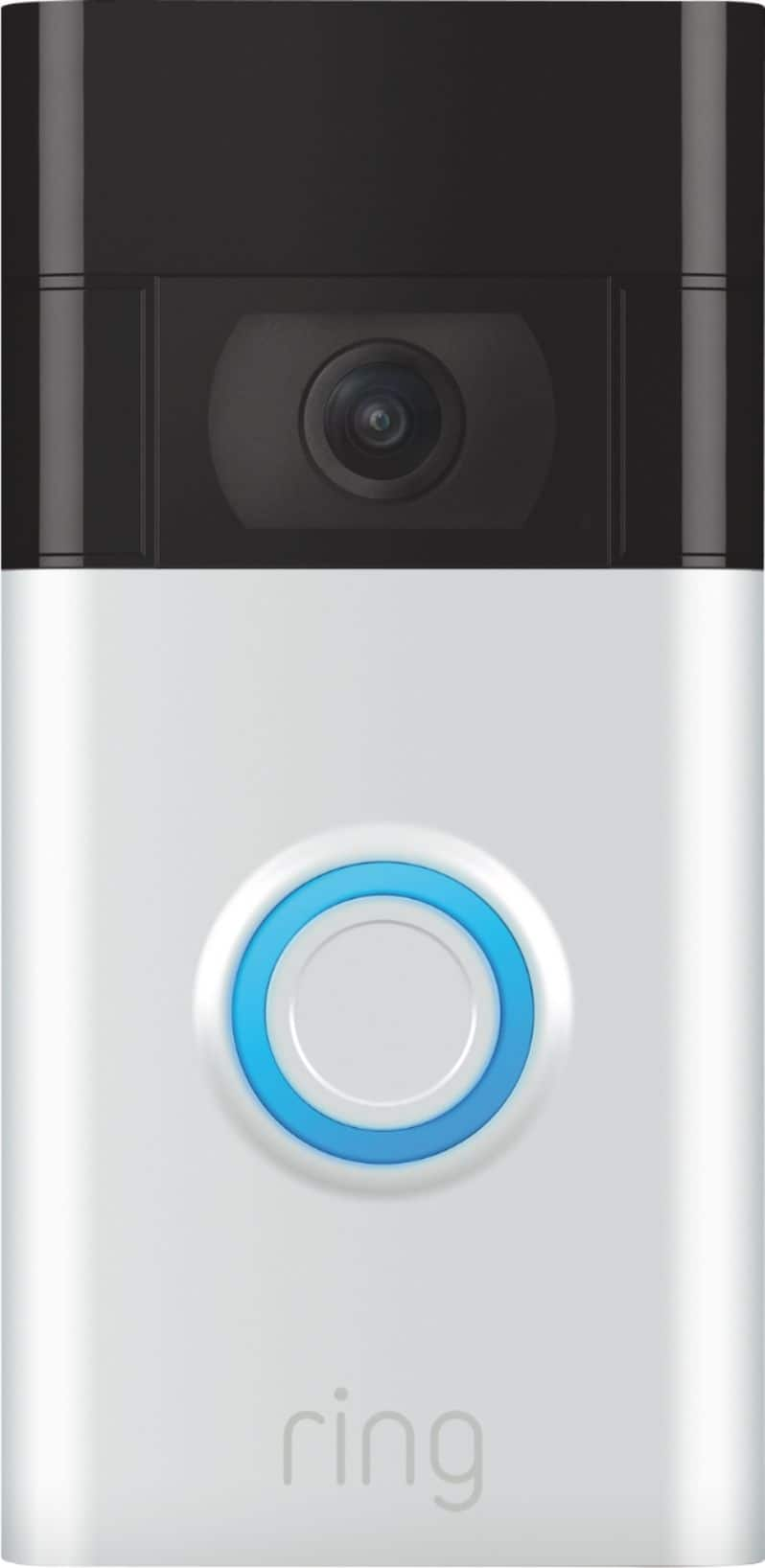
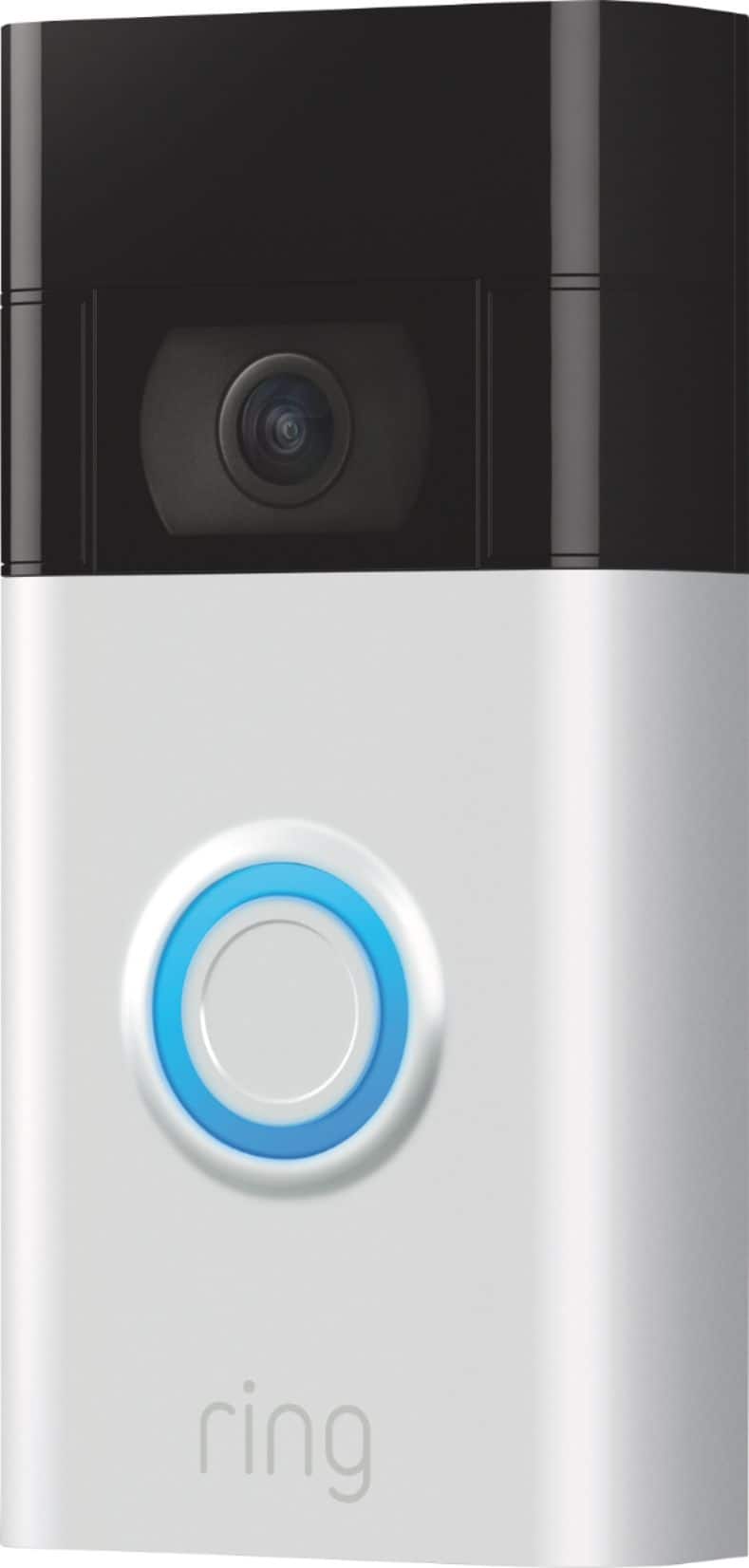
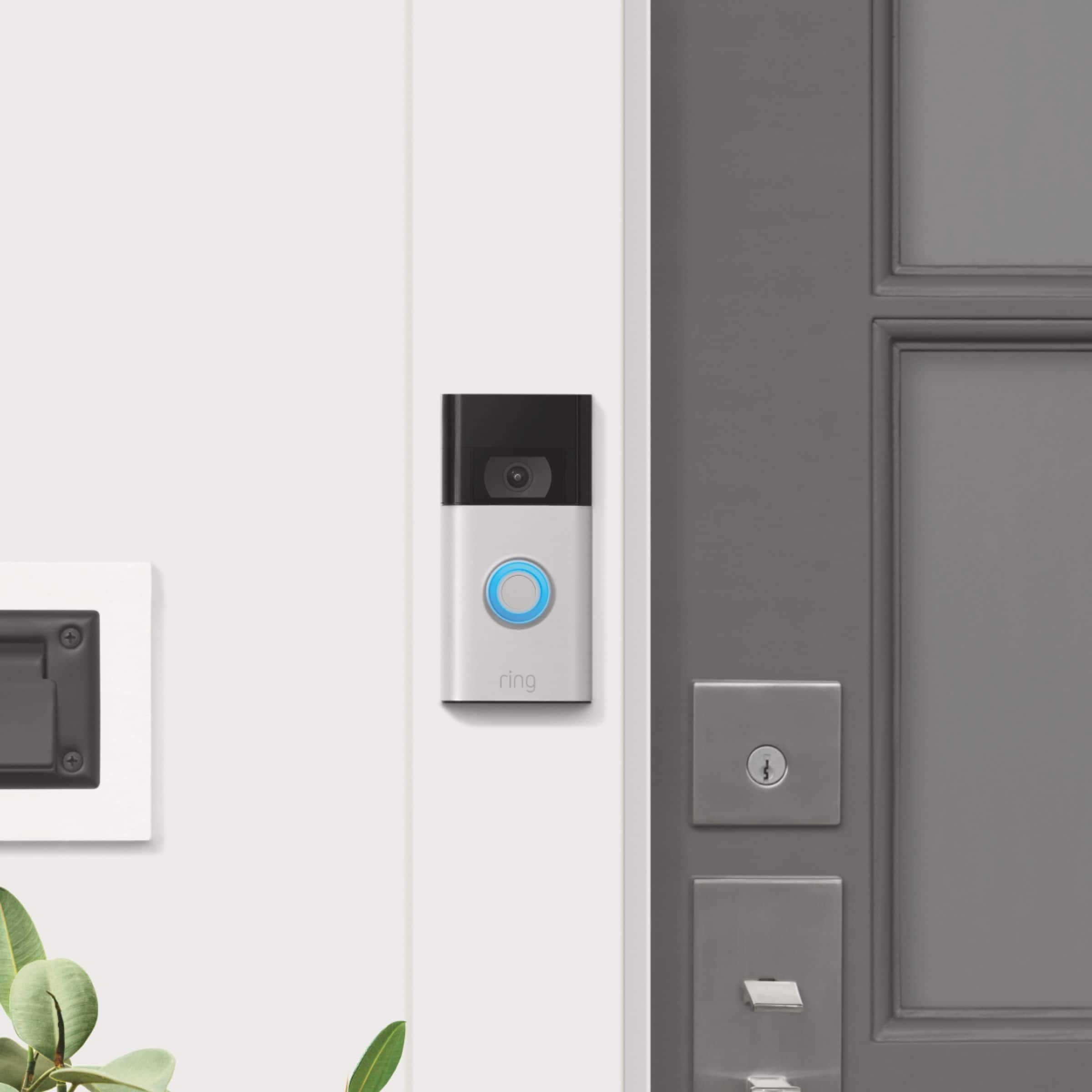
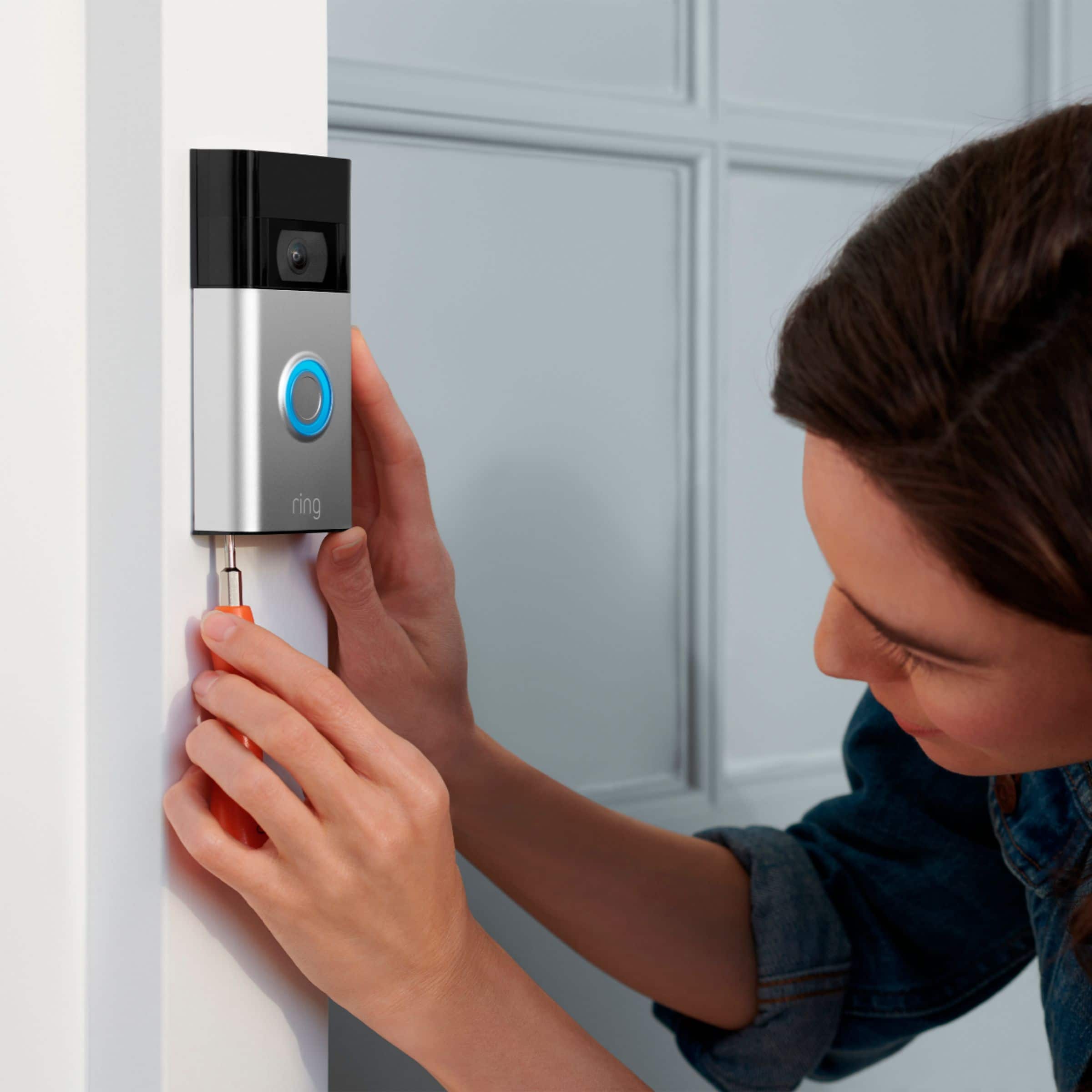



- Model:
- 8VRASZ-SEN0
- SKU:
- 10496835
Rating by feature
- Video Quality
Rating 4.7 out of 5 stars
- Mobile App
Rating 4.7 out of 5 stars
- Sound Quality
Rating 4.7 out of 5 stars
to a friend
Customers are saying
Customers find value in the Video Doorbell's overall performance, noting that it has been working properly. Users also appreciate the camera quality, mentioning that the size of the camera is just right.
This summary was generated by AI based on customer reviews.
BAD battery life!
||Posted . Owned for 1 month when reviewed.This reviewer received promo considerations or sweepstakes entry for writing a review.Don't buy this one!! Battery life SUCKS and wifi connectivity is really low. I have charged 3 times after purchased Sept 1st. I like Ring products, but wont recommend this one. Get the Ring 3 instead you wont regret it.
No, I would not recommend this to a friendBrand response from Ring
Posted .Hello JLMM,
We appreciate you for bringing this to our attention. Our top priority at Ring is to ensure that our customers have the best possible experience with our products. We really appreciate your feedback. We are always striving to improve our products and their performance.
After reading your review, it seems that you are having trouble keeping the battery charged on your Ring Video Doorbell. While batteries in Ring devices can go months between recharges with normal use, this is dependent on a number of factors in your home’s environment, such as the local weather and the number of activities captured. This article will detail some of the factors that may cause your battery to require more frequent recharges: https://support.ring.com/hc/en-us/articles/208190773
If you still have concerns regarding this, we would love to hear from you directly on our Ring Community forum. This is a platform intended for Ring users, just like yourself, to create open discussions regarding their Ring experiences, provide suggestions or feedback, and more: https://community.ring.com/. Thank you, Jamila with Ring
Waste
||Posted . Owned for 1 month when reviewed.This reviewer received promo considerations or sweepstakes entry for writing a review.Even though I hard-wired this it still required a battery charge that's not extra work I want to do.
No, I would not recommend this to a friendBrand response from Ring
Posted .Hi Possible.
Thank you for taking the time to share your experience with us. We understand the importance of having a solid charge on your Ring Video Doorbell (2nd Gen.) so that you are able to have a longer time between charge cycles. It is critical for a home security device to have enough power to keep your device online and ready to protect you. We can definitely assist you with this today to ensure your Ring device is performing optimally, and the proper settings are chosen within the Ring app.
It sounds like the device is not performing as you expected in regards to power. With Ring Video Doorbell (2nd Generation), stay connected to your home from anywhere by seeing who’s at your door and answering it right from the Ring app. Enjoy enhanced features like upgraded video quality from 720p HD to 1080p HD, Near Zone motion detection in areas as close as 5 to 15-feet in front of your home and a reimagined mounting setup that simplifies installation. We have included some important guidelines here to follow when hardwiring your Ring Video Doorbell (2nd Gen.). Installation by a qualified electrician may be required in your area. Refer to your local laws and building codes before performing electrical work; permits plus professional installation may be required by law. To connect to an existing doorbell system, use a hardwired transformer (8 to 24 VAC, 50/60Hz, 5VA to 40VA) such as the Ring Hardwired Transformer Kit.
All Ring devices with Dual Power Mode use Automated Dual Power Mode by default. Switching from Wired Mode to Battery Mode and back can be done at any time by manually updating your preference in your Ring device’s settings.
We advise you to confirm that your device is set to the correct power mode in the Ring app. If the device is hardwired, select Wired Mode. To manually switch between Wired Mode and Battery Mode:
Open the Ring app.
Tap the Menu (☰).
Tap Devices.
Select the Devices you want to update.
Tap Device Settings.
Select General Settings.
Select Power Mode.
Switch to Wired Mode or Battery Mode.
We invite you to reach out to our Community if any additional information is needed regarding your Ring Video Doorbell (2nd Gen.). The Ring Community is our first peer-to-peer community forum, giving our customers the ability to help one another by sharing their feedback and experiences with each other.
Thank you,
Melissa from Ring.
Cancelled delivery on me
||Posted . Owned for 3 weeks when reviewed.This reviewer received promo considerations or sweepstakes entry for writing a review.Product came on time but installation cancelled on me twice. Took 5 weeks to finally get it installed. To this day it is still not installed, scheduled for Monday let’s see how it goes
I would recommend this to a friendBrand response from Ring
Posted .Hello BillyF,
Thank you for taking the time to share your Bestbuy experience with us. We understand the importance of a seamless delivery, as this allows you to use your Ring device right away! Rest assured, we hear you and are here to offer you some help.
In this particular case, it may be best for you to reach out to Bestbuy's customer service team and see what solutions they have for you:1 (888) 237-8289 or https://corporate.bestbuy.com/contact-corporate-responsibility/. We are confident that they will be able to provide you a resolution to the delivery concern you’ve expressed.
Also, Ring Community is our first peer-to-peer community forum, giving our customers the ability to help one another and share their feedback/experiences with Ring. We invite you to reach out at https://community.ring.com/ if any additional information or assistance is needed regarding your Ring device.
Thank you, Jamila with Ring
no contact or follow up from Best Buy
||Posted . Owned for 3 weeks when reviewed.This reviewer received promo considerations or sweepstakes entry for writing a review.Geek squad contracted but doorbell was not installed i have no contact number for best buy follow up
No, I would not recommend this to a friendBrand response from Ring
Posted .Hello KaylaD. Thank you for taking the time to share your experience with us. We understand the importance of a seamless installation process, as this allows you to start using your Ring Video Doorbell (2nd Gen.) right away. What you describe is not the experience we want you to have, rest assured we hear you and are here to offer you some help. In this particular case, we'd suggest you reach out to Best Buy's customer service: 1-888-237-8289 or https://www.bestbuy.com/services/triage/home. We are confident that they will be able to provide you resolution to this installation concern.
Also, Ring Community is our first peer-to-peer community forum, giving our customers the ability to help one another and share their feedback/experiences with Ring. We invite you to reach out if any additional information is needed regarding your Ring Video Doorbell (2nd Gen.).
Thank you,
Melissa from Ring.
It’s okay
||Posted . Owned for 1 month when reviewed.This reviewer received promo considerations or sweepstakes entry for writing a review.It doesn’t record the videos anymore And has a slight delay when people ring the bell. I also can’t go back and look at videos that was recorded
I would recommend this to a friendBrand response from Ring
Posted .Hi TDixon, I know how important it is to be able to rely on your Video Doorbell for peace of mind. Delays in notifications can typically be attributed to a weak or unstable wifi signal. Check out this article from our Help Center for more information https://support.ring.com/hc/en-us/articles/217271526-Checking-Wifi-Signal-Strength. A Ring Protect plan subscription is required for access to video recording. Without an active plan, you will not have access to videos, but you will be able to access the Live View and receive notifications. We have a breakdown of each Ring Protect plan and what features they offer here https://support.ring.com/hc/en-us/articles/115001671383-General-Information-on-Ring-Protect-Subscription-Plans. I hope this helps answer your questions. All the best, Ashley from Ring.
Ring 2020 edition
||Posted . Owned for 3 weeks when reviewed.This reviewer received promo considerations or sweepstakes entry for writing a review.Bad out of the box, worked until the automatic firmware update… had to return it to RING & they exchanged it for one with the update already done. Working fine now!
I would recommend this to a friendBrand response from Ring
Posted .Hello Idontwantto,
Thank you for taking a moment to leave your review on the Ring Video Doorbell. At Ring, we believe that stronger communities are the key to safer neighborhoods. That is why we are driven to create products that help you protect what matters most at home, and empower you to connect with your visitors from wherever you are. We are saddened to read that this device did not meet your expectations, but we are pleased to read that your concerns were resolved with a product replacement.
Your experience with Ring is impactful on our future as a company, and we would love to hear from you directly on our Ring Community forum. If you have any experiences to share, questions regarding Ring and our services, or any feedback and product suggestions, we encourage you to have your voice be heard: https://community.ring.com/!
Thank you, Jamila with Ring
Disappointed
||Posted . Owned for 3 weeks when reviewed.This reviewer received promo considerations or sweepstakes entry for writing a review.Stopped working on day 4. Worked great on days 1-3.
No, I would not recommend this to a friendBrand response from Ring
Posted .Hi EDEE.
Thank you for taking the time to share your experience with us. We understand how important it is for your Ring Video Doorbell (2nd Gen.) to function consistently and reliably, so you are alerted to any wanted or unwanted activity in or around your home. The features and technology provided by the Ring Video Doorbell (2nd Gen.) are incredibly valuable and help provide you with peace of mind about your home security. We are eager to address the issue you raised in your review and provide you with a resolution today.
It sounds like your Ring Video Doorbell (2nd Gen.) is not performing as expected. We would love the opportunity to share with you some troubleshooting steps that you can try to get your Ring Video Doorbell (2nd Gen.) functioning as intended. If your device is unresponsive, try pressing and holding the reset button for 20 seconds. Follow the steps in the Ring app to reconnect the doorbell to your network. To reconnect a Ring video doorbell to your wifi network: Open the Ring app. Tap the menu (≡). Tap "Devices" and select the doorbell or camera you'd like to reconnect to wifi. Tap the "Device Health" tile. Under "Network," tap "Change Network" and follow the prompts in the app. Allow some time for your device to fully reconnect to the network, then check your wifi signal strength in "Device Health" to confirm it has successfully reconnected.
If you still have the Ring device in your possession, we invite you to reach out to our community. Ring Community is our first peer-to-peer community forum, giving our customers the ability to help one another and share their personal feedback and experiences with Ring. We look forward to hearing from you. Please let us know if we can be of any further assistance!
Thank you,
Melissa from Ring.
broke after one year
||Posted . Owned for 1 year when reviewed.This reviewer received promo considerations or sweepstakes entry for writing a review.A superb little machine; very convenient size. A good purchase. But broke down after one year.
No, I would not recommend this to a friendBrand response from Ring
Posted .Hi EdwardP. Thank you for taking the time to share your experience with us. We understand how important it is for your Ring Video Doorbell (2nd Gen.) to function consistently and reliably, so you are alerted to any wanted or unwanted activity in or around your home. The features and technology provided by the Ring Video Doorbell (2nd Gen.) are incredibly valuable and help provide you with peace of mind about your home security. We are eager to address the issue you raised in your review and provide you with a resolution today.
It sounds like your Ring Video Doorbell is not performing as expected. With Ring Video Doorbell (2nd Generation), stay connected to your home from anywhere by seeing who’s at your door and answering it right from the Ring app. Enjoy enhanced features like upgraded video quality from 720p HD to 1080p HD, Near Zone motion detection in areas as close as 5 to 15-feet in front of your home and a reimagined mounting setup that simplifies installation. We would love the opportunity to share with you some troubleshooting steps that you can try to get your Ring Video Doorbell (2nd Gen.) functioning as intended. If your device is unresponsive, try pressing and holding the reset button for 20 seconds. Follow the steps in the Ring app to reconnect the doorbell to your network. To reconnect a Ring video doorbell to your wifi network:
Open the Ring app.
Tap the menu (≡).
Tap Devices and select the doorbell or camera you'd like to reconnect to wifi.
Tap the Device Health tile.
Under Network, tap Change Network and follow the prompts in the app.
Allow some time for your device to fully reconnect to the network, then check your wifi signal strength in Device Health to confirm it has successfully reconnected.
If you still have the Ring device in your possession, we invite you to reach out to our Community. Ring Community is our first peer-to-peer community forum, giving our customers the ability to help one another and share their personal feedback and experiences with Ring. We look forward to hearing from you if we can be of any further assistance!
Thank you,
Melissa from Ring.
No Blue Light
||Posted . Owned for 8 months when reviewed.This reviewer received promo considerations or sweepstakes entry for writing a review.Im actually stanind in the tech line now. We just installed it and it worked for 4 days and now it wont re-charge.
I would recommend this to a friendBrand response from Ring
Posted .Hi DemetrianS.
Thank you for taking the time to share your experience with us. We understand the importance of having a solid charge on your Ring Video Doorbell (2nd Gen.) so that you are able to have a longer time between charge cycles. The features and technology provided by the Ring Video Doorbell (2nd Gen.) are incredibly valuable and help provide you with peace of mind about your home security. We can definitely provide you with more information regarding the concern mentioned in your review.
It sounds like the device is not operating as intended. With Ring Video Doorbell (2nd Generation), stay connected to your home from anywhere by seeing who’s at your door and answering it right from the Ring app. Enjoy enhanced features like upgraded video quality from 720p HD to 1080p HD, "Near Zone" motion detection in areas as close as 5 to 15 feet in front of your home, and a reimagined mounting setup that simplifies installation. To charge the battery for your Ring Video Doorbell (2nd Generation), use a common micro-USB cable, such as the orange one included in your Ring box. Simply plug it into any USB power source. Your doorbell can take around 5–10 hours to fully charge, depending on whether the USB cable is plugged into a USB port or a wall outlet. We have included the instructions here for how to charge your Ring Video Doorbell (2nd Gen.):
1. Remove the security screws on the base of the doorbell and lift the doorbell up and away from the mounting bracket.
2. Connect the orange micro-USB charger to the port on the back of the device.
3. During charging, the blue light on the front of the device will show the charge percentage.
4. When the doorbell is fully charged, the light will be solid blue.
5. Reattach the Ring unit to the mounting bracket using your security screws. After about 30 seconds (time for the Ring doorbell to start up), test your Ring doorbell by pressing the button on the front.
If your device is unresponsive, try pressing and holding the reset button for 20 seconds. Follow the steps in the Ring app to reconnect the doorbell to your network. To reconnect a Ring video doorbell to your wifi network: Open the Ring app. Tap the menu (≡). Tap "Devices" and select the doorbell or camera you'd like to reconnect to wifi. Tap the "Device Health" tile. Under "Network," tap "Change Network" and follow the prompts in the app. Allow some time for your device to fully reconnect to the network, then check your wifi signal strength in "Device Health" to confirm it has successfully reconnected.
If you still have the Ring Video Doorbell (2nd Gen.) in your possession, we invite you to reach out to our community. Ring Community is our first peer-to-peer community forum, giving our customers the ability to help one another and share their personal feedback and experiences with Ring. We look forward to hearing from you. Please let us know if we can be of any further assistance!
Thank you,
Melissa from Ring.
Terrible
||Posted .This reviewer received promo considerations or sweepstakes entry for writing a review.It to several weeks to get it from you guys and came in defective it took another four weeks to get another one back to me I’ll try contacting your customer service for help I got No respond I left my phone number
No, I would not recommend this to a friendBrand response from Ring
Posted .Hello Boom,
Thank you for taking the time to share your Bestbuy experience with us. We understand the importance of a seamless delivery, as this allows you to use your Ring device right away! Rest assured, we hear you and are here to offer you some help.
In this particular case, it may be best for you to reach out to Bestbuy's customer service team and see what solutions they have for you:1 (888) 237-8289 or https://corporate.bestbuy.com/contact-corporate-responsibility/. We are confident that they will be able to provide you a resolution to the delivery concern you’ve expressed.
Also, Ring Community is our first peer-to-peer community forum, giving our customers the ability to help one another and share their feedback/experiences with Ring. We invite you to reach out at https://community.ring.com/ if any additional information or assistance is needed regarding your Ring device.
Thank you, Jamila with Ring
Doorbell
||Posted . Owned for 3 weeks when reviewed.This reviewer received promo considerations or sweepstakes entry for writing a review.Not this much valuable product I returned already because of its quality.
No, I would not recommend this to a friendBrand response from Ring
Posted .Hi GezahagnM.
Thank you for taking the time to share your experience with us.
At Ring, we believe in keeping people close to what’s important. That is why we are driven to create products that help you protect what matters most at home and empower you to connect with your visitors from wherever you are. Together, we’ll make neighborhoods safer!
It sounds like you no longer have your Ring device. However, if you still need assistance, we invite you to reach out to our support team. The features and technology provided by the Ring Video Doorbell (2nd Generation) are incredibly valuable and help provide you with peace of mind about your home security. The Ring Video Doorbell (2nd Generation) offers features such as 1080p HD, Near Zone motion detection in areas as close as 5 to 15 feet in front of your home, and a reimagined mounting setup that simplifies installation. We would love to ensure your device is working as intended.
Ring Community was launched to help deliver the most current news and educational information to our neighbors. This online forum is divided into four categories: Product Boards, Ring Updates, Tips + Tricks, and a Moderators’ Corner. The Product Boards are where you can begin new topics with your questions or feedback; there is also a search option that helps you find topics that have already been posted by other neighbors.
All the best,
Nicole from Ring.
Bad purchase
||Posted . Owned for 1 month when reviewed.This reviewer received promo considerations or sweepstakes entry for writing a review.Can’t record any video unless ypu pay a stupid fee for it. Video picks up on as far as 50 feet and alerts ypu to nothing. Only can view live. Do not buy.
No, I would not recommend this to a friendBrand response from Ring
Posted .Hello BuckeyeMike,
Thank you so much for showing interest in our products and desiring to have more information regarding the optional Ring Protect Plan subscription. We want to ensure that we can answer any questions you may have concerning how the Ring Protect Plans work and how to save/share your videos, when necessary.
Ring gives customers a complimentary 30-day trial with each new Ring device. After the 30-days, you can choose if you would like to purchase a Ring Protect Plan or not. A Ring Protect Plan is not necessary to view real time notifications on your Ring cameras. Without the Ring Protect Plan, you can still use the live view and two-way audio feature, you are still able to see who is at your door and answer motion notifications. In order to see past recorded videos from your ring device, you will need the optional Ring Protect Plan, which starts at $3/month per device or $30/year per device. Please see the following link for more information regarding the Ring Protect Plan and the benefits it offers: https://support.ring.com/hc/en-us/articles/115001671383-General-Information-on-Ring-Protect-Subscription-Plans.
We invite you to reach out at https://community.ring.com/ if any additional information is needed regarding your Ring Protect Plan question. Ring Community is our first peer-to-peer community forum, giving our customers the ability to help one another and share their feedback/experiences with Ring.
Thank you,
Jamila with Ring
Not compatible and nightmarish setup
||Posted . Owned for 1 year when reviewed.This reviewer received promo considerations or sweepstakes entry for writing a review.Does not work and the setup process is a nightmare. I purchased on Black Friday but did not bother to set up until months later so the return period has expired.
No, I would not recommend this to a friendBrand response from Ring
Posted .Hello Bacon,
We are thankful for your feedback. We are constantly pushing ourselves to develop products to empower users with an affordable, effective way to monitor and secure their home. In pursuit of our mission to make neighborhoods safer, when applying technologies to our business, we always consider our three pillars of customer security, privacy, and user control. We understand how important it is to have your devices working as intended as it offers a level of security in your home.
Based on your review, it seems that you are not fully satisfied with your Ring Video Doorbell. If your device is not working as intended we recommend resetting your device. To reset your Ring Video Doorbell press and hold the setup button for 10-15 seconds and release. Once the white light on the front of the device stops spinning proceed with the setup process. Please see our help center article for further help: https://support.ring.com/hc/en-us/articles/360041353291-Setting-Up-Your-Ring-Video-Doorbell-2020-release-in-the-Ring-App.
If you still have the Ring device in your possession, we invite you to reach out to us at https://community.ring.com/. We look forward to hearing from you, if you have any further feedback regarding your overall experience.
Thank you,
Jamila with Ring
Idk
||Posted . Owned for 3 weeks when reviewed.This reviewer received promo considerations or sweepstakes entry for writing a review.Couldn’t connect to my Wi-Fi 5g or 2.4. Changed my Wi-Fi password and all, called tech support n no help had to return it.
No, I would not recommend this to a friendBrand response from Ring
Posted .Hi AngenellaM.
Thank you for sharing your experience.
We understand the importance of a seamless setup process so that you can begin using your Ring Video Doorbell (2nd Generation) right away. The features and technology provided by the Ring Video Doorbell (2nd Generation) are incredibly valuable and help provide you with peace of mind about your home security. We want to work with you to make sure we get your device online and working as intended. We are confident we can resolve this together today.
It sounds like your device is not connecting to wifi during setup. If you're having issues setting up your Ring doorbell or security camera, such as connecting to the temporary Ring network or your home wifi network, try the troubleshooting steps below.
Reboot your device (shut it off completely), then try setting it up again.
Change your cellular data settings. If you don't see your home wifi network when you're setting up your device, one of your mobile device settings may be preventing setup. You can always switch your settings back.
Change the wifi settings. This often helps when you're trying to connect to the Ring network. Tap Settings (the gear icon), then tap Wifi. Under this setting, you'll see a list of different network names. Below that list, tap Ask to Join Networks, then tap Ask. Try setup again to see if the Ring temporary network appears.
Visit our support center if additional troubleshooting is needed.
Ring Community was launched to help deliver the most current news and educational information to our neighbors. This online forum is divided into four categories: Product Boards, Ring Updates, Tips + Tricks, and a Moderators’ Corner. The Product Boards are where you can begin new topics with your questions or feedback; there is also a search option that helps you find topics that have already been posted by other neighbors.
All the best,
Nicole from Ring.
Not worth the money.
||Posted . Owned for 2 months when reviewed.This reviewer received promo considerations or sweepstakes entry for writing a review.If i had known i had to buy a separate subscription plan for second doorbell I would not have purchased it.
No, I would not recommend this to a friendBrand response from Ring
Posted .Hi mjmcc521.
Thank you for taking the time to share your experience and feedback with us. We understand the importance of having events recorded on your Ring Video Doorbell (2nd Gen.). The features and technology provided by the Ring Video Doorbell (2nd Gen.) are incredibly valuable and help provide you with peace of mind about your home security. We are happy to hear that you are enjoying the functionality of the device. While subscribed to one of our Ring Protect Plans, you will have access to videos of every motion and live view event. Without this service, you will still receive real-time video alerts on your smartphone and have access to the live view feature.
If any additional information is needed regarding your Ring Video Doorbell (2nd Gen.), please reach out to our community. Ring Community is our first peer-to-peer community forum, giving our customers the ability to help one another and share their feedback and experiences directly with Ring.
Thank you,
Melissa from Ring.
need improvement
||Posted . Owned for 1 month when reviewed.This reviewer received promo considerations or sweepstakes entry for writing a review.It would not hook to my wireless internet and Geek Squad would not help
No, I would not recommend this to a friendBrand response from Ring
Posted .Hi William.
Thank you for taking the time to share your experience with us.
We understand the importance of a seamless setup process so that you can begin using your Ring Video Doorbell right away. The features and technology provided by the Ring Video Doorbell are incredibly valuable and help provide you with peace of mind about your home security. We want to work with you to make sure we get your device working as intended. We are confident we can resolve this together today.
It sounds like your device is failing to connect to your home's wifi network. If you're receiving a 'Setup did not complete' message and cannot finish setup, your Ring device may be too far from your wifi router, or there may be a possible problem with your internet connection.
One issue you may run into during setup is not being able to find the temporary "Ring-" wifi network. The temporary wifi network called "Ring-" is broadcast by your device during setup. If you're having trouble finding this network, you should restart the setup procedure. When you get to this step, look for a slowly pulsing light on your device. This means the device is broadcasting the network. Now, try the setup process again. If you don't see this light, you may have a malfunctioning unit. Visit our support center for more information.
Ring Community was launched to help deliver the most current news and educational information to our neighbors. This online forum is divided into four categories: Product Boards, Ring Updates, Tips + Tricks, and a Moderators’ Corner. The Product Boards are where you can begin new topics with your questions or feedback; there is also a search option that helps you find topics that have already been posted by other neighbors.
All the best,
Nicole from Ring.
!!!&(%##"#!/#-
||Posted .This reviewer received promo considerations or sweepstakes entry for writing a review.It sucks. I've told you I didn't buy this. Someone must have used my information. You said you'd get back to me and never have
No, I would not recommend this to a friendBrand response from Ring
Posted .Hello NOTMINE,
Thank you for taking the time to share your experience with us. What you describe is not the experience we want you to have, rest assured we hear you and are here to offer you some help.
In this particular case, we'd suggest you reach out to Best Buy's customer service: 1-888-237-8289 or https://www.bestbuy.com/services/triage/home. We are confident that they will be able to provide you a resolution to this purchasing concern.
Should you need assistance from Ring, Ring Community is our first peer-to-peer community forum giving our customers the ability to help one another and share their feedback/experiences with Ring directly. We invite you to reach out at https://community.ring.com/ if any additional information is needed regarding the Ring Doorbell.
Thank you,
Alexis with Ring
Junk
||Posted . Owned for 5 months when reviewed.This reviewer received promo considerations or sweepstakes entry for writing a review.Not streaming at all, it kept ringing until I had to throw it on the floor and finally it stopped ringing.
No, I would not recommend this to a friendBrand response from Ring
Posted .Hello Barby,
We are thankful for your feedback. We are constantly pushing ourselves to develop products to empower users with an affordable, effective way to monitor and secure their home. In pursuit of our mission to make neighborhoods safer, when applying technologies to our business, we always consider our three pillars of customer security, privacy, and user control. We understand how important it is to have your devices working as intended as it offers a level of security in your home.
Based on your review, it seems that you are not fully satisfied with your Ring Video Doorbell. If your device is not working as intended we recommend resetting your device. To reset your Ring Video Doorbell press and hold the setup button for 10-15 seconds and release. Once the white light on the front of the device stops spinning proceed with the setup process. Please see our help center article for further help: https://support.ring.com/hc/en-us/articles/360041353291-Setting-Up-Your-Ring-Video-Doorbell-2020-release-in-the-Ring-App.
If you still have the Ring device in your possession, we invite you to reach out to us at https://community.ring.com/. We look forward to hearing from you, if you have any further feedback regarding your overall experience.
Thank you,
Jamila with Ring
No Ring
||Posted . Owned for 1 month when reviewed.This reviewer received promo considerations or sweepstakes entry for writing a review.The geek squad could not install this doorbell. Waiting for an electrician.
No, I would not recommend this to a friendBrand response from Ring
Posted .Hi MelodieG.
Thank you for taking the time to share your experience with us.
We understand the importance of a seamless installation process, as this allows you to start using your Ring Video Doorbell (2nd Generation) right away. The features and technology provided by the Ring Video Doorbell (2nd Generation) are incredibly valuable and help provide you with peace of mind about your home security. We are here to provide you with some information to resolve the installation issue you mentioned in your review.
It sounds like your device has not been installed yet. All of our doorbells and cameras are designed to be a fairly simple, DIY (do-it-yourself) type of installation. We strive to include all needed parts, tools, and instructions to make the process seamless for our customers. To begin, you will want to set up your device in the Ring app before mounting it to your home. For the best results, mount the device around four feet (1.2 meters) above the ground. Visit our support center for a full step-by-step guide on installing your Ring Video Doorbell (2nd Generation).
Ring Community was launched to help deliver the most current news and educational information to our neighbors. This online forum is divided into four categories: Product Boards, Ring Updates, Tips + Tricks, and a Moderators’ Corner. The Product Boards are where you can begin new topics with your questions or feedback; there is also a search option that helps you find topics that have already been posted by other neighbors.
All the best,
Nicole from Ring.
Ring
||Posted . Owned for 1 week when reviewed.This reviewer received promo considerations or sweepstakes entry for writing a review.Would not work with my WiFi. Worked with Ring Customer Support but they could not get it to work.
No, I would not recommend this to a friendBrand response from Ring
Posted .Hi GeorgeW.
Thank you for taking the time to share your experience with us. We understand the importance of a seamless setup process so that you can begin using your Ring Video Doorbell (2nd Gen.) right away. The features and technology provided by the Ring Video Doorbell (2nd Gen.) are incredibly valuable and help provide you with peace of mind about your home security. Rest assured, we are here to provide you with solutions today.
It sounds like the device is not operating as expected. With Ring Video Doorbell (2nd Generation), stay connected to your home from anywhere by seeing who’s at your door and answering it right from the Ring app. Enjoy enhanced features like upgraded video quality from 720p HD to 1080p HD, Near Zone Motion Detection in areas as close as 5 to 15 feet in front of your home, and a reimagined mounting setup that simplifies installation.
In some cases, setting up your Ring device(s) can fail when there are too many devices on one network. Wireless networks utilize different channels for communication. The 2.4 GHz band uses channels 1–11 within the United States and 1–13 in some other countries. The 5 GHz band utilizes select channels between 36 and 165. Multiple wireless devices using the same channels at the same time can cause wireless interference. If you are receiving a message that the network cannot be found or is too far away when connecting devices to the 2.4 GHz frequency, it could be due to this interference. We recommend switching your router’s channel to 1, 6, or 11 to avoid overlapping other channels. If your Ring device does not find any wifi networks, try starting the setup from the beginning or from another mobile device. If the Ring device finds networks but not your own network, you might need to make the Ring device scan for new networks. For battery-powered devices, such as the Ring Video Doorbell 2nd Gen., in order to scan for an updated network list, you will need to exit and re-enter setup mode using the setup button on the device. This will cause it to generate a fresh scan of the available networks for your next setup attempt. A wifi analyzer application can be used on Android devices, or sometimes within your router, to evaluate which channels have the most congestion. We recommend doing this when you are experiencing setup problems, poor audio and/or video quality, or delays with notifications. Open up your Ring device’s ability to communicate by following these steps: Create a DHCP reservation. A DHCP reservation is a permanent IP address assignment that is reserved for the use of one device. Locate the Mac ID listed on the back of your Ring device or on the box. Create a DHCP reservation to ensure that every time your Ring device connects to your router, it will be given the same address. Note: There are many different terms for this option; please check your router’s manual to be sure. Set a static IP. You can also set a static IP during the setup process in the Ring app. Note: Ensure the address you provide is outside the range of your DHCP server in order to prevent an IP conflict. Once a DHCP reservation or static IP is in place, try the following: Move your ring device to the DMZ (demilitarized zone). Using the IP address you reserved, place your Ring device in the demilitarized zone (sometimes referred to as the IP passthrough) of your router. This will allow the Ring device’s traffic to pass through any security settings that may be preventing connection. Note: This can only be done for one connected device at a time. Once you have verified that all steps in the Ring app have been completed and neither your internet connection nor your wifi password are the cause of your connectivity issue, troubleshoot by going through the following solutions one at a time, step by step. Check the SSID (name) of your network. If it has special characters or blank spaces before or after the name, rename the network to something simpler. Once the device is online, a firmware update will start. Once updated successfully, return your network to its previous settings. Set the Ring device back up to see if it will connect. Enable and connect to a guest network. A guest network is a separate access point for your network that is isolated from your other devices. By creating one, you can create a firewall-free network for your Ring device. Create a guest network with a simple, alphanumeric SSID name and password, and connect your Ring device(s) to it. Wifi 6 (802.11 ax): If you have a wifi 6 router in 802.11 af/ax mode and can't complete your setup, change your router or guest network to 802.11 b/g/n and complete your setup.
We invite you to reach out to our community if any additional information is needed regarding your Ring Video Doorbell (2nd Gen.). The Ring Community is our first peer-to-peer community forum, giving our customers the ability to help one another by sharing their feedback and experiences with each other.
Thank you,
Melissa from Ring.