Customer Ratings & Reviews
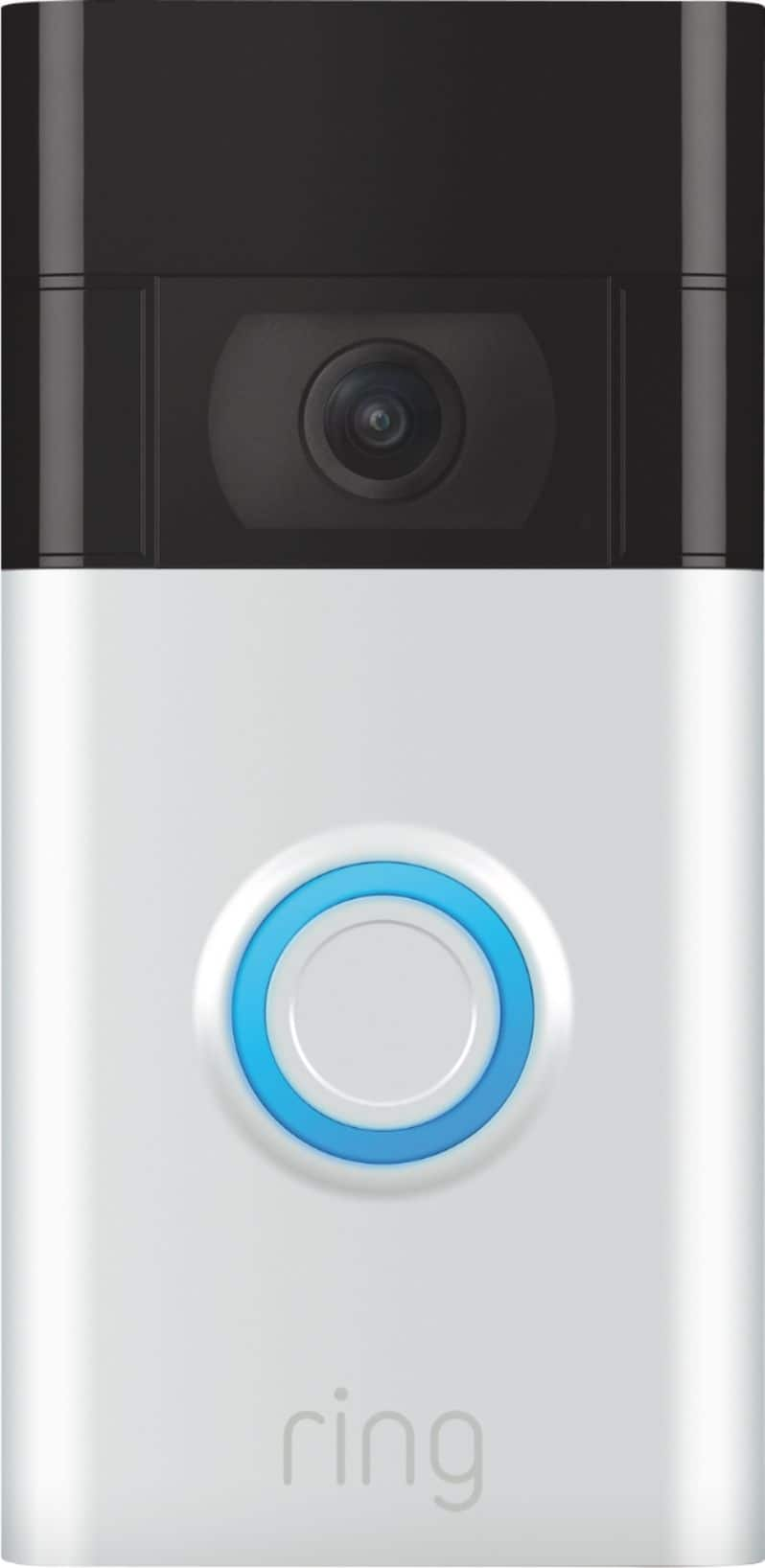
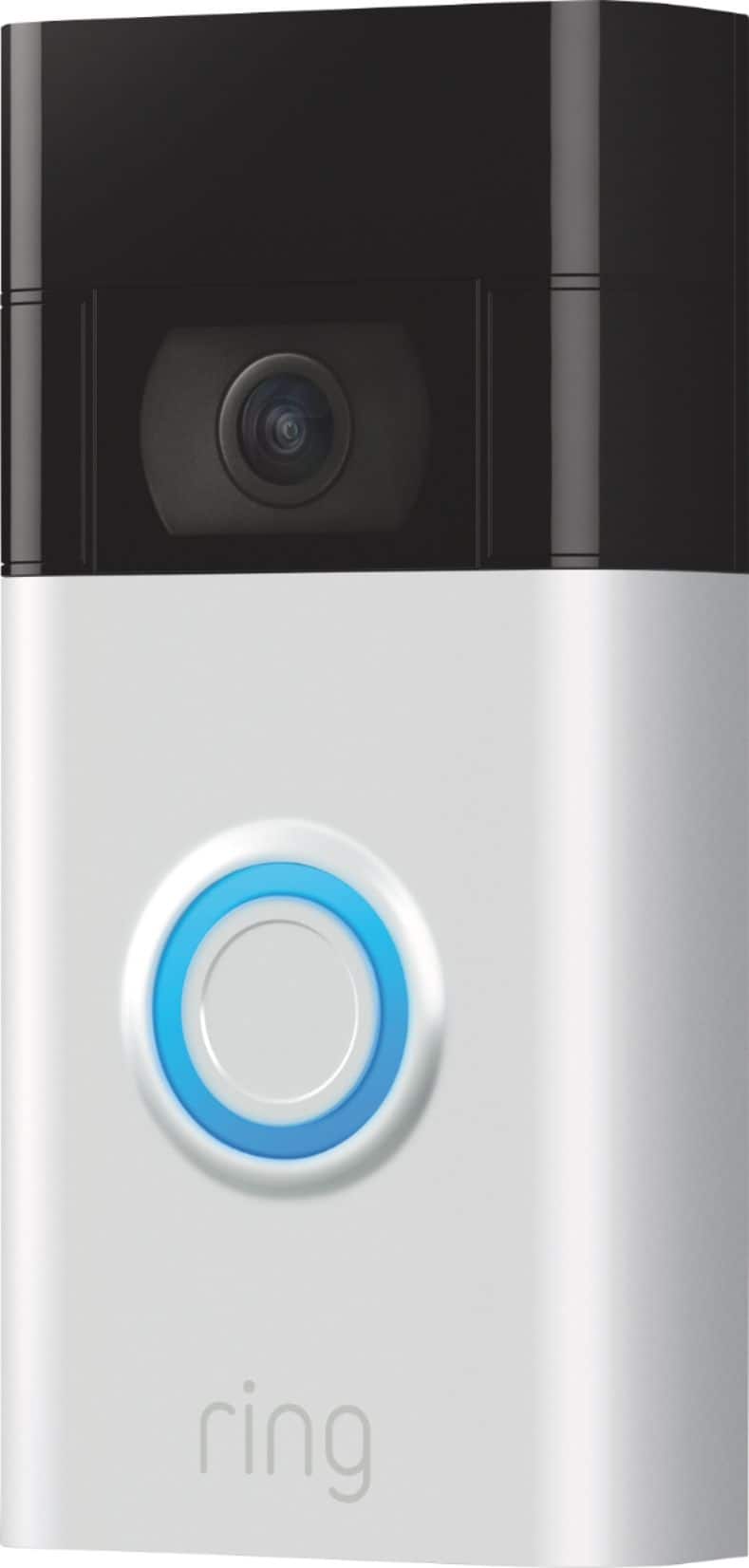
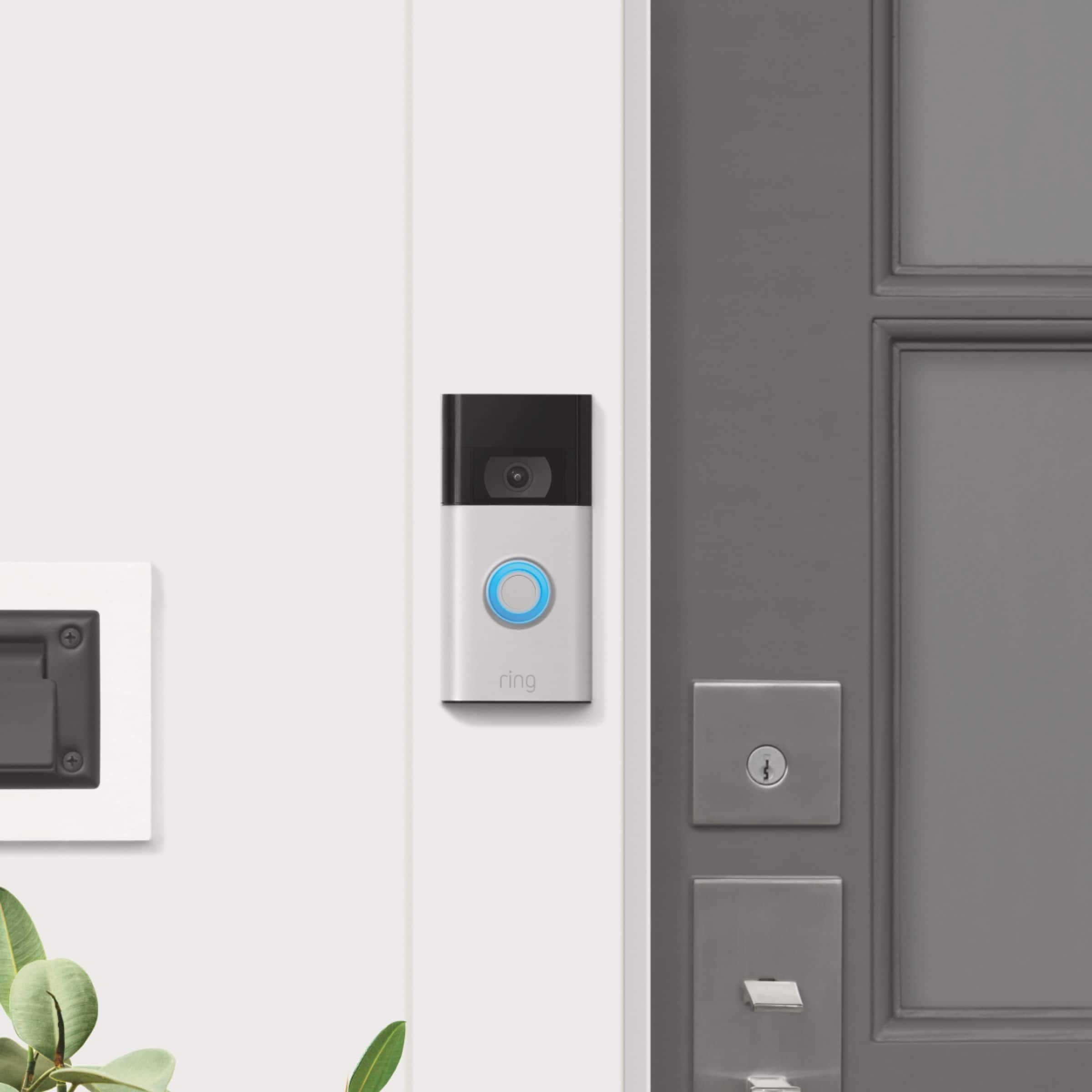
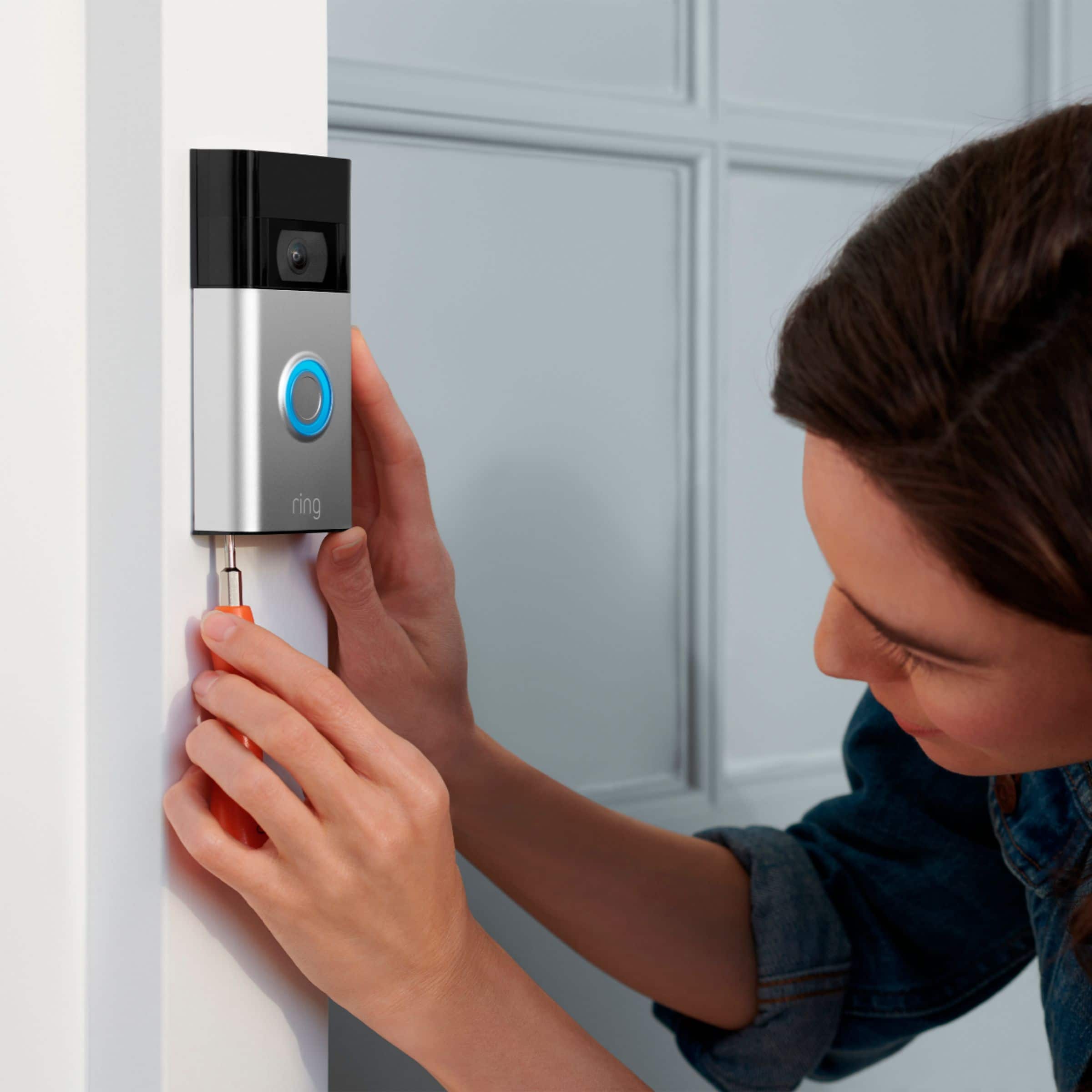



- Model:
- 8VRASZ-SEN0
- SKU:
- 11098676
Rating by feature
- Video Quality
Rating 4.7 out of 5 stars
- Mobile App
Rating 4.7 out of 5 stars
- Sound Quality
Rating 4.7 out of 5 stars
to a friend
Little disappointed
||Posted . Owned for 1 month when reviewed.This reviewer received promo considerations or sweepstakes entry for writing a review.I felt there shouldve been better instructions and it there should have been more information to help you pick the best variation for your needs.
No, I would not recommend this to a friendBrand response from Ring
Posted .Hi MsCotton.
Thank you for taking the time to share your experience with us. We understand the importance of a seamless setup process so that you can begin using your Ring Video Doorbell (2nd Gen.) right away. The features and technology provided by the Ring Video Doorbell (2nd Gen.) are incredibly valuable and help provide you with peace of mind about your home security. We can definitely provide you with more information regarding the concern mentioned in your review.
It sounds like you are experiencing an issue with the setup of the device. With Ring Video Doorbell (2nd Generation), stay connected to your home from anywhere by seeing who’s at your door and answering it right from the Ring app. Enjoy enhanced features like upgraded video quality from 720p HD to 1080p HD, "Near Zone Motion Detection" in areas as close as 5 to 15 feet in front of your home, and a reimagined mounting setup that simplifies installation.
To set up your Ring Video Doorbell (2nd Gen.), you can scan the QR code on your Ring device or product packaging via the Ring app.
Tap the three lines (≡) on the left side of your dashboard in the Ring app.
Tap "Set up a Device" and select "Doorbells."
Tap "I’m Ready to Scan."
Point your smartphone’s camera at the QR code on your Ring device or product packaging. (Note: If you don’t see the QR code, please remove your video doorbell’s faceplate).
Center the code in the phone camera’s view at the bottom half of the screen.
When the code is recognized, a green square will appear and a pop-up with your device image detected.
If you experience issues scanning the QR code, please follow these steps:
Move your camera closer or further from the QR code to help it focus.
Once your camera finds focus, hold it steady for a few seconds.
If your camera won’t focus, clean your camera lens, move to a well-lit area, and try again.
If you continue to experience issues, please follow these additional steps:
Tap "Other Options" below the scanner.
Select Can’t Scan the QR code.
Confirm by selecting "Enter code manually" (this corresponds to PIN code digits underneath the QR code).
Find your device in the list.
Enter your five digit PIN which can be found below the QR code.
For additional support, we recommend reaching out to our Ring Customer Support team. They are available 24/7 at: 1-800-656-1918. We also invite you to reach out to our community. The Ring Community is our first peer-to-peer community forum, giving our customers the ability to help one another by sharing their feedback and experiences with each other.
All the best,
Melissa from Ring.
Horrible battery life
||Posted . Owned for 1.5 years when reviewed.This reviewer received promo considerations or sweepstakes entry for writing a review.Battery run out way to quickly always have to charge after 3 days of use
No, I would not recommend this to a friendBrand response from Ring
Posted .Hi CaraG.
Thank you for taking the time to share your experience. We understand the importance of having a solid charge on your Ring Video Doorbell (2nd Gen.) so that you are able to have a longer time between charge cycles. Having longevity in a battery-powered security device is crucial when it comes to monitoring your home, especially if you are away for long periods of time. We are here to provide you with some education to resolve the battery life issue you mentioned in your review.
It sounds like the device is not performing as expected. There are some troubleshooting steps that you can take to ensure that you have your device set up for optimal battery-life performance. The more events captured by your Ring devices, the more your battery is used. Using "Live View" can also drain your battery faster. If your device is capturing an excessive number of events each day, you may need to recharge your battery sooner.
To prevent excessive activity, under "Motion Settings" for your device in the Ring app, you can:
Adjust your "Motion Sensitivity" slider to a lower sensitivity.
Redraw your "Customizable Motion Zones."
Change "Motion Frequency" to regularly or periodically.
You could also adjust the direction of your Ring device so it doesn't detect as much motion.
You can go to "Power Settings" in the Ring app to see what features may be draining your battery.
To access "Power Settings," open the Ring app:
Tap the menu (≡) on the top left of the dashboard.
Tap "Devices."
Tap the individual device (video doorbell or security camera) you want to check.
Tap "Power Settings" to check your "Battery Level" percentage and "Feature Power Usage."
Tap a feature to adjust "Snapshot Capture," "Motion Frequency," and "Video Recording Length.".
We recommend using the Ring Solar Charger for the Ring Video Doorbell (2nd Gen.) or the Ring Plug-In Adapter to assist with extending the life of the battery in your Ring Video Doorbell (2nd Gen.). The Ring Solar Charger for Ring Video Doorbell (2nd Generation) is a solar power source that can be mounted behind your Ring Video Doorbell (2nd Generation). Ring Solar Charger is a convenient power source to help charge and extend the battery life of your Video Doorbell (2nd Generation). The Ring Plug-in Adapter (2nd Generation) is designed to convert battery-powered video doorbells so they can run using line current.
If any additional information is needed regarding your Ring Video Doorbell (2nd Gen.), please reach out to our community. Ring Community is our first peer-to-peer community forum, giving our customers the ability to help one another and share their feedback and experiences directly with Ring.
Thank you for being the best part of Ring! Have a wonderful day!
Sincerely,
Melissa from Ring.
Ring
||Posted .This reviewer received promo considerations or sweepstakes entry for writing a review.Took a while to install. Otherwise so far so good.
I would recommend this to a friendBrand response from Ring
Posted .Hi Darrick.
We appreciate you taking the time to share your experience with us. We are pleased to read that you are enjoying your new Ring Video Doorbell (2nd Gen.)! At Ring, we believe in keeping people close to what’s important. That is why we are driven to create products that help you protect what matters most at home and empower you to connect with your visitors from wherever you are. Together, we’ll make neighborhoods safer!
We recommend following these instructions when installing your Ring Video Doorbell (2nd Gen.):
For the best results, mount it around 1.2 meters above the ground.
There are two types of screws included in the product packaging:
The four wood screws are used to secure the mounting bracket to your door or wall.
The two star-shaped security screws are used to tighten the screws into the bottom of the Ring Video Doorbell (2nd Generation) faceplate to help deter theft.
You'll need to install wall anchors when installing on stucco, brick, or concrete.
Grab 4 of the wall anchors from Bag A. Using your Ring doorbell as a template, mark 4 drill holes on the wall. Use a 1/4" masonry drill bit (not included) to drill the holes, then insert the four wall anchors.
Install the mounting bracket.
Using a Philips head screwdriver, drive the mounting screws from Bag A into your wall (or into the anchors, if installed) until they are flush with the mounting bracket.
Attach your Ring doorbell to the mounting bracket.
Hook the slot on the rear of your Ring doorbell onto the tab near the top of the mounting bracket.
Then, let the doorbell pivot down to sit flush on its bracket.
Secure the doorbell.
CAUTION! If you use the wrong screws to secure the doorbell, you could damage the battery during installation, create a fire hazard, and be seriously injured.
DO NOT use any screws other than the included short security screws when securing your Ring doorbell to the bracket.
Use the star-shaped end of the included screwdriver to insert and tighten two of the security screws from Bag B into the bottom of your Ring doorbell.
If any additional information is needed regarding your Ring Video Doorbell (2nd Gen.), please reach out to our community. Ring Community is our first peer-to-peer community forum, giving our customers the ability to help one another and share their feedback and experiences directly with Ring.
Thank you,
Amilia from Ring.
Good
||Posted . Owned for 1 month when reviewed.This reviewer received promo considerations or sweepstakes entry for writing a review.Good, but battery doesn't last long, not even a month.
I would recommend this to a friendGreat device
||Posted . Owned for 4 months when reviewed.This reviewer received promo considerations or sweepstakes entry for writing a review.So far working great Can hear us talking to them clearly pictures are good
I would recommend this to a friendGood Product
||Posted . Owned for 3 weeks when reviewed.This reviewer received promo considerations or sweepstakes entry for writing a review.I’m satisfied with this product . I would recommend
I would recommend this to a friendGood product for the money
||Posted . Owned for less than 1 week when reviewed.This reviewer received promo considerations or sweepstakes entry for writing a review.Great product, works real good and video is good. Audio catches well also.
I would recommend this to a friendGreat product.
||Posted . Owned for 1 month when reviewed.This reviewer received promo considerations or sweepstakes entry for writing a review.A little slow with video. But overall a great product.
I would recommend this to a friend1st video doorbell
||Posted . Owned for 2 months when reviewed.This reviewer received promo considerations or sweepstakes entry for writing a review.I’m surprisingly pleased with the Ring video doorbell.
I would recommend this to a friendBig!
||Posted . Owned for 2 weeks when reviewed.This reviewer received promo considerations or sweepstakes entry for writing a review.Had to return, way to wide to simply replace my old "normal" doorbell. Unfortunately re-routing my doorbell isn't an easy option.
No, I would not recommend this to a friendBrand response from Ring
Posted .Hi LS4K. Thank you for taking the time to share your experience with us. We understand the importance of a seamless setup process so that you can begin using your Ring Video Doorbell (2nd Gen.) right away. The features and technology provided by the Ring Video Doorbell (2nd Gen.) are incredibly valuable and help provide you with peace of mind about your home security. We can definitely provide you with more information regarding the concern mentioned in your review.
It sounds like the device did not perform as expected. With Ring Video Doorbell (2nd Generation), stay connected to your home from anywhere by seeing who’s at your door and answering it right from the Ring app. Enjoy enhanced features like upgraded video quality from 720p HD to 1080p HD, Near Zone motion detection in areas as close as 5 to 15-feet in front of your home and a reimagined mounting setup that simplifies installation.
The dimensions of the Ring Video Doorbell (2nd Gen.) are 2.4 in. x 4.98 in x 1.10 in. If you are looking for a smaller sized doorbell, we recommend checking out the Ring Wired Doorbell Plus, which is slightly smaller. The dimensions for the Ring Wired Doorbell Plus are 1.8in x 4.5in x 0.78in. Wired Doorbell Plus is Ring’s ultra-slim design video doorbell with a variety of advanced features. The Wired Doorbell Plus offers Advanced Motion Detection, 1080p video, Two-Way Talk & Quick Replies, Color Night Vision and Alexa Greetings. With Ring’s advanced doorbell, you can check in on your front door anytime, from anywhere, and can see and speak to visitors at your door in real-time using your Ring app or Alexa-enabled device. With Wired Doorbell Plus, you’ll always be connected to your home, so you can watch over your property and answer the door from anywhere.
We invite you to reach out to our Community if any additional information is needed regarding your device. The Ring Community is our first peer-to-peer community forum, giving our customers the ability to help one another by sharing their feedback and experiences with each other.
Thank you,
Melissa from Ring.
Good
||Posted . Owned for 3 weeks when reviewed.This reviewer received promo considerations or sweepstakes entry for writing a review.Good product I just wish it would rotate and not skip.
I would recommend this to a friendI am not unhappy with it
||Posted . Owned for more than 2 years when reviewed.This reviewer received promo considerations or sweepstakes entry for writing a review.It doesn't always charge or want to work. It's not the best, not the worst
I would recommend this to a friendBrand response from Ring
Posted .Hi DanielleA.
Thank you for taking the time to share your experience with us. At Ring, we want to ensure that you have the best possible experience with our products. Your peace of mind and security are extremely important to us. The Ring Video Doorbell (2nd Gen.) is designed to be a DIY home security solution that can be trusted to provide you with lasting coverage. Rest assured, we hear you and are here to offer you some help.
To charge the battery for your Ring Video Doorbell (2nd Generation), use a common micro-USB cable, such as the orange one included in your Ring box. Simply plug it into any USB power source. Your doorbell can take around 5-10 hours to fully charge, depending on whether the USB cable is plugged into a USB port or a wall outlet. If you find that the device is not charging, try a different cord or a different outlet.
Ring Community was launched to help deliver the most current news and educational information to our neighbors. This online forum is divided into four categories: Product Boards, Ring Updates, Tips + Tricks, and a Moderators’ Corner. The Product Boards are where you can begin new topics with your questions or feedback; there is also a search option that helps you find topics that were already posted by other neighbors. We invite you to visit our community today!
Thank you,
Melissa from Ring.
Good. Easy to install.
||Posted . Owned for 3 weeks when reviewed.This reviewer received promo considerations or sweepstakes entry for writing a review.Nice product. Good for safety purposes. Easy install.
I would recommend this to a friendEhhh
||Posted . Owned for 1 year when reviewed.This reviewer received promo considerations or sweepstakes entry for writing a review.It’s okay, you have to download and app and to have videos saved you need a membership :(
No, I would not recommend this to a friendBrand response from Ring
Posted .Hi Christina.
Thank you for taking the time to share your experience with us. At Ring, we understand the importance of having all relevant product information prior to purchasing. Being able to save, download, and review footage captured by your Ring Video Doorbell (2nd Gen.) is a valuable feature of the Ring Protect Plan. The Ring Protect Plan provides valuable capabilities, such as accessing paid features and the ability to save, download, and review footage captured by your Ring device. We can definitely provide you with more information regarding the concern mentioned in your review.
It sounds like there was some confusion regarding the optional Ring Protect Plan. With a Ring Protect Plan, you can save, review, and share video recordings from your Ring devices to your Ring account. Without a Ring Protect Plan, you can still view real-time video for Ring doorbells and cameras and answer doorbell notifications when they happen, but you don’t get video recordings of those events.
At Ring, our top priority is to ensure that you have the best possible experience with our products and services. We invite you to reach out to our community if any additional information is needed regarding your Ring Video Doorbell (2nd Gen.). The Ring Community is our first peer-to-peer community forum, giving our customers the ability to help one another by sharing their feedback and experiences with each other.
Thank you,
Melissa from Ring.
Could be better
||Posted . Owned for 3 weeks when reviewed.This reviewer received promo considerations or sweepstakes entry for writing a review.Compared to the floodlight this is not the greatest. Having to charge it is a bit annoying and for some reason it does not detect motion the way the flood light does. There are events that it does not capture at all or will capture very late so you miss some things. I’ve tried everything like the setting the zones and it still doesn’t capture motion the way I want it to like the flood light does. I just didn’t want the flood light blinding my neighbors all night so I decided to just get the doorbell, but I may have to add other cameras for better security in the front.
No, I would not recommend this to a friendBrand response from Ring
Posted .Hi Maire. Hardwiring is always a great option to keep you Ring Video Doorbell charged. You can learn about hardwiring your Doorbell here: https://support.ring.com/hc/en-us/articles/204252980-Charging-your-Ring-Video-Doorbell-battery-with-hardwiring. If you are having issues with Motion Detection, the page here has some great tips and tricks: https://community.ring.com/t/caitlyn-s-guide-to-optimizing-your-doorbell-s-motion-detection/48107. If you have any further questions or concerns, try browsing the Ring Community at https://community.ring.com/. As our first peer-to-peer forum, the Ring Community allows you to ask questions and interact with other neighbors to discuss your Ring devices. Best wishes, David with Ring.
Great purchase!
||Posted . Owned for 2 weeks when reviewed.This reviewer received promo considerations or sweepstakes entry for writing a review.Happy to finally own one, does exactly what we hoped.
I would recommend this to a friendCollege security
||Posted . Owned for 1 month when reviewed.This reviewer received promo considerations or sweepstakes entry for writing a review.Does the job at hand but the initial start of the recording is delayed. Majority of the recording is when the person is already walking away.
I would recommend this to a friendBrand response from Ring
Posted .Hi Ctejas..
Thank you for taking the time to share your experience with us. Thank you for taking the time to share your experience with us. We understand how important it is to have your Ring Video Doorbell (2nd Gen.) capture all the correct motion events. The Ring Video Doorbell (2nd Gen.) was designed to capture motions based on your specifications to help keep your home secure. We are here to provide you with some information to resolve the issue you mentioned in your review.
It sounds like the device is not performing as expected in regards to person detection. It is important to ensure that you have the proper motion settings in place for your environment. This camera uses adjustable motion detection and runs on passive infrared sensors. The system identifies visitors via a moving heat signature and sends a notification to your smart device when one is detected. You can adjust three preset motion zones and their distances under the "Motion Settings" tab on the device's page in the Ring app. Additionally, you can choose how often the camera checks for movement in those predefined zones via the "Motion Frequency" setting. If you find that your camera is missing some motions, please set the motion frequency to "Frequently."
Accuracy in motion detection can also be improved by enabling the "Smart Alerts" feature for people only in your Ring app. To enable "Smart Alerts," please follow these steps:
Tap the menu (≡) on the top left.
Tap "Devices."
Tap the device that you want to adjust.
Tap "Motion Settings."
Tap "Smart Alerts."
Tap "Enable Feature."
Tap "Continue."
Select the notification options that you want for "Person" and "Other Motion."
You'll see a video camera where you can select or de-select recording and a bell icon to represent alert notifications.
After you've adjusted your settings, tap "Done."
If any additional information is needed regarding your Ring Video Doorbell (2nd Gen.), please reach out to our community. Ring Community is our first peer-to-peer community forum, giving our customers the ability to help one another and share their feedback and experiences directly with Ring.
Thank you,
Melissa from Ring.
Doorbell could use some work
||Posted . Owned for 1 year when reviewed.This reviewer received promo considerations or sweepstakes entry for writing a review.This doorbell doesn’t always capture or record movement in its range. The doorbell also doesn’t ring inside the home frequently. I May try a newer doorbell if I can’t troubleshoot
I would recommend this to a friendBrand response from Ring
Posted .Hi there. I know it can be frustrating to run into technical issues, but I'd be happy to point you in the right direction. Motion detection concerns are typically resolved by adjusting the Motion Zones and Motion Sensitivity. Since the Video Doorbell is a battery powered device, you will also have the Motion Frequency setting that you can change. It may take some trial and error to find a combination of settings that works best for you.
As for the internal chime kit, it may not be compatible with the Doorbell so it does not ring consistently. You can find a list of compatible chime kits here https://support.ring.com/hc/en-us/articles/360053138112. For any additional questions about your Ring Doorbell, try searching the Ring Community https://community.ring.com/ to find answers from other neighbors. Best, Ashley from Ring.
Ring review.
||Posted . Owned for 1 month when reviewed.This reviewer received promo considerations or sweepstakes entry for writing a review.It works ok. Battery life is shorter than expected.
I would recommend this to a friendGood camera
||Posted . Owned for 1 month when reviewed.This reviewer received promo considerations or sweepstakes entry for writing a review.Good very useful whenever you are away. Clear vision
I would recommend this to a friend