Customer Ratings & Reviews




- Model:
- 8VRASZ-SEN0
- SKU:
- 11098676
Rating by feature
- Video Quality
Rating 4.7 out of 5 stars
- Mobile App
Rating 4.7 out of 5 stars
- Sound Quality
Rating 4.7 out of 5 stars
Ring doorbell
||Posted . Owned for 1 month when reviewed.This reviewer received promo considerations or sweepstakes entry for writing a review.Very nice , reliable , nothing to worry now even if you are far away home
I would recommend this to a friendGreat
||Posted . Owned for 1 month when reviewed.This reviewer received promo considerations or sweepstakes entry for writing a review.This is an amazing product works as it should and would buy another one
I would recommend this to a friendGood front door camera
||Posted . Owned for 2 weeks when reviewed.This reviewer received promo considerations or sweepstakes entry for writing a review.Good camera system and quick set up. Great use for front door monitoring
I would recommend this to a friendGood i like it
||Posted . Owned for 2 weeks when reviewed.This reviewer received promo considerations or sweepstakes entry for writing a review.Works as good as my other ones i like them great upgrade from original.
I would recommend this to a friendMust have for every home
||Posted .This reviewer received promo considerations or sweepstakes entry for writing a review.Excellent product.A must for every home.The sensors re very very good
I would recommend this to a friendNot great!
||Posted . Owned for 1.5 years when reviewed.This reviewer received promo considerations or sweepstakes entry for writing a review.Not that great. Works sometime. Have to take the ring down to charge...can't just get a secobd battery. Would not recommend!
No, I would not recommend this to a friendBrand response from Ring
Posted .Hi KatW.
Thank you for sharing your feedback with us!
We understand how important it is for your Ring Video Doorbell (2nd Generation) to function consistently and reliably, so you are alerted to any wanted or unwanted activity in or around your home. The features and technology provided by the Ring Video Doorbell (2nd Generation) are incredibly valuable and help provide you with peace of mind about your home security. We want to ensure your device is working as intended by providing you with solutions to resolve the concern you mentioned in your review.
It sounds like your device is not providing the notifications you expected. Motion Zones allow you to define a specific area that you want to see while ignoring everything outside that area. By drawing your Motion Zones to exclude frequently accessed areas such as public paths and roads, you can reduce the number of "false positive" motion alerts (such as cars driving by) and greatly increase the effectiveness of your Ring device.
Follow these steps to set up your custom motion zones:
Tap the three lines on the top left of the dashboard screen.
Tap Devices.
Tap the specific device that you want to adjust.
Tap Device Settings.
Tap Motion Settings to customize your Motion Zones.
Tap the Add a Motion Zone button, and you’ll see a colored box appear.
Follow the on-screen directions and drag the points of the colored box to expand or contract the area you want to monitor.
Once your motion zone is in place, if you’re happy with the placement, press Save.
If you want to customize the name of your Motion Zone, simply tap the white box that displays the default name (either "Zone 1," "Zone 2," or "Zone 3") and enter the new name in its place. Then press Save.
Repeat this process to create up to three Customizable Motion Zones.
Learn more here: https://support.ring.com/hc/en-us/articles/210243483-Utilizing-Motion-Zones-with-your-Ring-Devices.
While the Ring Video Doorbell (2nd Generation) doesn't have a removable battery, it can be connected to an existing chime kit for continuous charging. Visit our support center for additional details: https://support.ring.com/hc/en-us/articles/360041352731-How-to-Physically-Install-Your-Ring-Video-Doorbell-2nd-Generation-With-an-Existing-Doorbell.
Ring Community was launched to help deliver the most current news and educational information to our neighbors. This online forum is divided into four categories: Product Boards, Ring Updates, Tips + Tricks, and a Moderators’ Corner. The Product Boards are where you can begin new topics with your questions or feedback; there is also a search option that helps you find topics that have already been posted by other neighbors. We invite you to visit our site at https://community.ring.com/ today.
All the best,
Nicole from Ring.
Great device!
||Posted . Owned for 1 week when reviewed.This reviewer received promo considerations or sweepstakes entry for writing a review.This device is great! Love it so far. Tells you when someone is there.
I would recommend this to a friendGood
||Posted . Owned for 1 month when reviewed.This reviewer received promo considerations or sweepstakes entry for writing a review.This is my second Ring device. Great product, the only downside is that you have to pay a subscription (?) fee in order to save videos
I would recommend this to a friendExtremely Disappointing
||Posted . Owned for 1 month when reviewed.This reviewer received promo considerations or sweepstakes entry for writing a review.Worked great for 2 weeks, but then started missing a full 50% of people that came to my door. I kept increasing the sensitivity until it was at the maximum, but it did not fix the issue. Creating zones and using other features were also no help. Now we're past the return window. Extremely disappointing.
No, I would not recommend this to a friendBrand response from Ring
Posted .Hi JamesS.
Thank you for taking the time to share your experience with us.
We understand how critical it is for your Ring Video Doorbell (2nd Generation) to activate on meaningful motion events so that you can keep an eye on activity at your door. The features and technology provided by the Ring Video Doorbell (2nd Generation) are incredibly valuable and help provide you with peace of mind about your home security. We would love to assist you with this today, and we are confident we can find the correct settings for your home’s environment.
It sounds like your device is not detecting the motion you are wanting it to. The motion sensors in your Ring Video Doorbell are designed to detect motion up to 155 degrees horizontally and from five to 25 feet outward from the fixture. They're also more sensitive to horizontal movement across the detection area than vertical movement.
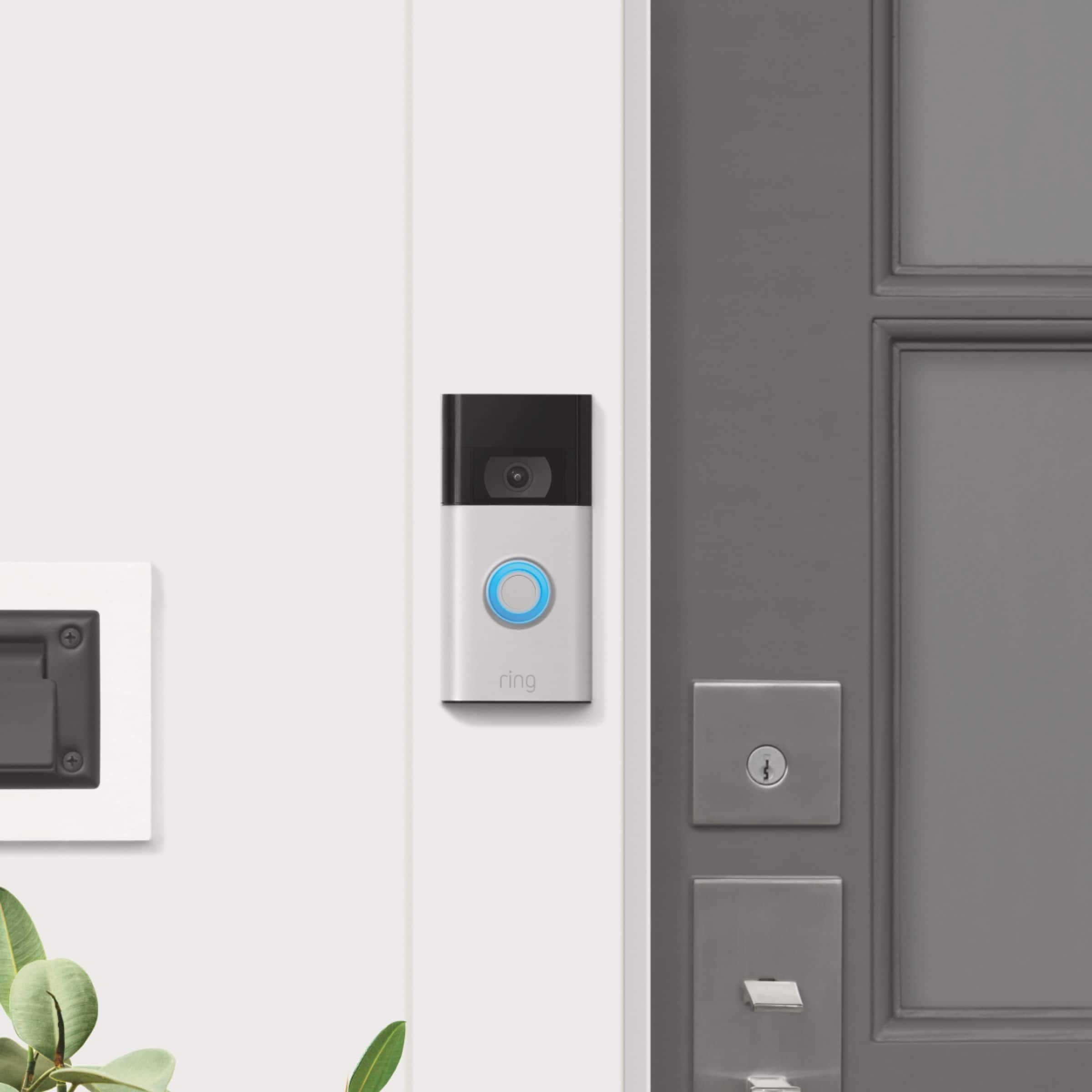
One of the biggest mistakes people make is mounting their Ring Video Doorbell too high. If you mount the Ring Video Doorbell too high, you're more likely to catch the motion of passing cars than the motion of incoming visitors. The Ring Video Doorbell should be mounted at approximately 48 inches above the ground for optimal motion detection. If your device is mounted too high, a wedge kit (sold separately) may be used to angle your device and improve the motion detection you are experiencing. Visit our support center for additional information.
Ring Community was launched to help deliver the most current news and educational information to our neighbors. This online forum is divided into four categories: Product Boards, Ring Updates, Tips + Tricks, and a Moderators’ Corner. The Product Boards are where you can begin new topics with your questions or feedback; there is also a search option that helps you find topics that have already been posted by other neighbors.
All the best,
Nicole from Ring.
Door ring bell
||Posted . Owned for less than 1 week when reviewed.This reviewer received promo considerations or sweepstakes entry for writing a review.I really love it and I got it on really great price u can’t beat it
I would recommend this to a friendring doorbell gen 2
||Posted . Owned for 1 week when reviewed.This reviewer received promo considerations or sweepstakes entry for writing a review.easy setup and installation! highly recommended! great deal as well!
I would recommend this to a friendRing Doorbell
||Posted . Owned for 3 months when reviewed.This reviewer received promo considerations or sweepstakes entry for writing a review.Does not work/tried over and over, even had my router replaced by Verizon, thinking this would fix problem.
No, I would not recommend this to a friendBrand response from Ring
Posted .Hi Moes.
Thank you for taking the time to share your experience with us. At Ring, we understand it is essential to have your Ring Video Doorbell (2nd Gen.) online and working properly. The features and technology provided by the Ring Video Doorbell (2nd gen.) are incredibly valuable and help provide you with peace of mind about your home security. We are here to provide you with some information to resolve the concerns mentioned in your review.
It sounds like your device is not performing as you expected. The Ring Video Doorbell (2nd Gen.) requires existing doorbell wiring for its power supply, but it does not sound your existing doorbell chime. To hear audio alerts in your home, pair it with a Ring Chime or compatible Alexa device (each sold separately).
The Ring Video Doorbell (2nd Gen.) is designed to work with your home's wifi network and is compatible with b/g/n wifi networks operating on 2.4 GHz frequencies. If you're receiving a 'Setup did not complete' message and cannot finish setup, it could be due to one of these common causes of setup failures:
* Your Ring device is too far from your wifi router. Ideally, your router should be within 20 feet of your Ring device.
* There's a possible problem with your internet connection.
* There's a possible issue related to your wifi modem or router.
The temporary wifi network called "Ring-" is being broadcast by your device. If you're having trouble finding this network, you should restart the setup procedure. When you get to this step, look for a slowly pulsing light on your device. This means the device is broadcasting the network. Now, try the setup process again. If you don't see this light, you may have a malfunctioning unit.
We invite you to reach out to our community if any additional information is needed regarding your question. The Ring Community is our first peer-to-peer community forum, giving our customers the ability to help one another by sharing their feedback and experiences with each other. Please let us know if we can be of further assistance.
Thank you,
Melissa from Ring.
Great buy
||Posted .This reviewer received promo considerations or sweepstakes entry for writing a review.Love this purchased for a Chrismas gift and bundled with Alexa show
I would recommend this to a friendWanted & Needed
||Posted . Owned for 1 month when reviewed.This reviewer received promo considerations or sweepstakes entry for writing a review.Excellent! It is exactly what my family member wanted and needed.
I would recommend this to a friendAwesome
||Posted .This reviewer received promo considerations or sweepstakes entry for writing a review.Awesome game and excellent customer service I would buy it again.
I would recommend this to a friendDisappointed
||Posted . Owned for 3 weeks when reviewed.This reviewer received promo considerations or sweepstakes entry for writing a review.This is the second Ring Video Doorbell that I have purchase. I never got the first one to work well and wasn't able to return it. While this one works, I am disappointed that it doesn't stay charged even while being connected to a transformer and that it stops working when temperatures get below freezing.
No, I would not recommend this to a friendBrand response from Ring
Posted .Hello DJMN,
We understand how imperative it is to have a Ring doorbell solution that works best for you and your environment. While the Ring Video Doorbell is designed with battery life longevity and advanced motion detection in mind, it's still important to consider other factors that may impact your battery life.
The charge from the hard-wiring supplies a trickle-charge to the battery. Depending on what functions the doorbell is performing, the battery may drain faster than the hard-wiring charge can keep up with. Since the amount of power used is dependent on your settings and the functions your doorbell is performing, here are a few tips to maximize battery life:
Keep the amount of time you're in Live View to a minimum.
Adjust your Motion Settings to minimize the number of false positive alerts. Click here for how to optimize your Motion Settings.
Turn off features you may not use very often in the Ring app.
Check your RSSI. If you don't have a very strong Wi-Fi connection, your video doorbell may draw more power when communicating with your network. Click here for more information on RSSI.
Certain weather conditions might cause the battery to drain faster than normal. Click here to learn more about your Ring device and extreme weather conditions.
Ring Community is our first peer-to-peer community forum, giving our customers the ability to help one another and share their feedback and experiences with Ring. We invite you to reach out at https://community.ring.com/ if any additional information is needed regarding your Ring Video Doorbell concern.
Thank you,
Alexis with Ring
This is great
||Posted . Owned for 2 weeks when reviewed.This reviewer received promo considerations or sweepstakes entry for writing a review.Ive always wanted one. Now I have one. Bring on the funny tiktoks
I would recommend this to a friendAwesome
||Posted . Owned for 1 month when reviewed.This reviewer received promo considerations or sweepstakes entry for writing a review.This product is great..like mostly u can move it indoors and out
I would recommend this to a friendRing doorbell
||Posted . Owned for less than 1 week when reviewed.This reviewer received promo considerations or sweepstakes entry for writing a review.Love this item. Bought this for some family members for Christmas
I would recommend this to a friendRing door bells sucks
||Posted . Owned for 5 months when reviewed.This reviewer received promo considerations or sweepstakes entry for writing a review.The ring door bells sucks if something happens it doesnt show nothing
No, I would not recommend this to a friendBrand response from Ring
Posted .Hi AntonioF.
Thank you for taking the time to share your experience with us.
We understand how important it is to have your Ring Video Doorbell (2nd Generation) capture all the correct motion events. The Ring Video Doorbell (2nd Generation) was designed to capture motions based on your specifications to help keep your home secure. We can definitely assist you with this today, and we are confident we can find the correct settings for your home’s environment.
It sounds like your device is not capturing the motion events you want it to. The Ring Video Doorbell (2nd Generation) utilizes advanced motion detection and offers customizable motion zones. The motion zones let you focus on specific areas that you want your Ring device to cover and ignore high-traffic areas you don't want to monitor. By customizing these zones, you can reduce the number of false motion alerts, such as cars driving by or trees moving in the distance.
Follow these steps to add and edit motion zones for your device:
Open the Ring app.
Tap the menu (≡) on the top left.
Tap Devices.
Tap the relevant device.
Tap Motion Settings.
At the top, tap Edit Zones, or scroll down to tap Camera Motion Zones.
Note: If you are using a battery-powered device, you may need to toggle on Advanced Motion Detection under Advanced Settings before you can add customizable Motion Zones.
To adjust an existing motion zone, tap the zone you want to adjust, then drag the points of the zone to do so. Tap Save.
To add a new motion zone, tap Add Zone and drag the points of the zone. Tap Save.
Visit our support center for more information.
Ring Community was launched to help deliver the most current news and educational information to our neighbors. This online forum is divided into four categories: Product Boards, Ring Updates, Tips + Tricks, and a Moderators’ Corner. The Product Boards are where you can begin new topics with your questions or feedback; there is also a search option that helps you find topics that have already been posted by other neighbors. We invite you to visit our site at https://community.ring.com/ today.
All the best,
Nicole from Ring.