Customer Ratings & Reviews
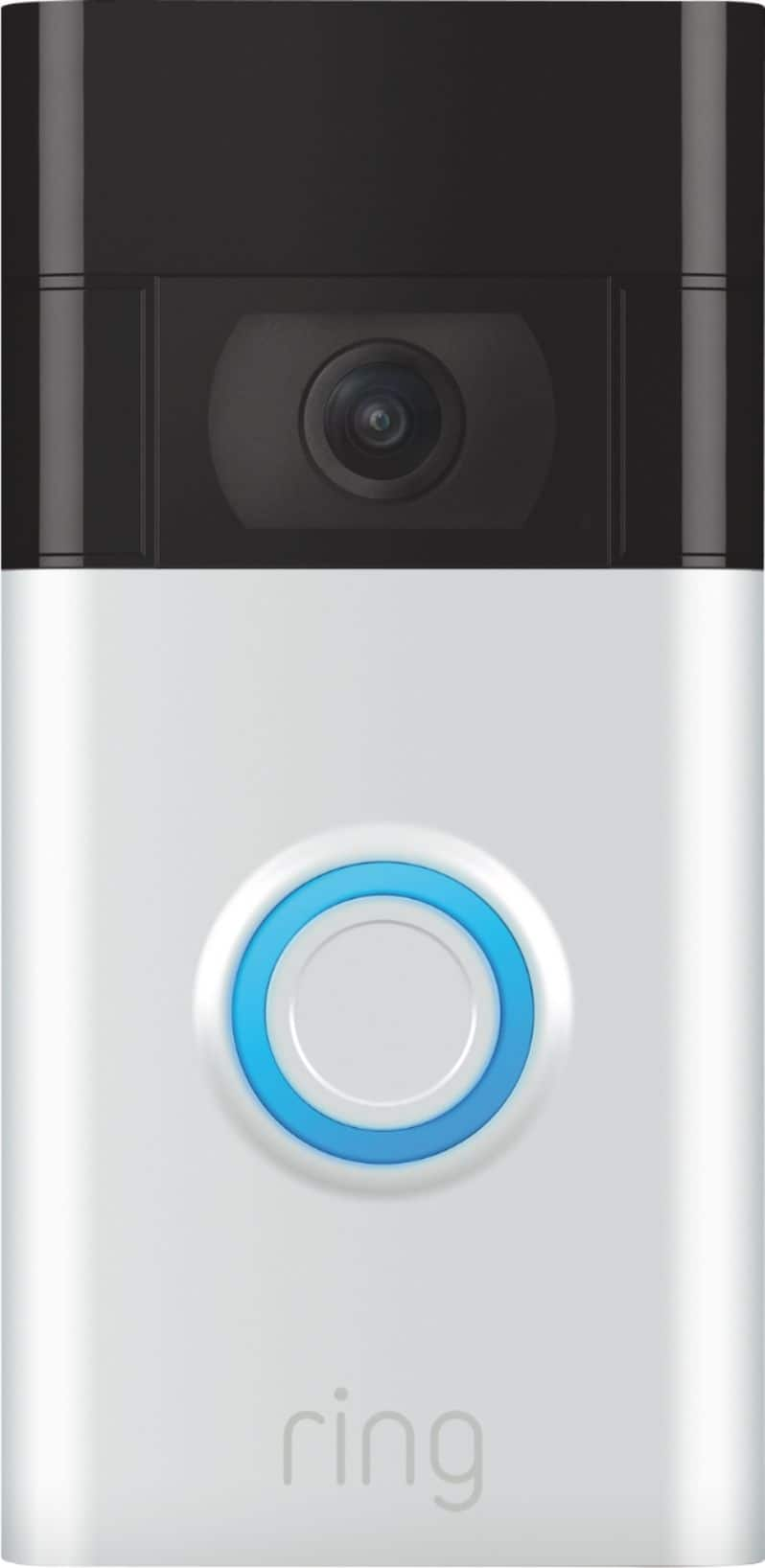
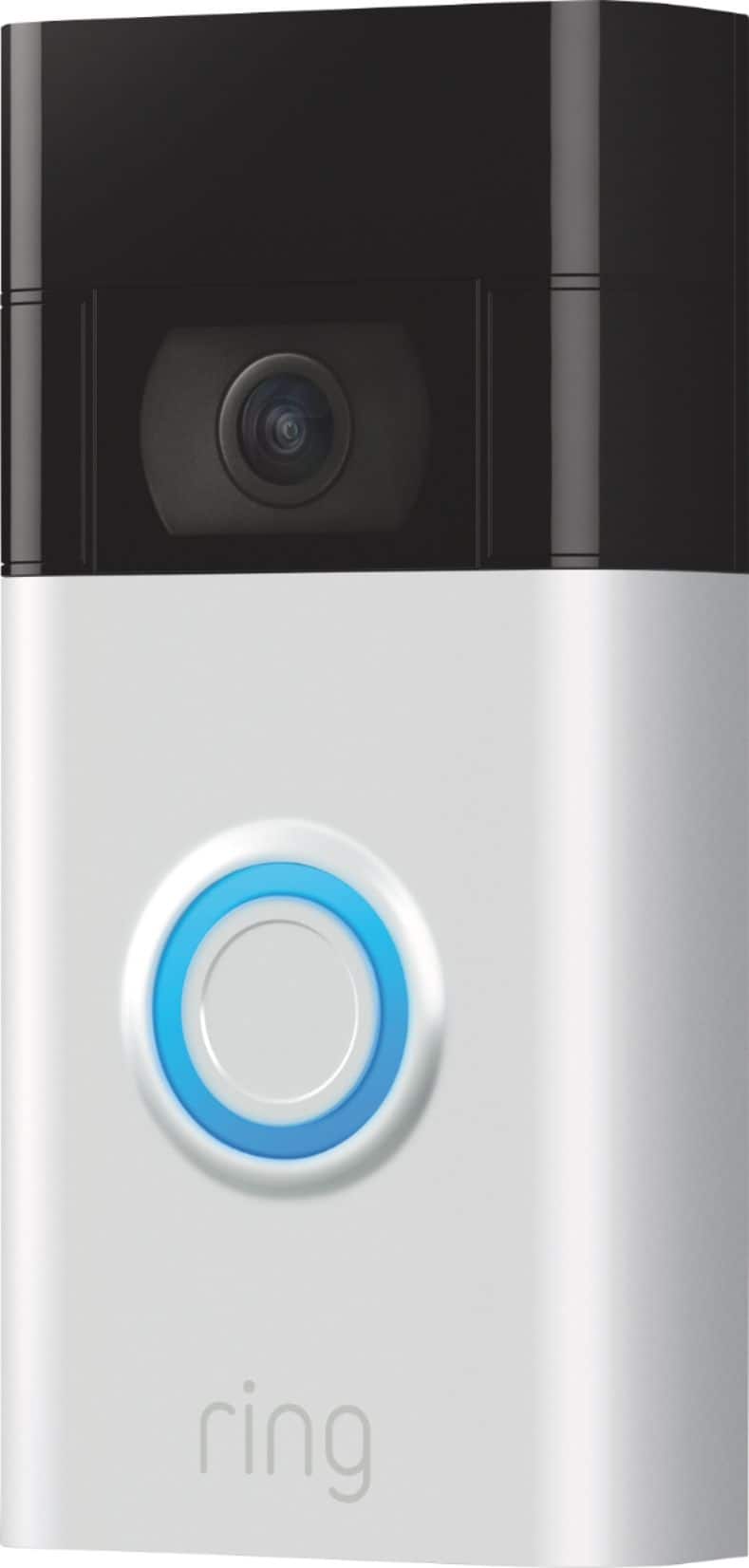
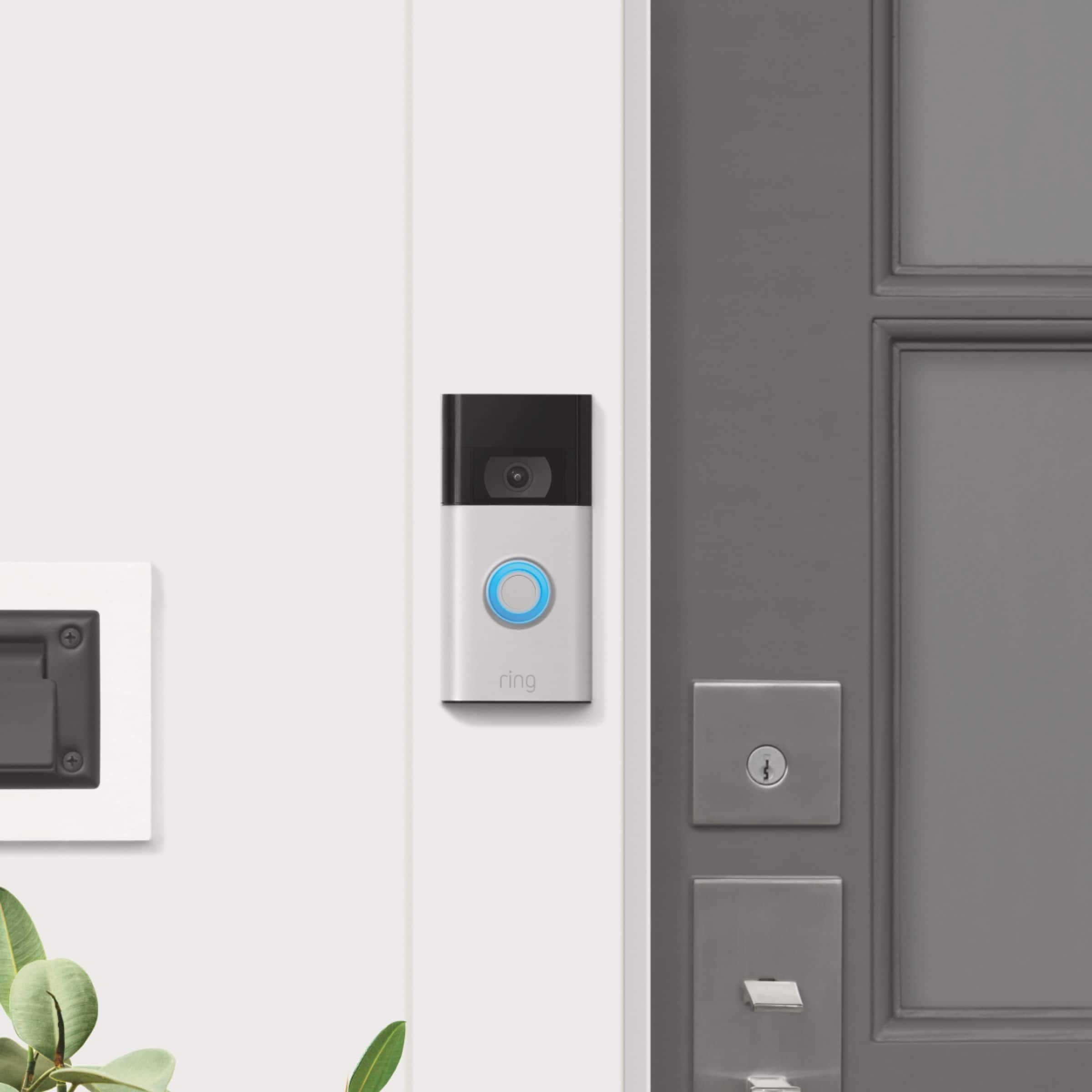
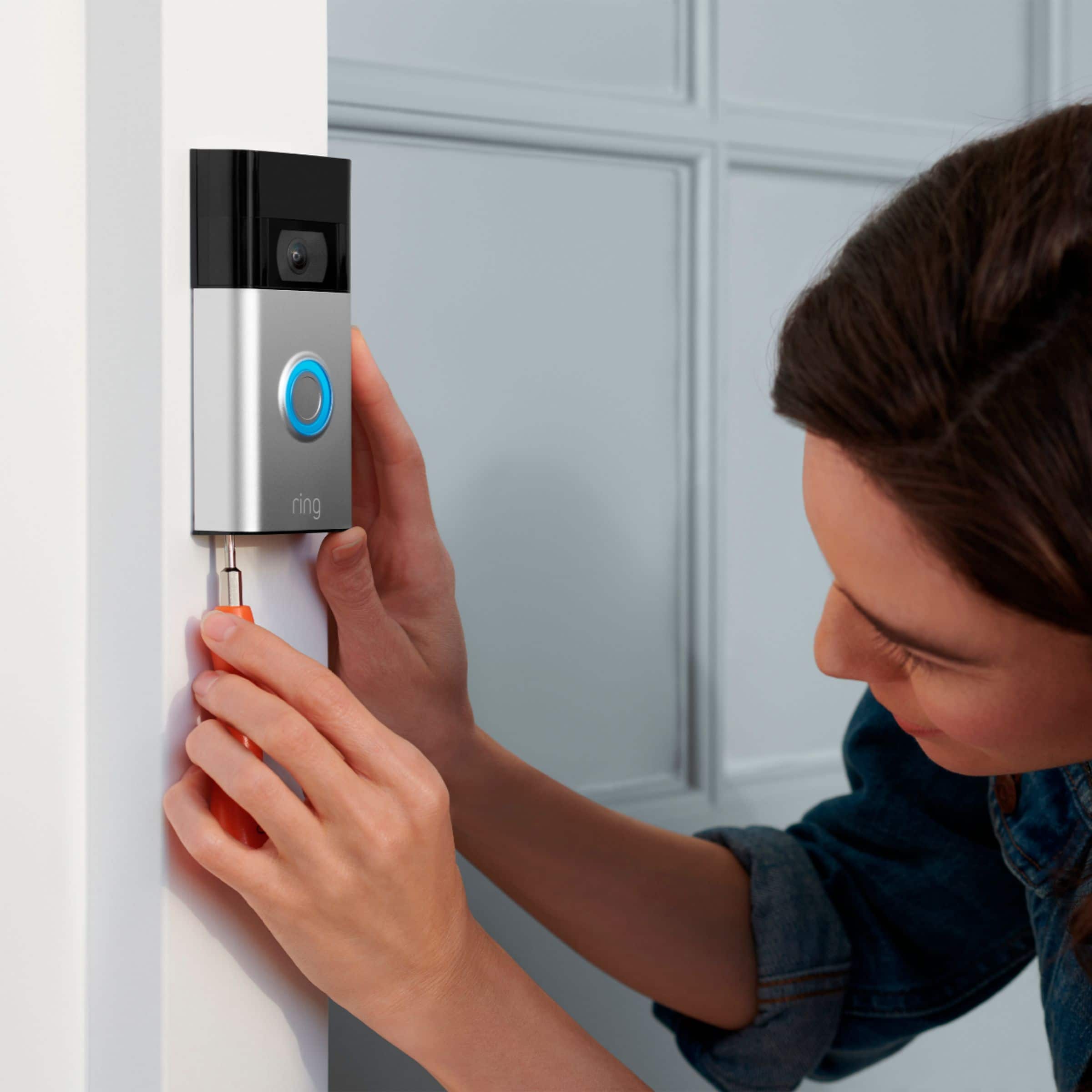



- Model:
- 8VRASZ-SEN0
- SKU:
- 11198207
Rating by feature
- Video Quality
Rating 4.7 out of 5 stars
- Mobile App
Rating 4.7 out of 5 stars
- Sound Quality
Rating 4.7 out of 5 stars
Customers are saying
Customers consistently note the product's strong overall performance, with many reporting it works properly. They also appreciate the camera quality, finding its size to be just right.
This summary was generated by AI based on customer reviews.
Struggles in Cold Weather and Connecting with Wifi
||Posted . Owned for 7 months when reviewed.This reviewer received promo considerations or sweepstakes entry for writing a review.I want to like this product. Install wasn't too bad but they should include the wedge kit in each package. Maybe the more expensive models do not have the issues but I would not order this again. Ring sent me another unit a month ago and it has the same issues. One is the cold weather. I live in the northern US where winters can get cold. I hardwired my device so battery should never be an issue since the battery is always getting power from my house. During periods of prolonged cold, the battery will continue to drop. In January, I had a completely dead battery. Miraculously, when it warmed by for a week in that month, the doorbell was able to charge up a little bit which confirm my suspicions. The other issue is it struggles connecting to wifi. It is always showing a weak signal and live view is unavailable half of the time. It is not due to my router position, which is roughly 20 feet away from the Ring and I have fast internet speeds in my house. I will be do a speed test with my phone outside next to the doorbell and it will get 50 mbps+. The doorbell clearly struggles utilize the wifi. I'll sometimes get the movement notification 20-30 seconds after I should be getting it. Sometimes not at all. If I paid the monthly subscription, it would be a waste of money.
No, I would not recommend this to a friendBrand response from Ring
Posted .Hello Chris,
Thank you for bringing this to our attention. Here at Ring, we hear your concerns and are here to help. Our top priority at Ring is to ensure that our customers have the best possible experience with our products. It is important to us that you have all the necessary information needed to ensure that Ring App is performing optimally for you, and that you are able to answer your motion alerts.
Based on your review, it seems that you are having trouble with answering your doorbell from your Ring App. Rapid Ring is a "light" version of the classic Ring app with most of the features stripped out except for the ability to activate a Live View and respond to an event as quickly as possible. By using the Rapid Ring app in conjunction with the original Ring app, you'll be able to answer your notifications as quickly as possible. Please see our help center article for more information on the Rapid Ring App: https://support.ring.com/hc/en-us/articles/360028023571-Rapid-Ring-App-Information.
Ring Community launched in March 2019 to help deliver the most current news and educational information to our neighbors. It is our first peer-to-peer community forum, giving our customers the ability to help one another and share their feedback/experiences with Ring. Please reach out at https://community.ring.com/ if any additional information is needed regarding your Ring App concern.
Thank you, Jamila with Ring.
It's alright
||Posted . Owned for 9 months when reviewed.This reviewer received promo considerations or sweepstakes entry for writing a review.If someone passes by walking the recording is usually too blury to properly see a face.
No, I would not recommend this to a friendBrand response from Ring
Posted .Hi LouRod.
Thank you for taking the time to share your experience with us. We understand how important it is for your Ring Video Doorbell (2nd Gen.) to record clear and concise videos so that you can effectively monitor your home. The features and technology provided by the Ring Video Doorbell (2nd Gen.) are incredibly valuable and help provide you with peace of mind about your home security. We want to ensure your device is working as intended by providing you with solutions to resolve the concern you mentioned in your review.
It sounds like the device is not performing as expected. Ring devices require high-speed internet to bring you crisp, clear video and audio. Poor network connectivity can affect the performance of your Ring device. We are happy to share some troubleshooting steps to help you diagnose and fix common video issues that you may experience with Ring doorbells and cameras.
Here are some examples of video quality issues:
Overexposed, washed-out videos: Washed-out videos may be due to overexposure to sunlight.
Poor wifi signal strength: A decline in wifi signal strength may be caused by a weak connection between the router and your Ring device.
Traveling signal strength: This may be due to a wifi dead zone in your home where you lose signal strength between the router and your Ring device.
Ring devices with 1080p video require at least 1 Mbps upload and download speeds, though 2 Mbps is recommended for optimal performance. In addition to ensuring that you have sufficient wifi speeds, you will also want to check the signal strength of your device. A poor wifi signal can cause connectivity with your Ring device to be unreliable.
Check the Device Health section of your Ring application to ensure the device’s RSSI is within an acceptable range. The recommended range for optimal performance is 0 to -60 for the RSSI. Turn off your mobile device's cellular data and connect to the same wifi network as your Ring device. Open the Ring app. Tap the menu (☰). Tap “Devices.” Select your device. Trigger an event on your Ring device. This could mean pressing the button on a doorbell or activating the motion sensors on a camera. Answer the event and examine the resulting video.
We have listed some possible outcomes from this test here:
Footage is crisp and clear: If your video appears good when next to the router, the issue may be caused by a disruption in between your router and your Ring device’s normal location. To fix this, try moving your device closer to the router or extending your wifi signal with a wifi extender like the Ring Chime Pro.
Footage is heavily pixelated: If you’re seeing heavy pixilation, even next to the router, this may be due to slow wifi speeds.
Severe pauses in live video: If your video pauses, stutters, or gets frozen and your wifi speed meets the minimum standards, try rebooting your router. Unplug your router, wait 30 seconds, and then plug it back in. It should take three to four minutes to reboot. Then, test your Ring device again and see if there's any difference.
Long delay before your video starts: This is also caused by slow wifi speeds. Assuming you have high-speed internet, reboot your router and the mobile phone, tablet, or PC you're accessing the video feed on, Then see if there's any difference when it's back on line.
While there are no video settings that allow you to change exposure to sunlight, there are other ways you can fix overexposed, washed-out videos. Using a wedge kit or corner kit can change the angle of the doorbell. There are many different corner kits and wedge kits, so make sure you get one that is compatible with your particular model of doorbell.
For more information on your Ring Video Doorbell (2nd Gen.), we invite you to reach out to our community. Ring Community is our first peer-to-peer community forum, giving our customers the ability to help one another and share their personal feedback and experiences with Ring. We look forward to hearing from you if we can be of any further assistance!
Thank you,
Melissa from Ring.
Ring doorbell camera
||Posted . Owned for 3 weeks when reviewed.This reviewer received promo considerations or sweepstakes entry for writing a review.Limited functionality. Would not purchase this model again
No, I would not recommend this to a friendBrand response from Ring
Posted .Hi Dennis.
Thank you for taking the time to share your experience with us.
We understand the importance of having all relevant product information prior to purchasing. The features and technology provided by the Ring Video Doorbell are incredibly valuable and help provide you with peace of mind about your home security. We can definitely provide you with more information regarding the concern mentioned in your review.
It sounds like you have some concerns regarding the features of your Ring Video Doorbell. The Ring Video Doorbell (2nd Generation) offers enhanced features like upgraded video quality from 720p HD to 1080p HD, near-zone motion detection in areas as close as 5 to 15 feet in front of your home, and a reimagined mounting setup that simplifies installation. Visit our support center to learn more about the features your device has to offer.
Ring Community was launched to help deliver the most current news and educational information to our neighbors. This online forum is divided into four categories: Product Boards, Ring Updates, Tips + Tricks, and a Moderators’ Corner. The Product Boards are where you can begin new topics with your questions or feedback; there is also a search option that helps you find topics that have already been posted by other neighbors.
All the best,
Nicole from Ring.
Ring Doorbell
||Posted . Owned for 2 weeks when reviewed.This reviewer received promo considerations or sweepstakes entry for writing a review.The only problem I had with the Ring Video Doorbell is that it really don't have a long enough view. It only catches and record people as they are ringing the doorbell.
I would recommend this to a friendBrand response from Ring
Posted .Hi Blink,
We appreciate you for providing us with feedback regarding your Ring Video Doorbell (2020 Release)'s video recording duration. Within the Ring App you are capable of tailoring the recording settings to best suit your needs. At default, the Ring Doorbell (2020 Release) is set to 20 seconds, to ensure your doorbell's battery provides optimal performance, and reducing time between charges.
To change the duration of your device's recording length, please do the following:
1. Open your Ring App and tap on the three dots located in the top-right corner of your desired device (in this case your Ring Doorbell (2020 Release).) and tap settings.
2. From the icon boxes shown you may need to scroll down to see Device Settings. Select this icon.
3. Select Video Settings and then Video Recording Length. You will now want to tap on Max Recording Length to adjust the timer.
This will then present you with options ranging from 15 seconds to 120 seconds. This will set the standard for every motion or ring event. Once you have selected the appropriate time, click save at the top right.
Your experience with Ring is important to us, and we're always looking for ways to improve yours. Please reach out to us anytime, and we will happily get you connected with one of our Ring specialists to address your concerns.
Kindest Regards,
Caitlin with Ring
It’s okay
||Posted . Owned for 2 months when reviewed.This reviewer received promo considerations or sweepstakes entry for writing a review.It’s okay. It doesn’t always pick up people like it should and often times the speaker won’t work.
No, I would not recommend this to a friendCamera
||Posted . Owned for 1 month when reviewed.This reviewer received promo considerations or sweepstakes entry for writing a review.I want an immediate picture response. While it works, it's too slow.
No, I would not recommend this to a friendBrand response from Ring
Posted .Hi StephenM.
Thank you for taking the time to share your experience with us. We understand how important it is to be able to see who is at your door with the Ring Video Doorbell (2nd Gen.). The features and technology provided by the Ring Video Doorbell (2nd Gen.) are incredibly valuable and help provide you with peace of mind about your home security. We can definitely provide you with more information regarding the concern mentioned in your review.
It sounds like the device is not performing as expected. With Ring Video Doorbell (2nd Generation), stay connected to your home from anywhere by seeing who’s at your door and answering it right from the Ring app. Enjoy enhanced features like upgraded video quality from 720p HD to 1080p HD, Near Zone motion detection in areas as close as 5 to 15-feet in front of your home and a reimagined mounting setup that simplifies installation.
For an enhanced notification experience, we recommend turning on the Rich Notifications feature in the Ring app. Rich Notifications send you a snapshot image of what’s happening in front of your Ring security camera or video doorbell so you can easily see what’s going on without needing to open the Ring app. They are included in your Ring Protect subscription. You may need to update your mobile device's operating system and download the latest version of the Ring app to access the latest in-app features. When a Rich Notification appears, you can expand the notifications to zoom in and see a bigger version of the image. The process of expanding the image is a little different for iOS and Android. On iOS follow these instructions to enable the feature: Tap and hold the thumbnail to open up the full-frame snapshot. On Android follow these instructions to enable the feature: Drag down the thumbnail to open up the full-frame snapshot. In some cases, in order to ensure you receive notifications as fast as possible, you may receive multiple notifications. A regular notification to your smartphone will be sent as soon as possible and then that notification will be updated with an image. Rich Notification snapshots are available on your phone until your notification is dismissed. We do not store Rich Notification snapshots in the Ring app.
If your phone has a poor connection, we store the snapshot in the cloud for up to four minutes so that we can deliver it to you as soon as you are back online. In some cases of poor connection, you may not receive Rich Notifications. You can toggle Rich Notifications on or off by doing the following: Open the Ring app. Tap the menu (☰). Tap Device. Select a device. Tap the Device Settings tile. Tap Notification Settings. Tap Rich Notifications. Toggle on or off to update your Rich Notifications settings.
We invite you to reach out to our Community if any additional information is needed regarding your Ring Video Doorbell (2nd Gen.). The Ring Community is our first peer-to-peer community forum, giving our customers the ability to help one another by sharing their feedback and experiences with each other.
All the best,
Melissa from Ring.
Rings of
||Posted . Owned for 1 month when reviewed.This reviewer received promo considerations or sweepstakes entry for writing a review.Overall good camera, just wish there wasn’t a subscription
I would recommend this to a friendBrand response from Ring
Posted .Hi Anbhj345.
Thank you for taking the time to share your experience and feedback with us. We understand the importance of having events recorded on your Ring Video Doorbell (2nd Gen.). Being able to save, download, and review footage captured by your Ring Video Doorbell (2nd Gen.) is a valuable feature of the Ring Protect Plan.
We are happy to hear that you are enjoying the functionality of the device. While subscribed to one of our Ring Protect Plans, you will have access to videos of every motion and live view event. Without this service, you will still receive real-time video alerts on your smartphone and have access to the live view feature.
If any additional information is needed regarding your Ring Video Doorbell (2nd Gen.), please reach out to our community. Ring Community is our first peer-to-peer community forum, giving our customers the ability to help one another and share their feedback and experiences directly with Ring.
Thank you,
Melissa from Ring.
ReceivedWithPartsMissing
||Posted . Owned for 1 week when reviewed.This reviewer received promo considerations or sweepstakes entry for writing a review.This looked like a return. There were screws and the extension wire was missing. I installed it anyhow, but QC at Best Buy could use improvement.
No, I would not recommend this to a friendBrand response from Ring
Posted .Hello UberGuy,
Thank you for taking the time to share your experience with us. We understand the importance of a seamless installation process, as this allows you to start using your Ring Video Doorbell 2020 right away. What you describe is not the experience we want you to have, rest assured we hear you and are here to offer you some assistance.
In this particular case, we’d suggest you reach out to Best Buy’s customer service: 1-888-237-8289 or https://www.bestbuy.com/services/triage/home. We are confident that they will be able to provide you resolution to the installation concerns you have described.
If you need assistance from Ring, Ring Community is our first peer-to-peer community online forum, giving our customers the ability to help one another and share their feedback directly with Ring.
We invite you to reach out at https://community.ring.com/ if any additional installation information is needed regarding the Ring Video Doorbell 2020. We are eager to turn around your experience!
Thank you,
Jamila with Ring.
Need to return ring bell
||Posted . Owned for 1 month when reviewed.This reviewer received promo considerations or sweepstakes entry for writing a review.I need to return this. because it does not have the piece on the back to hang it up.
I would recommend this to a friendBrand response from Ring
Posted .Hi lmcdanie01.
Thank you for taking the time to share your experience with us. We understand the importance of a seamless setup process so that you can begin using your Ring Video Doorbell (2nd Gen.) right away. The features and technology provided by the Ring Video Doorbell (2nd Gen.) are incredibly valuable and help provide you with peace of mind about your home security. We can definitely provide you with more information regarding the installation concern mentioned in your review.
With Ring Video Doorbell (2nd Generation), stay connected to your home from anywhere by seeing who’s at your door and answering it right from the Ring app. Enjoy enhanced features like upgraded video quality from 720p HD to 1080p HD, Near Zone motion detection in areas as close as 5 to 15 feet in front of your home, and a reimagined mounting setup that simplifies installation.
We have included a list here of what comes in the box with your Ring Video Doorbell (2nd Gen.):
Ring Video Doorbell (2nd Generation)
Installation hardware and tools
USB charging cable
Mounting bracket
User manual & quick-start guide
Security Sticker
We recommend following these instructions when installing your Ring Video Doorbell (2nd Gen.):
For the best results, mount it around 1.2 meters above the ground.
There are two types of screws included in the product packaging:
The four wood screws are used to secure the mounting bracket to your door or wall.
The two star-shaped security screws are used to tighten the screws into the bottom of the Ring Video Doorbell (2nd Generation) faceplate to help deter theft.
You'll need to install wall anchors when installing on stucco, brick, or concrete.
Grab 4 of the wall anchors from Bag A. Using your Ring Doorbell as a template, mark 4 drill holes on the wall. Use a 1/4" masonry drill bit (not included) to drill the holes, then insert the four wall anchors.
Install the mounting bracket.
Using a Philips head screwdriver, drive the mounting screws from Bag A into your wall (or into the anchors, if installed) until they are flush with the mounting bracket.
Attach your Ring Doorbell to the mounting bracket.
Hook the slot on the rear of your Ring Doorbell onto the tab near the top of the mounting bracket.
Then, let the Doorbell pivot down to sit flush on its bracket.
Secure the doorbell.
CAUTION! If you use the wrong screws to secure the doorbell, you could damage the battery during installation, create a fire hazard, and be seriously injured.
DO NOT use any screws other than the included short security screws when securing your Ring Doorbell to the bracket.
Use the star-shaped end of the included screwdriver to insert and tighten two of the security screws from Bag B into the bottom of your Ring Doorbell.
If you still have the Ring Video Doorbell (2nd Gen.) in your possession, we invite you to reach out to our community. Ring Community is our first peer-to-peer community forum, giving our customers the ability to help one another and share their personal feedback/experiences with Ring. We look forward to hearing from you. Please let us know if we can be of any further assistance!
Thank you,
Melissa from Ring.
Ring doorbell
||Posted . Owned for 3 months when reviewed.This reviewer received promo considerations or sweepstakes entry for writing a review.Picture quality not great at night. Brought it back because you cannot save the feed unless you pay a subscription.
No, I would not recommend this to a friendBrand response from Ring
Posted .Hi Frankie. I understand the importance of finding a home security device that works best for you. A Ring Protect Plan subscription is required for video recording on your Video Doorbell. Without it, you can still receive notifications of visitors at your door and access the Live View. For more information, check out this article from our Help Center https://support.ring.com/hc/en-us/articles/115001671383-General-Information-on-Ring-Protect-Subscription-Plans. All the best, Ashley from Ring.
Its okay
||Posted . Owned for 1 month when reviewed.This reviewer received promo considerations or sweepstakes entry for writing a review.The picture can be a little grainy sometimes and by the time I get a motion alert, who ever is there is no longer in view.
I would recommend this to a friendBrand response from Ring
Posted .Hello Barbara,
Thank you for taking the time to share your Ring experience with us. We appreciate that you have placed value in owning a Ring device to secure your home. Ring understands the importance of having the motion detection and battery work as intended. It is a valuable feature that is designed to notify you as to who may be near your home. Please know that it is a priority for us to be of assistance and find a resolution to your concern.
After reading your review, it seems that your Ring Video Doorbell is not picking up the correct motion. The Ring Video Doorbell (2020 release) is the next generation of the original Ring Video Doorbell. In addition to new video features such as Near Zone functionality, the 2020 release Video Doorbell boasts 1080p video, improved night vision, improved audio quality and near motion zone detection. If you are having trouble with your device picking up the correct motion. We recommend adjusting your motion settings and zones. Motion Zones allow you to define a specific area that you want your Ring device to cover while ignoring everything outside that area. By selecting Motion Zones to cover only areas you want the Ring device to monitor, you can effectively monitor the area you want as well as reduce the number of “false positive” motion alert. For more information on adjusting your motion settings to better fit your needs, please see our help center article titled: https://support.ring.com/hc/en-us/articles/360041248971-Using-Motion-Zones-with-your-Ring-Video-Doorbell-2020-release-.
If you still have concerns regarding this, we would love to hear from you directly on our Ring Community forum. This is a platform intended for Ring users, just like yourself, to create open discussions regarding their Ring experiences, provide suggestions or feedback, and more: https://community.ring.com/.
Thank you, Jamila with Ring.
Ring my bell
||Posted . Owned for 1 month when reviewed.This reviewer received promo considerations or sweepstakes entry for writing a review.Sometimes the alert that a person is at my front door does not sound
I would recommend this to a friendBrand response from Ring
Posted .Hi ElizabethR.
Thank you for taking the time to share your experience with us. We understand how critical it is for your Ring Video Doorbell (2nd Gen) to notify you of meaningful motion events where the device is installed. The features and technology provided by the Ring Video Doorbell (2nd Gen.) are incredibly valuable and help provide you with peace of mind about your home security. We can definitely provide you with more information regarding the concern mentioned in your review.
It sounds like the device is not performing as intended. With Ring Video Doorbell (2nd Generation), stay connected to your home from anywhere by seeing who’s at your door and answering it right from the Ring app. Enjoy enhanced features like upgraded video quality from 720p HD to 1080p HD, Near Zone motion detection in areas as close as 5 to 15-feet in front of your home and a reimagined mounting setup that simplifies installation.
To enable and customize your doorbell Ring Alerts when someone presses your doorbell and Motion Alerts when your doorbell or camera detects motion, follow these steps in the Ring app:
Open the Ring app and tap the menu (☰) in the top left corner.
Tap Devices, then select the relevant device.
At the top of the screen, you can toggle the following on or off:
Ring Alerts
Motion Detection
Motion Alerts
Motion Warning (if your device has the feature)
Tap the Motion Settings tile to customize settings such as:
Motion Sensitivity.
Smart Alerts (available to Ring Protect subscribers) allows you to distinguish motion so you can know whether it's a person or something else like a car.
Advanced Settings (example: Advanced Motion Detection, Motion Schedules, and Motion Frequency).
Some Ring Security Cameras let you use a Motion Warning, which is an audible, pre-recorded message that plays when your camera detects a person.
If you're having issues getting notifications, make sure you're connected to wifi and that your mobile device settings are set to allow notifications from Ring. Reboot your device.Turn your mobile device completely off and back on again. Make sure Do Not Disturb is off. Check the Control Center on your iOS device to turn Do Not Disturb on or off.
We have indluded the steps here for how to fix push notifications not working on Android:
If you recently updated the Ring app and your push notifications are no longer working, we recommend uninstalling the Ring app, then reinstalling it.
If you are not receiving notifications after enabling Ring Alerts or Motion Alerts and confirming they’re active on your Android device, please follow these steps:
Open Settings on your Android device.
Select Apps or Applications.
Select the Ring app.
Tap Notifications.
Ensure Allow Sound and Vibration is checked (not Deliver Quietly).
Tap Notification Categories.
Toggle all devices to the ON position.
We invite you to reach out to our Community if any additional information is needed regarding your Ring Video Doorbell (2nd Gen.). The Ring Community is our first peer-to-peer community forum, giving our customers the ability to help one another by sharing their feedback and experiences with each other.
Thank you,
Melissa from Ring.
Ring 3
||Posted . Owned for 3 weeks when reviewed.This reviewer received promo considerations or sweepstakes entry for writing a review.This ring doorbell does not ring when someone is at the door. My son has the same one and when someone is at door his phone beep.
No, I would not recommend this to a friendBrand response from Ring
Posted .Hello Ragg,
We appreciate that you have placed value in owning a Ring device to secure your home. Ring understands the importance of having the Ring Video Doorbell 2020 work as intended. It is a valuable device that is designed to notify you as to who may be near your home. Please know that it is a priority for us to be of assistance and find a resolution to your concern.
The Ring Video Doorbell (2020 release) is the next generation of the original Ring Video Doorbell. In addition to new video features such as Near Zone functionality, the 2020 release Video Doorbell boasts 1080p video, improved night vision, improved audio quality and near motion zone detection.
After reading your review, it seems that your Ring Video Doorbell 2020 is not alerting you when people are at your door. You can get Ring Alerts from your doorbell, when someone presses the button on it and Motion Alerts from your doorbell an/or security cameras when motion is detected.
Within the Motion Settings for each Ring device, you can customize the settings to adjust for Motion Sensitivity, Motion Frequency, Smart Alerts or set up Motion Schedules. Smart Alerts allow to distinguish between people and other types of motion, such as cars, if you subscribe to a Ring Protect plan. Also, some Ring security cameras allow for a Motion Warning, an audible, pre-recorded message when your security camera detects a person. Please see our help center article for more information: https://support.ring.com/hc/en-us/articles/210052646-Getting-Notifications-for-Ring-Doorbells-and-Security-Cameras.
Additionally, if you have not already, please check out our Ring Community forum where other Ring users, like yourself, have an open discussion platform to share their experiences, as well as solutions to issues experienced: https://community.ring.com/.
Thank you, Jamila with Ring
Review
||Posted . Owned for 3 weeks when reviewed.This reviewer received promo considerations or sweepstakes entry for writing a review.Just average could be better I would definitely recommend one of there newer products
No, I would not recommend this to a friendBrand response from Ring
Posted .Hi King.
Thank you for leaving your rating of the Ring Video Doorbell (2nd Gen.). Here at Ring, we believe that stronger communities are the key to safer neighborhoods. That is why we are driven to create products that help you protect what matters most at home and empower you to connect with your neighbors from wherever you are. Together, we’ll make neighborhoods safer!
We value and welcome your feedback. Ring Community is our first peer-to-peer community forum, giving our customers the ability to help one another and share their feedback and experiences with Ring. We invite you to reach out to our community and let us know how we can do better. If you have any additional questions or feedback regarding your Ring Video Doorbell (2nd Gen.), the community is a great place to visit!
Thank you,
Melissa from Ring.
Good product, video quality mediocre
||Posted . Owned for 1 month when reviewed.This reviewer received promo considerations or sweepstakes entry for writing a review.Video quality is so-so. Really poor at night. Better during daylight
I would recommend this to a friendGreat buy
||Posted . Owned for 1 month when reviewed.This reviewer received promo considerations or sweepstakes entry for writing a review.Wish i would have gotten during the Black Friday deals. But that’s OK. It was worth the extra $20 still cheaper than it was when I bought the first one. The first one lasted about 2 1/2 years. I’m praying this my last, at least that long or longer.
I would recommend this to a friendDoorbell
||Posted .This reviewer received promo considerations or sweepstakes entry for writing a review.This doorbell works really well. We are very happy with the purchase
I would recommend this to a friendRing doorbell
||Posted . Owned for 1 month when reviewed.This reviewer received promo considerations or sweepstakes entry for writing a review.It ok battery run out in a week or two , don't have wires for the doorbell so I had to go wireless.
No, I would not recommend this to a friendBrand response from Ring
Posted .Hi MaryW, I understand the importance of being able to rely on your Video Doorbell for peace of mind. The battery life can depend on various factors, such as the weather and the number of events being recorded. I'd recommend reviewing the information and troubleshooting steps here https://support.ring.com/hc/en-us/articles/4405531384468-How-to-Fix-Unexpected-Battery-Drain-in-Your-Ring-Video-Doorbell-or-Security-Camera. For any further questions, check out the Ring Community https://community.ring.com/ to find answers from other neighbors. All the best, Ashley from Ring.
works good but has wifi issues
||Posted . Owned for 1 month when reviewed.This reviewer received promo considerations or sweepstakes entry for writing a review.Works okay. Must have great wifi to get full effect. Sometimes have a hard time connecting when it sensors movement but usually connects when people are at door.
I would recommend this to a friendBrand response from Ring
Posted .Hello jergent,
Thank you for bringing this to our attention. Here at Ring, we hear your concerns and are here to help. Our top priority at Ring is to ensure that our customers have the best possible experience with our products. It is important to us that you have all the necessary information needed to ensure that Ring App is performing optimally for you, and that you are able to answer your motion alerts.
Based on your review, it seems that you are having trouble with answering your doorbell from your Ring App. Rapid Ring is a "light" version of the classic Ring app with most of the features stripped out except for the ability to activate a Live View and respond to an event as quickly as possible. By using the Rapid Ring app in conjunction with the original Ring app, you'll be able to answer your notifications as quickly as possible. Please see our help center article for more information on the Rapid Ring App: https://support.ring.com/hc/en-us/articles/360028023571-Rapid-Ring-App-Information.
Ring Community launched in March 2019 to help deliver the most current news and educational information to our neighbors. It is our first peer-to-peer community forum, giving our customers the ability to help one another and share their feedback/experiences with Ring. Please reach out at https://community.ring.com/ if any additional information is needed regarding your Ring App concern.
Thank you, Jamila with Ring
Ring doorbell
||Posted . Owned for 4 months when reviewed.This reviewer received promo considerations or sweepstakes entry for writing a review.I like the Ring doorbell, but the video tends to lag on it a lot. It especially does this when I get a notification and try to go to the live video.
I would recommend this to a friendBrand response from Ring
Posted .Hi Happycustomer,
We're happy to hear you are enjoying the security benefits of the Ring Video Doorbell (2020 Release) and we would love to address the concern you are experiencing with delayed connection.
Additionally, we will want to look at the connection between your wifi router and the Ring doorbell. The signal strength to your router is a key point for the connectivity of your Ring device. There are three main factors that can weaken your wifi strength:
1. Physical obstructions
2. Competing wifi networks
3. Other electronics
You can check your signal strength within the Ring app in the Device Health tile. RSSI stands for Received Signal Strength Indicator, which is a measurement of all factors that may your signal at the receiving point. While RSSI is measured on a scale of 0 to -99, there won't ever be just one cause that is the culprit for a low RSSI rating. To get the most from your Ring device, aim for a signal between -40 (near perfect) and -70.
We’d love to connect with you, so we can help troubleshoot this issue and work towards a solution. Meanwhile, please use our Rapid Ring app. This app was designed to facilitate a speedy response when answering notifications or initiating a live view. You'll need to use your original Ring app for all the settings functions built into your Ring device such as seeing past videos or adjusting motion settings. To download the Rapid Ring app, please go to the App Store (for iOS devices) or the Play Store (for Android devices) and search for “Rapid Ring”. Download and install the Rapid Ring app on your mobile device.
Kindest Regards,
Caitlin with Ring