Customer Ratings & Reviews
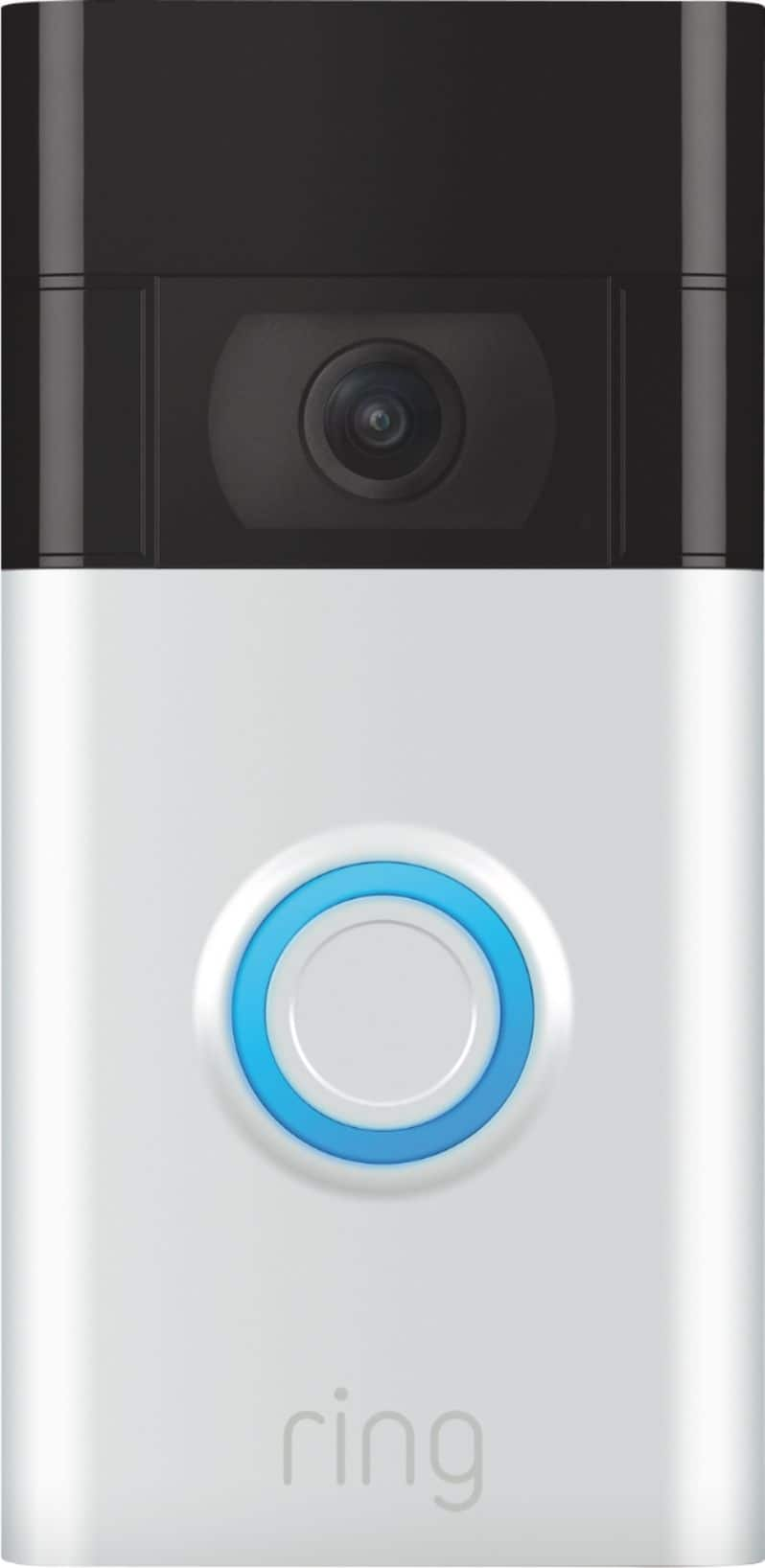
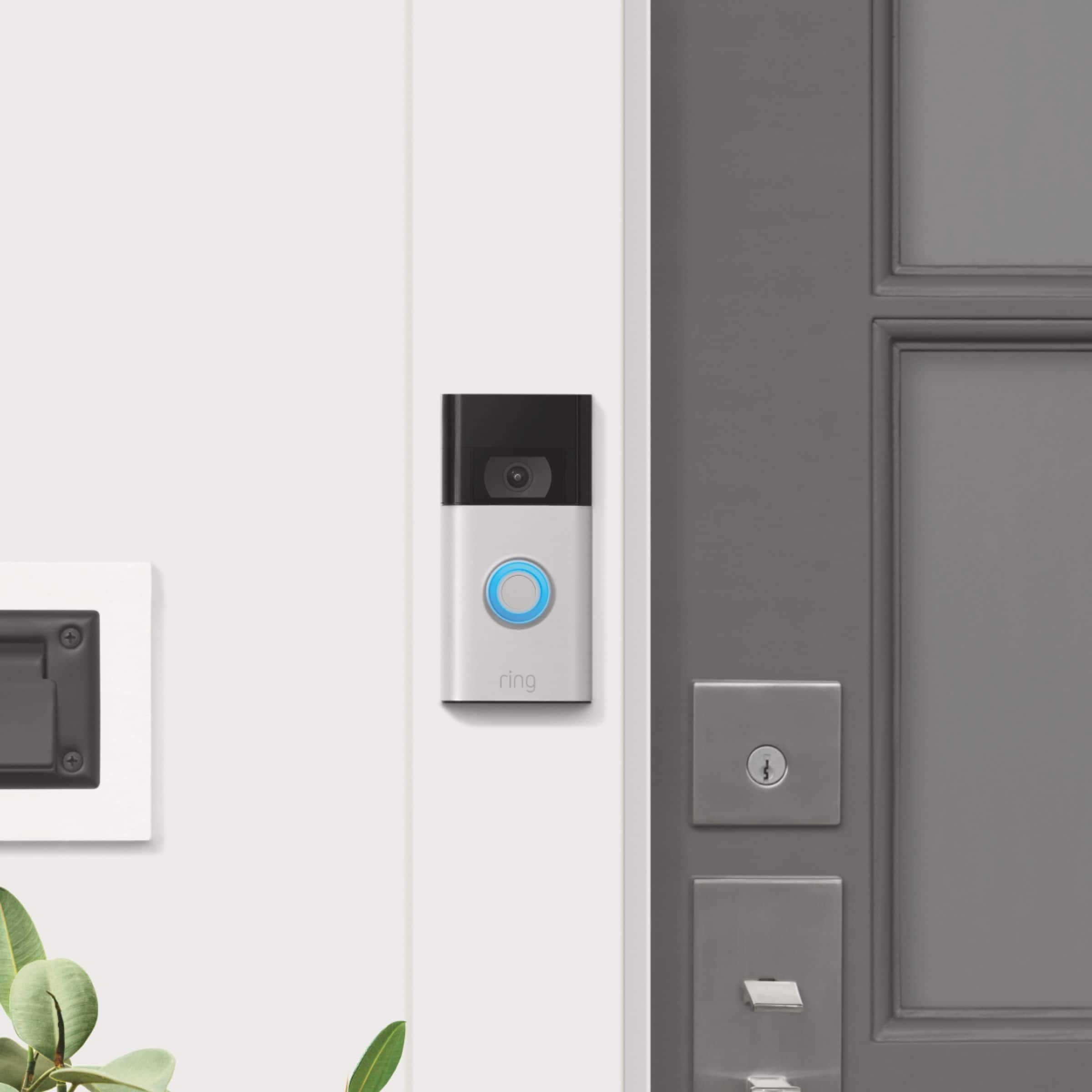
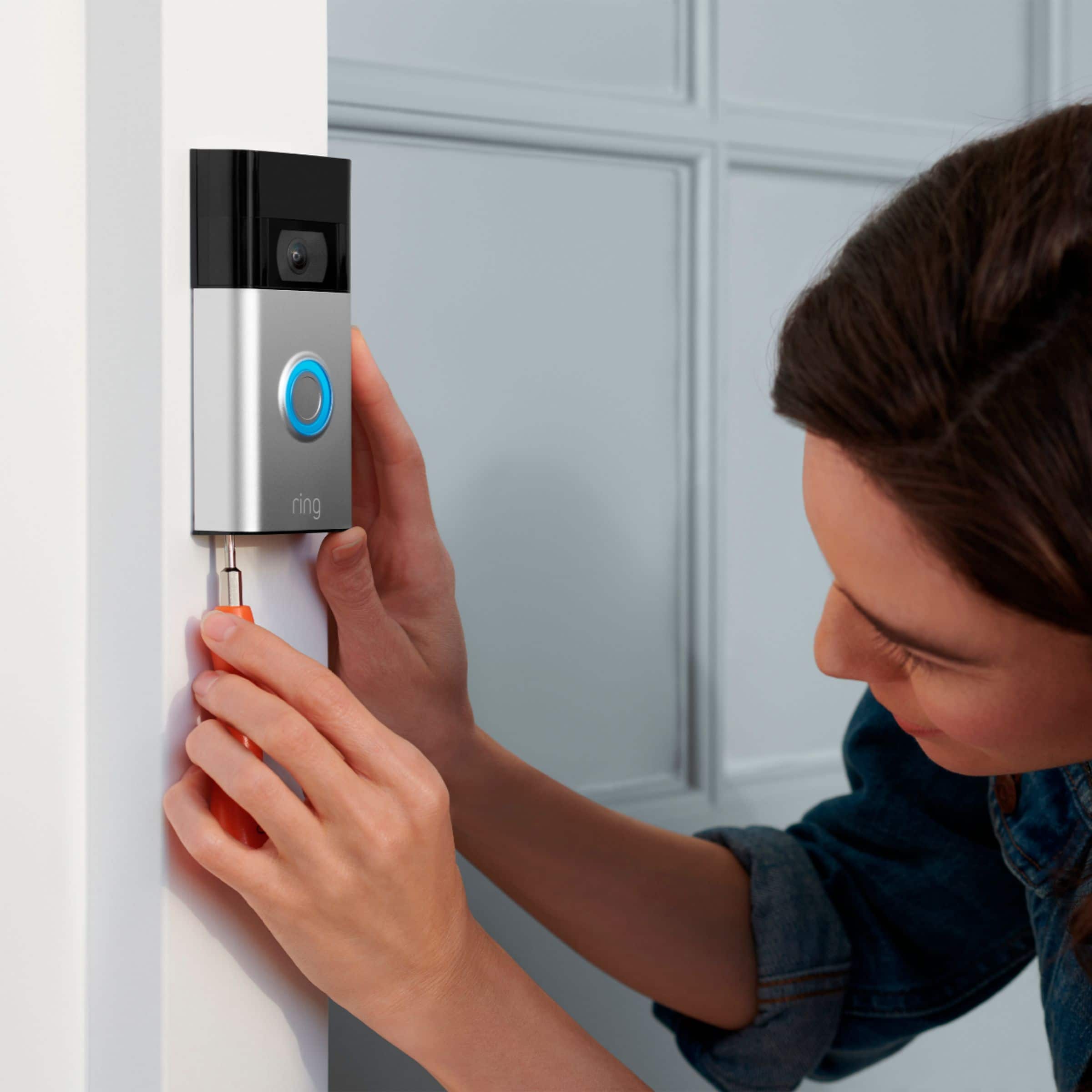



- Model:
- 8VRASZ-SEN0
- SKU:
- 6441424
Rating by feature
- Video Quality
Rating 4.7 out of 5 stars
- Mobile App
Rating 4.7 out of 5 stars
- Sound Quality
Rating 4.7 out of 5 stars
Customers are saying
Customers frequently mention the excellent video quality, ease of use, and long battery life as significant advantages. Many also appreciate the relatively easy installation process and the added security the Video Doorbell provides. While some found the device larger than anticipated, most users reported positive experiences. A small number of users noted occasional connectivity problems and concerns about the sensitivity settings and subscription requirements.
This summary was generated by AI based on customer reviews.
worst customer service
||Posted . Owned for 1 week when reviewed.This reviewer received promo considerations or sweepstakes entry for writing a review.If i can give 0 star I will.. product is good but customer service is terrible. I contacted them 2 times with different issues and there is no solution.
No, I would not recommend this to a friendBrand response from Ring
Posted .Hello Merve
Thank you for taking a moment to leave your review on the Ring Video Doorbell 2020. We sincerely appreciate it! At Ring, we believe that stronger communities are the key to safer neighborhoods. That is why we are driven to create products that help you protect what matters most at home, and empower you to connect with your visitors from wherever you are.
While we are saddened to read that this device did not meet your expectations, if you still have the Ring device in your possession, we invite you to reach out to us at https://community.ring.com/ so that we may assist with finding a resolution to your concerns.
We look forward to hearing from you, if you have any further feedback regarding your overall experience.
Thank you,
Jamila with Ring
Wrong one
||Posted . Owned for 1 week when reviewed.This reviewer received promo considerations or sweepstakes entry for writing a review.It didn’t come with a bracket, so I wasn’t able to use it. I will be returning it. 
No, I would not recommend this to a friendBrand response from Ring
Posted .Hi Pete, I'm sorry to hear your Video Doorbell was missing the necessary equipment for installation. I'd suggest checking with the original retailer you purchased from to see if they can exchange it for you. You can also get in touch with our support team at 1-800-656-1918 to request any missing pieces for your Doorbell. Best, Ashley from Ring.
Poor battery
||Posted . Owned for 8 months when reviewed.This reviewer received promo considerations or sweepstakes entry for writing a review.As of today the battery no longer functions. Did not even make 1 year
No, I would not recommend this to a friendBrand response from Ring
Posted .Hello JMav,
Thank you for taking the time to share your Ring Video Doorbell 2020 experience with us. We appreciate it. Our products are intended to provide you with long-term peace of mind in terms of home security.Ring devices all include a one-year limited warranty on parts and hardware: https://ring.com/warranty. If you are a Ring Protect Plus member, an added benefit of this plan is an extended product warranty that would cover replacement for the lifetime of the device. Rest assured, whether you are a Protect Plus member or not, we do have some solutions that can resolve your concerns and ensure you have a Ring device that is capturing visitors around your home when you need it most!
To obtain the benefit of the limited warranty, please contact Ring community support at http://support.ring.com/or 1 (800) 656-1918 (US). For any additional questions or concerns, please feel free to reach out on our community forum at https://community.ring.com/. This forum was launched in 2019 to allow our neighbors to share their experiences and feedback directly with Ring.
We are eager to get a solution in place for you so you can monitor your home and get notified in a timely manner of visitors approaching your door. We look forward to hearing from you soon!
Thank you, Jamila with Ring.
Mr. President
||Posted . Owned for 1 month when reviewed.This reviewer received promo considerations or sweepstakes entry for writing a review.Don't know. They haven't installed it yet but what did I expect. I only bought it a month ago.
No, I would not recommend this to a friendBrand response from Ring
Posted .Hi Jack. Setting up a new device can be confusing, but I'd be happy to point you in the right direction. You can find instructions on setting up your Video Doorbell in our Help Center article here: https://support.ring.com/hc/en-us/articles/360041353291. Once the Doorbell is set up in the Ring app, you can install it either with or without an existing doorbell in your home. If you have any additional questions or concerns, check out the Ring Community at https://community.ring.com/. The Ring Community is our peer-to-peer forum where you can interact with other neighbors and ask them questions. Best, Ashley from Ring.
Bad choice
||Posted . Owned for 1 month when reviewed.This reviewer received promo considerations or sweepstakes entry for writing a review.It's currently not working and no longer will connect to my internet. Only had it for 30 days now !
No, I would not recommend this to a friendBrand response from Ring
Posted .Hello Family1st,
We appreciate that you have placed value in owning a Ring device to secure your home. Ring understands the importance of having the Ring Video Doorbell 2020 work as intended. It is a valuable device that is designed to notify you as to who may be near your home. Please know that it is a priority for us to be of assistance and find a resolution to your concern.
The Ring Video Doorbell (2020 release) is the next generation of the original Ring Video Doorbell. In addition to new video features such as Near Zone functionality, the 2020 release Video Doorbell boasts 1080p video, improved night vision, improved audio quality and near motion zone detection.
After reading your review, it seems that your Ring Video Doorbell 2020 is having trouble staying connected to your home wifi. When this occurs, we recommend rebooting your wifi modem and router. Since your router and modem are usually the hardest working devices in your house, for optimal performance, you should reboot them about once a month. To reboot routers or modems, follow the instructions below:
Unplug your router or modem from its power supply (don’t just turn it off).
If your router and modem are separate, unplug both of them.
Wait at least 30 seconds, then plug them back in.
Wait for your internet to be restored.
Here is a helpful article which walks you through additional steps to take if the issue still persists for you after your modem/router reboot: https://support.ring.com/hc/en-us/articles/217240386-In-app-Setup-Failing-Repeatedly.
Additionally, if you have not already, please check out our Ring Community forum where other Ring users, like yourself, have an open discussion platform to share their experiences, as well as solutions to issues experienced: https://community.ring.com/.
Thank you, Jamila with Ring
Bad product
||Posted . Owned for 2 weeks when reviewed.This reviewer received promo considerations or sweepstakes entry for writing a review.The camera doesn’t detect motion until you are one foot close. Do not buy this product.
No, I would not recommend this to a friendBrand response from Ring
Posted .Hello Eddy,
Thank you for voicing the motion detection concerns in your review. We know how important it is to detect when people are approaching your home. The Ring Video Doorbell (2020 Release) should be a great solution by offering timely motion detection when a visitor starts to approach your door. Rest assured, we're here to help!
For optimal motion detection, please ensure your device is mounted at 48 inches off of the ground. Additionally, we recommend that you enable Customizable Motion Zones, which offer better motion detection than the default Adjustable Motion Zones. You can follow the steps below as a reference.
- Please launch the Ring app.
- Tap the three lines on the top left of the screen.
- Tap Devices.
- Select your Ring Video Doorbell.
- Once you’re on the screen with the image of your device, tap Motion Settings.
- Then tap Advanced Settings, then on Advanced Motion Detection. Enable this feature.
- Return to the Motion Settings page.
- Tap on 'Edit Motion Zones' and draw your zones. Make sure you save your settings.
- Use the slider to adjust motion sensitivity from minimum to maximum sensitivity.
Once you’ve drawn your Motion Zones and adjusted the motion sensitivity slider, the changes will take effect the next time the device detects motion. To apply your changes immediately, walk in front of your camera to create a motion event.
If you still have concerns regarding this, we would love to hear from you directly on our Ring Community forum. This is a platform intended for Ring users, just like yourself, to create open discussions regarding their Ring experiences, provide suggestions or feedback, and more: https://community.ring.com/.
All the best,
Marlom at Ring
Did not work for me.
||Posted . Owned for 1 month when reviewed.This reviewer received promo considerations or sweepstakes entry for writing a review.My cell phone was too old to work with this unit! So I couldn't use it at all.
No, I would not recommend this to a friendBrand response from Ring
Posted .Hi FloS.
Thank you for sharing your experience with us!
We understand how important it is for your Ring Video Doorbell (2nd Generation) to have a seamless setup and installation so that you are able to begin monitoring activity at your front door right away. The features and technology provided by the Ring Video Doorbell (2nd Generation) are incredibly valuable and help provide you with peace of mind about your home's security. We want to provide you with the education needed to resolve the concern you mentioned in your review.
The Ring app is required in order to set up and use the Ring Video Doorbell (2nd Generation). The Ring app requires Android version 9 or higher, as well as access to the Google Play Store, or iOS version 14 or higher.Visit our support center for additional details.
Ring Community is our first peer-to-peer community forum, giving our customers the ability to help one another and share their feedback and experiences with Ring. We invite you to reach out if any additional information is needed regarding your concern.
All the best,
Nicole from Ring.
BEST BUY is a rip off
||Posted . Owned for 5 months when reviewed.This reviewer received promo considerations or sweepstakes entry for writing a review.Terrible product and terrible customer service by Best Buy
No, I would not recommend this to a friendBrand response from Ring
Posted .Hello Sharp.
Thank you for taking a moment to leave your review on the Ring Video Doorbell (2nd Gen.). At Ring, we believe that stronger communities are the key to safer neighborhoods. That is why we are driven to create products that help you protect what matters most at home, and empower you to connect with your visitors from wherever you are. We are saddened to read that this device did not meet your expectations but are still here to assist you, if needed.
If you still have the Ring device in your possession, we invite you to reach out to our community. Ring Community is our first peer-to-peer community forum, giving our customers the ability to help one another and share their personal feedback and experiences with Ring. We look forward to hearing from you. Please let us know if we can be of any further assistance!
Thank you,
Melissa from Ring.
Thumbs down
||Posted . Owned for 3 weeks when reviewed.This reviewer received promo considerations or sweepstakes entry for writing a review.Not as good as the 1st generation in my opinion. Or else they changed everything when Amazon brought them out. Not happy with it.
No, I would not recommend this to a friendBrand response from Ring
Posted .Hello Shar,
Thank you for expressing your concerns with the Ring Video Doorbell (2020 Release). As a leader in home security, we strive to build upon our existing product line up. This device is intended to bring new and enhanced features to succeed our original Ring Video Doorbell.
Our team is always looking to improve, and your feedback is valuable to us. Can you please reach us when you get a moment? We'd like the opportunity to help turn your experience around.
Regards,
Marlom at Ring
Door ring
||Posted . Owned for 3 weeks when reviewed.This reviewer received promo considerations or sweepstakes entry for writing a review.Does not record motion or person the way i thought it would work, i am going to return it. It serves me no good purchase.
No, I would not recommend this to a friendBrand response from Ring
Posted .Hello,
We understand why you feel this way, as this isn't the experience we want our customers to have. Motion detection is one of the most pivotal features that your doorbell offers, and you should be able to trust this device to detect your visitors as they approach your house. We want to ensure this feature is working properly for your home’s environment.
For optimal performance, this doorbell needs to be mounted at 48 inches off of the ground. Can you please ensure yours is mounted at the correct height? Additionally, a Wedge Kit or Corner mount must be used in certain cases. You can learn more about how to possition your doobell below.
https://support.ring.com/hc/en-us/articles/360040763812-Proper-Positioning-for-your-Ring-Video-Doorbell-2020-release-
You can also improve motion detection by enabling the Advanced Motion Detection feature within the Ring app. This allows you to draw Customizable Motion Zones which offer greater accuracy than Advanced Motion Detection.
* Please launch the Ring app.
* Tap the three lines on the top left of the screen.
* Tap Devices.
* Select your Ring doorbell.
* Once you’re on the screen with the image of your device, tap Motion Settings.
* Then, tap Advanced Settings, then on Advanced Motion Detection. Enable this feature.
* Return to the Motion Settings page.
* Tap on 'Edit Motion Zones' and draw your zones. Make sure you save your settings.
* Use the slider to adjust motion sensitivity from minimum to maximum sensitivity.
Once you’ve drawn your Motion Zones and adjusted the motion sensitivity slider, the changes will take effect the next time the device detects motion. To apply your changes immediately, walk in front of your camera or Ring the doorbell.
Please visit our community forum at https://community.ring.com/ for some additional tips and support. We look forward to hearing from you.
All the best,
Marlom at Ring
Not ok
||Posted . Owned for 1 month when reviewed.This reviewer received promo considerations or sweepstakes entry for writing a review.They go dead really fast, they have gaps in footage, I can charge today and will be dead tomorrow would like to exchange for google nest
No, I would not recommend this to a friendBrand response from Ring
Posted .Hello Jess,
Thank you for leaving a review. We understand how important it is to ensure that the battery is holding its proper charge and how cumbersome recharging the batteries can be. Please know that we are here to resolve these concerns with you today.
Motion Frequency is a control in the Ring app that allows you to customize motion alerts to your home environment and preserve battery life. When the areas that you’re monitoring have excessive or repetitive motions, such as children playing in a yard, you may receive too many alerts, which can drain battery-operated devices too fast. Motion frequency controls were designed to help you get the notifications that you want and preserve battery life. Here is a helpful article that explains this feature in more detail: https://support.ring.com/hc/en-us/articles/115003477106-Understanding-and-Optimizing-Motion-Detection-with-Motion-Frequency.
Ring Community launched in March 2019 to help deliver the most current news and educational information to our neighbors. It is our first peer-to-peer community forum, giving our customers the ability to help one another and share their feedback/experiences with Ring. Please reach out at https://community.ring.com/ if any additional information is needed regarding your Ring Video Doorbell battery and motion concern.
Thank you, Jamila with Ring
Doesn't work.
||Posted . Owned for 3 weeks when reviewed.This reviewer received promo considerations or sweepstakes entry for writing a review.Had it hardwired and was told the battery needs to charged as well. Chime does not work. Useless.
No, I would not recommend this to a friendBrand response from Ring
Posted .Hello golfer,
Here at Ring, we understand how critical it is for your Ring Chime to work as intended. It's a key component to ensure all connected Ring devices have a strong signal, along with providing an internal audio effect through your home. We are here to lend some assistance.
Based on your review, it seems that you are having trouble with your Ring Chime staying online. When this happens, we recommend unplugging the Chime for 30 seconds and then plugging it back in. For more information on troubleshooting your Ring Chime, please see our help center
article:https://support.ring.com/hc/en-us/articles/360048673232-Troubleshooting-Your-Ring-Chime-Pro-and-Understanding-Light-Patterns.
For any additional questions or concerns regarding your Ring Chime , please feel free to reach out on our community forum at https://community.ring.com/. We look forward to hearing from you soon.
Thank you, Jamila with Ring.
Disputed charge
||Posted .This reviewer received promo considerations or sweepstakes entry for writing a review.There is a dispute on my bill. I have been charged for a plan that I didn't approve on my account. I need this charge removed.
No, I would not recommend this to a friendBrand response from Ring
Posted .Hi Warranty,
Thank you for bringing this concern to our attention. Your protection is our top priority, and I understand how important it is to have control over the plans you have with us. The Ring Protect Plan is a recurring plan with options of yearly and monthly subscriptions. This plan allows you to have saved video coverage over your events, where you may go back to review them within 60 days in your Ring App or online at Ring.com.
I would like to get you connected with an agent who may be able to resolve this concern with you, and improve your experience with Ring. Please reach out to us directly, so you may get this resolved in a timely manner. https://support.ring.com/hc/en-us/articles/213608406-Contact-Us
Thank you,
Caitlin with Ring
Ring camera
||Posted . Owned for 1 month when reviewed.This reviewer received promo considerations or sweepstakes entry for writing a review.Never stay charged it gone dead in a week but I love it
I would recommend this to a friendBrand response from Ring
Posted .Hi LashondaB.
Thank you for taking the time to share your experience. We understand the importance of having a solid charge on your Ring device so that you are able to have a longer time between charge cycles. Having longevity in a battery-powered security device is crucial when it comes to monitoring your home, especially if you are away for long periods of time. We are here to provide you with some education to resolve the battery life issue you mentioned in your review.
It sounds like the device is not performing as expected. With Ring Video Doorbell (2nd Generation), stay connected to your home from anywhere by seeing who’s at your door and answering it right from the Ring app. We are happy to hear that you are enjoying the features of the device!
There are some troubleshooting steps that you can take to ensure that you have your device set up for optimal battery-life performance. The more events captured by your Ring devices, the more your battery is used. Using "Live View" can also drain your battery faster. If your device is capturing an excessive number of events each day, you may need to recharge your battery sooner.
To prevent excessive activity, under "Motion Settings" for your device in the Ring app, you can:
Adjust your "Motion Sensitivity" slider to a lower sensitivity.
Redraw your "Customizable Motion Zones."
Change "Motion Frequency" to regularly or periodically.
You could also adjust the direction of your Ring device so it doesn't detect as much motion.
You can go to "Power Settings" in the Ring app to see what features may be draining your battery.
To access "Power Settings," open the Ring app:
Tap the menu (≡) on the top left of the dashboard.
Tap "Devices."
Tap the individual device (video doorbell or security camera) you want to check.
Tap "Power Settings" to check your "Battery Level" percentage and "Feature Power Usage."
Tap a feature to adjust "Snapshot Capture," "Motion Frequency," and "Video Recording Length.".
*As cold weather sets in, lithium-ion batteries like those used in Ring Doorbells and Security Cameras may experience several issues, including trouble holding a charge, running out of power faster than normal, or losing functionality. Knowing at what temperature batteries will start to be impacted can help you take the necessary steps to keep your device working. When the temperature drops to:
36°F (3°C): The battery may not hold a charge as effectively, resulting in having to charge the unit more frequently.
32°F (0°C): The battery may not charge at all. Even hardwired configurations may not charge the battery.
-5°F (-20.5°C): The battery may stop working completely until temperatures warm up.
When it gets cold and your device's battery runs out, bring your entire device inside and charge the battery with a USB cord. This will allow your device to warm up while the battery charges.
We recommend using the Ring Solar Charger for the Ring Video Doorbell (2nd Gen.) or the Ring Plug-In Adapter to assist with extending the life of the battery in your Ring Video Doorbell (2nd Gen.). The Ring Solar Charger for Ring Video Doorbell (2nd Generation) is a solar power source that can be mounted behind your Ring Video Doorbell (2nd Generation). Ring Solar Charger is a convenient power source to help charge and extend the battery life of your Video Doorbell (2nd Generation). The Ring Plug-in Adapter (2nd Generation) is designed to convert battery-powered video doorbells so they can run using line current.
If any additional information is needed regarding your Ring Video Doorbell (2nd Gen.), please reach out to our community. Ring Community is our first peer-to-peer community forum, giving our customers the ability to help one another and share their feedback and experiences directly with Ring.
Thank you for being the best part of Ring! Have a wonderful day!
Sincerely,
Melissa from Ring.
Waste of money
||Posted .This reviewer received promo considerations or sweepstakes entry for writing a review.It’s not that good. I can only see surveillance live and cannot see what happened before.
No, I would not recommend this to a friendBrand response from Ring
Posted .Hello HKul,
The main functionality of our Ring Video Doorbell (2020 Release) is to be able to see and speak to whomever is at your door, from wherever you are. We understand how important it is to be able to retain those videos, for some of our customers, which is why we offer cloud storage. Rest assured, we are here to provide you with more information regarding your video storage options.
While subscribed to one of our optional Ring Protect Plans, you will be able to access videos from every ring, motion, and live view event for up to 180 days (US). You can also access, download, and share past Ring videos. Without this service, you will still receive real-time video alerts on your smartphone, as well as have access to the Live View feature.
Additional information about the optional Ring Protect Plan can be found on our support website at: https://support.ring.com/hc/en-us/articles/115001671383-Ring-Protect-Subscription-Plans.
Ring Community launched in March 2019 to help deliver the most current news and educational information to our customers. You can find tips and tricks from other Ring users at https://community.ring.com/. This peer-to-peer forum allows our neighbors to share their feedback and experiences to assist each other in resolving their concerns.
Thank you,
Alexis with Ring
Not happy with
||Posted . Owned for 6 months when reviewed.This reviewer received promo considerations or sweepstakes entry for writing a review.Doesn't work as i expected batteries dont last long
No, I would not recommend this to a friendBrand response from Ring
Posted .Hi Misskim.
Thank you for taking the time to share your experience. We understand the importance of having a solid charge on your Ring Video Doorbell (2nd Gen.) so that you are able to have a longer time between charge cycles. Having longevity in a battery-powered security device is crucial when it comes to monitoring your home, especially if you are away for long periods of time. We are here to provide you with some education to resolve the battery life issue you mentioned in your review.
It sounds like the device is not performing as expected. With Ring Video Doorbell (2nd Generation), stay connected to your home from anywhere by seeing who’s at your door and answering it right from the Ring app. Enjoy enhanced features like upgraded video quality from 720p HD to 1080p HD, "Near Zone" motion detection in areas as close as 5 to 15 feet in front of your home, and a reimagined mounting setup that simplifies installation. We are happy to hear that you are enjoying the features of the device.
There are some troubleshooting steps that you can take to ensure that you have your device set up for optimal battery-life performance. The more events captured by your Ring devices, the more your battery is used. Using "Live View" can also drain your battery faster. If your device is capturing an excessive number of events each day, you may need to recharge your battery sooner.
To prevent excessive activity, under "Motion Settings" for your device in the Ring app, you can:
Adjust your "Motion Sensitivity" slider to a lower sensitivity.
Redraw your "Customizable Motion Zones."
Change "Motion Frequency" to regularly or periodically.
You could also adjust the direction of your Ring device so it doesn't detect as much motion.
You can go to "Power Settings" in the Ring app to see what features may be draining your battery.
To access "Power Settings," open the Ring app:
Tap the menu (≡) on the top left of the dashboard.
Tap "Devices."
Tap the individual device (video doorbell or security camera) you want to check.
Tap "Power Settings" to check your "Battery Level" percentage and "Feature Power Usage."
Tap a feature to adjust "Snapshot Capture," "Motion Frequency," and "Video Recording Length.".
*As cold weather sets in, lithium-ion batteries like those used in Ring Doorbells and Security Cameras may experience several issues, including trouble holding a charge, running out of power faster than normal, or losing functionality. Knowing at what temperature batteries will start to be impacted can help you take the necessary steps to keep your device working. When the temperature drops to:
36°F (3°C): The battery may not hold a charge as effectively, resulting in having to charge the unit more frequently.
32°F (0°C): The battery may not charge at all. Even hardwired configurations may not charge the battery.
-5°F (-20.5°C): The battery may stop working completely until temperatures warm up.
When it gets cold and your device's battery runs out, bring your entire device inside and charge the battery with a USB cord. This will allow your device to warm up while the battery charges.
We recommend using the Ring Solar Charger for the Ring Video Doorbell (2nd Gen.) or the Ring Plug-In Adapter to assist with extending the life of the battery in your Ring Video Doorbell (2nd Gen.). The Ring Solar Charger for Ring Video Doorbell (2nd Generation) is a solar power source that can be mounted behind your Ring Video Doorbell (2nd Generation). Ring Solar Charger is a convenient power source to help charge and extend the battery life of your Video Doorbell (2nd Generation). The Ring Plug-in Adapter (2nd Generation) is designed to convert battery-powered video doorbells so they can run using line current.
If any additional information is needed regarding your Ring Video Doorbell (2nd Gen.), please reach out to our community. Ring Community is our first peer-to-peer community forum, giving our customers the ability to help one another and share their feedback and experiences directly with Ring.
Thank you for being the best part of Ring! Have a wonderful day!
Sincerely,
Melissa from Ring.
Associate stated it was the product and it wasn’t
||Posted . Owned for 1 month when reviewed.This reviewer received promo considerations or sweepstakes entry for writing a review.The associate was not knowledgeable of the product.
I would recommend this to a friendBrand response from Ring
Posted .Hi NRB7. Thank you for sharing your experience with us. We understand the importance of having all relevant product information prior to purchasing. The features and technology provided by the Ring Video Doorbell are incredibly valuable and help provide you with peace of mind about your home security. We can definitely provide you with more information regarding the concern mentioned in your review.
It sounds like you did not receive the information that you were looking for regarding the Ring Doorbell. With Ring Video Doorbell (2nd Generation), stay connected to your home from anywhere by seeing who’s at your door and answering it right from the Ring app. Enjoy enhanced features like Near Zone motion detection, 1080p video, enhanced night vision, improved audio quality and more.
If you still have the Ring device in your possession, we invite you to reach out to our Community. Ring Community is our first peer-to-peer community forum, giving our customers the ability to help one another and share their personal feedback/experiences with Ring. We look forward to hearing from you, if we can be of any further assistance!
Thank you,
Melissa from Ring.
Wasn’t happy
||Posted .This reviewer received promo considerations or sweepstakes entry for writing a review.Did not realize had to take down camera to charge asked employee at store and said there was no difference from the other one
No, I would not recommend this to a friendBrand response from Ring
Posted .Hi Airpods,
Finding a video doorbell that works best for your home environment and security needs is important. If you feel that having a doorbell that is hardwired is significant to your choice of doorbell, then I would like to provide you with a comprehensive list of doorbells that may better suit your needs. The following is a complete side-by-side comparison chart of each video doorbell we offer: https://support.ring.com/hc/en-us/articles/115004668746-Ring-Video-Doorbells-Product-Comparison
I know that finding the best fit for your exact requirements can be overwhelming, so I would like to offer the direct assistance by one of our Ring Doorbell product specialists, to ensure you feel well-informed on your purchase decision. Please reach out to us via email at amazon.advocates@ring.com.
Kind Regards,
Caitlin with Ring
amazon.advocates@ring.com
Doorbell
||Posted . Owned for 2 weeks when reviewed.This reviewer received promo considerations or sweepstakes entry for writing a review.Extremely hard to install and didn't fit the solar charger
I would recommend this to a friendBrand response from Ring
Posted .Hi CurtF.
Thank you for sharing your experience with us.
We understand the importance of a seamless installation and setup process so that you can begin using your Ring Video Doorbell (2nd Generation) right away. The security features and technology provided by the Ring Video Doorbell (2nd Generation) are incredibly valuable to your peace of mind. We would love to provide some information to assist in getting your device installed and ready to help secure your home.
It sounds like some additional information is needed for the installation of your device. You should fully charge the battery and set up your Ring Video Doorbell in your Ring app before mounting it to your home. Then, to install, follow the instructions below:
For the best results, mount the device around four feet (1.2 meters) above the ground.
Use the bracket as a template to mark the four corner holes. Grab four of the wall anchors from Bag A. Using your Ring doorbell as a template, mark four drill holes on the wall. Use a 1/4" masonry drill bit (not included) to drill the holes, then insert the four wall anchors.
Using a Phillips head screwdriver, drive the mounting screws from Bag A into your wall (or into the anchors, if installed) until they are flush with the mounting bracket.
Hook the slot on the rear of your Ring doorbell onto the tab near the top of the mounting bracket.
Then, let the doorbell pivot down to sit flush on its bracket.
We recommend visiting our support center to verify which device you have and ensure the accessories are compatible.
Ring Community was launched in March 2019 to help deliver the most current news and educational information to our neighbors. It is our first peer-to-peer community forum, giving our customers the ability to help one another and share their feedback and experiences with Ring. Please reach out if any additional information is needed regarding your concerns.
All the best,
Nicole from Ring.
slow
||Posted . Owned for 3 weeks when reviewed.This reviewer received promo considerations or sweepstakes entry for writing a review.slow to notify when someone at door one security screw threads messed up
I would recommend this to a friendBrand response from Ring
Posted .Hey ThomasK, we know it's important to be able to rely on your Video Doorbell to see who is at your door. Delays in notifications are typically associated with a weak or unstable signal strength. You can learn more about wifi here https://support.ring.com/hc/en-us/articles/217271526-Checking-Wifi-Signal-Strength. For any damage to the Doorbell or missing parts, I'd recommend getting in touch with our wonderful social support team by sending a PM on Facebook @Ring. All the best, Ashley from Ring.