Customer Ratings & Reviews



- Model:
- SR1AS0BL
- SKU:
- 6311674
Rating by feature
- Value
Rating 3.0 out of 5 stars
- Quality
Rating 3.8 out of 5 stars
- Ease of Use
Rating 3.4 out of 5 stars
Customers are saying
Customers are impressed with the Smart Remote X's ease of use, elegant design, and Bluetooth capabilities, finding setup straightforward and the point mode innovative. However, some users cite concerns regarding battery life, compatibility issues with certain devices, and the remote's size and high price point. The touchscreen, while praised by some for its responsiveness, is criticized by others for its lack of physical buttons and small screen size. Overall, the Smart Remote X receives positive feedback for its user-friendly features but also faces criticism regarding several aspects of its functionality and cost.
This summary was generated by AI based on customer reviews.
Controls alot
||Posted .This reviewer received promo considerations or sweepstakes entry for writing a review.Controls almost all of my items in the house with one simple remote
No, I would not recommend this to a friendBrand response from Sevenhugs
Posted .Thank you for the positive feedback on your experience ! We hope that Smart Remote continues to meet all of your expectations.

Bummer stick
||Posted . Owned for 1 month when reviewed.This reviewer received promo considerations or sweepstakes entry for writing a review.Not for us , it kept getting locked up and confused between profiles, needs a stylus, but it my be right for you
No, I would not recommend this to a friendBrand response from Sevenhugs
Posted .Hi Barnie07,
We are sorry that Smart Remote was not the right fit for you and we would actually love to learn more about your experience, what was confusing for you and where you had issues. We are always trying to improve your experience with Smart Remote so please feel free to share more by contacting us at support@sevenhugs.com.
Defective Merchandise and No Support
||Posted . Owned for 3 weeks when reviewed.This reviewer received promo considerations or sweepstakes entry for writing a review.Have been unable to compete set-up for the remote since I purchased it. Keep getting error message but customer support is not helpful. They have sent email instructions with the same steps 3 times with out escalation or acknowledgment of defective merchandise. Now I have an expensive piece of equipment I am unable to use or return.
No, I would not recommend this to a friendBrand response from Sevenhugs
Posted .Hello Tito,
I responded to your email on May 6th. Do you mind checking your email and then please respond to me from there?
Cheers!
good smart remote
||Posted . Owned for 8 months when reviewed.This reviewer received promo considerations or sweepstakes entry for writing a review.I like this remote because you can control anything.
I would recommend this to a friendDid not pair well with my setup
||Posted . Owned for 3 weeks when reviewed.This reviewer received promo considerations or sweepstakes entry for writing a review.Did not pair well Despite added expense the advanced version learns device control poorly
No, I would not recommend this to a friendBrand response from Sevenhugs
Posted .Thank you for providing us with your feedback, we would love to have you contact us at support@sevenhugs.com so we can better understand some of your experiences and offer you some solutions as we are sure that we will definitely leave you with a change of heart.
- Cons mentioned:Battery life, Price

AWESOME remote control with some limits
|Posted .This reviewer received promo considerations or sweepstakes entry for writing a review.I was excited to try out this new remote. It is very sleek looking. Set up was very easy and quick. Just download the app to your smart phone enter the devices you want to control with the remote and follow the on screen prompts. Had my TV, TiVo, DVD player, and Apple TV all connected to the remote within 10 minutes. I do not have smart lights or plugs so did not test that functionality. The only negative to this remote (and the reason for 4 stars instead of 5) was the battery life of the remote. It needs to be charged EVERY day. I used it the first day for maybe an hour (most of the time it was not in use) and the next evening when I came home it was dead as a doornail. The device continues to use power even when it is not in use. The only other downside to this remote is it is pricey, but a very neat gadget.
I would recommend this to a friend - Pros mentioned:Bluetooth, Ease of use, Point modeCons mentioned:Battery life
A faster & easier way to control all your devices
Posted .This reviewer received promo considerations or sweepstakes entry for writing a review.Very easy to setup and very intuitive to use. I have tried many universal remotes and this one solves almost all my previous issues. I was pleasantly surprised to see how easy it is to set up scenes for my Samsung TV, Sonos Soundbar and Apple TV 4K. The touchscreen is very responsive and you can customize all the controls and layout to adapt to your individual needs. My kids love using Spotify on Smart Remote to play music through our Echo. This is a killer feature. They don’t need to bother me to ask for my phone anymore to browse playlists. Sevenhugs recently added a few nice software improvements with a trackpad for Apple TV over Bluetooth and the ability to use a keyboard on Smart Remote to type searches into your Apple TV. The battery life isn’t stellar, but it at least lasts about 24 hours before having to place it on the dock. It’s not too much of an hassle to pop it in there every day. Just need to get my kids in the habit of doing this. Using the Point Mode feature make is really fast to do what you want to do. There’s no need to pull out my phone and launch an app or fumble with a few remotes. Don’t forget to locate your AV Scene list at your TV. If you don’t do this, then it’s pointless to point at your TV and try to control a bunch of individual devices. The company seems to be pushing regular updates, which is very encouraging.They just added support for Amazon Fire TV and Nest thermostat and are promising to add a lot of new things next year. Smart Remote isn’t perfect yet, but it’s great at what it does now and will only get better.
I would recommend this to a friend Don’t buy
||Posted . Owned for 1 year when reviewed.This reviewer received promo considerations or sweepstakes entry for writing a review.My overall experience with remote was bad! The setup was easy but super limited to what your able to set up to control at the end.
No, I would not recommend this to a friendNot worth the price
||Posted . Owned for 1 year when reviewed.This reviewer received promo considerations or sweepstakes entry for writing a review.I had this for awhile now. It's just not a good remote. On paper it sounds good in reality it's a hassle and barely works. I find myself going back to the many remote I purchased this to replace.
No, I would not recommend this to a friend- Pros mentioned:Ease of use
A small but really smart TV remote
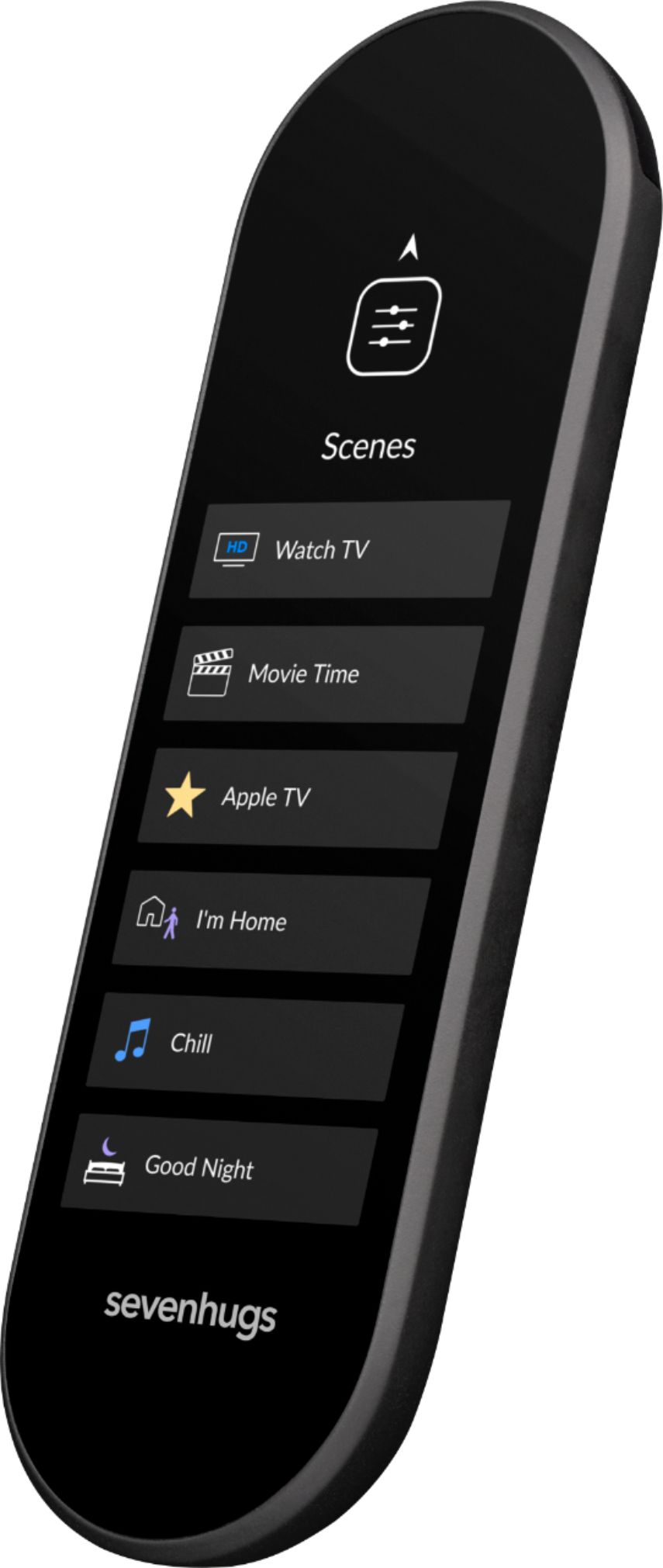
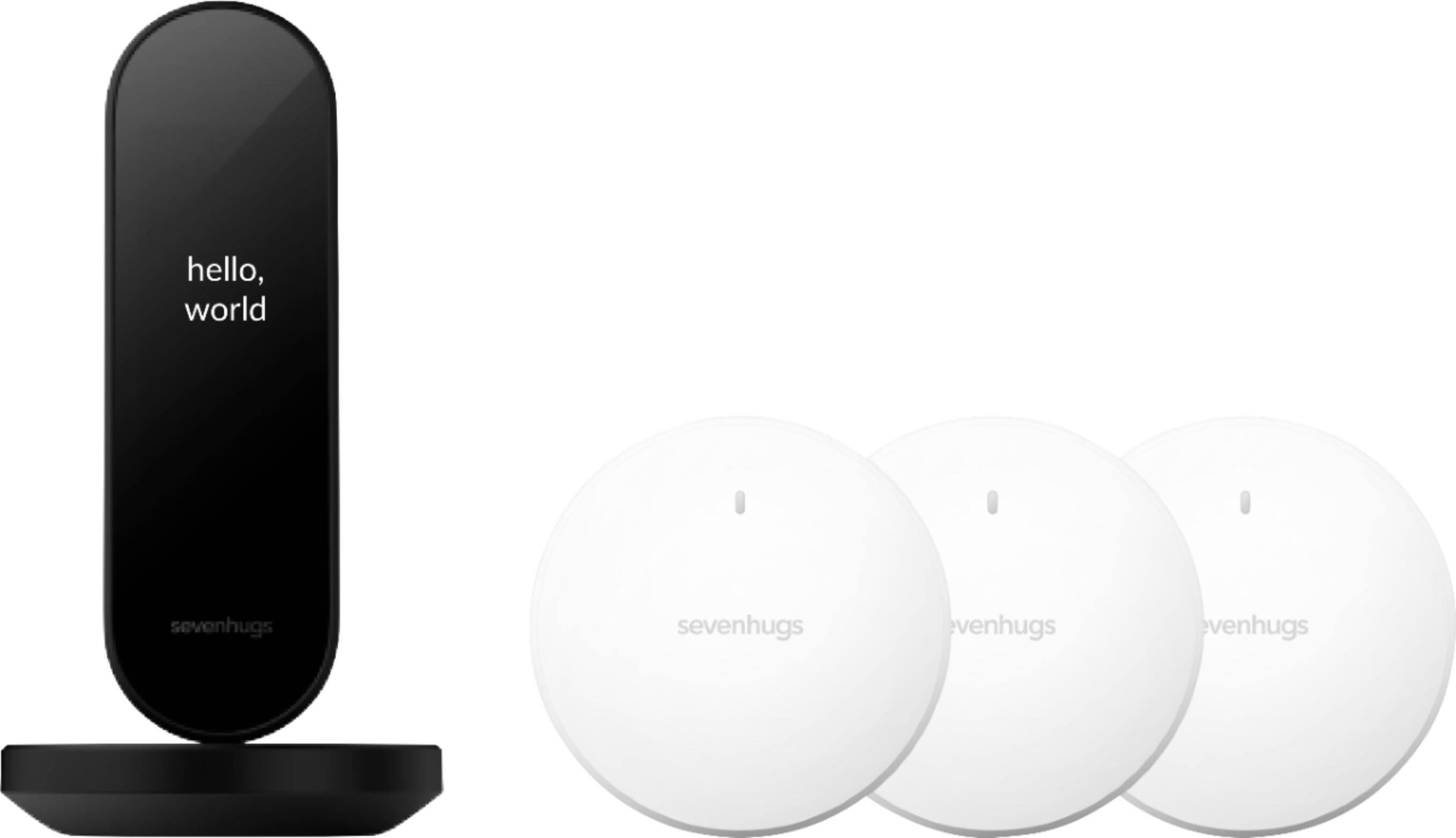
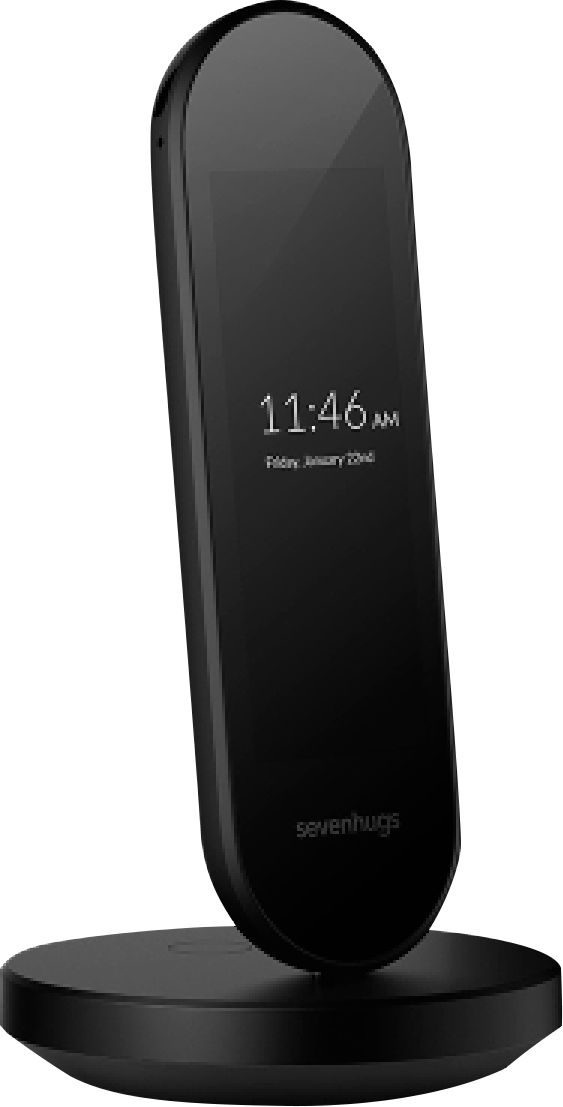
|Posted .This reviewer received promo considerations or sweepstakes entry for writing a review.I’ve been a long-time user of Smart TV Remote-type products, with my last one having been purchased a couple of years ago. That was about the same time we got a new Samsung Smart TV. I found that even with the product integration capabilities of my (now 2 years old) new Smart TV Remote, I still had to default back to the remote that came with my Samsung TV when watching Netflix or Amazon Prime, or any of the other apps that are installed on the TV. Essentially, it became challenging to remember if I needed to short-press or long-press a button on the Smart TV Remote to perform a TV-specific function. It’s doable, but then I had to instruct my wife and/or house visitors on which button did what to get the desired results. I eventually un-programmed the Smart TV Remote to only perform one function and – as I mentioned above – defaulted to the original TV remote for certain functions. Enter the SevenHugs Smart TV Remote. The SevenHugs Remote is quite the size challenged device. I mean that endearingly however. It’s much smaller than my old remote, both length-wise and width-wise. Its charging dock is akin to a dock you’d purchase to charge your smart phone, in this case both Dock and Smart Remote have USB- C type ports. I like that the SevenHugs is using a type-C port as it shows forward thinking on the manufacturer’s part. The Dock essentially is a round base with a male type USB port sticking up at the center. Personally, I would have preferred the Dock to have a cradle form around the USB port to make it easier to park the SevenHugs Remote. I’ve found myself on numerous occasions sliding the bottom of the SevenHugs Remote on the Dock trying to position it properly for charging. I think a cradle-like pocket would alleviate this issue. While not a big issue, I can see the USB port on the Dock getting damaged over time. The Remote arrived with the Remote itself, Charger, Dock, brief instructions, and three room-sensors. Upon unboxing the remote, the instructions prompt you to download the SevenHugs app from the Google Play Store (or iTunes). After authenticating myself to the app, I used the Remote to select our network and to provide the necessary password. After authenticating to the network, I then started adding my home devices using the mobile app. In my case, equipment includes a Samsung Smart TV, Cox Communication DVR, Yamaha Amp, LG 4K DVD player, and two TP-Link Smart Wi-Fi wall plugs. The two TP-Link wall plugs had already been configured in Google Home, so SevenHugs found them easily. The next step was setting up what SevenHugs calls A/V Scenes (not to be confused with Home Scenes, which I’ll describe later). This is where you can link two or more devices together to perform specific functions. I have two A/V Scenes configured right now. I called the first A/V Scene TV-Stereo. This one links our DVR, Yamaha Amp, and Samsung TV. The A/V Scene configuration tool prompts you to identify the following: - which device will be used for viewing. That would be our Samsung TV. None is an option as you may just want to listen to something (like music), - which device will provide the content (Cox Communication DVR in our case), - which device is an A/V receiver if you have one (Yamaha Amp), - which device controls the sound (Yamaha Amp) There are two more options, both for Home Scenes. Remember, Home Scenes differ from the A/V Scenes that I just described above. The first of two Home Scene option prompted me to identify anything that I would like to do when I use the soon-to-be available TV-Stereo A/V Scene – which I haven’t saved, yet. For instance, did I want to automate turning off the lights in the room where my stereo and TV equipment are located. Of course, turning the lights on/off automatically would only be possible if they are Wi-Fi or Bluetooth enabled and can be remotely controlled. In my case, I set up a Home Scene called Tree to turn off my Christmas Tree (which is connected to a TP-Link Wi-Fi wall plug. The second Home Screen option (remember that I’m still setting up my A/V Scene TV-Stereo) prompts me to identify anything I want to automate after I quit out of TV-Stereo. And yes, I want to turn the Christmas Tree back on. So, I set up Home Scenes for turning the lights on the Tree off and on. Now when I press the A/V Scene to turn the TV-Stereo on, it automatically turns the tree lights off. When I exit TV-Stereo, it turns the tree lights back on. Very cool! By the way, individual Home Scenes aren’t limited to just one function – like turning one set of lights on or off. I could have also turned off our wireless enabled outside lights. At the beginning of my review, I bemoaned that I was still using my Samsung TV remote along with my old Smart Remote because it was tough configuring the old remote to work seamlessly with both the Cox Communication DVR and the Samsung TV. I was, in fact, able to get around this annoyance with the SevenHugs App. Here’s how: After I saved the TV-Stereo A/V Scene, I went back into the configuration app on my cell phone. I went back into the TV-Stereo configuration section and found a couple of options: 1) Edit A/V Scene and 2) Customize Screen Layout (Beta). The Edit A/V Scene put me in the same configuration tool I originally used to create TV-Stereo. The Customize Screen Layout (Beta) shows you – one page at a time – the three screens and related buttons associated with the TV-Stereo function. This includes buttons like Fast Forward, Pause, Record, and so on. In my case, three screens of buttons didn’t provide enough button space to accommodate buttons from my Samsung Remote. With the Beta configuration tool, it allows you to add more screens and, thus, more buttons. So, I added a fourth screen and placed all the necessary Samsung Remote buttons there. So, whenever I use the TV-Stereo function I can swipe between any of four screens to get to the buttons I want. The Customize Screen Layout tool really sold me on the SevenHugs remote even though it is still going through Beta testing. As an aside, I also created a second A/V Scene – this one for my DVD player. In this A/V Scene, devices needed included only the LG DVD Player, Samsung TV, and Yamaha Amp. I didn’t need to include the Cox Communication DVR box. And the three default screens worth of buttons were perfect for this task. The SevenHugs Smart Remote is a pretty darn smart remote and has more functions that I haven’t touched on. So, if you’re in the market for a tool like this, I would give this one a serious look.
I would recommend this to a friend Used Item
||Posted . Owned for 2 months when reviewed.This reviewer received promo considerations or sweepstakes entry for writing a review.They shipped me a used item with missing parts. Was away and now cannot return item. Garbage product. Don't buy.
No, I would not recommend this to a friendBrand response from Sevenhugs
Posted .Hi jjddc1, could you please reach out to us at support@sevenhugs.com? Smart Remote kit sold at Best Buy are brand new and there should not be any missing parts, we would love to help with that.
- Pros mentioned:Setup
Really good smart remote with a minor flaw
|Posted .This reviewer received promo considerations or sweepstakes entry for writing a review.First things first, the packaging indicates a great amount of pride and attention to detail has been invested in the product from start to finish. Everything (remote, charger, power cable, and 3 sensor pucks) fits snugly in place with an eye to the presentation throughout. Once everything is out of the box, the setup is extremely simple. You don’t have to point your old remote at the new one, look your device up on some enormous list of code, or even know your model number. Simply download the Sevenhugs app to your phone, specify what type of device and who makes it, and the remote will present you with a power button. Once you land on one that powers your device on and off, you confirm it and the remote’s screen then shows you the controls for that device. There is an extra step of pressing the button on your hub for Philips Hue lights, but you’re already familiar with this if you have them. Once you have your devices programed, you are able to set up Home Scenes and AV Scenes. These Scenes allow you to record a series of actions on the remote, then assign a name to them so you can complete them with a single tap on the remote. From simply turning multiple lights on/off at once to powering on multiple devices and setting a light color and intensity for movie night. My biggest complaint is also the biggest surprise to me, considering the build quality and design of everything else. The remote sits on its charging base with no support other than the micro-usb charging tab inserted into the charging port on the remote. It feels very flimsy and lets the remote lean to one side more often than it stands straight; not something very appealing in a device that was designed to sit proudly in the open. Overall, I’m very pleased and impressed with this remote, I’d just really like it to be better supported on the base.
I would recommend this to a friend - Pros mentioned:Bluetooth, Design, Ease of use
Smart, simple and versatile remote
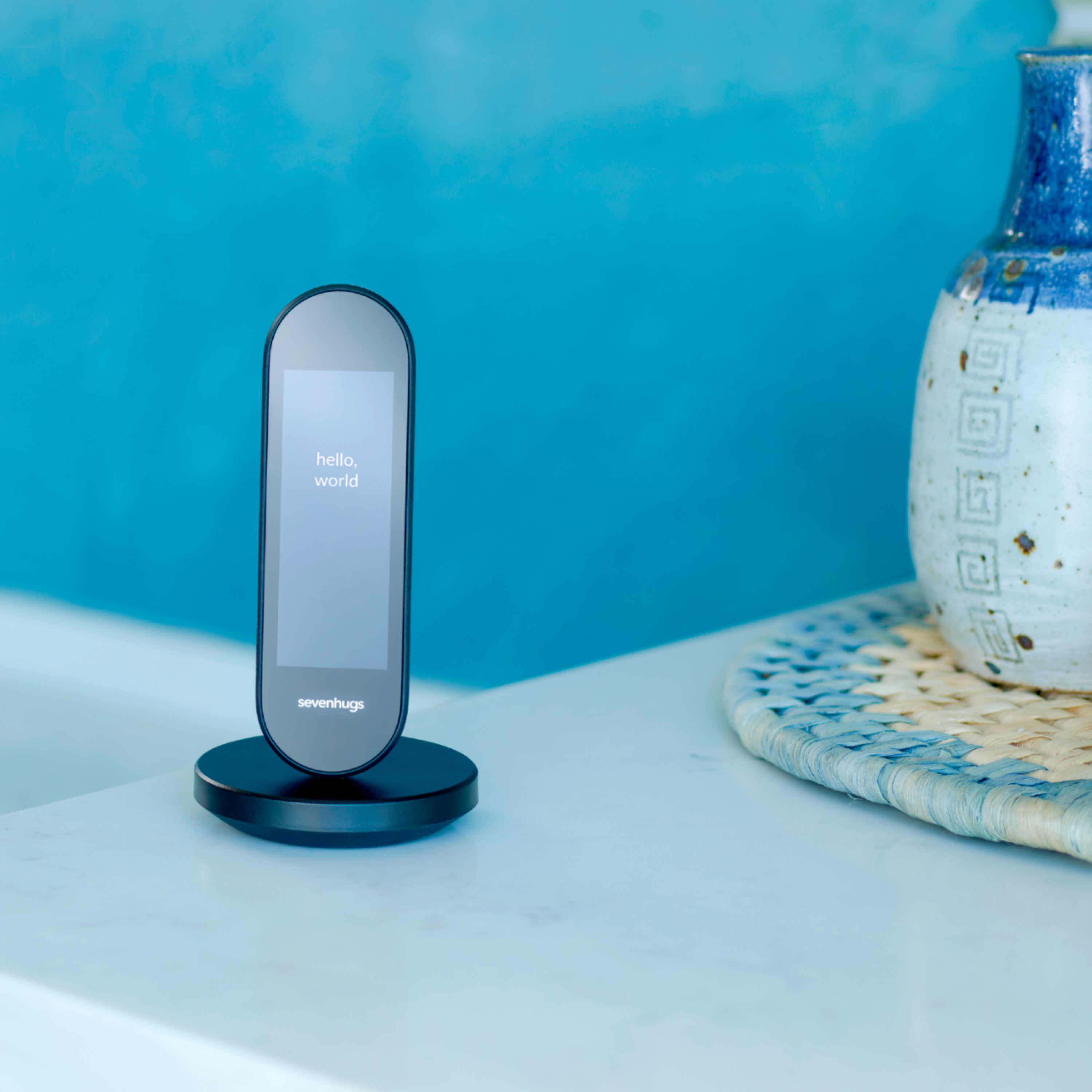
Posted .This reviewer received promo considerations or sweepstakes entry for writing a review.I have been searching for a universal remote and smart home controller for years now with little success. I’ve tried a few options including Harmony, haven’t found anything that I really like yet. A friend of mine recommended the Sevenhugs remote after backing in the initial Kickstarter campaign. I was skeptical at first, but decided to give it a shot after reading some of the early user reviews comments…and I’m really glad it did. First impression: The level of the design and thought put into the product and all little details is very impressive. It looks great sitting on the charging base, which was a big plus with my wife. Second impression: The touchscreen—it’s the best I’ve used on a remote control and it’s not close. I’ve used a couple remotes from Logitech and also a high-end one from Crestron—they all lacked resolution and responsiveness. The screen on Smart Remote is high quality and really sets it apart from anything else. Software: After going through the setup process, which was a breeze, I was able to add my TV, cable box, Apple TV, Spotify account, Hue lights and TP link plugs in less than 10 minutes. After only a couple days of use, a new software update was released with some cool new features like trackpad control of my Apple TV and the ability to create smart plug groups. I’ve got our Christmas tree lights and a few other strings of lights on smart plugs, which is really convenient. And my wife is really liking how easy it is to turn everything on. She can just point at the TV and tap what device she wants to use and let Smart Remote do the rest. Doesn’t get much easier than that. To wrap this up, it’s been great little product and we plan to get another Sevenhugs remote or two for our bedroom and maybe our dining room.
I would recommend this to a friend Cool concept will be better when fully fleshed out
|Posted .This reviewer received promo considerations or sweepstakes entry for writing a review.So I have to say the idea of a remote that controls everything is one of those kind of sci-fi things that I can remember from movies. While companies try to do this with phones it never really works out because of the many different user interfaces and honest the phone form factor is a bit to large to hold comfortably in one hand while controlling things. The Sevenhugs Smart Remote is a strong contender at an attempt to address some of those shortcomings. Like some other smart remotes out there, it has functionality to control almost anything from Smart TVs to Smart Thermostats and Smart Lightbulbs (IE: Hue) with continued work to add more devices. Currently I've set it up for my TV and soundbar and while setup wasn't the best (more on that in a minute) the unified interface is something I can appreciate. I was a little bummed that my Nest thermostat shows as 'coming early december' on the site, but is not yet available. With all the other 'smart' devices I have in my house I'd need to walk around to recall what they all are to try to add them to the remote. To start, the initial setup of the remote and connecting to it to get started is quite easy. It did have an issue connecting to my WiFi the first time, though a quick retry fixed that. Strangely the remote only supports 2.4GHz WiFi which seems like a shortcoming to me. Once it was connected and I downloaded the app on my phone, it was a fairly quick process to get it paired as it found it on my network then asked me to put in the security code to pair it to the app. Then I was off, attempting to add devices to the remote. This remote works in two ways when attempting to add devices. The first way is similar to that of things like the Harmony remotes where you specify the manufacturer and the model number, and I by far prefer this method... I did, however, run into an issue where my Sony HT-Z9F sound bar was not recognized, but the remote is not detterred... Instead it allows you to select 'Sony' as the sound device manufacturer then you can step through pressing the power button until it finds the correct IR codes to control it. This is cool, but it does end up with functions that dont entirely match the device you're controlling (my Sony sound bar has essentially 2 HDMI inputs, Analog and Optical, but the remote has like 10 separate inputs defined). I can control it, but it's not a perfect 1:1 setup as if it knew what it was. That's to be expected though since it did not recognize the model number... That does display a shortcoming on the site of Sevenhugs though as they need to keep on top of their device database. I was easily able to add my Tivo Roamio Plus and my Samsung TV without issue and controlling each is fine. Once you set up a few devices you can then create a 'scene' which is essentially a macro of commands or devices to control... for example 'Watch TV' includes my TV, sound bar and Tivo, all of which it turns on and sets to the right inputs, very similar again to a Harmony type device. I did notice, however, that the initial screen after turning on my scene has a button layout that I would say isn't the best. I noticed the Guide button wasn't even on the main panel for the remote and I had to swipe to the next page to get to that button. The channel button was there, but I cant think of the last time I traditionally 'surfed' channels with the channel up/down button. It would be nice if you could customize the button layouts or at the very least if there was a slightly more intelligent layout to those buttons based on your activity. IE: for a Tivo I would want to at least see the guide button, Tivo button and the colored buttons (for things like commercial skip and basic Tivo control). Overall it's a pretty slick design. I thought it would be annoying to tap buttons on a screen, but it really isn't bad, likely because it is so narrow. I can forsee this becoming a pretty cool device when additional devices and features are added.
I would recommend this to a friend- Cons mentioned:Size
Quick to Program, Works all Devices.
|Posted .This reviewer received promo considerations or sweepstakes entry for writing a review.The one problem I have had with having newer av devices, is that many times the universal remote will not work all of the functions on all of the devices unless you can actually program individual buttons on the universal remote. This unit controls all of our units and has the ability to infrared program custom buttons. It's easy to use and program. The only negatives is it is so small I am afraid it is going to get lost and because of it's size it will need placed on it's provided charger to charge it's little batteries. Where it shines is with its ability to control smart outlets and lights. The room sensors it comes with gives you the ability to map out a room digitally, giving you the ability to point at devices to turn them off, on or dim.
I would recommend this to a friend - Cons mentioned:Battery life
Great concept remote
|Posted .This reviewer received promo considerations or sweepstakes entry for writing a review.This is a great concept remote system. has lots of future tech. But unfortunately not ready for prime time even with updated app setup with phone (android). 1. It works well without room sensors Almost better. The setup process and placement are very picky. I am an advance tech person and even had still trouble dialing it in correctly. I have the point to device feature turned off for this reason alone. 2. Battery life after recent update has extended the life of the remote by a few day instead of 2 days max off the charging base. 3. Make sure you read all the directions with this system. If you are lower on tech know how i would highly recommend geek squad install. 4. Smaller full touch screen is hard to see and work sometimes but over all when working right very quick in device activity changing. Over all this is for a power user who has experience with Advanced tech for setup. Once setup can be used by most people due to touch screen remote with swipe controls. I Feel I must say this, This remote is great even with issue's but needs more development on the installation setup side. SO I recommend with that warning given
I would recommend this to a friendBrand response from Sevenhugs
Posted .Thank you for all the feedback which we greatly appreciate.
The room sensors do not explicitly need to be placed in specific positions or even used if you prefer not to, we just advise that they are spread out for more accurate triangulation. This should actually be quite easy and straightforward to make use of. If you are having difficulties you could perhaps contact a member of our support team from our website https://support.sevenhugs.com/ and we will be more than happy to help you out.
Battery life is a part of our Smart Remote that we are always improving upon, our remote will consume more battery than a normal remote and will need to be charged more often due to it being a touchscreen universal remote, in any case we do regularly provide updates that further extend the battery life.
Our Smart Remote will indeed require some focus and attention while installing especially to the less tech savvy, however once you get the hang of things it is pretty smooth and straight forward, we are alsoc currently working on some visual tutorials which will be available very soon !
With regards to the size of the touch screen we decided wanted to go for a slimmer and more compact feel which we feel appeals more to wards fans of handheld Smart devices as oversized remote controls can be quite outdated.
Again, thank you for your review as feedback is always welcome and helps us to further improve on our Smart Remote.
- Pros mentioned:Setup
Very convenient and useful
|Posted .This reviewer received promo considerations or sweepstakes entry for writing a review.I have been thinking about getting one of these for a while. This universal remote has it’s own app that makes it easy to set up. Remote was almost fully charged when I got it. Only needed a few minutes to top off the charge. Smart lightning and streaming TV player options very good. And of course TV ones. U can create A/V Scenes to control multiple devices together. And Smart Home Scenes and group multiple lights together. There are also Room Sensors to help speed up use of the remote Like the small size and light weight of the remote. Helps if U don’t have a lot of storage space to work with. Looking forward to spending many hours with this convenient and useful device.
I would recommend this to a friend Smart Remote that could be smarter.
|Posted .This reviewer received promo considerations or sweepstakes entry for writing a review.Simple Review: It does exactly as advertised, gives you control of everything especially if they are all internet connected. I would recommend this product if you looking for a smaller smarter solution to the competition. Extended Review: Opening the box you will get more than what you expect. The remote itself alongside a charging cradle definetly built of quality for than the remote. You will also get extra attachments if any of your devices fight the remote on working properly. In my case I didnt need it. Once you get to performance and programming it's simple. Plug it on the charger first while you download the app to pair everything. Than follow up with programming each one was simple and straight to the point. The problem I had with performance was keyboard typing. When you're setting it up it has a virtual keyboard and I wanted to use this keyboard when it came to the internet browser or Netflix but couldn't. That's why to me it could have been a little smarter by giving me an option to force the keyboard up to type. As always I hope my review helps you in your decision.
I would recommend this to a friendI will go with, eh ok, for now
|Posted .This reviewer received promo considerations or sweepstakes entry for writing a review.I do not have a super complicated setup in my living room but I hate all the remotes and apps. I hoped this would fix it. Out of the box, it looks like something from 2001. It needed a charge at first which I always hate. plug it in, let it connect to 2.4 on your wifi. I hate this for 2 reasons; everything wants to be on that and its getting very crowded and I am not sure of their security so that may be an issue. You must download the app for this to work. I have a TCL (Roku) TV. Samsung soundbar, 4k genie box, tp-link switch, c by ge lights, and sengled lights. I added the tv, soundbar and directv pretty easy. None of my lights or switches are controlled by the remote (the remote saw the light switch but wont control it. The remote can control 1 device at a time. So you can be on the tv screen and switch apps but cant lower the volume. Within a device screen (at the bottom not the top) you can control like the guide etc. no power buttons for the devices, so keep your regular remote handy. why use this if I cant turn a TV off or the soundbar? Pros: super compact can control devices not on the device list tactile feedback to know you pressed a button cons too slick, may need to add something to make it less slick limited on the smart device controls (even if its listed as working) the screens are limited in their functions, and you cant add to it (cant add the volume from the soundbar to the tv) some documentation is lacking lack of physical buttons may not be good for some cant power down devices with the remote so you need your device remotes the buttons are not to most intuitive on each screen, and you cant rearrange them (DirecTV) Almost off of these issues are software, and they can all be fixed with software updates. I hear they update this pretty regular. I feel this is more still in the beta stage. If you are OK with that, then give this a try. if not, you may want to wait till mid 2019 when some big updates will have been pushed out. I am OK with a more beta product, but maybe wait and see if its on sale also.
I would recommend this to a friendBrand response from Sevenhugs
Posted .Hey Dave, thanks for sharing this feedback with us. We’d like get in touch with you so that we can help you optimize your Smart Remote setup. Here’s a few quick tips below that should address most of your feedback, but please reach out to us at support@sevenhugs.com so that we can help. We will also be releasing new integrations and features every month, so please stay tuned for some great new product updates.
1) The AV Scene feature allows you to control multiple devices simultaneously and also lets you combine control of multiple devices onto one screen. After you create an AV Scene, you’ll be able to control the volume of your soundbar from your TV control screen. We recommend creating an AV Scene for each media player or content source you own (Smart TV, cable box, streaming media player, game console, Blu-ray player, etc.), which should dramatically improve your Smart Remote experience.
2) To power a device ON/OFF, just tap the icon for that device at the top of the Smart Remote screen.
3) If you don’t like the default layout of any buttons or controls, you can fully customize any control screen to your liking using the Smart Remote app.
4) Smart Remote currently supports Philips Hue, LIFX and TP-Link smart bulbs and Wemo and TP-Link smart plugs, but we’ll be adding more lighting control devices in the future. Please vote for the brands and devices you want us to add next here: https://support.sevenhugs.com/category/device-service-requests. You can see all the brands and devices that Smart Remote currently supports on the compatibility page of our website: https://sevenhugs.com/compatibility/.
- Pros mentioned:Ease of useCons mentioned:Size
Part Swiss Army Knife, part bacon...
Posted .This reviewer received promo considerations or sweepstakes entry for writing a review.Everything is better with bacon. The Smart Remote is a an amazing little device that made my technology so much more integrated and user friendly. I've paid for my technology, so it is important to have my technology pay me in ease. I've had universal remotes before from Logitech, and Sony, as well as apps on an iPhone. But the problem is, they were all limited in feature sets, compatibility, and NONE of them had positioning. The Smart Remote has brought us one step closer to Jarvis. It is incredibly easy to use, and easy to set up. I have a sea of remotes at my house, and they are all different. Some have a backlight, some wifi, some are "smart", some IR, and the list goes on and on. Home Automation doesn't have any real standard yet, so companies paired their technology across a disparate group of manufacturers, and made them work together with things like SmartThings, Wink, or Alexa. Nobody has wrangled them all like the Smart Remote does. I never had to reprogram it. I also never felt like I was carrying a car battery in my hand, and the haptics were tastefully implemented, not like a cattle prod. Lastly, is the responsiveness of technical support. I have a technology background, so I know what it is like to have tech departments sequestered through a maze of supervisors. They were very responsive, and even if they didn't have background information on my use, they didn't care. They ONLY wanted to make sure I enjoyed their product. I've used the Smart Remote for 6+ months, and if I had used my Logitech remote as frequently as I have the Smart Remote, I would have had to reprogram the remote at least 3-4 times by now. Unlike your traditional Logitech remote, the Smart Remote has glass, and there aren't actual buttons. This enables them to have much better control on the screen space, so when you customize something like creating your own scene, there's room to have features from different devices fit on the screen so you aren't swiping all day long. It is just a really great bit of technology making play time with your remotes, a thing of beauty. It is a Swiss Army Knife because of all the features and vendors they support, and it is integrated together seamlessly, making it just like bacon.
I would recommend this to a friend