Customer Ratings & Reviews
- Model:
- 150BECa
- |
- SKU:
- 6576718
Customer reviews
Rating 4.6 out of 5 stars with 673 reviews
(673 customer reviews)Rating by feature
- Value4.5
Rating 4.5 out of 5 stars
- Quality4.8
Rating 4.8 out of 5 stars
- Ease of Use4.7
Rating 4.7 out of 5 stars
Customers are saying
Customers frequently mention the ease of use, touchscreen, and overall performance of the Calendar. Users appreciate the chore chart and organizational features, as well as the screen size. However, some customers express concerns about the price and the subscription service.
This summary was generated by AI based on customer reviews.
Rated 1 out of 5 stars
Not Worth the Money
||Posted . Owned for 1 month when reviewed.This reviewer received promo considerations or sweepstakes entry for writing a review.Nothing more than google calendar but bigger. Not worth the investment. Better off using Google calendar on an iPad.
This review is from Skylight - Calendar: 15 Inch Touchscreen Smart Calendar and Chore Chart - White
No, I would not recommend this to a friendBrand response from Skylight
Posted .I'm sorry to hear that you're not satisfied with your Skylight Calendar experience. We understand your feedback and appreciate you taking the time to share your thoughts with us.
If there are specific features or functionalities you were hoping to see in Skylight Calendar that would make it more worthwhile for you, please let us know.
In the meantime, if you have any further questions or concerns, please don't hesitate to reach out to our customer support team. You can email us at help@skylightframe.com. Thank you for giving Skylight Calendar a try, and we hope to have the opportunity to better serve you in the future.
Rated 2 out of 5 stars
Disappointed
||Posted . Owned for 3 weeks when reviewed.This reviewer received promo considerations or sweepstakes entry for writing a review.We were really excited to get it, but was instantly disappointed with the limited functionality and lack of basic features.
This review is from Skylight - Calendar: 15 Inch Touchscreen Smart Calendar and Chore Chart - White
No, I would not recommend this to a friendRated 1 out of 5 stars
DuD
||Posted . Owned for 3 weeks when reviewed.This reviewer received promo considerations or sweepstakes entry for writing a review.I am sorry to reiterrate how dissappointed I am that nothing worked in this device other than the purchase itself. The communication with the manufacturer was no less. Although I have already told Best Buy, because of my transportation difficulties .. I'll call to make an appointment to return it. I know that it has to be within 60 day's .. so from October 17th. Thank you as always. No offense to Best Buy!
This review is from Skylight - Calendar: 15 Inch Touchscreen Smart Calendar and Chore Chart - White
No, I would not recommend this to a friendBrand response from Skylight
Posted .Hi Entity11 - We are here to support you. Please email us at vip@skylightframe.com so we can assist! Thank you!
- Pros mentioned:Chore chart, Ease of use
Rated 5 out of 5 stars
Great household organizer
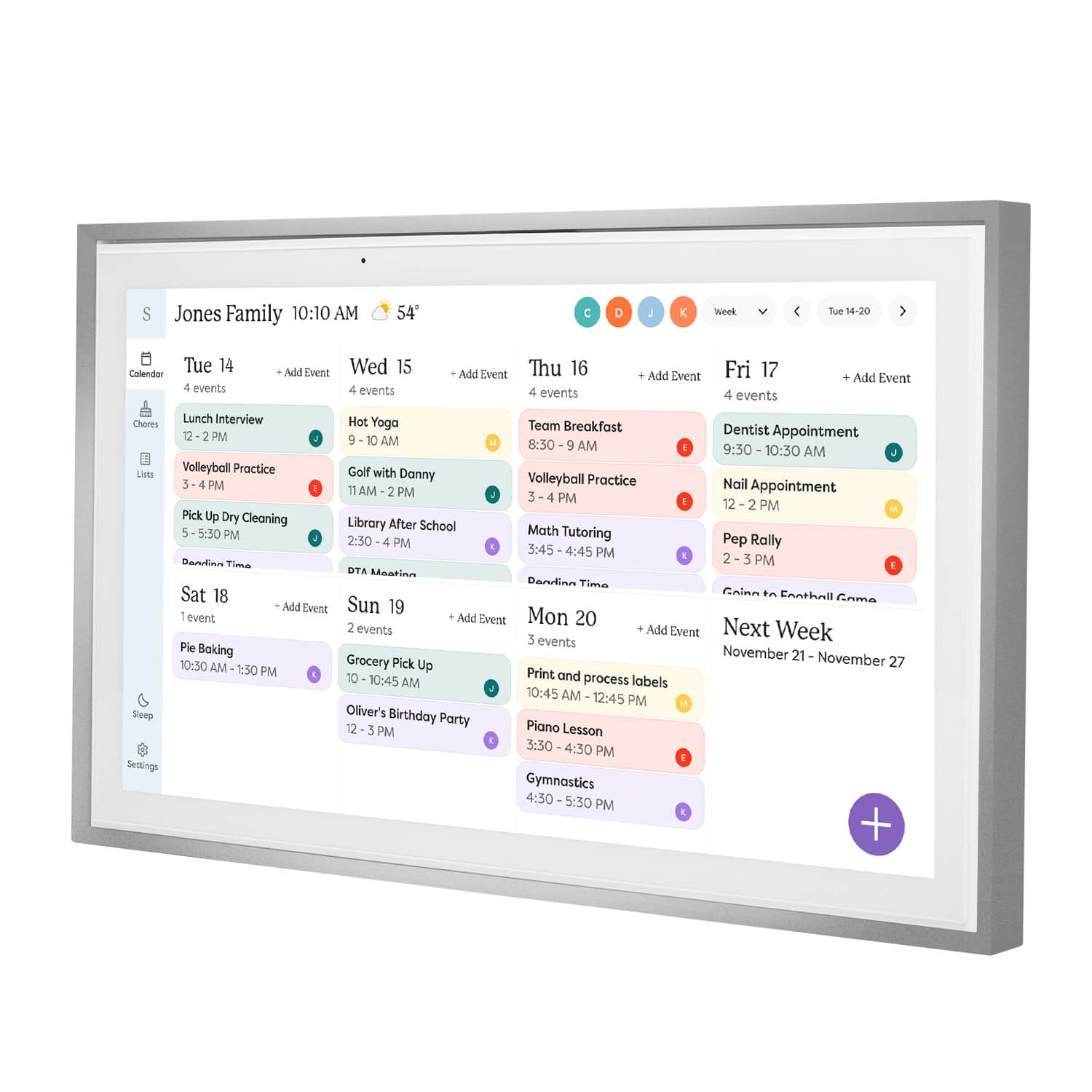
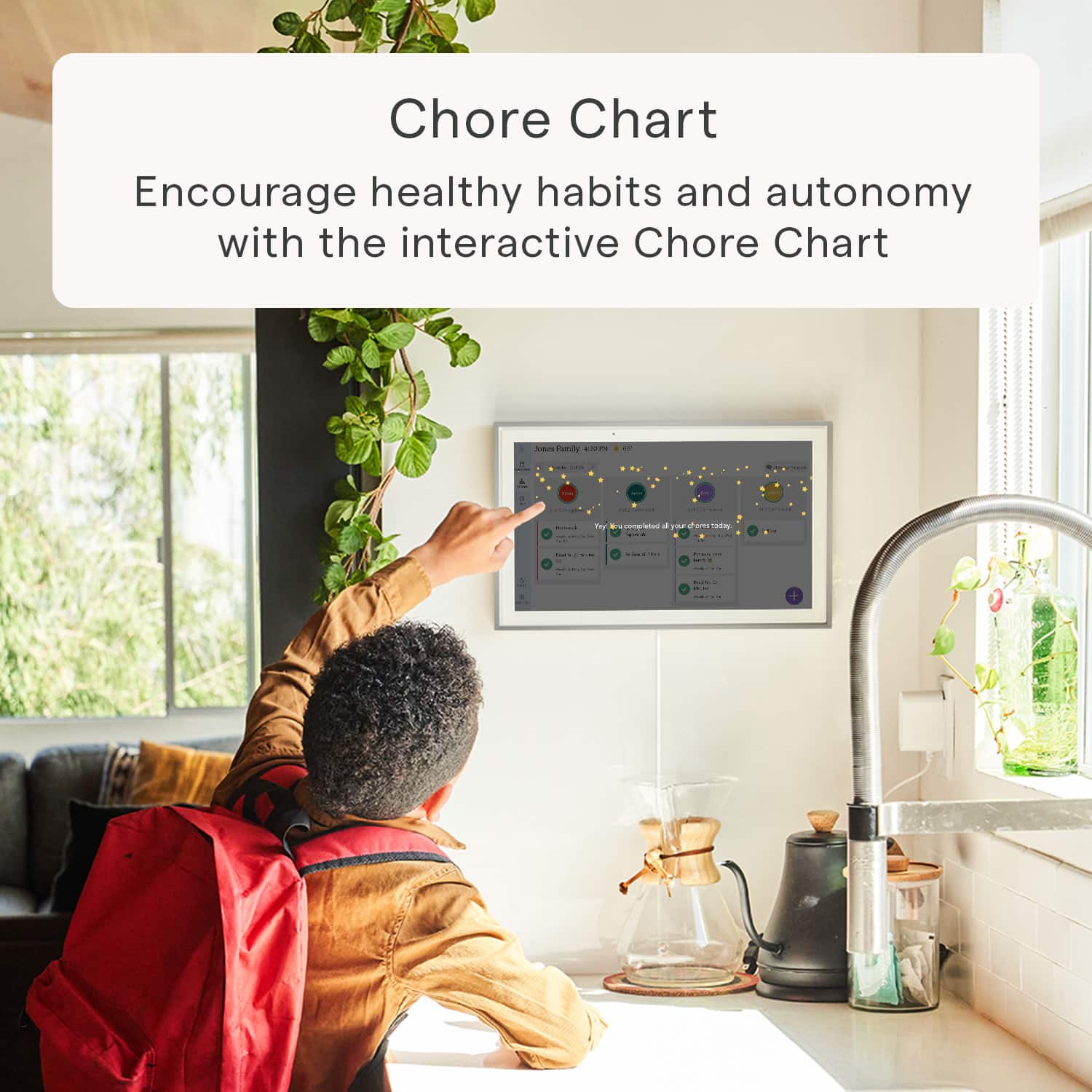
|Posted .This reviewer received promo considerations or sweepstakes entry for writing a review.First time hearing of this company and products. This is amazing. I think every family can benefit from this. It’s more than just a calendar to our family, I feel it’s a family organizer, especially for large families. I now have everything in one place, calendar, chore chart, shopping list, and all types of lists, menu planning. There is also a photo plus plan but that costs extra to subsribe to so I don’t use it. This great and easy to use and navigate. The screen is large and perfect, actually similar size of one of my laptops. We debated about hanging on the wall but decided the base mount would work well since it’s very stable and our children are older. If they were younger, I might have felt better hanging it up to protect it. The kids actually like coming over and using this to keep track of their chores and to manage them. The color coded chores chart makes it take a quick scan to see what going on with each child’s list. And it’s quick and easy for each child to find their chore list and see what chores and how many are already completed. They have been doing their chores without me even reminding them since we have been using this. I hope it lasts. Some chores they do daily, weekly or a couple days a week. I can put time for each item or leave it for all day. I also added a time for homework for each child. I have control of setting it to whatever works for us. Another great feature is that I can schedule time for it to shut down at night and turn on in the morning. And you can see the current weather of where you are or where you are going on your schedule. Using a list to keep track of grocery items as we run low is very helpful. The different lists makes it easy to keep everything in one place and have access to all at home and the go in the app. We use it with Google and Yahoo calendars and with Android and Iphone for different family members.
I would recommend this to a friend Rated 2 out of 5 stars
Great idea
||Posted . Owned for 3 months when reviewed.This reviewer received promo considerations or sweepstakes entry for writing a review.Ive had this for about 4 months. Finally got to use it for about a month. It over heats and the screen gets lines through it. Might just have a defective one.
This review is from Skylight - Calendar: 15 Inch Touchscreen Smart Calendar and Chore Chart - White
I would recommend this to a friendBrand response from Skylight
Posted .Hi Amber, We're really sorry to hear about the trouble you're experiencing with your Skylight Calendar. Please accept our apologies for any inconvenience caused. To address this issue promptly and provide you with the best assistance possible, could you please email us at help@skylightframe.com? Our dedicated support team will be ready to assist you further and work towards a resolution. We appreciate your patience!
- Pros mentioned:Chore chart, Touchscreen
Rated 4 out of 5 stars
Pricy But Effective
|Posted .This reviewer received promo considerations or sweepstakes entry for writing a review.We've recently been challenged by our busy schedules, and I've personally wanted a solution that allows a clear view of all calendar events between all of our individual calendars on different devices, and syncs events and cuts out a lot of manual time, for we as parents will take every minute we can get. I think the Skylight Calendar is it. I was immediately impressed by the Skylight Calendar's packaging—all pieces were neatly packaged and well protected. Setting it up was a breeze. For now, we opted for the stand instead of the wall mount, as it's more suitable in this manner where we have it located. Its sleek, modern design seamlessly fits into our home decor, which is always a plus. I enjoy the glare- and smudge-resistant screen. It gets a lot of use but looks relatively untouched. Navigating the UI is incredibly simple, and it's clean, minimalistic, and easy to read. Having all our family's events in one place, constantly syncing and updating in real-time, has truly been a game-changer for keeping everyone on track throughout the day. The centralized to-do list is another useful feature that we utilize every day—it's incredibly convenient for everyone in the household to access and update tasks, whether from home, at work, or at the store. The same goes with chores. The one issue we have is that it's slightly unintuitive in the fact that you can't add events by simply tapping on a specific day; instead, you have to use the plus icon every time you want to add an event. While creating an event, it defaults to the current day, and so creating events can be somewhat tedious. The same is true for the app. Hopefully the feature of creating an event on a specific day just by tapping on that day is something that is considered in the future. Despite its hefty price tag, the Skylight Calendar has proven to be worth the investment for our family. Its effectiveness in streamlining our schedules and tasks has made it an invaluable addition to our home. We look forward to a lot of saved time and headaches in our busy lives.
I would recommend this to a friend - Pros mentioned:Touchscreen
Rated 5 out of 5 stars
Solid solution to a pressing problem!
|Posted .This reviewer received promo considerations or sweepstakes entry for writing a review.The 15" Skylight calendar is an outstanding product that addresses the need for a shared family information center. Although the unit comes at a premium price this is a case of getting what you pay for! The first thing that you will notice is the satisfying heft of the device. The unit includes hardware for mounting either on a wall or on a countertop. The "kickstand" style mount is composed of two heavy metal parts and assembles easily. It provides a rock solid, stable base for the unit. The frame itself is solidly built with attractive functional buttons that provide basic on/off and volume controls. The unit only runs in landscape mode (for now) however the software is optimized to take advantage of that orientation. The touchscreen is very satisfying with none of the "twitchiness" that some devices exhibit. Hardware aside, this device's software is what really impresses me. The app downloaded and functioned for me with ZERO issues. It is concise and logically laid out. Defining and synchronizing multiple calendars was dead easy and worked flawlessly. The screen layout is intuitive and flexible. You have a number of options to customizing the layout and function of the calendar and the addition of "chores" and "lists" functions truly turns this into a hub for coordinating family activities, not just a calendar! I have been completely satisfied with the Skylight and it now has a prominent place in my home! The unit can also act as a digital picture frame which acts as a screensaver however that capability is only available as a premium "Photo Plus Plan" that requires a paid subscription and so I have chosen not to pay for that for now. In conclusion, I highly recommend this product. It does command a premium price but you'll appreciate the quality and functionality every day!
This review is from Skylight - Calendar: 15 Inch Touchscreen Smart Calendar and Chore Chart - White
I would recommend this to a friend Rated 1 out of 5 stars
Don’t buy
||Posted . Owned for 3 weeks when reviewed.This reviewer received promo considerations or sweepstakes entry for writing a review.You have to pay to use it the add on features don’t make it worth the price
No, I would not recommend this to a friendBrand response from Skylight
Posted .Thanks for sharing your feedback Brian! Just to clarify — Skylight Calendar comes with several great features included right out of the box, like the ability to sync all your personal calendars into one organized hub, plus Lists and Tasks (including Chores and Routines) to help keep your family on track. We also offer an optional Plus membership, which adds extra perks like Sidekick (our AI assistant), a Meal Planner, Rewards, and a Photo Screensaver. If you’d like to try out Plus to see if it’s right for you, just email us at VIP@skylightframe.com — we’d be happy to set up a free trial for you.
- Pros mentioned:Ease of use, TouchscreenCons mentioned:Subscription
Rated 4 out of 5 stars
A delightful and easy to use touch-screen calendar
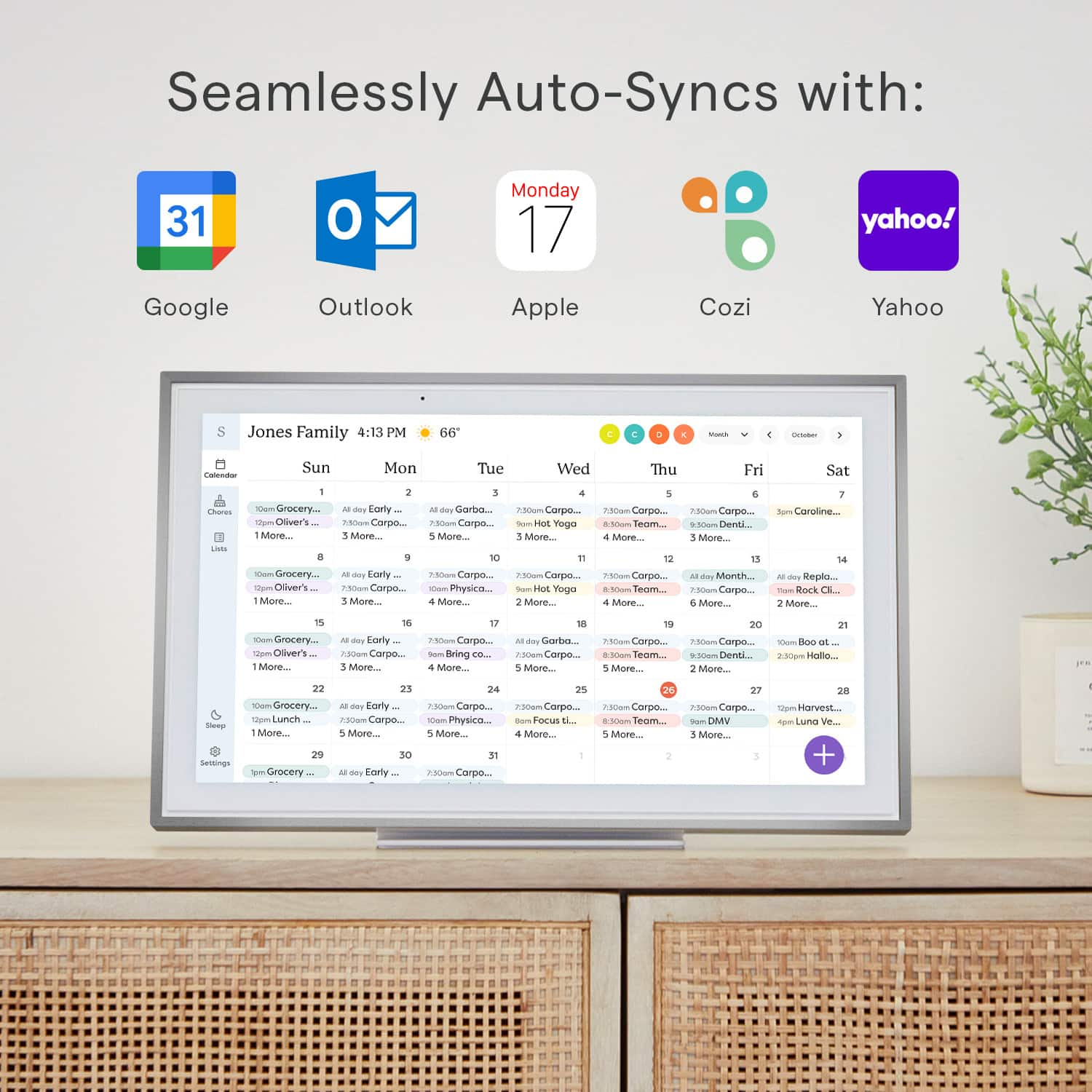
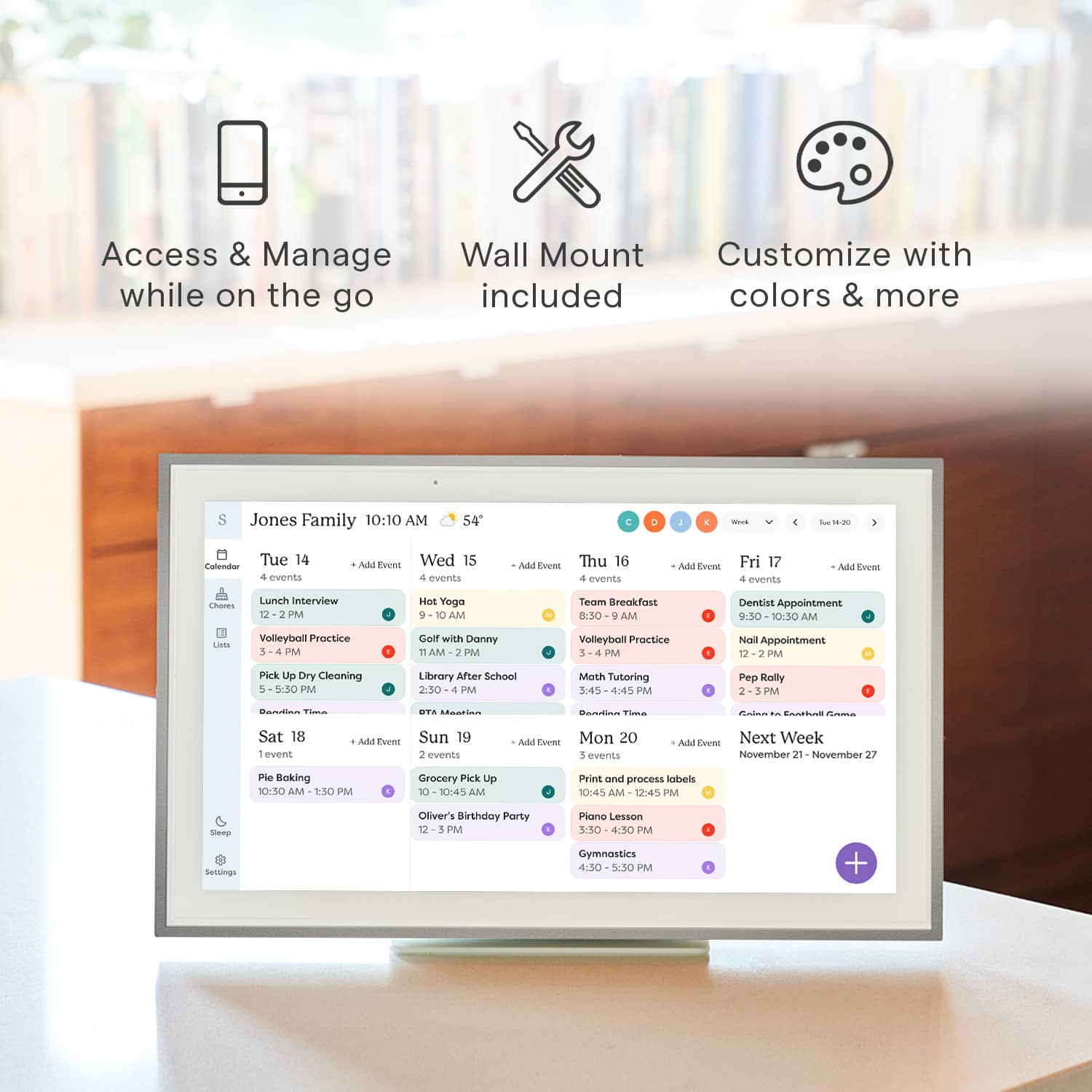
|Posted .This reviewer received promo considerations or sweepstakes entry for writing a review.This is a very simple device to set up. Just turn it on, give it access to your Google Calendar (or other calendar, but Google is the only one I use), and it displays your calendar just like any computer monitor. You have all of the same controls as you would on a computer, with displaying just the week, a schedule view, monthly view, etc. It has a beautiful and responsive touch-screen, so you can use it just like you would a laptop or tablet version of the app. There are very simple but comprehensive enough controls for just about anything you would like to display. I also very much appreciate that there is a scheduled sleep function so that the display can turn off and on with a regular schedule, minimizing the amount of unnecessary interaction required. The advantage of this device is the ease with which you can add and filter calendars. If you want everyone in your family to have their different calendars from different services all displayed together, you can do that. Through the filters across the top you can just display single calendars, or even just events coded to particular colors. The one thing that I see as a down-side is the "device on a subscription service" model of the company. While it is nice that they'll have a screensaver function that displays your personal photos, it's not something that I think is worth several dollars every month.
This review is from Skylight - Calendar: 15 Inch Touchscreen Smart Calendar and Chore Chart - White
I would recommend this to a friend - Pros mentioned:Chore chart, Ease of use, Touchscreen
Rated 5 out of 5 stars
Great way to keep the whole family up to date.
|Posted .This reviewer received promo considerations or sweepstakes entry for writing a review.The Skylight Calendar is a great way to keep all your family up to date. Out of the box you can setup an account with Skylight and sync your favorite calendar with it. I have google and within seconds it was up and running. I then sent invites to my family for the app, They all now have access. The unit also allows you to use it as a digital picture frame for an extra fee. I was able to attach the very sturdy stands. You can also mount it to the wall but the AC adapter is kinda big, should you want to hide it behind, you will have to get creative or have an electrician do it for you. You can also attach multiple calendars and use different colors to make it easier to see. You can make changes on your phone or computer and within seconds the calendar is updated. Also you can make or add to the calendar via the touch screen and it updates across the board. I like the fact that I can leave the kids a chore list that they can check off when doing chores and I can see how they are doing. You can also do lists, like grocery lists. I would recommend this to family and friends with busy schedules and to keep everyone informed. Th only downside is having to pay extra to open the calendar to be a digital frame when not in use.
This review is from Skylight - Calendar: 15 Inch Touchscreen Smart Calendar and Chore Chart - White
I would recommend this to a friendBrand response from Skylight
Posted .It's fantastic to hear about your experience with Skylight Calendar—it sounds like it's been a game-changer for keeping your family organized! The easy syncing with Google Calendar and the ability to share and update events across devices is a huge plus. It's great that you've found creative ways to use it, like leaving chore lists for the kids and managing grocery lists.
The option to convert it into a digital picture frame is definitely a cool feature, although I understand that the extra cost might be a drawback for some. Nonetheless, it seems like a versatile tool for busy families trying to stay on top of things. Thanks for sharing your insights and recommendations!
- Pros mentioned:Chore chart, Ease of use
Rated 5 out of 5 stars
Simple & Refined Organization
|Posted .This reviewer received promo considerations or sweepstakes entry for writing a review.As you get older and start having kids, organization and coordinating events is one of the biggest hurdles. This calendar has helped with that immensely for my family! Firstly, right out of the box I was extremely impressed with the build quality as it was not simply a cheap plastic frame. It has some heft to it and the materials feel premium. You can thus mount the calendar to the wall or simply used the provided stand to set it on a counter which was the route I elected to take. Using the stand it is very sturdy and I have not had any issues with anyone using it and it falling over. I will say that it provides an elegant look as opposed to a tablet sitting on your counter. So after I had it unboxed and had it set on the counter I embarked on the setup to which when it comes to syncing calendars that always is difficult for some reason to which here it was absolutely seamless! The app you are to download has definitely been put through its paces as it is extremely user friendly and made syncing both my iCloud calendar and google calendar a breeze. Once the calendars were synced there are multiple views (day, week, month) to which I settled on the weekly view. The days throughout the week show each of the events that can be color coded based on specific individuals/activities which was a great feature. Aside from the calendar feature I also use the list features specifically with a chore chart and list of meals for the week. This allows the kids to easily see their various chores and check those off as they are completed to which modifying those is extremely easy for my wife and I. Then with the meals this only adds another facet for everyone to easily communicate dinner plans each night. With inputting information into the calendar/lists the ability to do so both in the app and on the physical calendar is great. I had envisioned entering things on the calendar would be bulky and cumbersome, but it is very interactive and responsive when typing in items/events. Overall, if you are a family looking for greater organization this product is exactly for you. The lists feature allows for endless possibilities as to those unique things for each family that may pop up. However, the calendar feature on its own is a true selling point here as the simplicity and user-friendliness definitely set it apart from any competitors.
This review is from Skylight - Calendar: 15 Inch Touchscreen Smart Calendar and Chore Chart - White
I would recommend this to a friendBrand response from Skylight
Posted .Absolutely thrilled to hear how our Skylight Calendar has made such a positive impact on your family's organization! 😊 Your detailed feedback truly highlights the aspects that make our calendar stand out—the sturdy build, seamless syncing, versatile views, and the convenience of both digital and physical inputs.
We designed it with families like yours in mind, aiming to simplify coordination and enhance communication. The color-coded events and customizable lists seem to have really streamlined your routines, making chores and meal planning a breeze.
Thank you for sharing your experience! Your words capture exactly what we hoped to achieve with our calendar—to offer a user-friendly, all-in-one solution for families seeking better organization. If you ever need further assistance or have more insights to share, we're here and listening!
- Pros mentioned:Ease of use
Rated 5 out of 5 stars
It increases the productivity and efficiency
|Posted .This reviewer received promo considerations or sweepstakes entry for writing a review.In the current modern-day hustle and bustle, where time is the ultimate currency, finding a reliable ally to manage our schedules becomes paramount. As a business professional juggling numerous appointments, meetings, personal commitments, and family activities, thank god i for this Skylight - Calendar. its promises of seamless synchronization with Google and a plethora of features designed to streamline scheduling, I embarked on a journey to put this 15-inch touchscreen smart calendar to the test. One of the first aspects that caught my attention was the impeccable touch sensitivity and speed of the Skylight - Calendar. Navigating through appointments, toggling between views, and making quick adjustments became a breeze, thanks to its responsive interface. Unlike traditional calendar apps on phones, where precision can sometimes be compromised, the Skylight - Calendar offered a seamless experience, enhancing my productivity and efficiency. Appointment booking, a task that often felt cumbersome on handheld devices, was revolutionized by the Skylight - Calendar. The ability to effortlessly switch between day and month views provided a holistic perspective of my schedule, making it easier to identify available slots and avoid overlaps. This feature alone alleviated a significant burden, simplifying the booking process and ensuring seamless coordination of my commitments. As someone with a jam-packed schedule encompassing business engagements, personal errands, and family activities, the struggle to stay organized and on top of tasks was real. The Skylight - Calendar emerged as a beacon of hope in this chaos, offering a comprehensive solution to manage my myriad responsibilities. The incorporation of alarm setups for reminders proved to be a game-changer, effectively reducing the clutter of my mobile device, which was inundated with over 20 alarm configurations. With Skylight - Calendar, I found a centralized hub to oversee all my commitments, eliminating the need for scattered reminders and enabling me to stay on track effortlessly. Moreover, the compatibility of Skylight - Calendar with a multitude of platforms including Outlook, Gmail, Yahoo, and others further solidified its position as a versatile scheduling tool. The incorporation of color coding not only added a visual appeal but also facilitated collaborative usage, allowing multiple individuals, such as my spouse and me, to share and synchronize our schedules seamlessly. From tracking to-do tasks to planning meals and beyond, Skylight - Calendar emerged as a one-stop solution for all our planning and reminder needs, fostering efficient coordination and communication within our household. Ease of use and setup are often underrated yet crucial aspects of any technological device or application. In this aspect, Skylight - Calendar surpassed expectations, offering a user-friendly interface and hassle-free setup process. Coupled with its commendable packaging, which exuded a sense of premium quality and attention to detail, Skylight - Calendar left a lasting impression from the moment it arrived at my doorstep. In conclusion, my experience with Skylight - Calendar transcended mere satisfaction to admiration for its transformative impact on my daily life. From its seamless synchronization with Google to its impeccable touch sensitivity, intuitive appointment booking, and comprehensive scheduling features, Skylight - Calendar proved to be a game-changer in calendar management. Its ability to alleviate the burden of organizing my busy schedule, coupled with its versatility and ease of use, makes it a must-have tool for professionals and individuals alike seeking to reclaim control of their time for better efficiency and productivity.
I would recommend this to a friend - Pros mentioned:Touchscreen
Rated 5 out of 5 stars
Great Idea and Very Useful
|Posted .This reviewer received promo considerations or sweepstakes entry for writing a review.I had been hoping for something like this for years. Like a lot of families we used to use a whiteboard calendar on our refrigerator and constantly wipe away the old month and write in the new month, and then get everyone to add their appointments and events to the appropriate days. The bad thing about this is that not everyone would update the days. Future events would sometimes get missed because we would later forget to add them to the next month's calendar when that month pops up. It was also impossible to go back a month and check for a past event. The Skylight Calendar has finally brought us the answer to better family organization. The whole family can sync their phones and personal calendars with the Skylight Calendar. Once synced everything updates on its own, you never need to push/send appointments from one device to another. Events that are entered on anyone's phone are automatically transferred to the calendar and vice versa. It's very easy to add appointments and events directly on the calendar through the touch screen. The great thing here is that the kids don't need accounts to add things to the calendar, like their sporting events, school activities, days off or anything else needing to be scheduled. The kids can also add anything wanted or needed to the shopping lists. We keep the frame in our kitchen near the main door, so we all see it every time we go out. It's also very convenient being in the kitchen because then anyone can add directly to the shopping list when we are out of milk, cereal, or anything else. I also like that I can add things quickly from my phone whenever I see that we are low on toothpaste or other supplies throughout the house. Everything updates on all devices so that I do not need to send a text or call my wife to ask her to pick stuff up at the store after work, because she would already have the list. The convenience in sharing all this information with the right people eliminates the issues of bad communication between families concerning appointments and needed groceries. You can also set up "dinner plans" for specific days or everyday if needed. So that everyone knows what's for dinner and at what time. Aside from keeping your calendars in sync, the Skylight Frame can help to set up chores. Here you can create a chore chart and add participants and specific chores. You can set the chores up to repeat daily or by specific days. So you could have one chore setup to repeat every other day or every other week or even month. This way you can swap the chores around with each kid on a regular basis. Once this is setup you don't need to mess with it, unless you want to edit it or add something else, otherwise it will be good to go every month automatically. No more needing to write it in every month on a white board. You can also create as many lists as needed for any purpose. I have a general one for stuff to do, house repairs, maintenance on the cars, work projects and things needed for our next vacation trip. They are easy to use and pretty helpful. If you pay for the premium plan you can also turn your calendar into a digital photo frame! this part is great, because it could also save your fridge from being the world's messiest photo collage. You can set up albums to sync with the frame showing off all your favorites with no limits. With the premium plan you can also send doodles (created in the app), pics or videos to anyone else connected to your calendar. This calendar is great and like I said, just what I was waiting for. The convenience and ease of use can work for anyone. I could even see this being set up at an older person's house to update the rest of the family on needed supplies and upcoming doctors appointments, as well as the rest of the family being able to send new photos to the frame for the grandparents to see. The frame itself is a good size at 15", I wouldn't pick anything smaller unless it was to sit at someone's desk. The frame comes in all white, but you can buy actual frame borders in different colors to accommodate different decors. It comes with the necessary hardware to mount it to the wall, or prop on a table. The metal base is nice and heavy to make the calendar very sturdy no matter where you place it. The added weight keeps it from getting knocked around when pressing the touch screen. The touchscreen is very responsive and it's easy to type with the onscreen keyboard. They really did a good job making this a durable and useful item.
This review is from Skylight - Calendar: 15 Inch Touchscreen Smart Calendar and Chore Chart - White
I would recommend this to a friend - Pros mentioned:Ease of useCons mentioned:Battery life, Price
Rated 3 out of 5 stars
I Like The Organization But Not The Price
|Posted .This reviewer received promo considerations or sweepstakes entry for writing a review.Out of the box it looks like a very bulky tablet or like a picture frame with a screen. Although this is the Skylight - Calendar, you can use it as a photo frame. The catch is that you have to subscribe to their monthly or yearly service to be able to have that function. I opted to give it a try but it always felt to me like it was not a feature I needed or should have to pay for especially with how expensive the Skylight - Calendar is. The Skylight - Calendar is a digital calendar where you can sync with multiple people in your household to have access to all your tasks, events, or reminders that you may want to all share with each other. I share it with my wife and it has been really helpful in keeping our lives more organized. The first thing she did was assign me a task to clean the bathroom. Beyond being able to assign chores to each other, you can also create grocery lists, to-do lists or set new events directly from the Skylight - Calendar or the companion app which sync together very quickly. Although I am a fan of the organization the Skylight Calendar brings, I don't feel like it is for everybody especially at this price point which at the time of this review is $249.99 discounted from $319.99. It's also difficult to find a spot for it if you don't want it taking up countertop space in your kitchen or space on your nightstand or desk. It does come with mounting hardware so I opted for the hallway where I will surround it with actual picture frames so that it somewhat blends in. The only downside was that I could not adjust it to the height I wanted to due to short cord length as it needs to be plugged into an outlet. For this price point, I would expect it to have a rechargeable battery. Overall, I do like the Skylight Calendar and do use it everyday but I would like to see some additional features, free photo syncing, and maybe a lower price point. If the Skylight Calendar were to get damaged, I would probably not replace it as I could just use my phone, tablet, or computer to serve a similar function and can go with me everywhere.
No, I would not recommend this to a friendBrand response from Skylight
Posted .We're sorry to hear about your experience with our Skylight Calendar, and we truly appreciate you taking the time to share your thoughts with us.
We're glad to hear that you found the Skylight Calendar helpful in keeping your life organized, especially with syncing tasks and events with your wife. We strive to provide a convenient solution for household organization, and it's rewarding to know that it has been beneficial for you in that regard.
Regarding your concerns about the pricing and subscription model, we understand your perspective. We are constantly evaluating our pricing structure to ensure that it reflects the value our customers receive. Your feedback about including free photo syncing and exploring a lower price point is duly noted, and we'll take it into consideration as we continue to evolve our product offerings.
As for your suggestion about incorporating a rechargeable battery, it's a valid point. While the current design requires it to be plugged into an outlet, we'll explore possibilities for future iterations of the Skylight Calendar to enhance its portability.
Thank you again for your honest feedback and for choosing Skylight Calendar to help organize your life. If you have any further suggestions or questions, please don't hesitate to reach out to us at help@skylightframe.com. We're here to assist you in any way we can.
- Pros mentioned:Chore chart, Touchscreen
Rated 5 out of 5 stars
Who knew I needed this
|Posted .This reviewer received promo considerations or sweepstakes entry for writing a review.I got a Skylight calendar to display my personal and business schedule in my living room. Syncing my Skylight with my Google calendar went smoothly once I figured out how much pressure it takes to use the touchscreen (ie a little more than on my phone.) I use the option to display a week at a time most often, but I noticed while I was on the phone with a client discussing an appointment that it's very easy to toggle to the month view, and it was helpful to do so without having to interrupt my call to look at the calendar on my phone. So the calendar function is great, but I've also been enjoying the other features. I wasn't actually sure I would use the photo screensaver, wondering if it would be too busy for my space. Once I adjusted the settings to make the display look good, I had fun choosing which pictures to upload. I used the chore chart feature to up a watering/feeding schedule for my plants without having to add reminders to my Google calendar that would clutter it. Again, I wasn't sure I would even use the chore chart feature, but once I got into setting it up, I realized how nice it is. My basil will be trimmed and fed on a schedule going forward! And that is the unlooked-for benefit of the Skylight Calendar, in my opinion: it looks wonderful, it has just enough features to be useful but not overwhelming, and it feels like I treated myself to something nice! At this point in my life, I am cautious about adding new devices or gadgets, especially screens, but this one is worth it. The Skylight Calendar doesn't solve a problem as such, but it makes things I do anyway easier and more graceful. It's one of those things that you buy and immediately wonder how you did things before. I put the calendar up on a wall with lots of prints and paintings, and despite being digital it looks like it belongs there. The photo screensaver is lovely to look at, and the calendar display is understated and easy to use. I would recommend this as a nice addition to your organizing tools or as a wonderful gift.
I would recommend this to a friend - Pros mentioned:Chore chart, Ease of use
Rated 5 out of 5 stars
streamline your life
|Posted .This reviewer received promo considerations or sweepstakes entry for writing a review.The skylight calendar: 15 inch touchscreen smart calendar has been a great addition to my busy schedule. coming from a multi-sport family of 4 its a great way to keep everyone's schedules in view. My son no longer asks what activities he has that day, he can quickly check the calendar and have peace of mind. The calendar was very easy to set up. We plugged it in and it started right up. I entered my email address and it synced right up. I had to do some small manipulation to get the colors correct, but it was fairly easy. my kids really like the chore chart, they can see how many they have left at the top of the calendar. it is easy to set up the chores and assign them. we color coordinated them so they cant fignht over who's is who's. we decided not to do the skylight plus for photos. we just didn't think it was worth the extra money to have pics. but I have seen it on other peoples and it looks really nice. All in All we have really liked the Skylight calendar and would recommend it to anyone looking to streamline their life.
I would recommend this to a friend - Pros mentioned:TouchscreenCons mentioned:Price
Rated 3 out of 5 stars
I like it.
|Posted .This reviewer received promo considerations or sweepstakes entry for writing a review.The Skylight Calendar is a device intended to hang on your wall, right where your existing paper calendar is. Obviously that's only an easy change to make if your existing family calendar is one that is electronic-- and if so, the Skylight can make your family's calendars available digitally in one spot. When I first saw the description of the Skylight, I had my doubts. There's really nothing special about a wall-mounted screen that shows a calendar...this is something the most amateur smart home enthusiast could accomplish with relatively little effort. However, where Skylight needed to have its biggest impact isn't in the physical, but in the software behind it. As far as the physical goes, it's a very nice device, styled as a framed painting. It has a decent touch screen that is easy to read, has a good touch response, and has can automatically adjust brightness based on ambient lighting. There are a couple of physical buttons along the top frame, controlling volume and power. There is an included power cable. Mounting hardware is included and easily installed; If not wall mounted, there is an included stand allowing it to be set on a table or countertop (but without any adjustment to the angle of the device). The mounting hardware is stout-- and when I first picked up the box I was initially concerned about the weight of the unit; as it turns out, the robust stand and wall hardware is what makes up most of that weight. So back to the software: it's very good. It has to be at least a little good in order for this device to even get off the ground. Basically any mainstream calendar service can integrate with the Skylight, and it can sync multiple calendars from multiple family members. Additionally, the mobile app makes the Skylight's information available to anyone in your family when they're not at home. So maybe you're thinking, "this is nothing new, we can do this already." Sure, and it's probably a hard sell to many families. Skylight also adds some basic to-do list capabilities, along with shopping list and chore tracking, all of which operate fine. There's nothing earth-shattering about that as an offering, but it definitely helps sell the device. At an additional monthly cost (and in my opinion, entirely too high of a monthly cost), you can add electronic photo frame capabilities. So it does a fine job, but there are still some features I'd like to see adjusted to make it even more compelling. First: I was not able to identify a way to disable the haptic sounds when typing on the device, which are unnecessary and annoying. Second, while the view options are decent (daily, weekly, monthly, schedule view, etc) I'd like to see some more options. It is a calendar first and so the calendar offering needs to be beyond reproach; I also wouldn't mind seeing a slightly higher-resolution screen to be able to fit a bit more vertical content on the screen. Finally, while the Skylight supports integration with a number of calendar services, it does not support integration with existing reminder or list services. So, you'll have to switch your to-do app if you want to make the most of the Skylight. That said, it's a good product. It may not be good enough for its price tag, retailing at $320. Given a repurposed iPad could accomplish something very similar, I'm not convinced this is worth the investment. It's a very attractive device and looks great on your wall, but there are plenty of wall mount options when it comes to other devices as well. If your family is already very electronically organized, this is probably a good product for you. Making use of some of the additional features makes it even more compelling... but if deploying this device in your home would require any sort of habit change, you might want to first look at those changes before making the investment. For my family it works, and I like it. I'll be curious to see how relevant it stays as time goes on, or if software support becomes an issue in a relatively short time period. For now, I think we'll keep it.
This review is from Skylight - Calendar: 15 Inch Touchscreen Smart Calendar and Chore Chart - White
I would recommend this to a friend - Cons mentioned:Battery life
Rated 3 out of 5 stars
Pretty nice, could use a little work
|Posted .This reviewer received promo considerations or sweepstakes entry for writing a review.The product is okay. The screen is large and bright, and easily seen from across the room. Set up was also relatively easy, just install the app and then tell it what calendars to look at. Calendars are color-coded, so each of my kids has a different color assigned, as well as my wife and I. The Skylight looks nice. My mom commented on it when she came over, and wanted to know what it was. Had a couple other people who were like, "What is that, is it an Android tablet?" So kind of a cool conversation getter. I've found that having the calendars all together on a single screen is super helpful. Things I might miss because they were just on my small phone screen are easily viewed on the larger screen. The Skylight comes with a wall mount bracket or a stand for a counter or shelf. I do have some things I didn't care for, thus the three star rating. One, the Skylight does not have batteries. So, if you are going to hang it on a wall, you'll need to have an outlet nearby or you'll have a white extension cord hanging down the wall. And placing it on a shelf or counter with the included bracket takes up a decent amount of space. I wish the Skylight was more wall-mount friendly. Two, the touch screen is not very reactive. The touchscreen lags. Typing on the touchscreen keyboard was slow due to the lag, and swiping through screens was the same way. I know that the intent is to use the phone app to control the Skylight, but there are times I'd like to just grab the Skylight and make a quick entry using the touchscreen. And three, Skylight tries to get you to sign up for Skylight Plus, so you can stream photos on the screen or have a screen saver that is a photo. Otherwise the Skylight just sits there with the calendar on it, serving no other purpose. Considering the cost, I feel like the Skylight should just be able to stream photos without having to pay more money for an annual subscription. My rating for the Skylight would be 3.5 stars. Not being able to be charged and then mounted on a wall without an unsightly cord running down the wall to an outlet is a bummer. That would definitely be an improvement for me. The touchscreen responsiveness was just average. And being limited to just calendar events or to-do lists unless paying an annual subscription makes it less worth the money. My likes: Large screen, bright, does help organize the family. My dislikes: Can't just charge it and use it without a power cord, additional options are only unlocked by an annual subscription fee, and the touchscreen isn't very responsive.
This review is from Skylight - Calendar: 15 Inch Touchscreen Smart Calendar and Chore Chart - White
No, I would not recommend this to a friend - Pros mentioned:Chore chart, Touchscreen
Rated 3 out of 5 stars
Decent digital wall calendar but lacking
|Posted .This reviewer received promo considerations or sweepstakes entry for writing a review.As a family of 4, the Skylight Calendar has helped moderately to show current and upcoming events for all to see. We have it mounted in the kitchen, which gets the most foot traffic so we can always be up to date on what everyone has planned. It was easy to link my google calendar directly to the Skylight. It only imported ‘events’ and excluded my ‘tasks’. Instead, I need to keep a mental reminder to set anything that I would normally make a ‘task’ (“buy milk” or “wash the car”) as an ‘event’ for it to appear on the Skylight. Beyond syncing calendars from a phone, you can simply use the touchscreen to add events and set them for specific people. There is an option for things like shopping or meal lists, but I was not interested in those. There is also a ‘Chores’ section for random things like ‘finish homework’ or ‘take out trash’ or whatever you want it to be. However, you must be more interactive with the Skylight than I would prefer. For instance, you may have a chore for a child like ‘clean room’ but it doesn’t show it directly on the calendar view to see as you pass by. Instead, you must select that child’s category to view all chores that are either complete or not. Overall, I see this item as basically my phone calendar just blown up for all to see on the wall. This calendar can be either hit or miss, depending on your family’s needs. I will say that it is nice to view in passing as I am walking out the door in the morning to get a quick glimpse of everyone’s activities for that day. However, is it necessary to have this device when I can have all family activities in my phone calendar? Probably not. This may be an item for someone not so tech savvy or doesn’t use a smartphone and would like to try out a touchscreen calendar versus the boring old paper calendar when they had to ‘write down’ daily events.
I would recommend this to a friendBrand response from Skylight
Posted .Thank you for your detailed feedback on the Skylight Calendar. We're glad it has been moderately helpful for your family. We'll work on improving the syncing process with Google Calendar and enhancing chore visibility. Your input is valuable as we aim to enhance our product. If you have further suggestions or questions, feel free to reach out at help@skylightframe.com. Thank you for choosing Skylight!
- Pros mentioned:Chore chart
Rated 4 out of 5 stars
A handy electronic calendar and more!
|Posted .This reviewer received promo considerations or sweepstakes entry for writing a review.I wanted to try this calendar out versus just having a tablet or our phones with shared calendars because it forces us to look and address anything in the calendar. It is a great reminder for it to look for the week or month ahead, depending on how you like to look at your schedule. Set up was a bit of pain point for me. I initially put it under my login info, but decided to change that and have my wife be the main lead on this calendar. However, to actually reset the device, I had to email tech support and after over 14 emails back and forth, I eventually reset the calendar myself. On the online manual, the reset button is located in the settings portion of the software, however, my software did not have it and I am unsure why. I mean the set up is pretty fast and you can be up and running in about 5-10 minutes. To manually reset this, I had to go get to the ADB Fastboot screens to factory reset the device. There is no reset button or anything in the app to do this. It says to email support, which I did, but was frustrating at the time, before I was able to go into fastboot mode and perform the factory reset myself. Once my wife was able to add her info into the Skylight app the additions to various calendars are offered. You can upload all or choose your calendar. Because we have a high school and club volleyballer and also violin player in orchestra, we opted for just one calendar. This thing also has the function of adding single events. So lets say you have a google calendar event you want to share, you can actually share it directly to the skylight using the custom name you want to use. I know this is vague, but it's pretty useful once you understand it. However, for this to work, you have to be invited into the sklylight calendar server in order to be able to add events. Keep that in mind. Once you have the members invited, it's realtime updated, which is pretty cool. This frame is pretty heavy for a calendar and it is not an run of the mill tablet. Yes it is more like a heavy picture frame. You are given the option of using the stand or you can utilize the hardware to mount it on a wall somewhere. I really like the wall idea, but I do not like wires feeding from it and makes the walls look sloppy, so we just opted for a stand set up and have it next to the dining room table. The software is pretty quick, some slight lag but nothing bad, but it is noticeable. The more part is that if you pay an additional fee, you can open up the areas where this frame can turn into a picture frame. I already have a hub that does that, so I didn't need to add that expense to our family budget. But it is nice to know it has that functionality though! The chores section and list section is also something great to have. These features are free to use, but is also a nice central location to look at. The color coding is pretty well done. Would I recommend this to others? I would! If they would indeed use it. In the few days we have had it, we have used it every day or at least looked at it. This calendar has a place in our home and I am glad we have it, even though it's not intuitive to add things. Meaning you can add events directly on the calendar, but it's not really recommended. You cannot edit anything and you have to delete it to correct it.
This review is from Skylight - Calendar: 15 Inch Touchscreen Smart Calendar and Chore Chart - White
I would recommend this to a friend