Skylight - Calendar: 15 Inch Touchscreen Smart Calendar and Chore Chart - Silver
Customers are saying
Customers frequently mention the product's exceptional ease of use and overall performance as standout qualities that make it a valuable addition to the home. Users appreciate the large, intuitive touchscreen and the effective organizational tools, such as the chore charts and calendar synchronization, which help keep families on track. While the device is highly regarded for its design and functionality, some users have expressed concerns regarding the initial price point and the requirement of a subscription for certain features. Additionally, it is noted that the device requires a constant power source as it does not operate on batteries.
Color
SilverFeatures
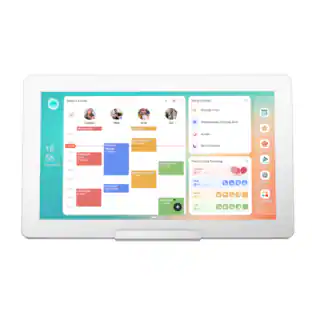
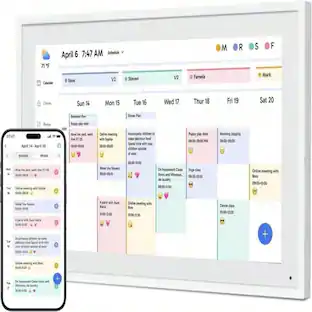
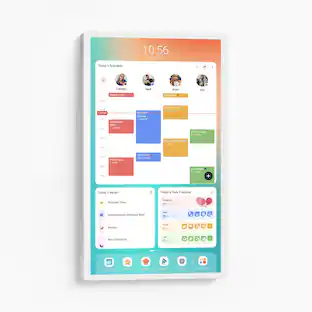
Skylight Calendar seamlessly auto-syncs family member's calendars so everyone's schedule is displayed in one place. With the free mobile app, everything on the Skylight Calendar is easily accessible on the go. Skylight Calendar is the ultimate smart calendar and organizer that will give you and your loved ones peace of mind and confidence that nothing gets missed.
Quick setup
Seamlessly auto-syncs with Google, iCloud, Outlook, Yahoo, and Cozi. Simply plug it in, connect to Wi-Fi, and sync your calendars - all your events will automatically populate and sync to your Skylight Calendar.
Beautiful and intuitive HD smart display
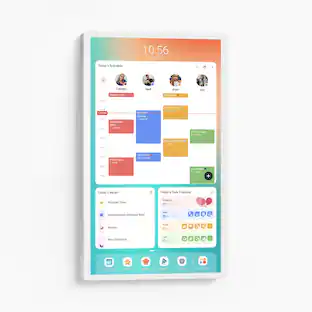
15" touchscreen can be mounted on the wall or displayed on its stand. Bonus 32GB storage for photos and videos. The wall mount or tabletop option make this the perfect daily planner for the home or work planner to add to your office.
Task and Chore Management
Add, edit, and easily check off chores throughout the day. Encourage healthy habits and autonomy with the interactive Chore Chart that transforms routine tasks into rewarding accomplishments.
To-do's and checklists
Curate custom lists that encompass everything your family needs to remember, do, or purchase.
All-in-one smart touchscreen calendar
Calendar and planner touchscreen display that will get the whole family organized and running smoothly. It's never been easier to keep the whole family informed by assigning each member their own color and chores.
Simplify your routines with features designed for families
Additional features are available with the Calendar Plus subscription sold separately in the app. Plan meals with ease, import events by transforming emails and PDFs into calendar events, and motivate kids to turn good habits into fun achievements with the Rewards system. Plus, with Disney Mode you can encourage your family to work together even further via animations, avatars & screensavers featuring 16 iconic characters.
- BrandSkylightModel Number150BECaProduct NameCalendar: 15 Inch Touchscreen Smart Calendar and Chore ChartColorSilverProduct Width15.8 inchesProduct Height9.9 inches
Reviews
Rating 4.6 out of 5 stars with 962 reviews
- Ease of use (122)
- Overall Performance (70)
- Touchscreen (35)
- Organization (18)
- Chore Chart (16)
- Price (5)
Customer Images
The vast majority of our reviews come from verified purchases. Reviews from customers may include My Best Buy members, employees, and Tech Insider Network members (as tagged). Select reviewers may receive discounted products, promotional considerations or entries into drawings for honest, helpful reviews.
Compare similar products

Skylight Calendar is an innovative touchscreen display for all your calendar events, to-do’s, grocery list, and chores to help you organize your family’s busy schedule. It has a 15” touch screen that displays your family’s schedule in HD clarity making it a beautiful centerpiece for your home. It is the perfect size for a kitchen counter or can be mounted on a wall. High-quality metal stand and wall mount included.
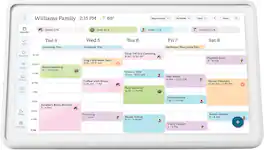
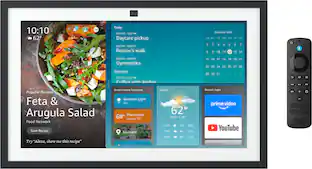
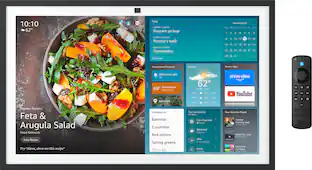
Skylight Calendar 2 - 15" Digital Calendar with removable Shadowbox Frame. Daily Planner, Touchscreen Smart Display for Family Schedules, Work, and Office. Get the whole family organized with chore charts, meal planning, and customizable lists on a WiFi-connected system with a beautiful and intuitive digital display.
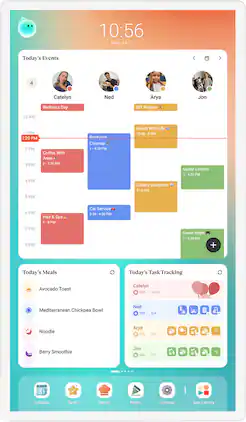
Cozyla's Digital 24" Calendar+ 2 brings together every family member's schedules, routines, chores, and meal plans into one smart display with CalendarOS

Skylight Calendar is an innovative touchscreen display for all your calendar events, to-do’s, grocery list, and chores to help you organize your family’s busy schedule. It has a 15” touch screen that displays your family’s schedule in HD clarity making it a beautiful centerpiece for your home. It is the perfect size for a kitchen counter or can be mounted on a wall. High-quality metal stand and wall mount included.
| Pros for Skylight - Calendar: 15 Inch Touchscreen Smart Calendar and Chore Chart - Silver | |||
|---|---|---|---|
| Ease of use, Overall Performance, Touchscreen, Organization, Chore Chart | Ease of Use, Display Quality, Design, Features, Readability | Display Size | Ease of use, Overall Performance, Touchscreen, Organization, Screen Size |
| Cons for Skylight - Calendar: 15 Inch Touchscreen Smart Calendar and Chore Chart - Silver | |||
| Price | Connectivity, Mounting Options | There were no cons for this product— | Price, Subscription, Battery Life, Weight |
Specs
Customers ultimately bought
Control, Comfort, Convenience Sponsored
 $64.99The price was $109.99

Discover related products




Keep exploring
 $82.99The price was $84.99
 $109.99The price was $119.99
 $36.99The price was $49.99