Customer Ratings & Reviews
- Model:
- 150BECa
- |
- SKU:
- 6576718
Customer reviews
Rating 4.6 out of 5 stars with 890 reviews
(890 customer reviews)Rating by feature
- Value4.5
Rating 4.5 out of 5 stars
- Quality4.8
Rating 4.8 out of 5 stars
- Ease of Use4.7
Rating 4.7 out of 5 stars
Customers are saying
Customers are satisfied with the ease of use, touchscreen, and overall performance of the Calendar: 15 Inch Touchscreen Smart Calendar and Chore Chart. Many appreciate the chore chart and organization features, as well as the screen size and synchronization capabilities. However, some customers have expressed concerns about the price and the subscription service for additional features. There were also a few comments about the product's lack of battery and its weight.
This summary was generated by AI based on customer reviews.
- Cons mentioned:Subscription
Rated 1 out of 5 stars
Waste of money
||Posted . Owned for 3 weeks when reviewed.This reviewer received promo considerations or sweepstakes entry for writing a review.Got charged 50$ when i didnt even do the yearly thing still 2 weeks later no email receipt from it or anything just it being charged out of my account
This review is from Skylight - Calendar: 15 Inch Touchscreen Smart Calendar and Chore Chart - White
No, I would not recommend this to a friendBrand response from Skylight
Posted .Hi Caitlin, I'm sorry to hear about the trouble you've experienced. We take issues like this seriously and want to make sure you get the assistance you need. Please reach out to our customer support team at help@skylightframe.com or (415) 233-6761 with your details, and we'll look into this matter urgently to ensure it gets resolved to your satisfaction. Thank you for bringing this to our attention.
Rated 1 out of 5 stars
Overpriced digital picture frame
||Posted . Owned for 2 weeks when reviewed.This reviewer received promo considerations or sweepstakes entry for writing a review.80% of the features advertised don’t work without paying for a subscription. Operation software is lagging and not integrated with any smart home such as google or Alexa.
This review is from Skylight - Calendar: 15 Inch Touchscreen Smart Calendar and Chore Chart - White
No, I would not recommend this to a friendBrand response from Skylight
Posted .Hi there and thank you for taking the time to review your Skylight Calendar. We're sorry to hear you aren't satisfied and would love to help turn this around for you. Please email VIP@myskylight.com and our Concierge team can help and answer any questions you have. Thank you!
Rated 1 out of 5 stars
Don't do it
||Posted .This reviewer received promo considerations or sweepstakes entry for writing a review.Half. Half of the features on the home screen are locked behind a paywall subscription. This is a substantially overpriced and laughably unimpressive tech. It seems really disingenuous to not mention the subscription.
No, I would not recommend this to a friendBrand response from Skylight
Posted .Thanks for this feedback, Jose! All Skylight calendars come with the core features including the ability to sync your personal calendars into color coded events; Tasks; Parental Lock; and Lists. The Plus subscription ($79 USD annually) enhances with a Meal Planner; Rewards; Photo Screensaver; and Sidekick: our AI assistant! The Skylight Calendar does not require a subscription to use the core features! We regularly provide updates and enhancements for both our subscription and non-subscription customers. I hope that helps! Please reach out to us at VIP@skylightframe.com if you have any questions or would like a free trial of Plus!
Rated 1 out of 5 stars
Not the best
||Posted . Owned for 1 month when reviewed.This reviewer received promo considerations or sweepstakes entry for writing a review.Definitely wish it had more assessable. After I bought this, I found a different brand that lets you watch like TikTok and music and movies on. It should’ve got that one.
No, I would not recommend this to a friendBrand response from Skylight
Posted .Hello and thank you for reviewing your Skylight Calendar. We're sorry to hear it didn't have all of the features you wanted, and we'd love to connect with you further about your experience. If you're open to sharing more feedback, please email VIP@myskylight.com to connect with our Calendar Concierge team. Thank you!
Rated 1 out of 5 stars
Great gift!
||Posted .This reviewer received promo considerations or sweepstakes entry for writing a review.I bought this as a gift and he is using it like crazy. He appreciates that it is connected to his phone so he only has to write it down in one place and it shows up on all of his calendars. Best gift I could have got him.
I would recommend this to a friendBrand response from Skylight
Posted .Thank you for taking the time to review your Skylight Calendar. We're so glad to hear this was a great gift for your friend! If you have any questions, please email us at VIP@myskylight.com, and we'll be happy to help.
Rated 3 out of 5 stars
Calendar integration reads great, syncing buggyish
||Posted . Owned for 3 weeks when reviewed.This reviewer received promo considerations or sweepstakes entry for writing a review.Calendar sync is slow. Wish screen was IPS. But works well for the most part.
I would recommend this to a friendBrand response from Skylight
Posted .We appreciate your feedback and thank you for taking the time to share your experience with us. We understand the importance of calendar sync speed and screen quality in providing a seamless user experience. We're constantly working to improve our product, and your input helps us prioritize our efforts. If you have any specific suggestions or features you'd like to see in future updates, please feel free to let us know. We're glad to hear that despite these issues, the calendar is generally working well for you. You can email us at help@skylightframe.com or call us at (855) 921-2901.
Rated 1 out of 5 stars
Worthless
||Posted . Owned for 2 weeks when reviewed.This reviewer received promo considerations or sweepstakes entry for writing a review.Everything worked great for about 24 hours and then the WiFi disconnected. The WiFi will not reconnect and not reset following the instructions from support for the 3 long presses. Ironically enough, I cannot even hard reset the device because it tells me to check my network connection. From what I understand, this needs to connect to a 2.4G WiFi which is fine and I would gladly make that change if i could reset this worthless piece of junk
This review is from Skylight - Calendar: 15 Inch Touchscreen Smart Calendar and Chore Chart - White
No, I would not recommend this to a friendRated 1 out of 5 stars
Charges a subscription fee
||Posted . Owned for 1 month when reviewed.This reviewer received promo considerations or sweepstakes entry for writing a review.Basic calendar with any useful things to this calendar requires subscription. Unfortunately, you can get what this offer with no additional subscriptions in the echo 15 or 21 and additional services so it just doesn't make sense.
This review is from Skylight - Calendar: 15 Inch Touchscreen Smart Calendar and Chore Chart - White
No, I would not recommend this to a friendBrand response from Skylight
Posted .Hi There,
Thank you for your inquiry! To clarify, the Skylight Calendar does not require a subscription, but if you want additional features like screensavers, magic import, and meal planning, you can get a Plus Subscription.
I hope this information clears-up any confusion. If you have any other thoughts or need assistance, please feel free to reach out at help@skylightframe.com. We’re happy to help!
Rated 3 out of 5 stars
Features
||Posted . Owned for 3 weeks when reviewed.This reviewer received promo considerations or sweepstakes entry for writing a review.I wish the calender had extra widgets to show additional notes
No, I would not recommend this to a friendBrand response from Skylight
Posted .Thank you for your feedback! We appreciate your suggestion regarding extra widgets for additional notes. We are always looking for ways to improve our Skylight Calendar, and your input helps us enhance our product to better meet our customers' needs. We will take your suggestion into consideration for future updates. If you have any other ideas or concerns, please feel free to share them with us. Thank you for being a valued customer!
Rated 1 out of 5 stars
Not Worth the Money
||Posted . Owned for 1 month when reviewed.This reviewer received promo considerations or sweepstakes entry for writing a review.Nothing more than google calendar but bigger. Not worth the investment. Better off using Google calendar on an iPad.
This review is from Skylight - Calendar: 15 Inch Touchscreen Smart Calendar and Chore Chart - White
No, I would not recommend this to a friendBrand response from Skylight
Posted .I'm sorry to hear that you're not satisfied with your Skylight Calendar experience. We understand your feedback and appreciate you taking the time to share your thoughts with us.
If there are specific features or functionalities you were hoping to see in Skylight Calendar that would make it more worthwhile for you, please let us know.
In the meantime, if you have any further questions or concerns, please don't hesitate to reach out to our customer support team. You can email us at help@skylightframe.com. Thank you for giving Skylight Calendar a try, and we hope to have the opportunity to better serve you in the future.
Rated 2 out of 5 stars
Disappointed
||Posted . Owned for 3 weeks when reviewed.This reviewer received promo considerations or sweepstakes entry for writing a review.We were really excited to get it, but was instantly disappointed with the limited functionality and lack of basic features.
This review is from Skylight - Calendar: 15 Inch Touchscreen Smart Calendar and Chore Chart - White
No, I would not recommend this to a friendRated 1 out of 5 stars
DuD
||Posted . Owned for 3 weeks when reviewed.This reviewer received promo considerations or sweepstakes entry for writing a review.I am sorry to reiterrate how dissappointed I am that nothing worked in this device other than the purchase itself. The communication with the manufacturer was no less. Although I have already told Best Buy, because of my transportation difficulties .. I'll call to make an appointment to return it. I know that it has to be within 60 day's .. so from October 17th. Thank you as always. No offense to Best Buy!
This review is from Skylight - Calendar: 15 Inch Touchscreen Smart Calendar and Chore Chart - White
No, I would not recommend this to a friendBrand response from Skylight
Posted .Hi Entity11 - We are here to support you. Please email us at vip@skylightframe.com so we can assist! Thank you!
Rated 2 out of 5 stars
Great idea
||Posted . Owned for 3 months when reviewed.This reviewer received promo considerations or sweepstakes entry for writing a review.Ive had this for about 4 months. Finally got to use it for about a month. It over heats and the screen gets lines through it. Might just have a defective one.
This review is from Skylight - Calendar: 15 Inch Touchscreen Smart Calendar and Chore Chart - White
I would recommend this to a friendBrand response from Skylight
Posted .Hi Amber, We're really sorry to hear about the trouble you're experiencing with your Skylight Calendar. Please accept our apologies for any inconvenience caused. To address this issue promptly and provide you with the best assistance possible, could you please email us at help@skylightframe.com? Our dedicated support team will be ready to assist you further and work towards a resolution. We appreciate your patience!
- Pros mentioned:Chore chart, Ease of use
Rated 5 out of 5 stars
Great household organizer
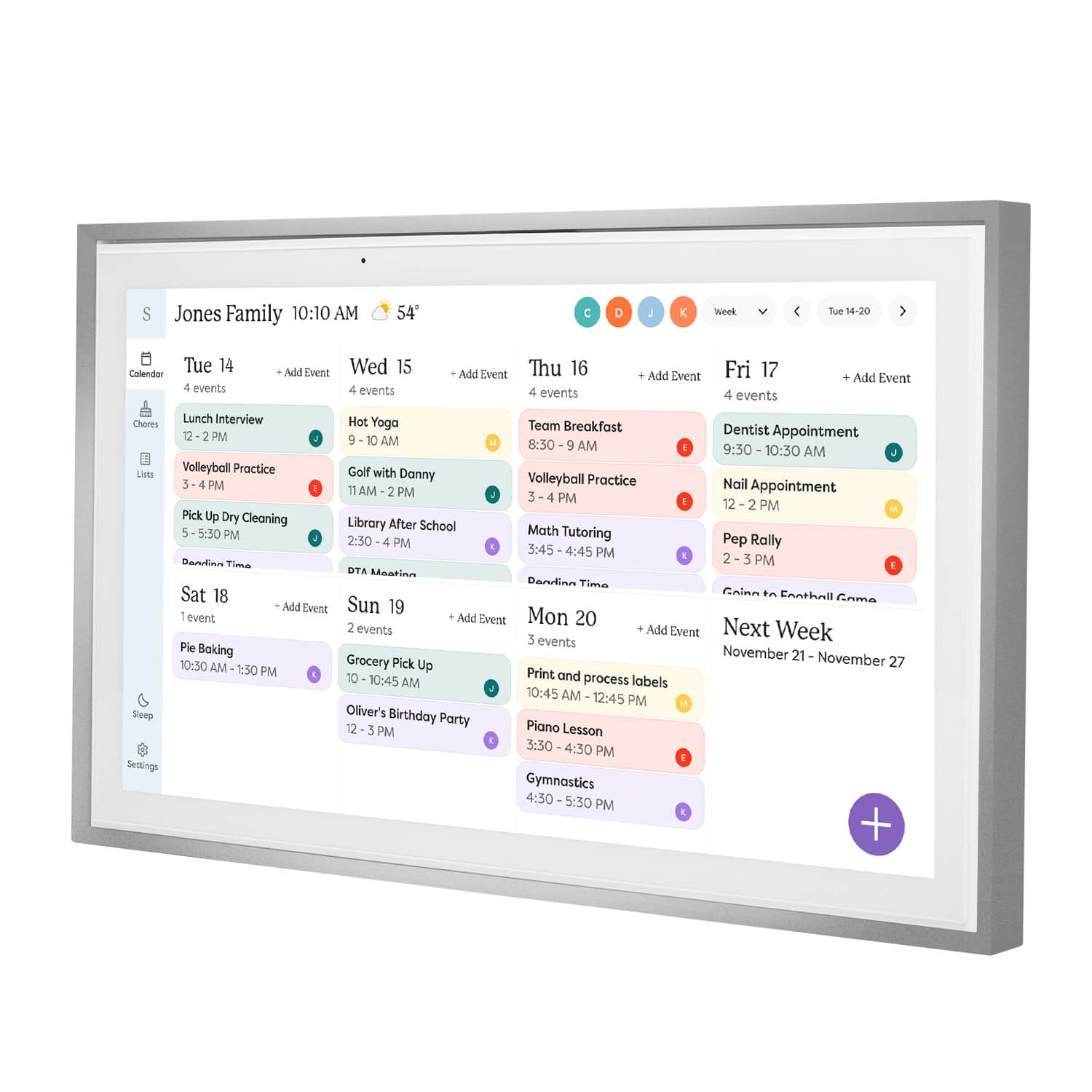
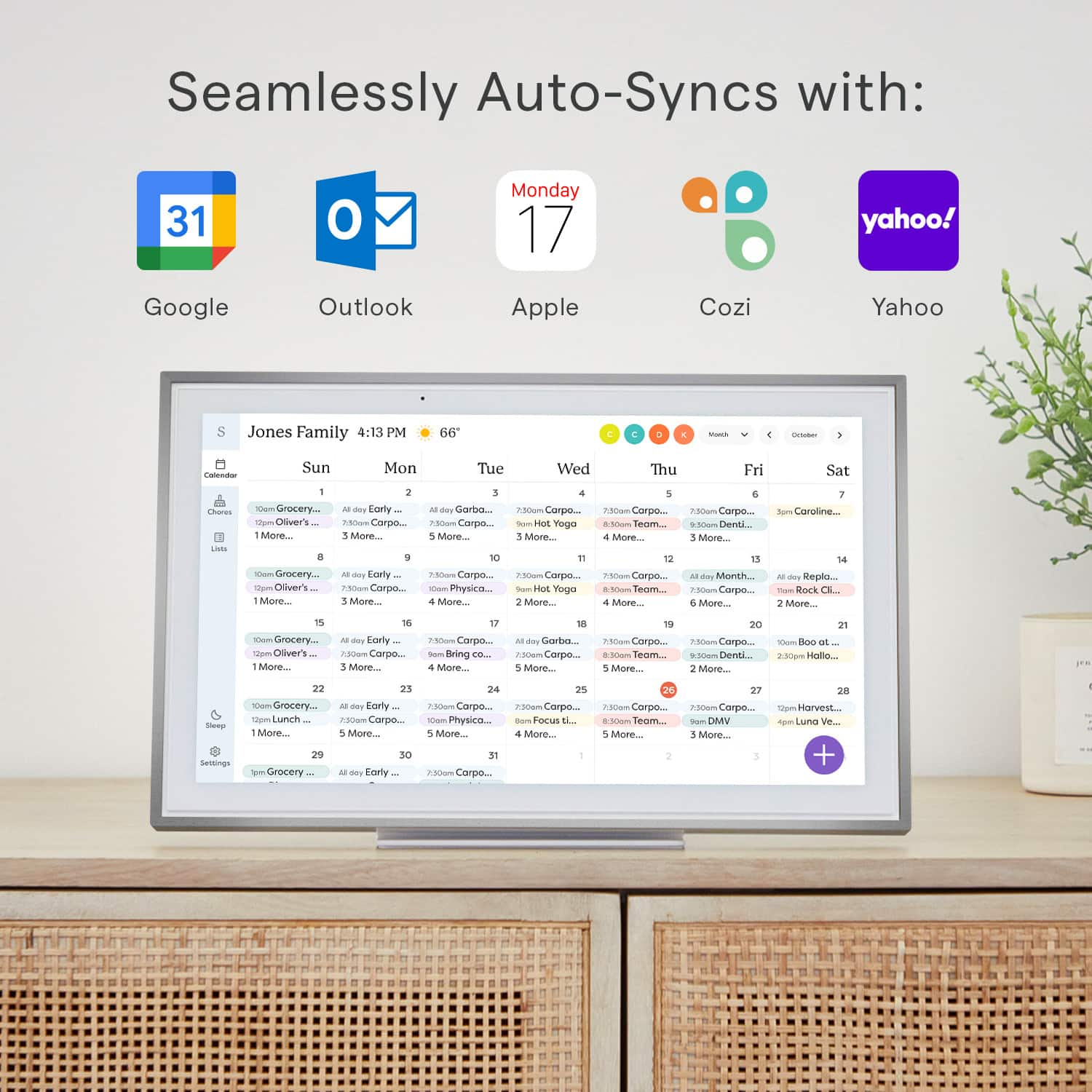
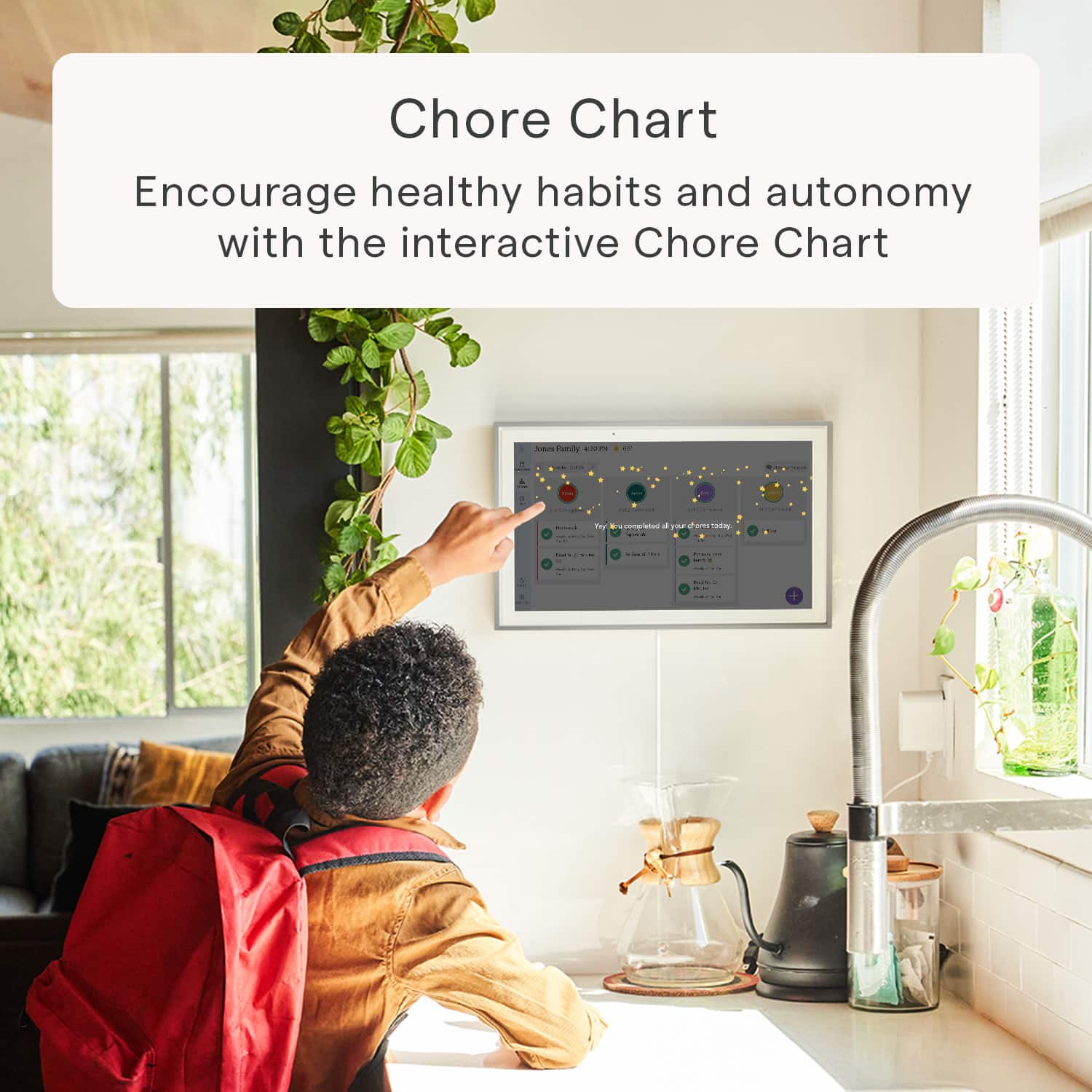
|Posted .This reviewer received promo considerations or sweepstakes entry for writing a review.First time hearing of this company and products. This is amazing. I think every family can benefit from this. It’s more than just a calendar to our family, I feel it’s a family organizer, especially for large families. I now have everything in one place, calendar, chore chart, shopping list, and all types of lists, menu planning. There is also a photo plus plan but that costs extra to subsribe to so I don’t use it. This great and easy to use and navigate. The screen is large and perfect, actually similar size of one of my laptops. We debated about hanging on the wall but decided the base mount would work well since it’s very stable and our children are older. If they were younger, I might have felt better hanging it up to protect it. The kids actually like coming over and using this to keep track of their chores and to manage them. The color coded chores chart makes it take a quick scan to see what going on with each child’s list. And it’s quick and easy for each child to find their chore list and see what chores and how many are already completed. They have been doing their chores without me even reminding them since we have been using this. I hope it lasts. Some chores they do daily, weekly or a couple days a week. I can put time for each item or leave it for all day. I also added a time for homework for each child. I have control of setting it to whatever works for us. Another great feature is that I can schedule time for it to shut down at night and turn on in the morning. And you can see the current weather of where you are or where you are going on your schedule. Using a list to keep track of grocery items as we run low is very helpful. The different lists makes it easy to keep everything in one place and have access to all at home and the go in the app. We use it with Google and Yahoo calendars and with Android and Iphone for different family members.
I would recommend this to a friend - Pros mentioned:Touchscreen
Rated 5 out of 5 stars
Solid solution to a pressing problem!
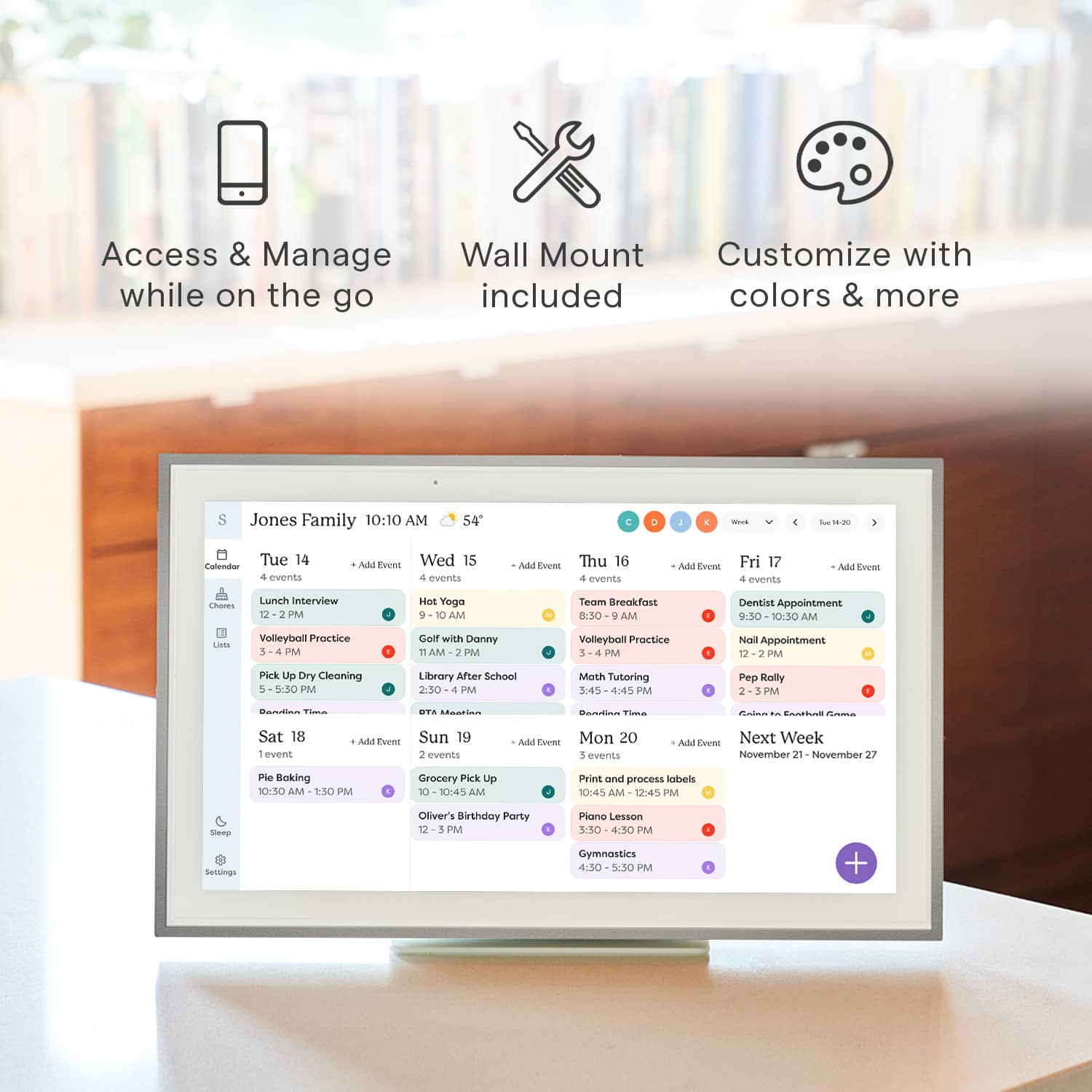
|Posted .This reviewer received promo considerations or sweepstakes entry for writing a review.The 15" Skylight calendar is an outstanding product that addresses the need for a shared family information center. Although the unit comes at a premium price this is a case of getting what you pay for! The first thing that you will notice is the satisfying heft of the device. The unit includes hardware for mounting either on a wall or on a countertop. The "kickstand" style mount is composed of two heavy metal parts and assembles easily. It provides a rock solid, stable base for the unit. The frame itself is solidly built with attractive functional buttons that provide basic on/off and volume controls. The unit only runs in landscape mode (for now) however the software is optimized to take advantage of that orientation. The touchscreen is very satisfying with none of the "twitchiness" that some devices exhibit. Hardware aside, this device's software is what really impresses me. The app downloaded and functioned for me with ZERO issues. It is concise and logically laid out. Defining and synchronizing multiple calendars was dead easy and worked flawlessly. The screen layout is intuitive and flexible. You have a number of options to customizing the layout and function of the calendar and the addition of "chores" and "lists" functions truly turns this into a hub for coordinating family activities, not just a calendar! I have been completely satisfied with the Skylight and it now has a prominent place in my home! The unit can also act as a digital picture frame which acts as a screensaver however that capability is only available as a premium "Photo Plus Plan" that requires a paid subscription and so I have chosen not to pay for that for now. In conclusion, I highly recommend this product. It does command a premium price but you'll appreciate the quality and functionality every day!
This review is from Skylight - Calendar: 15 Inch Touchscreen Smart Calendar and Chore Chart - White
I would recommend this to a friend - Pros mentioned:Chore chart, Touchscreen
Rated 4 out of 5 stars
Pricy But Effective
|Posted .This reviewer received promo considerations or sweepstakes entry for writing a review.We've recently been challenged by our busy schedules, and I've personally wanted a solution that allows a clear view of all calendar events between all of our individual calendars on different devices, and syncs events and cuts out a lot of manual time, for we as parents will take every minute we can get. I think the Skylight Calendar is it. I was immediately impressed by the Skylight Calendar's packaging—all pieces were neatly packaged and well protected. Setting it up was a breeze. For now, we opted for the stand instead of the wall mount, as it's more suitable in this manner where we have it located. Its sleek, modern design seamlessly fits into our home decor, which is always a plus. I enjoy the glare- and smudge-resistant screen. It gets a lot of use but looks relatively untouched. Navigating the UI is incredibly simple, and it's clean, minimalistic, and easy to read. Having all our family's events in one place, constantly syncing and updating in real-time, has truly been a game-changer for keeping everyone on track throughout the day. The centralized to-do list is another useful feature that we utilize every day—it's incredibly convenient for everyone in the household to access and update tasks, whether from home, at work, or at the store. The same goes with chores. The one issue we have is that it's slightly unintuitive in the fact that you can't add events by simply tapping on a specific day; instead, you have to use the plus icon every time you want to add an event. While creating an event, it defaults to the current day, and so creating events can be somewhat tedious. The same is true for the app. Hopefully the feature of creating an event on a specific day just by tapping on that day is something that is considered in the future. Despite its hefty price tag, the Skylight Calendar has proven to be worth the investment for our family. Its effectiveness in streamlining our schedules and tasks has made it an invaluable addition to our home. We look forward to a lot of saved time and headaches in our busy lives.
I would recommend this to a friend Rated 1 out of 5 stars
Don’t buy
||Posted . Owned for 3 weeks when reviewed.This reviewer received promo considerations or sweepstakes entry for writing a review.You have to pay to use it the add on features don’t make it worth the price
No, I would not recommend this to a friendBrand response from Skylight
Posted .Thanks for sharing your feedback Brian! Just to clarify — Skylight Calendar comes with several great features included right out of the box, like the ability to sync all your personal calendars into one organized hub, plus Lists and Tasks (including Chores and Routines) to help keep your family on track. We also offer an optional Plus membership, which adds extra perks like Sidekick (our AI assistant), a Meal Planner, Rewards, and a Photo Screensaver. If you’d like to try out Plus to see if it’s right for you, just email us at VIP@skylightframe.com — we’d be happy to set up a free trial for you.
- Pros mentioned:Ease of use, TouchscreenCons mentioned:Subscription
Rated 4 out of 5 stars
A delightful and easy to use touch-screen calendar
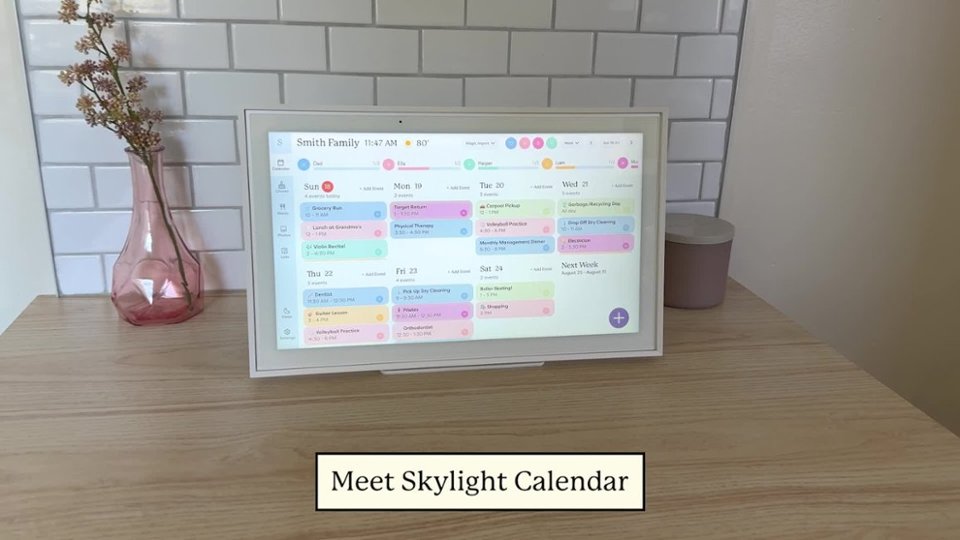
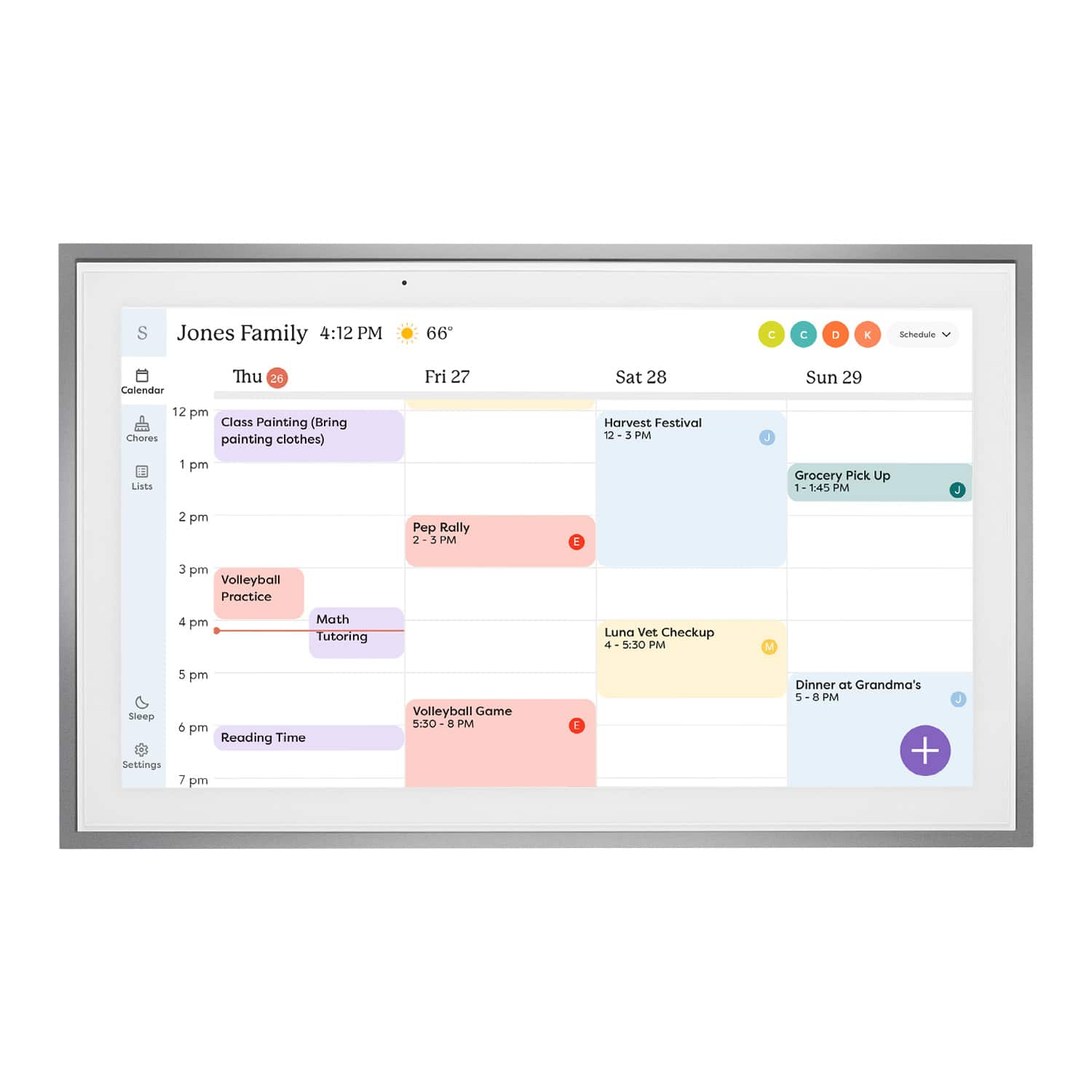
|Posted .This reviewer received promo considerations or sweepstakes entry for writing a review.This is a very simple device to set up. Just turn it on, give it access to your Google Calendar (or other calendar, but Google is the only one I use), and it displays your calendar just like any computer monitor. You have all of the same controls as you would on a computer, with displaying just the week, a schedule view, monthly view, etc. It has a beautiful and responsive touch-screen, so you can use it just like you would a laptop or tablet version of the app. There are very simple but comprehensive enough controls for just about anything you would like to display. I also very much appreciate that there is a scheduled sleep function so that the display can turn off and on with a regular schedule, minimizing the amount of unnecessary interaction required. The advantage of this device is the ease with which you can add and filter calendars. If you want everyone in your family to have their different calendars from different services all displayed together, you can do that. Through the filters across the top you can just display single calendars, or even just events coded to particular colors. The one thing that I see as a down-side is the "device on a subscription service" model of the company. While it is nice that they'll have a screensaver function that displays your personal photos, it's not something that I think is worth several dollars every month.
This review is from Skylight - Calendar: 15 Inch Touchscreen Smart Calendar and Chore Chart - White
I would recommend this to a friend - Pros mentioned:Chore chart, Ease of use, Touchscreen
Rated 5 out of 5 stars
Great way to keep the whole family up to date.
|Posted .This reviewer received promo considerations or sweepstakes entry for writing a review.The Skylight Calendar is a great way to keep all your family up to date. Out of the box you can setup an account with Skylight and sync your favorite calendar with it. I have google and within seconds it was up and running. I then sent invites to my family for the app, They all now have access. The unit also allows you to use it as a digital picture frame for an extra fee. I was able to attach the very sturdy stands. You can also mount it to the wall but the AC adapter is kinda big, should you want to hide it behind, you will have to get creative or have an electrician do it for you. You can also attach multiple calendars and use different colors to make it easier to see. You can make changes on your phone or computer and within seconds the calendar is updated. Also you can make or add to the calendar via the touch screen and it updates across the board. I like the fact that I can leave the kids a chore list that they can check off when doing chores and I can see how they are doing. You can also do lists, like grocery lists. I would recommend this to family and friends with busy schedules and to keep everyone informed. Th only downside is having to pay extra to open the calendar to be a digital frame when not in use.
This review is from Skylight - Calendar: 15 Inch Touchscreen Smart Calendar and Chore Chart - White
I would recommend this to a friendBrand response from Skylight
Posted .It's fantastic to hear about your experience with Skylight Calendar—it sounds like it's been a game-changer for keeping your family organized! The easy syncing with Google Calendar and the ability to share and update events across devices is a huge plus. It's great that you've found creative ways to use it, like leaving chore lists for the kids and managing grocery lists.
The option to convert it into a digital picture frame is definitely a cool feature, although I understand that the extra cost might be a drawback for some. Nonetheless, it seems like a versatile tool for busy families trying to stay on top of things. Thanks for sharing your insights and recommendations!
- Pros mentioned:Chore chart, Ease of use
Rated 5 out of 5 stars
Simple & Refined Organization
|Posted .This reviewer received promo considerations or sweepstakes entry for writing a review.As you get older and start having kids, organization and coordinating events is one of the biggest hurdles. This calendar has helped with that immensely for my family! Firstly, right out of the box I was extremely impressed with the build quality as it was not simply a cheap plastic frame. It has some heft to it and the materials feel premium. You can thus mount the calendar to the wall or simply used the provided stand to set it on a counter which was the route I elected to take. Using the stand it is very sturdy and I have not had any issues with anyone using it and it falling over. I will say that it provides an elegant look as opposed to a tablet sitting on your counter. So after I had it unboxed and had it set on the counter I embarked on the setup to which when it comes to syncing calendars that always is difficult for some reason to which here it was absolutely seamless! The app you are to download has definitely been put through its paces as it is extremely user friendly and made syncing both my iCloud calendar and google calendar a breeze. Once the calendars were synced there are multiple views (day, week, month) to which I settled on the weekly view. The days throughout the week show each of the events that can be color coded based on specific individuals/activities which was a great feature. Aside from the calendar feature I also use the list features specifically with a chore chart and list of meals for the week. This allows the kids to easily see their various chores and check those off as they are completed to which modifying those is extremely easy for my wife and I. Then with the meals this only adds another facet for everyone to easily communicate dinner plans each night. With inputting information into the calendar/lists the ability to do so both in the app and on the physical calendar is great. I had envisioned entering things on the calendar would be bulky and cumbersome, but it is very interactive and responsive when typing in items/events. Overall, if you are a family looking for greater organization this product is exactly for you. The lists feature allows for endless possibilities as to those unique things for each family that may pop up. However, the calendar feature on its own is a true selling point here as the simplicity and user-friendliness definitely set it apart from any competitors.
This review is from Skylight - Calendar: 15 Inch Touchscreen Smart Calendar and Chore Chart - White
I would recommend this to a friendBrand response from Skylight
Posted .Absolutely thrilled to hear how our Skylight Calendar has made such a positive impact on your family's organization! 😊 Your detailed feedback truly highlights the aspects that make our calendar stand out—the sturdy build, seamless syncing, versatile views, and the convenience of both digital and physical inputs.
We designed it with families like yours in mind, aiming to simplify coordination and enhance communication. The color-coded events and customizable lists seem to have really streamlined your routines, making chores and meal planning a breeze.
Thank you for sharing your experience! Your words capture exactly what we hoped to achieve with our calendar—to offer a user-friendly, all-in-one solution for families seeking better organization. If you ever need further assistance or have more insights to share, we're here and listening!