Customer Ratings & Reviews
- Model:
- 152UEKa
- SKU:
- 6665549
Rating by feature
- Value
Rating 4.5 out of 5 stars
- Quality
Rating 4.7 out of 5 stars
- Ease of Use
Rating 4.6 out of 5 stars
Customers are saying
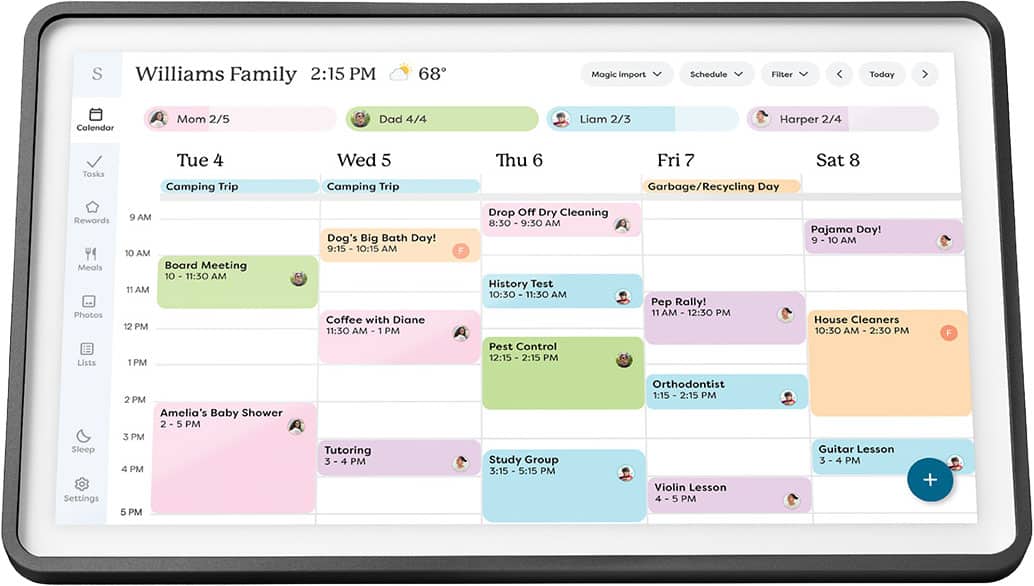
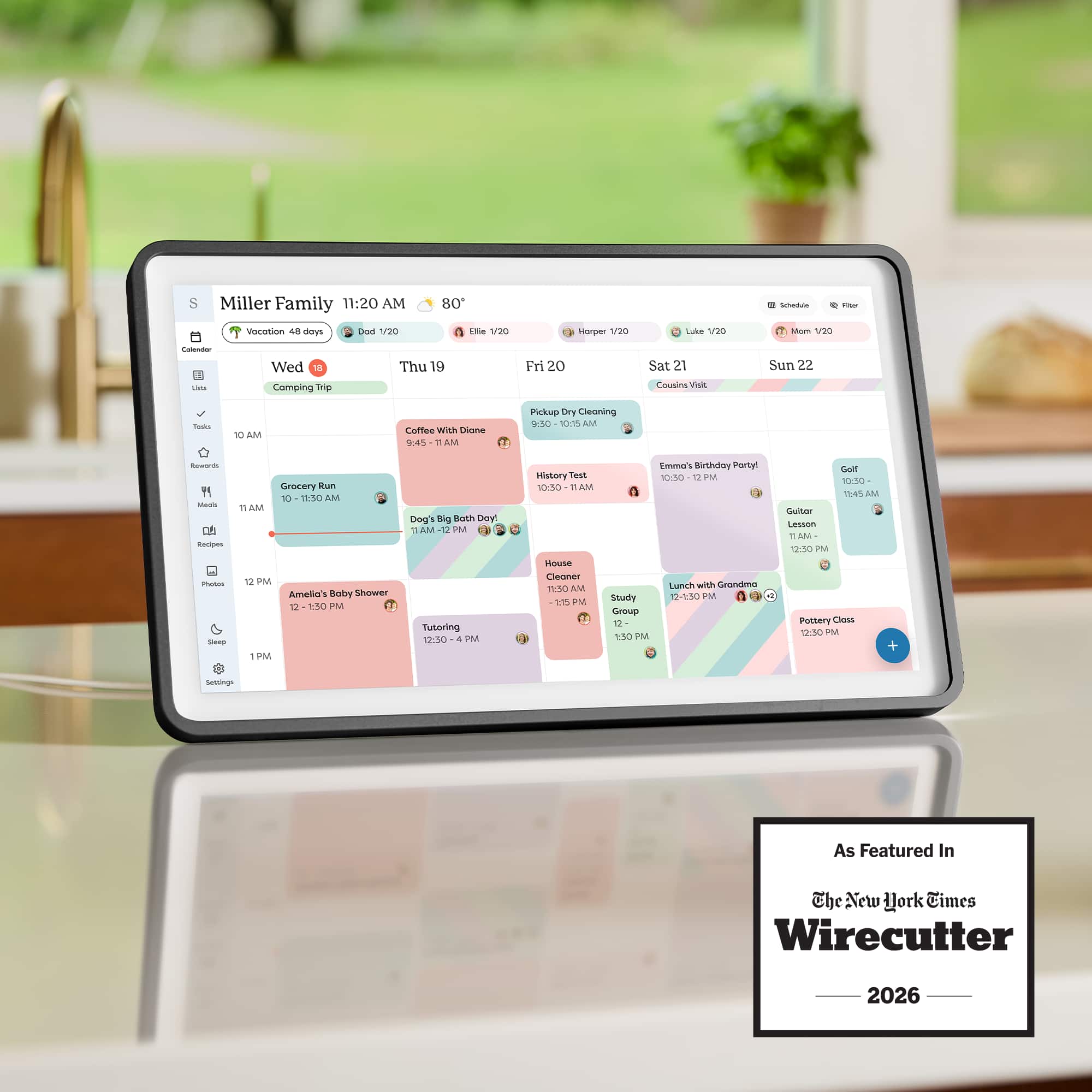
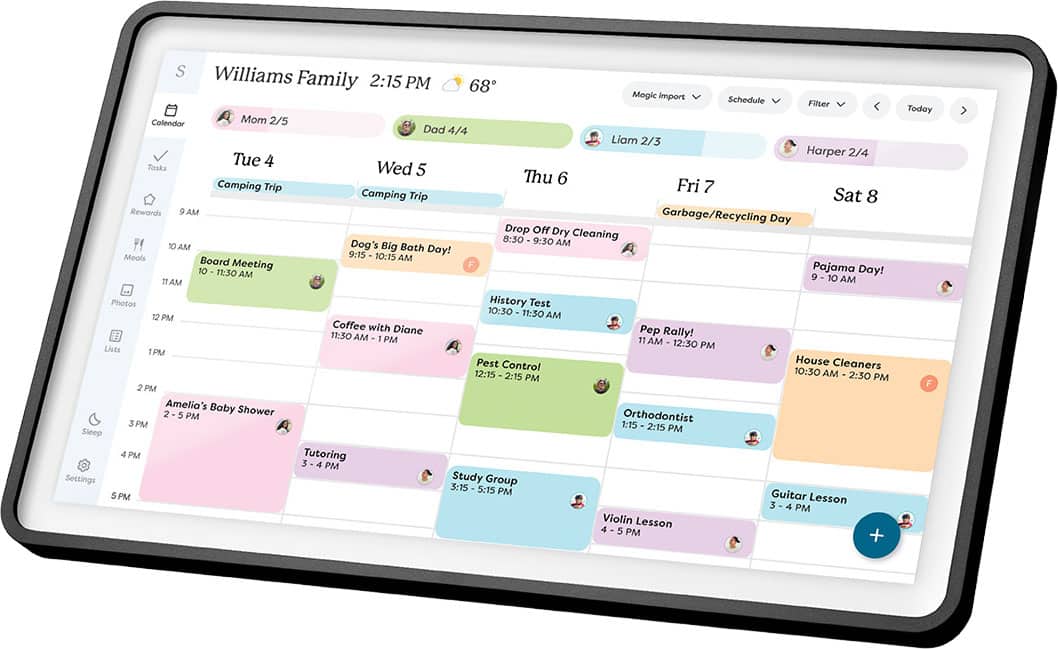
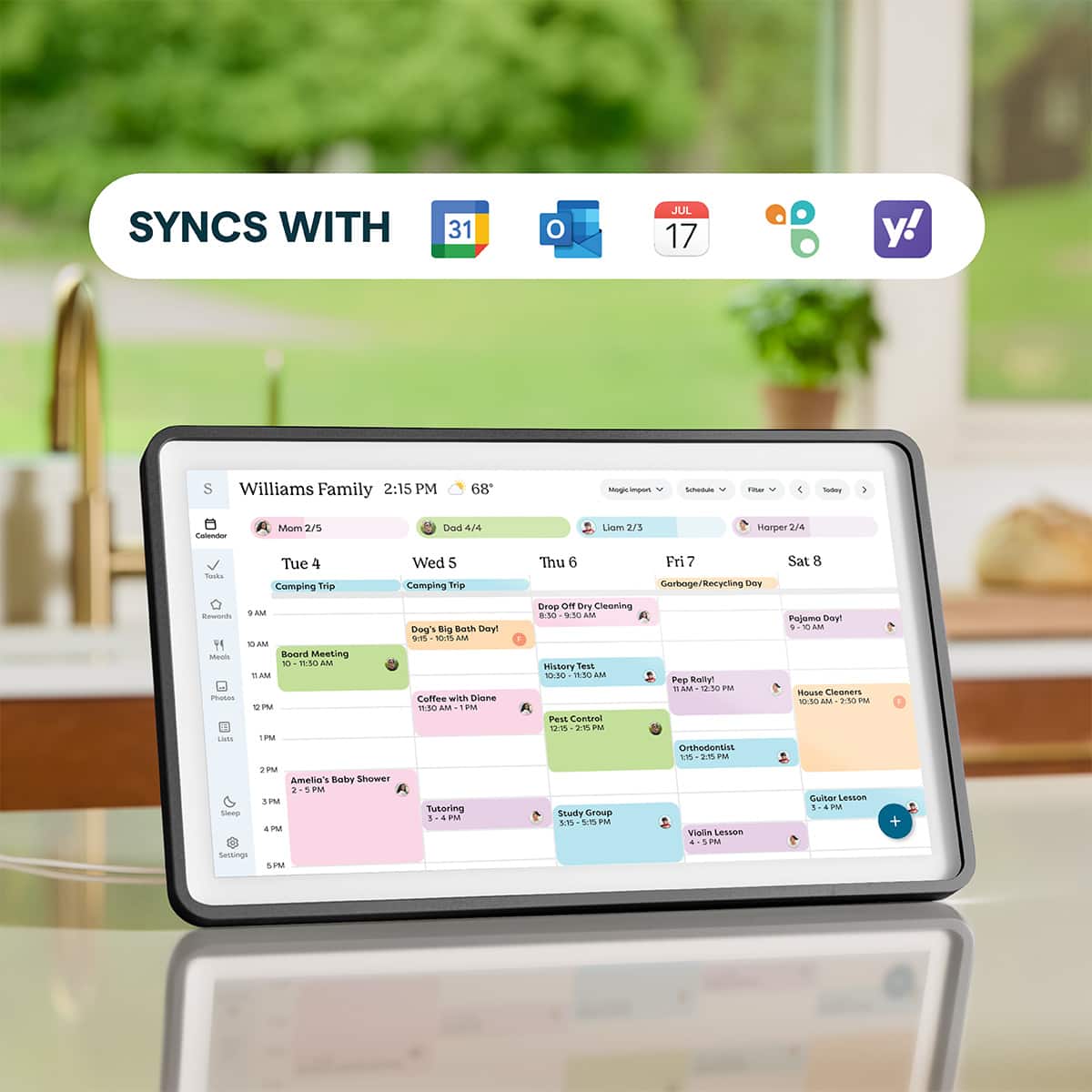
Customers have good things to say about the product's ease of use, display quality, and well-designed hardware. Its synchronization capabilities with services like Gmail and Apple Calendar are also highly valued. However, some users expressed a desire for wireless connectivity and more versatile mounting options, such as the ability to hang it on a fridge.
This summary was generated by AI based on customer reviews.
- Pros mentioned:Design, Features
Could have been perfect.
||Posted . Owned for 2 weeks when reviewed.This reviewer received promo considerations or sweepstakes entry for writing a review.This calendar is extremely attractive, the hardware is very well designed, and it had the primary features I wanted. But, there was one big deal breaker I couldn't forgive. My family uses a shared Google calendar, which is supported and was easy to add. But, you cannot set the device to add new events back on your Google calendar by default. There is a dropdown you can scroll to in order to select an external calendar to put the new event on, but if you just add the time and title in a hurry, you can't even edit the event to put it on your Google calendar. On their phone app, there is a setting to save somewhere else like Google by default and it works great. But, it doesn't carry over to the device. On their web page, they even admit this is their designed behavior. What it really is, is an effort to get you to abandon your original cloud service in favor of theirs exclusively. I think this is pretty slimy behavior for a device I shelved out a lot of cash for.
No, I would not recommend this to a friendBrand response from Skylight
Posted .Hi, chembal! Thanks so much for sharing your feedback here. In your app, you can choose a default calendar to sync back to and it will carry over to your Calendar device. If you're not seeing this happen, we'd love to troubleshoot this with you. Please email us at vip@myskylight.com so that we can help!
Life changing
||Posted . Owned for 1 month when reviewed.This reviewer received promo considerations or sweepstakes entry for writing a review.I absolutely love this!! I have three kids 16,11&9 and all use this calendar. We can all edit it from our phone through out the day if not home. The fact each person has their own color makes it so much easier for the kids. We love it!!
I would recommend this to a friend- Pros mentioned:DesignCons mentioned:Mounting options
Megan
||Posted . Owned for 1 week when reviewed.This reviewer received promo considerations or sweepstakes entry for writing a review.This calendar helps keep my life so organized, but also a sentimental touch! From the color coded calendar to the tasking lists, I can stay on top of things while also displaying photos in my house! The only down I’ve found is not being able to hang it on the fridge. The calendar 1 can, but 2 doesn’t have that option, I’d love it to be added!
I would recommend this to a friend - Pros mentioned:Display quality
Keeps us on schedule
||Posted . Owned for 2 weeks when reviewed.This reviewer received promo considerations or sweepstakes entry for writing a review.Love that we can now have all our different calendars in one spot and color coding helps us to know who's appointments / events are who's. We set it up on our kitchen island and so we can view it easily. The quality of the screen is excellent and since we subscribed to the Skylight Pro, we have our favorite photos scrolling when the screensaver comes on. Though we don't have kids, we use the rewards features with each other to help us stay on track with daily, weekly, and monthly tasks. It is easy to setup and to customize it to your needs. We highly recommend it for those with crazy schedules.
I would recommend this to a friend Very handy!
||Posted .This reviewer received promo considerations or sweepstakes entry for writing a review.Love it! Just wish I could personalize the format, theme textures, etc.
I would recommend this to a friend- Pros mentioned:Design, Display quality, Ease of use

The Organizer I Didn’t Think I Needed until I Did!
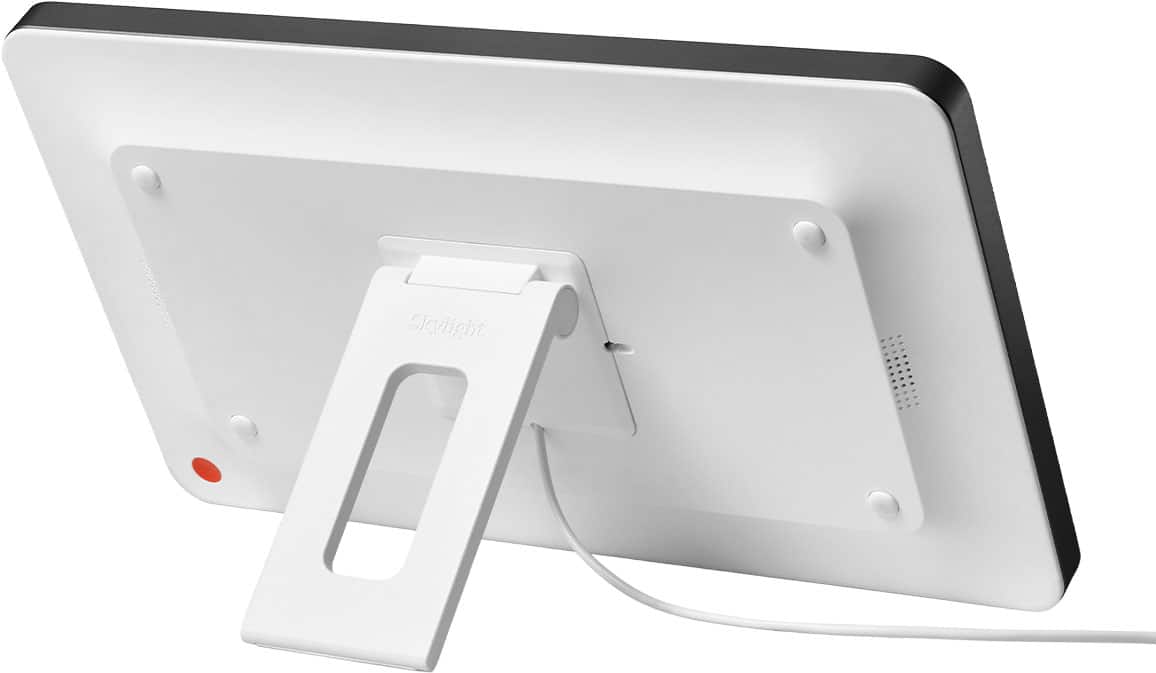
|Posted .This reviewer received promo considerations or sweepstakes entry for writing a review.I’ll be honest: when I first saw the Skylight 15" Calendar 2 in Charcoal, I didn’t think it was going to impress me. At a glance, it looked like a fancy digital frame - something a regular tablet could probably do if you propped it up in the right spot. But once I actually started using it, that skepticism disappeared fast. This thing isn’t just a calendar. It’s a full-on family organization system that quietly takes over the chaos and turns it into something manageable. Within a week, our household felt different. Fewer missed appointments. Fewer “Wait, who’s picking up who?” conversations. Fewer sticky notes on the fridge. It’s wild how quickly it went from “probably unnecessary” to “how did we ever function without this?” Design That Actually Fits Into Your Home The first surprise was how good it looks. The charcoal frame gives it this clean, modern vibe that blends in with pretty much any room. Instead of looking like a piece of tech slapped on the wall, it genuinely passes as décor. It’s subtle, elegant, and doesn’t scream for attention. You can mount it on the wall with the included hardware, or just use the built-in kickstand if you want it on a counter or desk. That flexibility matters more than you’d think - being able to put it exactly where your family naturally gathers makes a huge difference. And the screen? Gorgeous. Bright, crisp, responsive. It feels premium every time you tap it, and even the least tech-savvy person in the house can navigate it without frustration. The Real Power: The Skylight App Calling this thing a “calendar” honestly undersells it. The magic lives in the Skylight app, which ties everything together. The app pulls in calendars from Gmail, Outlook, and pretty much anything else your family uses. Instead of checking three different apps to figure out what’s happening this week, everything shows up in one clean, easy-to-read view. And because it syncs instantly, any change someone makes on their phone shows up on the wall display seconds later. The shopping list feature is another unexpectedly great addition. You can add items on the wall at home, then check them off from your phone at the store. It feels simple, but it’s one of those conveniences that just makes life smoother. A True Shared Family Hub This is where the Skylight Calendar really shines: everyone can contribute. Kids can add their activities. Teens can update practice times. Parents can coordinate work schedules, appointments, and reminders. No more “I didn’t know about that” moments. No more double-booking. No more frantic last-minute texts. It’s not just about organization - it genuinely improves communication. Everyone sees the same information, all the time. And because it’s so easy to use, people actually do update it. It also teaches kids a bit of responsibility. When they add their own events, they start paying more attention to their schedules. It’s a small thing, but it adds up. A Few Minor Drawbacks Nothing’s perfect, and the Skylight Calendar has a couple of quirks worth mentioning. - The power cable is short. If you’re wall-mounting it, you’ll probably need an extension cord. It’s not a dealbreaker, but it’s definitely an oversight. - Some features are behind a subscription. Things like photo displays require a paid upgrade. Given the price of the device, it would’ve been nice to have at least a year of premium included. But the core features - the ones that make this device worth buying - don’t require the subscription. Final Verdict: Absolutely Worth It After using the Skylight 15" Calendar 2 extensively, I can say without hesitation that it’s worth the investment. It’s beautifully designed, incredibly intuitive, and genuinely improves how a family communicates and stays organized. If your household is juggling busy schedules, or if you’re just tired of the constant mental load of keeping track of everything, this device is a game-changer. It’s one of those rare products that actually delivers on what it promises. And yes - it’s worth every penny.
I would recommend this to a friend - Pros mentioned:Display quality, Ease of useCons mentioned:Connectivity
A Good Organization Tool with Awful Setup Process
|Posted .This reviewer received promo considerations or sweepstakes entry for writing a review.I’ve been wanting a smart family calendar for a while now, mainly because in our house “I didn’t know we had plans” was becoming way too common. So I finally picked up the Skylight 15" Calendar 2 in Charcoal, hoping it would bring some structure and accountability into our daily routines. Right out of the box, the presentation is solid. You get a clean looking 15-inch 1080p touchscreen display that feels modern and responsive, along with a sturdy stand, a power supply, and even a wall mounting bracket if you want a more permanent setup. Hardware-wise, it definitely feels like a polished product and something you’d actually want sitting on your kitchen counter or mounted on a wall. Now, onto the setup process which, honestly, is where things got frustrating. At first glance, this seems like it should be a plug-and-play device. I downloaded the Skylight app, created my account, and got the activation code to input on the device. Easy enough. But when it came time to connect to Wi-Fi, the device just wouldn’t connect to my Wi-Fi. It sat there spinning endlessly, trying to connect but never actually doing so.I restarted it, same issue. Still spinning. No connection. At that point, I went into troubleshooting mode. I turned on my phone’s hotspot just to test things and it connected immediately. That ruled out a defective unit and pointed directly at my home network as the issue. After searching around online, I found a Reddit post saying that Skylight Calendar only supports the 2.4GHz Wi-Fi band and doesn’t play nicely with modern networks that combine 2.4GHz, 5GHz, and 6GHz into a single SSID. So I went into my Xfinity app and split my network into separate bands, renaming each one accordingly. Important note: doing this will disconnect every device in your house, and you’ll have to reconnect everything manually. Not exactly a small inconvenience, just to get one Smart device on your network. After all that, I thought I was in the clear but nope, still wouldn’t connect. At that point, I reached out to customer support, and they told me I needed to change my 2.4GHz network security to WPA/WPA2. Once I made that adjustment, the Skylight finally connected and completed the setup. So yeah, what should have been a 5 minute Max setup turned into a full on networking project. For the average person who isn't that tech savvy, especially someone using Xfinity or similar providers, this could be a major hurdle. Once everything was finally up and running, though, the experience improved significantly. I invited my significant other to the account, and we both synced our Apple Calendars and Google Calendars without any issues. Unfortunately, I couldn’t sync my Outlook work calendar due to company restrictions requiring IT approval which is understandable, but still worth noting if you rely heavily on a work Outlook account. Functionally, the calendar does exactly what we wanted. It keeps everything centralized and visible, which has already cut down on miscommunication. We also started using the shared grocery list and to-do features, which are surprisingly useful. One of my favorite features is the smart home integration. I paired it with my Alexa, and now we can just say things like, “Alexa, add milk to the Skylight list” or “Alexa, add dinner date Friday at 8 PM on Skylight” And it syncs right to the calendar or list. That kind of hands free functionality actually makes a big difference not having to go to the Skylight calendar or the app to type in the details. You can also assign tasks to specific people, which adds a layer of accountability. For example, I assigned my significant other a reminder to pick up dry cleaning on Thursday. It's a simple, but effective tool. One thing that caught me completely off guard, though, is the built-in subscription model. There’s a Skylight Plus subscription that unlocks additional features like photos, meals, recipes, and rewards. It costs $7.99 per month or $79.99 per year. While not the most expensive subscription service, it's the lack of transparency. There’s no clear indication on the box or purchase page that key features are behind a paywall. The only mention of it is buried in the quick start guide near the back.That’s something I think should be communicated upfront, and honestly, it should include at least a 30-day free trial so users can evaluate whether those features are even worth paying for. Pros Great for keeping the whole family organized in one place Large, clear 15" touchscreen display Useful features like grocery lists, chores, and to-do lists Alexa integration for hands-free adding of events and items Clean design with stand or wall-mount options Cons Only supports 2.4GHz networks, which causes problems in many homes Requires extra steps like changing router settings to work properly Subscription required for some features (~$7.99/monthly $79.99/yearly ) Subscription not clearly advertised upfront Limited support for work calendars like Outlook (depending on company restrictions) Overall, once it’s set up, the Skylight Calendar 2 does what it's supposed to do. It keeps our schedules organized, improves communication, and integrates nicely with smart home features. But the setup process especially with modern Wi-Fi configurations is way more complicated than it should be, and having to potentially reconnect your whole home's internet and repairing every device in the house just for adding one device to the network, that alone could be a dealbreaker for some people. If you’re comfortable troubleshooting network settings, and want a convenient way to organize your family's calendar you’ll likely end up happy with it. But if you expect a seamless out-of-the-box experience, this might test your patience a bit.
No, I would not recommend this to a friendBrand response from Skylight
Posted .Hi, there! Thank you for sharing your feedback. I'm so sorry that your setup experience was so frustrating. That is definitely not the experience that we want for you.
We understand that subscriptions aren’t the right fit for everyone. The Skylight Calendar can still sync calendars and use core features without a subscription, while Plus unlocks additional tools and features. We appreciate you taking the time to share your thoughts with us and if you ever have any questions, don't hesitate to reach out to us at vip@myskylight.com
- Pros mentioned:Design, Ease of useCons mentioned:Mounting options
Great product. Where do you mount it?
|Posted .This reviewer received promo considerations or sweepstakes entry for writing a review.As soon as this product became available, I asked to review it, and with a specific place in mind to mount it: on my refrigerator. We cleared all the magnets and junk off the side, and waited for our Skylight Calendar 2 to arrive, and, out of the box, it seemed to meet every expectation. It is very attractive, and the clear set up instructions provided for two ways to mount the device: on wall after drilling holes in the wall, or, for landscape orientation only, using the provided stand which allows placement on a horizontal surface, like a conventional picture frame. The lack of any provision for refrigerator mounting with magnets was a disappointment for me, because I had that mounting scheme in my head, and, quite frankly still do. Admittedly, I had ordered mounting magnets from a third party source, assuming they would fit the Calendar 2. They did not, so I was relegated to using the provided stand. As you can see in my pictures, the calendar looks great on my kitchen counter, even if the placement is not what I originally envisioned. It only took a few minutes to set up the calendar and consolidate my and my wife’s Gmail and Outlook calendars. This was easily accomplished with the Skylight iOS app. The calendar is a very convenient way to cross-check our family activities, and all the calendars are now two-way synced, so they can also be changed from any computer we use at home or, our iPhones, or by manually using the keyboard on the Skylight calendar. Very practical and convenient. And an Alexa skill is also available that will allow you to ask you know who to add items to your calendar or grocery list. You can also add recipes and family pictures with a paid Calendar plus subscription in the Skylight software. I have subscribed to this on a monthly basis to see how we like it. The jury is out on that: we wanted the Skylight primarily for the calendar feature. Even more features are available for an additional charge at the Skylight plus level. We have not sampled that feature. So, now I have an attractive and practical calendar, but I have not been able to put it where I want to put it - on the fridge - and that is an issue for me and my wife. The third party solution I tried will not work with this new model, and I think it is telling that Skylight does not offer such an accessory. Perhaps the magnet solution has other issues that have generated concerns that I am not aware of. I do not want to drill holes in my walls to mount any device. I would rather use the stand, but a refrigerator mount would be perfect for my situation. I recommend this product for its attractiveness, functionality and usability. If you need to put it on the refrigerator, you probably need to look elsewhere.
I would recommend this to a friend The better features require subscription
||Posted . Owned for 1 month when reviewed.This reviewer received promo considerations or sweepstakes entry for writing a review.It’s irritating that it requires a subscription in order to use most of the features. Paying $300 for a family calendar to have to pay additional monthly fee is a scam that many companies are doing
No, I would not recommend this to a friendBrand response from Skylight
Posted .Hi, Todaymba! We hear you, and we appreciate you being open with us! Even without a subscription, your Skylight Calendar will sync calendars and runs all its core features like calendar syncing, Lists, Chores & Routines. Plus is just there as an option if you ever want to explore more tools. Thanks again for the feedback!
- Pros mentioned:Display quality
Skylight - Put a Spotlight on Family Schedules!
|Posted .This reviewer received promo considerations or sweepstakes entry for writing a review.My spouse and I are both extremely busy and constantly juggling our schedules with meetings, events, and appointments (like everyone these days). We have been using a dry erase board calendar in our bedroom closet to keep in sync…but it is so analog…every month my spouse had to sit down, open a planner, phone, and computer and then use a marker to manually download our lives onto 1970 technology… insane! UNTIL NOW. Skylight promised to do all that in real time and 100% accessible for both of us anytime. Big promises so we were excited to give it a shot. Overall, it exceeded our expectations and revolutionized how we stay in-sync with each other. Set up was tricky though. It was not as easy as I hoped and took effort to get all our digital calendars to talk and there is a major consideration regarding secure company outlook calendars and permissions. First off it comes with everything you need for a wall mount or a stand. We chose a stand to make sure it was going to work for us before I cut holes in walls and ran cables. We have had it for a week, and I am leaning towards a wall mount at our garage mudroom entryway. I will see it every day, and that’s important because this thing can do more than just show you a calendar which it does amazingly well but it can also count down days to a vacation, it can show you tasks (like take out trash), to do lists, grocery lists, and meals in the fridge to cook. It really is a comprehensive real time coalescence of me and my spouses’ lives that we can both see at any time thanks to the app. Truly innovative. I really love the app incorporation with the calendar hardware. It is so amazingly handy to have the freedom to add appointments on the spot and know that it all syncs up and is ready to go…no more wasted time trying to manually aggregate all the info! The app is very intuitive and easy to use. A good app can make or break the tech it comes with, and this is for sure a huge plus for the Skylight. The calendar itself has a crisp bright touch screen that can be “pinched” or “zoomed” with your fingertips to get the spacing of the appointments or events just the way you want them. The motion of swiping or tapping events is crisp, fast and smooth. It’s heavier than I thought it would be, but who cares, it’s not going to be portable. We got the 15” and I find it to be the perfect size for us. Big enough to see but not too big that it is an eye sore. I also love setting up profiles and all the color coding makes it super easy to read at a glance. The hardware is solid and well built. Now a little about set up…. I started with my Apple account calendar. I really don’t use it that much and live and die by my work Outlook calendar. You have to go into Apple and create a password specific for Skylight. Then you have Skylight ask Apple for permission, then give permission via the password you selected. You have to go a couple screens deep into your Apple settings into places I had never gone before. Not necessarily hard…but not a walk in the park either. Watch the tutorials and step by steps and I got frustrated (I am not patient). I had to take a step back and understand that this is my home calendar and security is important…step by step and finally got it synched. If you’re looking at the Skylight calendar you are probably somewhat tech savvy so you’ll get it…but again…not like subscribing to a streaming service…it was a little more in-depth. Once my Apple calendar was set up …everything synced up quick and easy. It is super cool to tell Siri to add an appointment and boom its on my Skylight.. No more having to make it on my phone and “put it” on the dry erase board. Super awesome! So then I tried my Outlook….I work in a Municipal government job and our email is sunshinable, secure and sensitive…. I tried to sync and Outlook sent a request to my City’s IT department asking for permission to sync to my work calendar…. needless to say…I highly doubt they will grant permission… it’s been a week and no approval emails. So if you are in the same boat that could be an issue. ON THE OTHER HAND,… My work appointments and schedules are not family critical appointments… “meet Bob about staffing” is not something I necessarily need on my home calendar for my spouse to know… So, I have decided to use my Apple calendar for all family appointments and events and use my Outlook for work only. Now if it’s something they do need to know and its work related…I have to remember to put in my Apple calendar so it will sync into Skylight. Which to be honest is probably not a bad idea anyway. I also got to thinking that all the crap on my work Outlook calendar would completely clutter up my “family” calendar so in retrospect…It actually works out better for me keeping them separate. My spouse on the other hand is a CPA, and her firm also needed administrative approval before she could sync up her work Outlook calendar. She had to take the Skylight calendar into their IT guy who also had to configure it for her. It took a few steps, but he was able to do that and her Outlook is synched. My spouse having her work calendar on Skylight works for her and helps me. She travels occasionally and I can see the dates now well in advance. NOTE: with Apple and Google calendars etc. if you put an event on the Skylight Calendar manually, it will go to the Apple and Google calendars as well and the Skylight app BUT Outlook is a one way street. If you put an event in Outlook, it will sync to Skylight but not the other way around. Microsoft security protocols do not allow Skylight to add events to Outlook currently. Overall, amazing and useful tech which is really organizing and streamlining our family flow. Even after a week I can see that this is going to really be a huge help and a vital part of how we run our household and manage our busy lives! 5 stars and kudos to Skylight. Just be patient and persistent on the setup and you too can be organized to the hilt with this baby. Again, the set up is not hard but you have to know where to go and find the right pages to allow for the access you need to give Skylight, which can be tricky.
I would recommend this to a friend - Pros mentioned:Display quality, Ease of useCons mentioned:Connectivity
Nice Shared Calendar, Subscription Hinders
|Posted .This reviewer received promo considerations or sweepstakes entry for writing a review.With multiple busy adults in the house, I’ve been considering getting a smart board/display to help keep us organized and aware of the ongoing events. I’ve tried shared digital calendars and task apps with mixed results, often falling out of use as they are out of sight and mind. I’ve had luck with having a smart hub on the counter, but the tiny display only showed current events or updates. So, when I saw Skylight was coming out with a Calendar 2, I decided to give it a try. Pros: - Syncs multiple Calendars in one easy to navigate 15in screen. - Easily add and manage events, tasks or routines. - Wall mount accessories included. Cons: - Full features hidden behind Subscriptions. - Uses older WiFi Security (WPA2 instead of WPA3) Setup: I was hoping setup would be as simple as connecting to WiFi and then sync our calendars. But I hit a snag on the first step, connecting to my WPA3 enabled network proved a challenge. I tested connecting to an XfinityWiFi network nearby and realized it must be my security settings, so I dropped my security of the Guest Network down to WPA2 from WPA3 and that did the trick. This was massively disappointing, as the Skylight Calendar 2 is brand new yet still using an older version of the network security. I’ll have to look for a workaround or future update. After I adjusted my network settings, I was able to connect the calendar to my Guest Network and then sync my calendars without issue. It usually takes about 10-15 seconds from adding a new event to my calendar to see it show up on the display. Syncing Calendars: It was easy to get the initial setup of my Google calendar to the Skylight Calendar 2, but if you use color coding on Google Calendars, you will see each color as a separate calendar initially. But you can create a single profile and link all the calendars to it to display all the events. In my case, I use the color coding to help with different work and types of events, so having one calendar with all the events under it was the way I went. You could easily use this to separate out events you don’t want to share on the calendar, which is convenient. Setting up different calendars follows the same path, but what I found easiest was to setup a profile on the Calendar 2, then sync and assign the Google calendar to the Profile on the Calendar 2. That way, there is no fussing over the different color coding or displaying of different events. Additionally, syncing from the display back to Google Calendar was simple, though if you have it setup as suggested above with the Calendar 2 Profile, you will need to select which calendar to sync under which can get confusing if you have multiple colors. Display & Calendar View: I found the 15in display with a resolution of 1080 to work great for reading the calendar events and task lists. At 100% brightness, it is very easy to read the display even in direct sunlight. I had to adjust the brightness setting to enable the Automatic Brightness, as the display acted as a beacon at night, lighting up the entire kitchen. The display allows for about 8 hours to be viewed at a time when in the horizontal mode, which I found perfect for a quick glance of what’s to come for the day. The weekly view allows up to 7 days to be displayed at a time, with the option to start the week on Sunday or Monday. Additionally, you can have the calendar start on the current day, so you always have a 7-day view of what’s on the calendar. Task & Routines: I really like the Tasks & Routines feature, allowing you to gamify the household chores in an easy to track and check off fashion. Assigning tasks is easily managed from the display, with additional options available on the app. You can add custom tasks or select from the Task Box which has many common tasks. Custom tasks can be saved to the Task Box for repeated use. As the tasks are completed, a progress bar displays for each profile, and once completed an emoji fest happens on the screen, like winning a spin on a chance game. It’s cute enough that I can see this being beneficial for kids to complete their chore lists for a while, but the rewards would be a major motivating factor after the initial fun wore off. Unfortunately, the rewards feature is locked behind a paywall. Subscriptions: The main issue I have with the Skylight Calendar 2 is the use of a subscription to paywall some of the features that otherwise would make this a perfect product. The feature I would expect from any digital calendar is in fact behind the Calendar Plus subscription, the Photo Screen Saver that turns personally selected photos into a screen saver on the display. I can understand the other more advanced features being locked behind the paywall, but not even being able to set a couple of pictures as a rotating screen saver doesn’t sit well with me. There isn’t even a way to hide the subscription features from the menu, so more than half the menu is unusable from the display. Including the Photo Screen Saver, the Meals, Recipes, Rewards, and Magic Import (Sidekick) are all locked behind the Calendar Plus Subscription. Skylight offers the subscription at $7.99 per month or $79 Yearly, which I find a bit much for the included features. The Magic Import might be worth it alone, if it works well in importing emails to the calendar but most free email services offer some form of this without the subscription, so I don’t see why I’d pay a calendar app for a service I get from my email provider for free. It feels like an unnecessary subscription. Conclusion: The Skylight Calendar 2 is a good way to organize multiple household calendars and manage the chore list, with some nice flair on completion of your daily tasks. Unfortunately a few design choices left a bad experience for me, many of the nice to have features are locked behind a subscription that doesn’t feel valuable enough to justify the added yearly cost. The extra features are already available from other solutions for free or as bundled services, which makes paying for them on the Calendar 2 redundant. I do like the basic free Calendar and Task features, and plan to use it for the household but the subscription model leaves a bad user experience as more than half the listed features are inaccessible without a subscription. I wish I could at least set a photo or 2 as a screen saver without having to pay $79 per year to do so.
No, I would not recommend this to a friendBrand response from Skylight
Posted .Hi! Thanks for the feedback! We want you to feel confident in your Skylight experience. Your Calendar will continue syncing and running all its core features — that's not going anywhere. Skylight Plus is simply an optional upgrade if you ever want more. If you have any questions or need some help with troubleshooting, don’t hesitate to reach out to us at vip@myskylight.com
- Pros mentioned:Display qualityCons mentioned:Connectivity
A Planner's Dream Come True
|Posted .This reviewer received promo considerations or sweepstakes entry for writing a review.TLDR: High Spousal Acceptance Factor, but app & website is buggy PROS Easily consolidates multiple calendar platforms Bright, Easy-to-Read Display Stand & Wall Mount Included CONS Requires Power Brick / Not USB-C Powered Buggy Software Buggy Website Buggy Firmware Expensive Add-On Subscription SET-UP My wife is very particular about keeping track of our daily lives and putting festivities and activities into a calendar. My kid and I are VERY good at ignoring them. She was SO excited when this came up for review. When I created the Skylight account, I used her Google calendar for syncing. Even on my Android phone with a different account, entering her information into the Skylight was painless and didn't mess up my phone and its settings in the least. OUTSTANDING!! I was very surprised at how easy it was to get going. The Calendar powered up, connected to Wi-Fi and started syncing data. Shortly thereafter, it received an update. Everything seemed great. The Calendar rebooted, all the data was live and up-to-date, Wi-Fi functioned as normal, Skylight servers were active, so I put it back in the box for a couple of days to deal with a family emergency. Upon getting it back out is when things went sideways and my love affair with the Calendar fell apart. Re-powering up the Calendar 2 was a failure. The device powered up, but refused to connect to Wi-Fi, refused to connect to servers, and worst of all, failed to reset itself because of its lack of Wi-Fi. I tried my home Wi-Fi and the Wi-Fi hotspots of 2 different Android phones to get the Skylight to connect. Nothing worked. What an exercise in frustration. Not to mention, the troubleshooting guides on the Skylight website are of little use for troubleshooting. I tried all recommended procedures to reset the device and none of them worked. I tried the old "hold the power button to reset" trick, hoping that would work. Thankfully, it did. After rebooting, the Calendar 2 popped up a window with a website to go to in order to activate the device. There is another problem. The website listed on the Calendar 2 doesn't work. The URL goes to a plain, white page with nothing. It's not a browser issue either. I tried accessing the "Final Step" website via a Chrome browser on my Android phone and via the Edge and Firefox browsers on my Windows computer. All did the exact same thing. A blank white page with nothing. No way to activate the device. Luckily, I was able to fiddle around in the Skylight app and found an activation code that finally came up because I had to factory reset my Calendar. After getting the code via the app, the Calendar 2 was back up and running. Unfortunately, most everything had to be reconfigured from my prior set-up. Annoying. USE So far, my wife is extremely happy with the Calendar 2. After the reset, my wife logged into our now shared Skylight account and all her calendar information showed up within seconds. The Skylight app does a great job of incorporating many of the most popular calendar apps with little to no effort. The Skylight app seamlessly syncs with Google, Outlook, Yahoo, and Apple calendars. Linking accounts was easy and straight forward. I could not ask for an easier set-up process for app management. If it's available on your calendar app of choice, it is available on your Calendar 2. Events, Tasks, Reward system, Lists, Weather, etc. are all available and all are just a tap away. The Calendar 2 being a touchscreen is what makes the ecosystem so enjoyable. You can enter information in the app on your phone or tablet or use the easy-to-understand touchscreen. It's slick and with a 1920 x 1080 full HD resolution, easy to read and see. By default, I set the Calendar 2 to display one month of information and a full seven days. In landscape mode, all dates and data are very legible and easy to see. Props to Skylight for such a clear display with so much data displayed at one time. NEGATIVES Most of the negatives I have with the Calendar 2 have already been addressed in the SET-UP section of my review. There are only 2 additional negatives that I would mention. One. Recipes and meal recommendations are locked behind a paywall. However, I have to note, EVERYTHING else is free to use. Two. The weather information only displays current conditions. I would like the weather icon to be touchable and when accessed take you to the weather forecast. That would be hugely beneficial as a lot of activities, especially with the kids are often outdoor. If the Calendar 2 had some way to display weather forecasts on the device itself, it would be hugely beneficial to planning. FINAL THOUGHTS Would I recommend the Calendar 2? My wife gives it a full 2 thumbs up! She absolutely loves the Calendar 2. Me, being the tech support, installer, and troubleshooter, am more apprehensive. Yes, I absolutely loved how easy it was to get going on first boot. However, the issues experienced with moving the Calendar from one part of the house and setting up in another part of the house is quite concerning. I am anxious to see what happens when the spring storms hit again and we lose power. Am I going to have this trouble again? I give it 3 stars. My wife says 5. I too, would give it 5 stars but the troublesome reconfiguration tarnished the Calendar 2's image in my eyes. I will generously give it 4 stars with the hope that Skylight can get their bugs worked out, as others rave about the prior generation. RECOMMENDED
I would recommend this to a friend - Pros mentioned:Display quality, Ease of use
Goodbye Dry Erase Boards!
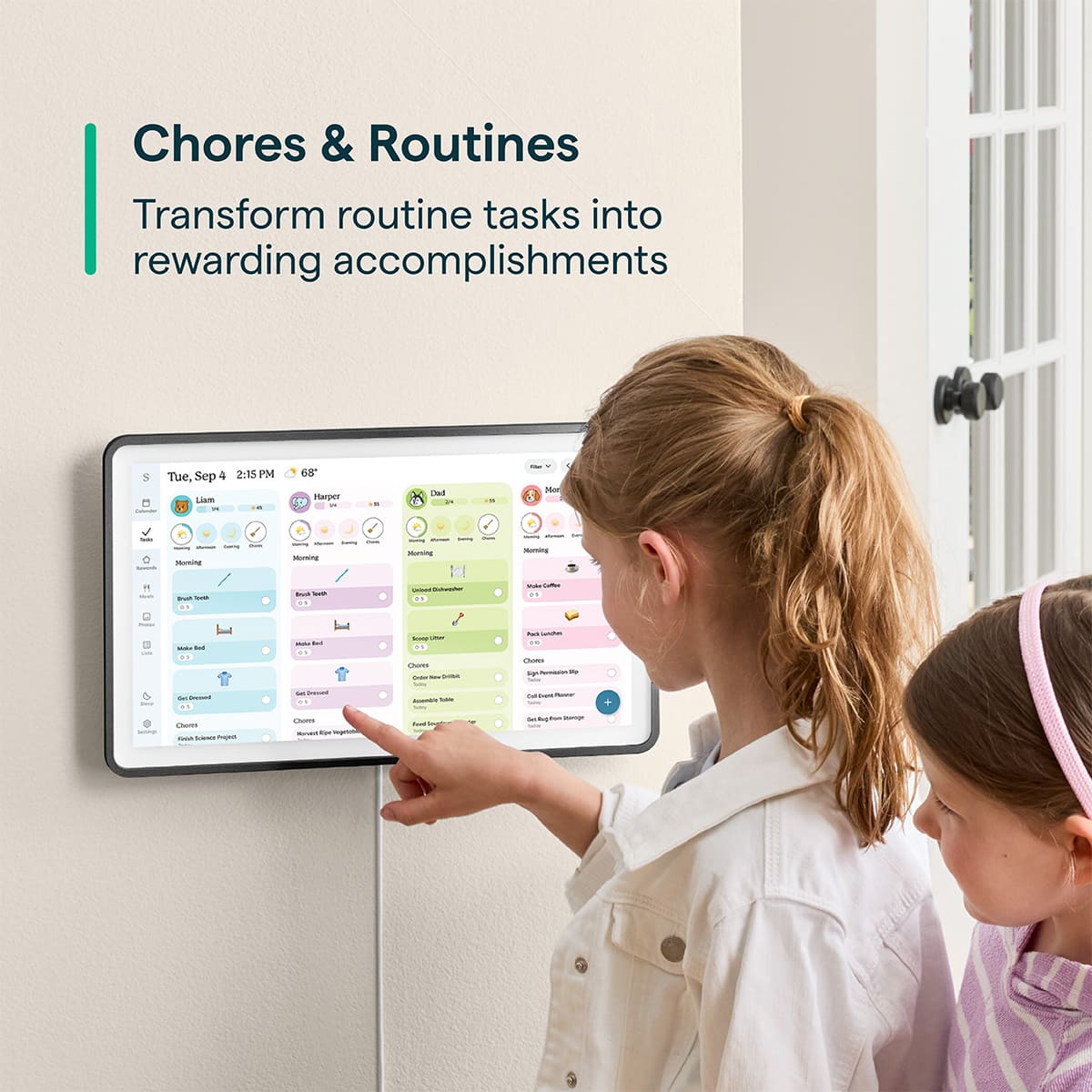
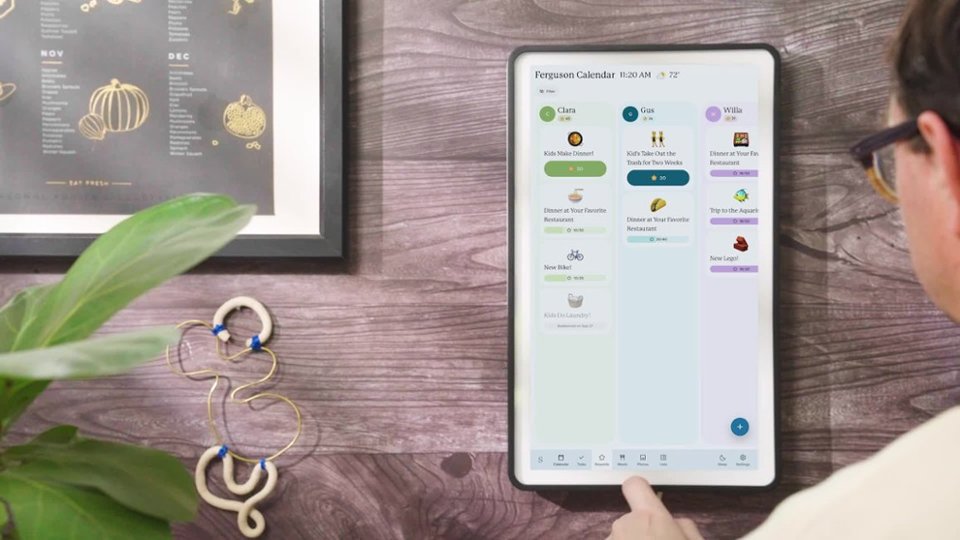
|Posted .This reviewer received promo considerations or sweepstakes entry for writing a review.The wife and I have been using a large dry erase calendar for years to manage the kids' schedules and our work schedules and honestly it was starting to feel like we needed a degree just to read the thing. I did a ton of research and landed on the Skylight Calendar 2 15 inch and I have to say, it has completely changed how our household runs. DISPLAY/BUILD: The 15 inch 1080p touchscreen genuinely looks great. The whole unit weighs 6 pounds so it feels really solid and premium and it comes with a detachable decorative shadowbox frame that makes it look like an actual piece of the room rather than just some tech gadget slapped on the wall. You can flip it portrait or landscape and there's a 180 degree adjustable tabletop stand if wall mounting isn't your thing. SETUP: This is where the Skylight really shines. You plug it in, connect to Wi Fi, and it just works. It automatically pulls in your existing calendars from Google Calendar, iCloud, Outlook and more without having to manually enter anything. I had the whole family set up in about 10 minutes. No tech headaches, no digging through a manual, honestly one of the smoothest product setups I've ever done. APP/SOFTWARE: The companion app is really well done. You can add events, chores, and tasks straight from your phone which is a big deal when life is moving fast. The color coding is super intuitive, each family member gets their own color and at a glance you know exactly who has what going on. The chore chart and rewards system is a genuinely cool feature if you have kids, it actually gets them motivated to complete tasks which I'll be honest I was skeptical about but it works. The day, week, month, and schedule views are all clean and easy to navigate right on the touchscreen itself. THE CATCH: I'm giving this 4 out of 5 stars and here's why. The subscription. To unlock features like Magic Import, which automatically pulls emails, PDFs, and photos into calendar events, you have to pay for Skylight Plus on top of what you already paid for the device. Locking meaningful features behind a recurring subscription on a premium product like this feels like a bit of a cash grab if I'm being straight up about it. The core functionality is still excellent so it doesn't ruin the experience, but it does leave a bit of a sour taste when you realize what you bought out of the box isn't the full picture. Just go in knowing that and you'll be fine. VERDICT: Bottom line, if your household runs on chaos and you're still scribbling on a dry erase board like us, the Skylight Calendar 2 is absolutely worth it. Setup is painless, the display is gorgeous, and the whole family actually uses it. Just be aware of the subscription situation before you pull the trigger.
I would recommend this to a friend - Pros mentioned:Display quality, Ease of use
This Skylight Calendar 2 Is Really Great!
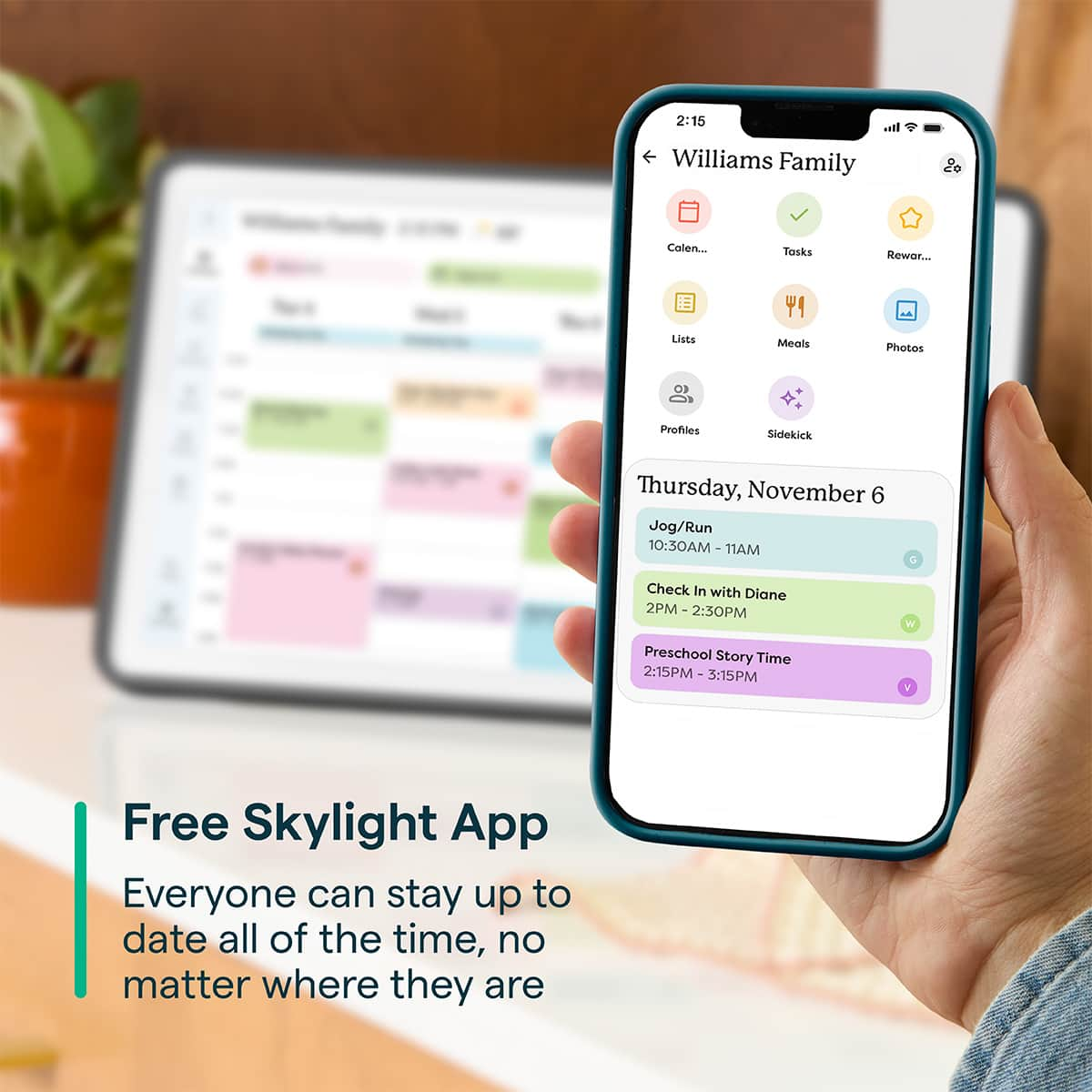
|Posted .This reviewer received promo considerations or sweepstakes entry for writing a review.I was delighted to receive the 15" Skylight Calendar 2, which I had been eagerly anticipating. The package included the calendar itself, a sleek black magnetic metal frame, a support stand, a wall mount with screws and anchors, a cable wrap adapter, a power adapter, a small screwdriver, and a Quick Start Guide. The guide was clear, thoughtfully designed, and easy to follow, providing instructions for assembly either on the wall or the table stand. After assembling it with the horizontal table stand, I used the QR code from the guide to download the Skylight app. I connected the calendar to my Wi-Fi by selecting my network and entering the password. Then, I created an account, provided the calendar’s email address, and chose CALENDAR as the device type. A six-digit code was sent to my email, which I entered directly on the calendar using its on-screen keyboard. Within the Settings menu, I configured various options displayed along the left side of the screen, including setting the correct time zone and entering my zip code for precise weather updates. The app also allows syncing with existing online calendars via phone or web versions. By tapping the plus sign on either the device or app, I could add individual events to the calendar. Skylight offers a free online Masterclass for new users, as well as a subscription service called Skylight PLUS, which unlocks additional features like Photo & Video Screensaver, Meal Planning, and Magic Import, available for a monthly or yearly fee. For now, I opted to stick with the free version. I selected the monthly screen view so all the days were visible and added my husband as a secondary profile user. The calendar can be programmed to enter sleep mode at set times and wake up accordingly, but there’s also a handy Sleep button on the screen that immediately darkens the display, overriding any scheduled settings. I found it incredibly easy to add appointments and calls, and the calendar itself looks fantastic. From the initial setup to everyday use, the process was smooth and straightforward. Although some of the advanced features require a monetary upgrade, I’m very pleased with my choice and would definitely recommend it. It has already proven invaluable in helping us keep track of important dates!
I would recommend this to a friend - Pros mentioned:Ease of useCons mentioned:Connectivity
Functional, Practical, But more if you Want to Pay
|Posted .This reviewer received promo considerations or sweepstakes entry for writing a review.The Skylight 15” Calendar 2 provides families with the opportunities to track and manage their daily life, including chores, Tasks, Calendars, etc. Where Skylight shines (calendars and tasks), it steps back with another “subscription-based” service to take full advantage of the software and device. Pros: * Easy to add calendar reminders and tasks * Functional for both Kids and Adults to use Cons: * WiFi connectivity issues * Google Calendar sync-ups * Pay a subscription to take full advantage. Out of the box, the Skylight 2 Calendar was simple to unbox and begin the setup process. Skylight provides the appropriate hardware to mount the calendar on your wall (whether vertical or horizontal), or you are provided with a stand to place the Calendar 2 on a countertop (in case you want to avoid drilling more holes into walls). The stand itself is flimsy, however, and you need to place the plug inside the device and place the stand over it, then screw it in place to hold the stand to the back of the calendar (I decided to use the calendar on my countertop rather than drill holes into my wall). After finally setting up the WiFi (more on this later on) and downloading the Skylight app, I was able to begin adding Calendars, tasks, and assigning profiles. To get the full advantage of profiles and who can add what, it’s better to send members of your household a link for them to create their own profiles, as well as “sync up” with your calendar. Using the side menu, it is simple for both kids and adults to begin adding tasks and calendar reminders. All you need to do (in case your child does not have the app on their device) is tap on the day, and add your event or select “task” from the menu. Like any other calendar app I have used before, simply give the title of the event, time, and subscription (including optional/playful Emojis to add). Additionally, you can assign who the task/event is for (by selecting the correct profile you created). More so, the calendar is easy to navigate (the menus are self-explanatory); you can filter by event, task, schedule, “today,” or by a day of the week, as well as select which week and month you want to view. Also, you can pinch the screen to zoom in and out of the calendar for different calendar views. Additionally, the Skylight 2 Calendar is functional; teaching my 6-year-old to tap on the date that they went to enter a “task” or an “event” was simple (if a young child can work and understand the calendar, then anyone can, in this instance). Also, setting up a basic task, i.e., “clean room,” was easy for my son to follow and perform. However, the merit of the “rewards” based system that comes with the calendar can only be accessed via a subscription service, which is where the usefulness of the calendar stops (unless you want to pay for this). Now, one of the most challenging portions of setting up the calendar was connecting to our home WiFi network. Typically, we use 5 or 6 GHz internet bands in our home. However, the Skylight Calendar 2 could not connect to either network. I had to specifically set up on the 2.4 GHz network for the Skylight Calendar 2 to connect (obviously, the calendar is functional and needed for adding tasks from your phone, weather, and syncing your Google calendars). Speaking of Google calendars, I was able to “pair” my Google calendars to the Skylight app (through various Google verification and security measures, no fault to Skylight, but setting that up was painful, too). Once paired, everything that was up-to-date on my Google Calendar transferred over. Though the events that transferred over were completed, I had to go in and fix some of the sync issues (oddly, I had text not appropriate from the Google Calendar to the Skylight Calendar. I am not sure why, but I had to edit from my phone app/device to get the “look” correct.) The entire calendar is designed to help motivate children for basic at-home needs, such as “tasks” (cleaning room, “doing chores”) which are free, but if you want to add the “chore rewards” based system, I am sorry, but you have to pay (I am all in on this feature, and I love the interactivity I saw demoed with the product), but knowing that you either pay $7.99 a month, or $79.99 for a year to enable this defeats the purpose (think of all of the other subscription-based services you subscribe monthly or yearly to, and add this). Additionally, the same goes for photos. You can upload from your phone (via the Skylight App) photos or create fun “screensavers” to use. However, to take full advantage of them being used as screensavers, again, you need to pay for the subscription service. For now, I have to physically set up (or manually) turn on the screensaver mode to prevent a “burn-in” effect on the device. Where the Skylight 15” 2 Calendar shines, task and event adding, profile assignments, ease-of-use, and app functionality, the Skylight 15” 2 Calendar fails with the purposeful functionalities (reward-based task systems, meal plans, personalized screensavers) behind another subscription-based service. Again, the use of the Skylight 2 Calendar is a great device for families, and I admire what Skylight is trying to do. But adding another subscription service to the list of other subscriptions I have is where you lose me. For some families, paying the monthly (or yearly) fee may not be an issue, but for others, it can induce another subscription headache to the already long list of subscriptions you already have.
I would recommend this to a friendBrand response from Skylight
Posted .Hi, there! Thank you so much for taking the time to share this feedback - we really appreciate it. If you ever have any questions, don't hesitate to reach out to us at VIP@myskylight.com and we'd be happy to help.
- Pros mentioned:Ease of use
Skylight so bright, first appt. I have...
|Posted .This reviewer received promo considerations or sweepstakes entry for writing a review.I have been using the Skylight Calendar for about a week now and can already say that it has been a great help with keeping track of our family's schedule. I know some folks might be skeptical about the $300 price tag but in my opinion if you have multiple people/busy schedules to keep track of, the Skylight is an easy way to streamline and keep everyone in the loop. Keep in mind if you want to access additional features like the AI Sidekick, meal planning and recipe suggestions, chore charts and photo screen saver you will want to subscribe to the annual membership! Using the skylight app and sidekick feature, I took a picture of a flyer for my granddaughter's ballet recital and uploaded the information right to the calendar without typing anything. I use this Skylight feature to update (and keep track of!) all of my doctor's appointments and believe me, this feature is a Godsend for seniors that you will absolutely be thrilled with! Another great feature of the skylight is how easily it syncs with external calendars. We have a very close knit multi-generational family with busy schedules and most of the time we are using Google Calendar to manage schedules. You can upload multiple calendars to the shared schedule and even specify who's calendars you want to see at a given time. If you update an event in google calendar it will automatically update in the Skylight Calendar 2. Additionally if you update in Skylight, you can select for the change to reflect in your google calendar. You can make Skylight changes on the big screen calendar, or on the app from your phone or tablet. I just purchased a new Apple Macbook Neo (from Best Buy!) for our daughter to use in home schooling her children and we will be seeing if it too can interact with the Skylight Calendar 2! Anyone in your house can add to the grocery list that you can access on your phone through the skylight app. My wife loaded a recipe from a website. Skylight added it to the calendar and also uploaded the ingredients to the grocery list. Easy! Even though we got the Skylight thinking it would primarily be to help us keep track of our schedules and everything going on in our kids and grandkids lives, my favorite feature is still the photo-share. My daughter can upload photos and videos of our grandkids that are on constant rotation in our house. You can put the calendar in sleep mode, but who wants that when you can have happy memories playing all day long? The kids really enjoy the "draw a doodle" function. They draw with their finger on the calendar or in the app and upload it and it plays back their drawing! My wife and I love having their artwork and messages pop up on the screen. If you have kids, it is very easy to personalize chore / routine charts and also give out goals and star rewards. Overall the Skylight Calendar 2 is an excellent multi-functional tool that also brings a lot of joy into your home. I will definitely get my daughter one for her house for Mother’s Day as well as one for my brother and his wonderful wife and we will be able to see photos, swap recipes and keep track of what we are all doing! The outright ease of use, versatility and usefulness of the Skylight Calendar 2 is astounding! It is well worth the money and in my opinion is one of the best investments in truly usable home-centered technology available today. It is so easy to use and its styling fits into any home's decor. The ability to easily share and view photos with friends and family (with their own Skylight Calendar 2!) across the street or across the country is fantastic! I cannot recommend or praise this device enough. It is, for my wife and I, a real game changer in life management via medical appointments, recipes, etc. and enhancement as the photos of our children and grandchildren are so wonderful to have on display!
I would recommend this to a friend - Pros mentioned:Display quality, Ease of use
Great tool for parents. Gets kids involved too!
|Posted .This reviewer received promo considerations or sweepstakes entry for writing a review.We've been wanting to try a Skylight calendar for a while but were a bit hesitant because my wife and I didn't really see the need. However, over the past year or so, as our kids' schedules have gotten more and more demanding, we thought a Skylight calendar would be a great way to get them involved and help them understand how to manage a schedule. The unit itself is very nice and very well made. It looks good and fits well in almost any setting/room. We plan on hanging it in a central location once everyone has gotten used to using it. Our kids have enjoyed using the calendar and it has helped them understand why we have to say "no" to things sometimes. They both really enjoy being able to see their chores in the calendar and quickly see whether or not they've gotten them done. Adding items is very intuitive and easy to learn. For us as parents, it's really helpful to be able to see our schedules somewhere other than our phones and to be able to track and assign chores much more easily than we have in the past. The interface is easy to use and the calendar remains incredibly useful even if you don't decide to use the additional features behind the subscription service. There are a few bugs that are software related but really only minor inconveniences rather than deal breakers. One specific bug we found is that the calendar will not let you manually enter a value in the "remind me before the event" field. When you tap it, the keyboard pops up for a split second and then just disappears. However, you can still use the "+/-" to adjust the reminder. Overall, I think it says a lot that our kids enjoy using the calendar and have given it their stamp of approval.
I would recommend this to a friend - Pros mentioned:Design, Ease of use, Features
In love
||Posted . Owned for 1 month when reviewed.This reviewer received promo considerations or sweepstakes entry for writing a review.I don’t know how we ever lived without this calendar. We have used this to track all our events and it makes it so easy to see what’s coming up and who the event is for. We just started paying for the app and love the meal plan feature with AI and the rewards setting for the kids to be motivated to clean up and do chores. It works great without the app too but that definitely enhances the usability. We loved it so much we bought one for my mom to transform her calendar of color coded sticky notes into something modern. It’s so helpful for her to track events and be able to know what’s happening when with the app. And we have benefited from sharing our calendars so that we can know who is busy when planning events. The only thing I wish that was different was a longer cord to plug it in!
I would recommend this to a friend - Pros mentioned:Display quality
Works very well
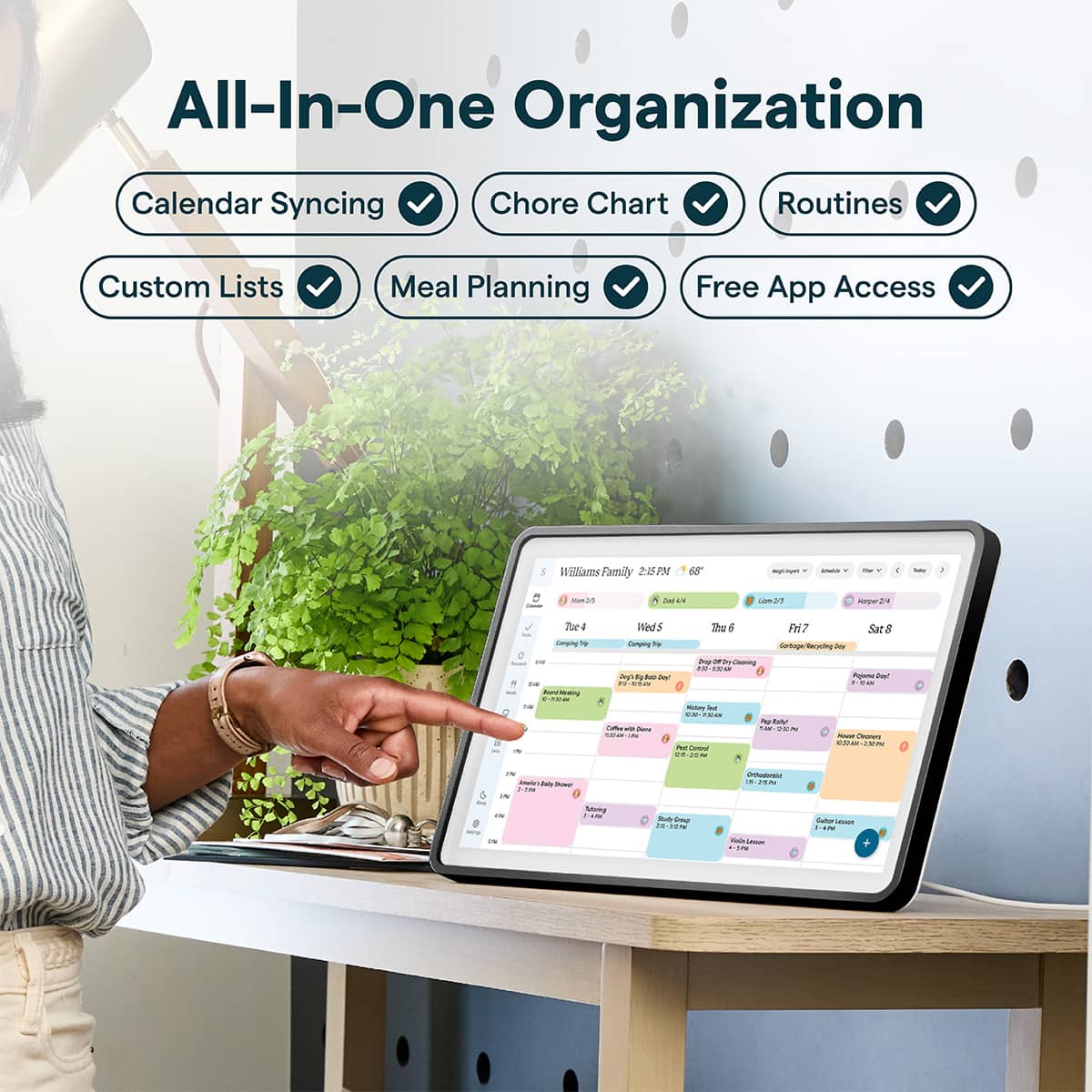
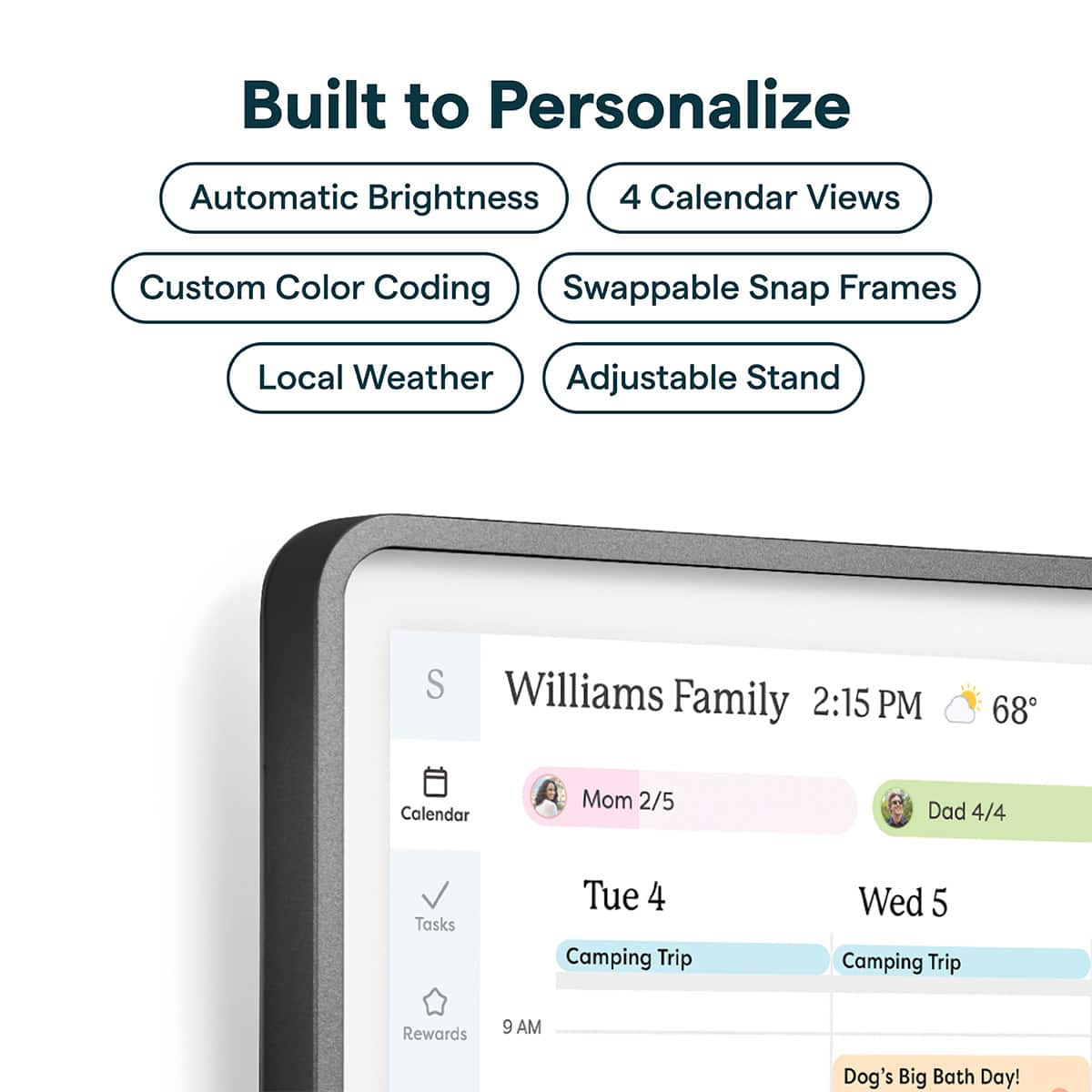
|Posted .This reviewer received promo considerations or sweepstakes entry for writing a review.This is about the size of a large laptop display, with an appealing frame that's made to be hung on a wall, and can also be set up on a table like a picture frame. Had this for a couple of weeks, and I'm planning on setting it up on the wall. Right now I set it up on a side table until we all get more familiar with it. It's main purpose is to serve as a family calendar. It has the familiar format of a calendar application like Apple's Calendar or Outlook. It can be set with different display patterns like full week, month, day or schedule. One can tap, pinch to zoom, edit entries from within the screen, it has a light sensor to adjust brightness, can be set with a black or white background, change the font size and so on. In itself is a very competent calendar application. The screen is easy to read, it has a white bezel and the frame around it is made of black (or white) painted metal and it's removable, held by strong magnets. It's made to be interchangeable with other finishes and depths to be offered later on. Although it's a touchscreen tablet, and the initial wi-fi connection and some other settings are done within the screen, the calendar setup is done via their Skylight app on one's phone. About every calendar type that the phone can handle, and more, are available through the Skylight service. The way it works, and this is important, is that the calendars are synced via the Skylight servers and then synced to the calendar screen. The Skylight app is also available via a web browser, so it can be set up from a computer instead of the phone. I used a bit of both, for typing convenience. Besides syncing calendars, it adds a concept of users: For a family, one creates the different persons and then associates each calendar to a different person, so an icon of the user is shown next to the calendar entry. Names of the calendars and their colors can be customized, regardless of which service the calendar entry comes from. It also provides users with an email account to which one can forward items like calendar entries and more, like a virtual assistant. It also includes Tasks, which is a chores list which can be assigned to each person. It comes with some templates. There is also a Lists, like a Grocery list or a To-Do list, and can also be integrated with Amazon's Alexa (Like "Alexa, tell skylight to add milk" and so on). The wording has to follow this pattern. All of this is free, and doesn't require a subscription. However, top go beyond a basic calendar display and lists, there is a subscription. I highly recommend anyone looking at it to check the current prices first, as it can come as a surprise. This enables other features like meal and recipes planning, or using the screen as a photo frame, making it more like a family hub. Using these additional features also requires interacting with the screen like a tablet, unlike a static display. It can be used either horizonal or vertical. On one of the corners, behind the bezel, there is a large button that can be used as a reset, but more importantly, turns off the screen with a simple press, which is convenient when hosting. Overall it's a convenient organizational tool, particularly for families with multiple kids activities. I'm considering another for helping elderly relatives with their appointments, meds and other schedules.
I would recommend this to a friend - Pros mentioned:Ease of use
Great for task management
|Posted .This reviewer received promo considerations or sweepstakes entry for writing a review.What a wonderful addition to any home that needs organization between everyone’s schedule. It’s also nice for families with kids who tend to need help remembering their tasks and chores. It offers the chance for everyone to receive rewards based on reaching their weekly goals. When it comes to the calendar, it gives us adults visibility to each of our schedules which alleviates unnecessary calls or texts, as it’s a screen or app access away. We are always aware of appts, meetings, no school days and upcoming trips without much hassle, and constant reminding. I love that I can always check and see if our kids have completed the tasks just by jumping onto the app. So no matter where I am or what I’m doing it’s easily accessible. Same for our schedules, we can check into each other’s day or week. The calendar is customizable. You can filter between a week or month view. You can filter out specific profiles. You can even set a countdown ticker for exciting events. Now the one negative for me is that every gadget these days has to have a subscription. WHY??? Do I really need to pay extra a month/year just to set rewards for kids. It’s quite crazy to me. I’m not interested in adding screensavers, photos or videos. And magic import, although useful, is not an important feature to me. I’m not interested in adding meals or recipes. So the subscription for something so little as a reward my children would look forward to is ridiculous. I can imagine that many people don’t have mansions nor do they have massive kitchens, so this wouldn't be placed inside of a kitchen, but in a more neutral location which would be readily accessible to all. So I wouldn’t be walking back and forth from the dining room, office, den, hallway or mudroom to look at a recipe. Now the calendar, tasks/chores, and shopping/to-do lists, and unlimited profiles are totally free and the subscription isn’t needed to operate those so that’s a plus and that alone makes it a great option to add some schedule organization into your home. It can be used in landscape or portrait orientation. The platform is simple, clean and easy to use. I’m hoping that this will get my kids more excited to get things done and so far it’s been great. It hasn’t been lots of time using this so the jury is out. As we all know with kids, it’s in one week and out the next so that’s why I believe the reward section should be included outside of the subscription. However, only time will tell if they keep up with the friendly competition of closing out each ring daily.
I would recommend this to a friend