Customer Ratings & Reviews
- Model:
- XAVAX4000
- SKU:
- 10209929
Rating by feature
- Value
Rating 4.3 out of 5 stars
- Quality
Rating 4.3 out of 5 stars
- Ease of Use
Rating 4.4 out of 5 stars
- Pros mentioned:Wireless carplay
11 years old!
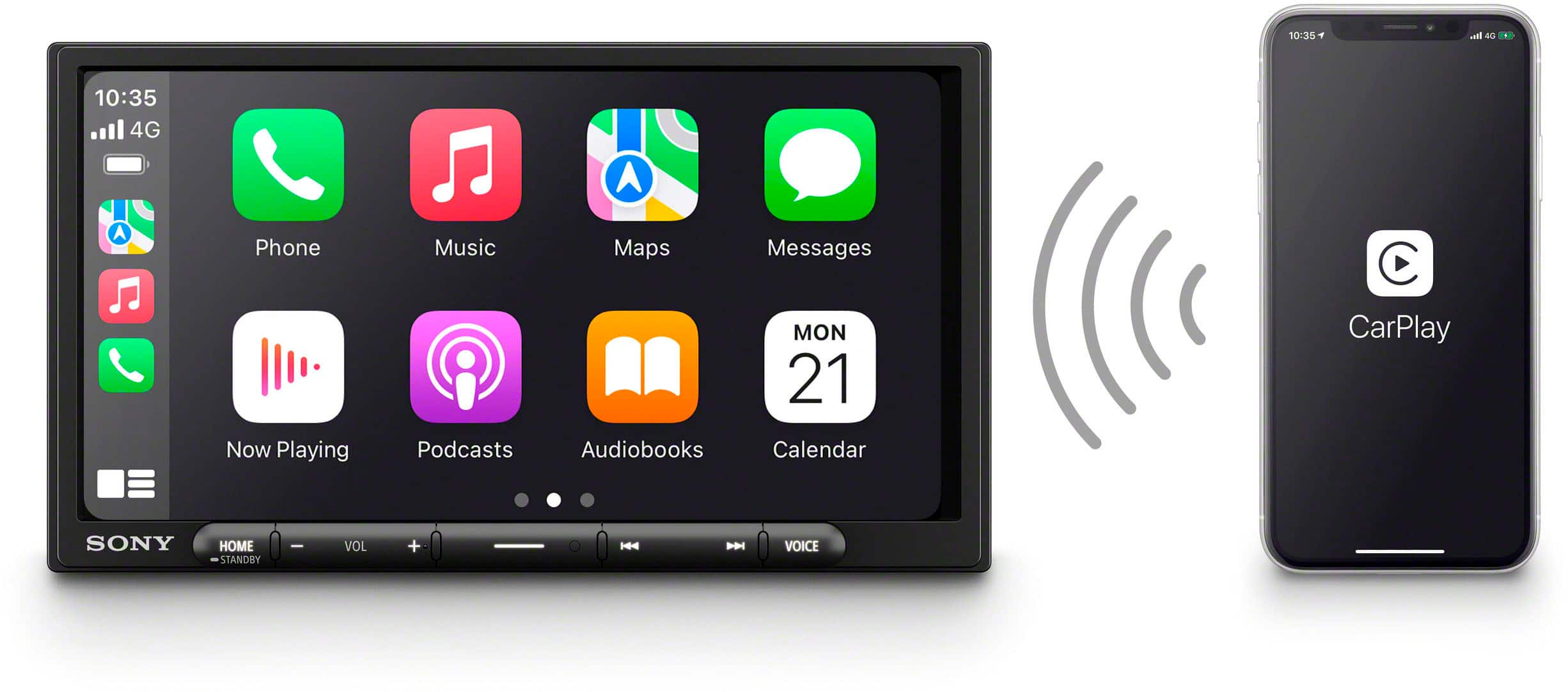
||Posted . Owned for 3 weeks when reviewed.This reviewer received promo considerations or sweepstakes entry for writing a review.Excellent purchase for my 11 years old car! I didn’t need a new car but I did need a new media system. #1 was to have no glare and the mat surface provides that. It works perfectly with my Apple Car Play and no wires . My phone stays in my purse, but most importantly is that my dealership sent me to Best Buy for the best deal and it didn’t disappoint! Will never need upgrade.
No, I would not recommend this to a friend Terrible screen and Cut in and Out
||Posted . Owned for 2 weeks when reviewed.This reviewer received promo considerations or sweepstakes entry for writing a review.Purchased this for my Toyota Tundra but was not happy with it at all for the price that it costs. I was exclusively looking for a unit which was wireless Apple CarPlay capable. This one seemed to fit the bill but I had a few issues with it. First issue: During random points, music/podcasts would cut in and out like it was lagging with the connection. I have a wireless CarPlay head unit in my other car (Atoto F7 - I know, a cheap one but it has never failed me like this) and it never cuts in and out. If I wasn't looking for something with better output, I would've gotten another one for my truck. Second issue: I felt like there should be many more options for customizing the screen, brightness, contrast, etc. I had a very hard time being able to read the information on the screen due to the lack of sharpness of the unit. Final thoughts, I really felt like for this unit and the price, it should be more capable and have less lag. I will say that when it wasn't lagging, it was generally very fast, which made it hard to return. The thing that sent me over the edge and was the final nail in the coffin was that I just couldn't see the screen while using maps and I missed a turn...No go for me. I ended up ordering an Alpine ILX-507 to use in it's place. Hopefully it works much better for me needs.
No, I would not recommend this to a friendVery good head unit
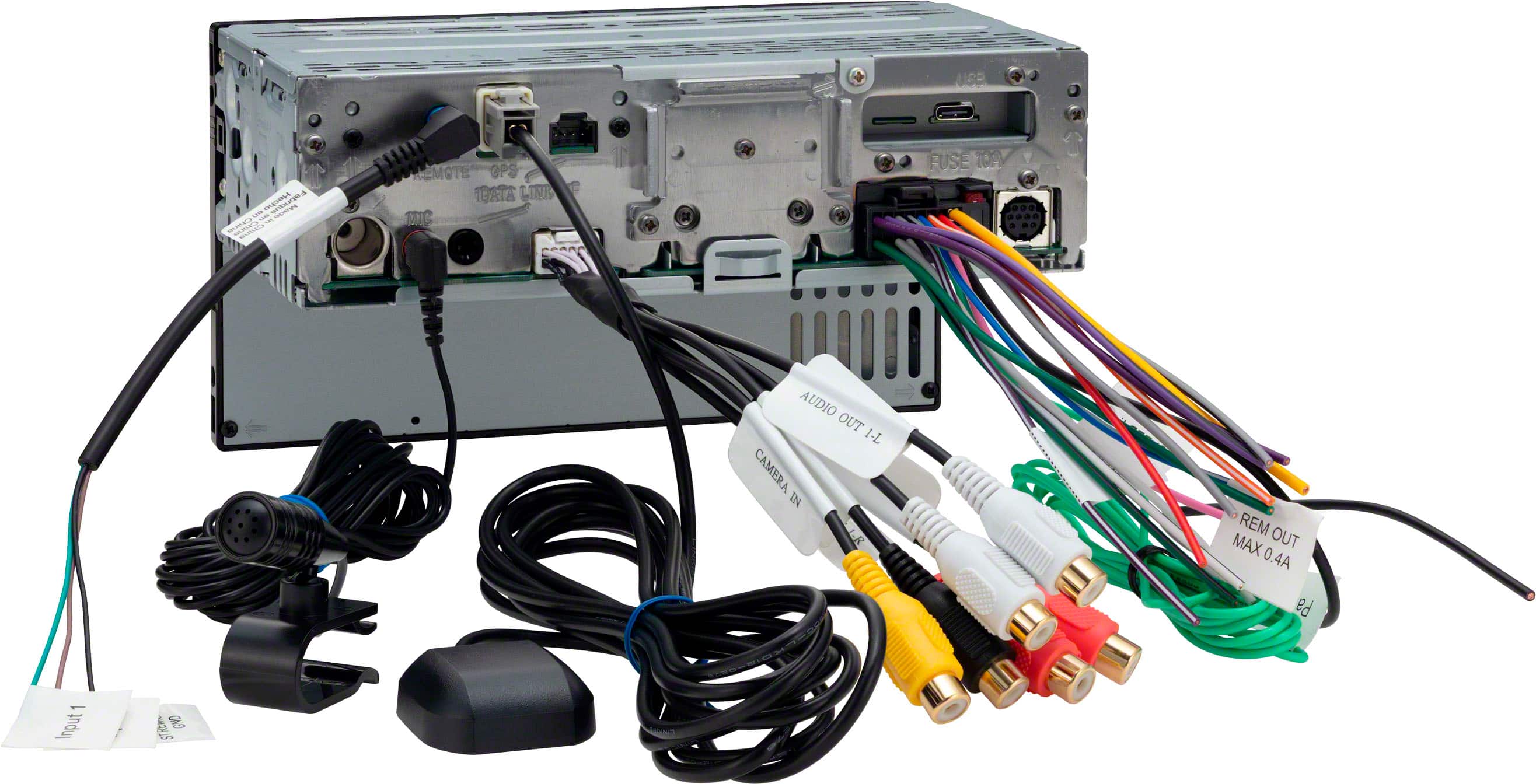
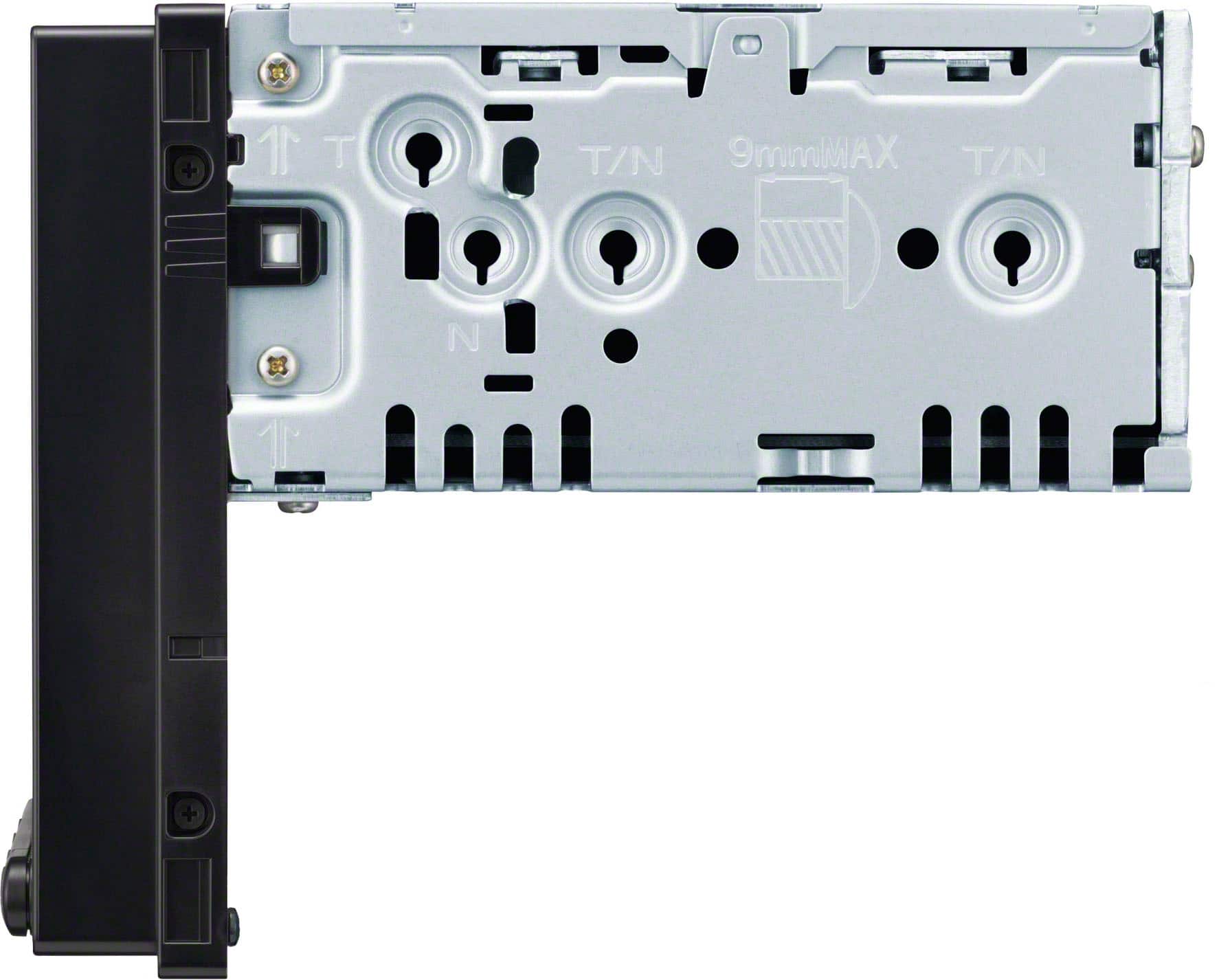
||Posted .This reviewer received promo considerations or sweepstakes entry for writing a review.This is a good unit, I have them in two vehicles. I like that I can use the steering wheel controls. My only concern is ease of installation. I find if a bit difficult to mount unit due to the single din size of the body of the unit. Other than that this is a great stereo.
I would recommend this to a friendBrand response from SonyListens
Posted .Hi RobertM,
We are pleased to hear that you like our receiver so much that you have installed it in two of your vehicles! We appreciate your feedback regarding the installation process; while the single-DIN chassis is designed to provide extra space for cable management, we understand it can present unique mounting challenges in certain dashboards.
Thanks for choosing Sony.
Best regards, Eliab
- Cons mentioned:Backup camera
With it
||Posted .This reviewer received promo considerations or sweepstakes entry for writing a review.Good product. Issues with getting lines for backup camera resolved with phone call to best buy support. They did a great job!
I would recommend this to a friendBrand response from SonyListens
Posted .Hi user680472, Thank you for your 4-star review of the XAV-AX4000! We're glad to hear that you found the product to be good and that the issue with the backup camera lines was resolved with the help of Best Buy support. Enjoy your XAV-AX4000, and thanks for choosing Sony! - Romeo
older truck new sound
||Posted . Owned for 1 month when reviewed.This reviewer received promo considerations or sweepstakes entry for writing a review.Love it! works really well and sounds great. Needed a radio in my vehicle that could give me hands free phone and a great sounding radio
I would recommend this to a friendBrand response from SonyListens
Posted .Hello MargieaV,
Thank you for choosing Sony!
We're excited to hear that the XAV-AX4000 car stereo is working well for you and delivering great sound. It’s wonderful that the hands-free phone feature and quality audio are enhancing your driving experience. Your positive feedback encourages us to keep focusing on practical and enjoyable solutions for our customers.
Best regards,
-Fred
- Pros mentioned:Wireless carplay
Pretty Good
||Posted . Owned for 1 month when reviewed.This reviewer received promo considerations or sweepstakes entry for writing a review.This product does have wireless apple car play, and has a very smooth functionality. The draw backs for me are, I HD radio, and occasionally the apple car play is glitched and does not let you here phone calls or text messages. Not a bad purchase, just not yet perfect.
I would recommend this to a friend Buy This
||Posted .This reviewer received promo considerations or sweepstakes entry for writing a review.Unit fit like it came from the assembly line, great features and just as described
I would recommend this to a friendBrand response from SonyListens
Posted .Hi DavidB!
Thanks for the review! It brings us great joy to hear that your XAV-AX4000 fits perfectly and works exactly as you expected.
This unit makes driving much easier by connecting wirelessly to your phone for maps and music. It has a clear touchscreen that responds quickly to your touch, and the sound settings let you make your music crisp and clear for every trip.
We are so happy to have you as part of the Sony family!
Best regards,
Estefany
- Cons mentioned:Screen brightness
Pleasantly Surprised
||Posted . Owned for 3 weeks when reviewed.This reviewer received promo considerations or sweepstakes entry for writing a review.So far, So good. Works very well in my 2018 Jeep JKU. The only problem is seeing the screen during the day with sunglasses on and doors/top off.
I would recommend this to a friend - Pros mentioned:Ease of use, Sound quality
Great sony
||Posted . Owned for 1 month when reviewed.This reviewer received promo considerations or sweepstakes entry for writing a review.So far so good, easy to use, great look & sounds great. Love the clock look, A+++++++
I would recommend this to a friend Nice radio
||Posted . Owned for 1 month when reviewed.This reviewer received promo considerations or sweepstakes entry for writing a review.Very good device,quality and fair price but would be better if the store doesn't charge the instalation as before.
I would recommend this to a friendBrand response from SonyListens
Posted .Hi RodolfoA!
Thanks so much for sharing your feedback with us.
We are thrilled to hear that you are happy with the quality and value of your new XAV-AX4000!
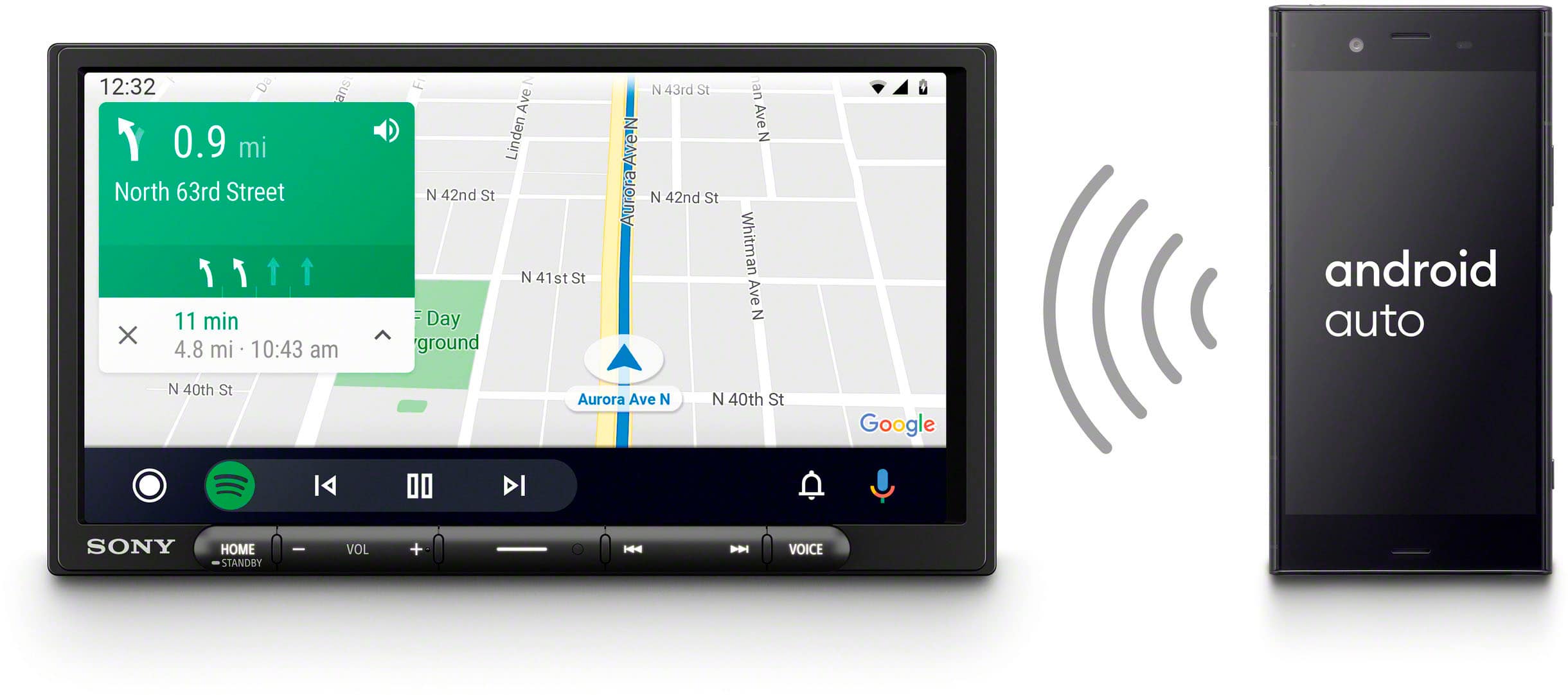
This model features a large 6.95-inch touchscreen and wireless connectivity for both Apple CarPlay and Android Auto.
We appreciate you choosing Sony!
Best regards,
Estefany
- Pros mentioned:Ease of use, Sound quality
Best Sony Car radio
||Posted . Owned for 1 month when reviewed.This reviewer received promo considerations or sweepstakes entry for writing a review.Nice radio! Great sound system! Very user friendly!
I would recommend this to a friend This is the one you're look for!
||Posted . Owned for 1 month when reviewed.This reviewer received promo considerations or sweepstakes entry for writing a review.The Sony XAV-AX4000 is a solid choice if youre looking for a system with modern features like wireless Apple CarPlay or Android Auto. It featurs a 6.95-inch touchscreen, which provides decent visibility. Simple and elegant user interface with a great layout for quicker access to features making for a safer experience while driving. I had Pioneer and return them. Bestbuy Total Tech enabled me to try out other units until I was satisfied. If you have a car without steering wheel controls, this unit has a programmable interface to setup most bluetooth controls on Amazon.
I would recommend this to a friend- Cons mentioned:Screen brightness
Great Unit - Difficult to See in Daylight
||Posted . Owned for 2 weeks when reviewed.This reviewer received promo considerations or sweepstakes entry for writing a review.Great unit overall, but really hard to see when driving during bright daylight. If you don’t wear polarized sunglasses or sunglasses at all, it will work well for you. However, if you live in a sunny area and want to be able to see the screen with ease, there are better options available.
No, I would not recommend this to a friendBrand response from SonyListens
Posted .Hi JeremyP, thank you for sharing your feedback on the Wireless CarPlay/ Android Auto Media Receiver.
We would like to share with you some steps and settings you can modify to increase the brightness and make the display more visible during those Sunny days! Please check the link below:
https://helpguide.sony.net/ev/xav-ax40/v1/en/contents/TP1000661295.html?search=brightness
We hope this information helps. Thank you for choosing Sony. Regards, - Dominick
- Pros mentioned:Features
I love this player
||Posted . Owned for 1 month when reviewed.This reviewer received promo considerations or sweepstakes entry for writing a review.I love this player it's awesome and has all the features I need, very good player
I would recommend this to a friendBrand response from SonyListens
Posted .Hi Bestbuycustomer,
That's wonderful to hear! We are so glad that you think the XAV-AX4000 is awesome and has all the features you need. It's great to know that it's providing you with the perfect in-car experience.
Thanks for choosing Sony, have an awesome day!
DiegoV
- Pros mentioned:Ease of use, Installation
Big bang for your buck!
||Posted . Owned for 3 weeks when reviewed.This reviewer received promo considerations or sweepstakes entry for writing a review.Very nice unit for the money. Easy installation. Easy-to-use
I would recommend this to a friend - Pros mentioned:Features
Powerful features
||Posted .This reviewer received promo considerations or sweepstakes entry for writing a review.User friendly design with advanced features. Everyone in the family fell in love.. much much better than many luxury car stereos..
I would recommend this to a friend - Pros mentioned:Sound quality
Great upgrade
||Posted . Owned for 1 month when reviewed.This reviewer received promo considerations or sweepstakes entry for writing a review.Great sound quality and the apple car play features are intuitive and convenient.
I would recommend this to a friendBrand response from SonyListens
Posted .Hi KevinM,
Thank you for the 5-star review! We're delighted to hear that you're enjoying the sound quality and finding the Apple CarPlay features of the XAV-AX4000 intuitive and convenient. We strive to create products that make your time on the road more enjoyable, and your feedback is a wonderful confirmation of that.
Thanks for choosing Sony, have a great day!
DiegoV
- Pros mentioned:Wireless carplay
Nice upgrade!
||Posted . Owned for 3 weeks when reviewed.This reviewer received promo considerations or sweepstakes entry for writing a review.This was a major upgrade to my 2002 Ford Explorer. Very user friendly! I use the carplay feature for Apple iphone and it works like a dream. I also added a backup camera. Very nice upgrade to my 22 year old ride!
I would recommend this to a friendBrand response from SonyListens
Posted .Hi DianaS, We're glad you're happy with your purchase. Make sure to keep your device's firmware up to date to enjoy all its features. Thanks for choosing Sony! -Craig
- Cons mentioned:Screen brightness
Could be better!
||Posted . Owned for 1 month when reviewed.This reviewer received promo considerations or sweepstakes entry for writing a review.It works at least, unlike the Kenwood I tried. Only things I don't like are the picture quality of the backup camera. It was much clearer on the Kenwood, and the screen is hard to see during the day, especially when the sun is shining in the cab of the truck. Makes using it for navigation difficult, which was half the reason I bought it. Wondering if any after market double din radios have as good of a picture as our brand new truck.
No, I would not recommend this to a friend - Pros mentioned:Wireless carplay
Sony for the Win!
||Posted . Owned for 1.5 years when reviewed.This reviewer received promo considerations or sweepstakes entry for writing a review.I put this in a 23 year old Dodge truck and it makes me so happy to not hunt for the AUX cord anymore. I'd give this thing 10 stars if I could.
I would recommend this to a friendBrand response from SonyListens
Posted .Hi Rougaroux87,
You made the right choice! We're glad that you like the wireless function of the car stereo. Thank you for choosing Sony!
-Ralph