Customer Ratings & Reviews

- Model:
- 1000044180
- |
- SKU:
- 11850304
Customer reviews
Rating 4.5 out of 5 stars with 7074 reviews
(7,074 customer reviews)Rating by feature
- Value4.5
Rating 4.5 out of 5 stars
- Quality4.7
Rating 4.7 out of 5 stars
- Ease of Use4.6
Rating 4.6 out of 5 stars
Customers are saying
Customers are impressed with the product's top-notch picture quality and overall performance, highlighting its portability and great screen quality. They also appreciate the solid battery life and comfortable design. However, some customers have expressed concerns regarding connectivity and the presence of input lag.
This summary was generated by AI based on customer reviews.
Rated 5 out of 5 stars
Works better than expected
||Posted . Owned for 1 week when reviewed.This reviewer received promo considerations or sweepstakes entry for writing a review.I leave my PS5 hooked up to my livingroom TV and occasionally move it to my bedroom. I bought the Portal with mild expectations as I knew the latency might be an issue. Tbh, when playing Spiderman 2, i cant really tell there is a delay but when playing Call of Duty I notice it. My PS5 is hardwied and I am using a Ubiquity UniFi UAP-AC-PRO.
This review is from Sony Interactive Entertainment - PlayStation Portal Remote Player - White
I would recommend this to a friendRated 4 out of 5 stars
Cloud Streaming
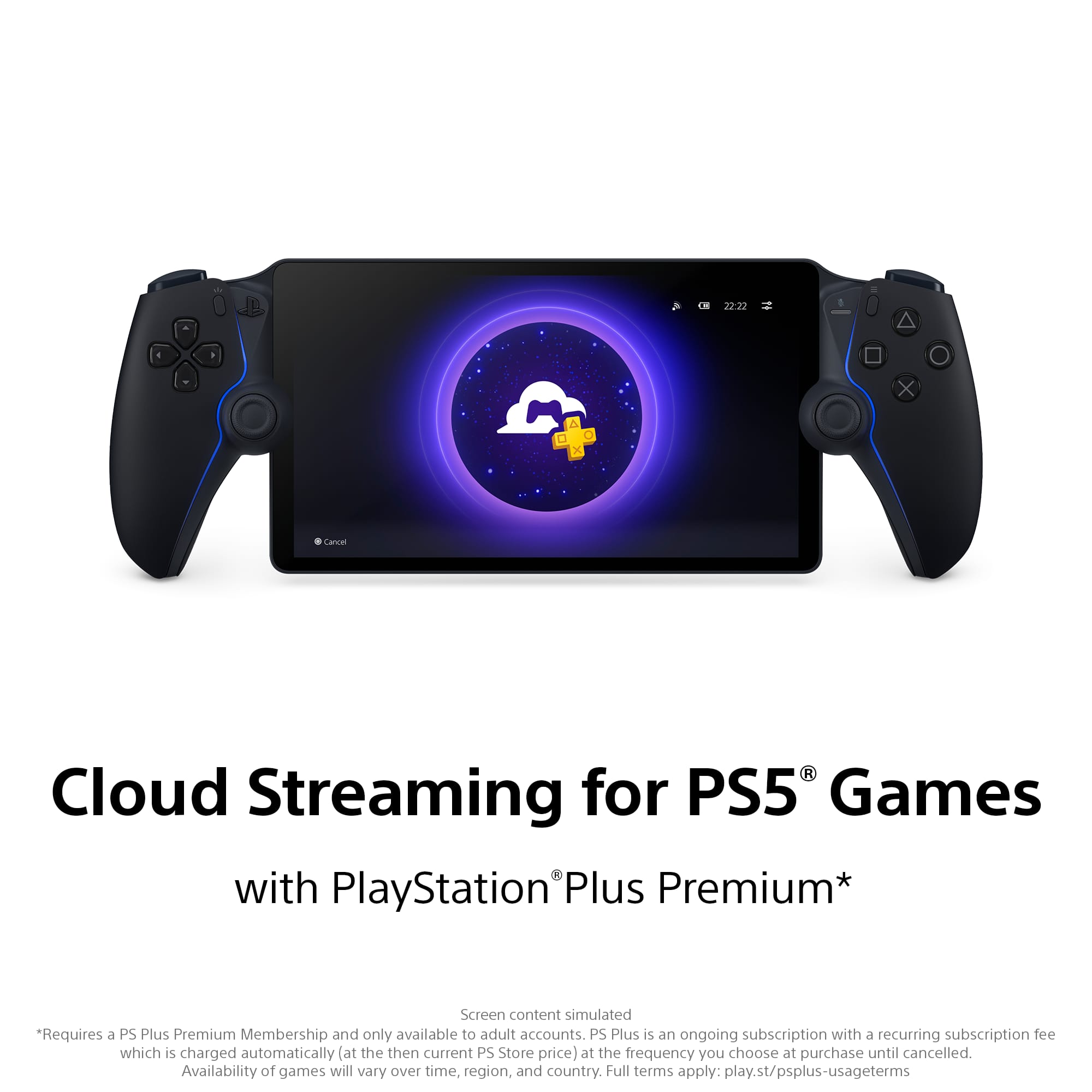
||Posted . Owned for 2 weeks when reviewed.This reviewer received promo considerations or sweepstakes entry for writing a review.Cloud Streaming update really made this thing, as long as you have Premium PS Plus, it’s a great addition to the PS5. If you have premium, you don’t even need a PS5, you could get away with just cloud streaming games.
This review is from Sony Interactive Entertainment - PlayStation Portal Remote Player - Midnight Black
I would recommend this to a friend- Cons mentioned:Connectivity
Rated 4 out of 5 stars
Ok but not great.
||Posted . Owned for 9 months when reviewed.This reviewer received promo considerations or sweepstakes entry for writing a review.I like the Idea of this thing, works for what I want it to do which is to play my games when the tv is being used by my nieces. The connection is spotty when in the same room but ok when near the system. Next time I would have just bought another tv.
This review is from Sony Interactive Entertainment - PlayStation Portal Remote Player - White
No, I would not recommend this to a friend - Cons mentioned:Connectivity
Rated 5 out of 5 stars
Pretty cool
||Posted . Owned for 3 weeks when reviewed.This reviewer received promo considerations or sweepstakes entry for writing a review.Love that i dont have to be in the living room and can play all arounf the house. gliches sometimes but nothing too bad.
This review is from Sony Interactive Entertainment - PlayStation Portal Remote Player - Midnight Black
I would recommend this to a friend - Pros mentioned:Overall performance
Rated 5 out of 5 stars
Great hand held
||Posted .This reviewer received promo considerations or sweepstakes entry for writing a review.This thing really works I was on a airplane with WiFi and works beautiful we recommend 1000%
This review is from Sony Interactive Entertainment - PlayStation Portal Remote Player - White
I would recommend this to a friend - Pros mentioned:Overall performance
Rated 5 out of 5 stars
No PS5 console needed
||Posted . Owned for 1 week when reviewed.This reviewer received promo considerations or sweepstakes entry for writing a review.You don't need a PlayStation 5 to use this portable station. You can purchase the PS premium yearly pass and stream games via Wi-Fi. Zero lag, and it runs smoothly.
This review is from Sony Interactive Entertainment - PlayStation Portal Remote Player - Midnight Black
I would recommend this to a friend Rated 5 out of 5 stars
Overall Great
||Posted . Owned for 1 month when reviewed.This reviewer received promo considerations or sweepstakes entry for writing a review.Hands down the best portable Ive owned from Sony just wish it was more games to stream.
This review is from Sony Interactive Entertainment - PlayStation Portal Remote Player - Midnight Black
I would recommend this to a friend- Pros mentioned:Overall performance
Rated 5 out of 5 stars
Portal Remote Player
||Posted .This reviewer received promo considerations or sweepstakes entry for writing a review.The product arrived quickly and in good condition. Worked well out of the box.
This review is from Sony Interactive Entertainment - PlayStation Portal Remote Player - Midnight Black
I would recommend this to a friend - Pros mentioned:Portability
Rated 4 out of 5 stars
Works well enough to justify the price
||Posted . Owned for 2 weeks when reviewed.This reviewer received promo considerations or sweepstakes entry for writing a review.I purchased the PS Portal because I specifically wanted a lightweight remoteplay device for my PS5 with a physical mute button. I have an 3 Eero 6E mesh routers and i still have problems with smooth playback so im guessing this device needs a very optimal setup to be nearly lag free. Results may vary, but it still works well enough.
This review is from Sony Interactive Entertainment - PlayStation Portal Remote Player - White
I would recommend this to a friend - Pros mentioned:Portability
Rated 5 out of 5 stars
A great buy
||Posted . Owned for 2 weeks when reviewed.This reviewer received promo considerations or sweepstakes entry for writing a review.I play the ps5 and games more often, since i dont have to be in the same room. I do wish it had bluetooth and a way to store games. Other then that its been a great buy
This review is from Sony Interactive Entertainment - PlayStation Portal Remote Player - White
I would recommend this to a friend - Pros mentioned:Overall performance
Rated 5 out of 5 stars
Exceeds my expectations
||Posted .This reviewer received promo considerations or sweepstakes entry for writing a review.Was skeptical for the longest time due to the bugs when it originally came out, but the updates overtime prove that it's a legit product.
This review is from Sony Interactive Entertainment - PlayStation Portal Remote Player - White
I would recommend this to a friend - Pros mentioned:Overall performance
Rated 5 out of 5 stars
Satisfied customer
||Posted . Owned for 8 months when reviewed.This reviewer received promo considerations or sweepstakes entry for writing a review.Amazing ,love the article and the guarantee Best Buy gives me for it
This review is from Sony Interactive Entertainment - PlayStation Portal Remote Player - White
I would recommend this to a friend Rated 4 out of 5 stars
As advertised
||Posted . Owned for 2 weeks when reviewed.This reviewer received promo considerations or sweepstakes entry for writing a review.Great cloud device. Works well at home when connected to PS5 and on vacation WiFi. Even used at the hospital on their WiFi. The input delay feels much like playing are online multiplayer game. It’s there but not deal breaker. Wouldn’t recommend playing very twitchy games on it.
This review is from Sony Interactive Entertainment - PlayStation Portal Remote Player - Midnight Black
I would recommend this to a friend- Pros mentioned:Overall performance
Rated 5 out of 5 stars
Great console
||Posted . Owned for 1 month when reviewed.This reviewer received promo considerations or sweepstakes entry for writing a review.I really enjoy using the portal. Its incredible to play PS5 games on the go and now with the remote access to some ps5 games without the console its even better.
This review is from Sony Interactive Entertainment - PlayStation Portal Remote Player - Midnight Black
I would recommend this to a friend - Pros mentioned:Overall performance, Portability
Rated 5 out of 5 stars
Ps portal amazing!!
||Posted . Owned for 1 week when reviewed.This reviewer received promo considerations or sweepstakes entry for writing a review.Great product. Alot of fun!! Works well on the go with wifi too
This review is from Sony Interactive Entertainment - PlayStation Portal Remote Player - White
I would recommend this to a friend - Pros mentioned:Portability, Screen quality
Rated 5 out of 5 stars
Sony playstation portal
||Posted . Owned for 2 weeks when reviewed.This reviewer received promo considerations or sweepstakes entry for writing a review.Great handheld device love playing from anywhere grest quality
This review is from Sony Interactive Entertainment - PlayStation Portal Remote Player - White
I would recommend this to a friend - Pros mentioned:Overall performance
Rated 5 out of 5 stars
Ps Portal
||Posted . Owned for 1 year when reviewed.This reviewer received promo considerations or sweepstakes entry for writing a review.Definitely worth the money. It comes in handy when you are in a pinch. Looks and works great. Only thing is that I have had it for a little over a year and one of the speakers blew out. Otherwise it's awesome.
This review is from Sony Interactive Entertainment - PlayStation Portal Remote Player - White
I would recommend this to a friend - Pros mentioned:Overall performance
Rated 5 out of 5 stars
Perfect for what it is
||Posted . Owned for 1 week when reviewed.This reviewer received promo considerations or sweepstakes entry for writing a review.If you have a PlayStation 5 and don't always get to enjoy it while you're home, the Portal is perfect. It allows me to play in the small moments, even when i can't be in the room where my PS5 is. I've never used remote play because it really wasnt convenient, but this device makes it so. If you're considering, get it!
This review is from Sony Interactive Entertainment - PlayStation Portal Remote Player - White
I would recommend this to a friend - Pros mentioned:Portability
Rated 5 out of 5 stars
As desired
||Posted . Owned for 3 weeks when reviewed.This reviewer received promo considerations or sweepstakes entry for writing a review.Great device. My son loves it. He is able to play on his ps5 account now while traveling.
This review is from Sony Interactive Entertainment - PlayStation Portal Remote Player - Midnight Black
I would recommend this to a friend - Pros mentioned:Screen quality
Rated 5 out of 5 stars
Perfect gift
||Posted . Owned for 1 month when reviewed.This reviewer received promo considerations or sweepstakes entry for writing a review.This was purchased as a gift and this review is based on the recipients' comments. He said it's the most comfortable handheld gaming device he has ever owned (and I have bought all of them for him over the years) He likes the screen size. He said its very nice.
This review is from Sony Interactive Entertainment - PlayStation Portal Remote Player - White
I would recommend this to a friend