Customer Ratings & Reviews

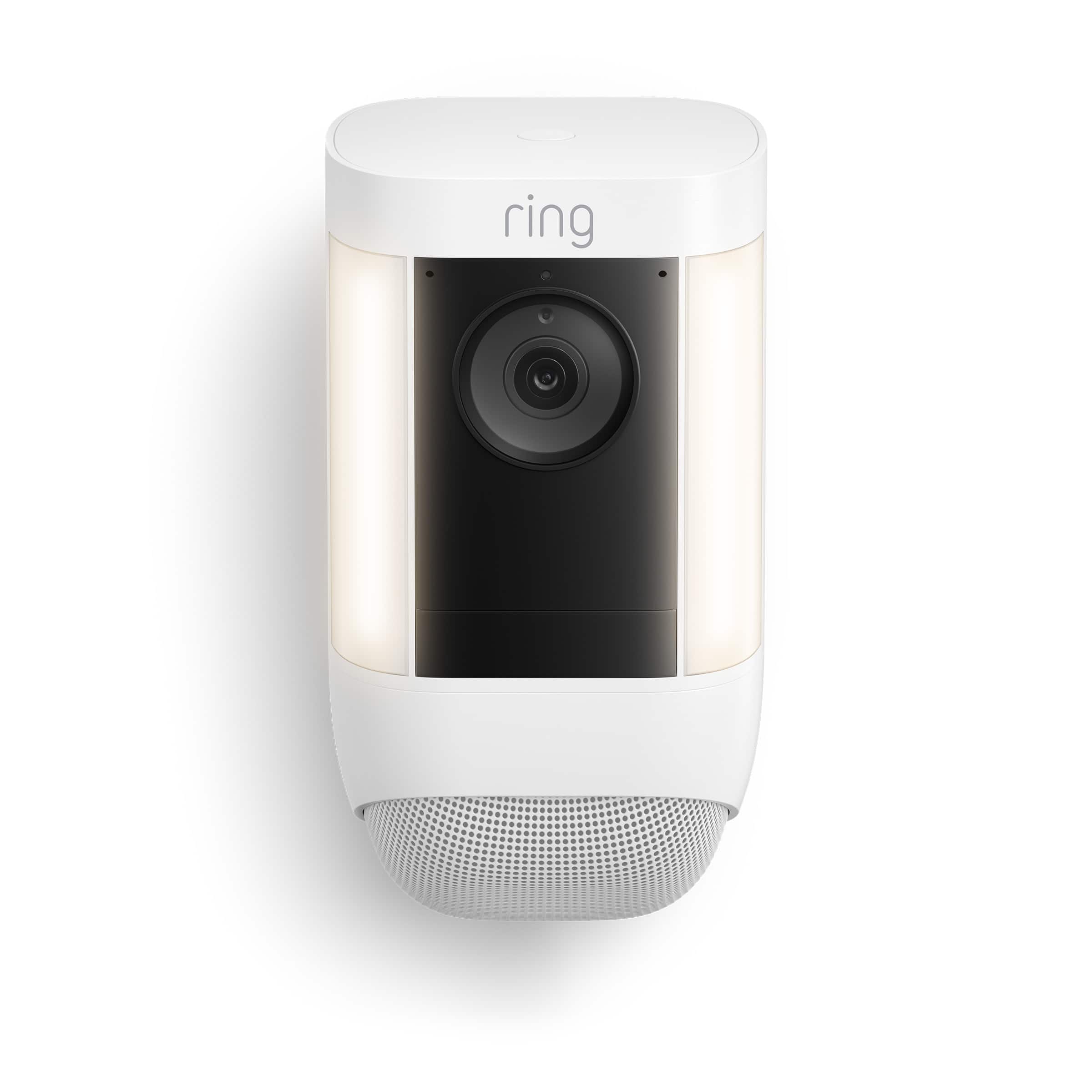

- Model:
- B09DRX62ZV
- SKU:
- 6520139
Rating by feature
- Value
Rating 4.5 out of 5 stars
- Quality
Rating 4.7 out of 5 stars
- Ease of Use
Rating 4.7 out of 5 stars
Customers are saying
Customers highly value the Spotlight Cam Pro for its exceptional camera quality, ease of use, and overall performance. Many users appreciate the effective motion detection and night vision capabilities, as well as the brightness of the LED lights. Some customers have expressed concerns about the battery life and Wi-Fi connection.
This summary was generated by AI based on customer reviews.
- Pros mentioned:Camera quality
Good Camera
||Posted . Owned for 1 month when reviewed.This reviewer received promo considerations or sweepstakes entry for writing a review.Its a good camera with a lot of features and settings.
I would recommend this to a friend - Pros mentioned:Camera quality
Good camera
||Posted . Owned for 3 weeks when reviewed.This reviewer received promo considerations or sweepstakes entry for writing a review.Good camera it works very good and help in the security of my house
I would recommend this to a friend - Cons mentioned:Battery life
Home owner
||Posted . Owned for 3 weeks when reviewed.This reviewer received promo considerations or sweepstakes entry for writing a review.They function well in daylight but their night vision is poor, at best, vastly inferior to Ring’s hard wired units which have superb night vision. Battery life is far less than advertised
No, I would not recommend this to a friendBrand response from Ring
Posted .Hi DavidC.
Thank you for taking the time to share your experience with us. We understand the importance of having your Ring Spotlight Cam Pro record clear and concise videos so that you can effectively monitor your home. The Night Vision feature is an invaluable feature of the Ring Spotlight Cam Pro that allows you to clearly view what’s happening on your property after dark. We can definitely assist you with this today, and we are confident we can find the correct settings for your home’s environment.
It sounds like the device is not performing as expected in regards to "Night Vision." To ensure that the "Night Vision" feature works as intended, make sure your Indoor Cam’s infrared light is toggled on in the Ring app. The infrared light control is in your Ring app under Video Settings. Enable "Color Night Vision" in the Ring app to help improve clarity at night.
To turn the "Color Night Vision" on or off, follow these instructions:
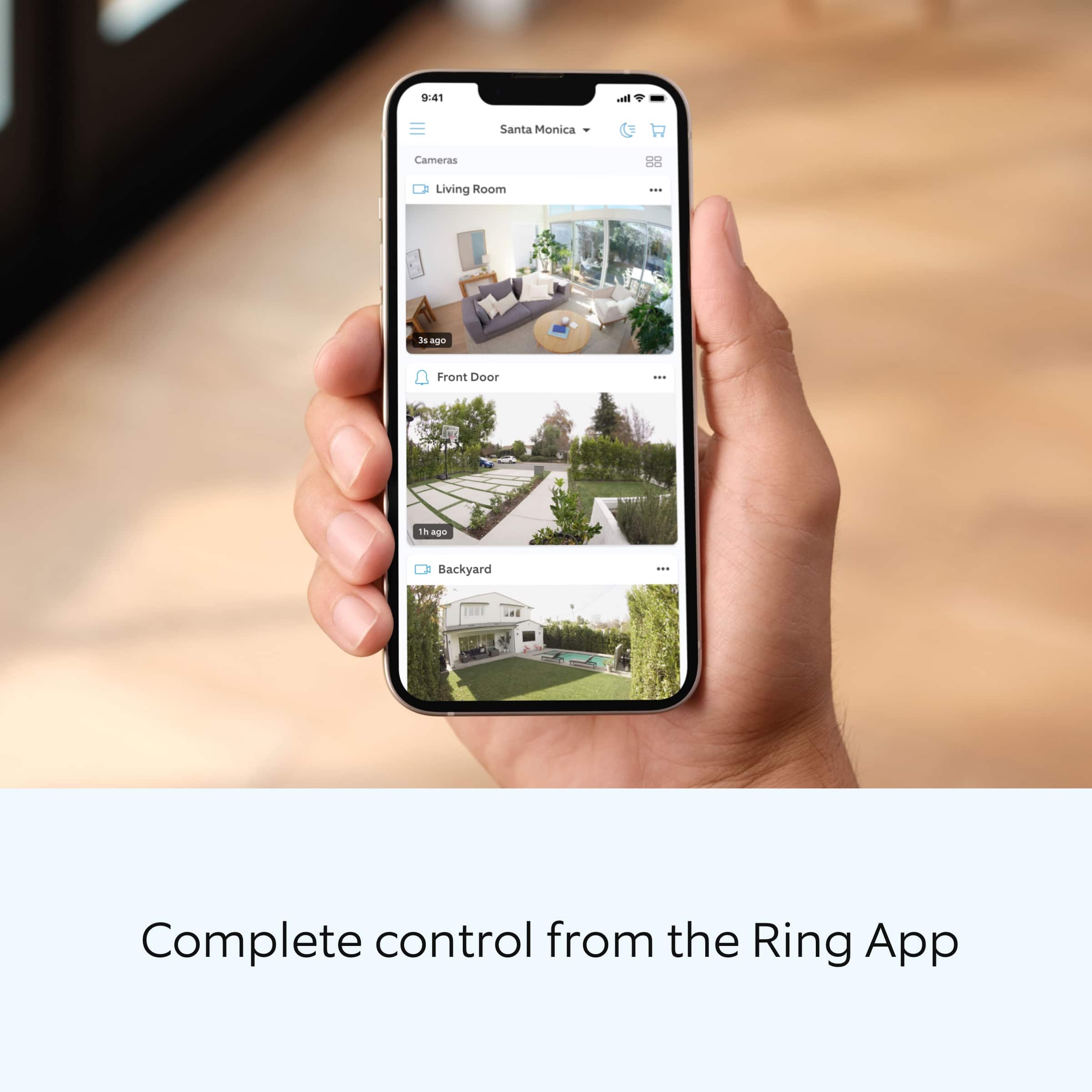
Open the Ring app.
Tap the "Menu" (☰).
Tap "Devices."
Select the device you want to adjust.
Tap "Device Settings."
Tap "Video Settings."
Toggle "Color Night Vision" on or off.
here are some troubleshooting steps that you can take to ensure that you have your device set up for optimal battery-life performance. The more events captured by your Ring devices, the more your battery is used. Using "Live View" can also drain your battery faster. If your device is capturing an excessive number of events each day, you may need to recharge your battery sooner.
To prevent excessive activity, under "Motion Settings" for your device in the Ring app, you can:
Adjust your "Motion Sensitivity" slider to a lower sensitivity.
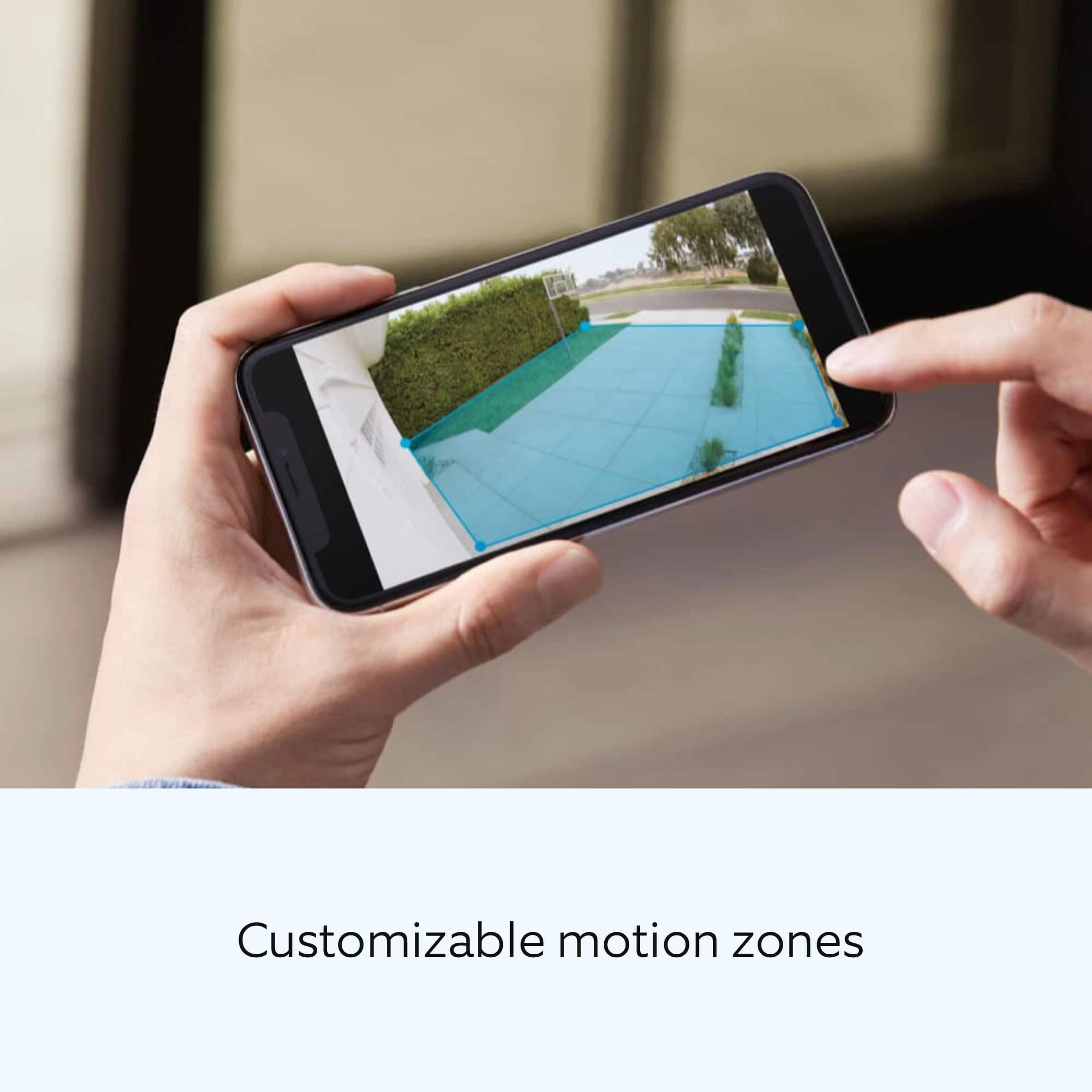
Redraw your "Customizable Motion Zones."
Change "Motion Frequency" to regularly or periodically.
You could also adjust the direction of your Ring device so it doesn't detect as much motion.
You can go to "Power Settings" in the Ring app to see what features may be draining your battery.
To access "Power Settings," open the Ring app:
Tap the menu (≡) on the top left of the dashboard.
Tap "Devices."
Tap the individual device (video doorbell or security camera) you want to check.
Tap "Power Settings" to check your "Battery Level" percentage and "Feature Power Usage."
Tap a feature to adjust "Snapshot Capture," "Motion Frequency," and "Video Recording Length.".
We invite you to reach out to our community if any additional information is needed regarding your Ring Spotlight Cam Pro. The Ring Community is our first peer-to-peer community forum, giving our customers the ability to help one another by sharing their feedback and experiences with each other.
Thank you,
Melissa from Ring.
Great product.
||Posted . Owned for 1.5 years when reviewed.This reviewer received promo considerations or sweepstakes entry for writing a review.Very pleased with purchase. Have several Ring cameras and this one fit right in.
I would recommend this to a friendFront door camera
||Posted . Owned for 1 month when reviewed.This reviewer received promo considerations or sweepstakes entry for writing a review.I like the camera but it is installed too high for me to reach it to get battery out to charge.
I would recommend this to a friendBrand response from Ring
Posted .Hi Caroline35.
Thank you for taking the time to share your Ring experience with us and other consumers. We believe in keeping people close to what’s important. That is why we are driven to create products that help you protect what matters most at home and empower you to connect with your visitors from wherever you are. Together, we’ll make neighborhoods safer!
It sounds like you are experiencing issues with replacing the battery. We recommend using the Ring Solar Panel to assist with extending the life of the battery in your Ring Spotlight Cam Pro Battery. The Ring Solar Panel for the Ring camera is a solar power source that can be mounted behind your Ring device. With just a few hours of direct sunlight per day, it can keep your Ring Spotlight Cam Pro fully charged in most cases.
Ring Community was launched to help deliver the most current news and educational information to our neighbors. This online forum is divided into four categories: Product Boards, Ring Updates, Tips and Tricks, and a Moderators’ Corner. The Product Boards are where you can begin new topics with your questions or feedback; there is also a search option that helps you find topics that have already been posted by other neighbors. We invite you to visit our Ring Community today.
Thank you,
Miyuki from Ring.
- Cons mentioned:Battery life
Good product
||Posted . Owned for 1 month when reviewed.This reviewer received promo considerations or sweepstakes entry for writing a review.A good product, wish the batteries could last longer
I would recommend this to a friend First Ring product to disappoint me.
||Posted . Owned for less than 1 week when reviewed.This reviewer received promo considerations or sweepstakes entry for writing a review.Unfortunately I'm leaving this review before even being able to use my camera. I went to the store and purchased this today and there were no options to purchase a power adapter that will actually power this camera. It used to be that you could buy a full plug in and camera and it would actually have the power adapter with it. This product only has a cable to charge the single battery that comes with it. Also the battery did not have any charge when I received it even though it had a piece of paper in between the camera and the battery the camera refused to turn on. I had to pay an extra $38 after tax to purchase a power cord to actually be able to use my new camera. After it arrives on Thursday I may update this review. Ring, if you are reading this offer Best Buy the ability to sell your accessory kits in store because it gets a little old having to order everything most of all the power cord.
No, I would not recommend this to a friendBrand response from Ring
Posted .Hello IowaITguy.
Thank you for taking the time to share your experience with us. At Ring, we want to ensure that you have the best possible experience with our products. Your peace of mind and security are extremely important to us. The features and technology provided by the Ring Spotlight Cam Pro are incredibly valuable and help provide you with peace of mind about your home security. We can definitely provide you with more information regarding the concern mentioned in your review.
I would like to provide some additional information around your concerns with the Ring Spotlight Cam Pro. The Ring Spotlight Cam Pro is primarily sold with only one power source included in the box. This device can be purchased as a battery version, as a solar version, or as plug-in version.
Additionally, due to regulations that dictate specific packaging, labeling, and limitations on watt-hour ratings and state of charge for both domestic and international air and ground shipments, Ring devices that are shipped with a Ring Battery Pack must be shipped at a state of charge not exceeding 30% of their rated capacity.
Lastly, the Ring Spotlight Cam Pro does have a feature known as Dual Power Mode. You can optimize the performance of some Ring devices with Dual Power Mode, which switches between Battery Mode and Wired Mode to improve the configuration of key features in a way that works best for your situation. Automated Dual Power Mode is turned on by default when a device is wired and has a battery inserted as a power backup. If your device loses hardwired power, or the hardwired power connection is weak or unstable, your Ring device will start reducing energy consumption by automatically switching from Wired Mode to low-power Battery Mode. If there is no battery inserted into your plug-in device and it is experiencing weak or unstable power, it will automatically switch to Low Power Mode and default to using the battery settings as if it were inserted. This ensures that you will continue to have access to all your device’s features.
If any additional information is needed regarding your Ring Spotlight Cam Pro, please reach out to our community. Ring Community is our first peer-to-peer community forum, giving our customers the ability to help one another and share their feedback and experiences directly with Ring.
Thank you,
Amilia from Ring.
Best purchase for exterior view
||Posted . Owned for 2 months when reviewed.This reviewer received promo considerations or sweepstakes entry for writing a review.Weather proof and the battery life is extra long .
I would recommend this to a friendGreat
||Posted . Owned for 1 month when reviewed.This reviewer received promo considerations or sweepstakes entry for writing a review.I needed a new camera and i saw best buy had a great deal so i bought it
I would recommend this to a friendRing pro
||Posted . Owned for 1 week when reviewed.This reviewer received promo considerations or sweepstakes entry for writing a review.Love my ring cameras. This one has it all. Definitely recommend the pro
I would recommend this to a friend- Cons mentioned:Battery life
Batteries are too weak to last even a month.
||Posted . Owned for 5 months when reviewed.This reviewer received promo considerations or sweepstakes entry for writing a review.Battery is a scam!! It requires two batteries and yet it doesn’t even last 30 days. What a scam!! You need to to enhance your batteries life span
No, I would not recommend this to a friendBrand response from Ring
Posted .Hi BillyFlorida.
Thank you for taking the time to share your experience with us.
We understand how important it is to have a good battery life for your Ring Spotlight Cam Plus. Having longevity in a battery-powered security device, such as the Ring Spotlight Cam Pro, is crucial when it comes to monitoring your home, especially if you are away for long periods of time. We would love the opportunity to work with you to ensure your device is performing optimally for your home's environment.
It sounds like you have some concerns with the battery draining too quickly. The rechargeable battery used in the Ring Spotlight Cam Pro can go months between recharges with normal use. This is dependent on a number of factors in your home’s environment, such as the local weather and the number of activities captured. If your device is capturing an excessive number of events each day, you may need to recharge your battery sooner.
You can go to Power Settings in the Ring app to see what features may be draining your battery. Follow these steps in the Ring app:
Tap menu (≡) on the top left of the Dashboard.
Tap Devices
Tap the individual device (video doorbell or security camera) you want to check
Tap Power Settings to check your Battery Level percentage and Feature Power Usage
Tap a feature to adjust Snapshot Capture, Motion Frequency and Video Recording Length
Visit our support center for more information.
Ring Community was launched to help deliver the most current news and educational information to our neighbors. This online forum is divided into four categories: Product Boards, Ring Updates, Tips + Tricks, and a Moderators’ Corner. The Product Boards are where you can begin new topics with your questions or feedback; there is also a search option that helps you find topics that have already been posted by other neighbors.
All the best,
Nicole from Ring.
Fast Easy Backyard Camera
||Posted . Owned for 3 months when reviewed.This reviewer received promo considerations or sweepstakes entry for writing a review.the camera and solar panel were set up by Geek Squad and function perfectly. I receive alerts as they occur and am able to monitor my yard from work.
I would recommend this to a friendHAPPY SO FAR!
||Posted . Owned for 1 month when reviewed.This reviewer received promo considerations or sweepstakes entry for writing a review.I am very happy with the camera so far! I found I had to get a ring chime pro to get a stronger WIFI signal but other than that I am very pleased!
I would recommend this to a friendRing Spotlight Cam
||Posted . Owned for 5 months when reviewed.This reviewer received promo considerations or sweepstakes entry for writing a review.Excellent camera system; great performance especially with second battery!
I would recommend this to a friend- Pros mentioned:Camera quality
Could be better
||Posted . Owned for 3 weeks when reviewed.This reviewer received promo considerations or sweepstakes entry for writing a review.Camera and motiin sensors are great. I'm not disappointed in any of the equipment. It works fantastically. The app you have to use sucks though. The two step verification is a pain in the butt too.
No, I would not recommend this to a friendBrand response from Ring
Posted .Hi HermanC.
Thank you for taking the time to share your experience with us. We understand the importance of having access to the Ring app so that you can effectively monitor your home. With the Ring app, you can utilize the features and technology provided by the Ring Spotlight Cam Pro for peace of mind about your home security. We can definitely provide you with more information about the concern that you mentioned in your review.
It sounds like you are concerned with the need to use the Ring app with your device. The Ring Spotlight Cam Pro is an outdoor security camera that includes advanced video, audio, connectivity, and motion detection features. The product provides outdoor coverage for common blind spot areas in clear HDR. Your Ring app is a powerful piece of software and the command center for all of your Ring devices. To setup your Ring Spotlight Cam Pro in the Ring app, follow these steps:
1. Download and open the Ring app.
2. Select Set Up a Device.
3. Scan QR code with the Ring app. Follow the steps in the app to connect your camera to your Ring account.
The menu (≡) is always in the same place in the upper-left corner of the app. Tapping on it will open a side menu and give you access to the rest of the app's functions.
We invite you to reach out to our community if any additional information is needed regarding your Ring Spotlight Cam Pro. The Ring Community is our first peer-to-peer community forum, giving our customers the ability to help one another by sharing their feedback and experiences with each other.
Thank you,
Melissa from Ring.
Great
||Posted . Owned for 2 months when reviewed.This reviewer received promo considerations or sweepstakes entry for writing a review.Love the realtime videos. I use two batteries for longer use.
I would recommend this to a friendGreat picture
||Posted . Owned for 2 weeks when reviewed.This reviewer received promo considerations or sweepstakes entry for writing a review.Bought these for our daughter for her new home. The resolution is amazing. I feel safer with her hsvingbthese on the home. Great product.
I would recommend this to a friendRing Camera
||Posted . Owned for 3 weeks when reviewed.This reviewer received promo considerations or sweepstakes entry for writing a review.We love our ring cameras. We have five at the moment.
I would recommend this to a friendWish Picture was Clearer
||Posted . Owned for 1 month when reviewed.This reviewer received promo considerations or sweepstakes entry for writing a review.I wish the picture was clearer. It looks like there is now a 4k version, but Best Buy doesn’t carry it yet.
No, I would not recommend this to a friendBrand response from Ring
Posted .Hi LindaW.
Thank you for taking the time to share your experience with us. We understand how important it is for your Ring Spotlight Cam Pro to record clear and concise videos so that you can effectively monitor your home. The features and technology provided by the Ring Spotlight Cam Pro are incredibly valuable and help provide you with peace of mind about your home security. We want to ensure your device is working as intended by providing you with solutions to resolve the video quality concern you mentioned in your review.
It sounds like the device is not performing as expected. Ring devices require high-speed internet to bring you crisp, clear video and audio. Poor network connectivity can affect the performance of your Ring device. We are happy to share some troubleshooting steps to help you diagnose and fix common video issues that you may experience with Ring doorbells and cameras.Try turning Bluetooth off, then open "Live View" or view a recorded Ring video. Poor wifi can often cause Ring device issues, including video quality. We recommend following these steps in the Ring app: Tap the top menu (☰), then "Devices." Choose your device. Tap the "Device Settings" tile. Tap "Device Health." Under the "Network" section, you'll see your device's "Signal Strength." If your "Signal Strength" (RSSI) is amber or red, your Ring device likely has a poor connection to your location's wifi. To improve wifi strength, move your Ring device closer to your router. You can also use a Chime Pro, or install an eero mesh router.
We invite you to reach out to our community if any additional information is needed regarding your Ring Spotlight Cam Pro. The Ring Community is our first peer-to-peer community forum, giving our customers the ability to help one another by sharing their feedback and experiences with each other.
Thank you,
Miyuki from Ring.
Sense of security
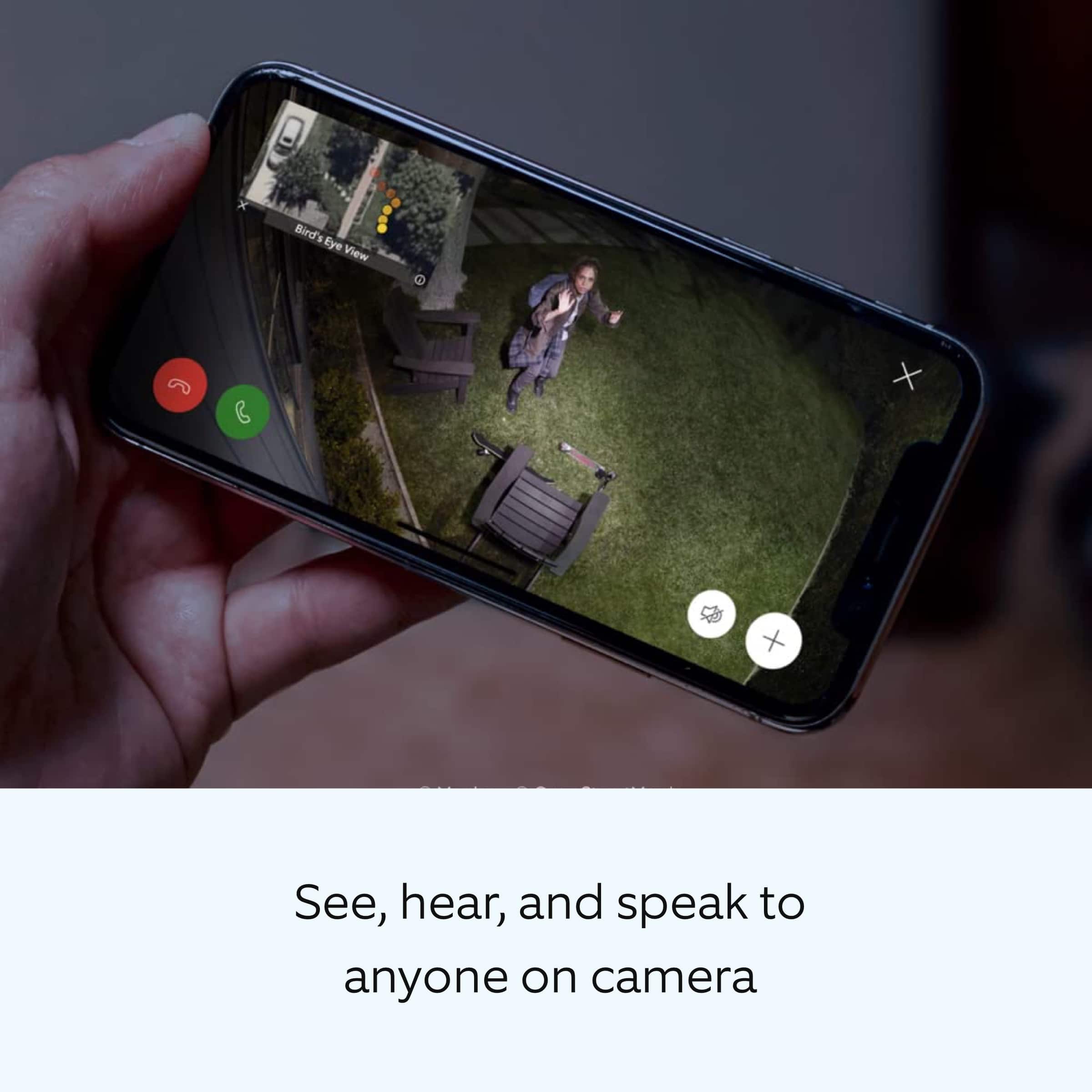
||Posted . Owned for 3 weeks when reviewed.This reviewer received promo considerations or sweepstakes entry for writing a review.Resolution is excellent Audio control and available siren are appropriate if needed. Adjustment to sensitivity allows to alter to your particular needs
I would recommend this to a friend