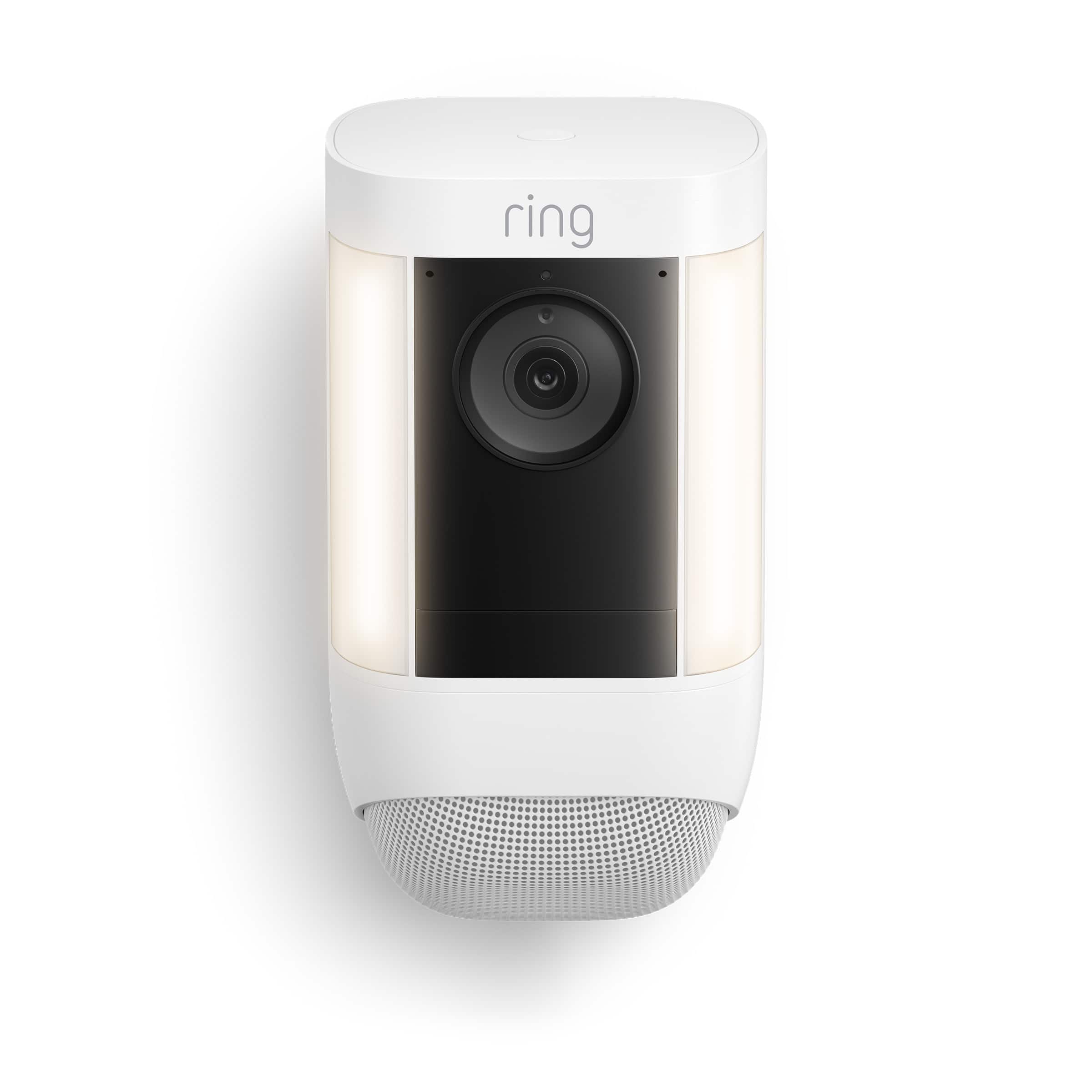
Customer Ratings & Reviews
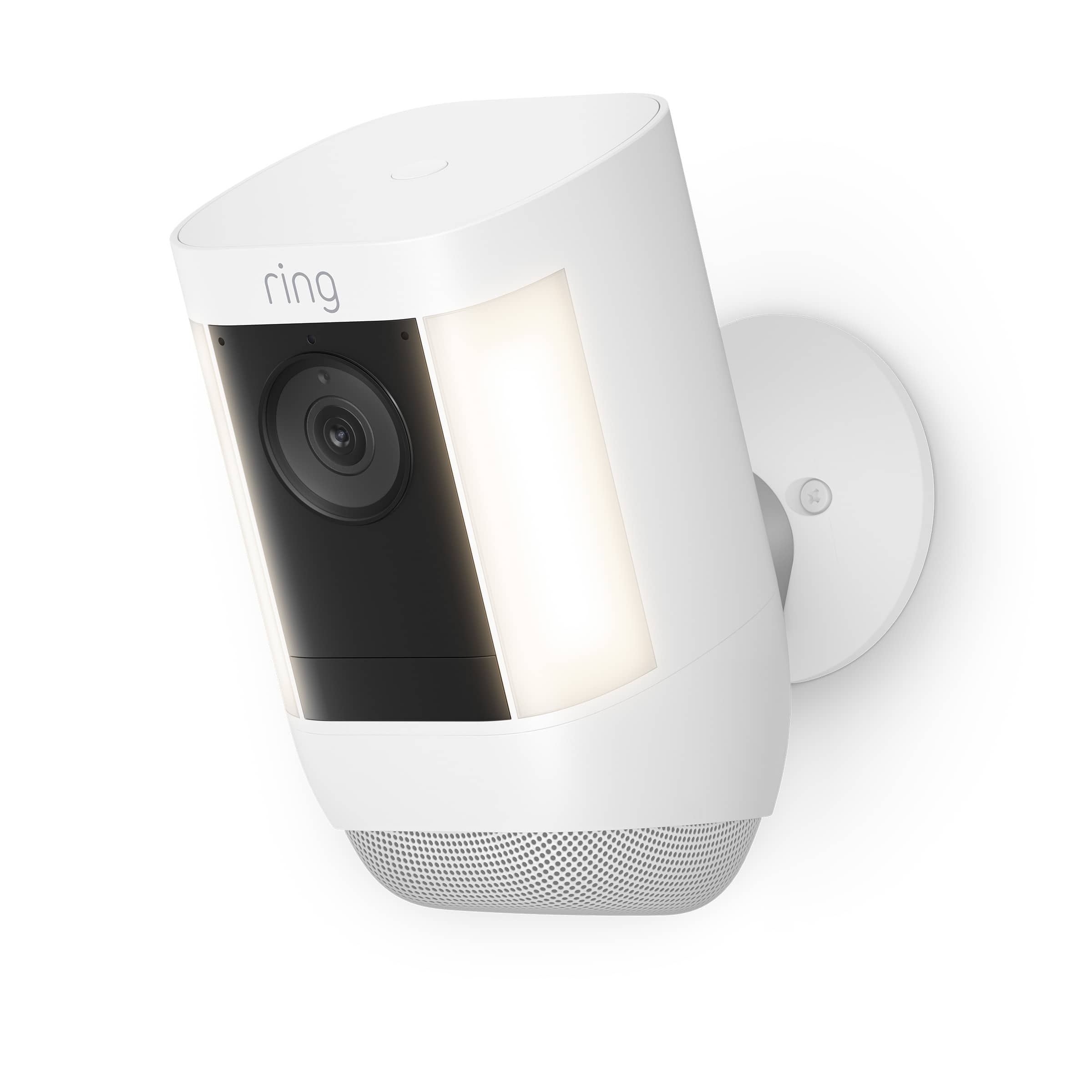
- Model:
- B09DRX62ZV
- |
- SKU:
- 6520139
Customer reviews
Rating 4.6 out of 5 stars with 497 reviews
(497 customer reviews)Rating by feature
- Value4.5
Rating 4.5 out of 5 stars
- Quality4.7
Rating 4.7 out of 5 stars
- Ease of Use4.7
Rating 4.7 out of 5 stars
Customers are saying
Customers are impressed with the Spotlight Cam Pro's excellent camera quality, ease of use, and effective motion detection. Many appreciate the bright LED lights and reliable night vision, enhancing both security and convenience. Positive feedback also highlights the relatively easy installation process. However, some users express concerns regarding the battery life, suggesting it could be improved.
This summary was generated by AI based on customer reviews.
Rated 3 out of 5 stars
Good but could be better.
||Posted . Owned for 5 months when reviewed.This reviewer received promo considerations or sweepstakes entry for writing a review.The camera is next to my router and it keeps telling me that it has weak signal. It takes a second for the Hdr to kick in. Sometimes theres a lag and i miss recordings of deliveries to my front door. I hope theirs an update to fix the connection.
No, I would not recommend this to a friendBrand response from Ring
Posted .Hi SeaGreen.
Thank you for taking the time to share your experience with us. At Ring, we understand it is essential to have your Ring Spotlight Cam Pro online and working properly so you can keep your home secure. Having a solid connection ensures you do not miss any activity around your home. We are here today to provide you with education to assist you in finding the best solution for your home’s environment.
It sounds like the device is not performing as expected. A poor wifi signal can cause connectivity with your Ring device to be unreliable. Check the Device Health section of your Ring application to ensure the device’s RSSI is within an acceptable range. The recommended range for optimal performance is 0 to -60 for the RSSI.
If your networking equipment hasn’t been power-cycled in a while, try unplugging it for 30 seconds and plugging it back in. Wireless networks utilize different channels for communication. In the United States, the 2.4 GHz band uses channels 1-11 and the 5 GHz band uses channels 36-165. In some cases, setting up your Ring device(s) can fail due to wireless interference or congestion.
Here are a few of the top reasons for poor connectivity:
Your Ring device may be too far from your WiFi router.
Your mobile device has a low signal or poor connection.
Your home wifi connection is poor (or your internet service provider is experiencing high traffic).
To learn more about your device's signal strength, follow these steps:
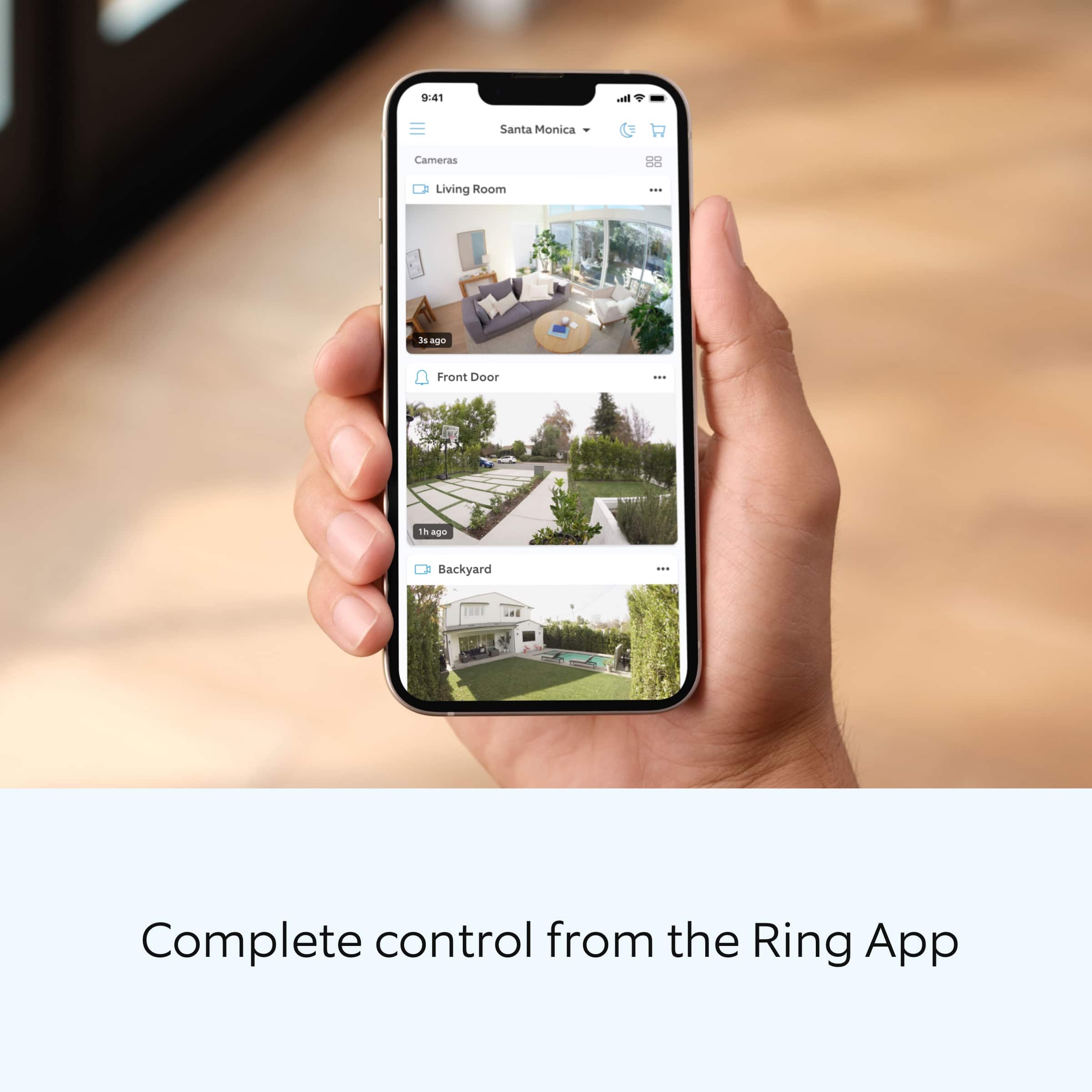
Open the Ring app.
Tap the menu (☰).
Tap “Devices.”
Select the ring device you would like to test.
Tap on the “Device Health” tile.
Scroll to “Signal Strength” under the “Network” section.
The green, amber, and red colors are indicators of your device connection. Green is good; red is poor.
Move your wifi router off the floor.
Walls, floors, and furniture can interfere with or weaken your router's wireless signal. Choose an elevated, central, open location for your wifi router.
Check your mobile device's signal. If your mobile device has one or two bars, this could be causing issues accessing your Ring device. For best results, make sure you're connected to wifi from wherever you are.
Most internet service providers range from 100–400 mbps (megabytes per second) for download speed and 10–100 mbps for uploading. If your wifi speed is falling below the ranges noted above, we recommend contacting your internet service provider.
If any additional information is needed regarding your Ring Spotlight Cam Pro, please reach out to our community. Ring Community is our first peer-to-peer community forum, giving our customers the ability to help one another and share their feedback and experiences directly with Ring.
Thank you,
Melissa from Ring.
Rated 1 out of 5 stars
Simply doesn't work
||Posted . Owned for less than 1 week when reviewed.This reviewer received promo considerations or sweepstakes entry for writing a review.I have the ring spotlight cam plus and I am very happy with the spotlight cam plus. I bought this device as an upgrade. Let me just say this is far from an upgrade and more like a downgrade! Camera doesn't pickup motion properly and The spotlights never never go on when there is cars driving by. This is actually a huge letdown for me due to the fact the spotlight cam plus works a lot better and can detect motion further away then what this camera can
This review is from Spotlight Cam Pro, Battery with 2K Video and Ring Vision, LED Lights, Dual-Band Wifi, and 3D Motion Detection - Black
No, I would not recommend this to a friendBrand response from Ring
Posted .Hi Josh.
Thank you for taking the time to share your experience with us. We understand how important it is to have your Ring Spotlight Cam Pro capture all the correct motion events. The Ring Spotlight Cam Pro was designed to capture motions based on your specifications to help keep your home secure. We are here to provide you with some information to resolve the issue you mentioned in your review.
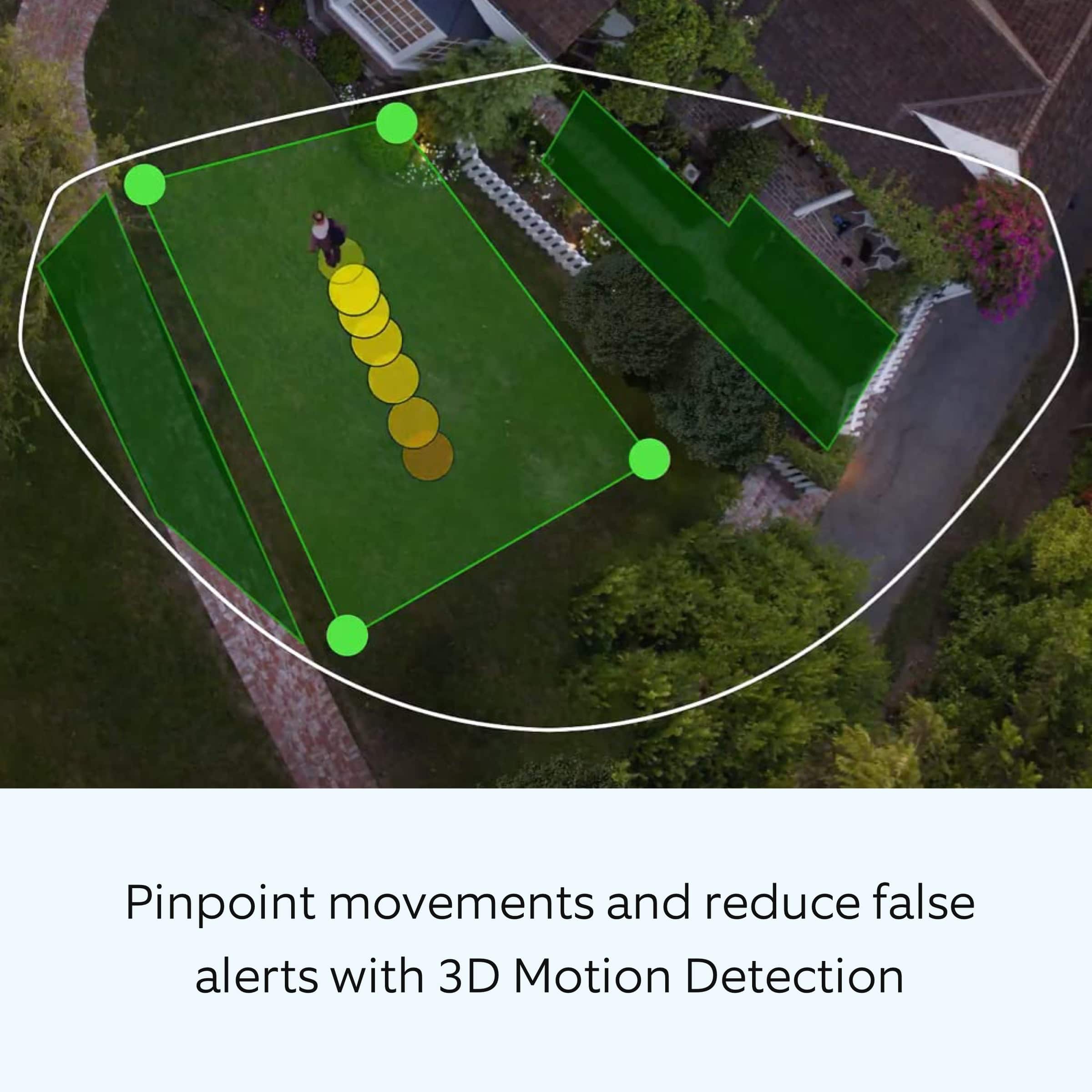
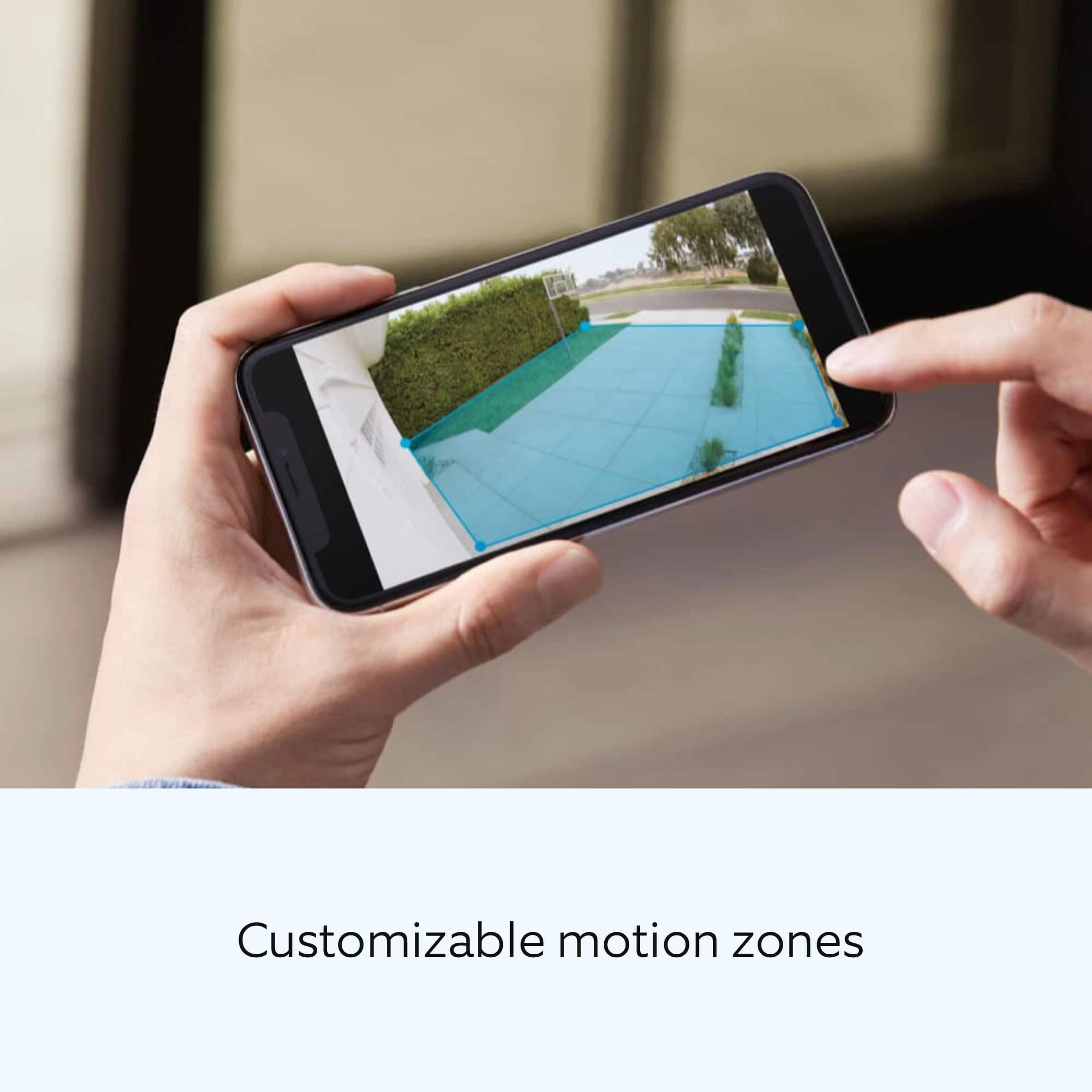
It sounds like the device is not performing as expected in regards to person detection. It is important to ensure that you have the proper motion settings in place for your environment. This camera uses adjustable motion detection and runs on passive infrared sensors. The system identifies visitors via a moving heat signature and sends a notification to your smart device when one is detected. You can adjust three preset motion zones and their distances under the "Motion Settings" tab on the device's page in the Ring app. Additionally, you can choose how often the camera checks for movement in those predefined zones via the "Motion Frequency" setting. If you find that your camera is missing some motions, please set the motion frequency to "Frequently."
Accuracy in motion detection can also be improved by enabling the "Smart Alerts" feature for people only in your Ring app. To enable "Smart Alerts," please follow these steps:
Tap the menu (≡) on the top left.
Tap "Devices."
Tap the device that you want to adjust.
Tap "Motion Settings."
Tap "Smart Alerts."
Tap "Enable Feature."
Tap "Continue."
Select the notification options that you want for "Person" and "Other Motion."
You'll see a video camera where you can select or de-select recording and a bell icon to represent alert notifications.
After you've adjusted your settings, tap "Done.".
If any additional information is needed regarding your Ring Spotlight Cam Pro, please reach out to our community. Ring Community is our first peer-to-peer community forum, giving our customers the ability to help one another and share their feedback and experiences directly with Ring.
Thank you,
Matthew from Ring.
- Cons mentioned:Wi-fi connection
Rated 2 out of 5 stars
Keeps losing Wi-Fi connection.
||Posted . Owned for 1 month when reviewed.This reviewer received promo considerations or sweepstakes entry for writing a review.Keeps losing wi-fi connection. Very disappointed. I just upgraded to this product because previous ring camera had the same issue.
This review is from Spotlight Cam Pro, Battery with 2K Video and Ring Vision, LED Lights, Dual-Band Wifi, and 3D Motion Detection - Black
I would recommend this to a friendBrand response from Ring
Posted .Hi Ande.
Thank you for taking the time to share your experience with us. At Ring, we understand it is essential to have your Ring Spotlight Cam Pro online and working properly so you can keep your home secure. Having a solid connection ensures you do not miss any activity around your home. We are here today to provide you with education to assist you in finding the best solution for your home’s environment.
It sounds like the device is not performing as expected. The Ring Spotlight Cam Pro is compatible with 802.11 b/g/n wifi connection @ 2.4GHz and 5.0GHz. High-speed internet is recommended. If your Ring device is far from your wifi router, it may be experiencing connection issues.
Here are a few of the top reasons for poor connectivity:
Your Ring device may be too far from your WiFi router.
Your mobile device has a low signal or poor connection.
Your home wifi connection is poor (or your internet service provider is experiencing high traffic).
To learn more about your device's signal strength, follow these steps:
Open the Ring app.
Tap the menu (☰).
Tap “Devices.”
Select the ring device you would like to test.
Tap on the “Device Health” tile.
Scroll to “Signal Strength” under the “Network” section.
The green, amber, and red colors are indicators of your device connection. Green is good; red is poor.
Move your wifi router off the floor.
Walls, floors, and furniture can interfere with or weaken your router's wireless signal. Choose an elevated, central, open location for your wifi router.
Most internet service providers range from 100–400 mbps (megabytes per second) for download speed and 10–100 mbps for uploading. Follow these instructions to run a speed test on your wifi network:
* Turn off the cellular data on your mobile device in settings.
* Make sure you are connected to your wifi network.
* Open up a web browser and go to bandwidthplace.com.
* Take your mobile device into the same room as your router.
* Press the Start button and measure your internet speed near your router.
* Take your mobile device to the place where you're installing your Ring device.
* Press the Start button and measure your internet speed again.
We recommend the following solutions to this problem:
Install a wifi extender such as our Ring Chime Pro.
Contact your ISP about increasing your speeds.
If any additional information is needed regarding your Ring Spotlight Cam Pro, please reach out to our community. Ring Community is our first peer-to-peer community forum, giving our customers the ability to help one another and share their feedback and experiences directly with Ring.
Thank you,
Melissa from Ring.
- Cons mentioned:Battery life
Rated 2 out of 5 stars
Outdoor security camera
||Posted . Owned for 1 month when reviewed.This reviewer received promo considerations or sweepstakes entry for writing a review.The battery is discharging very quickly. It is not as good as a salesperson told me.
This review is from Spotlight Cam Pro, Battery with 2K Video and Ring Vision, LED Lights, Dual-Band Wifi, and 3D Motion Detection - Black
No, I would not recommend this to a friendBrand response from Ring
Posted .Hi AkramZ.
Thank you for taking the time to share your experience. We understand the importance of having a solid charge on your Ring Spotlight Cam Pro so that you are able to have a longer time between charge cycles. Having longevity in a battery-powered security device is crucial when it comes to monitoring your home, especially if you are away for long periods of time. We are here to provide you with some education to resolve the battery life issue you mentioned in your review.
It sounds like you are concerned about the battery life of your Ring device. Spotlight Cam Pro is an outdoor security camera that includes advanced video, audio, connectivity, and motion detection features. The product provides outdoor coverage for common blind spot areas in clear HDR. There are some troubleshooting steps that you can take to ensure that you have your device set up for optimal performance.
As cold weather sets in, lithium-ion batteries like those used in Ring Doorbells and Security Cameras may experience several issues including trouble holding a charge, running out of power faster than normal, or losing functionality. Knowing at what temperature batteries will start to be impacted can help you take the necessary steps to keep your device working. When the temperature drops to:
36°F (3°C): The battery may not hold a charge as effectively, resulting in having to charge the unit more frequently.
32°F (0°C): The battery may not charge at all. Even hardwired configurations may not charge the battery.
-5°F (-20.5°C): The battery may stop working completely until temperatures warm up.
When it gets cold and your device's battery runs out, bring your entire device inside and charge the battery with a USB cord. This will allow your device to warm up while the battery charges.
The more events captured by your Ring camera, the more your battery is used. Using Live View often can also drain your battery faster. If your device is capturing an excessive number of events each day, you may need to recharge your battery sooner. To prevent excessive activity, under Motion Settings for your device in the Ring app you can:
Adjust your Motion Sensitivity slider to a lower sensitivity.
Redraw your Customizable Motion Zones.
Change Motion Frequency to regularly or periodically.
You could also adjust the direction of your Ring device so it doesn't detect as much motion.
You can go to Power Settings in the Ring app to see what features may be draining your battery.
To access Power Settings, open the Ring app:
Tap menu (≡) on the top left of the Dashboard.
Tap Devices.
Tap the individual device (video doorbell or security camera) you want to check.
Tap Power Settings to check your Battery Level percentage and Feature Power Usage .
Tap a feature to adjust Snapshot Capture, Motion Frequency and Video Recording Length.
If any additional information is needed regarding the battery life of your Ring Spotlight Cam Pro, please reach out to our Community. Ring Community is our first peer-to-peer community forum, giving our customers the ability to help one another and share their feedback and experiences directly with Ring.
Thank you for being the best part of Ring! Have a wonderful day!
Sincerely,
Melissa from Ring.
Rated 2 out of 5 stars
Never delivered but charged
||Posted . Owned for 3 weeks when reviewed.This reviewer received promo considerations or sweepstakes entry for writing a review.I still have not received. I got a message that the roadie who was delivering it canceled the order. I still see where I’m being charged for something I haven’t received. This needs to be taken care of.
This review is from Spotlight Cam Pro, Battery with 2K Video and Ring Vision, LED Lights, Dual-Band Wifi, and 3D Motion Detection - Black
I would recommend this to a friendBrand response from Ring
Posted .Hi JeffreyH.
Thank you for sharing your experience with us. At Ring, we want to ensure that you have the best possible experience with our products. Your peace of mind and security are extremely important to us. A smooth order process allows you to get your Ring Spotlight Cam Pro set up so that you can begin using it right away. Rest assured, we're here to help!
In this particular case, we'd suggest you reach out to Best Buy's customer service: 1-888-237-8289. or https://www.bestbuy.com/services/triage/home. We are confident that they will be able to provide you with a resolution to this concern.
Ring Community was launched to help deliver the most current news and educational information to our neighbors. This online forum is divided into four categories: Product Boards, Ring Updates, Tips + Tricks, and a Moderators’ Corner. The Product Boards are where you can begin new topics with your questions or feedback; there is also a search option that helps you find topics that have already been posted by other neighbors. We invite you to visit our site at https://community.ring.com/ today.
Thank you,
Melissa from Ring.
- Pros mentioned:Camera quality
Rated 5 out of 5 stars
Nice camera
||Posted . Owned for 2 weeks when reviewed.This reviewer received promo considerations or sweepstakes entry for writing a review.So far so good. Better quality. Easy installation.
This review is from Spotlight Cam Pro, Battery with 2K Video and Ring Vision, LED Lights, Dual-Band Wifi, and 3D Motion Detection - Black
I would recommend this to a friend - Cons mentioned:Battery life
Rated 2 out of 5 stars
Bad battery
||Posted . Owned for 1 month when reviewed.This reviewer received promo considerations or sweepstakes entry for writing a review.Battery is fairly bad. I have to Charge every alternative week
This review is from Spotlight Cam Pro, Battery with 2K Video and Ring Vision, LED Lights, Dual-Band Wifi, and 3D Motion Detection - Black
No, I would not recommend this to a friendBrand response from Ring
Posted .Hello Arvind.
Thank you for taking the time to share your experience. We understand the importance of having a solid charge on your Ring Spotlight Cam Pro so that you are able to have a longer time between charge cycles. Having longevity in a battery-powered security device is crucial when it comes to monitoring your home, especially if you are away for long periods of time. We are here to provide you with some education to resolve the battery life issue you mentioned in your review.
It sounds like the device is not performing as expected. There are some troubleshooting steps that you can take to ensure that you have your device set up for optimal battery-life performance. The more events captured by your Ring camera, the more your battery is used. Using "Live View" can also drain your battery faster. If your device is capturing an excessive number of events each day, you may need to recharge your battery sooner.
To prevent excessive activity, under "Motion Settings" for your device in the Ring app, you can:
Adjust your "Motion Sensitivity" slider to a lower sensitivity.
Redraw your "Customizable Motion Zones."
Change "Motion Frequency" to regularly or periodically.
You could also adjust the direction of your Ring device so it doesn't detect as much motion.
You can go to "Power Settings" in the Ring app to see what features may be draining your battery.
To access "Power Settings," open the Ring app:
Tap the menu (≡) on the top left of the dashboard.
Tap "Devices."
Tap the individual device (video doorbell or security camera) you want to check.
Tap "Power Settings" to check your "Battery Level" percentage and "Feature Power Usage."
Tap a feature to adjust "Snapshot Capture," "Motion Frequency," and "Video Recording Length.".
As cold weather sets in, lithium-ion batteries like those used in Ring Doorbells and Security Cameras may experience several issues, including trouble holding a charge, running out of power faster than normal, or losing functionality. Knowing at what temperature batteries will start to be impacted can help you take the necessary steps to keep your device working. When the temperature drops to:
36°F (3°C): The battery may not hold a charge as effectively, resulting in having to charge the unit more frequently.
32°F (0°C): The battery may not charge at all. Even hardwired configurations may not charge the battery.
-5°F (-20.5°C): The battery may stop working completely until temperatures warm up.
When it gets cold and your device's battery runs out, bring your entire device inside and charge the battery with a USB cord. This will allow your device to warm up while the battery charges.
We recommend using the Ring Solar Panel to assist with extending the life of the battery in your Ring Spotlight Cam Pro.
If any additional information is needed regarding your Ring Spotlight Cam Pro, please reach out to our community. Ring Community is our first peer-to-peer community forum, giving our customers the ability to help one another and share their feedback and experiences directly with Ring.
Thank you for being the best part of Ring! Have a wonderful day!
Sincerely,
Melissa from Ring.
- Pros mentioned:Camera quality
Rated 5 out of 5 stars
The picture
||Posted . Owned for 1 week when reviewed.This reviewer received promo considerations or sweepstakes entry for writing a review.The clarity of the pictures it takes. The size of the picture and the colors.
I would recommend this to a friend Rated 2 out of 5 stars
Pro not so Pro
||Posted . Owned for 3 weeks when reviewed.This reviewer received promo considerations or sweepstakes entry for writing a review.Picture quality is OK and it loses connection almost every time I try to preview on my iPhone with Internet connection strong. The non-pro version in my ring door camera worked perfectly fine and they have more barriers between the router and the cameras and all about the same distance
This review is from Spotlight Cam Pro, Battery with 2K Video and Ring Vision, LED Lights, Dual-Band Wifi, and 3D Motion Detection - Black
No, I would not recommend this to a friendBrand response from Ring
Posted .Hi ShannonF.
Thank you for taking the time to share your experience with us.
We understand how important it is for your Ring Spotlight Cam Pro to function consistently and reliably. Live View is an important feature that gives you peace of mind by allowing you to see who is on your property at any given time. We want to ensure your device is working as intended by providing you with solutions to resolve the concern you mentioned in your review.
It sounds like you have some concerns with the video quality and connectivity you are experiencing. The Ring Spotlight Cam Pro offers 1080p HD video. If you have poor video quality or long delays before your video starts, this is often caused by slow wifi speeds. The Ring Spotlight Cam Pro works best with a recommended minimum upload speed of 2 Mbps per device. Follow these steps to run a wifi speed test:
Turn off your mobile phone’s cellular data and connect to the same wifi network as your Ring device.
Open the Ring app.
Tap the menu (☰).
Tap Devices.
Select your device.
Tap Device Health.
Under Tools, tap Test Your Wifi.
Tap Start to run a test that will measure your upload and download speeds.
Both upload and download speeds should be at least 1 Mbps or greater, but 2 Mbps or above is ideal.
Check the numbers on your wifi speed test. If either your upload or download speed is below 1 Mbps, then you might consider replacing your router (especially if it's older than five years). Contact your internet service provider to learn more about getting newer equipment and faster speeds.
If you've confirmed you have high internet speeds, reboot your router and the mobile phone, tablet, or PC you're accessing the video feed on. Then check to see if there's any difference when it's back online. Visit our support center for more information on how to improve the performance of your device.
Ring Community was established to assist in providing our neighbors with the most recent news and instructional material. Four sections make up this online forum: Ring Updates, Product Boards, Tips & Tricks, and a Moderators' Corner. You can start new topics on the Product Boards with your questions or suggestions; a search function will assist you in locating subjects that other neighbors have previously posted.
All the best,
Nicole from Ring.
Rated 1 out of 5 stars
Poor performance
||Posted . Owned for more than 2 years when reviewed.This reviewer received promo considerations or sweepstakes entry for writing a review.Spotty performance. Often completely missed a person walking in our driveway.
No, I would not recommend this to a friendBrand response from Ring
Posted .Hi StephenO.
Thank you for taking the time to share your experience with us. We understand how important it is to have your Ring Spotlight Cam Pro capture all the correct motion events. The Ring Spotlight Cam Pro was designed to capture motions based on your specifications to help keep your home secure. We are here to provide you with some information to resolve the issue you mentioned in your review.
It sounds like the device is not performing as expected in regards to motion detection. It is important to ensure that you have the proper motion settings in place for your environment. Here are a few tips to optimize the motion settings on your security camera:
1. Adjust Motion Sensitivity: Ring devices can detect motion up to 30 feet with the Motion Sensitivity slider at the maximum level. If you turn Motion Sensitivity down, this range will be lower, decreasing false motion. If your device is missing motion, increase the Motion Sensitivity using the slider.
2. Change the position of your Ring device: Adjust the position of your camera to improve the accuracy of motion detection.
3. Turn on Smart Alerts: You can enable Smart Alerts on your doorbell or camera to improve motion accuracy in detecting people and other objects, including packages. To turn on Smart Alerts, tap the Motion Settings tile on the device’s page in the Ring app. A Ring Home Plan is required to use Smart Alerts.
4. Change the Motion Frequency: Under Advanced Settings, tap Motion Frequency. You can adjust how often battery-powered devices check for motion. If your device is missing motion events, increase the Motion Frequency to Frequently (Shortest battery life—Motion detection always stays active) in the Ring app. If too much motion is being detected, change the frequency to Regularly (Medium battery life—Motion detection takes a short break after each motion alert) or Periodically (Maximum battery life—Motion detection takes a longer break after each alert).
We invite you to reach out to our community if any additional information is needed regarding your Ring Spotlight Cam Pro. The Ring Community is our first peer-to-peer community forum, giving our customers the ability to help one another by sharing their feedback and experiences with each other.
Thank you,
Amilia from Ring.
- Pros mentioned:Camera quality
Rated 5 out of 5 stars
Ring camera
||Posted . Owned for 1 week when reviewed.This reviewer received promo considerations or sweepstakes entry for writing a review.Camera is fantastic. It’s nice to know what’s going on outside.
I would recommend this to a friend Rated 3 out of 5 stars
bad buy
||Posted . Owned for 1 month when reviewed.This reviewer received promo considerations or sweepstakes entry for writing a review.I love the idea of the camera but the design size and horrible light makes it a bad buy.
This review is from Spotlight Cam Pro, Battery with 2K Video and Ring Vision, LED Lights, Dual-Band Wifi, and 3D Motion Detection - Black
I would recommend this to a friendBrand response from Ring
Posted .Hi tres.
Thank you for taking the time to leave your review of the Ring Spotlight Cam Pro. We understand the importance of having a device that suits your environment so that you can effectively monitor your home. The Ring Spotlight Cam Pro was designed with customizable settings and mounting options providing adjustability to suit your needs. We can definitely provide you with more information on the concerns that you mentioned in your review.
It sounds like the device is not performing as expected. The Spotlight Cam Pro was designed with two 3000° Kelvin spotlights and customizable light settings to provide you with the ability to adjust the lights according to your needs. To adjust the brightness of your Ring Spotlight Cam Pro, please follow these steps:
Open the Ring app.
Tap the menu (☰).
Tap Devices.
Select the Spotlight Cam Pro that you want to adjust.
Select Device Settings.
Select Light Settings.
Select Light Brightness and adjust the slider to make the lights brighter or dimmer.
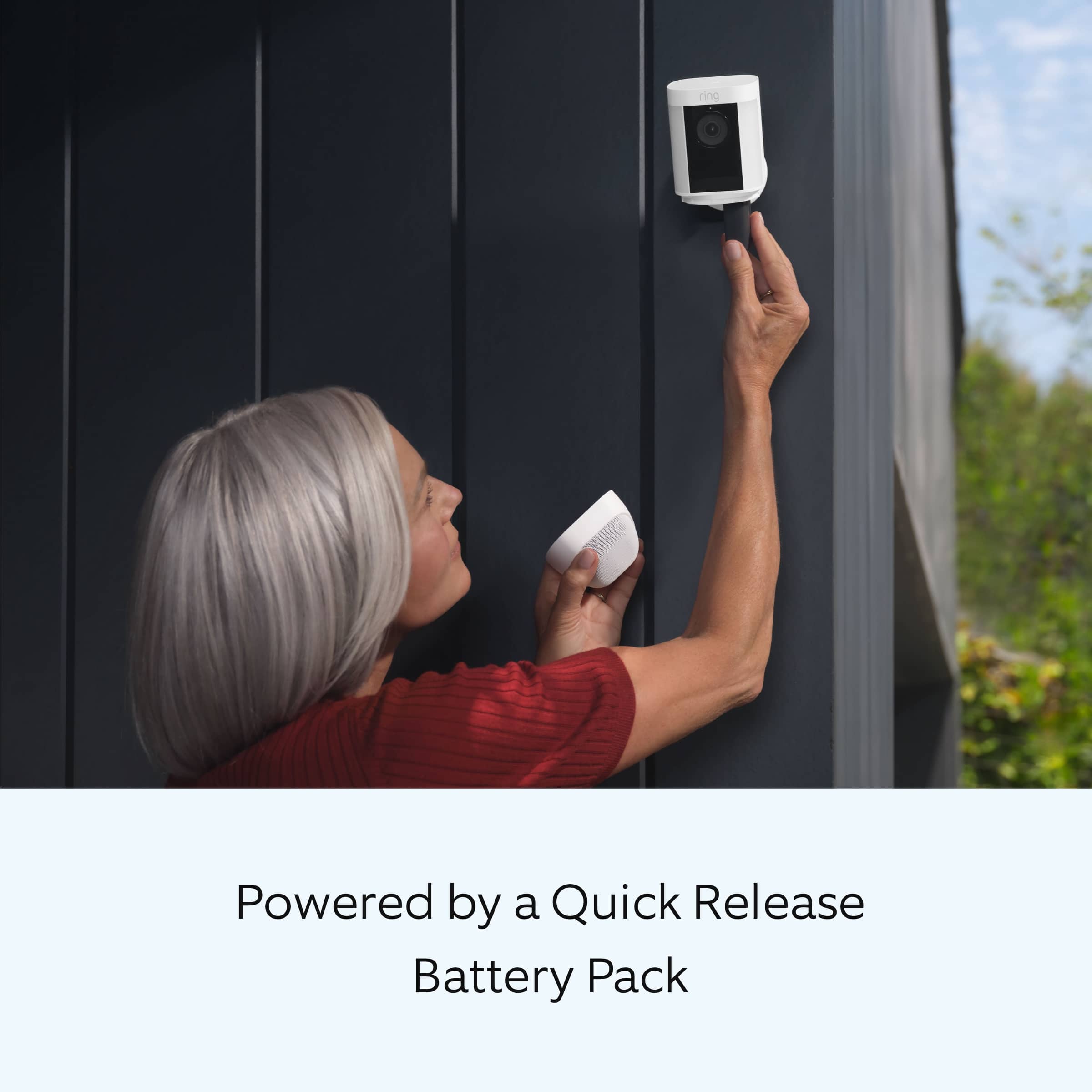
The dimensions for the Ring Spotlight Cam Pro are: 3.1 in. x 3.2 in. x 5.7 in. (77.8 mm x 81.5 mm x 144.63 mm). Your camera can be mounted on an outdoor wall, eave, or overhang. If you are installing the device on a wall, it comes ready to mount with the ball joint pointing down. No adjustments are needed. If you are installing the device on an eave or overhang, remove the battery compartment cover by twisting it counterclockwise and insert the ball joint plate with the ball joint pointing up.
Ring Community was launched in March 2019 to help deliver the most current news and educational information to our neighbors. It is our first peer-to-peer community forum, giving our customers the ability to help one another and share their feedback and experiences with Ring. Please reach out to our community if any additional information is needed regarding your Ring Spotlight Cam Pro.
Thank you,
Melissa from Ring.
Rated 3 out of 5 stars
Camera
||Posted . Owned for 2 weeks when reviewed.This reviewer received promo considerations or sweepstakes entry for writing a review.Not as good as Blink and i wouldn't buy another. I really do not like it
No, I would not recommend this to a friendBrand response from Ring
Posted .Hi JohnwE.
Thank you for taking the time to share your feedback with us. We believe that stronger communities are the key to safer neighborhoods. That is why we are driven to create products that help you protect what matters most at home, and empower you to connect with your visitors from wherever you are. Together, we’ll make neighborhoods safer!
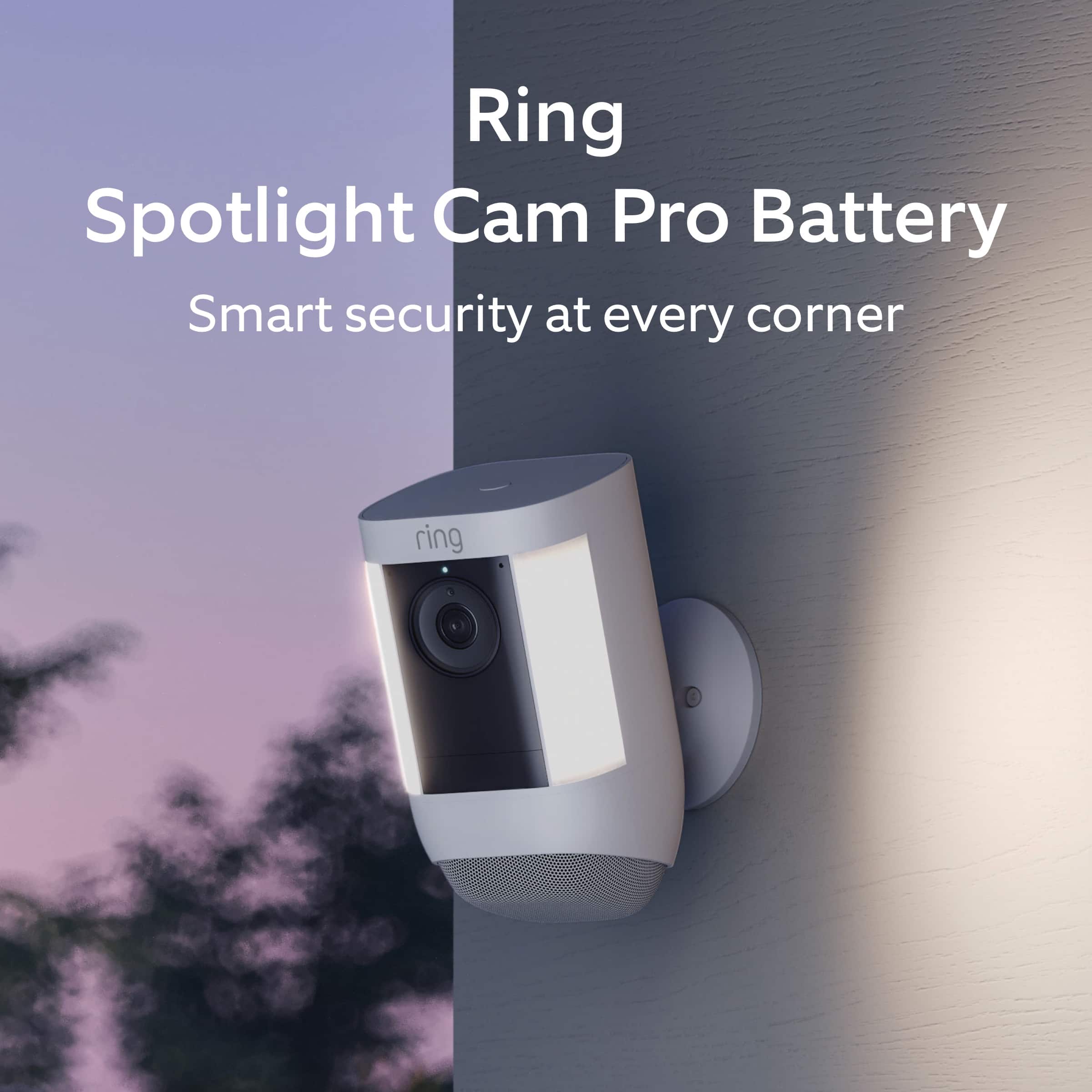
Spotlight Cam Pro is an outdoor security camera that includes advanced video, audio, connectivity, and motion detection features. The product provides outdoor coverage for common blind spot areas in clear HDR.
At Ring, we are constantly innovating on behalf of our customers to develop products that best meet their home and security needs, and provide them with as much choice as possible. Ring Community is our first peer-to-peer community forum, giving our customers the ability to help one another and share their feedback/experiences with Ring. We invite you to reach out to our community if you have any additional questions or feedback regarding your Ring Spotlight Cam Pro. We look forward to hearing from you!
All the best,
Melissa from Ring.
Rated 3 out of 5 stars
Light not bright enough love camera
||Posted . Owned for 1 month when reviewed.This reviewer received promo considerations or sweepstakes entry for writing a review.I like the camera but the lights not as bright as i really nead
No, I would not recommend this to a friendBrand response from Ring
Posted .Hi mwc40yearstruckdriver.
Thank you for taking the time to share your experience with us. We understand the importance of having all relevant product information prior to purchasing. The features and technology provided by the Ring Spotlight Cam Pro are incredibly valuable and help provide you with peace of mind about your home security. We can definitely provide you with more information regarding the concern mentioned in your review.
It sounds like the device is not performing as expected. Spotlight Cam Pro is an outdoor security camera that includes advanced video, audio, connectivity, and motion detection features. The product provides outdoor coverage for common blind spot areas in clear HDR. We recommend installing the camera 8-10 feet from the ground for optimal performance.
The Spotlight Cam Pro is designed with two 3000° Kelvin spotlights and customizable light settings to provide you with the ability to adjust the lights according to your needs. To adjust the brightness of your Ring Spotlight Cam Pro, please follow these steps:
Open the Ring app.
Tap the menu (☰).
Tap Devices.
Select the Spotlight Cam Pro that you want to adjust.
Select Device Settings.
Select Light Settings.
Select Light Brightness and adjust the slider to make the lights brighter or dimmer.
We invite you to reach out to our Community if any additional information is needed regarding your Ring Spotlight Cam Pro. The Ring Community is our first peer-to-peer community forum, giving our customers the ability to help one another by sharing their feedback and experiences with each other.
Thank you,
Melissa from Ring.
- Cons mentioned:Battery life
Rated 1 out of 5 stars
Ring spotlight cam pro outdoor battery operated
||Posted . Owned for 2 months when reviewed.This reviewer received promo considerations or sweepstakes entry for writing a review.I don’t like this camera. I have the ring spotlight wired camera which I love. But this one is awful. Battery always needs to be charged quite frequently. I even bought the solar panel and it is just not for me.
No, I would not recommend this to a friendBrand response from Ring
Posted .Hi Lpreston58. Thank you for taking the time to share your experience with us. We understand how important it is for your Ring Spotlight Cam Pro to function consistently and reliably, so you are alerted to any wanted or unwanted activity in or around your home. Having a solid connection ensures you do not miss any activity around your home. We are here to provide you with some information to resolve the issue you mentioned in your review.
It sounds like you are experiencing issues with the device in regards to battery life. There are some troubleshooting steps that you can take to ensure that you have your device set up for optimal performance.
While batteries in Ring devices can go months between recharges with normal use, this is dependent on a number of factors in your home's environment such as the local weather and the number of activities captured. The more events captured by your Ring Spotlight Cam Pro, the more your battery is used to power the live HD video stream to your device. Even if you do not answer the call, video is still sent from your Ring product to the Ring servers. In addition, the battery is also drained each time you use the live view to look or speak through your camera. As most of our Ring cameras and doorbells are powered by lithium-ion batteries, it's important to note that at temperatures below 40 °F, the battery is less effective at holding a charge and may require more frequent recharges
As cold weather sets in, lithium-ion batteries like those used in Ring Doorbells and Security Cameras may experience several issues including trouble holding a charge, running out of power faster than normal, or losing functionality. Knowing at what temperature batteries will start to be impacted can help you take the necessary steps to keep your device working. When the temperature drops to:
36°F (3°C): The battery may not hold a charge as effectively, resulting in having to charge the unit more frequently.
32°F (0°C): The battery may not charge at all. Even hardwired configurations may not charge the battery.
-5°F (-20.5°C): The battery may stop working completely until temperatures warm up.
When it gets cold and your device's battery runs out, bring your entire device inside and charge the battery with a USB cord. This will allow your device to warm up while the battery charges.
The device's battery level may vary based on the amount of direct sunlight the solar panel receives. It is important to ensure that your Ring Solar Panel is installed correctly and that it is receiving enough direct sunlight to operate as intended. For best performance, Ring recommends at least two to three hours of direct sunlight for the Solar Panel. With the recommended amount of direct sunlight, the device will remain continuously charged under most conditions.
Make sure there are no obstructions or objects that could cast a shadow on your solar panel, such as an extended roof, tree, or bush. Seasonality and how far north (or south) you live can affect the strength of the sun. If you live in the Northern Hemisphere, install your solar panel facing south. If you live in the Southern Hemisphere, install it facing north. Ring recommends using the adjustable arm to angle the panel at about 45 degrees toward the sky to get the most sunlight possible.
If any additional information is needed regarding your Ring Spotlight Cam Pro, please reach out to our Community. Ring Community is our first peer-to-peer community forum, giving our customers the ability to help one another and share their feedback and experiences directly with Ring.
Thank you,
Melissa from Ring.
Rated 2 out of 5 stars
Not worth the time or money.
||Posted . Owned for 3 weeks when reviewed.This reviewer received promo considerations or sweepstakes entry for writing a review.Camera picked up motion when first installed. Since that time it hasn't picked up motion at all. Light doesn't come on or anything. I reviewed all instructions and it's still mot working. 1st generation was so much easier to set up.
No, I would not recommend this to a friendBrand response from Ring
Posted .Hello Lady,
Thank you for taking the time to let us know your experience with your Ring [device]. Having real-time alerts is one of the most vital features your Ring Spotlight Cam has to offer, and we would like to ascertain a suitable solution for you.
Please ensure you have notifications enabled by following these instructions: https://ring.com/support/articles/76udz/Enabling-Notifications-on-a-Mobile-Device. If you're still having trouble after you've enabled notifications in your device settings, you may need to check your Motion Zones and Motion Alerts in the Ring app to ensure your device(s) is registering events that would normally trigger notifications.
Ring Community is our first peer-to-peer community forum, giving our customers the ability to help one another and share their feedback and experiences with Ring. We invite you to reach out at https://community.ring.com/ if any additional information is needed regarding your Ring Spotlight Cam Pro concern.
Thank you,
Alexis with Ring
Rated 3 out of 5 stars
Not sure yet!
||Posted . Owned for 2 months when reviewed.This reviewer received promo considerations or sweepstakes entry for writing a review.Fair, Just wish I could manually turn the spot light off.
This review is from Spotlight Cam Pro, Battery with 2K Video and Ring Vision, LED Lights, Dual-Band Wifi, and 3D Motion Detection - Black
No, I would not recommend this to a friendBrand response from Ring
Posted .Hi Cindy.
Thank you for taking the time to share your experience with us. We understand how critical it is for your Ring Spotlight Cam Pro lights to activate according to your needs so that you can effectively monitor your home. The Ring Spotlight Cam Pro was designed to capture motions based on your specifications to help keep your home secure. We can definitely assist you with this today, and we are confident we can find the correct settings for your home’s environment.
It sounds like the device is not performing as expected. The Ring Spotlight Cam Pro is an outdoor security camera that includes advanced video, audio, connectivity, and motion detection features. The product provides outdoor coverage for common blind spot areas in clear HDR. The Ring Spotlight Cam Pro was designed with customizable light settings. To turn off the motion-activated lights, please follow these steps in the Ring app:
Open the Ring app.
Tap the menu (☰).
Tap "Devices."
Select the Spotlight Cam Pro that you want to adjust.
Select "Device Settings."
Select "Light Settings."
Toggle off the switch for "Motion-Activated Lights."
We invite you to reach out to our community if any additional information is needed regarding your Ring Spotlight Cam Pro. The Ring Community is our first peer-to-peer community forum, giving our customers the ability to help one another by sharing their feedback and experiences with each other.
Thank you,
Melissa from Ring.
Rated 3 out of 5 stars
Ring camera
||Posted . Owned for 10 months when reviewed.This reviewer received promo considerations or sweepstakes entry for writing a review.It's okay I like the original ring much better IMO
This review is from Spotlight Cam Pro, Battery with 2K Video and Ring Vision, LED Lights, Dual-Band Wifi, and 3D Motion Detection - Black
No, I would not recommend this to a friendBrand response from Ring
Posted .Hi Xrx2.
Thank you for taking the time to share your feedback with us. We believe that stronger communities are the key to safer neighborhoods. That is why we are driven to create products that help you protect what matters most at home, and empower you to connect with your visitors from wherever you are. Together, we’ll make neighborhoods safer!
It sounds like the device is not performing as expected. Ring Spotlight Cam Pro is an outdoor security camera that includes advanced video, audio, connectivity, and motion detection features. The product provides outdoor coverage for common blind spot areas in clear HDR.
At Ring, we are constantly innovating on behalf of our customers to develop products that best meet their home and security needs, and provide them with as much choice as possible. Ring Community is our first peer-to-peer community forum, giving our customers the ability to help one another and share their feedback/experiences with Ring. We invite you to reach out to our community if any additional information is needed regarding your Ring Spotlight Cam Pro.
Thank you,
Melissa from Ring.
Rated 3 out of 5 stars
Good camera
||Posted . Owned for less than 1 week when reviewed.This reviewer received promo considerations or sweepstakes entry for writing a review.It dies what its supposed to do. I Do wish the camera quality eas a little better
This review is from Spotlight Cam Pro, Battery with 2K Video and Ring Vision, LED Lights, Dual-Band Wifi, and 3D Motion Detection - Black
I would recommend this to a friendBrand response from Ring
Posted .Hi Antoinette.
Thank you for taking the time to share your experience with us.
We are pleased to read that you are enjoying the benefits of having a Ring security device installed! We understand the importance of having clear video quality so that you can clearly see any visitors at your home. The features and technology provided by the Ring Spotlight Cam Pro are incredibly valuable and help provide you with peace of mind about your home security. We are eager to provide you with a solution for the concern mentioned in your review.
It sounds like you are enjoying your device but that you have some concerns with the video quality. Poor video quality can be due to slow wifi speeds. We recommend following these steps to run a wifi speed test:
Turn off your mobile phone’s cellular data and connect to the same wifi network as your Ring device.
Open the Ring app.
Tap the menu (☰).
Tap Devices.
Select your device.
Tap Device Health.
Under Tools, tap Test Your Wifi.
Tap Start to run a test that will measure your upload and download speeds.
Both upload and download speeds should be at least 1 Mbps or greater, but 2 Mbps or above is ideal.
Check the numbers on your wifi speed test. If either your upload or download speed is below 1 Mbps, then you might consider replacing your router (especially if it's older than five years). Contact your internet service provider to learn more about getting newer equipment and faster speeds.
Visit our support center for more information.
Ring Community was launched to help deliver the most current news and educational information to our neighbors. This online forum is divided into four categories: Product Boards, Ring Updates, Tips + Tricks, and a Moderators’ Corner. The Product Boards are where you can begin new topics with your questions or feedback; there is also a search option that helps you find topics that have already been posted by other neighbors.
All the best,
Nicole from Ring.
Rated 3 out of 5 stars
Ideo cam
||Posted . Owned for 3 weeks when reviewed.This reviewer received promo considerations or sweepstakes entry for writing a review.Not so good-xxxxxxxxxxxxxxxxxxxxxxxxxxxxxxxxxxxxxxxx
I would recommend this to a friendBrand response from Ring
Posted .Hi BobS.
Thank you for taking the time to leave your review of the Ring Spotlight Cam Pro. We believe that stronger communities are the key to safer neighborhoods. That is why we are driven to create products that help you protect what matters most at home, and empower you to connect with your visitors from wherever you are. Together, we’ll make neighborhoods safer!
We are saddened to hear that the device did not meet your expectations, but are still here to assist you, if needed. The Ring Spotlight Cam Pro is designed with customizable motion detection and adjustability to suit your needs.
At Ring, we are constantly innovating on behalf of our customers to develop products that best meet their home and security needs, and provide them with as much choice as possible. Ring Community is our first peer-to-peer community forum, giving our customers the ability to help one another and share their feedback and experiences with Ring. We invite you to reach out to our community if you have any additional questions or feedback regarding your Ring Spotlight Cam Pro. We look forward to hearing from you!
Thank you,
Melissa from Ring.