Customer Ratings & Reviews


- Model:
- MNY-00001
- SKU:
- 6375625
Rating by feature
- Battery Life
Rating 4.7 out of 5 stars
- Value
Rating 4.1 out of 5 stars
- Quality
Rating 4.6 out of 5 stars
Customers are saying
Customers enjoy the Surface Pro X's compact size, impressive battery life, and lightweight design, making it easy to use and transport. Many appreciate its LTE capabilities and generally positive performance. However, some users point to limited USB port options and app compatibility issues as drawbacks. The price point was also cited as a potential concern for some buyers.
This summary was generated by AI based on customer reviews.
- Pros mentioned:Processor speed, Screen size, Weight

Great slim elegant 2-in-1 device from Microsoft
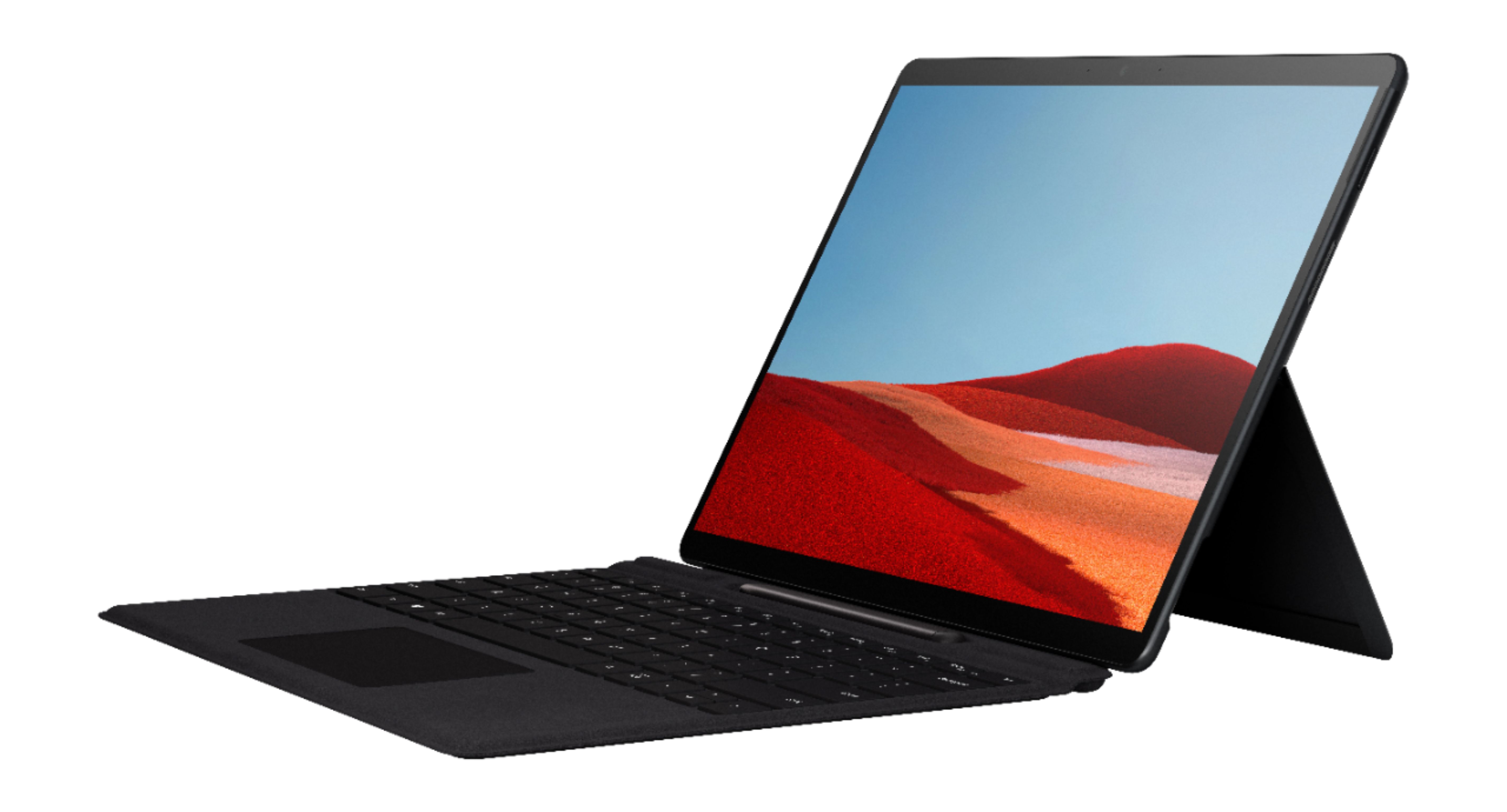
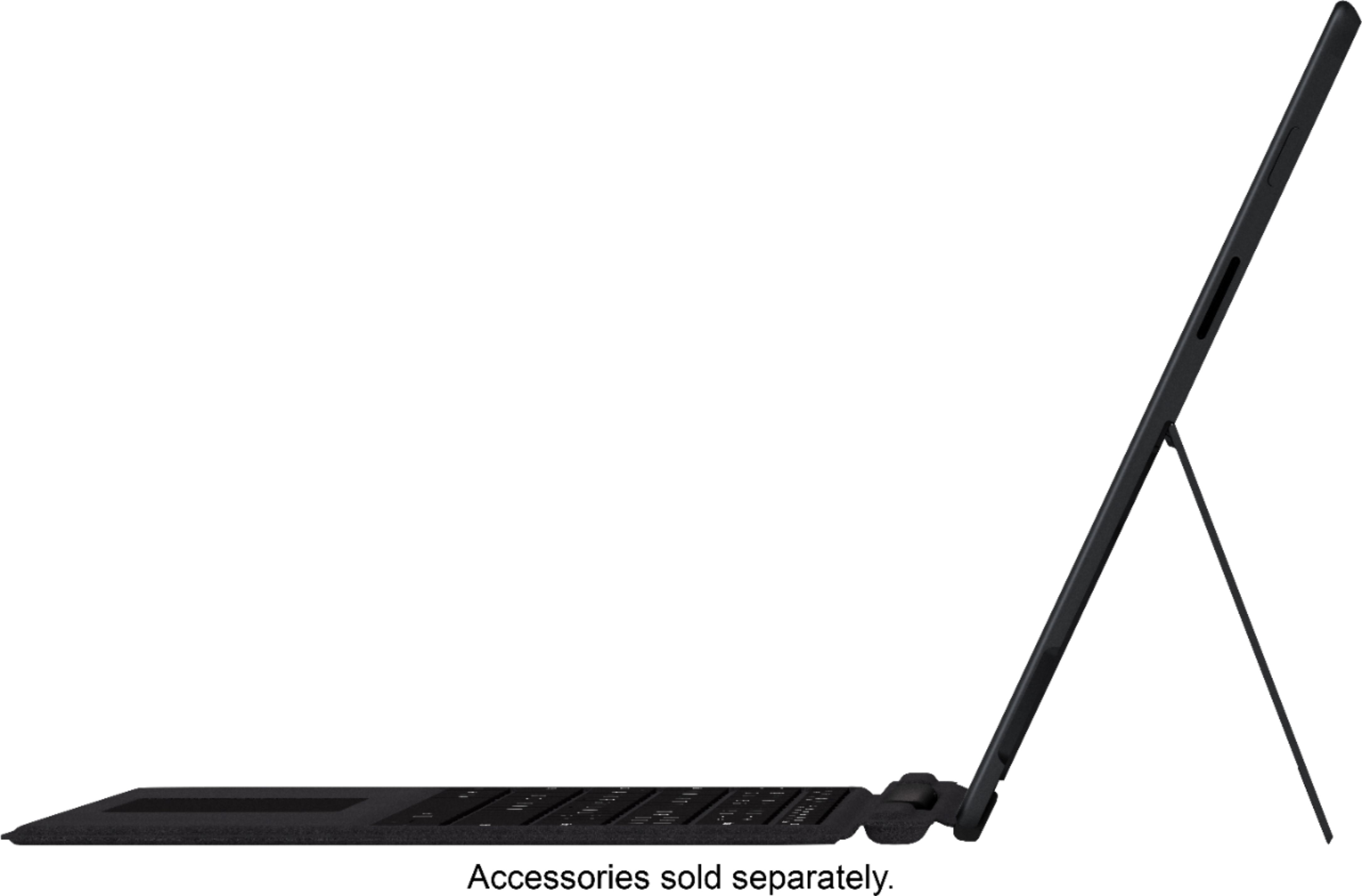
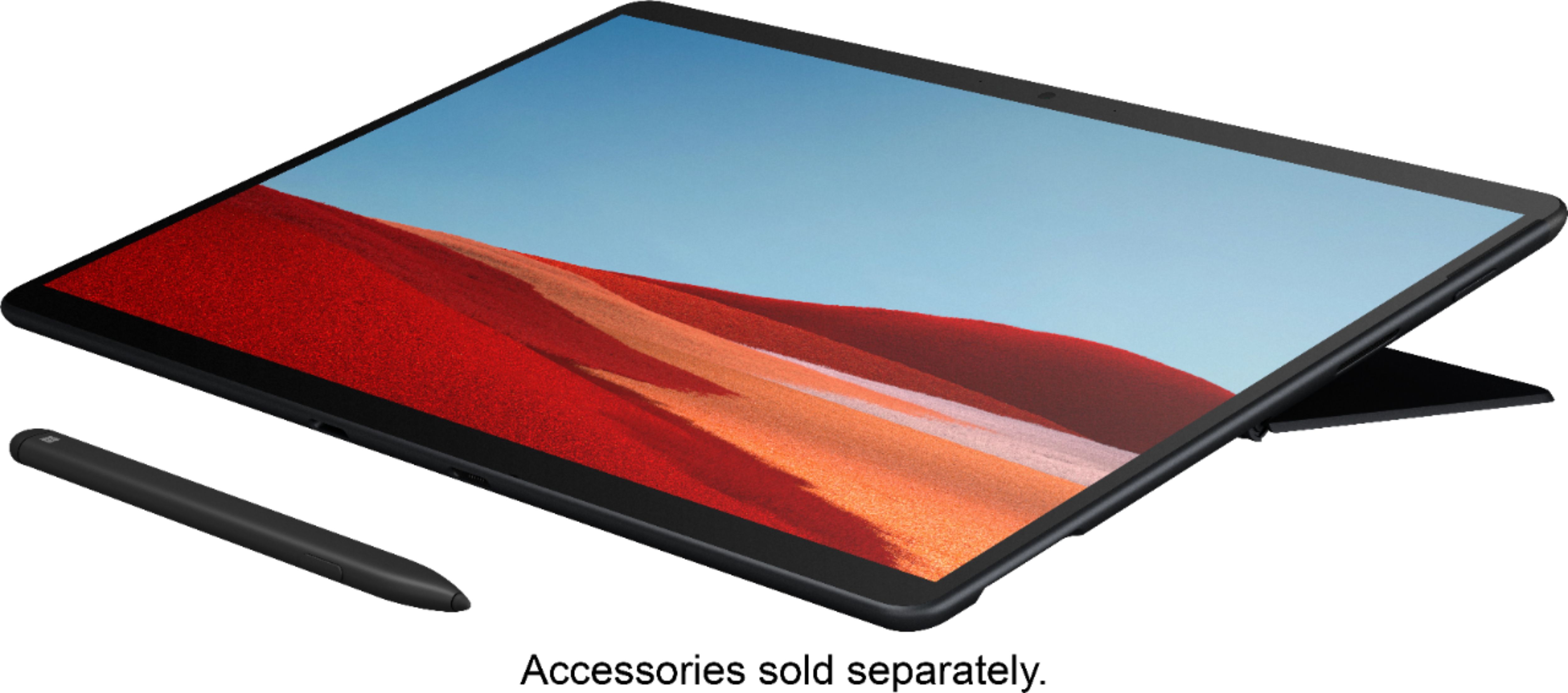
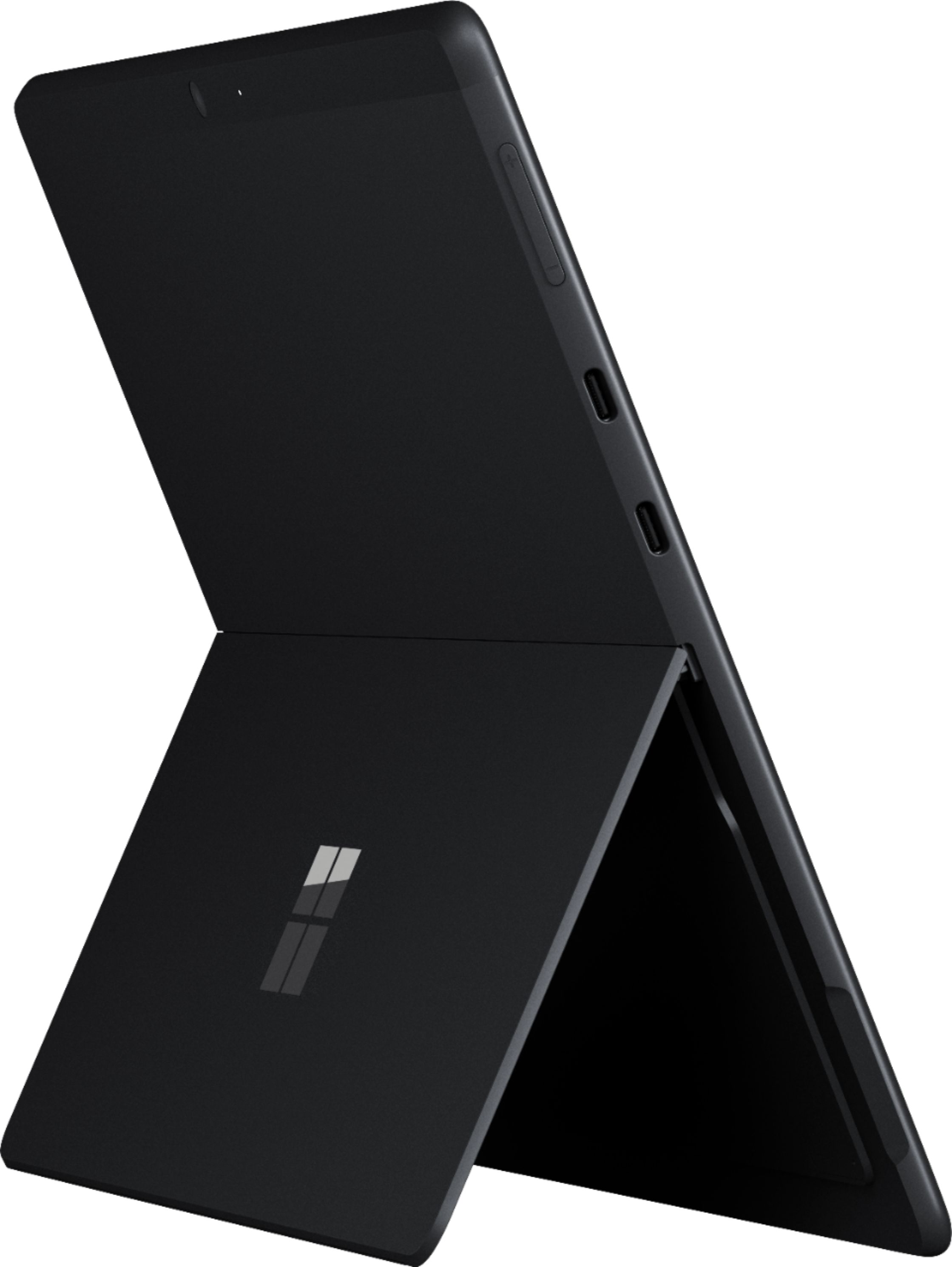
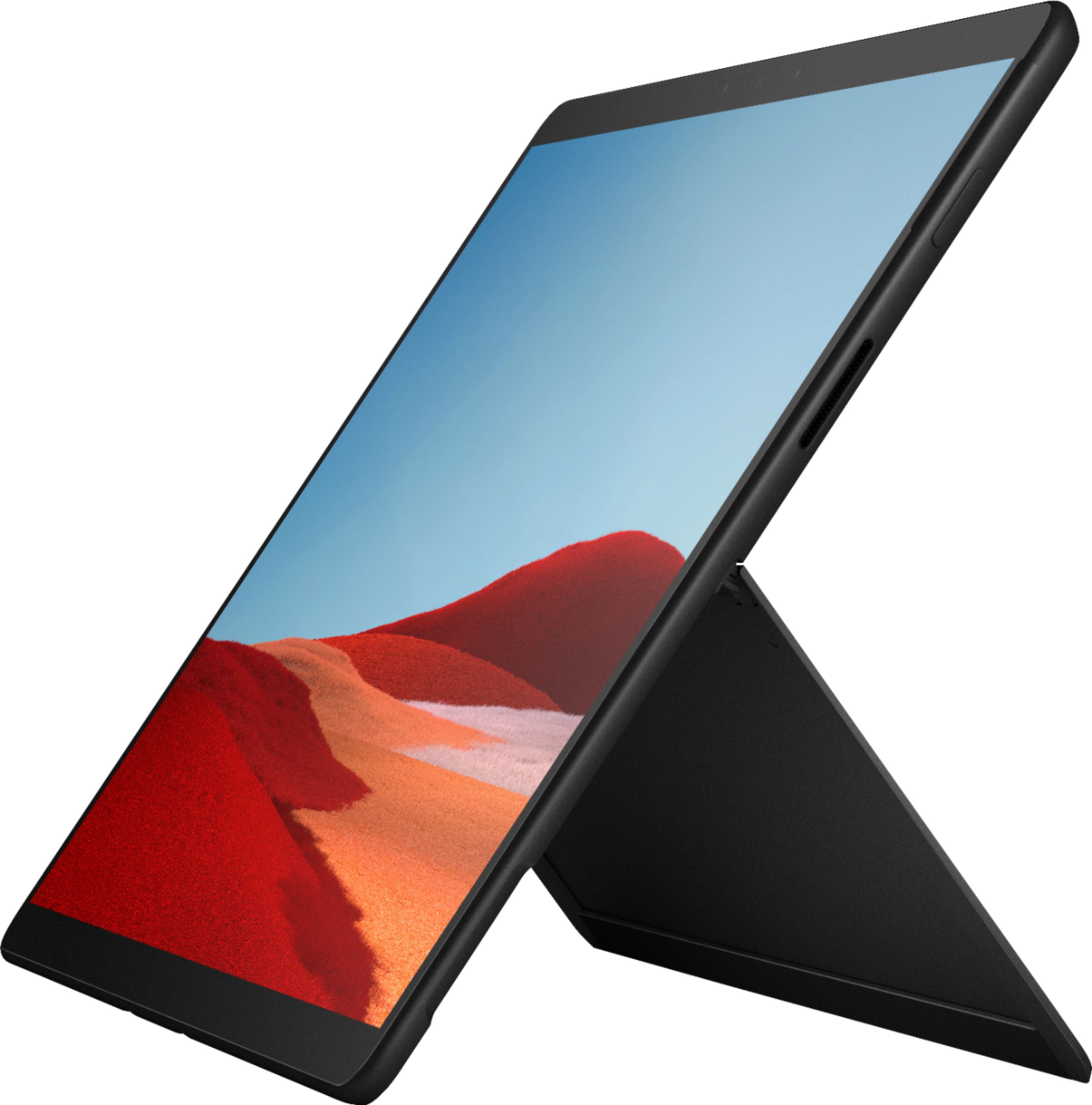
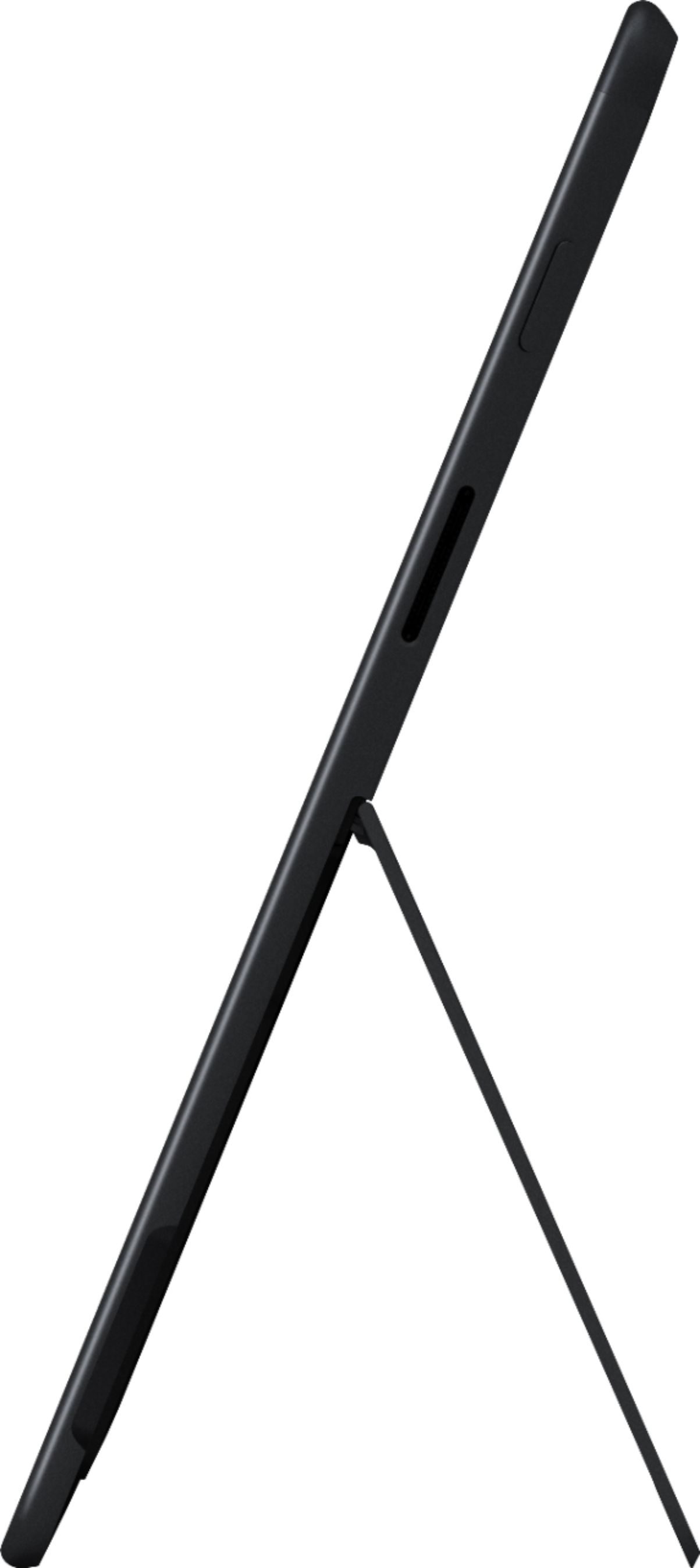
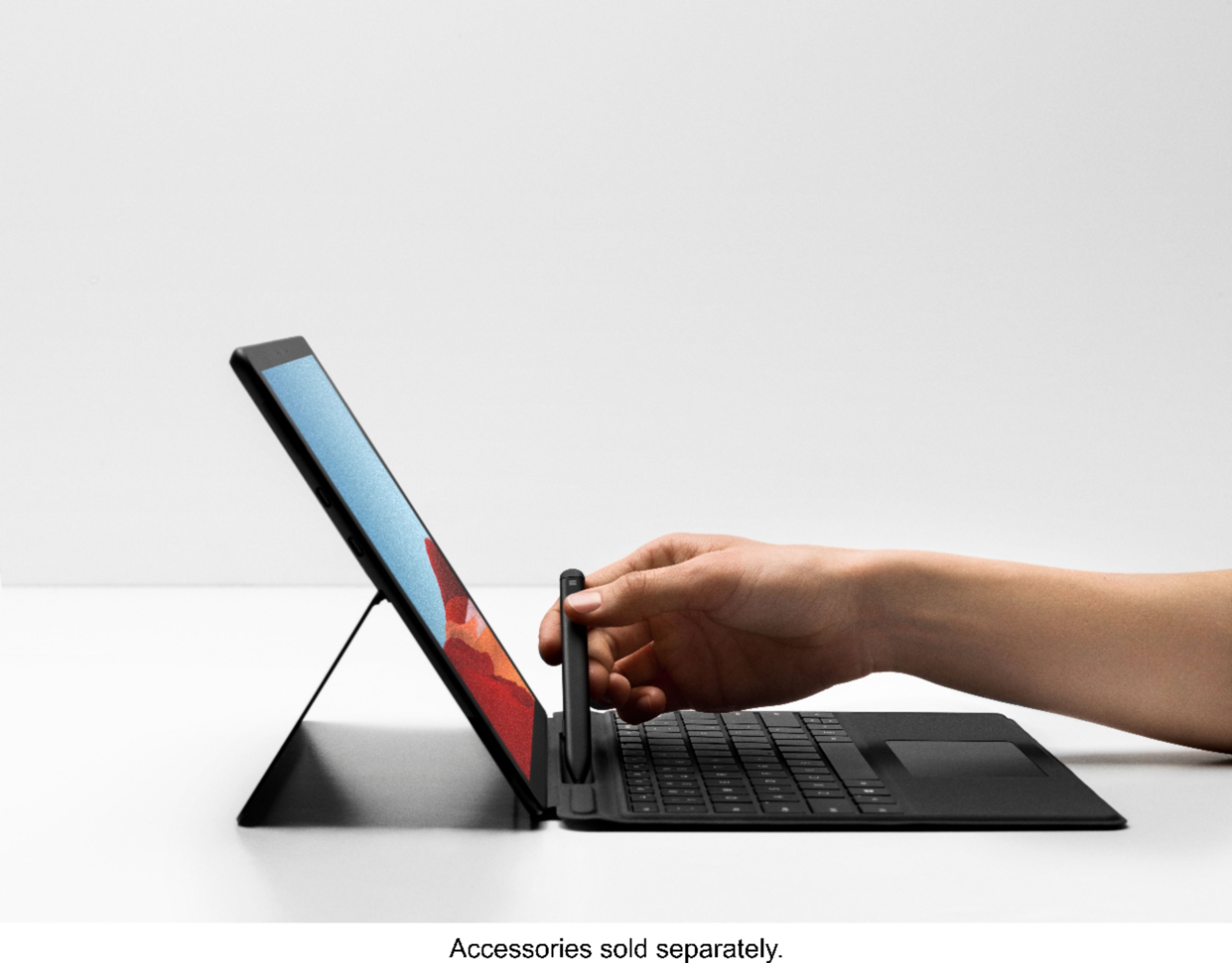
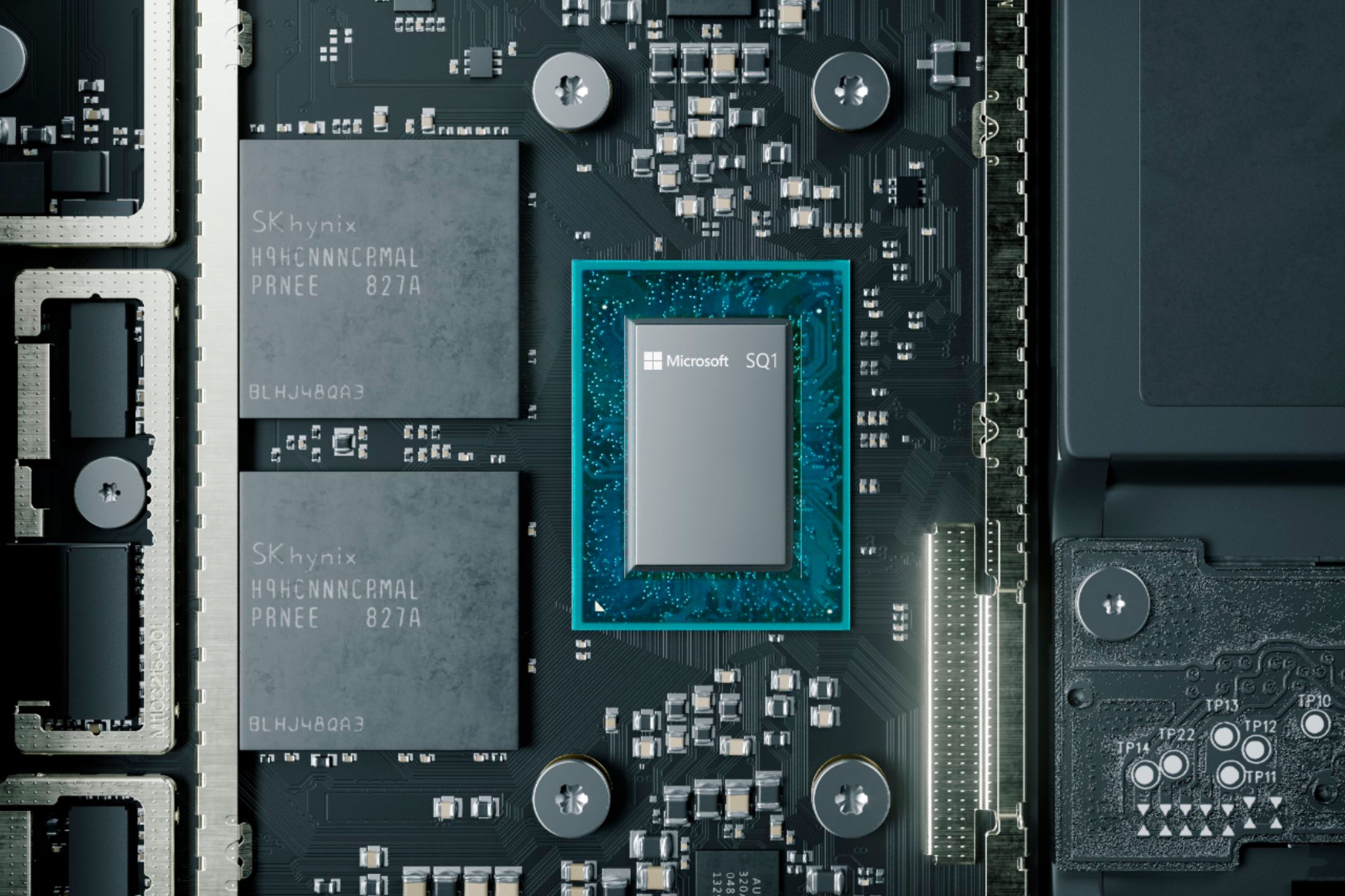
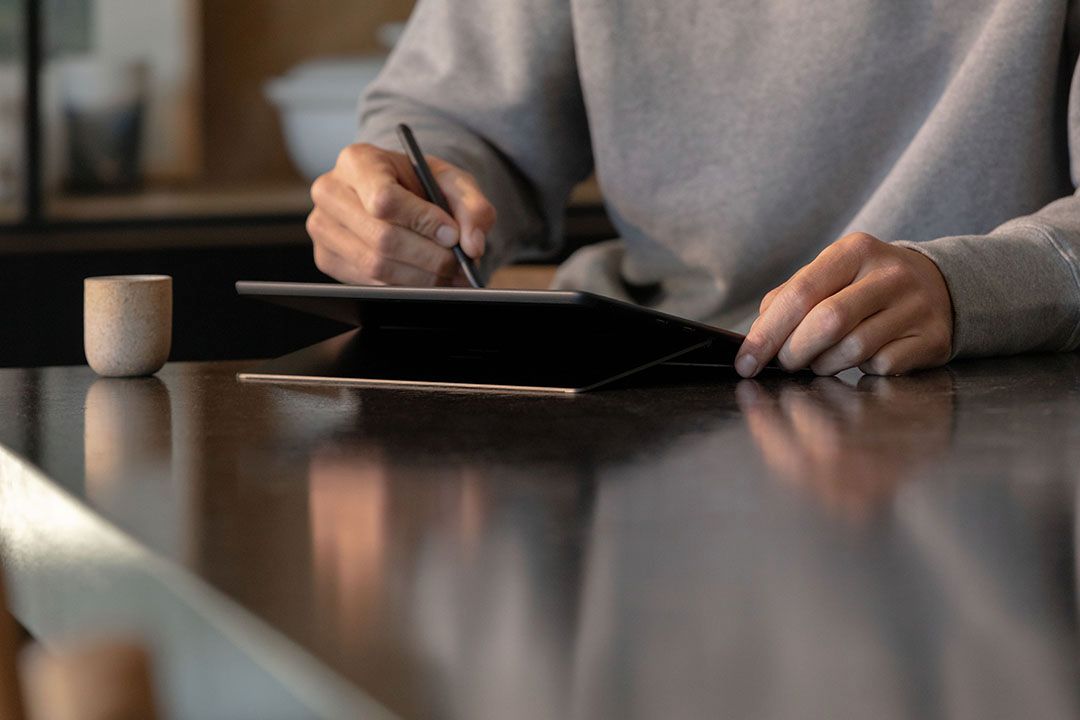
|Posted .This reviewer received promo considerations or sweepstakes entry for writing a review.Microsoft Pro X design is great elegant looking slim 2-in-1 laptop/tablet with SQ1 processor pro- engineered for Microsoft by QUALCOMM. It has curved edges/slim bezels on sides compared to the previous model of surface and its thin and weigh slightly less than the previous generation. What is in the box: Tablet (Pro X), documentation and sim eject tool, extension cord and the power adapter(65watts). Measurement & Weight: It measures 11.3 X 8.2 X 0.28 inches and weighs 774 grams (heavier than 12.9 iPad pro which is 631 grams) but lesser than 1 gram compared to Surface 7. Color: It just comes in only one color, matte black anodized aluminum. One drawback with that black aluminum even though looks great is it’s a major fingerprint magnet and has to be cleaned often. I would suggest installing skins(dbrand) to protect your investment from scratches and fingerprints. Display: The display on this one is 13-inch PixelSense touchscreen with 2880 x 1920 resolution and 3:2 aspect ratio compared to previous generation. The display uses ambient sensing to keep colors consistent across the display when watching videos on Netflix or YouTube or Amazon Prime. Operating System: Comes with windows 10 Home installed and has face recognition like password-free windows Hello Sign in. Great try by Microsoft but it’s not as smooth as IOS face recognition but it’s acceptable. Performance: When it comes to performance, this unit should not be compared with regular gaming laptop. This tablet uses Microsoft SQ1 CPU and Adreno 685 GPU graphics card with ARM chip 32 bit. It also has the WIFI 5 and not the latest WIFI 6. Due to the ARM processor it’s not very robust for adobe photoshop editing or heavy gaming and it’s great for regular day activities like emails, browsing, sketching, streaming Netflix, YouTube and for office documents. You can also download the latest Microsoft Edge Canary build for ARM which optimizes most apps and help run smooth most of apps. LTE Connect: Surface X is the first tablet from Microsoft to implement LTE advanced Pro connectivity that uses Qualcomm snapdragon X24 LTE modem. There is a SIM card slot at the back behind the kick stand where you can insert any carrier's sim to browse on the GO. Compared to iPad Pro this one is great and perfect for productivity on go if you are a business user who needs to use Microsoft office products like Word, Excel, PowerPoint for business needs. Charger/ports: On the left side of the unit it has 2 USB-C ports (not thunderbolt port but they do support data charge and display out) and a volume rocker. On the right side it has special Microsoft magnetic surface connect proprietary charger and power button. You can also charge your device using one of the USB C ports. I do have a Dell XPS that charges on USB C and works great for charging this device. The charger in the box is high power 65w charger that can charge the tablet from zero to 100% in 1.5 hours. Also, it does not have a 3.5mm audio port for headphones nor USB A ports like previous generation. Battery Life: Microsoft advertises the battery life as 13 hours but with good brightness (300 nits), mine lasted for 8 hours 20 minutes. Again, this depends on the usage and applications. Kick Stand: Built in kick stand that can be adjusted from 0 to 165 degrees for watching movies and for working is very handy and useful. If you lift the kickstand you will find a hole when opened with sim ejection tool, it has the user replaceable SSD and the LTE slot for nano Sim card. Signature Keyboard & Slim Pen: I also purchased the signature keyboard and slim pen as a package for my productivity. If you don’t need the slim pen then you can just purchase the keyboard for $139. Keyboard is alcantara finish black color that snaps magnetically and has a slot for storing the pen and charging. Slim pen is rechargeable and will automatically position itself if inserted in the wrong direction (upside down) for storing and charging. When the pen is charging it has a small LED that lights up. Slim pen is very handy and when lifted from the charger displays two options on the screen whiteboard and Fullscreen snip. Pen when clicked at the rear button opens the whiteboard and you have options to select different tips and colors for drawings. It also has a cool ruler where you can select and draw straight lines. You can also select eraser from the tool or you can use the end of the pen to erase like regular eraser on the screen. Very cool and clever design. There are different options to change the settings of the rear button of the pen. You can select what happens when the pen button is pressed once, pressed twice, fonts for handwriting and so on. Also, when you slide the keyboard in an angle it hides the pen and to me it’s a great design and will function like a laptop. It comes with backlight for keys on keyboards which is very handy when working in dark areas and nights. Not sure if older keyboard of previous generation is compatible but it may not. Camera: Has front facing 5 megapixel1080p 30FPS camera for selfies or skype /video calls and 10-megapixel rear facing camera with 1080p HD and 4k video. Speaker & Mic: Great sounding speakers with dual 2- watt front facing Dolby Audio with dual far-field studio mics. Bottomline: This will be a daily driver for business professionals who need always on connected LTE, large 13-inch bright display, slim down bezel, premium aluminum design, great sounding speakers, magnetic keyboard /pen & upgradable SSD. But it runs on Microsoft new ARM processor that lacks performance on 64bit apps, and works great on 32-bit apps that is optimized for windows as mentioned above. So, if you get this device for heavy video editing or gaming then you will be disappointment because it’s not meant for that audience. Also, pricing on this one is little higher when you add the keyboard and pen as bundle. It costs $1569 + tax for 8GB memory & 256GB SSD model. Overall, it’s a great 2 – in – 1 device that will eventually be a competitor for iPad pro in next few generations.
I would recommend this to a friend - Pros mentioned:Battery life, Processor speed, Screen size
Perfect for Productivity
|Posted .This reviewer received promo considerations or sweepstakes entry for writing a review.This is the first Microsoft Surface product that I've owned and I'm in love. As a professional student, this device helps me be efficient and productive every day. What initially drew me to this device was the new SQ1 processor developed by Microsoft and Qualcomm. The goal they set out for was a laptop experience with smartphone benefits. I think they succeeded. I can browse the web, watch videos, jam to music, respond to emails, jot down notes, and type up Word documents with laptop-like performance. The Instant On functionality gets me back to work quickly and the efficiency of the processor keeps me working for as long as I need without being strapped to a power outlet. I've only had to charge this device two times in the last week with light to moderate use. What else do I love about this device? Pretty much everything. At 1.7 pounds, this thing is ultra portable and goes with me everywhere. The hardware is gorgeous with a 13" display and the thinnest bezel I've seen on a surface device. The kickstand is highly adjustable between upright for a laptop-like experience or nearly flat if you're more interested in playing with the device as a tablet for things like drawing. The twin Dolby speakers provide quite a bit of power for clear stereo sound when you want to jam to your favorite tunes. There are two USB-C ports on this device for plugging in hubs for flash drives, SD cards, etc. You can also remove the rear cover on this device with the included SIM tool and swap out the hard drive or put a SIM in the device for LTE connectivity. That's a really nice feature for business professionals. One thing I want to mention is that I got this device with the Signature Keyboard and Slim Pen and would highly recommend picking those up. If you want to use the Surface Pro X as anything but a tablet - and I think you should - the keyboard and pen are necessities. As with most electronic devices, individual needs and personal preferences ultimately dictate what device you should get for yourself. The Surface Pro X is built for portability and productivity and that's exactly what I use it for. This is why I love it so much. If you're going to use it for those things specifically, I think you'll be pleased with your purchase. If you're going to want a device that can be used for creative content creation or gaming, I would maybe look elsewhere.
I would recommend this to a friend - Pros mentioned:Processor speed, Screen size, Weight
VERY IMPRESSED!
|Posted .This reviewer received promo considerations or sweepstakes entry for writing a review.Once I received this Surface Pro X and opened the box, IMMEDIATELY I was impressed. The look is sleek and classy. And this thing is LIGHT, extremely light. Pros: I love the 13” touch screen. The texture of the screen is unlike any that I have ever used. I am an Apple fanatic, and my oldest son is in Medical School and several of his classmates have the prior version of the Surface Pro, and he told me this was a great product. He was right. And when Microsoft says its “edge-To-edge they are not exaggerating. The screen is not too small or not too big, it just seems RIGHT. The colors on this Pro X are second to none. Crisp. Bright. Amazing. There (to this point) is no “lag” when you touch the screen, it seems as if its “waiting” on you. Very responsive. Out of the box the set-up was simple and quick. It recognized our home WI-FI and log in was a breeze. And this thing is fast. I love the speed of the processor and how much you can do with this laptop. I received this over a week ago, so I’m still “finding my way around”. But the apps, the response, the programs, I AM VERY IMPRESSED. As I previously said, the weight is unreal, this thing is so light that you can forget you have it in your hand or sitting on your lap. I like the way you can transition from tablet to computer seamlessly. The matte black finish is pleasing to the eyes. The camera is very clear, and the pictures it takes are very good. I love the face recognition on this computer. I love everything about this computer. It has/is taking me some time to adjust back to a Windows product after using the Apple platform for so long, but I’m adjusting a little more day by day. If you want/need a good, dependable (to this point) laptop/tablet don’t hesitate to buy this. You too will be IMPRESSED! Cons: So far, I haven’t found any!
I would recommend this to a friend - Pros mentioned:Processor speed, Screen size
The Beautiful Tablet That Wanted To Be More
|Posted .This reviewer received promo considerations or sweepstakes entry for writing a review.The Surface Pro X is a beautiful tablet. Honestly, it's probably the best looking tablet I've ever had the pleasure to play with and I've handled a lot of tablets. It's thin, has a wonderful black finish and a beautiful bright and clear screen. This alone makes it a worthy tablet, but the fact that it runs a full blown version of Windows 10 makes it even better, right? Here's where it gets interesting. The Surface Pro X runs an ARM processor underneath it's sleek looks. Now don't get me wrong, the new SQ1 processor that MIcrosoft developed with Qualcomm is a beastly mobile processor, but it's not natively compatible with X86 software and this becomes an issue at times when using this otherwise capable tablet. Windows 10 can still be pretty awkward to use with just your finger, even in Tablet Mode. You can definitely tell the difference between an OS specifically designed for a tablet, like iOS on the iPad vs an OS that's trying to cater to both keyboard/mouse users and touch users. If you're using this tablet for email, web browsing and some light office work you won't have an issue as all those apps are going to run, even if they need to be emulated in order to do so. But some apps, most notably Photoshop or full versions of certain applications like Dropbox just aren't going to play nice being with this laptop, either refusing to install or not running reliably. Even applications that do run, but aren't compiled specifically for the ARM architecture are going to negatively impact the battery life of your SPX (Surface Pro X) and that's never a good thing. This wouldn't be a big deal if the Microsoft Store did a better job at telling you which apps were compatible with the SPX, but it doesn't. It also doesn't have a huge library of applications like you'd find on the Apple Apps Store either. These things combined bring down the usability of this tablet by quite a bit, but all's not lost as when you combine the SPX with it's companion Keyboard/Pen combo it transforms into a pretty capable workhorse. You'll be able to fire off emails, surf the web and then relax and watch a movie just fine with the SPX, just don't expect to run many games on it as it's just not designed for that. The graphics capability stops at games like Angry Birds 2 from the Microsoft Store. Don't expect to play any new FPS games with this guy, you'll just end up frustrating yourself. So long story short. The Surface Pro X is a beautiful tablet. It's about the same size/weight as an iPad Pro of similar size, but runs Windows 10 that works with almost all native Windows applications, but not all of them. It can't play games and it's a little awkward to use without a keyboard, pen or trackpad. This means you'll be spending some more money on the Surface X Keyboard/Pen combo. The Surface Pro X is a quiet and sleek tablet that really wants to be a laptop, because that's the way it works best. You'll be using it as a laptop more often than not so why not just get a laptop instead? That's the question you might want to consider before investing in the Surface Pro X.
No, I would not recommend this to a friend - Pros mentioned:Processor speed, WeightCons mentioned:Usb
Love it
|Posted .This reviewer received promo considerations or sweepstakes entry for writing a review.Cons: no usb on the side anymore. Also a tat bit smaller on screen surface. Looks are ok. Pros: it runs quick and smooth. All my apps traded over through google. Lighter in weight. Just an all around upgrade.
I would recommend this to a friend - Pros mentioned:Battery life, Ease of use, Processor speed
Powerful machine!
||Posted . Owned for 1 month when reviewed.This reviewer received promo considerations or sweepstakes entry for writing a review.Love the surface Pro X! I use it on the go and in the office. When I'm in the office I connect my two monitors and it performs just like any desktop. I mainly do all of my work on the Web but also use some programs. I can have many programs running and also a lot of tabs open and it doesn't slow down.
I would recommend this to a friendBrand response from MicrosoftOutreachTeam
Posted .Hi – Thanks for sharing your experience! It's great to hear that Surface Pro X is a good fit for your needs. We hope it continues to serve you well. Cheers, Erica Surface Customer Care

- Pros mentioned:Ease of use, Processor speedCons mentioned:Price
Wife loves it
||Posted . Owned for 2 months when reviewed.This reviewer received promo considerations or sweepstakes entry for writing a review.My wife loves the 2 surfaces she's owned. They're decently fast and easy to use. She uses them for teaching online as well as for school herself. They're handy, light, and fast for how thin they are. Of course the trade off is price. These devices aren't cheap. Overall really nice laptop/ tablet
I would recommend this to a friendBrand response from MicrosoftOutreachTeam
Posted .Hello,
Thank you for sharing your wife's experience with her Surface Pro X devices! It’s great to hear that they're working well for her. We hope she continues to enjoy using them.
Cheers,
Chuck
Surface Customer Care
- Pros mentioned:Processor speed, WeightCons mentioned:App compatibility
Good cellular connected surface
||Posted . Owned for 4 months when reviewed.This reviewer received promo considerations or sweepstakes entry for writing a review.This is a goof surface option for cellular connectivity. It is fast and light but does run on a new processor created by Microsoft. This limits some of the apps you can run that are not compatible with ARM processors.
I would recommend this to a friend - Pros mentioned:Processor speed
Very good, depending on the software to use
||Posted . Owned for 6 months when reviewed.This reviewer received promo considerations or sweepstakes entry for writing a review.very solid and fast computer. Only that I had to return it because I use a lot of VPNs from client companies and SAP so it did not give me the size for my needs
I would recommend this to a friend - Pros mentioned:Processor speed
Fantastic PC if you do a little research.
||Posted . Owned for 3 weeks when reviewed.This reviewer received promo considerations or sweepstakes entry for writing a review.This was my first open box purchase from Best Buy and I couldn't be happier with the condition the SPX came in. Pretty much brand new. I purchased this product because I needed to be able to work from home and different sites in the city though out the day. Being able to use an LTE connection is great and works beautifully. This PC is extremely snappy and does everything I need it to do for work. The SPX uses a ARM Processor which is the problem for a lot of buyers. It can not run 64-bit apps. You would either have to wait for developers to build apps specifically for ARM or try to see if you could use emulation (x86) but that's hit or miss. If you wait for a sale or in my case buy open box while a sale is happening, I believe this a an excellent buy.
I would recommend this to a friend - Pros mentioned:Processor speed
Super Sleek!
||Posted . Owned for 3 weeks when reviewed.This reviewer received promo considerations or sweepstakes entry for writing a review.super fast & sleek tablet with laptop capabilities! Got my first surface pro over 10 years ago so I was way overdue for an upgrade. Chose the Surface Pro X due to its 'best bang for a buck' rating & very pleased with it
I would recommend this to a friendBrand response from MicrosoftOutreachTeam
Posted .Hi – Thanks for being a loyal Surface fan; we hope you continue to enjoy using your new Surface Pro X! Best, Erica Surface Customer Care
- Pros mentioned:Battery life, Processor speed, Screen sizeCons mentioned:Usb
Phenomenal, Simply Phenomenal
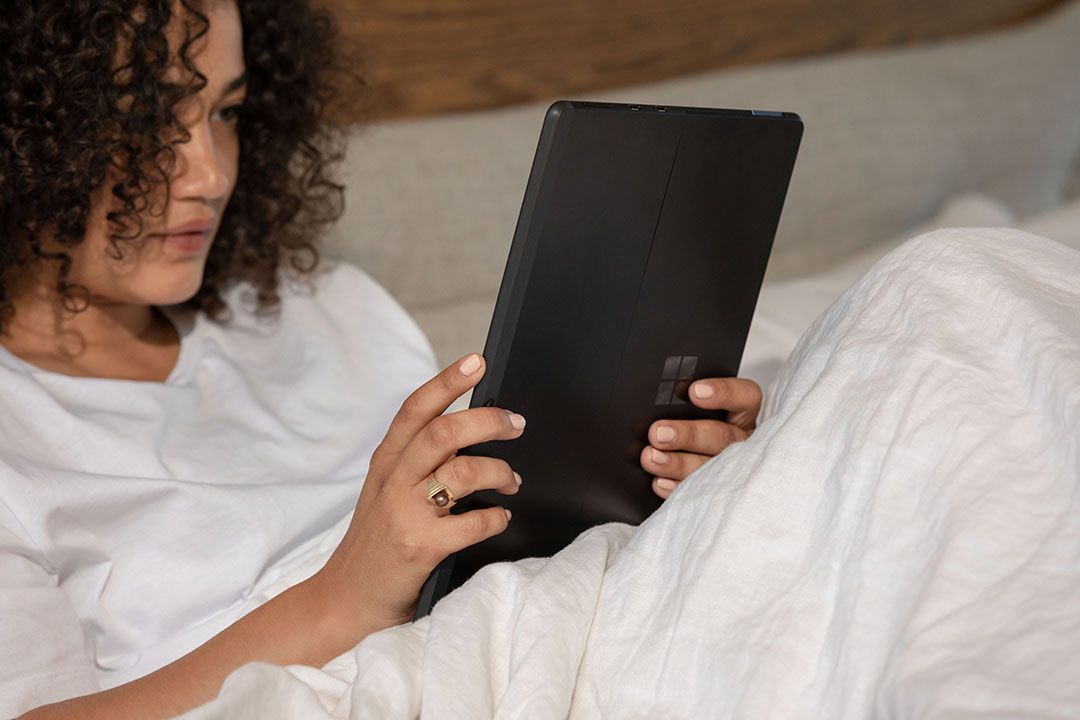
|Posted .This reviewer received promo considerations or sweepstakes entry for writing a review.Wow! That is the first word that comes to mind when I consider the Microsoft - Surface Pro X - 13" Touch Screen - Microsoft® SQ1. I have used Windows based machines since Windows 3.1. For all the complaints I have had about them, it is as if this machine took all of those and made it right. This is truly a great machine. The first this I noticed with the Surface Pro X is the appearance of the system. I looks sharp. The Surface Pro X is incredibly thin - roughly 1/4 inch thick and weighs less than 2 pounds. There is a very thin bezel around the screen. The back side is sleek with a Windows logo subtly visible. There is also a convenient stand built into the back which can be moved in or out to support what you need. But it blends perfectly into the design. So in short, it looks awesome. When you power it up, the machine is lightning fast. This has always been an issue with me. When I want to use a computer, I don't want to wait 5 minutes to get going. The Surface Pro X must have had this in mind. With the SSD, boot up is fast. You can get straight to work or play. The screen image quality is fantastic. The image is as crisp and colorful as any other laptop or tablet I have used. Also with the touchscreen, you can touch it and pinch or push to zoom in or out on the page. It is really great to work with. The system runs Windows 10 Home. So the Surface Pro X can be used as a work machine. So you can use Windows based software and apps with the Surface Pro X. But that doesn't mean it has to be used just for work. Being a 2 in 1, it is portable and can be used anywhere. There are front and back cameras with the Surface Pro X. The camera quality is good too. While the device might be larger and not as portable as say a phone, it still takes good images. It even allows for 4G LTE connections. So you can get plenty of playtime with it too. The charger is a unique design. It attaches easily to the side. It is not a standard Lightning connection type charger. This is unique to this system and not interchangeable with other devices. There are 2 USB C connections on the side. If you want to attach a USB to the Surface Pro X, you will need some sort of adapter. Battery life is incredible on this system as well. I have run it well over 10 hours without needing to recharge it. It works great. The only knock I can give the Surface Pro X has to do with smudging. If you are a little annoyed at finger smudges, you may find yourself constantly wiping down the back of the system. It seems to show where the system has been handled. You probably won't look at the back cover all that often, but when you do, you may notice it. Also, the Surface Pro X seems to be best used on, well, a surface. If you plan to use this system with a keyboard in bed, the back stand may not be great at holding the screen up. You kind of need to balance the system when doing this. Again, just something to be aware of but this is minor. The Microsoft - Surface Pro X - 13" Touch Screen - Microsoft® SQ1 is a great machine. It has the flexibility of other tablets but more power than most laptops. I truly love this machine. I highly recommend it to anyone.
I would recommend this to a friend - Pros mentioned:Ease of use, Processor speed
Great investment
||Posted . Owned for 1 month when reviewed.This reviewer received promo considerations or sweepstakes entry for writing a review.Great investment. The processor is fast and the programs are easy to use. This was purchased to use in a new business venture and its adding volume and allows for faster response time.
I would recommend this to a friendBrand response from MicrosoftOutreachTeam
Posted .Hi – We're glad that you're a fan of how easy it is to use your new Surface Pro X. It's great to hear that its speed is a good fit for your needs. We hope it continues to serve you well. Best, Erica Surface Customer Care
- Pros mentioned:Ease of use, Processor speed
Great Product
||Posted . Owned for 1 month when reviewed.This reviewer received promo considerations or sweepstakes entry for writing a review.I have enjoyed my surface pro. It has served all my needs to this day. Speed is great and I love it. My 3 year old uses it as well. Very easy to use.
I would recommend this to a friend - Pros mentioned:Processor speed
Great 2 in 1
||Posted . Owned for 2 weeks when reviewed.This reviewer received promo considerations or sweepstakes entry for writing a review.I was a little worried about the ARM processor in the tablet/laptop but wanted something that I could use personally and for work while I was remote. This is as big as my other 13 inch laptop but much lighter and more versatile. The ARM processor has turned out to be powerful and has no problem running 32bit x86 programs. I have had some issues with drivers not being written for ARM and causing problems. For instance I had a very hard time finding a VPN option that I could use. Overall this performs as I needed and the LTE connectivity is a great option for when working remotely as I don't have to go searching for a hotspot.
I would recommend this to a friendBrand response from MicrosoftOutreachTeam
Posted .Hello Joseph,
Thank you for sharing your experience with your new Surface Pro X! It’s great to hear that it’s working well for you. We hope you continue to enjoy using it.
Cheers,
Chuck
Surface Customer Care
- Pros mentioned:Processor speed, Screen size
Loved it
||Posted . Owned for 3 weeks when reviewed.This reviewer received promo considerations or sweepstakes entry for writing a review.Love this computer, as described. fast very portable, small great touch on keypad loved it
I would recommend this to a friend - Pros mentioned:Processor speed, Screen size
Its a different experience from the most common br
||Posted . Owned for 1 month when reviewed.This reviewer received promo considerations or sweepstakes entry for writing a review.So far am enjoying it. I use for school and personal use. Its fast its small and its great.
I would recommend this to a friend - Pros mentioned:Processor speed, Screen size
Love the Microsoft Surface Pro X
||Posted . Owned for 1 month when reviewed.This reviewer received promo considerations or sweepstakes entry for writing a review.this is a great device. I love it's size and speed. I would recommend this to anyone.
I would recommend this to a friend - Pros mentioned:Processor speed, Screen sizeCons mentioned:Usb
Not For Everyone, But Perfect for Some
|Posted .This reviewer received promo considerations or sweepstakes entry for writing a review.The Surface Pro X is a new kind of Windows platform. Rather than running traditional X64 Windows (like you would find on a "normal" laptop) it runs Windows 10 on an ARM platform, meant for mobile hardware. The result is a blazing fast performance in a thin and light machine with passive cooling (no loud fans!) that will probably run most of what you need. Since the processor isn't an Intel or AMD processor, you need to run software specifically compiled for ARM processors (a lot of the Microsoft store is, and it filters out what you can't run) or Intel/AMD software for the 32 bit version of Windows through an emulation layer. While a lot of software is going to 64 bit, most has at least a 32 bit version. I have installed Steam and some older games work extremely well, like Borderlands 2, Skyrim and the original Bioshock. Gaming is hit and miss, however, and some games older than that wouldn't run. Given the form factor, and the fact that the Surface Pro X is aimed at business users, I consider the ability to play any games a huge extra. If you're on a business trip, being able to play a few minutes of Boarderlands 2 to kill time is amazing on such a lightweight machine. The screen is top-notch and seems to support HDR video in apps like Netflix. The built-in speakers are loud and not at all tinny. Again, if you're travelling, the Surface Pro X is your buddy! Other 32 bit software works perfectly and quickly. It's working on an "emulator" of sorts, but you would never know it. Other software compiled for ARM like the Edge browser and Microsoft Office are blazing fast. Again, this is the perfect business machine, but also does a good job at consuming media and light gaming, so it can be used for more than business. Onboard are two USB-C ports. There are no legacy USB ports, probably because it's too thin to support them. This is kind of annoying since my favorite mouse needs a USB dongle, so I need an adapter. Also, you can charge through USB-C, but it comes with a proprietary Microsoft charger for some reason. You have the option to use either, with the MS charger at least freeing up a USB-C port. That's all the ports. No HDMI of any kind, no headphone port. If you want more ports or a traditional USB 3.0 port you'll need to use a hub. It only supports USB-C, not Thunderbolt, at least not that I'm aware of. I tried a Thunderbolt hub and was greeted with a message that it may not work correctly. in my case it did not. It works with 4G LTE and has a slot for a SIM card but also has an embedded eSim. You can bring it to your carrier or an independent one. Signing up is easy through a built in app. I did not try 4G yet. There's a small panel on back under the kickstand (which supports jjust about any angle) under which the SSD is mounted. The instructions say to have a trained MS technician upgrade the drive if necessary, but honestly it's one set screw to remove it if you want to upgrade. So far the 256GB drive seems adequate for me considering I stream my media. Windows on ARM is evolving, and I hope to be able to run 64 bit applications at some point. Also, any hardware that needs intel-specific drivers won't work, so be sure that you don't need to run any special hardware before purchasing the Surface Pro X.
I would recommend this to a friend - Pros mentioned:Battery life, Processor speed, Screen size
It's a "Tab-Top"!
|Posted .This reviewer received promo considerations or sweepstakes entry for writing a review.Until now I have never been a fan of the laptop computer. My experiences with them have involved heavy/clunky units with short battery life and an extended amount of time spent tethered to a wall by a short charging cable. My preference has always been a desktop for use at home and a tablet computer for on-the-go/in classroom use. While some version of the Surface Pro has been on the market since 2013, I had always grouped it in with laptops and had no interest in exploring its capabilities. After spending a few days playing around with the Surface Pro X, I must say that I am very impressed with what I am referring to as a “tab-top” -a hybrid of the best features of the tablet and laptop in one very attractive, lightweight, full-featured computer. My first impression was “Wow!” The entire unit appeared to be composed of matte black aluminum and glass, it was slightly thicker than ¼ inch, weighed next to nothing (around 1 ½ lbs.) and upon closer inspection I was able to see the adjustable kickstand on the back that allows it to stand/prop up when not using it flat like a tablet. However, within minutes I noticed that the entire surface of the computer was a fingerprint magnet and that I would need both a screen protector and a case ASAP. Luckily there are numerous options for these available online and in store. The power button, volume controls, and 2 USB-C ports (I already have a USB-C-to-USB adapter to allow use of my peripherals that aren’t USB-C) are situated along the extremely thin the edges of the computer. They are barely noticeable which contributes to the impressively streamlined profile. The one thing lacking for me was an input for headphones but I do have a wireless headset that connected easily with Bluetooth. This newest version of the Surface Pro couples perfectly with the Signature Keyboard & Slim Pen, both available separately or as a bundle in some stores. These accessories allow you the option to use the Surface Pro X in a traditional laptop format. The keyboard attaches magnetically to the bottom surface of the computer and has a slot for storing/charging the Slim Pen. The pen is used to draw/write on the touchscreen and also interacts with most applications. The screen is 13 inches edge to edge and makes for a spectacular viewing experience when watching movies. The touch screen is highly responsive and has ambient light sensing that automatically adjusts brightness of the screen based on lighting conditions. The included charging cord has a USB charging port on it to allow simultaneous charging of an additional item. I used it to charge my phone and it charged just as quickly as my fast charger. The advertised battery life for the Pro X is up to 13 hours with the ability to charge the battery from dead to 80% in an hour. The battery life definitely depends on the brightness of the screen and the activities that you undertake, with the battery draining quicker when downloading movies/watching videos vs. performing office-type tasks/schoolwork. For me the battery lasted around 11 hours once fully charged. The Pro X offers endless options for personalization through the settings menu, as well as numerous features that I have not had the opportunity to experience yet. Upon setup it offers the option to utilize Windows Hello, a password-free facial recognition sign in that is specific to Windows 10. The setup appears to be fairly simple and its use streamlines the login process considerably. I may attempt to use it at a later date but for now I’m using my tried and true method of manually logging in. 4GLTE connectivity is also available on this device, allowing the user to access the Internet while on the go without requiring a Wi-Fi connection. This feature requires service from your carrier as well as a Sim for insertion in the device. There is a Sim card slot located beneath the kickstand that can be accessed using the provided tool. I don’t currently have 4GLTE access on my data plan and after researching the cost vs. benefit I don’t see myself acquiring it. 95% of my computer usage is done in locations where a Wi-Fi connection is available to me, so while this feature is definitely great and probably a big selling point for those who are on the go, it will probably not be used by me. The SQ1 processor that runs the computer makes online surfing lightening fast and the streaming of shows almost buffer-free. The computer comes with Windows 10 Home and the requisite suite of Word, Excel, PowerPoint, and Outlook. Some reviewers had noted that there were some issues with the compatibility of the Windows operating system and some of the programs that they use but I have not experienced any issues. The speakers on this unit are very clear, even when turned up loudly. The front facing webcam is 5 megapixel/1080p and the rear-facing camera is 10 megapixel/1080p with HD and 4k video. When using Skype the images were exceptionally clearer than those of either my phone or my desktop. This laptop is one of the more expensive on the market but it does provide great performance for the money. I have no plans to use this for any heavy gaming or video editing so you should defer to the experts’ opinions regarding its suitability for these tasks. In a nutshell, this “tab-top” is definitely a winner-looks great, performs admirably.
I would recommend this to a friend