Customer Ratings & Reviews


- Model:
- C55t-C5300
- SKU:
- 4517800
to a friend
Customers are saying
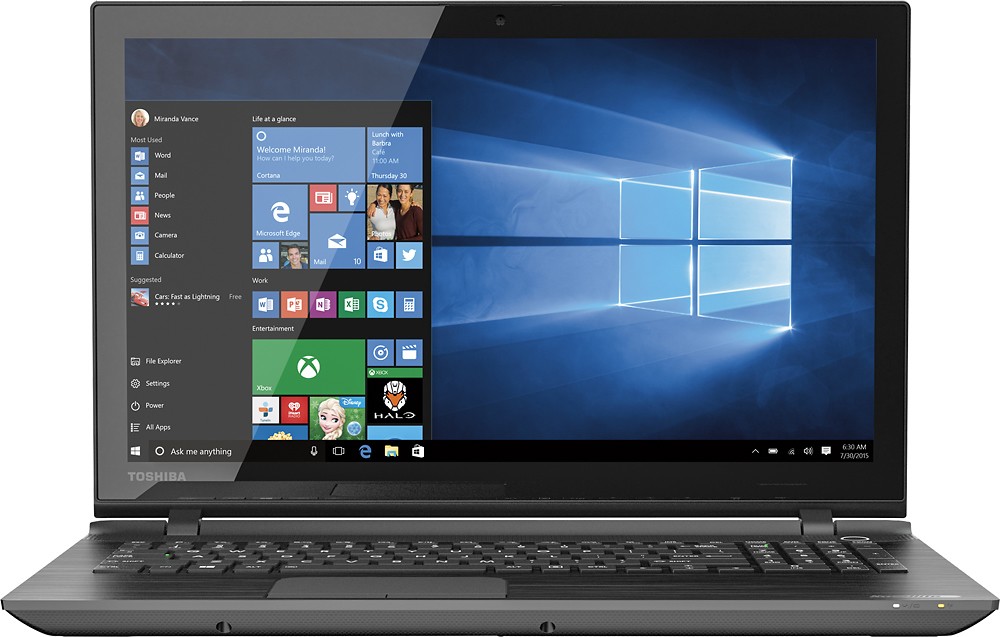
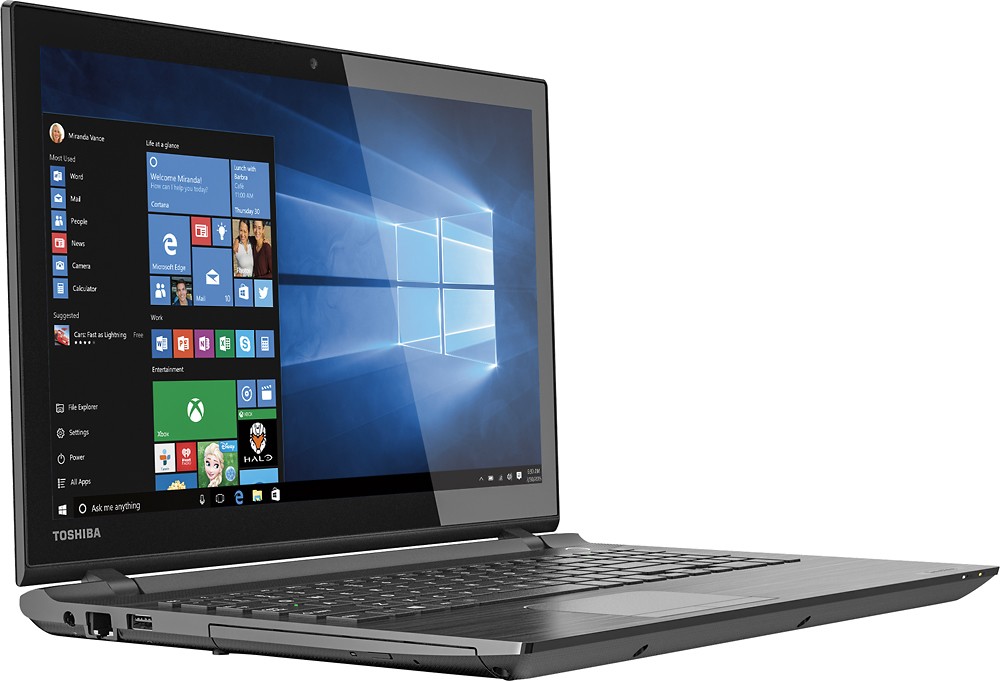
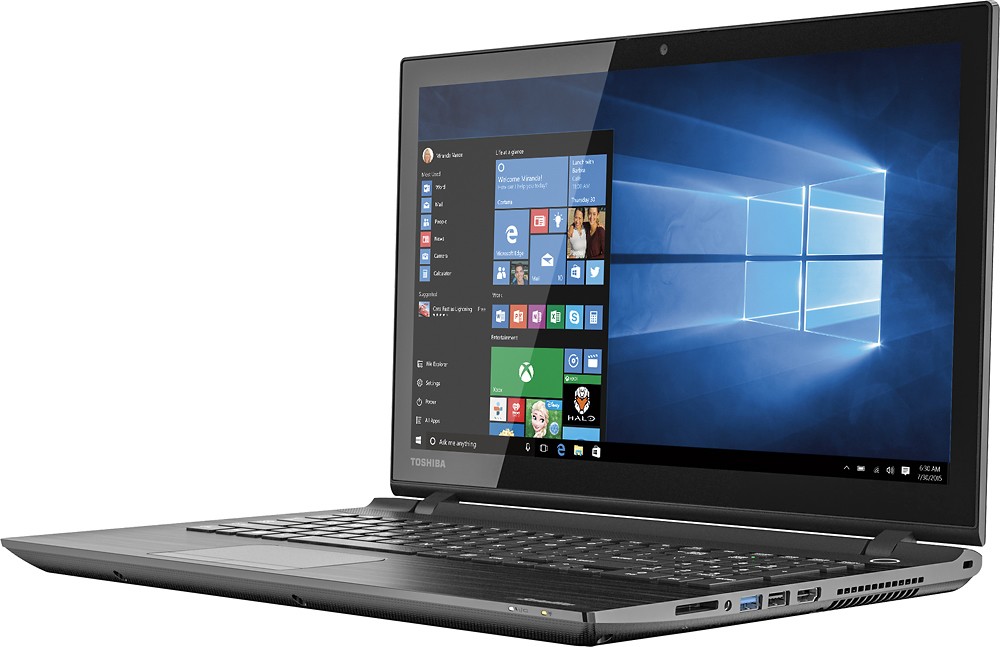
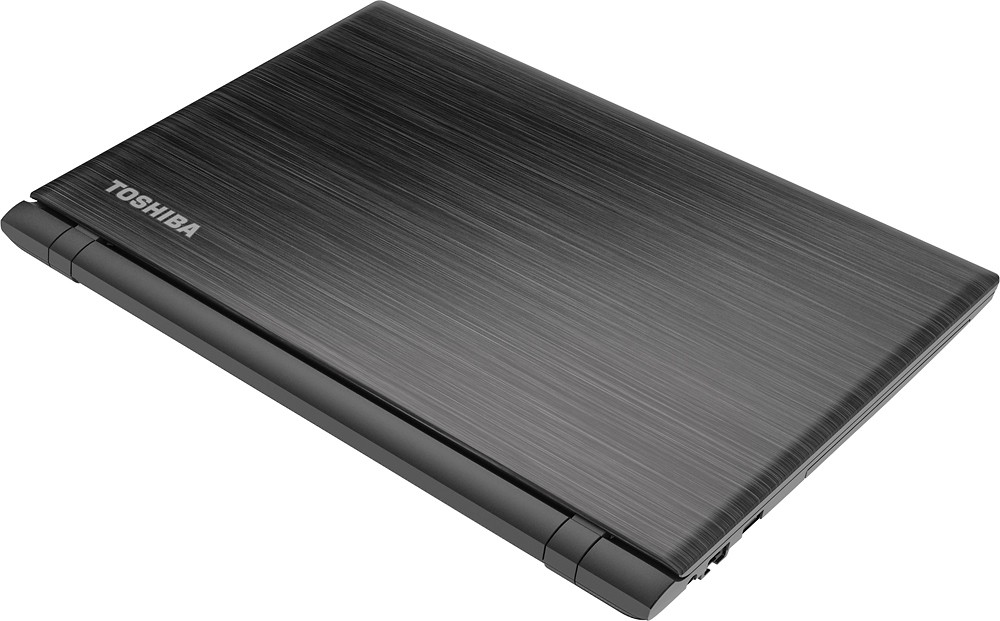
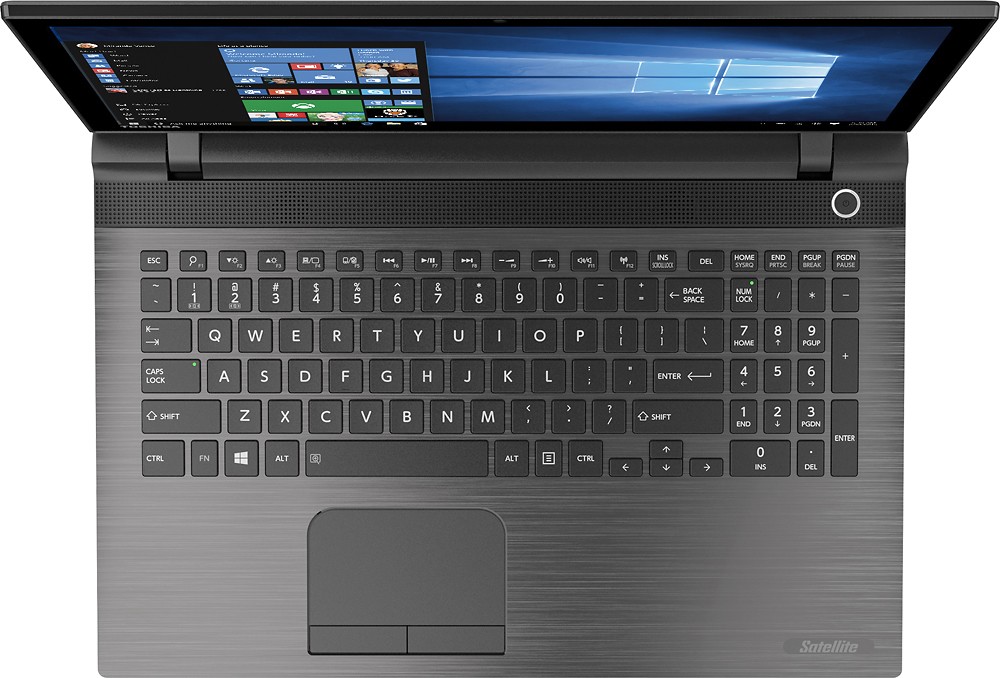
Customers value the Satellite 15.6" Touch-Screen Laptop for its touchscreen feature, affordability, and ample storage. They appreciate the ease of use and the upgrade to Windows 10. Some customers have concerns about the laptop's sharp edges and occasional WiFi connectivity issues.
This summary was generated by AI based on customer reviews.
Too many junk programs plus window 10 not nice
Posted .This reviewer received promo considerations or sweepstakes entry for writing a review.Best Buy needs to stop loading these with junk software. Also be aware Windows 10 takes over and will fight with older Microsoft office outlook programs. The window 10's update display a screen that says " your files are where you left them". It then removes all previous settings you put into outlook like email settings and all preferences. Trying to make you upgrade your outlook software by harassment. Bing is constantly being set as your search engine. All can be overridden by hours of work arounds. Not fun.
No, I would not recommend this to a friendGood Buy
Posted .This reviewer received promo considerations or sweepstakes entry for writing a review.I have purchased about 3 of these laptops. They seem to be working well for now. Quite fast and good enough at handling tasks including heavy browsing.
I would recommend this to a friend- Pros mentioned:Price
Poor
Posted .This reviewer received promo considerations or sweepstakes entry for writing a review.Purchased this laptop on 12/26/2015 simply because of the price and the majority of good reviews , however I should have paid more attention to the poor reviews. This comp has not been used except for 1 hr to start up and has been locked up ever since, it will not allow me to enter a password. Took it back to B/B via Geek Sqaud and they said it was a malware issue and it will cost $199.00 to fix it. So what I have now is a $350 paper weight. So my advice to anyone considering this unit is to read the poor reviews carefully
No, I would not recommend this to a friendBrand response from ToshibaStaff
Posted .Thank you for the review, GsDGI, and sorry to hear about the issue with your Satellite C55t-C5300
I want to first assure you that there was no malware on your laptop when it left Toshiba's factory. If you only spent an hour going through the initial startup and configuration of Windows then I recommend contacting Toshiba support at 800-457-7777. They resolve most issues over the phone and, if needed, can help you make warranty repair arrangements.
Thanks for the feedback and sorry for the trouble.
- Pros mentioned:Touch screen
36 days old laptop is useless to me.
Posted .This reviewer received promo considerations or sweepstakes entry for writing a review.I purchased this computer after reading good reviews and noticing that Toshiba responded to the poor reviews. The laptop was on sale and it seemed like a great deal - 1 T storage, 6 G memory, DVD burner, and it is touch screen etc. The only thing it didn't have was a VGA port. Many newer laptops don't have this anymore. I asked the sales associate why the newer computers don't have a VGA port and he said it was older technology but that I could get an adaptor to convert HDMI or USB to VGA.I knew about these adapters so I didn't think it would be a big deal. Two days ago I purchased the adapter, as I am preparing for a presentation, and it didn't work. After researching the problem and finally contacting Toshiba, they told me that this type of conversion - HDMI or USB to VGA works with other manufacturers (the adapter worked using an HP budget Laptop) but it won't work on this product. Since the computer is over 15 days old, I cannot return to Best Buy. So this is a waste of time and money. No more Toshiba.
No, I would not recommend this to a friendBrand response from ToshibaStaff
Posted .Thank you for the review, frustrated, and sorry to hear that you are having trouble using an HDMI to VGA converter with your Satellite C55t-C5300.
I'm sorry to say that you were misinformed by your Toshiba contact as HDMI to VGA converters absolutely can work with Toshiba computers -- I'm using one right now. Some adapters may be more reliable than others, so I recommend taking your laptop to Best Buy and asking if you can test a few of their HDMI to VGA adapters to make sure you get one that works reliably.
When you find a good adapter I hope you'll update your review and the star rating to match your level of satisfaction with the laptop.
Thank you the review and sorry for the trouble.
Very Poor Technical Support after Purchase
Posted .This reviewer received promo considerations or sweepstakes entry for writing a review.This review is about the Toshiba Satellite C55t-C5300. This laptop looks nice and sturdy and very powerful when it comes to the hardware and software as described by the manufacturer, but please don`t let that fool you into buying one. I bought mine brand new, but just less than 2 months after purchase, it started running really slow and freezing. When I called Toshiba just 2 months after purchasing it brand new for technical support, they pinned the mistake on me saying that because I installed a third-party antivirus (the Webroot antivirus that Best Buy gave me as free during purchase) on it, which they don`t recommend, I have to pay $ 99.65 for a ONE TIME ONLY technical support, guaranteed for the next 14 days for ONLY THE TECHNICAL PROBLEM I AM HAVING. What that means is if I happen to have another technical problem not related to the first one, even within these 14 days, I would have to pay another $ 99.65. Another option being, if I want a one year, technical support, I would have to pay $ 199. These costs would only cover the technical support they are providing, but if I wanted to by a "better" antivirus that they recommend as compatible with Toshiba laptops, different from the webroot that Best Buy gave me for free at purchase and they said don`t recommend as not compatible with Toshiba products, I would have to pay another $ 79. So, for anybody out there thinking about purchasing a Toshiba product, know that you have been warned. Their laptop will run really slow, start freezing and is easily infected by a virus, less than 2 months after purchased brand new, and they will reap you off to get that fixed for you since you installed a third party software (an antivirus) in it, and the work they are going to do to get that fixed is more than the "basic technical support" they cover freely within 90 days after purchase. You see how subjective that is, so guys be warned before buying any Toshiba products.
No, I would not recommend this to a friendBrand response from ToshibaStaff
Posted .Thank you for the review, RegularCustomer and sorry to hear that some sort performance issue developed with your Satellite C55t-C5300 and you apparently received sub-par support.
I wonder if the support rep you spoke with suggested the option of running a Windows Reset. That's the best way to quickly resolve any problem caused by software or configuration issues, including malware. If the problem persists after performing this operation then customer support at 800-457-7777 will help you make repair arrangements.
See the Toshiba Forums community knowledge base article and its embedded video at forums.toshiba.com/t5/System-Recovery-and-Recovery/How-To-Understanding-System-Restore-Refresh-Reset-and-Recovery/ta-p/342690 for detailed instructions on how to perform a Windows Reset or System Recovery.
Thanks again for the feedback and sorry for the difficulty.
Returned 2 laptops of same model
Posted .This reviewer received promo considerations or sweepstakes entry for writing a review.I returned 2 Toshiba Satellite (same models) to the store. One had a tear on the screen and the other one crashed after I was doing work for my job. I lost my work for my job and called customer service. They restarted my computer and it crashed in the middle of restarting. I tried to put the power on, but the laptop would not come on. I called Toshiba, but they could not give me a reimbursement and expected me to return the second laptop in order to get a third one. They also gave me an option to return the laptop to them and wait until they fix it, but I have to work in order to pay my bills. I do not have time to wait or wonder if the third laptop will work. Bestbuy told me to contact them and when I did Toshiba told me to contact Bestbuy. I then brought an HP and never had a problem since. Toshiba is a brand I will definitely not recommend to anyone. Toshiba, please do not respond for you are the only company that responds to complaints here. Don't prove yourself this way, you should have satisfied the customer when they were already on the phone.
No, I would not recommend this to a friendHinges a constant problem with Toshiba
Posted .This reviewer received promo considerations or sweepstakes entry for writing a review.I also had issues with my Toshiba. Initially some tech issues -- and I don't do anything fancy. Even though "sufficient" memory is there, it seems that Toshiba has more problems than other brands with the same specs. But the worst was the hinges failing, just after warranty expiration. I've had other brands for 4+ years with NO problem. No different level of use. Obviously a design flaw. Toshiba was unsympathetic and did nothing to help. You can get the same specs from other manufacturers for the same price. Stay away from Toshiba until they change their attitude.
No, I would not recommend this to a friendBrand response from ToshibaStaff
Posted .NOTE: Case # updated 12/7/15 to 201512042145487.
Thank you for the review, David4911 and sorry to hear about the trouble you've experienced with the hinges of your Satellite C55t.
Our Customer Service team would like to discuss this hinge problem with you further. Please call 800-457-7777 and tell the answering agent that you're calling regarding Case # 201512042145487.
Thanks for the feedback and sorry for the trouble.
Good laptop
Posted .This reviewer received promo considerations or sweepstakes entry for writing a review.For price I paid i cant ask for more big hard drive .
I would recommend this to a friend- Pros mentioned:Touch screen
Great laptop for a Great price.
Posted .This reviewer received promo considerations or sweepstakes entry for writing a review.I purchased this laptop for work and it performs the tasks that I require without any issues. The touch screen is a nice touch. I would recommend this laptop.
I would recommend this to a friend - Pros mentioned:Price
Needed to update my computer
Posted .This reviewer received promo considerations or sweepstakes entry for writing a review.I needed to upgrade my computer & toshiba was recommended by my friends so i research online for the best price and features _ this model seemed like a good buy _ it is a great computer
I would recommend this to a friend great
Posted .This reviewer received promo considerations or sweepstakes entry for writing a review.Great computer and great customer service. Will buy from again.
I would recommend this to a friendGreat Computer
Posted .This reviewer received promo considerations or sweepstakes entry for writing a review.This is a great computer for the price! Must have!
I would recommend this to a friend- Pros mentioned:Speed
Great laptop for teen
Posted .This reviewer received promo considerations or sweepstakes entry for writing a review.This a great laptop, for someone who is online most of the time. Fast, Light, no problems.
I would recommend this to a friend Good for web search only
Posted .This reviewer received promo considerations or sweepstakes entry for writing a review.Computer works good just runs slow. Not made for heavy uses.
No, I would not recommend this to a friendAVOID AT ALL COSTS
Posted .This reviewer received promo considerations or sweepstakes entry for writing a review.I bought this under a month ago and used it a whole 4 times before it completely crashed. Initially the touch screen and mouse were not responding quickly or at all when touched/clicked. Eventually it would go. When starting up Internet explorer it would take forever to load. No a quick response at all for any of the functions. Yesterday it completely crashed. Best Buy accepted the return but would not reimburse for the office package that I loaded on it from them. Now I'm out $53!
No, I would not recommend this to a friendBrand response from ToshibaStaff
Posted .Thank you for the review, MattThom, and sorry to hear that you experienced general performance issues with your Satellite C55t and that it eventually crashed.
I wonder if you can follow up with comments describing the nature of the crash, such as were there error messages, did the system freeze with the display still fully visible, did the display blank to black. Please let us know if you tried any troubleshooting steps such as reverting to a Windows Restore Point or running a Windows Reset.
It's possible that the performance delays were due to Windows Update having been busy downloading & installing updates. That's often the case with brand new systems, and if so it will tax initial performance until the updating process is completed.
For future reference in use of any Windows computer, if reverting to a Restore Point doesn't resolve problems then the best way to make absolutely sure that a problem you're experiencing isn't caused by software is to perform a Windows Reset, which will resolve any problem caused by software installations or Windows configuration changes. See the Toshiba Forums community knowledge base article and its embedded video at forums.toshiba.com/t5/System-Recovery-and-Recovery/How-To-Understanding-System-Restore-Refresh-Reset-and-Recovery/ta-p/342690 for detailed instructions on how to perform a Windows Reset.
Thanks for the feedback and sorry for the trouble.
Waste
Posted .This reviewer received promo considerations or sweepstakes entry for writing a review.I bought this computer, because it was relatively inexpensive, had decent reviews and decent specs. I honestly cannot fathom how this computer has close to a five-star rating. The computer has crashed three times in as many days, freezes consistently and lags worse than a computer on dial up. Not to mention, Windows 10 is still no great feat. While it is pleasant to see the return of a start menu that actually gets you somewhere, the live tiles are cumbersome and frankly obnoxious, and from what I can tell there is no way to disable them. I will admit, I am generally a Mac user, though I still use Windows at work, but using this computer has made me painfully aware of why I stopped using Windows years ago. Save your time and your money and get a different computer.
No, I would not recommend this to a friendBrand response from ToshibaStaff
Posted .Thank you for the review, eeiizznneekkccaamm, and sorry to hear that you're experiencing a crashing & performance issue with your Satellite C55t-C5300.
System crashes can be due to hardware failure, but are most frequently caused by software issues. Possibilities include critical system file corruption, unstable applications, driver issues, or malware infection.
Performing a Windows Reset is the most straightforward way to determine whether you’re experiencing a software or hardware issue. The Windows Reset process will eliminate any problem introduced by software installations or configuration changes. See the Toshiba Forums community knowledge base article (including a video summary) at http://forums.toshiba.com/t5/System-Recovery-and-Recovery/What-recovery-options-are-available-in-Windows-10/ta-p/657985 for detailed instructions on performing a Windows Reset.
If that doesn't resolve the problem please contact Toshiba support at 800-457-7777 for further troubleshooting help.
Thanks again for the feedback and sorry for the trouble.
Worst laptop...
Posted .This reviewer received promo considerations or sweepstakes entry for writing a review.Within a day of purchasing the laptop, it got stuck in what has been referred to as a "windows restart loop" which is considered to be one of the biggest flaws with windows 10 so far. In order to fix the problem we had to reinstall windows 10 and try to download a ton of updates. After completing this the computer was still working terribly. Additionally, i had my computer nerd friends look at the computer and they found that over 900GB of the harddrive is full (90% of the terabyte harddrive). When attempting to see what was taking up the space it only said other and would not give anymore information. This has been the biggest headache. Do not purchase this laptop. I intend on returning it as soon as possible.
No, I would not recommend this to a friendBrand response from ToshibaStaff
Posted .Thank you for the review, Disappointed, and sorry to hear about the restart loop problem with Windows 10 on your Satellite C55t, and that now most of the hard disk space has been somehow consumed.
Microsoft has provided updates, which are pushed down during the initial Windows Start Up, that eliminate the known sources of the device load errors that cause this condition. Microsoft is working on a change within the initial Windows startup and configuration process to eliminate the looping condition altogether.
For those already experiencing the problem, the Toshiba Technical Support Bulletin at http://www.support.toshiba.com/sscontent?contentId=4008444 provides detailed instructions for resolving the issue.
Regarding the consumption of 900GB, that is highly unusual and I recommend running a Windows Reset to revert to the original factory installation, then using the procedure detailed in the link above if the restart problem returns. Toshiba support is available at 800-457-7777 if you'd like their help with that process.
Thanks for the feedback and sorry for the trouble.
worst computer ever
Posted .This reviewer received promo considerations or sweepstakes entry for writing a review.Not sure if its the hardware or the software but everytime I walk away from the computer and come back later by sound does not work. It tells me to reset my audio driver. The only way to do this is to reboot the computer. I spend more time rebooting the computer than I actually do using it and listening to audio files or watching netflix or youtube. This is my third toshiba laptop that I have owned and first one I have ever had this issue with. For $400 it should work better than what it does. Do not buy this if you are wanting to do any type of audio things on it. You will constantly be rebooting to reset the driver so you can listen to anything
No, I would not recommend this to a friendBrand response from ToshibaStaff
Posted .Thank you for the review, enr002, and sorry to hear about the audio issue with your Satellite C55t-C5300.
I recommend updating (or reinstalling if no update is available) your Audio driver with the software you can find at support.toshiba.com/support/modelHome?freeText=1200010982 by clicking the "Drivers and Updates" tab and selecting the "Windows 10" and "Sound" filters.
If that doesn't resolve the issue, I recommend doing a Windows Refresh or Reset to eliminate any symptom caused by software updates and configuration changes. The Toshiba Forums community knowledge base article at forums.toshiba.com/t5/System-Recovery-and-Recovery/How-do-I-reset-my-Windows-10-computer-to-factory-defaults/ta-p/657990 has more details about the process.
Please visit support.toshiba.com or contact Toshiba support at 800-457-7777 for more help.
Thanks for the feedback and sorry for the trouble.
it look nice
Posted .This reviewer received promo considerations or sweepstakes entry for writing a review.20 minutes using this computer and the mousepad has no response. My power button seem not te be working correctly... struggling with my new deal, taking it back tomorrow to bestbuy to get a refund or swap for another computer.
No, I would not recommend this to a friendBrand response from ToshibaStaff
Posted .Thank you for the review, guidovildozo, and sorry to hear that you're having some difficulty using your your Satellite C55t-C5300.
The touchpad can be toggled OFF and ON by pressing the F5 function key. If the key is inadvertently pressed, it will disable the touchpad, giving the impression that it isn't working if you're unfamiliar with the feature. Try pressing the F5 key to see if that restores the touchpad function. If you have software with which you would like to use the legacy F5 function you can trigger that by pressing and holding down the 'Fn' key while tapping the F5 key.
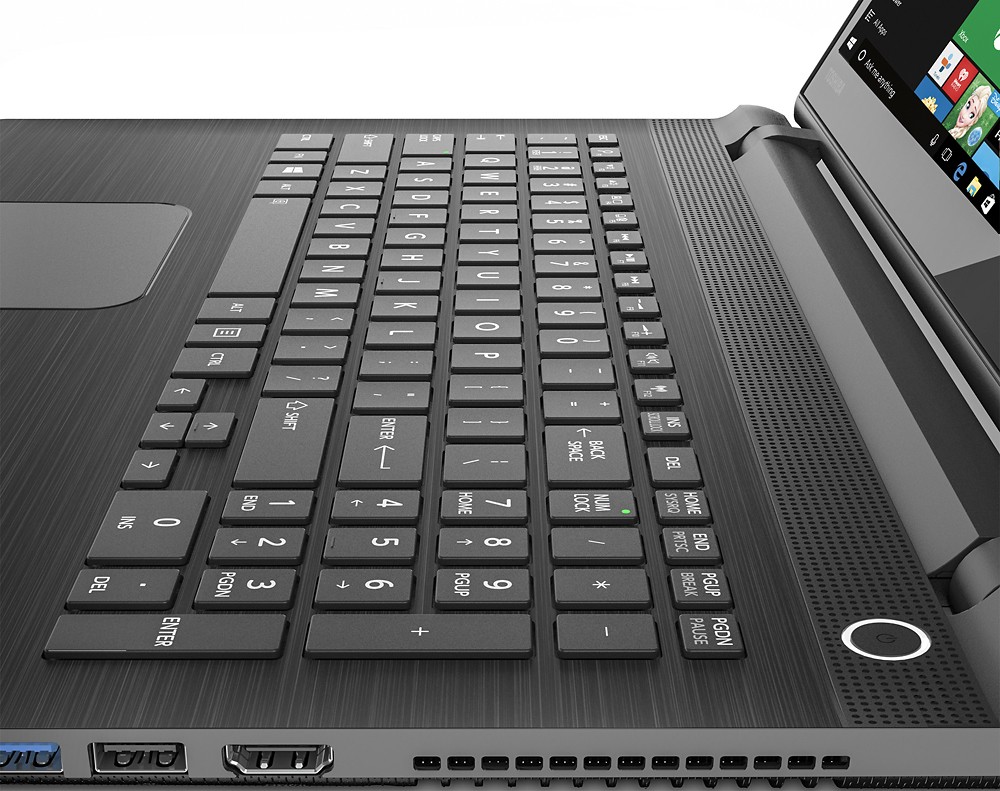
The power button can be configured to put Windows into Sleep mode, Hibernate mode, Shut down, turn off only the display, or do nothing at all. To configure the behavior of the power button to your preference, double click the battery icon in the lower right corner of the screen and select 'Power and sleep settings', then select 'Additional power settings' in the window that appears, and finally select 'Choose what the power buttons do' on the next screen.
If that doesn't resolve your concerns about the power button, please explain what you're experiencing that makes you feel that the power button may not be working correctly we'd be happy to respond, or contact Toshiba support at 800-457-7777 if you'd like to speak with a support rep.
Thanks for the feedback and for choosing Toshiba.
Lousy computer to my expectations
Posted .This reviewer received promo considerations or sweepstakes entry for writing a review.Buy this computer on 01.12.2015 and brought to Ecuador, when I get to my house and wanted to turn it on to use it, take me the big surprise that the computer works plugged in but the battery does not charge any manner, let charge overnight and it did not help now I need you help me out with Toshiba international warranty which can replace the battery in Ecuador, because i will not return to the US until next year and that computer was supposed brand new and should not give any kind of problem.
No, I would not recommend this to a friendBrand response from ToshibaStaff
Posted .Thank you for the review, Hector, and sorry to hear about the trouble charging the battery of your Satellite C55t-C5300.
I recommend visiting http://support.toshiba.com/troubleshoot for help isolating the root cause of the problem. Visit support.toshiba.com/contact to find all support contact resources for US purchases of Toshiba laptops.
Thanks again for the feedback and sorry for the trouble.