Customer Ratings & Reviews


- Model:
- Archer AX3000 Pro
- SKU:
- 6502056
Rating by feature
- Setup
Rating 4.7 out of 5 stars
- Range
Rating 4.7 out of 5 stars
- Signal Strength
Rating 4.7 out of 5 stars
Customers are saying
Customers are impressed with the Archer AX3000 Pro Dual-Band Wi-Fi 6 Router, particularly its ease of use and seamless performance. Many users have reported improved WiFi speed, quick setup, and excellent range and coverage throughout their homes. While some users experienced issues such as buffering and lag, the router generally provides better connectivity for all devices at a good price.
This summary was generated by AI based on customer reviews.
Fast browsing but some other functions don’t work
||Posted . Owned for 1 month when reviewed.This reviewer received promo considerations or sweepstakes entry for writing a review.This router has a high throughput, but some of its functions don’t work properly. DHCP server is very slow sometimes to issue IP addresses to connecting devices. Also, IP reservation only seems to work about 30% of the time, the rest of the time my reserved devices get different IP addresses than the one reserved. I would have taken it back but did not realize this till after the return period.
No, I would not recommend this to a friendBrand response from TPLinkSupport
Posted .Hi,
Thank you for your review. To ensure optimal performance of your wireless router, please check, and if needed, update its firmware using the steps outlined in FAQ 2139 on our official website: https://www.tp-link.com/us/support/faq/2139/
If you would like assistance with any of these steps, please reach out to our free support team using any of the resources included with the product, or from our official website, and we'll gladly have a Support Agent follow up with you directly.
Thank you,
TP-Link Support
So close
||Posted . Owned for 1 month when reviewed.This reviewer received promo considerations or sweepstakes entry for writing a review.worked great until it didn't. Looking forward to seeing if the warranty is any good
I would recommend this to a friendBrand response from TPLinkSupport
Posted .Hi OMFarm,
Thank you for your review. Your TP-Link Wi-Fi Router comes with a manufacturer's warranty, and we would appreciate the opportunity to follow up with you and address your concerns. At your earliest convenience, please reach out to our TP-Link support team using any of the resources included with the product, or from our official website, and we'll gladly have a Support Agent follow up with you directly.
Thank you,
TP-Link Systems Support
Could be better
||Posted . Owned for 2 months when reviewed.This reviewer received promo considerations or sweepstakes entry for writing a review.We purchased this to replace our other router. So far not bad but in our 2nd floor bedroom the signal for 5 ghz is not great. We shall see
I would recommend this to a friendInconsistent…
||Posted . Owned for 2 months when reviewed.This reviewer received promo considerations or sweepstakes entry for writing a review.After three months, it has become very inconsistent… At first, it was an issue where once every other week it would drop in speed significantly. It would go down to about 10 megs download. And I would have to restart it once or twice to get it back up to speed. Now it’s doing it multiple times a day. As far as my online research Suggest that it is or it could be a bad heat sink. Therefore, Bouncing it on the wall or in a position that gets the best airflow helps a little, but does not solve it. Reaching out to the company today and will be updating this review as soon as possible. If it is a heat sink, there’s no easy solution other than the manufacturer will offer one. I also live in an apartment complex, so there is the idea that something could be interfering with the signals, but it doesn’t seem like this is the case.
No, I would not recommend this to a friendBrand response from TPLinkSupport
Posted .Hi,
Thank you for your review. Your wireless signal and connection can be optimized in multiple ways to ensure you get the most out of your router. In modern network environments it is common for neighboring 2.4GHz wireless networks to overlap, causing Wi-Fi congestion and interference. By changing the 2.4GHz wireless channel you can improve wireless signal strength, bandwidth, and range. Please take a moment to look over our FAQ 2292 on our official website: https://www.tp-link.com/us/support/faq/2292/
To ensure optimal performance of your wireless router, please check, and if needed, update its firmware using the steps outlined in TP-Link FAQ 2139: https://www.tp-link.com/us/support/faq/2139/
If you would like assistance with any of these steps, please reach out to our support team using any of the resources included with the product, or from our official website, and we'll gladly have a Support Agent follow up with you directly.
Thank you,
TP-Link Support
- Pros mentioned:Performance
need a new router
||Posted . Owned for 1 month when reviewed.This reviewer received promo considerations or sweepstakes entry for writing a review.works better than my old tp-link which did not have as as mush umph
I would recommend this to a friend - Cons mentioned:Security
NABA
||Posted . Owned for 1 month when reviewed.This reviewer received promo considerations or sweepstakes entry for writing a review.Easily penetrated by hackers. Had to go back to my ISP model to regain control of my internet!
No, I would not recommend this to a friendBrand response from TPLinkSupport
Posted .Hi,
Thank you for your review. The Archer AX3000 Pro is designed with the latest security standards, including WPA3, to help protect and encrypt your Wi-Fi network. We always recommend choosing a strong password when configuring your Wi-Fi network settings.
We would appreciate the opportunity to follow up with you to discuss and address any concerns you have about the router. At your convenience, please reach out to our free support team using any of the resources included with the product, or from our official website, and we'll gladly have a Support Agent follow up with you directly.
Thank you,
TP-Link Support
- Pros mentioned:Ease of use, Setup, Speed

Simple, Speedy & Reliable Midrange Option
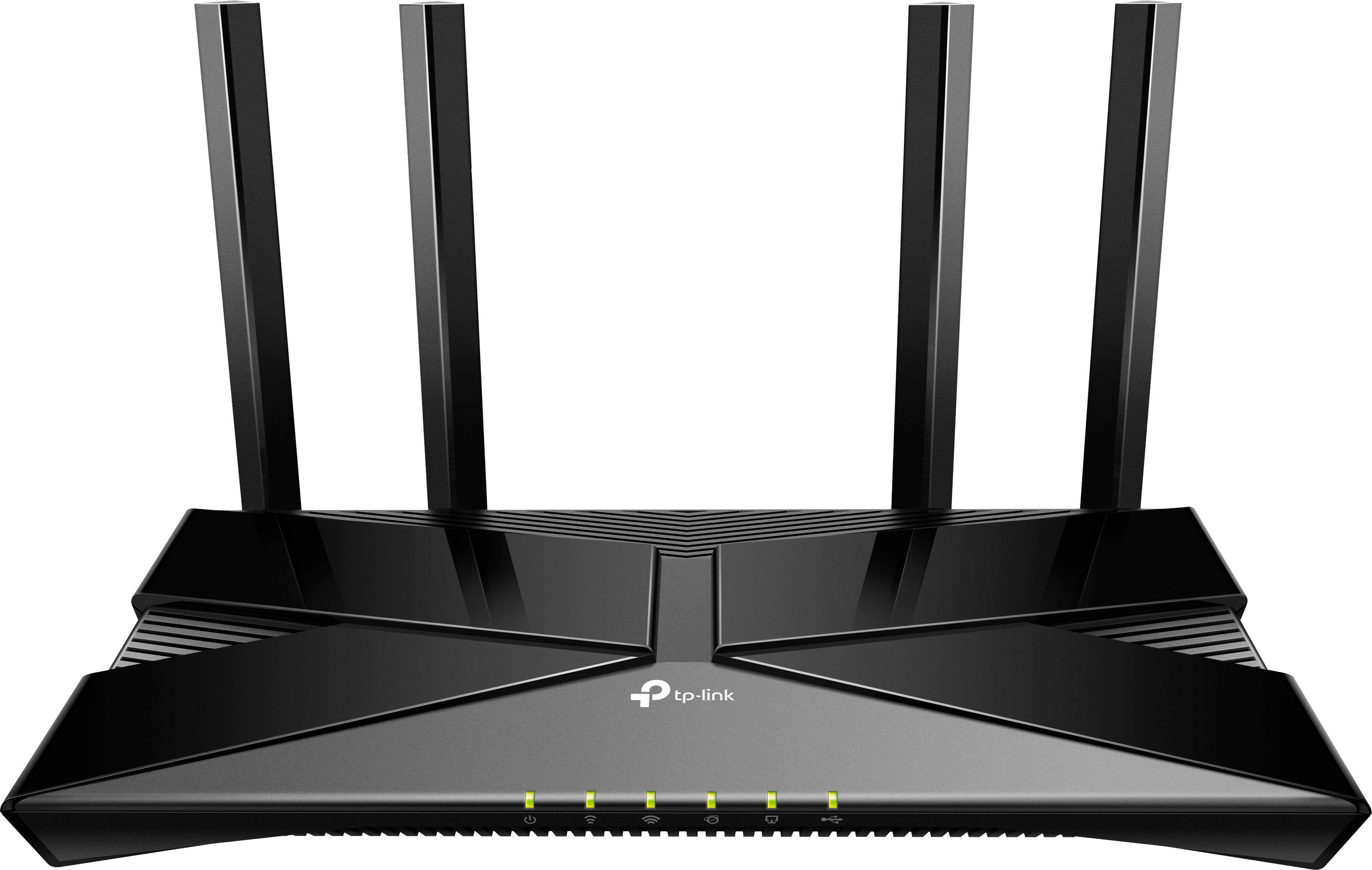
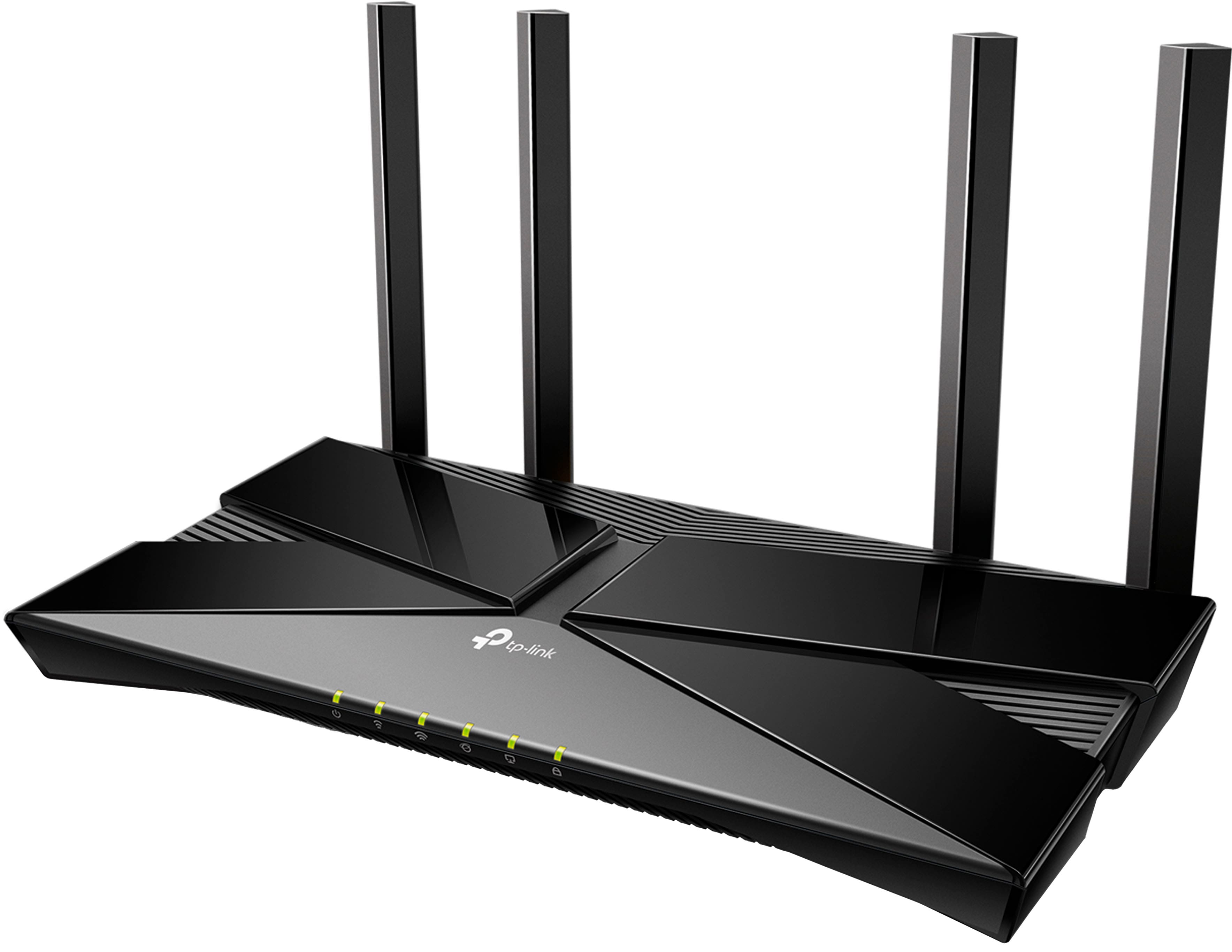
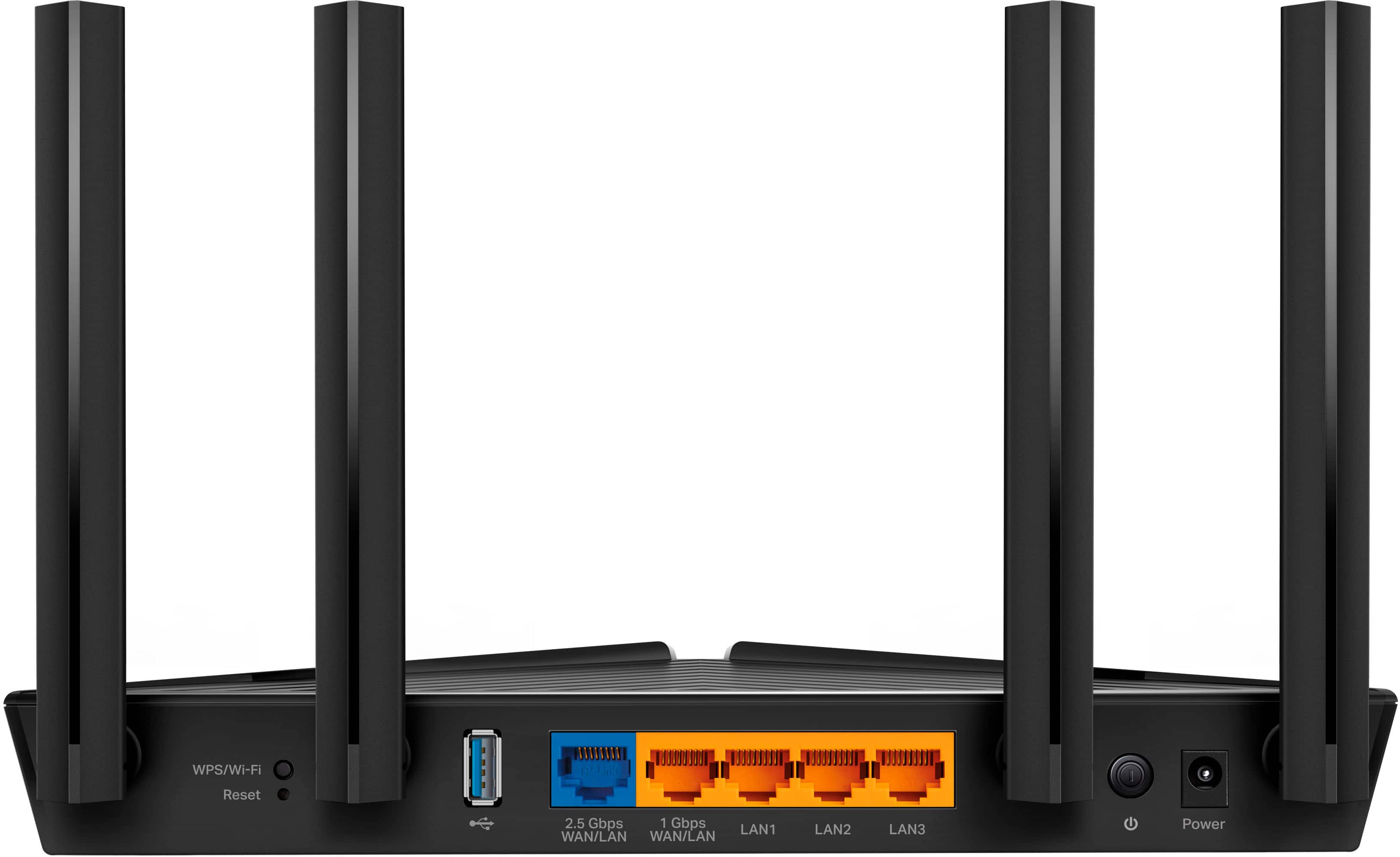
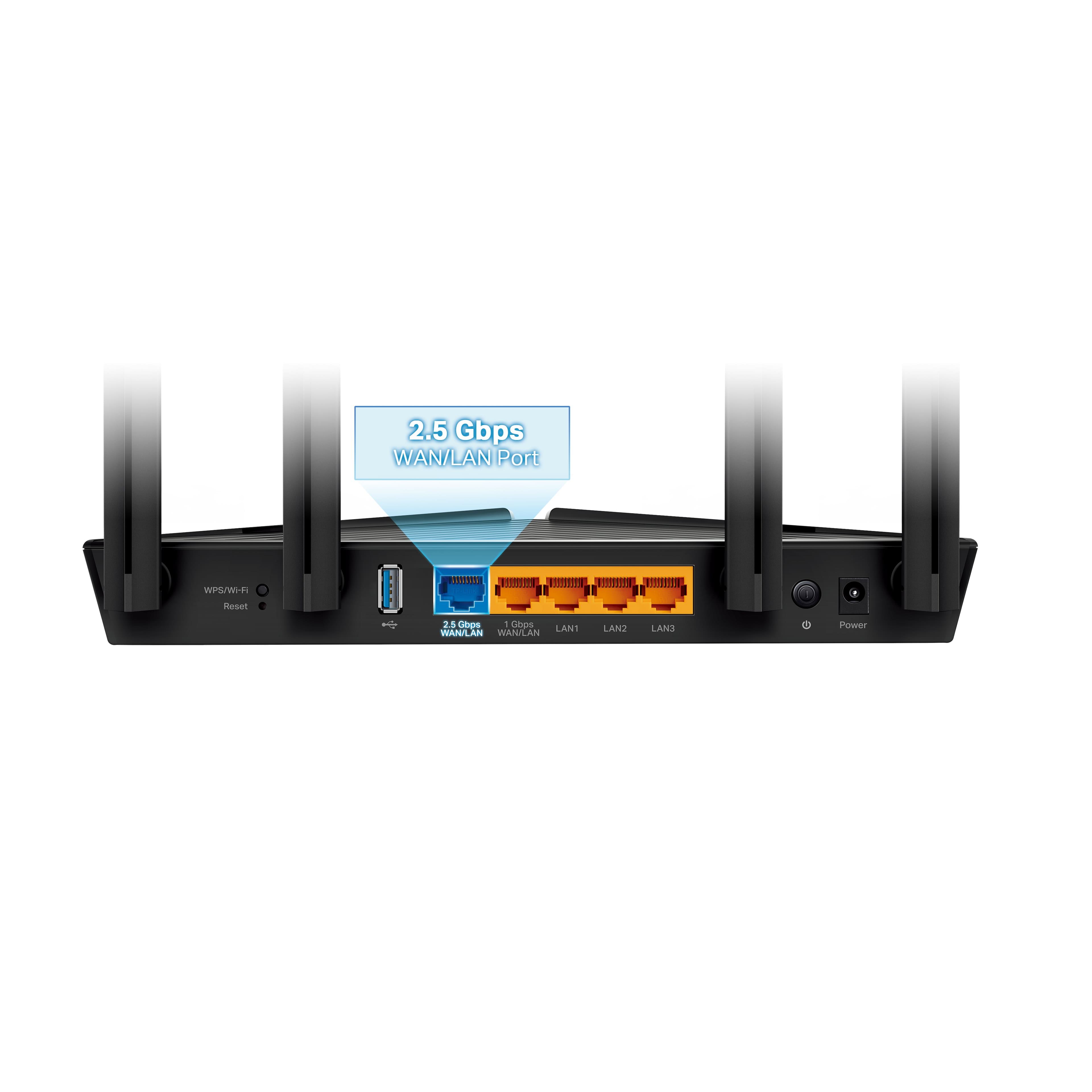
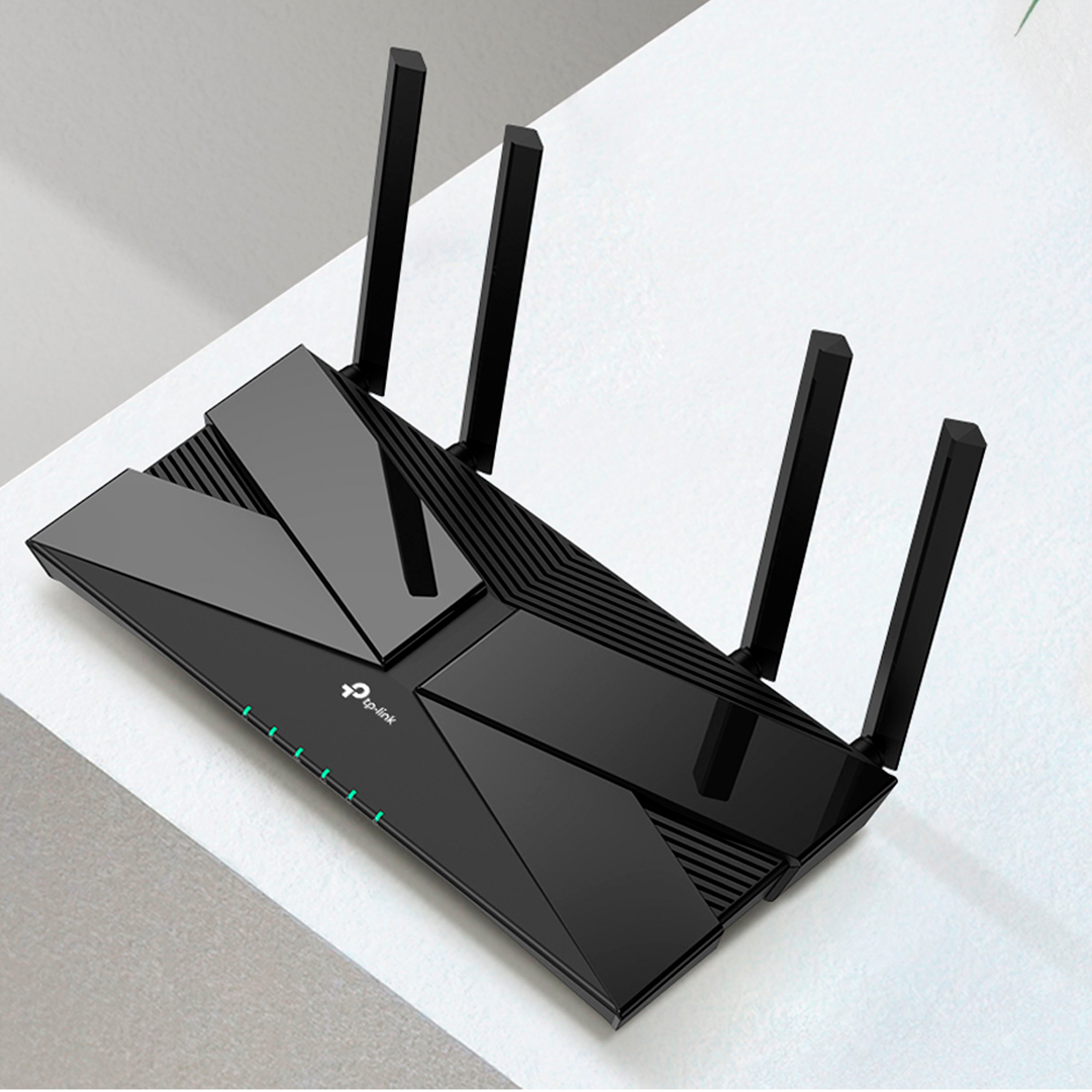
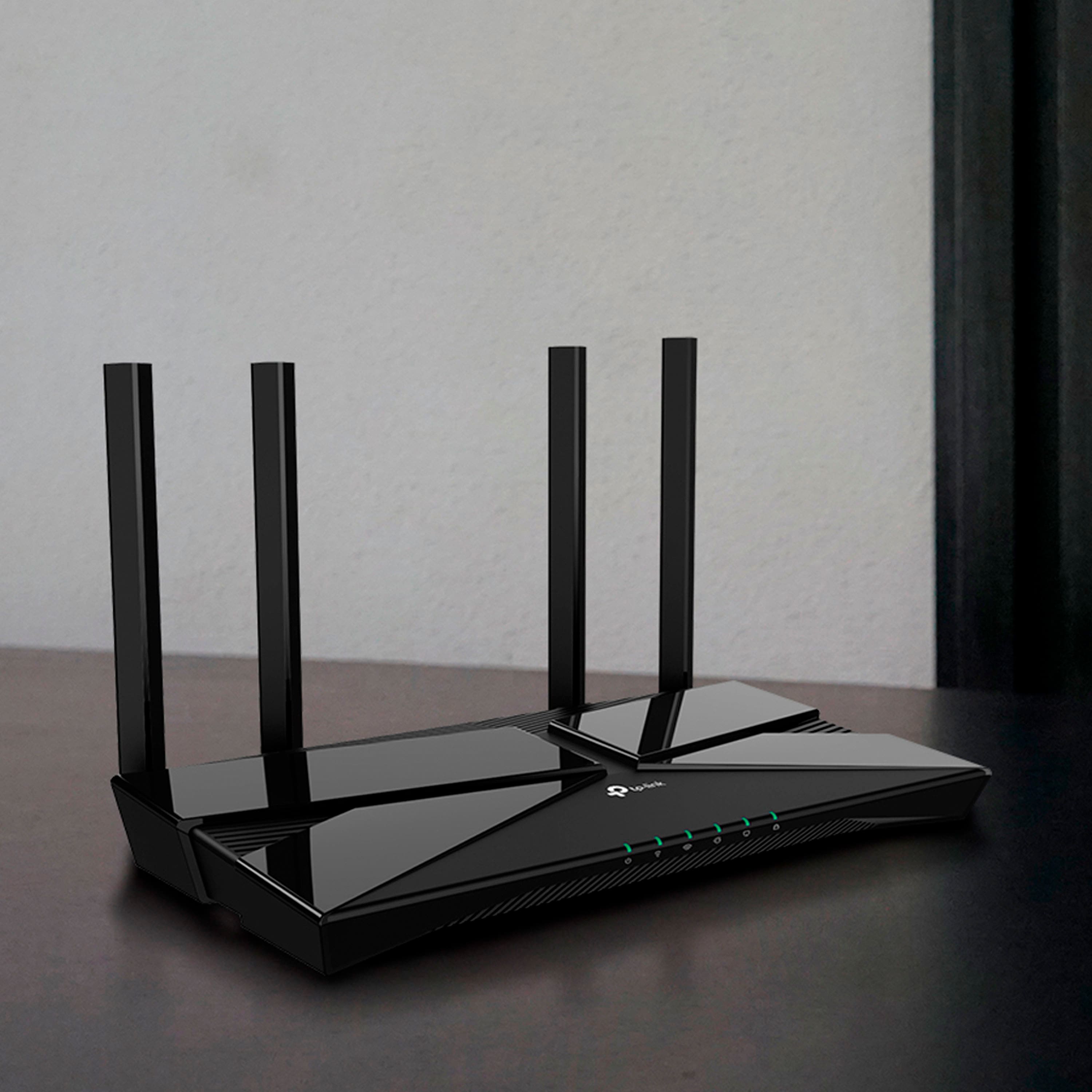
|Posted .This reviewer received promo considerations or sweepstakes entry for writing a review.Home networking equipment might not be the flashiest new technology to consider, but with more and more internet-connected devices in our homes it's grown ever more important. Virtually anyone with internet access has to use a wifi router, and the difference between an okay router and a good router (or an old router and a new router) can be one of the most noticeable smart home purchases you can make. As someone with dozens of smart home gadgets and internet-connected devices network reliability is paramount to me -- there's nothing like going to turn on the lights or lock the front door and being stymied by an unresponsive wifi signal. I don't have a large area to cover, just a two-bedroom apartment, but I do have devices at the far reaches of each room, and a swarm of interference from the routers of my neighbors in the building. When looking to upgrade my wifi 5 (802.11ax) router from 2018, I knew I wanted to move to wifi 6 -- the current wireless standard, and the successor to wifi 5 -- and I wanted a router from a company known for reliability. I'm not a gamer or super-heavy streamer, so I didn't need the absolute fastest or highest-end router, but I did want to maximize the use of my 400 mbps connection and have a bit of future-proofing so I wasn't looking for a new router in a year or two. TP-Link's Archer series have been universally well-reviewed for a few years now, and this led me to one of their latest entries, the Archer AX3000 Pro. This newest model slots toward the higher end of the midrange in the extensive Archer product line, with dual-band wifi 6 technology, a dual-core Qualcomm processor and the typical 4 ethernet ports plus a modem line-in port and USB 3.0 connection. Visually, the AX 3000 Pro looks identical to the AX50, but seems to have the innards of the AX55, insofar as I can tell. It also adds a 2.5 gbps modem line-in port, giving it the ability to handle extremely-fast internet speeds. I don't have access to speeds like that but I appreciate the inclusion of this should I be so lucky as to get these speeds in the future. In addition to the solid specs I was looking for, I was after TP-Link's easy setup and management, which I've used once before and found impressively straightforward. Not all router companies take the time to make their mobile apps and web-based router management portals easy to use, but TP-Link has, and this is a great benefit. What's the point of the latest technology if you can't figure out how to set it up? The Archer AX3000 Pro came simply packaged, including just the basics: router, power cable and ethernet cord. The router itself is small, lightweight an completely inobtrusive, with only a few non-blinking green lights on the front that can be turned off if you'd like. The four antennas coming out the back are pretty standard, too, and easily manipulated into position. Quick Start instructions were included, with basic setup able to be handled with TP-Link's Tether mobile app or via the web portal on a computer. I chose to use the Tether app to get things started, and for the sake of simplicity I maintained the same network name and password as before. After plugging in all the cables it was simply a matter of registering for a TP-Link account in the Tether app and connecting to the default network SSID that shipped with the router. The Tether app walked me through connecting the cables, naming my network and giving it a password, and installing a firmware update. After all this was done I had to reboot the router once and boom, everything was up and running, as evidenced by the green lights on the front of the machine. I expected perhaps a bit more drama... but that really was it. My devices found the network and connected with no issues, and I didn't receive any major errors, which in my book is pretty rare when it comes to network setup. After getting the basics done with the Tether app I headed over to my computer and logged into the router's web management portal to check more advanced settings. I do recommend giving this a try as some important features included with wifi 6, like beamforming and MIMO, were turned off by default. Turning these settings on can greatly improve speeds and reliability when using compatible devices. I also used the web portal to set up an IPv6 connection, which my internet provider supports, and was pleased to see the Archer AX3000 Pro could automatically detect and get this connection up and running. Nice! So setup is easy and the router itself blends right into any setup, but how's the performance? Wifi speeds and reliability are extremely variable and entirely dependent on everyone's unique setup, but suffice it to say I've been very pleased with the Archer AX3000 Pro. Since installing it I've had exactly zero network issues, with no dropouts or unnecessarily slow connections. For the sake of some comparison I decided to run the free Speedtest.net app on my phone in a few spots around my apartment and compare it to my previous router in the same locations, to see if I'd really notice a difference. Both routers managed to give me real-world speeds of roughly 300+ mbps download and 23 mbps upload all over my apartment. The biggest difference, though, is that the Archer AX3000 Pro gave me 450+ mbps download in every single location I tried, while my previous router varied greatly depending on where I took the test. The Archer never dipped below 450 mbps download, averaging closer to 460 mbps, while my previous router went as low as 283 mbps when I put a few walls between it and my phone. Not so with TP-Link's Archer: it kept me humming along between 450-460 mbps everywhere, even outside on my front porch. This dogged consistency is a boon, as in real-world use I haven't noticed a difference in speed anywhere in my apartment, whereas before I would feel things slow as I got farther from the router. Consistently good speeds and high network reliability are key to keeping today's smart home running in tiptop shape, and I'm happy to say the TP-Link Archer AX3000 Pro excels at both. With no dropouts, a very simple setup process and solidly above average speeds anywhere within my apartment, this router is a great choice for those looking for a great balance of speed, price and features. Add in the USB 3.0 and 2.5 gbps options for a bit of future-proofing and you've got a great choice on your hands for most people in most situations. While your individual setup may demand more or less from a router, I think this is a great place to start and another great option from TP-Link.
I would recommend this to a friend Not sure if working
||Posted . Owned for 3 weeks when reviewed.This reviewer received promo considerations or sweepstakes entry for writing a review.Returned due to malfunction per Ziply technician advise.
I would recommend this to a friendBrand response from TPLinkSupport
Posted .Hi,
Thank you for your review. We regret to hear you decided to return the router. If you were encountering difficulty obtaining Internet connectivity during setup, it may have been due to a common occurrence known as MAC (Media Access Control) Binding.
Often times, MAC binding needs to be released and renewed, so your modem can provide an IP address (and Internet) to the Router. This can typically be done using the following steps:
1. Unplug the power from both your router and cable modem
2. Unplug the coax cable from the modem
3. Re-connect power ONLY to your cable modem
4. Wait until the cable modem is fully booted, then re-connect coax
5. Re-connect power to the router and connect it to the modem via Ethernet
This process should release and renew the MAC binding, so your modem can provide connectivity to the router. If you'd like assistance with any of these steps, please reach out to our toll-free support team using any of the resources included with the product, or from our official website, and we'll gladly have a Support Agent follow up with you directly.
Thank you,
TP-Link Support
Works, but Meh Speed
||Posted . Owned for 1 month when reviewed.This reviewer received promo considerations or sweepstakes entry for writing a review.It works, and it allows us protect ports like we wanted. Not the fastest though.
No, I would not recommend this to a friendBrand response from TPLinkSupport
Posted .Hi,
Thank you for your review. We're happy to hear the Archer AX3000 Pro is providing the network security you were looking for. This model is designed for fast, AX3000 Wi-Fi 6 connectivity and is equipped with a 2.5Gbps WAN/LAN port, so generally, speed should not be a concern; as long as your Internet plan provides adequate bandwidth.
To ensure optimal performance of your wireless router, please check, and if needed, update its firmware using the steps outlined in FAQ 2139 on our official website: https://www.tp-link.com/us/support/faq/2139/
If connecting to the router over Wi-Fi, we suggest prioritizing use of the 5GHz band for optimal results.
If you would like assistance with any of these steps, please reach out to our free support team using any of the resources included with the product, or from our official website, and we'll gladly have a Support Agent follow up with you directly.
Thank you,
TP-Link Support
Inconsistent
||Posted . Owned for 1.5 years when reviewed.This reviewer received promo considerations or sweepstakes entry for writing a review.Could not hold signal as thr day went on, would drop for 3 seconds, then 15 seconds then Minutes. Went through all the hoops with TP-Link, they replaced the router. It didn’t work either. I bought a new Netgear router today.
No, I would not recommend this to a friendBrand response from TPLinkSupport
Posted .Hi JHill9,
Thank you for your review. We regret to hear that you encountered this unusual behavior with the router. If not one, but two routers exhibited this behavior, we first recommend checking for external factors, such as the potential of a double NAT scenario in your network. A double NAT condition can occur when two routers are connected (e.g., if your Internet source device is a modem and router gateway, and the Archer AX3000 is directly linked to it), which can lead to network anomalies.
If you have any remaining questions or concerns, our support team would be delighted to provide further assistance. At your convenience, feel free to use the phone, live chat, or email support options on our official TP-Link website, and our support team will gladly assist you.
Best Regards,
TP-Link Systems Support
Last trip to BestBuy
||Posted .This reviewer received promo considerations or sweepstakes entry for writing a review.I had a lightning strike kill my home network. I found a router online that was in my price range and was compatible with my setup. The add also stated that I could trade in old equipment for a 15% discount. I checked availability at a local store and headed that way. Upon arrival I checked how I needed to go about getting the discount. I was told several times that BB didn’t trade in network equipment. After showing the employee the add, he tried to find it on his register, and kept saying that it wasn’t covered. Finally a second employee said something to him and he “found it”. I was told to get the new product and the discount would be applied at checkout. When I got back to checkout it was told that the 15% couldn’t be applied because the router was on sale. Nowhere on the trade in form was this stated. I purchased the router with a bad taste in my mouth from the runaround, and resolved to make future purchases from a different company.
I would recommend this to a friendAvoid. Constantly drops signal.
||Posted .This reviewer received promo considerations or sweepstakes entry for writing a review.Terrible. My $40 router from 10 years ago works better. Constantly drops signal.
No, I would not recommend this to a friendBrand response from TPLinkSupport
Posted .Hi,
Thank you for your review. To ensure the best possible signal, optimal placement is essential. Reducing obstructions and placing the router in a central location will help ensure your signal reaches the needed areas.
To ensure optimal performance of your wireless router, please check, and if needed, update its firmware using the steps outlined in FAQ 2139 on our official website: https://www.tp-link.com/us/support/faq/2139/
If you would like assistance with any of these steps, please reach out to our support team using any of the resources included with the product, or from our official website, and we'll gladly have a Support Agent follow up with you directly.
Thank you,
TP-Link Systems Support
- Pros mentioned:Range, SpeedCons mentioned:Lag
Nice features for the price
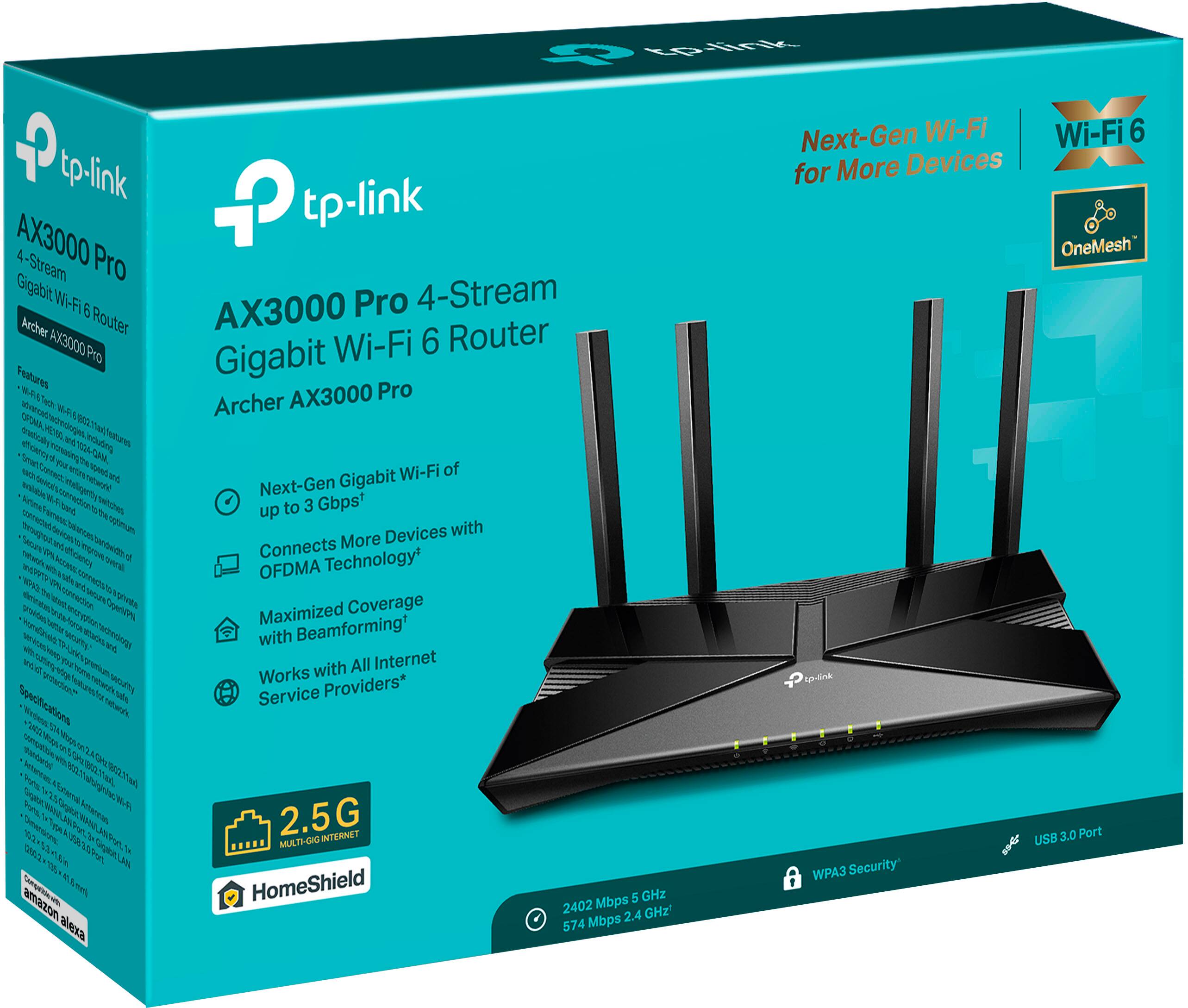
|Posted .This reviewer received promo considerations or sweepstakes entry for writing a review.The TP-Link AX3000 in theory is a pretty nice piece of hardware, and so far that theory is holding up. It has some of the bells and whistles of higher priced routers with a much lower price. The biggest features of this router are it's overall speed, beamforming technologies, MU-MIMO, and OFMDA technologies. Three times faster than Wi-Fi5 offering speeds up to 3Gbps by combining the throughput of both channels, 2.5Ghz and 5Ghz. Wi-Fi6 offers more channels and simultaneous connections with less lag by shrinking the packets into smaller sizes and running them side by side. OFMDA - Orthogonal frequency-division multiple access, takes orthogonal frequency-division multiplexing, and makes it so multiple users have simultaneous access. It's like instead of loading up each subway car with specific passengers to different destinations per car, you can now load each car up with different passengers going to different destinations into the same car. The smaller packets allow the machines to combine these different packets into single cars. All the materials or passengers make it to their specific destination followed by more cars loaded the same way, until all the files have completed their transit. This method dramatically cuts down on lag, as single larger packets no longer need to wait their first in first out order of completion. Whereas before if I had 5 devices all using the same wifi, I would have to wait in line as the 5th device for my turn to send and recieve data. It's this waiting in line that creates the lag all video gamers love( that's sarcasm). Lag can destroy even the best video games, movies, or VOIP calls. With Wifi6 all 5 devices no longer need to wait their individual turns in the pipeline, as multiple streams can load and transmit at the same time. MU-MIMO stands for multi-user, multiple input, multiple output, further exacerbating the multiple users at the same time by splitting up the actual data stream into several data streams running at the same time. (The number of additional data streams depends on the router.) So now we have multiple subway rails (streams) running side by side each with multi-user subway cars. When all of these technologies are combined you would think lag and bottlenecks would be a thing of the past, and someday it might be, unfortunately not all connected and available devices everywhere are capable of running WiFi6, plus not all ISPs offer high enough internet speeds to fully utilize all of this. The other thing to keep in mind when considering your internet speeds is that those speeds are recorded at a different terminology than what most people think. A router that has a throughput of 3Gbps = 3 Gigabits per second, most people are used to hearing of Megabytes and Gigabytes as they typically refer to storage capacities. A bit is much smaller than a byte. So 3Gbps is actually equal to .375GB/s or 375MB/s . So don't think that if you have a 3GB file, it can be downloaded in 1 second, because that isn't going to happen. Not only do you have to consider the router's true speed at moving GB/s you have to also take into effect that the internet speed itself is always in fluctuation based on all the surrounding usage in the area and the physical distance of the file being transferred. Beamforming technology is another added feature to this router. Beamforming lets the router focus the antenna signals into the direction of use that needs it most. It's very much like rotating or moving a TV antenna for the best reception except you physically do not need to move anything. It all happens by how the router distributes the signals between it's own antennas. In doing this you can not only get a better bandwidth, but you can also increase your reception distance. The AX3000 does offer mesh networking as well, but you need to read the compatible device listings as not all mesh hardware will work together. With the right mesh devices in place this router can provide a pretty substantial network. Even without the Mesh devices the coverage is pretty good. I replaced an older router with this one. Our house has 3 levels, and many brick walls. The other router was a name brand router, but had a difficult time reaching the upper level of the house and even had difficulty keeping a stable connection on the main floor(where it was) to different corners of the house. The TP-Link has done an excellent job at reaching every room in my house, and even has good coverage outside. I have yet to experience any drops in connection, or throttle issues. My kids have Xbox X's and PS5s all connected to the router. Even they have noticed an improved difference over the WIFi and less wireless lag while playing their games. The router does offer some customization options when logged into it, but not too much more than the typical port forwarding, DMZ, and firewall settings, although it does have what they call "Homeshield", which is an added security feature on the router and even has an accompanying mobile app, that can utilize these features. The router itself is actually smaller than you would think, which is a nice change from some of the larger bulkier models, it can be more discreetly hidden. The dual core processor does a decent job at keeping everything running pretty smooth, I have not had to reset the router once since it's been in place. Overall this is a great little low to mid range router, it's plug and play so no need to even get into the settings unless you want to rename the SSID. It does offer some other options when logged into it, if needed. I also like the fact that I do not need to download an app just to log into the router, it can be done directly from any web browser. I've noticed some of the other manufactures out there make it very difficult to access the router settings unless you download their mobile app. For the money I have been very pleased with this router, it seems to take advantage of all it's advertised features. However, if you are looking for more advanced controls over your network, with QOS features, or port/device bandwidth control you will have to spend a lot more money.
I would recommend this to a friend Good router.
||Posted . Owned for 3 weeks when reviewed.This reviewer received promo considerations or sweepstakes entry for writing a review.Unable to get reception. Our router was 8 years old and bought bought so I could use my iPad. Now we have cell phones, another iPad, and 2 smart TVs. Bought this router and everything works, without a problem.
I would recommend this to a friend- Pros mentioned:Range, Setup
Lived up to expectations.
|Posted .This reviewer received promo considerations or sweepstakes entry for writing a review.I'm a Mechanical engineer who's been working from home since past more than two years, so I'm comfortable with tech. I had to replace my old Norton wifi router because Norton stopped supporting their hardware (in my case, the router) and it went dead by April of this year. I decided to give TP link a try because they are one of the renowned companies out there. While the TP-Link AX3000 is by no means a low-cost solution, it's worth every penny spent on it per my own experience by now. Set up can’t be easier, almost take me less than 5min to connect to the Internet. It does provide a much stronger signal throughout my 2-store house. Amazing performance, fast Wi-Fi 6 and 5 as well, great range, doesn't need constant reboots, basically "just works". Lots of configuration possibilities in the web interface and easy to work with. Design is pretty slick. thinner/smaller than I expected. Antennas swivel with a little effort, but stay put when you're finished moving them. It can be attached to the wall with two screws (not included). The holes on the back of the device are roughly 8 1/2 inches apart. It also has an option to turn the LED's off at certain times I have Cox. I used to have 500 mbps internet. Before this router, I was getting speeds around 200 mbps on wifi. I always complained to cox about my reduced speed and they asked me to change my router to see if that makes any difference. I've noticed a a big improvement in speed ever since I switched to this router. Now I'm getting speeds more than 500 mbps. I plugged in my 512 GB photo archive thumb drive to the router. I was getting consistent 30 mbps transfer from desktop to thumb drive. Pretty happy with that, as its about as fast as I get when its plugged into my desktop. Pros: 1) Elegant design, almost the most beautiful 4 antenna router I have ever seen. 2) Setup is breeze - set it up in less than 5 mins, just need to follow the app step by step. 3) Performance is spectacular out of the box – All my rooms have very decent speed, even in my kid room which previously I have to add a range extender when using Norton router. 4) Haven't had any wi-fi drops so far. 5) Can handle all my smart plugs and bulbs without any issue. 7) No buffering or stuttering when streaming and gaming. 8) No dead spots in my home and it also covers my garage with decent range. I can stream Netflix in my garage with no streaming issue whatsoever. 9) Last but not the least, it can create a single SSID which can handle both 2.4Ghz and 5Ghz devices. It helps the router to automatically switch each device's connection to the best available Wifi band. Cons: 1) Maybe a little expensive, but it's worth for the wi-fi 6 router, the new OFDMA technology. 2) You will need AX clients to really take advantage of this product. In my opinion, AX should be the next big thing in Wi-Fi. Overall, I am very happy with the performance of this router. If you have a household with lots of wireless or wired devices like me, this router is a good choice.
I would recommend this to a friend Got me a lemon
||Posted . Owned for 3 weeks when reviewed.This reviewer received promo considerations or sweepstakes entry for writing a review.Great when it worked for two days. Third day on, it kept dropping intermittently. Had to return defective product.
No, I would not recommend this to a friendBrand response from TPLinkSupport
Posted .Hi Teresa,
If you have any issues with the replacement process please let us know at ususpportteam@tp-link.com. We will help address any concern you may have.
Best Regards
TP-Link Systems Support
This was a returned item.
||Posted . Owned for 1 month when reviewed.This reviewer received promo considerations or sweepstakes entry for writing a review.We had to return this as we found it $20 cheaper. Sorry
No, I would not recommend this to a friendBrand response from TPLinkSupport
Posted .Hi,
We regret to hear you decided to return the product. If you had any experience using the router, we would appreciate your feedback. For future reference, if you have any questions or concerns about your TP-Link product experience, our support team is always happy to help. Please feel free to reach out using any of the resources included with the product, or from our official website, and we'll gladly have a Support Agent follow up with you directly.
Thank you,
TP-Link Support
- Pros mentioned:Range, SpeedCons mentioned:Lag
Excellent High-Speed Router w/ 2.5 GB Uplink Port
|Posted .This reviewer received promo considerations or sweepstakes entry for writing a review.With GB (or faster) internet now more widely available, finding a router that can take full advantage of your GB internet speed is critical. The AX3000 does just that. From the capability of handling speeds above 1 GB to range to WiFi speed, this router checks all the boxes. Connecting is simple using either a web interface or app (nothing new over the last decade on that). The router has the option of a 1GB or 2.5GB uplink port for connecting to your ISP’s modem. Again, if you’re running speeds at or above 1 GB at home, this will allow you to take full advantage of the bandwidth and not be slowed by the max speed of the router/switch ports. There are (4) 1 GB ports total, so you either have 3 or 4 ports for hardwiring gaming PCs or consoles, depending whether you use the 1 GB for connection to your ISP. The router has WiFi 6, so for those with PCs that have a compatible card, you’ll see increased bandwidth if you’re forced to use wireless. In my case, speeds went from around 300 Mbps on a regular laptop to around 420 Mpbs on an Alienware gaming laptop with a WiFi 6 card. While we all know gaming over WiFi isn’t preferred, for those who wired connections aren’t possible, this gives you better speed up and down, as well as decreased lag. Even on our network here with 3 people gaming at the same time, I saw no substantial slowdown in speeds or increased lag. Another feature of the AX3000 is their compatibility with tp-link’s other mesh products. The router can serve as the “base station” to other mesh repeaters for larger or oddly-configured homes. As for coverage, while it wasn’t bad at all, I did notice some decrease in signal just 2 rooms away from the router location, as well as downstairs on the other end of the house. Nothing substantial, just a drop from 5 to 4 bars on the laptop. Again, speeds were still pulling over 400 Mbps, so wasn’t enough for me to be concerned with. But be aware that in a much larger home, you could possibly see reduced coverage that may necessitate a repeater. The only major con I found is its construction, but it’s similar to pretty much all routers today, which is the plastic feels and sounds cheap. That’s the cost savings, I guess, but obviously that doesn’t affect the performance, just more of a nuisance that they’re made very cheaply today. Overall, this router performed extremely well for an environment with 4 people living in the house, 2 who heavily stream and game, 1 who works full-time from home & is on Zoom calls non-stop, and the other who games and does online school. At no point was the network bogged down, and latency remained incredibly low despite the load on the system. The addition of a 2.5 GB port for taking full advantage of 1+ GB fiber speeds is great, giving you use every bit of bandwidth you’re paying for.
I would recommend this to a friend - Pros mentioned:Ease of use, Performance, Range
Great Home Office Router, Decently Powerful
|Posted .This reviewer received promo considerations or sweepstakes entry for writing a review.The Archer AX3000 Pro is a sleek, spaceship looking router. Supporting WiFi6 it sports four antennas which give you pretty solid range and performance. Beyond that, you get the normal 4 LAN ports plus 1 WAN and one USB port. If you're the type that has network storage attached to your router, having a USB3.0 port is key. While I'd prefer having two, given I'm generally running a hard drive dock and don't actually access multiple NAS drives simultaneously (most of the time), it's not a big issue having just the one USB port. Router setup is pretty straightforward, unbox, connect power and the WAN port. I then ran a cable from the LAN to my office switch which typically just has my home desktop and work laptop connected. My next step is usually to connect to the web interface on the router to configure things further but for this I tried TP Link's tether app. The app is pretty nice, has a pleasing blue/teal on white design and is easy to use. It's also relatively minimal in what you can configure. Sure, you can setup the 2.4Ghz and 5Ghz networks, do a bit of access control and monitoring, but going deeper did require hitting up the router's web interface anyway. The web interface is similar however and while a bit more complex, still well laid out/categorized so one wasn't hunting around to figure out where to setup the NAS - clearly "USB Settings". And like I expect, you can configure access to your drives and folders on your drive to individual password protected users. This is nice as a drive I use for backups also doubles as a source for streaming saved shows (as those are backed up files too). Once things were configured to my liking, there were three major tests to run. First range/performance on the same floor as the router. Range/performance from the basement to the third floor, and how well it handles remote desktop between my work computer and desktop. On the same floor, range and performance was great. I had excellent connection speeds everywhere - pretty much getting the same speed over both WiFi networks as my laptop when directly connected at the router. With two floor separation, it starts to struggle. The 5Ghz network was still faster - but depending on where I was on the top floor, I'd lose the 5Ghz connection. Speed while fast, was down to about 50Mbps up and 10Mbps down whereas before, I was hitting 200Mbps up and 40Mbps down. The 2.4Ghz connection was stable throughout the top floor but at the cost of some bandwidth. Speeds dropping to about 30Mbps up and surprisingly 18Mbps down. That's right, the 2.4Ghz network managed to beat out the 5Ghz on upload. Remote desktop went well. Through the switch, the two machines are effectively running directly through the AX3000. Running a 3D engine test on my work laptop, I didn't notice any stuttering or jumps in the frames watching this over remote desktop on my desktop PC. And this is effectively streaming two 1080p screens while my family was watching a show on Netflix (my living room TV is on the floor above the router and while streaming can be a good test, it's just not a particularly taxing on given the house layout and that even at 4k, there's plenty of available bandwidth). Going outside, I had connectivity going out to my garage (phone auto switched to the 2.4Ghz network) and in the back yard. This is about par for the course. Speeds dip depending on how deep into the garage I go, but that has always been the case. In all, I'm pretty pleased. This is a good home office router. It would be nice to have more floor punching range and performance but given that it's mostly smartphones and smart home stuff on the top floor, the 2.4GHz network is sufficient, especially since we typically are just web browsing on the phone prior to going to sleep or for me, checking emails and news when I wake up on a weekday.
I would recommend this to a friend Support is terrible
||Posted . Owned for 1 month when reviewed.This reviewer received promo considerations or sweepstakes entry for writing a review.Unfortunately support is completely unreliable and are super quick to push blame onto ISP. Had troubles with faulty hardware and was told over and over it was ISP connection issues. Plugged in verizon router and internet was back up in seconds. Im sure its a decent product when it works but id rather a manufacturer that knows how to diagnose their equipment rather then deflect
No, I would not recommend this to a friendBrand response from TPLinkSupport
Posted .Hi,
Thank you for your review. We regret to hear your initial support experience was anything less than satisfactory, and we would appreciate the opportunity to follow up and provide further assistance. At your convenience, please send an email with your existing support ticket ID to USSupportTeam@TP-Link.com, and we will have an agent follow up with you directly.
Thank you,
TP-Link Support