Customer Ratings & Reviews


- Model:
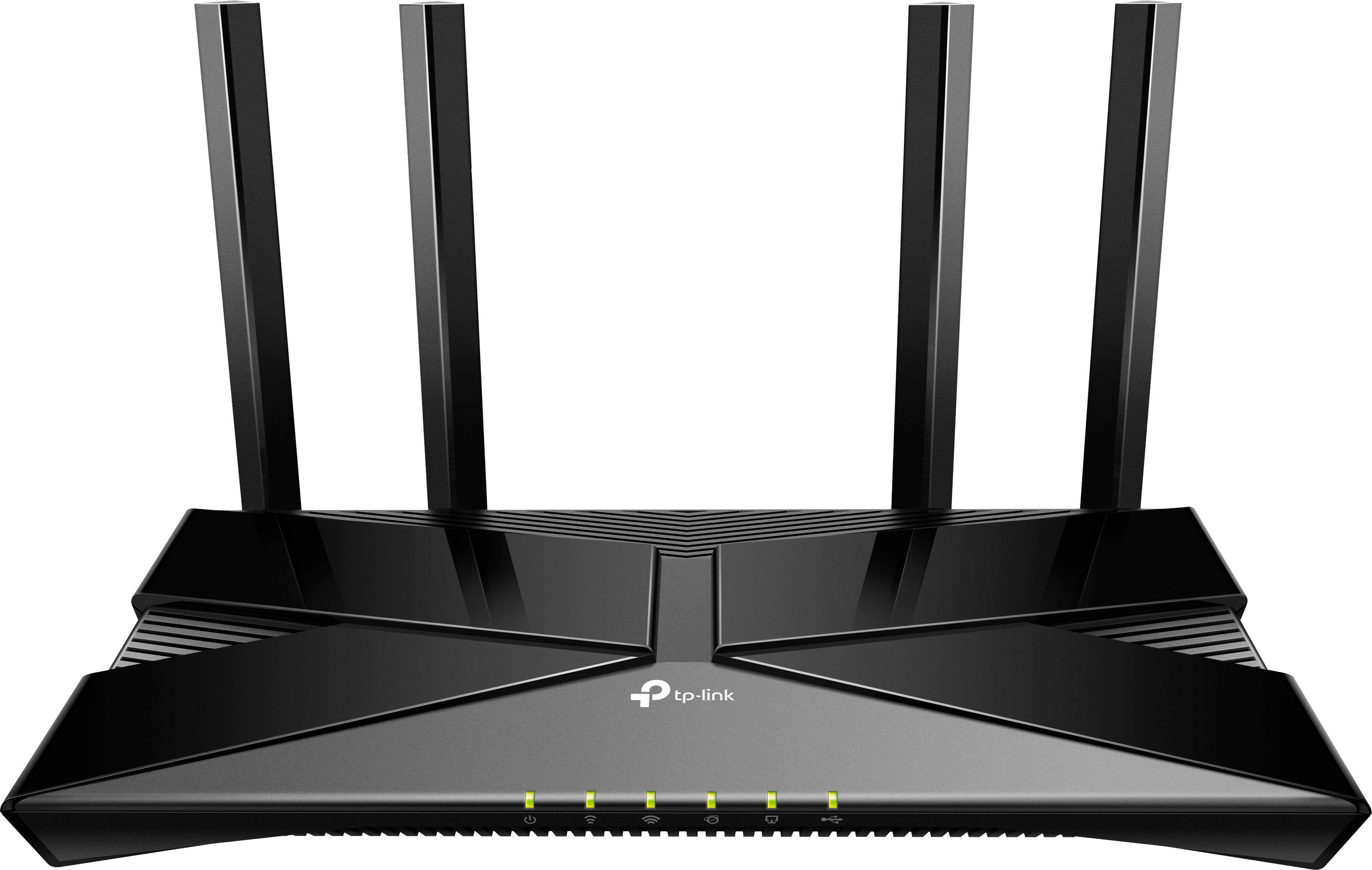
- Archer AX3000 Pro
- SKU:
- 6502056
Rating by feature
- Setup
Rating 4.7 out of 5 stars
- Range
Rating 4.7 out of 5 stars
- Signal Strength
Rating 4.7 out of 5 stars
Customers are saying
Customers are impressed with the Archer AX3000 Pro Dual-Band Wi-Fi 6 Router, particularly its ease of use and seamless performance. Many users have reported improved WiFi speed, quick setup, and excellent range and coverage throughout their homes. While some users experienced issues such as buffering and lag, the router generally provides better connectivity for all devices at a good price.
This summary was generated by AI based on customer reviews.
- Pros mentioned:Range, Speed

Fast Wifi 6 without breaking the bank
|Posted .This reviewer received promo considerations or sweepstakes entry for writing a review.As the Wifi 6 devices start to roll out, so do the Wifi 6 routers! If you are not in the market for a mesh system, this router has solid range and performance and is worth your consideration. Sporting a decent amount of high speed LAN ports as well as a WAN port and a USB port, it has the usual complement of connectivity that I expect from higher end routers. As TP Link's performance brand, the Archer AX3000 did not disappoint on that front. Also new for me while installing and managing this router is the current state of TP Link's app and built in management features. While I'm a little dubious of their ability to capture ALL of the potential sites that someone could stumble into or seek out that could be nefarious, the built in security settings that are centered around keeping your family safe, and blocking or filtering categories of sites and content seemed thoughtful and well organized. I especially liked the security controls per device, allowing me to set the age for the viewer and block or allow content. I did not get the opportunity to test the link aggregation capabilities of the device, but I know that they're there, and I intend to do some reconfiguring to my home network in an attempt to take advantage of that feature to speed up connection to an in-home attached storage device. Antiviral and Quality of Service controls that allow me to prioritize my streaming devices, are also necessary features you should be looking for in a Wifi6 router. Overall web browsing speed was noticeably faster over my previous aging router that this replaced. A few cons were that it did take me a minute to get it configured and had to reset it at least once during setup. Also the router gets quite hot while running, which may be a function of it's higher powered processor. I find this to be a solid Wifi6 router, and would recommend it as the hub for any home network looking to upgrade speeds and technology. Some other reviewers have commented on some of the management features potentially expiring based on a trial basis, however everything that I've dug into on mine indicates that the features are here to stay and are free, however you may want to do your own research on this topic. I hope future versions increase the usability and solve some of the lagging issues that always seem to be present in first gen technology.
I would recommend this to a friend Bad
||Posted . Owned for 1 month when reviewed.This reviewer received promo considerations or sweepstakes entry for writing a review.Was not what i was expecting. It could not prdice internet by its self without the modem
No, I would not recommend this to a friendBrand response from TPLinkSupport
Posted .Hi,
Thank you for your review. This TP-Link Wi-Fi router is not a modem; however, it can be used in conjunction with a modem or existing Internet source to provide your home with robust, reliable, AX3000 Wi-Fi 6 connectivity.
Our support team is always happy to help answer any questions you may have about our products. Please feel free to reach out using any of the resources included with the product, or from our official website, and we'll gladly have a Support Agent follow up with you directly.
Thank you,
TP-Link Support
- Pros mentioned:Setup, Speed
Awesome Router
|Posted .This reviewer received promo considerations or sweepstakes entry for writing a review.This my review for the TP-Link Archer AX3000 Pro Dual-Band Multi-Gig Wi-Fi 6 Router. Overall packaging is good. In the box are the router, power cable, ethernet cable and instructions. Set up was very simple and I was able to have everything up and running in about 15 minutes. Alot of routers now a days are using some kind of app integration for set up and install. This makes setting up the router and connected devices very quick and easy. Looking at different speed tests, wireless phone had speeds of 104 Mbps. Older Macbook pro was 333 Mbps. I have my xbox series x wired in and my speeds were 972 Mbps. I have gig speed internet so your mileage may vary. I didn't have any occurrences of the wifi dropping or any instances of videos taking a long time to buffer. The app for the router is excellent. I'm able to easily prioritize devices to ensure I have a constant connection at all times. For the price and user friendly app, easy to hook up router I'd call this router a pretty solid piece of networking hardware.
I would recommend this to a friend - Pros mentioned:Ease of use, Speed
The most reliable router I've owned
|Posted .This reviewer received promo considerations or sweepstakes entry for writing a review.The TP-Link Archer AX3000 Pro Dual-Band Multi-Gig Wi-Fi 6 router is, without any doubt, the most reliable wifi router I have ever used. I highly recommend it. Set up was very easy through the TP-Link Tether app, or the router can be setup with the default network ID/password via a browser. When I look for a wifi router the most important thing is not necessarily the throughput speed but rather how stable the connection is for a variety of devices. I have owned far too many routers that have dropout issues or unstable connections. the TP-Link AX3000 router exhibited zero connection or stability issues during several days of intensive testing. At any one time I have a minimum of 15 devices connected to the router and usually more. These devices span a wide variety of uses: mobile devices, desktop PCs, laptop PCs, home devices such as a wifi smart thermostat and wifi smart outlets, streaming devices (smart TV), gaming devices (PC and consoles). All of these devices worked flawlessly and the wifi connection was rock solid. If you have WiFi 6 devices you will notice an increase in speed with this router. Both my android phone and desktop PC, capable of Wifi 6, are reaching the theoretical speed limits of my ISP. I don't say this often in a review, but I enthusiastically recommend this router.
I would recommend this to a friend - Pros mentioned:Setup
Great in home wifi option
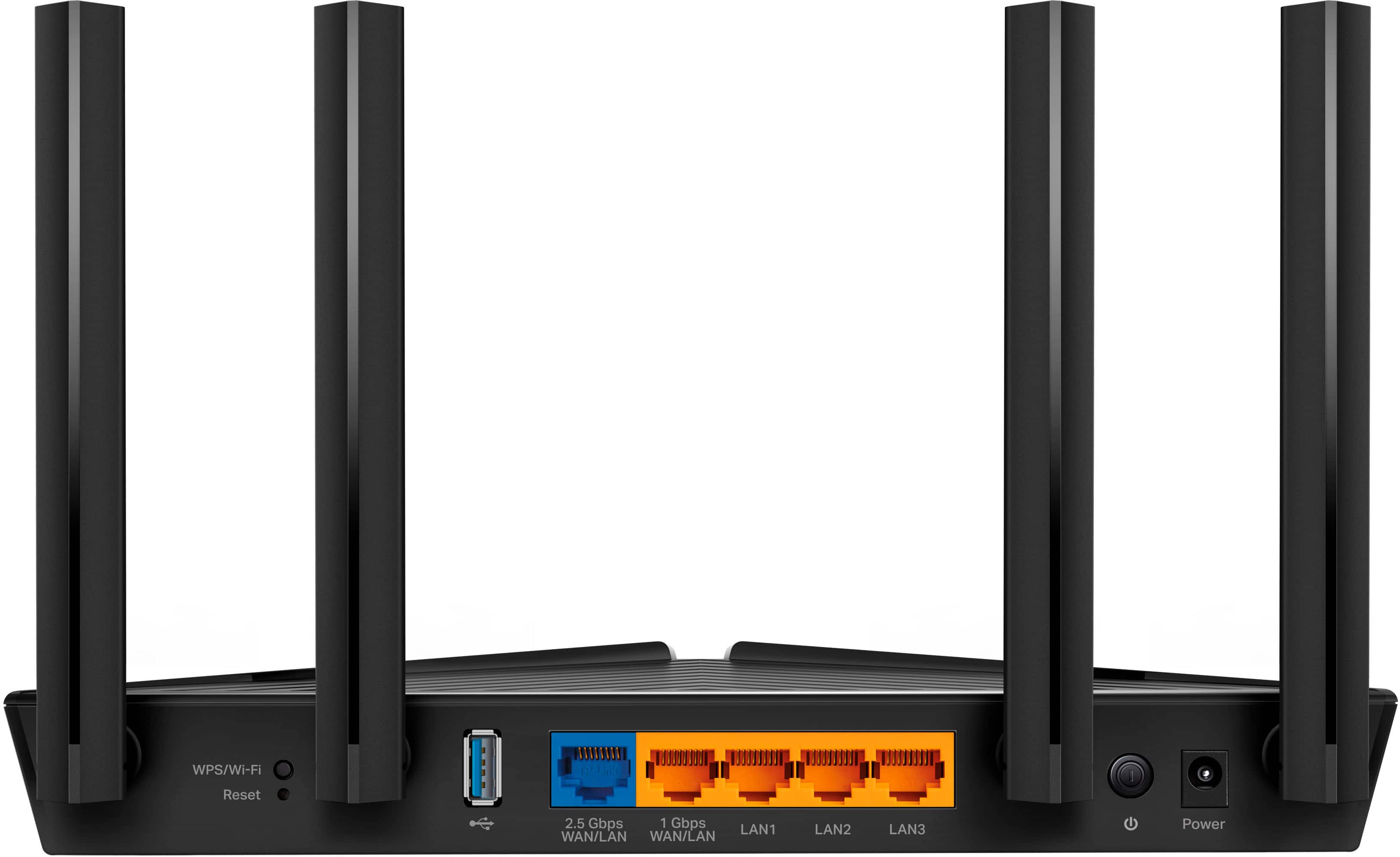
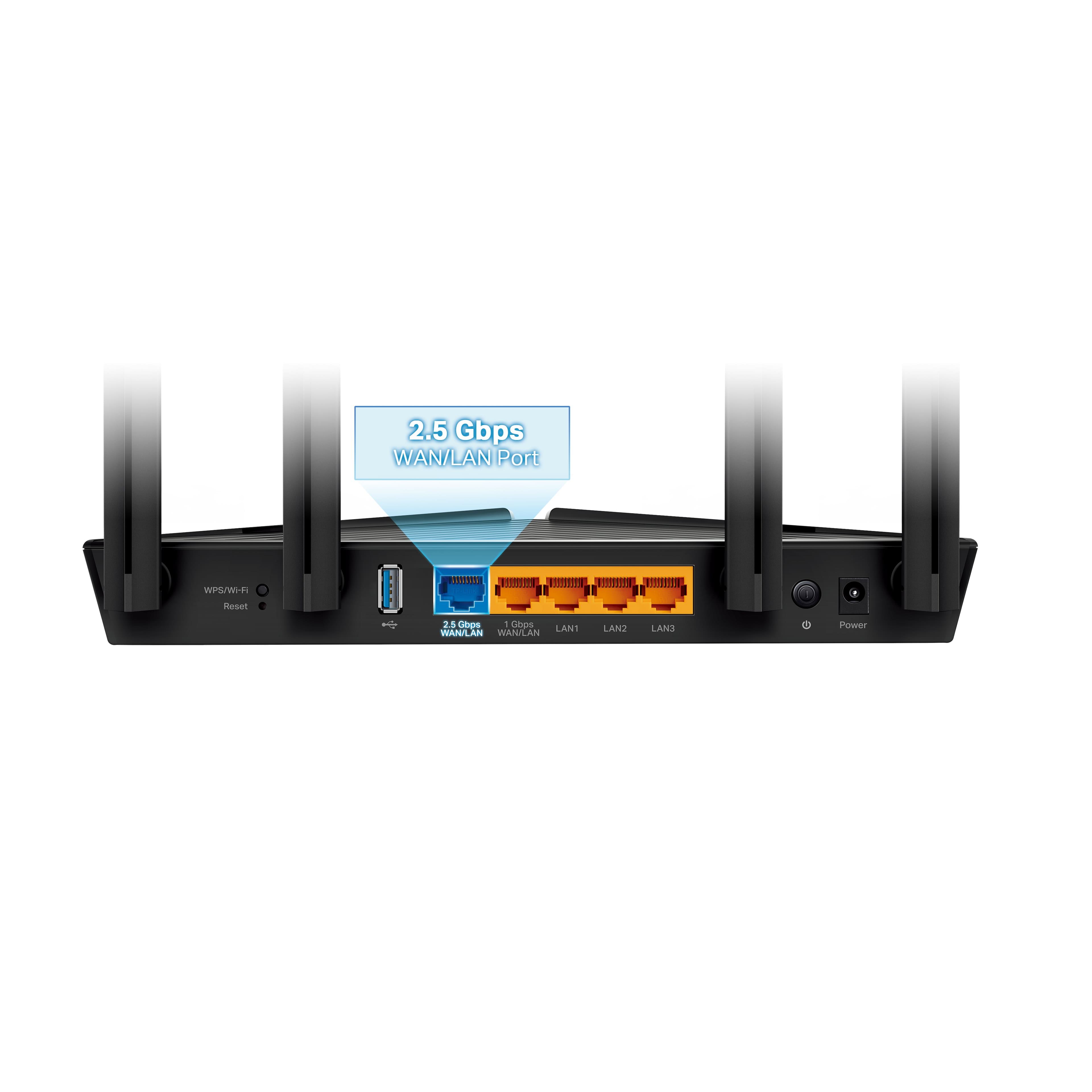
|Posted .This reviewer received promo considerations or sweepstakes entry for writing a review.If you are looking for a really simple to setup option for your in home wifi this is it. Everything comes nicely packaged and already setup so they keep it nice and simple. You get your typical power supply, moderate length cat 5 cable (hopefully your router is closeish to your modem.) Once you plug everything in and follow the easy to use instructions I was up and running very quickly. Sometimes these systems can require several reboots of one device or another but everything just sort of worked right away. The Dual band wifi works great all my devices from computers to tvs to iphone's all worked flawlessly and are pulling speeds that are comparable to what my plan provides. If you are lucky enough to have a device that supports up to a 2.5gbe connection than you can plug it into the router to take advantage of it. Otherwise you are getting 4 1gbe ports to plug into which is nice. Signal seems to be strong and steady, I haven't needed to reboot it yet. The configuration pages are relatively simple but the average user doesn't need access to much to keep their home network running smoothly. Overall I'm quite happy with the wifi and wired options and it just does the job it needs to without being a huge price point.
I would recommend this to a friend - Pros mentioned:Ease of use, Performance
Good router built for business
|Posted .This reviewer received promo considerations or sweepstakes entry for writing a review.Got the router for my extra building - decided to attach as an access point. Love the option of 2.5Gbps and 1Gbps WAN connections - i couple of my PCs have 2.5Gbps cards - so not having them limited helped a lot on the uplink to our main cabinet! in the box is the router/power cord/cat5 cable, antennas were already attached. So physical setup is just plug in the unit doesn't have a lot of fancy TTL/Traffic/network Ping/Deviation but gets right down to business with the configuration and keeps it really simple. Performance is really good and has been reliable. Using it primarily for wifi connectivity. All my devices are connected and are able to get internet and connect locally for database connections. Wifi supports both 2.4 and 5ghz with Guest support on each. So this was a must for us and out office. Overall - its was an easy setup, works well, no nonsense router. It just works and works well At the price point, it doesn't break the bank either. I don't need all the fancy gaming setup in the more expensive routers out there and not a enterprise grade router either. So entry cost was a big factor in this buying decision.
I would recommend this to a friendBrand response from TPLinkSupport
Posted .Hi,
Thank you for your detailed review of our Archer AX3000 Wi-Fi 6 router with 2.5Gbps Ethernet port. We appreciate you sharing your experience with the device and how it has worked in your use scenario.
Our support team is always happy to answer any questions you might have about our products. Please reach out to our support team using any of the resources included with the product, or from our official website, and we'll gladly have a Support Agent follow up with you directly.
Thank you,
TP-Link Support
- Pros mentioned:Ease of use, Speed
Great speed and easy set up
|Posted .This reviewer received promo considerations or sweepstakes entry for writing a review.If you are a heavy wifi user-- think gaming and streaming-- this router is blazing fast and will take your home internet to the next level. Between ny smart TV, home theater speaker system, security system, cameras, and other smart home devices, i require a fast, stable connection. This router definitely delivers on all fronts. It has four antennas to direct the signal through your house without the need for a mesh system with satellites in each room. This router was much easier to set up to use multiple bands, including the 2.4 band that some connected appliances like robot vacuums and smart ovens require. I pay for "up to" 100 mbps through my inter et service provider and the speed test on this router comes in at 49.18 for downloads and 4.78 for uploads, which is a pretty good jump from 39.20 and 4.01 from my previous router. The router offers a robust security package with parental controls through their HomeShield service, unfortunately, all of the functionality doesnt come standard, but instead requires a subscription fee of $55 a year. Its not much. But when so many other routers offer similar features for free, it's a sticming point.
I would recommend this to a friend - Pros mentioned:Performance
TP-Link Keeps You In Control
|Posted .This reviewer received promo considerations or sweepstakes entry for writing a review.I've had a number of different routers and mesh systems recently. I have to say that the vast majority of them not only disappoint, but have taken the power of the device away from the user. I get that in many cases it's an effort to make it easier for more individuals to set up the devices, but what about those of us who are a bit more tech savvy, those of us who want more control and more power in our devices. That's where TP-Link shines. To start, the router is packaged well, if in a no frills box that protects it and doesn't do much more. That's fine in my opinion, I'm not looking for a pretty box, I'm looking for a functional and powerful device and that's where TP-Link delivers. When configuring the device it quickly steps you through the basic items, type of internet connection, WiFi name, password setup, etc. Once you complete the setup, you're presented with more of a classic interface for routers with many advanced options including VPN server and client options (the VPN client configuration is new in recent firmware for home use routers from TP-Link, and a welcome addition). With the capability to control everything from your subnet to DHCP scope, dynamic DNS, VPN, even cloud connectivity, as well as the ability to mesh other TP-Link devices together, there's really no lack of configuration options in the device and the flexibility to do with it what you want. For me, all of this was a welcome thing to see as, like I previously mentioned, many recent devices I've used take the power away from the user. In a recent router I've owned, there wasn't any method to see the error logs or even update the firmware yourself. All other advanced options I just mentioned were entirely absent in the other device. Now for the performance. It's definitely no slouch. I was able to utilize the full speed of my 500 mbps cable connection without issues. The range of the device covers my 2600 sqft house without issue with range to spare. I've connected the VPN client in this device to the VPN server in a different TP-Link router to give me access to another family member's network. All in all, it really does keep the control in my hands, where I want it. I happily recommend this router to anyone.
I would recommend this to a friend - Pros mentioned:Performance
A cutting edge router that won’t break the bank.
|Posted .This reviewer received promo considerations or sweepstakes entry for writing a review.I am upgrading to this router from the AX1800, and we loved it, but felt we needed an upgrade. The performance of the AX1800 has been stellar, but we had poor signal coverage at the edges of our home. We have easily over 30 devices accessing our wireless router and we need a router that can accommodate all of our streaming/gaming needs. The AX3000 is an upgrade in every sense from last years AX1800. We no longer get weak signal coverage at the edges of out floor plan. Performance is also not hindered in any way, and all 30-40 devices can get great performance at once without buffering or lag. Performance and signal coverage need to be amazing and this router is able to impress on both fronts, but something that might be overlooked is that you can set the router to prioritize certain devices on the network. So if you want to make sure that your streaming device or gaming PC always has an unhindered connection regardless of network congestion you can do that. You also get some great Parental controls that allow you to assign devices to specific profiles. Then you are able to set timers, and down time schedules for individual profiles. I use this to make sure that my 3 sons are not able to log in when they should be sleeping. You can set the schedule and have the router automatically give each profile access when requested, or you can just go in and disable connection on your own. This has great performance, great signal coverage, and some nice features. The parental controls, and device prioritizing are really quality features to make your network function smoothly and effectively. This is an easy recommendation for anyone that requires a fast connection, has many devices connecting, and needs a wide signal range.
I would recommend this to a friend - Pros mentioned:Speed
Great router. Nice and stable.
|Posted .This reviewer received promo considerations or sweepstakes entry for writing a review.This router is doing a great job of maintaining my household's rather heavy internet demands. At any one time, I have anywhere between 20 and 30 devices online at a time (WiFi enabled lightbulbs, electrical outlets, smart speakers, smart TVs, cellphones, and a handful of computers). I have a mid-tier internet plan that's just barely adequate for my needs (I'll be upgrading once the next generation of modems come out). My previous router wasn't cutting it, and my internet tended to glitch out during high-traffic periods. It also suffered from interference whenever I ran my microwave. This router has none of those issues. I've been using it for a few days now, and it hasn't dropped the connection once. I ran speedtest, and my internet got a very slight bump in speed when compared to my old AC router. But honestly, it's the stability of this router that really sells it for me. Setup was a little tricky, but that's only because I didn't read the instructions as thoroughly as I should have. The port on the far left of this router apparently ISN'T the port for my modem (this is a change from my last two routers which each had the port for the modem in a different color on the far left). For my network, I had to plug the modem into the second port from the left (this may be different depending on your network setup though). The router's range is about the same as my old AC router. I dip about two bars in my bedroom (furthest point in the house from the router), but I'm still able to connect to the internet in every room of my house. If you're looking to upgrade to WiFi-6, then this is an excellent router to consider.
I would recommend this to a friend Archer AX3000 Pro Wi-Fi 6 Router
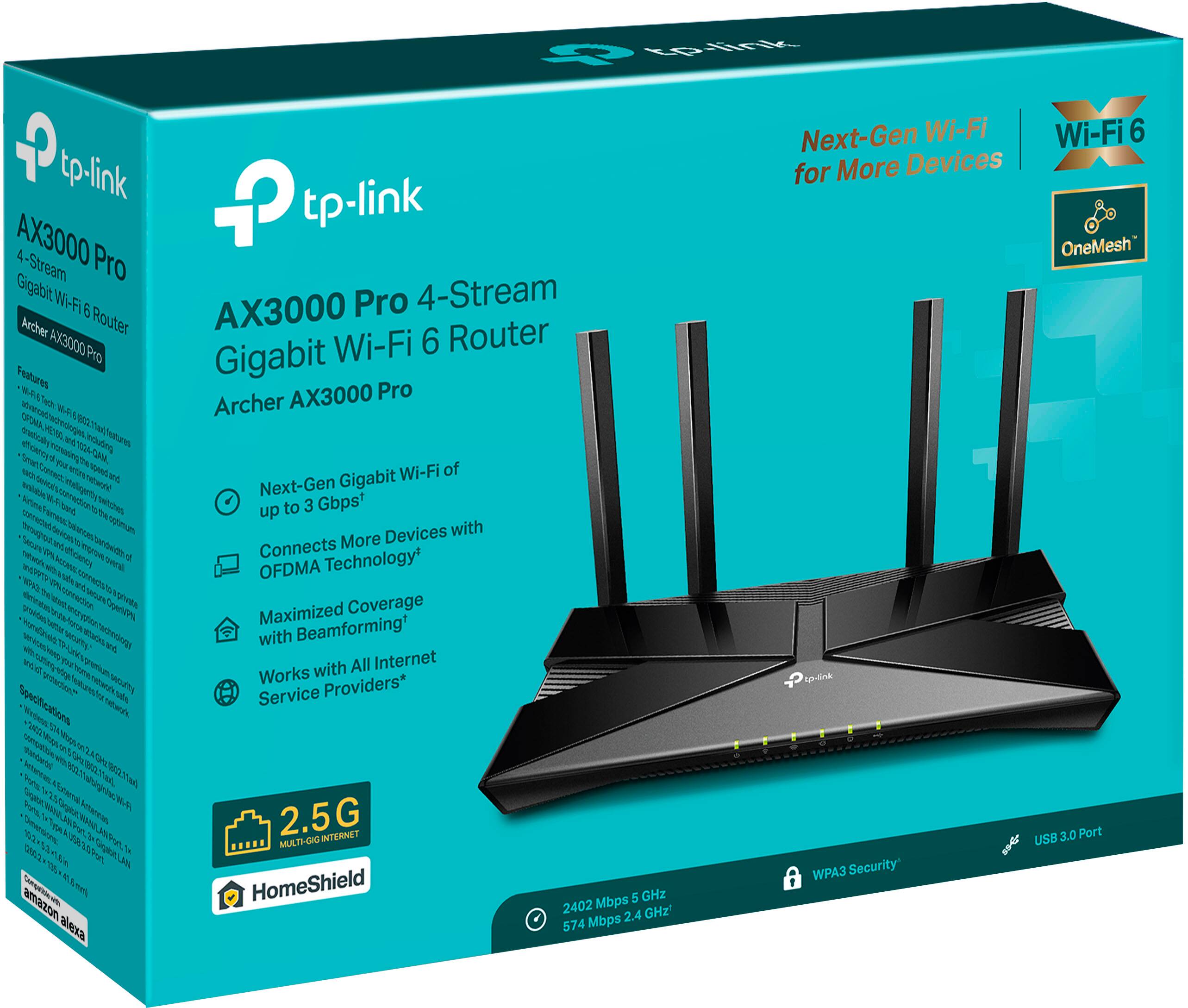
|Posted .This reviewer received promo considerations or sweepstakes entry for writing a review.The Archer AX3000 Pro 4-Stream Gigabit Wi-Fi 6 router covers a larger area than most routers. With the increased signal strength, I had a better signal in-side a shed 150 feet from the router. There was less wait time while downloading. The router automatically selects either 2.4 GHz or 5 GHz for each device connected via Wi-Fi. It also supports OneMesh ™. This prevents drops and lags while moving from room to room with-in the coverage area. Set-up of the router can be completed either manually or via an app. It is recommended that you utilize the TP-Link Tether Application to complete the initial set-up. However, you can also manually set-up if you wish to do so. From opening the box to complete set-up took only 9 minutes. All hard-wired devices worked without a problem. I had to update the drivers on some of the Wi-Fi devices. While I did not notice a vast difference in speed, there was a remarkable difference in latency, and my wi-fi devices were able to stay online with the increased signal strength. The included USB 3.0 port allows for sharing of files and media to all devices on the network. I would recommend the Archer AX3000 Pro to family and friends.
I would recommend this to a friend- Pros mentioned:Speed
Budget Router Price, Speeds & Features
|Posted .This reviewer received promo considerations or sweepstakes entry for writing a review.Let me start by saying that we have high end networking near in our home. I am a tech junkie and have PoEs, a Firewall, Switch, etc just like you probably do at you office bud that is all at my home. So I am not a newbie when it comes to setting up new networking equipment or tech really in general. So why did I want to go for a TP-Link budget router? Specifically due to wanting to have a capable backup that we could easily deploy if their was ever a need for us to have to do so. I have had supposed gaming routers, some higher end ones even that have had similar or less features than this router. And for the price point of this particular router it is nice to see that. Is this going to give you the absolutely blazing speeds & insane gaming features of some of the $500+ routers? No, but I was able to see 400mbps on the 5ghz band and my 930mbps Spectrum internet. And of course hardwired was dang close to the 930mbps max as I hit about 840mbps on this router. All-in-all is this a good router as a backup or even a main device if you are on a budget? Absolutely! It is a nice quality router & you won’t be disappointed!
I would recommend this to a friend - Pros mentioned:Setup
Excellent router. Currently on sale at a great pri
Posted .This reviewer received promo considerations or sweepstakes entry for writing a review.Provides excellent coverage throughout my home. 10 minutes to set up, excellent throughput. Got it on sale which made it even better.
I would recommend this to a friend - Pros mentioned:Ease of use
Easy Set Up
Posted .This reviewer received promo considerations or sweepstakes entry for writing a review.Excellent coverage in 2 story house. Easy set-up using your phone.
I would recommend this to a friend - Pros mentioned:Setup
Good router
Posted .This reviewer received promo considerations or sweepstakes entry for writing a review.Good product, fast and easy to set up. The app is helpful
I would recommend this to a friend Great for personal use!
Posted .This reviewer received promo considerations or sweepstakes entry for writing a review.Works great and even get Internet coverage in my car (from my 2nd floor apartment in NYC) when I park on the streets close by. Was pretty easy to setup
I would recommend this to a friend- Pros mentioned:Setup
TP-Link WiFi Router Review
Posted .This reviewer received promo considerations or sweepstakes entry for writing a review.Provides decent features and enhancements from previous models/generations of TP-Link WiFi solutions. Affordable, dual 2.4/5Ghz support, easy to setup, and nice feature to support configuration of setting up router with VPN account/service. Con: Certain features (e.g., QoS) can only be unlocked/used by creating TP-Link Cloud account and syncing router to their cloud service.
I would recommend this to a friend Great value router for the price
|Posted .This reviewer received promo considerations or sweepstakes entry for writing a review.This Archer AX3000 router is a great powerful router made for the majority of users who are not power users. The setup and configurations available on the router were tailored for the average user with a broadband connection to get up and running fast as possible. At this price point there is absolutely nothing wrong with that. In fact if you spend 30 minutes browsing around in the menus, you will see that all the advance options are there. You can configure this as either a router or an access point and have not seen any degradation of transfer speeds using this router. If you own any Wifi6 devices, at the price point this router affords, its hard to recommend the more expensive offerings when this TP-Link does it all at a fraction of a price. TP-Link is also a very well known brand so no worries there. Also the size of the router is not gigantic and not an eye sore. I can still get a signal 100 feet away from the router on my phone so call me thoroughly impressed. Overall, if you take your time setting this router up, you will have no issues and forget it is even there. Which is what you want, you do not want constant wifi drops or router restarts to keep the internet up.
I would recommend this to a friendMore Devices Easily Connected
|Posted .This reviewer received promo considerations or sweepstakes entry for writing a review.The Wi-Fi 6 Router is able to connect more devices with OFDMA Technology. This technology allows for wifi to connect faster. To provide you with an idea of what is connected to the router and/or wifi are my security system, 3 desktop computers, three printers, 3 tvs, 4 cellphones, 2 labtops, and more. It depends which family member is using which devices. We also have air purifiers in our home as well. After doing 4 days of speed tests on this router. The upload speeds were: Day 1: 15 PNGs, Download Speed; 343.41 Megabits Per Second; Upload Speed: (11.65 > 50) Day 2:12 PNGs, Download Speed; 337.44 Megabits Per Second; Upload Speed: (11.06 > 50) Day 3: 12 PNGs, Download Speed; 345.49 Megabits Per Second; Upload Speed: (11.23< 50) Day 4: 14 PNGs, Download Speed; 350.63 Megabits Per Second; Upload Speed: (11.48 < 50) The router did increase the speed of the downloads and uploads and helped to reach more devices within the house easily. My I immediately noticed a change with my cellphone as well. It was able to pick up the wifi signal quicker than my previous router. This is a huge plus for our household. I like that there is the Smarrtr Power Saving option that assists in conserving the power of mobile devices. Also, like that it has homeshield to assist in keeping the network safe. Overall a great product. I would recommend.
I would recommend this to a friend- Pros mentioned:Performance
Wifi Router
Posted .This reviewer received promo considerations or sweepstakes entry for writing a review.Works well. Does everything we need it too. Would buy again
I would recommend this to a friend