Customer Ratings & Reviews
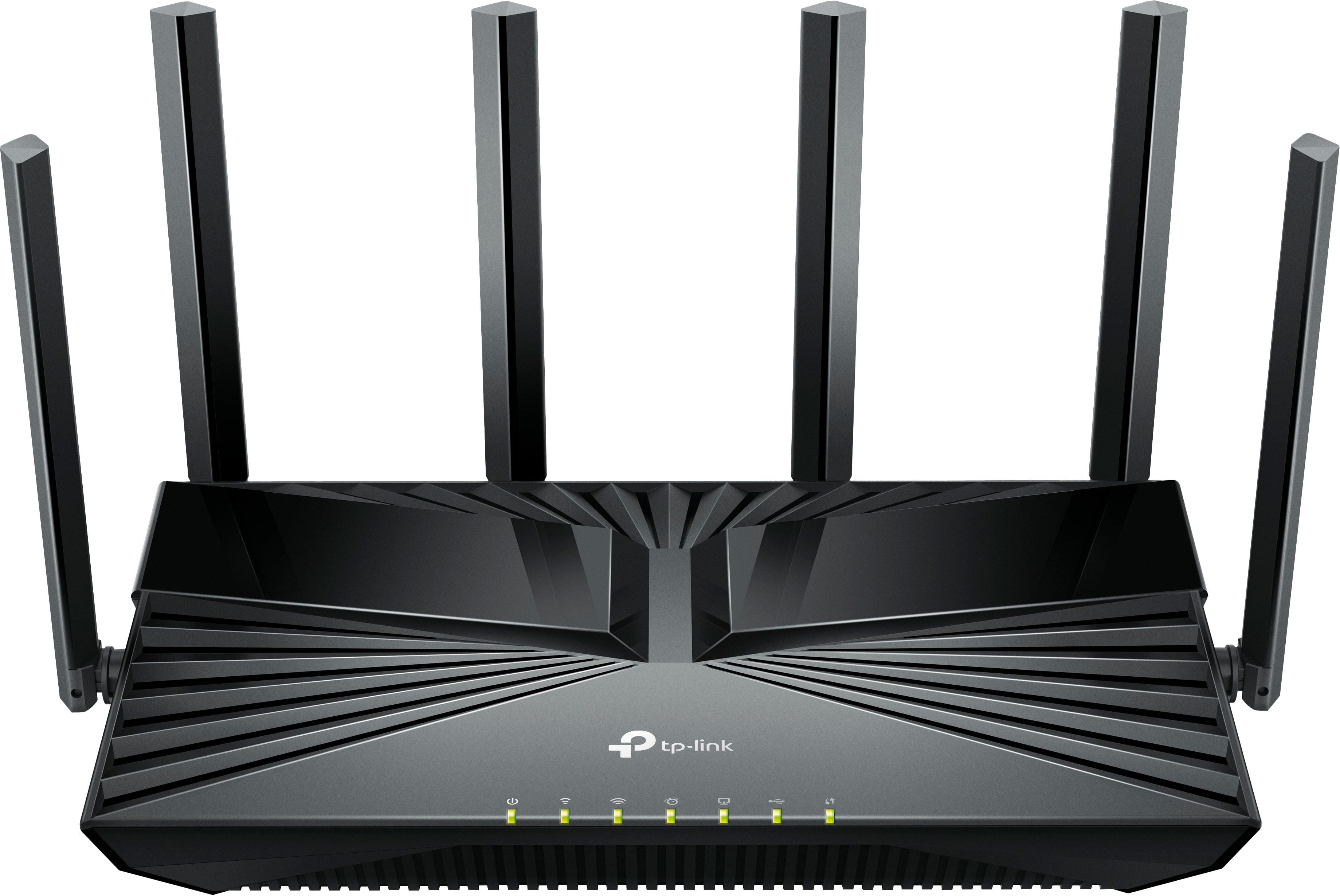

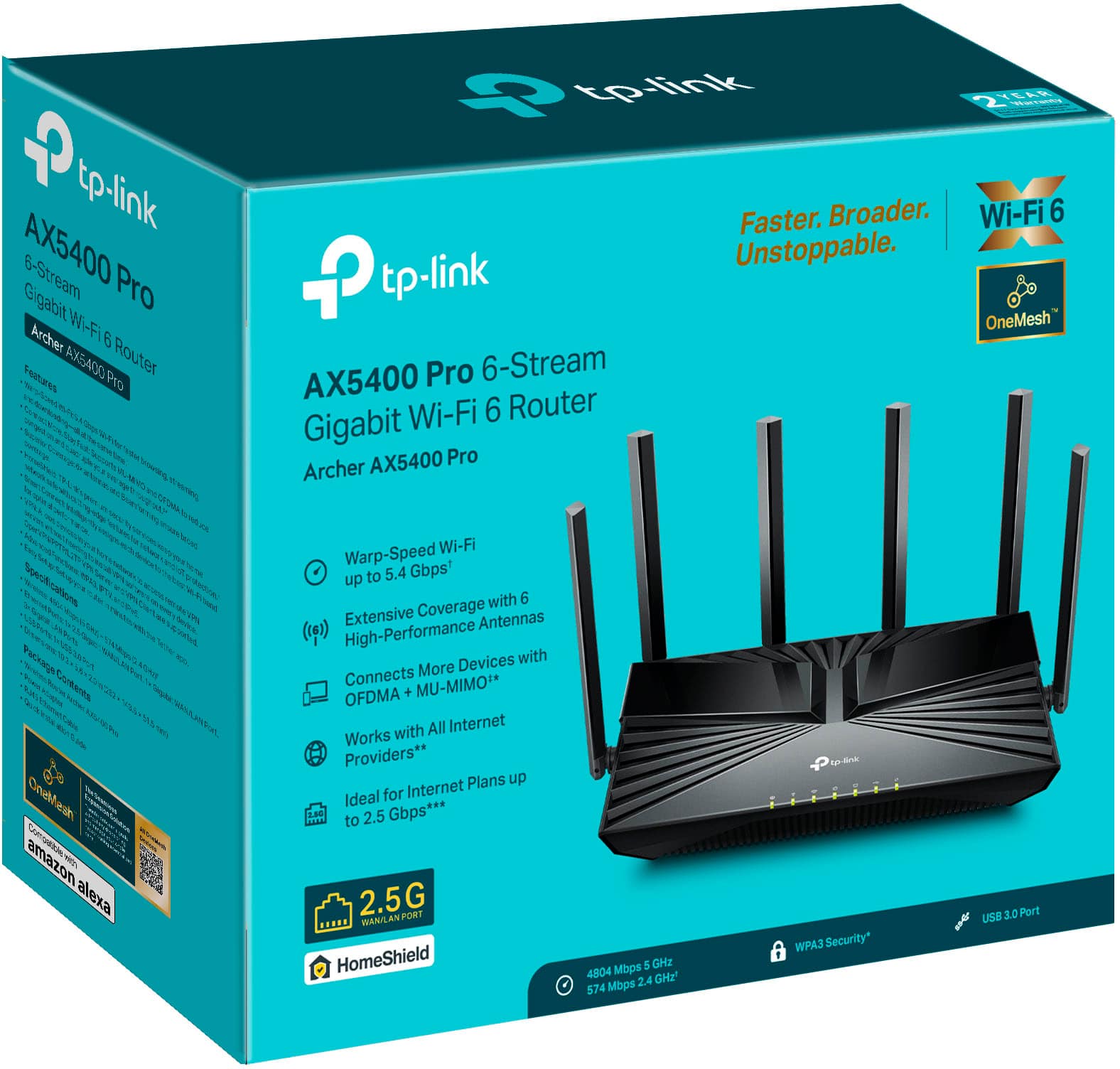
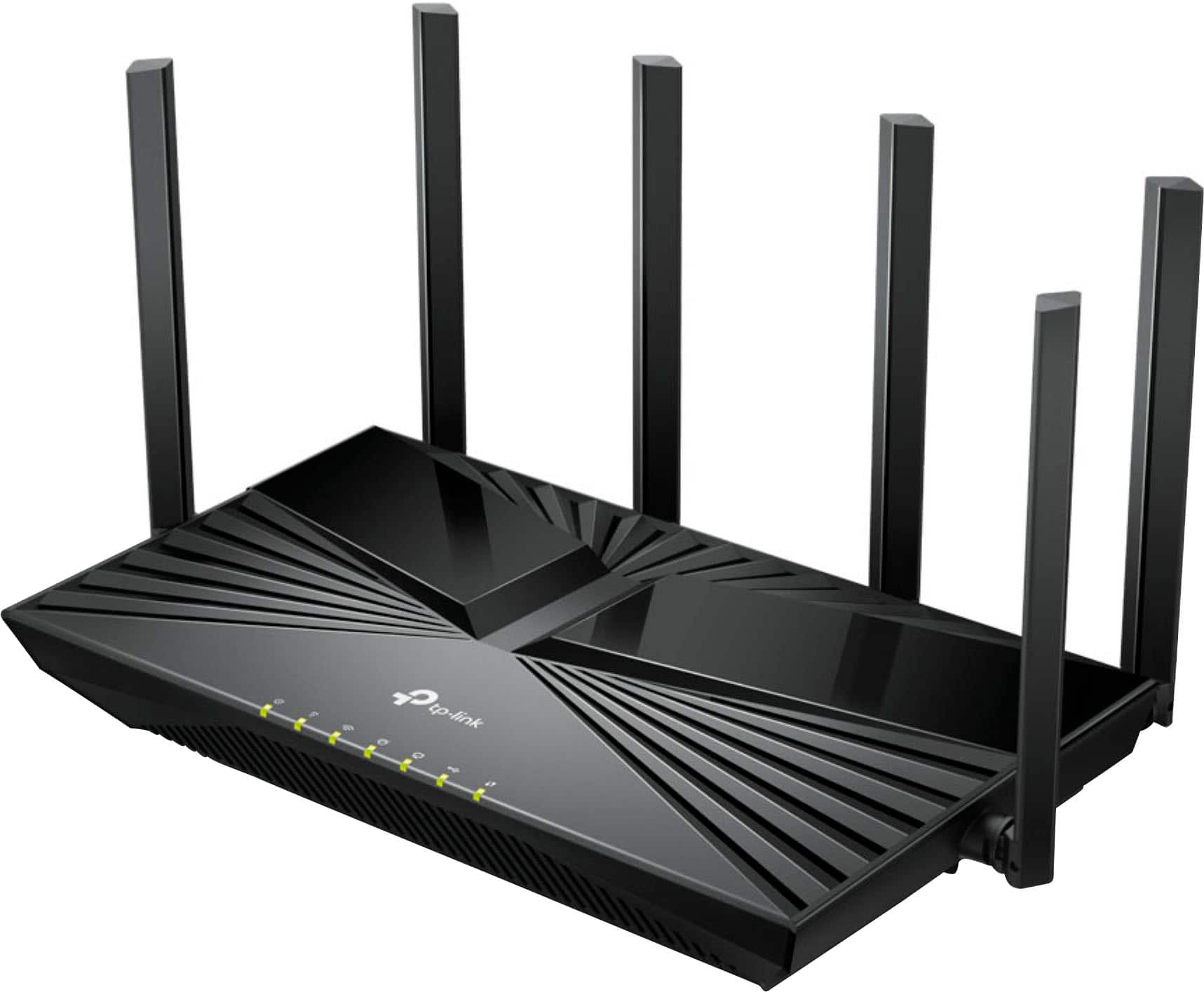
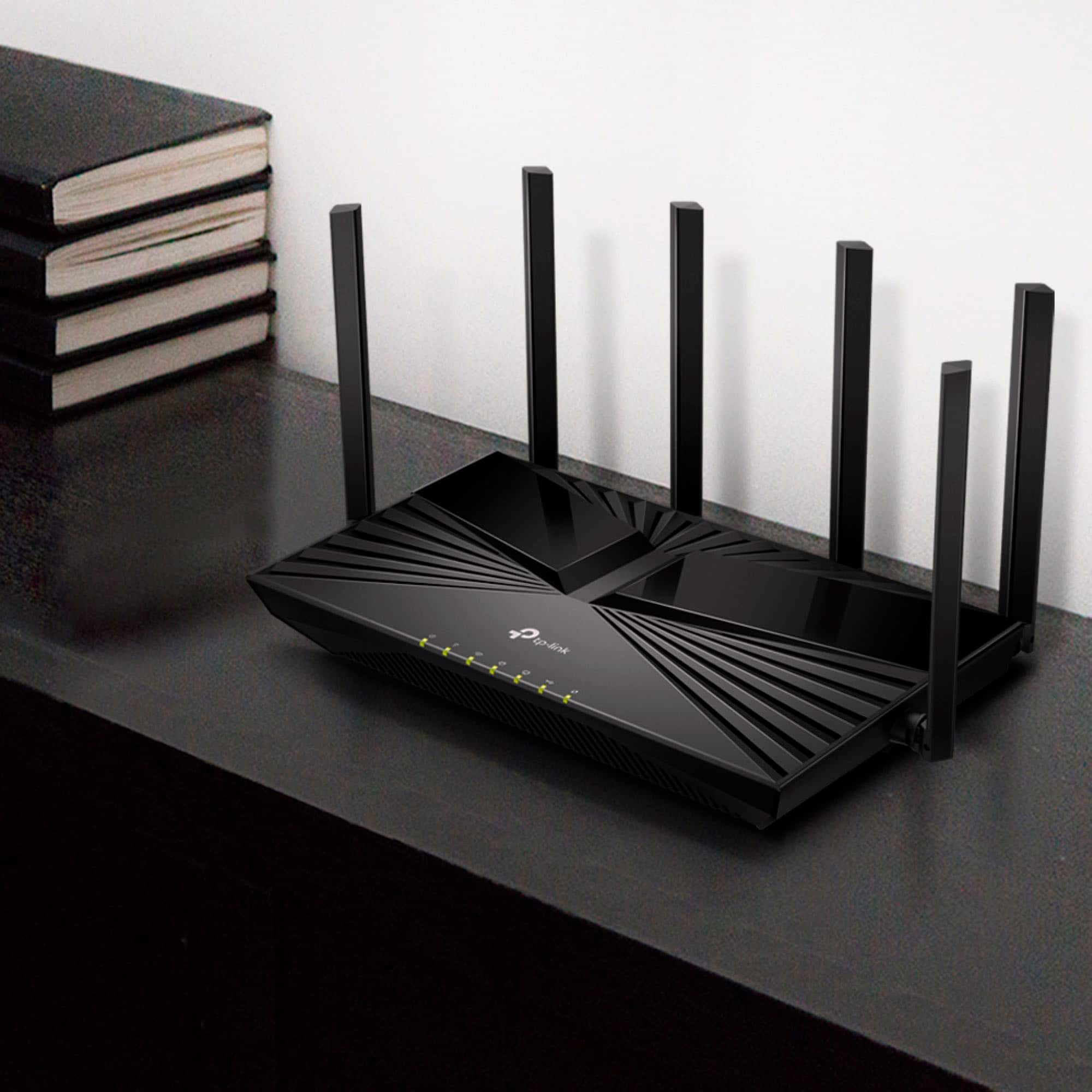
- Model:
- Archer AX5400 Pro
- SKU:
- 6532370
Rating by feature
- Setup
Rating 4.5 out of 5 stars
- Range
Rating 4.9 out of 5 stars
- Signal Strength
Rating 4.9 out of 5 stars
Customers are saying
Customers recognize the Archer AX5400 Pro Dual-Band Wi-Fi 6 Router for its easy setup process, describing it as "super easy" and "extremely easy." The router's extended Wi-Fi range is also well-received, allowing users to enjoy their internet service beyond their expectations. Additionally, customers appreciate the strong signal provided by the router, resolving previous issues with signal dropouts.
This summary was generated by AI based on customer reviews.
- Pros mentioned:Connectivity, Setup ease

Capable & Task Fitting
|Posted .This reviewer received promo considerations or sweepstakes entry for writing a review.I got this router for a roughly 3000 square foot home and I put in the garage which is somewhat central to the width, but on the far end of the length of the house. That is where my incoming feed and modem is so I've always put the router there. I do not have repeaters for the router and I run about 35 devices wireless across both bands. Set up for the router is very easy. I had it up and reconnecting devices in about 15 minutes (after firmware updates). I reconfigure the default LAN settings to use a different subnet and I set everything up as deny by default. I then went through some of the deeper settings and configured some security and access rules. The wireless devices just needed to be reconnected since it was a new network and I had no trouble with joining either band. I have a few wired devices and they reconnected with no issues other than warning me they were assigned a new IP address. I ran a speed test before connecting devices and received the speed the IP provider claims. I've never had much trouble with the WAN side giving me the speed I'm paying for so this was the expected result. I then connected devices and did a few speed checks from those devices and I never saw a degradation in speed outside the expected loss (based on devices that are constantly using bandwidth). The wireless speed far exceeds my provider's speed so I have plenty of wireless bandwidth. The bottleneck is truly on the WAN side of things once again. The range of the router is pretty impressive. The antennae can be moved and directed as necessary to maximize, but in my configuration I just fanned them toward the house and then directed from back to front. Nothing fancy. The wireless devices all gave a very good to excellent signal reception with the exception of the basement, but that is a concrete floor below the garage and reception is always worse down there. I left the security options enabled and I've had no interference from them, but I've also had no notice of attack. So I can't vouch for it catching anything, but I haven't been attacked. The VPN client works well enough. We use OpenVPN as a client and configuration was easy. My son in college uses it to access our home network and says the speed is acceptable for what he does. Since he's connecting from a college apartment network to ours, I can't tell you what, if any, degradation in speed there is. He says he doesn't notice a difference between going through the VPN and going straight to the internet. I do not have the module(s) to make it a mesh system, but I do like that I can add that in the future. For this size of house, it won't be necessary unless I opt to improve the basement. My only semi-issue is with the interface. While all the settings are there and it does have a lot of settings, there are a few that took some digging to get to and a few that aren't very well explained when you're setting them. But after a little research and clarification, I was able to get a few advanced settings configured and my network back to full operation. I did use the Tether app just to see how it works. I'm old school so I prefer the web interface for the deep dive and the original configuration, but the Tether app is great for monitoring and doing changes once the system is set up. They say you can do it all from the app, but it's definitely faster (for me at least) to use the web interface. It's a solid router with some impressive options and coverage. I can't speak for longevity as I've only had it about a month, but thus far I'm happy with it.
I would recommend this to a friend - Pros mentioned:Connectivity, Setup ease
Good modern router
|Posted .This reviewer received promo considerations or sweepstakes entry for writing a review.I got much better results than I expected. I admit my old router was getting pretty outdated but it still seemed to work ok though recently my internet speeds were getting slower. I just attributed the problem to the addition of several smart devices to my network which were dragging it down but as it turns out my 10+ year old router was a big part of the problem. I think it only had support up to wireless n (or maybe even worse?) and certainly not wifi 6 which is relatively new compared to my old router. I have a couple of newer laptops which I use most of the time which have support for wifi 6 so I thought maybe it was time to upgrade my router to a wifi 6 one to see if it was better. I'm very glad I did since according to the internet speed test I use my download and upload speeds are much higher with this one compared to my old router. I even switched back to my old one several times for reference and this one consistently showed a big speed improvement. Of course your actual download speeds are somewhat dependent on the source of your downloads but so far I have noticed a significant difference. The range of this router is only slightly better than my old one but my old one did have pretty good range. This one does have better range which I kind of needed since I recently started using a spare bedroom as an office/game room that is further from the router. Your actual range is somewhat dependent on the receiving device but this router does do a little better and covers my house well and my yard too. Wpa 3 security incuded which is currently the latest available. I had to go into the settings to enable it (wpa 3 + wpa 2 for backward compatibility). Really pretty easy to setup with more advanced features also available. You can set it up via your web browser on your pc or with the app on your phone. If you're currently using an old router but your pc supports wifi 6 (and your router doesn't) you should definitely consider this router to help your speed and congestion problems especially with all the newer smart devices that want to compete for your wifi connection. It has worked well for me. Best Buy also sells more expensive TP-Link routers which may extend the range even more if you have a large house or just want to use it down the street.
I would recommend this to a friend - Pros mentioned:Connectivity, Signal strength
Great Coverage!!
|Posted .This reviewer received promo considerations or sweepstakes entry for writing a review.The Archer AX5400 Pro is replacing a very old IP Router. So I can definitely say that I'm very pleased by the performance of this Router. The first step would be to download the app, from there on the installation was very straigh forward and easy to follow. I went ahead and changed the Network name and password. I wanted to start from scratch which at the end was so much work because I had to reset every single device. It was right there and then I realized that I had several devices connected. From cell phones,TVs,Cameras, Laptops I had to change every single one. After the Installation was done and all devices connected, I didn’t encounter any issues. They all seem to be running just fine, no buffering or delays whatsoever. Even the outdoor camera that always loses signal is working very well. I do have a small home which is about 1,000 sqft. But the router is all the way in my master room and most of the devices are in the living room area and outdoor( cameras) so the distance did play a big role in the connectivity. But with the Archer 5400 Pro and its 6 high Performance Antennas it wraps my home with all of its power and delivers outstanding internet service. Now the App is convenient to have. It has several key features that you as a parent would love to have,like Web protection, time limits, offtime and filter contents. This is great for me because I have underage kids at home. From the app I can control each device my kids have and limit their internet usage. Another great feature is the Wi-Fi detective which discovers all devices connected to your Network. Homeshield Pro is a pay for service(5.99 a month) which enhances your protection from malicious websites, Intrusion prevention and IoT protection and many other features. Overall this is an Outstanding Router and very easy to control with the app. I definitely recommend it.
I would recommend this to a friend - Pros mentioned:Connectivity, Setup ease
34 devices and no signal drop. All Aces!
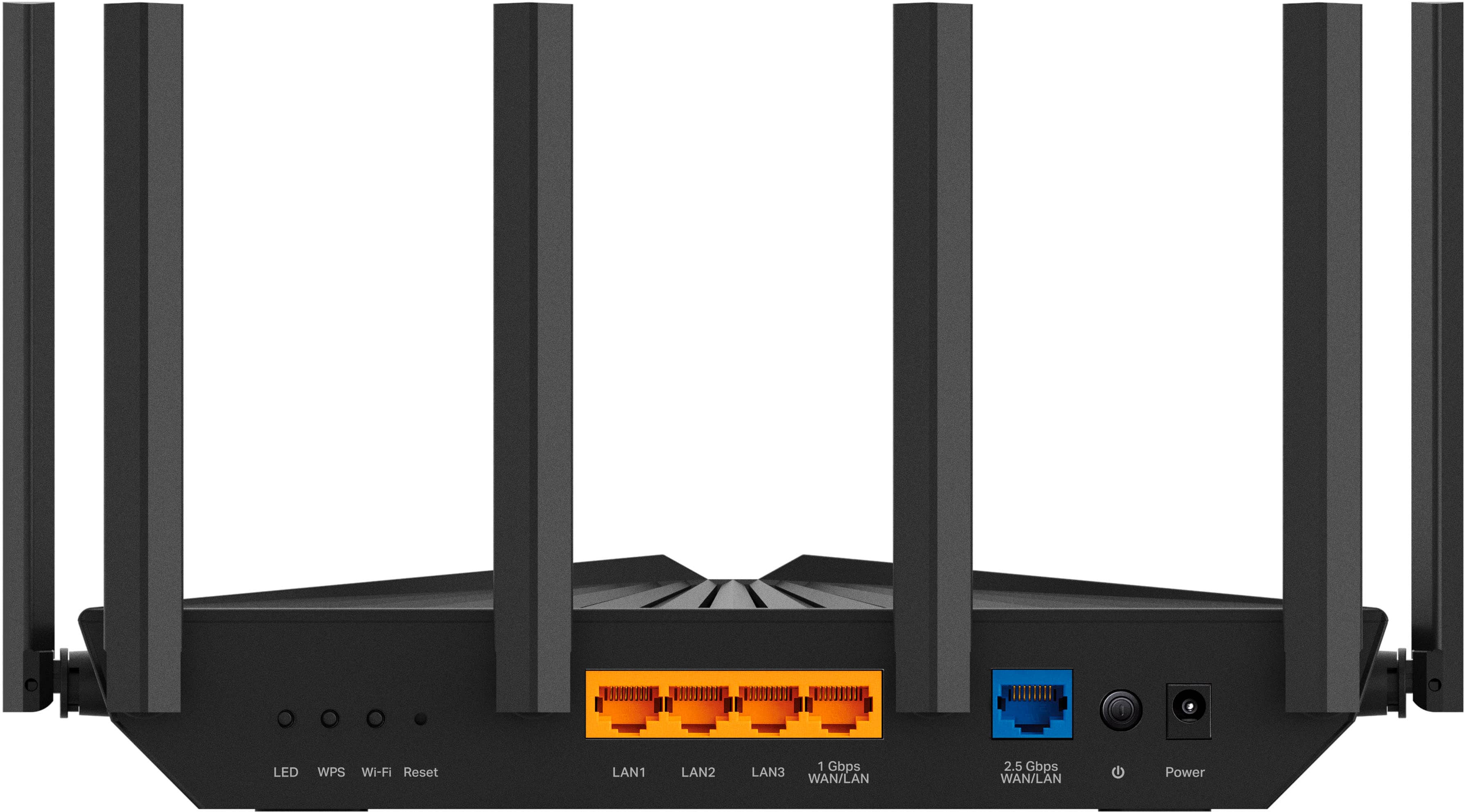
|Posted .This reviewer received promo considerations or sweepstakes entry for writing a review.I am in no way a router expert. I do have enough knowledge to get them up and running and tweak a few settings to get better results. And so far this router is proving to be an improvement over the last "gaming" router that cost substantially more money and started acting up when my internet provider increased my speed. The TP-Link Archer AX5400 Pro has an app that while fairly basic looking. The app is easily navigated to setup the router in about 15 minutes or less. Just remember to restart your modem, didn't see it ask, but it helped speed up my setup. One more quick tip. Keep the same router name and password as the router you're replacing, if you don't want to setup all your wifi devices with a newly renamed router. Keeping the name the same is easiest to have all the old devices automatically sync to the new router. Overall this router is a good price for all you get. Easy installation guide through the app. Higher speeds and wifi 6 are ready even if you are still on slower speeds less than gigabit service. My range with the multiple antennas gave me more range for the security cameras I have mounted at the four corners of my home. Far less signal drop at 80' through brick and plaster walls. And with 34 listed smart devices connected through wifi and and the 4 LAN ports. Not a single device has dropped or complained in the week I have had it up and running. And it's even wall mountable in 2 directions if needed. Although, if using LAN ports. It probably is only mounted one way. It just works and I don't have to keep tweaking settings to make it work better with many other brands. It's a Best Buy to me.
I would recommend this to a friend - Pros mentioned:Range, Setup ease
Great range and easy setup
|Posted .This reviewer received promo considerations or sweepstakes entry for writing a review.I have a one-story 1500 sq ft ranch house. My internet service comes in on one end of the house and the router supplied by my ISP simply would not cover the entire house. It also did not support Wi-Fi 6 and other faster speeds. This router promised to have good range and the latest Wi-Fi protocols. It did not disappoint! Setup was very simple. I unpacked the router, power cable, Ethernet cable and quick-start guide. The instructions prompted me to install the TP-Link Tether app on my smartphone. I did that and it stepped me through the setup process which was very simple. After setting the admin and Wi-Fi passwords, the router was up and running. I tested the speeds from the far end of the house and was getting well over 200Mbps, which is perfect for UHD streaming. I ran simultaneous UDH streams on two TVs and they worked flawlessly, all while using a cell phone in Wi-Fi calling mode. With the previous router, this would not have been possible. I went outside the house and tested the range and had to get over 100 feet away to see any drop in speed. Overall, I am very happy with this router and would highly recommend it!
I would recommend this to a friend - Pros mentioned:Connectivity, Signal strength
Fast Router
|Posted .This reviewer received promo considerations or sweepstakes entry for writing a review.I received the TP-Link - Archer AX5400 Pro Dual-Band Wi-Fi 6 Router - Black from Best Buy free of charge for my honest and truthful review. I received the router anboit a month ago and have been using it for WFH and personal usage. On my Wi-Fi, at any given time, I have smart TVs, smartphones, tablets, smart home devices (cameras, speakers, lighting, coffee maker), laptops, printers and my car connected. The speeds have been consistent. I have a half gig internet service and it’s been consistent and handled large files, software updates and chisel conference calls well. I haven't needed to reset or reboot the router since installation. Speaking set up and installation, it was quick and easy to set up. My condominium is roughly 1,500 square feet. I don’t have dead spots in or around the building, even with my neighbors separate routers and modems. I can go in the front yard, backyard and up to about 50 feet with a strong connection. This is a great addition for my home networking needs.
I would recommend this to a friend - Pros mentioned:Coverage
A lot of antennae for the coverage provided...
|Posted .This reviewer received promo considerations or sweepstakes entry for writing a review.I've always thought of TP Link as a middle-of-the-road networking equipment provider, but their recent mesh products have faired well with reviewers, so I was excited to evaluate the new Archer AX5400 standalone router as the new hub of our Internet connection in the house. Back in the 802.11n (4th gen) and 802.11ac (5th gen) wireless days, we required repeaters and eventually succeeded with mesh networks in our densely-framed house in our suburban neighborhood. Once 802.11ax (Wifi-6th Gen) came about, we were excited to see if the improved network bands offered would allow us to simplify our home network and go back to a single-source router setup. We were KIND OF right to make this assumption. First of all the Archer AX5400 is only a Wifi-6 router, not a Wifi-6e router so its limited to dual-band capabilities, but offers just about all of the features in the WiFi 6 standard to alleviate concerns like this: It has 6 beam-forming antennae, but I'm not sure how much of a coverage improvement that creates, but does allow for a larger capacity of simultaneous connections to the router. The AX5400 also has excellent uplink abilities with both a 2.5Gbps and 1 Gbps WAN/LAN links, allowing for connection to higher speed fiber modems with more than a 1Gbps uplink. With the high speed capabilities of this router, this is a welcome addition. In my real-world testing the router performed admirably on my 500mbps x 20mbps home cable connection, delivering my full modem-provided bandwidth even several rooms away, while the over 30 smart home devices in my home worked without incident during my tests. I did start to lose signal/speed as I moved upstairs from the router to the far end of the house, something specific to the details of my home's build and the arrangement of my networking equipment, which is why we've always faired better with Mesh systems. I was delighted when I realized you can add any of TP-Link's OneMesh products into a mesh network with this router as the core, allowing for maximum performance home-wide while still getting the high bandwidth and high speed coverage of this system. I'd recommend this for someone with a home where single-routers are adequate and this one will bring great performance and great capacity, but if you're used to the coverage of a mesh, this is just one piece of the equation for getting the right setup!
I would recommend this to a friend - Pros mentioned:Connectivity
Great router, access point mode is a plus!
|Posted .This reviewer received promo considerations or sweepstakes entry for writing a review.This router replaced an older TP-Link router that I have had in my garage that has been running in access point mode since I built the garage a couple of years ago. The garage is 40 x 50 with metal sides and roof, so I needed a router that was capable of access point mode to get a signal from the house to the garage. I ran a cat6 cable from the house router to the garage and connected it to the router. I now have wired and wireless internet in my garage Once I received the new Archer AX5400 Pro router and unboxed it, the installation was easy and with no issues. The Tether app makes it easy to install the router and configure it. This router supports access point mode, so once I set it to that, the TV and computer that I have in the garage connected with no issues. I then checked the wireless strength by using an app on my phone. This router provides a better range for my wireless devices than the older router that it replaced. I have several wireless cameras outside that had issues connecting at times, since the new router was installed, there has been no issues with the cameras. I am very happy with this new router.
I would recommend this to a friend - Pros mentioned:Connectivity
Good Router
|Posted .This reviewer received promo considerations or sweepstakes entry for writing a review.Archer AX5400 Multi-Gigabit Wi-Fi 6 Router What’s in the Box • Router • Power supply • Ethernet cable • Basic Quick Start Guide (Was not in the box.) Due to the lack of stabilities with ISP and the two Eero 6E we were in the process of changing to the T-Mobile Home Internet. However, I reconnected to the ISP and the two Eero 6E devices to test the tp-link AX5400 Router. Many attempts to connect to our Vexus Eero(s) failed, assuming it was an issue with the Eero(s) that would not allow me to bridge to the AX5400. I attempted a bridge connection with no results. I attempted to set up the AX5400 as a separate network for testing however this is not an easy thing to do unless you are well versed in networking. You can utilize the tether app and set up TP web account. Doing this I was able to test multiple devices and received excellent results. Having changed ISP to the T-Mobile Home Internet, I will have to visit with the T-Mobile techs to see how I can utilize the AX5400 with their system. Until I can get the AX5400 connected to our ISP and connect all of our 30+ Wi-Fi devices, it is hard to give a knowledgeable review, however what I did connect and test showed excellent results.
I would recommend this to a friend So much nicer than "Gateway" and pays for itself!
|Posted .This reviewer received promo considerations or sweepstakes entry for writing a review.I have ridden along for way too many years, just accepting my ISP provider's claims that I needed the value of their Internet Gateway combo unit of cable modem and WiFi router. But the actual cost of such a monthly fee is obscene. There is a $25/month rental and then another $15 for "advanced security" that really just duplicates the safeguards that are available from other sources at a fraction of the cost. If you feel the need, TP-Link offers Home Shield via their linked Tether phone app, that provides parental control, network protection for additional privacy and device safety from outside hackers. The Home Shield is an extra subscription feature, and I do not know their pricing structure as I did not read all that information. So I bought a DOCSIS 3.1 cable modem, for some future proofing and this WiFi router that will support Wi-Fi 6, although I probably have no accessories that require that level of sophistication. Set up was easy, although once I disconnected the prior Gateway, I lost my WiFi for the computer, and the next step was to install the router app on my mobile. But my cell signal was not strong enough at my home, and the App Store kept telling me I could not access the App Store. So I should have downloaded the Tether TP-Link app (and the Arris SurfBoard app) prior the pulling the plug on the coax for my ISP's expensive Gateway. Once I had the apps loaded on my phone, the set up was extremely easy. I appreciated the 4 ethernet ports on the back of the router, so I had sockets for my Philips Hue hub, my IKEA Dirigera smart home hub (Matter ready), and a Starling hub, which enables Google devices to be utilized in an Apple HomeKit environment. I am not in a hurry to upgrade my peripherals to WiFi6, in that my need for speed is not a crucial factor for me. So my purchase of a new cable modem and upgraded Wi-Fi6 router were motivated by the desire to keep my monthly bill for Internet down, by ditching the monthly rental that added over $50 to the tab.
I would recommend this to a friend- Pros mentioned:Range, Setup ease
Why did I buy this earlier?
Posted .This reviewer received promo considerations or sweepstakes entry for writing a review.Great router with good range that was very easy to set-up. No more dropped zoom calls!
I would recommend this to a friend - Pros mentioned:Connectivity
Very satisfied
Posted .This reviewer received promo considerations or sweepstakes entry for writing a review.This router is the best one i have ever purchased. I have close to 40 wifi devices conected and none of them miss a beat, and the range is amazing at about 300 ft away from it i still have connection. Definitely recommend thos router
I would recommend this to a friend Gerald
Posted .This reviewer received promo considerations or sweepstakes entry for writing a review.Easy to install and is operating fine. Continues to "flood" my home with a strong signal.
I would recommend this to a friendHelps if you are an internet computer geek.
Posted .This reviewer received promo considerations or sweepstakes entry for writing a review.Would rate it higher, BUT despite claims that this was easy to set up,it was not. Had to hire an expensive geek to install it because following the poorly worded instructions didn't work. e.g. "enter the 8 digit number from the bottom of the router here'" I do so. Machine response, "that number is incorrect." Works pretty good.
No, I would not recommend this to a friend