Skip to contentGo to Product SearchGo to Footer
Main Content

Customer Ratings & Reviews
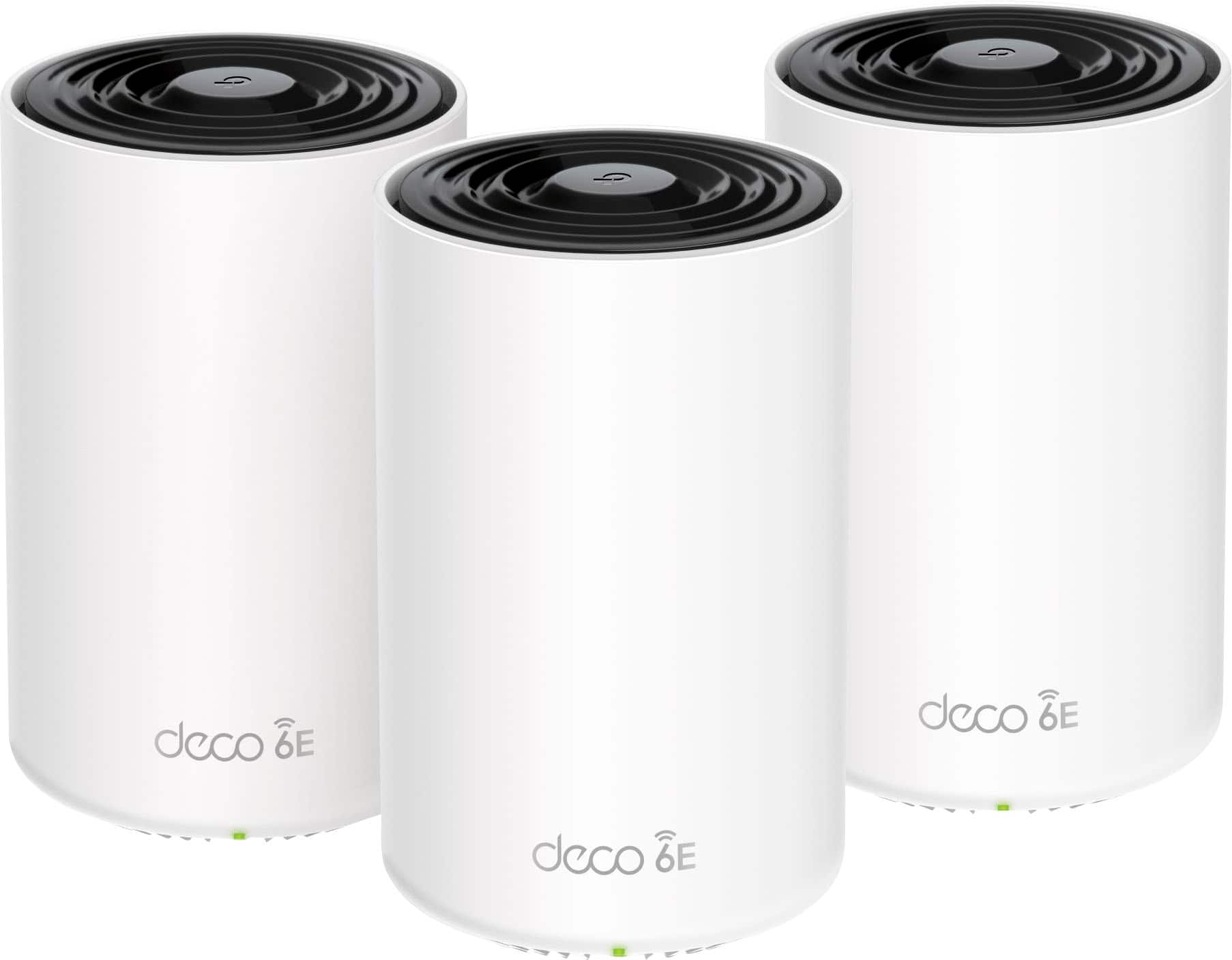
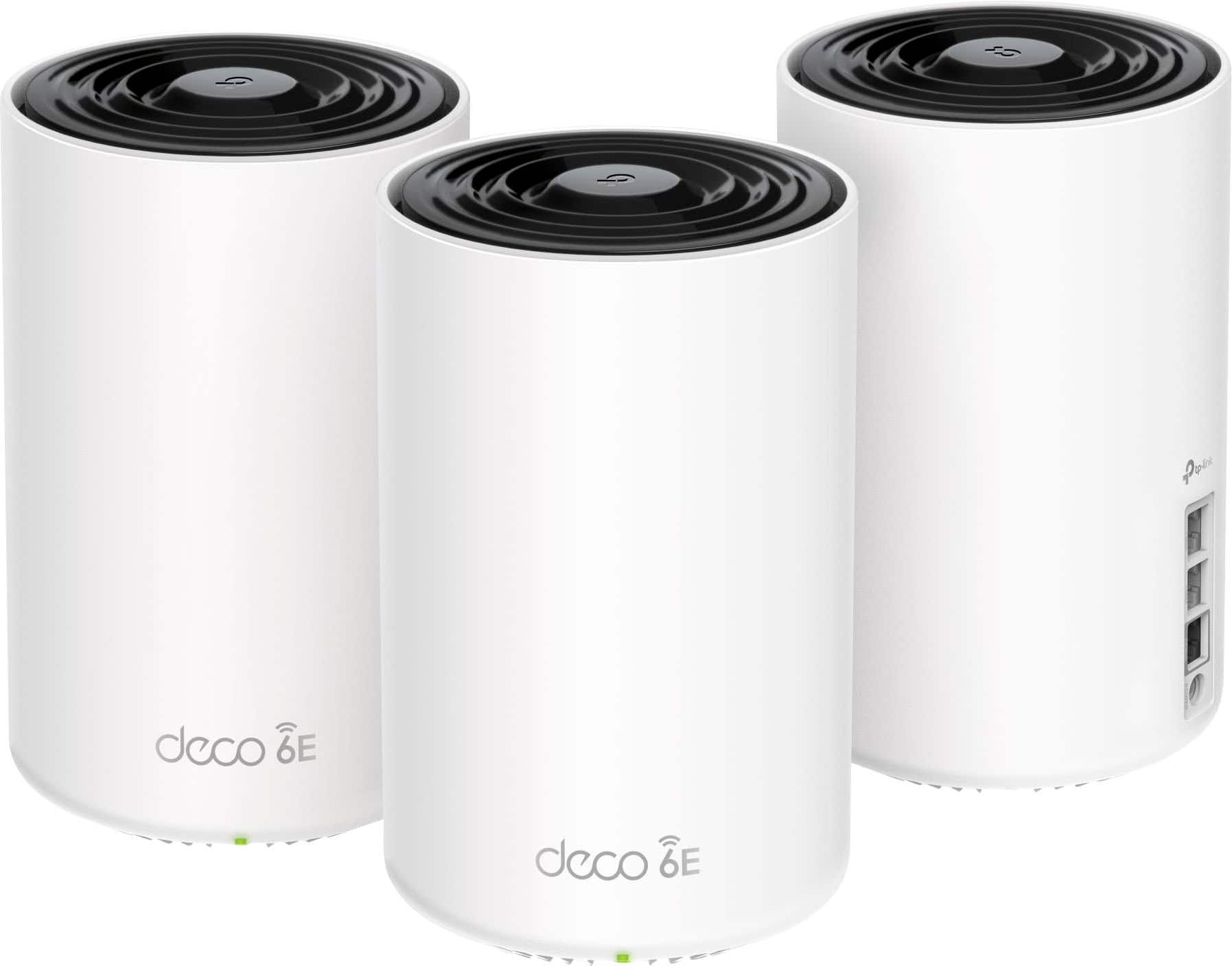
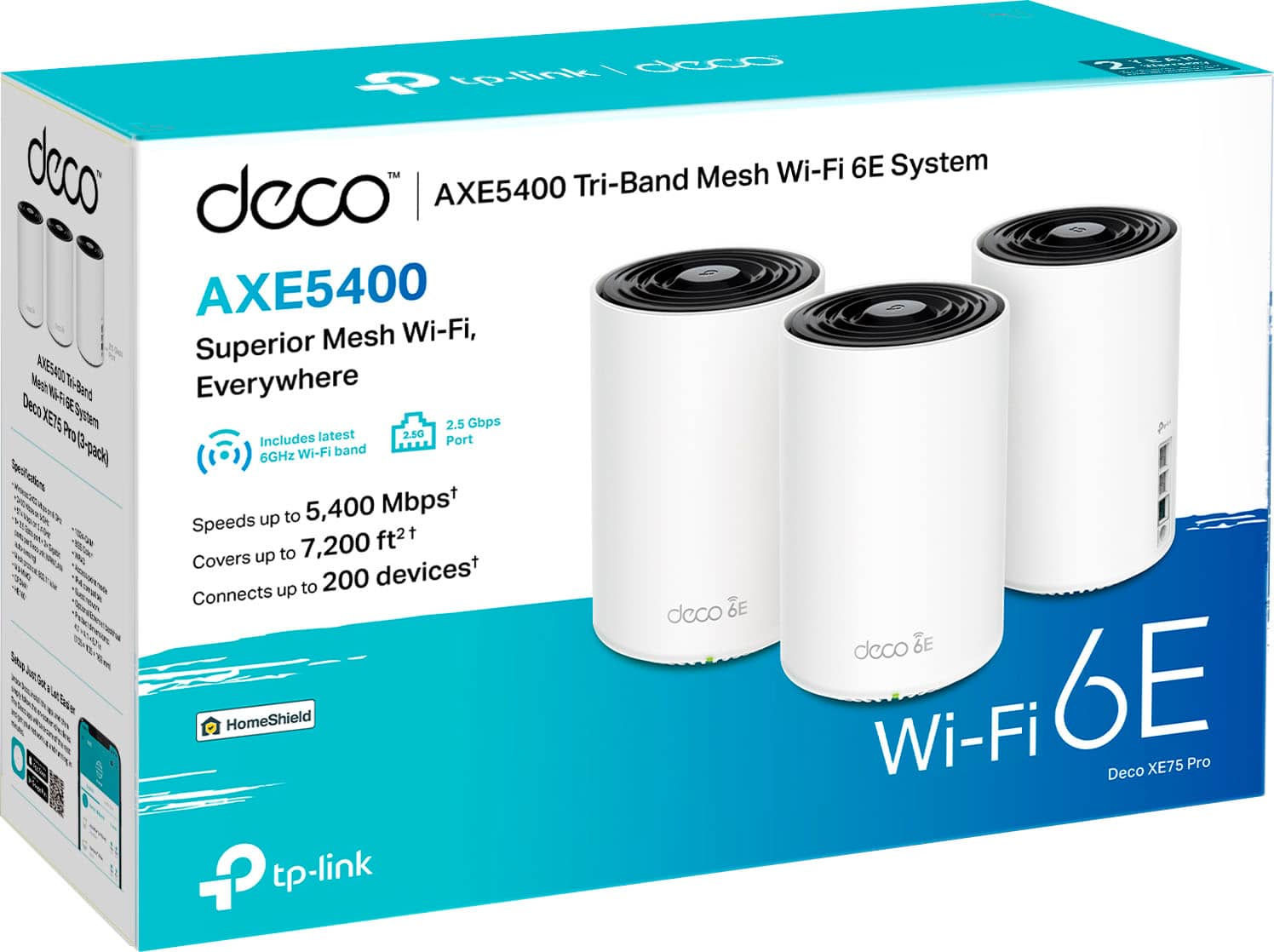
$399.99

Customer reviews

Rating 4.5 out of 5 stars with 969 reviews

Rating Filter

Rating by feature

  • Setup

    Rating 4.7 out of 5 stars

  • Range

    Rating 4.6 out of 5 stars

  • Signal Strength

    Rating 4.7 out of 5 stars

Pros mentioned filter

Cons mentioned filter

89%would recommend to a friend

Customers are saying

Customers find value in the Deco XE75 Pro's ease of use, extensive coverage, and strong signal, with many praising the straightforward setup and excellent performance. The system's range is also frequently highlighted as a significant benefit. While some users experienced connection issues and found the parental controls limited, the positive feedback on performance and ease of use outweighs these concerns for most. The app is also appreciated for its user-friendly design.

This summary was generated by AI based on customer reviews.

The vast majority of our reviews come from verified purchases. Reviews from customers may include My Best Buy members, employees, and Tech Insider Network members (as tagged). Select reviewers may receive discounted products, promotional considerations or entries into drawings for honest, helpful reviews.
Page 44 Showing 861-880 of 969 reviews
  • Cons mentioned:
    Connection

    Rated 1 out of 5 stars

    Terrible

    |
    |
    Posted . Owned for 2 months when reviewed.
    This reviewer received promo considerations or sweepstakes entry for writing a review.

    Horrible speeds. Connectivity can’t hold a candle to the 1st gen Orbi. I switched cause my Orbi died after years of faithful service and I learned my lesson that you pay for what you get. Now I’m outside of the return windows and I’m gonna have to pay double or more to get a mesh system that works in my house. If you have a large home don’t waste your time or money on this for internet

    No, I would not recommend this to a friend
    • Brand response from TPLinkSupport
      Posted .

      The Deco XE75 Pro is one of our more stable and sold systems. We would be happy to work with you on making sure the system is setup and working to its full potential. If there is a concern that can't be resolved we can also look into RMA through our warranty policy. Please reach out to support.usa@tp-link.com or contact our 24/7 live chat or phone service. You can get this contact information from our main website tp-link.com tplink

  • Rated 5 out of 5 stars

    Easy setup

    |
    |
    Posted . Owned for 1 month when reviewed.
    This reviewer received promo considerations or sweepstakes entry for writing a review.

    Easy set up and stable connection. Good looking design as well.

    I would recommend this to a friend
  • Rated 5 out of 5 stars

    great system

    |
    |
    Posted . Owned for less than 1 week when reviewed.
    This reviewer received promo considerations or sweepstakes entry for writing a review.

    Fantastic system able to make it through brick & plaster walls

    I would recommend this to a friend
  • Rated 1 out of 5 stars

    No good

    |
    |
    Posted . Owned for 3 weeks when reviewed.
    This reviewer received promo considerations or sweepstakes entry for writing a review.

    Worked at first, but the minute you close the door, the signal immediately drops. Tried multiple times, and it still keeps dropping the signal. Returned it!

    No, I would not recommend this to a friend
    • Brand response from TPLinkSupport
      Posted .

      Hi RuthlessYankee,

      Thank you for your review. Our Deco Mesh Wi-Fi systems are designed to deliver robust, seamless Mesh Wi-Fi throughout your home. In your case, we first recommend ensuring that your Deco app and firmware are fully up to date, and that your Deco units are optimally positioned within your home and in optimal proximity to each other.

      We regret to hear you returned your Deco XE75 Pro. If you have any questions or concerns in the future, our support team is always available and happy to assist. Feel free to contact us through any of the resources provided with the product or on our official website, and a Support Agent will follow up with you directly.

      Thank you,
      TP-Link Systems Support tplink

  • Rated 5 out of 5 stars

    Wonderful Wifi!

    |
    |
    Posted . Owned for 3 weeks when reviewed.
    This reviewer received promo considerations or sweepstakes entry for writing a review.

    Easy set up. Works great. No more buffering stops.

    I would recommend this to a friend
  • Rated 5 out of 5 stars

    Isa technologies LLC

    |
    |
    Posted . Owned for 1 month when reviewed.
    This reviewer received promo considerations or sweepstakes entry for writing a review.

    Excellent product router good equipment I lke this deco

    I would recommend this to a friend
  • Rated 5 out of 5 stars

    Just what we needed

    |
    |
    Posted . Owned for 1 month when reviewed.
    This reviewer received promo considerations or sweepstakes entry for writing a review.

    Since we installed this we have had no issues with streaming.

    I would recommend this to a friend
  • Rated 2 out of 5 stars

    Great when they work

    |
    |
    Posted . Owned for 1 month when reviewed.
    This reviewer received promo considerations or sweepstakes entry for writing a review.

    Worked great behind our fiber router for about a month and a half. Them the power flickered and they no longer see the internet. No setting changes or reboots fixed that. I even hard reset them. It's impossible to reset them up when they don't see the Internet because the app forces you to log in via an external server.

    No, I would not recommend this to a friend
    • Brand response from TPLinkSupport
      Posted .

      Hi ThomasF,

      Thank you for your review. In your case, please try swapping the Ethernet port used for the Internet connection coming from your modem/ONT. If the symptom persists, please try swapping one of the satellite Deco nodes with the main node.

      If you would like assistance with any of these steps, please reach out to our support team using any of the resources included with the product, or from our official website, and we'll gladly have a Support Agent follow up with you directly.

      Thank you,
      TP-Link Support tplink

  • Rated 5 out of 5 stars

    Best Home Network Money Can Buy!

    |
    |
    Posted . Owned for 1 month when reviewed.
    This reviewer received promo considerations or sweepstakes entry for writing a review.

    Awesome Mesh Network. Easy to install and Awesome features.

    I would recommend this to a friend
  • Cons mentioned:
    Connection

    Rated 2 out of 5 stars

    Distance Bad

    |
    |
    Posted . Owned for 1 week when reviewed.
    This reviewer received promo considerations or sweepstakes entry for writing a review.

    Pods have to be close to get connected. I was unhappy that it wouldn't carry connection to garage. This was suppose to be a upgrada from my eero pro and it was a fail.

    No, I would not recommend this to a friend
    • Brand response from TPLinkSupport
      Posted .

      The network environment plays a large role in the overall placement and coverage. While this 3 pack should provide ample coverage you may see yourself needing extra if you have severe interference like for instance if your walls are concrete you are not likely to have a large coverage zone without several nodes. If you contact support we can help identify potential causes and help provide suggestions to correct them. tplink

  • Rated 5 out of 5 stars

    Wifi

    |
    |
    Posted .
    This reviewer received promo considerations or sweepstakes entry for writing a review.

    TPlink is the best link to wifi worth the money get it.

    I would recommend this to a friend
  • Rated 1 out of 5 stars

    Spyware - Don’t expect to use it however you want

    |
    |
    Posted . Owned for 2 months when reviewed.
    This reviewer received promo considerations or sweepstakes entry for writing a review.

    This thing doesn’t let you make lot of changes that are necessary for any intermediate to advanced level users. It might let you make changes but then 10 minutes later it overrides them. I’m positive it does it so you can not leave its jail of spying on your network activity. Why can’t I simply disable DHCP? If you contact tp-link they will tell you to put it in “Access Point” mode. If I do that then obviously it can’t function as a mesh router, it just becomes a dumb network device without any mesh features. I didn’t pay for a network switch, I paid for a mesh router. I unfortunately didn’t have the time to configure it when I got it and now it’s past its return period. So all I can do is throw it in a trash can. And pledge to never buy anything Tp-link again. Apparently every company nowadays is in selling your data business, even when you pay for their products.

    No, I would not recommend this to a friend
  • Cons mentioned:
    Connection

    Rated 1 out of 5 stars

    Works great at first becomes TERRIBLE quick

    |
    |
    Posted . Owned for 1 month when reviewed.
    This reviewer received promo considerations or sweepstakes entry for writing a review.

    Worked for 2-3 weeks great! Then kept shutting off randomly, struggled to keep a steady connection of high speed, and continuously provided a tiny fraction of what my internet speed is capable of at 1.2gbps. Terrible waste of money.

    No, I would not recommend this to a friend
    • Brand response from TPLinkSupport
      Posted .

      Hi,

      Thank you for your review. Our Deco Mesh Wi-Fi systems are designed to provide robust, seamless Mesh Wi-Fi for your whole home. In your case, we first recommend ensuring your Deco app and firmware are both fully up to date and your Deco units are optimally positioned within your home and in proximity to each other.

      Our support team is always happy to help answer any questions you may have about our products. Please feel free to reach out using any of the resources included with the product, or from our official website, and we'll gladly have a Support Agent follow up with you directly.

      Thank you,
      TP-Link Support tplink

  • Rated 3 out of 5 stars

    Just ok,

    |
    |
    Posted . Owned for 8 months when reviewed.
    This reviewer received promo considerations or sweepstakes entry for writing a review.

    Lacks key features and strength of signal is not enough for my home, had to buy another satellite.

    No, I would not recommend this to a friend
    • Brand response from TPLinkSupport
      Posted .

      Hi Benjie324,

      Thank you for your review. Our Deco Mesh Wi-Fi systems are designed to provide robust, seamless Mesh Wi-Fi for your whole home. In your case, we first recommend ensuring your Deco app and firmware are both fully up to date and your Deco units are optimally positioned within your home and in proximity to each other.

      Deco Mesh Systems are conveniently expandable using additional Deco nodes, as you have done in your case. Since not all homes are the same (some building material is more dense and impedes Wi-Fi, for example), in which case repositioning or adding a node may yield the ideal solution for some homes.

      Our support team is always happy to help answer any questions you may have about our products. Please feel free to reach out using any of the resources included with the product, or from our official website, and we'll gladly have a Support Agent follow up with you directly.

      Thank you,
      TP-Link Support tplink

  • Rated 1 out of 5 stars

    You will regret it.....

    |
    |
    Posted . Owned for 8 months when reviewed.
    This reviewer received promo considerations or sweepstakes entry for writing a review.

    This worked ok for maybe three months, but then as so many others who bought this junk have stated all over the internet, this TP-Link XE75 started having major instability problems consistently going RED several times a day dropping the internet connection for several minutes at a time and then coming back on then dropping again then coming back on over and over again throughout the day. This problem is discussed in many places on the Net.

    No, I would not recommend this to a friend
    • Brand response from TPLinkSupport
      Posted .

      Hi,

      Thank you for your review. Our Deco Mesh Wi-Fi systems are designed to provide robust, seamless Mesh Wi-Fi for your whole home. In your case, we first recommend ensuring your Deco app and firmware are both fully up to date and your Deco units are optimally positioned within your home and in proximity to each other.

      Our support team is always happy to help answer any questions you may have about our products. Please feel free to reach out using any of the resources included with the product, or from our official website, and we'll gladly have a Support Agent follow up with you directly.

      Thank you,
      TP-Link Support tplink

  • Rated 3 out of 5 stars

    Good for range, not for speed

    |
    |
    Posted . Owned for 3 weeks when reviewed.
    This reviewer received promo considerations or sweepstakes entry for writing a review.

    It does well at getti g the signal throughout the house however, the speeds are crazy slow like 30mb a second download and 45mb upload. Even though my internet service is 1GB a second

    No, I would not recommend this to a friend
    • Brand response from TPLinkSupport
      Posted .

      Hi,

      Thank you for your review. Our Deco Mesh Wi-Fi systems are designed to provide robust, seamless Mesh Wi-Fi for your whole home. In your case, we first recommend ensuring your Deco app and firmware are both fully up to date and your Deco units are optimally positioned within your home and in proximity to each other.

      Our support team is always happy to help answer any questions you may have about our products. Please feel free to reach out using any of the resources included with the product, or from our official website, and we'll gladly have a Support Agent follow up with you directly.

      Thank you,
      TP-Link Support tplink

  • Rated 1 out of 5 stars

    Garbage don’t waste your money

    |
    |
    Posted . Owned for 1 month when reviewed.
    This reviewer received promo considerations or sweepstakes entry for writing a review.

    Worked for a week then got solid red light. Did research online tried everything still cannot get seccos to work. Called tps techinal support waited over 45 minutes to speak to someone. All they did was read through a script and suggested everything I found on web. Still nothing worked. Same old problem. Solid red light. During my research I found out this was common. Tried doing a manufacturing firmware upgrade still did not resolve issue. I am an IT full stack developer with over 40 years of experience doing everything from putting paper on printers to overseeing the implementation of computer software systems and networking for over 3000 users yet I can’t seem to get these useless things to work. Guess I’m not as good as I thought. Good bye 400 dollars. I bought a Linksys mr7500 mesh router with 2 nodes and they have been working seamlessly wor a month now. No issues as of yet

    No, I would not recommend this to a friend
    • Brand response from TPLinkSupport
      Posted .

      Which unit had a solid red light? If it is the main unit a solid red light could indicate a concern exist with the ISP, for example MAC Binding for a cable internet provider. Without knowing more we couldn't say. I do understand you contact support already but i would like to see what they had you try and and see if anything was missed. You can reach out to us at ussupporrteam@tp-link.com and we would be happy to address this further. tplink

  • Pros mentioned:
    Ease of use

    Rated 5 out of 5 stars

    Almost installs itself

    |
    |
    Posted . Owned for 3 weeks when reviewed.
    This reviewer received promo considerations or sweepstakes entry for writing a review.

    So easy to install! If it had hands to push the buttons it would install itself. Seriously I just put it together and it took care of the rest. It covers the whole house with no issues.

    I would recommend this to a friend
  • Rated 2 out of 5 stars

    Poor reliability

    |
    |
    Posted . Owned for 3 months when reviewed.
    This reviewer received promo considerations or sweepstakes entry for writing a review.

    Pretty great system to get more range but, It constantly drops signal from my base outwards. Its apparently a pretty common theme with this model which im hoping to take back after only 4 months.

    No, I would not recommend this to a friend
    • Brand response from TPLinkSupport
      Posted .

      Hello David,

      The connection concern you mentioned was when the model was first launched and has been resolved by a previous firmware update. Please make sure you are up to date on the firmware and if you are please contact our support team at 866-225-8139 or support.usa@tp-link.com

      Best Regards

      TP-Link Systems Support. tplink

  • Rated 2 out of 5 stars

    Not the best

    |
    |
    Posted . Owned for 1 week when reviewed.
    This reviewer received promo considerations or sweepstakes entry for writing a review.

    While i can appreciate tp-link stepping up their game, the hardware feels cheap and the app is very clunky with little customization features. Im getting range and performance out of my wifi 5 eero pro mesh network. Returned it. Not worth the money. Ive been using tp-link stuff since 2000 with thier NICs. Good company but just a meh product here

    No, I would not recommend this to a friend
    • Brand response from TPLinkSupport
      Posted .

      Hi,

      Thank you for your review. Our Deco Mesh Wi-Fi systems are designed to provide robust, seamless Mesh Wi-Fi for your whole home. In your case, we first recommend ensuring your Deco app and firmware are both fully up to date and your Deco units are optimally positioned within your home and in proximity to each other.

      Our support team is always happy to help answer any questions you may have about our products. Please feel free to reach out using any of the resources included with the product, or from our official website, and we'll gladly have a Support Agent follow up with you directly.

      Thank you,
      TP-Link Support tplink