Customer Ratings & Reviews



- Model:
- HS220
- SKU:
- 6303650
Rating by feature
- Value
Rating 4.7 out of 5 stars
- Quality
Rating 4.8 out of 5 stars
- Ease of Use
Rating 4.7 out of 5 stars
Customers are saying
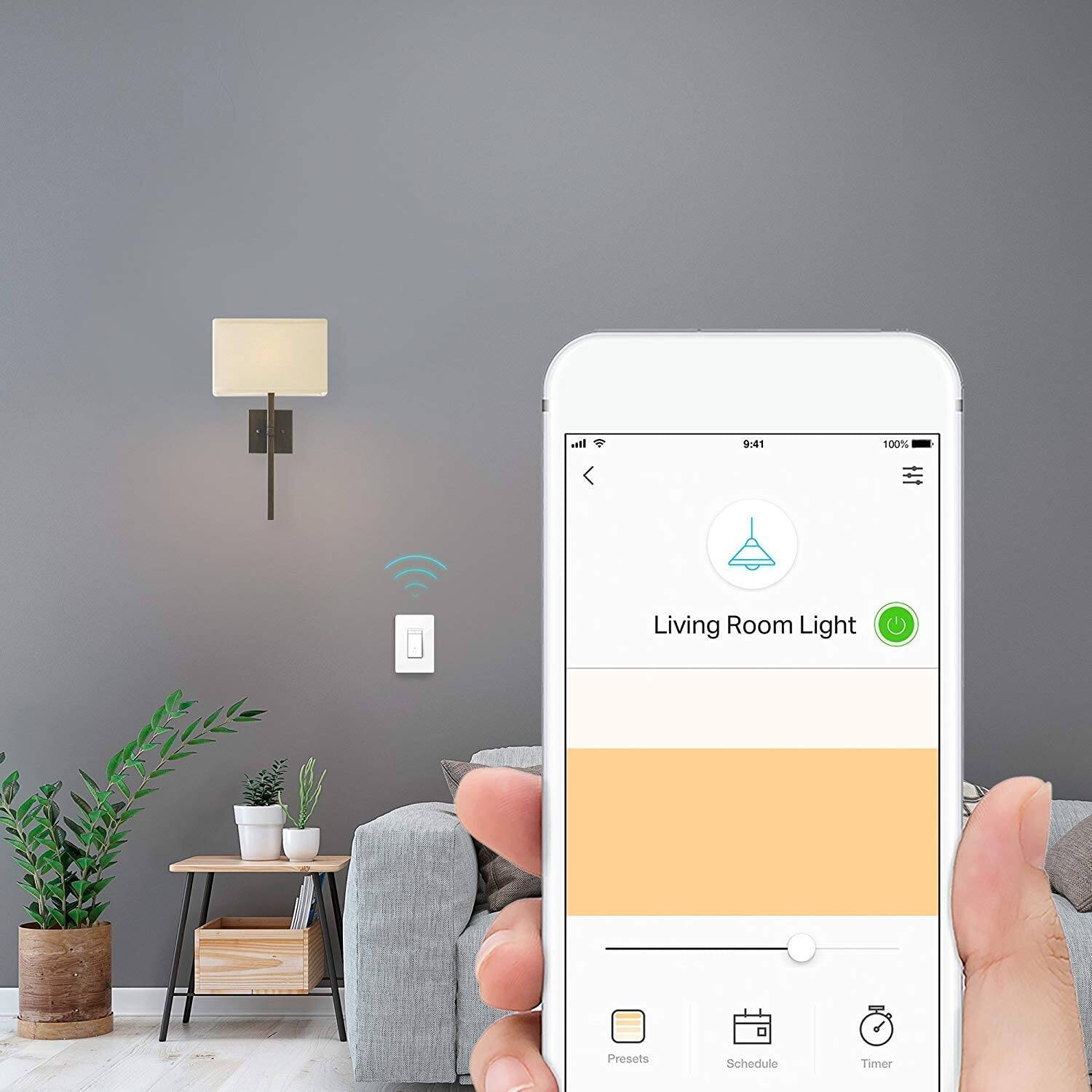
Customers recognize the Kasa Wi-Fi Smart Light Dimmer Switch for its ease of use, compatibility with other smart home devices, and straightforward installation. Many appreciate the dimming feature and reasonable price, while some find the size a bit bulky and note the requirement of a neutral wire.
This summary was generated by AI based on customer reviews.
Very good except difficult setup
||Posted . Owned for 1 month when reviewed.This reviewer received promo considerations or sweepstakes entry for writing a review.Setup is difficult, does not connect to device network easily.
I would recommend this to a friendLoses signal
||Posted . Owned for 1 month when reviewed.This reviewer received promo considerations or sweepstakes entry for writing a review.Switch is inconsistent in that it loses WiFi periodically
I would recommend this to a friendExcellent switch / easily controlled
||Posted .This reviewer received promo considerations or sweepstakes entry for writing a review.Great for a movie room to have voice control to turn lights off.
I would recommend this to a friendFine for the price
||Posted . Owned for 5 months when reviewed.This reviewer received promo considerations or sweepstakes entry for writing a review.These generally seem to work okay. They SHOULD NOT be installed on a switch that connects to a ceiling fan. Apparently this causes problems. And I was not able to get the plate to mount flush, and the plate is incredibly difficult to remove.
I would recommend this to a friendAverage produce at average price
||Posted . Owned for 7 months when reviewed.This reviewer received promo considerations or sweepstakes entry for writing a review.Didn't have very many dimmer settings. Wifi signal wasn't that great either so it had some trouble connecting. Overall, you get what you pay for with this relatively inexpensive smart switch
No, I would not recommend this to a friendDisappointed
||Posted . Owned for less than 1 week when reviewed.This reviewer received promo considerations or sweepstakes entry for writing a review.I really like the products tp-link kasa brand. But this one don't work really good. The dimmer barely dimm. You don't see difference between 1% to 40% and after that you don't see difference between 40% to 75% is more like it dimms from 100% to 50% is very bright the light I thought first the bulbs wasn't dimmable and then I went and bought 4 dimmable bulbs and was the same thing. After the fact it don't really dimm, it works good to turn on and off from the app but is no good to dimm a light to watch a movie. I don't recommend it if you want to dimm a light.
No, I would not recommend this to a friendBrand response from TPLinkSupport
Posted .Hi,
Thank you for your review. In your case we recommend ensuring your bulbs are optimized for dimming, and that the HS220 Dimmer Switch is properly installed. We also suggest ensuring your Kasa app and device firmware are fully up to date by selecting Home → Settings → Firmware Update within the Kasa app.
If you have any remaining questions, please email kasa.support@tp-link.com and a support agent will gladly assist you.
Thank you,
TP-Link Support
won't work for 3-way
||Posted . Owned for 1 month when reviewed.This reviewer received promo considerations or sweepstakes entry for writing a review.Bought two & was looking forward to using them... but they don't work for 3-way lighting (as in 2 switches for 1 light)... bummer
No, I would not recommend this to a friendinstructions should be included always
||Posted .This reviewer received promo considerations or sweepstakes entry for writing a review.instructions not in package. should be easy to install but not really, needed to return
No, I would not recommend this to a friendBrand response from TPLinkSupport
Posted .Hi,
Thank you for your review. The HS220 Kasa Smart Dimmer Light Switch should include instructions on how to download and install the Kasa app, which provides installation instruction.
You can also watch the instructional installation video on our website here: https://www.tp-link.com/us/support/download/hs220/#video
Our support team is always happy to answer any questions you might have about our products. Please reach out to our support team using any of the resources included with the product, or from our official website, and we'll gladly have a Support Agent follow up with you directly.
Thank you,
TP-Link Support
- Cons mentioned:Size
Bulky and hard to use
||Posted . Owned for 9 months when reviewed.This reviewer received promo considerations or sweepstakes entry for writing a review.Very bulky and doesn’t fit as replacement for standard wall outlet.
No, I would not recommend this to a friendBrand response from TPLinkSupport
Posted .Hi,
Thank you for your review. Our Kasa Smart Light Switches are designed to fit in most North American standard switch boxes. If you find that your installation environment is a tad smaller, optimizing wiring placement may help, or installing a larger switch box may be required.
If you have any questions or concerns, please reach out to our free support team using any of the resources included with the product, or from our official website, and we'll gladly have a Support Agent follow up with you directly.
Thank you,
TP-Link Support
OK
||Posted . Owned for 1 year when reviewed.This reviewer received promo considerations or sweepstakes entry for writing a review.Never put in, could not figure out how it worked. Will try again.
No, I would not recommend this to a friendBrand response from TPLinkSupport
Posted .Hi,
Thank you for your review. We regret to hear you encountered difficulty with installing the device. For detailed and helpful installation instructions, we recommend watching the installation video, which you can find on our official website here: https://www.tp-link.com/us/support/download/hs220/v1/#video
Our support team is always happy to answer any questions you might have about our products. Please feel free to reach out to our support team using any of the resources included with the product, or from our official website, and we'll gladly have a Support Agent follow up with you directly.
Thank you,
TP-Link Support
2 of the 3 worked
||Posted . Owned for 1 week when reviewed.This reviewer received promo considerations or sweepstakes entry for writing a review.I purchased 3 and only 2 worked. The two that work do the job.
No, I would not recommend this to a friendBrand response from TPLinkSupport
Posted .Hi,
Thank you for your review. We're happy to hear you're enjoying some of our Smart Light Dimmer Switches. As for the one that you are encountering difficulty with, we recommend re-checking its wiring, and that it is in an area where your router's 2.4GHz Wi-Fi signal is sufficiently strong.
Our support team is always happy to help answer any questions you may have about our products. Please feel free to reach out using any of the resources included with the product, or from our official website, and we'll gladly have a Support Agent follow up with you directly.
Thank you,
TP-Link Support
Nice concept
||Posted . Owned for 1 week when reviewed.This reviewer received promo considerations or sweepstakes entry for writing a review.A little glitchy, which is surprising because all of my other TP link devices are extremely snappy.
No, I would not recommend this to a friendDidn't work for me
||Posted . Owned for 1 month when reviewed.This reviewer received promo considerations or sweepstakes entry for writing a review.I have used a lot of TP Link switches. The dimmer did not work for me.It would turn on and off, but not dim. I still like TP as a switch company. Just need the regular switch.
I would recommend this to a friendBrand response from TPLinkSupport
Posted .Hi Dominic,
Thank you for your review. In your case we first recommend ensuring the bulb(s) in question are dimmer bulbs, and that your wiring meets the minimum requirements of the HS220 dimmer switch. Please refer to our helpful setup video here for more information regarding proper wiring and installation: https://www.tp-link.com/us/support/download/hs220/#video
Our Support Team is always happy to answer any questions you might have about our products. Please feel free to e-mail Kasa.Support@TP-Link.com and we'll gladly have a Support Agent follow up with you directly.
Best Regards,
TP-Link Support
Does not work with echo.
||Posted .This reviewer received promo considerations or sweepstakes entry for writing a review.Works with Kasa app and works with Amazon Alexa app but doesn't work with my Alexa echo commands. Verry disappointed because that was the reason we bought this unit.
No, I would not recommend this to a friendBrand response from TPLinkSupport
Posted .Hi,
Thank you for your review. In your case we recommend ensuring both your Alexa and Kasa Smart apps are fully up to date. Then, please update the firmware of your Kasa devices using the steps outlined in our FAQ here: http://www.tp-link.com/us/faq-1256.html
We also recommend disabling, then re-adding the Kasa Skill within your Alexa app. Please also note that for Alexa voice commands to function with Kasa products, it is important that you name the devices with simple nouns, and that the names do not include numbers, symbols, or or random sequences of letters.
If you’d like assistance with any of these steps, please send an e-mail with your contact information and a link to this review to Kasa.Support@TP-Link.com and we'll gladly have a Support Agent follow up with you directly.
Best Regards,
TP-Link Support
Kasa dimmer switch = POS
||Posted . Owned for 1 month when reviewed.This reviewer received promo considerations or sweepstakes entry for writing a review.This switch is closest to router than others and constantly looses internet connection. When it is connected it works okay. Doesn't dim the lights very much. Will be removing it.
No, I would not recommend this to a friendBrand response from TPLinkSupport
Posted .Hi,
We always recommend ensuring your router's WiFi signal is adequately strong in the smart device's location. Within the Kasa Smart app there's a feature that allows you to measure WiFi signal strength of your smart devices. When the app is connected, please check the signal strength in the Device Settings menu.
If the signal is within the ideal range and you're still experiencing these symptoms, please ensure your Kasa Smart app is up to date, then update your smart device's firmware using the steps in our FAQ: http://www.tp-link.com/us/faq-1256.html
If you'd like assistance with any of these steps, please send an e-mail with your contact information and a link to this review to Kasa.Support@TP-Link.com and we'll gladly have a Support Agent follow up with you directly.
Best Regards,
TP-Link Support
Ok
||Posted . Owned for 6 months when reviewed.This reviewer received promo considerations or sweepstakes entry for writing a review.I purchased the light switch thinking you could walk up to it and flip The switch Without WiFi. This is not the case. It can only be used if connected to the WiFi.
No, I would not recommend this to a friendBrand response from TPLinkSupport
Posted .Hi,
Thank you for your review. If installed properly, the Smart Light Switch can be used manually via the physical controls on the switch itself, without the Kasa app. Our Support Team is always happy to help answer any questions you might have about our products. For future reference, please feel free to e-mail Kasa.Support@TP-Link.com and we'll gladly have a Support Agent follow up with you directly.
Best Regards,
TP-Link Support
Not work as advertised
||Posted . Owned for 2 months when reviewed.This reviewer received promo considerations or sweepstakes entry for writing a review.We never figure out how to install this switch properly and keep shutting down the break and the whole house when off.
No, I would not recommend this to a friendBrand response from TPLinkSupport
Posted .Hi,
Thank you for your review. If you are encountering difficulty with the wiring aspect of installation, please refer to our official website where you will find instructional, detailed installation videos to help ensure your smart light dimmer switch is ready to provide reliable automation for your home's lighting: https://www.tp-link.com/us/support/download/hs220/#video
Our support team is always happy to answer any questions you might have about our products. Please reach out to our free support team using any of the resources included with the product, or from our official website, and we'll gladly have a Support Agent follow up with you directly.
Thank you,
TP-Link Support
Light switch
||Posted . Owned for 5 months when reviewed.This reviewer received promo considerations or sweepstakes entry for writing a review.Too deep for most walls which may require installing a box coming out from wall. Otherwise is okay.
No, I would not recommend this to a friendBrand response from TPLinkSupport
Posted .Hi,
Thank you for your review. Our Kasa smart light switches are designed to fit most North American switch boxes. However, if you find that your switch box or installation dimensions are smaller than average or cannot fully accommodate the dimensions of the switch, modifications (i.e. replacing the current switch box with a larger one) may be necessary.
We appreciate your feedback regarding our product and we'll gladly share it with our Kasa team for consideration. Our Support Team is always happy to answer any questions you might have about our products. Please feel free to e-mail Kasa.Support@TP-Link.com and we'll gladly have a Support Agent follow up with you directly.
Best Regards,
TP-Link Support
Don’t waste your money and time!
||Posted . Owned for 2 weeks when reviewed.This reviewer received promo considerations or sweepstakes entry for writing a review.Could not set up on my network and TP Link support was terrible! I ended up returning all the TP Link products I purchased and exchanging for GE Cync dimmer which was VERY simple to set up on my network and works perfectly.
No, I would not recommend this to a friendBrand response from TPLinkSupport
Posted .Hi,
Thank you for your review. Our smart plugs, bulbs, and switches are designed for quick and easy setup using the Kasa app. If you're having difficulty connecting them to your network during setup, please ensure your router's 2.4GHz Wi-Fi signal is sufficiently strong at the smart device's location.
Please also ensure your smartphone is not connected to a VPN during setup, as this may interfere with the installation process.
If you would like assistance with any of these steps, please reach out to our free support team using any of the resources included with the product, or from our official website, and we'll gladly have a Support Agent follow up with you directly.
Thank you,
TP-Link Support
Keeps Disconnecting from my network
||Posted . Owned for 3 weeks when reviewed.This reviewer received promo considerations or sweepstakes entry for writing a review.Bought 4 of these and they all disconnect from the network. Connects for 5 minutes then disconnects, making them uncontrollable from the app. Useless for remote access.
No, I would not recommend this to a friendBrand response from TPLinkSupport
Posted .Hi,
Thank you for your review. We always recommend ensuring your router's Wi-Fi signal is adequately strong in the smart device's location. Within the Kasa Smart app there's a feature that allows you to measure Wi-Fi signal strength of your smart devices. When the app is connected, please check the signal strength in the Device Settings menu.
If the signal is within the ideal range and you're still experiencing these symptoms, please ensure your Kasa Smart app is up to date, then update your smart device's firmware by selecting Home → Settings → Firmware Update within the Kasa app.
If you'd like assistance with any of these steps, please reach out to our free support team using any of the resources included with the product, or from our official website, and we'll gladly have a Support Agent follow up with you directly.
Thank you,
TP-Link Support