Customer Ratings & Reviews


- Model:
- KL130
- SKU:
- 6303649
Rating by feature
- Value
Rating 4.5 out of 5 stars
- Quality
Rating 4.7 out of 5 stars
- Ease of Use
Rating 4.7 out of 5 stars
Customers are saying
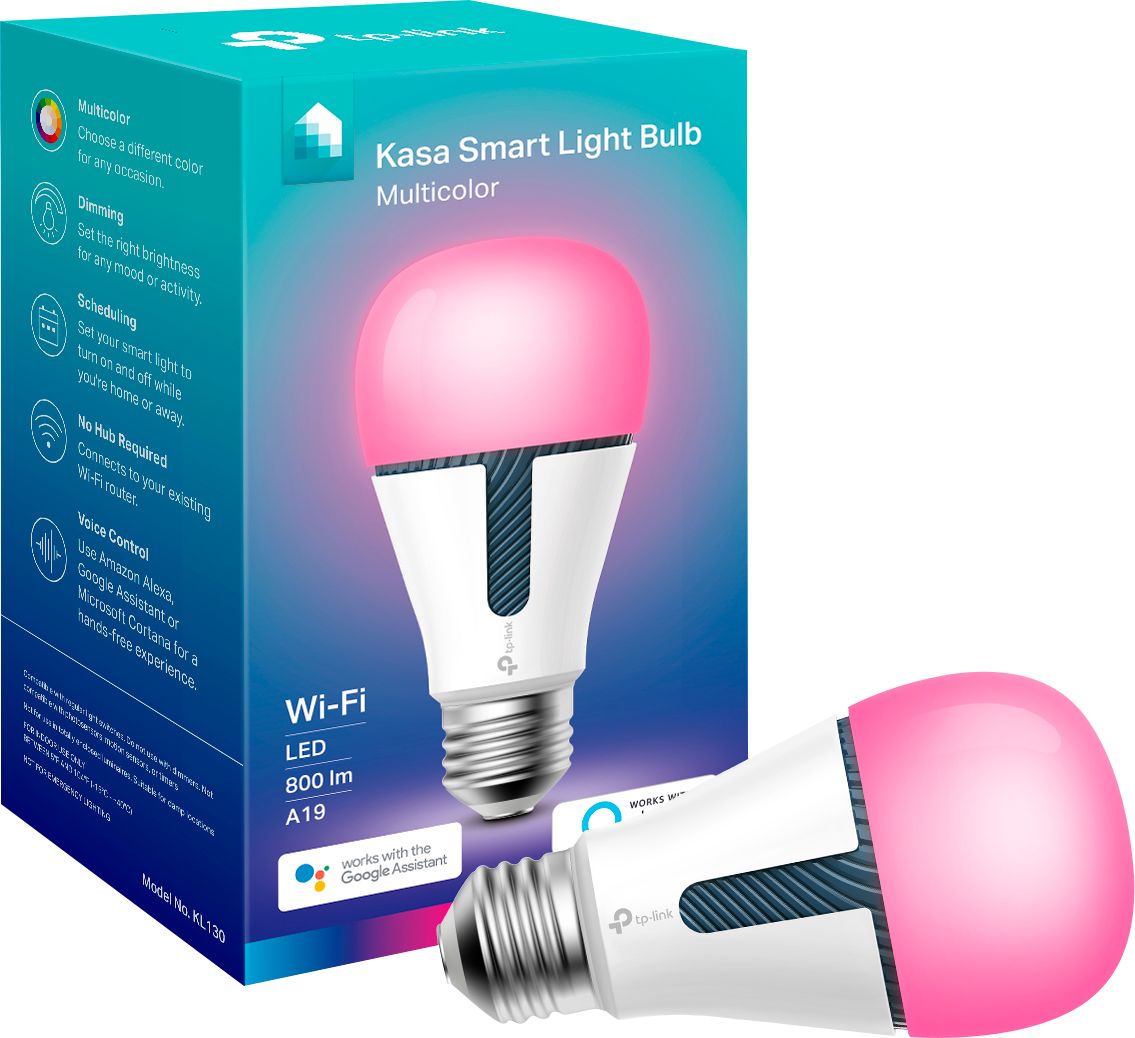
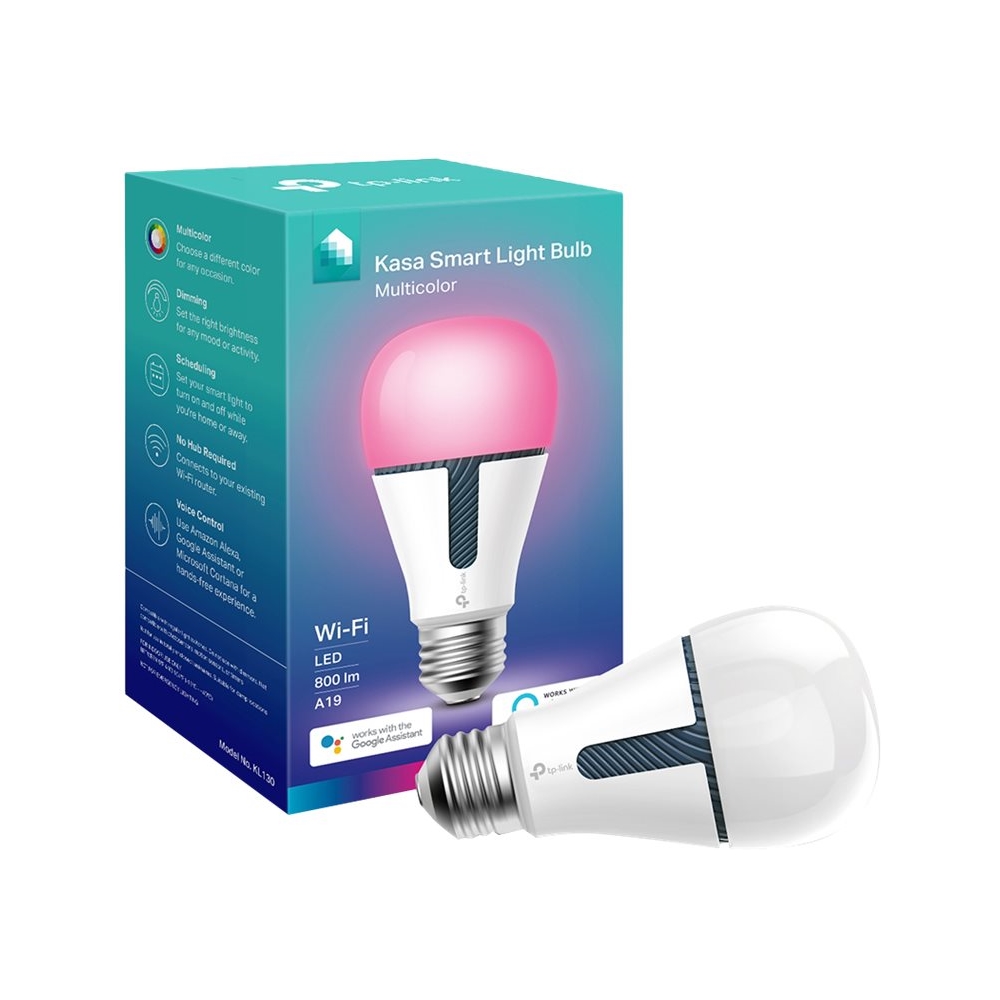
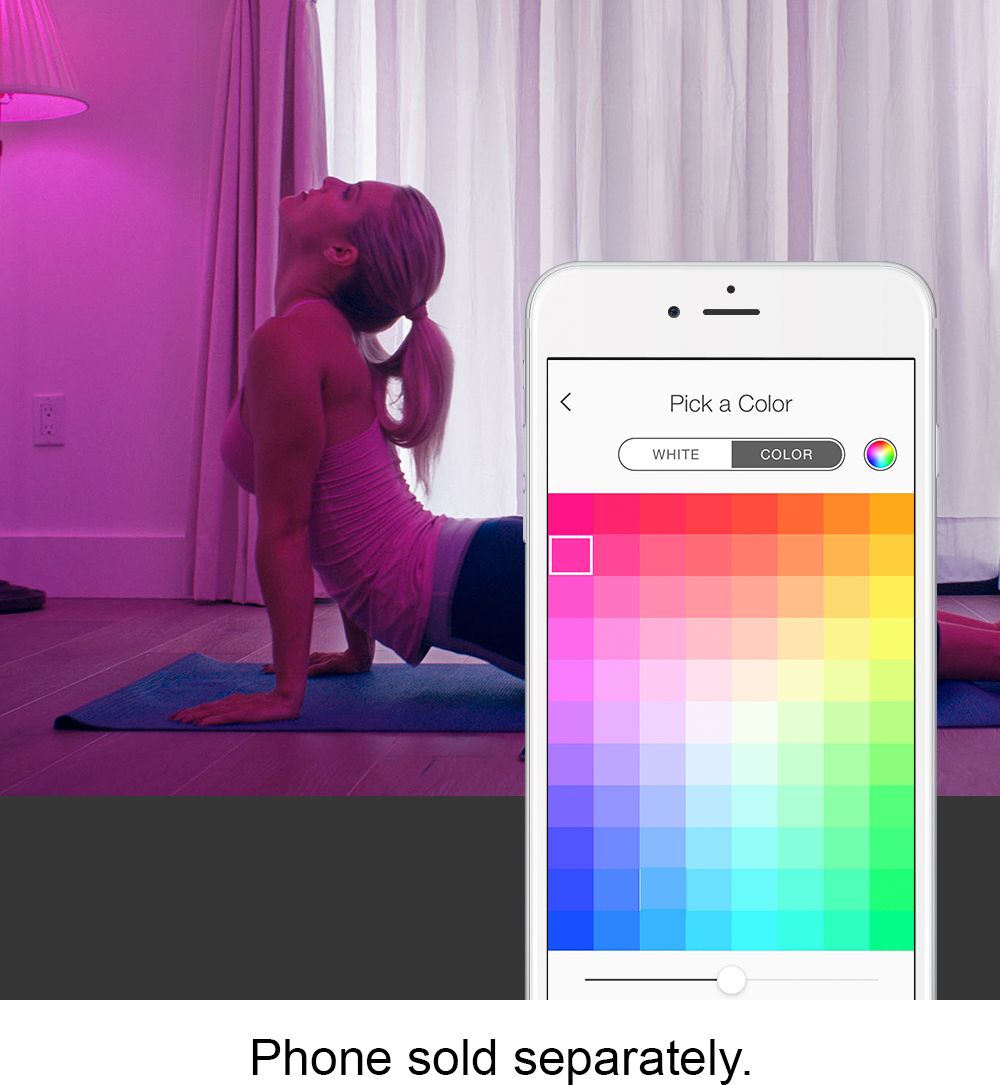
Customers have good things to say about the Kasa WIFI Smart A19 LED Light Bulb's color options, ease of use, and compatibility with smart home assistants like Google Assistant and Alexa. Many appreciate the affordable price and straightforward setup process, while some users noted the convenient dimming feature and user-friendly app. However, a few customers experienced connectivity issues.
This summary was generated by AI based on customer reviews.
Doesn't refresh fast
||Posted .This reviewer received promo considerations or sweepstakes entry for writing a review.Just spend the money and get Phillips hue not worth it to slow to respond (if it does) and uses wifi instead of z wave so it takes up space on your wifi network (ip adress)the way is z wave or zigbee not wifi per device
No, I would not recommend this to a friendBrand response from TPLinkSupport
Posted .Hi Automationguy,
Thank you for sharing your experience with our product. We always recommend ensuring your router's WiFi signal is adequately strong in the smart device's location. Within the Kasa Smart app there's a feature that allows you to measure WiFi signal strength of your smart devices. When the app is connected, please check the signal strength in the Device Settings menu.
If the signal is within the ideal range and you're still experiencing these symptoms, please ensure your Kasa Smart app is up to date, then update your smart device's firmware using the steps in our FAQ: http://www.tp-link.com/us/faq-1256.html
If you'd like assistance with any of these steps, please send an e-mail with your contact information and a link to this review to [email protected] and we'll gladly have a Support Agent follow up with you directly.
Best Regards,
TP-Link Support
[email protected]
- Cons mentioned:Connectivity
Defective. Product
||Posted . Owned for 1 month when reviewed.This reviewer received promo considerations or sweepstakes entry for writing a review.It wouldn't connect to google, so I couldn't tell you anything else about it . Defective
No, I would not recommend this to a friendBrand response from TPLinkSupport
Posted .Hi,
Thank you for your review. One of the many great features offered by our smart bulbs is their ability to integrate with services such as Google Assistant and Alexa. For helpful steps on how to successfully integrate the device with Google Assistant, please visit our FAQ here: https://www.tp-link.com/en/support/faq/2218/
For instructions regarding Google Home, please visit our FAQ here: https://www.tp-link.com/us/support/faq/1534/
If you’d like assistance with any of these steps, please send an e-mail to [email protected] and we'll gladly have a Support Agent follow up with you directly.
Best Regards,
TP-Link Support
- Cons mentioned:Connectivity
Light
||Posted .This reviewer received promo considerations or sweepstakes entry for writing a review.Light did not connect, tried re booting it and still would not connect.
No, I would not recommend this to a friendBrand response from TPLinkSupport
Posted .Hi,
Thank you for your review. Our Kasa smart plugs, bulbs, and switches are designed for quick and easy setup using the Kasa app. If you're having difficulty connecting them to your network during setup, please ensure your router's 2.4GHz WiFi signal is sufficiently strong at the smart device's location. You can also tap the "I can't find my network" option during setup to manually select and connect to your WiFi network.
Please also ensure your smartphone is not connected to a VPN during setup, as this may interfere with the installation process.
If you would like assistance with any of these steps, please reach out to our free support team using any of the resources included with the product, or from our official website, and we'll gladly have a Support Agent follow up with you directly.
Thank you,
TP-Link Support
- Pros mentioned:Compatibility
Undeniably Impressive Product
Posted .This reviewer received promo considerations or sweepstakes entry for writing a review.People always go out of their way to leave a negative review. So I’m gonna do the opposite. Usually when I get something it breaks shortly after. These bulbs have been reliable for several years and never have missed a beat. I have two and will probably get one more soon. Each individual bulb works reliably. Actually I think it’s been over five year. Wow. That’s honestly impressive. I just used it, just now. If there’s an issue it’s only when Comcast (XFINITY) is having an issue which is often. Is everyone else sick of them holding a monopoly over the internet market? I can realistically either have them or nothing at all. Nothing at all. Nothing at all. Seriously though, this is an undeniably impressive product.
I would recommend this to a friend - Cons mentioned:Connectivity
Hard to reset
||Posted . Owned for 4 months when reviewed.This reviewer received promo considerations or sweepstakes entry for writing a review.Once something knocks them offline they are difficult to reset.
I would recommend this to a friendBrand response from TPLinkSupport
Posted .Hi,
Thank you for your review. We always recommend ensuring your router's WiFi signal is adequately strong in the smart device's location. Within the Kasa Smart app there's a feature that allows you to measure WiFi signal strength of your smart devices. When the app is connected, please check the signal strength in the Device Settings menu.
If the signal is within the ideal range and you're still experiencing these symptoms, please ensure your Kasa Smart app is up to date, then update your smart device's firmware using the steps in our FAQ: http://www.tp-link.com/us/faq-1256.html
If you'd like assistance with any of these steps, please send an e-mail with your contact information and a link to this review to [email protected] and we'll gladly have a Support Agent follow up with you directly.
Best Regards,
TP-Link Support
[email protected]
- Cons mentioned:Connectivity
Sucks at reconnecting to internet
||Posted . Owned for 3 weeks when reviewed.This reviewer received promo considerations or sweepstakes entry for writing a review.It has a hard time reconnecting to internet after reset.
No, I would not recommend this to a friendBrand response from TPLinkSupport
Posted .Hi,
Thank you for your review. If your WiFi network goes down, the bulb should automatically re-connect once the network and Internet connection are restored. We always recommend ensuring your router's WiFi signal is adequately strong in the smart device's location. Within the Kasa Smart app there's a feature that allows you to measure WiFi signal strength of your smart devices. When the app is connected, please check the signal strength in the Device Settings menu.
If the signal is within the ideal range and you're still experiencing these symptoms, please ensure your Kasa Smart app is up to date, then update your smart device's firmware using the steps in our FAQ: http://www.tp-link.com/us/faq-1256.html
If you'd like assistance with any of these steps, please send an e-mail with your contact information and a link to this review to [email protected] and we'll gladly have a Support Agent follow up with you directly.
Best Regards,
TP-Link Support
[email protected]
Only lasted a month
||Posted . Owned for 2 months when reviewed.This reviewer received promo considerations or sweepstakes entry for writing a review.Worked Great for about a month, not wont sync to alexa.
No, I would not recommend this to a friendBrand response from TPLinkSupport
Posted .Hi,
Thank you for your review. In your case we recommend ensuring both your Alexa and Kasa Smart apps are fully up to date. Then, please update the firmware of your Kasa devices by selecting Home → Settings → Firmware Update within the Kasa app. We also recommend disabling, then re-adding the Kasa Skill within your Alexa app.
If you'd like assistance with any of these steps, please reach out to our free support team using any of the resources included with the product, or from our official website, and we'll gladly have a Support Agent follow up with you directly.
Thank you,
TP-Link Support
Too expensive
||Posted .This reviewer received promo considerations or sweepstakes entry for writing a review.They're nice and all but you can get them on Amazon much cheaper
I would recommend this to a friendAs advertise
||Posted . Owned for 2 weeks when reviewed.This reviewer received promo considerations or sweepstakes entry for writing a review.Very good product as advertise and easy to install
I would recommend this to a friendBrand response from TPLinkSupport
Posted .Hi,
Thank you for your review.
Should you have any questions or concerns please send an e-mail to [email protected] and include a link to your review and we will have a support agent follow up with you directly.
Thank you,
TP-Link Support
[email protected]
- Pros mentioned:Color
Love these bulbs.
Posted .This reviewer received promo considerations or sweepstakes entry for writing a review.These are excellent bulbs that work with Alexa and Google smart hubs/speakers. They are bright when white, and the colors are vibrant. You can set them up in groups, create fun color schemes (Christmas, Halloween, etc.) that you can control from Alexa/Google. Although it's not a functional spec, they are really cool looking bulbs. The build quality doesn't feel cheap. I would recommend these highly. Now if they'd reissue their BR30 bulbs, I'd be even happier. Easy to use, easy to configure, no real complaints. I have tried cheaper bulbs, but you literally do get what you pay for.
I would recommend this to a friend - Pros mentioned:Ease of use
Great Smart Bulb
Posted .This reviewer received promo considerations or sweepstakes entry for writing a review.Easy to install, Works well, Alexa integration great. Just wish it was a little brighter.
I would recommend this to a friend Lights up my life
Posted .This reviewer received promo considerations or sweepstakes entry for writing a review.Schdule has been working for 2 years without fail.
I would recommend this to a friendWon't connect
Posted .This reviewer received promo considerations or sweepstakes entry for writing a review.Kind of difficult to set up schedules and after the first day it won't connect to my phone. I reset the bulb from the Kasa app and no change. Kind of bummed out spending $35 on 1 "multicolor" lightbulb that says white and I still have to get up to turn it off. That was supposed to be a thing of the past..
No, I would not recommend this to a friendBrand response from TPLinkSupport
Posted .Hi Chance,
Thank you for your review. We always recommend ensuring your router's WiFi signal is adequately strong in the smart device's location. Within the Kasa app there's a feature that allows you to measure WiFi signal strength of your smart devices. When the app is connected, please check the signal strength in the Device Settings menu. Ideally, the reading should be greater than -70 dBm.
If the signal is within the ideal range and you're still experiencing these symptoms, please ensure your Kasa app is up to date, then update your smart device's firmware using the steps in our FAQ: http://www.tp-link.com/us/faq-1256.html
If you'd like assistance with any of these steps, please send an e-mail with your contact information and a link to this review to [email protected] and we'll gladly have a Support Agent follow up with you directly.
Best Regards,
TP-Link Support
[email protected]