Customer Ratings & Reviews
![PROFILE 10 [wj\_23] William Jones S + VOL 10 MIX TURTLE BEACH. CMD X + ANTIDRIFT](https://pisces.bbystatic.com/image2/BestBuy_US/images/products/f4374393-3ab2-45f2-9ddc-5c4746fa4989.jpg)
![SOCIAL WHATSAPP Match still on tonight? Hey Adam, is the match still on? LB 1 OF 10 RB TURTLE BEACH. CMD Y PROFILE 10 [wj\_23] William Jones S + VOL 10 MIX TURTLE BEACH. CMD X](https://pisces.bbystatic.com/image2/BestBuy_US/images/products/d4b510dc-9721-4553-b393-c448de35230f.jpg)

- Model:
- TBS-0710-05
- SKU:
- 10917719
Rating by feature
- Value
Rating 3.7 out of 5 stars
- Quality
Rating 3.9 out of 5 stars
- Ease of Use
Rating 4.0 out of 5 stars
to a friend
Ultimate controller
||Posted . Owned for 3 weeks when reviewed.This reviewer received promo considerations or sweepstakes entry for writing a review.More than I expected. Very precise controller easy to use.
I would recommend this to a friendAmazing controller
||Posted . Owned for 3 weeks when reviewed.This reviewer received promo considerations or sweepstakes entry for writing a review.Looked better in person and honestly my favorite controller I’ve ever bought
I would recommend this to a friend
Amazing controller after a small break-in period.
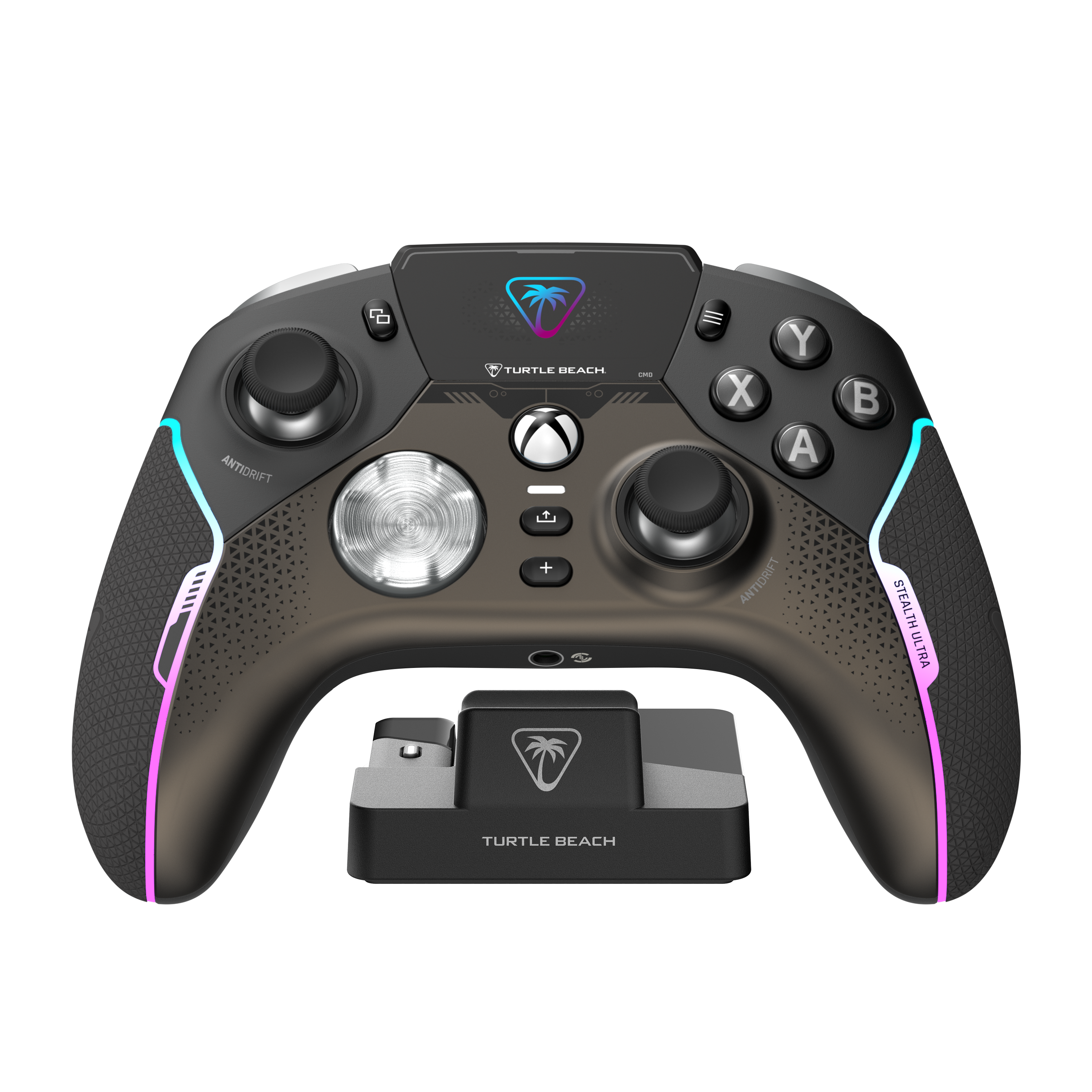
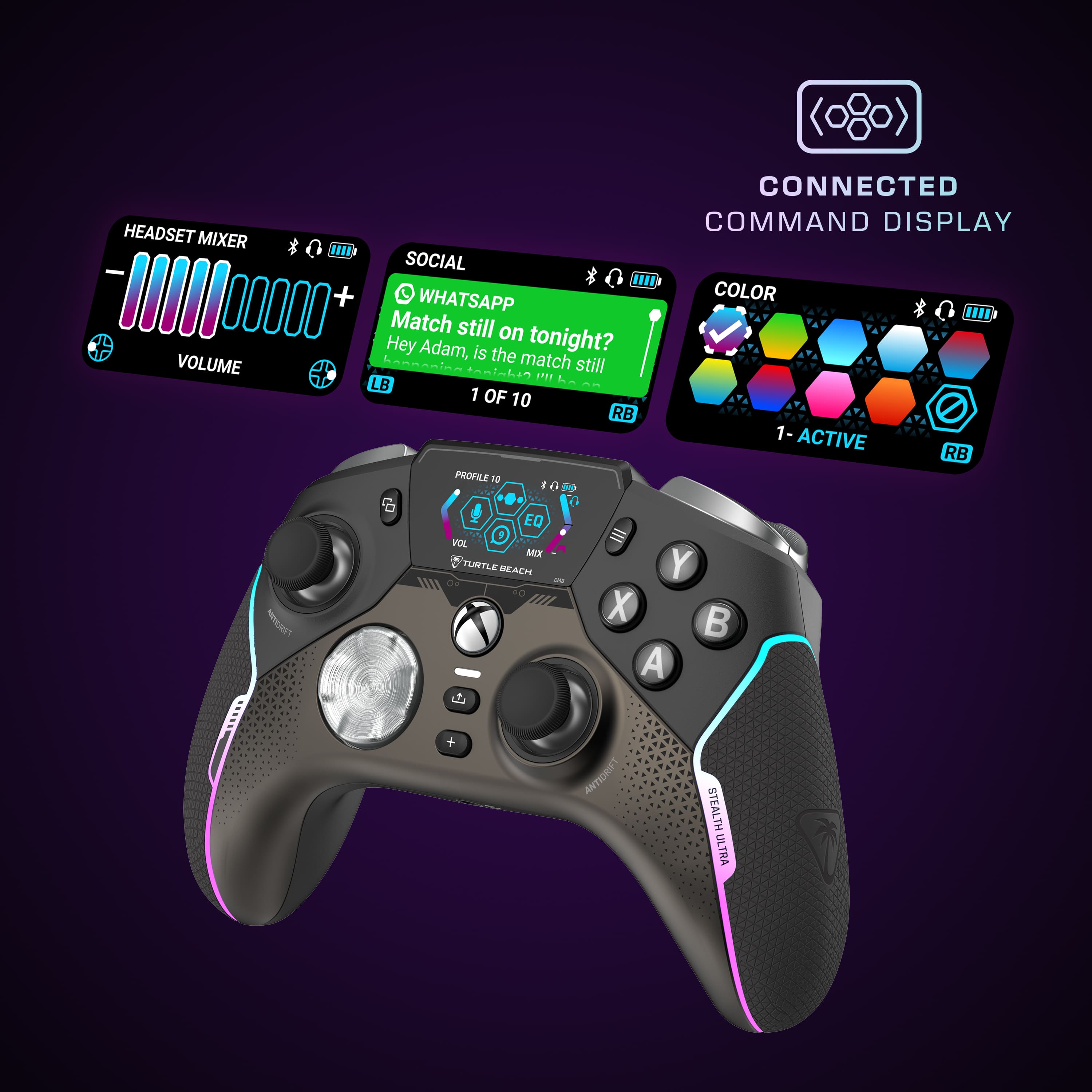
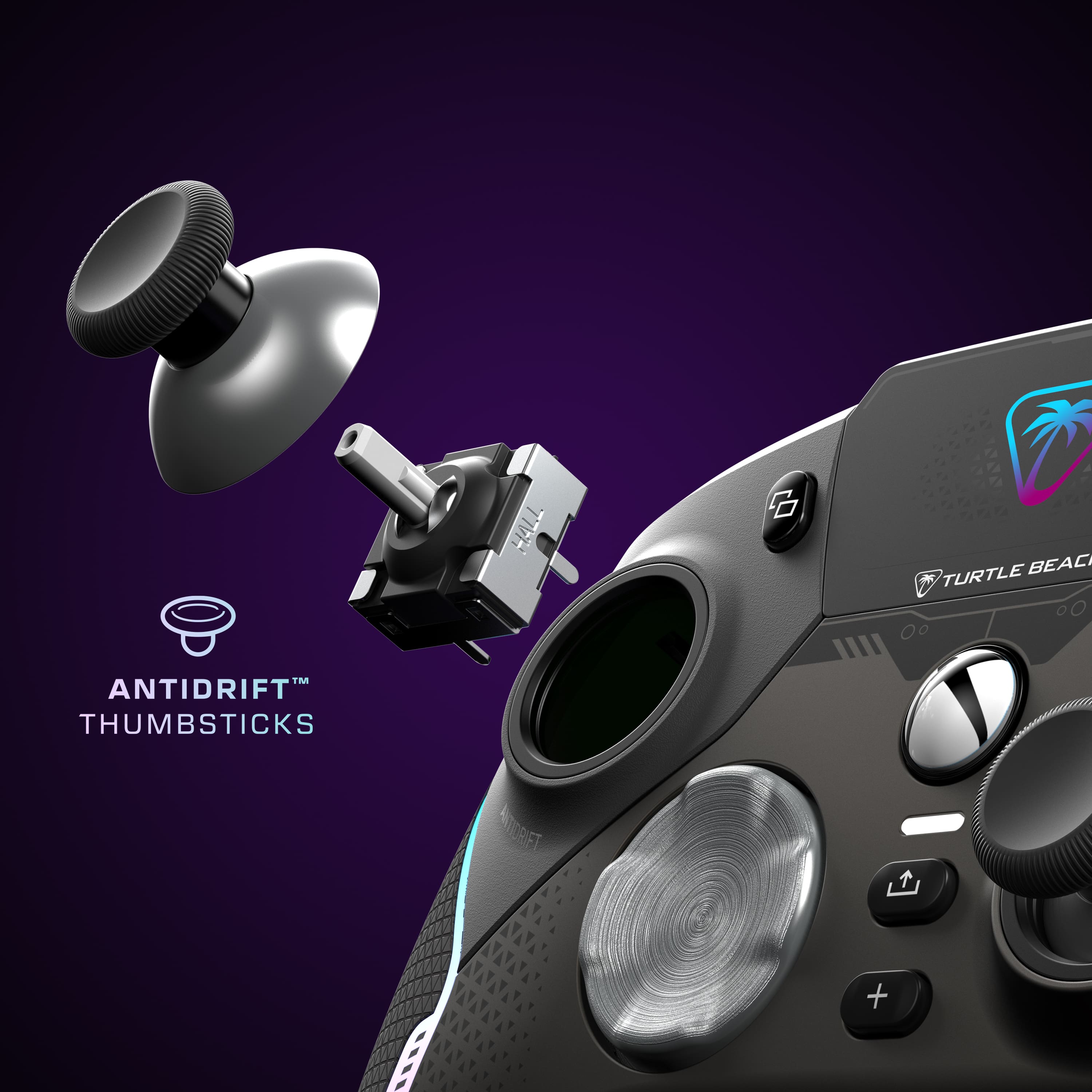
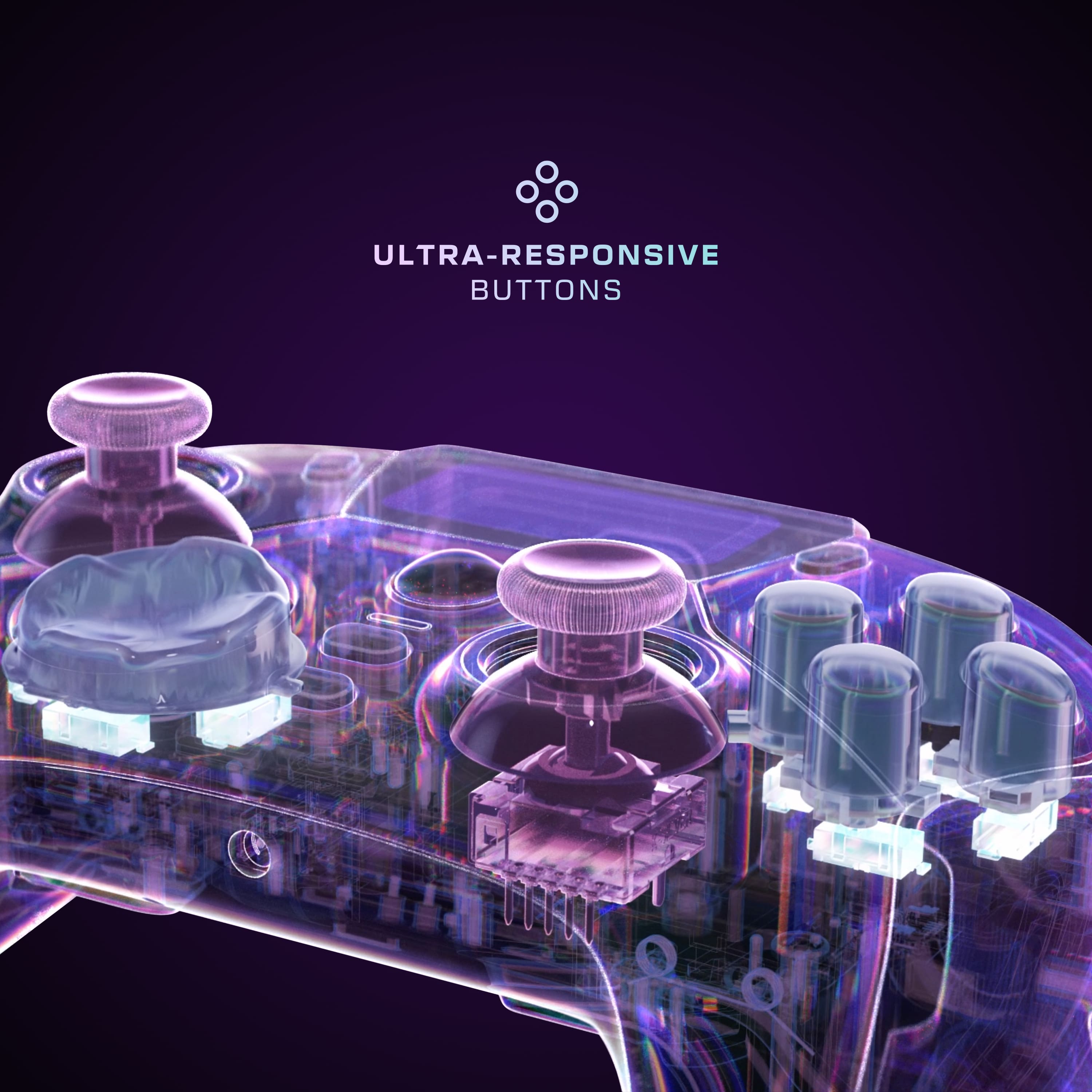
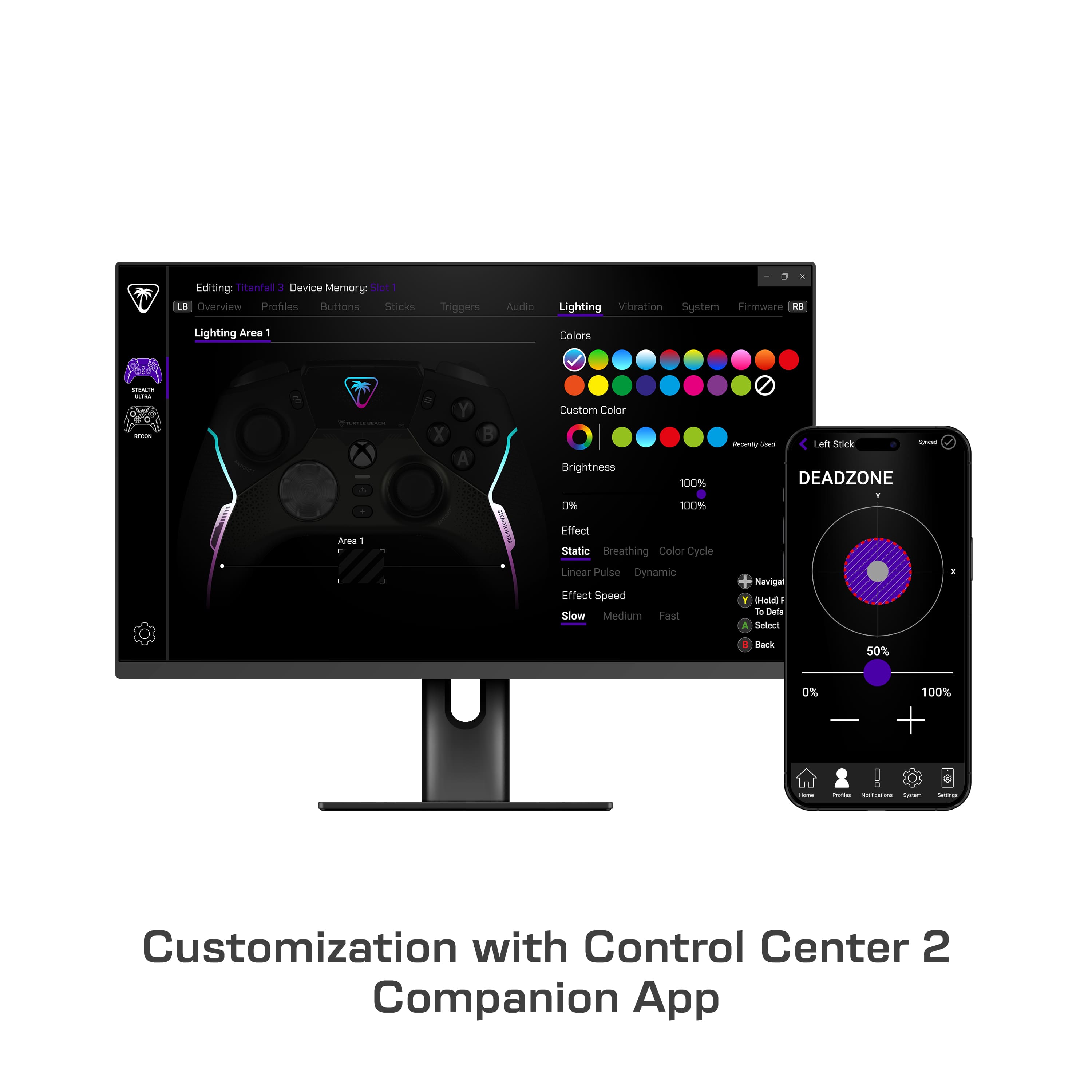
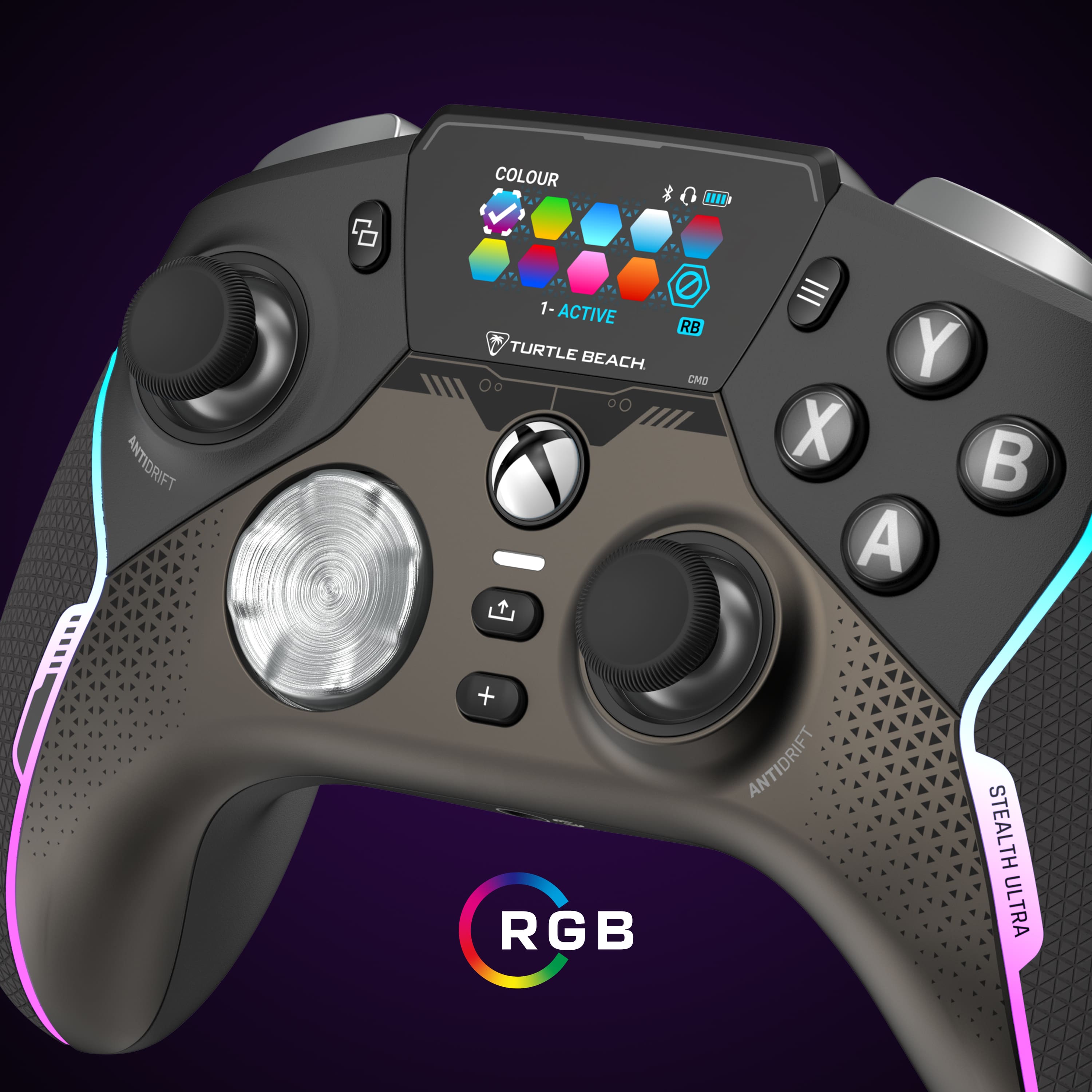
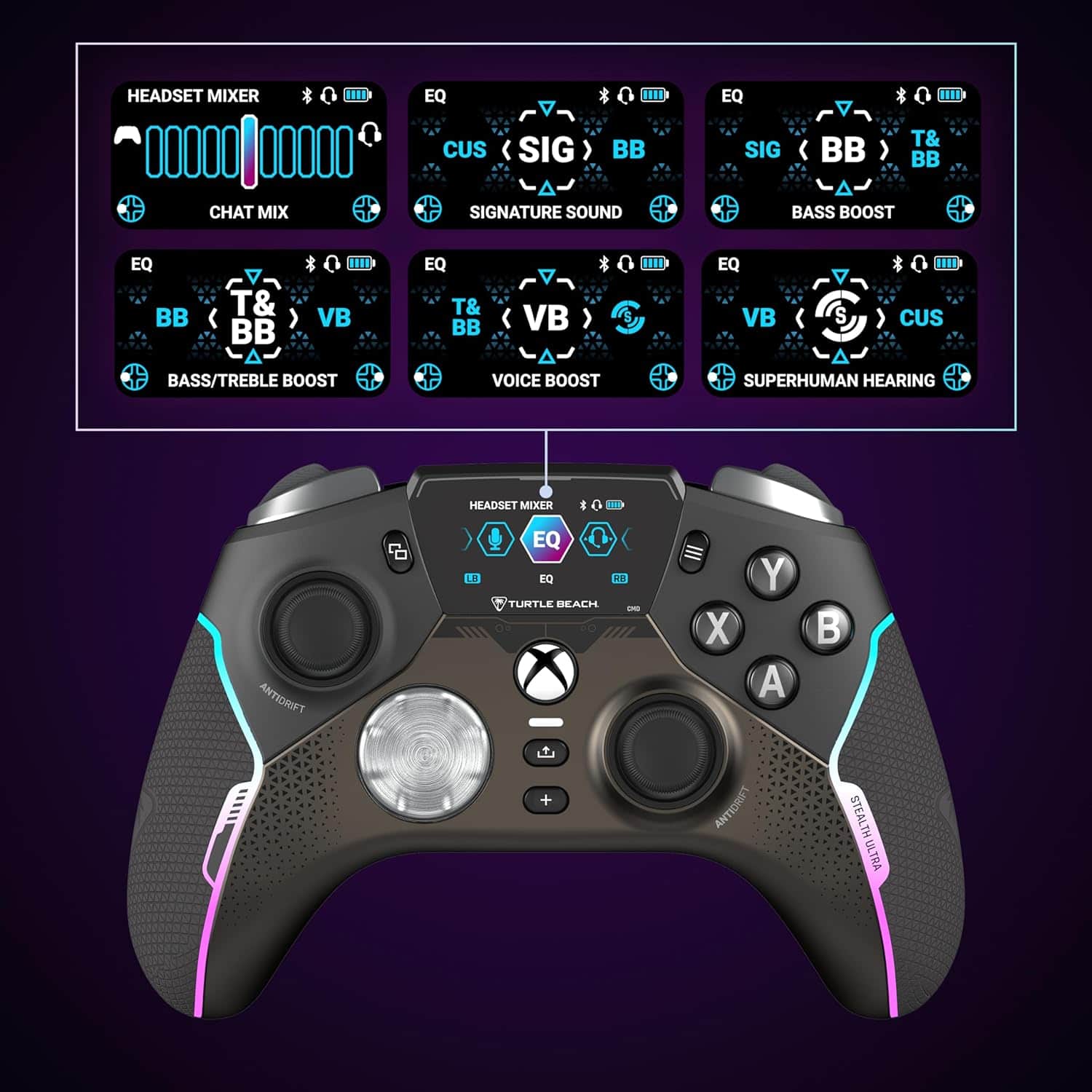
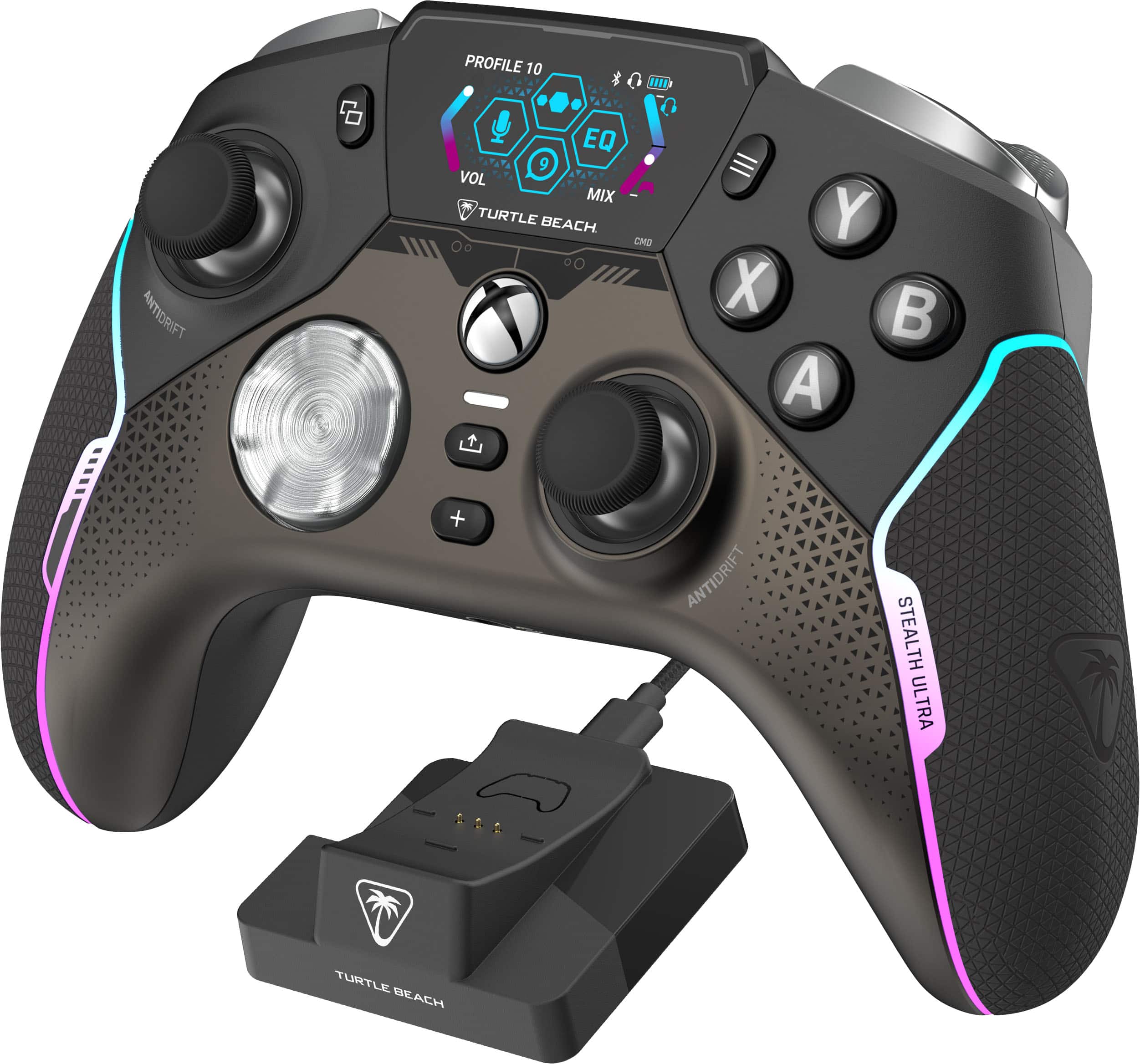
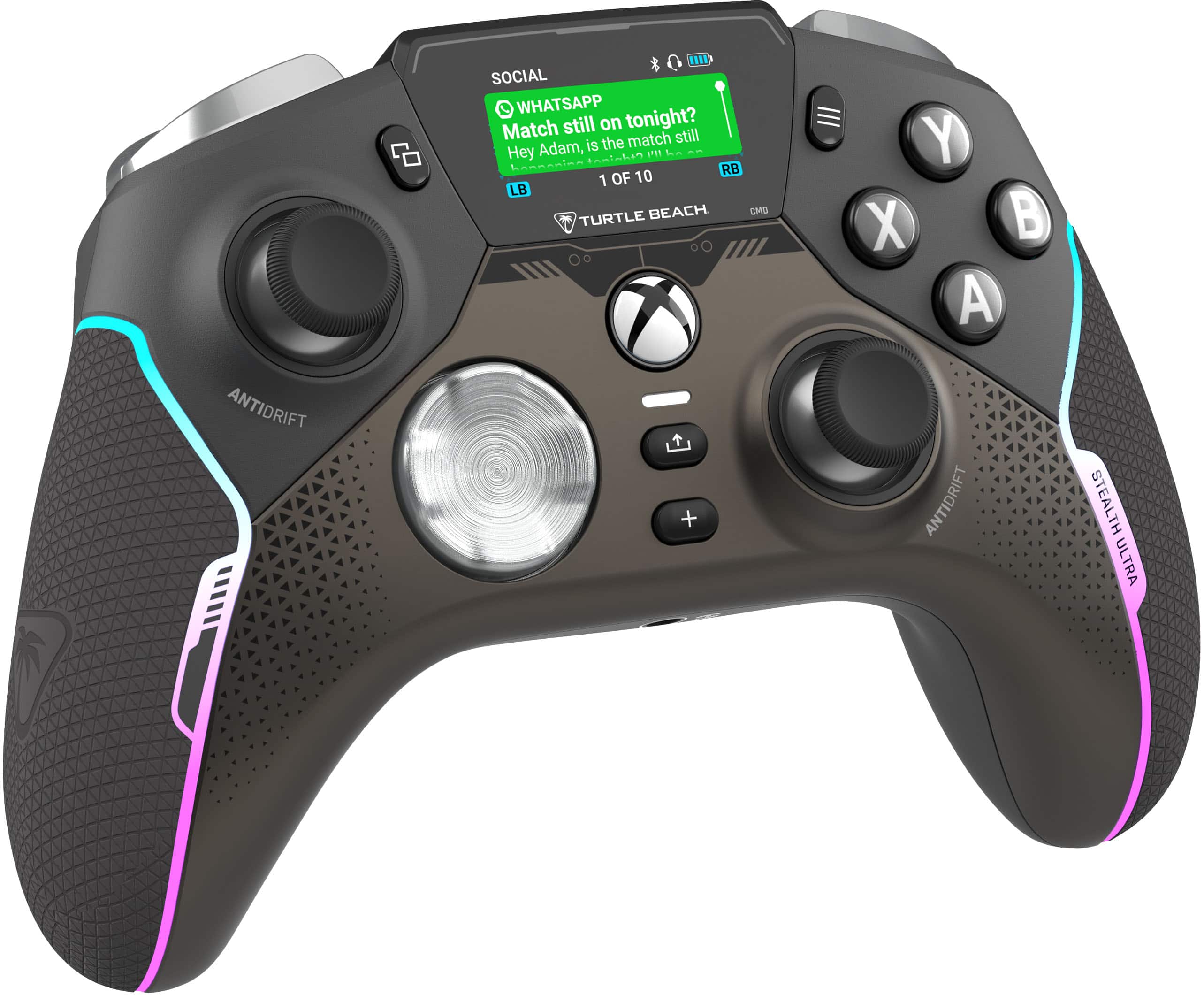
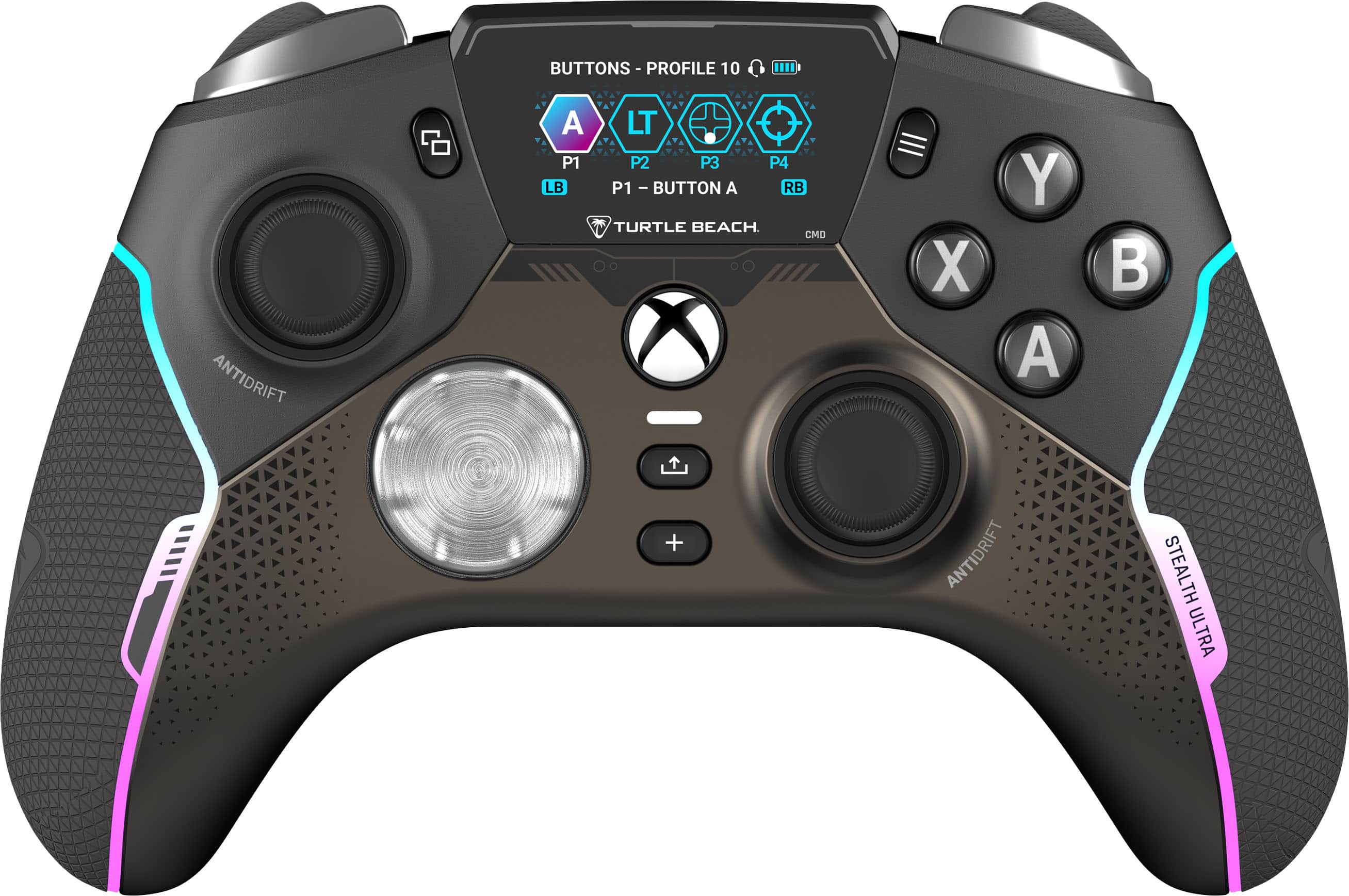
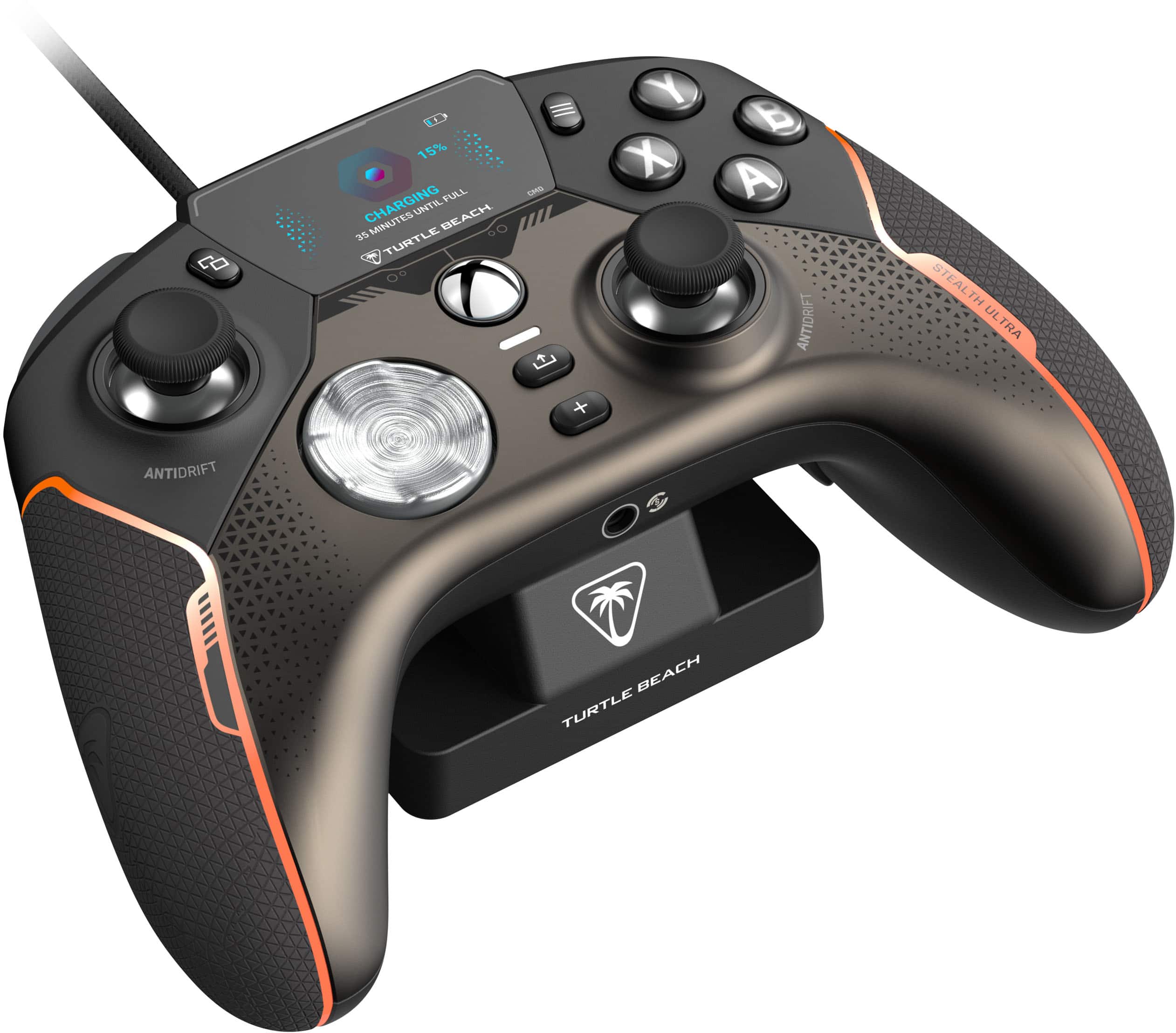
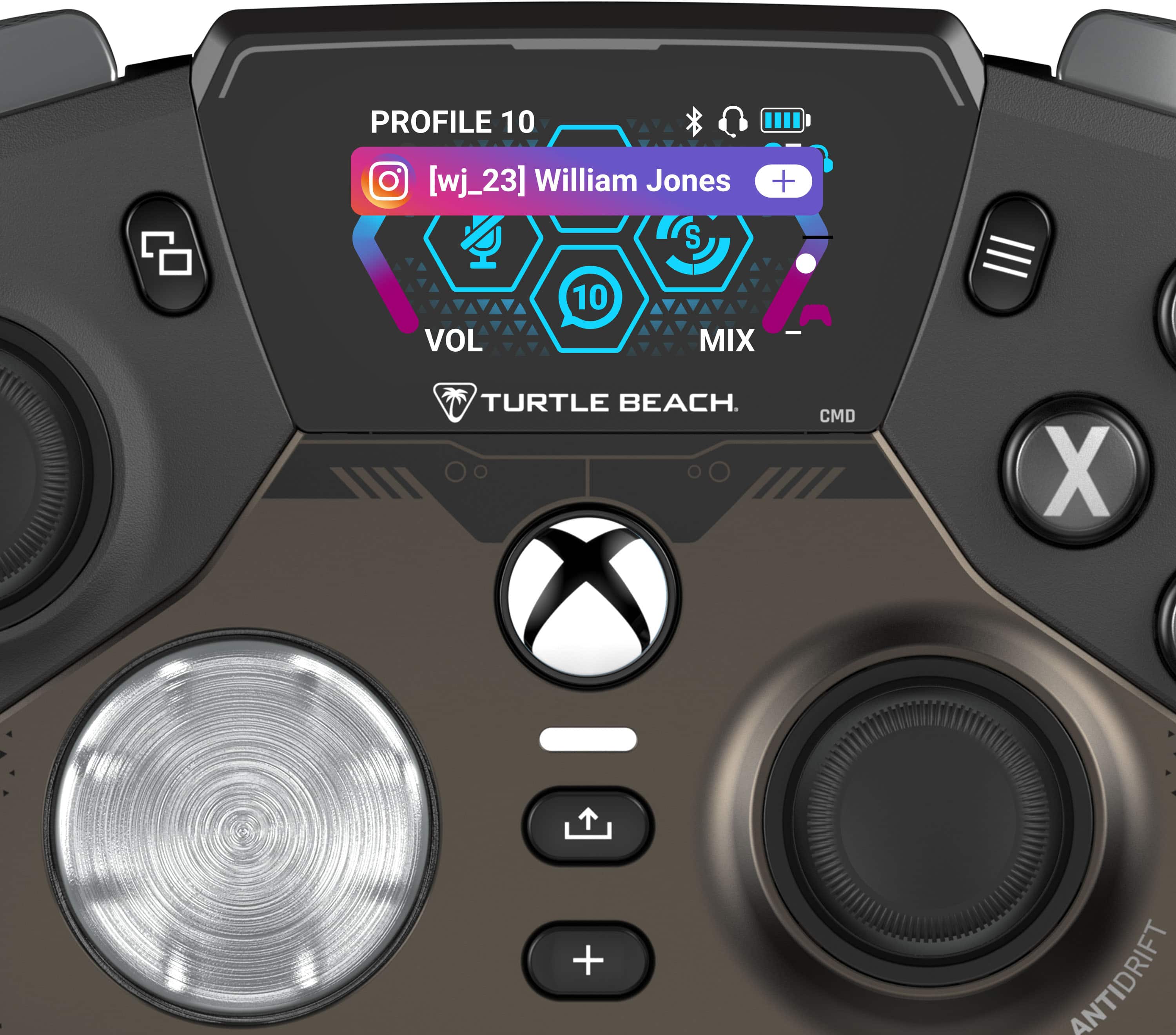
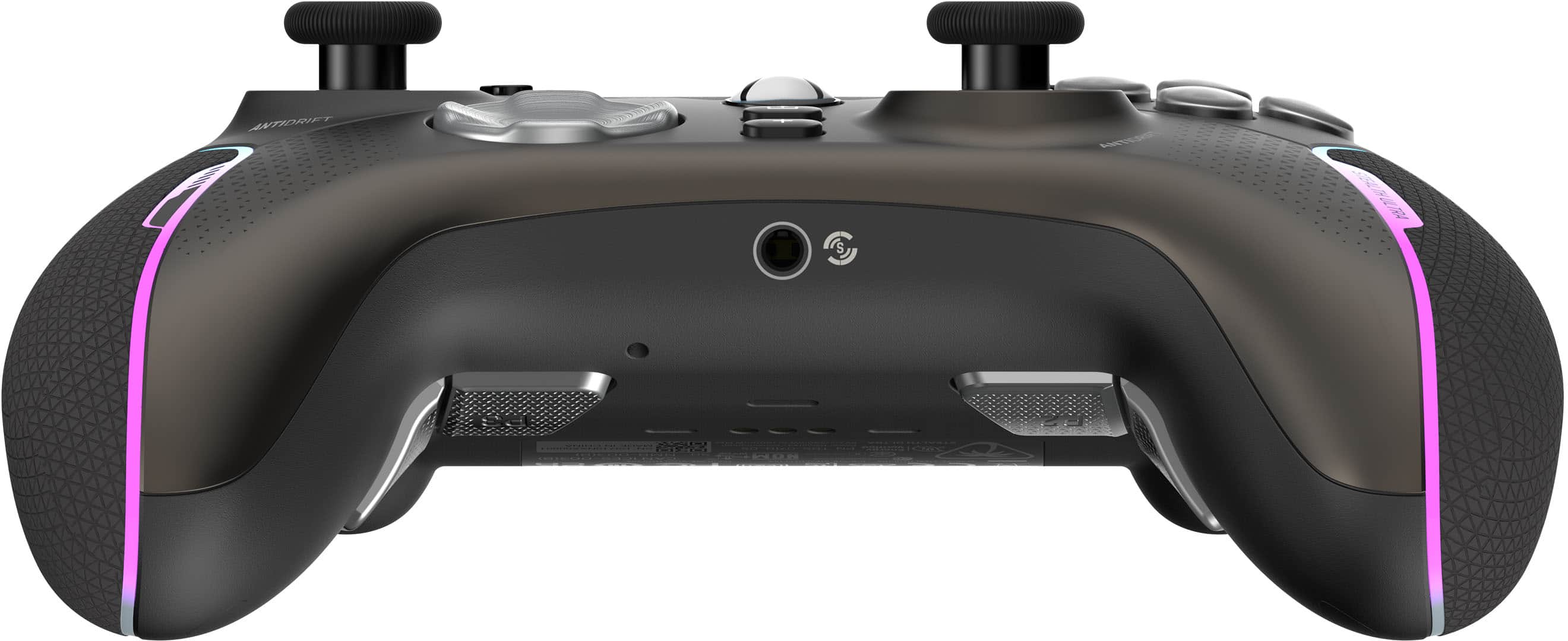
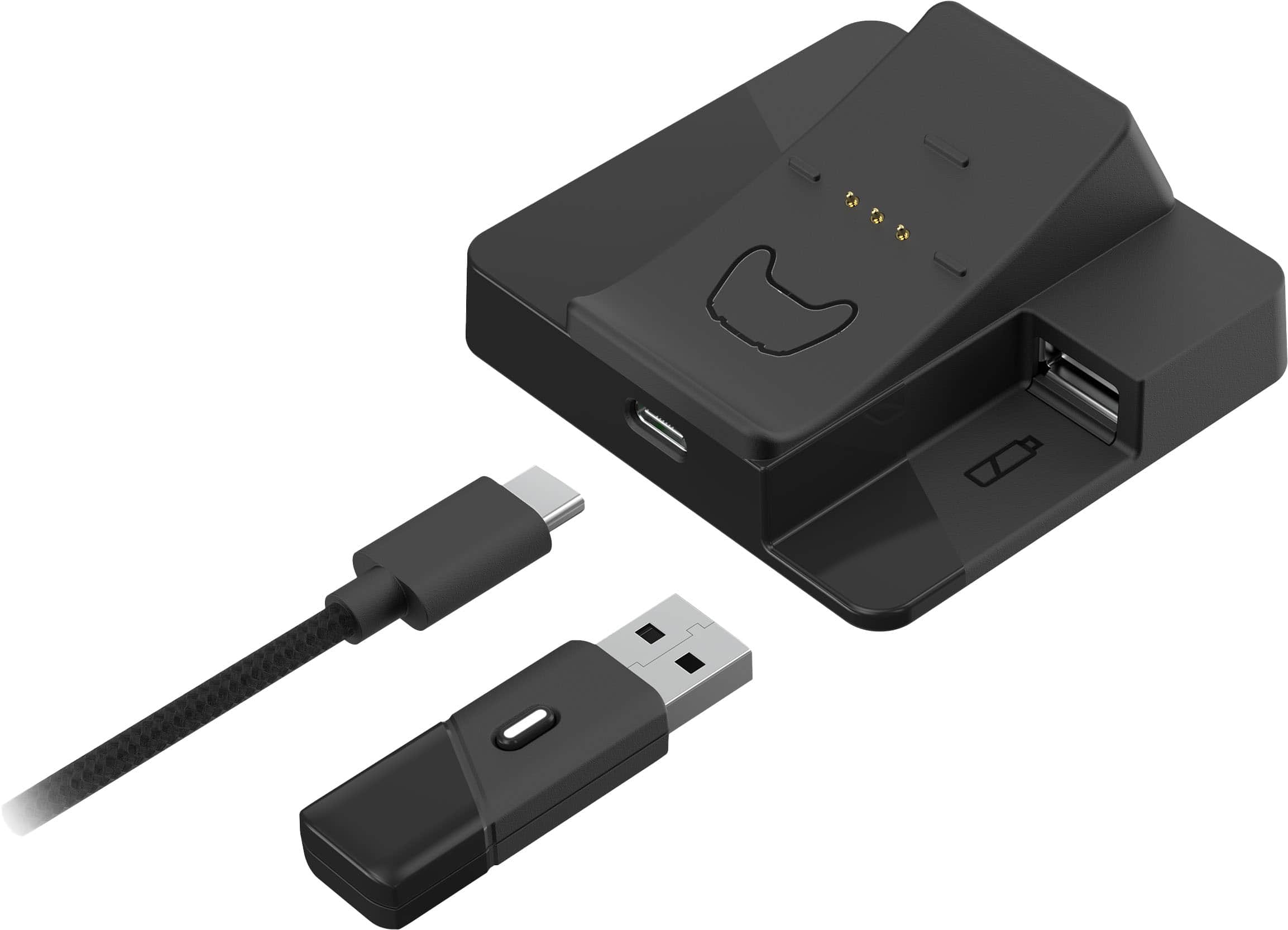
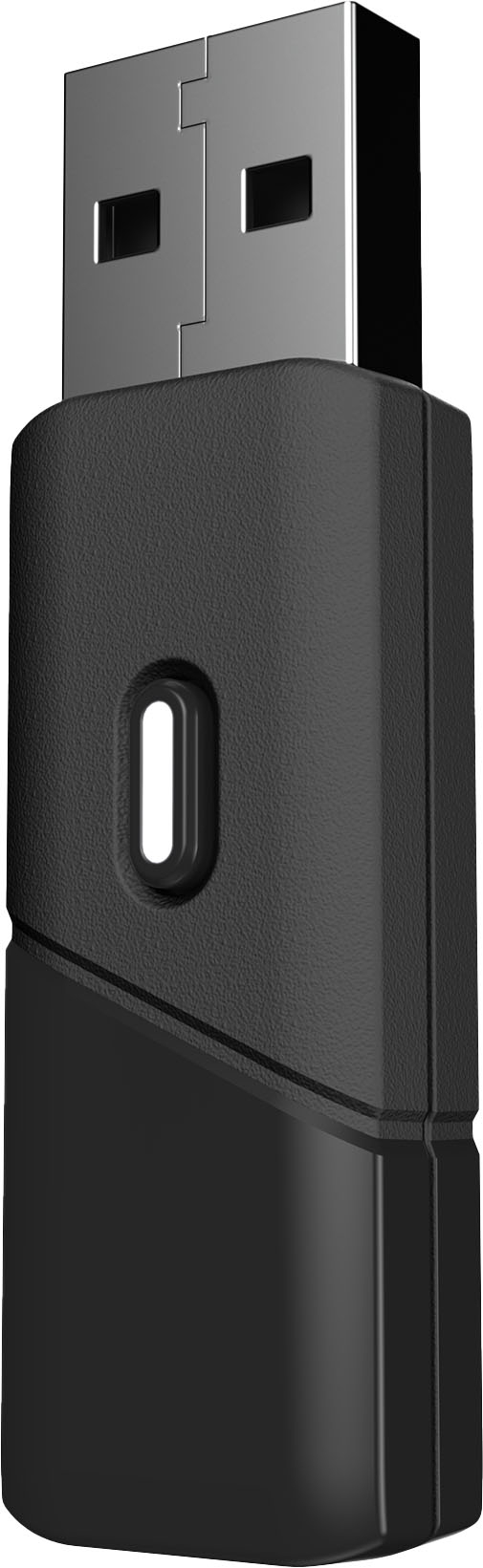
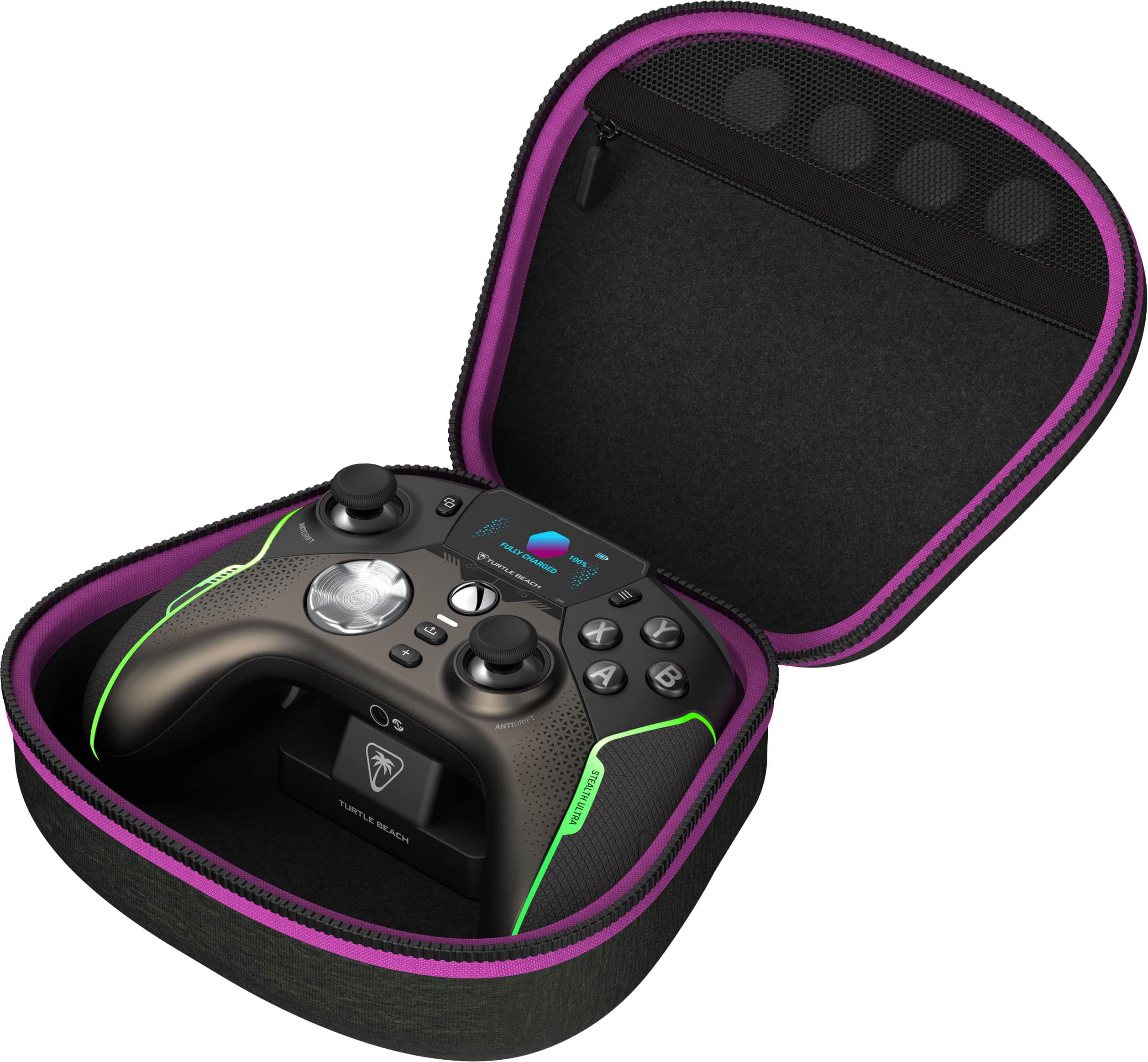
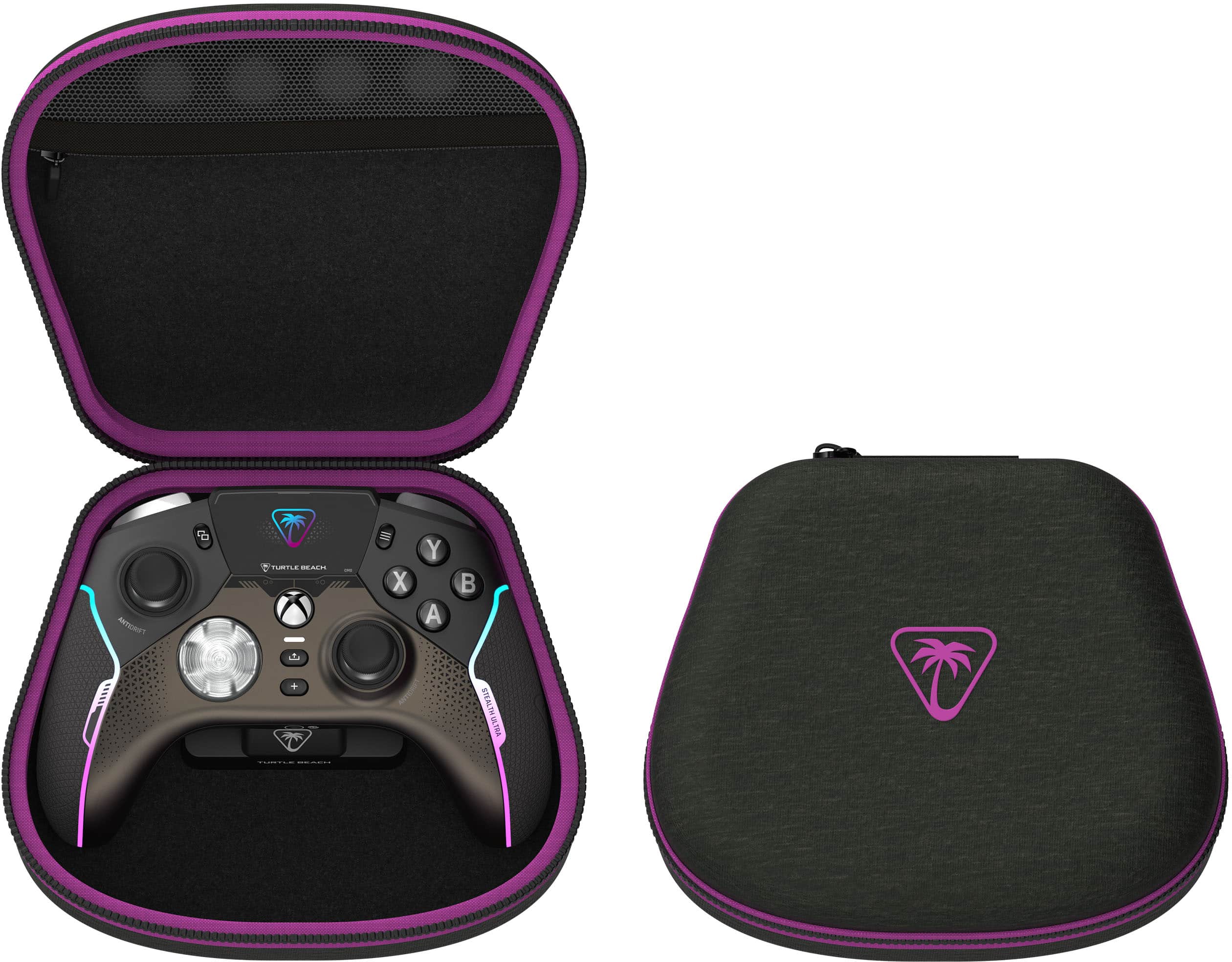
|Posted .This reviewer received promo considerations or sweepstakes entry for writing a review.I got my first "Pro" style controller earlier in the year, when the new Dualsense Edge was released for the PS5, as I do most of my gaming there. However, I do have an Alienware M15R4 laptop, as well as a Alienware R15 Desktop (RTX 4090, 32GB RAM, i9-13900KF processor, etc). I've been playing a lot of Call of Duty lately, especially with the release of Modern Warfare 3 and I've been bouncing between PS5 and my PC's, depending on where I wanna be in the house. The Edge controller for PS5 has spoiled me so much that, when playing on the laptop with a regular Xbox controller, I keep hitting non-existent rear paddles and yeah, that hasn't been working out for me, lol. So, I wanted to invest in a new "Pro" style controller for PC (mostly my laptop) so I can play Call of Duty and some other controller-specific games (like Elden Ring, Remnant II, etc). I've been shopping around for the past month or so and had my eyes on one particular controller I was thinking about trying, but then I heard that Turtle Beach was releasing their new Stealth Ultra pro-style controller and after I seen it, I KNEW that was the one I wanted to get and try! Well, let me start off by saying that it absolutely does no disappoint! Upon receiving my package, I noticed the box itself seems like pretty standard fare. It has about 5 tabs/seals that you have to break/cut open in order to open the box and inside sits a super nice looking black clamshell case with purple edging and the Turtle Beach logo in purple. I'm a huge fan of this colorway and the whole thing gave me kinda retro-neon sunset vibes, which I'm a sucker for, lol. Sitting within the clamshell case lies the controller itself, among various other accessories. Underneath and attached magnetically is the docking station and there's also a USB cable, which is braided and super nice feeling, although I do wish it were a tab bit more flexible. Additionally, you also get the wireless transmitter (also, wow, super nice and sturdy feeling and I love the glass-looking endpiece to it!) and in the little zipper pouch up top with the transmitter were two pairs of little thumbstick caps. I also wanted to note that the inside of the case is made of a velvet type material and makes the whole thing just scream "premium". After charging the controller (it has about 90% out of the box, so it didn't take long at all), I plugged in the transmitter into my laptop and turned on the controller. WOW. The way the controller turns on and the screen lights up, it's almost like this mechanical "boot up" process and is super neat! It immediately connected to the transmitter and my PC recognized it. The first thing I did was install the Turtle Beach Control Center 2 on my laptop, as well as the app for my iOS Device. I got the controller paired to the app on my phone, but to my understanding, that is only for Social Media notification on the screen - other than that, the use of the app was very bare-bones. The PC side of the app was a bit different. I will note that this can only be obtained through the Microsoft Store in Windows. There is no dedicated "program" you can download from the Turtle Beach site. This took a hot minute to figure out... Anyway, the first thing I did upon launching the app on the laptop was update the firmware for the Transmitter and Controller. Both were initially at v1.0.0 and the update brought both to v1.0.3. After that, I played around within the program and I will say, it has quite a ways to go... While the interface is catered to navigating with the controller itself, it takes up the whole screen and there are no minimize, maximize or close buttons. The only way to exit is to hit the Windows key and right click the program and click "close". I can see a lot of these issues being fixed in future updates, as this is only the Launch of the product. Now, here's the great part. Everything that you can do in the Control Center 2 program can be done on the screen itself. I'm being brutally honest here - I got this controller expecting the screen to be a total gimmick. But, it wound up being the big "WOW" feature! This screen is so cool! The only thing that is a gimmick really, are the Social Media notifications - I mean, who wants all of this on a tiny controller screen as a distraction while your gaming? Especially given I have my phone right by me. Anyway...on the controller, below the "share" button you'd find on a typical Xbox controller, is a button labeled with a "+" icon that enables the Screen customization and each icon corresponds to the B, A, X and Y buttons, as all the options are laid out in this format. You can set up your connections to the phone App or Smart Device (I never could get it to connect to my phone via Bluetooth as a Smart Device, only to the App connection for Social Media notification). Additionally, you can also change your profiles, set up your rear button mappings, change your lighting, as well as the pattern and various other effects. Overall, this screen is super useful and allows you to rely on just it and you can bypass the program/app entirely, if you want! I'm just leaving the Control Center 2 installed to periodically check for Firmware updates. The other issue I had with Control Center 2 on the PC was when I'd use it to change the lights on the controller, it'd never kick in and register on the controller. But doing it from the controller screen, it works flawlessly! Again, lots of little bugs and other issues to correct. Work in progress, lol. Ok, so, let's talk about how the controller feels and functions while using it. This Stealth Ultra controller is super light in the hand! Almost to a point where it feels cheap...but after extended play sessions, it does not feel cheap at all and after a while, it's so feather-light that I barely feel like I'm even holding it. This is amazing to me, given the fact that it still has rumble motors within and they're actually quite strong! I also like that there aren't "fake weights" put in it to make it "feel" heavier than what it is, as this gives a fake Premium feel and I'm not a fan of that tactic, which I've seen in some controllers in the past from other brands... Going further into the above, I do want to comment on the little "nubs" that go over the analog sticks. I'm not a fan. I'd much rather be able to use something like KontrolFreek caps, which I have on my other non-Pro controllers and I love some of them. I do not plan on using the little caps that came with this. However, I did discover that the KontrolFreek sticks for Xbox will fit on these sticks! They aren't as tight-fitting as they are on an actual Xbox controller and do rotate a bit, the definitely will not "pop off" while using them. This leads me to really, my biggest gripe on this controller. For the price, they should have made the Analog sticks swappable, like most other Pro or Elite type controllers. Meaning, I can pop off a stick or dome and swap it out for a different textured one or one that sits a little higher - much like the Dualsense Edge for PS5 or the Xbox Elite controller. Alas, there is no option to do so, meaning the Xbox KontrolFreeks are my only option. Additionally, I will say that the face buttons (A, B, X and Y) are all mechanical and feel great. They have very short actuation points and feel really nice. Unlike a regular Xbox controller, I've never had an issue with a press not registering. The D-Pad is not interchangeable and really is the only part of this controller that feels "cheap". When barely pressing in a direction, there is an audible click, but nothing registers. You have to press in a little further for it to actually register the press. This took me quite a while to get used to and it still feels really weird. The buttons and triggers, as well as the additional buttons on the back, all feel great as well. The triggers are nice and springy and I love the stop-gap adjustments to where you can make them more like hair-triggers and limits how far down the triggers can be pressed. This is especially great in shooters like Call of Duty or any story-based FPS game. Ok, so, I apologize for the novel. I could keep going on and on about this controller. But man, I just love it so much. At first, it felt a little iffy, but after 6-8 hours of use, it really grew on me and I found myself saying out loud "geeez, I freaking love this thing". I've never actually had that happen with a controller before! The combination of the mechanical face buttons, the super light weight of the controller, the lighting effects and even the screen all combine to make for a single Premium experience. I'd hands-down easily recommend this controller to my friends. I do realize the screen is probably the driving factor for the current retail price, but the only real issue I had is, for this price, they should have made the thumbsticks swappable between others, including sticks with various domes and heights. So sure, the launch price tag is warranted, but I feel it would have been much more worth it if they'd done a little extra with the sticks. At least they used the newer Hall-Effect sticks and they are less prone to stick-drift, so that is a good compromise. I also wanted to touch on the fact that I did briefly connect this controller to my Xbox Series X and it worked just as well there, as it did on my laptop! The little controller docking station that is included works especially well on the Xbox, because since the transmitter plugs into the charger dock and then the dock goes into the system, it actually allows you to turn the system on wirelessly, with the controller! This is a very welcome option to have! Overall, I give this controller a 5 star review, all the way. The only room for improvement is making the sticks swappable. Especially given that they're a tad bit smaller round than those found on traditional Xbox and Playstation controllers.
I would recommend this to a friendFull featured controller
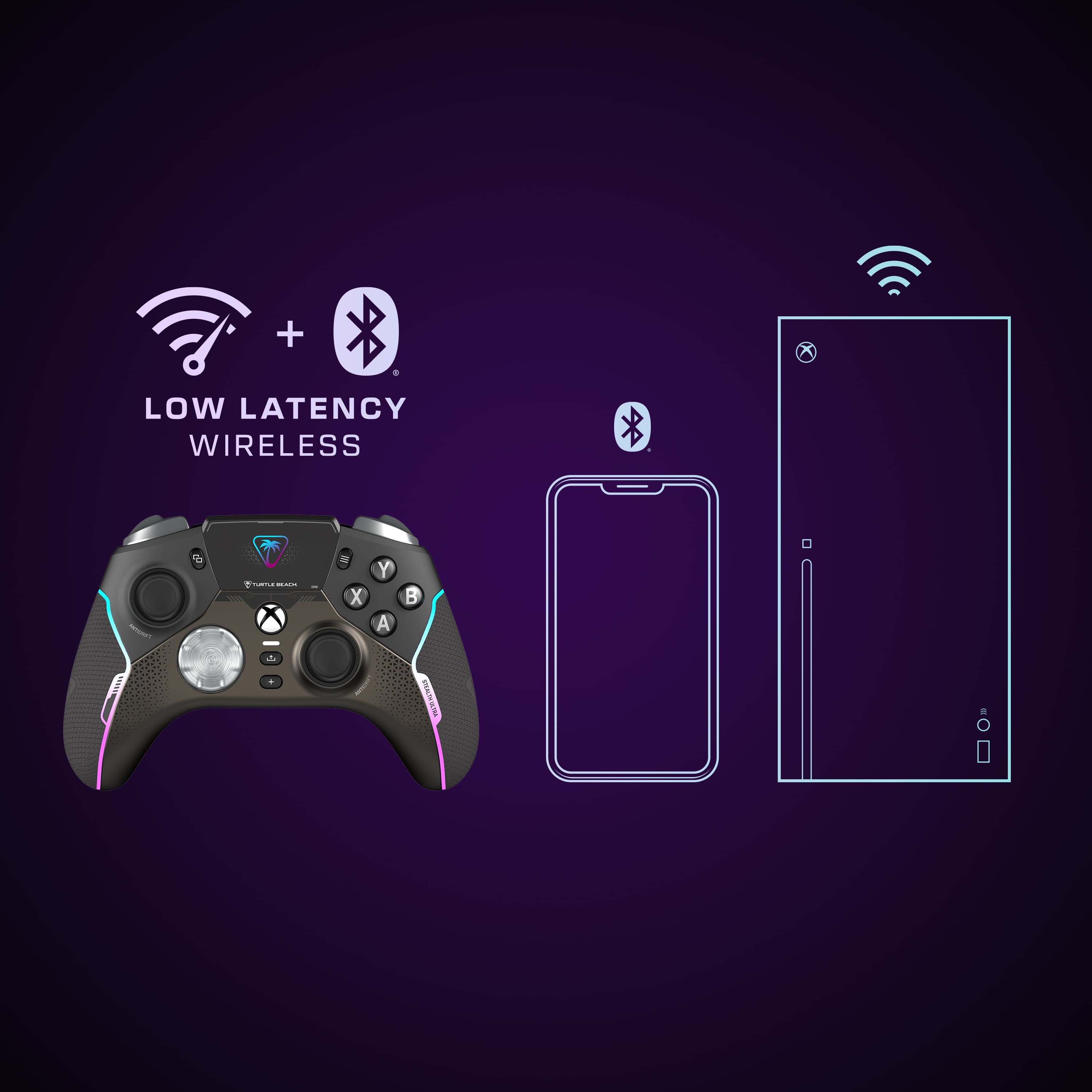
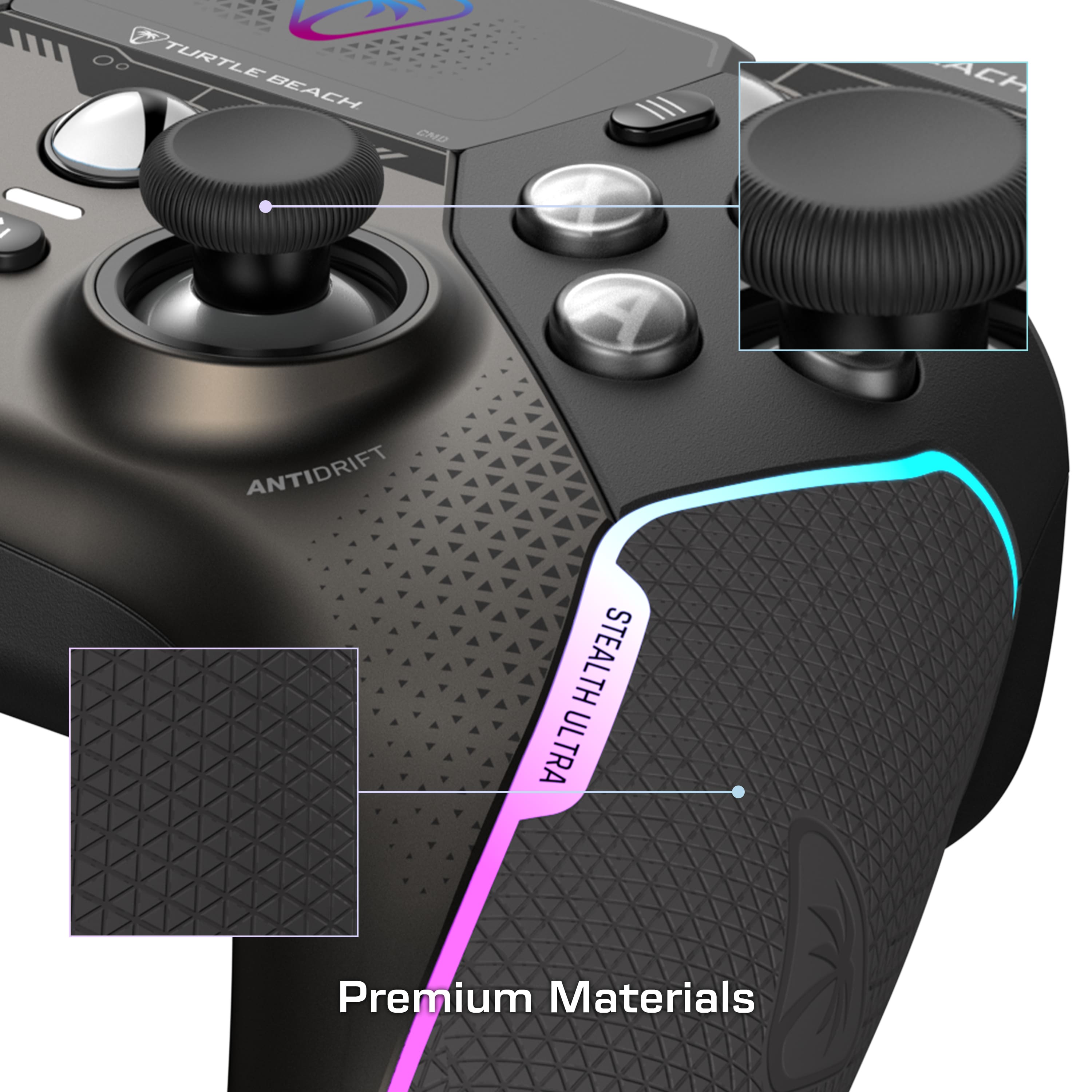
|Posted .This reviewer received promo considerations or sweepstakes entry for writing a review.It's clear there was a lot of thought out into the Stealth Ultra. Having primarily used an Xbox Elite Series 2 since it's release in late 2019, I haven't really found anything that was close to the feel of it. The Stealth Ultra May just fill that position. It has many of the features that made the Elite great, while adding new features and improving in some respects. First, the feel of the Stealth Ultra is excellent. The hand grips are nice and comfortable, the buttons have a nice clicky feel, which was one of my biggest complaints against the Elite. With the elite, sometimes my button presses wouldn't register, and I haven't had that problem with the Stealth. The controller is also very lightweight. Which is something I think I prefer from the Elite. The Elite seemed to nail the weight, though I'm sure other will very much prefer the lighter weight of the Stealth. I really like the thumbsticks of Stealth. Especially with the optional cross-type caps that come with it. I much preferred those to the more grippy ones that also come with the controller. One of the Stealth's features that stood out to me was the addition of hall effect thumbsticks. These are supposed to combat stick drift, which is a constant annoyance of most controllers. The Elite would occasionally suffer from this as well. Probably the feature that most are curious about, would be the screen. The screen allows you to modify settings and see social notifications directly on the controller. While this may seem like a gimmick, it's actually quite useful. Even if you decide to never use the social features, being able to make modifications quickly using the screen is really handy. You're able to adjust the LED color and brightness directly on the controller. You can also adjust the screen brightness, as well as many button configurations. All of which you can save to profiles. You can also edit these profiles on the Xbox, your phone, or on a Windows PC. I will say the app takes a bit of getting used to, as sometimes it's not the most intuitive. It took me a moment to realize changes weren't being saved because I wasn't syncing the changes. Finally, I've had a few instances of the controller seemingly getting "stuck" in button presses or directions. I'm not sure if this is related to some sort of interference, or a bug. But in these instances, it was like they were being continually pressed. This would range from my character spinning constantly, as if I were holding a direction down, or constantly firing a weapon as if I was holding the trigger. To be clear, I did make sure the controller was up to date, as both the dongle and controller were updated before the issue. Also, these problems seemed to only happen when I was trying the Stealth with the Xbox. I didn't have this problem on PC. This makes me wonder if the Stealth supported the Xbox wireless protocol, if this would still happen. That's another thing I was a little apprehensive about with the Stealth, since it needs a dongle to work. Though, Turtle Beach was very smart in letting you plug it in the dock that charges the controller and it works very well. Pros: Excellent feel, nice buttons and thumbsticks, screen is very useful and a nice addition, fast charging, and includes a charge dock Cons: software is a little difficult to understand at first, occasional glitches with "stuck" buttons or thumbsticks that may be related to software bug or interference, uses a dongle and not native Xbox wireless protocol, though this is handled very well by including it in the dock.
I would recommend this to a friendBrand response from Turtle Beach Support
Posted .Hello Dustin!
We appreciate the feedback regarding your Turtle Beach Stealth Ultra Controller. The Turtle Beach Stealth Ultra has had a new firmware release, v.1.0.4, the following changes and features have been implemented: • Fixed a bug where the controller would remain in charge state and require a hard reset. • Fixed a bug where the controller would power down if thumbsticks moved together rapidly. • Added LSB (L3) and RSB (R3) functions to the button mapping section of the Command Display screen. • Updated charging behavior on the dock, now the screen will power down during a charge. The charge LEDs will power down when product is fully charged. Pressing a button will show you temporary charging stats. • Updated the charge status LED brightness so that it is independent from the general LED brightness options. Please download the Control Center 2 application on PC or Xbox to update your Stealth Ultra to the latest firmware. If you have previously downloaded it, simply connect your device to your computer or Xbox and run the application. If you have any questions or concerns, please reach out directly to our dedicated Support Team so they can assist. They’re always happy to help and can be reached right from the support section of the Turtle Beach website. Thank you and have a great day!
Turtle Beach another awsome Product for Gamers
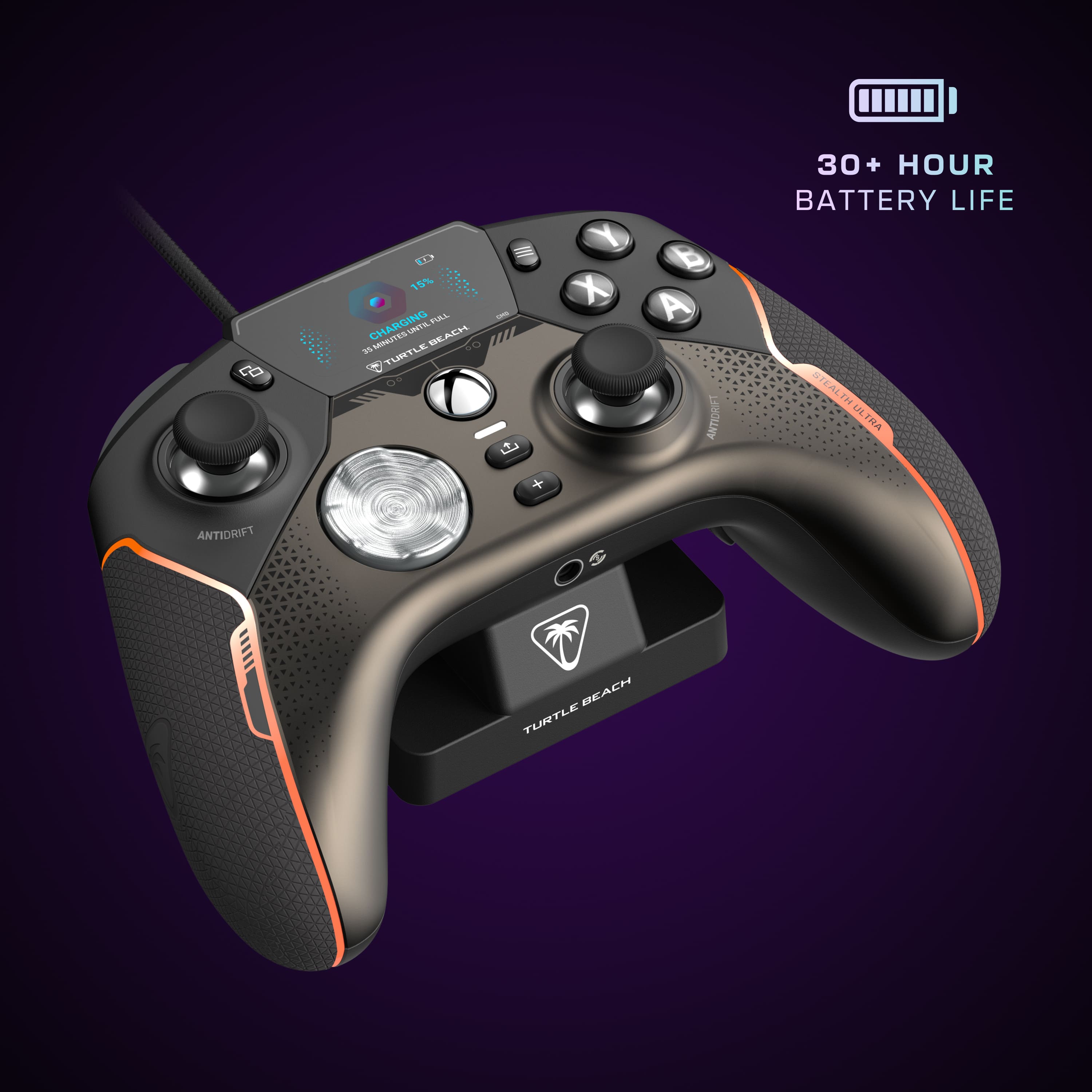
|Posted .This reviewer received promo considerations or sweepstakes entry for writing a review.This has to be one of the coolest controllers out for XBOX. I own a Elite XBOX controller now i have used it for 4 years and have enjoyed it. When i saw this as a competitor to the Elite i had to try it. This is lighter then the Elite controller all being the same size. You can program all the buttons on the controller by using the center screen you have 4 buttons on the back to use. This has antidrift stick witch is awesome because if you play a lot of racing games and shooter you can wear the stick out. So you can program the stick to react to the way you want them to slow fast. You can have the sticks move all the way or cut off a point. The button feel is really nice you don't have to push the buttons all the way down to get them to react it has a light tap a lot quicker than my other controller. I have to say the reaction time on this is awesome its a lot faster and going to take a little time to get use to it. You can change all the colors of the controller from the center screen or just turn them off. I played with them on and it seems to drain the battery a little faster i didn't make it to the 30hrs of game play with it as i don't play in a long stretch of time. But for the 5 to 6 hours i played with the controller lights on it did take the battery down to have life. You can connect thei to your phone to you social media account and read the text on the screen. Now that i have said the good about the controller witch it's all good the things i don't like is you have to use a USB stick to plug this into your XBOX we are limited on our plugs on the XBOX and to add another one something has to go. I have a turtle beach headset that i really enjoy using so i'm keeping that plugged in so it was the fan tha had to go. I don't know why they couldn't make an extra port on the controller base for another Turtle Beach product to minimize the port usage. Another issue is they say to download the app for your phone well i can't seem o find it they need to make a QR code some turtle beach stuff is hard to find on the app store. But i will find it. Yes this is a very light controller. This has awsome reaction time on the sticks and buttons. It is very comfortablr in my hands.
I would recommend this to a friendBrand response from Turtle Beach Support
Posted .Hey there Bigg!
We greatly appreciate the feedback regarding your Turtle Beach Stealth Ultra Controller!
The Turtle Beach Control Center 2 application should be available right from the app store on your smartphone, if you require any assistance with locating it, please reach out directly to our dedicated Support Team. They’re always happy to help and can be reached right from the support section of the Turtle Beach website.
Thank you and have a great day!
Surprisingly, GREAT. It Won Me Over.
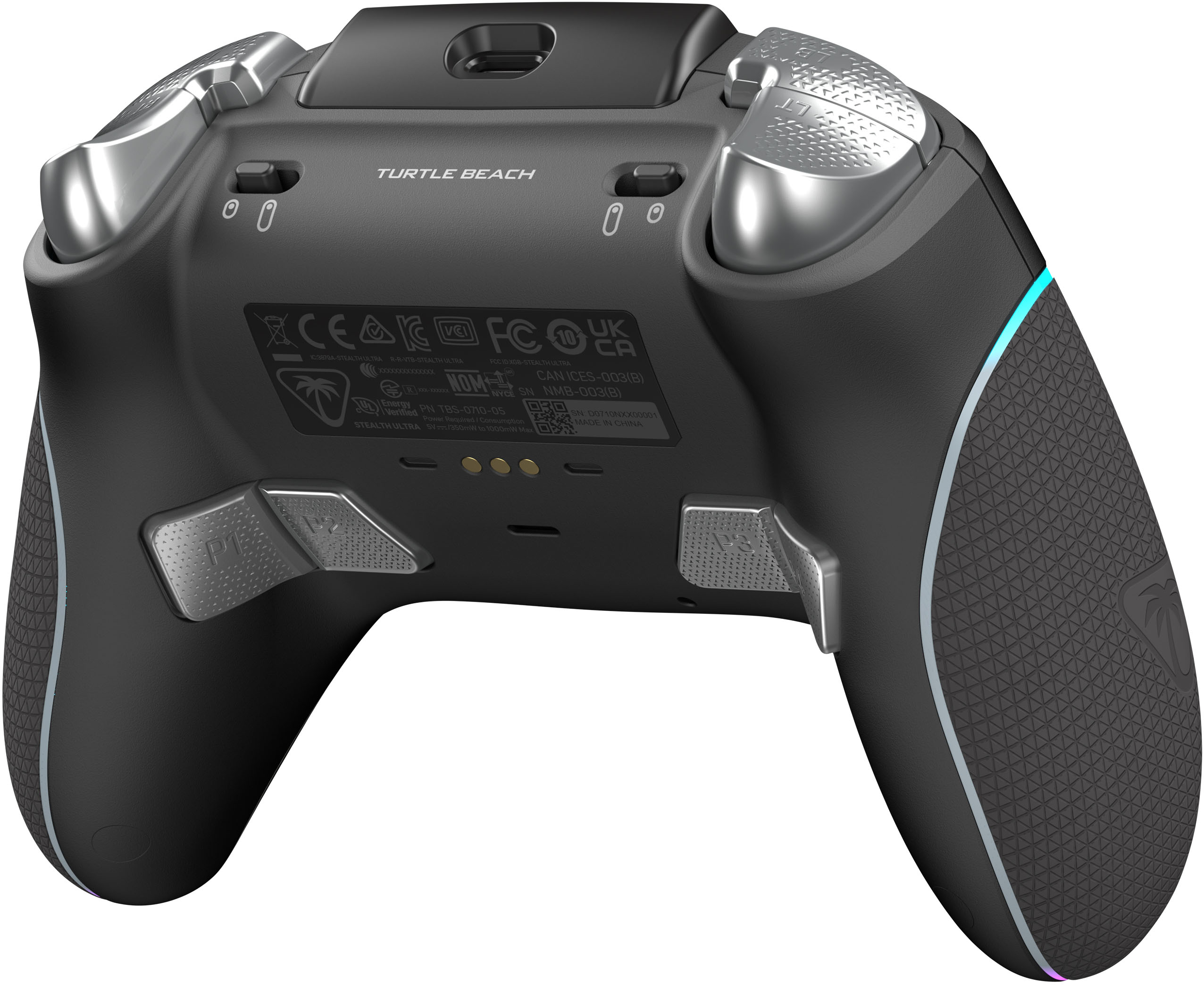
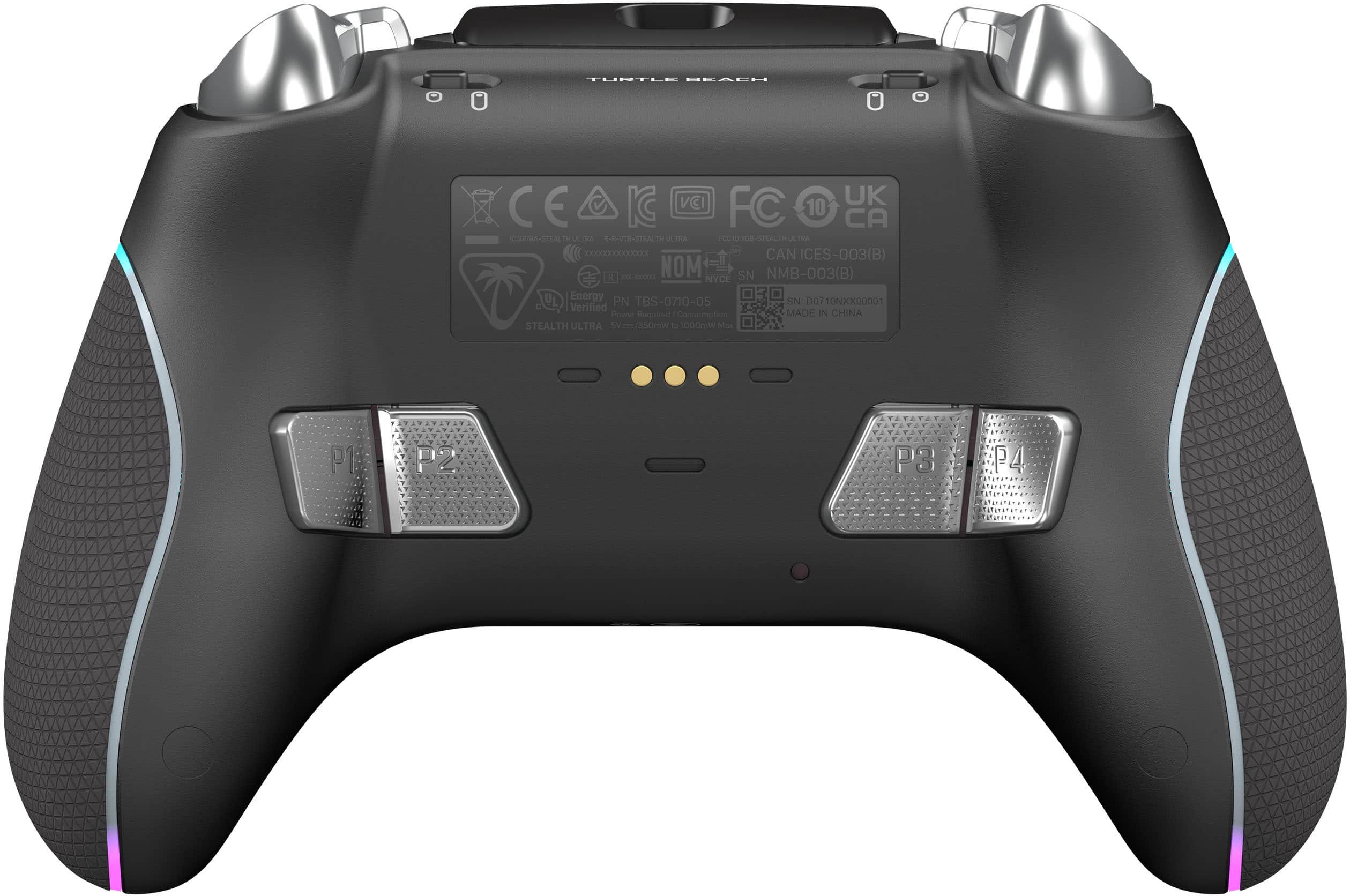
|Posted .This reviewer received promo considerations or sweepstakes entry for writing a review.INTRO/SETUP: This is the highest tech controller I’ve ever used. Just for reference I also own multiple Scuf controllers (Xbox + PS5, PS4) and Thrustmaster XR Pro. At first, I wasn’t to sure what to think about the display. But I absolutely love it. As the ability to make any change you want on the fly through the controller itself is awesome. Also, like the ability to see notifications and more importantly battery life. But do see the screen being a bit limited just because I’m the type of dude that after initial setup never touches those settings again. Navigating this screen is easy and straight forward. Pressing the + will allow you to go back and forth between the game and the display. I love that it comes with a long USB-A to USB-C cord that is braided and moderately malleable in case you need to use the controller wired or to charge. The changing base is excellent as it grips well, magnetically attaches to the controller to charge, and has a spot that can hold the USB Wireless Transmitter (so you don’t need to use an additional USB slot). Overall, I like this controller a lot and will keep it on my desk to be used on my PC (where I did most of my testing) over my other controllers. As the holistic features and hall effect thumbsticks are pretty great. REPORT RATE/LATENCY: It is set at the typical 250 Hz polling rate. So, you’re getting about 4 MS of latency. I would love to see controllers increase their polling rate. I’m a PC main, usually Mouse and Keyboard. Those have gotten to 8,000 Hz polling now. Whenever I use a controller it just feels slow and less responsive. But compared to my other controllers it seems right in line. HALL EFFECT THUMBSTICKS: The hall effect joysticks are epic. Or at least the idea of them is. We’ll see how they age. But they are supposed to be more robust to stick drift. This is a new controller, but I’ve probably put 30 or more hours on it before writing this and I still don’t have any stick drift. At first, I was feeling some pretty significant latency with them. Found out that for some reason they have the dead zone set to 5% on both sticks by default (and can only adjust by 5% at a time) which was causing increased delay simply from just not registering an input for a while. But once I changed that on the controller itself that went away and it was a lot more responsive. But not sure if it feels as responsive as the Thurstmaster. But that controller has some stick drift for me already despite similar usage as this one. MAIN BUTTONS: The A,B,X,Y buttons are mechanical. Which is my jam. As they are a lot faster than membrane switches. Mine feel great with mild pre/post travel and a very satisfying click. Are very responsive and feel a difference in speed and remind me a lot of my premium gaming mice. But looks like from other reviews they either don’t know what mechanical switches are (less likely) or this is a QA issue where they vary a lot from unit to unit and something they need to improve on for a premium controller. REAR BUTTONS: The four back buttons are interesting in both a good and bad way. They have a rough texture to them. I find them to be in a comfortable place. But am used to Scuf controllers so changed my grip style a long time ago to accommodate back buttons. You mostly squeeze or push to activate. Unfortunately, they don’t feel like the A,B,X,Y mechanical switches and feel more membrane (even though I think they are mechanical). As they have long pre-travel with moderate post travel. Making them feel very slow and delayed (due to the travel itself I think over delay from the actuation of the switch itself). Not the worst I’ve used. But far from the best. Much prefer my Scuf Reflex, Thurstmaster XR Pro, and old Scuf Xbox One Controller but is better than my Scuf PS4 controller. BUMPERS: Bumpers and triggers feel good. The triggers have some rough texture for grip. Also, can be switched on the fly from full travel to limited travel (FPS). I don’t have any complaints. But isn’t anything special either. RUMBLE: Rumble performance is good. I haven’t had any issues with it. Can turn off via the display. 3.5 MM AUDIO: I didn’t try the 3.5 mm port. But you can adjust settings like you would on a normal Turtle Beach headset with EQ and Superhuman Hearing. Which is neat. Also, if using this port you can adjust game/chat volume on the controller itself. Even for headsets that don’t officially support it. Does have Side Tone setting as well. But it DOES NOT add extra functionality to an already owned headset such as my Turtle Beach Stealth Pro. Which is to be expected but a bummer, nonetheless. D-PAD: D-Pad feels good. But feels more membrane like. Moderate pre/post travel. Easy to hit diagonal. I don’t use this like at all. So am not a good one to ask about it. But when I do use it for navigating menus it performs great without any issues. BATTERY LIFE: Battery life is excellent. I’ve put in multiple full days (8 – 10 hours) and only lost about 25 – 50% charge during that time. Which is dramatically better than my Scuf’s or default PS5 controller. Even with the screen and RGB on. But found it was even better (about 25% in that time) with the screen to turn off after a few minutes and put RGB to 1/10. COMES INCLUDED: It comes with a quality hardshell case (with passthrough hole for charging cable), magnetic charging station, USB transmitter, a long charging cord, and four thumb grip caps which go on top of the thumbsticks. The thumbsticks themselves do allow me to put on Kontrol Freeks made for Xbox Controllers. But they spin instead of being fully set. Which I DO NOT notice during games. Only if I grab it with my thumb and forefinger. BUILD QUALITY: The controller itself feels like an Xbox controller. For me it feels a bit too small for my 19x11 inch hands. The Thrustmaster or PS5 controller is much more comfortable to me as they are larger. But if you like Xbox controllers you’ll like this one. It is made of all plastic and is very lightweight. Paint is high quality but feels like plastic and nothing premium but not bad either. No creaking. No rubber anywhere on the controller. ISSUES: There is a button just next to the left thumbstick (pause or something) and it is very hard to reach. I feel like I’m constantly reaching behind something awkwardly to press it. There is a new software through the Microsoft Store to make changes to the controller and also update the firmware. It is a completely different software than the rest of their things which is a bit frustrating if you don’t know that going in. Updating the firmware took a lot of time (several minutes) and couldn’t minimize or close out of it or else it would fail and I’d have to restart the process. And also risk firmware corruption and brick the device. Sometimes when taking it off the charger it would be stuck in the “charging” screen. And make it so I had to leave it off the charger for 5 – 10 minutes before it would work again. I held the plus button one time and it seemed to help. But that was 1/1 times and may not actually do anything. Hasn’t happened since firmware update. Dimming the RGB via onboard screen is not where I would expect it to be. Along with a few other settings. So sometimes requires hunting through different menus. You can’t remap pressing RS and LS to the back buttons. I don’t see why you’d do this. But know some people like it. Along with start and select. Taking the dongle out of the charging base can be quite difficult as it is hard to get leverage without bending the USB. Which increases risk of it snapping. Reading other reviews it does appear to have more than normal QA issues. But from my 1/1 copy I don't have anything that I would consider abnormal and it appears to be in perfect working condition. It comes with a 1-year warranty. Which is acceptable. I'd prefer to see 2-year. But controllers tend to not have great warranties.
I would recommend this to a friendDont bother buying (Open Box Excellent)
||Posted . Owned for less than 1 week when reviewed.This reviewer received promo considerations or sweepstakes entry for writing a review.I paid for thr Excellent Condition and it still Came in Diffective
No, I would not recommend this to a friendBrand response from Turtle Beach Support
Posted .Hi Eduardo,
We are sorry to hear about your experience purchasing a Turtle Beach Stealth Ultra from BestBuy, however, please understand that we are not involved with verification of open-box items or the fulfillment of orders placed outside of the official Turtle Beach website.
Please contact BestBuy directly for further assistance.
don’t buy open box like new
||Posted . Owned for 1 week when reviewed.This reviewer received promo considerations or sweepstakes entry for writing a review.i didn’t get the charge kit, and the controller was nasty and dirty.
I would recommend this to a friendBrand response from Turtle Beach Support
Posted .Hello Cole!
We are sorry to hear about the condition of the Open-Box Turtle Beach Stealth Ultra that you purchased from BestBuy, however, please understand we are not involved with the verification or distribution of Open-Box items sold at BestBuy.
Please contact BestBuy directly for assistance.
Thank you!
PC or Xbox must
|Posted .This reviewer received promo considerations or sweepstakes entry for writing a review.This controller has really been adding to my gaming stack since opening it a week ago. Everything from the unboxing to the clam shell to the controller it self has been not notch in my opinion. Firstly, the accessories that are provided are exactly what I needed. There is a hard clam shell that can be used to protect the controller when on the move. Next there is a charging base, charge cables, USB receiver (if needed) and additional thumbstick caps. I have not used the caps yet but have notice wear in past controller so I will most definitely get around to using these eventually. The controller it self is build to last and is packed with tech. Multiple buttons were added on the back side of the controller that can be bound if chosen to do so. The buttons are all "clickly" but is a nice touch compared to other controllers which are not. The latency of this controller is minimal too which adds to the response time of my clicks when gaming. The controller has a visual display that can be used to leverage multiple metrics to view during gaming. All in all I am really enjoying this controller. It fits nicely in my hand. Its very responsive and its audible clicks really add to the experience when playing with my friends. I would recommend this controller if you are a PC or Xbox gamer looking to step up your game!
I would recommend this to a friendGreat start, just not there yet
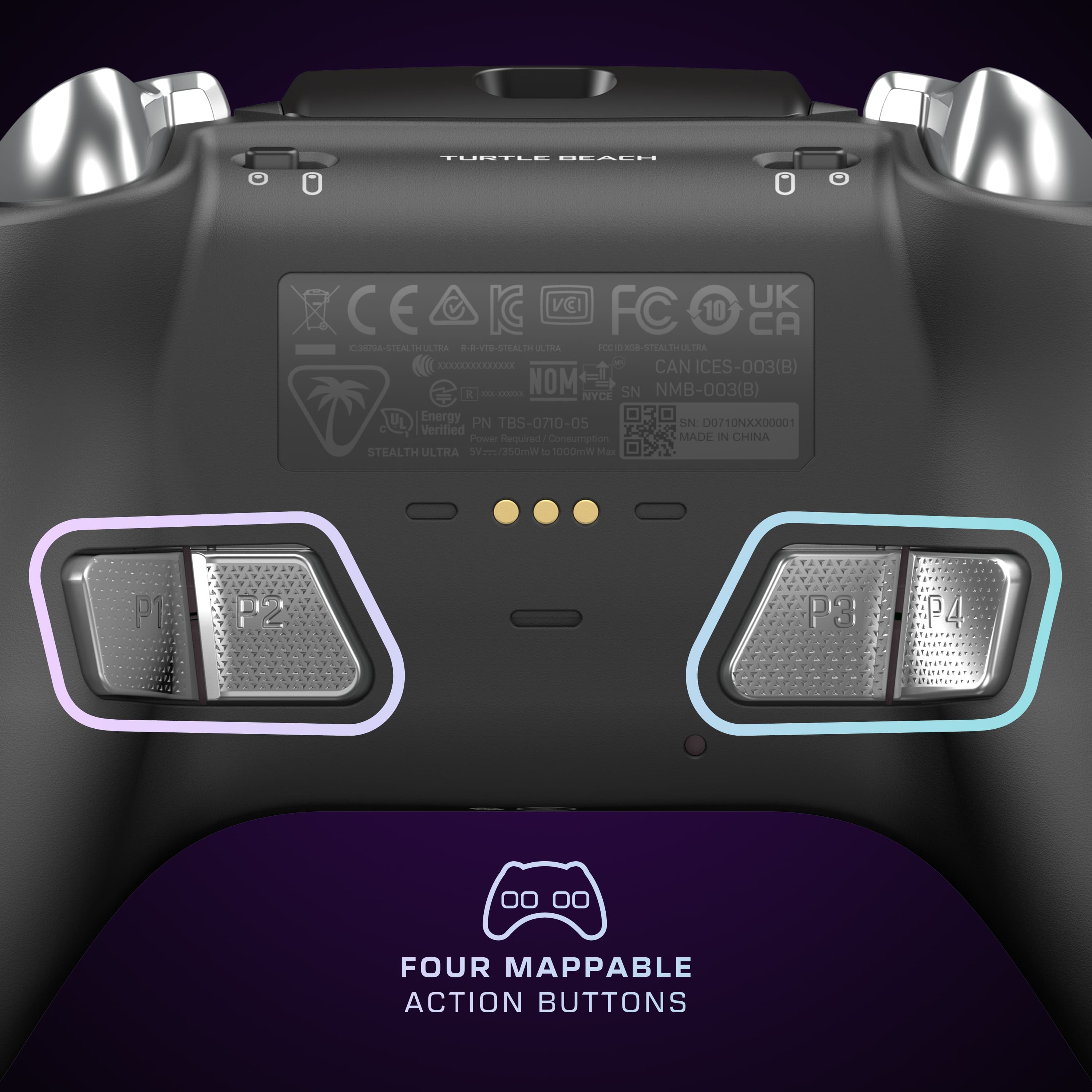
|Posted .This reviewer received promo considerations or sweepstakes entry for writing a review.This controller has all the bells and whistles and feels great. But, there are just a few things about it that just put me off with it. Not so much so that I wouldn’t still recommend it, just go at it with a little skepticism. First off, this controller is unlike any other. It has an LCD command center right on the controller, the hall effect thumbsticks, the micro-switch buttons, the smooth trigger with the stop that isn’t just a stop but a full change to digital input. That and the fact it is lighter than the standard controller is just amazing. It is hard to truly explain the feel of the controller without trying it for yourself. It just feels so responsive and smooth. Then you can top it off with your own color choices in RGB, get notifications from some applications on your phone and switch between the dongle and Bluetooth fairly seamlessly. The additional buttons are nice and take a little getting used to compared to the typical paddles of other controllers. I find the two outside buttons easier and more comfortable than the paddles, but the inside ones take a little more effort to click and find the best way to make use of. Programming them is a bit odd too, as you have to use the command center or the app and they seem like they are backwards compared to input. Like the command center is listed 1,2,3,4 but the buttons on your left hand are 4,3 and right are 2,1. Also, there was no stick click, till their recent firmware update, or menu/start button that you can assign to them. You can however use the pro-aim mode and at first I thought it was broken, but it just works to the extreme when maxed out. Essentially what it does is it slows down the thumbstick movement. Like lowering the DPI on a mouse, but for the controller. Once you figure out the setting that works best for you, map that to a grip button and hold it for those precise moments. The command center and the pc app allow you to make all the custom changes, like response for the sticks, dead zones, vibration strength and the RGB lighting patterns. You can even control the EQ, volume and chat mixer for a wired headset through the controller. Along with that you can have 10 different saved profiles so you can make one for a fair list of games or various modes of a game. Switching between them is as simple as pressing the + button, the RB or LB, and the + button again and you are back at it. Now, as amazing as I feel this controller is, there are still some issues that I would hope their next iteration will fix. Some minor things can probably be done in software updates, like they did the thumbstick click for the mappable buttons. More of a nuisance or personal peeve, I really do not like where they put the view button, back or start button, whatever you might call it, the menu button on the left. It is above the thumbstick. Like you have to reach over the thumbstick to push and and with fat thumbs like mine, that means you are pushing the stick too. This could have easily been solved with keeping it where the buttons are on most other controllers, next to the Xbox button. It could also be solved if I could map it to one of the grip buttons for certain games. Like ones that use that for the map menu and you use it often. Another hardware issue is that the left stick touches the border and grinds plastic on plastic. The right one does not seem to do this, but it is noticeable when you are to the edges just making minor adjustments and you feel it grinding. While on the subject of the sticks, the only customization it comes with is the choice of caps that you can put over it. Unlike several others where you can exchange the longer stick with a round cap or something. These are just rubber caps you can slip over them. They feel nice, but feel like they miss out on being something that is common for other elite customizable controllers. As for the “Designed for Xbox” I feel like it is odd that you have to use the dongle either in the charge station or in the Xbox to connect it. Like, why can’t it connect like any other Xbox controller. Which then leads to the next issue I have with it, the wireless connection is fine for the controller only. However, once I connect a headset to it I can notice the drops and clipping in audio, both in hearing and microphone. It could be that I have a crowded wireless footprint in that band, but it makes for a really bad experience, especially when it just randomly drops out on you. Once I connected it up with the USB cable directly, it was night and day. The audio worked flawless and the built in EQ and volume options were nice to experience at your fingertips. Which also reminds me that some other systems that work flawlessly with an standard Xbox controller do not see this as one. For instance, my TV, which is an Android based system, will not work with this controller. But, has no problem with a standard Xbox controller. It will connect via Bluetooth to my Android phone and works as intended for the games that do support controllers though. While on the subject of Bluetooth, the other feature this controller shares is the AppLink social updates which I had a hard time getting to work only to find that I didn’t have any apps installed that were worth getting updates on. Let alone keeping it connected to the app. It seemed like every time I went to a different tab I had to reconnect to the controller. The phone app is pretty much useless as it is though. You can’t really change much more than which profile to use and a few other minor settings, provided you can stay in the menu long enough. Speaking of applications though, the PC app wants to be the Xbox app so bad that it acts like you are not on a PC. It is forced in full screen, so if you have multiple monitors, it will use that screen too. You can’t even alt+enter it into windowed mode. Which also means you can’t alt+tab when doing a firmware update or it will fail. The layout is like you only have a controller to do anything and the settings don’t change till you upload the profile to the device. So, when you are trying to use the app to fine tune something, make a change, upload the profile, try again. Then, some of the things don’t even reflect what is shown. For example, and this is true on the controller settings as well, when you select a gradient, like the image below, the red to blue, it shows a gradient, but for some reason becomes red/white/blue. It is like that for all of the gradients. However, solid colors and the color/colour cycle (pending where you set it) cycles through the rainbow just fine. So it isn’t like it can only do white in between colors. Overall, this is a nice controller, it is really in the right direction. However, it is like so many other first iterations of things. It needs more refining. They need to look at actual player feedback and make the next model even better. They really need to fix the applications, but at least you can make all the changes on the controller directly, so you can avoid them except for the firmware updates. I may be a little hard on some of the issues, but at this price point for a controller, one should expect the best.
I would recommend this to a friendBrand response from Turtle Beach Support
Posted .Hello David!
We really appreciate your detailed feedback regarding the Turtle Beach Stealth Ultra Controller.
If you have any questions or concerns, please reach out directly to our dedicated Support Team so they can assist. They’re always happy to help and can be reached right from the support section of the Turtle Beach website.
Thank you and have a great day!
Customize Your Gaming Style
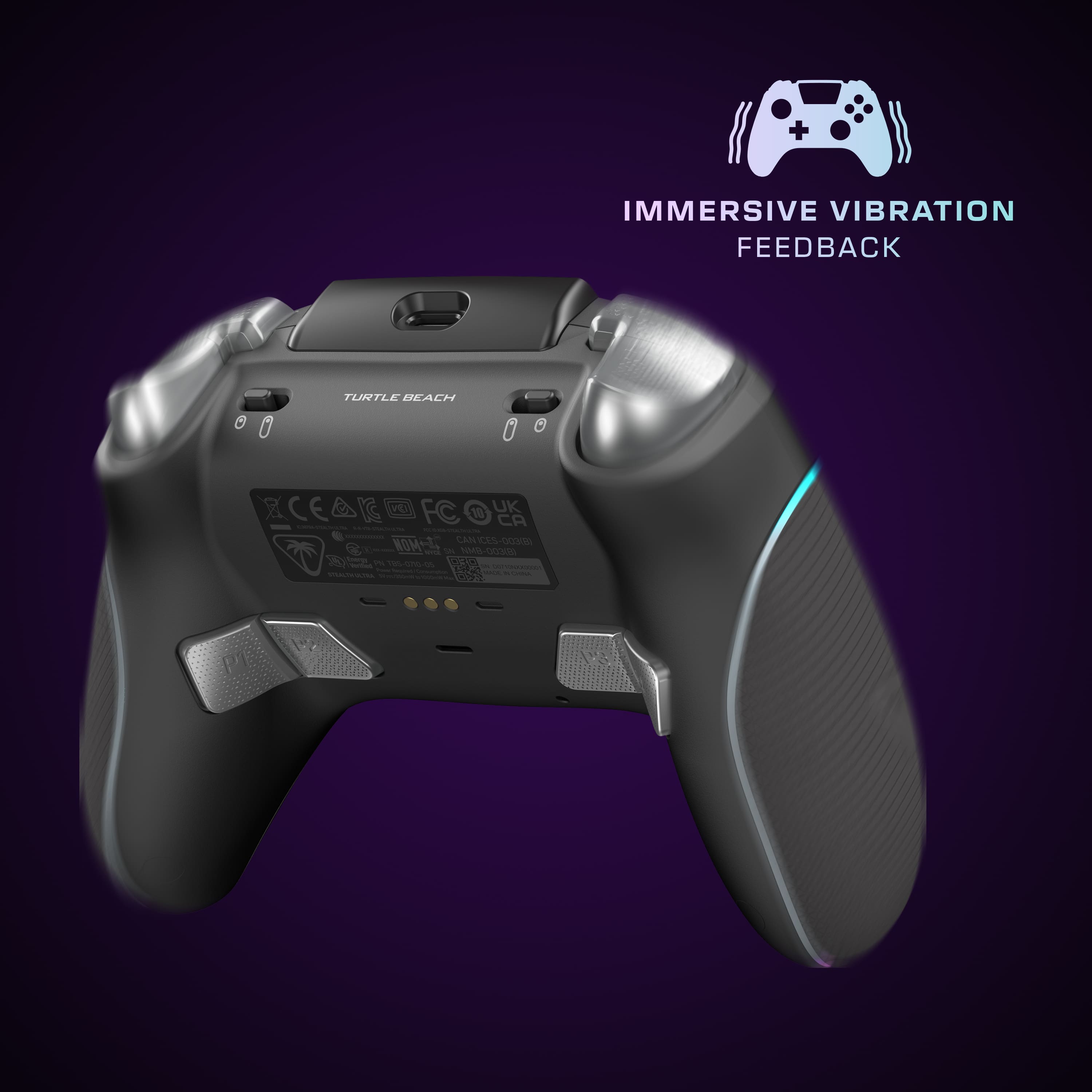
|Posted .This reviewer received promo considerations or sweepstakes entry for writing a review.A controller needs to be an extension of a gamer and not a hindrance or a distraction. When it comes to my Xbox Series X, I’ve cycled through various brands of controllers that either felt cheap or could’ve been great but the maker settled for being decent. When Turtle Beach announced its Stealth Ultra Controller, I was intrigued and wondered how much of an improvement it would be over their Recon controller (besides the Stealth being wireless). Well, let me get it out of the way and say that I LOVE this controller! What’s in the Box? The Stealth Ultra comes with a hardshell case that has the controller, the charging station, the USB transmitter, the charging cord, and 4 thumb grip caps. What’s cooler is that the case has a slot that allows you to keep the charging dock within the case and charge the controller. Setting it Up: I’m always a little leery when it comes to setting up a controller because in the past, I’ve faced hiccups that prevented me from diving right into using the controller but with my Stealth Ultra, it was ready to be set up in moments. I was pleased to find out that I didn’t need to download an external app on my phone to pair it with the controller. Through your Xbox Series, just download the Turtle Beach Control Center 2 app, and then follow the easy instructions. There is an update for both the controller and the transceiver but they only took a couple of minutes to download and install. At this point, the setting up process will be different depending on what sort of gamer you are. But let me tell you, there’s a plethora of options when it comes to tuning your Stealth Ultra. You can set up different profiles in case you want to switch between an RPG game, Fortnite, Call of Duty, or a platformer like Cuphead. Or if you have someone else that you share the controller with and they may have a different playstyle. There are enough profile slots to go around. What I did first was set up the back paddle buttons that allow me to jump and shoot or drop shots in Warzone. Or when I am playing the Dead Space remake, I will use the back buttons to refill my health so that I don’t have to lift my thumb off the stick as I am running away from whatever creature is chasing me at that moment. You can adjust the deadzones of each stick to however you’d like. There are options to choose your stick response such as Standard, Precision, and Fast. Again, you will have to find what works for you but the great thing is that there’s no cumbersome menu selection to navigate through. I would tweak my settings, go back to the game, see if those settings worked, and then smoothly return to the Turtle Beach app to resume my customization. Easy peasy. You can do some on-the-fly adjustments through the controller’s Command Display. Accessing and making the tweaks is easy. Another customization is through the RGB light display which can be modified through the app or the controller itself. It’s the little features that make a big impact. Performance: Whether you use the Stealth Ultra out of the box or configure it to your own needs, the result is fantastic! The buttons and triggers have that mechanical “mouse click” response. This controller is QUIET which can be attributed to the buttons and the more solid build compared to the hollow and plasticky models of my previous controllers. Want a faster trigger response immediately? Flip the trigger stops and you’re good to go. What I also loved is that the paddle buttons don’t get in the way whereas my Elite controller’s paddles would feel loose or be accidentally pressed. There aren’t any stick extenders but I don’t think you’ll miss or want them once you calibrate your Stealth Ultra. There are four thumbstick grip caps included that secure your movements. And if you are not interested in using the caps, Kontrol Freaks covers fit on the sticks. Battery: I love the battery life of this wireless controller. And when you do need to charge the controller, it attaches itself to the charging dock with a slight magnetic pull. As I mentioned before, the charging dock can be placed inside the carrying case and still charge the controller. I’ve used the controller for over 12 hours before feeling like it needed to be charged. Mileage varies per gamer settings. Turtle Beach Gets Better: It’s obvious that Turtle Beach is taking their controller evolution seriously and the proof is in the Stealth Ultra. It’s my favorite Xbox controller to date and I don’t see anything else replacing it.
I would recommend this to a friendFeature-Rich Controller with Some Room to Improve.
||Posted .This reviewer received promo considerations or sweepstakes entry for writing a review.The Turtle Beach Stealth Ultra Wireless Controller definitely stands out with its premium build and extra features. The OLED display and customization options are a cool touch, and the included charge dock makes recharging simple and clean. Battery life is solid—I've gotten close to the advertised 30 hours, even with heavy use. The feel of the controller is comfortable and responsive, with nice tension in the triggers and a good weight in the hands. It works seamlessly across Xbox, PC, and Android, which adds a lot of value for multi-platform users like me. That said, there’s been the occasional connectivity hiccup and some software quirks that required a firmware update. It’s not a dealbreaker, but for the price point, I expected slightly more polish out of the box. Still, it’s a strong option for gamers looking for a high-end alternative to the standard controller.
I would recommend this to a friendBrand response from Turtle Beach Support
Posted .Hello Cody! We appreciate the feedback regarding your Turtle Beach Product. Our products are each sold with a manufacturer's warranty, and we have a dedicated Support Team available to provide assistance as needed. If you have questions or concerns, please reach out directly to our dedicated Support Team so they can lend a hand. They’re always happy to help and can be reached right from the support section of the Turtle Beach website. Thank you and have a great day!
Exceptional pro controller with unique features
|Posted .This reviewer received promo considerations or sweepstakes entry for writing a review.I've used a few "pro grade" controllers now and each has had its own schtick. I have to admit when I saw that Turtle Beach was launching a pro controller that had a screen on it, I assumed this would be a gimmicky product without much to offer over the top controllers from other brands. This being Turtle Beach's first ultra premium controller I also wasn't sure if the controller would compete with others who have been in that space for awhile. As soon as I held the controller in my hands, I could tell this was going to be a quality device. Turtle Beach has combined some of the best features of a few other gaming devices into one product. The charging dock has USB passthrough for the 2.4ghz wireless dongle and comes with a very long (~3m) USB cable. The carry case has a little notch to keep the dock in place as well as a passthrough port to charge the controller without removing the dock from case. I'm a little disappointed that customized weight or sticks weren't included, but there were two extra variations of thumb pads included. Once I got to using the controller, I was really impressed with the accuracy and predictability of the hall effect sticks. Perhaps that impression was helped by my first game of Overwatch with the controller was a completely dominating performance! It was really easy to jump in and get used to the response of the sticks right out of the box. For a lot of games the switchable travel for the triggers is a huge benefit. The screen makes it easy to get the best use out of the extra features on the controller (such as the RGB lighting or vibration). Normally you'd expect to have to use an app on the system, PC, or phone to change the settings but with the Stealth Ultra you just use the screen. The Stealth Ultra app for phones allows you to stream some notifications to the screen or switch profiles, so it isn't actually required to get the most from the controller. I only have a few nitpicks on ways the controller could be improved. As mentioned above, at this price point a lot of people would expect to get customizable sticks or weights. Also, the companion app for phones really doesn't add a ton of functionality and it would be nice if you could control all the settings on the controller from the phone app. Finally, the biggest nitpick I have is the lack of customizability for the 4 buttons on the back of the controller. These really should be able to be configured as L3 and R3. Hopefully extra features are added with firmware updates in the future. I've already recommended this to my friends as a great last minute gift idea for gamers and I'm happy to pass along my two thumbs up via this review.
I would recommend this to a friendVery nice rechargeable rgb controller for Xbox.
|Posted .This reviewer received promo considerations or sweepstakes entry for writing a review.I got this for my son to use with up his Xbox consoles. Works great with box the Xbox one S and Xbox Series X consoles. My one and only complaint about this wireless controller is it only works with the included USB dongle inserted into the charging base connected to the Xbox USB port. I wish it worked truly wirelessly with either of the Xbox consoles. My son's favorite feature of this controller is the built in rgb on the front sides of the controller. He doesn't use the social media feature which is weird for a game controller. But this seems to do everything gaming related very well.. The built in rechargeable battery lasts for a full weekend for him which is nice. No more AA batteries to replace like in the OEM Xbox controllers. This to me seems slightly slimmer and sleeker than a standard Xbox controller. The batteries do recharge fairly quick in my opinion. As my son seems to burn through batteries in his regular remote. To me the price is on the high side for a wireless controller, but I still recommend it.
I would recommend this to a friendBest controller yet
Posted .This reviewer received promo considerations or sweepstakes entry for writing a review.Have used this now for 3 days on 3 different games, FIFA, COD and FORZA and must say that this is one of the best controllers I have used which has improved my performance on all 3. Have updated to the latest firmware today which has fixed a few minor bugs. Switching between profiles is so easy and the weight and ergonomics feel perfect. I really like the customisation which can be done on the fly as I like having different colours and effects when playing different games. The dock just adds so much convenience with its instant magnet connection also as I only need it connected to my XBOX with dongle in and it acts both as the wireless hub and charge dock where my battery seems to last forever.
I would recommend this to a friendGood Controller yet lacking in a few key areas..
||Posted . Owned for 1 week when reviewed.This reviewer received promo considerations or sweepstakes entry for writing a review.I currently use Xbox Elite Controller 2 Halo Edition on Xbox Series and My Gaming RIG. Out of the box I connected to PC First (USB) to update the controller and low latency wireless adapter (was painless). Overall, GOOD controller yet few obvious oversights that keep me a little on the fence (as well). :-) EXCELLENT low latency -- Definitely slightly more responsive than Xbox WiFi Direct Controller Connectivity (currently using Series X). This is achieved via the included Low Latency Wireless Adapter. This Adapter can be used on Xbox and PC. You can connect the Wireless Adapter directly to the Xbox or PC | or connect the Wireless Adapter to the Charging Dock (which in turn is connected to the Xbox or PC via USB-A to USB-C adapter. Cable is long and decent quality/braided. Preset L/R stick modes are good (Standard/Precision/Fast), especially the Fast setting. Yet cannot tweak the curve. Little disappointed here. Lighter than Elite Controller/2 yet feels good in the hand. The texture grips feature just the right amount of resistance. You can adjust L/R stick mode, dead zones and triggers, brightness of LEDs, button mapping, and more. The ability to change any of the controller settings from the controller display is awesome. You can adjust stick mode, dead zones and sticks/triggers/bright of LEDs, button mapping, and more. Thus far, NO DRIFT in CoD MWIII (Series X -- will test PC soon). Played some Rustment (Rust and Container) -- after a small adjustment period, as Ultra and Elite Controller still have different characteristics, enjoyed the low latency and no random drift while aiming. Triggers stops have two positions -- slightly less robust than Elite Controller yet effective. Customizable RGB Lighting is a nice touch. The controller features timeout and brightness settings for display to manage battery life. Not a fan of the buttons on the underside. I don't have them mapped as without the ability to use the QWERTY Keypad (where I would rest my palms -- see more under CONS), fingers pretty much rest on these buttons. I don't use them on Elite Controller either -- not a huge deal. Haven't paired to PC, Mobile or Steam Deck using Bluetooth yet. PC also uses the Included Low Latency Wireless Adapter (which is the best method of connectivity). Wireless Adapter and Stealth Ultra are paired by default. There is also a manual pairing process which is accessible from controller display. Control Center 2 App for Xbox and Windows is above average. Good layout and ease of use is good. There are some bugs - when setting precision or fast setting for L/R sticks, often doesn't save. Yet you can set using the controller display without a problem. Haven't tried the additional stick grips yet. CONS No legacy headphones jack - I use this for the MS QWERTY Keypad. HUGE disappointment. As a Product Manager, I find this to be a big misstep/tone deaf, especially at $199 price point. Slightly smaller than Elite Controller therefore the placement of the two menu buttons can be difficult to reach (very close to turn L/R sticks). At times it simply feels small. Again, how did this happen?!! Xbox Button is NOT LED like Elite Controller/2. As mentioned above, cannot tweak curve. Let's hope this comes in a future FW/App update. When using app on PC to configure. Issues with profile saving to slot on controller. Worse, setting Sticks to Fast defaults to Standard or Precision and setting Stick dead zone to 0% defaults back to 5%. Using the display on the controller works - settings will save as expected. And yes, installed 12/20 update.
I would recommend this to a friendBrand response from Turtle Beach Support
Posted .Hey there!
We really appreciate the feedback given regarding the Turtle Beach Stealth Ultra Controller, and are glad to see you're enjoying it! If you have any questions or concerns, please reach out directly to our dedicated Support Team so they can assist. They’re always happy to help and can be reached right from the support section of the Turtle Beach website. Best Regards!
Best Controller Available
||Posted . Owned for 2 months when reviewed.This reviewer received promo considerations or sweepstakes entry for writing a review.Outstanding controller! This thing is fully customizable from the button/trigger sensitivity to the LED colors. It's lightweight which helps prevent fatigue while gaming and doesn't have any stick drift. I love the ability to change settings without having to leave my game and enter the XBOX menu settings.
I would recommend this to a friendSolid controller
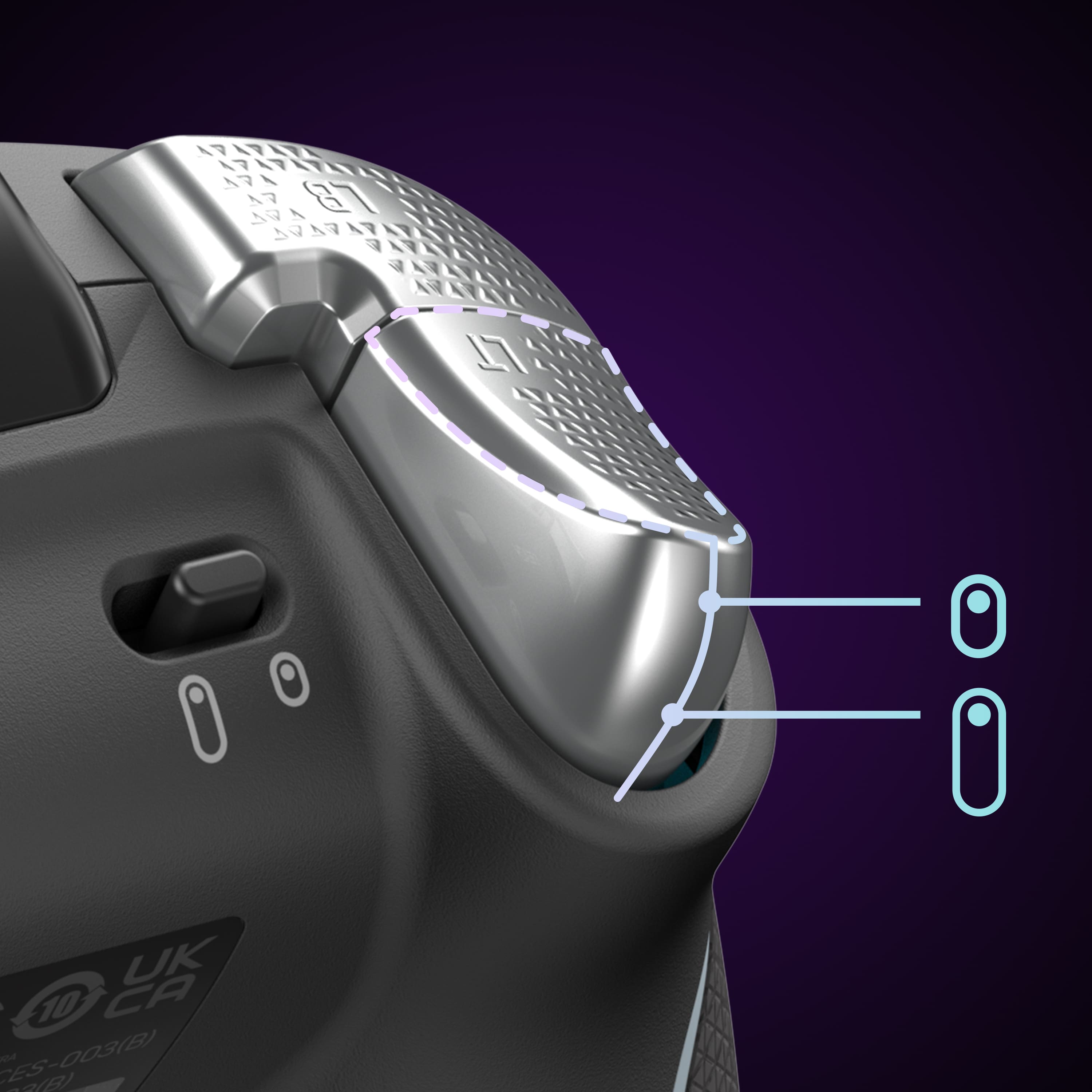
||Posted . Owned for 7 months when reviewed.This reviewer received promo considerations or sweepstakes entry for writing a review.This controller is expensive but it performs great. When you first turn it on it takes a second to boot and connect but once it does it works great. The buttons have a tactile mechanical click, the trigger locks work well, and the display screen works well. The thumb sticks feel smooth and are hall effect so should last a really long time without issues. Good alternative for those that don't like the Elite controllers.
I would recommend this to a friendIts the best? Why? WELL LOOK HERE
||Posted . Owned for 3 weeks when reviewed.This reviewer received promo considerations or sweepstakes entry for writing a review.Need a lightweight controller that wont put a hole in your wall when your rage at unemployed sweats! This is the one for you! Easy set up programable back buttons with multiple profiles to switch layouts for games faster than you can get spawn camped. Trigger locks for faster shots you can finally beat those pesky sweats with style too! How? The customizable colors and patterns for your own party by yourself! Get one now!
I would recommend this to a friendReally cool controller with some issues.
||Posted . Owned for 1 week when reviewed.This reviewer received promo considerations or sweepstakes entry for writing a review.Just to let everyone know, the first controller I received was faulty (the screen would only turn on about 10% of the time) so I had to exchange it for another controller. There was definitely some clunkiness to the setup. The phone app was completely useless for me on my android, but not a big deal since I can pretty much do everything I need to through the controller screen. Thankfully, the Xbox app works really well and makes setting up profiles much easier. As for the controller itself..the intial impression is that it s visually very cool but the feel is a bit light and plastically. My impressions improved from there though when actually using the controller. I liked the feel of the thumsticks and the mechanical face buttons also feel great. I actually prefer the setup of the rear buttons better then the paddles on the elite, but this is definitely a preference thing and I think most hardcore gamers would prefer having one paddle per finger. The trigger locks feel good to me but keep in mind its only 2 level unlike the 3 on the elite. Overall, the performance of this controller was better then I expected and I really like the overall feel, especially the face buttons. I do think for a $200 controller this may be lacking some features more hardcore gamers will expect from an "elite" controller like tension adjustment and swappable sticks, etc. If you dont really use those features, the screen is great for switching profiles and mapping buttons, and the overall feel and performace of this controller are pretty on point.
I would recommend this to a friendBrand response from Turtle Beach Support
Posted .Hello Matt!
We really appreciate the feedback on your experience with the Turtle Beach Stealth Ultra Controller and are glad to see you're enjoying it!
If you have any questions or concerns, please reach out directly to our dedicated Support Team so they can assist. They’re always happy to help and can be reached right from the support section of the Turtle Beach website.
Best Regards!