Customer Ratings & Reviews
![PROFILE 10 [wj\_23] William Jones S + VOL 10 MIX TURTLE BEACH. CMD X + ANTIDRIFT](https://pisces.bbystatic.com/image2/BestBuy_US/images/products/f4374393-3ab2-45f2-9ddc-5c4746fa4989.jpg)
![SOCIAL WHATSAPP Match still on tonight? Hey Adam, is the match still on? LB 1 OF 10 RB TURTLE BEACH. CMD Y PROFILE 10 [wj\_23] William Jones S + VOL 10 MIX TURTLE BEACH. CMD X](https://pisces.bbystatic.com/image2/BestBuy_US/images/products/d4b510dc-9721-4553-b393-c448de35230f.jpg)

- Model:
- TBS-0710-05
- SKU:
- 6562064
Rating by feature
- Value
Rating 3.7 out of 5 stars
- Quality
Rating 3.9 out of 5 stars
- Ease of Use
Rating 4.0 out of 5 stars
Customers are saying
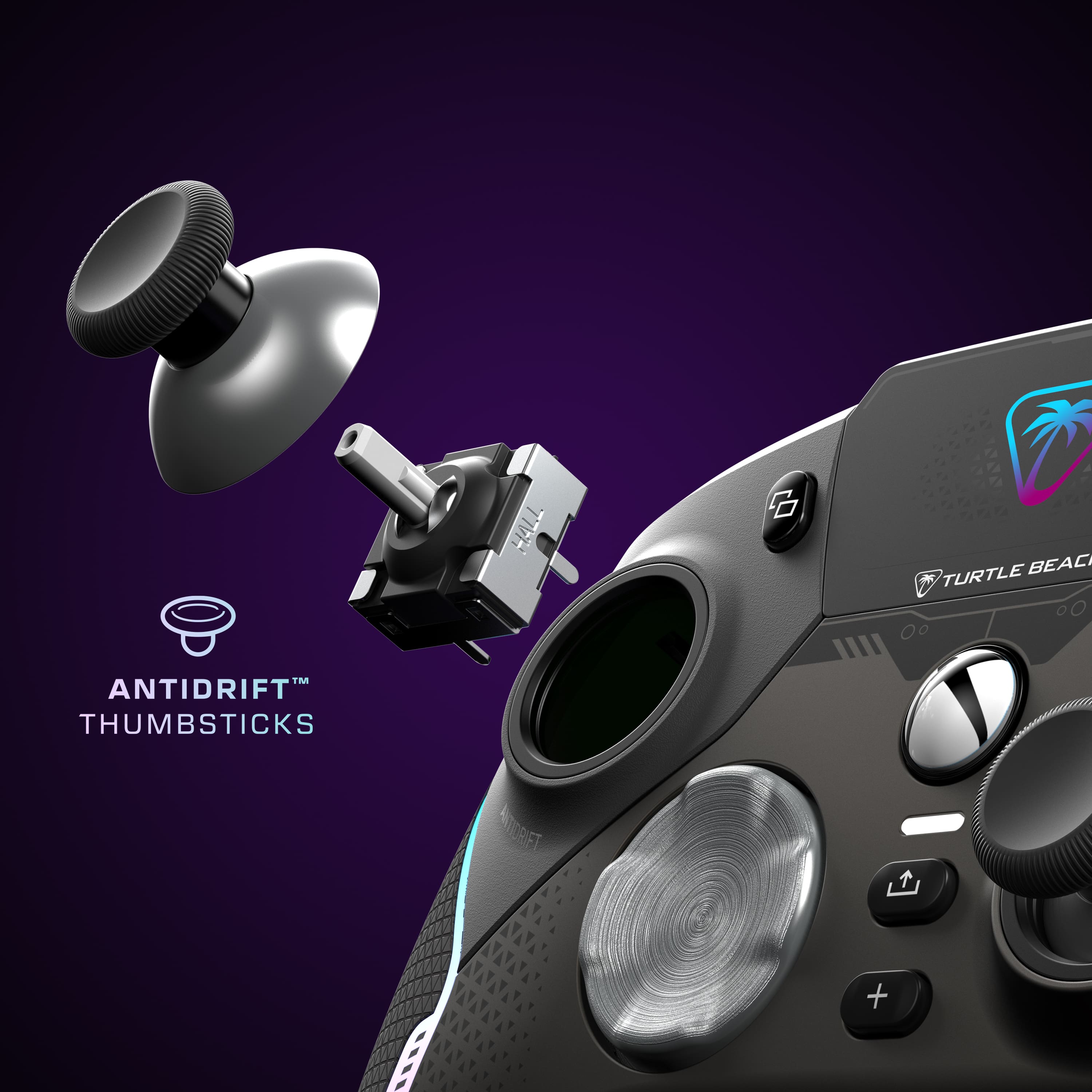
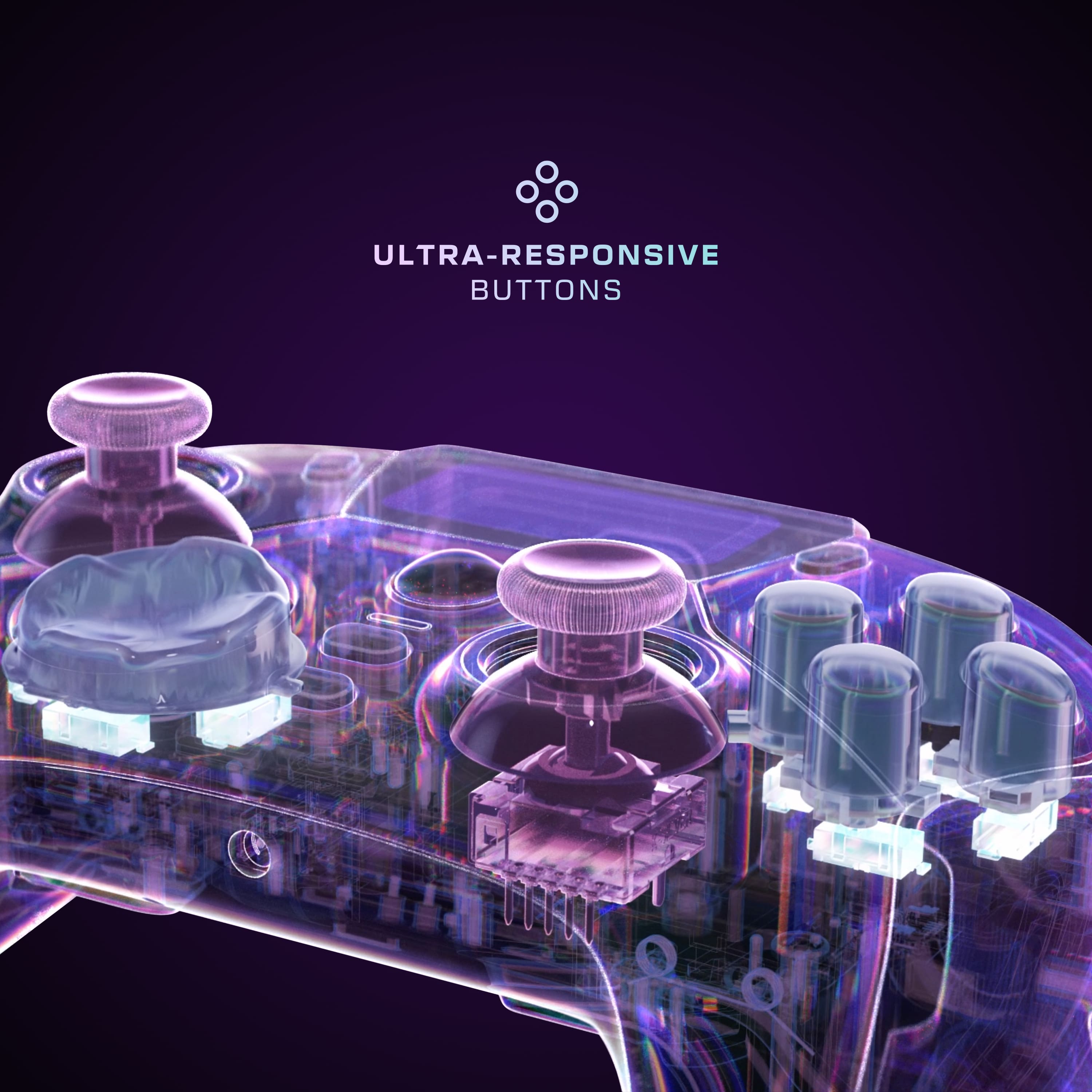
Customers appreciate the Stealth Ultra Wireless Controller for its great battery life, overall performance, and customization options. Many users find the controller comfortable with nice feeling buttons, while also enjoying its lightweight feel and unique screen. However, some customers have reported connectivity issues and suggest improvements to the software. A few customers have mentioned the price as a potential drawback.
This summary was generated by AI based on customer reviews.
Not worth the money
||Posted . Owned for 1 week when reviewed.This reviewer received promo considerations or sweepstakes entry for writing a review.This thing sucks, only had it for a couple weeks and the headphones keep going out, it randomly cuts out and freeze.
No, I would not recommend this to a friendBrand response from Turtle Beach Support
Posted .Hey there!
We are sorry to hear about the experience you've had with your Turtle Beach Stealth Ultra Controller.
Please reach out directly to our dedicated Support Team so they can assist. They’re always happy to help and can be reached right from the support section of the Turtle Beach website.
Thank you and have a great day!
Broken turtle beach controller
||Posted . Owned for 2 weeks when reviewed.This reviewer received promo considerations or sweepstakes entry for writing a review.The right trigger doesnt work. I guess no one tested it...
No, I would not recommend this to a friendBrand response from Turtle Beach Support
Posted .Hello Bill! We are sorry to hear about the experience you've had with your Turtle Beach Stealth Ultra trigger. Our products are each sold with a manufacturer's warranty, and we have a dedicated Support Team available to provide assistance as needed. Please reach out directly to our dedicated Support Team so they can lend a hand. They’re always happy to help and can be reached right from the support section of the Turtle Beach website. Thank you and have a great day!
Doesn’t work
||Posted . Owned for 1 week when reviewed.This reviewer received promo considerations or sweepstakes entry for writing a review.Thumb sticks returned item would t work could not use
No, I would not recommend this to a friendBrand response from Turtle Beach Support
Posted .Hey there Margaret!
We are sorry to hear about the experience you've had with your Turtle Beach Stealth Ultra Controller.
Please know that our products are each sold with a manufacturer's warranty, and we have a dedicated Support Team available to provide assistance as needed. We’re always happy to help, and we can be reached right from the support section of the Turtle Beach website.
Best Regards!
Mehh
||Posted . Owned for 4 months when reviewed.This reviewer received promo considerations or sweepstakes entry for writing a review.Not worth the money, would not connect to Xbox wirelessly.
No, I would not recommend this to a friendBrand response from Turtle Beach Support
Posted .Hello Gendry! We are sorry to hear about the experience you've had with your Turtle Beach Stealth Ultra Controller, it should have no problem connecting with your Xbox console wirelessly once the Stealth Ultra USB transmitter is plugged into a USB port on the console itself. Our products are each sold with a manufacturer's warranty, and we have a dedicated Support Team available to provide assistance as needed. Please reach out directly to our dedicated Support Team so they can lend a hand. They’re always happy to help and can be reached right from the support section of the Turtle Beach website. Thank you and have a great day!
Turtlebeach stealth ultra
||Posted . Owned for less than 1 week when reviewed.This reviewer received promo considerations or sweepstakes entry for writing a review.Analog u Issues. Not worth the price.customer want quality over fancy gadgets.
No, I would not recommend this to a friendBrand response from Turtle Beach Support
Posted .Hello Jj!
We are sorry to hear about the experience you've had with your Turtle Beach Stealth Ultra.
Please reach out directly to our dedicated Support Team so they can assist. They’re always happy to help and can be reached right from the support section of the Turtle Beach website.
Thank you and have a great day!
Ok but not for me
||Posted . Owned for 2 weeks when reviewed.This reviewer received promo considerations or sweepstakes entry for writing a review.I did not like it the select and start button feel wierd
No, I would not recommend this to a friendBrand response from Turtle Beach Support
Posted .Hey there!
We appreciate the feedback regarding your Turtle Beach Stealth Ultra Controller.
If you have any questions or concerns, please reach out directly to our dedicated Support Team so they can assist. They’re always happy to help and can be reached right from the support section of the Turtle Beach website.
Thank you and have a great day!
- Pros mentioned:Battery life, Customization

The Screen is so Cool. Awesome Controller
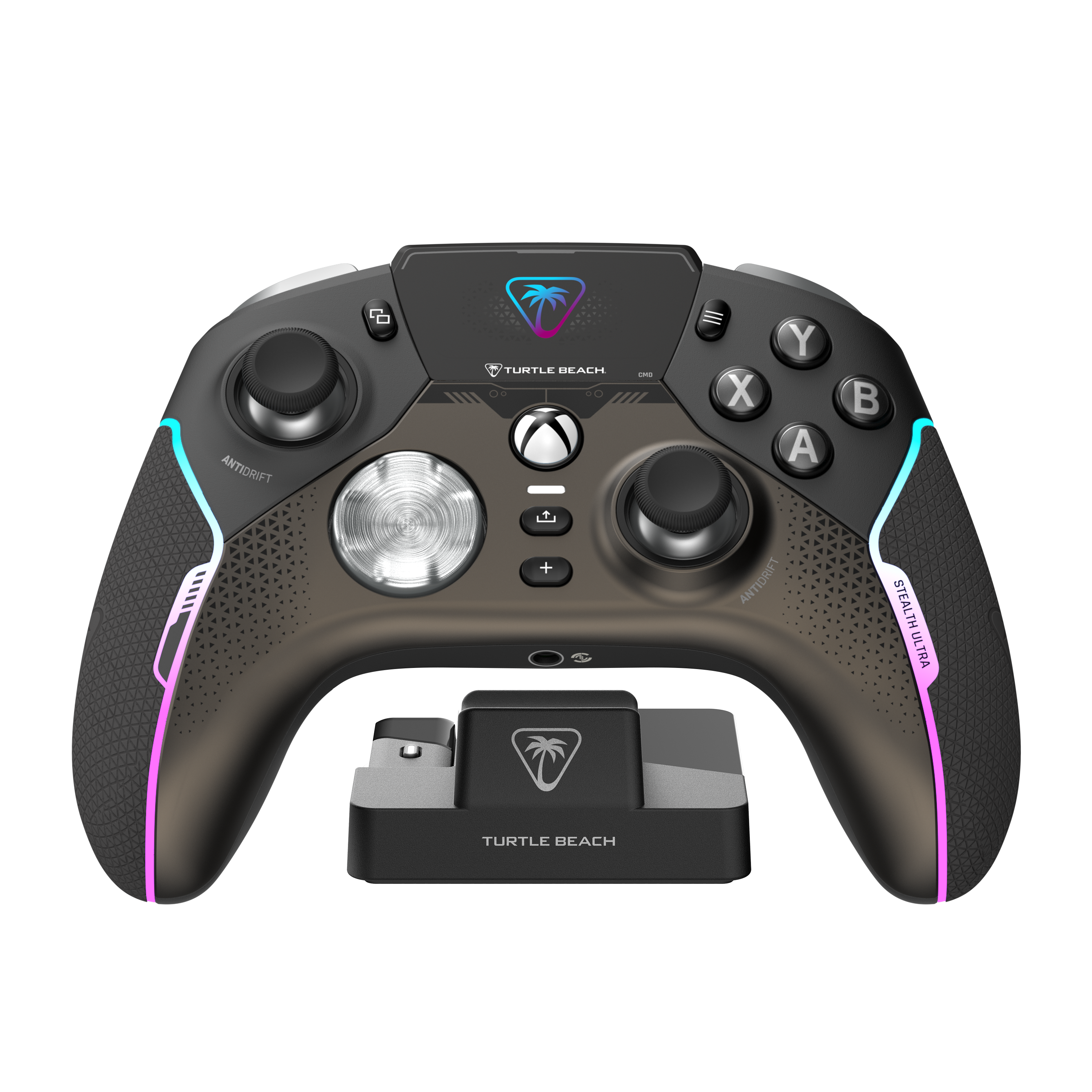
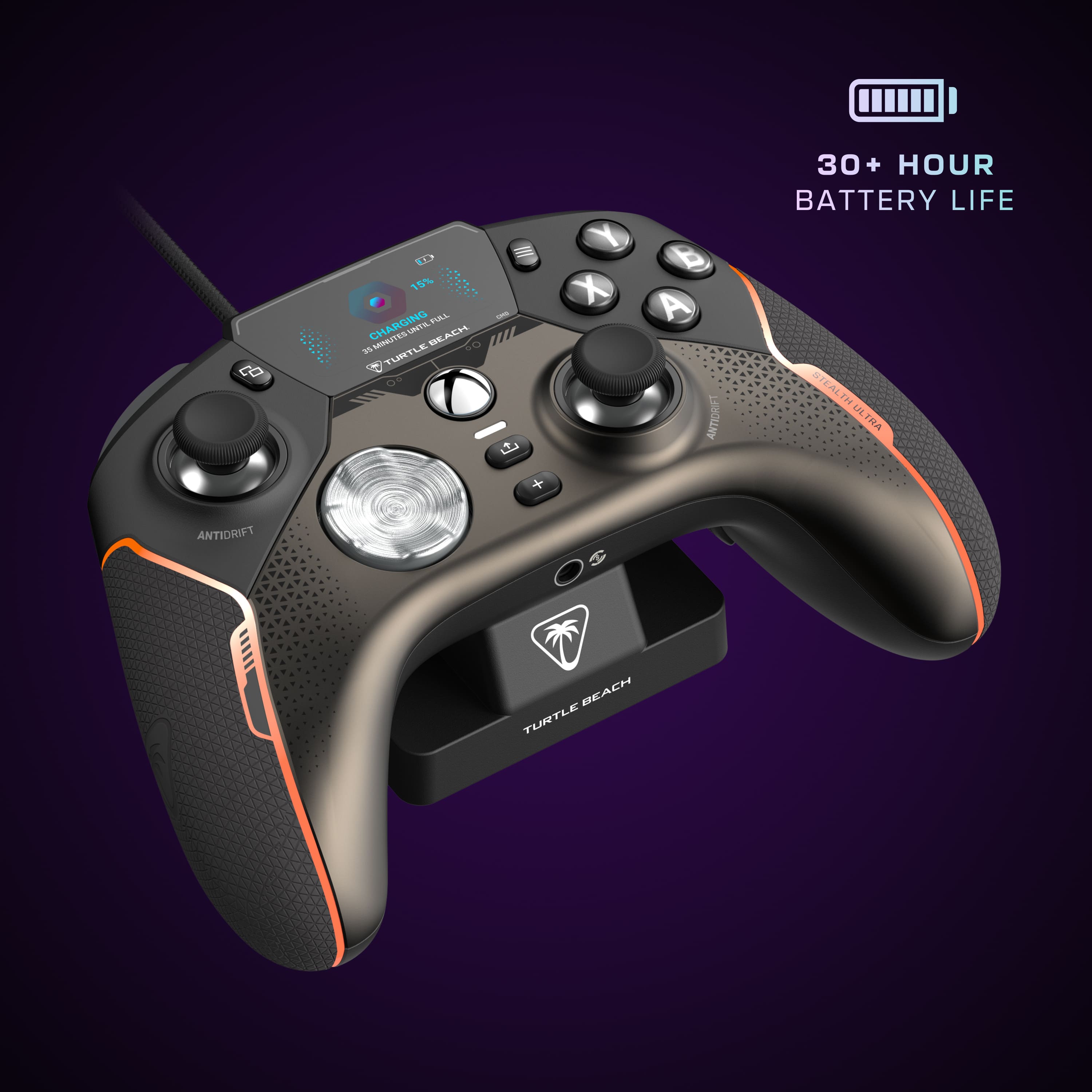
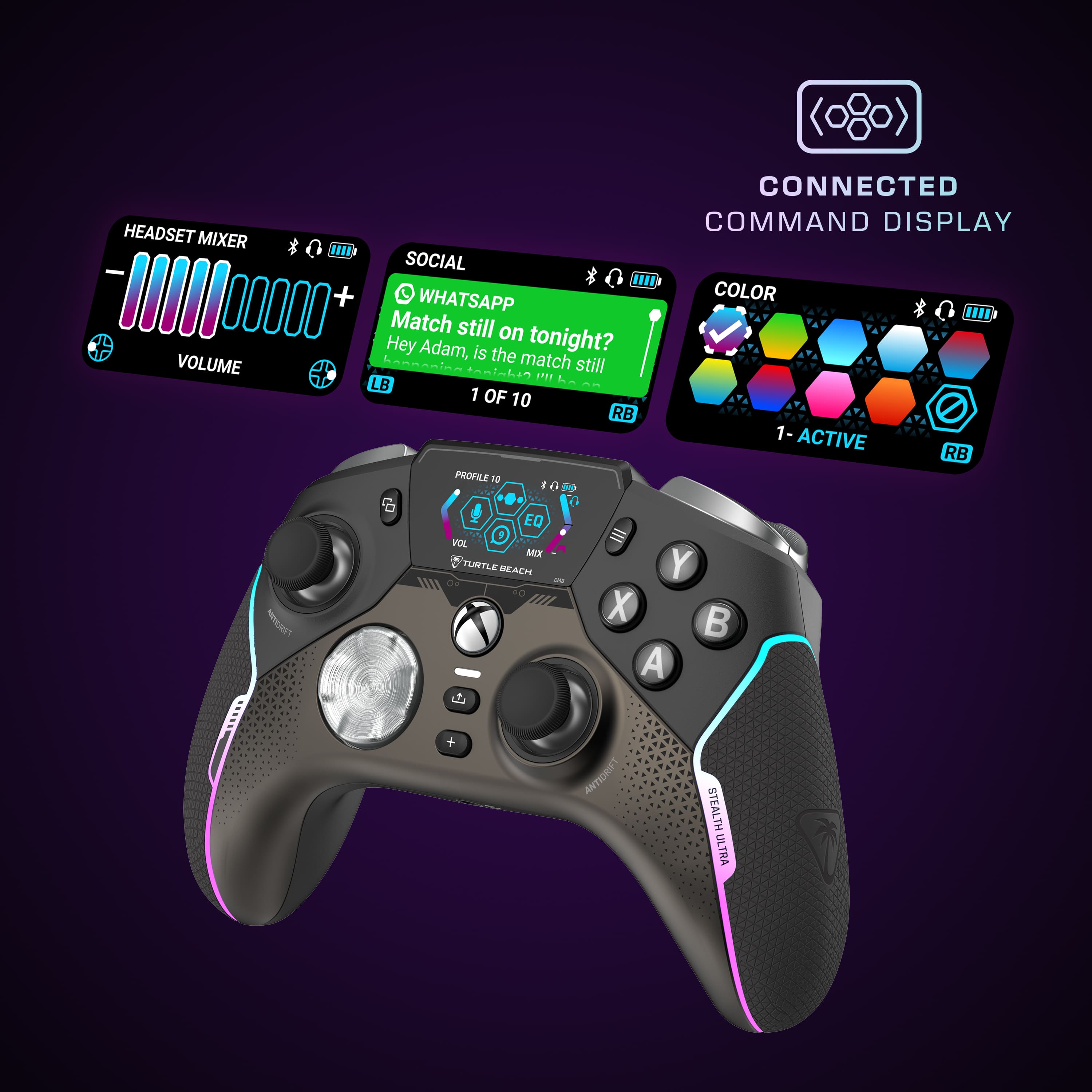
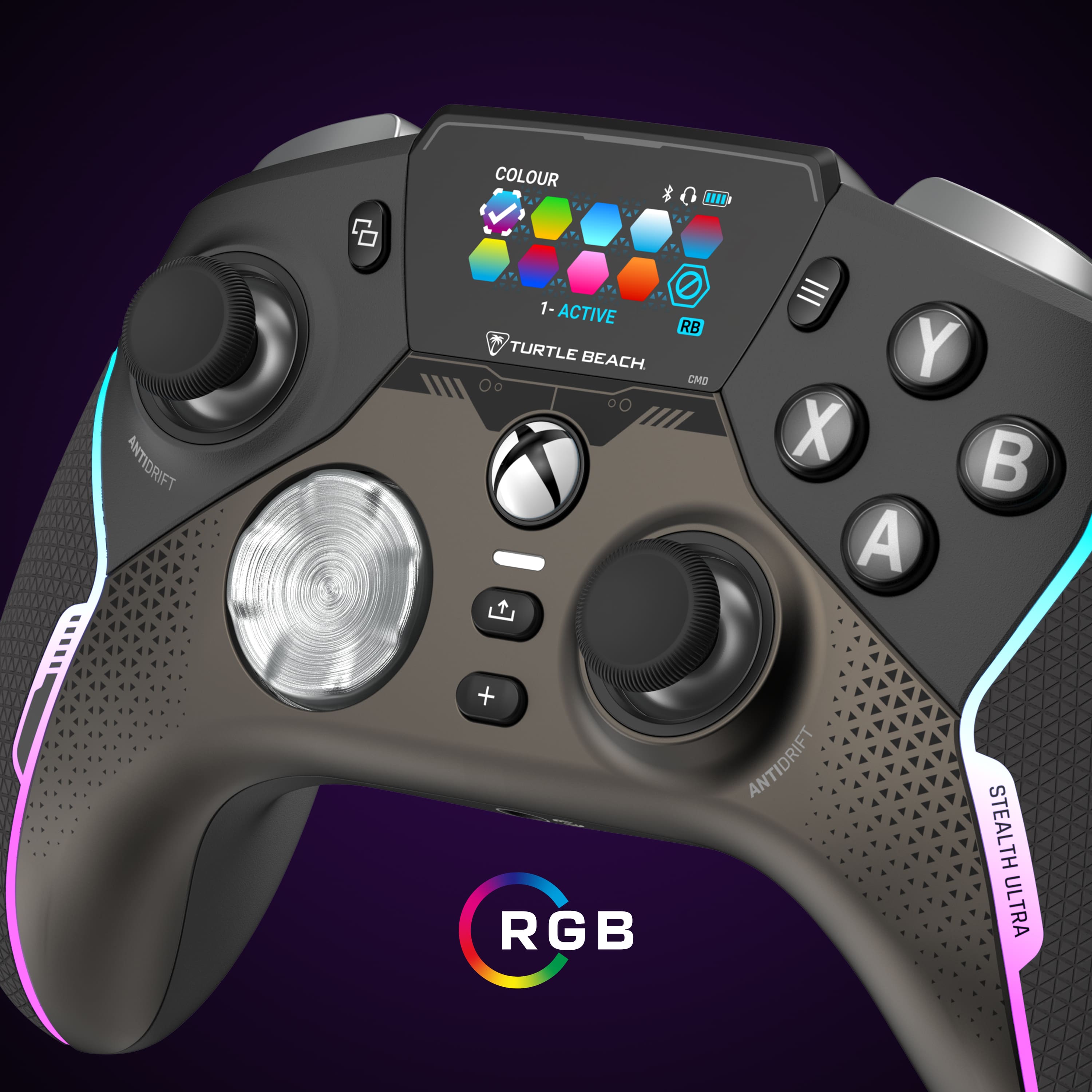
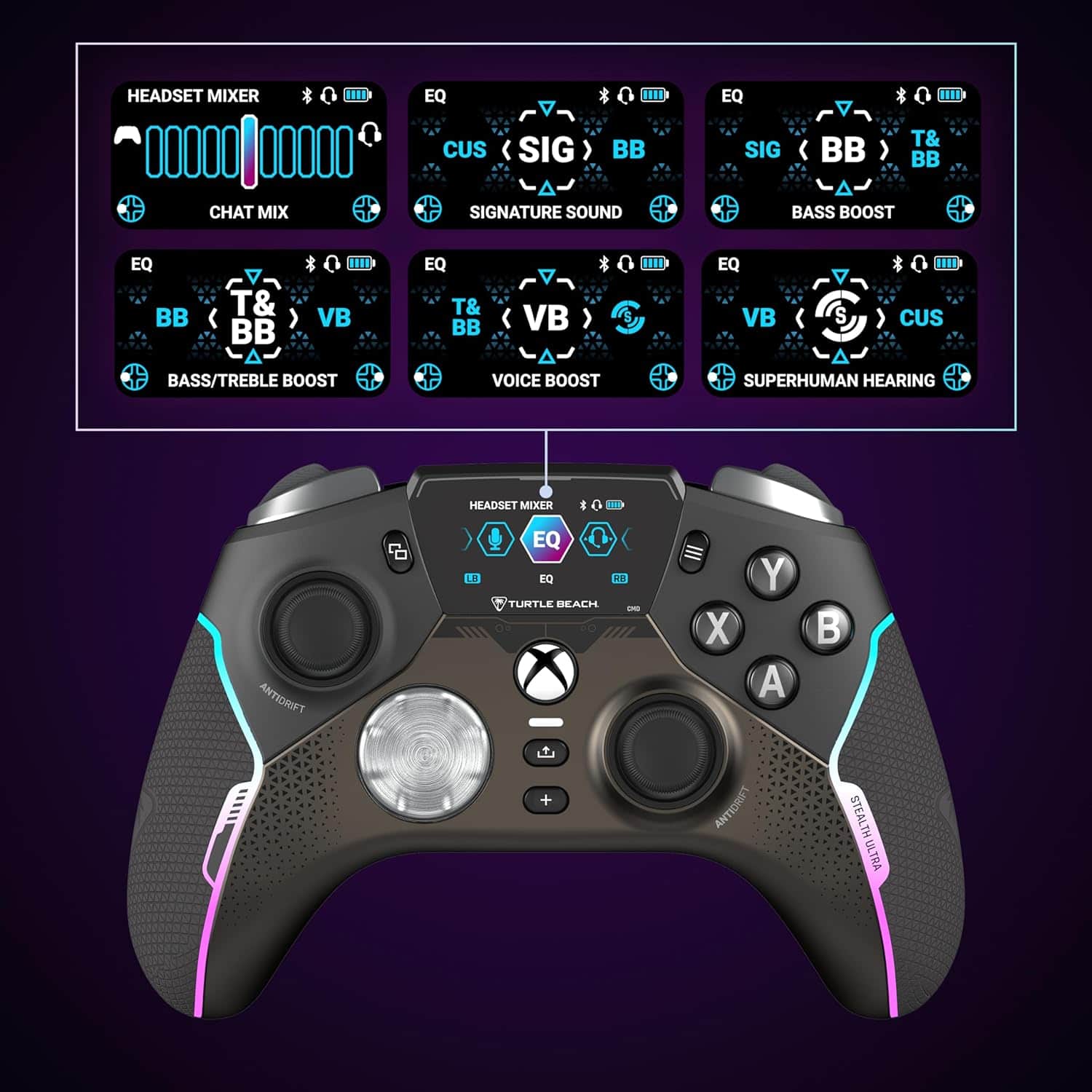
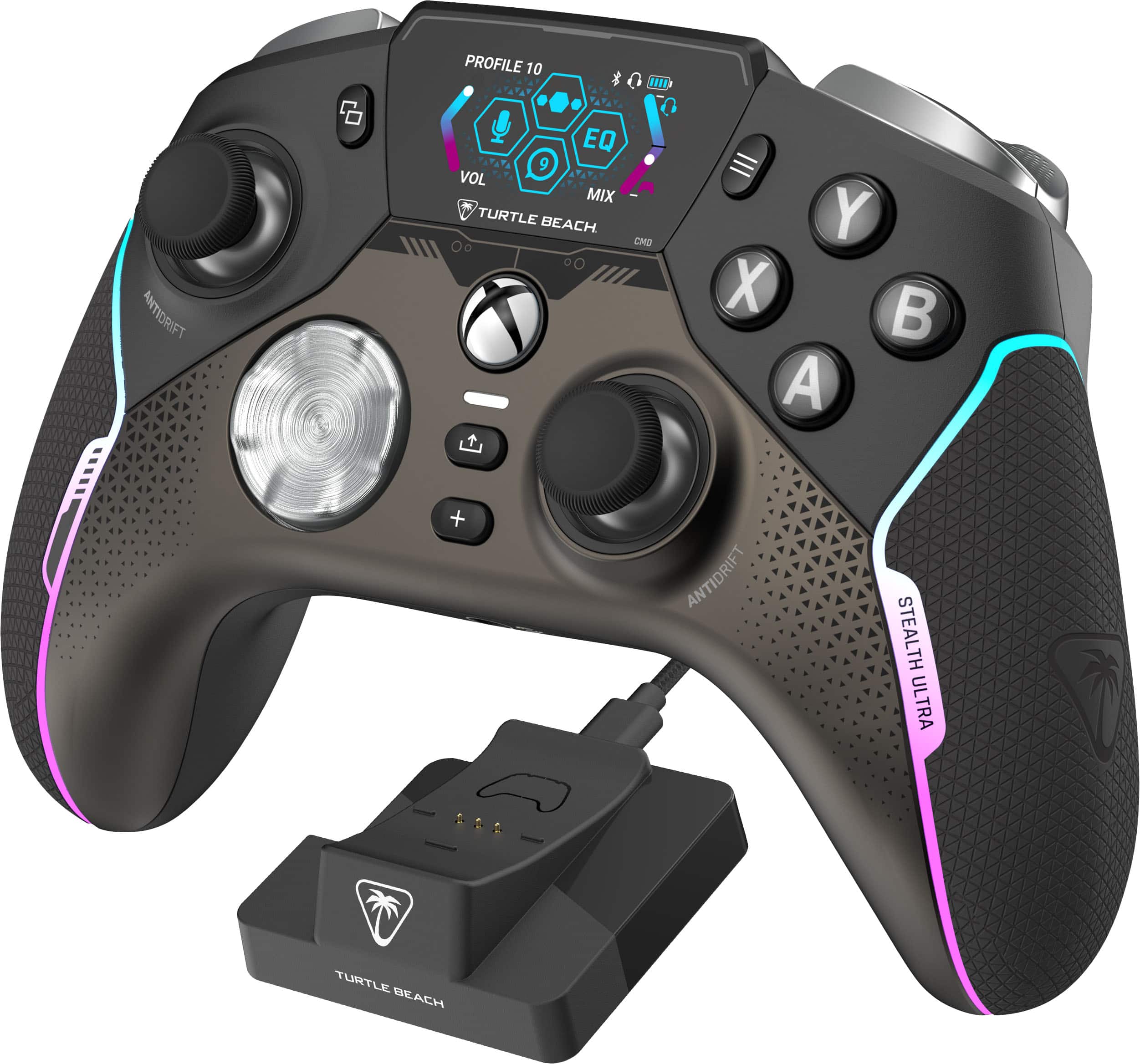
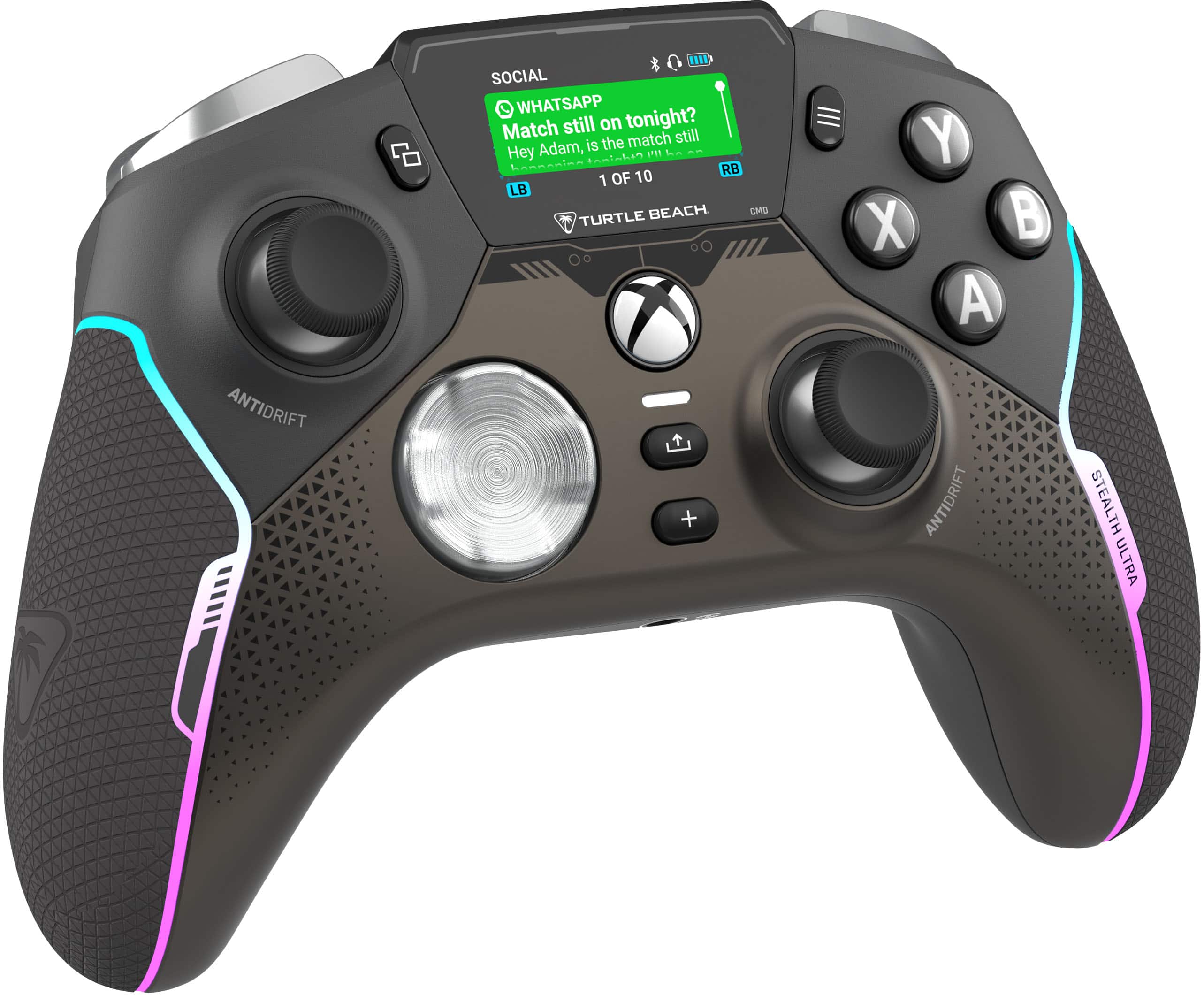
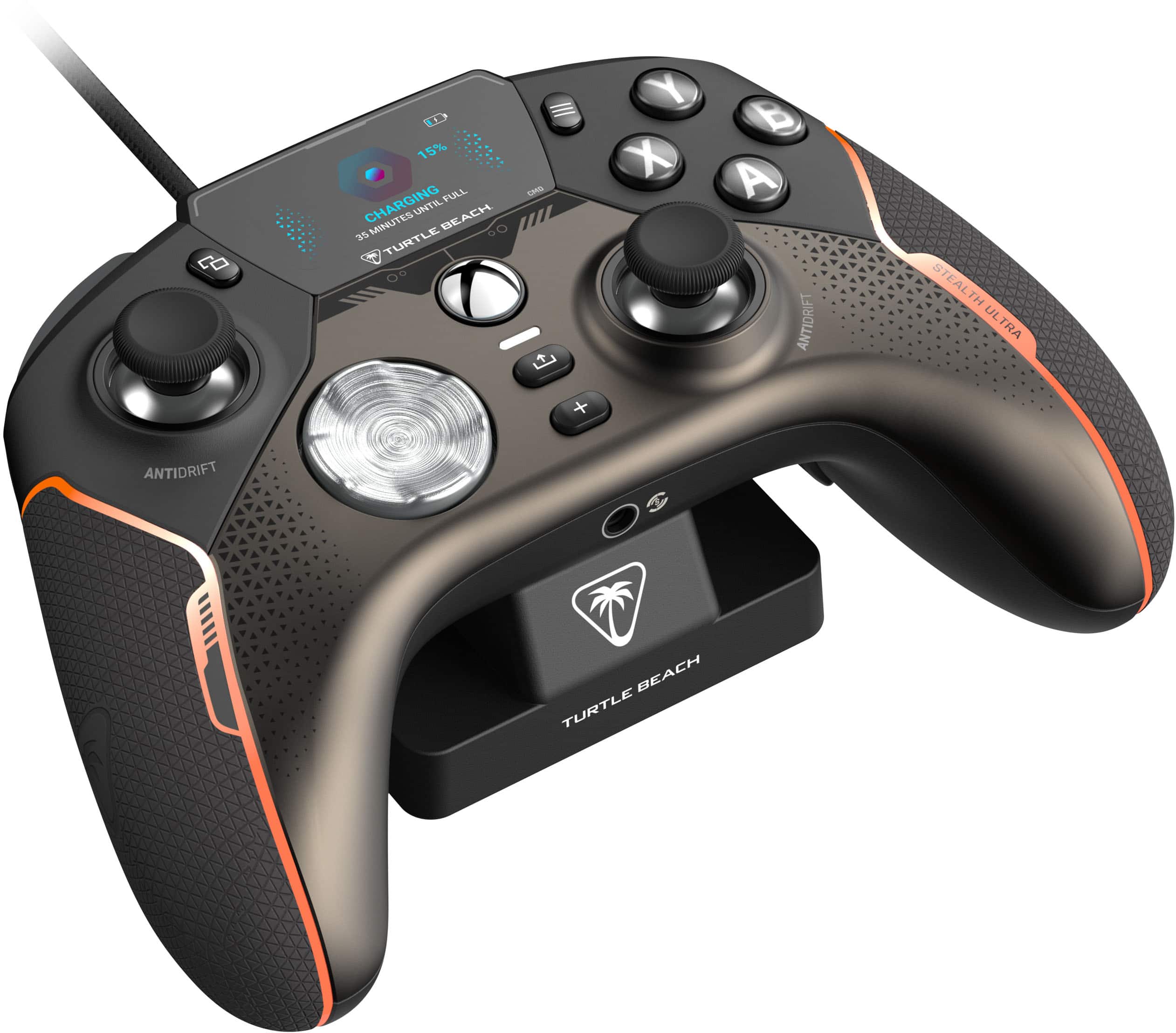
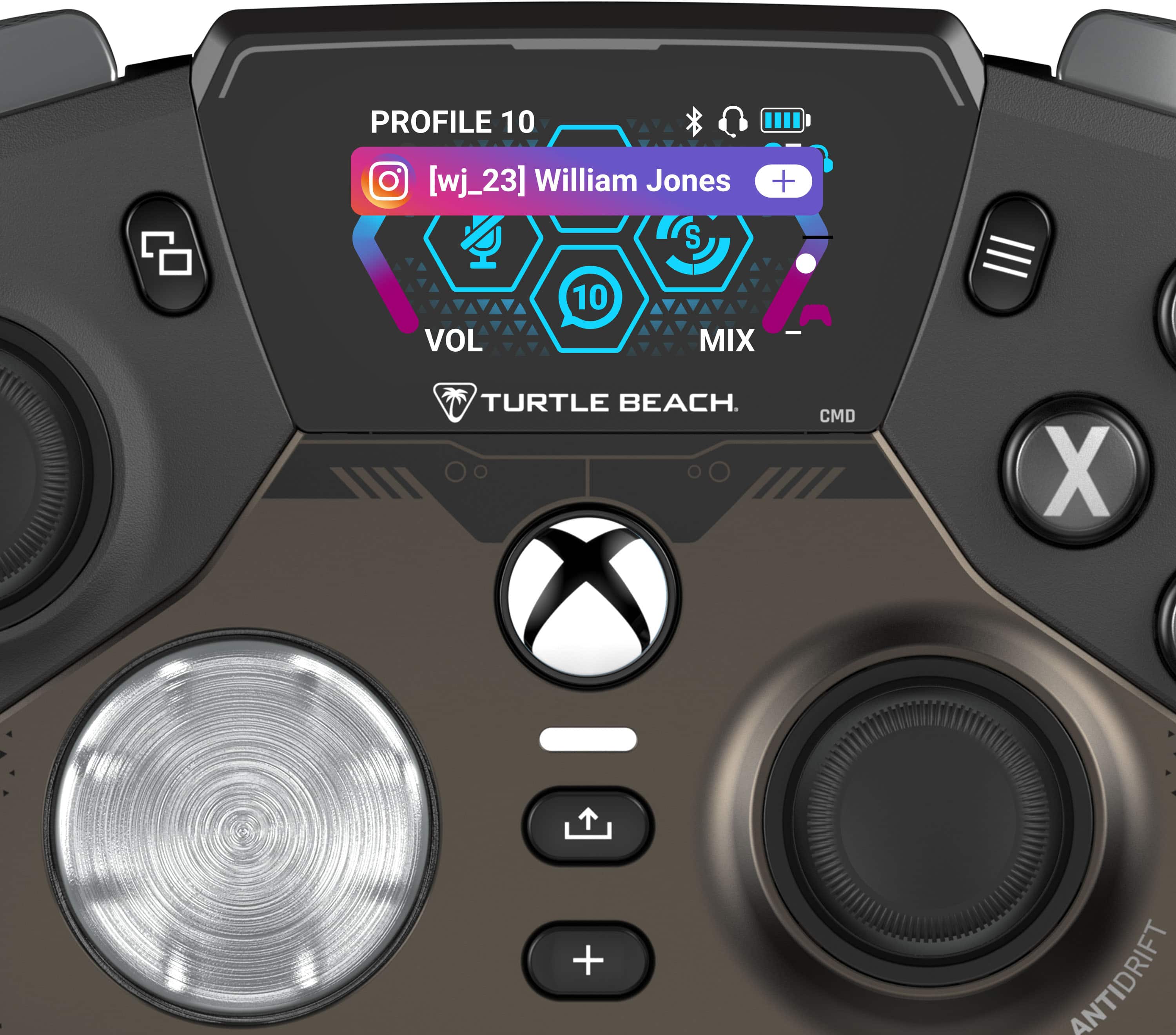
|Posted .This reviewer received promo considerations or sweepstakes entry for writing a review.Upon receiving the Turtle Beach Stealth Ultra, the unboxing experience immediately sets a high standard. The packaging is sleek and well-designed, echoing the premium feel of the controller itself. First impressions are incredibly important for me as it sets the tone for the rest of my experience. The process of setting up the controller is incredibly simple and intuitive. I was especially pleased with the ease of pairing it with my Xbox Series X. Both the initial setup and the firmware update were completed smoothly and quickly, taking just a few minutes in total. You never really know with new hardware and Turtle Beach did a nice job with getting me gaming right away. In hand, the controller feels robust and very comfortable. The buttons and triggers offer satisfying feedback, and the overall build quality is top-notch in my opinion and can go toe to toe with other pro controllers Ive used in the past. Feature-wise, this controller is a treasure trove. With customizable buttons galore, trigger sensitivity adjustments, and more. This is definitely a controller that caters to the hardcore gamer's desire for control and personalization. Do keep in mind with this level of customization and familiarizing oneself with all these features and the UI does require a bit of time and tinkering. I’ve had this controller for several days now and I’m still discovering things that it can do. I mean, you can get social media notifications on the controllers screen - that’s nuts! The advertised 30+ hours of battery life was one of the major selling points for me. In practice, while the battery life is impressive, it fell slightly short of this claim in my use. After several gaming sessions, it became evident that the actual battery life might vary depending on usage patterns and settings. This isn't a deal-breaker by any means, but something to be aware of. YMMV. I recommend getting in the habit of docking it after each session so you don't have to worry about it. The Turtle Beach Stealth Ultra Wireless Controller is an awesome addition to my setup and I'm excited to use this as my new go-to controller. It excels in design, comfort, and features, making it a worthy investment for those looking to enhance their gaming experience. While the battery life might not always hit the lofty 30 hour mark, it's more than adequate for prolonged gaming sessions. This controller is a testament to Turtle Beach's commitment to quality and gamer-centric design. I highly recommended the Stealth Ultra for those seeking a premium, feature-rich gaming controller that might give you that extra competitive edge you’ve been looking for.
I would recommend this to a friend - Pros mentioned:WeightCons mentioned:Connectivity
Button Smashed
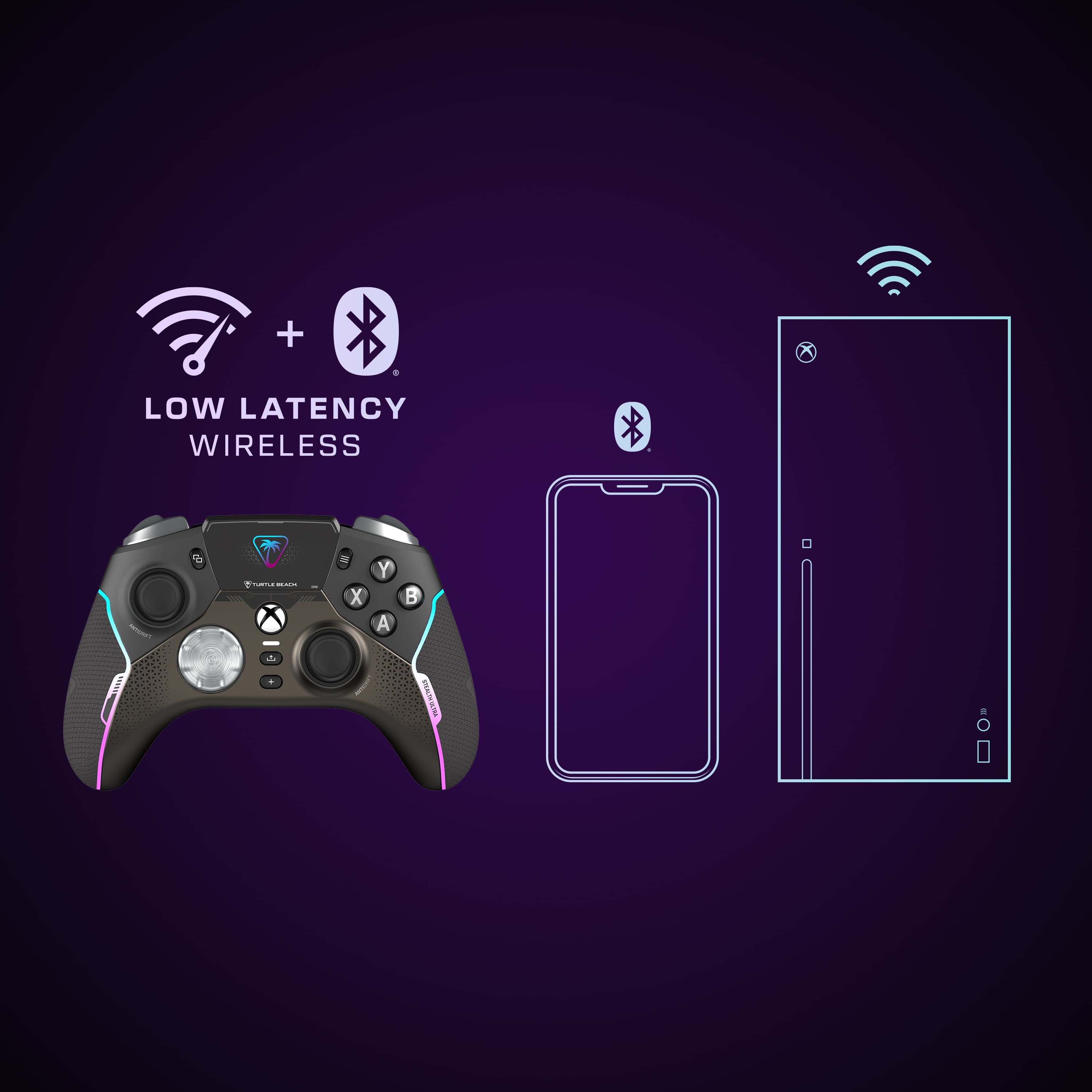
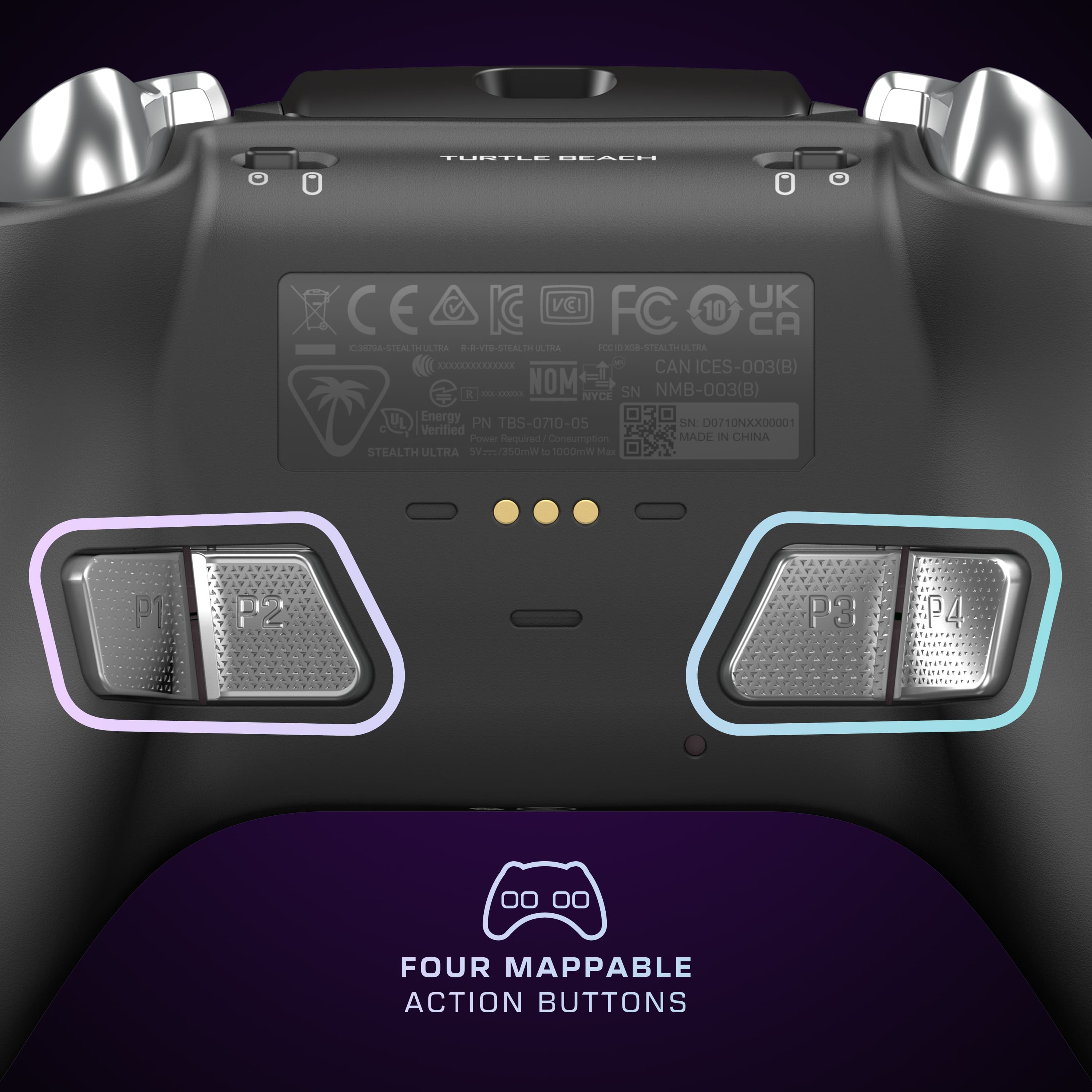
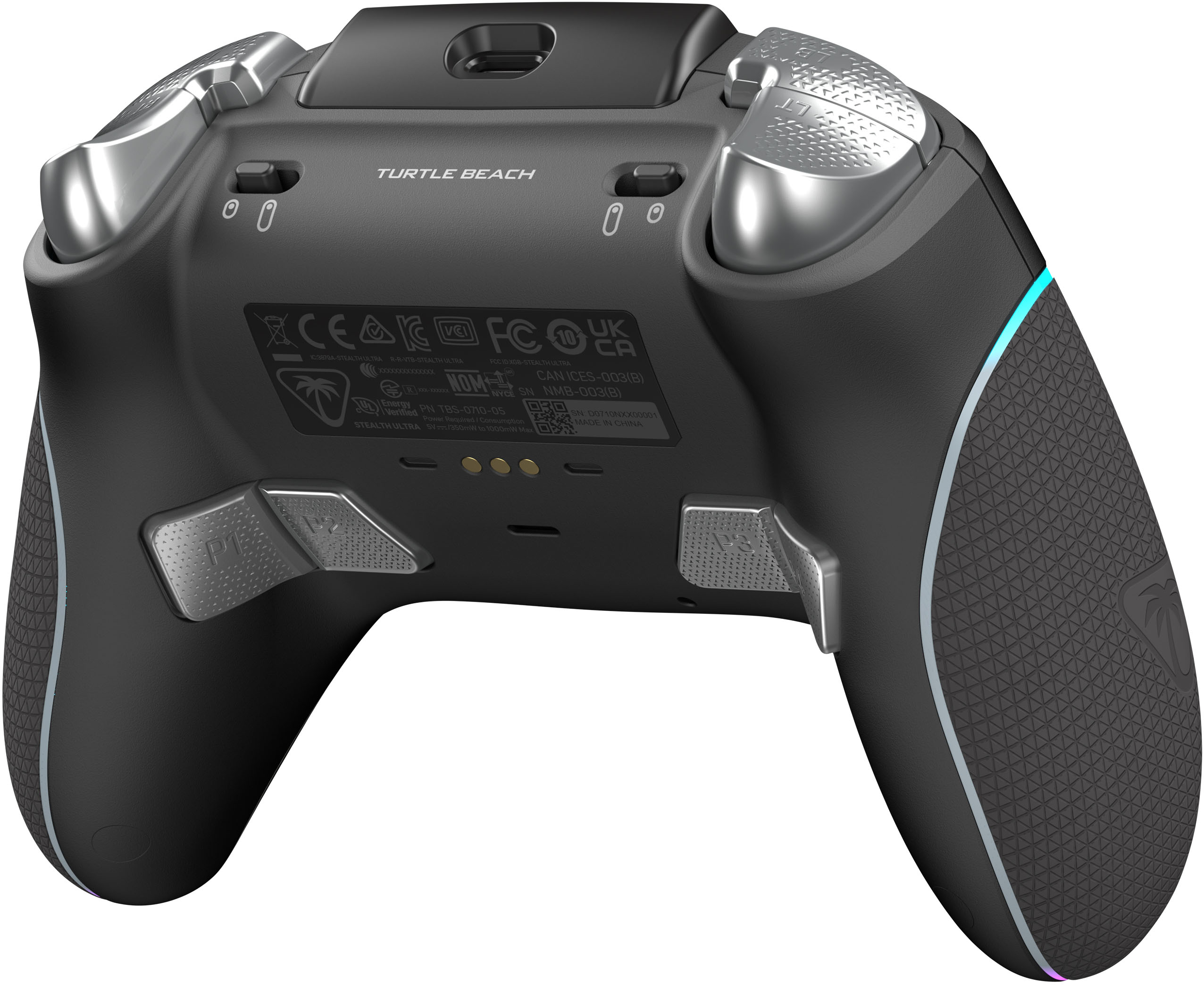
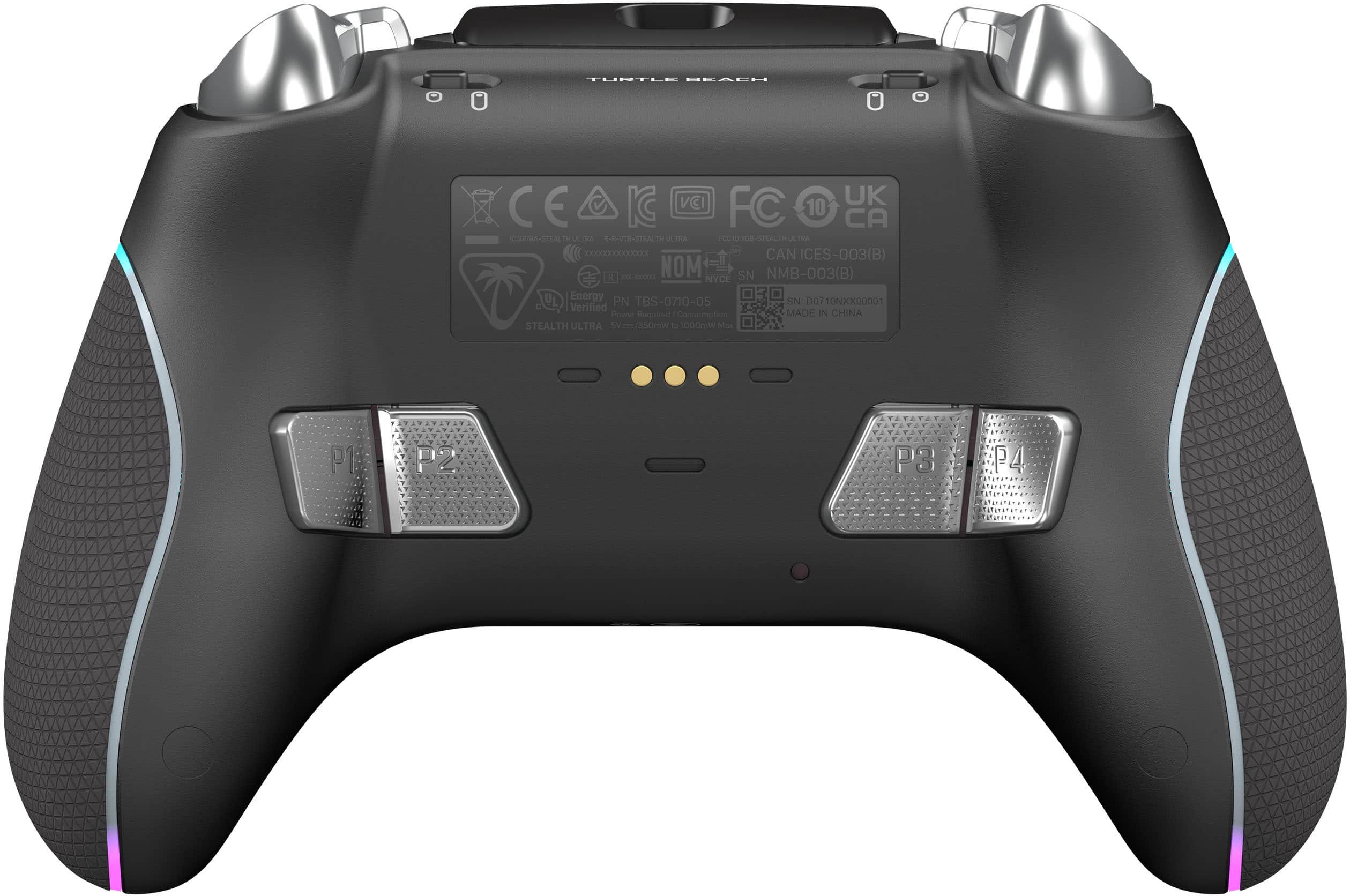
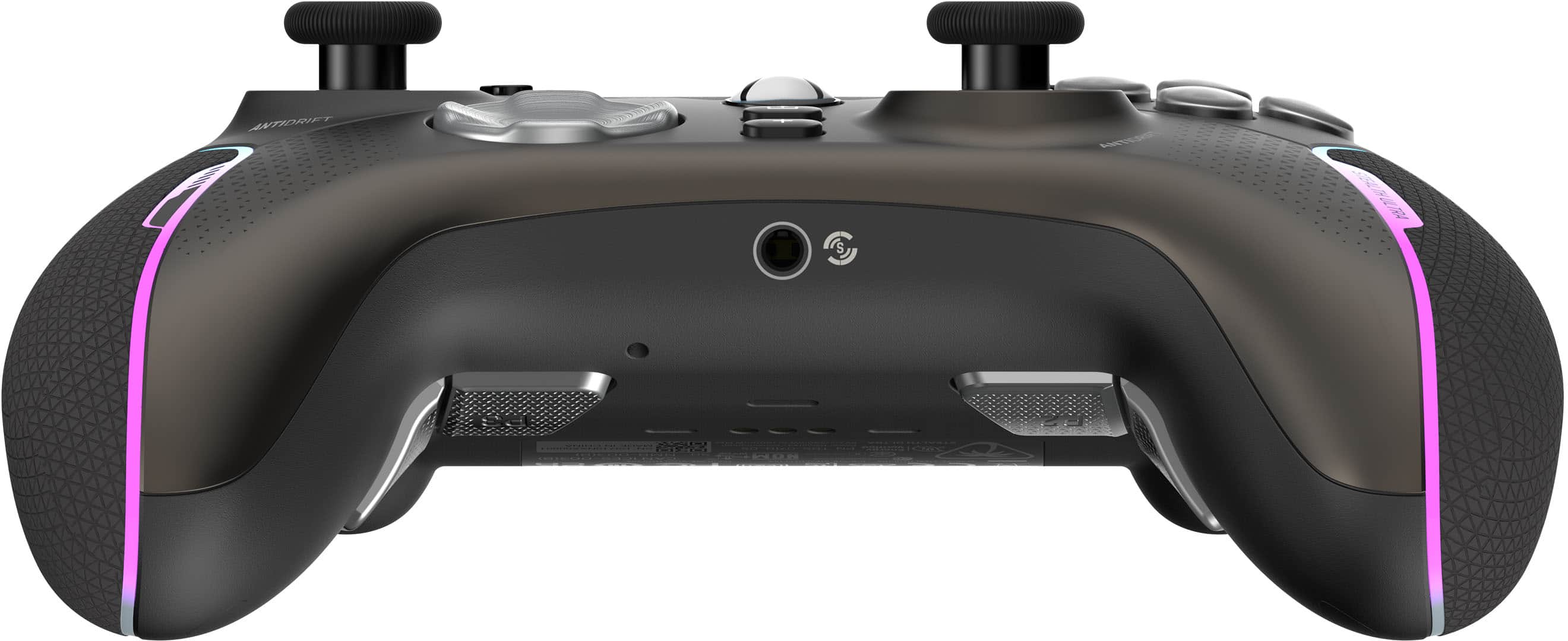
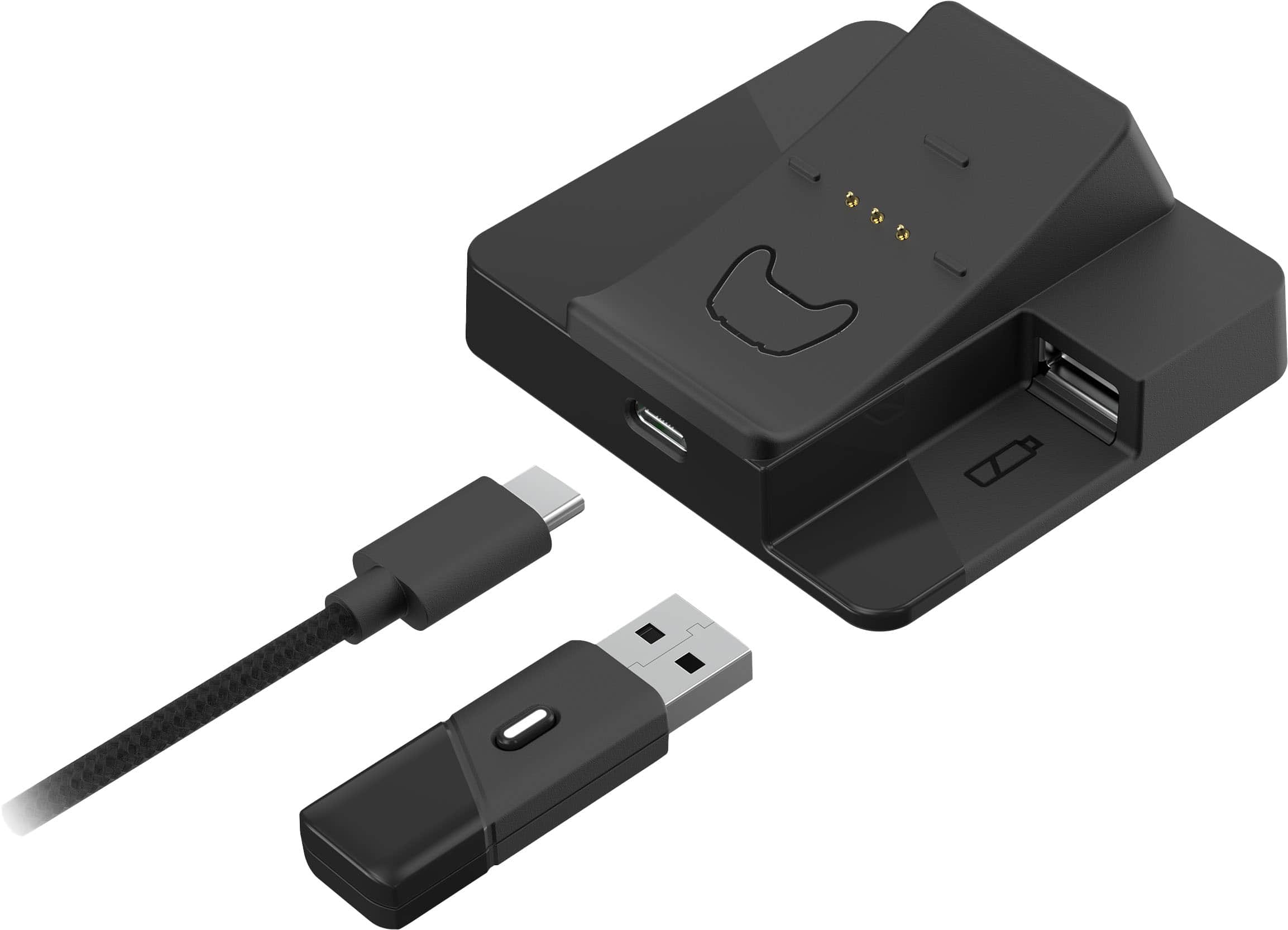
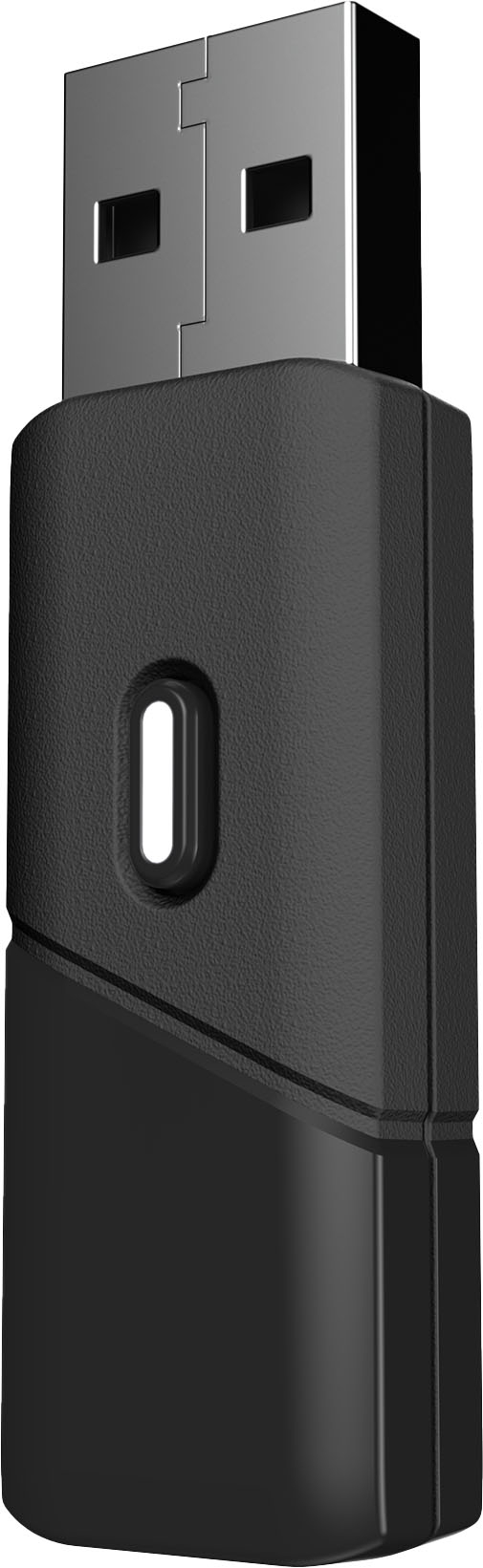
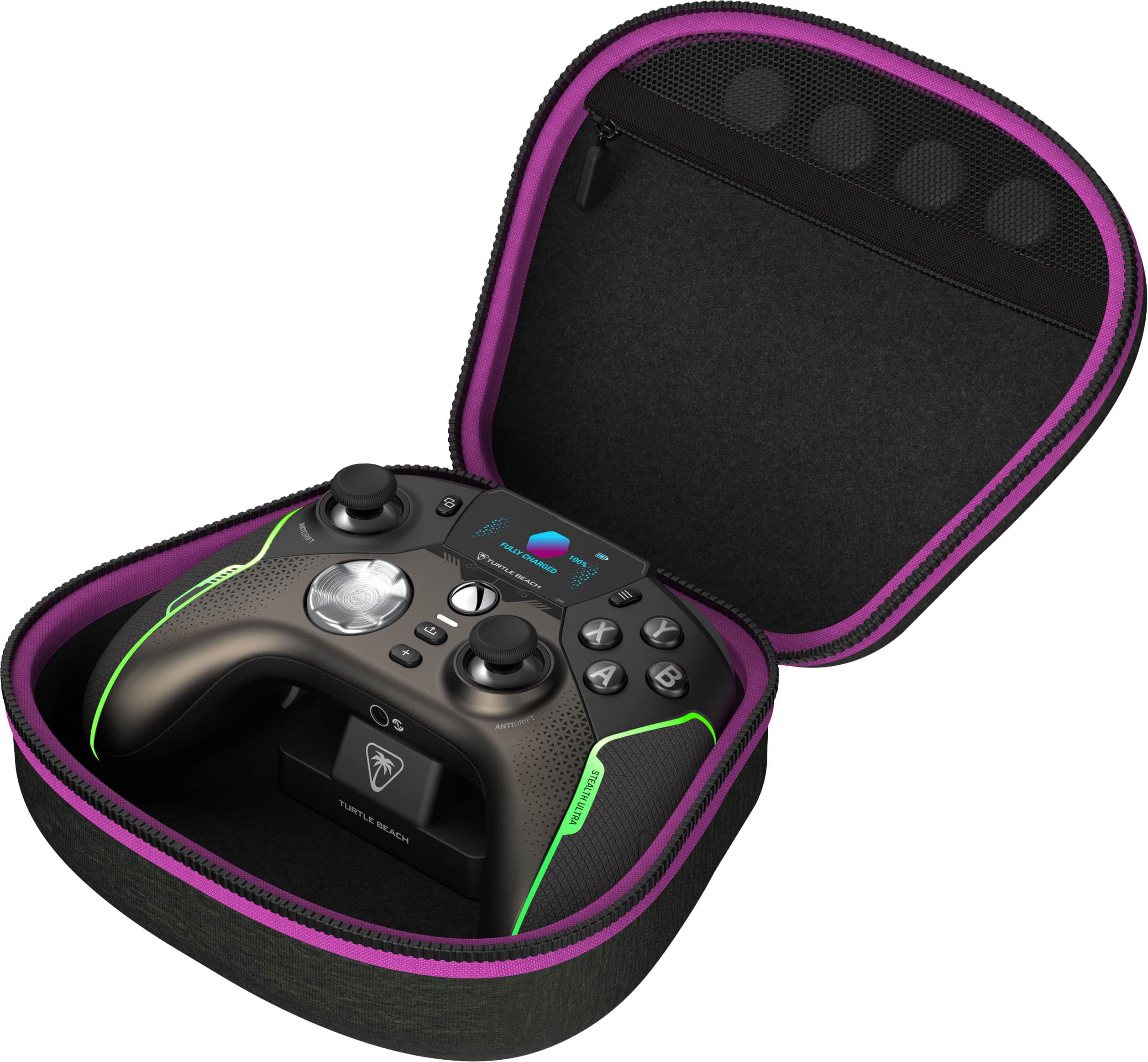
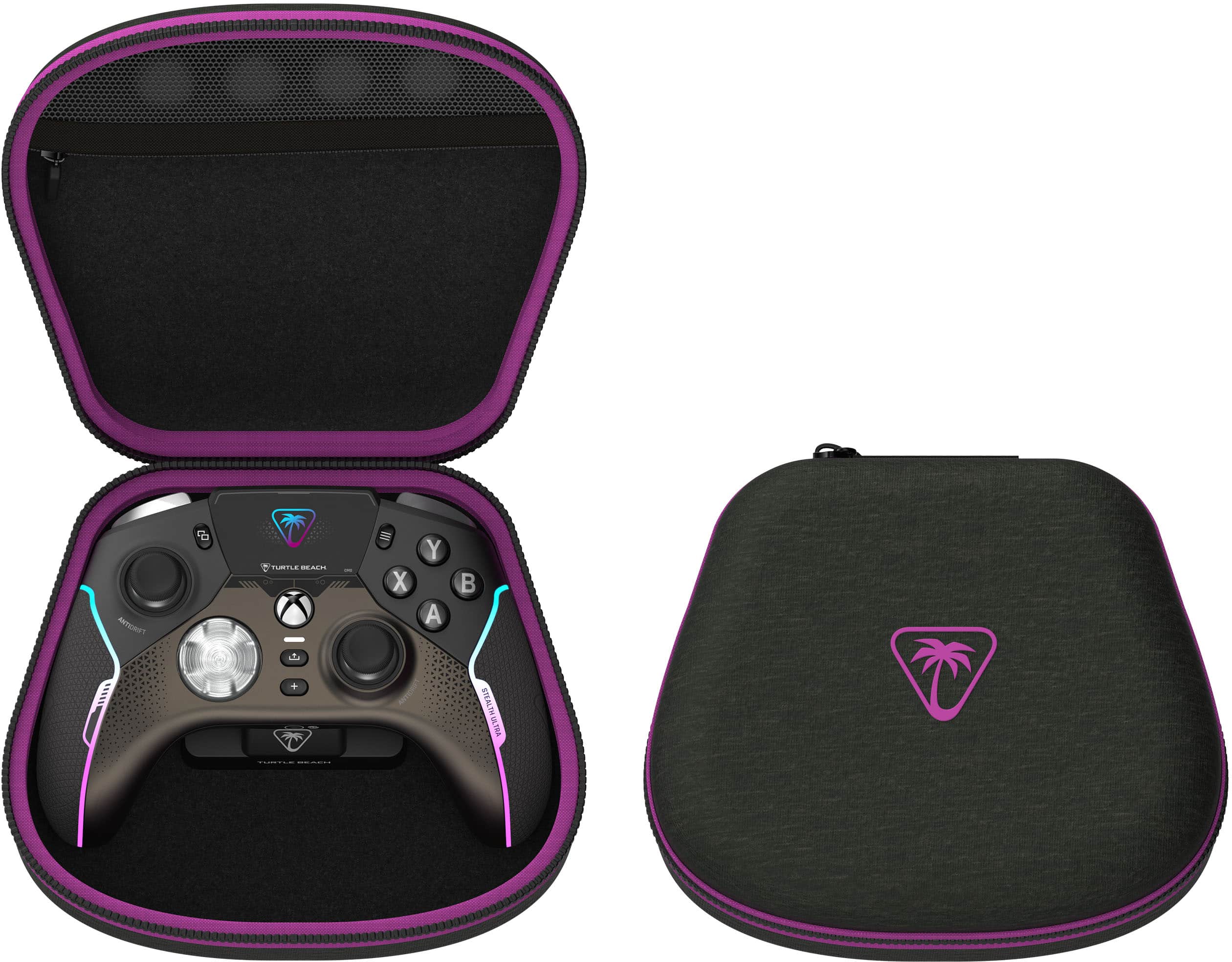
|Posted .This reviewer received promo considerations or sweepstakes entry for writing a review.Out of the box (especially considering the price tag), it’s clear that this is a premium device. The packaging, controller, case, cord, etc, all look great. The packaging comes with the controller, transmitter, charge dock, USB-A to USB-C cord, various rubber grips for the sticks, and a carrying case. While then carrying case is nice, we have to be honest with the fact that most people are never carrying or storing their controller anywhere so while it’s a nice gesture, it’s largely pointless. The controller is what it’s all about though and from a technical standpoint, I think it’s really solid. It is very light, has all the bells and whistles of a regular Xbox controller alongside a display screen and four mappable buttons on the back for those gamers rhat need to make split second decisions. Setup was a bit of a pain as the controller came charged with instructions and worked right away but would seemingly start/stop working on a whim. The controller has a “+” button on the face that is basically used to toggle what’s going on with your Xbox and what you want to do on the controller screen. While it’s nice to toggle between both, it’s also frustrating to be gaming and have your controller suddenly stop working and be unsure as to why if you accidentally tap that button, especially because the interface screen doesn’t change or give any notification that it’s now live. Puzzling. The controller battery is thankfully rechargeable, and the USB cord that comes with the controller is quite long (guessing 8-10ft), thus if you’re gaming and the battery dies, you can hook your controller directly up the Xbox USB port and continue playing. Normally when the battery is low enough though and you’re done playing, you can just set the controller on top of the magnetic charging base, connected to the USB and it’ll charge while you’re taking a break. I definitely enjoy the rechargeable battery as well as the magnetic base. Unfortunately the controller doesn’t have the ability to bluetooth connect to your Xbox like the normal controllers do so you have to use the provided USB transmitter to use the controller. Not the end of the world but the Xbox only has 3 usb ports. I’ve got one for my memory drive, one for the turtle beach headset that demands a transmitter and now this. If I want to plug anything else into my Xbox in the future, I’m out of luck and heaven forbid if one of the USB ports goes bad. Turtle Beach has a companion app/software for smartphones that will allow some customization but their app is absolute trash on computers and the iOS app can’t update the controllers. Their app is long overdue for updates so that aspect is pretty worthless, The controller screen is fine but a little clunky and has a litany of options including rumble strength, color on the controller, social display, as well as a battery life display. The battery claims to last 30 hours but I don’t see how that’s possible as I’ll play for 8ish hours before hitting low battery. The social aspect seems to only work for Android devices, as well as the bluetooth connectivity as a whole, so if you’re wanting to cloud game on your iPhone, you’re out of luck. The color selection for the controller lights is a cool feature and the rumble is very strong as well to the point where I had to go turn it down but I at least appreciated the strength of it. The controller itself plays well, I maybe prefer it to the regular controller as it looks nicer, is lighter, and has a rechargeable battery, but with connectivity issues, Bluetooth limitations, and a shorter than advertised battery life, it’s got a long way to go as well. Other features such as claims of sticks/buttons lasting 5x longer will be a wait and see game.
No, I would not recommend this to a friendBrand response from Turtle Beach Support
Posted .Hello!
We appreciate the detailed feedback you provided regarding your Turtle Beach Stealth Ultra Controller!
If you have any questions or concerns, please reach out directly to our dedicated Support Team so they can assist. They’re always happy to help and can be reached right from the support section of the Turtle Beach website.
Thank you and have a great day!
- Pros mentioned:Battery life, CustomizationCons mentioned:Stick drift
The new standard for 3rd party contollers
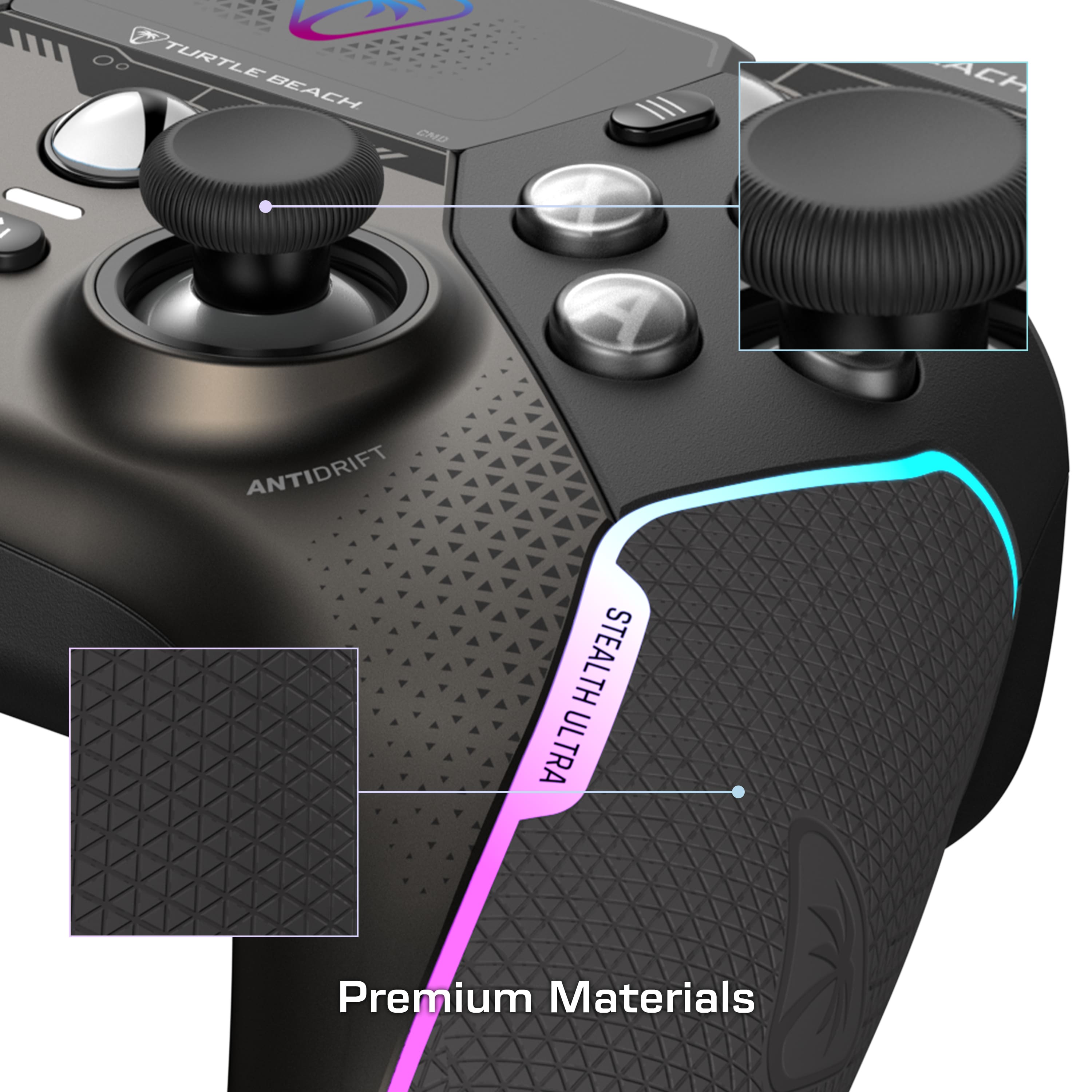
Posted .This reviewer received promo considerations or sweepstakes entry for writing a review.After about 20 or so hours of gaming, I’ll say I’m impressed. I’ve always used an elite controller always fighting stick drift/grip peel/button input issues. This controller has filled that void and then some. The Hall effect sticks are amazing, the micro switches also amazing. It’s alittle on the light side but I’m fine with that. One of the things I noticed people complain about was after a short time the left stick could get marred up with what seemed like scratches where the stick made contact with the friction ring. Mine also did this, however I took a q-tip and a very small amount of Vaseline and swabbed around the stick and around the friction ring. It removed some dark residue and the stick feels good as new. Nice customization. Just an overall great controller (so far)
I would recommend this to a friend - Pros mentioned:Battery life
Good Controller, nothing extremely special
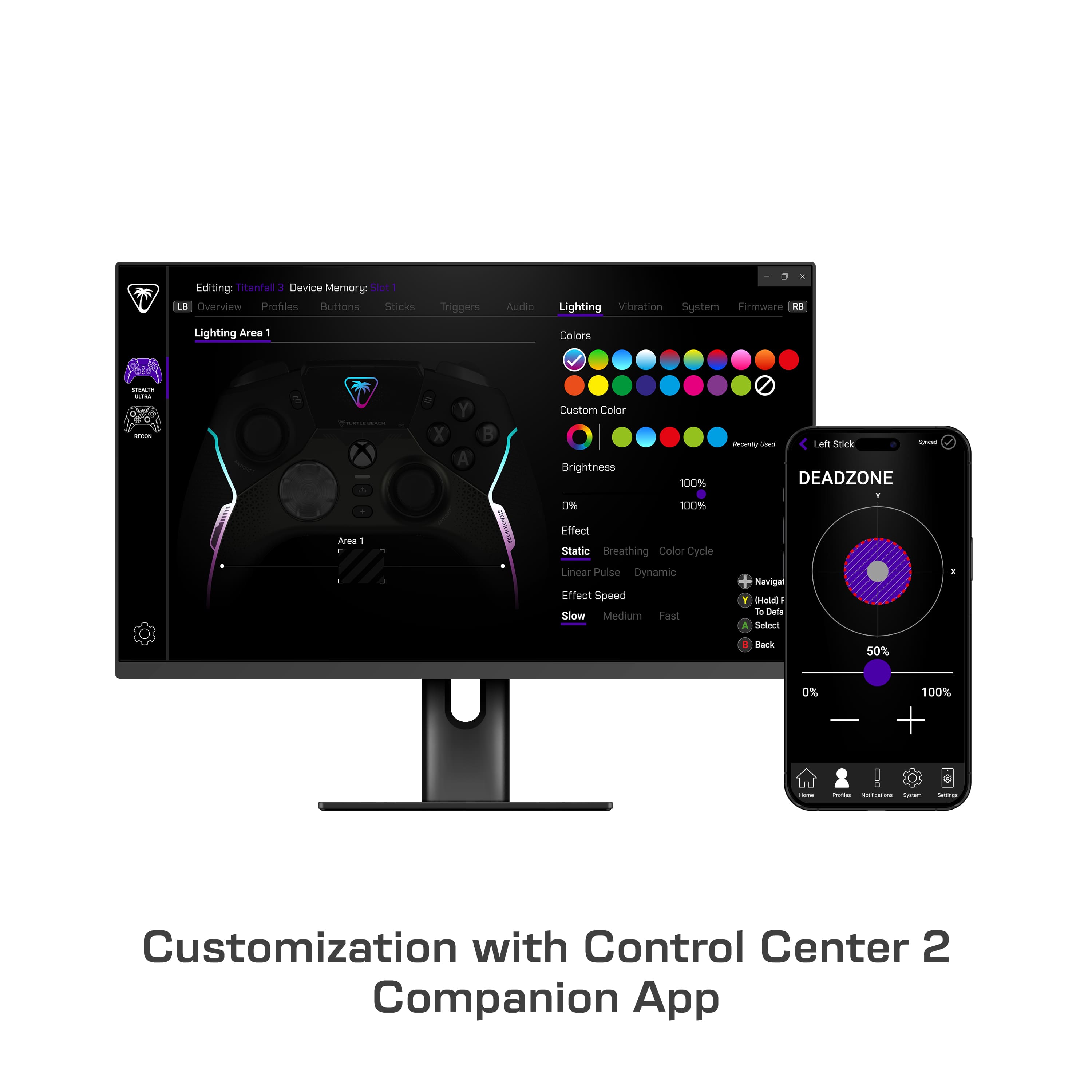
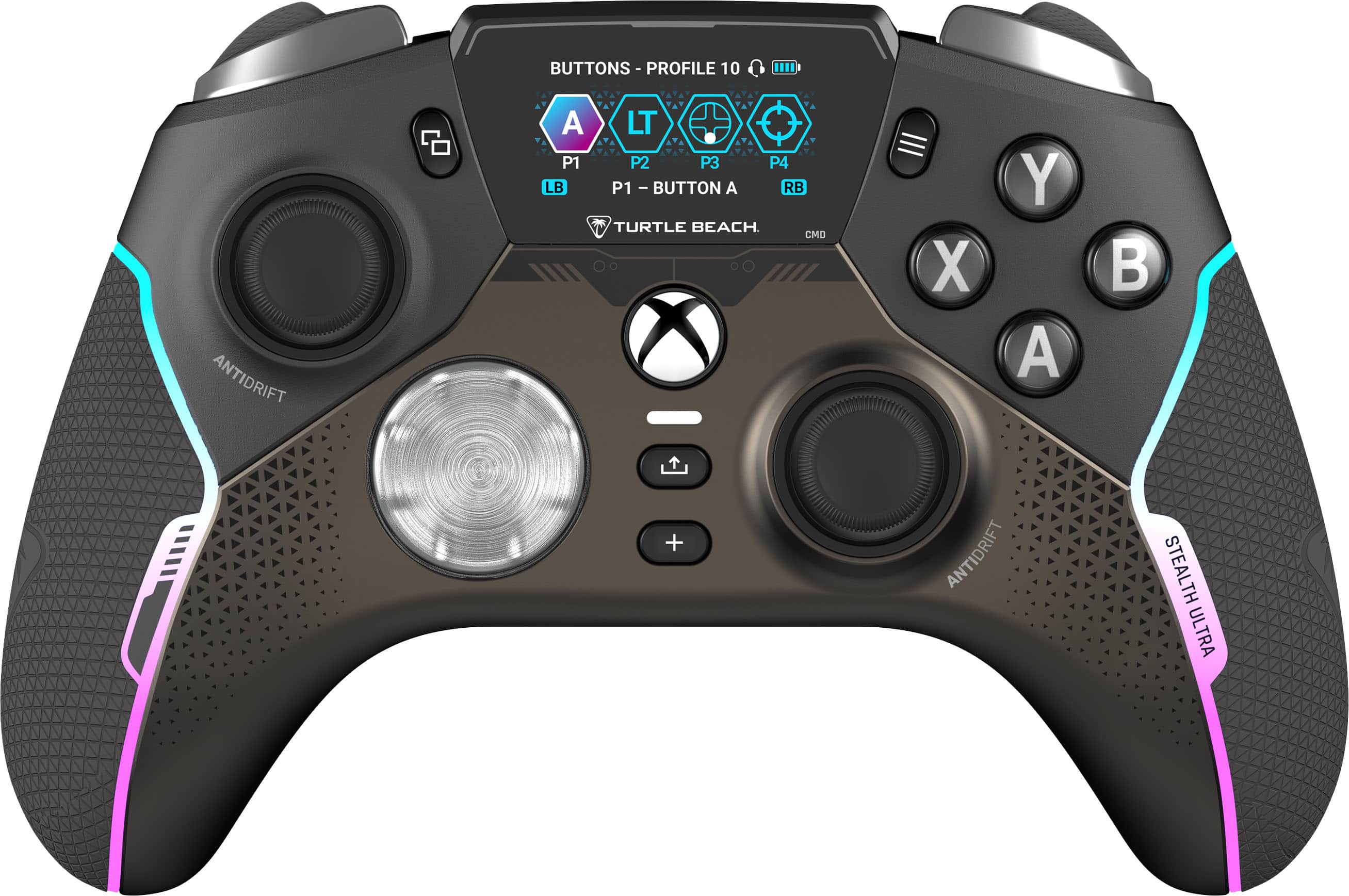
|Posted .This reviewer received promo considerations or sweepstakes entry for writing a review.While I don't really use a controller too much on my PC gaming, my sons do all the time. With some of or Xbox controllers starting to show their age, I decided it was time to start replacing them. Of the options available, I decided to give the Turtle Beach Stealth Ultra Gaming Controller a try, The controller itself has a normal feel to me compared to the original ones, just with the 4 mappable buttons on the back side, and a unique feature: an LCD screen directly on the controller. While it may be a nice to have, the LCD screen on the controller is a cool idea, but the best use is mainly for changing options directly on the controller. There is the ability to set up notifications, but I'm not sure needing to look down at the controller to read them is the best idea (wouldn't really want to take my eyes off the screen). With that, I didn't even take the time to set up that functionality. One thing to notice is that the buttons and D-pad use mechanical switches, so there is a little more noise (think clicky keyboard) to it. Not horrible and probably not noticeable with the game’s sounds playing. The thumbsticks have their "AntiDrift" design to prevent the dreaded drift later as it ages. While I didn't notice any problems on my PC, both noticed some drifting already, just not sure of the situation with that (like, if they had something else connected at the same time ore what). We'll see for sure the longer we use it. One thing that is nice is while it is wireless and rechargeable (using the charging dock), it can also be plugged to continue use after the battery has died. When making any changes in the Control Center 2.0 app, select the profile to edit (which you can rename in the app to something other than PROFILE #), make the changes, then go back to the Profiles tab, click the triple dots for the profile (you may have to select the profile again) and the send it to the desired slot on the controller in order to save the changes to the controller. If the name has changed, it does show up on the controller screen. One thing I wish had more options are what can be mapped to the buttons on the back side of the controller. There are only the Pro Ai, the 4 right thumb buttons, the 4 D-pad buttons, and the trigger buttons. I would have liked to also be able to map the thumb stick press such as for running in the FPS games as it feels somewhat awkward to press it while controlling direction. There are also many different settings available to be changed, such as dead zones for the thumb sticks and triggers. It also has an equalizer with 4 sound settings for headsets plugged directly into the controller (I use a USB headset, so no gain for me there). When I first received the controller, I tried to do a firmware update (to v1.0.2, I think) as a newer one was already available. Unfortunately, it could never complete, with needing to cycle the power on the controller to clear the message. A little later I checked again and v1.0.4 had already been released, and it was able to complete the update, as well as updating the firmware on the Transceiver. One thing that some will not like is that the controller cannot connect directly to the Xbox, it still must use the Transceiver. That could be a problem if you are out of USB port without getting a USB hub. And something that one of my sons noticed was on his PC, when he plugged in the controllers using USB cable which plugged into the same USB hub that the keyboard and mouse were plugged into, all three devices stopped working. He would need to unplug/plug in the keyboard and mouse afterwards to get them working again. Overall, it is a pretty good controller, and hopefully some of the issues we have seen would be fixable with firmware / apps updates. With their rating combined with mine gives it 4 stars.
- Pros mentioned:Battery life
Solid Controller with a couple of pain points
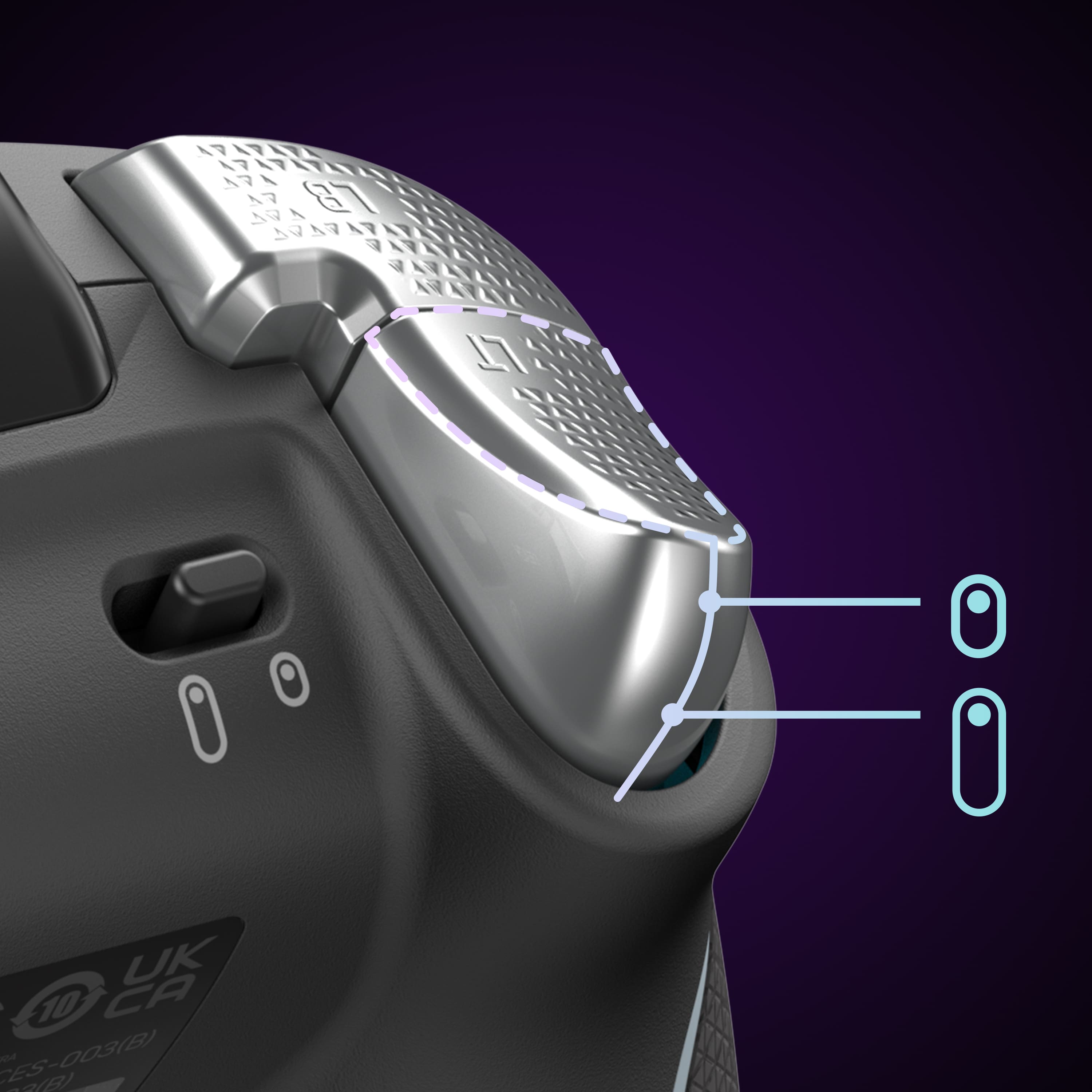
|Posted .This reviewer received promo considerations or sweepstakes entry for writing a review.With my Xbox controllers reaching the end of their life, it was time for an upgrade. I play mostly FPS and Sim racing games, and mix a little MS Flight Simulator in on occasion, so having an accurate and comfortable controller is paramount. Although I have a wheel for racing games, sometimes I just want to kick back and relax without having to set everything up and a controller allows for that sense of freedom. This controller sets out to compete with the Xbox Elite controller that shares some of the same features. This controller is visually attractive and is very well balanced. It feels slightly heavier than the typical Xbox controller, but not in a bad way. The addition of 4 back buttons, individual hair-pin trigger locks, and customization of all of the buttons through the downloadable TB Control Center, allows for full control over how this controller works for the user. The included case and charging stand are well thought out, allowing you to charge the controller inside the case. This allows me to keep the case on my desk, plugged in (but easily removed), and charge the controller under cover to keep the dust off. Now for the pain points. After downloading the software to my PC, I set out to update the controller and dock via their UI with each requiring separate steps. For both devices, the update failed on the first attempt and I had to restart the update process. It's always a little concerning when a brand new device fails to update through the manufacturers update process. With the updates out of the way and a couple of small customizations applied, I set out to play some MS Flight sim. While the controller performed well in practice, I found it difficult for my small man hands to reach some of the buttons at times. This mostly applies to the settings/menu button (think 'Select' button on old school controllers) that is placed behind the left stick. Due to the screen on the controller, the button placement is much farther to the left than seems natural, and it requires a long thumb stretch over the top of the controller. Fortunately, this is not typically a button that is usually needed in the heat of battle, and given the customizability of the controller, I could always map this to something else if it became problematic. The other buttons that felt slightly off were the RL/RB buttons, but I find that I'm already starting to get used to them. The battery life on the controller seems solid, although I usually just throw the controller on the charger when I'm done. So far, my longest stretch was only 3 hours the battery got down to ~70%, but that's with the RGB LEDs running at full brightness, something I'll probably adjust way down, as I'm not staring at the controller while playing. Overall, I'm quite satisfied with this controller. I like that I have the ability to easily connect it to other devices. It's comfortable to hold and offers more customization than I'm likely to need. Hopefully it lasts me at least as long as my previous Xbox controllers do.
I would recommend this to a friendBrand response from Turtle Beach Support
Posted .Hello Terry!
We appreciate the feedback regarding your Turtle Beach Stealth Ultra Controller!
If you have any questions or concerns, please reach out directly to our dedicated Support Team so they can assist. They’re always happy to help and can be reached right from the support section of the Turtle Beach website.
Thank you and have a great day!
- Pros mentioned:Battery life
Favorite controller - better than Scuf
|Posted .This reviewer received promo considerations or sweepstakes entry for writing a review.The Turtle Beach Stealth Ultra Wireless Controller with a 30-hour battery life and charge dock offers a compelling gaming experience. The extended battery life ensures prolonged gaming sessions without interruption. The convenience of the charge dock adds to the user-friendly design, allowing easy charging and storage. The controller's wireless capability provides freedom of movement, enhancing the overall gaming experience. The ergonomic design ensures comfort during extended play, with well-placed buttons and responsive controls. The textured grips contribute to a secure and comfortable hold, reducing fatigue during long gaming sessions. The inclusion of customizable buttons and programmable features adds versatility, catering to different gaming preferences. The controller's compatibility with various gaming platforms makes it a versatile choice for gamers who own multiple consoles. The build quality is commendable, with durable materials that withstand regular use. The responsive analog sticks and precise triggers contribute to a satisfying level of control. The tactile feedback from buttons enhances the immersive feel during gameplay. While the 30-hour battery life is a standout feature, some users may find the controller slightly heavier compared to other options. Additionally, the initial setup process could be more intuitive for users unfamiliar with gaming accessories. In conclusion, the Turtle Beach Stealth Ultra Wireless Controller is a solid choice for gamers seeking a reliable, long-lasting, and versatile controller. Its ergonomic design, customizable features, and durable build make it a worthwhile investment for both casual and dedicated gamers.
I would recommend this to a friend - Pros mentioned:Buttons
BATTERY LIFE GARBAGE
Posted .This reviewer received promo considerations or sweepstakes entry for writing a review.I bought the controller and had it for about a week and it was a nice controller loved the click of the buttons and the sticks weren't bad wish they had some adjustment to them but the thing that got me was the battery life they claimed 30 hours but i had it fully changed and play a game for 2 HOURS!! and it died like come on they dropped the ball with this thing
No, I would not recommend this to a friendBrand response from Turtle Beach Support
Posted .Hello Alec! We are sorry to hear about the experience you've had with your Turtle Beach Product. Our products are each sold with a manufacturer's warranty, and we have a dedicated Support Team available to provide assistance as needed. Please reach out directly to our dedicated Support Team so they can lend a hand. They’re always happy to help and can be reached right from the support section of the Turtle Beach website. Thank you and have a great day!
Flexible Premium Xbox Series X Controller.
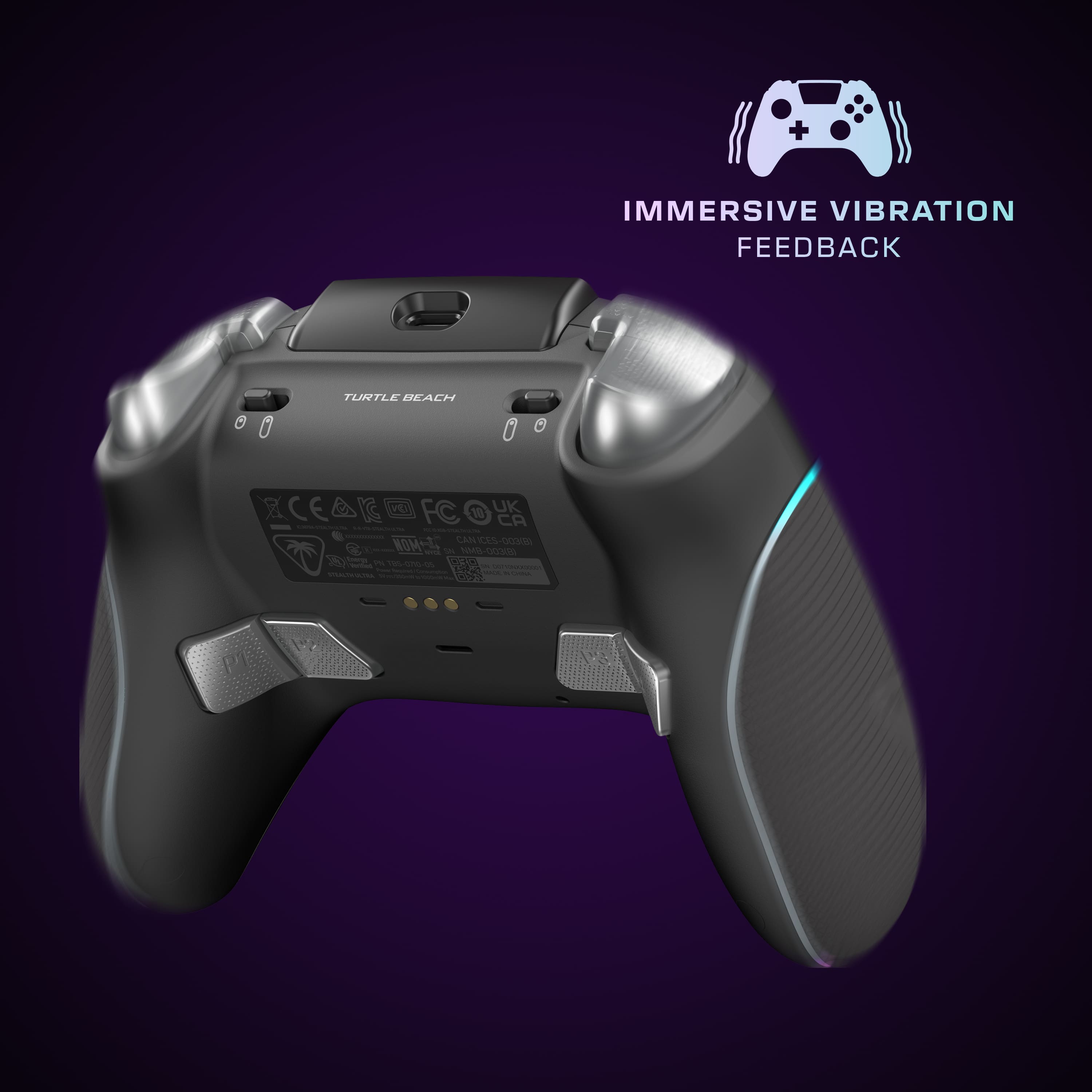
|Posted .This reviewer received promo considerations or sweepstakes entry for writing a review.I was going to write a typical, “let’s point out all the features” type review but I really want to point out a few items that differentiate the Turtle Beach Stealth controller from your typical Xbox or Xbox Elite controller. First, and most important to me, is the Anti-Drift technology. My favorite Xbox game of all time is Titan Fall 2. Yes, it is an old game, but it is, in my opinion, one of the best FPS games ever made. And I still play it on Xbox when the servers are up. The biggest issue I have with regular Xbox controllers is drift. For example, when my character response he will immediately begin drifting to the right. I can put my regular Xbox or Xbox Elite controller on the ground, walk to the other room to get a drink, and when I get back, I will have found him still walking to the right. Adjust stick dead zones, stick sensitivity, and switching controllers and quality of controllers provide some relief but never fully solved the issue. The Turtle Beach Stealth Ultra fixed the issue right out of the box! I spent the night parkouring every wall and ledge I could find; feasting on the fast frag fest which is Titan Fall 2. Never once did I experience any stick drift. Honestly, if the Stealth Ultra failed my Titan Fall 2 antidraft test then I would have packed it up and sent it back to Turtle Beach. Antidrift is just one of the useful features I found with the Stealth Ultra. The onboard configuration allowed me to set up customer dead zones for each stick. I disabled the dead zone options in my game and used the Stealth Ultra’s onboard controls to custom the dead zone for each stick. The modifications paid off with better precisions with movement and aiming. It was not magic. I did not suddenly become the untouchable pro player with a bullet proof slide hop magical movement pattern. But I did feel more in control of my avatar. I will note that my Titan piloting did not improve any. Then again, the movement system is tweaked to feel like a giant robot as opposed to a super nimble, jet pack totting super soldier. The controller itself is slightly larger than a typical Xbox controller. As such, the bumper buttons took a little getting used to. The buttons themselves are comfortable, easy to depress, and super sensitive. The issue I have is that my grip style favors my forefinger to control both the trigger and bumper buttons. Gripping the controller with just my thumb and forefinger forces me to reach with my forefinger. Which is a little awkward for me. The controller really favors a grip with a finger on the trigger, a finger on the bumper, and thumb on the thumb stick. In this configuration, all the buttons except the P2 and P3 buttons on the bottom are easily accessible. If you plan on programming the P1 – P4 buttons, then this may be an issue for you. If you plan on just using two buttons, then the P1 and P4 buttons will be easy to access on demand. The sides of the Stealth Ultra have a shallow texture that act like a grip but really are not. The controller did slip around in my hand when holding it with thumbs on the sticks, forefingers on the bumper and triggers, and the other three fingers gripping the controller handles. I also kept pressing the P1 – P4 buttons whenever I tightened up my grip on the controller. Finally, setup with Xbox is a little awkward. The Stealth Ultra will not connect directly to the Xbox wirelessly without the included cable, charging cradle, and the USB wireless adapter plugged into the charging cradle. I found this disappointing since, at the very least, I was hoping the Xbox could operate directly inserted into a free USB port on my Xbox Series X. Why? Because latency goes up if the signal needs to travel down a 15-foot cable before reaching my Xbox. It does not add much latency but there were times where I felt like my avatar was reacting just a fraction of second after I pressed a button or moved the control stick. Of course, this can be completely resolved by connecting the controller directly to the Xbox using the included cable. The other odd thing I found with the Stealth Ultra is that pressing the Xbox button on the controller does not auto-start my Xbox. I need to also press the Wireless sync button on the USB wireless adapter. This can be a pain because sometimes the Stealth Ultra and the USB adapter fall out of sync and can be a real pain to resync. I also found syncing to a be a real pain when trying to connect with the Control Center 2 app on my phone. Sometimes the Stealth Ultra was available and sometimes it was not. Hence, the reason why this review does not include any information about Control Center 2. Overall, I think the Turtle Beach Stealth Ultra is a fine controller. It has infinitely more flexibility than a stand Xbox or an Xbox Elite controller. The built in control panel allows for custom audio, stick dead zones, social, button, calibration, lighting controls, and more. It will probably take an afternoon or two to get used to the controller’s lite weight and larger size. But nothing is insurmountable for your average gamer.
I would recommend this to a friendBrand response from Turtle Beach Support
Posted .Hello Jim!
We appreciate the feedback about your experience with the Turtle Beach Stealth Ultra Controller.
The Turtle Beach Stealth Ultra has had a new firmware release, v.1.0.4, the following changes and features have been implemented:
• Fixed a bug where the controller would remain in charge state and require a hard reset.
• Fixed a bug where the controller would power down if thumbsticks moved together rapidly.
• Added LSB (L3) and RSB (R3) functions to the button mapping section of the Command Display screen.
• Updated charging behavior on the dock, now the screen will power down during a charge. The charge LEDs will power down when product is fully charged. Pressing a button will show you temporary charging stats.
• Updated the charge status LED brightness so that it is independent from the general LED brightness options.
Please download the Control Center 2 application on PC or Xbox to update your Stealth Ultra to the latest firmware. If you have previously downloaded it, simply connect your device to your computer or Xbox and run the application.
If you have any questions or concerns, please reach out directly to our dedicated Support Team so they can assist. They’re always happy to help and can be reached right from the support section of the Turtle Beach website.
Thank you and have a great day!
- Pros mentioned:Battery life
OK Gamepad, Lots of Promise
|Posted .This reviewer received promo considerations or sweepstakes entry for writing a review.I picked this up to use with my Windows gaming laptop to replace the older, discount USB-A corded controller that I've been using for casual gameplay for years. My review will be based around using this controller on a Windows laptop running Windows 11 and Steam, I don't have a X-Box, so can't speak to that. I've been using this controller for serveral weeks now, mostly playing games like Dark Souls 3, Doom Eternal, and other games that I thought would be good to test for any delays or lags in the controller. Out of the box, you get: - Carrying case - Contoller - USB A dongle - Charging dock with USB-C to USB-A cable I reviewed the set up and I noticed that you can actually connect the USB-A dongle to the charging dock. In my case, I have the charging dock connected to my laptop's hub, so I'm able to leave the dongle in the base, and the base connected to my computer. This is nice because I was able to have a cleaner set up on my desk without having to figure out a USB port for power and another for the dongle. There is also Bluetooth functionality that you can use to pair it with devices over BT instead if you want. I was able to test getting it connected to my iPad and Mac as a generic Bluetooth gaming controller as well. However, I ususally leave it set to use the dongle because I feel like it just works better, but YMMV. There's also an app you can download and that's really where the source of my frustrations with this controller came to light and I feel really took away from the promise of the device. For starters, you can have different profiles on the controller with different lights, features, etc... but you can't rename them. At least, I wasn't able to figure out how to do it in the iOS app. So what sets this apart from a regular X-Box controller? There's a few extra buttons under neath the grips that you can use if you're playing a game the supports custom button mapping, you can have different lighting effects on the controller while you play, and there's an app that does... something. That's when I started to question the value of this controller. It feels like regular plastic like other controllers, it vibrates like other first party controllers do, and other than the LCD screen that lets you cycle through different profiles, which you can't name, or lighting effects, I don't know if this thing is really ready to be considered a "premium" gaming controller. It's a nice controller in spite of the drawbacks, and it handled several sessions of mutltiple hours of gaming without the battery dying, and I'm still planning on using it. But if you're looking for just a basic controller, than this thing is overkill. I hope that Turtle Beach will refine the controller's app experience and software, because I have no doubt that this will get better if the company is willing to invest more into it.
I would recommend this to a friendBrand response from Turtle Beach Support
Posted .Hello CJ!
We appreciate the feedback regarding your Turtle Beach Stealth Ultra Controller.
If you have any questions or concerns, please reach out directly to our dedicated Support Team so they can assist. They’re always happy to help and can be reached right from the support section of the Turtle Beach website.
Thank you and have a great day!
- Pros mentioned:Battery life
Best controller I have used to date.
|Posted .This reviewer received promo considerations or sweepstakes entry for writing a review.First gaming controller. I've used the Xbox-made gaming controller for the last many years. We play a lot of sports games, as well as the traditional MK games and Killer Instinct. I don't think you realize until you have an actual gaming controller just what you are missing out on by playing with factory or cheap wired controllers. Gameplay is much more reactive; there is little to no lag, and no dead spots, where you feel that you were attempting to do something on the controller and nothing happened at all. I tested the Stealth Ultra on NBA 2K23, Madden 24, NHL 23, Mortal Kombat 1 and XL, and the most recent release of Killer Instinct. First off, love the rechargeable battery. Love the dock that the Stealth Ultra sits on to charge, as well as the nice, long USB charging/docking cable that comes with it. The wireless receiver plugs into the charging dock, the controller is synced with the dock which then communicates with the Xbox via the wired connection. In use, there were no glitches or issues, and the controller synced up perfectly. Now on to use: I've had issues with the Xbox branded controllers continuing movement on NBA 2K23. In other words, I've taken my thumb off the joystick, but my player keeps moving for a moment, forcing me to overcompensate with the stick and get blown by other offensive players. I played with the Stealth Wireless controller and was suddenly Scottie Pippen on the court, easily staying in front of tough offensive players like Trey Young. Nice beginning.... Switched over to Madden and NHL, and loved the experience with both. So smooth and accurate! Players turned on a dime, and what I had thought were agility issues written into the games actually turned out to be laggy Xbox controllers. Man, wish I had tried something like the Stealth Ultra prior! Moving over to the fighting games, it was more of the same. On MKXL, Jason Vorhees has several devastating moves that require a down, away, towards movement on the joystick or keypad that have always been difficult for me to master. I figured I was just terrible at it, but with the Stealth Ultra I was consistently able to execute the moves. I can only assume it is the accuracy of the controller and the lack of lag that I've noted prior. Both MK and KI games were very fun to play, even my daughter mentioned that she could tell a big difference in the sensitivity of the controller. I don't play PC games, so can't speak to the Stealth's ability with the PC. On the Xbox, however, all I can say is well done, Turtle Beach! The controller is extremely ergonomic, looks brillant with its racing stripe LED lines and display, and plays like a dream.
I would recommend this to a friend - Pros mentioned:Battery life
Great wireless controller for Xbox or PC
|Posted .This reviewer received promo considerations or sweepstakes entry for writing a review.I have always liked using Turtle Beach gaming headsets in the past and I am always up for using new controllers especially ones that can be used on windows PC and Android phones. I been using the default Microsoft Xbox Series controller for the past few years and it has done the job. Inside the box You get the charging dock USB dongle to use the 2.4GHZ wireless different tops for the controller for different grip for the joystick 10 Foot USB Type A to Type C cable Hard shell carrying Case The controller itself I have been using this with my windows Pc for the past few days and while I initially thought it to be too big I eventually got used to the size of it and prefer it over the OG Xbox controller I have been using. It also has a small screen which you can use to change the RGB lights, vibration settings and etc. Also you can connect your phone to it for notifications for instagram for example. It also has 4 buttons on. the bottom that can be remapped for different buttons like A or B for easier use as well and its easy to reach without it being awkward as well.
I would recommend this to a friend - Pros mentioned:Battery life, Buttons
Great solid controller
Posted .This reviewer received promo considerations or sweepstakes entry for writing a review.Have used it multiple hours a day for the past 2 weeks now, still very solid and no flaws by any means so far. Personally i think the screen is a little over kill for my use but perfect for bigger gamers/streamers. Mouse click buttons and triggers are remarkable, sticks feel amazing too software and remapping the buttons are easy and amazing to use as well. Ive used scuf, the elite, and other controllers and id still highly recommend this one
I would recommend this to a friend Great Controller, questionable battery life claims
Posted .This reviewer received promo considerations or sweepstakes entry for writing a review.the feel and comfort of the controller is fantastic. The sticks, paddles and face buttons are solid construction. The placement of the 4 back buttons isn't great but not the worst either. The only negative is the battery. they claim it last for 30 hours but I'm only getting maybe 10 to 15 hours per charge.
I would recommend this to a friend- Cons mentioned:Connectivity, Price
These are an absolute scam!!
Posted .This reviewer received promo considerations or sweepstakes entry for writing a review.I’m appalled that I spent 200 dollars for something that I’ve only had for 3 months and it already can’t connect to my Xbox anymore, this is the pure context of corporate greed where you charge a ridiculous price for a poorly made product. Stop scamming customers and just make good products. I do not recommend this for anyone It disconnects regularly and now mine won’t reconnect and I haven’t even made use of it for more than 3 months Has no weight to it, feels cheap, the screen seems cool until you realize you’re playing on a screen already so it never gets used App disconnects from it all the time so even the cool part that’s supposed to be worth the 200 dollars is practically worthless Spend 200 on an elite controller Microsoft will always be the best to go to for Xbox controllers. Don’t waste your money on this scam crap.
No, I would not recommend this to a friendBrand response from Turtle Beach Support
Posted .Hello Robert! We are sorry to hear about the experience you've had with your Turtle Beach Controller. Many improvements have been made in the firmware updates released for the Stealth Ultra, some directly related to what you experienced. We would suggest making sure both the Stealth Ultra and its USB transmitter are updated to the latest versions available. Additionally, our products are each sold with a manufacturer's warranty, and we have a dedicated Support Team available to provide assistance as needed. If you perform the firmware update and have the same experience, or have already done so, please reach out directly to our dedicated Support Team so they can lend a hand. They’re always happy to help and can be reached right from the support section of the Turtle Beach website. Thank you and have a great day!