Customer Ratings & Reviews


- Model:
- TBC-5101-85
- SKU:
- 6641469
Rating by feature
- Value
Rating 3.6 out of 5 stars
- Quality
Rating 3.8 out of 5 stars
- Ease of Use
Rating 3.7 out of 5 stars
Customers are saying
Customers are delighted by the product's excellent ergonomics, robust build quality, and impressive modularity. They also appreciate the comfortable button layout, responsive triggers, and the inclusion of Hall Effect sticks. The primary concern raised by customers is regarding the battery life.
This summary was generated by AI based on customer reviews.
- Pros mentioned:Ergonomics

Gaming with tons of flexibility.
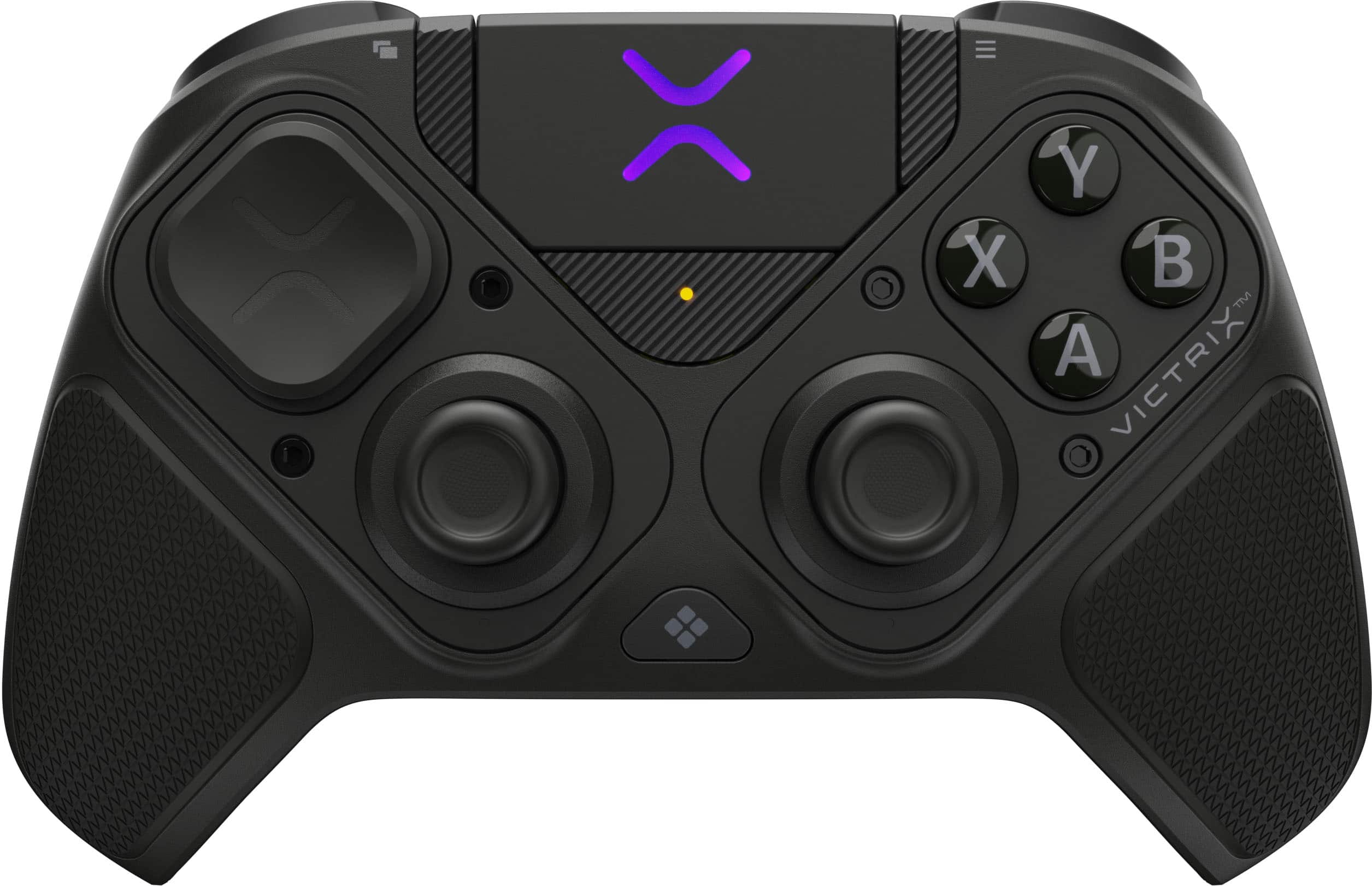
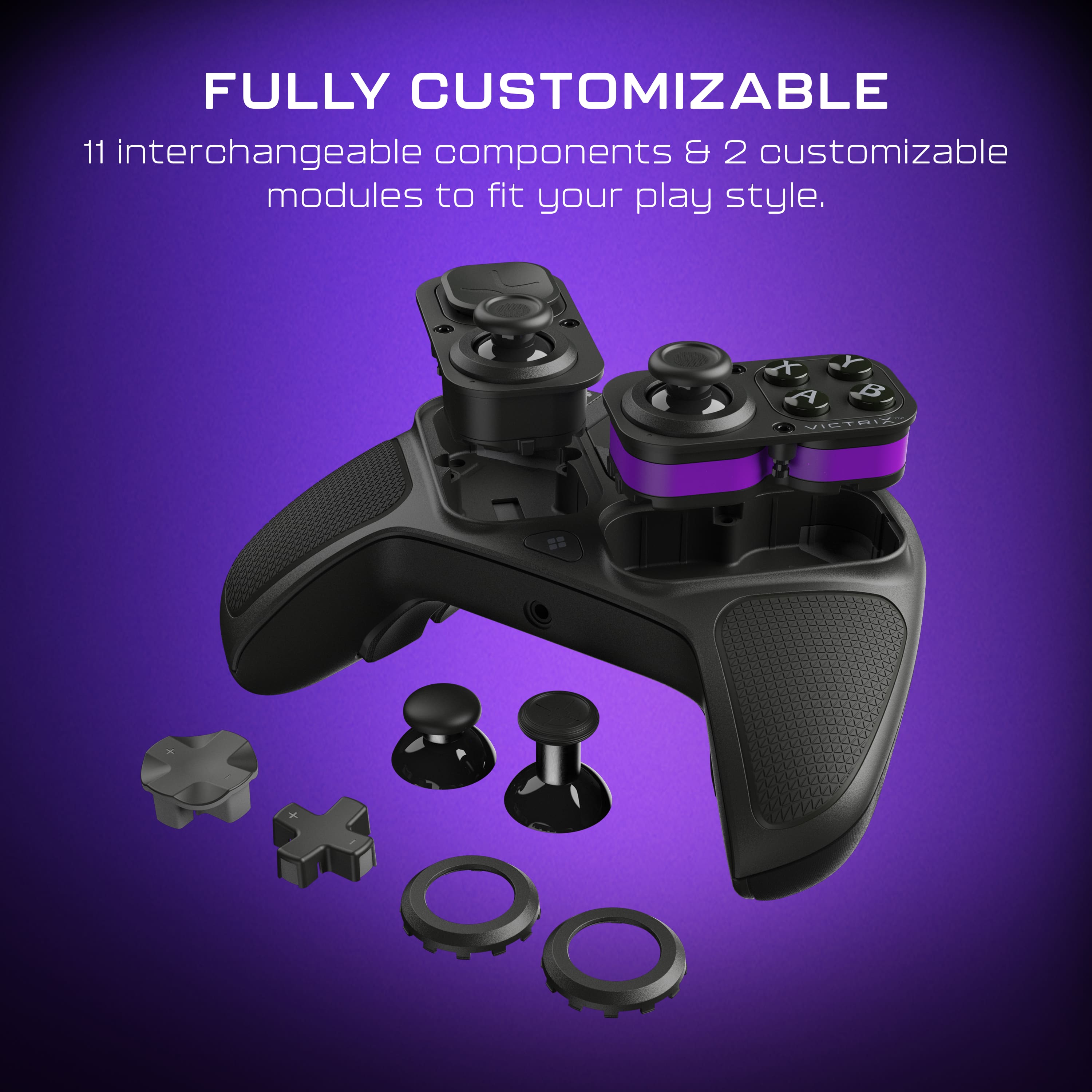
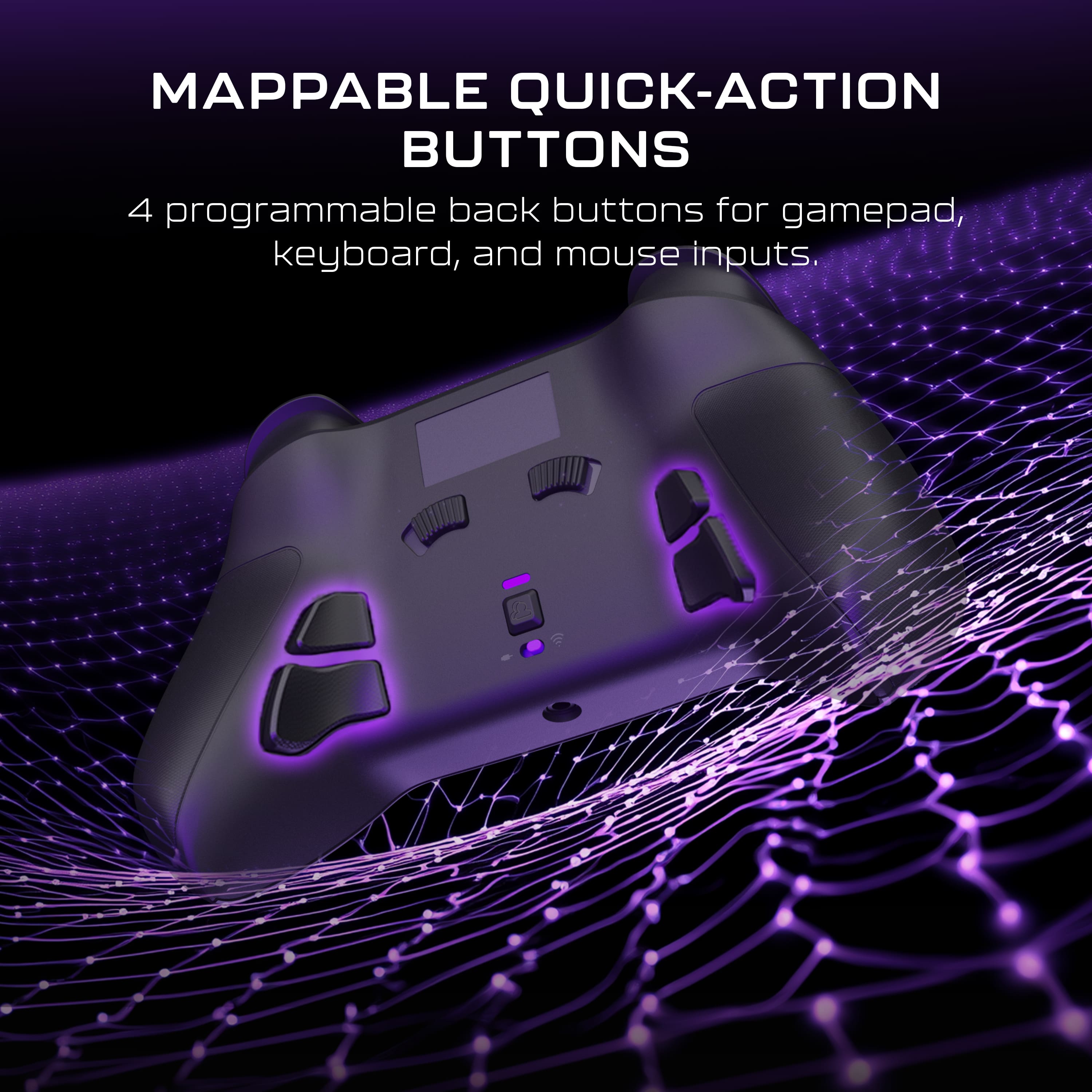
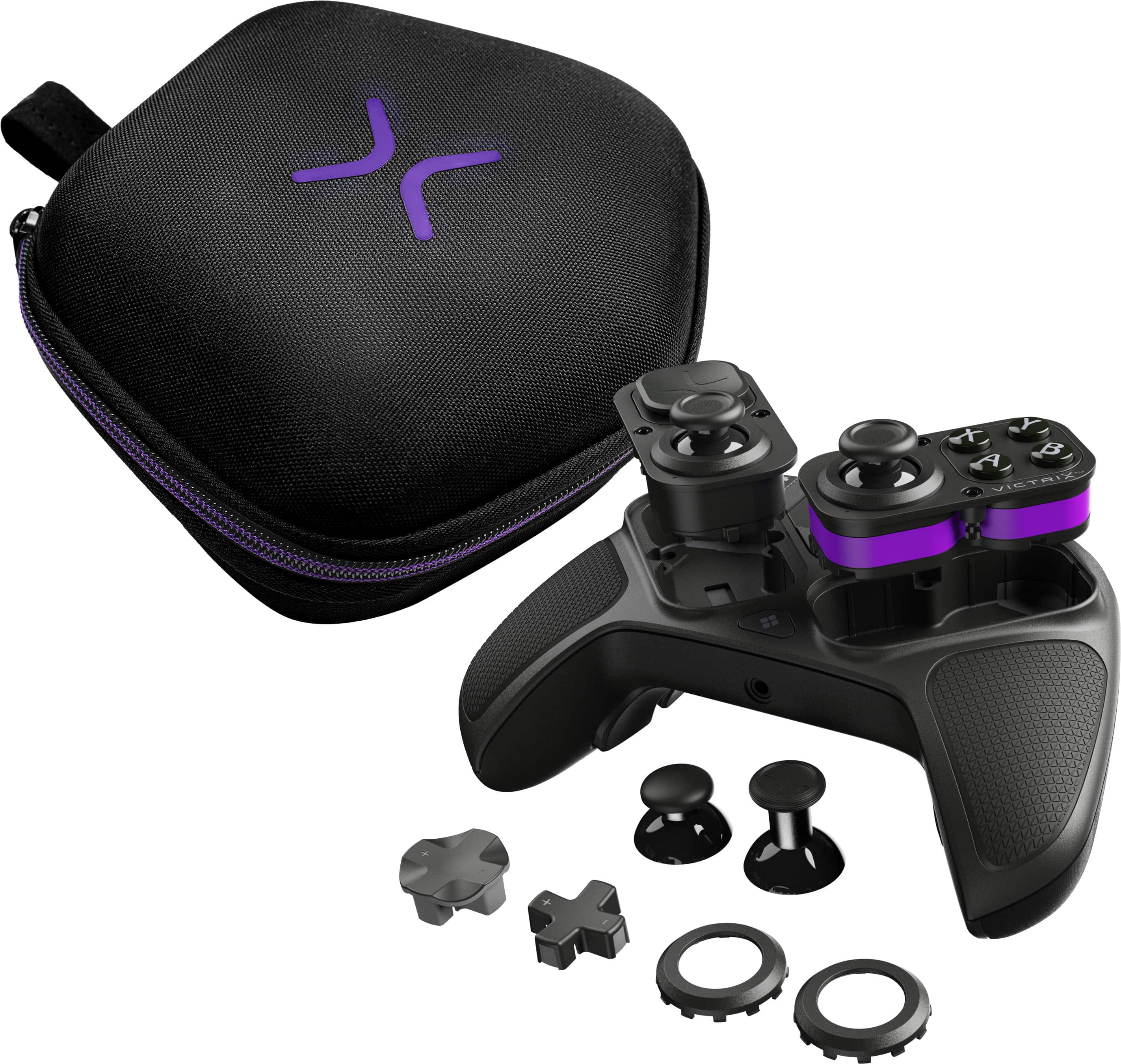
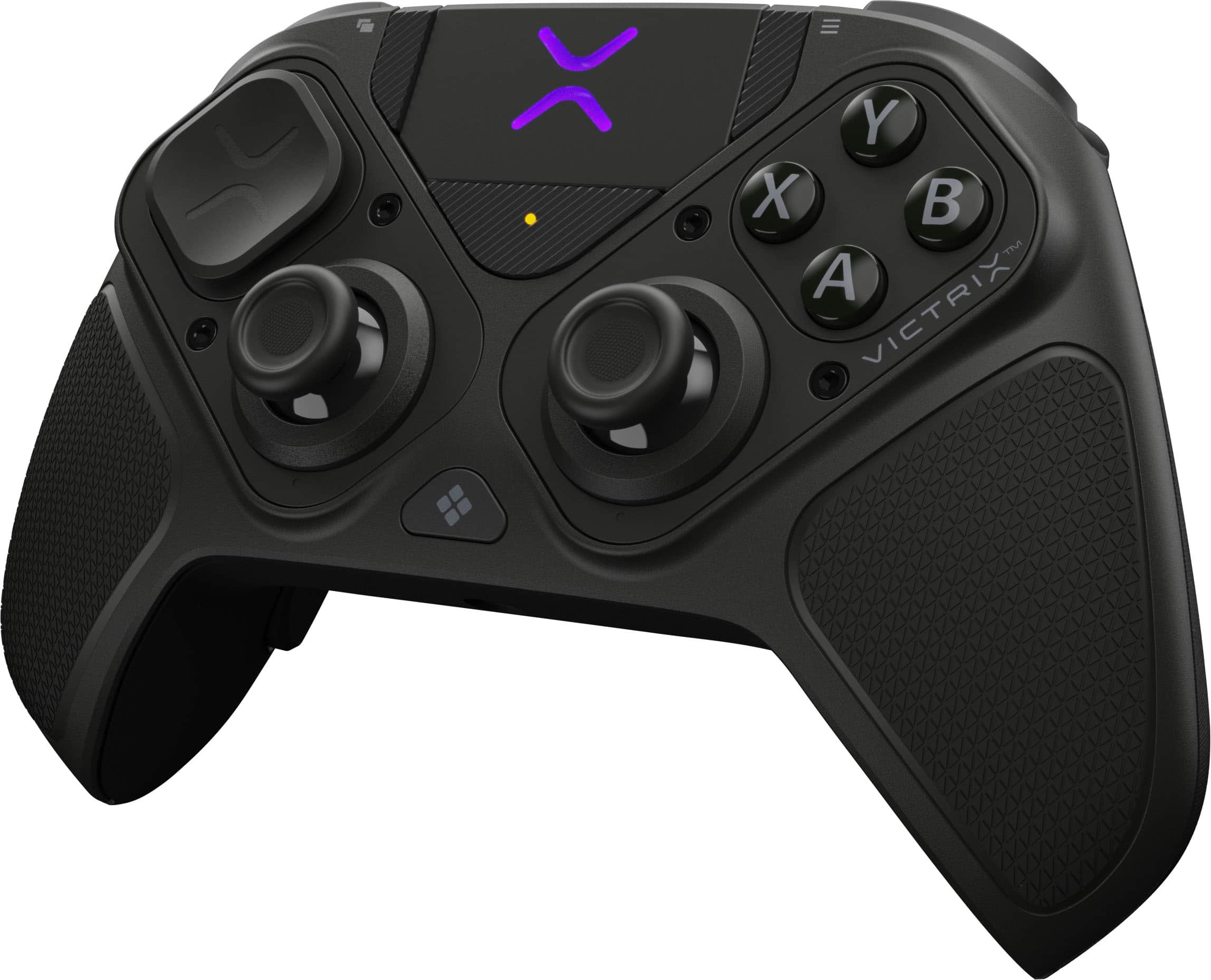
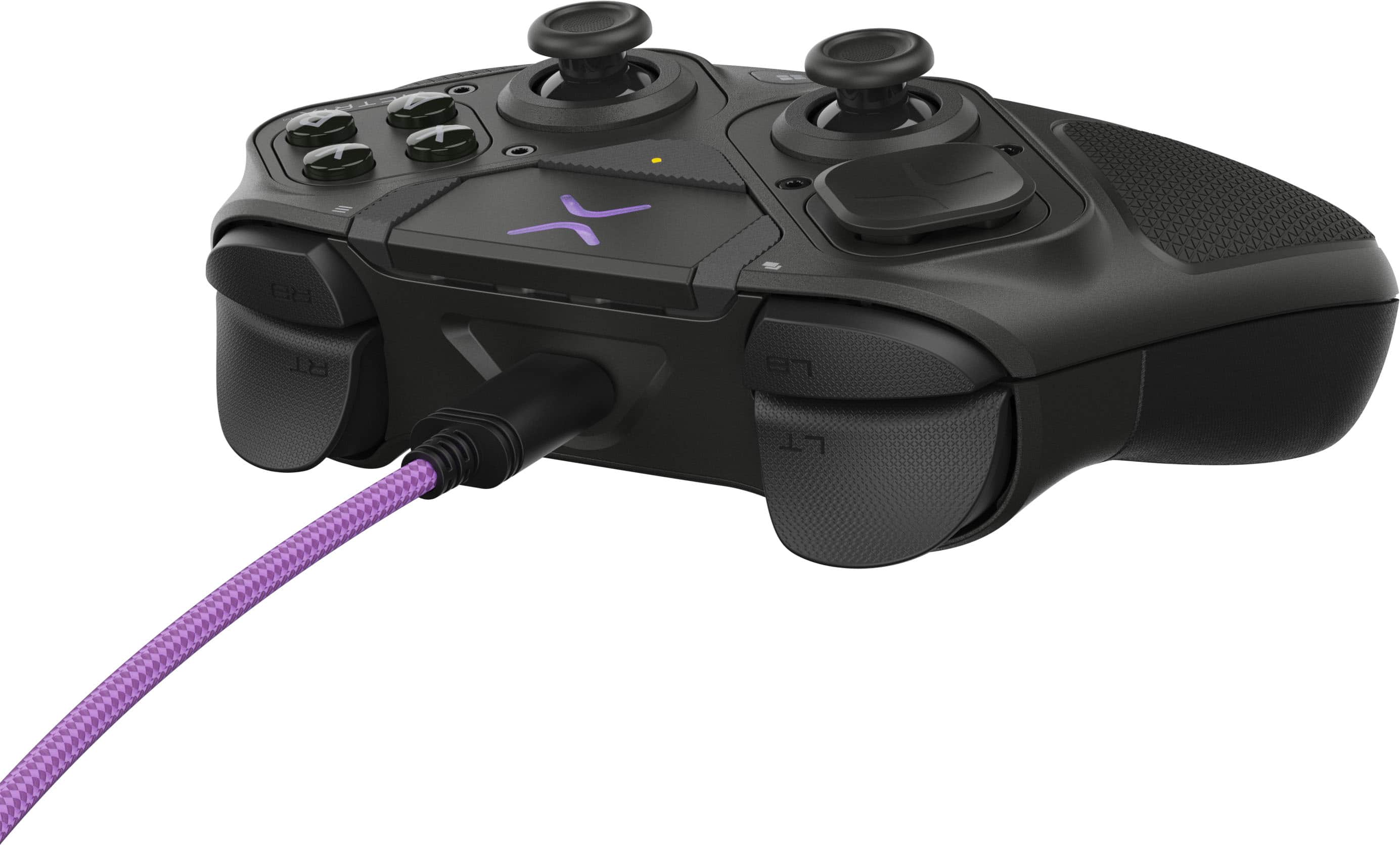
|Posted .This reviewer received promo considerations or sweepstakes entry for writing a review.I’ve been able to use the Turtle Beach Victrix Pro controller for a while now. Out of the box this thing is nice. And you will be bombarded with all the features and also all the accessories that it comes with. You get so many and I’ll try to list them off the best I can. You get joy sticks convex and concave. And one longer one. And you get 3 types of Dpads. One that has a bowl type that’s attached on it and you get a wider button then finally a thin old school button. There are two plastic sticks in the case (oh yeah it comes in a nice case) it’s just to hold the foam in place. I was going crazy trying to figure out what it was for. So don’t go crazy. It’s just packaging. The controller itself feels great. I have larger hands and it feels good. My wife who has smaller hands says she likes it as well. Shes a PlayStation controller enjoyer. So that’s a good sign. The controller has a lot of flexibility for controls and setup. You are able to swap the joysticks to however you want. You can have them both in top, or one down and one up, or both on the bottom. You are able to do this by unscrewing the module and spinning it. At first I thought the screws could be lost but then realized they are captive screws. Nice touch. It has the ability to set the depth of the triggers too which is really cool for adding speed to your triggers. Also the 4 buttons on the back help with shooters for keybinds. I want to note that USB C is a nice braided purple which is super cool. Overall it’s a nice gaming controller with tons of flexibility.
I would recommend this to a friend Accurate, customizable and fun
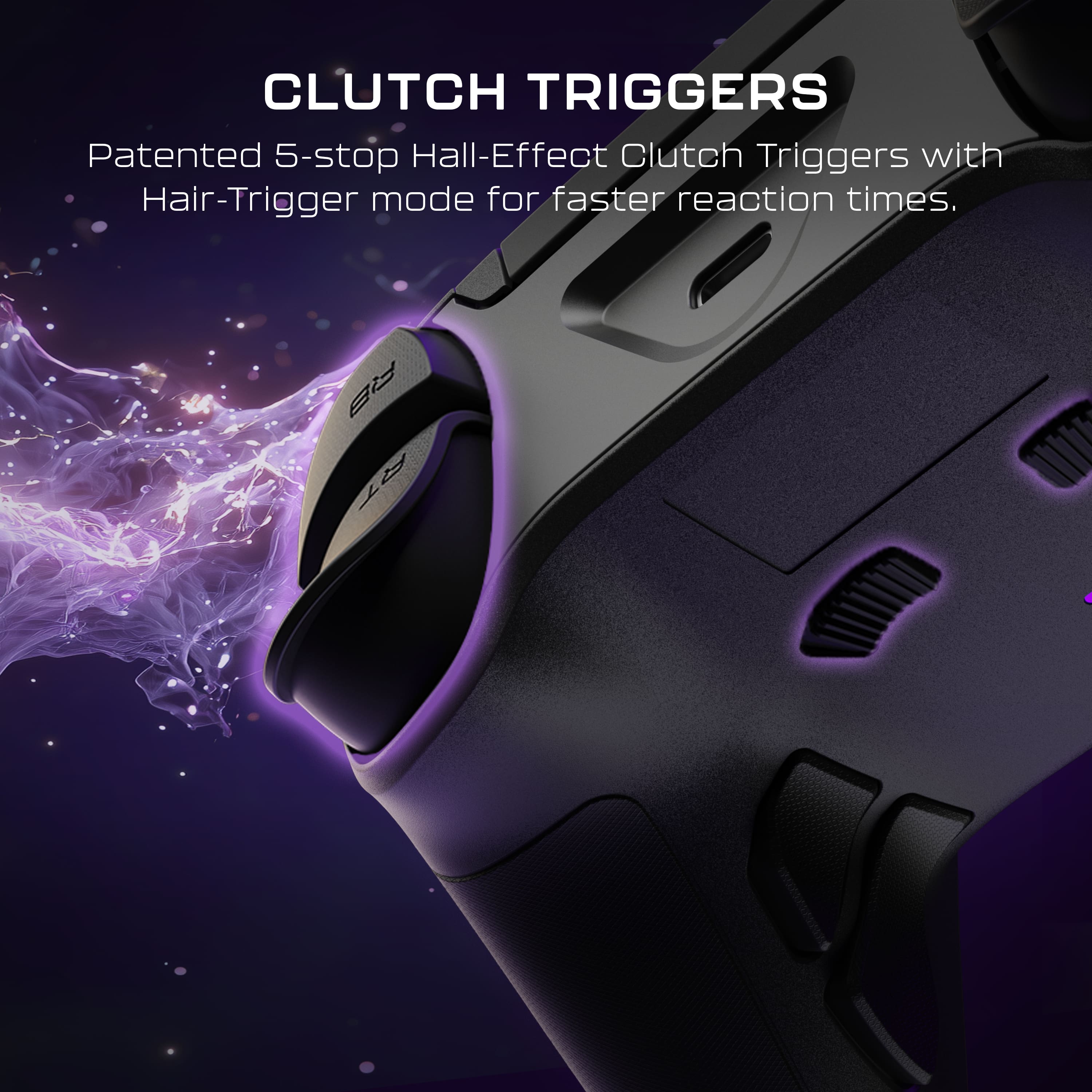
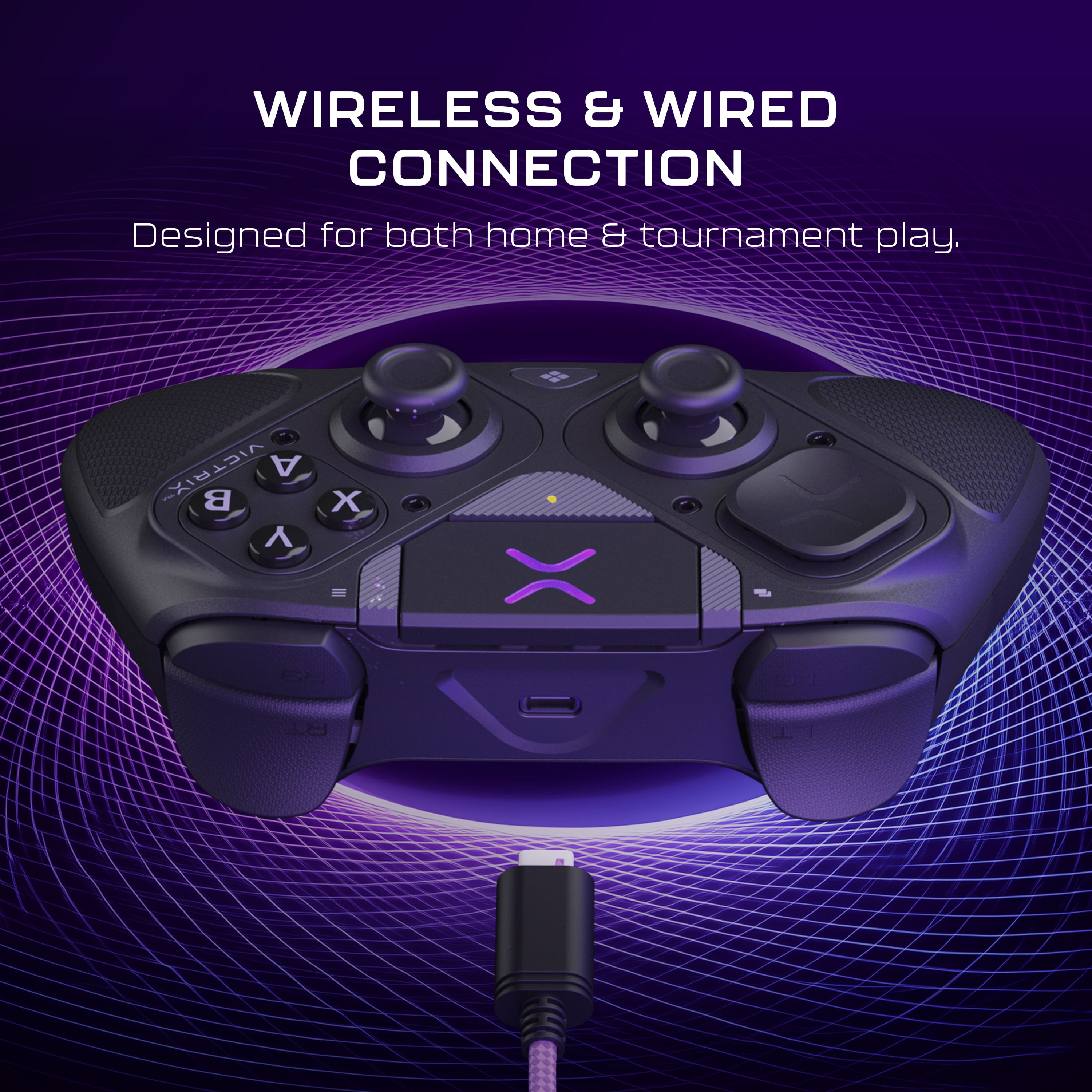
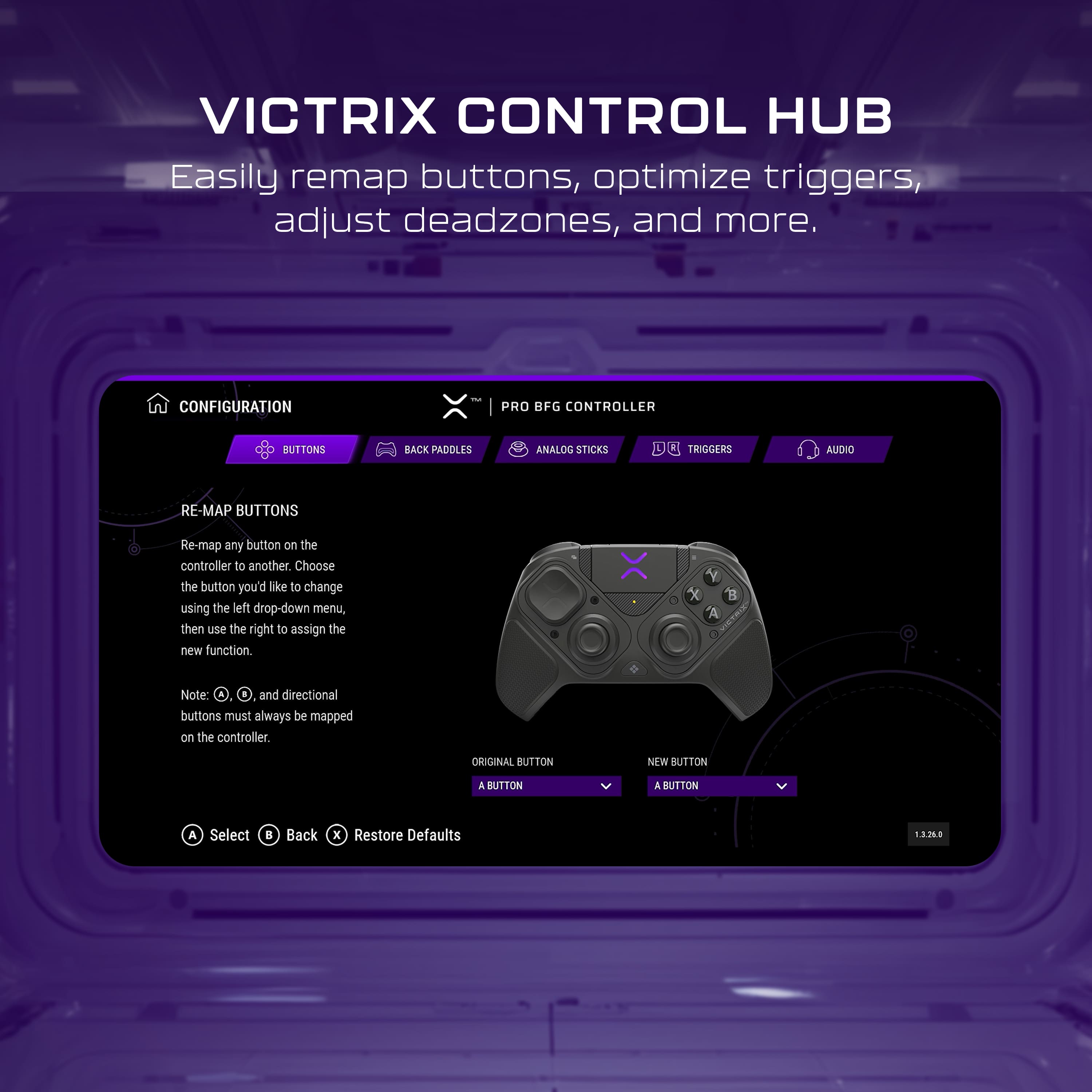
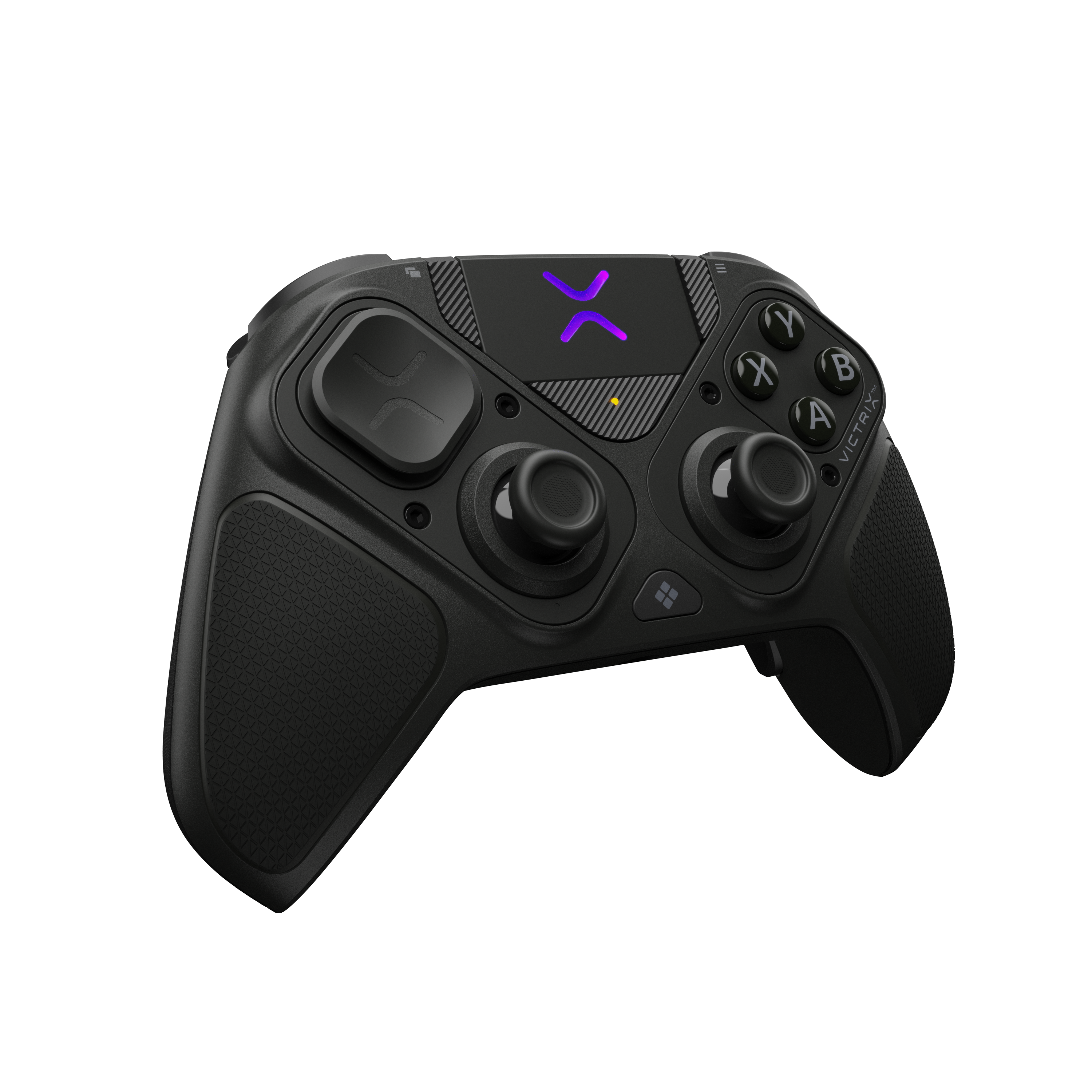
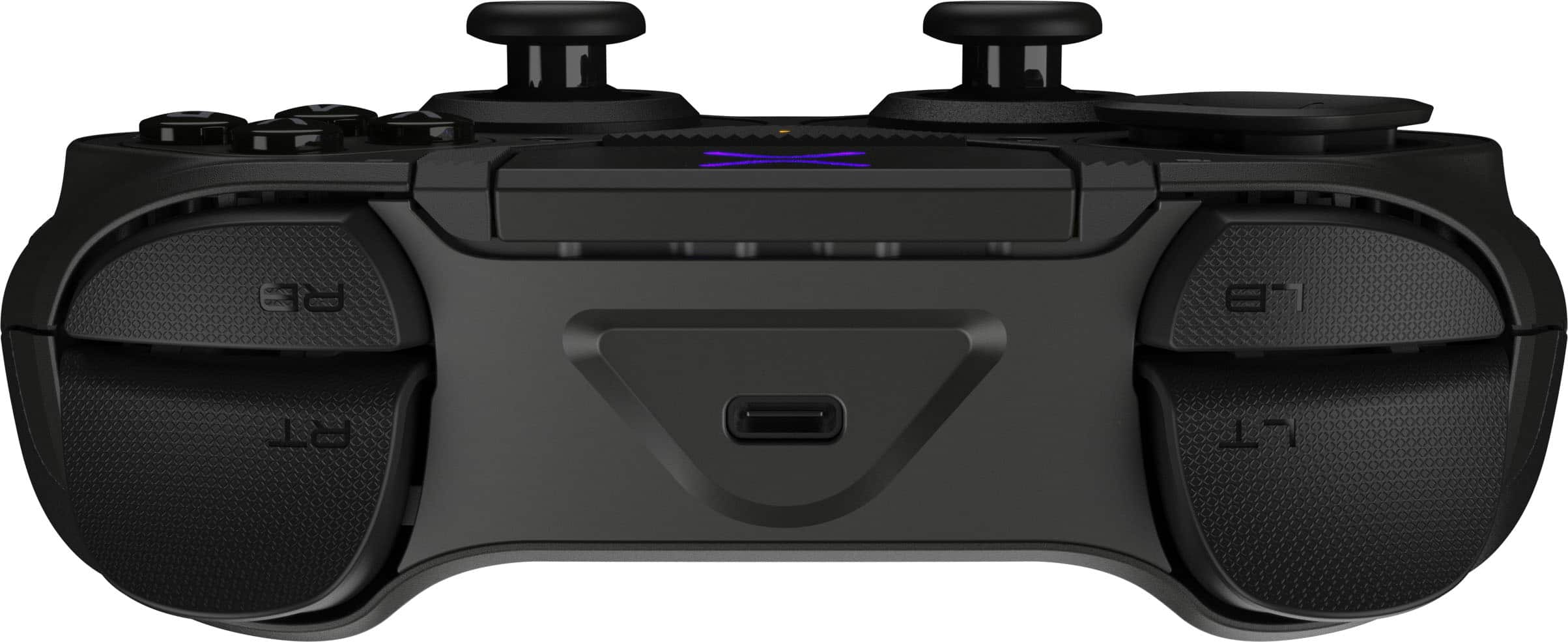
|Posted .This reviewer received promo considerations or sweepstakes entry for writing a review.The Turtle Beach Pro BFG Reloaded is a deluxe controller with numerous customization and configuration options. It ships inside a rigid storage case along with swappable components (D-pads, thumbsticks & gates), a 3-meter braided USB cable, USB-A receiver, USB-C to A adapter, Steam Deck USB-C adapter, and a small hex-style mini-screwdriver. Unless you own a small electronics driver set, I suggest being careful not to lose the bundled screwdriver because a regular screwdriver won’t work. The controller has a compact and comfortable ergonomic form factor. This particular model is compatible with Windows and Steam Deck only, not X-Box. The bottom button between the modules is programmed by default to launch the Steam app and the out-of-the-box layout is only partially similar to an X-box controller. The biggest differences are a trackpad where the Xbox home button typically is, the left analog stick being flipped to the bottom, and a different D-pad style. The D-pad can be swapped out for a more traditional four-point style like those found X-box controllers and the analog stick can be flipped up to the top using the included screwdriver to remove and flip the module 180-degrees. Module and component swaps are easy and intuitive to perform. A companion app is available named Turtle Beach Victrix control hub that can be used to update the controller’s firmware, remap the buttons/switches, adjust dead zones, and calibrate the controller. A QR code link to the app is provided and good thing too because I was unable to find it searching the Windows app store. Only the Turtle Beach PDP control hub is currently available in the app store and it is not compatible with this controller. The Victrix app immediately detected the controller and applied a firmware update on launch. I then calibrated the analog sticks and re-mapped the buttons to my preference. Performance is fantastic. The reversible hall effect modules provide precise controls with no noticeable drift. The controls can be recalibrated in the app at any time if any issues develop. Dead zones can also be adjusted in-app. The controller has true precise aim and quick response with no observable latency whether wired or wireless. The 5-stop clutch operated hall effect triggers are very responsive and are fantastic for most gaming scenarios, whether that’s requiring a hair trigger in a FPS or a long throttle control for racing games. They can provide an advantage when quick reflexes and reaction times are a must. There is a trackpad at the top of the controller that seems more suitable for a Steam Deck. I’m accustomed to using traditional X-Box style controllers on PC, so I don’t really have a need for it. Another feature I don’t use is the onboard 3.5mm audio jack. I had one on my previous Turtle Beach Recon controllers and wasn’t too thrilled with it. I’ll stick with my USB and wireless headsets and buds. The texturized controller grips are comfortable and slip-resistant, even during sweaty palm lengthy gaming sessions. The controller can be used wired or wireless. A switch on the controller bottom toggles between wired and wireless modes. I haven’t experienced any connection issues or degraded performance over wireless. Button placement is suitable for the most part, but I recommend disabling or remapping any unneeded buttons because when engaged and locked in during intense gaming, it is easy to accidentally hit one of the back paddles on the underside of the grips. Battery life is on par with my similarly styled X-Box controllers and the controller can charge and be used simultaneously with the cable. The Pro BFG Reloaded is a solid controller. It feels well-built and durable. It’s comfortable and has a ton of customizable options. The stylish storage case is a nice touch, especially considering it efficiently holds everything so no pieces can easily get lost or misplaced. However, I can only recommend this controller to those who own both a Windows PC and/or a Steam Deck. This controller is not compatible with Xbox and is lacking some of the Windows/Xbox-centric controls and defaults. The Xbox version of this controller would definitely be a much better option for those strictly on Windows and/or Xbox. The Xbox version even includes a flightpad module. Despite this fact, for those splitting time between a Windows PC and a Steam Deck, with a little customization, this is an excellent and highly capable controller with spot-on accuracy on a Windows PC. It’s also a good option if using on PC exclusively or primarily in Steam rather than through the Xbox app. Options like the Steam launch button are just as useful on PC if the Xbox app and button aren’t utilized or needed.
I would recommend this to a friendExcellent PC controller with Hall Effect Sensors
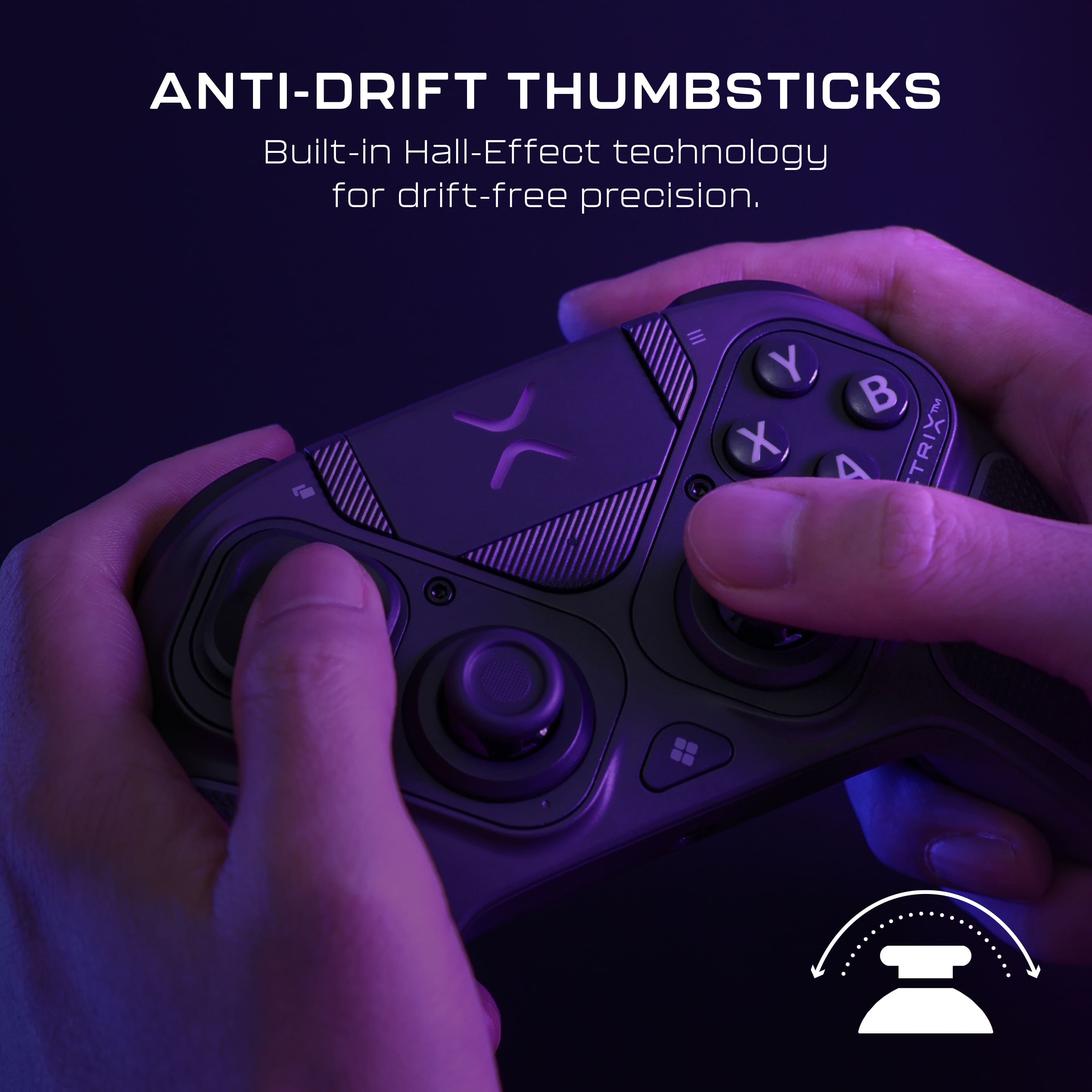
|Posted .This reviewer received promo considerations or sweepstakes entry for writing a review.The Victrix Pro BFG feels like a high end Xbox controller, but with hall effect joysticks, rear paddles, and some neat customization options. It’s aimed for the upper end of the controller market and even comes with a nice hardshell case that conveniently stores the controller and accessories (screwdriver, assortment of D-pad covers, different heights of joysticks, angular joystick gates, and adapters). I appreciate how everything feels high quality and that extends to the controller itself. Not only does the body feel rugged but more importantly the controls are responsive and precise. And best of all, because it uses hall effect sensors for the joysticks that means no more worrying about stick drift! As someone who loves the series X controller body, this is my favorite alternative so far. CUSTOMIZATION When I opened the case and saw the screwdriver and extra parts, I knew this controller was something special. You can change D-pad styles, the joystick gates, the height of the joysticks, shorten the pull range on the triggers, reprogram buttons, and then there’s the one big novel feature. You can flip the joystick and D-Pad/button orientation around. They’re modular and can easily be set up like an Xbox controller, or swapped around so the joysticks are parallel like a DS4 controller. I believe you can even move the physical buttons around, but haven’t tried that yet. In terms of customizing the controls themselves, it’s pretty straight forward in the Victrix app and I appreciate how easy it is to use. My only knock on it is that it won’t allow you to program macro functions. You can reprogram essentially every input on the controller, but only for one function at a time. No turbo modes either. This controller is geared for competitive play, so I guess they left those features out to stay compliant for tournament regulations. Which is fair, but something to keep in mind. FUNCTION All of the controls feel responsive and accurate. There’s excellent tactile feedback for all of the controls, though I feel like the triggers are a bit soft. I’m really nitpicking here, because it’s been a fun gaming experience and I really like how the middle sensor doubles as a mouse trackpad (like the DS4). It comes in handy for PC play and the D-pad is a definite upgrade from a series X. But the big draw are the hall effect sensors for the joysticks. Stick drift has put many of my favorite controllers to rest and that issue is virtually eliminated with these sensors. I’ve read that joystick tension can feel light with them, but that’s not the case here. The tension is spot on for me and for whatever reason, I seem to be more accurate playing FPS games. I did notice there’s no rumble effects or haptic feedback, and maybe that’s what it is, but there’s been a definite improvement lately. Speaking of which, I’m a fan of haptic feedback but was surprised how much I didn’t miss it here. It took me a while to even realize it wasn’t vibrating. I’d still like it as an option, but it doesn’t add as much to the gaming experience than I thought. If there’s one major knock it’s that you can’t see what the current battery charge level is. I’m hoping a software update can fix that, because it’s nice having more than just light flashes when the battery is low. At least the battery is rated for about 20 hours per charge. Overall, the Victrix Pro BFG controller is almost perfect for me. The look, quality, feel, and responsiveness are all there. I do wish for a battery level indicator, but aside from that it’s an excellent controller and my go-to for the foreseeable future. PROS - Excellent built quality - Good joystick and button tactile feedback - Good size and ergonomics - Controls feel precise - Love the touchpad - Hall effect joysticks - Kind of like blending an Xbox Elite controller with a Sony DS4 controller and adding hall effect joysticks. - Can swap joystick and button layouts - Can swap joystick height, joystick gate, D-pad type, and buttons - Triggers have 5 adjustable range levels - 4 programmable rear paddle buttons - Nice case that stores accessories - Easy to program buttons and calibrate in Victrix app CONS - No vibration or haptic feedback - Can’t see battery charge level - Triggers feel light (prefer more tension) - No turbo button programming - No macro button programming
I would recommend this to a friendPerfect PC companion
|Posted .This reviewer received promo considerations or sweepstakes entry for writing a review.The Victrix Pro BFG Reloaded Controller for PC is built different from the competition. First things first, this is one of the best lightweight and customizable controllers I’ve used. I’ve gotten a chance to test Turtle Beach’s Victrix Pro BFG Reloaded controller for XBOX too. After using both, I have some thoughts. The Turtle beach website recommended downloading the Victrix Control Hub App from the Microsoft store. This was really easy since I already had the app on my PC. I was able to update both the dongle and controller to the latest firmware fairly easily. The PC version feels more lightweight and better in the hand after using both. What is this controller and who is it for? The Victrix Pro BFG Reloaded controller for PC comes in one color option of black with purple accents. The controller is lightweight and feels great in the hand. Having the ability to customize the modules is a big plus. If you love fighting games, this controller should definitely be looked at due to the ability to buy an optional fightpad module. Since this version of the Victrix Pro BFG Reloaded is for PC, this means compatibility is limited to Windows 10&11 and Steam Deck only. I would suggest choosing the correct controller version before purchasing as the PC version doesn’t not have Bluetooth or the ability to operate on the Xbox or Chrome OS platform as of the time of writing this review. What’s in the box? The Victrix Pro BFG Reloaded for PC comes with the below accessories: Victrix Pro BFG reloaded controller Braided USB-C cable USB Wireless Transmitter USB-A to USB-C Transmitter Adapter USB-C to USB-A Adapter (for Steam Deck compatibility) Additional D-Pads and thumbsticks Module removal tool Carrying case How does it perform? Since the controller doesn’t have any rumble motors, it brings the weight of the device down considerably. This helps for long gaming sessions and helps with arm fatigue. The trackpad works like having a built-in mouse in the palm of your hands. Having the ability to use the controller wired or wireless is also a huge benefit. In the box, it has the transmitter and the adapters to assist connecting to both USB-A and USB-C type ports. The thumbsticks use Hall-Effect technology to avoid the dreaded stick drift that most controllers suffer with after long-term usage. The left and right triggers can be adjusted by using the trigger stop feature. This is awesome and allows the left and right triggers to become hair-triggers. The manual claims 20 hours of usage after a full charge. I’ve played for about 2 to 3 hours a day for 4 days and I have yet to charge the device. I will need to continue to monitor the battery life long-term. Mappable rear buttons act as paddles that helps give an advantage for quick button presses and having the ability to add different 3 profiles allow you to assign a different profile based on the game you are playing. The only minor gripe that I have with this controller is the small menu buttons. They are thin and out of the way. Other than that minor issue, I think this is the controller to beat. If you need a tournament style controller with plenty of customizable options, looks no further than the Victrix Pro BFG Reloaded Wireless for PC controller. Just be sure to pick the correct version.
I would recommend this to a friend- Pros mentioned:Build quality
Great purchase, but not for me personally
||Posted . Owned for 2 weeks when reviewed.This reviewer received promo considerations or sweepstakes entry for writing a review.Only reason for 4 instead of 5 stars is because it didn't work for what I intended to use it for. But the controller was great! Felt high quality and sturdy. Also has hall effect sticks which is a big plus. I don't play first person shooters and the controller is more tailored to those kinds of games. It's customizable and comes with everything you need. Really good purchase. Unfortunately didn't work for me but the return was smooth and easy. And the best buy representative was very helpful and easy to talk to
I would recommend this to a friend - Pros mentioned:Build quality
Perfect size and feel for medium to large hands
||Posted . Owned for 2 weeks when reviewed.This reviewer received promo considerations or sweepstakes entry for writing a review.Best controller I've found after trying all the other top controllers including Scuff, Asus, Nacon and PowerA. Also feels well built and can last. Just get it
I would recommend this to a friend - Pros mentioned:Ergonomics, Trigger responsiveness
Darn good Controller
||Posted .This reviewer received promo considerations or sweepstakes entry for writing a review.Love the trigger stops and being able to customize the control to what's fits me best.
I would recommend this to a friend 7.5/10
||Posted . Owned for 1 month when reviewed.This reviewer received promo considerations or sweepstakes entry for writing a review.I think i kinda like the regular version better. DONT GET ME WRONG, its good. It works. The trackpad is pretty sick to use. But I have connection issues when it comes to wireless and you dont even get the flightpad with this one. Which is CRAZY because its the same controller just upgraded.
I would recommend this to a friend- Pros mentioned:Ergonomics
Gaming.
||Posted . Owned for 2 months when reviewed.This reviewer received promo considerations or sweepstakes entry for writing a review.Really good controller and if customizable if you like that.
I would recommend this to a friend Good product
||Posted . Owned for 2 weeks when reviewed.This reviewer received promo considerations or sweepstakes entry for writing a review.Works as expected, great controller. Highly recommended.
I would recommend this to a friendGreat Pc controller
||Posted . Owned for 3 weeks when reviewed.This reviewer received promo considerations or sweepstakes entry for writing a review.Love the modular design. All sticks and buttons have precise response and control.
I would recommend this to a friendLove it
||Posted . Owned for 1 month when reviewed.This reviewer received promo considerations or sweepstakes entry for writing a review.Great controller can’t believe how good the price was
I would recommend this to a friendOver priced gimmick
||Posted . Owned for 1 month when reviewed.This reviewer received promo considerations or sweepstakes entry for writing a review.The idea removable button piece seems cool till you realizes it does nothing. Feel high quality but that the only reason I’m giving it 2 stars
No, I would not recommend this to a friendDidnt work
||Posted . Owned for 1 month when reviewed.This reviewer received promo considerations or sweepstakes entry for writing a review.It didnt work and they woukd not let me return it based of just becuase it was open box
No, I would not recommend this to a friendBrand response from Turtle Beach Support
Posted .Hi MUGG, we're sorry to hear of the trouble with your Victrix Pro BFG Reloaded controller. We kindly ask that you contact the Turtle Beach support team directly so we can assist: https://turtlebeach.com/contactsupport

SUX 10 DAY RETURN ONLY
||Posted . Owned for 1 month when reviewed.This reviewer received promo considerations or sweepstakes entry for writing a review.SUX I DONT KNOW WHY I GOT THIS CONTROLLER. IT LAGS TERRIBLE WHEN CONNECTED TO BLUETOOTH
No, I would not recommend this to a friendBrand response from Turtle Beach Support
Posted .Hello Corey! We are sorry to hear about the experience you've had with your Turtle Beach product. Our products are each sold with a manufacturer's warranty, and we have a dedicated Support Team available to assist as needed. Please reach out directly to our dedicated Support Team so they can lend a hand. They’re always happy to help and can be reached using the “Contact Support” link at the bottom of the Turtle Beach homepage. Best Regards!
- Pros mentioned:Modularity
A PC Gamer's Best Friend
|Posted .This reviewer received promo considerations or sweepstakes entry for writing a review.Modularity has become a pretty common feature in game controllers with swappable buttons, joysticks, and triggers. I have not, however, seen many commit to it quite as thoroughly as the Victrix, which allows you to break out a screwdriver and mix and match primary control elements. After spending a week with it I've come to the conclusion that while it may not exactly be the perfect controller, it is one of the better options for PC gamers. First up, let's talk about the modular bits. Out of the box the controller comes in a fairly standard PS configuration, with the two analog sticks at the bottom. I've spent a lot more time with the competitor's controller though, so one of the first things I did was swap the left stick and DPad around to match my preferences. This took me about a minute. The controller comes with a case that includes a screwdriver as well as storage for all the various parts (something that I really wish other modular controller companies would make standard) and required no additional software configuration. The right side is keyed to only go in one way, but apparently there are some other modules the company makes for fighting games and the like for those looking to branch out further. So it gains top marks in this area for me - I really don't think I've seen someone do this concept better yet. Of course modularity means very little if the controller doesn't work well. I'll admit that this is an area where there are probably going to be some conflicting opinions. I've been able to try quite a few different controllers recently and one thing I couldn't help notice was just how light the Victus was compared to many of them. I think this mostly comes down to material choices. Metal parts seem to be in vogue right now, but the Victus sticks with tried and true plastic and rubber finishes. While I don't think this should count against it, I can imagine that some could be disappointed by its relative lack of heft. Fortunately, that doesn't mean it can't get the job done. The Hall Effect joysticks do take a little getting used to if you're used to more traditional potentiometer based ones. Since they don't have quite the same feedback most of us are used to they can feel a bit jumpy and imprecise at first. However once you get used to it it's very hard to go back. You can achieve a surprising amount of precision with these and pretty much never need to worry about stick drift. And as an added bonus - it features a touchpad for controlling your PC mouse. I tried a variety of different games on steam and they all did quite well. As an experiment I also tried sticking the receiver into the USB port on my Android based streaming box and was surprised to see that it immediately recognized the controller and made for a pretty great little option for gaming via the Steam Link app. So, again, I came away very impressed. For me, at least, the touchpad alone makes the Victrix worth a look for PC gamers. If you can get to a store and try one out to see if the feel and general balance is good for you, I'd highly recommend it.
I would recommend this to a friend - Pros mentioned:Build quality, Ergonomics
A fantastic joystick that's a joy to hold in hand!
|Posted .This reviewer received promo considerations or sweepstakes entry for writing a review.Some of us have a taste for a joystick, that we never quite find the perfect one. Turtle Beach's Victrix Pro is a beautifully designed joystick, that feels solid in hand, leans slightly to an average to smaller hands, and feels wonderful, with good response, and the ability to change out, or re-arrange the controller. Now I have had other controllers like this, the Thrustmaster joystick comes to mind, but this one does require hardware to change out the controller layout, so be aware it's a bit more involved than pop out a module and swap it. All the tools are included that you need to use. Setup was a breeze, using the dongle for USB, that converts to either USB-A or USB-C, you will have no trouble getting connected. In Forza the controller felt responsive and crisp, the trigger adjustments are really innovative, you hit a button to allow precise control, all without having to go to an app, like the Xbox Elite, so kudos to Turtle Beach for realizing this. I can't find much to fault the controller about, but perhaps the module changeout process may be one, but it's not that involved so I only deduct a single star. It also bears to mention the purple motif is a nice change of pace from white, black or green accents you typically see. Turtle Beach knocks it out of the park here, this one's worth the money and feels like it will last for a long, long time.
I would recommend this to a friend - Pros mentioned:Ergonomics, Trigger responsiveness
Excellant controller for Windows PC games
|Posted .This reviewer received promo considerations or sweepstakes entry for writing a review.The Turtle Beach - Victrix Pro BFG Reloaded is an interesting take on gaming controllers. The desire to modify the controller how I best see fit, along with different heights for the thumb sticks, diferent directional keypad feels and mouse pad make it ideal for Windows PC gaming. For my tests, I used it for a Flight Sim game. While I prefer the HOTAS joystick, sometimes the controller is more preferable. Particuarly if I'm using VR, the muscle memory and button placement on the controller is hard to beat. The controller itself, has decent weight and feel to it. I like how it sits in my hands. The right trigger has a shorter pull, which will take some getting used to, but is very reactive. The ease of swaping out the module direction for the left thumbstick was nice. The screws are retained in the module so they won't fall out and roll across the floor. Just about the only thing I found odd was the length of the USB cord for charging and connecting to the computer. It stand to reason that most of us would be sitting fairly close to the computer itself. But I guess everyone is different in their setups.
I would recommend this to a friend - Pros mentioned:Build quality
Bringing games to a new experience
|Posted .This reviewer received promo considerations or sweepstakes entry for writing a review.The Victrix Pro BFG Reloaded stands out as an excellent controller for users seeking the high level of customization typically found in professional-grade controllers, while also offering the flexibility to function like both XBOX and DualShock models. With its comprehensive features, this controller is designed to ensure compatibility with nearly any gaming setup or play style. Upon opening the box, users are immediately greeted by a sturdy, high-quality carrying case that securely holds all the included components. One notable point is the inclusion of a QR code for accessing instructions. This is not my favorite growing trend in tech products. Although the package provides a small pamphlet with basic instructions for powering on the device, the reliance on digital manuals can be frustrating for some, as it may create a false sense of convenience. Important accessories: inside the carrying case, the main controller is accompanied by a USB-C braided charging cable measuring three meters in length. While this extra-long cable is useful for most situations, it can be a bit unwieldy to store within the carrying case. The case also contains two layers of foam inserts that organize the various included accessories, such as a range of interchangeable thumbsticks and D-pad options to suit individual preferences, as well as an alternative thumbstick gate for further customization. Great in connection and major adaptability because the controller connects effortlessly to devices via a USB wireless transmitter, requiring minimal setup. For those lacking a USB port, the package includes additional adapters that maintain a seamless gaming experience without any compromise in functionality. I love the potential customization, straight out of the box, the controller is configured in the standard DualShock layout, with both thumbsticks positioned toward the center. However, for games or users that prefer the XBOX configuration, the transformation process is straightforward: simply use the included screwdriver to unscrew the shell, rotate the “D-Pad & Thumbstick Module,” and secure it back in place. This intuitive method allows for easy adaptation to different gaming needs. Some notes after a week of intense use: One aspect that may cause confusion is the trigger lock mechanism. Both triggers arrive locked, and unlocking them requires sliding two small switches on the back while pressing the triggers. This extra step can feel unnecessary and somewhat cumbersome. Additionally, the back of the controller features four mappable quick-action buttons, which require additional software to program. While not essential for all users, these buttons offer extra functionality for those who desire it. The inclusion of a small trackpad enhances the experience for PC players, providing a convenient quality-of-life improvement. My conclusion: Overall, the Victrix Pro BFG Reloaded delivers on performance and comfort, exuding a premium feel and offering extensive customization options to suit a variety of gaming preferences. It is highly recommended for anyone needing a versatile controller. For example, those who discover a Steam game require a controller after purchase. This device is well suited for adapting to such unforeseen gaming requirements.
I would recommend this to a friend - Pros mentioned:Ergonomics
Configurable (& Comfortable) Pro-Level Controller
|Posted .This reviewer received promo considerations or sweepstakes entry for writing a review.This Turtle Beach Victrix Pro BFG Reloaded controller loves to say yes. As in, do you want to have a controller like a Sony controller? YES! Xbox or Switch Pro style? YES! Be like a Steam Deck with a touchpad? Sure! Analog triggers? Why not! Digital triggers too? Absolutely! The configurability of this controller is incredible. With just a screw or two (using the included screwdriver), you can change the layout to match the game you're playing or your particular playing style. So you can have two analog sticks at the top, or both at the bottom or offset if you prefer. There's a quick toggle on the back that lets you change the analg triggers to digital triggers and back again. And there are 4 back buttons that replicate the face buttons. I do love the trackpad for controlling the mouse on a Windows PC - if your laptop is attached to a TV across the room, it's nice to be able to use the touchpad and click on something without having to get up/find a mouse. The controller works well connected via the USB-A wireless dongle (which has USB-C adapters too) or over a wired connection using the included long cable. The controller feels great in the hand and the button presses / polling rate is very fast. So if you're in the market for a pro-level controller with the maximum amount of configurability, this could be just what you're looking for. Give it a try today!
I would recommend this to a friend