Year-End SaleEnds 1/1/26. Limited quantities. No rainchecks.

Main Content

Customer Ratings & Reviews
Customer reviews

Rating 4.4 out of 5 stars with 38 reviews

Rating Filter

Pros mentioned filter

Cons mentioned filter

92%
would recommend
to a friend

Customers are saying

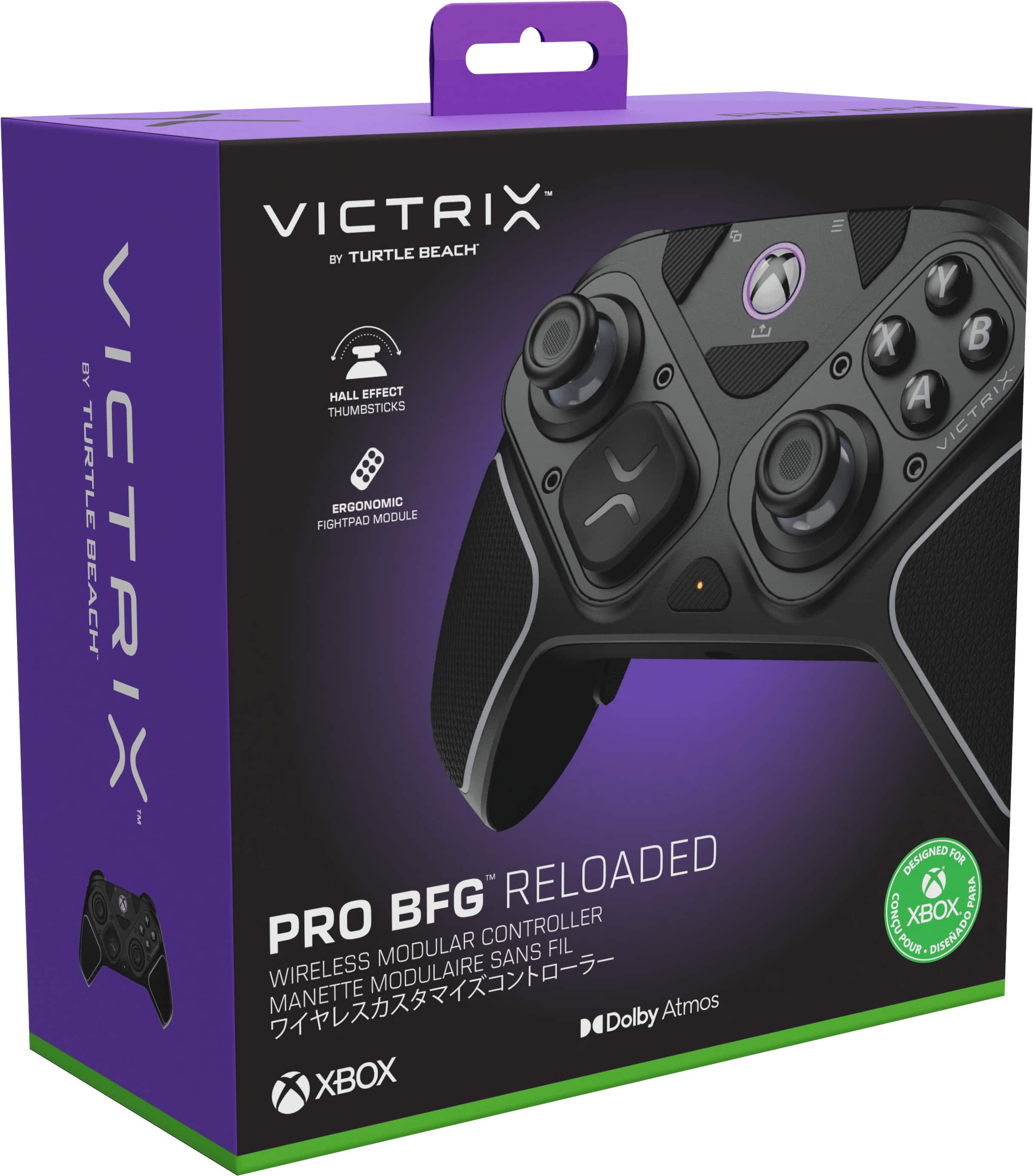
Customers frequently mention the Victrix Pro BFG Reloaded Wireless Modular Controller's customizability and build quality as significant positives. Many appreciate the reliable wireless connectivity and excellent battery life. However, some customers have noted concerns regarding the mushy feel of the A, B, X, and Y buttons. The inclusion of accessories is also appreciated, with users highlighting the convenience of the included case.

This summary was generated by AI based on customer reviews.

The vast majority of our reviews come from verified purchases. Reviews from customers may include My Best Buy members, employees, and Tech Insider Network members (as tagged). Select reviewers may receive discounted products, promotional considerations or entries into drawings for honest, helpful reviews.
Page 2 Showing 21-38 of 38 reviews
  • Rated 5 out of 5 stars

    Must buy controller

    |
    |
    Posted . Owned for 2 weeks when reviewed.
    This reviewer received promo considerations or sweepstakes entry for writing a review.

    Great controller. Super sensitive triggers but easy to get use to. Make sure to calibrate on an computer before use then it's great.

    I would recommend this to a friend
  • Rated 1 out of 5 stars

    Worst purchase ever, do not buy

    |
    |
    Posted . Owned for 3 weeks when reviewed.
    This reviewer received promo considerations or sweepstakes entry for writing a review.

    So I needed a new controller because my Xbox pro 2 got stick drift.......worst decision of my life to choose this controller, it not only is a weird shape for the triggers that made them fire when just resting my fingers over but it also had connectivity issues.....even while plugged in, it got so bad that while in a game of rivals it disconnected 3 times before I decided to use my Xbox stick drift controller for the rest of the match, turtle beach sucks baaad.

    No, I would not recommend this to a friend
    • Brand response from Turtle Beach Support
      Posted .

      Hello Zoey! We are sorry to hear about the experience you've had with your Turtle Beach Product. Our products are each sold with a manufacturer's warranty, and we have a dedicated Support Team available to provide assistance as needed. Please reach out directly to our dedicated Support Team so they can lend a hand. They’re always happy to help and can be reached right from the support section of the Turtle Beach website. Thank you and have a great day! TurtleBeach

  • Rated 3 out of 5 stars

    review

    |
    |
    Posted . Owned for 1 month when reviewed.
    This reviewer received promo considerations or sweepstakes entry for writing a review.

    It is good for the price. it definitely not comparable to the elite 2 controllers tho. very light and durable.

    I would recommend this to a friend
  • Pros mentioned:
    Battery life, Build quality, Customizability
    Tech Insider Network Member

    Rated 5 out of 5 stars

    A really straightforward gaming controller!

    |
    Tech Insider Network Member
    Posted .
    This reviewer received promo considerations or sweepstakes entry for writing a review.

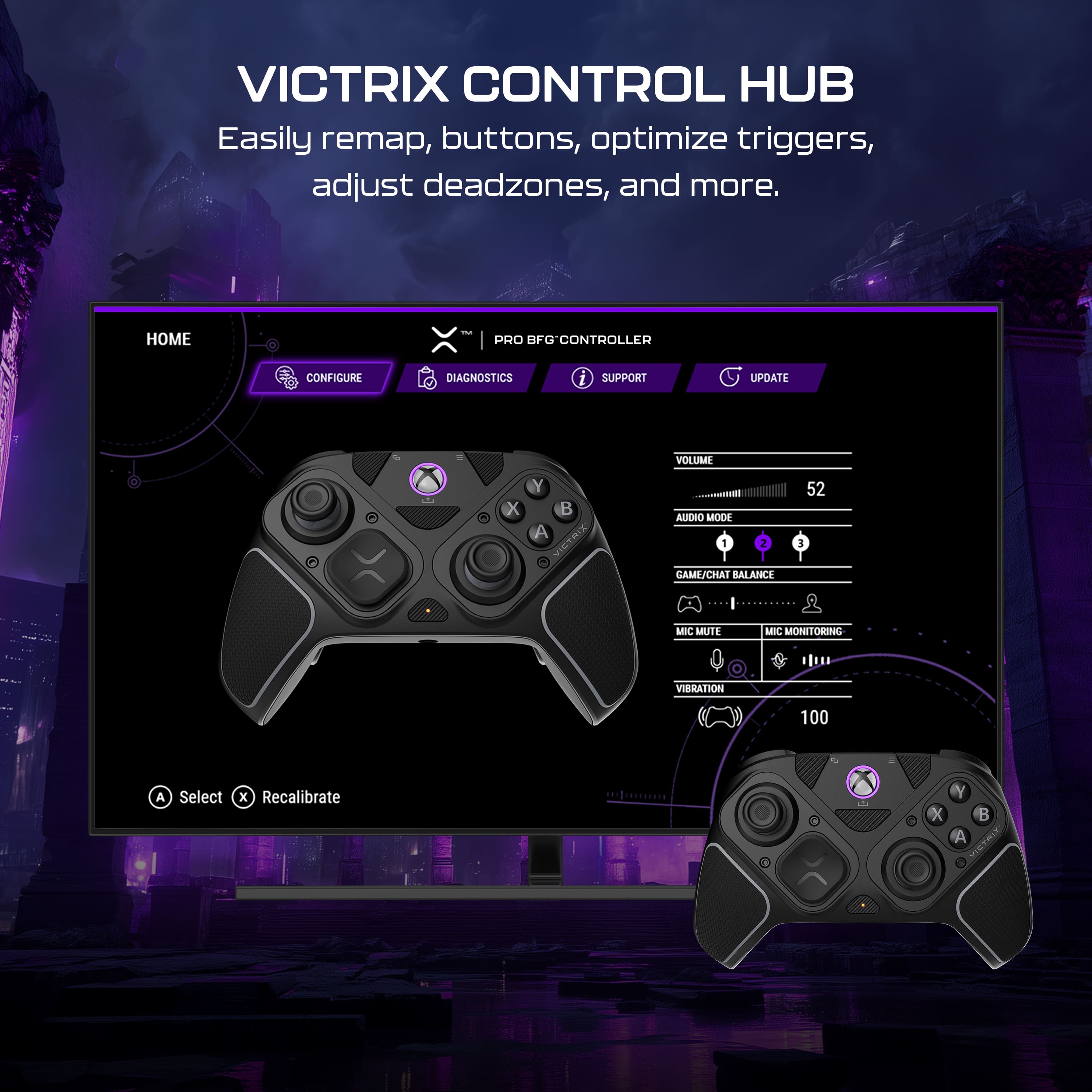
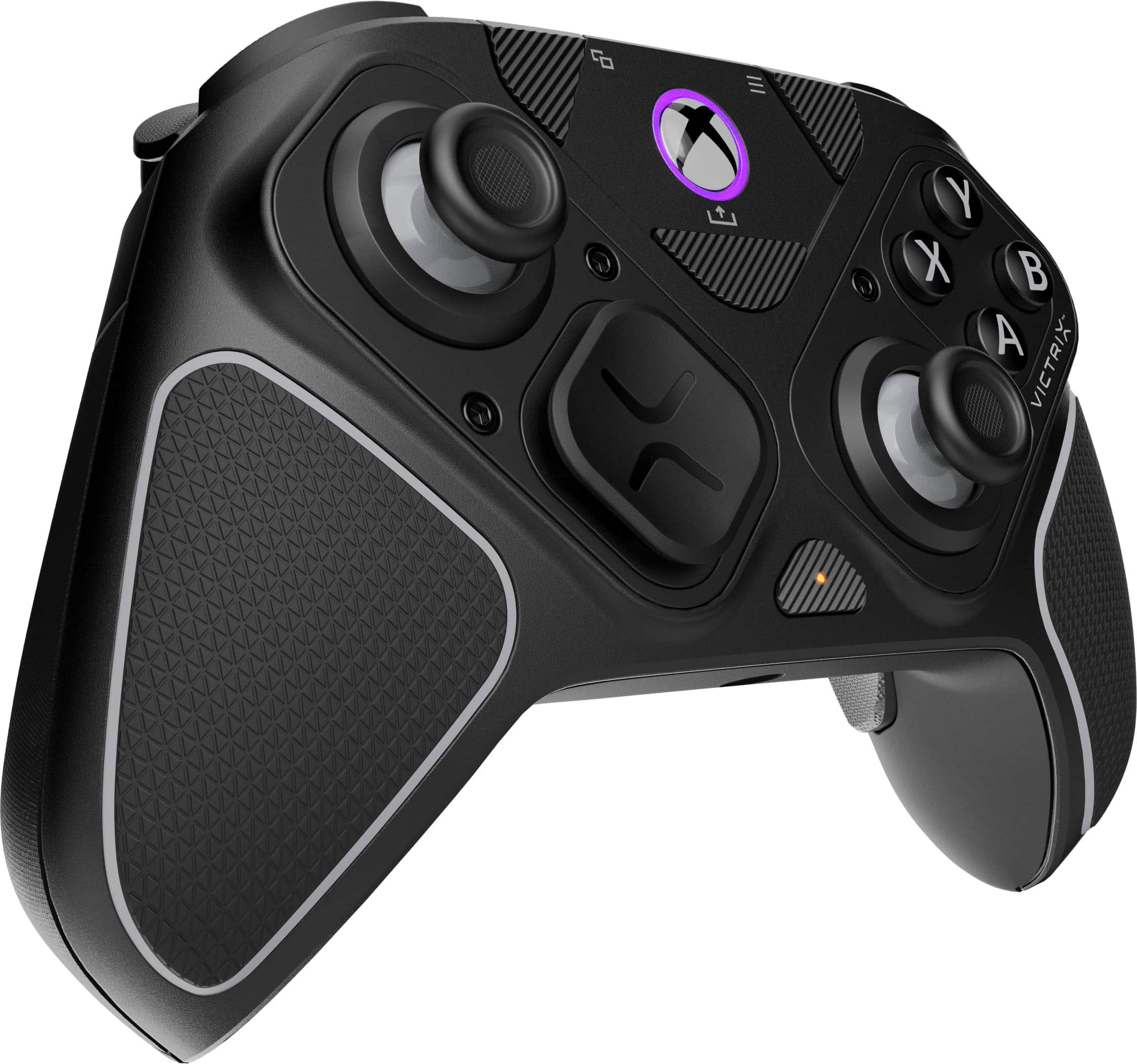
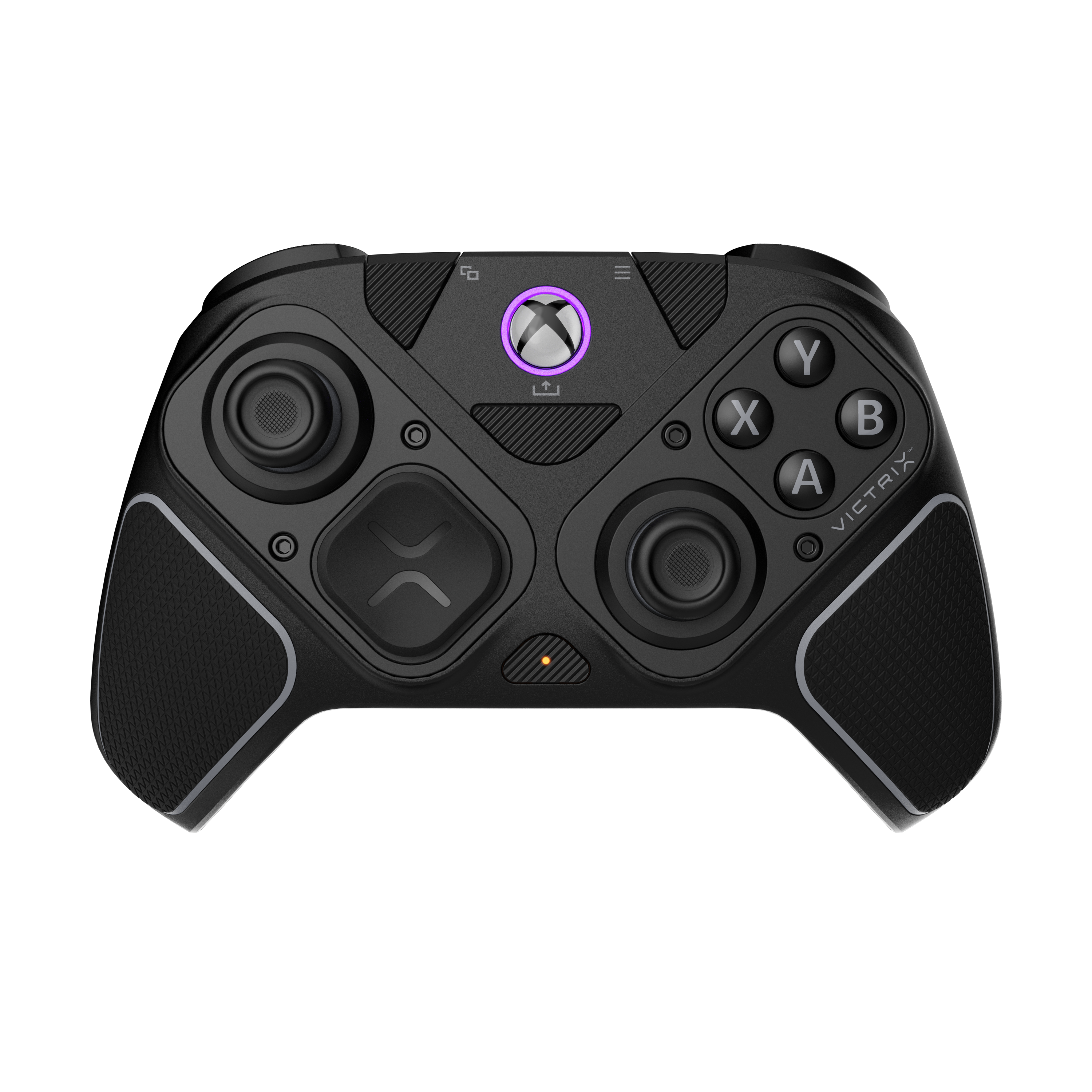
    Let me tell you about the Victrix Pro BFG Reloaded wireless modular controller, which is customizable. It has three customizable modules included with built-in hall effect technology, so you can really get into the game your way. Five-stop hall effect triggers with hair trigger modes allow for quick response in games, but you also get analog buttons. Also includes 11 interchangeable components to game your way. It has a 3.5 mm audio jack with a lifetime Dolby Atmos subscription. It also gets cool to card so you can play wired or wirelessly with a 20-hour rechargeable battery. It's bundled with a nice carrying case and tools to swap out controls and customize the joystick. The controllers are mappable, which makes for an even better gaming experience. You can easily do that through the Downloadable Victrix hub, where you can run diagnostics and updates. The build is really tight, and it doesn't feel heavy in the hand, which makes it favorable for any gamer. Go check this one out; you won't be mad. 

    I would recommend this to a friend
  • Pros mentioned:
    Battery life, Build quality, Customizability
    Tech Insider Network Member

    Rated 4 out of 5 stars

    Tons of customization; but back paddles intrusive

    |
    Tech Insider Network Member
    Posted .
    This reviewer received promo considerations or sweepstakes entry for writing a review.

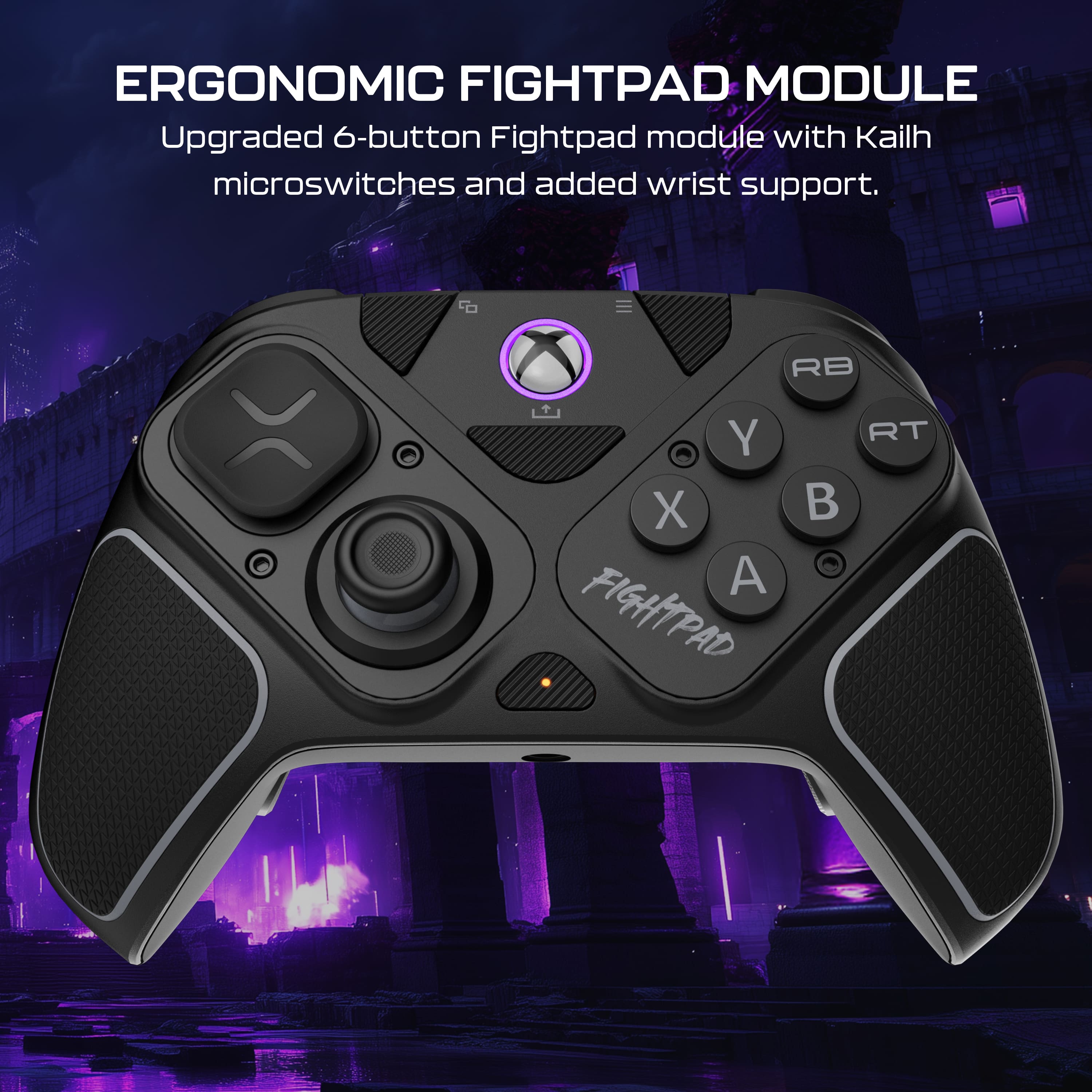
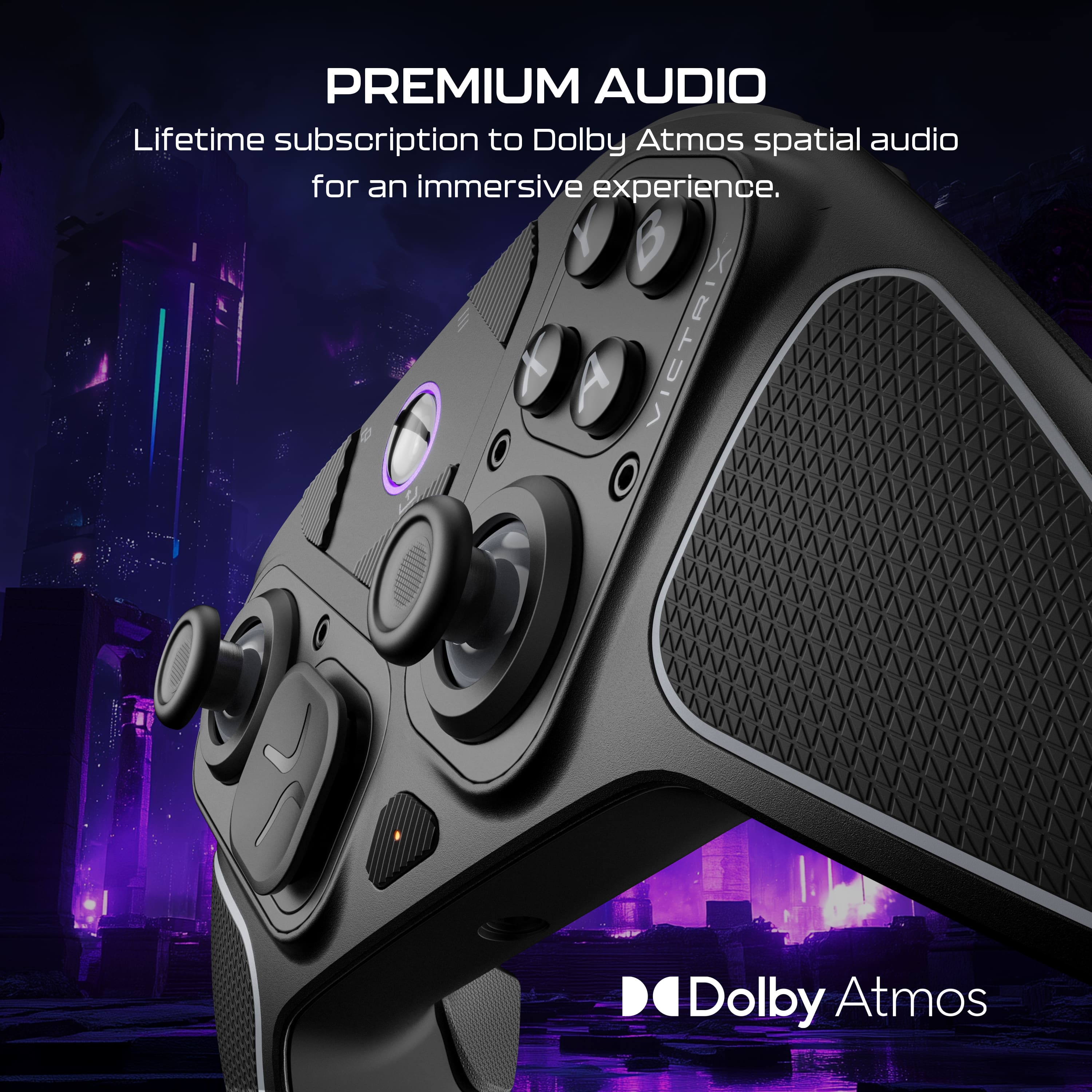
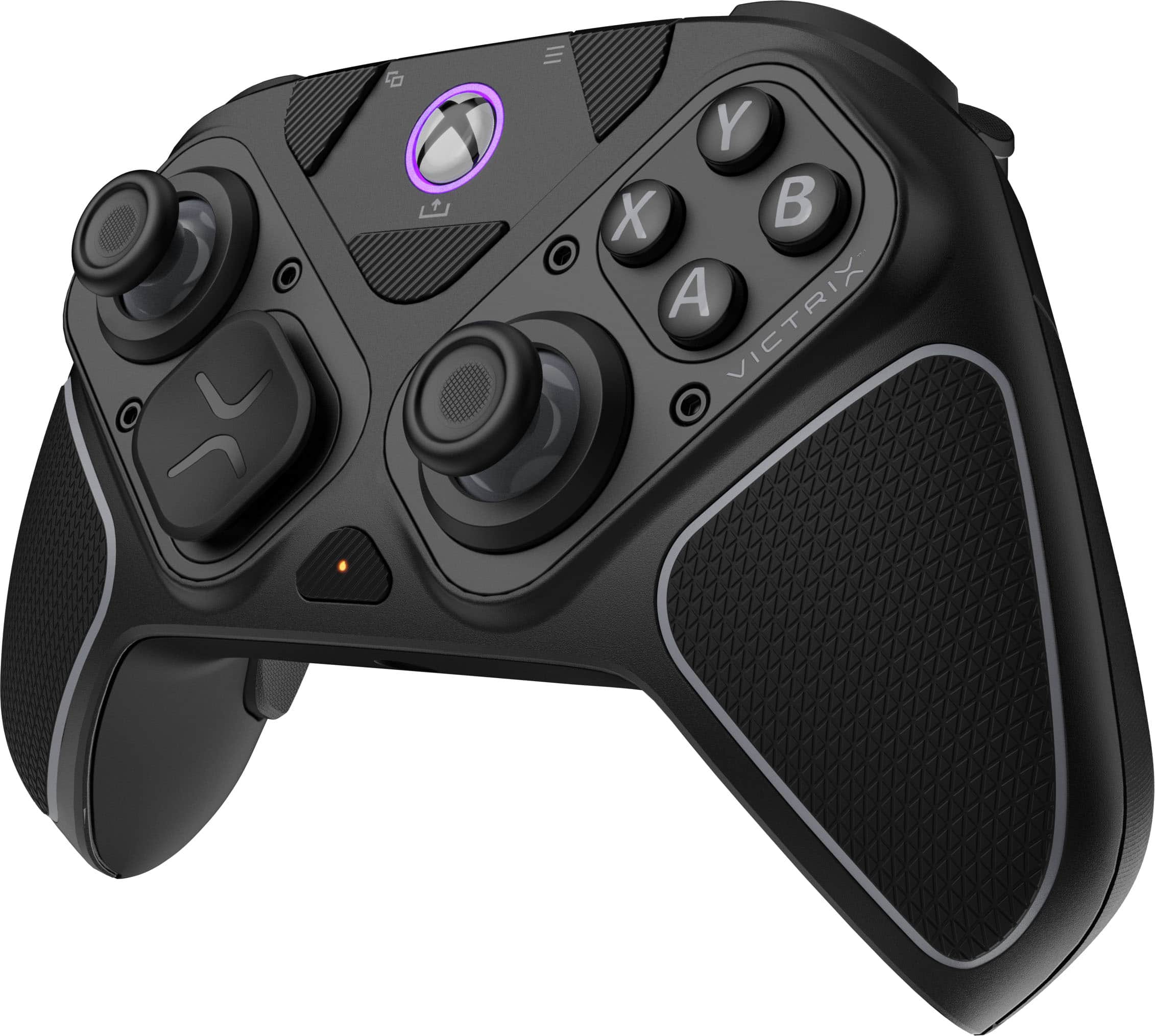
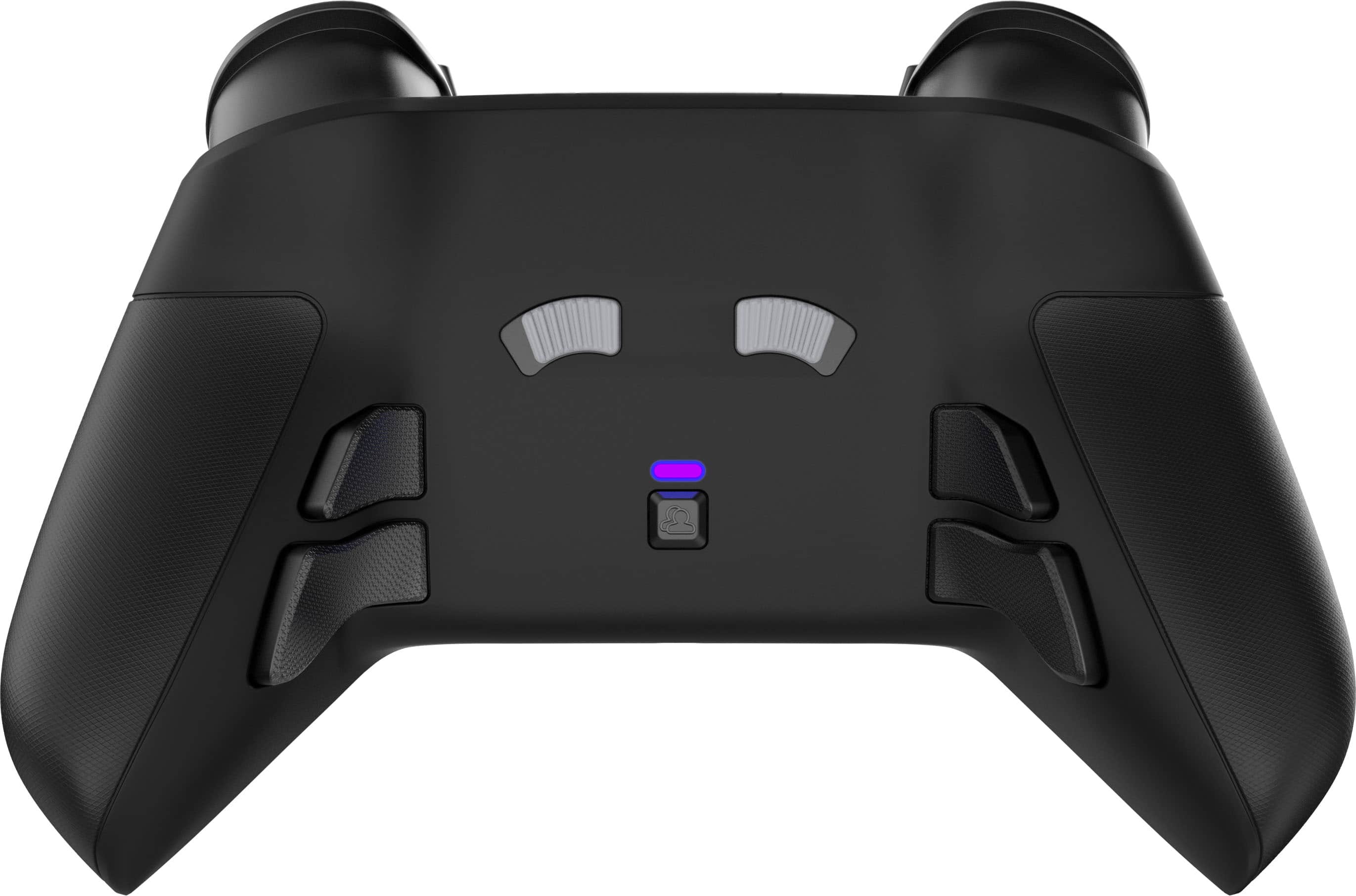
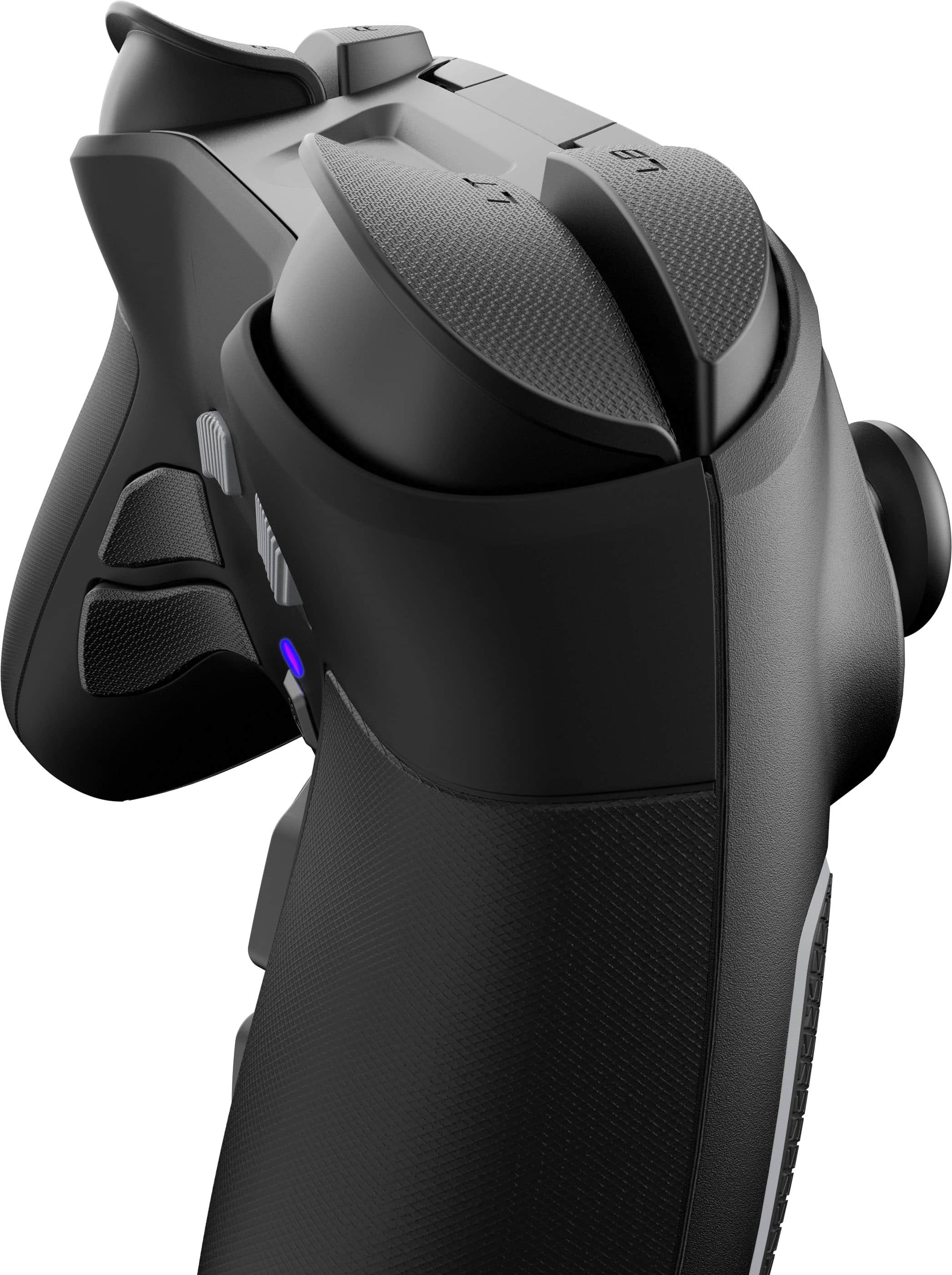
    Pros: -Premium quality feel and materials -Hall Effect analog sticks -Dolby Atmos wired headphone jack -Has rumble Cons: -Back paddles are not modular; likely to press buttons while using controller with a standard grip The Victrix Pro BFG offers tons of customization that's as simple as unscrewing 2 screws, and screwing 2 screws, per module you replace. What I love about the screws is each module that connects to the controller's base has its own set of screws threaded in. So you never need to fully unscrew them to use them for another module. The screws are also threaded to the module in such a way where there's 2 zones. One where you unscrew the screw until it releases itself from the controller. After that you can't unscrew the screw anymore. The screw remains attached to the module. Unless you push it further up with your finger and continue to unscrew it. Only then can you remove the screw entirely from the module. But I love that the screws can stay attached to the module. This way I never really have to worry about losing the screws, which are an essential part to the function of this controller. It's an Xbox controller, so the default layout is that of an Xbox controller's. But if you prefer the PlayStation controller's layout, you can switch up the modules to do that. You can move the d-pad to the top-left corner, and the analog sticks side-by-side on the bottom. The best part is, the face buttons will still be the Xbox buttons, so there's no confusion of memorizing which PlayStation button corresponds to which Xbox button if you were to somehow use a PlayStation controller on an Xbox, or a PC game that uses Xbox controls. Likewise, you can swap the d-pad for something of a more Nintendo controller feel, with the cross d-pad. Unlike the PlayStation version of the Victrix Pro BFG Reloaded, the Xbox version *does* have the rumble feature, which works with both Xbox and PC games. What I also consider as an advantage is that it does not have the touchpad, unlike the PlayStation version, which is great when used as a PC controller because you won't accidentally trigger it, since the PlayStation's DualShock 4 and DualSense touchpad can be used as a mouse and can't be disabled without third party means. Some may consider this as a disadvantage, so bear this in mind. For my use, I found the touchpad to be more intrusive than helpful on PC because of the accidental inputs. The Reloaded version has Hall Effect analog sticks to prevent drifting. From my 100+ hours of using it, I have never experienced any drift issues with either of the analog sticks. Changing the gates for the sticks is as simple as screwing a module, swapping the gate, and screwing the module back in. You can also change the analog stick to a shorter one. As usual, your mileage may vary as far as battery usage goes, but it can go for about 20 hours per charge. I did experience a couple of annoyances with the controller though. It doesn't come with a paper manual. The manual and instructions for the customization can be found on Turtle Bay's website. But the bigger peeve that may be a deal breaker for some users is that the back paddles are not modular. So they will always get in the way of your fingers if you have large hands. To avoid pressing the back paddle buttons, you'd have to have to finger your fingers in, making what would've been a great feeling ergonomic controller into something less comfortable. I will say though, after several days of use, I got used to it. But this also meant me constantly making accidental presses of the back paddles. When I used them as a PC controller, I had to use the controller's PC software to disable the back paddles. Which brings me to my next point. You can customize the function of the buttons using its Windows software. The back paddles are on by default. The back paddles placed on the inside of the grips and easily accessible. The buttons are relatively quiet and feel responsive. The 6 button layout module was perfect for the fighting games I played them with. Unlike the Sega Saturn controller, which is a fan favorite among some fighting game d-pad players, the buttons are all big and equal in size. On the back of the controller is a switch where you can adjust the travel of the trigger buttons. There is a wired headphone jack on the controller that comes with a Dolby Atmos license. You'll be able to get Dolby Atmos spatial sound for games that support it, using any wired headphones you connect to it. If you can get past the intrusive back paddles like I eventually did, it's a comfortable controller that feels great to play on for hours without any cheap feel of annoyingly clicky or mushy buttons, that's also very customizable to your liking.

    I would recommend this to a friend
  • Pros mentioned:
    Build quality, Connectivity, Customizability
    Tech Insider Network Member

    Rated 5 out of 5 stars

    Tops in quality, customizability and performance

    |
    Tech Insider Network Member
    Posted .
    This reviewer received promo considerations or sweepstakes entry for writing a review.

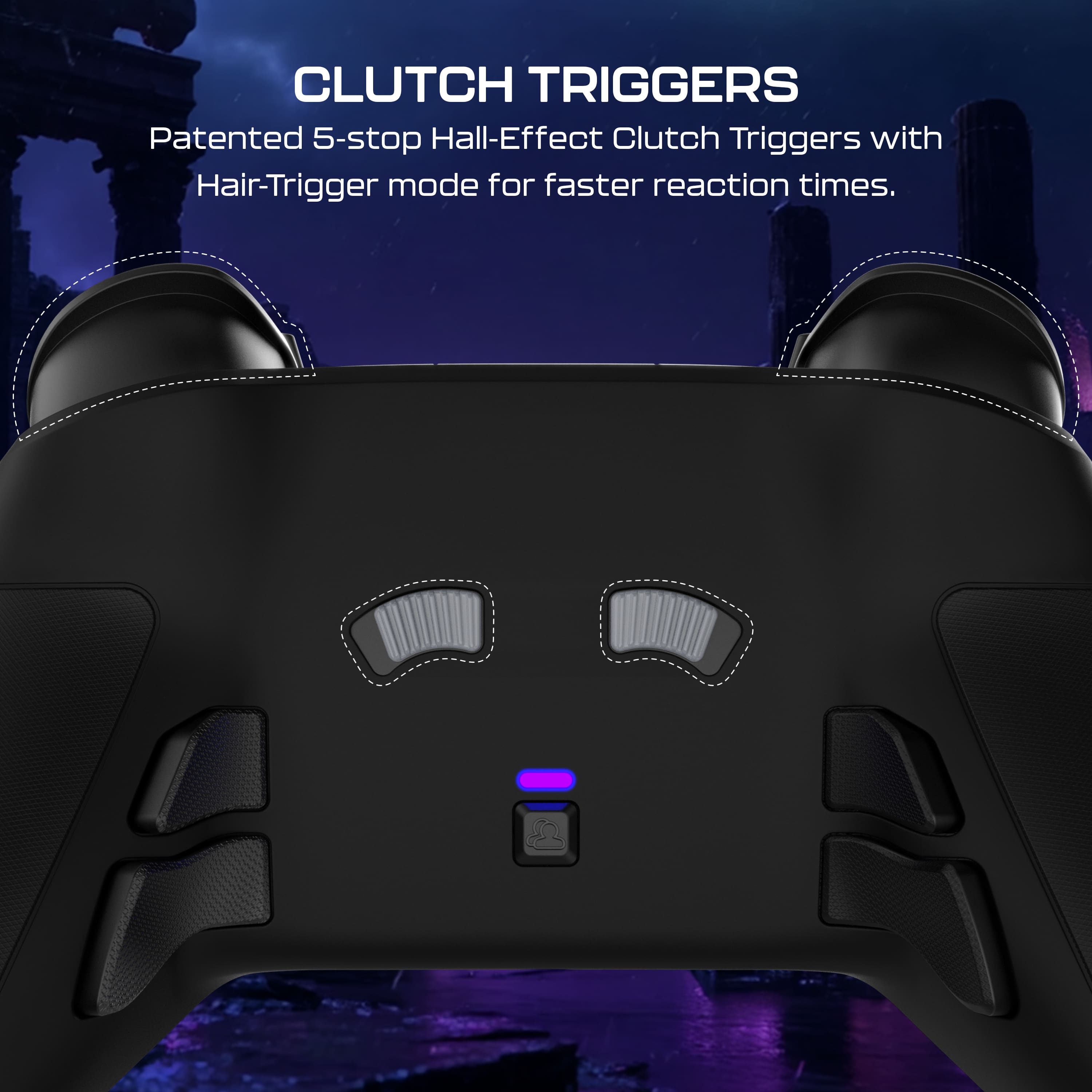
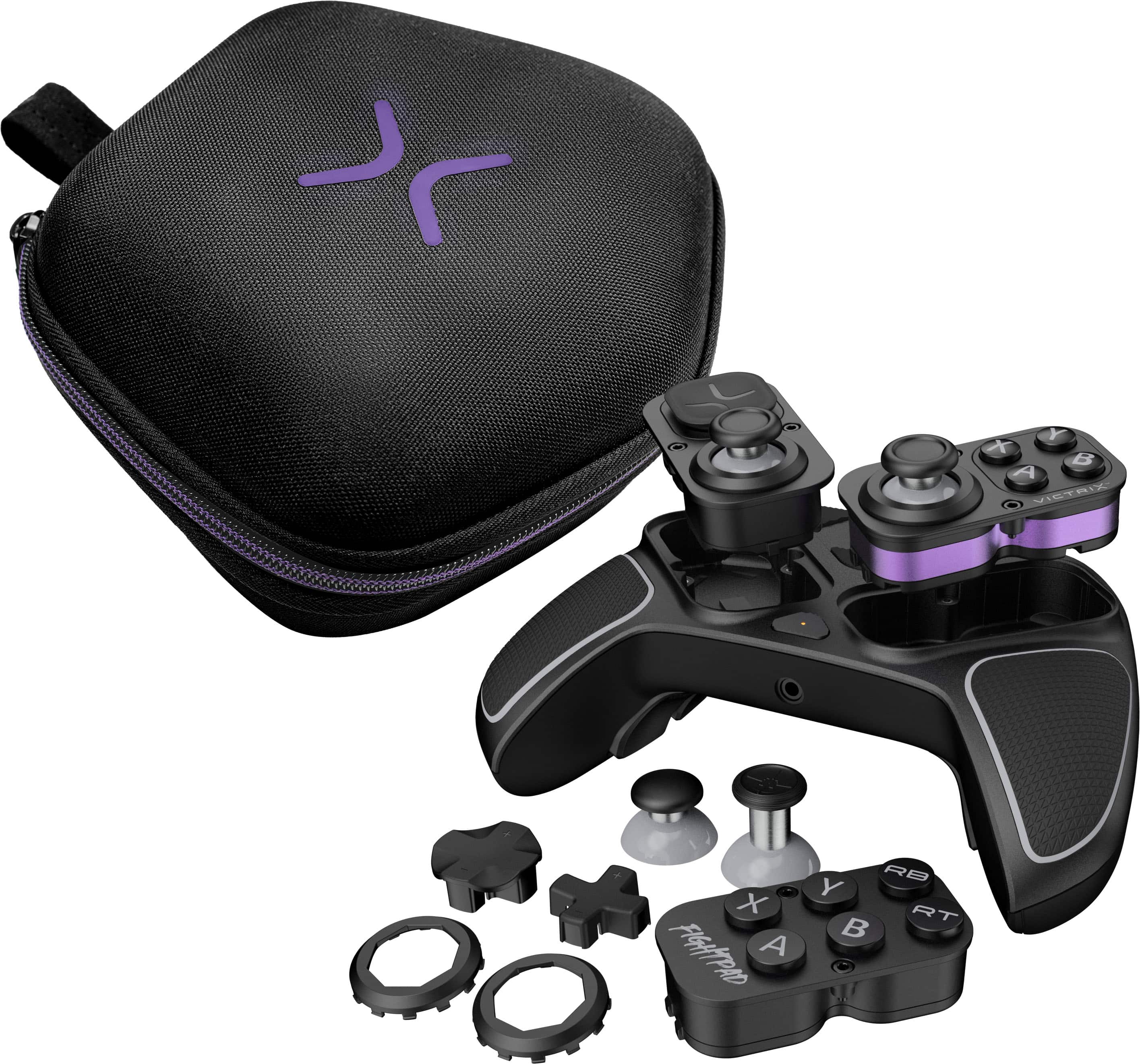
    As a relative newcomer to modern video gaming, I've been amazed at the sheer variety of accessories now available, both from OEMs and third parties. Having grown up in the PlayStation II era I have less-than-fond memories of the aftermarket controllers I had. They were not well made and chewed through batteries like crazy. That's certainly not the case anymore, and although I've gone to the proverbial dark side by switching to the Xbox ecosystem, I am constantly impressed by the quality of the third-party accessories I've played with. That's absolutely the case with Turtle Beach's latest top-of-the-line controller for Xbox, the Victrix Pro BFG Reloaded. While the name is a bit clunky, the controller is anything but. And this isn't just any controller: it's a modular affair, with swappable modules and upgradable parts. How cool is that? The Victrix Pro arrived in simple, high-quality packaging, all recyclable with very little plastic wrap to speak of. Even better, the controller and all included parts came neatly packaged in a high-quality storage case, with even the screwdriver neatly slotted in. This not only makes protecting your controller easier (and included in the price), but Turtle Beach's smart packaging means the screwdriver, wireless dongle and swappable modules can all stay in one place and not get lost. The controller itself is well-built from a combination of matte and textured black plastic, with grippy rubber elements where your hands rest. The buttons and triggers feel great and respond instantly with a satisfying tactility. The Hall-Effect thumbsticks glide like butter, and the fightpad's Kailh microswitches have an awesome clicky sound and feel. Suffice it to say, build quality is top-notch. Setup is straightforward; I plugged the wireless receiver into my Xbox One X, turned on the console and the controller, and by the time the system booted up the controller was connected and functioning. The included Dolby Atmos lifetime subscription activated automatically and was immediately available as an option in headset settings. I turned to a longtime favorite game, GTA III, for testing. Although it's not the most dynamic option it's one I'm very familiar with, and I figured if there were gaps in performance or use between the Victrix and the standard Xbox controller I'd be more likely to notice them. Response is as fast and fluid as the standard controller, and the high-quality build feel is immediately noticeable. I don't have many complaints about the standard Xbox Wireless Controllers, but the BFG Reloaded is a step up. I love how smooth the thumbsticks are, with immediate response and a silkiness to their rotation that standard, non-magnetic thumbsticks can't quite match. I can see why serious gamers prefer this controller to your standard fare, especially in games where milliseconds are critical. The triggers have a nice dampened "thunk" to them, but you'll definitely want to use the gray clutch sliders on the backside of the controller to adjust the trigger stops for your particular game. I initially left both triggers on their default/shortest stop, but quickly realized this didn't leave me any room to modulate vehicle acceleration in GTA. After adjusting RT to go all the way "in" I found the same smooth, sensitive action of the thumbsticks translates to the triggers, which are well-weighted and allow for easy control. I decided to leave LT in the shortest stop position to make reversing vehicles instant which seems to give me a least a little bit of an advantage getting out of sticky situations. Turtle Beach includes four mappable back buttons, which is great for flexibility but has led me to inadvertently trigger actions far more than I expected. You might need to adjust your grip a bit if you plan to use these back buttons, which are mapped by default to trigger Y, X, A and B. This default behavior is not made obvious, and the included quick start guide is on the thin side, so I recommend a visit to Turtle Beach's support pages by scanning the included QR code. For better or worse, customization is only available by connecting the BFG Reloaded to a Windows computer and downloading the Victrix Control Hub app. After installing the app the BFG Reloaded was recognized immediately and all customization options were presented. The Control Hub app is pretty straightforward and I had no issues making controller adjustments. I haven't customized a ton, but I have made changes to the aforementioned back buttons to cut down on accidental presses. Controller performance was as fast and flawless on my gaming laptop as it was on my Xbox, and again only required plugging in the wireless receiver to get things up and running. Not gonna lie, Turtle Beach's included wired cable reminds me fondly of my PS2 controllers, and I might have to use it if for no other reason than to relive the nostalgia of being tethered directly to the game console. Even as a kid I appreciated how the direct wire allowed for the fastest, most reliable connection. All told, I'm very impressed by Turtle Beach's latest Victrix Pro BFG Reloaded. Build quality is top notch, performance is seamless and getting up and running is as easy as plugging in the wireless receiver. Sure, I wish the receiver wasn't strictly necessary, but it's hardly a knock against the product. I love the swappable modules which require just a few turns of the included screwdriver to remove. Not only is this great for customization -- and Turtle Beach includes options for this in the box -- but this is a win in the repairability realm, too, allowing for future upgrades or replacements without ditching the entire controller. Combine that with the great compact storage case and the top-tier connectivity and performance and it's easy to give this controller top marks. If you're looking for the best, I'd say look no further!

    I would recommend this to a friend
  • Pros mentioned:
    Battery life, Build quality, Connectivity
    Tech Insider Network Member

    Rated 5 out of 5 stars

    The most insane console controller I've ever owned

    |
    Tech Insider Network Member
    Posted .
    This reviewer received promo considerations or sweepstakes entry for writing a review.

    This thing is insane it works great with my Xbox x has super low latency and man is this thing customizable to a t. I love that it's rechargeable versus the standard Xbox x controllers this is so easy to use it just works you can fully customize the joysticks the buttons the underside buttons it's insane how customizable this thing is. This is so far hands down the nicest controller I've ever had for a video game console in all my times of playing video games since back to intellevision and Atari consoles. I've never had a controller where you can hot swap the buttons as well as the joysticks and it's built like a brick literally. I'm careful not to drop this but this feels like if you actually dropped it while playing you wouldn't damage anything it's so robustly built. The included padded case is nice whether you're just storing it when not playing or traveling with the controller. I would definitely recommend this to anybody on the fence for this Xbox x controller. The battery life on this Great as well.

    I would recommend this to a friend
  • Rated 1 out of 5 stars

    1 star review aftermarket controller

    |
    |
    Posted . Owned for 2 weeks when reviewed.
    This reviewer received promo considerations or sweepstakes entry for writing a review.

    Dont waste your money on gimmicky products like this. Stopped working after 3 days of light use.

    No, I would not recommend this to a friend
  • Pros mentioned:
    Build quality, Customizability
    Tech Insider Network Member

    Rated 5 out of 5 stars

    Amazing controller

    |
    Tech Insider Network Member
    Posted .
    This reviewer received promo considerations or sweepstakes entry for writing a review.

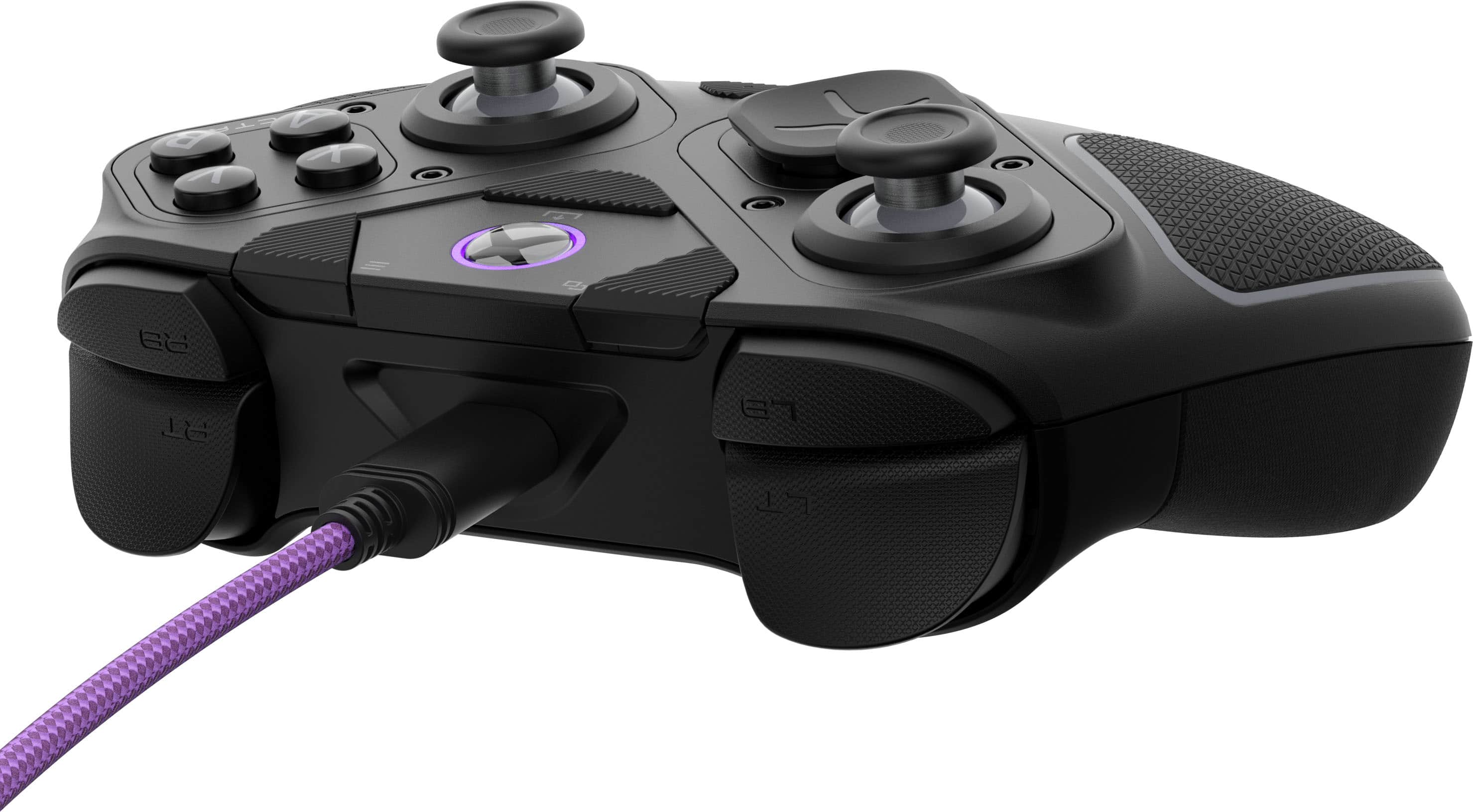
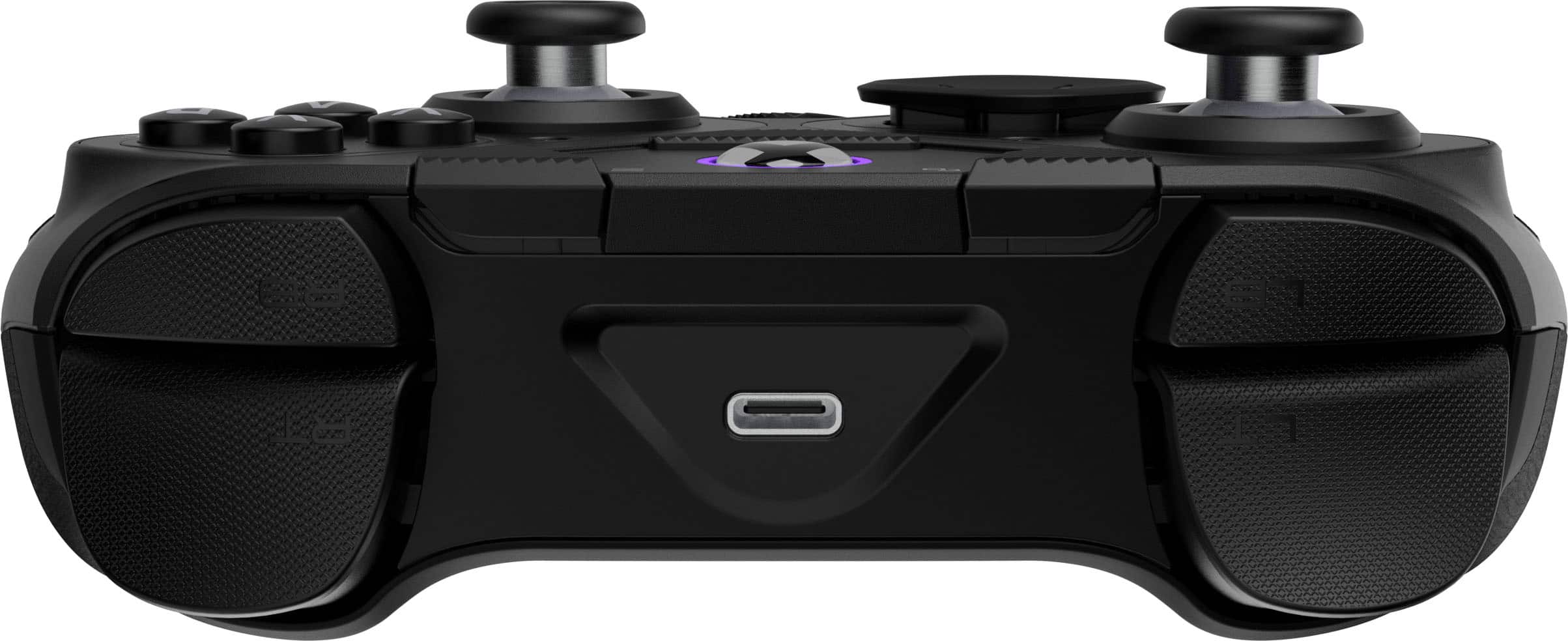
    The Turtle Beach - Victrix Pro BFG Reloaded Wireless Modular Controller for Xbox is an amazing game changer, and I mean that to the literal extent. First and foremost, now there’s no more having to move your fingers across the controller to reach for buttons when you need to change things. Now the buttons are all at your fingertips. They are all right there. Ergonomically, this controller is wonderful. The fact that I can also use this controller with my Xbox and with my PC is amazing. Oh yeah, and I can customize it to my liking, which is even better. The controller also comes with a very long USB-C cable, and it also comes with the tools needed to change out the components. However, that’s not even the best part. The best part is that it comes with its very own case. So gone are the days of me throwing my Xbox controllers in my backpack and taking them with me on trips. Now my controller has a nice protective case that it can go into. So now when I play online, I may lose, but I will not lose by as much of a gap this time. Really, this controller is wonderfully made. It has made playing games that much more enjoyable, and the response times are impeccable. I have no complaints whatsoever.

    I would recommend this to a friend
  • Pros mentioned:
    Build quality, Customizability
    Tech Insider Network Member

    Rated 5 out of 5 stars

    Awesome Controller

    |
    Tech Insider Network Member
    Posted .
    This reviewer received promo considerations or sweepstakes entry for writing a review.

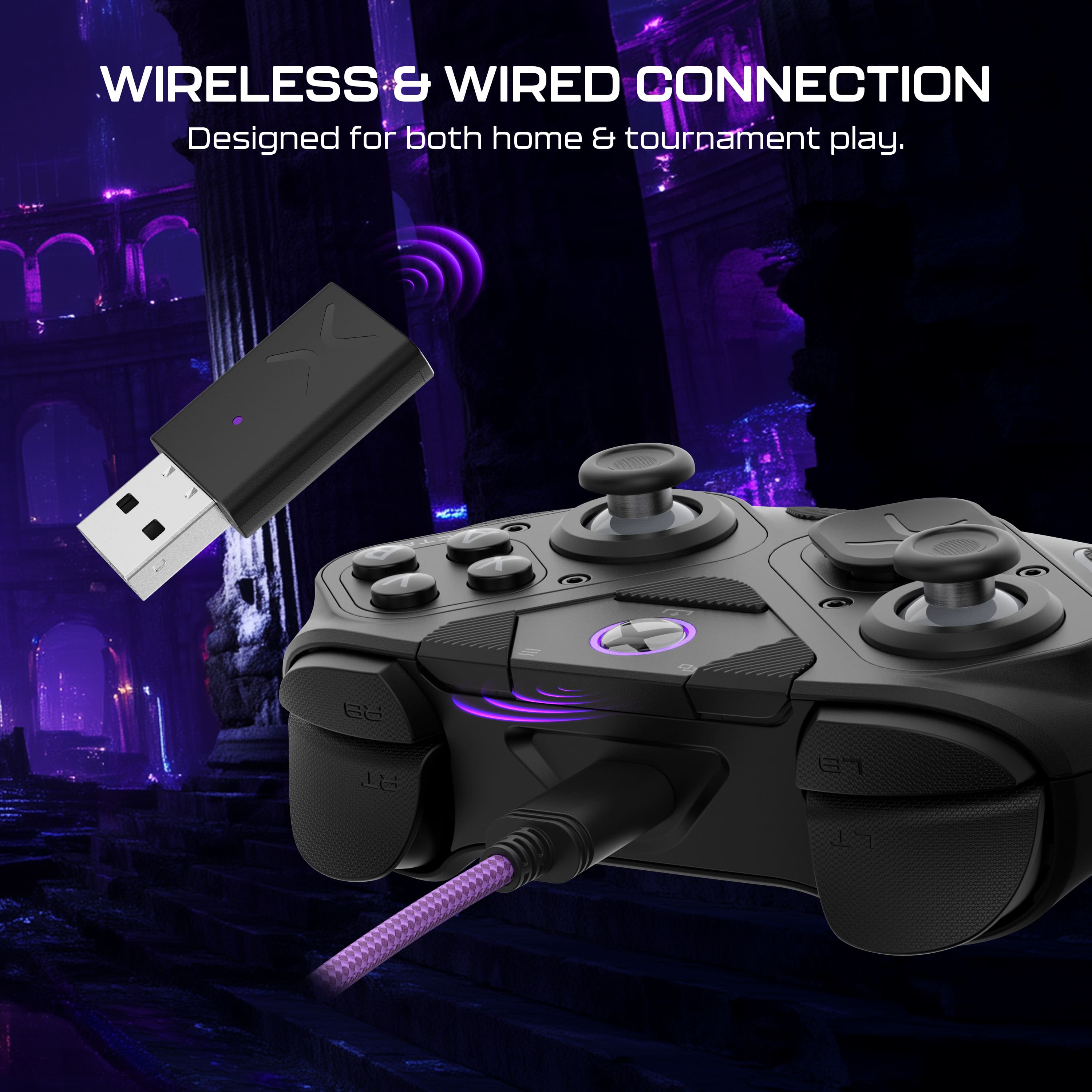
    From the moment I unboxed the new Victrix Pro BFG Reloaded I could tell this was a premium product. The controller is packaged in its own carrying case. Inside the carrying case it includes a USB cable that can be used for charging or to operate wired. The cable is able to be secured with an included cable tie that is integrated into the build of the case. Using the controller while plugged in provides quicker input. The controller is highly customizable and includes two additional directional pads, two controller sticks (one that is taller), and an additional mod to change your controller buttons to a classic Street Fighter ghter type setup. Lastly, the set includes tool to remove and replace the mods in case you want to reconfigure the controller. The controller has a very tactile grip so it remains secure in your hands during sweaty gaming sessions. On the back of the controller there are additional trigger buttons. For a fully customizable experience you can use the app only accessible through PC and not available on mobile devices to map your configuration. The build is solid and the controller is very responsive. I love the included hall effect sticks meaning I won't have to worry about stick drift again. And if, by some chance, something gets off this controller allows the user to recalibrate it. It easily connected wirelessly to my Xbox without the need for troubleshooting as is typical for Turtle Beach products in my experience. Overall, I am very impressed with this control and I look forward to using it in my most competitive moments.

    I would recommend this to a friend
  • Pros mentioned:
    Build quality, Customizability
    Tech Insider Network Member

    Rated 5 out of 5 stars

    Highly configurable even without the app NO drift

    |
    Tech Insider Network Member
    Posted .
    This reviewer received promo considerations or sweepstakes entry for writing a review.

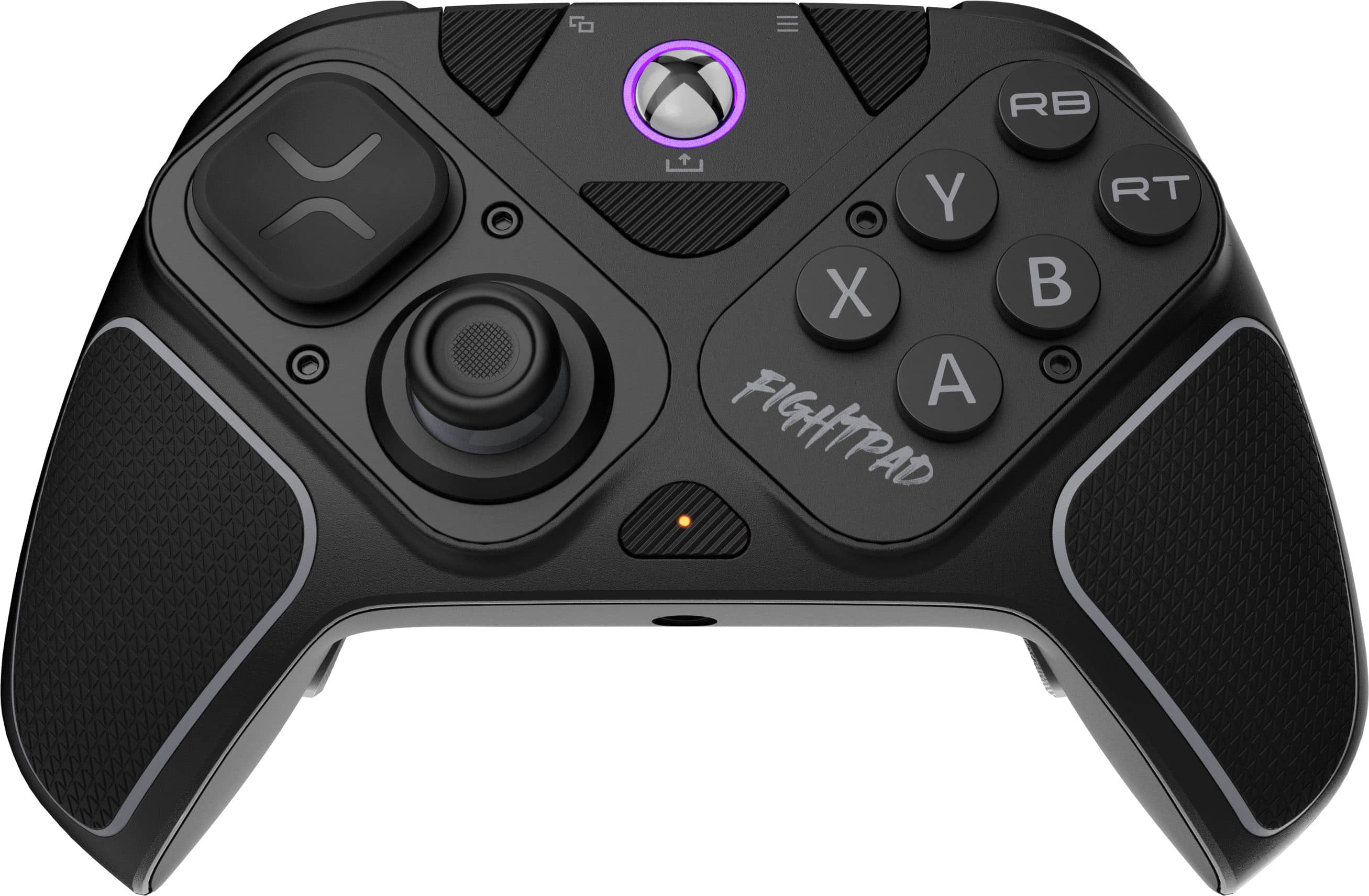
    This is a modular controller and the modules can't pop off because they are secured with screws, a very good feature compared to other controllers I've used with removable modules. The fight pad module is the awesome, an absolute gamer changer for using a controller instead of a dedicated fight pad. Even without using the app to fine tune sticks or assign different functions, just out of the box, this is the most useable customizable controller I've ever had. The biggest thing to get used to was the buttons on the back and the location of the select and start buttons, they are out and up from normal positions on most contollers. I hit the share button a few times till I got use to the layout. The trigger controls are very easy to use, can go from full draw to instant press very quickly on the fly using the sliders. The tall thumbstick is good for scoping or slight movement. Nice that you can swap the left module around if you want a playstation like configuration instead. And you can use the app on both Xbox and PC. I used both and it was great to customize a profile for a certain game where you want to keep your fingers on the sticks and assign face buttons to the back buttons, like on platformers/metroidvania games. It connected easy to my Xbox Series X, just plug in the dongle after charging the controller, turn on the Xbox manually the first time, turn on the controller with the Xbox button, wait for them to synch, and then you can use it like any other Xbox controller, and turn on and off the console like normal after that first use. I can't recommend this enough for gamers that want an all around controller that WON"T get classic stick drift, like your past dozen standard Xbox controllers.

    I would recommend this to a friend
  • Pros mentioned:
    Build quality
    Tech Insider Network Member

    Rated 4 out of 5 stars

    Nice controller

    |
    Tech Insider Network Member
    Posted .
    This reviewer received promo considerations or sweepstakes entry for writing a review.

    I was super excited to get and try this controller out for the XBOX Series X. The packaging and presentation are top notch. Downloading the app onto the XBOX was seamless and works flawlessly. Customizing the controller is simple and works without a hitch. The weight and feel is premium and I really like the feel of the buttons and thumb sticks. Turtle beach has done a great job with this controller. Playing a few rounds of Call of Duty, I found the extra sensitivity to help me win more gun battles as I a began shooting or moving quicker due to the sensitivity of all the buttons and triggers (more on this). I was able to do all my normal and special movements without any issue or learning curve, coming from my Elite 2 controller. Even the triggers on the back worked without any issue. Now, one thing I do have to mention is that the firing triggers on the top front are thicker than normal and I rest my fingers on them to get an "advantage". I found that they are super sensitive in the out of box stage and I was firing my gun just running around. I adjusted the sensitivity down but then I found I was not reacting as quickly. This is my only gripe, so far. I really enjoy this controller and I would recommend it!

    I would recommend this to a friend
  • Tech Insider Network Member

    Rated 5 out of 5 stars

    Unique versatile modular design

    |
    Tech Insider Network Member
    Posted .
    This reviewer received promo considerations or sweepstakes entry for writing a review.

    Review Summary This clever modular controller should tick all the boxes for the diversified gamer which is looking for a versatile controller which excels in both shooter and fighter titles. Shooter gamers will appreciate the built-in paddles, swappable hall-effect thumb sticks, and adjustable distance hall-effect triggers. Fighter gamers will appreciate the flexibility to swap out the controller modules for a “fightpad” specific module which removes a thumbstick and adds clicky buttons. A controller that can be used wired or wireless (with Bluetooth or dongle) is the ultimate all-in-one companion for the gamer on the go that wants to travel light but not compromise on capabilities or titles. Review Overall, I think this controller represents the culmination of a lot of the great features and technologies that have been coming to the industry. Notably this controller has hall-effect thumbsticks and triggers which promise no drifting. If you have owned any controller, you understand the dread and frustration of experiencing this and I’m happy to report that I have experienced any issues thus far, but time will tell. Adaptability is huge for me in terms of modifying the controller to a layout that best suits me. Xbox controllers fit best in my hands and this controller is no exception and comes with the benefit of additional grip which wraps from the front to the back. From a layout perspective I prefer my thumbsticks symmetrical like the Playstation layout. Their module design allows me to accomplish this (and more) depending on the title I am playing. I do wish they would have provide the option to switch the right thumbstick around to be on the outside so I could try that layout or flip-flop the buttons and the d-pad. I think that would be an interesting option for left-handed gamers who might benefit from that and perhaps they will consider that in a future iteration. Also worth mentioning is that they sell full replacement sets of the modules, so if you were to encounter issues, you aren't buying a new controller, simply swapping modules which is a huge step in repairability. Finally, the ability to swap the thumbsticks for taller ones is highly beneficial for me in shooters where the longer lever arm gives me that bit of additional precision. I also like the indexed thumbstick rings which is great for games that have radial menus and mechanics. Moving on to the top and rear of the primary controls – the trigger buttons feel great ergonomically and the mechanism for setting the depth of actuation is pretty clever. I might prefer an indexed lever, but that might be a little clunky. Regardless it’s awesome flexibility to switch between different settings between shooters where you want the immediate actuation and racing titles or RPGs where you might want a gradient across your triggers. Finally, the paddles are built-in and not removable, but of course totally optional to use. I wasn’t sure about them initially, but I found for my average hand size they are in the perfect place for my middle and ringer finger and I’ve significantly decreased the number of unintentional presses when in the heat of battle. Of course it also has the typical menu, share and view buttons as a typical Xbox controller. It also has a multifunction button in the middle which is programmable through the Victrix Control Hub app. Within the app there is a ton more granularity that you can squeeze out of this controller. You’re able to set deadzones (how much you can move a thumbstick or trigger until it starts outputting) and remap buttons. The audio settings for the on-board 3.5mm audio port and then more standard things like the vibration. Overall, the app is a must for the gamer looking to get the most out of their experience when the in-game mapping doesn’t cut it.

    I would recommend this to a friend
  • Tech Insider Network Member

    Rated 5 out of 5 stars

    A Pro Controller Built for the Long Haul

    |
    Tech Insider Network Member
    Posted .
    This reviewer received promo considerations or sweepstakes entry for writing a review.

    I've been through my share of Xbox controllers over the years. Between client setups and my own gaming sessions, I'd handled my fair share of different controllers. Most end up collecting dust after the thumbsticks start drifting six months in. So when the Victrix Pro BFG Reloaded crossed my desk, I'll admit I was skeptical, another premium controller promising the world? But here's the thing: after three weeks of putting this modular beast through its paces, I'm genuinely impressed by what Turtle Beach has accomplished here. Right out of the sturdy carrying case (which actually feels worth keeping, unlike most controller cases), the build quality hits different. This isn't some lightweight shell with premium pricing, at 9.3 ounces, it's got heft without being cumbersome. The textured grips feel substantial, and that purple accent lighting when you connect? Sure, it's purely aesthetic, but it adds a touch of class. Setup took all of 30 seconds, the included dongle paired instantly with my Series X, and switching between Xbox, PC, and even Bluetooth for mobile gaming is handled by a physical switch on top. No digging through menus or holding button combinations like some competitors make you do. The headline feature here is the Hall Effect technology on every single analog stick and trigger. In plain English, this means magnetic sensors instead of physical contact points that wear down over time. After years of RMA'ing Elite controllers for stick drift, this is the killer feature that actually justifies the premium price. The 5-stop clutch triggers are equally impressive. Think of them as having five different preset positions you can lock the triggers to, from hair-trigger clicks for shooters to full analog pull for racing games. I found myself using position 2 for Halo Infinite (just enough resistance to prevent misfires) and switching to hair triggers for Marvel Rivals where reaction time is everything. The four mappable back paddles sit naturally where your fingers rest, though I did accidentally hit them a few times before muscle memory kicked in. What really sets this controller apart is its modularity, and I mean true modularity, not just swappable thumbsticks. Using the included tool, you can unscrew and swap entire modules in under a minute. Want offset sticks like a standard Xbox controller? Flip the left module. Prefer PlayStation-style symmetrical layout? Keep it as-is. The included 6-button fightpad module with Kailh microswitches transforms this into a legitimate alternative to a fight stick for Street Fighter or Mortal Kombat. You get three different D-pad options too, I've settled on the circular one for most games, but the traditional cross design comes in clutch for retro gaming. The variety of thumbstick heights and those octagonal gates for the sticks? Chef's kiss for anyone serious about their aim precision. Bottom line: if you're still rocking the standard Xbox controller and thinking about going pro, the Victrix Pro BFG Reloaded makes a compelling case for skipping the Elite entirely. For competitive players, streamers, or anyone who's tired of replacing controllers every year due to drift, this is genuinely worth the investment. The modular design means it adapts to whatever you're playing, the Hall Effect tech ensures it'll last, and features like the clutch triggers and extra back paddles give you a real competitive edge.

    I would recommend this to a friend
  • Tech Insider Network Member

    Rated 5 out of 5 stars

    Great Pro Controller

    |
    Tech Insider Network Member
    Posted .
    This reviewer received promo considerations or sweepstakes entry for writing a review.

    I like the presentation. The included case is well made. Great for a first impression. After I opened it I looked at the Quick Start Guide and it showed a wireless usb dongle and the controller. I installed but did not know what button combination would enable pairing mode. I had to google it which was unfortunate because there was not anything on the guide or provided QR code. Once it paired I was good. I just wanted to mention this since the process was more effort than required. Also it was nice to be able to charge the controller via usb c vs installing batteries. Game Play, I found the controller to be really exceptional from the standard Xbox controllers. It feals great in the hands with just the right amount of grip and it feels a little easier to hold compared to the more chunky Xbox controller. The left Trigger is really shallow and I would have preffered that to be the same as the right since it took me time to get used to the different feel. I know it is for a shorter trigger for certain games but it again was just new. The back paddle buttons where mirrored to the XYAB and when playing a game they actually became more of a pain since I did not know initially what they where doing. I downloaded the Victrix Control Hub. That allowed me to see what the buttons where configured, Adjust audio and check for firmware updates. Again if this was part of the Quick start guide then this could have been avoided. The app allows you to quickly remap buttons which is nice. I did try the included alternate joysticks and Directional pad. I did not find them to offer any immediate advantage for Fortnite which I was playing but I can see with other games having the option of customizing the controller to suite the game is huge. Regardless the controller worked well and felt premium. I did not feel like it gave me any immediate advantage but I can tell it is much better to use than my Xbox controller. I do wish there was a way to alter the purple ring because it gives me more of a PS vibe over Xbox. I also did connect my headset and since they were Atmos compatible I definitely heard significant audio clarity during gameplay. I would definetly invest in this controller if you feel like your controller is holding you back or play significant hours on a fast paced game then this would be worth the investment.

    I would recommend this to a friend
  • Tech Insider Network Member

    Rated 4 out of 5 stars

    Great controller

    |
    Tech Insider Network Member
    Posted .
    This reviewer received promo considerations or sweepstakes entry for writing a review.

    Decent.... The Turtle Beach Victrix Pro in my opinion is a decent controller. For me it has all the great features youd look for in a controller. From the hall affect sticks to programmable under buttons. Also featuring a cartridge kill pad that swaps out on the right side of the controller. But the shape and texture killed it for me. As an elite 2 user. I felt that the shape under the controller leading into the programable under button was just slightly too thick and lacking a small amount of "dip" or contour where the buttons sit. It also felt just a few ounces too light. When you game for a few hours at a time the controller weight feels like it becomes part of you. I didnt get that feeling with the Vitrix. I really wanted to like this controller. Im a long time Turtle Beach user. But for me the fit and feel killed it for me. The rest of the Controller is amazing, there is zero drift in the sticks. All the buttons are fast and responsive with a good feel. Its comes with different height and shaped sticks. It has interchangeably on the D pad. All around great wireless controller. But the shape and weight being just slightly lighter, Killed it for me. But may be a great option for someone else.

    I would recommend this to a friend
  • Rated 5 out of 5 stars

    Nicely done

    Posted .
    This reviewer received promo considerations or sweepstakes entry for writing a review.

    It feels so good in your hands. I bought it to use wirelessly but now prefer to use it with the included usb cable since I have a laptop. I changed the d-pad and experienced the awe of its flexibility. There is a dongle for those who don't use bluetooth so you don't need to buy the most expensive unit!

    I would recommend this to a friend
  • Pros mentioned:
    Build quality
    Tech Insider Network Member

    Rated 1 out of 5 stars

    No User Guide

    |
    Tech Insider Network Member
    Posted .
    This reviewer received promo considerations or sweepstakes entry for writing a review.

    The reason this is getting such an unsatisfactory review from me is the fact that rather than including an instruction guide of any kind they print up a "handy" QR code to access the user guide. The only problem with that is that the QR code directs you to their sales web site with no such user guide is located. I spent over an hour clicking everything looking for this guide with no such luck. None. This left a bad taste in my mouth. So I have no way to find out how to power this thing up no pairing it with my PC. I have tried pressing various buttons with any power up or imitating blue tooth pairing to begin. There are several add on buttons and a weird screw driver thing in the packaging but I don't know what these things are for so I'm not sure I want to start taking thing apart when I do not even have an instruction guide to show me how or what they do. From a build stand point this controller feels pretty solidly built and the buttons certainly feel good (if I could actually use it). Overall I'd say it feels well built but with no user guide I honest can't say.

    No, I would not recommend this to a friend
    • Brand response from Turtle Beach Support
      Posted .

      Hello Mike! We are sorry to hear about the experience you've had with your Turtle Beach Product. Our products are each sold with a manufacturer's warranty, and we have a dedicated Support Team available to provide assistance as needed. Please reach out directly to our dedicated Support Team so they can lend a hand. They’re always happy to help and can be reached right from the support section of the Turtle Beach website. Thank you and have a great day! TurtleBeach

Sponsored