Customer Ratings & Reviews




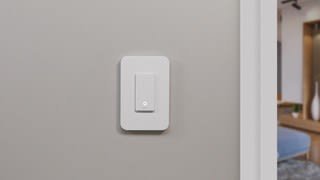
- Model:
- WLS040
- SKU:
- 6334019
Rating by feature
- Value
Rating 4.3 out of 5 stars
- Quality
Rating 4.5 out of 5 stars
- Ease of Use
Rating 4.2 out of 5 stars
Customers are saying
Customers express satisfaction with the light switch's ease of use, compatibility, and straightforward installation. The product is also appreciated for its quality, appealing appearance, and well-thought-out design, including its integration with HomeKit and a user-friendly app. However, some customers have reported issues with connection stability and the size of the switch.
This summary was generated by AI based on customer reviews.
Not easy to set up.
||Posted . Owned for 3 weeks when reviewed.This reviewer received promo considerations or sweepstakes entry for writing a review.Not able to use all features for an android. Setting up timer does not allow on and off. Says it does but only does on
No, I would not recommend this to a friendNot sure
||Posted . Owned for 3 weeks when reviewed.This reviewer received promo considerations or sweepstakes entry for writing a review.Haven’t really got to try it yet. But it looks pretty cool
I would recommend this to a friendThe.Worst-Avoid!
||Posted . Owned for 1 week when reviewed.This reviewer received promo considerations or sweepstakes entry for writing a review.Best Buy tried to stop me from posting a bad review - hence the number of starts is wrong. This was a terrible experience - don't go through what I did, just buy something else. I had the switch wired into our home by a friend. The app does not allow you to set up an account - you need the app on your phone in order to use this device. I filmed my screen since I figured people would think it was user error (won't let me attach) - but it's not, it just sends you in a circle of error messages, even when attempting work-arounds. Meanwhile this thing is wired into my home, and I now need to find a new switch and a new app from someone else to get what I need. Just avoid this product. Not that support was needed since it was so clear cut - but "Smart Squad" was declined to help despite spending money on that extra.
No, I would not recommend this to a friendBrand response from BelkinStaff
Posted .Hello, LindaLeMonjello,
If you haven’t tried uninstalling the Wemo App, then please do and relaunch it. Make sure to download the updated version of the app and make sure that your device is running on its latest version. Allow us to have this checked with our Escalation Engineers too by sharing it through email at [email protected] with your contact info and the link of this review, for our reference.
Regards,
Elyza
Wemo Support
Look at other alternatives
||Posted .This reviewer received promo considerations or sweepstakes entry for writing a review.I have 9 Wemo switches (dimmers, 3 ways and single pole). I am actively looking to replace them. They constantly come up not detected which means you have to try many things, including restarting your network, to get them to work again. The skill that "works with Alexa" is constantly disconnecting. I've replaced a number of them multiple times because they just stop connecting to Wi-Fi. Go look at some other reviews online and you'll see the same story. They are more expensive than Kasa which is what I was going to try next as they get very good reviews. I've spent a lot of money on these switches and don't want to keep reconfiguring them every few weeks.
No, I would not recommend this to a friendBrand response from BelkinStaff
Posted .Hi there,
This is certainly not the kind of behavior our devices should show. We can stabilize the connection by making sure that the units are equipped with the latest firmware, Wemo App and OS version of the handheld devices are on the latest, and the connection of the router is stable. You've tried enough isolation and we'd like to have our Product Experts check the unit and run further diagnosis. With the link to this review and your contact details, please drop us an email at [email protected].
We'll wait for your updates.
Regards,
Carl
Wemo Support
Don’t do it
||Posted . Owned for 1 month when reviewed.This reviewer received promo considerations or sweepstakes entry for writing a review.I have several smart home devices around my house. Never have I had more trouble setting up and maintaining a connection. It requires a 2.4 GHZ WIFI connection. That’s fine. Many devices do. But the setup with the Wemo app doesn’t apparently take that into account. To setup you need to either temporarily disable 5 GHZ on your dual band router or go into wifi settings on phone or tablet, select the Wemo network when it pops up. This will take you to Homekit app to setup. The only problem is the Wemo app still doesn’t see that the device has been setup. Good luck getting firmware updates. Buy anything else unless you love wasting time and being frustrated.
No, I would not recommend this to a friendBrand response from BelkinStaff
Posted .Hello, FBailey,
We appreciate your writing us a review. This is not the experience we want you to feel. Please make sure that you have the latest firmware version of the Wemo Light Switch and the latest version of the Wemo app. Normally, our Wemo devices will automatically detect the 2.4 GHz during setup, but if you are using a Mesh router, separating the SSID is one of the workarounds.
Please feel free to email us at [email protected] with your contact details and the link to this post should you need our help in the future. We are available 24/7.
Regards,
Gregory
Wemo Support
100% Garbage. Never purchasing again.
||Posted . Owned for 1 week when reviewed.This reviewer received promo considerations or sweepstakes entry for writing a review.I've used Wemo for a few years and things have gone downhill. Had a light switch stop working a few months ago and 2 hours with customer service couldnt get it working. Another (older) switch at our home still working okay so it's not any problems on our wifi. Bought a new replacement switch and a firmware update to their app lost all of my info. 90 minutes with customer support to connect to the app and get the new hardware working. Their old units were plug and play--simple and effective. The new units require so much work to make them function and I have serious doubts about the quality of their app and hardware now. They've lost me as a customer.
No, I would not recommend this to a friendBrand response from BelkinStaff
Posted .Hi, SBBIZ,
We understand how frustrating this experience could be. If in case you experience another challenge with the device, feel free to tap us at [email protected] so our Escalation Engineers can help you investigate and provide you with recommendations to stabilize the Wemo devices. Just include your contact information and other relevant details for records purposes.
Regards,
Rosalyn
Wemo Support
Design flaws when compared to another brand
||Posted . Owned for 1 month when reviewed.This reviewer received promo considerations or sweepstakes entry for writing a review.My TP Link dimmer switch burned out over time so I tried this brand (dimmer switches get very hot). I hated the WeMo for two reasons. First, it does not work properly on a light that has two switches (mine are for opposite walls of the room). Second, if you turn it off at the switch and then turn it back on quickly, it won't turn back on and it must be reconnected to the network to solve the problem. I had neither issue with the TP Link so I returned this switch to Best Buy and bought another TP Link (for less money). The TP Link is simply a far superior design at a more friendly price. Thus, the WeMo gets a one star rating.
No, I would not recommend this to a friendAlways disappointing, last straw drawn
||Posted . Owned for more than 2 years when reviewed.This reviewer received promo considerations or sweepstakes entry for writing a review.These have been a phenomenal disappointment right from the start. We have an eero mesh wifi. The wemo switches are super unstable. We might get weeks, we might get days. Right now I have 3 out of 10 demo's brain dead, blinking blue (biting to be reconfigured), and nothing I do will get them reconnected. I give up. Two years of this nonsense -- I'm done. Just ordered an alternative and am going to start ripping these out.
No, I would not recommend this to a friendBe careful on what you order
||Posted . Owned for 1 month when reviewed.This reviewer received promo considerations or sweepstakes entry for writing a review.Unit must be used with a four wire not three when wiring so be careful and read box to determine if its what you need to do the job
I would recommend this to a friendWemo
||Posted . Owned for 1.5 years when reviewed.This reviewer received promo considerations or sweepstakes entry for writing a review.It stopped working after 2 yrs I called support and they fix it but this is 2nd time it happened They refuse to replace
No, I would not recommend this to a friendLED indicator always ON.... Deal breaker...
||Posted . Owned for less than 1 week when reviewed.This reviewer received promo considerations or sweepstakes entry for writing a review.I love the technical performance of the product. WiFi connection is rock solid, Alexa, Google and Siri/homekit works flawlessly but..... I don't get how there is no option to turn off the LED indicator... Deal breaker for me... Only 1 light switch in the room is enough to light the whole room during the night.. This is good for kids room or people afraid of the dark... Was planing to buy 50 units but now looking for another solution...
No, I would not recommend this to a friendDoesn’t work with mesh router
||Posted .This reviewer received promo considerations or sweepstakes entry for writing a review.Horrible upgrade, does not work with mesh router. The older version was a lot easier to set up. Right back to the store.
No, I would not recommend this to a friendBrand response from BelkinStaff
Posted .Hello, Gustavo,
Thanks for writing us a review. Our Wemo devices connect with the 2.4 GHz network. If you still have the device with you, we can have our Product Experts further assist you. Please email us at [email protected] with your contact details and the link to this post for our reference.
Regards,
Gregory
Wemo Support
DO NOT BUY!!!
||Posted . Owned for 4 months when reviewed.This reviewer received promo considerations or sweepstakes entry for writing a review.This is the worst programmable device I've ever tried. I've used Wemo smart switches for a couple of years and have had issues with all of them. This one is BY FAR the worst. I've spent almost 3 hours on 2 different calls trying to get help from their tech folks. All of these efforts were a waste of time. I will never buy another WEMO device.
No, I would not recommend this to a friendBrand response from BelkinStaff
Posted .Hi,
We sincerely apologize that you have to endure this with our product and the team. If you'll consider, we want to hand this over to our Second Level Team for further investigation. Email us at [email protected] with the link to your review for our perusal.
Regards,
Mara
WeMo Support
Make sure you have a 4 wire connection
||Posted . Owned for less than 1 week when reviewed.This reviewer received promo considerations or sweepstakes entry for writing a review.Needs four wires instead of 3. Never stated on the box. Returned.
No, I would not recommend this to a friendBrand response from BelkinStaff
Posted .Hi, Docvee,
We appreciate the time in posting a review. Know that we always aim to develop our products based on our customers' reviews and suggestions. This is a product requirement and your feedback is noted to serve as a reference for future considerations. Should you have any Wemo devices in the future and need a helping hand, please don't hesitate get in touch at [email protected]. We're eager to assist.
Regards,
Carl
Wemo Support
Meh
||Posted . Owned for 3 months when reviewed.This reviewer received promo considerations or sweepstakes entry for writing a review.Cute simplistic design and concept but unreliable.
No, I would not recommend this to a friendBrand response from BelkinStaff
Posted .Hi danieltheblasian,
Thanks for sharing your feedback. If you need assistance with the Wemo WLS040, let with us more details of the issue and send us the link to this review at [email protected].
Regards,
Kyla
Wemo Support
Fios users beware
||Posted . Owned for 5 months when reviewed.This reviewer received promo considerations or sweepstakes entry for writing a review.This is the single worst product I have ever purchased in my life, and I don't say it lightly. Basically, the product could not work with the Verizon WiFi extender system in my house that I have to use with Fios. This would cause constant outages. We had them uninstalled after 5 months of trying.
No, I would not recommend this to a friendI do not recommend WeMo products
||Posted . Owned for 3 weeks when reviewed.This reviewer received promo considerations or sweepstakes entry for writing a review.It's will work neither with Apple products nor with Alexa. My house is really smart, but not with WeMo devices. I am an IT specialist and no one can blame me for the lack of such devices knowledge. So, as a professional, I can state that WeMo devices do not work properly and I do not recommend them.
No, I would not recommend this to a friendTrash
||Posted . Owned for 3 months when reviewed.This reviewer received promo considerations or sweepstakes entry for writing a review.Don't buy this. You must reset it by killing power via circuit breaker. Don't lose or throw away anything, or else you won't be able to reconnect to wifi. Not very user friendly at all. Works great when it actually works the way it should.
No, I would not recommend this to a friendBrand response from BelkinStaff
Posted .Hi, Buck.
The Light Switch should stay connected so long as it gets an optimum connection from the router. Making sure that it’s running on the latest firmware will also help to stabilize the device. Allow us to investigate what happened by sending an email at [email protected] with your contact details and the link to this review for our reference. We’ll also have our Escalation Engineers give you a hand if the recommendations above won’t help.
We look forward to hear from you soon.
Regards,
Carl
Wemo Support
Poor product and software
||Posted . Owned for 10 months when reviewed.This reviewer received promo considerations or sweepstakes entry for writing a review.“Had“ these in my house until they pushed out a much needed and overdue security update. Could never get them to connect again. Stay away from all Wemo products. Look for smart home devices that offer stability and a history of success. It is not worth otherwise.
No, I would not recommend this to a friendBrand response from BelkinStaff
Posted .Hi, JimTX,
Several factors may have caused the challenge as linking Wemo devices to your account is pretty simple and straightforward. We could’ve had our Escalation Engineers assist you further. Should you decide to use Wemo products again, don’t hesitate to tap us anytime at [email protected] as we’d be happy to lend you a hand.
Regards,
Rosalyn
Wemo Support
Totally a disappointment
||Posted . Owned for 2 weeks when reviewed.This reviewer received promo considerations or sweepstakes entry for writing a review.Total disappointment! I thought this would be easy to set up because I am very tech savvy however it was very difficult; I know I put all the wires in the correct place and it was a mess.
No, I would not recommend this to a friendBrand response from BelkinStaff
Posted .Hi, Thomas,
Thanks for writing us a review. Please email us a [email protected] with your contact details and the link to this post so we can have our Escalation Engineers to assist you further.
Regards,
Gregory
Wemo Support