Customer Ratings & Reviews


- Model:
- WDS060-BD2
- SKU:
- 6435022
Rating by feature
- Value
Rating 4.3 out of 5 stars
- Quality
Rating 4.5 out of 5 stars
- Ease of Use
Rating 4.4 out of 5 stars
Customers are saying
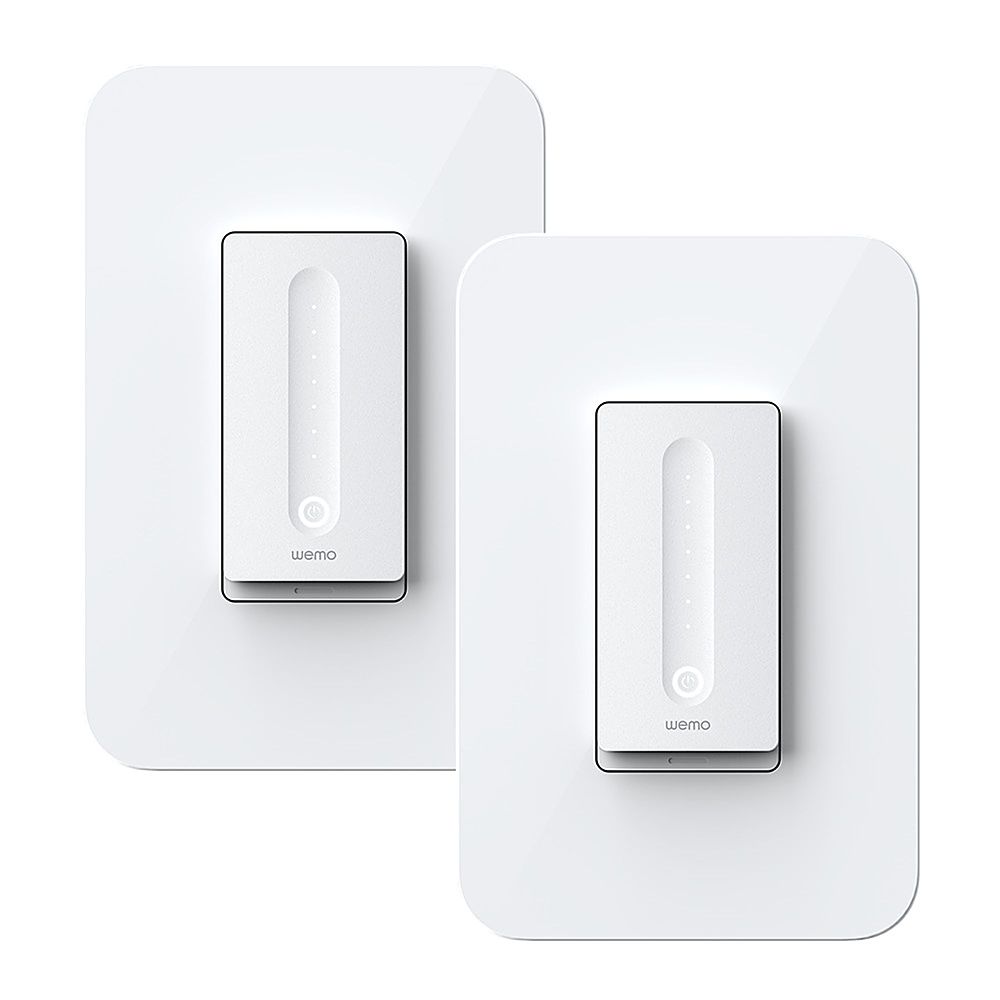
Customers consistently note the WiFi Smart Dimmer 2-Pack for its ease of use, compatibility with systems like HomeKit and Alexa, and straightforward installation process. The dimming feature and app integration are also appreciated, along with its sleek design; however, some customers have experienced connectivity issues and consider the product to be somewhat expensive, also mentioning its bulky size.
This summary was generated by AI based on customer reviews.
- Pros mentioned:Ease of use, Installation

Easy to install and setup
|Posted .This reviewer received promo considerations or sweepstakes entry for writing a review.This switch and other offerings from WeMo have been pretty good to me. I have a handful of them and aside from some disconnects on occasion, I find their easy of installation and setup to be good enough of a tradeoff. Installation is simple enough if you have a neutral wire behind your switch and are comfortable installing a light switch yourself. If not, get a professional. Setup is just as easy as any WeMo device. You can set up straight through Home (on iOS) or through the WeMo app (or both). I'm not sure what the process looks like through Android. I rarely go through the WeMo app unless I find that Home is having trouble connecting to the switch, sometimes the app has better luck and reconnects quicker. The calibration for how dim your lights go is pretty nice too so it can find the minimum voltage your lights activate at and scale up from there instead of having a huge dead zone at the bottom of the dimmer. Overall, I'm still happy with all of my WeMo devices mainly for how easy they are to setup and connect to Home on iOS. If you need an easy dimmer switch and this one is in your budget, definitely pull the trigger on this one.
I would recommend this to a friend - Pros mentioned:Compatibility, Ease of use, Installation
Wemo wifi smart dimmer
|Posted .This reviewer received promo considerations or sweepstakes entry for writing a review.This works as expected. Easy to install. Straight forward installation. Took about 30 minutes without any issues. Instructions are great and easy to follow. Very impressed with the quality and ability to use Alexa or home kit to turn in and to dim as well as schedule off and on times. Very versatile platform.
I would recommend this to a friend Not a wemo fan
||Posted . Owned for 3 weeks when reviewed.This reviewer received promo considerations or sweepstakes entry for writing a review.seems to disconnect quite a bit not a wemo fan after a couple of dimmers and plugs that both disconnect quite a bit!
No, I would not recommend this to a friendBrand response from BelkinStaff
Posted .Hi,
Thank you for your review, all feedback is important to us and we’re sorry to hear about your product experience. This makes us keener to make sure that it doesn’t happen again. Drop us an email at WemoCares@belkin.com and we'll have our 2nd Level Team investigate this further.
Regards,
Mara
WeMo Support
- Pros mentioned:Ease of use
After some issues, a great device
|Posted .This reviewer received promo considerations or sweepstakes entry for writing a review.So let me start by saying, if you have NO electrical installation experience, either call a professional electrician, or do ALOT of research via online videos. Do NOT risk electrocution. That being said, before you start you always want to make sure you turn OFF the power to the switch you are working on by turning it off at the breaker box. I usually will leave the light ON while I go to turn the switch off. If I return and the power is out, then I shut off the right switch. Just to be clear I am not an electrician. I have installed many ceiling fans and lights, but that is as far as my experience goes. Installing a smart switch made me nervous as first, but it was all for nothing because it was simple once I had the right tools. So to start, I uninstalled the old single pole flipper switch. Piece of cake. Followed the wemo instruction manual step for step and connected all the wires, just to find out 2 things. 1. the device itself would NOT fit in the electrical junction box. Seemed strange. It did not have enough clearance on the top and bottom. Turns out, since my house is built in 1960, it used one of the OLD metal junction boxes. So there was problem #1. I immediately knew that if I wanted to install this smart dimmer switch, I would need to install a new modern electrical box. Queue INSTANT FEAR. Again, something else I have never done. I decided to atleast turn the power back on and have some positive vibes knowing I atleast installed the wires to the light correctly. This became problem #2. I was wrong and the switch did NOT power up. Reading the manual, I thought perhaps I switched the 2 black cables for load and line. Went back downstairs, turned power back off, came back up, re-wired and switch 2 black wires, went back downstairs to turn power back on, come back up to find out STILL not working lol. *Insert screaming mad emoji here :). At this point I gave up, uninstalled the switch, put back up the old switch, and gave up for the day. This was a battle for another day, or week or month. So it's been a week, and after many videos online on how to replace an electrical box, I ventured to Lowes (seems to be my every week place these days) and picked up a new electrical box. Also as a sign sent from above it seems, I also grabbed a shallow depth junction box as a "who cares its only $2 if I don't need it oh well". Well removing the old junction box ended up being really easy. It just had these 4 metal clips wrapped around holding it in place and once removed the box "popped" out of the wall (all junction boxes are different and this method I had actually matched none of the ones I found online that were installed with nails, etc, so be forewarned your style and process to remove an old junction box may be different). The location of where I wanted to put this switch which is the default location since we bought the house, just happens to be on the other side of the master bedroom closet. Unbeknownst to me, the depth of this spot was really shallow so I am GLAD I bought the shallow depth junction box, because it ended up being what I needed. Switch installation again I just took my time and matched up the wires according to the manual. Turns out initially I had grabbed the ground wire from the wire going to the lights, but never saw the ground wire coming up from the power box. That is why the lights weren't working originally. Once I properly installed the wires, turned the power back on, came up and was happily greeted by the switch blinking and ready to connect. I followed the instructions in the Wemo app, and voila, it works perfectly. Now I will say this, I have this hooked up to a ceiling fan, which already had Ge smart bulbs in them. Attempting to use the "dimmer" function is pretty atrocious. The lights don't smoothly go up and down, but rather "jump" from light level to light level. It can be quite annoying. So it does work, but I'm not sure if it's the smart bulbs messing with the dimmer function. I plan to install some regular LED bulbs and see if they work better. Overall recommended if you can get this at a good deal.
I would recommend this to a friend Check your wiring
||Posted .This reviewer received promo considerations or sweepstakes entry for writing a review.The neutral wire requirement made the outlet unusable
No, I would not recommend this to a friendBrand response from BelkinStaff
Posted .Hi MIke,
Thank you for bringing this to our attention. This is not the norm and we'd like to assist you with making things right. Let's have our phone support be in touch with you so they can check this further. Just contact them through the hotline number found here: https://www.belkin.com/us/support-article?articleNum=55022.
Regards,
Marie
Wemo Support
- Pros mentioned:Ease of use
works well, setup can be tricky
|Posted .This reviewer received promo considerations or sweepstakes entry for writing a review.I like the idea of this device because I like the idea of being able to set a house light to various on-off patterns to make the house look occupied when we’re traveling. Once installed, I’ve found this dimmer to work very well. It is easily controlled for conventional on/off and dimming from the wall switch while the phone app gives you the same control from anywhere in the world with an internet connection plus the ability to set what the app calls “rules,” which are simply patterns of on/off behavior to simulate someone being home. You can set up as many rules as you wish for different circumstances and save them all. Where I did run in to a bit of an issue was in the app setup. Installing the switch into the wall was no problem, but I do advise that if you are not comfortable working with 120V electricity, have an electrician do the electrical work. You can do the app setup yourself afterwards. Know also that this switch will only work on a circuit where there is only one switch controlling the light. If you have a light that can be switched on and off from two or more locations, this dimmer can’t be used. Where I ran into an issue with the setup was that I would go through the process almost to completion, and then the app would suddenly lose contact with the switch and drop me back to the initial setup screen. I would have to go through the process again and again. It would find the dimmer switch and run through some tests, but, before completion, it would lose the switch and take me back to the initial setup screen as I said. I finally resorted to calling technical support, and he told me to do something that the setup process never mentions. Part of setting up this dimmer involves dropping your phone’s wireless connection to your home network and connecting it to a little wireless network the dimmer switch itself puts out. No problem, except that, without my knowledge, my phone was dropping the connection to the dimmer’s network because it provided no internet access (which there isn’t supposed to be) and going back to connecting to my regular home network. What the technical representative told me to do was first have my phone “forget” the home network or networks it routinely connects to, then connect to and set up the dimmer, and then have the phone reconnect to your home network. Because the phone was told to forget the network, you will likely have to re-enter your home networks’ password. Once I did this, setup completed with no problems, and I was able to control and program the dimmer from my phone. So, in summary, if you want a programmable home dimmer switch, this one looks good and works great. Just keep in mind the setup issue I mentioned above.
I would recommend this to a friend - Pros mentioned:App integration, Ease of use
WEMO Makes Great Devices
|Posted .This reviewer received promo considerations or sweepstakes entry for writing a review.THis is m second WEMO dimmer switch. I have several plugs and two other switches. They work with Alexa and are fairly easy to install. App integrates all their switches and I use Alexia to turn devices on and off. What I like about Wemo is you can have lights come on at sunset and turn off at a designated time. This allows your lighting to adjust as the days get shorter or longer while maintaining a set turn off time to ensure ares are light while you are awake. I wish I could replace all my switches with WEMO.
I would recommend this to a friend - Pros mentioned:Ease of use
After difficult setup, it's great.
|Posted .This reviewer received promo considerations or sweepstakes entry for writing a review.After you get it installed, the WEMO dimmer is just as advertised A push of the button turns on your light. It remembers where you last set the dimmer position. Just sliding your finger up or down the switch dims the light or returns it to full “on.” I like being able to ask “Google” or “Alexa” to “set the light to 40 per cent” and it immediately happens. Very cool. However, the installation of the switch is an “adventure” to say the least. First of all, the switch didn’t work in the first location where I wanted to install it because the box in the wall was way too shallow for the WEMO to fit (my house is over 40 years old.) Fortunately, I had added a new addition to my home and the device fit perfectly in that room with the new box. Second, you need to make sure your wall box contains a ‘common wire’ in addition to just the ‘hot’ and ‘load’ wire. If you don’t have that third wire WEMO won’t work. Third, the switch will not work with “3 way” circuits, where you can turn the light on and off from two locations. Assuming you’ve met all that criteria installing the switch is the least intuitive device I ever put in. Just take your time and follow all the instructions one at a time carefully. Even then, I got stuck and had to call their support for help. It took over half an hour to reach someone, but eventually I got the help I needed and was on track. Bottom line as I said, WEMO is working perfectly now, just as advertised. I haven’t used all the cool features such as scheduling the lights to automatically turn on and off at specific times or using ‘sunrise’ and ‘sunset’ times to control lights. It’s well designed as long as you can get it installed properly.
I would recommend this to a friend Terrible software. Buy a lutron instead.
||Posted . Owned for 1 month when reviewed.This reviewer received promo considerations or sweepstakes entry for writing a review.The app is so aweful, it makes the switch useless. Constantly having to reset it thru the app, randomly shuts off my lights, and if you lose wifi you have to set it up all over again.
No, I would not recommend this to a friendBrand response from BelkinStaff
Posted .Hi there,
This is not how we designed the Wemo App and we'd like to make things right! With the link to this review and your contact details, please send us an email at WemoCares@belkin.com so our Product Experts can run further diagnosis. Let's continue from there for better assistance.
Regards,
Carl
Wemo Support
- Pros mentioned:Ease of use
Easy to install and easy to use
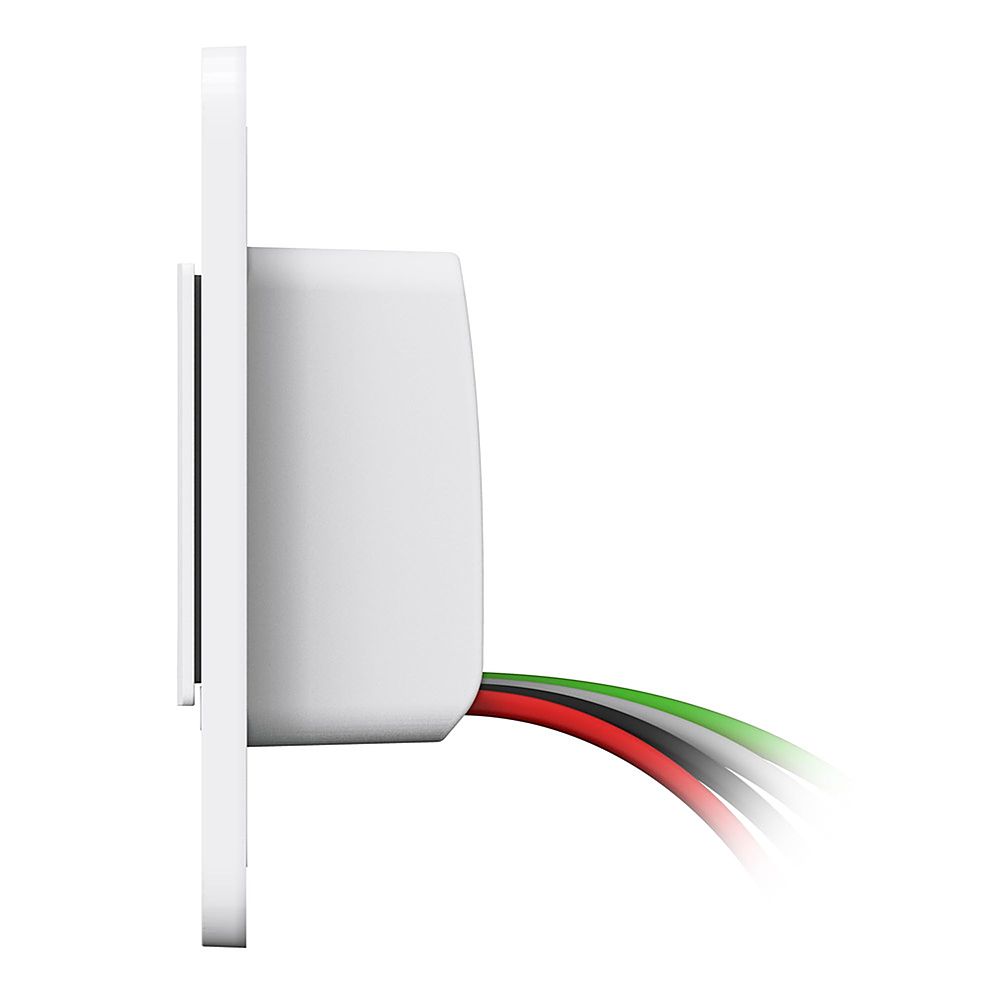
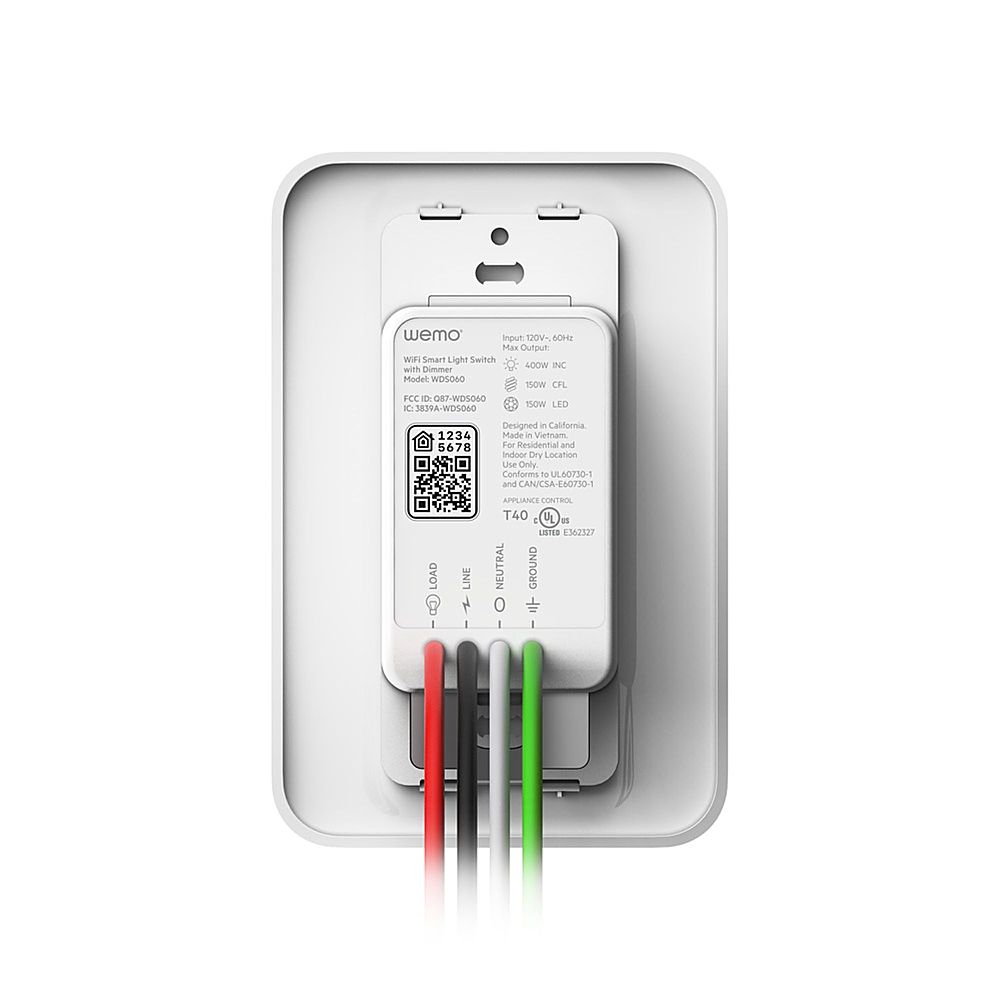
|Posted .This reviewer received promo considerations or sweepstakes entry for writing a review.Overall, very easy switch to install. The instructions are very vague, but they do dummy proof it by color coding everything for you and giving you enough extra wires, instead of having to figure out where to put the wires, it comes with them already out and ready to connect. Using it with other devices is simple to set up as well.
I would recommend this to a friend - Pros mentioned:Ease of use
Wonderful addition
|Posted .This reviewer received promo considerations or sweepstakes entry for writing a review.I have some regular Wemo switches and plugs so when I saw this I couldn't wait to try it. it works great and gives you the option to use default dimming or your own. It is very easy to install and even came with labels in the instruction book so you can label the wires if needed. I usually control them with a certain app that controls other devices as well by voice so I had not used the Wemo app in a long time. However to set it up you need to use the app and I was pleasantly surprised that they had upgraded it!. It is not glitchy like the previous version. It is so nice to be able to control the the light from anywhere and not have to have it at full power if I do not want to. I really like these for when i am away so I can randomly turn on lights to make it look like i am there or to give my pets some light. It also senses the type of bulbs you are using which is awesome. We installed it where there are multiple switches so we were not able to use the included face plate but it fit perfectly in the existing one so it was not an issue. You can give it a setting to come on and go off at certain times as well if you want. Once again Wemo has made another awesome product!!
I would recommend this to a friend - Pros mentioned:Dimming
Easy to install works great
|Posted .This reviewer received promo considerations or sweepstakes entry for writing a review.There are very detailed instructions that come with this device and also many good videos available online to help with install. This is an electrical switch so if you aren't sure about installing it I would get a professional. Install went smoothly, I was a little concerned when I first turned the power back on as my lights (5) in my dining room fixture just blinked on and off at full power. Once I added the dimmer to my Wemo app. (I have other Wemo products) it walked me thru setting up my minimum and maximum brightness and pairing it with Google and Alexa. It works well I can use the app, Google Home, Alexa or my voice to adjust the brightness and on/off. There are a variety of features in the app that can be used like auto dim out with a sleep timer, night mode or make routines to have this work with other Wemo products. The only drawback I found was it did take it probably 5-8 minutes to show up in my list of Wemo devices on the app. Other than that I am very satisfied and would recommend.
I would recommend this to a friend - Pros mentioned:Ease of use
Now I need one in every room.
|Posted .This reviewer received promo considerations or sweepstakes entry for writing a review.If you’ve installed switches before then the install is not complicated at all. It’s also very user friendly adding it to your WeMo environment. It took roughly 5 minutes to completely set up and test the switch. It responds quick to the touch or swipe of the finger. It’s also very responsive using the app. The app offers many options when to customize how you use it in your home. We are already fully integrated into the WeMo environment with other products in their lineup, and connected to our Google assistant. However, we were unable to test how well it works with our assistant. Google assistant kept notifying us that something went wrong or that light hasn’t been added. We are hoping to get that resolved soon, so we took away a star. Other than that, the switch works great and looks great as well.
I would recommend this to a friend Bad dimmer control and connection
||Posted . Owned for 1 month when reviewed.This reviewer received promo considerations or sweepstakes entry for writing a review.I got lost connection with alexa and having trouble with dimmer control.
No, I would not recommend this to a friendBrand response from BelkinStaff
Posted .Hi, ksk0631,
Updating the Wemo app or reconnecting the Wemo device to Alexa might help fix the issue. But, allow us to assist you further. Please reach out to us at WemoCares@belkin.com and share more details with the link to this review for our reference.
Regards,
Jan
Wemo Support
A capable smart dimmer
|Posted .This reviewer received promo considerations or sweepstakes entry for writing a review.This is my first Wemo smart device at home. I have a number of smart devices, including more than one dimmer. All our devices are incorporated into the Google Assistant app, so that’s one criterion behind which device(s) I’ll consider using. I got this new Wemo dimmer to replace an older (not so smart) dimmer in our master bathroom. We have a bank of eight 40-watt bulbs there pulling a total of 320 watts. Since this dimmer can support up to 400 watts, at least I won’t be exceeding its capacity. If you are considering using CFL or LED bulbs, the maximum wattage supported is 150 watts. Note that this dimmer is for single-pole switches and is not to be used with 3-way switches. For this dimmer to work, the following is required: • Wi-Fi Router supporting 802.11N • Neutral Wire • Android 4.4 or higher • IOS 10 or higher • Works with existing single/double/multi-switch rocker-style plates • Not designed to work with metal face plates Replacing the old dimmer was easy. The wiring requirements is identical to other products I’ve installed so it only took a few minutes to pull out the old dimmer and install this one. Once this dimmer was in place, I needed the Wemo app to complete the network install. (The app can be downloaded from the Apple App Store or the Android Play Store) After logging into the Wemo app, I pressed the plus (+) sign to start the add-new-device process. The app first connected to the dimmer, then prompted me to identify our home network and its password. Once done, the dimmer was then connected to our network. The install process prompted me to provide a name for the dimmer, and it’s helpful to come up with a name that easily identifies the device. For example, Master Bathroom Light. Once everything was set up, I could use the app to remotely turn the dimmer on or off, brighten or dim the lights, as well as to turn on/off additional features I might or might not want to use. For example, I am testing out the auto-dim function to dim the lights after a certain time at night to avoid being blinded by bright light. It is not a good application for our bathroom, but it could be useful if the dimmer is instead connected to a light in our entrance way that we always keep illuminated. Once I had the dimmer up and running on our network, I spent another minute or so integrating the dimmer into Google Assistant. I can now control it using the “Ok, Google” command. To turn the dimmer on and off manually, just press the bottom of the rocker. Press it once to turn the dimmer on, then again to turn it off. When turned on, slide your finger up and down the middle of the rocker to change the light’s brightness. This dimmer is well thought out and attractive looking. I don’t normally comment on aesthetics, but it is worth noting. And for those of you who use IFTTT and Alexa, it is compatible with those apps, too. All in all, this dimmer is a nice addition to my growing list of smart devices. Do remember that you will need a white, black, and ground wire in your wall switch for this dimmer to work properly. I’m giving this dimmer 5 stars.
I would recommend this to a friend- Pros mentioned:Ease of use
Must have for the tech savvy home
|Posted .This reviewer received promo considerations or sweepstakes entry for writing a review.First thing- Read The Instructions! Easy to hookup provided you have the correct wiring. Paired up with Alexa, and I'm still playing with voice commands, but so far so good. 4 stars because the manual adjustment is a bit funky. Also the Led on the switch seems a little bright to me. Wife had no issues manually adjusting. We didn't have this light on a dimmer before, but I think the dimming range might be better with a manual switch. All in all, it's nice.
I would recommend this to a friend Took awhile to install but well worth it
|Posted .This reviewer received promo considerations or sweepstakes entry for writing a review.Installation was a breeze - no issues at all and only took a few minutes. It does require a basic knowledge of electricity and ability to remove/install a wall switch. MAKE SURE YOU TURN OFF THE BREAKER! However, pairing the device to the App was not as easy. After 3 attempts including restarting phone, and deleting/reinstalling the app, I finally called customer service. They were very helpful but the process still took 30 minutes. After install, the device works as described and allows the light to be turned on/off, and dimmed from the app while still working as a traditional wall dimmer switch. It's very stylish/modern looking but still blends in with traditional wall switches/plugs. Worth noting is that the device must pair to your 2.4 ghz wireless, not 5.0 when most everything these days is 5.0, I'm using with LED bulbs but you need to make sure you use "dimmable" bulbs. I discovered that almost all of the LED bulbs I was using were "non-dimmable" so I did need to purchase additional bulbs. On a couple occasions after installation, the lights would flicker but if this happens, simply turn the light off and back on. I am anxious to try some of the other devices that Wemo offers. For ease of use and quality I would give this a "5" but the initial install drops the rating.
I would recommend this to a friend- Pros mentioned:Ease of use
Simplifying Life
|Posted .This reviewer received promo considerations or sweepstakes entry for writing a review.The WEMO WiFi smart Dimmer took about 10 minutes to install replacing a switch. I had to get a new light bulb, then just used the application to connect everything to WiFi. I used my Alexa app to control it from there and set up different times to have it work. I only had to reset the WiFi once but has worked really well!
I would recommend this to a friend Great smart dimmer switch
|Posted .This reviewer received promo considerations or sweepstakes entry for writing a review.This Wemo is a great light dimmer switch and it does what it was intended to do. The dimmer can be controlled through the Wemo app or Apple Homekit, Alexa, Google assistant and Samsung Smartthings hub. I encountered a few bugs with the app a few times it will hang but you just close it out and restart it. The feel of the product gives me the impression of good quality. Installation is not really hard and the instructions are easy to follow. I am very familiar with installing smart switches in my house and this one was no different from the others. The only time you will encounter a problem is, if you have an old home without the neutral wire . This switch will replace your old traditional switch and you will need to connect that neutral wire (white cable). When installing it make sure to turn off the power to be on the safe side. Overall is great wireless product. In the box you get the switch with wallplate, instructions and wire caps.
I would recommend this to a friend- Pros mentioned:Ease of use
Works Well If You Have The Right Bulbs
|Posted .This reviewer received promo considerations or sweepstakes entry for writing a review.This dimmer was easy to install and setup. Clear instructions are provided for the installation and the app walks you through the setup nicely. The dimmer doesn't get 4 stars from me because any setting below the fourth dot doesn't work. Even if I adjust it through the app it doesn't work well. I have a brand new LED bulb, so I know the bulb is not the problem. I will try different bulbs and see if that resolves the problem
No, I would not recommend this to a friend