Customer Ratings & Reviews


![INDEX Ana iargo eum (1-90] 2-3CM 22 420m ~ Left arm W - 1 ONI i ARTERY MMAIN INDICATOR ALIGNO 2407001 D E Mor Hello, Emma Blood pressure Place your hand on table, palm upwards. Blood Pressure x3 Blood Pressure How to Settings OK SYS DIA HR 115 77 76 mmHg mmHg bpm WITHINGS ON OFF](https://pisces.bbystatic.com/image2/BestBuy_US/images/products/b3fd45a7-d485-4de7-9776-1a44bfe7230d.png)
- Model:
- WPM07-08-all-Int
- SKU:
- 6630628
Rating by feature
- Value
Rating 4.2 out of 5 stars
- Quality
Rating 4.8 out of 5 stars
- Ease of Use
Rating 4.8 out of 5 stars
Customers are saying
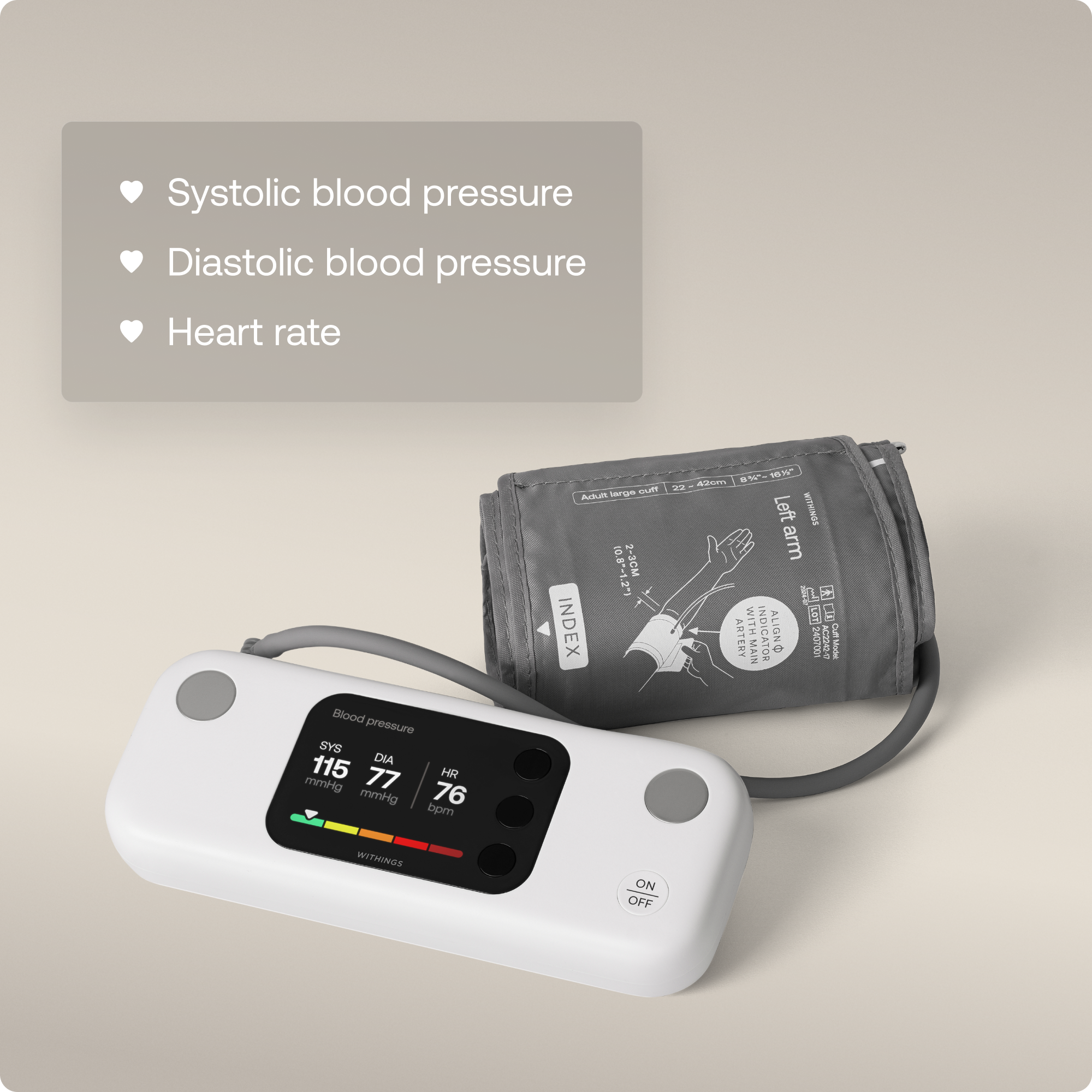
Customers appreciate the BPM Vision Smart Arm Blood Pressure Monitor for its ease of use and clear display. Many users have also noted how quiet the machine is during operation. The device's connectivity with Apple's Health platform is another valued feature, along with the convenience of rechargeable batteries.
This summary was generated by AI based on customer reviews.
Great tool for your health
||Posted .This reviewer received promo considerations or sweepstakes entry for writing a review.This is awesome if you need to monitor your blood pressure at home. Works great with app
I would recommend this to a friend- Pros mentioned:Battery life, Connectivity, Display quality

A helpful coach during your BP checks
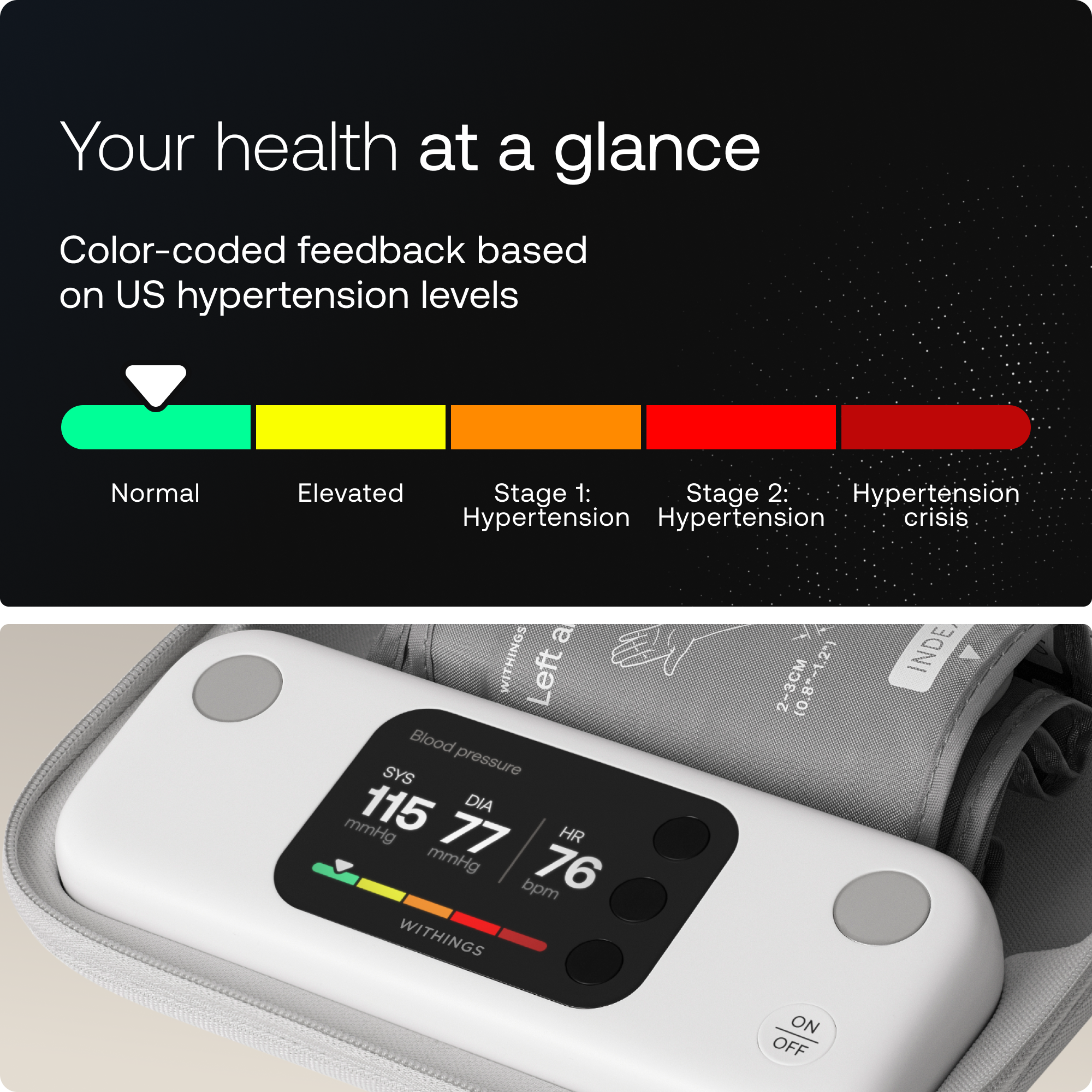
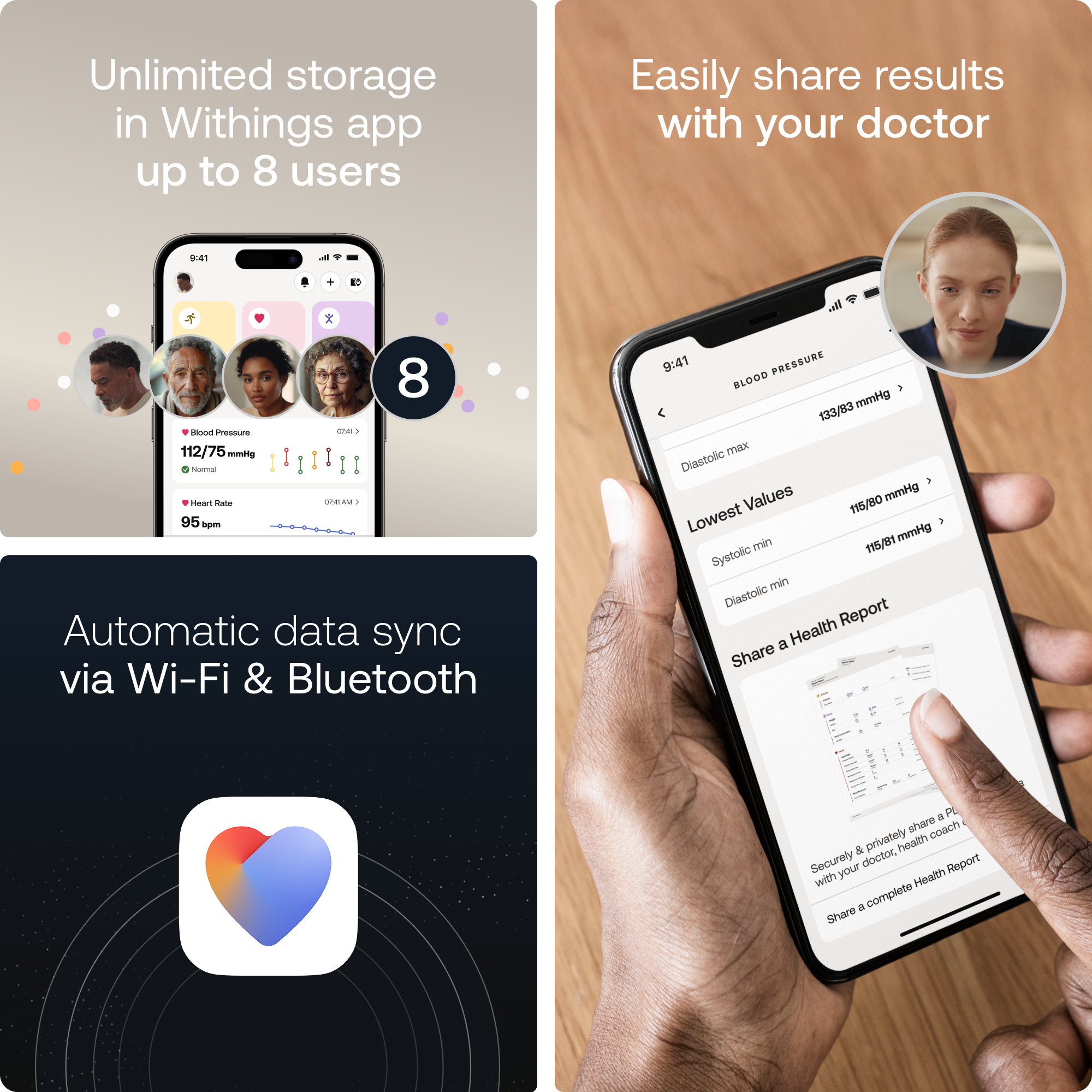
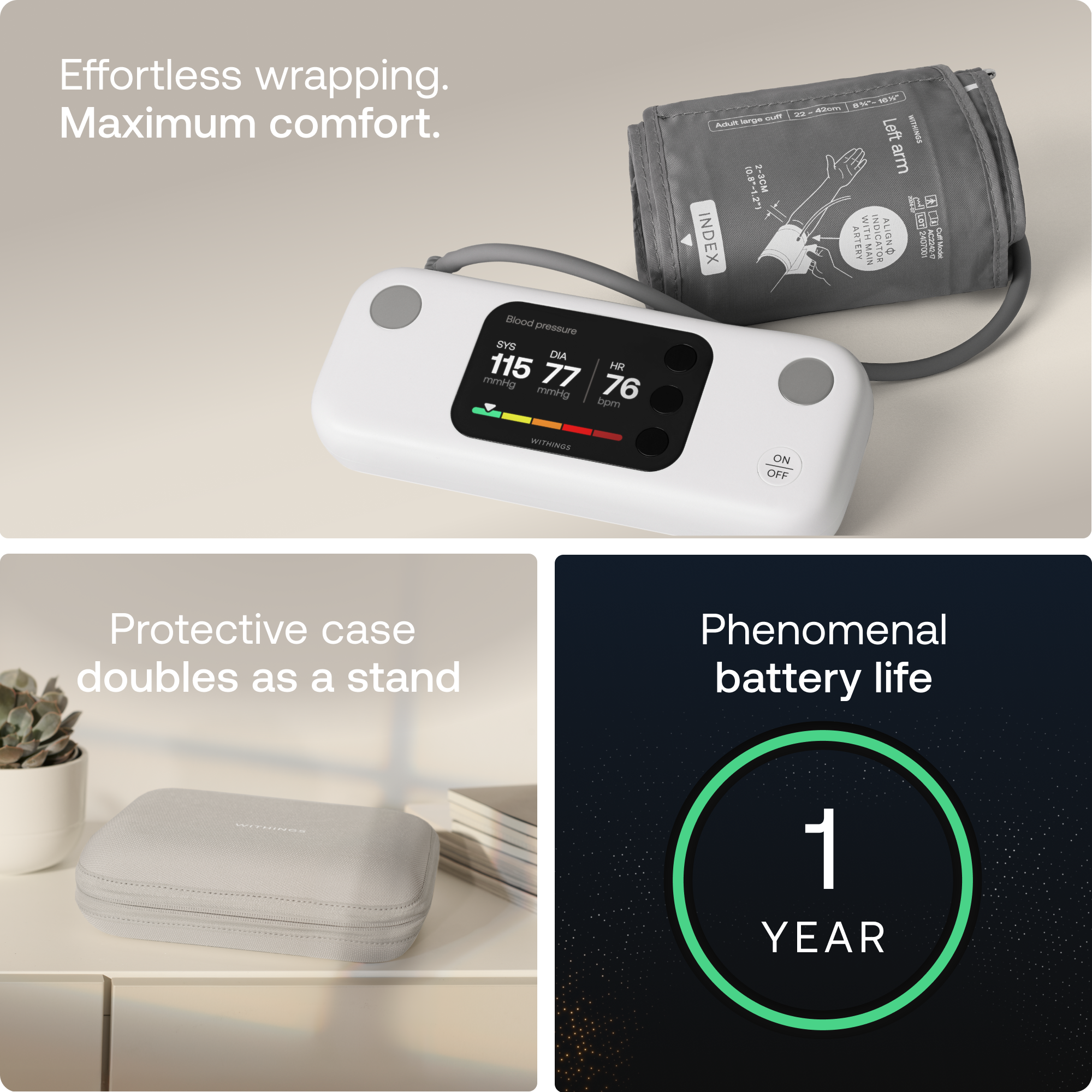
|Posted .This reviewer received promo considerations or sweepstakes entry for writing a review.After two decades in IT, I've learned that the best tech isn't just about specs, it's about solving real problems. The Withings BPM Vision caught my attention because it tackles the biggest issue with home blood pressure monitoring: user error. You know what I mean if you've ever wondered whether you positioned the cuff correctly or sat still enough during a reading. What struck me immediately was the 2.8-inch color screen. This isn't just a display, it's essentially a personal coach that walks you through proper positioning, reminds you to sit still, and confirms you're doing everything right. Coming from the tiny LED displays on most monitors, it's like switching from a flip phone to a smartphone. The screen shows clear diagrams for cuff placement, counts down your rest period, and displays results with color-coded feedback that instantly tells you where you stand according to ACC/AHA guidelines. Green means you're good; red means it's time to call your doctor. Simple. The TripleTrust feature automatically takes three consecutive readings and averages them, just like they do at the doctor's office. You can adjust the rest time between measurements through the app, which is brilliant for those of us who need a bit longer to settle down. Setup was surprisingly painless, connect to Wi-Fi once, and it syncs automatically without needing your phone nearby. With support for eight users and a battery that supposedly lasts a full year, this could easily become the family's go-to health device. The included cuff fits arms from 9 to 17 inches, though I wish they'd included the XL option for larger arms instead of charging extra. Here's where my IT background makes me appreciate the engineering: the device stores up to 16 readings locally between syncs, so you won't lose data if your Wi-Fi goes down. The Withings app is well-designed, generating PDF reports you can email directly to your doctor. No more scribbling numbers on paper. I found the automatic sync more reliable than Bluetooth-only devices, which often required me to fiddle with my phone. The protective case that doubles as a display stand is a thoughtful touch, making it easy to read the screen while taking measurements. It's definitely a worthwhile investment. The Withings+ subscription feels like overkill unless you really want the Cardio Check-Up service with professional reviews. For most people, the free app provides plenty of tracking and insights. What you're really paying for is the hand-holding experience of that color screen with its tutorials and confirmations. If you've struggled with getting consistent readings or have elderly parents who need foolproof monitoring, that premium might be worth every penny. Bottom line: The BPM Vision isn't just measuring blood pressure, it's teaching you how to do it right every single time. For anyone serious about cardiovascular health or managing hypertension, this is the closest thing to having a nurse guide you through each reading. Yes, you can get accurate readings for less money, but if peace of mind and consistency matter to you, this clever device delivers both in spades. Just budget for the XL cuff if you've got larger arms, and skip the subscription unless you need professional oversight.
I would recommend this to a friend Product has limitations
||Posted .This reviewer received promo considerations or sweepstakes entry for writing a review.The standard provided cuff has metal retainers which are larger than the cuff. The metal retainers bite into your arm as the cuff inflates, which pinches the back of your arm. Prior design
No, I would not recommend this to a friendI will NEVER buy anything withings again!
||Posted . Owned for 1 month when reviewed.This reviewer received promo considerations or sweepstakes entry for writing a review.I got my machine up and running and connected to the app on my phone. I took 10 measurements and NONE of them registered in the app. For the cost of this ** thing, I expect the app to function at least 80% of the time. Instead, my experience was that it worked 0% of the time. Further, it’s ridiculous for withings to expect you to reset your phone as a method for troubleshooting! NEVER AGAIN! I’m sticking with OMRON.
No, I would not recommend this to a friend- Pros mentioned:Battery life, Display quality
High quality device for tracking blood pressure
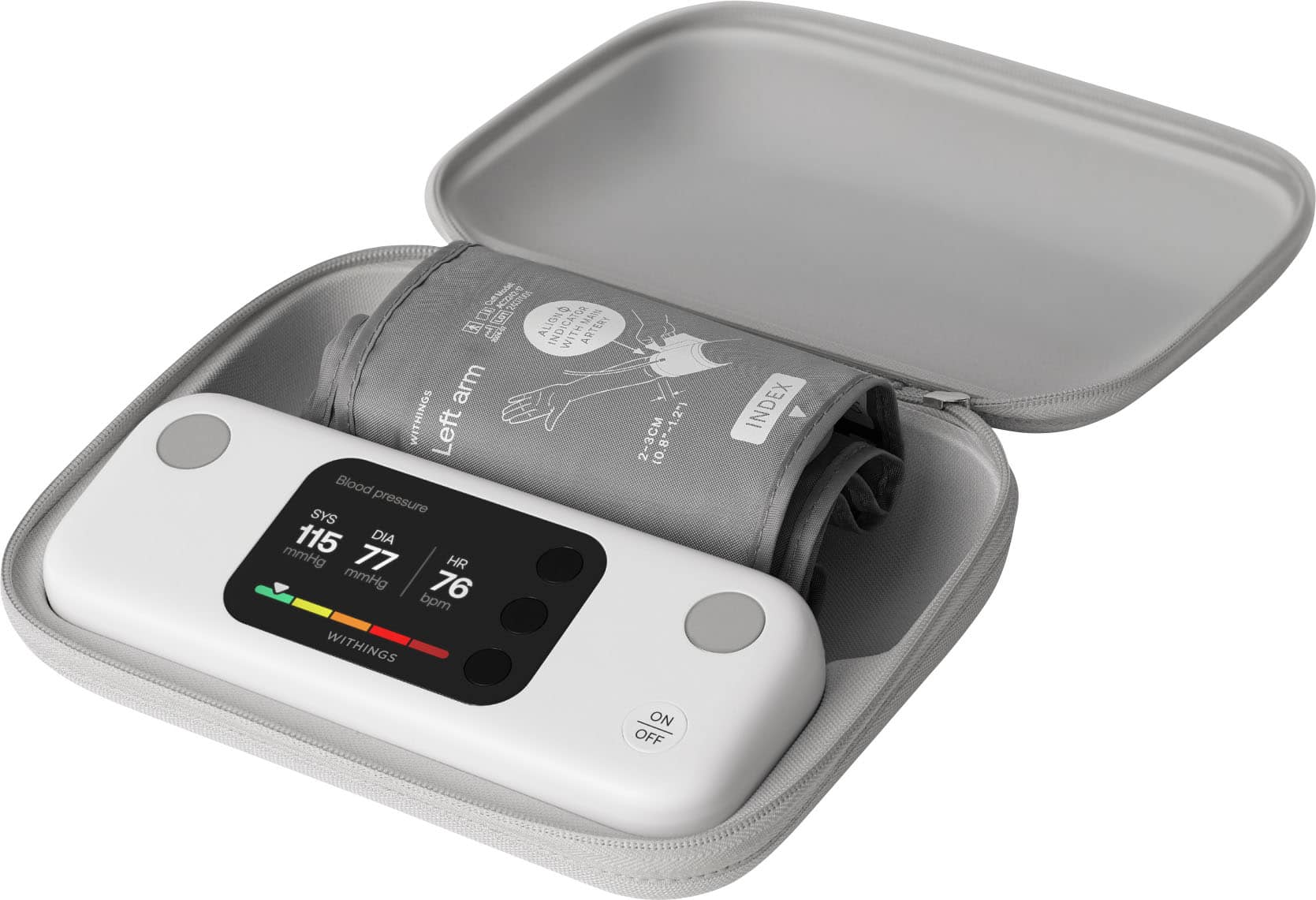
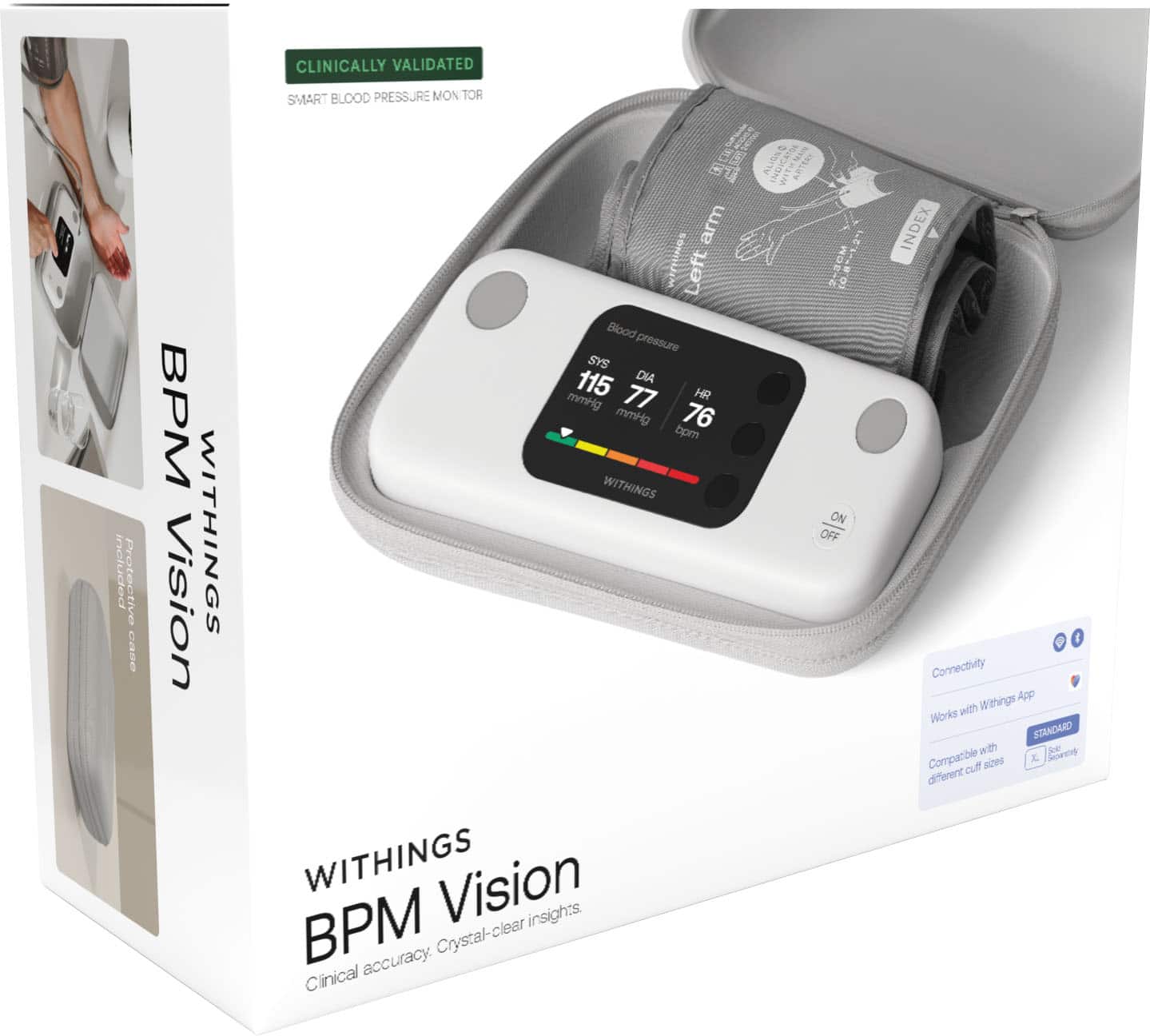
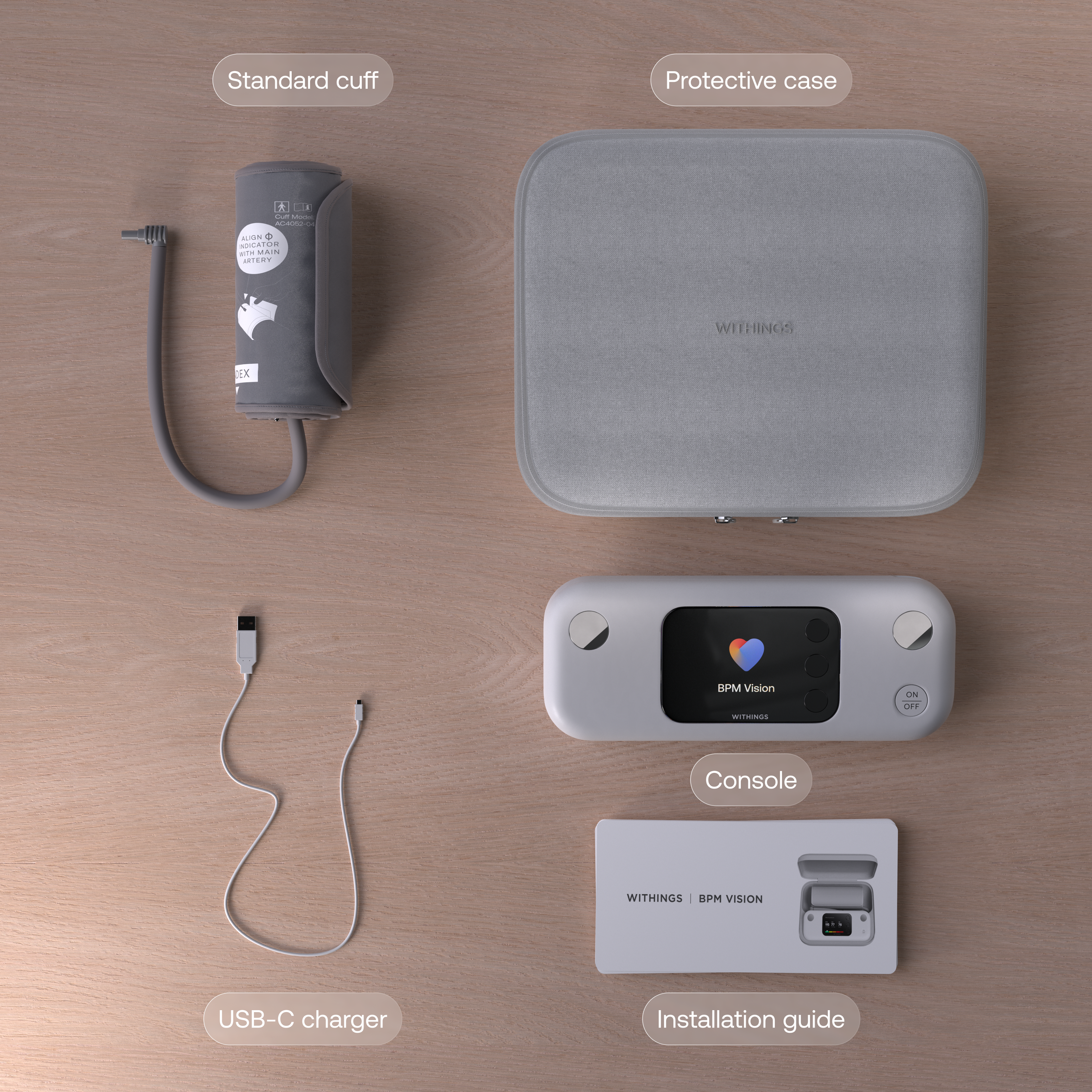
|Posted .This reviewer received promo considerations or sweepstakes entry for writing a review.The Withings BPM Vision blood pressure monitor is the latest option from Withings, and comes in its own zippered case, which nicely packs the unit and soft arm cuff. Included in the box are printed instructions and a USB-A to USB-C charging cable. When you first open the box, you’re greeted with quick setup instructions printed on the inside of the box. This is a slick way to do it, avoiding the easy-to-lose paper insert, and getting your attention literally right out of the box. Setup is very easy, but the process is designed to push you to download the app for your phone and sign up for an account. While I don’t mind that, and I understand that this is necessary for long-term tracking, I would have liked for this step to be easy to skip and come back to later. For something as one-dimensional as a blood pressure monitor, the first thing I want to do is check my blood pressure, not sign up for another account on an app. Once I had my account set up, it was easy to pair the device with my phone. Be aware that both Bluetooth and wi-fi are required for setup. Wi-fi is necessary for firmware updates, but I would have preferred updates to be done via the app and transferred via Bluetooth. Having to give my blood pressure monitor access to both my phone via BT and my home network via wi-fi feels like a bit much just to be able to take my blood pressure. Once all of that was done, I was ready to find out how bad my blood pressure was. The unit walks you through the steps for your first time, even encouraging you to rest for 5 minutes before you begin. The arm cuff is well-marked to help you put it on your left arm correctly. About a minute later, the crisp LED display shows your systolic and diastolic results, as well as your heart rate. A nice touch here is a color-coded strip along the bottom of the screen showing you where your reading ranks: normal, elevated, stage 1 and stage 2 high blood pressure. At a glance, you know how to interpret your reading. The app is excellent. It’s easy to pair with the unit and get set up, and it’s nicely arranged to give you all the important information in a well-designed layout. It integrates nicely with Apple Health, bringing in all your other health information so that you can see it altogether in one place. Seeing your bp readings over time gives you the full picture. The app will even allow you to privately send a report to your doctor, helping you to avoid elevated readings due to “white coat syndrome”. This is a thoughtful touch that allows you to get real benefit from the data you’re collecting. The Withings BPM Vision makes it easy to take your blood pressure and track it over time. I also have an older monitor from one of the prominent vendors of bpm machines, and the reading from the BPM Vision matched that from my older unit. That brings up my one major objection to the BPM Vision: price. At $180, it’s not cheap. My older unit was less than $50, but it doesn’t include an app or any of the bells and whistles that come with the BPM Vision. The core functionality—taking your blood pressure—is present in all monitors, so it’s everything else that you need to consider. The app and all its functionality is really great, but do you want to pay much more to get it? The build quality, from the unit to the cuff to the case, is top-notch, but is it worth the extra $130? A long-lasting rechargeable battery is also nice, but you have to decide how much it’s worth to you. For a high quality, easy-to-use unit, the Vision is a great choice. As soon as you open the box, the quality of the unit is obvious. It excels at taking blood pressure readings, and the app integration is very well-done. If you’re looking for a top of the line blood pressure monitor, this is it. As much as I like it, I’m taking off a star for the high price tag. Other than that, it’s an excellent option.
I would recommend this to a friend - Pros mentioned:Connectivity, Display quality, Ease of use
Smart, simple, and convenient
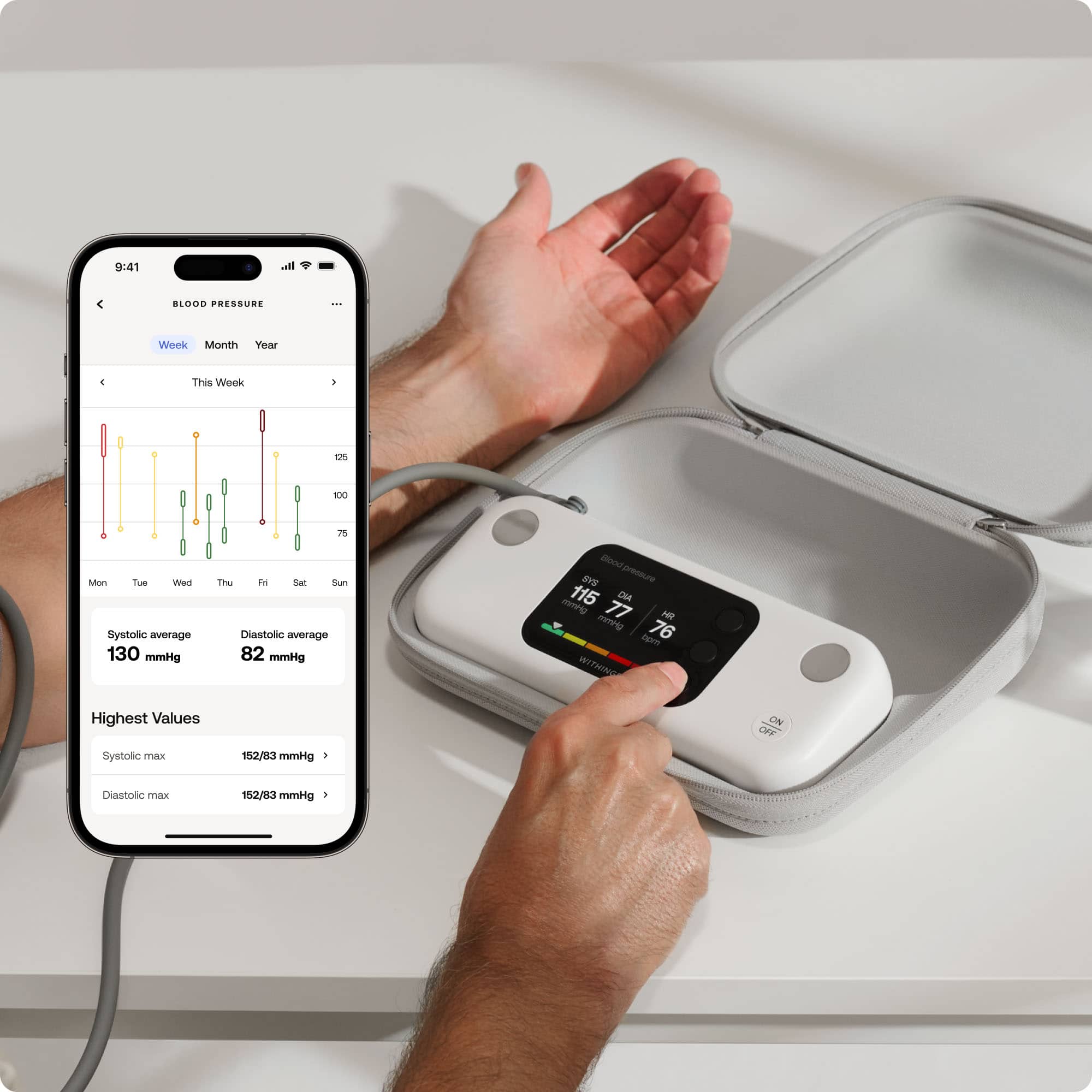
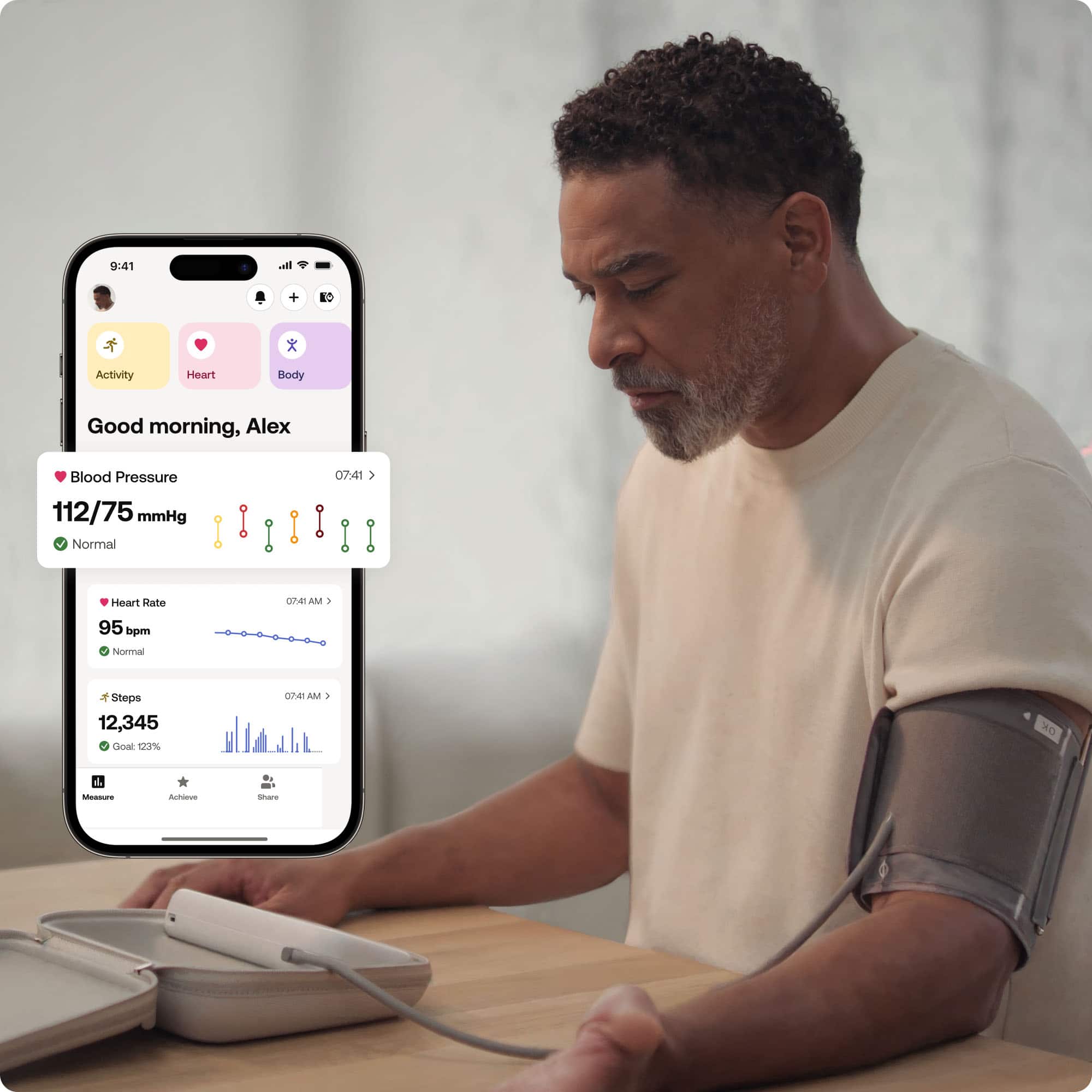
|Posted .This reviewer received promo considerations or sweepstakes entry for writing a review.The Withings BPM Vision Smart Arm Blood Pressure Monitor features a compact, portable design with a protective case that doubles as a stand. It has a 2.8-inch full-color LCD screen and provides clear instructions and easy to understand feedback. The BMP Vision includes interchangeable cuffs to accommodate all adult arm sizes and is as comfortable as a blood pressure monitor cuff is going to get. The BPM Vision is an FDA approved device that is user-friendly for the non-medical professional such as myself. I’ve been able to monitor my blood pressure easily and have the readings get stored and tracked in the Withings app. The BPM Vision automatically syncs via Wi-Fi and Bluetooth to the Withings app, allowing for unlimited data storage and trend analysis. It is compatible with iOS, Android, Apple Health, and Samsung Health. I also have a Withings smart scale so it is nice to use one app to track both my weight and blood pressure. Due to the simplicity of the BPM Vision I have not encountered any obviously erroneous blood pressure measurements. It is as simple as following the clear instructions and you get clear results. The results are then tracked in my Withings app on my iPhone and I don’t need to worry about manually inputting anything. This convenience is worth the price of entry and is a great item to buy for anyone that is wanting to easily track their blood pressure. You can also create an extensive blood pressure report from the Withings to take to your doctor so that they can have more blood pressure readings to make a more appropriate assessment of your health.
I would recommend this to a friend - Pros mentioned:Display quality, Ease of use, Noise level
Great product!
|Posted .This reviewer received promo considerations or sweepstakes entry for writing a review.The Withings blood pressure monitor is a great product for those wanting or needing to monitor their blood pressure at home. Using the Withings app, setup was super easy. It basically does everything for you once you setup an account. The app stores your readings so you can compare future readings and track your blood pressure over time. Of course the app has a subscription service, but it is not necessary. The app overall is really great and functional. It is really nice to have your readings stored for future reference. Definitely great info to have for your doctor visits. This blood pressure monitor is very solid and has a premium high-end feel to it. The pump is super quiet and the entire package is compact and sleek. You also get a nice case to store the monitor which is really nice. Overall, I am very happy with this BP monitor. Whether your doctor wants you to monitor your BP or not, it is still a good thing to have around the house when it comes to your overall health. Definitely recommend!
I would recommend this to a friend - Pros mentioned:Ease of use
Portable, easy to set up and use.
|Posted .This reviewer received promo considerations or sweepstakes entry for writing a review.I had been thinking of getting one of these for some time as I have other Withings devices, I am glad that I have one now. The unit seems to be spot on with the one at the doctor's office - my 3x readings matched to my last physical a few weeks ago. The standard cuff worked for me, although I was getting close to the index. Since I am a full sized adult male, the cuff should fit most people; if it doesn't, there is a larger cuff that you can order. The unit comes in a nice case and fits back in again easily after use, which isn't always the case with two piece devices attached by a cord or tube. The menu was super easy to navigate (remember to scroll down and shut off on the device screen to make sure it's off) and I was up and running in a few minutes. I already had the Withings app so I saved a minute or two, but even so, the paring was quick and easy to accomplish. I even could scan a QR for the WiFi password. That was helpful as I didn't have the Password handy. I'm not sure how long the charge of the battery will last, but since it only takes a short time to test, I think it will be awhile before it needs a recharge. Very satisfied.
I would recommend this to a friend - Pros mentioned:Display quality, Ease of use
Convenient and Features a Plus
|Posted .This reviewer received promo considerations or sweepstakes entry for writing a review.This Withings blood pressure monitoring machine comes in a smart little zipper case that serves well for use of the machine--you don't have to take it out of the case when using it. It charged up easily with a USB cable provided and was ready to use in an hour or so. The device works with a free app for the phone, and the install and setup with it went flawlessly. You can set up multiple users and maintain the user info like physical attributes. The blood pressure measuring results can be shared with others like your doctor, and you can take a series of 3 measurements and get the average of them (it takes about 5 minutes at the default delay settings, it can be changed to either 30 or 90 seconds depending on what you want between the 3 tests.) The display is small but clear and colorful. There are 3 simple press buttons for choosing menu items. The cuff is meant for an average arm, too big or too small an arm you won't get accurate results but different cuffs are available to order. The set comes with an instruction manual and a USB charge cable. This seems more like professional grade equipment than others I have.
I would recommend this to a friend - Pros mentioned:Display quality, Ease of use
Monitor Your Blood Pressure at Home
|Posted .This reviewer received promo considerations or sweepstakes entry for writing a review.The Withings - BPM Vision - Smart Arm Blood Pressure Monitor is a handy device to check your blood pressure at home. It is small, portable, and easy to use. It comes with a nice semi-rigid zipper case that holds everything. The monitor is simple to use with only an on/off button and 3 menu buttons. The instructions on the device screen will walk you through the process of taking a measurement (how you need to sit, how long to rest before, and how to use the arm cuff). You have the option of taking a single measurement or 3 successive measurements about a minute apart. The color screen show easily readable results that are color coded green in the good range, yellow in the concerning range, and red in the bad range. The readings for me have been very consistent. The unit charges by the included usb cable and the battery charges quite quickly. Unfortunately, the unit itself does not show the battery level unless it’s charging, although the battery charge level is displayed in the phone app. The Withings phone app is needed to initially set up the device, but once it has been set up, it is possible to take blood pressure measurements using the guest option on the device menu. Measuring as a guest does mean that your results are not saved however and they only remain on the screen for about 13 seconds. The unit itself automatically shuts off after about 25 seconds of inactivity. The phone app is fairly easy to use and has a lot of features that some might find useful, like keeping a log of your results. However, the app seems largely geared toward encouraging you to use all of the Withings medical products to track your overall health and share the results with a medical professional or subscribe the the Withings health monitoring service. But if you are concerned about sharing your health information with the app, it is possible to just use the guest setting to not share your results with the app. Also, the Withings company seems to be based in France and the privacy documentation indicates that they are covered under European Union laws regarding information privacy including the deletion of your personal/medical data upon request. Overall, this Withings blood pressure monitor works well and is easy to use. I personally have concerns about sharing my medical information, so I appreciate the ability to use the guest setting and keep my own records. If you do not have those privacy concerns, then the Withings app may have some very useful features for you.
I would recommend this to a friend Comfortable cuff & easy to use
|Posted .This reviewer received promo considerations or sweepstakes entry for writing a review.I had another brand bpm monitor that would squeeze your arm so tight & then deflate & squeeze again only to receive an error message so I was excited ( and anxious) to try this. It comes in a nice solid case but it is a large case. The bpm itself is small. I have a small arm & when I put on the cuff it went on easily & stayed in place, it did not squeeze my arm very hard & the readings were up quickly. A standard cuff is included but you can buy a XL one, sold separately. There is also a guide to follow for correct measurement, telling you what to do before measuring. You can measure only one time or take 3 consecutive readings with a pause in between , it notifies you when it starts measuring again. The colors are bright & self explanatory, you can use just the machine to get your readings but connecting to the app gives more options & a health report you can share with your doctor. Connecting to the app was easy, step by step. In the app it saves your heart rate, bpm readings by week, month, year & shows average & high & low values. I also put in my height & weight. You can add body, activity, sleep, nutrition & other features with a subscription. I have an Apple watch so I don’t need those things. This also connects to Apple health app & transfers info. As far as accuracy, I think it’s pretty accurate, my husband used it & I used it, I never have high blood pressure but anxiety over taking it makes it go up so mine was just a little higher than normal. I would probably give this 4.5 stars because of the high price tag & also I feel the app creates a bit of panic by saying it’s elevated when it’s not or only slightly higher. Maybe an adjustment could be made there in the future. Otherwise it’s a very nice monitor!
I would recommend this to a friend- Pros mentioned:Display quality
Great BPM that matches my doctor's office reading
|Posted .This reviewer received promo considerations or sweepstakes entry for writing a review.The Withings - BPM Vision - Smart Arm Blood Pressure Monitor is the most accurate and consistent blood pressure monitor I have ever used. I have owned several blood pressure monitors over the years. I also had purchased a different one within the past year with the hopes that it would be more accurate and consistent that others I had used but it still was not as good as this medical grade BPM. For one thing, this BPM is FDA cleared which is a big distinction. Also the packaging was smart and so easy to open and the BPM and cuff fit nicely in the supplied case. Also, it has a great colored LCD display that makes reading easily visible each time and shows me where my BP falls on a scale. There is also step by step instructions built-in to the monitor for first time users. It transfers the readings to the Withings app which tracks my readings over time with other health stats gathered from my phone. The cuff is easy to use and fits when others sometimes would give an error. It is also comfortable and doesn't hurt my arm. I have found that the BP readings match the ones my doctor takes manually at his office which is amazing. Normally, automatic BPM's cannot do that. Overall, this is an amazing device. The only downside is that it's a little more expensive than other BP monitors.
I would recommend this to a friend