Customer Ratings & Reviews
- Model:
- YRD420-F-WF1-0BP
- SKU:
- 6579663
Rating by feature
- Value
Rating 4.2 out of 5 stars
- Quality
Rating 4.3 out of 5 stars
- Ease of Use
Rating 4.4 out of 5 stars
Customers are saying
Customers have good things to say about the Assure Lock 2, particularly its ease of use and straightforward installation process. Many appreciate the overall performance and sleek design, as well as the added sense of security it provides. However, some customers have expressed concerns regarding the battery life of the device.
This summary was generated by AI based on customer reviews.
door lock
||Posted . Owned for 1 month when reviewed.This reviewer received promo considerations or sweepstakes entry for writing a review.does not work right or installed wrong they want me to purchase a new one
No, I would not recommend this to a friendBrand response from Yale Customer Care
Posted .We would be glad to help with any set up or installation issues you are facing with the Yale - Assure Lock 2 Smart Lock Wi-Fi with Touch Fingerprint Access. Please contact our support team for further assistance at 855-213-5841.
- Pros mentioned:Ease of useCons mentioned:Battery life

Very nice lock but battery lasts 3 months AA batt.
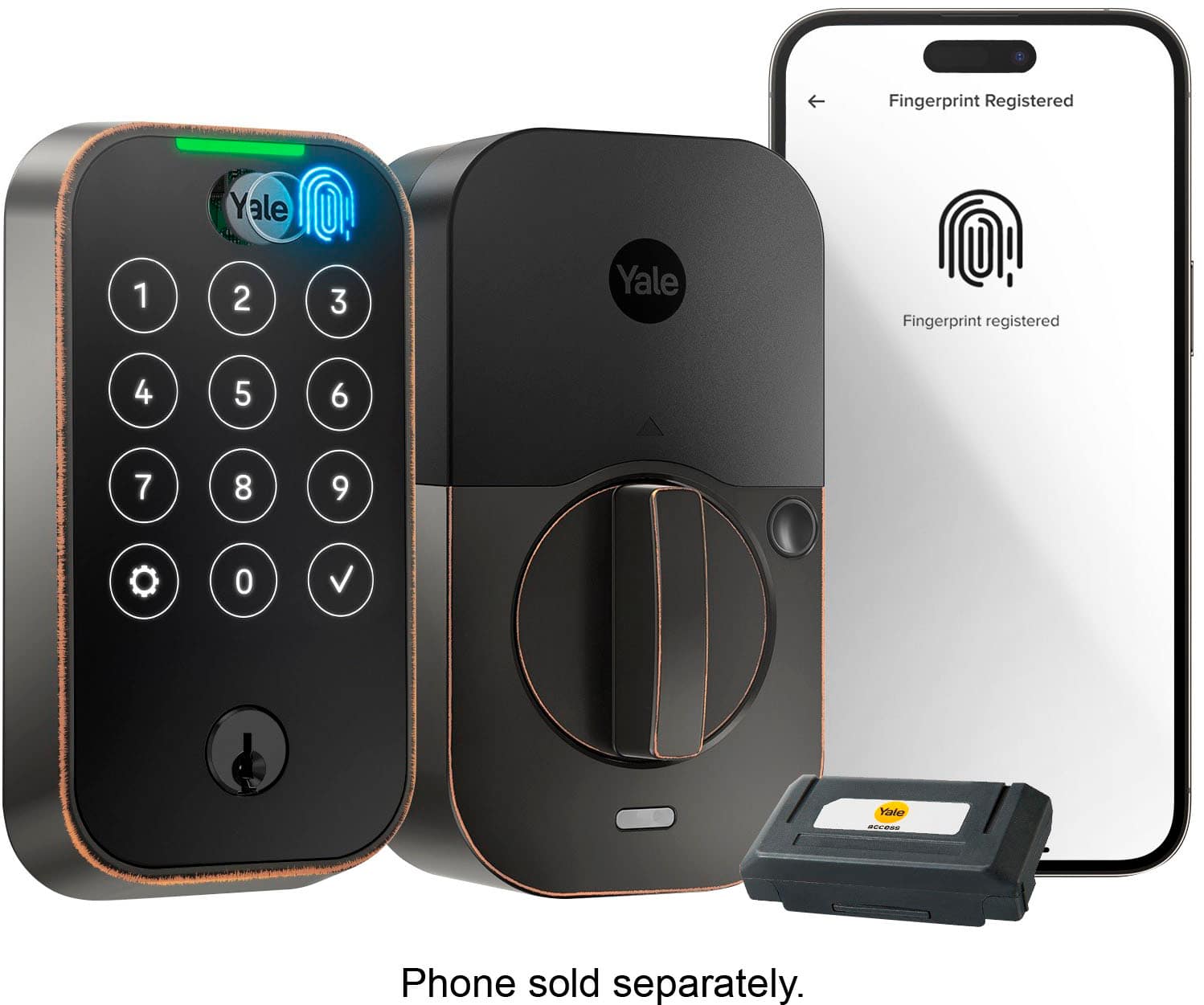
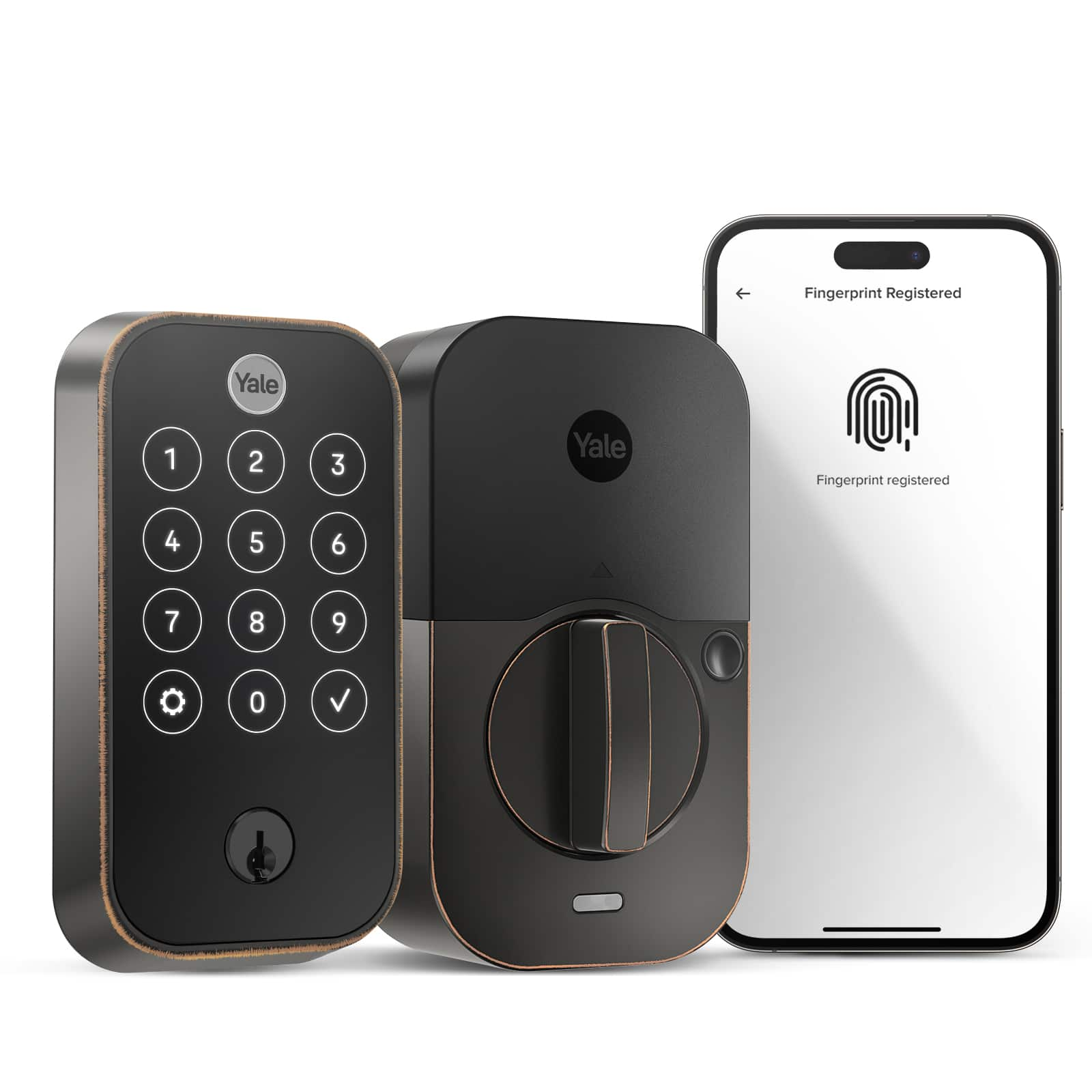
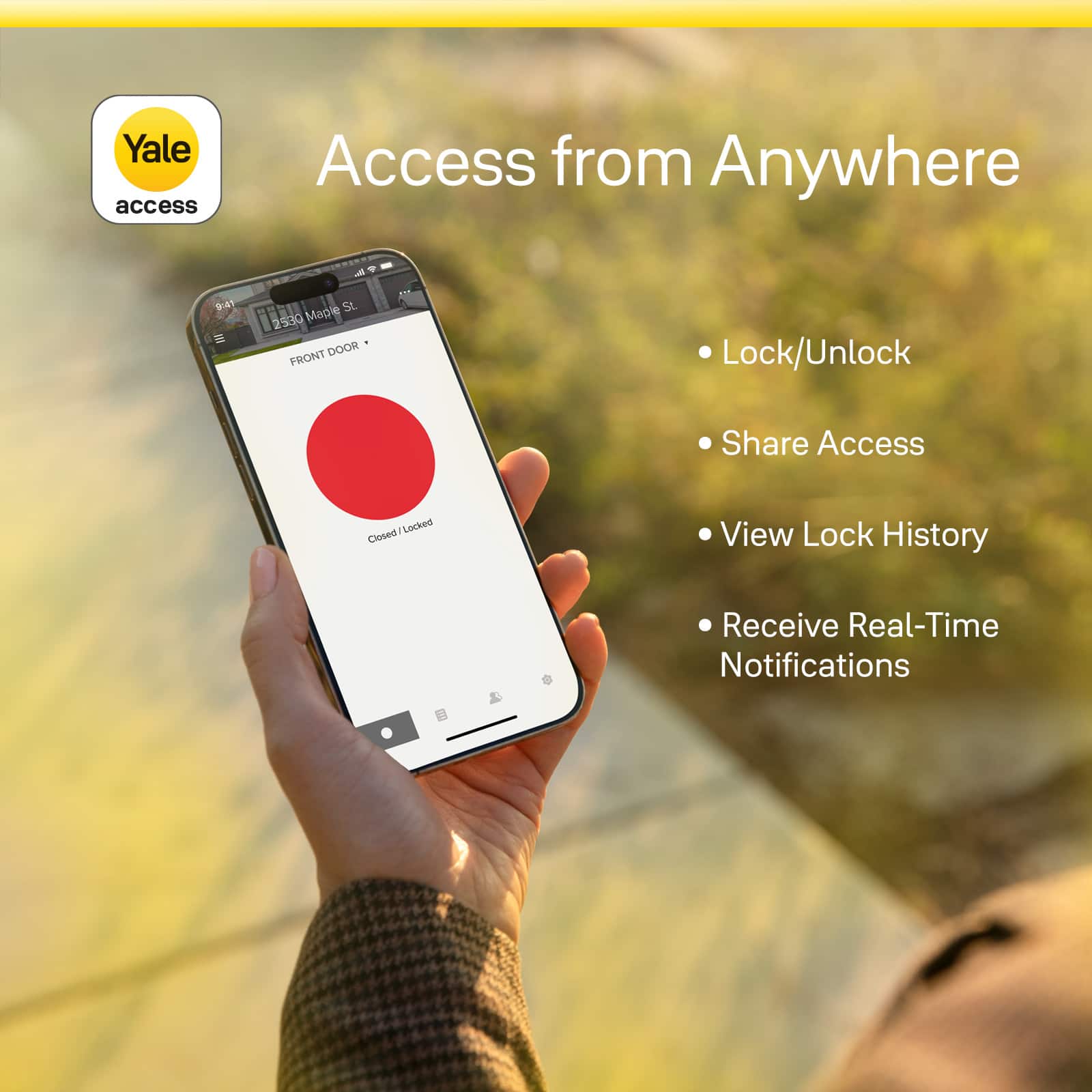
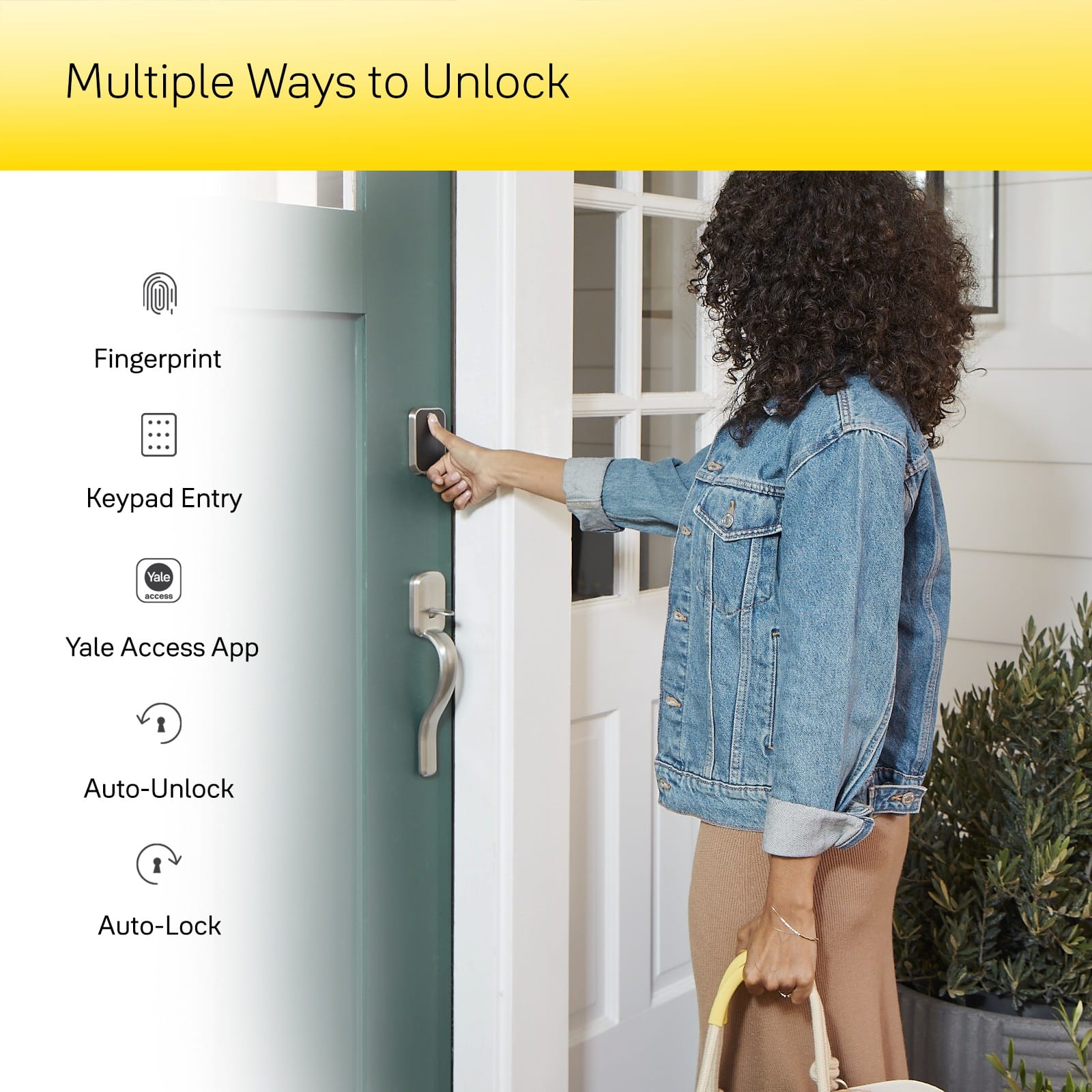
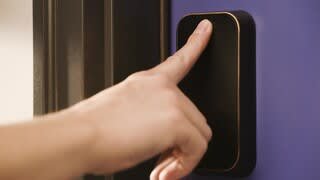
|Posted .This reviewer received promo considerations or sweepstakes entry for writing a review.The Yale Assure lock 2 is super beautiful to look at it has WiFi built in no base needed like some other brands. You can unlock with your phone, fingerprint, keypad and even with the apple watch. Super easy to install . Just remove old lock and the inside parts . Replace with the Yale Assure lock 2. I only had to make the hole a little bigger because this bolt was bigger than my original one. Took me just 10 minutes to do that and another 15 to install the lock. Plus another 10 minutes to run program the lock. You don't have to be home to unlock the door for someone that's where the Wi-Fi being built in is important I did for my sister while I was at work. She closed the door and it also locks automatically or you can do it via the other ways I mentioned. The only 2 drawbacks I have are first that I wish Yale could improve or even include an addon for a rechargeable battery pack. It uses 4 AA batteries . I can buy rechargeable ones plus a charger . The second thing I was upset about is the battery life of 3 months. As far the app goes I love it, it logs all the ways the door was unlocked and locked . Plus notifications.
I would recommend this to a friend - Pros mentioned:InstallationCons mentioned:Battery life
Works great! here's some tips
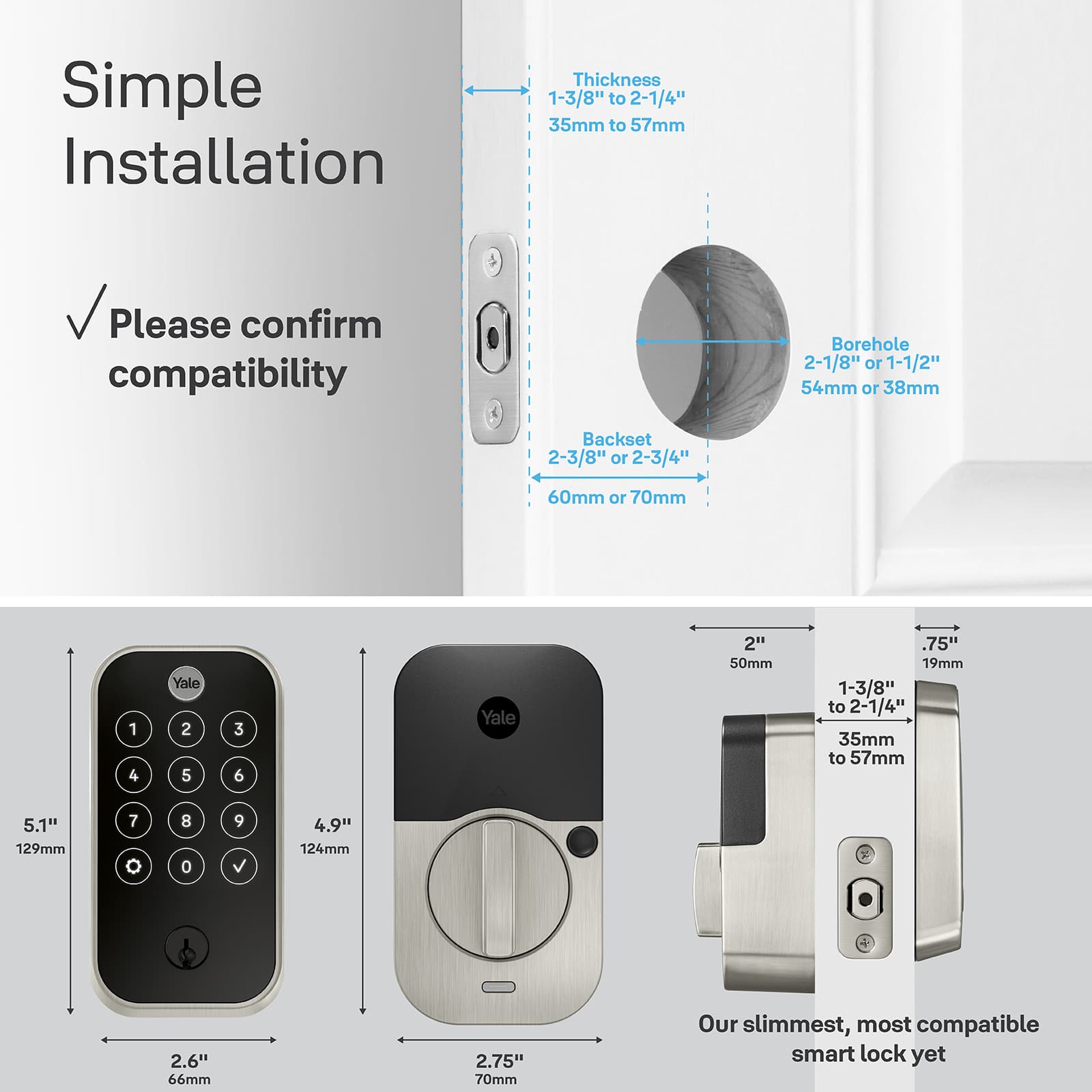
|Posted .This reviewer received promo considerations or sweepstakes entry for writing a review.Installation went pretty smoothly, but you have to use their deadbolt. There's a couple of pins that make assembly easier, but it wouldn't fit with my existing deadbolt. I also had to mortise the door because my old lock was the round kind, and I had to trim the strike plate hole because it's in a slightly different position. So if you're handy with tools, this is easy to install, just be ready to make some adjustments. There's also handy door checker measurement sheets that help you measure what you have to adjust the parts, or to cut the holes if it's a new installation. Another thing about the hardware -- I can't find any instructions anywhere to change the lock cylinder to match my keys, so I'm grumpy that I have to deal with another key. *update -- the "keyed alike" page on the yale site isn't working (404 not found), but they do sell replacement cylinders, including schlage and kwikset, so I assume the instructions come with those parts. Setting it up and using the app -- don't knock yourself out. Mine was super buggy when I first installed it -- bad connectivity, couldn't register codes or fingerprints -- but now it seems to work much better since I updated the firmware. TIP -- update the firmware as soon as you can in the assembly! Don't bother setting it up and programming it, because the firmware erased all the settings.
I would recommend this to a friend - Pros mentioned:Ease of useCons mentioned:Battery life
Great Smart Lock that is easy to install
|Posted .This reviewer received promo considerations or sweepstakes entry for writing a review.This is my second Yale Smart lock, but my first with a finger print scanner. Installation is easy as long as you have standard deadbolt cutouts in your door (most people will). Simply remove your old deadbolt (typically a couple of screws) and install the Yale one following the instructions. The lock includes a door open sensor that can be optionally installed, a neat idea for those who worry if they actually closed the door or not. I did not install this as I have door open sensor as part of my alarm system. Setup is also relatively easy using the app with the option to also use WiFi to allow remote access at the cost of battery life (AA batteries included). I'll see how battery life is with WiFi enabled and may revert to bluetooth only if it becomes a pain to replace batteries often. It is still very functional with bluetooth only as fingerprint scan, etc... work just fine. The fingerprint scanning did take some time and fiddling to finally get working, not sure exactly what got it to start working eventually, but it is working well now. I use Alexa and Google home devices, the lock works well in both eco systems. Overall another great Yale Lock, except for some fingerprint setup issues which seem to have resolved on their own, no issues at all so far.
I would recommend this to a friend - Cons mentioned:Battery life
Great Smart Home Lock Despite Some Hurdles
|Posted .This reviewer received promo considerations or sweepstakes entry for writing a review.The Yale Assure Lock 2 Touch is a replacement for an ailing Eufy lock that had started having mechanical problems. When the Yale lock showed up I dismantled the Eufy and began the install of the Yale. Installation was simple enough and similar in nature to any smart home lock these days. Yale makes the lock incredibly flexible to fit nearly any door one could own. Fortunately, my front door is pretty standard and required no adjustments from the out-of-the-box setup. After about 15 minutes I had the hardware in place and was ready for the software side of things. The Yale uses AA batteries which initially felt like a stepback from the rechargeable battery pack in my Eufy, but the more I thought about it the rapid battery replacement is a real plus as the Eufy pack took nearly 8 hours to get a full charge and required some scheduling on my part to charge it when the door would see the least amount of use. The AA batteries meant I could just throw some new ones in when the old ones died in seconds as opposed to hours. What I am curious to see now is how long they last, but that will take time to determine. Back to the software, I put the Yale Access app on my iPhone and began the setup process. This should have been the relatively easy, but actually turned into a real pain. Once I got through the initial process and got the lock on my WiFi I decided to setup my fingerprint to allow faster access to unlock the door. Well, after numerous timeouts of the software and factory resetting the lock twice I finally got it to play nice. Once I got myself setup I went to add my oldest son and was immediately greeted with software timeouts trying to get the fingerprint reader to work. After several attempts it began working, but this really should have been a smoother process. Then I went to setup HomeKit as my home is primarily Apple centric for home automation. Again, it took numerous attempts including removing and adding the lock to my home to get it working reliably on HomeKit. Maybe this was a HomeKit issue, but I feel like it was more likely a Yale issue as my other HomeKit devices work reliably. The lock is well built and has nice smooth locking action when using the manual turn. The software allows a schedule to be set and HomeKit also allows proximity features for locking and unlocking the door. Since the install and setup the lock has been working reliably. Which, of course, is the important thing for a lock to do. It comes with a single back-up key for unlocking the door should all else fail and the keypad is bright and responsive to touch when using a PIN to unlock the door. Overall, the lock works great once you clear some setup hurdles. Maybe some refinement in the software or firmware would help, but despite the issues I would still recommend the Yale Assure Lock 2 Touch.
I would recommend this to a friend A very well thought out Smart Lock
|Posted .This reviewer received promo considerations or sweepstakes entry for writing a review.I’ve installed and used numerous smart locks over the past handful of years, though this is my first Yale product. The Yale setup process is very particular about whether the door cutouts where the lock will be installed have been done to Yale’s satisfaction. Are the holes the correct size, the proper distance from the edge of the door, and more. Yale provides sheets of paper that act as measuring tapes so you can measure the cutouts for yourself. When I removed the previous smart door lock (from a different vendor) to accommodate the Yale lock - I found that the Yale (using their instructions on the Yale app) kept flagging my front door’s cutouts as being outside their acceptable parameters. I found this very weird, largely because a manual door bolt had originally been in place, and it was the same cutout that I used to successfully install the previous smart lock. I decided to try to install the Yale anyways. After first installing the Yale deadbolt, this is followed by inserting the outside Keypad. The next step is to install the Strike Plate on the inside of the door, and that’s when I ran into problems. The Strike Plate has a couple of slender metal shafts that fit through the door’s cutout and into the outside Keypad. There are two screw holes on the Strike Plate, and screws provided by Yale that go through the Strike Plate holes and into two similarly placed holes on the Deadbolt. The screws continue through the Deadbolt and into the Keypad where threaded holes are found. All the holes from the Strike Plate, the Deadbolt, and the Keypad must be properly aligned. They weren’t in alignment! The problem was the placement of the Deadbolt. It was about 1/8” closer to the side edge of the door than to the center of the cutout hole. After an extended time working on this, I resorted to using my Dremel for a fix. If you’ve worked with deadbolts before, you’ll know that the bolts have a faceplate on one end that is screwed in and secured to the outside of the door. I felt if I recessed the faceplate by around 1/8” deeper into the side of the frame, that doing so would accommodate the Deadbolt alignment issue. So, I used a grinder on my Dremel to remove about 1/8” of door material that sits behind the Deadbolt’s faceplate. That recessed the faceplate just enough, allowing the Strike Plate, Deadbolt, and KeyPad to be in perfect alignment. After putting the Deadbolt back in the door, I confirmed that the holes from the Strike Plate, Deadbolt, and Keypad were now all officially lined up. The screws passed through properly and all was well. Afterwards, I registered the Yale product and went through all setup processes to make sure that the lock was on the network, created an appropriate Yale login, etc. I like the Yale lock. I think the application is easy to traverse, and I can confirm that it works seamlessly with Google Assistant. The Yale App has timers for auto-locking and auto-unlocking, which I find very helpful. They also offer user configurable smart alerts. They have a feature they call DoorSense. Essentially, drill a 5/8” hole in the door frame across from the deadbolt and place a Yale-provide magnet in it. Using intelligence in the Yale lock, it can determine if your door is properly closed or not. Pretty neat! When you set up a login account using the Yale app, you assign a security code to yourself, and if desired you can have your fingerprint scanned as a biometric login. I have always had a problem with devices being able to read my fingerprints. TSA-Precheck kept failing when I originally went to be set up. And no, I’m not on any watch-list. Within hours of setting up the lock, I tried scanning my fingerprint. Time and time again it would fail. I tried every finger including my pinkies. I decided to give it a day before trying again. I gave it two days instead because I’m a busy guy. Anyways, it worked perfectly this next time and my fingerprint was set up without any issues at all. And further, all subsequent fingerprint scans to biometrically unlock the Yale have worked without fail. Despite the original installation issues and my subsequent fingerprint failures, I think this is a very nicely crafted and feature-rich lock. I couldn’t be happier. As such, I am giving it a 5-star review.
I would recommend this to a friend- Pros mentioned:Installation
Looks great and works well on the front door
|Posted .This reviewer received promo considerations or sweepstakes entry for writing a review.So, a pretty solid electronic door lock. Some of the features are extremely convenient, like the fingerprint scan, the ability to assign different codes to different users, the ability to lock/unlock/program from a distance via cell/WiFi, and the auto unlock when you are getting home (tracks your location on the phone and automatically unlocks). Those are the pros. Just a couple of cons. 1) The location-based auto unlock was extremely hit and miss for me. It worked maybe 10% of the time. Often it wouldn't work as I approached the door, and instead waited til I was already inputting the unlock code before suddenly unlocking. 2) In order to provide the best experience, each user has to create an account with Yale, complete with emails and phone numbers, to be able to access the same options as the primary user. I'm not a fan of my young kids having to sign up for an account just to be able to use the remote lock/unlock feature. You could get around that by just assigning a code unlock to everyone, but I like everyone having the ability to use their phone app to lock/unlock. Installation was relatively easy, once I ignored the included manual and stopped watching the installation videos. They were a bit too confusing for me. I've installed plenty of locks in my life, and the Assure was no different. Went on as easy as pie, just like any other deadbolt. It is compact, great looking, and operation is smooth as can be. Initial setup uses the Yale app. I had a problem with the initial calibration process and had to repeat it, but other than that everything went well. After that, sending out invites to everyone in the family and having them install the apps, create accounts, and get logged in was a pain. But the end result was a relatively painless and good user experience. Locking/unlocking can take place via fingerprint, the app, or a code that you set up in the app. You can also set up the Assure to unlock automatically when you get home, allowing location on the app, but as I mentioned, that was extremely hit and miss for me, mostly miss. For the most part, however, I am happy with the lock and will be keeping it.
I would recommend this to a friend - Pros mentioned:Installation
Easy to Install! Fingerprint scanner works great!
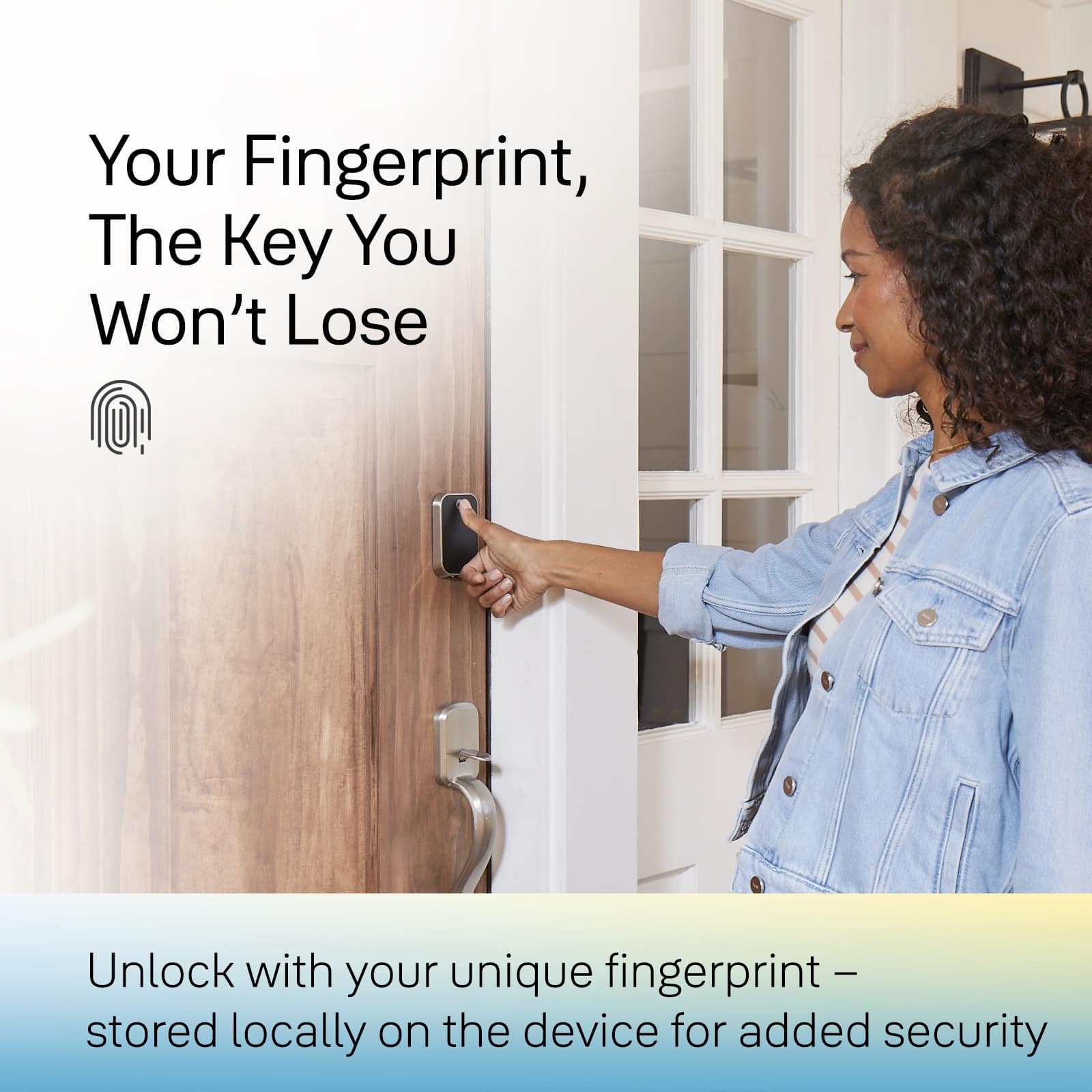
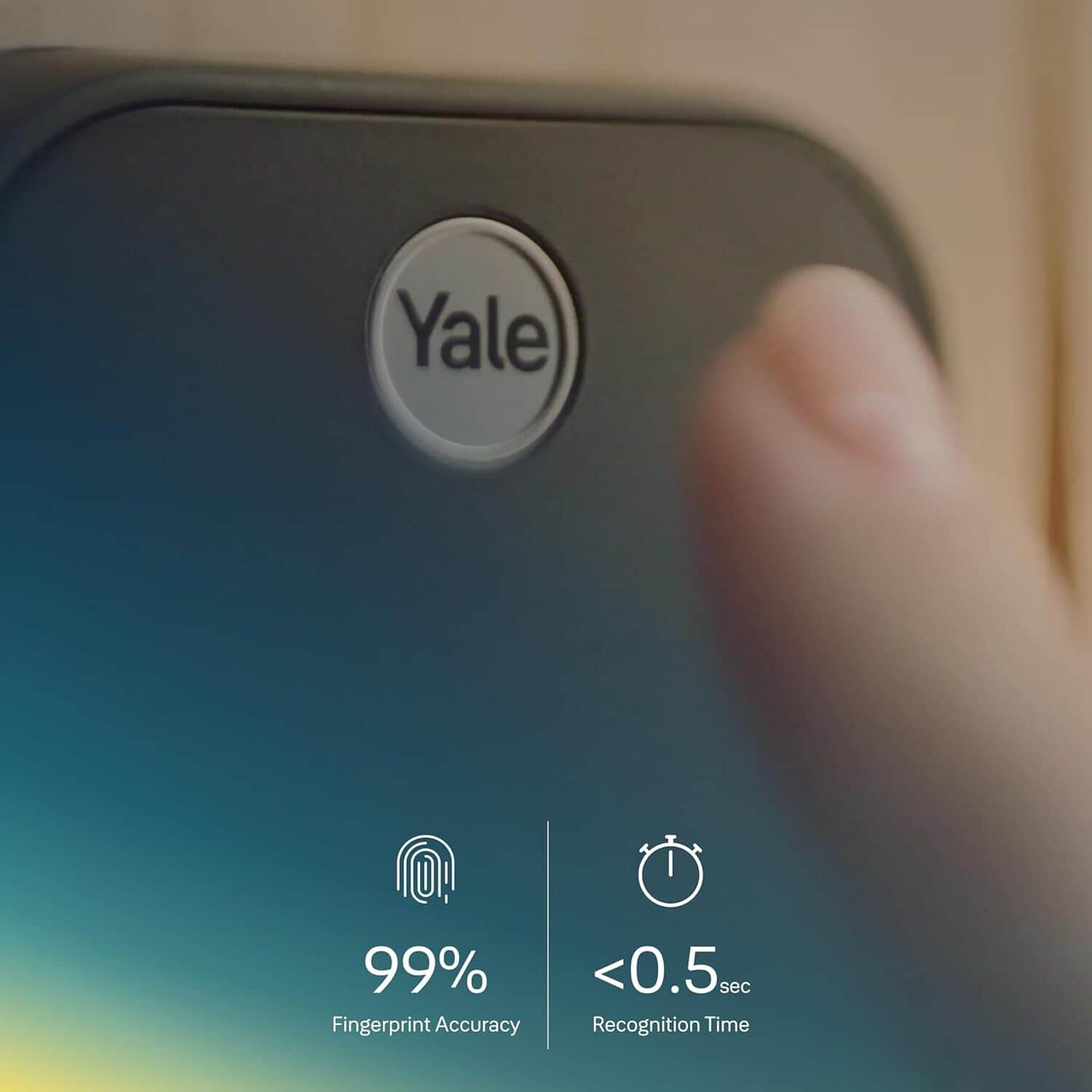
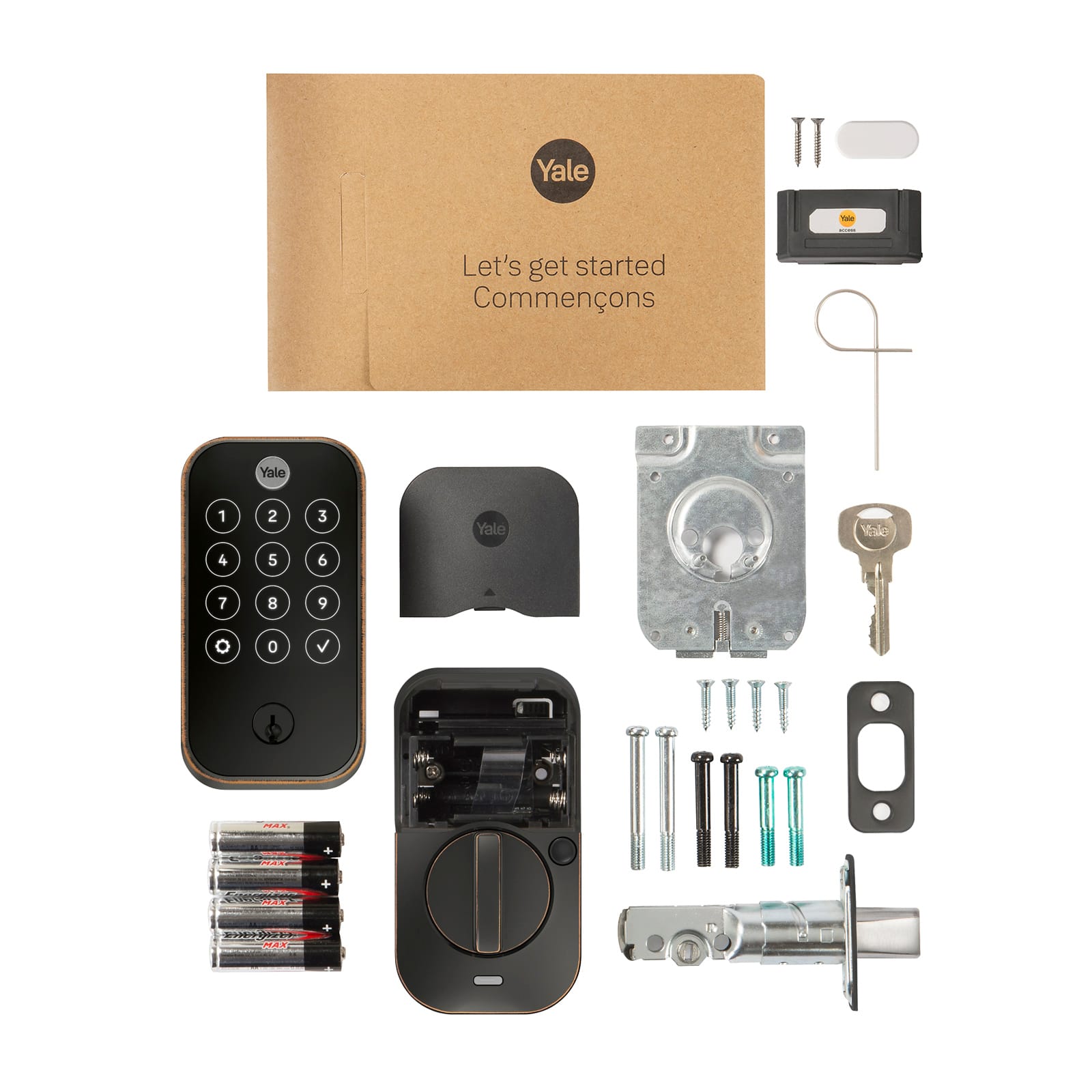
|Posted .This reviewer received promo considerations or sweepstakes entry for writing a review.The Yale Assure Lock 2 Touch was easy to install and works great! Design The size of the entire unit is very good. It does feel too bulky to me. I like the black with sliver around the sides on the outside. I also like the way the keypad is completely black and then the keys light up when you touch the Yale button at the top. When on, they are very bright and easy to see. They also have plenty of space between them so you don't hit the wrong key by accident. There is a battery compartment on the inside of the door that's easy to access. It takes four AA batteries. It comes with four AA batteries that I would say are very good quality Alkaline batteries. Installation I don't do a lot of home DIY work. I have replaced a door handle and dead bolt one time before this. But anyway, the Assure Lock 2 is easy to work with and install. It fit perfectly without any messing around. The directions were very clear. It even has a page that shows different probably sizes of different parts of your door handle and tells how to install for those different sizes. I didn't need to do anything special for mine and all the parts just fit perfectly. I installed it on a new door so I guess it was an ideal situation but the physical install process was very easy. At the end of the app setup process it automatically checked for new firmware and then updated the lock. Dead Bolt Extension I had to make a small modification in my door frame for the Dead Bolt. It would lock but it didn't know it was locked. I could still unlock it with the keypad but not with the button in the app because it still thought it was unlocked. I thought the lock calibration would account for this but apparently it doesn't, since I tried the calibration a few times. To fix this I just need to drill the hole that the dead bolt goes into and make it deeper. It was 1 inch and the bolt, extended fully, was about 1 1/8 inches. After drilling about 1/8 inch deeper that took care of it and there are no issues locking. Yale Access App When you setup the app, you will be in as the "Owner". You can invite others with full "App Access" or just add them and give them an entry code (numeric for the keypad) or with a finger print. As the owner you can have fingerprint and a numeric code. And of course you can add someone twice to give them both. It does seem like they should let you add both to anyone if you want. Hopefully they'll do that in an update. The app also lets you set access schedules to limits so people can only open the door during specific times or until a certain time. Fingerprint Access The fingerprint access works very well. For me, it didn't work at first. I couldn't add a fingerprint to anyone, including myself. I needed to do a factory reset of the lock, easy to do in the app, and then I was able to add fingerprints. That's definitely the way to go! They are very easy to work with. You just touch the "Yale" button at the top, the same way you would touch it to activate the keypad, and it checks your fingerprint and unlocks the door. It's been very reliable too. They may have fixed the issue I had with an update by now, but if not, it is very easy to fix. Door Closed or Open Sensor It has a sensor so the lock knows if the door is closed or not. It's completely optional and I can say that it is because I did not use that and everything works fine. I don't think I ever left for a trip and wondered if the door was open or not. If anything, I just want to make sure it's locked. Still, I see how that sensor would give additional peace of mind. Installation without that is simple. There are just a few times in the app where you either skip that part or select the option that you don't have it. I may install it another time but I'm very happy with the Assure Lock 2 Touch as is. WiFi I didn't use it with WiFi but was able to use the functions from the app well via Bluetooth while near the door, including the firmware update. No need for WiFi. It would be cool to lock the door when I'm away though, like if I leave for vacation like I mentioned above. Summary The installation was easier than I expected. I had no problems installing the hardware and it's functioning well. I did need to drill out the hole for the deadbolt so it was a little deeper but that was easy and worked fine. I did also need to do a factory reset so it would let me add finger prints but that was easy to do from the app and after that I had no issues. This functions just as it should, working well with numbers on the keypad or a finger print. I can use the phone app to unlock it too but the fingerprint is so simple and works great. It also support proximity unlock but the info during setup made it sound like it works better with WiFi enabled. I will have WiFi here eventually but not right now and, it works great as is! Manual operation from the inside is also very easy. I'm very happy with the Assure Lock 2 Touch!
I would recommend this to a friend - Pros mentioned:Ease of use
Complex compatibility, but dependable lock.
|Posted .This reviewer received promo considerations or sweepstakes entry for writing a review.Overall, we really like the lock. It's beautifully made and doesn't feel cheap - we don't mind being able to see the logo. We placed it in the door we use most often and it has made entering our house much easier and more seamless, particularly with fingerprint access. Installing the lock, assuming you have a traditional door, is actually very easy. The lock can accept a relatively narrow range of installation options - we have a standard 36"x 80" door, and swapping out our existing deadbolt and handle was a breeze. It would be better if the door checker functionality were more prominent on its website - you may not realize that the lock doesn't work for your door until you've gotten the box home, opened it up and unwrapped all the individual pieces. We live in a historic home, and as it happens, only one of the doors (thankfully our most-trafficked) is compatible with the Assure Lock 2. The full instructions *are* available online, so you can look at the specifications and requirements before purchase. One thing to note is that the lock does not have complete compatibility across all its formats - for example, this version I received is compatible with Amazon Alexa but inexplicably not compatible with the Ring security system (Z-Wave), which is a shame. It also doesn't come with Apple Home Keys - that's a separate SKU. You have to be careful to check all of these carefully prior to purchase, and the hard part is if you have multiple smart home systems in your home, as we do, there's just no way to reconcile them all with this one device. Otherwise, for the price this feels as though it compares favorably to the more establishment names in this space. I would recommend it - provided you do a lot of homework before you click "buy".
I would recommend this to a friend - Pros mentioned:Design
One of the best locks on the market. Sleek lock.
|Posted .This reviewer received promo considerations or sweepstakes entry for writing a review.The Yale assures lock 2nd lock very sophisticated looking lock that goes with any door decor. the first thing I noticed was all of the functions that came with this lock. one of the functions was that you can use you fingertips to get into you residence. Downloading the app was effortless. I run a lot of different devices i m home but one of the things I noticed was that its lock was compatible with all of the devices that i run. Imagine my surprise when I downloaded the app to my telephone, it also was also compatible to my Apple Watch as well. I simply love this because most of the time I can’t find my pone but I am always wearing my watch, i love being ale to open the door with my watch . On of the disappointing things is that I wasn’t able to program the yea lock to be able to add an access code or the fingerprinting. I still have yet to accomplish being able to program it but all the other features on this lock is a step into the future of of high technology. Purchase this lock you can't go wrong.
I would recommend this to a friend - Pros mentioned:Ease of use
Buy Yale and don’t look back!
|Posted .This reviewer received promo considerations or sweepstakes entry for writing a review.This isn’t my first Yale smart lock I’ve owned, but it might be my favorite! I’ve owned a several brand of smart locks/keypad locks over the years and have only truly been happy with the Yale. The others have given me trouble, had issues, or just finally stopped working and I can’t figure out the issues. Meanwhile, my existing Yale lock has been 100% trouble free! So I was more than excited to get my hands on another model to instantly replace the “other brand” lock that stopped working. Installing it was quick and easy. Creating my finger print profile was just as simple. It worked great and I was thrilled! I did, however, run into an issue while setting up my wife’s profile/code… because she already had a Yale profile for my original Yale lock on my other door, it wouldn’t let me set up the same code for this new lock on my new door… I tried everything (so I thought) and it just wouldn’t let me use the same code! Then I thought to delete her profile, and set it up again as a new profile and make the code the same. It worked! I wish I thought of this a few days prior to save myself the headache! But oh well. It works perfectly and we are very happy with it.
I would recommend this to a friend - Pros mentioned:Design
Best on the market
|Posted .This reviewer received promo considerations or sweepstakes entry for writing a review.I have to start by saying this lock greatly improves each generation. I have upgraded the last three models and This is by far my favorite. The fingerprint free screen is soooo much better than older versions and response time is virtually instant. I have also noticed the sound level is much quieter than previous versions and the useful features are definitely an upgrade. Love the fingerprint unlocking and is my favorite so far. They are getting much more flexible each generation and the lock is compatible with a bunch more smart home platforms making integration easy and convenient. The hardware itself really feels super solid and well built and I don't expect anything breaking which give a little extra peace of mind. The design matches well with a ton of door handles out there and just makes like easier. I can't even remember the last time I needed a key for my home and don't think I can ever go back. It makes much more of a positive change in your life vs dealing with a key, trust me, lose the key and get a yale asssure lock asap
I would recommend this to a friend - Pros mentioned:Ease of use
1 key, codes, fingerprint or by mobile application
Posted .This reviewer received promo considerations or sweepstakes entry for writing a review.It's much more than I really expected from it. In the installation process you realize that it is a quality construction. The installation process was normal and programming is also easy because it comes with instructions with images so you don't feel lost in the process. 1 key, codes, fingerprint or by cell phone application. What I didn't know about this particular lock, and that's why it surprised me, is that it has temporary codes to be assigned either for days or certain hours and that's a plus plus.
I would recommend this to a friend Good lock a bit finicky with the install
|Posted .This reviewer received promo considerations or sweepstakes entry for writing a review.This is a nice key-less entry lock that also has wifi access so you can manage it even when you aren’t home. Install was pretty easy, for the most part, however the alignment for this lock didn’t match the previous lock very well so the bolt kept rubbing and catching. It took quite a bit of finagling to get it to line up perfectly, but its worked fine since then. To be honest, I’m not sure if that’s an issue with this lock being aligned a bit off, or if my previous lock was then one that was a bit off, but just be warned that if this is replacing a previous deadbolt you could have some install headache. If you’re having it installed with the door as the original lock for a new door, you shouldn’t have any issues. The physical operation of the lock is about as expected. However, I was a bit surprised that you can’t enter codes in on the device itself. I guess that makes sense, especially if you’re using this for an airbnb and don’t want them putting in extra codes when they’re supposed to be leaving. The app worked fine and I was able to set up all the codes I wanted. I do like that I can set up new codes on the fly or just open the door by the push of a button. That way if I’m out of town and we have someone help watch our dog while out, I can keep track of what’s going on or set up a new code for someone that I wasn’t expecting to need to get in the house. I also can use it in combination with my doorbell to let in one of my younger kids who are a bit too little to remember a code anyway. If they want to get in I can see its them on the doorbell and let them in, all from my office without having to get up. Fingerprint recognition is nice since its so much faster than a pin code, and as an added bonus its great for anyone in your family who you don’t trust not to tell the whole neighborhood the door code. I was able to get it to work with smart-things, although the functionality of what you can automate it to do is pretty limited. Its more about seeing all your devices in one place. I also tried to get it to sink to Hubitat, but couldn’t get it to work right. It doesn’t claim to be compatible, but the Hubitat forums have a number of people using it, so I think its possible but it may just be compatible if its a Z-wave or Zigbee lock. Overall a solid key-less lock with some really nice upgrades like the fingerprint scanner.
I would recommend this to a friendNice addition to my smarthome setup
|Posted .This reviewer received promo considerations or sweepstakes entry for writing a review.This is the second Yale smart lock that I own and this is a welcome addition to my smarthome setup. My house seems like grand central station on most days with two sons who play sports and my in-laws who live with us. I dreaded having to give out keys to each of them because undoubtedly, I would be changing locks more frequently than I would like. When I got the Nest Yale Lock, i was able to give them an access code, give them access to my Yale Lock app or open the doors remotely myself with the WiFi setup. This lock is similar in setting up. If you have ever installed a deadbolt, this is pretty similar with a few extra steps to get it connected to Wifi. Setup was simple and took me about 30-40 minutes from start to finish. Since all over of my exterior doors already have smart locks on them, I decided to install this one on my "Christmas" room/workout room. I dont like my keys using the workout equipment unsupervised and this is also the room where we store Christmas gifts, I thought it would be a good location for it. Only my wife and I have access so there was no need to give anyone else access, particularly since I can open it remotely if necessary. It also works with my Apple Watch which is a nice bonus to have multiple options to unlock the door. So far, everything works great. Once I setup multiple fingerprints for myself and my wife, I tried it and it worked quickly. The pass codes work well and having a backup key is a nice added feature. I really like the look of the lock as well. Its modern looking and stylish. This is a feature rich device from a company that puts out great products. I doubt you will be unhappy with this smart lock.
I would recommend this to a friendYale Assure Lock 2 (smart lock)
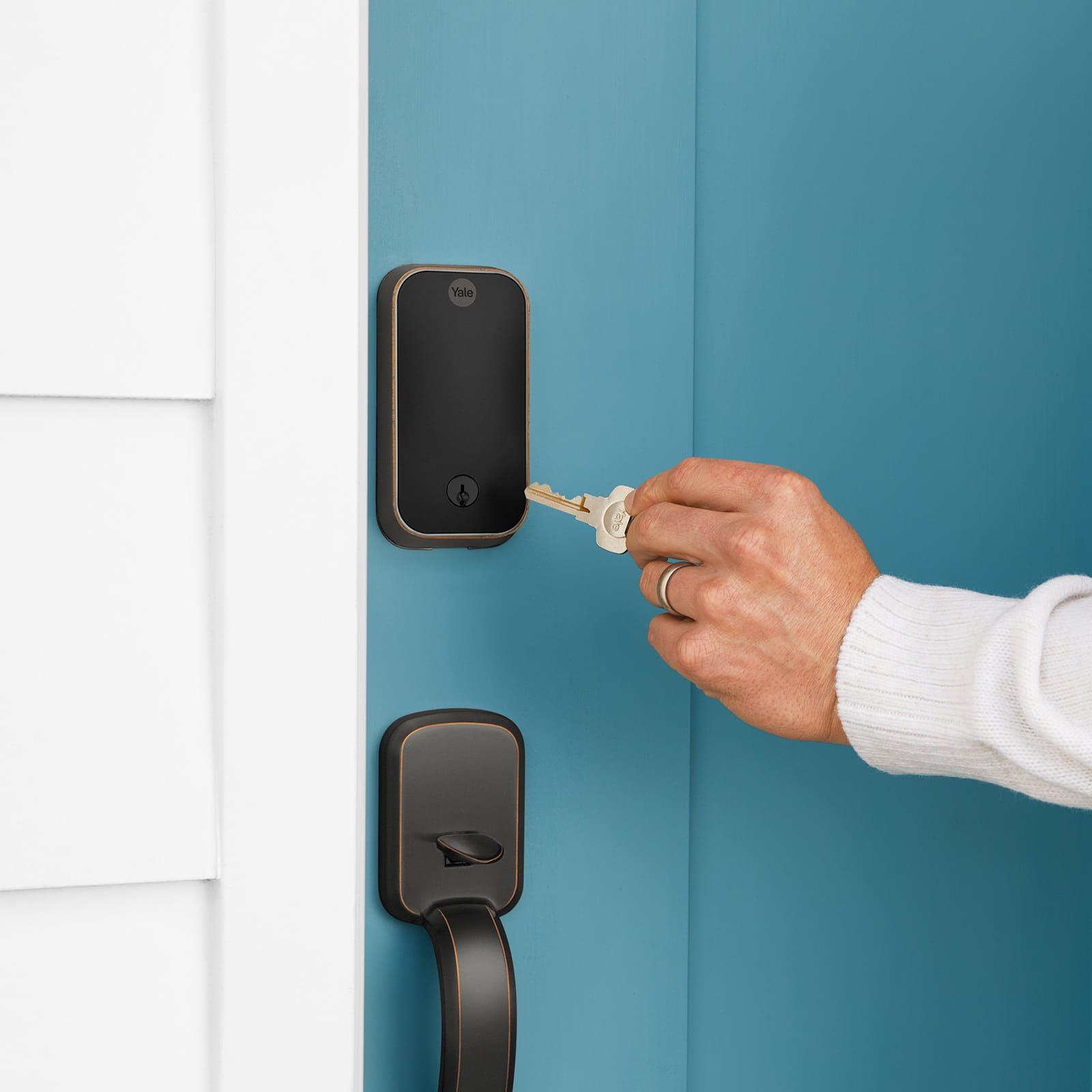
Posted .This reviewer received promo considerations or sweepstakes entry for writing a review.I waited to write a review on this Yale lock. I am very pleased with the Yale finger print lock. The one thing I have learned is you should install Energizer Lithium batteries in the lock. I had the Yale lock that just you put in the code to access your home. In that lock I used Duracell batteries and I was changing them about every month. I had this locked installed on 1/8/25. Today is 3/21/25 and so far I have not had to change the batteries yet. So far I like this lock better than the other Yale lock I purchased before. This lock has a key to it so I would imagine if the batteries needed changing and I didn’t pay attention, I can use they key to gain access to my home.
I would recommend this to a friendGreat Smart lock and upgrade from older models
|Posted .This reviewer received promo considerations or sweepstakes entry for writing a review.This was an upgrade from my older Nest x Yale smart lock, so the installation was very easy due to the many similarities. The size of the newer Assure Lock 2's inside portion is roughly half the size of the older Nest x Yale it replaced. The exterior pad is about the same size, but the shape and style give it a sleeker, more modern look. The two biggest features I was looking forward to with this unit were the fingerprint sensor and the ability to use a physical key. If the batteries died while we were away, it's good to know we still have an option to open the deadbolt. The Yale app is required to setup the lock, update the firmware and register entry codes and fingerprints. The fingerprint setup didn't go smoothly and based on the errors, the app said to do a factory reset and start over from scratch. Slightly annoying, but the second time it worked perfectly. Being able to quickly open the lock when we get back from dog walks is super helpful. Overall, this is a great smart lock if it's your first, and if you have an older Yale Assure or Nest x Yale, I definitely recommend the upgrade. The Nest app is more intuitive than Yale, but it's slowly being discontinued by Google and there didn't seem to be a plan to include the lock in the new Google Home app. So if you were holding out on upgrading just because of Nest, don't wait any longer. You can add this to your Home app and use Google Assistant which adds more future proofing than the prior lock. Highly recommend!
I would recommend this to a friend- Pros mentioned:Ease of use
Nice lock
Posted .This reviewer received promo considerations or sweepstakes entry for writing a review.Works as expected and easy to set up. HomeKit setup was a bit confusing but not too hard
I would recommend this to a friend Smart and secure
Posted .This reviewer received promo considerations or sweepstakes entry for writing a review.My first day love it very smart and easy installation
I would recommend this to a friend- Pros mentioned:Ease of use
Easy to install
Posted .This reviewer received promo considerations or sweepstakes entry for writing a review.This lock works great! Best part is it was easy to install and connect with our WiFi.
I would recommend this to a friend