Outlet EventEnds Jan. 19. Limited quantities. No rainchecks.Shop now

Main Content
Dell

/

Dell Touchscreen Laptops
Dell Touchscreen Laptops
(691)
Sort by:
1-18 of 691 items
Sponsored

Learning about Dell touch-screen laptops.

What is a touch-screen laptop?

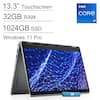
A Dell touch-screen laptop combines the convenience of a tablet screen with the power and typing-friendly design of a traditional Dell laptop. While some touch-screen laptops operate just like ordinary laptops with an additional navigation feature, Dell 2-in-1 laptops go even further, incorporating a fold-back screen that completes the laptop-to-tablet transformation.

Some of the advantages of a touch-screen laptop include increased navigation speed and greater precision when working with image-based software, such as design and photo editing software. If you do a lot of image editing, you will also benefit from pairing a universal stylus pen with your Dell touch-screen.

Dell laptops with touch screens are a perfect choice if you need a computer for work or school but want upgraded features that can give you some tablet-like features. In fact, if you are weighing the differences between a tablet and laptop when choosing your new device, a Dell touch-screen computer may be just the combo you want. And, Dell is a brand that is known for quality, so you know you’ll be making a wise investment.

Buying a Dell touch-screen computer.

Choosing between Dell touch laptops is a lot like choosing the best laptop of any kind. You’ll want to consider RAM requirements, storage space and screen resolution. Additionally, when choosing among Dell touch-screen laptops, you need to think about whether you want a basic touch-screen laptop or a 2-in-1 laptop. The latter is better if you plan to take handwritten notes, draw on your laptop, use your device for reading (in place of an e-reader) or work frequently with image editing software.

With any choice, you will set yourself up well by buying a durable laptop bag that has room for your new device and any accessories, like a wireless mouse or wireless headphones, that you want to carry when traveling or commuting to school or work.

If you have a hybrid work routine and you want to enjoy a large computer screen and additional computer storage, you can set up a computer docking station at your home or office desk and connect your laptop to external storage drives and a larger computer monitor. This way, you can easily transition between using your Dell touch-screen on the go and having a full desktop experience when you need it.

Sponsored
Sponsored

Similar products from outside of Best Buy

sponsored