How to Choose the Best Laptop for You

Best Selling Products carousel(6 Items)
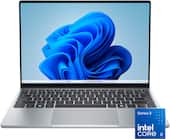
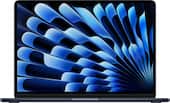
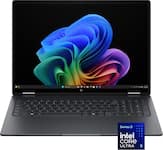
How to decide on a laptop
When researching what to look for in a laptop, start by deciding what you'll use it for. Are you planning on using your laptop for work, gaming, content creation or everyday tasks like browsing the web and sending emails? It is much easier to choose the right laptop once you’ve identified your primary purpose.
Whether you’re a creative professional, a dedicated gamer, a student on a tight budget or you’re simply in search of a versatile machine for everyday use, we will help you choose the best laptop for your needs.
What is the best laptop for home use?
For most people, a home laptop with a balance of performance, affordability and versatility is ideal. A touchscreen laptop is a popular choice, letting you interact with it in a natural and intuitive way. Touchscreen laptops conveniently let you tap, swipe, pinch and zoom directly on the screen, which can make navigating apps, browsing the web and working with compatible software feel more direct.
When looking for a laptop for home use, web browsing, streaming, email, video calls and everyday productivity don’t necessarily require the most powerful hardware. However, photo editing, gaming and other demanding tasks may call for a faster processor, more memory and additional storage. A comfortable screen size, reliable Wi-Fi and enough battery life can also make a laptop a practical choice for everyday use around the house.
What is the best gaming laptop?
A good gaming laptop typically boasts a powerful graphics card, which helps deliver smooth and immersive gaming sessions. Decent gaming laptops should also feature high refresh rates with low response times for reduced motion blur, along with a resolution that balances sharp visuals with performance. Additionally, a gaming laptop should also have ample random access memory (RAM) for handling demanding games, which is usually 32GB or more.
Top-rated gaming laptops typically include a comfortable keyboard, customizable color options and a range of ports for peripherals. However, the best gaming laptop for you will ultimately depend on your specific gaming preferences and budget, providing a satisfying gaming experience wherever you go.
What is the best laptop for work?
When trying to find the best business laptop, there isn’t a single one-size-fits-all answer because the ideal laptop can vary greatly depending on your profession. Here are some considerations based on different work scenarios:
- General office work. For tasks like word processing, email, web browsing and spreadsheet management, mid-range business laptops with 16GB of RAM and a fast SSD should handle everyday work with ease.
- Content creation. The best laptop for music production and professionals in graphic design, video editing and 3D modeling typically has a powerful CPU and a dedicated graphics processing unit (GPU), similar to a gaming laptop.
- Programming and development. The best laptop for programming should include the basics like a powerful CPU and sufficient RAM, but also include a high-resolution display for coding.
If you work remotely, you should prioritize laptops with a reliable Wi-Fi connection, a high-quality webcam and microphone for video conferencing and a comfortable keyboard for extended typing sessions.
What is the best laptop for a student?
An ideal laptop for a student depends on the type of work and assignments required by the school’s curriculum. However, most students are fine with choosing laptops under 500 dollars. Laptop prices obviously vary greatly depending on their capabilities and popularity, but more affordable laptops can be the option for students on a budget.
Since a lot of schoolwork is done online, students will want to prioritize a stable internet connection as well. Lagging Wi-Fi or other issues can easily cut an online class short, so investing in a good modem and router can make even the most affordable laptop perform like a more expensive model.
Understanding laptop processors
If you’re still asking yourself, “How do I choose a laptop computer?” it’s also important to have an understanding of the processor and how it affects your computer’s performance. Also known as the CPU (central processing unit), the processor handles the instructions needed to run applications, perform tasks and manage the operating system. It is basically the brain of your laptop. Most laptops feature Intel, AMD, Snapdragon or Apple processors.
- Intel processors. Renowned for their innovation and performance, Intel processors have become synonymous with reliability and speed. An Intel laptop supports multitasking, multimedia tasks and fast data processing.
- AMD processors. Celebrated for their powerful multi-core designs, efficient architecture and competitive pricing, AMD laptops excel in gaming, content creation and multitasking scenarios.
- Snapdragon processors. Designed for efficiency, connectivity and AI-enhanced performance, Qualcomm Snapdragon processors deliver impressive battery life and responsive everyday computing. Snapdragon laptops are ideal for productivity, streaming and on-the-go users who value long-lasting performance and modern AI capabilities.
- Apple processors. Known for powerful performance and exceptional power efficiency, Apple silicon processors integrate hardware and software to deliver fast, responsive computing. Mac laptops equipped with Apple processors excel at creative workloads, multitasking and battery life.
What is the best laptop operating system?
Another important factor when deciding on a laptop is the operating system (OS). The operating system is the software that manages your laptop’s hardware, runs applications and provides the interface you use every day. Most laptops are available with Windows, macOS or ChromeOS, and each offers its own advantages.
- Windows. Known for their flexibility and broad software compatibility, Windows laptops are a popular choice for work, school, gaming and everyday computing. They also support a large selection of accessories and hardware options.
- macOS. Found exclusively on Apple MacBook laptops, macOS offers strong performance and smooth integration with other Apple devices. MacBooks are often favored by creative professionals, students and users who are already invested in the Apple ecosystem.
- Chrome OS. Available on Chromebooks, ChromeOS is designed for simplicity, speed and security. Chromebooks are well-suited for web browsing, cloud-based work, streaming and schoolwork, and, they are often among the most affordable laptop options.
Finding the best laptop for you
Hopefully you now have a better idea of what you should be looking for when buying a laptop. By thoroughly researching and assessing the factors we’ve gone over, such as performance, operating system, display and battery life, you can make an informed decision.
You’re also going to want to take good care of your investment, so it’s a good idea to read up on some tips to protect your laptop. Remember, the best laptop for you is the one that supports the way you work, create, learn or relax, while providing the performance and features you need within your budget.