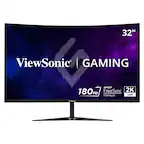
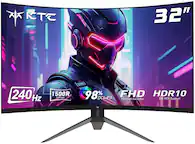
Acer - Nitro Gaming 31.5" Curved WQHD 180Hz 1ms FreeSync Premium Gaming Monitor (DisplayPort, HDMI x2) - Black
Acer - Nitro Gaming 31.5" Curved WQHD 180Hz 1ms FreeSync Premium Gaming Monitor (DisplayPort, HDMI x2) - Black
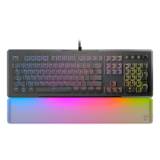
- Turtle Beach - Vulcan II Max Full-size Wired Mechanical TITAN Switch Gaming Keyboard with RGB lighting and palm rest for PC - Black$206.59The price was $229.99

Related Item

Highlights
- Key Specs
- Refresh Rate: 180Hz (The number of frames per second the device can produce natively without enhancement. Higher rates help produce smooth, seamless pictures.)
- Maximum Resolution: 2560 x 1440 (Maximum resolution refers to the highest number of pixels that a screen can process and display. Higher resolution signals produce more detailed images.)
- Response Time: 1 milliseconds (The speed at which pixels can change colors is called response time. It is measured in milliseconds (ms).)
- Panel Type: VA (Technology that affects response time and image quality.)
- Synchronization Technology: FreeSync Premium (AMD Adaptive Sync) (Generally, these technologies allow syncing between a computer/console game's frame rate and the device's refresh rate for a smoother display without tearing.)
- Screen Size: 31.5 inches (Size of the screen, measured diagonally from corner to corner.)
- Display Connector(s): 1 x DisplayPort 1.4, 2 x HDMI 2.0 (The number and type of connectors used to connect to an external display.)
- General
- Brand: Acer
- Model Number: EDB323QU S3bmiipx
- Product Name: Nitro Gaming 31.5" Curved WQHD 180Hz 1ms FreeSync Premium Gaming Monitor (DisplayPort, HDMI x2)
- Color: Black
- Operating System Compatibility: Not Applicable
- Display
- Refresh Rate: 180Hz (The number of frames per second the device can produce natively without enhancement. Higher rates help produce smooth, seamless pictures.)
- Maximum Resolution: 2560 x 1440 (Maximum resolution refers to the highest number of pixels that a screen can process and display. Higher resolution signals produce more detailed images.)
- Contrast Ratio: 100,000,000:1 (Measured difference between a displayed image's brightest whites and darkest blacks. The larger the first number, the more detail and color that can be displayed.)
- Response Time: 1 milliseconds (The speed at which pixels can change colors is called response time. It is measured in milliseconds (ms).)
- Display Type: LCD
- Panel Type: VA (Technology that affects response time and image quality.)
- Synchronization Technology: FreeSync Premium (AMD Adaptive Sync) (Generally, these technologies allow syncing between a computer/console game's frame rate and the device's refresh rate for a smoother display without tearing.)
- Aspect Ratio: 16:9 (The measurement of the width of a screen compared to the height of a screen, expressed as a ratio.)
- Curved Screen: true
- Pixel Density: 0 pixels per inch (The number of pixels present per inch on the device's display. Higher pixel density improves the clarity and sharpness of the displayed image.)
- Brightness: 250 candela per square meter (A measure of the total light output.)
- Screen Size: 31.5 inches (Size of the screen, measured diagonally from corner to corner.)
- High Dynamic Range (HDR): false (An HDR-compatible 4K TV or other HDR-compatible product displays HDR video content when it's available from sources like 4K Ultra HD Blu-ray Discs and 4K streaming services.)
- Horizontal Viewing Angle: 178 degrees (The maximum angle at which the display can be viewed with acceptable visual performance from either side.)
- Vertical Viewing Angle: 178 degrees (The maximum angle at which the display can be viewed with acceptable visual performance from above or below.)
- Touch Screen: false (Touch-screen devices make navigating more intuitive. Using a touch-screen display, you can do things such as tap to select, hold and drag to move items, swipe to scroll, and pinch to zoom.)
- Connectivity
- Number of DisplayPort Inputs (Total): 1
- Number of HDMI Inputs (Total): 2
- Display Connector(s): 1 x DisplayPort 1.4, 2 x HDMI 2.0 (The number and type of connectors used to connect to an external display.)
- Headphone Jack: true (The device features an interface that allows for the connection of headphones.)
- Compatibility
- Wall Mountable: true (The product is able to be secured to a wall. Some products are designed ready to mount, while others may require additional hardware/accessories for installation.)
- VESA Wall Mount Standard: 100mm x 100mm (VESA wall mount standards refer to the spacing of screw holes built into a TV in order to fit with standard TV wall mounts. These standards are implemented into most TVs and monitors.)
- Features
- Tiltable: true
- Adjustable Stand Height: false
- Eye Relief Features: Low blue light
- Built-In Webcam: false
- Integrated Speaker(s): true
- Smart Capable: false (Smart, or smart-capable devices are able to connect directly to your home network in order to stream content from the Internet, run Internet-based apps, or connect to other smart devices.)
- Dimensions
- Product Height With Stand: 20.27 inches
- Product Width: 27.93 inches (The out of box width of the item. Width is measured as the horizontal distance from one side of the item to the other as it would be primarily used or placed.)
- Product Depth (With Stand): 7.84 inches
- Product Weight: 10.8 pounds (The out of box weight of the item.)
- Stand Included: true
- Certifications Listings & Approvals
- ENERGY STAR Certified: false (Devices carrying the ENERGY STAR service mark, such as computer products and peripherals, kitchen appliances, and other products, generally use 20% to 30% less energy than required by federal standards.)
- EPEAT Qualified: false (The Electronic Product Environmental Assessment Tool (EPEAT) was designed to provide an environmental assessment tool for purchasers. In order to qualify for EPEAT, a product must meet all 23 required criteria.)
- Warranty
- Warranty - Parts: 3 years
- Warranty - Labor: 3 years
- Other
- UPC: 195133257299
Acer's EDB323QU 31.5" curved panel monitor with WQHD resolution delivers the incredible. Crisp, true-to-life colors come alive with the amazing 2560 x 1440 resolution, allowing you to enjoy High-Definition entertainment in the comfort of your home. The wide view angle technology lets you share what's on your screen with friends and family as colors stay true no matter what angle you're viewing from. Crisp, true-to-life colors come alive with the amazing 2560 x 1440 resolution, allowing you to enjoy High Definition entertainment in the comfort of your home. Through AMD FreeSync Premium technology, the game’s frame rate is determined by your graphics card, not the fixed refresh rate of the monitor, giving you a serious competitive edge. Smooth, tear-free gameplay!! And a whole lot more.
- Vibrant Images: The EDB323QU 31.5" gaming monitor with 2560 x 1440 WQHD resolution in a 16:9 aspect ratio presents stunning, high quality images with excellent detail. The zero frame design does away with the thick frames on conventional monitors freeing up precious screen space so you have more to look at from edge to edge.
- AMD FreeSync Premium Technology: Say “goodbye” to stuttering and tearing. With AMD FreeSync Premium, the monitor’s frames are synced with the graphics card’s frames, which eliminates screen tearing and provide the smoothest gaming experience
- ZeroFrame Design: With a EDB323QU monitor, you’ll want to see as much of the display as possible. Get more monitor real estate with the near bezel-less design, allowing you to see more and do more. The ZeroFrame design lets you place multiple monitors next to each other for a seamless, almost uninterrupted view.
- Quick Refresh Rate: The 180Hz refresh rate speeds up the frames per second to deliver an ultra-smooth 2D motion scenes. With a rapid refresh rate of up to 180Hz, Acer Monitors shorten the time it takes for frame rendering, lower input lag and provide gamers an excellent in-game experience.
- Responsive: Fast response time of 1ms enhanced gamers’ in-game experience. No matter the fast-moving action or any dramatic transitions will be all rendered smoothly without the annoying effects of smearing or ghosting.
- Curved Screen: The curved 16:9 display wraps you in a world of entertainment with every corner of the screen at the same distance from your eyes for a uniform viewing experience without blind spots. Tilt the screen -5 to 20 degrees for the most comfortable view.
- Vibrant Images: The EDB323QU 31.5" gaming monitor with 2560 x 1440 WQHD resolution in a 16:9 aspect ratio presents stunning, high quality images with excellent detail. The zero frame design does away with the thick frames on conventional monitors freeing up precious screen space so you have more to look at from edge to edge.
- AMD FreeSync Premium Technology: Say “goodbye” to stuttering and tearing. With AMD FreeSync Premium, the monitor’s frames are synced with the graphics card’s frames, which eliminates screen tearing and provide the smoothest gaming experience
- ZeroFrame Design: With a EDB323QU monitor, you’ll want to see as much of the display as possible. Get more monitor real estate with the near bezel-less design, allowing you to see more and do more. The ZeroFrame design lets you place multiple monitors next to each other for a seamless, almost uninterrupted view.
- Quick Refresh Rate: The 180Hz refresh rate speeds up the frames per second to deliver an ultra-smooth 2D motion scenes. With a rapid refresh rate of up to 180Hz, Acer Monitors shorten the time it takes for frame rendering, lower input lag and provide gamers an excellent in-game experience.
- Responsive: Fast response time of 1ms enhanced gamers’ in-game experience. No matter the fast-moving action or any dramatic transitions will be all rendered smoothly without the annoying effects of smearing or ghosting.
- Curved Screen: The curved 16:9 display wraps you in a world of entertainment with every corner of the screen at the same distance from your eyes for a uniform viewing experience without blind spots. Tilt the screen -5 to 20 degrees for the most comfortable view.
Whats Included
- Display
- Stand
- Power Cord
- HDMI Cable
- Display Port Cable
- Display
- Stand
- Power Cord
- HDMI Cable
- Display Port Cable
Q: Does the monitor have a built-in webcam?
A: This monitor does not have a built-in webcam.
Q: What is the maximum resolution supported by the monitor?
A: The maximum resolution supported by the monitor is 2560 x 1440.
Q: What is the response time of the monitor?
A: The response time is 1 millisecond.
Q: How many HDMI inputs does the monitor have?
A: This monitor has two HDMI inputs.
Q: Can the stand be adjusted in height?
A: The stand height for this monitor cannot be adjusted.
Q: Is this monitor good for work from home office job?
A: I purchased it for gaming, but it also doubles as my main work display, and it has been great for me. If you are looking at a curved display for work, this would suit just fine.
Q: Why does your site say the "comparable value" is $459? The Acer website says the MSRP is $299
A: They do this because they now allow third party sellers (scalpers) to sell on the Best Buy site and try to normalize the scalping behavior (price gouging) that these sellers do
Q: Does the monitor have built in speakers
A: Yes. Not the best tho
Compare similar products
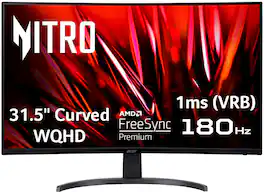
Acer's EDB323QU 31.5" curved panel monitor with WQHD resolution delivers the incredible. Crisp, true-to-life colors come alive with the amazing 2560 x 1440 resolution, allowing you to enjoy High-Definition entertainment in the comfort of your home. The wide view angle technology lets you share what's on your screen with friends and family as colors stay true no matter what angle you're viewing from. Crisp, true-to-life colors come alive with the amazing 2560 x 1440 resolution, allowing you to enjoy High Definition entertainment in the comfort of your home. Through AMD FreeSync Premium technology, the game’s frame rate is determined by your graphics card, not the fixed refresh rate of the monitor, giving you a serious competitive edge. Smooth, tear-free gameplay!! And a whole lot more.
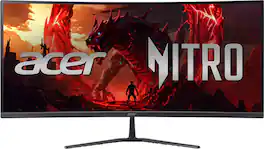
Acer's Nitro ED340CUR 34" curved panel monitor with Ultra Wide QHD resolution delivers the incredible. Through AMD FreeSync Premium technology, the game’s frame rate is determined by your graphics card, not the fixed refresh rate of the monitor, giving you a serious competitive edge. Smooth, tear-free gameplay!! Crisp, true-to-life colors come alive with the amazing 3440 x 1440 resolution, allowing you to enjoy High-Definition entertainment in the comfort of your home. The wide view angle technology lets you share what's on your screen with friends and family as colors stay true no matter what angle you're viewing from. Incredible 100,000,000:1 contrast ratio and rapid response time ensure your games, work and movies are smooth and look as epic as possible.
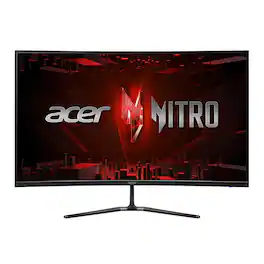
Acer's Nitro ED320QR 31.5" curved panel monitor with Full HD resolution delivers the incredible.Through AMD FreeSync Premium technology, the game’s frame rate is determined by your graphics card, not the fixed refresh rate of the monitor, giving you a serious competitive edge. Crisp, true-to-life colors come alive with the amazing 1920 x 1080 resolution, allowing you to enjoy High-Definition entertainment in the comfort of your home. The wide view angle technology lets you share what's on your screen with friends and family as colors stay true no matter what angle you're viewing from. Incredible 100,000,000:1 contrast ratio and rapid response time ensure your games, work and movies are smooth and look as epic as possible.

Odyssey G5’s lightning-fast 165Hz refresh rate ensures flawlessly smooth action scenes even in games with high frame rates. The Odyssey G5 range allows you to make the most out of the games you love to play, at a fantastic price point.
| Pros for Acer - Nitro Gaming 31.5" Curved WQHD 180Hz 1ms FreeSync Premium Gaming Monitor (DisplayPort, HDMI x2) - Black | |||
|---|---|---|---|
| Overall Performance, Screen Size, Refresh Rate, Price, Resolution | Overall Performance, Screen Size, Refresh Rate, Resolution, Immersion | Overall Performance, Refresh Rate, Screen Size, Price | Refresh Rate, Picture Quality, Curvature, Performance, Size |
| Cons for Acer - Nitro Gaming 31.5" Curved WQHD 180Hz 1ms FreeSync Premium Gaming Monitor (DisplayPort, HDMI x2) - Black | |||
| Stand | There were no cons for this product— | There were no cons for this product— | Stand, Speakers, Ghosting, Connectivity, Price |
Specs
Reviews
Customers are saying
Customers consistently note the Nitro Gaming 31.5" monitor's overall performance and ideal screen size as significant positives. Many appreciate the refresh rate and consider it a good value for the price. Conversely, some customers have mentioned concerns about the stand's stability and the quality of the built-in speakers.
Customer Images
The vast majority of our reviews come from verified purchases. Reviews from customers may include My Best Buy members, employees, and Tech Insider Network members (as tagged). Select reviewers may receive discounted products, promotional considerations or entries into drawings for honest, helpful reviews.
- Rated 5 out of 5 stars
PS5 on this 31" monitor SO MUCH better than 43" TV
IF you plug in a PS5 and notice this monitor has a greyed out screen and colors are off - where black isn't black it is grey - see below on the settings to adjust. It isn't this monitor - it is the settings on your PS5! Easily fixed in the settings mentioned below. I originally went to Best Buy to purchase a new television for my young adult son when his 43" television display went black on the left side due to the backlight failing. He asked that it be replaced with a monitor instead of a television since he rarely watches television and mostly plays his PS5 on it. We agreed and he couldn't be happier. He had the money for the 27" Acer Nitro that was on sale for $200. I saw that this 31.5 curved monitor was on sale and urged him to get this one instead. The difference in size between this one at 31.5" and the other at 27" doesn't seem like a big deal, but once we had the two side by side, you could truly see playing video games on this one would be much easier. The difference in the size of the basketball alone was well worth it. We weren't sure about the curved screen, but we were about to find out. Once we got this home and plugged in we quickly realized that there is a BIG difference playing high speed video games on this monitor versus using the television. The television which was a 4K 1080 (large name brand I cannot mention here) we found out was only 60Hz. This monitor is 180Hz! The PS5 is only 120Hz so as long as we had at least 120Hz, anything above this is a moot point. We thought it was the internet causing lag and ghosting on the television when he played NBA2K on the television. It turned out to be the television. This monitor is crystal clear and no lagging or ghosting at all! Installation was super easy. Take it out of the box, connect the power cord on the back and snap on the stand. You are good to go. I will mention one very important thing and the reason I am doing this review. If you are going from a TV to a monitor to play on a playstation, you will think there is something wrong with this monitor because the display will look grey-ed or grayed out. It is not the monitor. Go in and adjust the settings. You MUST go into the playstation settings and DISABLE HDR on the PS5. Go to Settings> Screen and Video > Video Output> HDR Change this to OFF. You may have to fix the settings on the PS5 where you see the black box and gray cogs wheel and the white box with the gray cogs wheel to make sure your contrast and brightness weren't adjusted prior due to your television settings. I hope this helps you during your set up. We thought the monitor was to blame at first and almost went back to the store with the monitor. It isn't the monitor. It takes two minutes to fix the settings. The only thing that we wish is that this came with a remote control. To change the settings or turn the monitor on or off is difficult to get to. Acer should have put the buttons on the front where they are easier to hit. Oh wait, I do have to mention "difficult to get to" - Acer the plugs in the back. The power plug and HDMI plug. These were VERY difficult to plug into the back with the monitor upright. We all know to never lay a monitor or TV on its back or front. To keep the monitor upright at all times. When doing this and keeping the monitor on a desk, it is difficult to get the cords into the back of the monitor. My son's room isn't very bright with lighting - it was the two of us and flashlights and we still had a difficult time. Please make it easier to plug the cords into the back of future models. The integrated speakers are appreciated. That is something else this model had that the 27" model did not. The curved screen has helped reduce eye strain. My son mentioned he likes it a lot better than the flat screen television and finds he rarely rubs his eyes now. This 31.5" monitor is much, much better than the 34" monitor due to the ratio on the 34" monitor. 21:9 is really difficult to get used to and the height throws things way off. If you are trying to decide between this monitor and the 34" 21:9 - choose this one.
daxd Posted
- Rated 5 out of 5 stars
Great monitor
It was very easy to assemble out of the box and it has been working great for me. I upgraded from a 75hz monitor and you can definitely see the difference. Gameplay and cutscenes are much smoother and clearer. It also has a lot of really cool built in settings like a screen crosshair, blue light filters, and you can customize it to what you're using it for. Its been a great monitor so far.
NathanS Posted
- Rated 5 out of 5 stars
Awesome
Amazing upgrade to my standard monitors. Love the aux output so my devices (Xbox series, Mac Pro, and my work laptop) all share the same speakers. Love the high refresh rate and size. Definitely took some getting used to if you are going from 2 monitors to 1 large one, but it is a game-changer. The only drawback is that the controls are kind of clunky with changing inputs. Wish they just had an easy input switch, or even a remote would be awesome. But for the price, it is awesome.
TroyD Posted