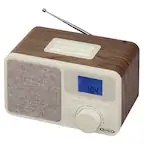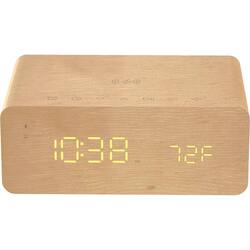
ION Audio - Charge Time Alarm Clock - Tan
- General
- Brand: ION Audio
- Model Number: CHARGETIME
- Product Name: Charge Time Alarm Clock
- Color: Tan
- Warranty
- Warranty - Parts: 90 Days
- Warranty - Labor: 90 Days
- Other
- Product Width: 7.28 inches (The out of box width of the item. Width is measured as the horizontal distance from one side of the item to the other as it would be primarily used or placed.)
- Product Height: 2.8 inches (The out of box height of the item. Height is measured as the vertical distance from the bottom of the item to the top as it would be primarily used or placed.)
- Product Depth: 5.83 inches (The out of box depth of the item. Depth is measured as the distance from the front of the item to the back as it would be primarily used or placed.)
- Product Weight: 1.54 pounds (The out of box weight of the item.)
- MP3 Player Connectable: true
- MP3 Player Dock Included: false
- Display Type: LED
- Power Source: Plug-in
- Tuner Type(s): None
- Input(s): 3.5mm audio, USB
- Wireless Charging Standard: Qi
- App Compatible: true (The product can be connected to a program or software application on a mobile device, which then receives collected data from the product.)
- Wireless Charging: true
- UPC: 842655100113
Wake up on time with this ION Charge Time Bluetooth alarm clock. The Qi wireless charging pad works with Android and iOS devices, while the two USB ports let you power additional devices. This ION Charge Time Bluetooth alarm clock features dual 10W 2-inch speakers for stereo sound, and the aux input connects non-Bluetooth electronics.
- Streams music wirelessly from most Bluetooth-enabled devices: Listen your favorite atmospheric and relaxing sounds before sleep.
- Bright LED display: Clearly view the current time and temperature in different light conditions.
- Two 10W 2"speakers: Deliver full-range stereo sound.
- Touch-capacitive control buttons: Let you simply operate your alarm clock.
- Built-in microphone: Enables hands-free call answering.
- Qi wireless charging pad: Simply recharge any Qi-compatible device.
- Two USB ports: Allow recharging you phone and playing the music via the USB cable.
- 3.5mm aux input: Lets you stream music from non-Bluetooth devices.
- Streams music wirelessly from most Bluetooth-enabled devices: Listen your favorite atmospheric and relaxing sounds before sleep.
- Bright LED display: Clearly view the current time and temperature in different light conditions.
- Two 10W 2"speakers: Deliver full-range stereo sound.
- Touch-capacitive control buttons: Let you simply operate your alarm clock.
- Built-in microphone: Enables hands-free call answering.
- Qi wireless charging pad: Simply recharge any Qi-compatible device.
- Two USB ports: Allow recharging you phone and playing the music via the USB cable.
- 3.5mm aux input: Lets you stream music from non-Bluetooth devices.
Whats Included
- ION Audio Charge Time Alarm Clock
- Power adapter
- Micro-USB cable
- 1/8" (3.5mm) stereo aux cable
- Owner's manual
- ION Audio Charge Time Alarm Clock
- Power adapter
- Micro-USB cable
- 1/8" (3.5mm) stereo aux cable
- Owner's manual
Q: How do you change it from Fahrenheit to Celsius
A: Press the Alarm and Clock buttons at the same time to toggle between Celsius and Fahrenheit temperatures.
A: Hi, I'll be glad to assist! The Ion Charge time uses a built-in alarm, and will not start playback from a connected Bluetooth device when the alarm is triggered. The product will need to be manually adjusted for Daylight Savings.
A: Hi! Happy to help! The buttons are not raised, but pressing any of the buttons will snooze the alarm for 9 minutes. Pressing and holding the alarm button will then disable the alarm until the same time the following day.
Q: Are they a app for charg time pulse
A: undefined
Q: How do I get the military time off and just have regular time
A: Press the "arrow" buttons and the play/pause buttons for about 3 seconds. It will come up with the "12 h" on the screen for the typical clock!