LG - Geek Squad Certified Refurbished BP350 - Streaming Wi-Fi Built-In Blu-Ray Player - Black
- Key Specs
- Smart Capable: true (Smart, or smart-capable devices are able to connect directly to your home network in order to stream content from the Internet, run Internet-based apps, or connect to other smart devices.)
- Ethernet Port(s): false (Connection on the device that fits an ethernet cable, allowing for connection to wired network hardware.)
- Wireless Connectivity: Wi-Fi (The manner in which a device sends data to another device over a short distance without the use of wires or cables.)
- General
- Brand: LG
- Model Number: GSRF-BP350
- Product Name: Geek Squad Certified Refurbished BP350 - Streaming Wi-Fi Built-In Blu-Ray Player
- Color: Black
- Player Type: Blu-Ray Player
- Remote Control Included: true
- Disc Loading Type: Tray
- Cable(s) Included: None
- Dimensions
- Product Height: 1.7 inches (The out of box height of the item. Height is measured as the vertical distance from the bottom of the item to the top as it would be primarily used or placed.)
- Product Depth: 7.7 inches (The out of box depth of the item. Depth is measured as the distance from the front of the item to the back as it would be primarily used or placed.)
- Product Width: 10.6 inches (The out of box width of the item. Width is measured as the horizontal distance from one side of the item to the other as it would be primarily used or placed.)
- Product Weight: 1.9 pounds (The out of box weight of the item.)
- Output
- Number of HDMI Outputs (Total): 1
- Number Of Coaxial Digital Audio Outputs: 0 (The number of RCA outputs used for transferring digital audio between devices. This number lets you know how many devices, like receivers or speakers, the device can connect to.)
- Number Of Optical Digital Audio Outputs: 0 (The number of digital audio streams that can be connected between components.)
- Number Of Component Video Outputs: 0 (The number of component analog video (CAV) sources that can be connected to the product.)
- Number Of Composite Video Outputs: 0
- Display
- Maximum Video Resolution: Not Applicable (Maximum resolution refers to the highest number of pixels that a screen can process and display. Higher resolution signals produce more detailed video.)
- Connectivity
- Number Of USB Port(s): 1 (The total number of USB ports including all generations and versions.)
- Wireless Connectivity: Wi-Fi (The manner in which a device sends data to another device over a short distance without the use of wires or cables.)
- Features
- Featured Streaming Services: Hulu, Netflix, Pandora, Spotify, YouTube (Streaming services and other programs are available on this device. Keep in mind, there may be more services supported than just those shown here.)
- Playable Formats: 3GP, AAC, AVCHD, BD-R, BD-RE, CD-R, CD-RW, DVD+R, DVD+RW, DVD-R, DVD-RW, FLAC, FLV, M4V, MKV, MOV, MP3, MP4, MPEG-1, MPEG-2, MPEG-4 AVC, TS, VC-1, VOB, WMA, WMV
- Warranty
- Warranty - Parts: 90 days
- Warranty - Labor: 90 days
- Other
- UPC: 400058488131

Geek Squad® Certified Refurbished products are thoroughly, painstakingly and lovingly tested, so you can be sure that your device will work right, right away. Learn more about Geek Squad® Certified Refurbished products.
Watch movies and shows in high definition with this LG Smart Blu-ray player. Built-in Wi-Fi lets you stream video from online services, while the player works with Blu-ray disks, CDs and DVDs for added versatility. This refurbished LG Smart Blu-ray player has a USB port for direct listening and watching from an external drive.

- Blu-ray player: For high-definition movie playback with resolution up to 5 times greater than DVD. Watch films in stunning high-definition just like you do on the big screen.
- Upconvert DVDs: Delivers greatly enhanced video performance of standard DVDs by upconverting their video resolution to HDTV-compliant up to 1080p via the HDMI interface.
- Built-in Wi-Fi: For access to streaming content and firmware updates.
- DLNA capability: For wireless access to your PC content on your TV.
- Playable formats: Include CD-R/RW, DVD±R/RW, DVD, CD, BD-R, BD-RE and Blu-ray Disc.
- 1 HDMI output: High-speed HDMI cable is the only connection that can deliver a Blu-ray experience with a full 1080p picture and digital surround sound.
- Blu-ray player: For high-definition movie playback with resolution up to 5 times greater than DVD. Watch films in stunning high-definition just like you do on the big screen.
- Upconvert DVDs: Delivers greatly enhanced video performance of standard DVDs by upconverting their video resolution to HDTV-compliant up to 1080p via the HDMI interface.
- Built-in Wi-Fi: For access to streaming content and firmware updates.
- DLNA capability: For wireless access to your PC content on your TV.
- Playable formats: Include CD-R/RW, DVD±R/RW, DVD, CD, BD-R, BD-RE and Blu-ray Disc.
- 1 HDMI output: High-speed HDMI cable is the only connection that can deliver a Blu-ray experience with a full 1080p picture and digital surround sound.
Whats Included
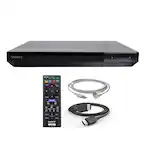
- LG Geek Squad Certified Refurbished BP350 - Streaming Wi-Fi Built-In Blu-Ray Player
- LG Geek Squad Certified Refurbished BP350 - Streaming Wi-Fi Built-In Blu-Ray Player
Product Manuals
Q: Does this player plays YouTube and Netflix also?
A: Yes, it does. But you need a WiFi Network, as there is no network wire port.
A: This unit has the following apps available: Netflix® Amazon Instant Video Hulu Plus® Vudu® Pandora Youtube® MLB.tv® Spotify® Rhapsody® vTuner® AP® Viewster ^CP
A: You will need to buy the remote batteries separately, standard AA if I recall correctly. If not, AAA. For plugging it into your TV, you will need to buy a HDMI cable. They typically range from 10-80 dollars. However, there is no real discernible difference between the 10$ and the 80$, so grab the cheapest one you can find, you aren't going to miss out on anything. From there, it is simply a matter of plugging the HDMI cable into the player and the TV. A picture of the HDMI port is included. Be warned, older TVs (Earlier than 2005) will not have an HDMI port, as they predate the technology. The player, sadly, does not come with an alternate method for those older TVs. From there, turn the TV on, and press the input button until it displays the name of the port you plugged the HDMI cable into. (HDMI 1, HDMI 2, etc.) If the player is running, it will display on the screen. The Blue-Ray player will function right from the start, but for the other features you will need to go into the settings menu and input your internet information. I hope this helps.
Q: does this stream netflix huluplus and amazon ?
A: Yes it streams all three, over WiFi!
Q: Does this allow Video playback via the USB port or is it only Photo/Music compatible?
A: The BP350 has the capability of playing Video, photos and music via a USB device. ^CP
Q: Does this item come with a remote control?
A: Yes and the battery for the remote is included.
Q: Does it support a foreign dvd's? (original dvd's).
A: "foreign dvd's" & "original dvd's" ? Not real sure what these terms mean. If you are asking if the LG BP350 SMART BLU-RAY PLAYER is backwards compatible, in that it plays not only Blu-ray disks, but also regular DVD disks, the answer is, yes. In fact I have not yet put a blu-ray disk in the LG BLU-RAY PLAYER. I have only played regular DVD disks in it, and it works well with them. I hope that was what you were asking, and this information was of some help to you.
A: Thank you for raising your concern regarding LG Blu-Ray Disc™ (BP350) model. It seems like there are software update and power supply issues with your LG BP350 Blu-ray player. Here are some simple steps to fix the problem: 1. Power Cycle: Unplug the player from the power outlet for a few minutes, then plug it back in and check if the green power light comes on. 2. Manual Software Update: If the power light doesn't come on, manually update the software by downloading the latest firmware from the LG website. Follow the instructions to update the player. 3. Check Wireless Connection: If the power light is on but the player isn't working, make sure your wireless connection is set up correctly. Refer to the manual or LG support website for instructions on setting up the wireless network. 4. Disable Wi-Fi: To prevent interruptions from slow internet, disable the Wi-Fi connection. You can usually do this through the settings menu on the Blu-ray player. If problem still persist, please reach out to us on social media @LGUSSupport so we can help you further. ^Cris