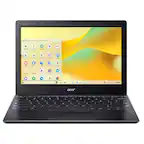
ASUS - CX14 14" FHD Chromebook Plus Laptop with Google AI - Intel Core 3 - 8GB Memory - 128GB eMMC - Misty Grey
 Microsoft - Office Home 2024 (1 Device) - Windows, Mac OS [Digital]$149.99
More Buying Options
Related Item

Highlights
- Key Specs
- Screen Type: IPS
- Screen Size: 14 inches (Size of the screen, measured diagonally from corner to corner.)
- Screen Resolution: 1920 x 1080 (Full HD) (Screens come in a range of resolutions (measured in pixels, horizontal x vertical). The higher the resolution, the greater the picture quality.)
- Touch Screen: false (Touch-screen devices make navigating more intuitive. Using a touch-screen display, you can do things such as tap to select, hold and drag to move items, swipe to scroll, and pinch to zoom.)
- Refresh Rate: 60Hz (The number of frames per second the device can produce natively without enhancement. Higher rates help produce smooth, seamless pictures.)
- Brightness: 250 nits (A measure of the total light output.)
- Processor Model: Intel Core 3 Series 1 (Your computer's processor is like its brain. Working in combination with system memory, the power of the processor determines the complexity of software you can run, how many programs you can have open at the same time, and how fast those programs will run. Most computers feature an AMD, Intel or Snapdragon processor.)
- CPU Base Clock Frequency: 1.9 gigahertz (Actual central processing unit (CPU) speed may vary by device configuration and design. The average rate at which the processor is able to execute tasks under normal operating conditions as asserted by the manufacturer.)
- Storage Type: UFS
- Total Storage Capacity: 128 gigabytes
- System Memory (RAM): 8 gigabytes (Random-access memory (RAM) is a computing device's short-term data storage, which allows active information to be accessed quickly. The size and type of RAM determines how efficiently the device can handle large amounts of information at one time. For example, gaming or video editing requires more RAM for optimal performance.)
- Graphics: Intel UHD Graphics (Often referred to as a "graphics processing unit" (GPU), this device is responsible for displaying image content and decoding/encoding video content in programs and games.)
- Display Connector(s): 1 x HDMI 1.4 (The number and type of connectors used to connect to an external display.)
- Battery Life (up to): 10 hours (Battery life will vary depending on the product configuration, product model, applications loaded on the product, power management setting of the product and the product features used by the customer. As with all batteries, the maximum capacity of this battery will decrease with time and usage.)
- Battery Chemistry: Lithium-ion
- Backlit Keyboard: false (Integrated lights allow for visibility of the keys in low-light conditions.)
- General
- Brand: ASUS
- Model Number: CX1405CTA-I38128
- Product Name: CX14 14" FHD Chromebook Plus Laptop with Google AI - Intel Core 3 - 8GB Memory - 128GB eMMC
- Color: Misty Grey
- Year of Release: 2025
- Display
- Display Type: LED
- Screen Type: IPS
- Screen Size: 14 inches (Size of the screen, measured diagonally from corner to corner.)
- Screen Resolution: 1920 x 1080 (Full HD) (Screens come in a range of resolutions (measured in pixels, horizontal x vertical). The higher the resolution, the greater the picture quality.)
- Touch Screen: false (Touch-screen devices make navigating more intuitive. Using a touch-screen display, you can do things such as tap to select, hold and drag to move items, swipe to scroll, and pinch to zoom.)
- Refresh Rate: 60Hz (The number of frames per second the device can produce natively without enhancement. Higher rates help produce smooth, seamless pictures.)
- Display Surface: Anti-glare
- Brightness: 250 nits (A measure of the total light output.)
- Processor
- Processor Brand: Intel
- Processor Model: Intel Core 3 Series 1 (Your computer's processor is like its brain. Working in combination with system memory, the power of the processor determines the complexity of software you can run, how many programs you can have open at the same time, and how fast those programs will run. Most computers feature an AMD, Intel or Snapdragon processor.)
- Processor Model Number: N355
- CPU Base Clock Frequency: 1.9 gigahertz (Actual central processing unit (CPU) speed may vary by device configuration and design. The average rate at which the processor is able to execute tasks under normal operating conditions as asserted by the manufacturer.)
- CPU Boost Clock Frequency: 3.9 gigahertz (Actual central processing unit (CPU) speed may vary by device configuration and design. The maximum rate at which the processor is able to execute tasks, typically only used for a short period of time as needed. This rate may temporarily boost the processor's performance, but may result in overheating, shutdown, or damage to equipment if sustained.)
- Number of CPU Cores: 8-core (A core, or "brain" of a CPU, allows it to receive and execute instructions. Each core can work independently or together to perform parallel operations.)
- Neural Processing Unit (NPU): false (Whether the product comes with an integrated neural processing unit (NPU) that performs computations for AI (artificial intelligence) functions to increase proficiency of the CPU and reduce power consumption.)
- Storage
- Storage Type: UFS
- Total Storage Capacity: 128 gigabytes
- Memory
- System Memory (RAM): 8 gigabytes (Random-access memory (RAM) is a computing device's short-term data storage, which allows active information to be accessed quickly. The size and type of RAM determines how efficiently the device can handle large amounts of information at one time. For example, gaming or video editing requires more RAM for optimal performance.)
- Type of Memory (RAM): LPDDR5 (Each type of RAM delivers a different level of speed, bandwidth, energy efficiency and performance.)
- System Memory RAM Speed: 4800 megahertz (How fast the information-storing hardware operates. The faster the RAM, the faster memory can be transferred to other system components. Ultimately, faster RAM improves operational efficiency.)
- Graphics
- Graphics Type: Integrated (Dedicated graphics uses a separate graphics card for processing video images. Because it does not use memory from the system's RAM, there is no extra burden on the CPU and graphics are processed more efficiently. Integrated graphics shares system RAM to process video images.)
- GPU Brand: Intel
- Graphics: Intel UHD Graphics (Often referred to as a "graphics processing unit" (GPU), this device is responsible for displaying image content and decoding/encoding video content in programs and games.)
- Compatibility
- Operating System: Chrome OS (The operating system manages all software and hardware, including files, memory and connected devices. Most importantly, it lets you interact with your device and your programs in a visual way; otherwise, you'd be typing computer code to get anything done.)
- Voice Assistant Built-in: Google Assistant (A digital assistant built into the device that uses voice commands to answer questions and control smart devices.)
- Connectivity
- Display Connector(s): 1 x HDMI 1.4 (The number and type of connectors used to connect to an external display.)
- Number of HDMI Outputs (Total): 1
- USB Ports: 1 x USB-A 3.2, 1 x USB-C 3.2 (The number and type of USB ports the product has.)
- Number of USB Ports (Total): 2
- Number of USB-C Charging Ports: 1
- Headphone Jack: true (The device features an interface that allows for the connection of headphones.)
- Microphone Input: false (The device features an input for connecting an external microphone.)
- Wireless Connectivity: Wi-Fi, Bluetooth (The manner in which a device sends data to another device over a short distance without the use of wires or cables.)
- Wireless Standard: AX (The wireless networking protocol used by the device. Each iteration of the protocol is based on the 802.11 standard developed by the Institute of Electrical and Electronics Engineers (IEEE) Standards Association. Denoted by letters following 802.11 (802.11a, 802.11ac, etc.), each version, published in alphabetical order, encompasses all previous versions.)
- Wireless Networking Standard: Wi-Fi 6E (The wireless networking standard used by the device. Each iteration of the standard developed by the Wi-Fi Alliance corresponds to an existing IEEE 802.11 protocol; for example, standard 802.11ac (or AC) is termed Wi-Fi 5. Refers specifically to the standard the device is designed to use, but ultimately determines product interoperability and backward compatibility including previous versions.)
- Cooling
- CPU Cooling System: Air
- Power
- Power Supply Input: USB-C
- Power Supply Maximum Wattage: 45 watts
- Battery Life (up to): 10 hours (Battery life will vary depending on the product configuration, product model, applications loaded on the product, power management setting of the product and the product features used by the customer. As with all batteries, the maximum capacity of this battery will decrease with time and usage.)
- Battery Cells: 3-cell
- Battery Chemistry: Lithium-ion
- Camera
- Front-Facing Camera: true
- Front Facing Camera Video Resolution: 1080p (Refers to the number of pixels, both horizontally and vertically, used by the camera facing the user to capture video. The higher the resolution the finer the video detail that can be seen.)
- Built-In Microphone: true
- Features
- Backlit Keyboard: false (Integrated lights allow for visibility of the keys in low-light conditions.)
- Foldable Screen: false
- Customizable Case Lighting: false
- Chrome Features: Google Assistant, Android apps
- Casing Material: Plastic
- Dimensions
- Product Height: 0.78 inches (The out of box height of the item. Height is measured as the vertical distance from the bottom of the item to the top as it would be primarily used or placed.)
- Product Width: 12.78 inches (The out of box width of the item. Width is measured as the horizontal distance from one side of the item to the other as it would be primarily used or placed.)
- Product Depth: 8.44 inches (The out of box depth of the item. Depth is measured as the distance from the front of the item to the back as it would be primarily used or placed.)
- Product Weight: 3.06 pounds (The out of box weight of the item.)
- Certifications Listings & Approvals
- ENERGY STAR Certified: true (Devices carrying the ENERGY STAR service mark, such as computer products and peripherals, kitchen appliances, and other products, generally use 20% to 30% less energy than required by federal standards.)
- EPEAT Qualified: true (The Electronic Product Environmental Assessment Tool (EPEAT) was designed to provide an environmental assessment tool for purchasers. In order to qualify for EPEAT, a product must meet all 23 required criteria.)
- EPEAT Level: Gold (The Electronic Product Environmental Assessment Tool (EPEAT) was designed to provide an environmental assessment tool for purchasers. In order to qualify for EPEAT, a product must meet all 23 required criteria. Products are rated Bronze, Silver or Gold based on how many of 28 optional criteria they meet (below 50%, 50%, 75%).)
- Included
- Numeric Keypad: false
- Warranty
- Warranty - Parts: 1 year
- Warranty - Labor: 1 year
- Other
- UPC: 197105852662
ASUS Chromebook Plus CX14 is made to enable ultrasmooth productivity with Google AI in a compact form factor. This lightweight, ultraportable device is powered by an Intel Core processor with a vivid slim-bezel NanoEdge display that fits more screen into the compact chassis for easy multitasking and immersive entertainment. It’s fast, secure, and perfect for any task.
- Runs ChromeOS: The fast, secure operating system from Google with built-in Google apps like Gmail, Gemini, Docs, Photos, YouTube, and more, so you can go from deadlines to downtime straight out of the box.
- The Power To Do More: A 2x faster Intel Core processor and up to double the memory and storage*, so you can edit files while watching your favorite shows in full HD with up to 10 hours of battery life*.
- Google AI built in, with Gemini: Supercharge your daily tasks with Gemini. Brainstorm fresh ideas, quickly understand any content*, and insert AI-generated content into any field, wherever your cursor takes you.
- Get Gemini Advanced, 2TB of storage, and more for 12 months at no cost: With the Google One AI Premium plan, you get Gemini Advanced, 2TB of cloud storage, and Gemini in Gmail, Docs, and more – all on us when you purchase a Chromebook Plus.**
- Get YouTube Premium for 3 months at no cost: Enjoy YouTube and YouTube Music ad-free, offline, and in the background.**
- High-speed operating experience: Powered by the powerful Intel Core 3 processor, fast 8GB memory and 128GB storage, ensuring fast and smooth operation.
- Lightweight yet durable: Built to withstand daily wear and tear with military-grade durability (MIL-STD 810H), yet lightweight at just 3.06 lbs for effortless portability.
- Expansive, immersive display: Full HD 1920x1080 NanoEdge anti-glare display minimizes reflections for a clearer, more focused viewing experience.
- Comprehensive connectivity: Worry-free connectivity with 1x audio jack, 1x USB 3.2 Gen1 Type-C, 1x USB 3.2 Gen1 Type-A.
- Advanced apps for work and play: Stay productive with Microsoft 365***, create with Adobe Photoshop****, edit videos with LumaFusion, and get your game on with GeForce NOW. All your favorite apps and more are just a click away.
- Never had a virus: Chromebooks have never had a virus***** so you can breathe easy knowing your security and privacy are covered with built-in protection and the Titan C2 security chip.
Whats Included
- CX14 14" FHD Chromebook Plus Laptop with Google AI - Intel Core 3 - 8GB Memory - 128GB eMMC
Disclaimers
- *When compared to top selling Chromebooks in 2023. Battery life may vary by usage.
- **Limit 1 redemption per eligible Chromebook Plus device activated on or after 5/28/24. Must be ages 18+ to be eligible. Cancel anytime. See g.co/chromebookplus/ai-premium-offer for full terms. Youtube Premium offer: available through 1/31/2026.
- ***Additional functionality available with a Microsoft 365® subscription. Microsoft, Excel, and PowerPoint are registered trademarks of Microsoft Corporation.
- ****Requires an Adobe Photoshop subscription.
- *****As of September 2024 there has been no evidence of any documented, successful virus attack on ChromeOS. Data based on ChromeOS monitoring of various national and internal databases.
Q: How long does the battery last on this Chromebook?
A: It offers up to 10 hours of battery life.
Q: Does this Chromebook have a touchscreen?
A: No, this Chromebook does not have a touchscreen.
Q: What operating system does this Chromebook run?
A: It runs ChromeOS, a fast and secure operating system from Google.
Q: How much storage does the Chromebook come with?
A: It has 128GB of eMMC storage.
Q: Is this Chromebook lightweight?
A: Yes, it's lightweight at just 3.06 lbs.
Q: What is the screen size of this Chromebook?
A: The screen size is 14 inches.
Q: What type of processor does this Chromebook have?
A: This Chromebook is powered by an Intel Core 3 processor.
Q: Is this a good laptop for gaming?
A: The ASUS Chromebook CX1405CTA is not designed for gaming. It runs on ChromeOS with entry‑level hardware, making it suitable for web browsing, streaming, and productivity tasks. While you can play Android apps, browser games, or use cloud gaming services, it does not support modern PC or console‑level gaming.
Compare similar products
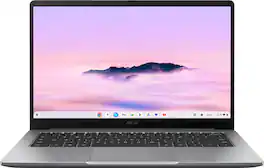
ASUS Chromebook Plus CX14 is made to enable ultrasmooth productivity with Google AI in a compact form factor. This lightweight, ultraportable device is powered by an Intel Core processor with a vivid slim-bezel NanoEdge display that fits more screen into the compact chassis for easy multitasking and immersive entertainment. It’s fast, secure, and perfect for any task.

ASUS Chromebook CX14 is made for boosting productivity and having more fun while on the move. This lightweight, ultraportable device is powered by an Intel processor with a vivid slim-bezel NanoEdge display that fits more screen into the compact chassis for easy multitasking and immersive entertainment. It’s speedy and secure, suitable for all your daily tasks.
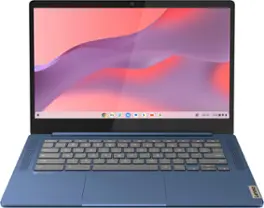
Live animated, live lively, live balanced. When you’re packing the thin and light IdeaPad Slim 3 Chromebook laptop, featuring WiFi 6 and 13.5 hours of battery life, balancing work and play all day becomes effortless. The 14" FHD IPS touchscreen display and MediaTek Kompanio 500 Series processors are a significant upgrade to your work and entertainment, with front-facing Waves-tuned speakers.

The IdeaPad Slim 3i is smart and made for heavy on-the-go users from libraries and cafes to airport terminals, with a lightweight and thin profile that's 10% slimmer than the previous generation yet still military-grade rugged. Get the important stuff done on the go with powerful 13th Gen Intel Core i3 processors, the adaptive performance of Smart Power, and full-function Type-C port while you learn, work, and stream on a Full HD display with up to 88% AAR.
| Pros for ASUS - CX14 14" FHD Chromebook Plus Laptop with Google AI - Intel Core 3 - 8GB Memory - 128GB eMMC - Misty Grey | |||
|---|---|---|---|
| Overall Performance, Screen Quality, Battery Life, Portability, Processor Speed | Overall Performance, Portability, Screen Quality, Battery Life, Processor Speed | Overall Performance, Battery Life, Touchscreen, Ease of use, Speed | There were no pros for this product— |
| Cons for ASUS - CX14 14" FHD Chromebook Plus Laptop with Google AI - Intel Core 3 - 8GB Memory - 128GB eMMC - Misty Grey | |||
| There were no cons for this product— | There were no cons for this product— | RAM, Storage | There were no cons for this product— |
Specs
Reviews
Customers are saying
Customers have good things to say about the CX14 14" FHD Chromebook Plus Laptop, particularly its screen quality and overall performance. Many users praise the impressive battery life and portability, highlighting its lightweight design. The processor speed and port selection also receive positive feedback.
Customer Images
The vast majority of our reviews come from verified purchases. Reviews from customers may include My Best Buy members, employees, and Tech Insider Network members (as tagged). Select reviewers may receive discounted products, promotional considerations or entries into drawings for honest, helpful reviews.
- Rated 5 out of 5 stars
ASUS Chromebook Plus CX14: Not Just a ‘Browser Toy
I've used Chromebooks for years, and this ASUS Chromebook Plus CX14 is the first one that genuinely feels like a "real laptop replacement" instead of a compromise. On the plus side, performance is much better than I expected for this class. The Core 3 + 8 GB RAM combo handles 10+ Chrome tabs, streaming, and Android apps without hesitation, and it feels noticeably snappier than the older Celeron‑class machines I've owned. I was able to turn on Linux for Developers with a couple of clicks, install Remmina, and remotely connect to my Windows boxes smoothly. The built-in SSH terminal, combined with proper SSH keys, allows me to run X apps naturally, and Android apps from the Play Store install and run as expected. For someone who lives in Chrome, SSH, and RDP, the CX14 proves to be a surprisingly capable little device for developers and IT professionals, not just a "browser toy." The hardware is also better thought‑out than most budget Chromebooks. The 14" 1080p screen is sharp with good color and viewing angles for work and streaming, and text clarity is miles better than the cheap panels you see on a lot of entry‑level devices. The keyboard feels solid and comfortable for extended typing sessions, and multiple reviewers have noted it has a nice, quiet "thunk" rather than a cheap, clicky sound. Port selection is excellent for this class, featuring 2 USB-C, USB-A, HDMI, headphone jack, and Kensington lock ports, as well as Wi-Fi 6E and Bluetooth 5.4. This allows for easy connection of an external monitor and mouse/keyboard. Battery life is sufficient to cover a workday of light to moderate use; reviewers report around 8–10 hours, depending on brightness and workload, which aligns with my experience so far. There are a few trade‑offs to be aware of. The screen is rated at around 250 nits; it looks great indoors, but in very bright rooms or direct sunlight, it can appear dim. The downward-firing speakers are just okay—fine for calls and casual YouTube, but thin and a bit distorted when you push the volume, so plan on using headphones or a Bluetooth speaker if sound quality matters to you. And like any Chromebook, you're living in ChromeOS, with web/cloud services, Android, and Linux containers: perfect for my use case, but not what you want if you need heavy local video editing or Windows-only desktop apps. Overall, though, this CX14 hits a sweet spot. It's light, sturdy, quiet, and far more versatile than older Chromebooks: it runs browser workloads, Android apps, Linux tooling, and remote desktop all comfortably in one machine. I'm happy with it as a power user, and I also expect my kids will get a lot of mileage out of it for school and media. For the price, it feels like genuine value rather than a "cheap Chromebook," which is a significant shift for this category.
Posted by MichaelH
- Rated 4 out of 5 stars
Premium value
This is my third Chromebook and the earlier two were underwhelming when it came to certain things (screen/harddrive size/design) . Google fixed this by creating “Chromebook Plus” which requires some specs to get the label and I have to say this needs to be the standard for all Chromebooks as the CX14 is leaps and bounds above what I have used previously. The Good : The CX14 has a great in hand feel and is fingerprint resistant, no need to constantly clean it. The keyboard is a pleasure to use and I also noticed that the keys dont get stained after using it for the past week. The palm rest are perfectly sized, so my watch doesn’t rub against it when being used. The rounded corners make it a breeze to get in and out of backpack without snagging on anything. The CX14 looks and feels like a high-end laptop. The screen on the Asus CX14 is one of the best Full HD panels, the colors look great and true to life when watching content. When working on office task all the text are clear and this is huge, one of the worst things on entry devices is a bad viewing experience when it comes to document related things. Even when zooming in (Videos/Work/Photos) there is no distortion of any kind. The screen itself is limited when it comes to brightness as 250 nits but its surprisingly good and when looking at it straight on. Where the Asus CX14 excels is performance, running 10+ chrome tabs while streaming and no hesitation or slow down. This Chromebook handles normal task easily, it can even do some photo editing without much of an issue. When it come to video editing it’s not something I would recommend but it is still leaps ahead of other cellphone chips being used in other Chromebooks. I plugged the CX14 into a 5k ultrawide curved monitor and there was no issue, I was able to get 144 htz refresh at 5k which I was not expecting. I even ran some games to see how they play and there was no stutter or lag, even while playing on the 5K monitor. Even though the CX14 doesn’t have a HDR screen when plugged into a HDR screen it can push HDR content. Another area the CX14 does well is the ports, you have 2 USB C along with a HDMI, Kensington lock, USB A and a headphone jack. Now the ports are not for professionals, but they are more than enough for most people. Battery life is decent; I was able to get 4.5 hours with screen at full brightness while doing casual tasks. While you may think this isn’t enough this was at full brightness. What worked extremely well is the wake function every time I opened the lid the CX14 turned on instantly. The Bad: -The screen could be brighter, in a room with a lot of light it is hard to see. -The sound is not good at all, you will need headphones or wireless speaker. -The webcam quality is bad -Does slow down when doing heavy intensive task such as video editing/ running local AI processes. Overall: The CX14 is a great step-up for the Chromebooks, the Chromebook plus tag requirements provides a much needed premium feel. The CX14 is snappy and doesn’t slow down unless your doing extreme task. The fit and feel of the CX14 is great and I would recommend it to anyone looking for a solid machine to do casual tasks with. There is a difference between cheap and value and the CX14 is a value buy that looks, feels and preforms like a premium product.
Posted by JayS
- Rated 5 out of 5 stars
Chromebook that sets the bar for durability
If you aren't familiar with Chromebooks, these laptops run Google Chrome OS and support web / cloud based applications only. Due to the cost effectiveness and compatibility, these laptops are popular with schools and businesses for day to day activities. The school systems in my area have moved solely to Chromebooks for their students, and for this reason I picked up the ASUS CX14 Chromebook Plus to see how it would perform against the high school required specs. TL:DR - If you need a Chromebook (or don't need traditional memory / hard drive based applications), the performance and features of the ASUS should put the CX14 at the top of your list. Built in AI (Google Gemini) assistant is also a nice feature, but many schools have implemented AI restrictions. Pros: Compact, lightweight, and rugged build FHD screen is viewable at most angles, will fold flat 128 GB storage is great, especially for school projects It will run cloud base apps all day, with almost no noise, and a full work day battery life Titan C2 security hardware to keep the Chromebook virus free Cons: This is still a Chromebook, you're limited to cloud / web based applications. Not a con for all, but that is what sets this apart from a traditional laptop. Wifi 6E, my personal opinion is that laptops should have wifi 7 at this point In the box is the laptop and USB-C charging cord. Out of the box, the first you'll notice the CX14 is a lightweight (3 lbs) yet rugged feeling build. Thanks to my teen, I have already performed a drop test off a counter height table, with zero damage to the case or screen. There is a single hinge that spans the majority of the back, allowing the laptop to lay flat, but also keeps the screen in place at whatever angle you choose. Screen viewing is great, starting at ~60 degrees (folded in towards the keyboard) and viewable all the way to 180 degrees / laying flat, with very minimal glare, even with overhead lighting. The keyboard is full sized, with slight spacing between the keys to help with accuracy for those with larger hands. The sound is about as expected for a laptop, it's a bit muted due to the speakers being on the bottom of the case. It does sound better if the laptop isn't on a flat surface, but nonetheless, still a relatively flat sound that most laptops are known for. Based off a few days of use, I find that the thing that sets the ASUS CX14 apart from other Chromebooks is the build specs. ASUS upgraded to an Intel Core 3, 8GB RAM, 128GB storage, 1080p front camera, and full HD resolution screen. As for connectivity, the laptop has an HDMI 1.4 port, a USB-A port, USB-C port, USB-C charging port, headphone jack, wifi 6E supported wireless card, and bluetooth. The build is very quiet, primarily because the fan doesn't have to work hard to dissipate heat associated with running resource intensive applications. As far as usage, on a fast connection, this laptop will stream, surf, and run cloud based applications with ease. The additional storage provided is nice, as it ensures there is plenty of room for downloading and sharing a full semester worth of school projects. The build seems like it will withstand a high schooler for at least one school year, if not longer. Most importantly, it's portable and budget friendly, which makes this a great option to take anywhere.
Posted by EngineerMom