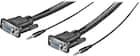
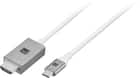
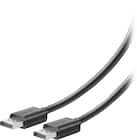
When you are choosing a high-definition monitor cable, start by looking at the ports available on your devices. Keep in mind that you also have the option of using a cable adaptor to connect a monitor with HDMI cables or USB cables that are a different size or type, and you can take advantage of a multi-monitor adaptor if you want to set up a dual computer display. You can even choose cables that combine technologies. For instance, you can find USB-C to HDMI cables, among other combinations.
Make sure that the audiovisual cable you choose is capable of achieving the level of resolution that your devices offer. HDMI to HDMI monitor cables are often capable of high data loads; you will find many that can support a 4K monitor or even 8K.
If you have an older monitor, you may find high-definition monitor cable options more limited, but remember that you only need a cable that matches your display’s capabilities.