A:Answerthere is a a/v sync setting to correct this, it is in the U.S. manual on page 37. Not too hard to do but to hard to explain here. Go into "options" it will come up on your tv screen and look for A/V sync. you can adjust the sound delay there.
A:AnswerI hooked up my Sony smart TV with no issues... I am not sure what TV you have but if you are having difficulties I suggest you use Youtube as they millions of tutorials on the subject... Hope this helps.
A:AnswerEste producto trabaja con electricidad 110 voltios que es la que usamos en norte america
El conocimiento que tengo es que en suramerica la electricidad
En las casas es de 220 voltios tendrias que usar un transformador de corriente para reducirla 110 voltios buena suerte.
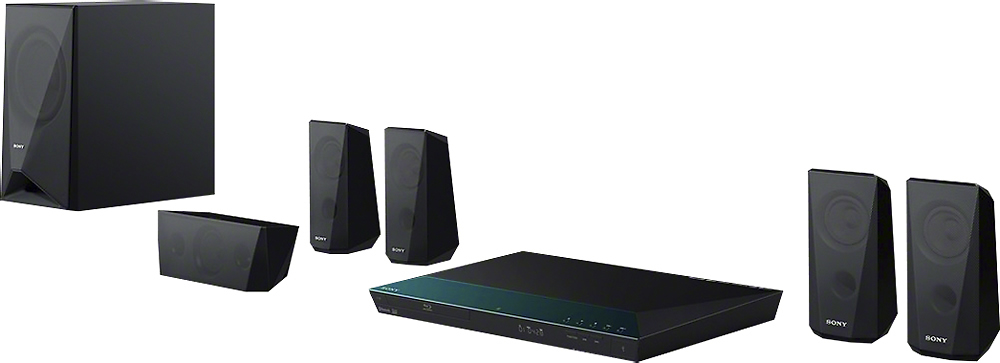
A:AnswerThe BDVE3100 includes 2 front speakers, 2 Surround speakers, 1 Center speaker and 1 subwoofer. When using the BD/DVD function of the system (meaning when playing BD or DVD discs), it is able to support 5.1 surround, if the disc being played has that audio format. A list of supported audio formats can be found on page 63 of the Operating Instructions Manual (link provided below).
http://www.docs.sony.com/release/BDVE6100_E4100_E3100_E2100.pdf
A:AnswerHi vinny, yes. We also have standalone Bluray players available in the market. You may check this link for the list of our Bluray/DVD players: https://www.sony.com/electronics/blu-ray-dvd-players/t/blu-ray-disc-players Thanks, -Mark
A:AnswerMy system is hooked up - so i couldn't tell you the exact measurements. The speakers with the longest wires are the left and right surround satellites. If i had to guess, I would say they are somewhere around 24-30 feet?
As for the other speakers, they are about half the length or less - when considering the length of the center speaker as it doesn't need to be long at all.