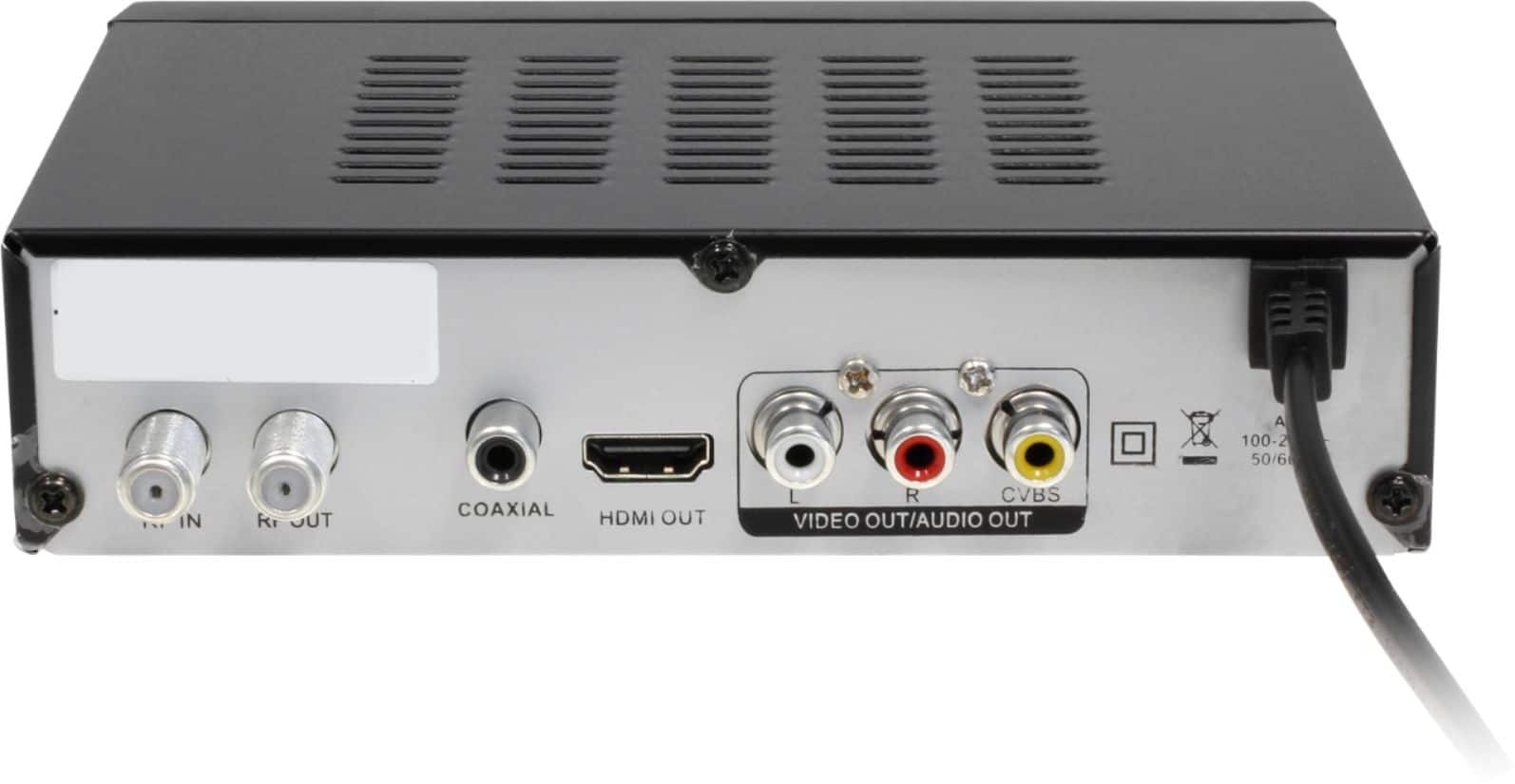
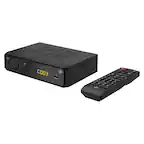
A:AnswerSo the indoor antenna should go into the RF-in on the Aluratek box, then use a COAX cable and connect to the Aluratek RF-out to your TV's COAX in. This is likely your only option if your TV does not have the RCA input or HDMI. Then you set your TV to that COAX in and then use the Aluratek remote to control the TV box and to run your channel search. If this does not work then you may need a different kind of system.
A:AnswerYou should not need it. You only need the COAX Input on the back of the Aluratek box for the indoor antenna to connect. Then you can connect the Aluratek to the TV using HDMI or Red, White, and Yellow RCA cable. Contact [email protected] for more info.
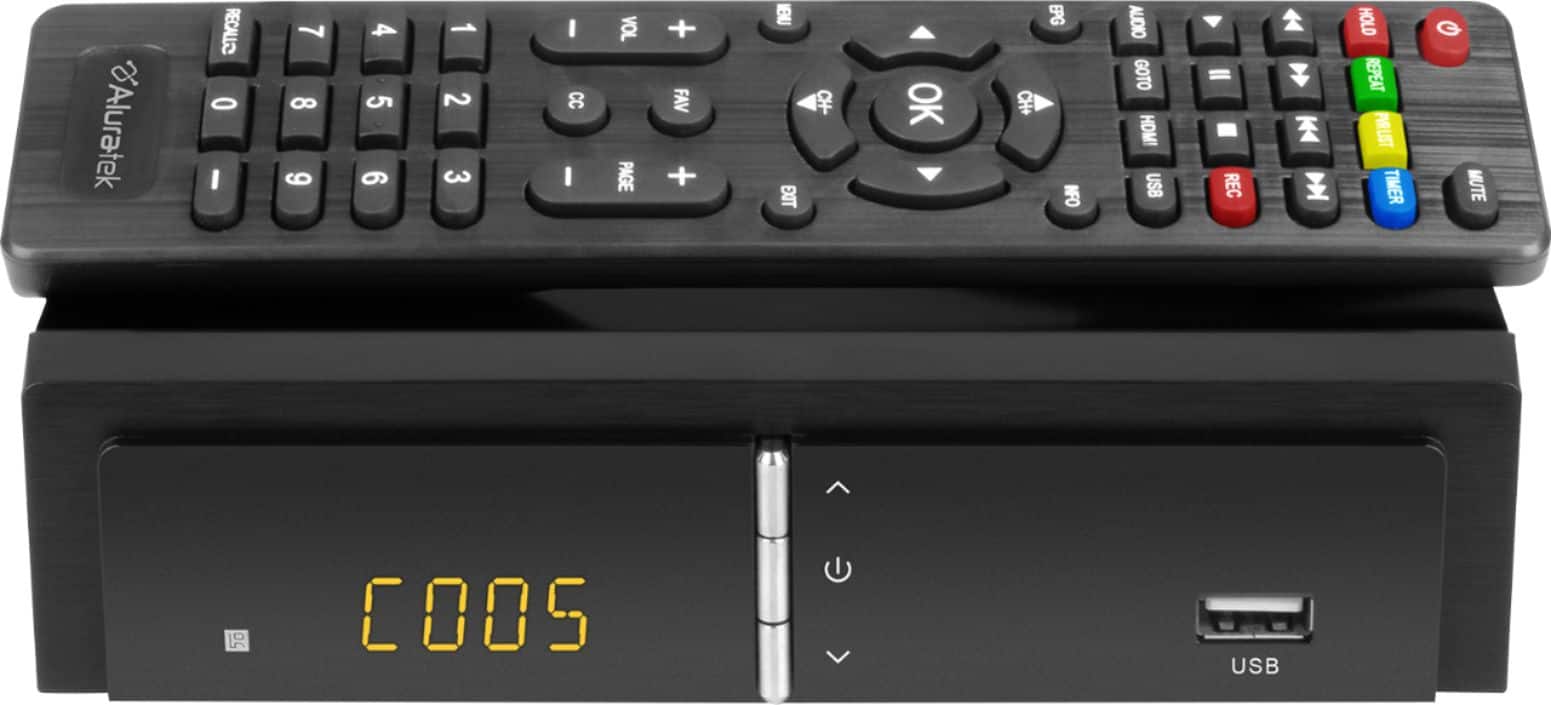
A:AnswerThis box takes the signal from a digital antenna and converts it to high definition if you use an HDMI cable. If not it is still a digital signal. The box searches for over the air (OTA) channels and permits you change channels and record via am USB drive
A:AnswerBASIC SETUP
1. The indoor antenna connects to the RF IN on the back of the TV box.
2. Then the TV box connects to your TV either using HDMI cable or the red, white, and yellow cables.
3. Do not connect the RF out to the TV.
4. After powering on your TV and TV Box you need to set your TV to the INPUT you used (HDMI 1 or 2, VGA, etc.).
5. Power on the TV Box with your Aluratek remote.
You then TAP the menu button on the remote control for the Aluratek TV Box and go to channel search and run that. You can use the arrow keys on the remote control to move across the tabs at the top of each menu. The channel search will find the local channels available in your area. This can change depending on where the antenna is placed in the home.
USB Thumb Drive: Use a 32GB card or smaller in size for best results.
USE INDOOR ANTENNA
The antenna is the crucial part. In addition to the antenna a lot depends on where it is placed and the location in the home or building and what is possible to be picked up in your area. I often have to move my antenna slightly to adjust quality.
----->>>> If you need more info contact [email protected]
A:AnswerWith this unit you need to stay on the channel you are recording. If you change channels the recording will change to that channel too. Contact [email protected] for more info.
A:AnswerUse whatever antenna that you currently use to watch Over the Air channels without the DVR. To record one show while watching another, use a COAX splitter on the antenna cable. Run one cable from the splitter to the DVR and the other cable from the splitter to the TV. That way you are not watching the TV using the DVR’s tuner.
A:AnswerThe Aluratek Converter box is also a DVR. However it is ONLY able to record Over the Air channels using its built-in Digital Tuner. There are no Streaming Apps that I know of that include a recording option. Only Digital Streaming Services like Sling or Direct TV have built in cloud storage recorders built in.
A:AnswerThis does not have recording as a part of it. This is for TVs that have an analog tuner, not digital. The tuner is for over the air channels. Subscription apps allow you to stream their content at any time so you do not need to record.
A:AnswerIf the unit is taken care of it will last 4 to 5 years and sometimes longer. It comes with a 1-year replacement warranty. For more questions please contact [email protected].
A:AnswerThe converter box will scan for broadcast channels. You might need to move the antenna to a different location if you are not getting the channels.
A:AnswerIn general I recommend 32GB USB thumb drives. This is because the ADTB01F uses a FAT32 formatting profile. For many larger drives it may not take advantage of the full capacity. Tap USB on the remote and go through the formatting and setup of the USB stick on the box.